Electron-packager is not recognized as an internal or external command. #245

Closed
opened 2026-01-29 16:34:37 +00:00 by claunia · 18 comments
Owner

Originally created by @vbmanuel22 on GitHub (Dec 26, 2018).

Hi,

I'm trying to build our Electron.NET app for windows and when I execute dotnet electronize build /target win on CLI, I always got this error

D:\WORK\AdminConsoleApp\AdminConsoleAppV2\AdminToolApplicationV2\obj\desktop\win>electron-packager . --platform=win32 --arch=x64 --out="D:\WORK\AdminConsoleApp\AdminConsoleAppV2\AdminToolApplicationV2\bin\desktop" --overwrite
D:\WORK\AdminConsoleApp\AdminConsoleAppV2\AdminToolApplicationV2\obj\desktop\win>
'electron-packager' is not recognized as an internal or external command,
operable program or batch file.

Please see below for reference.
electron installer error

Any help would be appreciated.

Thanks.

Originally created by @vbmanuel22 on GitHub (Dec 26, 2018). Hi, I'm trying to build our Electron.NET app for windows and when I execute dotnet electronize build /target win on CLI, I always got this error D:\WORK\AdminConsoleApp\AdminConsoleAppV2\AdminToolApplicationV2\obj\desktop\win>electron-packager . --platform=win32 --arch=x64 --out="D:\WORK\AdminConsoleApp\AdminConsoleAppV2\AdminToolApplicationV2\bin\desktop" --overwrite D:\WORK\AdminConsoleApp\AdminConsoleAppV2\AdminToolApplicationV2\obj\desktop\win> 'electron-packager' is not recognized as an internal or external command, operable program or batch file. Please see below for reference. ![electron installer error](https://user-images.githubusercontent.com/38751593/50440045-5541cf80-092f-11e9-8783-8d9c099eac4f.PNG) Any help would be appreciated. Thanks.
Author
Owner

@robertmuehsig commented on GitHub (Dec 28, 2018):

This was wa mistake on my part - we updated the docs a couple of days ago: https://github.com/ElectronNET/Electron.NET#start-the-application

Instead of "dotnet electronize" you will just need to invoke it via "electronize ..."

@robertmuehsig commented on GitHub (Dec 28, 2018): This was wa mistake on my part - we updated the docs a couple of days ago: https://github.com/ElectronNET/Electron.NET#start-the-application Instead of "dotnet electronize" you will just need to invoke it via "electronize ..."
Author
Owner

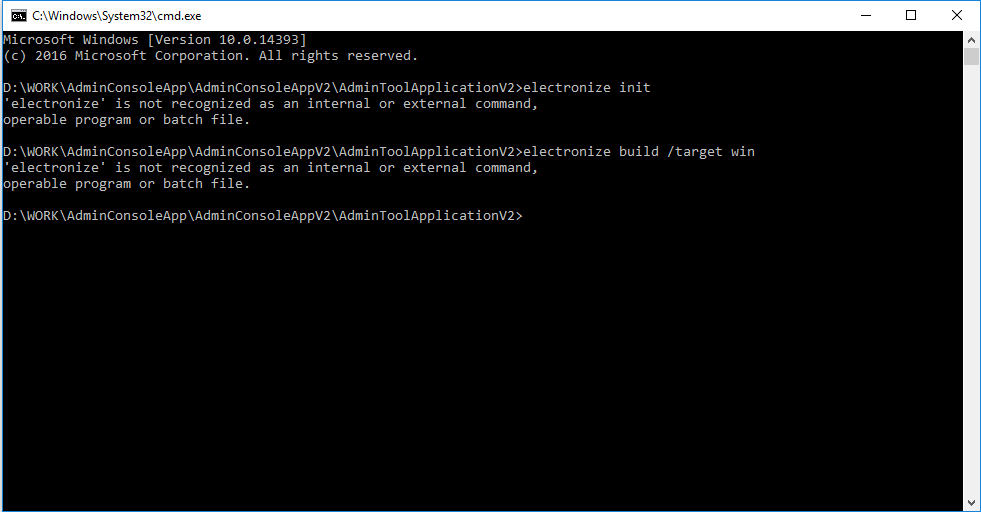
@vbmanuel22 commented on GitHub (Jan 4, 2019):

Hi Robert,

I had tried invoking it via "electronize" only and this is what I'm getting.
image

@vbmanuel22 commented on GitHub (Jan 4, 2019): Hi Robert, I had tried invoking it via "electronize" only and this is what I'm getting. ![image](https://user-images.githubusercontent.com/38751593/50668546-ac643600-0ffa-11e9-8dc0-9cec620411c4.png)
Author
Owner

@GregorBiswanger commented on GitHub (Jan 4, 2019):

Hi @vbmanuel22,
did you try the new .NET Core SDK and the command dotnet tool install ElectronNET.CLI -g ?

@GregorBiswanger commented on GitHub (Jan 4, 2019): Hi @vbmanuel22, did you try the new .NET Core SDK and the command `dotnet tool install ElectronNET.CLI -g` ?
Author
Owner

@vbmanuel22 commented on GitHub (Jan 4, 2019):

Hi Gregor,

Yes, after that the electronize command works, but I'm still having the same error when I'm creating a build for windows.
image

Thank you.

@vbmanuel22 commented on GitHub (Jan 4, 2019): Hi Gregor, Yes, after that the electronize command works, but I'm still having the same error when I'm creating a build for windows. ![image](https://user-images.githubusercontent.com/38751593/50668754-1a5d2d00-0ffc-11e9-9ebb-6a2edfb38212.png) Thank you.
Author
Owner

@GregorBiswanger commented on GitHub (Jan 4, 2019):

Works the electron-packager --version command?

@GregorBiswanger commented on GitHub (Jan 4, 2019): Works the `electron-packager --version` command?
Author
Owner

@vbmanuel22 commented on GitHub (Jan 4, 2019):

Hi Gregor,

Not sure what you mean. Do you mean the version of the electron-packager? Where can I find that? Is it the one in the package.json file?

@vbmanuel22 commented on GitHub (Jan 4, 2019): Hi Gregor, Not sure what you mean. Do you mean the version of the electron-packager? Where can I find that? Is it the one in the package.json file?
Author
Owner

@GregorBiswanger commented on GitHub (Jan 4, 2019):

No, try if the command works in the console..

@GregorBiswanger commented on GitHub (Jan 4, 2019): No, try if the command works in the console..
Author
Owner

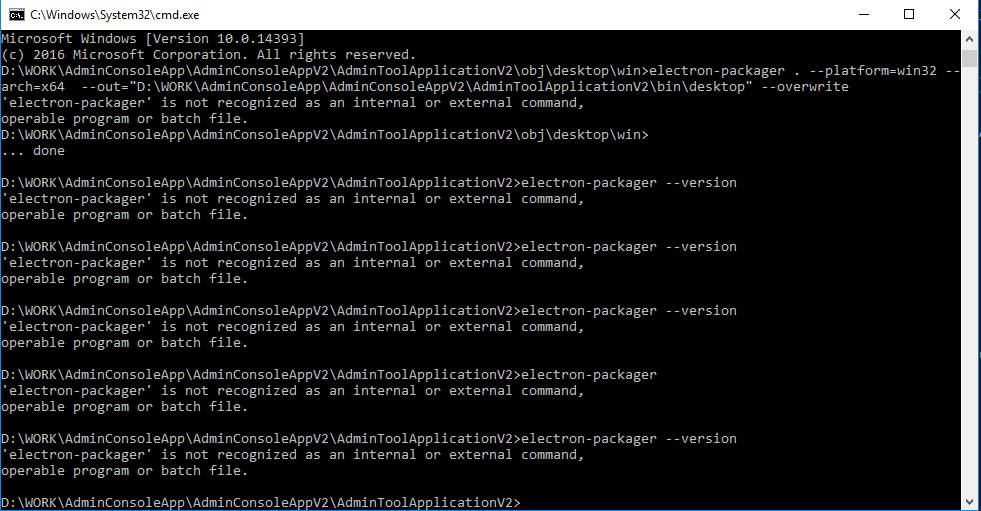
@vbmanuel22 commented on GitHub (Jan 4, 2019):

Hi Gregor,

The command doesn't work.
image

@vbmanuel22 commented on GitHub (Jan 4, 2019): Hi Gregor, The command doesn't work. ![image](https://user-images.githubusercontent.com/38751593/50669307-50e87700-0fff-11e9-976a-15f4cc7097de.png)
Author
Owner

@GregorBiswanger commented on GitHub (Jan 4, 2019):

Install electron-packager manually with the command and try again: npm install -g electron-packager

@GregorBiswanger commented on GitHub (Jan 4, 2019): Install electron-packager manually with the command and try again: `npm install -g electron-packager`
Author
Owner

@vbmanuel22 commented on GitHub (Jan 4, 2019):

Hi Gregor,

Still doesn't work. See image below. Or should I move the cli.js on the folder of the app?
image

@vbmanuel22 commented on GitHub (Jan 4, 2019): Hi Gregor, Still doesn't work. See image below. Or should I move the cli.js on the folder of the app? ![image](https://user-images.githubusercontent.com/38751593/50669385-df5cf880-0fff-11e9-8cd9-d7b312d9a2c2.png)
Author
Owner

@vbmanuel22 commented on GitHub (Jan 4, 2019):

I found the electron-packager.cmd file on the other path. Shall I move it to the application folder?
image

@vbmanuel22 commented on GitHub (Jan 4, 2019): I found the electron-packager.cmd file on the other path. Shall I move it to the application folder? ![image](https://user-images.githubusercontent.com/38751593/50669496-86da2b00-1000-11e9-8986-131053022489.png)
Author
Owner

@GregorBiswanger commented on GitHub (Jan 4, 2019):

Okay, the problem is: NPM can´t find the global path to the installed tools.
Often is this a problem with Visual Studio Node.js Tools and a seperate installed Node.js Version.

Try the following steps:

@GregorBiswanger commented on GitHub (Jan 4, 2019): Okay, the problem is: NPM can´t find the global path to the installed tools. Often is this a problem with Visual Studio Node.js Tools and a seperate installed Node.js Version. Try the following steps: - Install Node.js from nodejs.org again (LTS Version) - Try the install and version command again - If you get the same errors, set the evironment variable to the global node_modules manuelly and try all again: https://stackoverflow.com/questions/9587665/nodejs-cannot-find-installed-module-on-windows
Author
Owner

@vbmanuel22 commented on GitHub (Jan 4, 2019):

Hi Gregor,

Okay I'll try those steps and will let you know the results.

Thank you for your help!

@vbmanuel22 commented on GitHub (Jan 4, 2019): Hi Gregor, Okay I'll try those steps and will let you know the results. Thank you for your help!
Author
Owner

@vbmanuel22 commented on GitHub (Jan 4, 2019):

Hi Gregor,

After I installed the new version of node.js, I'm currently having a new error. Please see image below. Where can I see the environment variable?
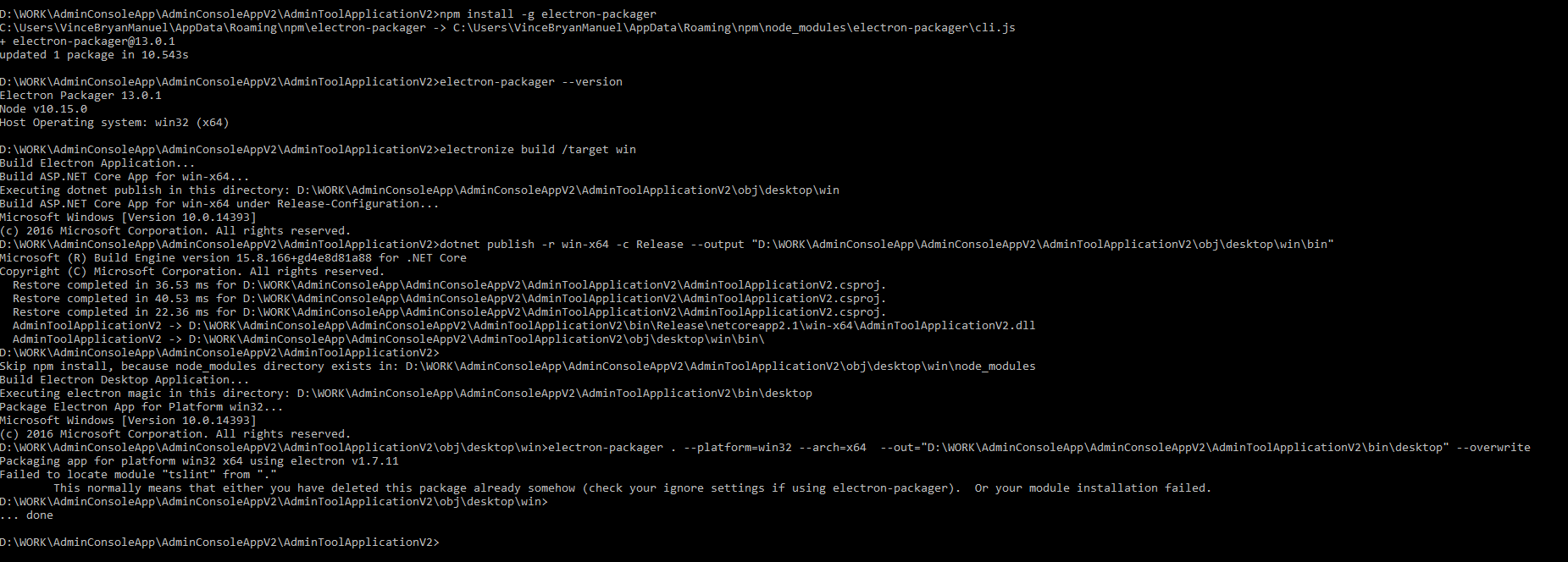
image

@vbmanuel22 commented on GitHub (Jan 4, 2019): Hi Gregor, After I installed the new version of node.js, I'm currently having a new error. Please see image below. Where can I see the environment variable? ![image](https://user-images.githubusercontent.com/38751593/50670137-614f2080-1004-11e9-83bb-36b5fba26c5e.png)
Author
Owner

@GregorBiswanger commented on GitHub (Jan 4, 2019):

delete the desktop directory from obj directory and try again please :)

@GregorBiswanger commented on GitHub (Jan 4, 2019): delete the desktop directory from obj directory and try again please :)
Author
Owner

@vbmanuel22 commented on GitHub (Jan 4, 2019):

Hi Gregor,

It works now. Thank you so much for your help.

Regards,
Vince

@vbmanuel22 commented on GitHub (Jan 4, 2019): Hi Gregor, It works now. Thank you so much for your help. Regards, Vince
Author
Owner

@GregorBiswanger commented on GitHub (Jan 4, 2019):

You're Welcome :) Thank you for using Electron.NET!

@GregorBiswanger commented on GitHub (Jan 4, 2019): You're Welcome :) Thank you for using Electron.NET!
Author
Owner

@Arslanijaz-009 commented on GitHub (Oct 8, 2019):

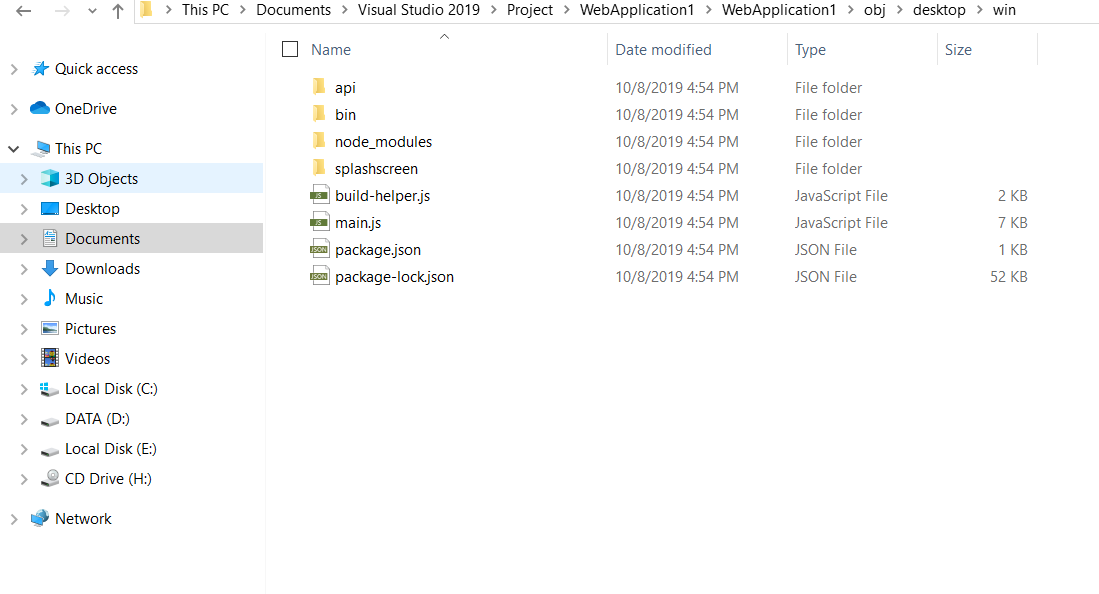
Hi Gregor
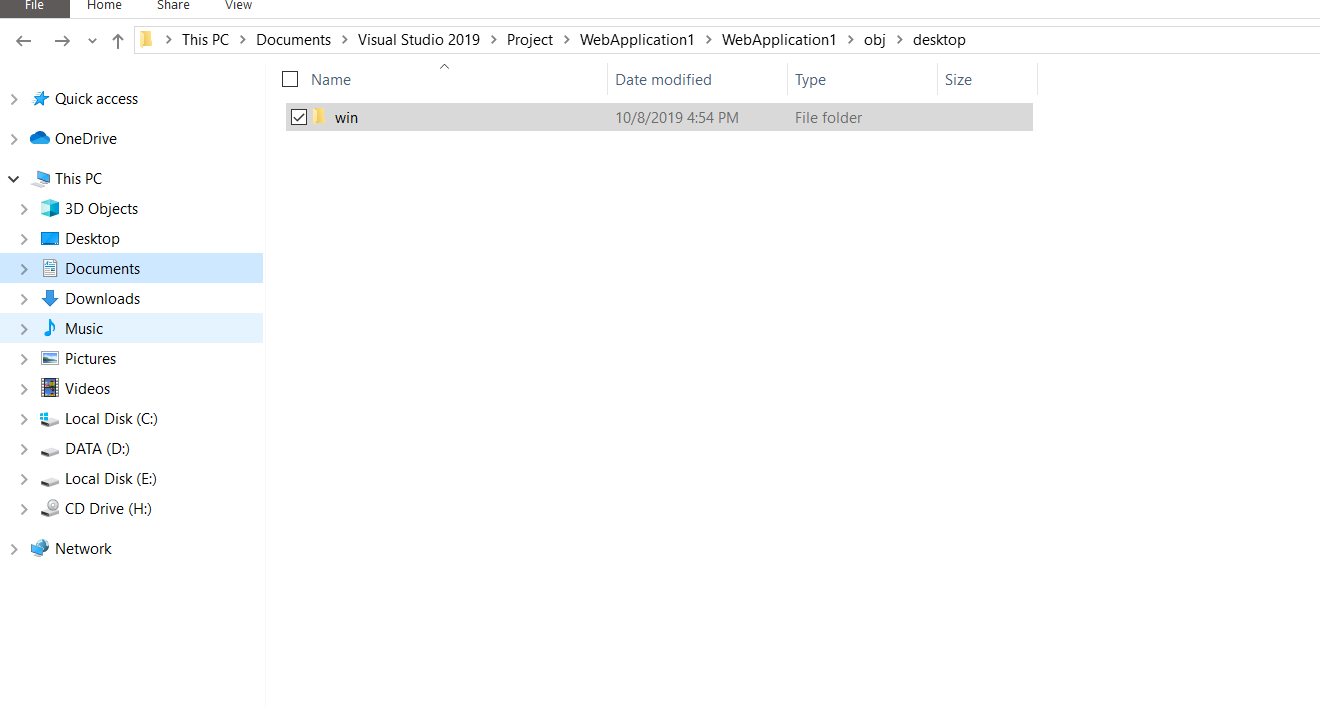
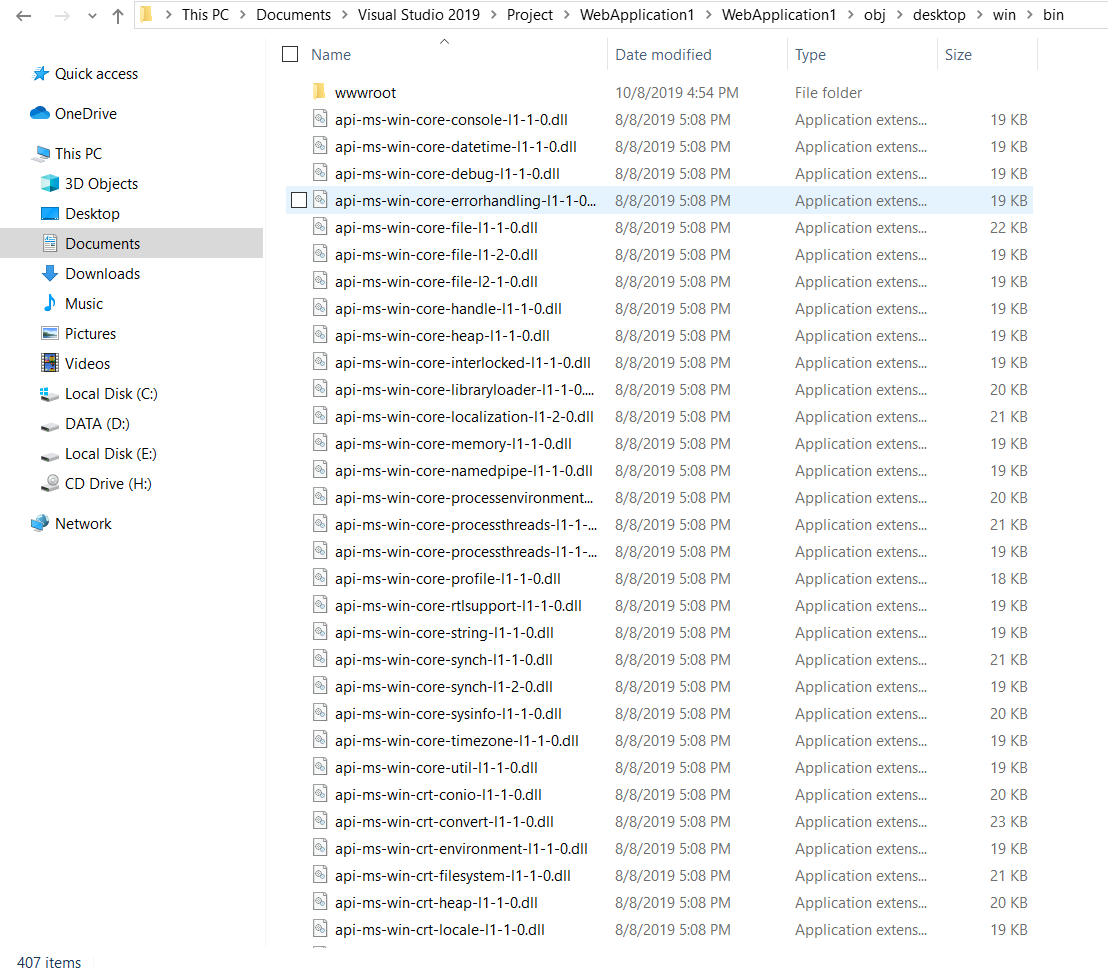
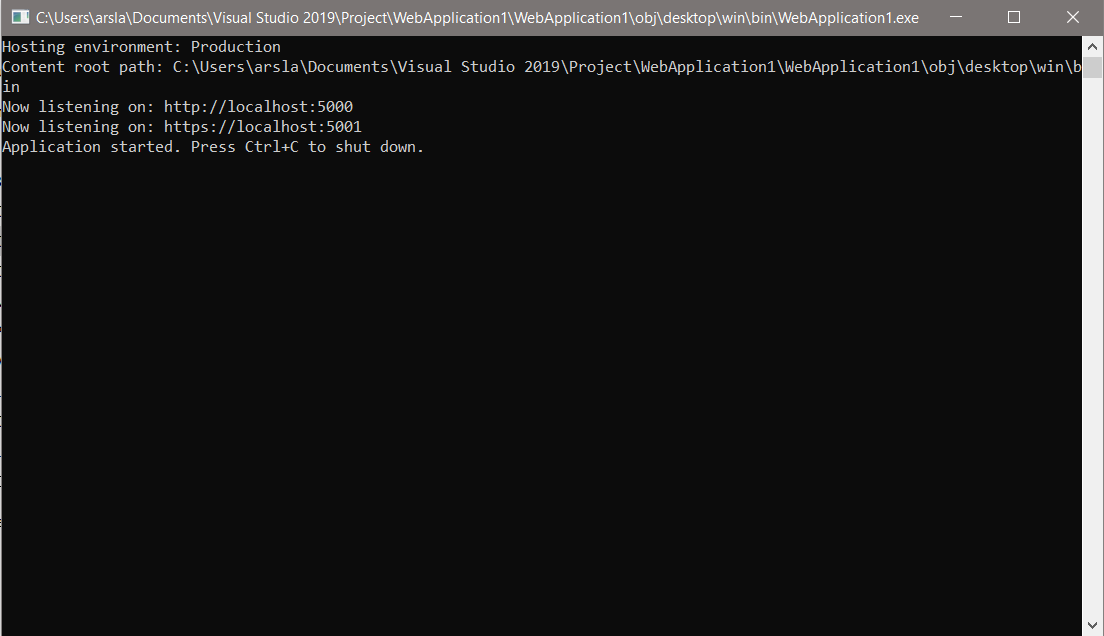
I have also same error on build. I applied every thing you described above. So my app build successfully but after build i can't get setup file except of this i get many folders and sub .dll files. And there is also a myapplication.exe file i run it but nothing happens.
Capture
Capture2
Capture3
Capture4

@Arslanijaz-009 commented on GitHub (Oct 8, 2019): Hi Gregor I have also same error on build. I applied every thing you described above. So my app build successfully but after build i can't get setup file except of this i get many folders and sub .dll files. And there is also a myapplication.exe file i run it but nothing happens. ![Capture](https://user-images.githubusercontent.com/56303945/66395142-298c6380-e9f0-11e9-940d-17013e849c27.PNG) ![Capture2](https://user-images.githubusercontent.com/56303945/66395143-298c6380-e9f0-11e9-9115-87a0e420182c.PNG) ![Capture3](https://user-images.githubusercontent.com/56303945/66395144-2a24fa00-e9f0-11e9-9634-d92936545b73.PNG) ![Capture4](https://user-images.githubusercontent.com/56303945/66395145-2a24fa00-e9f0-11e9-8c26-b09e83f5f308.PNG)
Sign in to join this conversation.
1 Participants
Notifications
Due Date
No due date set.
Dependencies

No dependencies set.

Reference: starred/Electron.NET#245