 92e4249eec
* Initial commit

Update spacing css classes in demos

Update spacing css classes in demos

Improve Notification layout and styles

Fix Notification with custom position in RTL mode

Update spacing css classes in demos

Add box-sizing: border-box to components

Remove bootstrap css from App.razor

Fix text-align in tabs demos

Rename CSS classes and update markup in RadzenDatePicker

Remove bootstrap scss

Tabs anchor element should inherit the text color

Update margins in typography

Remove bootstrap instructions from get started page

Remove bootstrap css from demos

Update premium themes

Add variable fonts

Remove legacy color tokens and token maps

Remove --rz-form-group-margin-bottom as it is not used

Add base color tokens

Add Base style values

Remove -styles scss map and use  and  styles maps instead

Remove -styles scss map and use  and  styles maps instead

Remove -styles scss map and use  and  styles maps instead

Remove -styles scss map and use  and  styles maps instead

Format button's styles

Reset body margin to 0

Splitter icons should use --rz-icon-font-family

Add styles for image and svg

Replace MaterialIcons font with MaterialSymbols variable font

Update RadzenButton's demos

Update RadzenBadge's demos

Update Colors demo page

Update RadzenProgressBars' demos

Use Base instead of Secondary button style in Confirm Dialog

Update DataGrid Hierarchy demos

Unify DataGrid filter buttons

Replace light with base button styles

Replace secondary with base button style

RadzenTheme, RadzenThemeSwitch and ThemeService.

Reorder base color variables

Add rtl mode animation to ProgressBar

Update SpeechToTextButton default button style and animation

Add CookieThemeService.

Fix base color variable value in software theme

Add Software Dark and Humanistic Dark themes

Update RadzenThemeSwitch

Default base text button should inherit color from its parent element

Update ColoPicker background for transparent color preview

Add Material Dark theme

Material Dark theme is now free

Remove ambiguous method name.

Update demos configurator

Update premium themes

Update the services to follow the options pattern for DI registration.

Improve RadzenThemeSwitch to use the current theme.

Rename ThemeSwitch to AppearanceToggle and add a demo page

Update SplitButton's dropdown icon demo

Create getting-started.html

Update getting-started.html

Update getting-started.html

Add --rz-grid-group-header-item-color and fix column footer color

Fix demos code snippet colors

Add changelog and update demo status badges

Update Changelog

Persist the current theme.

Update getting-started.html

Rename getting-started.html to md.

Render the theme CSS class at RadzenLayout level.

Hide the right sidebar by default.

Isolate CSS variables in a single rule

Revamp the getting started help article.

Remove nested README.md. Link getting started instructions.

Add Scheduler highlight background color css variable

Sidebar border right should be inline-end

Inputs should inherit font-family

Buttons in code viewer and event console should use base button style

Add Standard Dark theme

Update Changelog

Sidebar border right in themes should be inline-end

Render RadzenTheme only when needed.

Add cursor pointer to SidebarToggle

Fix AppearanceToggle margin

Update default theme colors

Update standard theme colors

Fix filter color in humanistic dark theme

Update software dark theme colors

Add humanistic dark wcag theme

Add software dark wcag theme

Add standard dark wcag theme

Buttons for add and remove now use base button style

Update Get Started styling

Update Dark WCAG theme colors

Update SideBar transition styles

Remove theme name css class

Add premium themes

code fixed

more code fixes

* Update Icon demo page content

* Fix --rz-grid-filter-buttons-background-color in Standard theme

* Remove obsolete fonts

* tests fixed

---------

Co-authored-by: yordanov <vasil@yordanov.info>
8.1 KiB
Interactivity and SSR
All interactive features of the Radzen Blazor components require interactivity for the container .razor file to be enabled or the @rendermode
attribute of the component to be set to one of the following values: InteractiveServer, InteractiveAuto or @InteractiveWebAssembly.
More info is available in the rendering mode article from the official Blazor documentation.
Install
The Radzen Blazor components are distributed via the Radzen.Blazor nuget package.
You can add the nuget package to your Blazor application in one of the following ways:
- Via Visual Studio's Nuget Package Manager
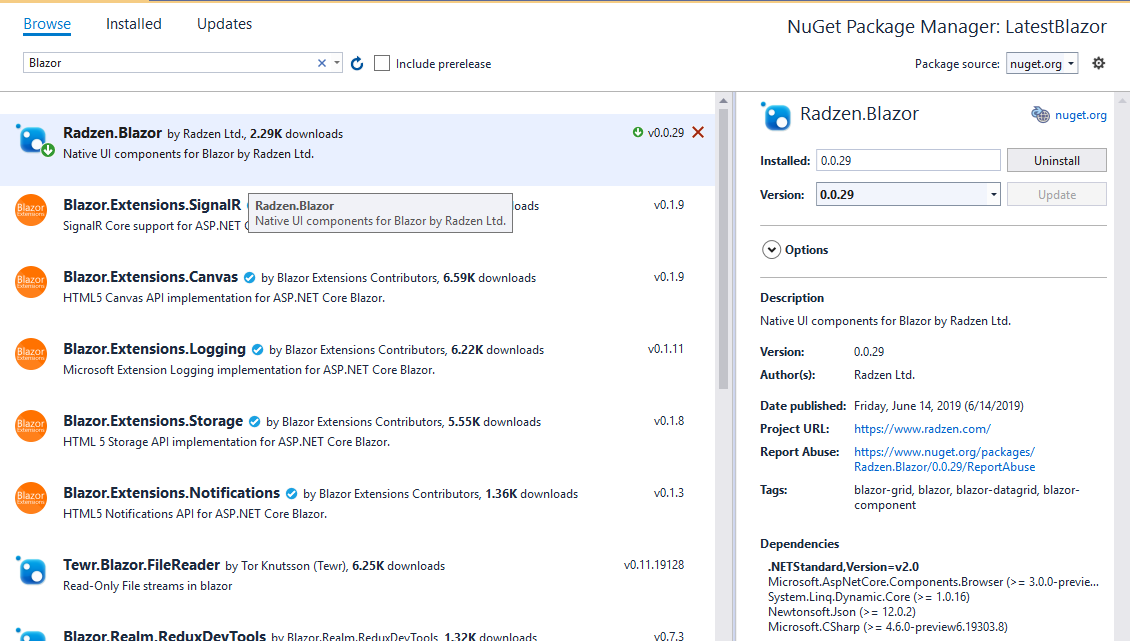
- Via command line
dotnet add package Radzen.Blazor - By editing your application's
.csprojfile and adding a package referencelt;PackageReference Include="Radzen.Blazor" Version="*" />
Import the namespaces
Import the namespaces by adding the following lines to _Imports.razor:
@using Radzen
@using Radzen.Blazor
Set the theme
Open the App.razor file of your application. Add this code within the <head> element:
<RadzenTheme Theme="material" @rendermode="InteractiveAuto" />
@rendermode attribute if you don't need interactive theme features such
as changing the theme at runtime.
Pages\_Host.cshtml file of your application. Add this code within the <head> element:
<component type="typeof(RadzenTheme)" render-mode="ServerPrerendered" param-Theme="@("material")" />
Pages\_Host.cshtml file of your application. Add this code within the <head> element:
<component type="typeof(RadzenTheme)" render-mode="WebAssemblyPrerendered" param-Theme="@("material")" />
Pages\_Layout.cshtml file of your application. Add this code within the <head> element:
<component type="typeof(RadzenTheme)" render-mode="ServerPrerendered" param-Theme="@("material")" />
Pages\_Layout.cshtml file of your application. Add this code within the <head> element:
<component type="typeof(RadzenTheme)" render-mode="WebAssemblyPrerendered" param-Theme="@("material")" />
index.html file and add this code within the <head> element:
<link rel="stylesheet" href="_content/Radzen.Blazor/css/material-base.css">
Include Radzen.Blazor.js
Open the App.razor file of your application. Add this code after the last <script>:
<script src="_content/Radzen.Blazor/Radzen.Blazor.js?v=@(typeof(Radzen.Colors).Assembly.GetName().Version)"></script>
Pages\_Host.cshtml file of your application. Add this code after the last <script>:
<script src="_content/Radzen.Blazor/Radzen.Blazor.js?v=@(typeof(Radzen.Colors).Assembly.GetName().Version)"></script>
Pages\_Layout.cshtml file of your application. Add this code after the last <script>:
<script src="_content/Radzen.Blazor/Radzen.Blazor.js?v=@(typeof(Radzen.Colors).Assembly.GetName().Version)"></script>
index.html file and add this this code after the last <script>:
<script src="_content/Radzen.Blazor/Radzen.Blazor.js"></script>
Use a component
To use a component type its tag name in your Blazor page:
<RadzenButton Text="Hi" Click=@OnClick />
@code {
  void OnClick()
  {
     // Handle the click event
  }
}
Dialog, context menu, tooltip and notification
To use RadzenDialog, RadzenContextMenu, RadzenTooltip and RadzenNotification you need to perform a few additional steps.
- Open
MainLayout.razorand add this code<RadzenComponents @rendermode=InteractiveAuto />Use a render mode which you have enabled for your application. RadzenDialog, RadzenContextMenu, RadzenTooltip and RadzenNotification require interactivity and will not work in static render mode (SSR).<RadzenComponents /> -
Open
Program.csand add this code beforebuilder.Build():builder.Services.AddRadzenComponents();