mirror of
https://github.com/adamhathcock/sharpcompress.git
synced 2026-09-22 06:54:40 +00:00
Archiving a directory does not preserve the directory name (Tar) #273

Reference in New Issue
Block a user
Delete Branch "%!s()"
Deleting a branch is permanent. Although the deleted branch may continue to exist for a short time before it actually gets removed, it CANNOT be undone in most cases. Continue?
Originally created by @SimonCahill on GitHub (Jan 31, 2018).
After attempting to restore a backup file, I could not determine where each archive should be extracted to.
Other archives I'd tested, created using the .tar command, worked just fine and work as expected.
The command
Creates an archive as follows:

Creating an archive, on the other hand, using SharpCompress, creates an archive looking like this:
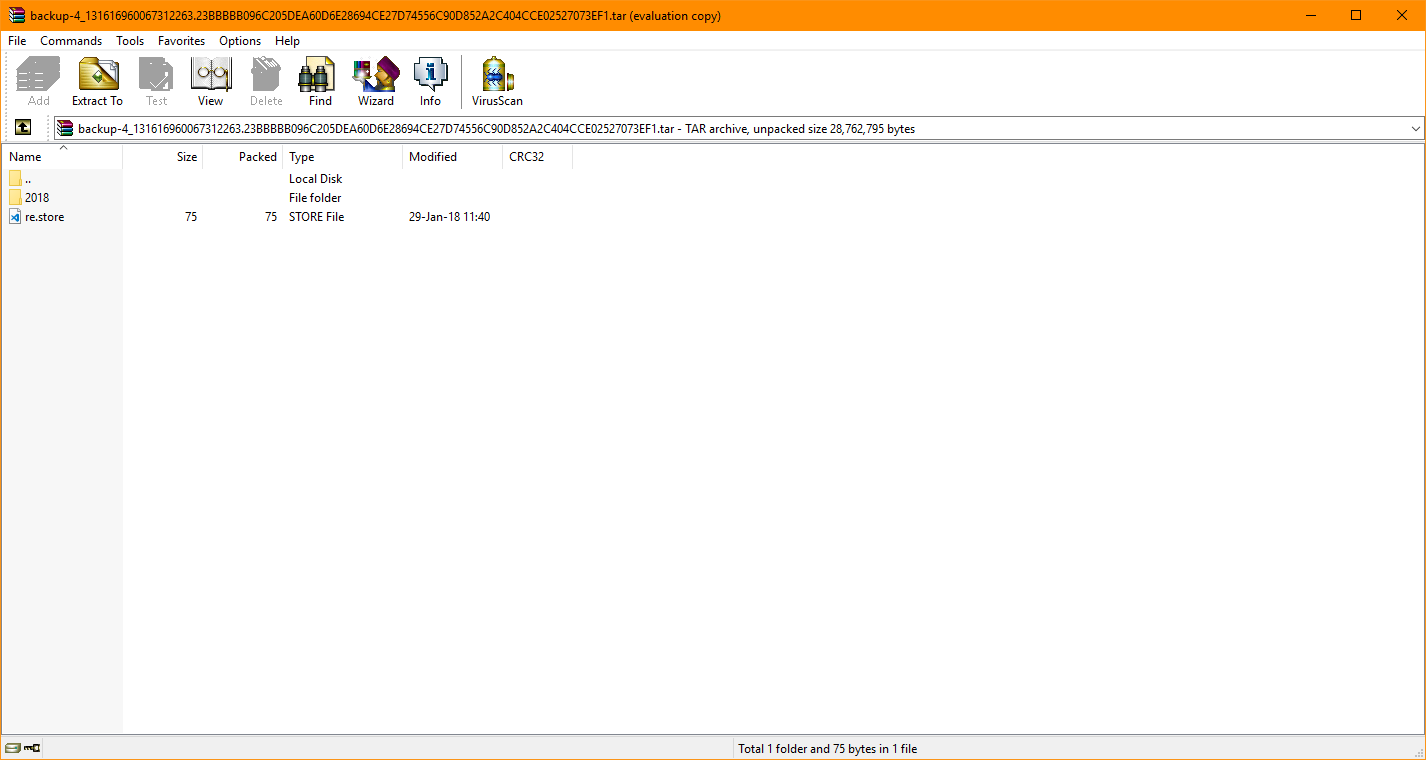
Which is essentially only the contents of the parent directory.
If I were only backing up individual archives, this wouldn't be an issue. However, multiple archives are backed up, and so the re.store files (containing the location to restore an individual archive to) are worthless, seeming as they are somehow all placed in the root directory of the tar.
I'm going to go out on a limb here, and say I'm essentially executing very similar commands, which should both result in the same output.
I can't simply point to the parent directory, as not all directories in said parent directory are viable for backing up.
Any help on the matter is much appreciated.
@adamhathcock commented on GitHub (Jan 31, 2018):
Just prepend the directory name when writing the name of the entry.
This is code, not a full program thing like the tar executable. Less is done for you. It's not "worthless"
@adamhathcock commented on GitHub (Jan 31, 2018):
The WriteAll method just doesn't do what you want (prepend directory). You can write the loop yourself or submit a pull request with a new option.
@SimonCahill commented on GitHub (Jan 31, 2018):
I never said it was worthless, merely that it doesn't work as expected ;)
I'll check out the source and see what I can do!
Thanks!