## Summary of the Pull Request
Fixes a denial of service by a toddler with an Xbox controller wanting
to play Forza. They can impatiently press up and down and close out the
terminal window.
Issue is upstream in WinUI, but I think this gathers things into a state
where Terminal can at least recover by adding a `GettingFocus` handler
on the `TabViewItem` that cancels that gamepad focus move before it
reaches the framework handler.
## References and Relevant Issues
Issue #19671 and #20089
## Validation Steps Performed
Handed a controller to my toddler while working in terminal. I also
banged on the keys myself.
## PR Checklist
Closes#19671Closes#20089
This pull request broadly rewrites how we handle all media resources in
the Terminal settings model.
## What is a media resource?
A media resource is any JSON property that refers to a file on disk,
including:
- `icon` on profile
- `backgroundImage` on profile (appearance)
- `pixelShaderPath` and `pixelShaderImagePath` on profile (appearance)
- `icon` on command and the new tab menu entries
The last two bullet points were newly discovered during the course of
this work.
## Description of Changes
In every place the settings model used to store a string for a media
path, it now stores an `IMediaResource`.
A media resource must be _resolved_ before it's used. When resolved, it
can report whether it is `Ok` (found, valid) and what the final
normalized path was.
This allows the settings model to apply some new behaviors.
One of those new behaviors is resolving media paths _relative to the
JSON file that referred to them._ This means fragments and user settings
can now contain _local_ images, pixel shaders and more and refer to them
by filename.
Relative path support requires us to track the path from which every
media resource "container" was read[^2]. For "big" objects like Profile,
we track it directly in the object and for each layer. This means that
fragments **updating** a profile pass their relative base path into the
mix. For some of the entries such as those in `newTabMenu`, we just wing
it (#19191). For everything that is recursively owned by a parent that
has a path (say each Command inside an ActionMap), we pass it in from
the parent during media resolution.
During resolution, we now track _exactly which layer_ an icon,
background image, or pixel shader path came from and read the "base
path" from only that layer. The base path is not inherited.
Another new behavior is in the handling of web and other URLs.
Canonical and a few other WSL distributors had to resort to web URLs for
icons because we did not support loading them from the package. Julia
tried to use `ms-appx://JuliaPackageNameHere/path/to/icon` for the same
reason. Neither was intended, and of the two the second _should_ have
worked but never could[^1].
For both `http(s?)` URLs and `ms-appx://` URLs which specify a package
name, we now strip everything except the filename. As an example...
If my fragment specifies `https://example.net/assets/foo.ico`, and my
fragment was loaded from `C:\Fragments`, Terminal will look *only* at
`C:\Fragments\foo.ico`.
This works today for Julia (they put their icon in the fragment folder
hoping that one day we would support this.) It will require some work
from existing WSL distributors.
I'm told that this is similar to how XML schema documents work.
Now, icons are special. They support _Emoji_ and _Segoe Icons_. This PR
adds an early pass to avoid resolving anything that looks like an
emoji.
This PR intentionally expands the heuristic definition of an emoji. It
used to only cover 1-2 code unit emoji, which prevented the use of any
emoji more complicated than "man in business suite levitating."
An icon path will now be considered an emoji or symbol icon if it is
composed of a single grapheme cluster (as measured by ICU.)
This is not perfect, as it errs on the side of allowing too many
things... but each of those things is technically a single grapheme
cluster and is a perfectly legal FontIcon ;)
Profile icons are _even more special_ than icons. They have an
additional fallback behavior which we had to preserve. When a profile
icon fails validation, or is expressly set to `null`, we fall back to
the EXE specified in the command line.
Because we do this fallback during resolution, _and the icon may be
inherited by any higher profile,_ we can only resolve it against the
commandline at the same level as the failed or nulled icon.
Therefore, if you specify `icon: null` in your `defaults` profile, it
will only ever resolve to `cmd.exe` for any profile that inherits it
(unless you change `defaults.commandline`).
This change expands support for the magic keywords `desktopWallpaper`
and `none` to all media paths (yes, even `pixelShaderPath`... but also,
`pixelShaderImagePath`!) It also expands support for _environment
variables_ to all of those places. Yes, we had like forty different
handlers for different types of string path. They are now uniform.
## Resource Validation
Media resources which are not found are "rejected". If a rejected
resource lives in _user_ settings, we will generate a warning and
display it.
In the future, we could detect this in the Settings UI and display a
warning inline.
## Surprises
I learned that `Windows.Foundation.Uri` parses file paths into `file://`
URIs, but does not offer you a way to get the original file path back
out. If you pass `C:\hello world`, _`Uri.Path`_ will return
`/C:/hello%20world`. I kid you not.
As a workaround, we bail out of URL handling if the `:` is too close to
the start (indicating an absolute file path).
## Testing
I added a narow test hook in the media resource resolver, which is
removed completely by link-time code generation. It is a real joy.
The test cases are all new and hopefully comprehensive.
Closes#19075Closes#16295Closes#10359 (except it doesn't support fonts)
Supersedes #16949 somewhat (`WT_SETTINGS_DIR`)
Refs #18679
Refs #19215 (future work)
Refs #19201 (future work)
Refs #19191 (future work)
[^1]: Handling a `ms-appx` path requires us to _add their package to our
dependency graph_ for the entire duration during which the resource will
be used. For us, that could be any time (like opening the command
palette for the first time!)
[^2]: We don't bother tracking where the defaults came from, because we
control everything about them.
- Various spelling fixes
- Refresh metadata (including dictionaries)
- Upgrade to v0.0.25

## Validation Steps Performed

- check-spelling has been automatically testing this repository for a
while now on a daily basis to ensure that it works fairly reliably:
https://github.com/check-spelling-sandbox/autotest-check-spelling/actions/workflows/microsoft-terminal-spelling2.yml

Specific in-code fixes:
- winget
- whereas
- tl;dr
- set up
- otherwise,
- more,
- macbook
- its
- invalid
- in order to
- if
- if the
- for this tab,...
- fall back
- course,
- cch
- aspect
- archaeologists
- an
- all at once
- a
- `...`
- ; otherwise,

Signed-off-by: Josh Soref <2119212+jsoref@users.noreply.github.com>
This required me to push a bunch more parameters through the build
pipeline, but it gave me the opportunity to define them as variables
that can be set at queue time.
Work is ongoing to remove individually-authenticated service accounts
from some pipelines. This moves us closer to that goal.

Tested in Nightly 2403.28002.
This pull request introduces the module Microsoft.Terminal.UI.dll, and
moves into it the following things:

- Any `IDirectKeyListener`
- All XAML converter helpers from around the project
   - ... including `IconPathConverter` from TerminalSettingsModel
   - ... but not `EmptyStringVisibilityConverter`, which has died

It also adds a XAML Markup Extension named `mtu:ResourceString`, which
will allow us to refer to string resources directly from XAML. It will
allow us to remove all of the places in the code where we manually set
resources on XAML controls.

---------

Co-authored-by: Leonard Hecker <lhecker@microsoft.com>
This is a specification for a way to customize console allocations.
The new manifest type `consoleAllocationPolicy` and the new
`AllocConsoleWithOptions` API were already added to the console
client library internally.
Closes#7335
After the nightly build completes, we'll automatically generate a
.appinstaller and publich it plus the msixbundle to an Azure Storage
account.
I had to add step/job customization to the publish step in the full
release pipeline template.
The .appinstaller hardcodes our XAML dependency, which makes it a bit of
a pain. We can revisit this later, and publish our dependencies
directly and automatically instead of hardcoding them.
I am considering moving the appinstaller generation step to the MSIX
bundling job, but this works right now and is not too terrible.
Closes#774
The Win32 API is significantly faster than the WinRT one, in the order
of around 300-1000x depending on the CPU and CPU load.
This might slightly improve the situation around #15315, but I suspect
that it requires many more fixes. For instance, we don't really have a
single text input "queue" into which we write. Multiple routines that
`resume_background` just to `WriteFile` into the input pipe are thus
racing against each other, contributing to the laggy feeling.
I also fear that the modern Windows text stack might be inherently
RPC based too, producing worse lag with rising CPU load.
This might fix#14323
## Validation Steps Performed
* Paste text from Edge ✅
* Paste text from Notepad ✅
* Right click the address bar in Explorer, choose "Copy address",
paste text into WT ✅
---------
Co-authored-by: Dustin L. Howett <duhowett@microsoft.com>
Since the removal of the Win10-specific variant of the Terminal MSIX in
#15031, there has been no officially-sanctioned (or even unofficially
tested!) way to get an unzippable double-click-runnable version of
Windows Terminal.

Due to a quirk in the resource loading system, an unpackaged
distribution of Terminal needs to ship all of XAML's resources and all
of is own resources in a single `resources.pri` file. The tooling to
support this is minimal, and we were previously just coasting by on
Visual Studio's generosity plus how the prerelease distribution of XAML
embedded itself into the consuming package.

This pull request introduces a build phase plus a supporting script (or
three) that produces a ZIP file distribution of Windows Terminal when
given a Terminal MSIX and an XAML AppX.

The three scripts are:

1. A script to merge any number of PRI files and/or PRI dump files (made
   with `makepri dump /dt detailed`)
2. A script that specifically merges XAML's resources with Terminal's.
   This is necessary because the XAML package emits a couple PRI
   resources into Terminal's resources _even when it is not
   co-packaged._ We need to remove the conflicting resources.
3. Finally, a script to take a WT and XAML distribution and combine them
   -- resources, files, everything -- and strip out the things that we
   don't need. This script is an all-in-one that calls the other two and
   produces a ZIP file at the end.

The final distribution is named after the PFN
(`Microsoft.WindowsTerminal`, or `...Preview` or `WindowsTerminalDev`),
the version number and the architecture. When expanded, it produces a
directory named `terminal-X.Y.Z.A` (version number.)

I've also added the build script to the release pipeline.

As a treat, this also produces an unpackaged distribution out of every
CI build... that way, contributors can download live deployable copies
of WT Unpackaged to test out their changes. Pretty cool.

Refs #1386
Adds a helper that replicates how the `RegenerateUserEnvironment()`
method in `shell32.dll` behaves.

* Raises #12516 from the dead.
* Half of #1125

Co-authored-by: Michael Niksa <miniksa@microsoft.com>
### ⇒ [doc link](https://github.com/microsoft/terminal/blob/dev/migrie/s/2634-broadcast-input/doc/specs/drafts/%232634%20-%20Broadcast%20Input/%232634%20-%20Broadcast%20Input.md) ⇐

## Summary of the Pull Request

This is supposed to be a quick and dirty spec to socialize the various different options for Broadcast Input mode with the team. Hopefully we can come up with a big-picture design for the feature, so we can unblock #9222.

### Abstract

> With a viable prototype in #9222, it's important that we have a well-defined
> plan for how we want this feature to be exposed before merging that PR. This
> spec is intended to be a lighter-than-usual spec to build consensus on the
> design of how the actions should be expressed.

...

> _**Fortunately**_: All these proposals actually use the same set of actions. So
> it doesn't _really_ matter which we pick right now. We can unblock #9222 as
> the implementation of the `"tab"` scope, and address other scopes in the future.
> We should still decide long-term which of these we'd like, but the actions seem
> universal.


## PR Checklist
* [x] Specs: #2634
* [x] References: #9222, #4998
* [x] I work here

## Detailed Description of the Pull Request / Additional comments
_\*<sup>\*</sup><sub>\*</sub> read the spec  <sub>\*</sub><sup>\*</sup>\*_
Four (4) squashed changes, with messages preserved.

## release: move symbol publication into its own phase

Right now, symbol publication happens every time we produce a final
bundle. In the future, we may be producing multiple bundles from the
same pipeline run, and we need to make sure we only do *one* symbol
publication to MSDL.

When we do that, it will be advantageous for us to have just one phase
that source-indexes and publishes all of the symbols.

## Remove Terminal's built-in copy of the VC Runtime

This removes the trick we pulled in #5661 and saves us ~550kb per arch.

Some of our dependencies still depend on the "app" versions of the
runtime libraries, so we are going to continue shipping the forwarders
in our package. Build rules have been updated to remove the non-Desktop
VCLibs dependency to slim down our package graph.

This is not a problem on Windows 11 -- it looks like it's shipped inbox.

**BREAKING CHANGE**: When launched unpackaged, Terminal now requires the
vcruntime redist to be installed.

## Prepare for toggling XAML between 2.7.0 and -prerelease on Win11

common.openconsole.props is a pretty good place to stash the XAML
version since it is included in every project (including the WAP
project (unlike the C++ build props!)).

I've gone ahead and added a "double dependency" on multiple XAML
versions. We'll toggle them with a build flag.

## Run the release pipeline twice, for Win10 and Win11, at the same time

This required some changes in how we download artifacts to make sure
that we could control which version of Windows we were processing in any
individual step.

We're also going to patch the package manifest on the Windows 11 version
so the store targets it more specifically.

On top of the prior three steps, this lets us ship a Windows 11
package that costs only ~15MB on disk. The Windows 10 version, for
comparison, is about 40.
## Summary of the Pull Request
This PR sets up a OneFuzz pipeline on Azure DevOps for our repo.

## Detailed Description of the Pull Request / Additional comments
- fuzz.yml: defines the stages and pipeline for ADO
- build-console-fuzzing: builds the solution in the Fuzzing configuration
- build-console-steps: omits a few tasks that are unnecessary for this build configuration
- sln and vcxproj changes: the solution wasn't building in CI. This makes sure that's fixed.
- fuzzing.md: a short guide on how to get OneFuzz set up and add a new fuzzer

## References
#7638
This implements command line matching for `CascadiaSettings::GetProfileForArgs`.
The command lines for all user profiles are resolved to absolute file paths,
argument quotes are standardized ("canonicalized") and the results are cached.
When `GetProfileForArgs` is called with a Commandline() value, we "canonicalize"
the argument as well and find the profile that is the longest prefix.
If none could be found the default profile is returned.
## PR Checklist
* [x] Closes#9458
* [x] Closes#10952
* [x] I work here
* [ ] Tests added/passed
## Validation Steps Performed
* Open a `cmd.exe` tab in the store-version of WT
* Run `start cmd`
--> A tab with the `cmd.exe` profile opens
* Run `start pwsh.exe`
--> A tab with the PowerShell 7 profile opens
* Run PowerShell 7 from the start menu
--> A tab with the PowerShell 7 profile opens
* Create a symlink for PowerShell 7 and launch `pwsh.exe` from there
--> A tab with the PowerShell 7 profile opens
## Summary of the Pull Request
Similar to `vswhere -latest`, show only the latest Visual Studio command prompts / developer PowerShell. This was tested by deleting the local package state and testing against fresh state with both VS2019 and VS2022 Preview installed, and indeed VS2022 Preview (both cmd and powershell) show. The other profiles were generated but hidden by default.
## References
Modification of PR #7774
## PR Checklist
* [x] Closes#11307
* [x] CLA signed. If not, go over [here](https://cla.opensource.microsoft.com/microsoft/Terminal) and sign the CLA
* [x] Tests added/passed
* [ ] Documentation updated. If checked, please file a pull request on [our docs repo](https://github.com/MicrosoftDocs/terminal) and link it here: #xxx
* [ ] Schema updated.
* [x] I've discussed this with core contributors already. If not checked, I'm ready to accept this work might be rejected in favor of a different grand plan. Issue number where discussion took place: #xxx
## Detailed Description of the Pull Request / Additional comments
The sort algorithm is the same basic algorithm I used in https://github.com/microsoft/vswhere. It sorts first by installation version with a secondary sort based on the install date in case the installation versions are the same.
## Validation Steps Performed
With both VS2019 and VS2022 Preview installed, I made sure the initial state was expected, and tried different combinations of hiding and unhiding generated entries, and restarted Terminal to make sure my settings "stuck".
<!-- Enter a brief description/summary of your PR here. What does it fix/what does it change/how was it tested (even manually, if necessary)? -->
## Summary of the Pull Request
Continuation of https://github.com/microsoft/terminal/pull/10972 to handle multiple windows, requires that to be merged first.
<!-- Other than the issue solved, is this relevant to any other issues/existing PRs? -->
## References
<!-- Please review the items on the PR checklist before submitting-->
## PR Checklist
* [x] Also closes#766
* [x] CLA signed. If not, go over [here](https://cla.opensource.microsoft.com/microsoft/Terminal) and sign the CLA
* [ ] Tests added/passed
* [ ] Documentation updated. If checked, please file a pull request on [our docs repo](https://github.com/MicrosoftDocs/terminal) and link it here: #xxx
* [x] Schema updated.
* [ ] I've discussed this with core contributors already. If not checked, I'm ready to accept this work might be rejected in favor of a different grand plan. Issue number where discussion took place: #xxx
<!-- Provide a more detailed description of the PR, other things fixed or any additional comments/features here -->
## Detailed Description of the Pull Request / Additional comments
Rough changelog:
Normally saving is triggered to occur every 30s, or sooner if a window is created/closed. The existing behavior of saving on last close is maintained to bypass that throttling. The automatic saving allows for crash recovery. Additionally all window layouts will be saved upon taking the `quit` action.
For loading we will check if we are the first window, that there are any saved layouts, and if the setting is enabled, and then depending on if we were given command line args or startup actions.
- create a new window for each saved layout, or
- take the first layout for our self and then a new window for each other layout.
This also saves the layout when the quit action is taken.
Misc changes
- A -s,--saved argument was added to the command line to facilitate opening all of the windows with the right settings. This also means that while a terminal session is running you can do wt -s idx to open a copy of window idx. There isn't a stable ordering of which idx each window gets saved as (it is whatever the iteration order of _peasants is), so it is just a cute hack for now.
- All position calculation has been moved up to AppHost this does mean we need to awkwardly pass around positions in a couple of unexpected places, but no solution was perfect.
- Renamed "Open tabs from a previous session" to "Open windows from a previous session". (not reflected in video below)
- Now save runtime tab color and window names
- Only enabled for non-elevated windows
- Add some change tracking to ApplicationState
<!-- Describe how you validated the behavior. Add automated tests wherever possible, but list manual validation steps taken as well -->
## Validation Steps Performed
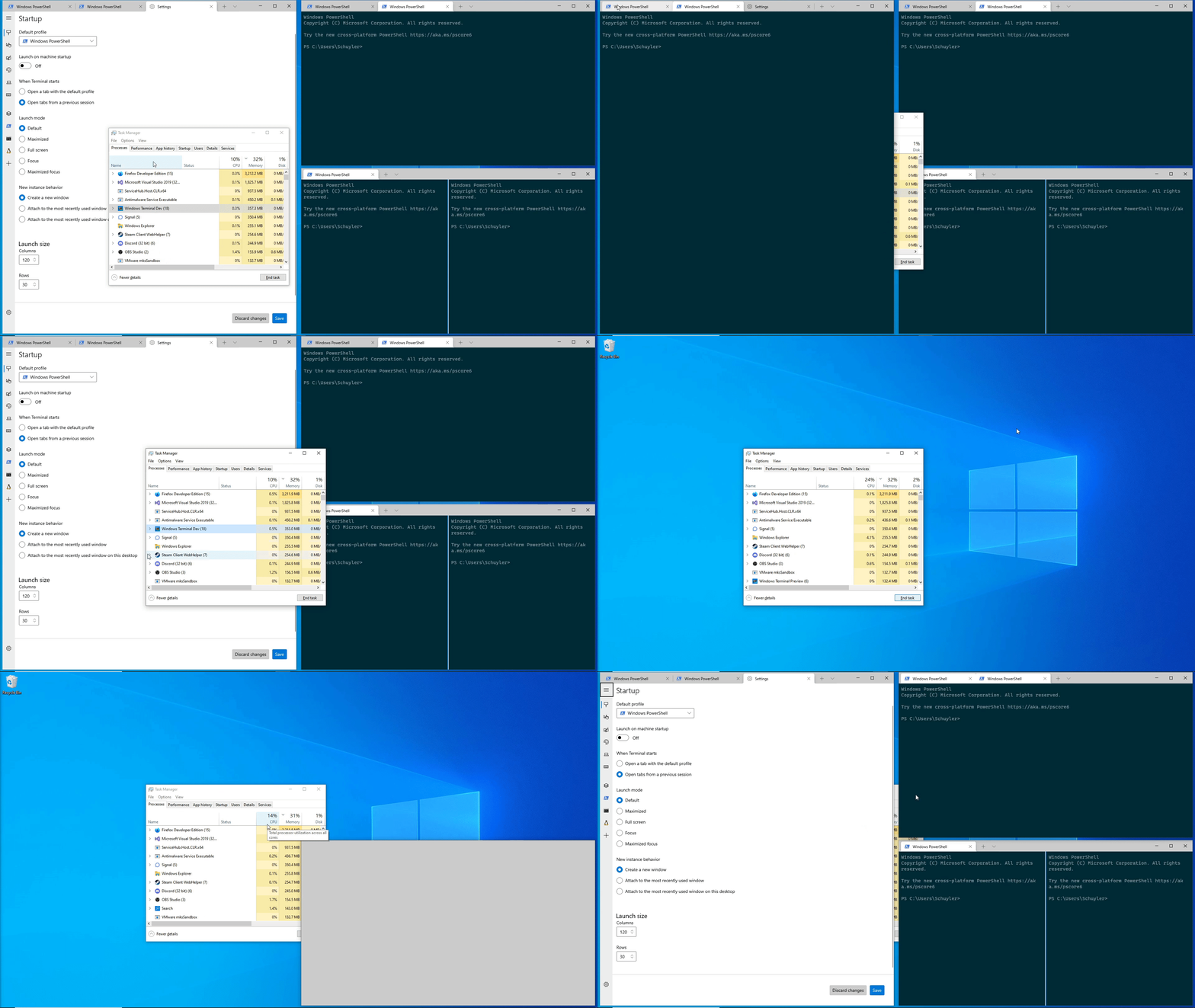
This PR converts the WSL distro generator to use the registry to lookup
WSL distros instead of trying to parse the results of `wsl.exe`.
`wsl.exe` sometimes takes a very long time to launch the WSL service,
which means that on the first launch of the Terminal, WSL distros can
sometimes be missing entirely!
## References
* Also related is #6160, but I feel that deserves a separate PR for
warning when the default profile is a dynamic profile who's source
indicated it was gone.
## PR Checklist
* [x] Closes#9905
* [x] Closes#7199
* [x] I work here
* [ ] Tests added/passed
* [ ] Requires documentation to be updated
## Detailed Description of the Pull Request / Additional comments
This is maybe a little BODGY, but hey we get tons of reports of this
root cause.
## Validation Steps Performed
Ran it locally, it did well. Ran a `wsl --shutdown`, then booted the
terminal - seemed to do well. I never was able to repro the slowness
myself, but I'd suspect this'll fix it.
Updates check-spelling to 0.0.19

https://github.com/check-spelling/check-spelling/security/advisories/GHSA-g86g-chm8-7r2p

I'm pinning `actions/checkout` to @v2 instead of micromanaging the
version. We have reasonable faith that GitHub will do a good job of
maintaining their version branch.

I'll probably introduce a version branch for check-spelling in the near
future as well.  The job name change is for future bits -- I originally
copied the name from a template and didn't understand its significance
-- eventually it'll actually be used by the workflow. And if one uses
`act`, having distinct / well named jobs is actually useful.
This commit introduce three new `til` features:
* "til/latch.h": A std::latch clone, until we're on C++20.
* "til/mutex.h": A safe mutex wrapper, which only allows you access to the protected data after locking it. No more forgetting to lock mutexes!
* "til/throttled_func.h": Function invocation throttling used to be available as the `ThrottledFunc` class already. But this class is vastly more efficient and doesn't rely on any WinRT types.
This PR also adds a `til::ends_with` string helper which is `til::starts_with` counterpart.
## Validation Steps Performed
* Scrollbar throttling still works as it used to ✔️
* No performance regressions when printing big.txt ✔️Closes#10393
## Summary of the Pull Request

VS16.10 and later contain two regressions:
* Marking the use of `pshpack*.h` in system headers with C4103
* The newly included, builtin `AssemblyReference.xaml` is missing the `AssemblyReferences` project capability

## PR Checklist
* [x] I work here

## Validation Steps Performed

Built the project with VS16.10 and VS17.0.
Co-authored-by: Josh Soref <jsoref@users.noreply.github.com>

<!-- Enter a brief description/summary of your PR here. What does it fix/what does it change/how was it tested (even manually, if necessary)? -->
## Summary of the Pull Request

Upgrade check-spelling to [v0.0.18](https://github.com/check-spelling/check-spelling/releases/tag/v0.0.18)

<!-- Other than the issue solved, is this relevant to any other issues/existing PRs? -->
## References

<!-- Please review the items on the PR checklist before submitting-->
## PR Checklist
* [ ] Closes #xxx
* [x] CLA signed. If not, go over [here](https://cla.opensource.microsoft.com/microsoft/Terminal) and sign the CLA
* [ ] Tests added/passed
* [ ] Documentation updated. If checked, please file a pull request on [our docs repo](https://github.com/MicrosoftDocs/terminal) and link it here: #xxx
* [ ] Schema updated.
* [ ] I've discussed this with core contributors already. If not checked, I'm ready to accept this work might be rejected in favor of a different grand plan. Issue number where discussion took place: #xxx

<!-- Provide a more detailed description of the PR, other things fixed or any additional comments/features here -->
## Detailed Description of the Pull Request / Additional comments

I've replaced the `dictionary` directory with `allow` and `reject`. When terminal got check-spelling, I didn't have a way to do `allow`/`reject` (but they were added a while ago). With this release, the bot will complain about items that are in user managed files that wouldn't be valid, this is mostly `-`s in dictionary files, but it also includes numbers `0`..`9` and `_`. If a specific token needs to be accepted but not its sub-elements, the item should be added to `patterns.txt` instead  (`D2DERR_SHADER_COMPILE_FAILED` is an example).

With this version, check-spelling defaults to only considering tokens with at least 3 letters. It's possible to tune it back to 2 (or even 1), but in testing, the 2 character tokens have ended up not being worthwhile.  (This can be [adjusted](https://github.com/check-spelling/check-spelling/wiki/Configuration#shortest_word) if it turns out that people manage to misspell two character tokens often enough to justify checking them.)

<!-- Describe how you validated the behavior. Add automated tests wherever possible, but list manual validation steps taken as well -->
## Validation Steps Performed

I ran a number of passes of the spell checker in https://github.com/check-spelling/terminal/actions (note: I tend to delete this repository, so this link may be dead at some point, and action run logs expire).


