This adds a new feature to the Windows Terminal: "Workspaces"
Workspaces are very shamelessly inspired by Edge workspaces of the same
name.
The core idea is that when users name a window and they close that
window, we will persist that Windows layout and buffers, seperately from
the rest of window restoration. So a user can open a named window, open
some profiles, some panes, do some stuff in it, then close it, and we
will keep that state around for the next time the user opens that window
name.
Unnamed windows still behave the same. If you close an unnamed window,
and it's not the last window, then we won't persist the state of it.
To facilitate restoring named windows, we add a `openWorkspace` action.
This allows us to persist the open workspace action in the window layout
restoration path. So when we deserialize the list of tab layouts, and
open workspace action will tell us, hey, go retrieve this known
workspace from the state.json, instead of trying to serialize the window
state in two places.
As demoed in the video, we add a flyout to list the windows that the
user has open, and the named workspaces that they have saved. This
allows users to quickly reopen previously closed workspaces, as well as
quickly rename a window, thereby adding it to the list of saved
workspaces. This button can also be hidden using the theme settings.
Closes#17084
(this is a reboot of #20162, but with the event from #20311)
This adds a new feature to the Windows Terminal: "Workspaces"
Workspaces are very shamelessly inspired by Edge workspaces of the same
name.
The core idea is that when users name a window and they close that
window, we will persist that Windows layout and buffers, seperately from
the rest of window restoration. So a user can open a named window, open
some profiles, some panes, do some stuff in it, then close it, and we
will keep that state around for the next time the user opens that window
name.
Unnamed windows still behave the same. If you close an unnamed window,
and it's not the last window, then we won't persist the state of it.
To facilitate restoring named windows, we add a `openWorkspace` action.
This allows us to persist the open workspace action in the window layout
restoration path. So when we deserialize the list of tab layouts, and
open workspace action will tell us, hey, go retrieve this known
workspace from the state.json, instead of trying to serialize the window
state in two places.
As demoed in the video, we add a flyout to list the windows that the
user has open, and the named workspaces that they have saved. This
allows users to quickly reopen previously closed workspaces, as well as
quickly rename a window, thereby adding it to the list of saved
workspaces. This button can also be hidden using the theme settings.
Closes#17084
This pull request adds an Extensions page to the Settings UI, which lets
you enable/disable extensions and see how they affect your settings
(i.e. adding/modifying profiles and adding color schemes). This page is
specifically designed for fragment extensions and dynamic profile
generators, but can be expanded on in the future as we develop a more
advanced extensions model.

App extensions extract the name and icon from the extension package and
display it in the UI. Dynamic profile generators extract the name and
icon from the generator and display it in the UI. We prefer to use the
display name for breadcrumbs when possible.

A "NEW" badge was added to the Extensions page's `NavigationViewItem` to
highlight that it's new. It goes away once the user visits it.

## Detailed Description of the Pull Request / Additional comments
- Settings Model changes:
   - `FragmentSettings` represents a parsed json fragment extension.
- `FragmentProfileEntry` and `FragmentColorSchemeEntry` are used to
track profiles and color schemes added/modified
- `ExtensionPackage` bundles the `FragmentSettings` together. This is
how we represent multiple JSON files in one extension.
   - `IDynamicProfileGenerator` exposes a `DisplayName` and `Icon`
- `ExtensionPackage`s created from app extensions extract the
`DisplayName` and `Icon` from the extension
- `ApplicationState` is used to track which badges have been dismissed
and prevent them from appearing again
- a `std::unordered_set` is used to keep track of the dismissed badges,
but we only expose a get and append function via the IDL to interact
with it
- Editor changes - view models:
   - `ExtensionsViewModel` operates as the main view model for the page.
- `FragmentProfileViewModel` and `FragmentColorSchemeViewModel` are used
to reference specific components of fragments. They also provide support
for navigating to the linked profile or color scheme via the settings
UI!
- `ExtensionPackageViewModel` is a VM for a group of extensions exposed
by a single source. This is mainly needed because a single source can
have multiple JSON fragments in it. This is used for the navigators on
the main page. Can be extended to provide additional information (i.e.
package logo, package name, etc.)
- `CurrentExtensionPackage` is used to track which extension package is
currently in view, if applicable (similar to how the new tab menu page
works)
- Editor changes - views:
- `Extensions.xaml` uses _a lot_ of data templates. These are reused in
`ItemsControl`s to display extension components.
- `ExtensionPackageTemplateSelector` is used to display
`ExtensionPackage`s with metadata vs simple ones that just have a source
(i.e. Git)
- Added a `NewInfoBadge` style that is just an InfoBadge with "New" in
it instead of a number or an icon. Based on
https://github.com/microsoft/PowerToys/pull/36939
- The visibility is bound to a `get` call to the `ApplicationState`
conducted via the `ExtensionsPageViewModel`. The VM is also responsible
for updating the state.
- Lazy loading extension objects
- Since most instances of Terminal won't actually open the settings UI,
it doesn't make sense to create all the extension objects upon startup.
Instead, we defer creating those objects until the user actually
navigates to the Extensions page. This is most of the work that happened
in `CascadiaSettingsSerialization.cpp`. The `SettingsLoader` can be used
specifically to load and create the extension objects.

## Validation Steps
✅ Keyboard navigation feels right
✅ Screen reader reads all info on screen properly
✅ Accessibility Insights FastPass found no issues
✅ "Discard changes" retains subpage, but removes any changes
✅ Extensions page nav item displays a badge if page hasn't been visited
✅ The badge is dismissed when the user visits the page

## Follow-ups
- Streamline a process for adding extensions from the new page
- Long-term, we can reuse the InfoBadge system and make the following
minor changes:
- `SettingContainer`: display the badge and add logic to read/write
`ApplicationState` appropriately (similarly to above)
   - `XPageViewModel`:
- count all the badges that will be displayed and expose/bind that to
`InfoBadge.Value`
- If a whole page is new, we can just style the badge using the
`NewInfoBadge` style
This changeset allows Windows Terminal to dump its buffer contents as
UTF-16LE VT text onto disk and restore it later. This functionality is
enabled whenever `persistedWindowLayout` is being used.
Closes#961Closes#16741
## Validation Steps Performed
* Open multiple windows with multiple tabs and restart the app
Everything's restored ✅
* Reopen a tab with output from `RenderingTests.exe`
Everything's restored ✅
* Closing tabs and windows with Ctrl+W deletes their buffer dumps ✅
* Closing tabs doesn't create buffer dumps ✅
**Default Terminal**: Everyone who cares to know, knows. Everyone who
doesn't, has an annoying bar above all terminals
I had to introduce a workaround for the fact that unknown dismissed
message keys in `state.json` result in Terminal exploding on launch.
😁 That's tracked in #16874.
Closes#11930 (but not in the way you'd expect)
This contains all the parts of #16598 that aren't specific to session
restore, but are required for the code in #16598:
* Adds new GUID<>String functions that remove the `{}` brackets.
* Adds `SessionId` to the `ITerminalConnection` interface.
* Flush the `ApplicationState` before we terminate the process.
* Not monitoring `state.json` for changes is important as it prevents
  disturbing the session state while session persistence is ongoing.
  That's because when `ApplicationState` flushes to disk, the FS
  monitor will be triggered and reload the `ApplicationState` again.
This commit stores a hash of the `settings.json` file in `ApplicationState`
with which we can detect whether the settings contents actually changed.
Since I only use a small 64-bit hash as opposed to SHA2 for instance,
I'm taking the last write time of the file into account as well.
This allows us to skip calling `UpdateJumplist` at least the majority of app
launches which hopefully improves launch performance on devices with slower IO.

Part of #5907.

## Validation Steps Performed


* Delete some profiles (see above), save settings, tasks are gone ✅
  FYI For some (...) inexplicable reason, shell task lists are preserved forever
  even if msix applications are uninstalled, etc. So to test whether tasks are
  properly written on first app launch we have to delete some profiles/tasks
  first, otherwise we can't see whether they're actually written later.
* Now exit Windows Terminal, delete `settings.json` and relaunch
* All tasks are back ✅
* With a debugger, ensure that `CascadiaSettings::WriteSettingsToDisk`
  generates the same hash that `LoadAll` reads. ✅
This commit adds additional information to the persisted window layouts.
- Runtime tab titles
- Focus, Maximized, and Fullscreen modes.
Also,
- Adds actions for Set{Focus,FullScreen} that take a boolean
to work in addition to the current Toggle{Focus, Fullscreen} actions.
- Adds SetMaximized that takes a boolean.
This adds the capability to maximize (resp restore) a window using
standard terminal actions.
This also involves hooking up a good amount of state tracking between
the terminal page and the window to see when maximize state has changed
so that it can be persisted.
- These actions are not added to the default settings, but they could be.
The intention is that they could assist with automation (and was originally)
how I planned on persisting the state instead of augmenting the LaunchMode.
- The fullscreen/maximized saving isn't perfect because we don't have a
way to save the non-maximized/fullscreen size, so exiting the modes
won't restore whatever the previous size was.
References #9800Closes#11878Closes#11426
## Summary of the Pull Request

This creates an `elevated-state.json` that lives in `%LOCALAPPDATA%` next to `state.json`, that's only writable when elevated. It doesn't _use_ this file for anything, it just puts the framework down for use later.

It's _just like `ApplicationState`_. We'll use it the same way.

It's readable when unelevated, which is nice, but not writable. If you're dumb and try to write to the file when unelevated, it'll just silently do nothing.

If we try opening the file and find out the permissions are different, we'll _blow the file away entirely_. This is to prevent someone from renaming the original file (which they can do unelevated), then slapping a new file that's writable by them down in it's place.

## References
* We're going to use this in #11096, but these PRs need to be broken up.

## PR Checklist
* [x] Closes nothing
* [x] I work here
* [x] Tests added/passed
* [ ] Requires documentation to be updated - maybe? not sure we have docs on `state.json` at all yet

## Validation Steps Performed
I've played with this much more in `dev/migrie/f/non-terminal-content-elevation-warning`

###### followed by #11308, #11310
If we find that the settings file doesn't exist, or is empty, then let's quick
delete the state file as well. If the user does have a state file, and not a
settings, then they probably tried to reset their settings. It might have data
in it that was only relevant for a previous iteration of the settings file. If
we don't, we'll load the old state and ignore all dynamic profiles (for
example)!
We'll remove all of the data in the `ApplicationState` object and reset it to
the defaults.
This will delete the state file!
That's the sure-fire way to make sure the data doesn't come back. If we leave
it untouched, then when we go to write the file back out, we'll first re-read
it's contents and try to overlay our new state. However, nullopts won't remove
keys from the JSON, so we'll end up with the original state in the file.
* [x] Closes#11119
* [x] Tested on a cold launch of the Terminal with an existing `state.json`
and an empty `settings.json`
* [x] Tested a hot-reload of deleting the `settings.json`
This commit adds a simple information popup about default terminals,
guiding first-time Windows 11 users into changing the default terminal.

## Validation Steps Performed
* Info bar pops up on Windows 11 ✔️
* Info bar can be dismissed persistently ✔️
<!-- Enter a brief description/summary of your PR here. What does it fix/what does it change/how was it tested (even manually, if necessary)? -->
## Summary of the Pull Request
Continuation of https://github.com/microsoft/terminal/pull/10972 to handle multiple windows, requires that to be merged first.
<!-- Other than the issue solved, is this relevant to any other issues/existing PRs? -->
## References
<!-- Please review the items on the PR checklist before submitting-->
## PR Checklist
* [x] Also closes#766
* [x] CLA signed. If not, go over [here](https://cla.opensource.microsoft.com/microsoft/Terminal) and sign the CLA
* [ ] Tests added/passed
* [ ] Documentation updated. If checked, please file a pull request on [our docs repo](https://github.com/MicrosoftDocs/terminal) and link it here: #xxx
* [x] Schema updated.
* [ ] I've discussed this with core contributors already. If not checked, I'm ready to accept this work might be rejected in favor of a different grand plan. Issue number where discussion took place: #xxx
<!-- Provide a more detailed description of the PR, other things fixed or any additional comments/features here -->
## Detailed Description of the Pull Request / Additional comments
Rough changelog:
Normally saving is triggered to occur every 30s, or sooner if a window is created/closed. The existing behavior of saving on last close is maintained to bypass that throttling. The automatic saving allows for crash recovery. Additionally all window layouts will be saved upon taking the `quit` action.
For loading we will check if we are the first window, that there are any saved layouts, and if the setting is enabled, and then depending on if we were given command line args or startup actions.
- create a new window for each saved layout, or
- take the first layout for our self and then a new window for each other layout.
This also saves the layout when the quit action is taken.
Misc changes
- A -s,--saved argument was added to the command line to facilitate opening all of the windows with the right settings. This also means that while a terminal session is running you can do wt -s idx to open a copy of window idx. There isn't a stable ordering of which idx each window gets saved as (it is whatever the iteration order of _peasants is), so it is just a cute hack for now.
- All position calculation has been moved up to AppHost this does mean we need to awkwardly pass around positions in a couple of unexpected places, but no solution was perfect.
- Renamed "Open tabs from a previous session" to "Open windows from a previous session". (not reflected in video below)
- Now save runtime tab color and window names
- Only enabled for non-elevated windows
- Add some change tracking to ApplicationState
<!-- Describe how you validated the behavior. Add automated tests wherever possible, but list manual validation steps taken as well -->
## Validation Steps Performed
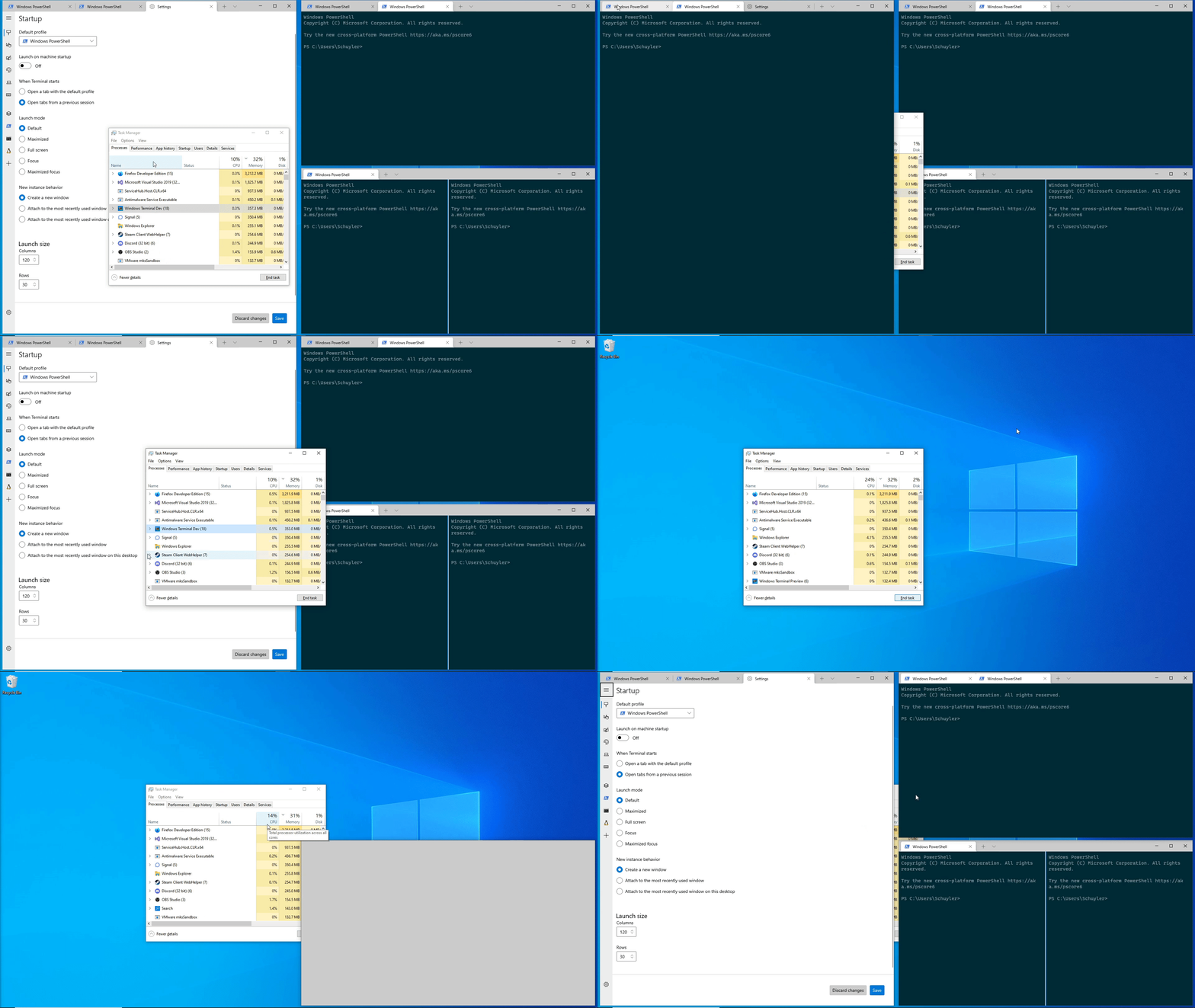
## Summary of the Pull Request
* Introduces info bar shown upon session failure,
that guides the user how to configure termination behavior
* Allows this info bar to be dismissed permanently (choice stored in state)
* Allows "keyboard service" info bar to be dismissed permanently
## PR Checklist
* [x] Closes#10798, #8699
* [x] CLA signed.
* [ ] Tests added/passed
* [ ] Documentation updated.
* [ ] Schema updated.
* [ ] I've discussed this with core contributors already.
## Detailed Description of the Pull Request / Additional comments
UI:
* Introduce an additional info bar for "close on exit" configuration tip
* Stack this bar after "keyboard service" bar
* Add "Don't show again" button to both bars
Dismiss Permanently:
* Introduce a set of "dismissed messages" to the Application State
* Add verification the message is not dismissed before showing an info bar
* "Don't show again" persists the choice under "dismissed messages"
Wiring the Info Bar:
* Register `TerminalPage` on `TermControl`'s `ConnectionStateChanged` event
* Once event is triggered check whether the state is failure
* If so and the message was not dismissed permanently, show the info bar
This commit adds initial support for saving window layout on application
close.
Done:
- Add user setting for if tabs should be maintained.
- Added events to track the number of open windows for the monarch, and
then save if you are the last window closing.
- Saves layout when the user explicitly hits the "Close Window" button.
- If the user manually closed all of their tabs (through the tab x
button or through closing all panes on the tab) then remove any saved
state.
- Saves in the ApplicationState file a list of actions the terminal can
perform to restore its layout and the window size/position
information.
- This saves an action to focus the correct pane, but this won't
actually work without #10978. Note that if you have a pane zoomed, it
does still zoom the correct pane, but when you unzoom it will have a
different pane selected.
Todo:
- multiple windows? Right now it can only handle loading/saving one
window.
- PR #11083 will save multiple windows.
- This also sometimes runs into the existing bug where multiple tabs
appear to be focused on opening.
Next Steps:
- The business logic of when the save is triggered can be adjusted as
necessary.
- Right now I am taking the pragmatic approach and just saving the state
as an array of objects, but only ever populate it with 1, that way
saving multiple windows in the future could be added without breaking
schema compatibility. Selfishly I'm hoping that handling multiple
windows could be spun off into another pr/feature for now.
- One possible thing that can maybe be done is that the commandline can
be augmented with a "--saved ##" attribute that would load from the
nth saved state if it exists. e.g. if there are 3 saved windows, on
first load it can spawn three wt --saved {0,1,2} that would reopen the
windows? This way there also exists a way to load a copy of a previous
window (if it is in the saved state).
- Is the application state something that is planned to be public/user
editable? In theory the user could since it is just json, but I don't
know what it buys them over just modifying their settings and
startupActions.
Validation Steps Performed:
- The happy path: open terminal -> set setting to true -> close terminal
-> reopen and see tabs. Tested with powershell/cmd/wsl windows.
- That closing all panes/tabs on their own will remove the saved
session.
- Open multiple windows, close windows and confirm that the last window
closed saves its state.
The generated file stores a sequence of actions that will be executed to
restore the terminal to its saved form.
References #8324
This is also one of the items on microsoft/terminal#5000Closes#766
This commit introduces a basic ApplicationState class, without being used for anything yet to aid reviewers. At a later point actual usages of this new class may be added separately.

## References

This commit is an initial step towards implementing #8324.

## PR Checklist
* [x] I work here
* [x] Tests added/passed

## Validation Steps Performed

* Creating a `state.json` with `{"generatedProfiles":["{53e75ed9-2b63-4118-856d-0510c4f6b97e}"]}` updates the ApplicationState, as observed through a debugger ✔️
* Deleting the "generatedProfiles" field sets the corresponding field back to nullopt ✔️


