This is a refresh of spell-check-this, more or less as of
e089393b4e.

## References and Relevant Issues

A number of changes take advantage of features from
http://github.com/check-spelling/check-spelling/releases/v0.0.26

1.
[`load-config-from`](https://docs.check-spelling.dev/Configuration#load-config-from)
will allow future PRs to switch cleanly w/o the mess that this PR has --
once this merges, the `config.json` file will be used for the three
dictionary configuration elements instead of the ones in the workflow.
2. `contents: read` is no longer needed by the comment jobs as the data
is provided by the main job

Contains fixes for the following specific issues:
`without`, `with`, `with the`, `with the window`, `will be`,
`whether or not`, `where the`, `using`, `uppercase or lowercase`,
`unit testing`, `to`, `to which...`, `to which`,
`to which the view refers`, `to which the pane was moved`,
`to run a command/switch to a tab/...`,
`to retrieve the user selected command`, `time,`, `the...that the`,
`the session's initial directory`, `that`, `that will ask`, `that the`,
`that opened the first flyout`, `same as terminal,`, `results,`,
`queue,`, `please`, `pane,`, `out-of-date`, `our`, `one`, `on-screen`,
`often`, `off-screen`, `of a`, `little-endian`, `left over`,
`includes, at a minimum,`, `know of`, `its`,
`if, after the calculation,`, `if`, `if we have an`, `if dragging`,
`if commands`, `guard,`, `given process information in a list`,
`from which`, `from creating`, `for which...`, `for the axis`,
`for initializing the buffer`, `containing the cursor`, `console-wait`,
`change`, `bytes`, `be`, `baseline,`, `aumid`, `at`, `ask me *again*`,
`an`, `also need to`, `again`, `add`, `add event`, `about spelunking`,
(rewrite `Appearances::_UpdateWithNewViewModel` comment), `'a'`, and ` (`

Signed-off-by: Josh Soref <2119212+jsoref@users.noreply.github.com>
The idea with IControlSettings (and friends) was always that a consumer
of the terminal control could implement it in whatever way they pleased.

Windows Terminal (the application) was intended to be only one
consumer. It has a whole JSON settings model. Nobody wants to think
about JSON at the Terminal Control level. We could have an "adapter" in
TerminalApp, which spoke Terminal JSON Settings on one side and Terminal
Control on the other side.

That worked until we added the settings editor. The settings editor
needed to display a control, and that control's settings needed to be
based on the JSON settings. Oops. We took the expedient route of moving
the adapter into TerminalSettingsModel itself, and poking a bunch of
holes in it so that TerminalApp and TerminalSettingsEditor could tweak
it as needed.

Later, we doubled down on the control settings interface by having every
Terminal Control _make its own ControlSettings_ when we were going to do
the multi-process model. This reduced the number of IPC round trips for
every settings query to 0. Later we built color scheme previewing on top
of that--adding structs to carry color schemes and stuff which was
already in the Appearance config. Sheesh. Layers and layers and layers.

This pull request moves it back into its own library and strips it from
the surface of TerminalSettingsModel. It also deletes `ControlSettings`
and `struct CoreScheme`. That library is called
`TerminalSettingsAppAdapterLib`, and it contains a hidden WinRT
_implements_ type rather than a full-fledged activatable `runtimeclass`.
It also implements one-level inheritance on its own rather than using
IInheritable.

It adheres to the following principles:
- The control will never modify its settings in a way that is visible to
  the control's consumer; therefore, none of the properties have setters
- The settings should never contain things of interest only to the
  Application that the Application uses to communicate data _back to
  itself_ (see `ProfileName`, removed in 68b723c and `KeyBindings`,
  removed in fa09141). This generalizes to "we should never store stuff
  in an unrelated object passed between layers solely for the purpose of
  getting it back".

I made a few changes to the settings interface, including introducing a
new `ICoreScheme` interface that _only_ contains color scheme info. This
is designed to support the Preview/Set color scheme actions, which no
longer work by _app backing up the scheme and restoring it later._ All
of that machinery lives inside TermControl/ControlCore now.

`ICoreScheme` no longer supports `GetColorAtIndex`; you must read all 16
colors at the same time. I am not sorry. Every consumer did that
already, so now we have 15 fewer COM calls for every color scheme.

The new TerminalSettings is mostly consumed via
`com_ptr<TerminalSettings>`, so a bunch of `.` (projected) accesses had
to turn into `->` (com_ptr dereferencing) accesses.

I also realized, in the course of this work, that the old
TerminalSettings contained a partial hand-written reimplementation of
_every setting_ in `ControlProperties`. Every contributor had to add
every new setting to both places--why? I can't figure it out. I'm using
ControlProperties comprehensively now. I propagated any setting whose
default value was different from that in ControlProperties back to
ControlProperties.

This is part X in a series of pull requests that will remove all mention
of Microsoft.Terminal.Control and Microsoft.Terminal.Core from the
settings model. Once that is done, the settings model can consume _only_
the base WinRT types and build very early and test more easily.

Previewing is fun. I introduced a new place to stash an entire color
table on ControlCore, which we use to save the "active" colors while we
temporarily overwrite them. SetColorScheme is _also_ fun. We now have a
slot for overriding only the focused color scheme on ControlCore. It's
fine. It's clearer than "back up the focused appearance, overwrite the
focused appearance, create a child of the user's settings and apply the
color scheme to it, etc.".

There is a bug/design choice in color scheme overriding, which may or
may not matter: overlaying a color scheme on a terminal with an
unfocused appearance which _does not_ have its own color scheme will
result in the previously-deleted overridden focused color scheme peeking
through when the terminal is not focused.

I also got rid of our only in-product use of
`Terminal::CreateFromSettings` which required us to set `InitialRows`
and `InitialCols` on the incoming settings object (see core tenet 2).

Refs #19261
Refs #19314
Refs #19254
Introduces an ABI change to the ConptyClearPseudoConsole signal.
Otherwise, we have to make it so that the API call always retains
the row the cursor is on, but I feel like that makes it worse.
Closes#18732Closes#18878
## Validation Steps Performed
* Launch `ConsoleMonitor.exe`
* Create some text above & below the cursor in PowerShell
* Clear Buffer
* Buffer is cleared except for the cursor row ✅
* ...same in ConPTY ✅
Selection is generally stored as an inclusive start and end. This PR
makes the end exclusive which now allows degenerate selections, namely
in mark mode. This also modifies mouse selection to round to the nearest
cell boundary (see #5099) and improves word boundaries to be a bit more
modern and make sense for degenerate selections (similar to #15787).
Closes#5099Closes#13447Closes#17892
## Detailed Description of the Pull Request / Additional comments
- Buffer, Viewport, and Point
- Introduced a few new functions here to find word boundaries, delimiter
class runs, and glyph boundaries.
- 📝These new functions should be able to replace a few other functions
(i.e. `GetWordStart` --> `GetWordStart2`). That migration is going to be
a part of #4423 to reduce the risk of breaking UIA.
- Viewport: added a few functions to handle navigating the _exclusive_
bounds (namely allowing RightExclusive as a position for buffer
coordinates). This is important for selection to be able to highlight
the entire line.
- 📝`BottomInclusiveRightExclusive()` will replace `EndExclusive` in the
UIA code
- Point: `iterate_rows_exclusive` is similar to `iterate_rows`, except
it has handling for RightExclusive
- Renderer
- Use `iterate_rows_exclusive` for proper handling (this actually fixed
a lot of our issues)
- Remove some workarounds in `_drawHighlighted` (this is a boundary
where we got inclusive coords and made them exclusive, but now we don't
need that!)
- Terminal
- fix selection marker rendering
- `_ConvertToBufferCell()`: add a param to allow for RightExclusive or
clamp it to RightInclusive (original behavior). Both are useful!
- Use new `GetWordStart2` and `GetWordEnd2` to improve word boundaries
and make them feel right now that the selection an exclusive range.
- Convert a few `IsInBounds` --> `IsInExclusiveBounds` for safety and
correctness
- Add `TriggerSelection` to `SelectNewRegion`
- 📝 We normally called `TriggerSelection` in a different layer, but it
turns out, UIA's `Select` function wouldn't actually update the
renderer. Whoops! This fixes that.
- TermControl
- `_getTerminalPosition` now has a new param to round to the nearest
cell (see #5099)
- UIA
- `TermControlUIAProvider::GetSelectionRange` no need to convert from
inclusive range to exclusive range anymore!
- `TextBuffer::GetPlainText` now works on an exclusive range, so no need
to convert the range anymore!
## Validation Steps Performed
This fundamental change impacts a lot of scenarios:
- ✅Rendering selections
- ✅Selection markers
- ✅Copy text
- ✅Session restore
- ✅Mark mode navigation (i.e. character, word, line, buffer)
- ✅Mouse selection (i.e. click+drag, shift+click, multi-click,
alt+click)
- ✅Hyperlinks (interaction and rendering)
- ✅Accessibility (i.e. get selection, movement, text extraction,
selecting text)
- [ ] Prev/Next Command/Output (untested)
- ✅Unit tests
## Follow-ups
- Refs #4423
- Now that selection and UIA are both exclusive ranges, it should be a
lot easier to deduplicate code between selection and UIA. We should be
able to remove `EndExclusive` as well when we do that. This'll also be
an opportunity to modernize that code and use more `til` classes.
Without a VT "renderer" there's no implicit output anymore when
calling `ClearPseudoConsole`. The fix is trivial, but it works
slightly different from before: Previously, we would preserve
the line the cursor is on, while this PR doesn't do that.
I felt like there's not much merit in preserving the line,
because it may be a multi-line prompt which won't work with that.
Closes#17867
## Validation Steps Performed
Bind 3 different actions to the 3 variants of "Clear buffer"
and test them. They work. ✅
This is particularly relevant to pwsh with the "ghost text" enabled. In
that scenario, pwsh writes out the predicted command to the right of the
cursor. With `showSuggestions(useCommandline=true)`, we'd auto-include
that text in the filter, and that was effectively useless.
This instead defaults us to not use anything to the right of the cursor
(inclusive) for what we consider "the current commandline"
closes#17772
`HSTRING` does not permit strings that aren't null-terminated.
As such we'll simply use a plain char array which compiles down to
a `UINT32` and `wchar_t*` pointer pair. Unfortunately, cppwinrt uses
`char16_t` in place of `wchar_t`, and also offers no trivial conversion
between `winrt::array_view` and `std::wstring_view` either.
As such, most of this PR is about explicit type casting.
Closes#17697
## Validation Steps Performed
* Patch the `DeviceAttributes` implementation in `adaptDispatch.cpp`
to respond like this:
```cpp
_api.ReturnResponse({L"ABCD", 3});
```
* Open a WSL shell and execute this:
```sh
printf "\e[c"; read
```
* Doesn't crash ✅
The idea is that we can translate Console API calls directly to VT at
least as well as the current VtEngine setup can. For instance, a call
to `SetConsoleCursorPosition` clearly translates directly to a `CUP`
escape sequence. Effectively, instead of translating output
asynchronously in the renderer thread, we'll do it synchronously
right during the Console API call.
Most importantly, the this means that any VT output that an
application generates will now be given to the terminal unmodified.
Aside from reducing our project's complexity quite a bit and opening
the path towards various interesting work like sixels, Device Control
Strings, buffer snapshotting, synchronized updates, and more, it also
improves performance for mixed text output like enwik8.txt in conhost
to 1.3-2x and in Windows Terminal via ConPTY to roughly 20x.
This adds support for overlapped IO, because now that output cannot
be "skipped" anymore (VtEngine worked like a renderer after all)
it's become crucial to block conhost as little as possible.
⚠️ Intentionally unresolved changes/quirks:
* To force a delayed EOL wrap to wrap, `WriteCharsLegacy` emits a
`\r\n` if necessary. This breaks text reflow on window resize.
We cannot emit ` \r` the way readline does it, because this would
overwrite the first column in the next row with a whitespace.
The alternative is to read back the affected cell from the buffer
and emit that character and its attributes followed by a `\r`.
I chose to not do that, because buffer read-back is lossy (= UCS2).
Unless the window is resized, the difference is unnoticeable
and historically, conhost had no support for buffer reflow anyway.
* If `ENABLE_VIRTUAL_TERMINAL_PROCESSING` is set while
`DISABLE_NEWLINE_AUTO_RETURN` is reset, we'll blindly replace all
LF with CRLF. This may hypothetically break DCS sequences, but it's
the only way to do this without parsing the given VT string and
thus the only way we can achieve passthrough mode in the future.
* `ENABLE_WRAP_AT_EOL_OUTPUT` is translated to `DECAWM`.
Between Windows XP and Windows 11 21H2, `ENABLE_WRAP_AT_EOL_OUTPUT`
being reset would cause the cursor position to reset to wherever
a write started, _if_ the write, including expanded control chars,
was less than 100 characters long. If it was longer than that,
the cursor position would end up in an effectively random position.
After lengthy research I believe that this is a bug introduced in
Windows XP and that the original intention was for this mode to be
equivalent to `DECAWM`. This is compounded by MSDN's description
(emphasis mine):
> If this mode is disabled, the **last character** in the row is
> overwritten with any subsequent characters.
⚠️ Unresolved issues/quirks:
* Focus/Unfocus events are injected into the output stream without
checking whether the VT output is currently in a ground state.
This may break whatever VT sequence is currently ongoing.
This is an existing issue.
* `VtIo::Writer::WriteInfos` should properly verify the width of
each individual character.
* Using `SetConsoleActiveScreenBuffer` destroys surrogate pairs
and extended (VT) attributes. It could be translated to VT pages
in the long term.
* Similarly, `ScrollConsoleScreenBuffer` results in the same and
could be translated to `DECCRA` and `DECFRA` in the near term.
This is important because otherwise `vim` output may loose
its extended attributes during scrolling.
* Reflowing a long line until it wraps results in the cooked read
prompt to be misaligned vertically.
* `SCREEN_INFORMATION::s_RemoveScreenBuffer` should trigger a
buffer switch similar to `SetConsoleActiveScreenBuffer`.
* Translation of `COMMON_LVB_GRID_HORIZONTAL` to `SGR 53` was dropped
and may be reintroduced alongside `UNDERSCORE` = `SGR 4`.
* Move the `OSC 0 ; P t BEL` sequence to `WriteWindowTitle`
and swap the `BEL` with the `ST` (`ESC \`).
* PowerShell on Windows 10 ships with PSReadLine 2.0.0-beta2
which emits SGR 37/40 instead of 39/49. This results in black
spaces when typing and there's no good way to fix that.
* A test is missing that ensures that `FillConsoleOutputCharacterW`
results in a `CSI n J` during the PowerShell shim.
* A test is missing that ensures that `PtySignal::ClearBuffer`
does not result in any VT being generated.
Closes#262Closes#1173Closes#3016Closes#4129Closes#5228Closes#8698Closes#12336Closes#15014Closes#15888Closes#16461Closes#16911Closes#17151Closes#17313
This is fallout from #16937.
* Typing a command then backspacing the chars then asking for
suggestions would think the current commandline ended with spaces,
making filtering very hard.
* The currently typed command would _also_ appear in the command
history, which isn't useful.
I actually did TDD for this and wrote the test first, then confirmed
again running through the build script, I wasn't hitting any of the
earlier issues.
Closes#17241Closes#17243
I think this subtly regressed in #16611. Jump to
90b8bb7c2d (diff-f9112caf8cb75e7a48a7b84987724d754181227385fbfcc2cc09a879b1f97c12L171-L223)
`Terminal::SelectNewRegion` is the only thing that uses the return value
from `Terminal::_ScrollToPoints`. Before that PR, `_ScrollToPoints` was
just a part of `SelectNewRegion`, and it moved the start & end coords by
the `_VisibleStartIndex`, not the `_scrollOffset`.
Kinda weird there weren't any _other_ tests for `SelectNewRegion`?
I also caught a second bug while I was here - If you had a line with an
exact wrap, and tried to select that like with selectOutput, we'd
explode.
Closes#17131
While `double` is probably generally preferable for UI code,
our application is essentially a complex wrapper wrapper around
DWrite, D2D and D3D, all of which use `float` exclusively.

Of course it also uses XAML, but that one uses `float` for roughly
1/3rd of its API functions, so I'm not sure what it prefers.
Additionally, it's mostly a coincidence that we use WinUI/XAML for
Windows Terminal whereas DWrite/D2D/D3D are effectively essential.
This is demonstrated by the fact that we have a `HwndTerminal`,
while there's no alternative to e.g. D3D on Windows.

The goal of this PR is that DIP based calculations never end up
mixing `float` and `double`. This PR also changes opacity-related
values to `float` because I felt like that fits the theme.
This is pretty much a huge refactoring of how marks are stored in the
buffer.

Gone is the list of `ScrollMark`s in the buffer that store regions of
text as points marking the ends. Those would be nigh impossible to
reflow nicely.

Instead, we're going to use `TextAttribute`s to store the kind of output
we've got - `Prompt`, `Command`, `Output`, or, the default, `None`.
Those already reflow nicely!

But we also need to store things like, the exit code for the command.
That's why we've now added `ScrollbarData` to `ROW`s. There's really
only going to be one prompt->output on a single row. So, we only need to
store one ScrollbarData per-row. When a command ends, we can just go
update the mark on the row that started that command.

But iterating over the whole buffer to find the next/previous
prompt/command/output region sounds complicated. So, to avoid everyone
needing to do some variant of that, we've added `MarkExtents` (which is
literally just the same mark structure as before). TextBuffer can figure
out where all the mark regions are, and hand that back to callers. This
allows ControlCore to be basically unchanged.

_But collecting up all the regions for all the marks sounds expensive!
We need to update the scrollbar frequently, we can't just collect those
up every time!_ No we can't! But we also don't need to. The scrollbar
doesn't need to know where all the marks start and end and if they have
commands and this and that - no. We only need to know the rows that have
marks on them. So, we've now also got `ScrollMark` to represent just a
mark on a scrollbar at a specific row on the buffer. We can get those
quickly.

* [x] I added a bunch of tests for this.
* [x] I played with it and it feels good, even after a reflow (finally)
* See:
  * #11000
* #15057 (I'm not marking this as closed. The stacked PR will close
this, when I move marks to Stable)
## Summary of the Pull Request

This adds a new experimental per-setting to the terminal.

```ts
"experimental.repositionCursorWithMouse": bool
```

When:
* the setting is on
* AND you turn on shell integration (at least `133;B`)
* AND you click is somewhere _after_ the "active command" mark

we'll send a number of simulated keystrokes to the terminal based off
the number of cells between the place clicked and where the current
mouse cursor is.


## PR Checklist
- [ ] Related to #8573. I'm not marking as _closed_, because we should
probably polish this before we close that out. This is more a place to
start.

## Detailed Description of the Pull Request / Additional comments

There was a LOT of discussion in #8573. This is kinda a best effort
feature - it won't always work, but it should improve the experience
_most of the time_. We all kinda agreed that as much as the shell
probably should be responsible for doing this, there's myriad reasons
that won't work in practicality:
* That would also disable selection made by the terminal. That's a hard
sell.
* We'd need to invent some new mouse mode to support
click-to-reposition-but-drags-to-select-I-don't-want
* We'd then need shells to adopt that functionality.

And eventually settled that this was the least horrifying comprimise.

This has _e d g e  c a s e s_:
* Does it work for wrapped lines? Well, kinda okay actually.
* Does it work for `vim`/`emacs`? Nope.
* Does it work for emoji/wide glyphs? I wouldn't expect it to! I mean,
emoji input is messed up anyways, right?
* Other characters like `ESC` (which are rendered by the shell as two
cells "^[")? Nope.
* Does it do selections? Nope.
* Clicking across lines with continuation prompts? Nope.
* Tabs? Nope.
* Wraps within tmux/screen? Nope.


https://github.com/xtermjs/xterm.js/blob/master/src/browser/input/MoveToCell.ts
has probably a more complete implementation of how we'd want to generate
the keypresses and such.
Adds two new commands, `selectOutput` and `selectCommand`. These don't
do much without shell integration enabled, unfortunately. If you do
enable it, however, you can use these commands to quickly navigate the
history to select whole commands (or their output).
Some sample JSON:
```json
{ "keys": "ctrl+shift+<", "command": { "action": "selectCommand", "direction": "prev" } },
{ "keys": "ctrl+shift+>", "command": { "action": "selectCommand", "direction": "next" } },
{ "keys": "ctrl+shift+[", "command": { "action": "selectOutput", "direction": "prev" } },
{ "keys": "ctrl+shift+]", "command": { "action": "selectOutput", "direction": "next" } },
```
**Demo gifs** in
https://github.com/microsoft/terminal/issues/4588#issuecomment-1352042789closes#4588
Tested manually.
<details>
<summary>CMD.exe user? It's dangerous to go alone! Take this.</summary>
Surely, there's a simpler way to do it, this is adapted from my own
script.
```cmd
prompt $e]133;D$e\$e]133;A$e\$e\$e]9;9;$P$e\$e[30;107m[$T]$e[97;46m$g$P$e[36;49m$g$e[0m$e[K$_$e[0m$e[94m%username%$e[0m@$e[32m%computername%$e[0m$G$e]133;B$e\
```
</details>
## Summary of the Pull Request
Ensures that reading the buffer content actually returns the content.
## References
Regressed in #13626.
## PR Checklist
* [x] Closes#14378
* [x] CLA signed. If not, go over [here](https://cla.opensource.microsoft.com/microsoft/Terminal) and sign the CLA
* [x] Tests added/passed
## Validation Steps Performed
Added a test.
If the opacity is set to 100%, the background becomes solid instead of 'fully opaque acrylic'. If the opacity is below 100% the acrylic material is re-enabled (depending on the user's settings).
## Validation Steps Performed
I updated two unit tests to reflect the change in behavior and manually tested the transition from <100% opacity to 100% opacity (and vice versa) on win11.
Steps:
1. Start with 100% opacity and acrylic material enabled.
2. Decrease opacity and observe acrylic effect.
3. Increase opacity back to 100% and disable the acrylic effect.
4. Decrease opacity and notice that acrylic effect is no longer there.
Closes#12880
#4015 requires sweeping changes in order to allow a migration of our buffer
coordinates from `int16_t` to `int32_t`. This commit reduces the size of
future commits by using type inference wherever possible, dropping the
need to manually adjust types throughout the project later.

As an added bonus this commit standardizes the alignment of cv qualifiers
to be always left of the type (e.g. `const T&` instead of `T const&`).

The migration to type inference with `auto` was mostly done
using JetBrains Resharper with some manual intervention and the
standardization of cv qualifier alignment using clang-format 14.

## References

This is preparation work for #4015.

## Validation Steps Performed
* Tests pass ✅
## Summary of the Pull Request
Currently, the TermControl and ControlCore recieve a settings object that implements `IControlSettings`. They use for this for both reading the settings they should use, and also storing some runtime overrides to those settings (namely, `Opacity`). The object they recieve currently is a `T.S.M.TerminalSettings` object, as well as another `TerminalSettings` object if the user wants to have an `unfocusedAppearance`. All these are all hosted in the same process, so everything is fine and dandy.
With the upcoming move to having the Terminal split into multiple processes, this will no longer work. If the `ControlCore` in the Content Process is given a pointer to a `TerminalSettings` in a certain Window Process, and that control is subsequently moved to another window, then there's no guarantee that the original `TerminalSettings` object continues to exist. In this scenario, when window 1 is closed, now the Core is unable to read any settings, because the process that owned that object no longer exists.
The solution to this issue is to have the `ControlCore`'s own their own copy of the settings they were created with. that way, they can be confident those settings will always exist. Enter `ControlSettings`, a dumb struct for just storing all the contents of the Settings. I used x-macros for this, so that we don't need to copy-paste into this file every time we add a setting.
Changing this has all sorts of other fallout effects:
* Previewing a scheme/anything is a tad bit more annoying. Before, we could just sneak the previewed scheme into a `TerminalSettings` that lived between the settings we created the control with, and the settings they were actually using, and it would _just work_. Even explaining that here, it sounds like magic, because it was. However, now, the TermControl can't use a layered `TerminalSettings` for the settings anymore. Now we need to actually read out the current color table, and set the whole scheme when we change it. So now there's also a `Microsoft.Terminal.Core.Scheme` _struct_ for holding that data.
- Why a `struct`? Because that will go across the process boundary as a blob, rather than as a pointer to an object in the other process. That way we can transit the whole struct from window to core safely.
* A TermControl doesn't have a `IControlSettings` at all anymore - it initalizes itself via the settings in the `Core`. This will be useful for tear-out, when we need to have the `TermControl` initialize itself from just a `ControlCore`, without being able to rebuild the settings from scratch.
* The `TabTests` that were written under the assumption that the Control had a layered `TerminalSettings` obviously broke, as they were designed to. They've been modified to reflect the new reality.
* When we initialize the Control, we give it the settings and the `UnfocusedAppearance` all at once. If we don't give it an `unfocusedAppearance`, it will just use the focused appearance as the unfocused appearance.
* The Control no longer can _write_ settings to the `ControlSettings`. We don't want to be storing things in there. Pretty much everything we set in the control, we store somewhere other than in the settings object itself. However, `opacity` and `useAcrylic`, we need to store in a handy new `RUNTIME_SETTING` property. We can write those runtime overrides to those properties.
* We no longer store the color scheme for a pane in the persisted state. I'm tracking that in #9800. I don't think it's too hard to add back, but I wanted this in front of eyes sooner than later.
## References
* #1256
* #5000
* #9794 has the scheme previewing in it.
* #9818 is WAY more possible now.
## PR Checklist
* [x] Surprisingly there wasn't ever a card or issue for this one. This was only ever a bullet point in #5000.
* A bunch of these issues were fixed along the way, though I never intended to fix them:
* [x] Closes#11571
* [x] Closes#11586
* [x] Closes#7219
* [x] Closes#11067
* [x] I think #11623 actually ended up resolving this one, but I'm double tapping on it here: Closes#5703
* [x] I work here
* [x] Tests added/passed
* [n/a] Requires documentation to be updated
## Detailed Description of the Pull Request / Additional comments
Along the way I tried to clean up code where possible, but not too agressively.
I didn't end up converting the various `MockTerminalSettings` classes used in tests to the x macros quite yet. I wanted to merge this with #11416 in `main` before I went too crazy.
## Validation Steps Performed
* [x] Scheme previewing works
* [x] Adjusting the font size works
* [x] focused/unfocused appearances still work
* [x] mouse-wheeling opacity still works
* [x] acrylic & cleartype still does the right thing
* [x] saving the settings still works
* [x] going wild on sliding the opacity slider in the settings doesn't crash the terminal
* [x] toggling retro effects with a keybinding still works
* [x] toggling retro effects with the command palette works
* [x] The matrix of (`useAcrylic(true,false)`)x(`opacity(50,100)`)x(`antialiasingMode(cleartype, grayscale)`) works as expected. Slightly changed, falls back to grayscale more often, but looks more right.
In #11180 we made `opacity` independent from `useAcrylic`. We also changed the mouse wheel behavior to only change opacity, and not mess with acrylic.
However, on Windows 10, vintage opacity doesn't work at all. So there, we still need to manually enable acrylic when the user requests opacity.
* [x] Closes#11285
SUI changes in action:

## Summary of the Pull Request
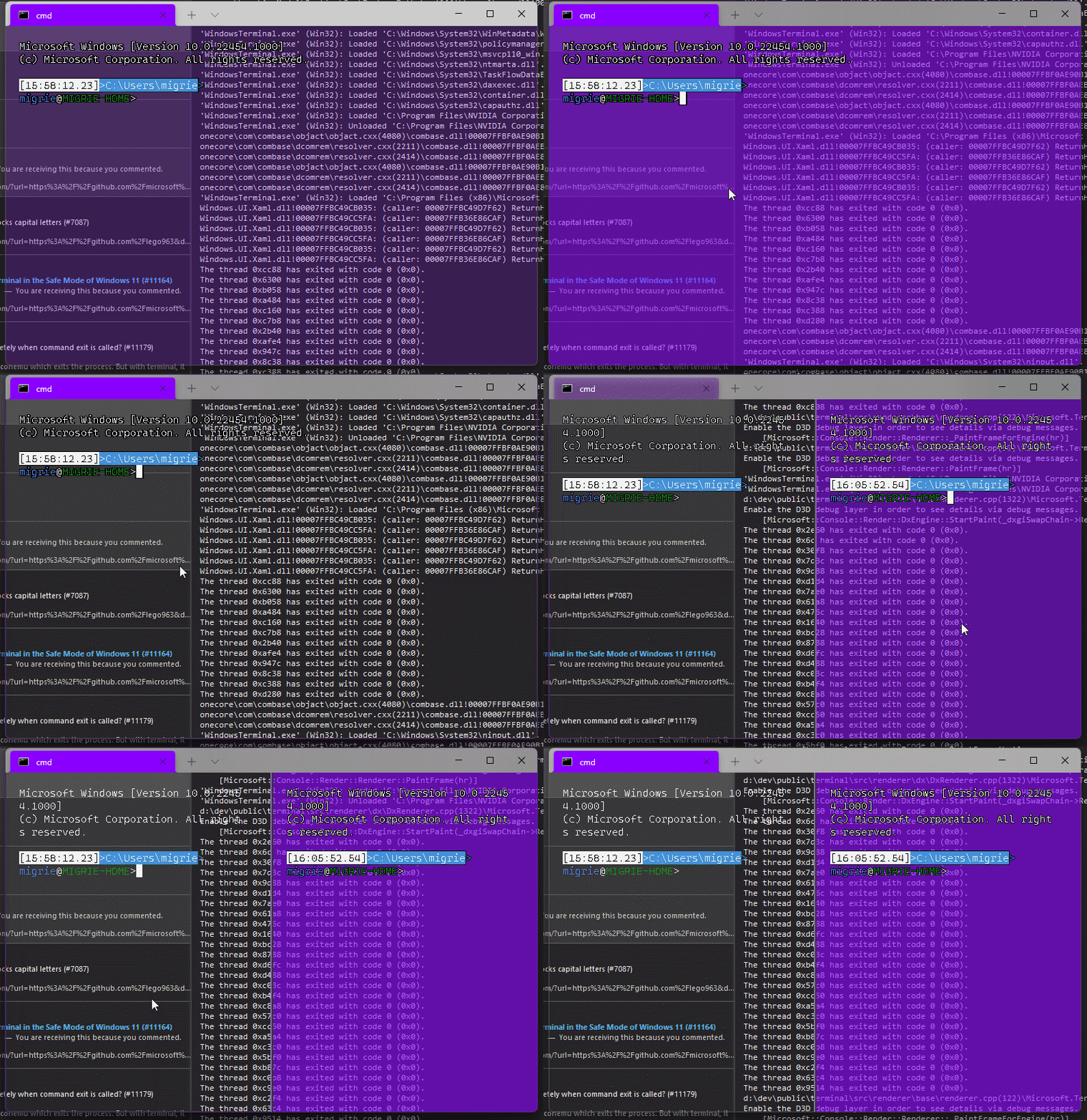
Adds support for vintage style opacity, on Windows 11+. The API we're using for this exists since the time immemorial, but there's a bug in XAML Islands that prevents it from working right until Windows 11 (which we're working on backporting).
Replaces the `acrylicOpacity` setting with `opacity`, which is a uint between 0 and 100 (inclusive), default to 100.
`useAcrylic` now controls whether acrylic is used or not. Setting an opacity < 100 with `"useAcrylic": false` will use vintage style opacity.
Mouse wheeling adjusts opacity. Whether acrylic is used or not is dependent upon `useAcrylic`.
`opacity` will stealthily default to 50 if `useAcrylic:true` is set.
## PR Checklist
* [x] Closes#603
* [x] I work here
* [x] Tests added/passed
* [x] https://github.com/MicrosoftDocs/terminal/pull/416
## Detailed Description of the Pull Request / Additional comments
Opacity was moved to AppearanceConfig. In the future, I have a mind to allow unfocused acrylic, so that'll be important then.
## Validation Steps Performed
_just look at it_
## Summary of the Pull Request
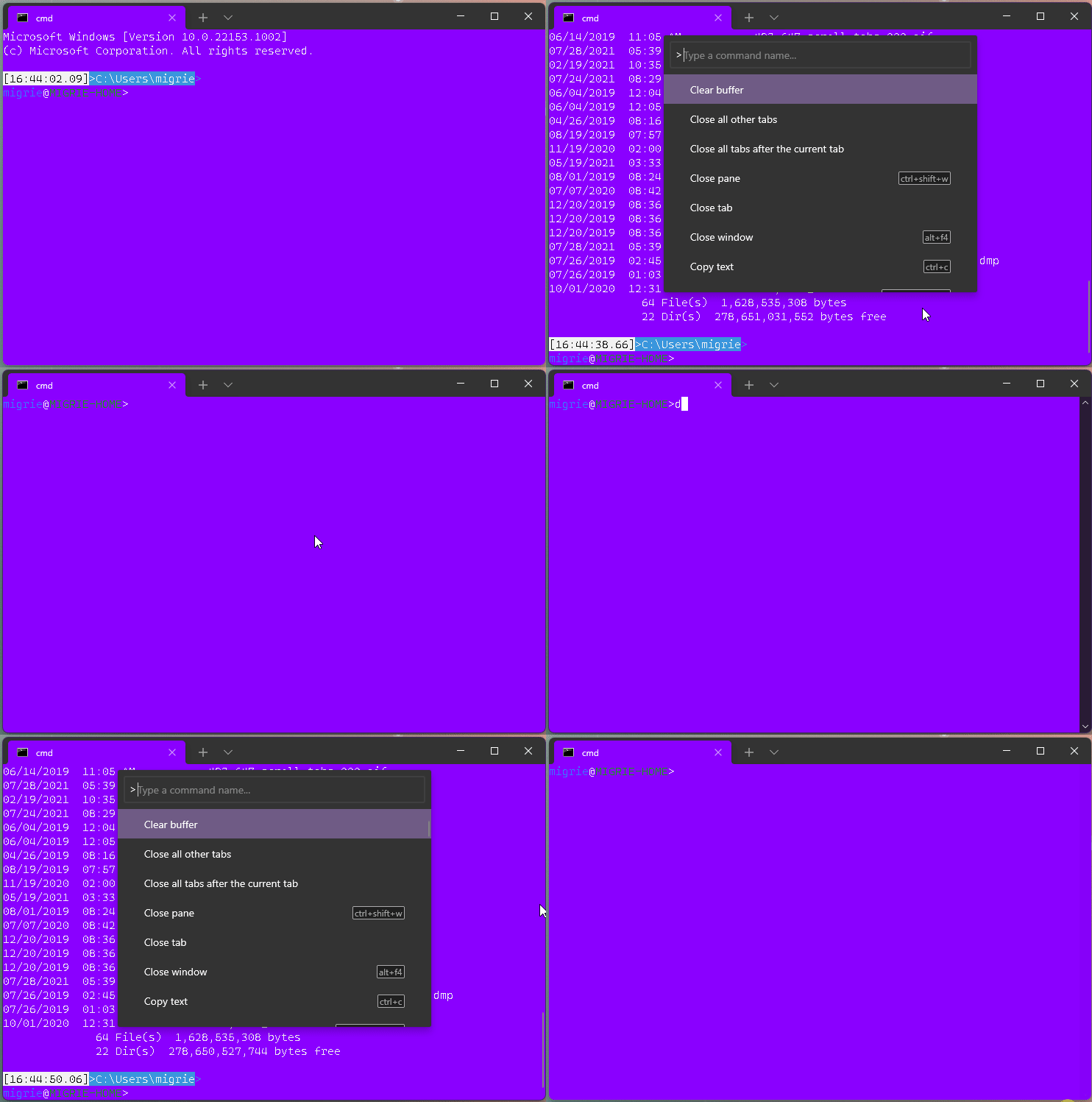
This adds a new action, `clearBuffer`. It accepts 3 values for the `clear` type:
* `"clear": "screen"`: Clear the terminal viewport content. Leaves the scrollback untouched. Moves the cursor row to the top of the viewport (unmodified).
* `"clear": "scrollback"`: Clear the scrollback. Leaves the viewport untouched.
* `"clear": "all"`: (**default**) Clear the scrollback and the visible viewport. Moves the cursor row to the top of the viewport (unmodified).
"Clear Buffer" has also been added to `defaults.json`.
## References
* From microsoft/vscode#75141 originally
## PR Checklist
* [x] Closes#1193
* [x] Closes#1882
* [x] I work here
* [x] Tests added/passed
* [ ] Requires documentation to be updated
## Detailed Description of the Pull Request / Additional comments
This is a bit tricky, because we need to plumb it all the way through conpty to clear the buffer. If we don't, then conpty will immediately just redraw the screen. So this sends a signal to the attached conpty, and then waits for conpty to draw the updated, cleared, screen back to us.
## Validation Steps Performed
* works for each of the three clear types as expected
* tests pass.
* works even with `ping -t 8.8.8.8` as you'd hope.
#### ⚠️ targets #10051

## Summary of the Pull Request

This updates our `ThrottledFunc`s to take a dispatcher parameter. This means that we can use the `Windows::UI::Core::CoreDispatcher` in the `TermControl`, where there's always a `CoreDispatcher`, and use a `Windows::System::DispatcherQueue` in `ControlCore`/`ControlInteractivity`. When running in-proc, these are always the _same thing_. However, out-of-proc, the core needs a dispatcher queue that's not tied to a UI thread (because the content proces _doesn't have a UI thread!_).

This lets us get rid of the output event, because we don't need to bubble that event out to the `TermControl` to let it throttle that update anymore.

## References
* Tear-out: #1256
* Megathread: #5000
* Project: https://github.com/microsoft/terminal/projects/5

## PR Checklist
* [x] This is a part of #1256
* [x] I work here
* [n/a] Tests added/passed
* [n/a] Requires documentation to be updated

## Detailed Description of the Pull Request / Additional comments

Fortunately, `winrt::resume_foreground` works the same on both a `CoreDispatcher` and a `DispatcherQueue`, so this wasn't too hard!

## Validation Steps Performed

This was validated in `dev/migrie/oop/the-whole-thing` (or `dev/migrie/oop/connection-factory`, I forget which), and I made sure that it worked both in-proc and x-proc. Not only that, _it wasn't any slower_!This reverts commit 04b751faa7.
## Summary of the Pull Request
Brace yourselves, it's finally here. This PR does the dirty work of splitting the monolithic `TermControl` into three components. These components are:
* `ControlCore`: This encapsulates the `Terminal` instance, the `DxEngine` and `Renderer`, and the `Connection`. This is intended to everything that someone might need to stand up a terminal instance in a control, but without any regard for how the UX works.
* `ControlInteractivity`: This is a wrapper for the `ControlCore`, which holds the logic for things like double-click, right click copy/paste, selection, etc. This is intended to be a UI framework-independent abstraction. The methods this layer exposes can be called the same from both the WinUI TermControl and the WPF control.
* `TermControl`: This is the UWP control. It's got a Core and Interactivity inside it, which it uses for the actual logic of the terminal itself. TermControl's main responsibility is now
By splitting into smaller pieces, it will enable us to
* write unit tests for the `Core` and `Interactivity` bits, which we desparately need
* Combine `ControlCore` and `ControlInteractivity` in an out-of-proc core process in the future, to enable tab tearout.
However, we're not doing that work quite yet. There's still lots of work to be done to enable that, thought this is likely the biggest portion.
Ideally, this would just be methods moved wholesale from one file to another. Unfortunately, there are a bunch of cases where that didn't work as well as expected. Especially when trying to better enforce the boundary between the classes.
We've got a couple tests here that I've added. These are partially examples, and partially things I ran into while implementing this. A bunch of things from #7001 can go in now that we have this.
This PR is gonna be a huge pain to review - 38 files with 3,730 additions and 1,661 deletions is nothing to scoff at. It will also conflict 100% with anything that's targeting `TermControl`. I'm hoping we can review this over the course of the next week and just be done with it, and leave plenty of runway for 1.9 bugs in post.
## References
* In pursuit of #1256
* Proc Model: #5000
* https://github.com/microsoft/terminal/projects/5
## PR Checklist
* [x] Closes#6842
* [x] Closes https://github.com/microsoft/terminal/projects/5#card-50760249
* [x] Closes https://github.com/microsoft/terminal/projects/5#card-50760258
* [x] I work here
* [x] Tests added/passed
* [n/a] Requires documentation to be updated
## Detailed Description of the Pull Request / Additional comments
* I don't love the names `ControlCore` and `ControlInteractivity`. Open to other names.
* I added a `ICoreState` interface for "properties that come from the `ControlCore`, but consumers of the `TermControl` need to know". In the future, these will all need to be handled specially, because they might involve an RPC call to retrieve the info from the core (or cache it) in the window process.
* I've added more `EventArgs` to make more events proper `TypedEvent`s.
* I've changed how the TerminalApp layer requests updated TaskbarProgress state. It doesn't need to pump TermControl to raise a new event anymore.
* ~~Something that snuck into this branch in the very long history is the switch to `DCompositionCreateSurfaceHandle` for the `DxEngine`. @miniksa wrote this originally in 30b8335, I'm just finally committing it here. We'll need that in the future for the out-of-proc stuff.~~
* I reverted this in c113b65d9. We can revert _that_ commit when we want to come back to it.
* I've changed the acrylic handler a decent amount. But added tests!
* All the `ThrottledFunc` things are left in `TermControl`. Some might be able to move down into core/interactivity, but once we figure out how to use a different kind of Dispatcher (because a UI thread won't necessarily exist for those components).
* I've undoubtably messed up the merging of the locking around the appearance config stuff recently
## Validation Steps Performed
I've got a rolling list in https://github.com/microsoft/terminal/issues/6842#issuecomment-810990460 that I'm updating as I go.
Does what it says on the can.

This is a follow up to #9472. Now that we have a control .lib, we can add tests for it.

Unfortunately, the `TermControl` itself is a horrible mess. So this new unittest lib is empty for now. I'm working on actual tests as a part of #6842, but this PR is here to keep the diffs smaller.

Also, apparently `server.vcxproj` had the wrong GUID in it.

* [x] I work here
* [x] Adds tests



