## Summary of the Pull Request

This adds a new experimental per-setting to the terminal.

```ts
"experimental.repositionCursorWithMouse": bool
```

When:
* the setting is on
* AND you turn on shell integration (at least `133;B`)
* AND you click is somewhere _after_ the "active command" mark

we'll send a number of simulated keystrokes to the terminal based off
the number of cells between the place clicked and where the current
mouse cursor is.


## PR Checklist
- [ ] Related to #8573. I'm not marking as _closed_, because we should
probably polish this before we close that out. This is more a place to
start.

## Detailed Description of the Pull Request / Additional comments

There was a LOT of discussion in #8573. This is kinda a best effort
feature - it won't always work, but it should improve the experience
_most of the time_. We all kinda agreed that as much as the shell
probably should be responsible for doing this, there's myriad reasons
that won't work in practicality:
* That would also disable selection made by the terminal. That's a hard
sell.
* We'd need to invent some new mouse mode to support
click-to-reposition-but-drags-to-select-I-don't-want
* We'd then need shells to adopt that functionality.

And eventually settled that this was the least horrifying comprimise.

This has _e d g e  c a s e s_:
* Does it work for wrapped lines? Well, kinda okay actually.
* Does it work for `vim`/`emacs`? Nope.
* Does it work for emoji/wide glyphs? I wouldn't expect it to! I mean,
emoji input is messed up anyways, right?
* Other characters like `ESC` (which are rendered by the shell as two
cells "^[")? Nope.
* Does it do selections? Nope.
* Clicking across lines with continuation prompts? Nope.
* Tabs? Nope.
* Wraps within tmux/screen? Nope.


https://github.com/xtermjs/xterm.js/blob/master/src/browser/input/MoveToCell.ts
has probably a more complete implementation of how we'd want to generate
the keypresses and such.
Adds two new commands, `selectOutput` and `selectCommand`. These don't
do much without shell integration enabled, unfortunately. If you do
enable it, however, you can use these commands to quickly navigate the
history to select whole commands (or their output).
Some sample JSON:
```json
{ "keys": "ctrl+shift+<", "command": { "action": "selectCommand", "direction": "prev" } },
{ "keys": "ctrl+shift+>", "command": { "action": "selectCommand", "direction": "next" } },
{ "keys": "ctrl+shift+[", "command": { "action": "selectOutput", "direction": "prev" } },
{ "keys": "ctrl+shift+]", "command": { "action": "selectOutput", "direction": "next" } },
```
**Demo gifs** in
https://github.com/microsoft/terminal/issues/4588#issuecomment-1352042789closes#4588
Tested manually.
<details>
<summary>CMD.exe user? It's dangerous to go alone! Take this.</summary>
Surely, there's a simpler way to do it, this is adapted from my own
script.
```cmd
prompt $e]133;D$e\$e]133;A$e\$e\$e]9;9;$P$e\$e[30;107m[$T]$e[97;46m$g$P$e[36;49m$g$e[0m$e[K$_$e[0m$e[94m%username%$e[0m@$e[32m%computername%$e[0m$G$e]133;B$e\
```
</details>
## Summary of the Pull Request
Ensures that reading the buffer content actually returns the content.
## References
Regressed in #13626.
## PR Checklist
* [x] Closes#14378
* [x] CLA signed. If not, go over [here](https://cla.opensource.microsoft.com/microsoft/Terminal) and sign the CLA
* [x] Tests added/passed
## Validation Steps Performed
Added a test.
If the opacity is set to 100%, the background becomes solid instead of 'fully opaque acrylic'. If the opacity is below 100% the acrylic material is re-enabled (depending on the user's settings).
## Validation Steps Performed
I updated two unit tests to reflect the change in behavior and manually tested the transition from <100% opacity to 100% opacity (and vice versa) on win11.
Steps:
1. Start with 100% opacity and acrylic material enabled.
2. Decrease opacity and observe acrylic effect.
3. Increase opacity back to 100% and disable the acrylic effect.
4. Decrease opacity and notice that acrylic effect is no longer there.
Closes#12880
#4015 requires sweeping changes in order to allow a migration of our buffer
coordinates from `int16_t` to `int32_t`. This commit reduces the size of
future commits by using type inference wherever possible, dropping the
need to manually adjust types throughout the project later.

As an added bonus this commit standardizes the alignment of cv qualifiers
to be always left of the type (e.g. `const T&` instead of `T const&`).

The migration to type inference with `auto` was mostly done
using JetBrains Resharper with some manual intervention and the
standardization of cv qualifier alignment using clang-format 14.

## References

This is preparation work for #4015.

## Validation Steps Performed
* Tests pass ✅
## Summary of the Pull Request
Currently, the TermControl and ControlCore recieve a settings object that implements `IControlSettings`. They use for this for both reading the settings they should use, and also storing some runtime overrides to those settings (namely, `Opacity`). The object they recieve currently is a `T.S.M.TerminalSettings` object, as well as another `TerminalSettings` object if the user wants to have an `unfocusedAppearance`. All these are all hosted in the same process, so everything is fine and dandy.
With the upcoming move to having the Terminal split into multiple processes, this will no longer work. If the `ControlCore` in the Content Process is given a pointer to a `TerminalSettings` in a certain Window Process, and that control is subsequently moved to another window, then there's no guarantee that the original `TerminalSettings` object continues to exist. In this scenario, when window 1 is closed, now the Core is unable to read any settings, because the process that owned that object no longer exists.
The solution to this issue is to have the `ControlCore`'s own their own copy of the settings they were created with. that way, they can be confident those settings will always exist. Enter `ControlSettings`, a dumb struct for just storing all the contents of the Settings. I used x-macros for this, so that we don't need to copy-paste into this file every time we add a setting.
Changing this has all sorts of other fallout effects:
* Previewing a scheme/anything is a tad bit more annoying. Before, we could just sneak the previewed scheme into a `TerminalSettings` that lived between the settings we created the control with, and the settings they were actually using, and it would _just work_. Even explaining that here, it sounds like magic, because it was. However, now, the TermControl can't use a layered `TerminalSettings` for the settings anymore. Now we need to actually read out the current color table, and set the whole scheme when we change it. So now there's also a `Microsoft.Terminal.Core.Scheme` _struct_ for holding that data.
- Why a `struct`? Because that will go across the process boundary as a blob, rather than as a pointer to an object in the other process. That way we can transit the whole struct from window to core safely.
* A TermControl doesn't have a `IControlSettings` at all anymore - it initalizes itself via the settings in the `Core`. This will be useful for tear-out, when we need to have the `TermControl` initialize itself from just a `ControlCore`, without being able to rebuild the settings from scratch.
* The `TabTests` that were written under the assumption that the Control had a layered `TerminalSettings` obviously broke, as they were designed to. They've been modified to reflect the new reality.
* When we initialize the Control, we give it the settings and the `UnfocusedAppearance` all at once. If we don't give it an `unfocusedAppearance`, it will just use the focused appearance as the unfocused appearance.
* The Control no longer can _write_ settings to the `ControlSettings`. We don't want to be storing things in there. Pretty much everything we set in the control, we store somewhere other than in the settings object itself. However, `opacity` and `useAcrylic`, we need to store in a handy new `RUNTIME_SETTING` property. We can write those runtime overrides to those properties.
* We no longer store the color scheme for a pane in the persisted state. I'm tracking that in #9800. I don't think it's too hard to add back, but I wanted this in front of eyes sooner than later.
## References
* #1256
* #5000
* #9794 has the scheme previewing in it.
* #9818 is WAY more possible now.
## PR Checklist
* [x] Surprisingly there wasn't ever a card or issue for this one. This was only ever a bullet point in #5000.
* A bunch of these issues were fixed along the way, though I never intended to fix them:
* [x] Closes#11571
* [x] Closes#11586
* [x] Closes#7219
* [x] Closes#11067
* [x] I think #11623 actually ended up resolving this one, but I'm double tapping on it here: Closes#5703
* [x] I work here
* [x] Tests added/passed
* [n/a] Requires documentation to be updated
## Detailed Description of the Pull Request / Additional comments
Along the way I tried to clean up code where possible, but not too agressively.
I didn't end up converting the various `MockTerminalSettings` classes used in tests to the x macros quite yet. I wanted to merge this with #11416 in `main` before I went too crazy.
## Validation Steps Performed
* [x] Scheme previewing works
* [x] Adjusting the font size works
* [x] focused/unfocused appearances still work
* [x] mouse-wheeling opacity still works
* [x] acrylic & cleartype still does the right thing
* [x] saving the settings still works
* [x] going wild on sliding the opacity slider in the settings doesn't crash the terminal
* [x] toggling retro effects with a keybinding still works
* [x] toggling retro effects with the command palette works
* [x] The matrix of (`useAcrylic(true,false)`)x(`opacity(50,100)`)x(`antialiasingMode(cleartype, grayscale)`) works as expected. Slightly changed, falls back to grayscale more often, but looks more right.
In #11180 we made `opacity` independent from `useAcrylic`. We also changed the mouse wheel behavior to only change opacity, and not mess with acrylic.
However, on Windows 10, vintage opacity doesn't work at all. So there, we still need to manually enable acrylic when the user requests opacity.
* [x] Closes#11285
SUI changes in action:

## Summary of the Pull Request
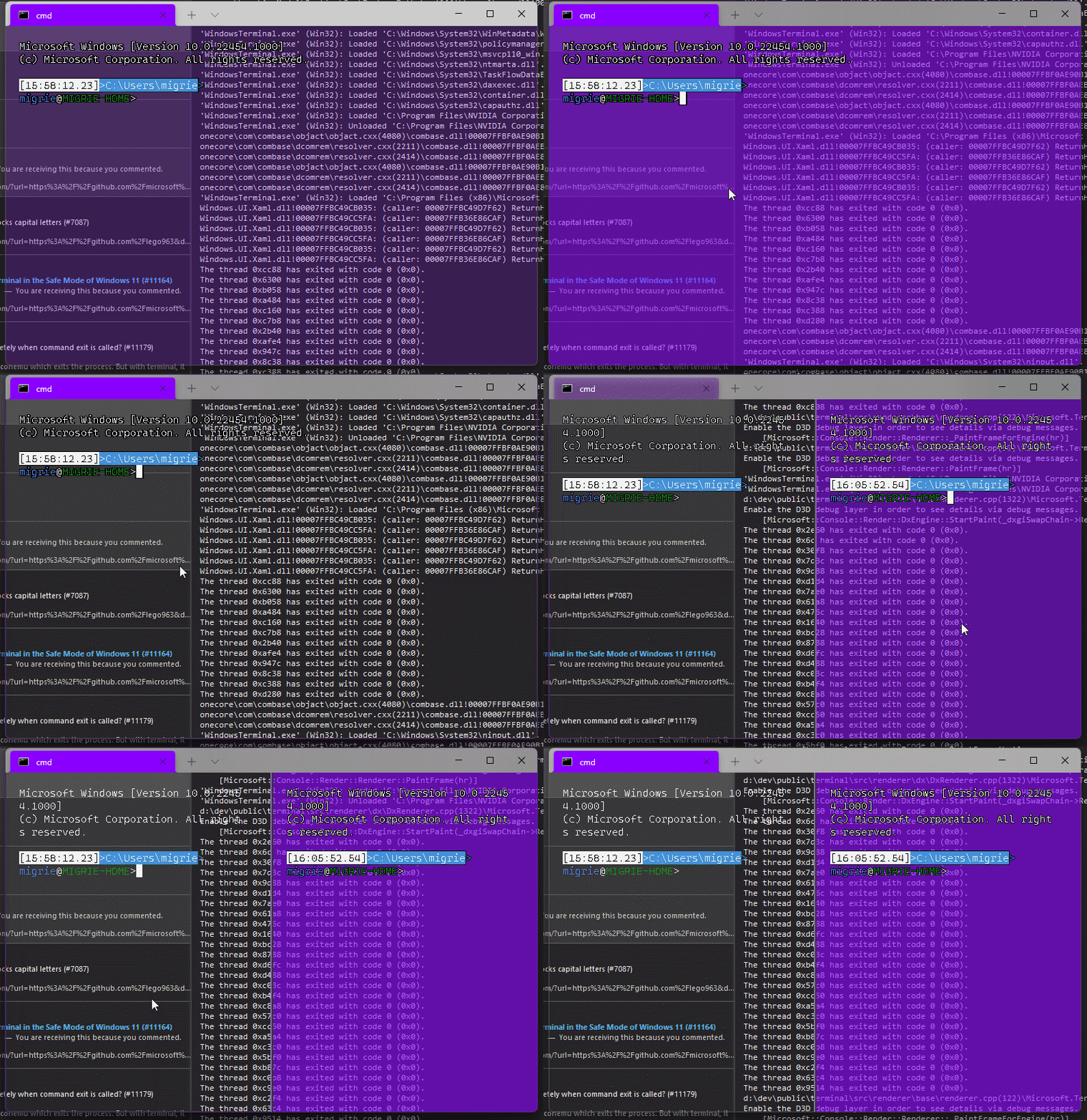
Adds support for vintage style opacity, on Windows 11+. The API we're using for this exists since the time immemorial, but there's a bug in XAML Islands that prevents it from working right until Windows 11 (which we're working on backporting).
Replaces the `acrylicOpacity` setting with `opacity`, which is a uint between 0 and 100 (inclusive), default to 100.
`useAcrylic` now controls whether acrylic is used or not. Setting an opacity < 100 with `"useAcrylic": false` will use vintage style opacity.
Mouse wheeling adjusts opacity. Whether acrylic is used or not is dependent upon `useAcrylic`.
`opacity` will stealthily default to 50 if `useAcrylic:true` is set.
## PR Checklist
* [x] Closes#603
* [x] I work here
* [x] Tests added/passed
* [x] https://github.com/MicrosoftDocs/terminal/pull/416
## Detailed Description of the Pull Request / Additional comments
Opacity was moved to AppearanceConfig. In the future, I have a mind to allow unfocused acrylic, so that'll be important then.
## Validation Steps Performed
_just look at it_
## Summary of the Pull Request
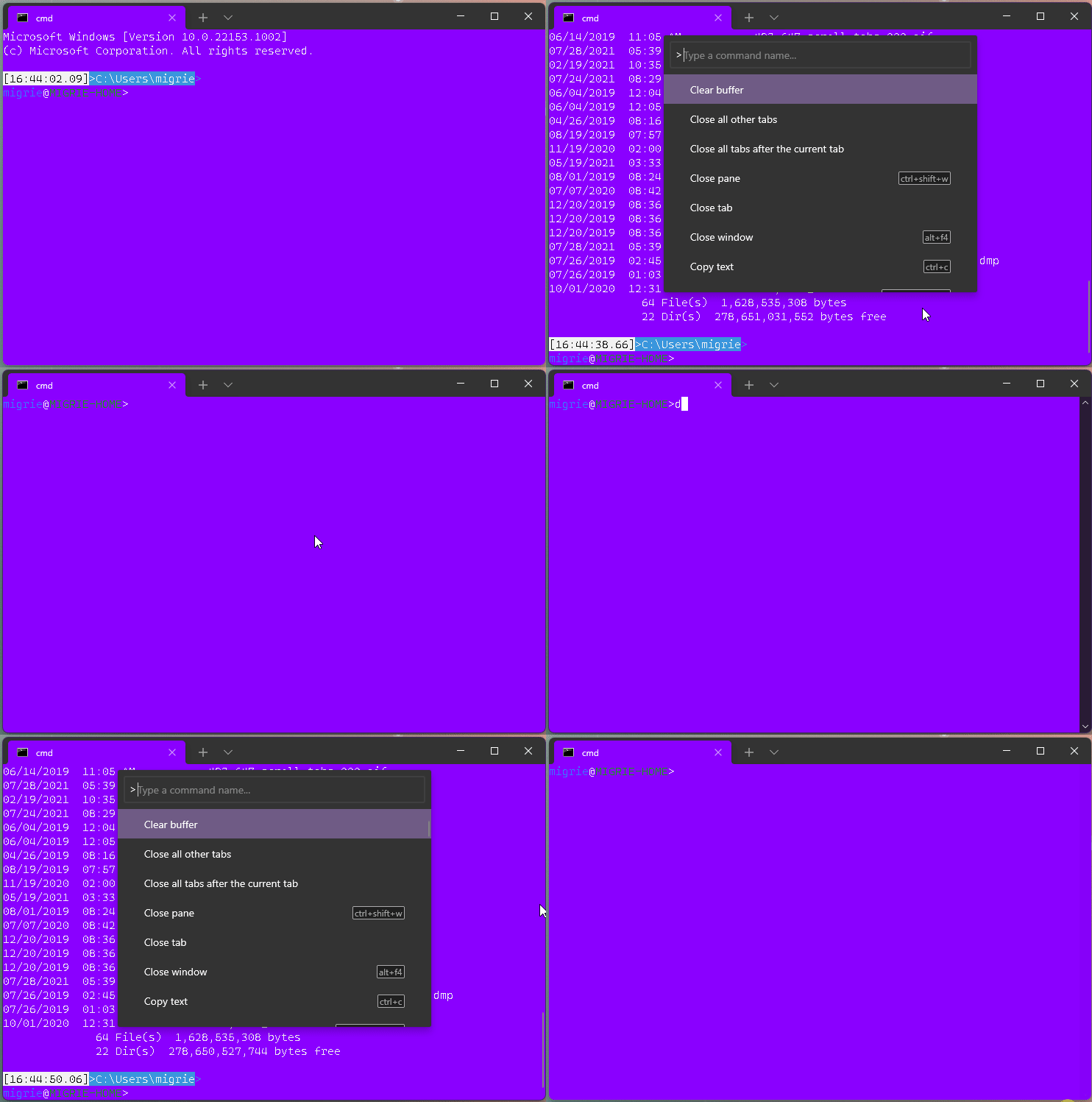
This adds a new action, `clearBuffer`. It accepts 3 values for the `clear` type:
* `"clear": "screen"`: Clear the terminal viewport content. Leaves the scrollback untouched. Moves the cursor row to the top of the viewport (unmodified).
* `"clear": "scrollback"`: Clear the scrollback. Leaves the viewport untouched.
* `"clear": "all"`: (**default**) Clear the scrollback and the visible viewport. Moves the cursor row to the top of the viewport (unmodified).
"Clear Buffer" has also been added to `defaults.json`.
## References
* From microsoft/vscode#75141 originally
## PR Checklist
* [x] Closes#1193
* [x] Closes#1882
* [x] I work here
* [x] Tests added/passed
* [ ] Requires documentation to be updated
## Detailed Description of the Pull Request / Additional comments
This is a bit tricky, because we need to plumb it all the way through conpty to clear the buffer. If we don't, then conpty will immediately just redraw the screen. So this sends a signal to the attached conpty, and then waits for conpty to draw the updated, cleared, screen back to us.
## Validation Steps Performed
* works for each of the three clear types as expected
* tests pass.
* works even with `ping -t 8.8.8.8` as you'd hope.
#### ⚠️ targets #10051

## Summary of the Pull Request

This updates our `ThrottledFunc`s to take a dispatcher parameter. This means that we can use the `Windows::UI::Core::CoreDispatcher` in the `TermControl`, where there's always a `CoreDispatcher`, and use a `Windows::System::DispatcherQueue` in `ControlCore`/`ControlInteractivity`. When running in-proc, these are always the _same thing_. However, out-of-proc, the core needs a dispatcher queue that's not tied to a UI thread (because the content proces _doesn't have a UI thread!_).

This lets us get rid of the output event, because we don't need to bubble that event out to the `TermControl` to let it throttle that update anymore.

## References
* Tear-out: #1256
* Megathread: #5000
* Project: https://github.com/microsoft/terminal/projects/5

## PR Checklist
* [x] This is a part of #1256
* [x] I work here
* [n/a] Tests added/passed
* [n/a] Requires documentation to be updated

## Detailed Description of the Pull Request / Additional comments

Fortunately, `winrt::resume_foreground` works the same on both a `CoreDispatcher` and a `DispatcherQueue`, so this wasn't too hard!

## Validation Steps Performed

This was validated in `dev/migrie/oop/the-whole-thing` (or `dev/migrie/oop/connection-factory`, I forget which), and I made sure that it worked both in-proc and x-proc. Not only that, _it wasn't any slower_!This reverts commit 04b751faa7.
## Summary of the Pull Request
Brace yourselves, it's finally here. This PR does the dirty work of splitting the monolithic `TermControl` into three components. These components are:
* `ControlCore`: This encapsulates the `Terminal` instance, the `DxEngine` and `Renderer`, and the `Connection`. This is intended to everything that someone might need to stand up a terminal instance in a control, but without any regard for how the UX works.
* `ControlInteractivity`: This is a wrapper for the `ControlCore`, which holds the logic for things like double-click, right click copy/paste, selection, etc. This is intended to be a UI framework-independent abstraction. The methods this layer exposes can be called the same from both the WinUI TermControl and the WPF control.
* `TermControl`: This is the UWP control. It's got a Core and Interactivity inside it, which it uses for the actual logic of the terminal itself. TermControl's main responsibility is now
By splitting into smaller pieces, it will enable us to
* write unit tests for the `Core` and `Interactivity` bits, which we desparately need
* Combine `ControlCore` and `ControlInteractivity` in an out-of-proc core process in the future, to enable tab tearout.
However, we're not doing that work quite yet. There's still lots of work to be done to enable that, thought this is likely the biggest portion.
Ideally, this would just be methods moved wholesale from one file to another. Unfortunately, there are a bunch of cases where that didn't work as well as expected. Especially when trying to better enforce the boundary between the classes.
We've got a couple tests here that I've added. These are partially examples, and partially things I ran into while implementing this. A bunch of things from #7001 can go in now that we have this.
This PR is gonna be a huge pain to review - 38 files with 3,730 additions and 1,661 deletions is nothing to scoff at. It will also conflict 100% with anything that's targeting `TermControl`. I'm hoping we can review this over the course of the next week and just be done with it, and leave plenty of runway for 1.9 bugs in post.
## References
* In pursuit of #1256
* Proc Model: #5000
* https://github.com/microsoft/terminal/projects/5
## PR Checklist
* [x] Closes#6842
* [x] Closes https://github.com/microsoft/terminal/projects/5#card-50760249
* [x] Closes https://github.com/microsoft/terminal/projects/5#card-50760258
* [x] I work here
* [x] Tests added/passed
* [n/a] Requires documentation to be updated
## Detailed Description of the Pull Request / Additional comments
* I don't love the names `ControlCore` and `ControlInteractivity`. Open to other names.
* I added a `ICoreState` interface for "properties that come from the `ControlCore`, but consumers of the `TermControl` need to know". In the future, these will all need to be handled specially, because they might involve an RPC call to retrieve the info from the core (or cache it) in the window process.
* I've added more `EventArgs` to make more events proper `TypedEvent`s.
* I've changed how the TerminalApp layer requests updated TaskbarProgress state. It doesn't need to pump TermControl to raise a new event anymore.
* ~~Something that snuck into this branch in the very long history is the switch to `DCompositionCreateSurfaceHandle` for the `DxEngine`. @miniksa wrote this originally in 30b8335, I'm just finally committing it here. We'll need that in the future for the out-of-proc stuff.~~
* I reverted this in c113b65d9. We can revert _that_ commit when we want to come back to it.
* I've changed the acrylic handler a decent amount. But added tests!
* All the `ThrottledFunc` things are left in `TermControl`. Some might be able to move down into core/interactivity, but once we figure out how to use a different kind of Dispatcher (because a UI thread won't necessarily exist for those components).
* I've undoubtably messed up the merging of the locking around the appearance config stuff recently
## Validation Steps Performed
I've got a rolling list in https://github.com/microsoft/terminal/issues/6842#issuecomment-810990460 that I'm updating as I go.
Does what it says on the can.

This is a follow up to #9472. Now that we have a control .lib, we can add tests for it.

Unfortunately, the `TermControl` itself is a horrible mess. So this new unittest lib is empty for now. I'm working on actual tests as a part of #6842, but this PR is here to keep the diffs smaller.

Also, apparently `server.vcxproj` had the wrong GUID in it.

* [x] I work here
* [x] Adds tests



