We ship a separate package to Windows 10, which contains a copy of XAML
embedded in it, because of a bug in activating classes from framework
packages while we're elevated.
We did this to avoid wasting disk space on Windows 11 installs (which is
critical given that we're preinstalled in the Windows image.)
The fix for this issue was released in a servicing update in April 2022.
Thanks to KB5011831, we no longer need this workaround!
And finally, this means that we no longer need to depend on a copy of
"pre-release" XAML. We only did that because it would copy all of its
assets into our package.
Introduced in #12560Closes#14106
Closes (discussion) #14981
Reverts #14660
## Summary

_In the days of old, the windows were sundered, each with its own
process, like the scattered stars in the sky. But a new age hath dawned,
for all windows now reside within a single process, like the bright gems
of a single crown._
_And lo, there came the `WindowEmperor`, a new lord to rule over the
global state, wielding the power of hotkeys and the beacon of the
notification icon. The `WindowManager` was cast aside, no longer needed
to seek out other processes or determine the `Monarch`._
_Should the `WindowEmperor` determine that a new window shall be raised,
it shall set forth a new thread, born from the ether, to govern this new
realm. On the main thread shall reside a message loop, charged with the
weighty task of preserving the global state, guarded by hotkeys and the
beacon of the notification icon._
_Each window doth live on its own thread, each guarded by the new
`WindowThread`, a knightly champion to hold the `TerminalWindow`,
`AppHost`, and `IslandWindow` in its grasp. And so the windows shall run
free, no longer burdened by their former ways._


All windows are now in a single process, rather than in one process per
window. We'll add a new `WindowEmperor` class to manage global state
such as hotkeys and the notification icon. The `WindowManager` has been
streamlined and no longer needs to connect to other processes or
determine a new `Monarch`. Each window will run on its own thread, using
the new `WindowThread` class to encapsulate the thread and manage the
`TerminalWindow`, `AppHost`, and `IslandWindow`.


* Related to #5000
* Related to #1256

## Windows Terminal Process Model 3.0

Everything is now one process. All the windows for a single Terminal
instance live in a singular Terminal process. When a new terminal
process launches, it will still attempt to communicate with an existing
one. If it finds one, it'll pass the commandline to that process and
exit. Otherwise, it'll become the "monarch" and create a new window.

We'll introduce a new abstraction here, called the `WindowEmperor`.
`Monarch` & `Peasant` will still remain, for facilitating cross-window
communication. The Emperor will allow us to have a single dedicated
class for all global state, and will now always represent the "monarch"
(rather than our previously established non-deterministic monarchy to
elevate a random peasant to the role of monarch). We still need to do a
very minimal amount of x-proc calls. Namely, one right on startup, to
see if another `Terminal.exe` was already running. If we find one, then
we toss our commandline at it and bail. If we don't, then we need to
`CoRegister` the Monarch still, to prepare for subsequent launches to
send commands to us.

`WindowManager` takes the most changes here. It had a ton of logic to
redundantly attempt to connect to other monarchs of other processes, or
elect a new one. It doesn't need to do any of that anymore, which is a
pretty dramatic change to that class.

This creates the opportunity to move some lifetime management around.
We've played silly games in the past trying to have individual windows
determine if they're the singular monarch for global state.
`IslandWindow`s no longer need to track things like global hotkeys or
the notification icon. The emperor can do that - there's only ever one
emperor. It can also own a singular copy of the settings model, and hand
out references to each other thread.

Each window lives on separate threads. We'll need to separately
initialize XAML islands for each thread. This is totally fine, and
actually supported these days. We'll use a new class called
`WindowThread` to encapsulate one of these threads. It'll be responsible
for owning the `TerminalWindow`, `AppHost` and `IslandWindow` for a
single thread.

This introduces new classes of bugs we'll need to worry about. It's now
easier than ever to have "wrong thread" bugs when interacting with any
XAML object from another thread. A good case in point - we used to stash
a `static` `Brush` in `Pane`, for the color of the borders. We can't do
that anymore! The first window will end up stashing a brush from its
thread. So now when a second window starts, the app explodes, because
the panes of that window try to draw their borders using a brush from
the wrong thread.

_Another fun change_: The keybinding labels of the command palette.
`TerminalPage` is the thing that ends up expanding iterable `Command`s.
It does this largely with copies - it makes a new `map`, a new `vector`,
copies the `Command`s over, and does the work there before setting up
the cmdpal.
Except, it's not making a copy of the `Command`s, it's making a copy of
the `vector`, with winrt objects all pointing at the `Command` objects
that are ultimately owned by `CascadiaSettings`.
This doesn't matter if there's only one `TerminalPage` - we'll only ever
do that once. However, now there are many Pages, on different threads.
That causes one `TerminalPage` to end up expanding the subcommands of a
`Command` while another `TerminalPage` is ALSO iterating on those
subcommands.

_Emperor message window_: The Emperor will have its own HWND, that's
entirely unrelated to any terminal window. This window is a
`HWND_MESSAGE` window, which specifically cannot be visible, but is
useful for getting messages. We'll use that to handle the notification
icon and global hotkeys. This alleviates the need for the IslandWindow
to raise events for the tray icon up to the AppHost to handle them. Less
plumbing=more good.

### Class ownership diagram

_pretend that I know UML for a second_:

```mermaid
classDiagram
    direction LR
    class Monarch
    class Peasant
    class Emperor
    class WindowThread
    class AppHost

    Monarch "1" --o "*" Peasant: Tracks
    Emperor --* "1" AppLogic:
    Monarch <..> "1" Emperor
    Peasant "1" .. "1" WindowThread
    Emperor "1" --o "*" WindowThread: Tracks
    WindowThread --* AppHost
    AppHost --* IslandWindow
    AppHost --* TerminalWindow
    TerminalWindow --* TerminalPage
```

* There's still only one `Monarch`. One for the Terminal process.
* There's still many `Peasant`s, one per window.
* The `Monarch` is no longer associated with a window. It's associated
with the `Emperor`, who maintains _all_ the Terminal windows (but is not
associated with any particular window)
* It may be relevant to note: As far as the `Remoting` dll is concerned,
it doesn't care if monarchs and peasants are associated with windows or
not. Prior to this PR, _yes_, the Monarch was in fact associated with a
specific window (which was also associated with a window). Now, the
monarch is associated with the Emperor, who isn't technically any of the
windows.
* The `Emperor` owns the `App` (and by extension, the single `AppLogic`
instance).
* Each Terminal window lives on its own thread, owed by a `WindowThread`
object.
* There's still one `AppHost`, one `IslandWindow`, one `TerminalWindow`
& `TerminalPage` per window.
* `AppLogic` hands out references to its settings to each
`TerminalWindow` as they're created.

### Isolated Mode

This was a bit of a tiny brainstorm Dustin and I discussed. This is a
new setting introduced as an escape watch from the "one process to rule
them all" model. Technically, the Terminal already did something like
this if it couldn't find a `Monarch`, though, we were never really sure
if that hit. This just adds a setting to manually enable this mode.

In isolated mode, we always instantiate a Monarch instance locally,
without attempting to use the `CoRegister`-ed one, and we _never_
register one. This prevents the Terminal from talking with other
windows.
* Global hotkeys won't work right
* Trying to run commandlines in other windows (`wt -w foo`) won't work
* Every window will be its own process again
* Tray icon behavior is left undefined for now.
* Tab tearout straight-up won't work.

### A diagram about settings

This helps explain how settings changes get propagated

```mermaid
sequenceDiagram
    participant Emperor
    participant AppLogic

    participant AppHost
    participant TerminalWindow
    participant TerminalPage

    Note Right of AppLogic: AL::ReloadSettings
    AppLogic ->> Emperor: raise SettingsChanged
    Note left of Emperor: E::...GlobalHotkeys
    Note left of Emperor: E::...NotificationIcon
    AppLogic ->> TerminalWindow: raise SettingsChanged<br>(to each window)
    AppLogic ->> TerminalWindow:
    AppLogic ->> TerminalWindow:
    Note right of TerminalWindow: TW::UpdateSettingsHandler
    Note right of TerminalWindow: TW::UpdateSettings
    TerminalWindow ->> TerminalPage: SetSettings
    TerminalWindow ->> AppHost: raise SettingsChanged
    Note right of AppHost: AH::_HandleSettingsChanged
```
Does what it says in the title. After this commit you can customize the height
and width of the terminal's cells. This commit supports parts of CSS'
`<length-percentage>` data type: Font-size relative sizes as multiples (`1.2`),
percentage (`120%`), or advance-width relative (`1.2ch`), as well as absolute
sizes in CSS pixels (`px`) or points (`pt`).
This PR is neither bug free in DxEngine, nor in AtlasEngine.
The former fails to implement glyph advance corrections (for instance #9381),
as well as disallowing glyphs to overlap rows. The latter has the same
overlap issue, but more severely as it tries to shrink glyphs to fit in.
Closes#3498Closes#14068
## Validation Steps Performed
* Setting `height` to `1` creates 12pt tall rows ✅
* Setting `height` to `1ch` creates square cells ✅
* Setting `width` to `1` creates square cells ✅
* Setting `width` or `height` to `Npx` or `Npt` works ✅
* Trailing zeroes are trimmed properly during serialization ✅
* Patching the PR to allow >100 line heights and entering "100.123456"
displays 6 fractional digits ✅
As of about 2022, the one's digit of the Build of our version is a placeholder value to differentiate the Windows 10 build from the Windows 11 build. Let's trim that out, it's only a source of confusion.
For additional clarity, let's omit the Revision, which _must_ be `.0`, and doesn't provide any value to report.
We will need to make sure we report releases as `1.17.ABC` now, instead of `1.17.ABC1.0`/`1.17.ABC2.0`
Let's not backport this. 1.17 will be the start of the new numbering scheme. Otherwise, `1.16.EFG` < `1.16.ABC1.0`, for an old version `ABC1` and a new version `EFG`.
* closes#14106
* As summarized here: https://github.com/microsoft/terminal/issues/14106#issuecomment-1289462310
This is basically just like #14064, but with the `theme` instead.

If you define a pair of `theme` names:

```json
    "theme": { "dark": "light", "light": "dark" },
```

then the Terminal will use the one relevant for the current OS theme. This cooperates with #14064, who sets the `scheme` based on the app's theme.

This was spec'd as a part of #3327 / #12530, but never promoted to its own issue.
Gif below.
<!-- Enter a brief description/summary of your PR here. What does it fix/what does it change/how was it tested (even manually, if necessary)? -->
## Summary of the Pull Request
This pull request solved the problem of users not being able to set color schemes specifically for dark or light mode. Now the code has been updated to accept a dark and light color scheme in the json. The old setting is still compatible. Keep in mind if you update your color scheme through the settings UI, it will set both dark and light to the color scheme selected. This is because the settings UI update for selecting both Dark and Light color schemes is not supported yet.
This also solves the problem of the UI not using the system OS theme. Now you can select system theme and your color scheme will be selected based on if the system theme is dark or light.
<!-- Other than the issue solved, is this relevant to any other issues/existing PRs? -->
## References
#4066
<!-- Please review the items on the PR checklist before submitting-->
## PR Checklist
* [x] Closes#4066
* [x] Closes#14050
* [x] CLA signed. If not, go over [here](https://cla.opensource.microsoft.com/microsoft/Terminal) and sign the CLA.
* [x] Tests added/passed I believe so, added one test to ColorSchemeTests.cpp and I believe it passed. Also had to modify TerminalSettingsTests.cpp to accept the new ApplyAppearanceSettings function template
* [ ] Documentation updated. If checked, please file a pull request on [our docs repo](https://github.com/MicrosoftDocs/terminal) and link it here: #xxx
* [x] Schema updated.
* [x] I've discussed this with core contributors already. If not checked, I'm ready to accept this work might be rejected in favor of a different grand plan. Issue number where discussion took place: #4066 and also teams messages with @carlos-zamora
<!-- Provide a more detailed description of the PR, other things fixed or any additional comments/features here -->
## Detailed Description of the Pull Request / Additional comments
-Removed ColorSchemeName from MTSMSettings.h in order to process the setting for both string and object.
-Added DarkColorSchemeName and LightColorSchemeName properties to the AppearanceConfig to replace ColorSchemeName.
-Hacked a few processes to play nice with all 3 properties listed above as in some cases around the UI, we need to still use the ColorSchemeName. Once we change the UI I believe we can go back to just Dark and LightColorSchemeName
-Added and Updated Test to align to the new code.
Acceptable Json values,
"colorScheme":
{
"dark": "Campbell",
"light": "Campbell"
}
or
"colorScheme": "Campbell"
<!-- Describe how you validated the behavior. Add automated tests wherever possible, but list manual validation steps taken as well -->
## Validation Steps Performed
Individual testing along with the test case added.
This commit stores a hash of the `settings.json` file in `ApplicationState`
with which we can detect whether the settings contents actually changed.
Since I only use a small 64-bit hash as opposed to SHA2 for instance,
I'm taking the last write time of the file into account as well.
This allows us to skip calling `UpdateJumplist` at least the majority of app
launches which hopefully improves launch performance on devices with slower IO.

Part of #5907.

## Validation Steps Performed


* Delete some profiles (see above), save settings, tasks are gone ✅
  FYI For some (...) inexplicable reason, shell task lists are preserved forever
  even if msix applications are uninstalled, etc. So to test whether tasks are
  properly written on first app launch we have to delete some profiles/tasks
  first, otherwise we can't see whether they're actually written later.
* Now exit Windows Terminal, delete `settings.json` and relaunch
* All tasks are back ✅
* With a debugger, ensure that `CascadiaSettings::WriteSettingsToDisk`
  generates the same hash that `LoadAll` reads. ✅
Cleans up a couple local test failures.
* [x] Closes#13474: So, I clearly hadn't ran the local tests at the end of the themes PR. We needed a sensible fallback to SOME theme, even if there wasn't one provided in the user json. This is only really hit in the tests (that don't also include `defaults.json`.
* [x] Closes#13323: Meh, the ordering of the keys in this test doesn't matter. Ordering is a map implementation detail. This is fine.
* [x] Ran tests locally
##### ⚠️ targeting 1.15
## Summary of the Pull Request
Adds support for Themes, a new type of customization for the Terminal. Themes allow the user to customize elements of the Terminal window itself. In this first iteration, this PR adds support for two main properties:
* enabling Mica as the window backdrop
* changing the tab row color (read: changing the titelbar color)
These represent the most important asks of theming in the Terminal. The properties added in this PR are:
* Theme color variants:
- `"#rrggbb"` or `"#aarrggbb"`
- `"accent"`
- `"terminalBackground"`
* Properties (_listed here in dot notation, but implemented as sub-objects_)
- `tabRow.background`: accepts a ThemeColor (above)
- `window.applicationTheme`: accepts one of `{"system", "light", "dark"}`
- `window.useMica`: accepts a boolean, defaults to false.
## References
* As first described in #3327
* spec'd in #12530
## PR Checklist
* [x] Sorta enables #10509, but doesn't close it. That'll need more comprehensive changes to the titlebar code.
* **update**: I totally disabled mica, but left the serialization code. It just seems silly without #10509.
* [x] Closes#1963
* [x] Closes#3774
* [x] Closes#12939
* [x] Does the bulk of the #3327 work, but I'm going to leave that open since that's become my megathread for everything related to theming.
* [x] I work here
* [x] Tests added/passed
* [ ] Requires documentation to be updated - **SURE DOES**
## Detailed Description of the Pull Request / Additional comments
### --> GO READ #12530 <--
Seriously.
These themes aren't customizable in the SUI currently. You can change the active theme, and the UI will show all of the defined themes, but they're not editable there.
They don't layer. You'll need to define your own themes.
Thay can't come from fragments. This is a really cool future idea, but not implemented in this v0.
The sub objects have some gnarly macros to generate a lot of the serialization code for you.
### TODOs
* [x] I still have yet to establish what the accent color algorithm is. This might be proprietary and require a ThemeHelpers workaround.
* [x] Make sure `terminalBackground` & the SUI result in something sensible
* [x] Make sure runtime BG changes work with `terminalBackground`. One time, they didn't. `printf "\x1b]11;rgb:ff/00/ff\x07"`
* [x] Acrylic Terminal BG's look weird, like, the opacity is always 50% or something. And the tab row looks all wrong then.
## Validation Steps Performed
This is the blob I've been testing with:
<details>
```jsonc
// "useAcrylicInTabRow": true,
"theme": "my dark",
// "theme": "Edge",
"theme": "orangey",
"theme": "WHITE",
// "theme": "terminal",
"themes": [
{
"name": "my dark",
"window": {
"applicationTheme": "dark",
"useMica": true,
},
"tabRow": {
"background": "#00000000",
},
},
{
"name": "Edge",
"tabRow": { "background": "accent" },
"window": { "applicationTheme": "system" }
},
{
"name": "orangey",
"window": {
"applicationTheme": "light",
"useMica": true,
},
"tabRow": {
"background": "#ff8800",
},
},
{
"name": "WHITE",
"window": {
"applicationTheme": "dark",
"useMica": true,
},
"tabRow": {
"background": "#FFFFFF",
},
},
{
"name": "terminal",
"window": {
"applicationTheme": "dark",
"useMica": false,
},
"tabRow": {
"background": "terminalBackground",
},
},
]
```
</details>
If we want to make Windows Terminal the default terminal under Windows,
we'll have to make conhost "handoff" incoming connections by default.
But this poses a problem: How can the seldomly updated conhost know
whether the routinely updated Windows Terminal version is actually willing
to accept such handoffs by default (it might be unwilling due to bugs, etc.)?

This commit solves the issue by introducing:
* A marker interface (`IDefaultTerminalMarker`): If it exists,
  Windows Terminal indicates its willingness to accept the handoff.
* Turning the all-0 GUID from being synonymous for conhost,
  to being synonymous for "Let Windows decide". Without this we wouldn't
  be able to differentiate between users who consciously chose conhost
  as their default terminal, vs. users who want the standard behavior.

## Validation Steps Performed
Testing fallback behavior:
* Install "Terminal" 1.13
* Delete the 2 keys below `HKCU\Console\%%Startup`
* Enable `Feature_AttemptHandoff` in `features.xml`
  Return `true` from `DefaultApp::CheckShouldTerminalBeDefault`
* Replace `conhost.exe` and `console.dll` with `sfpcopy` after building
* Launching `cmd.exe` launches as a conhost window ✅
  (because "Terminal" 1.13 lacks the marker interface)
* Open properties page in `conhost.exe`
  "Let Windows decide" is select by default ✅
* Changing the selection writes the new value ✅

Testing the new behavior:
* Delete the 2 keys below `HKCU\Console\%%Startup`
* Enable `Feature_AttemptHandoff` in `features.xml`
  Return `true` from `DefaultApp::CheckShouldTerminalBeDefault`
* Use `CLSID_WindowsTerminalConsoleDev` and `CLSID_WindowsTerminalTerminalDev`
  for the initialization of `TerminalDelegationPair`
* Replace `conhost.exe` and `console.dll` with `sfpcopy` after building
* Deploy the "Terminal Dev" package
* Launching `cmd.exe` launches "Terminal Dev" ✅
  (because "Terminal Dev" has the marker interface)
* Open the settings tab
  "Let Windows decide" is select by default ✅
* Changing the selection and saving writes the new value ✅
## Summary of the Pull Request
As discussed in team sync. Ignore `newTab` actions with a profile index greater than the number of profiles.
## PR Checklist
* [x] Closes#11114
* [x] I work here
* [ ] Tests added/passed
* [ ] Requires documentation to be updated - maybe❓
#4015 requires sweeping changes in order to allow a migration of our buffer
coordinates from `int16_t` to `int32_t`. This commit reduces the size of
future commits by using type inference wherever possible, dropping the
need to manually adjust types throughout the project later.

As an added bonus this commit standardizes the alignment of cv qualifiers
to be always left of the type (e.g. `const T&` instead of `T const&`).

The migration to type inference with `auto` was mostly done
using JetBrains Resharper with some manual intervention and the
standardization of cv qualifier alignment using clang-format 14.

## References

This is preparation work for #4015.

## Validation Steps Performed
* Tests pass ✅
#12149 introduced a bug where `ClearCommandline()` is called on any user
profile containing the non-canonical strings "cmd.exe" or "powershell.exe"
in the "commandline" field. If you happen to have set the "commandline"
field in your `profiles.defaults`, this will cause these user profiles
to adopt the base layer command-line instead of the defaults layer one.
This commit fixes the issue, by checking the command-line after the call
to `ClearCommandline()` and ensuring it's the expected string.
Additionally this moves the migration logic to `SettingsLoader` as this allows
us to write the fixed settings to disk, if any fixed had to be applied.
## PR Checklist
* [x] Closes#12842
* [x] I work here
* [x] Tests added/passed
## Validation Steps Performed
* The modified unit test fails without these changes ✅
* The modified unit test succeeds with these changes ✅
* Setting `profiles.defaults.commandline` to "pwsh.exe" and setting
my "...\\powershell.exe" profile to use just "powershell.exe" as
the `commandline`, doesn't cause it to use "pwsh.exe" ✅
The fixed settings are written to settings.json ✅
After this commit we only set the default fields of a profile - primarily the
name field - as late as possible, after layering has already completed.
This ensures that we pick up any modifications from fragments.
## PR Checklist
* [x] Closes#12520
* [x] I work here
* [x] Tests added/passed
## Validation Steps Performed
* Add a fragment at
`%LocalAppData%\Microsoft\Windows Terminal\Fragments\Fragment\fragment.json`
with
`{"profiles":[{"updates":"{61c54bbd-c2c6-5271-96e7-009a87ff44bf}","name":"NewName"}]}`
* Windows PowerShell profile is created with the name "NewName" in settings.json ✅
## Summary of the Pull Request
Prevents a crash that could occur when invoking `wt C:\`
## PR Checklist
* [x] Closes#12535
* [x] CLA signed. If not, go over [here](https://cla.opensource.microsoft.com/microsoft/Terminal) and sign the CLA
* [x] Tests added/passed
* [ ] Documentation updated. If checked, please file a pull request on [our docs repo](https://github.com/MicrosoftDocs/terminal) and link it here: #xxx
* [ ] Schema updated.
* [ ] I've discussed this with core contributors already. If not checked, I'm ready to accept this work might be rejected in favor of a different grand plan. Issue number where discussion took place: #xxx
## Detailed Description of the Pull Request / Additional comments
Updates `CascadiaSettings::NormalizeCommandLine()` to check that there are a suitable number of command line arguments to be concatenated together, to prevent accessing an array index in `argv` that doesn't exist.
Also prevents a test flake that could occur in `TerminalSettingsTests::CommandLineToArgvW()`, due to generating an empty command line argument.
## Validation Steps Performed
Added a test, and checked that invoking each of the command lines below behaved as expected:
```
wtd C:\ # Window pops up with [error 2147942405 (0x80070005) when launching `C:\']
wtd C:\Program Files # Window pops up with [error 2147942402 (0x80070002) when launching `C:\Program Files']
wtd cmd # cmd profile pops up
wtd C:\Program Files\Powershell\7\pwsh -WorkingDirectory C:\ # PowerShell profile pops up in C:\
wtd "C:\Program Files\Powershell\7\pwsh" -WorkingDirectory C:\ # PowerShell profile pops up in C:\
wtd . # Window pops up with [error 2147942405 (0x80070005) when launching `.']
```
#12348 introduced an off-by-one bug. While the `NormalizeCommandLine` loop
should exit early when there aren't at least _two_ arguments to be joined,
the final argument-append needs to happen even if just _one_ argument exists.
This commit fixes the issue and introduces changes to additionally monitor
the early loop exit, as well as the call to `ExpandEnvironmentStringsW`.
## PR Checklist
* [x] Closes#12461
* [x] I work here
* [x] Tests added/passed
## Validation Steps Performed
* All `TerminalSettingsTests` tests pass ✅
The previous code had two bugs for:
* paths with more than 1 whitespace
The code joins the argv array by replacing null-word terminators with
whitespace. Unfortunately it always referred to the separator between
`argv[0]` and `argv[1]` for this instead of continuing to join
those between 1 and 2, etc.
* paths sharing a common prefix with another directory
`SearchPathW` returns paths that aren't necessarily paths to files.
A call to `GetFileAttributesW` was added, ensuring we only resolve file paths.
## PR Checklist
* [x] Closes#12345
* [x] I work here
* [ ] Tests added/passed
## Validation Steps Performed
* Paths with more than 1 whitespace resolve correctly ✅
* Paths with neighboring directories sharing a common prefix resolve correctly ✅
* Tests added ✅
Introduced in #11416
We weren't using these macros for duplicating as well, so I forgot to duplicate a couple settings. This PR switches duplicating over to using the macros as well, which shou;d reduce future bugs.
Also adds notes to which properties are intentionally omitted from these macros.
* [x] closes#12265
* [x] Verified manually that #12120 still works as expected
In previous releases, we had the commandlines for the Command Prompt and PowerShell profiles unqualified, as `cmd.exe` and `powershell.exe`. This was bad - theoretically, that would have preferred the cmd that was in the CWD over the one in System32. Or, something could insert itself into the path, and you'd end up with a malicious `cmd.exe` before the real one.
In #11437, we made sure that the `userDefaults` are initiated with the fully qualified paths. However, that didn't fix the issue for folks who already had settings files.
In an effort to better prevent this kind of badness, if we see a profile _with a default profile guid_, AND the unqualified version of the path, then we'll stealth replace it with the fully qualified one.
* Related to #11437
* [x] fixes#12126
* [x] Tests added
This was a simple oversight. No user profile ever has `connectionType` set, because why would they. So even for the Azure Shell, which needed this, the check would fail and we'd forget to duplicate the connectionType to the new profile.
* [x] I work here
* [x] Closes#12120
* [x] Tested manually
Title says it all. This is on by default, and we've committed to keeping it around. Having a velocity flag for it is redundant now.
* [x] Closes#11454
* [x] I work here
Enables a series of tasks run against our release pipeline that validate the security and compliance status of our code in an automated fashion. These checks include:
- Component Governance - (we had this one, it was moved to here) - Inventories open-source components used in our build
- PREfast - C/C++ static analysis for common code errors and exploits
- Policheck - Searches source code, comments, and text for words that could be sensitive legally, culturally, or geopolitically
- Credscan - Looks for credentials left behind in the code/documents and build output files
- BinSkim - Searches for common vulnerabilities in binaries
- CheckCFlags - Validates that compile/link flags match the policies recommended by Windows engineering for inclusion into the OS product image
- CFGCheck/XFGCheck - Validates that the CFG and/or XFG settings were enabled at compile and link time to guard against control flow attacks.
We're also required to run the SBOM one, but that was done in a separate PR and we're still pending the detectors being updated.
## References
- #11948 - Move from CFG to XFG once XFG task folks get back to me on it
- #11949 - Enable bug filing for SecComp tasks
- #11950 - Bulk process bugs filed by SecComp tasks
- #11947 - Validate SBOM when checkers come online
## Checklist
- [x] - Fixes#10735
- [x] - Fixes#908
- [x] - I work here
- [x] - If it fits, it sits.
This is a followup commit for 168d28b.
By renaming `IInheritable::InsertParent(com_ptr)` and
`InsertParent(size_t, com_ptr)` into `AddLeastImportantParent(com_ptr)`
and `AddMostImportantParent(com_ptr)` respectively, we can improve
the clarity of our code's intent without the need for comments.

## PR Checklist
* [x] I work here
* [x] Tests added/passed
This implements command line matching for `CascadiaSettings::GetProfileForArgs`.
The command lines for all user profiles are resolved to absolute file paths,
argument quotes are standardized ("canonicalized") and the results are cached.
When `GetProfileForArgs` is called with a Commandline() value, we "canonicalize"
the argument as well and find the profile that is the longest prefix.
If none could be found the default profile is returned.
## PR Checklist
* [x] Closes#9458
* [x] Closes#10952
* [x] I work here
* [ ] Tests added/passed
## Validation Steps Performed
* Open a `cmd.exe` tab in the store-version of WT
* Run `start cmd`
--> A tab with the `cmd.exe` profile opens
* Run `start pwsh.exe`
--> A tab with the PowerShell 7 profile opens
* Run PowerShell 7 from the start menu
--> A tab with the PowerShell 7 profile opens
* Create a symlink for PowerShell 7 and launch `pwsh.exe` from there
--> A tab with the PowerShell 7 profile opens
This commit adds a simple information popup about default terminals,
guiding first-time Windows 11 users into changing the default terminal.

## Validation Steps Performed
* Info bar pops up on Windows 11 ✔️
* Info bar can be dismissed persistently ✔️
`CascadiaSettings::_createNewProfile` failed to call `_FinalizeInheritance`.
This commits fixes the issue and adds a stern warning for future me.
## PR Checklist
* [x] Closes#11392
* [x] I work here
* [x] Tests added/passed
## Validation Steps Performed
* Open settings UI
* Modify font size in base layer
* _Don't_ save
* Duplicate any profile with default font size
* Ensure the duplicated profile shows the modified base layer font size ✔️
WinUI/XAML requires the `SelectedItem` to be member of the list of
`ItemsSource`. `CascadiaSettings::DefaultTerminals()` is such an `ItemsSource`
and is called every time the launch settings page is visited.
It calls `DefaultTerminal::Available()` which in turn calls `Refresh()`.
While the `SelectedItem` was cached in `CascadiaSettings`, the value of
`DefaultTerminals()` wasn't. Thus every time the page was visited, it refreshed
the `ItemsSource` list without invalidating the current `SelectedItem`.
This commit prevents such accidental mishaps from occurring in the future,
by moving the responsibility of caching solely to the `CascadiaSettings` class.
## PR Checklist
* [x] Closes#11424
* [x] I work here
* [x] Tests added/passed
## Validation Steps Performed
* Navigating between SUI pages maintains the current dropdown selection ✔️
* Saving the settings saves the correct terminal at `HKCU:\Console\%%Startup` ✔️
Just like in #9760, we can't actually use the UWP file picker API, because it will absolutely not work at all when the Terminal is running elevated. That would prevent the picker from appearing at all. So instead, we'll just use the shell32 one manually.
This also gets rid of the confirmation dialog, since the team felt we didn't really need that. We could maybe replace it with a Toast (#8592), but _meh_
* [x] closes#11356
* [x] closes#11358
* This is a lot like #9760
* introduced in #11062
* megathread: #9700
`SettingsLoader::_parse` used to skip profiles which didn't have either a "guid"
or "name" field, due to #9962. This is however wrong for fragment loading, as
fragments can alternatively use an "updates" field instead of guid/name.
`SettingsLoader::_parse` was updated to allow profiles with this alternative
field during fragment loading.
## PR Checklist
* [x] Closes#11331
* [x] I work here
* [x] Tests added/passed
## Validation Steps Performed
* Wrote the following to
`%LOCALAPPDATA%\Microsoft\Windows Terminal\Fragments\test\test.json`:
```json
{
"profiles": [
{
"updates": "{574e775e-4f2a-5b96-ac1e-a2962a402336}",
"background": "#FFD700"
}
]
}
```
This commit reduces the code surface that interacts with raw JSON data,
reducing code complexity and improving maintainability.
Files that needed to be changed drastically were additionally
cleaned up to remove any code cruft that has accrued over time.
In order to facility this the following changes were made:
* Move JSON handling from `CascadiaSettings` into `SettingsLoader`
This allows us to use STL containers for data model instances.
For instance profiles are now added to a hashmap for O(1) lookup.
* JSON parsing within `SettingsLoader` doesn't differentiate between user,
inbox and fragment JSON data, reducing code complexity and size.
It also centralizes common concerns, like profile deduplication and
ensuring that all profiles are assigned a GUID.
* Direct JSON modification, like the insertion of dynamic profiles into
settings.json were removed. This vastly reduces code complexity,
but unfortunately removes support for comments in JSON on first start.
* `ColorScheme`s cannot be layered. As such its `LayerJson` API was replaced
with `FromJson`, allowing us to remove JSON-based color scheme validation.
* `Profile`s used to test their wish to layer using `ShouldBeLayered`, which
was replaced with a GUID-based hashmap lookup on previously parsed profiles.
Further changes were made as improvements upon the previous changes:
* Compact the JSON files embedded binary, saving 28kB
* Prevent double-initialization of the color table in `ColorScheme`
* Making `til::color` getters `constexpr`, allow better optimizations
The result is a reduction of:
* 48kB binary size for the Settings.Model.dll
* 5-10% startup duration
* 26% code for the `CascadiaSettings` class
* 1% overall code in this project
Furthermore this results in the following breaking changes:
* The long deprecated "globals" settings object will not be detected and no
warning will be created during load.
* The initial creation of a new settings.json will not produce helpful comments.
Both cases are caused by the removal of manual JSON handling and the
move to representing the settings file with model objects instead
## PR Checklist
* [x] Closes#5276
* [x] Closes#7421
* [x] I work here
* [x] Tests added/passed
## Validation Steps Performed
* Out-of-box-experience is identical to before ✔️
(Except for the settings.json file lacking comments.)
* Existing user settings load correctly ✔️
* New WSL instances are added to user settings ✔️
* New fragments are added to user settings ✔️
* All profiles are assigned GUIDs ✔️
## Summary of the Pull Request
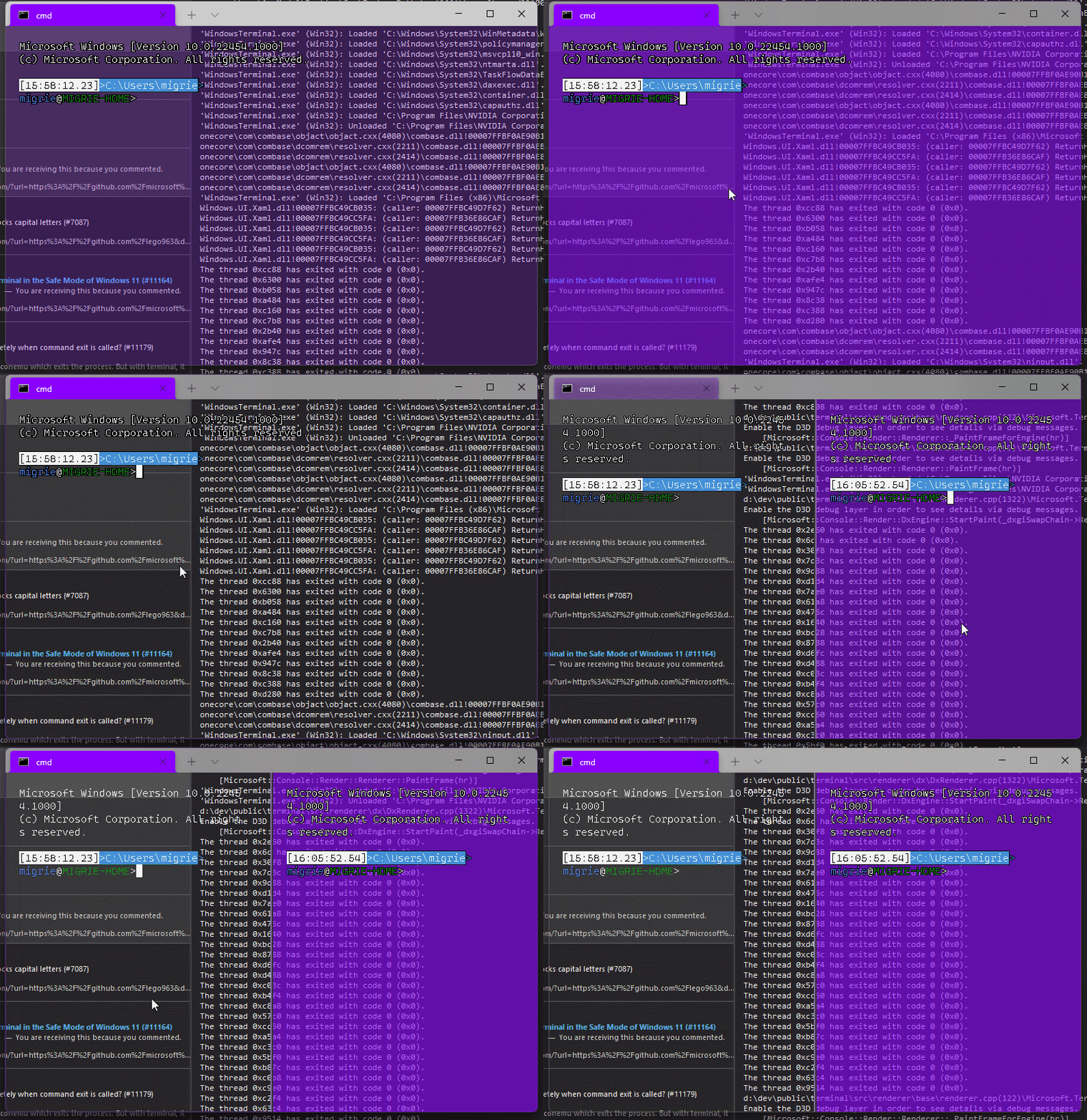
Adds support for vintage style opacity, on Windows 11+. The API we're using for this exists since the time immemorial, but there's a bug in XAML Islands that prevents it from working right until Windows 11 (which we're working on backporting).
Replaces the `acrylicOpacity` setting with `opacity`, which is a uint between 0 and 100 (inclusive), default to 100.
`useAcrylic` now controls whether acrylic is used or not. Setting an opacity < 100 with `"useAcrylic": false` will use vintage style opacity.
Mouse wheeling adjusts opacity. Whether acrylic is used or not is dependent upon `useAcrylic`.
`opacity` will stealthily default to 50 if `useAcrylic:true` is set.
## PR Checklist
* [x] Closes#603
* [x] I work here
* [x] Tests added/passed
* [x] https://github.com/MicrosoftDocs/terminal/pull/416
## Detailed Description of the Pull Request / Additional comments
Opacity was moved to AppearanceConfig. In the future, I have a mind to allow unfocused acrylic, so that'll be important then.
## Validation Steps Performed
_just look at it_
This commit adds dynamic profile generators for Visual Studio Developer
Command Prompt (VS2017+) and Visual Studio Developer PowerShell
(VS2019.2+)
Tested manually by deploying locally. My local environment has four
instances of VS installed, one VS2017 and multiple channels of VS2019.
We're wrapping the COM Visual Studio Setup Configuration API to query
for VS instances and retrieve the relevant properties. Two different
namespaces are used so the end-user can turn off one or the other. For
instance, end user may prefer to always use Developer PowerShell.
## Validation Steps Performed
1. Build locally using Visual Studio 2019
2. Deploy CascadiaPackage
3. Verify entries exist in profiles menu
4. Verify entries exist in settings.json
5. Open each profile
6. Validate start-in directory
7. Validate environment variables are as expected
8. Uninstall Windows Terminal - Dev package
9. Repeat.
Closes#3821
This pull request introduces our first use of the "base" profile as an
actual profile. Incoming commandlines from `wt foo` *and* default
terminal handoffs will be hosted in the base profile.
**THIS IS A BREAKING CHANGE** for user behavior.
The original behavior where commandlines were hosted in the "default"
profile (in most cases, Windows PowerShell) led to user confusion: "why
does cmd use my powershell icon?" and "why does the title say
PowerShell?". Making this change unifies the user experience so that we
can land commandline detection in #10952.
Users who want the original behavior can get it back for commandline
invocation by specifying a profile using the `-p` argument, as in `wt -p
PowerShell -- cmd`.
As a temporary stopgap, users who attempt to duplicate the base profile
will get their specified default profile until we land #5047.
This feature is hidden behind the same feature flag that controls the
visibility of base/"Defaults" in the settings UI.
Fixes#10669
Related to #6776
Re-enables the delete button for generated profiles in the settings UI.
Additionally fixes "Startup Profiles" to only list active profiles.
Profiles are considered deleted if they're absent from settings.json, but their
GUID has been encountered before. Or in other words, from a user's perspective:
Generated profiles are added to the settings.json automatically only once.
Thus if the user chooses to delete the profile (e.g. using the delete button)
they aren't re-added automatically and thus appear to have been deleted.
Meanwhile those generated profiles are actually only marked as "hidden"
as well as "deleted", but still exist in internal profile lists.
The "hidden" attribute hides them from all existing menus. The "deleted" one
hides them from the settings UI and prevents them from being written to disk.
It would've been preferrable of course to just not generate and
add deleted profile to internal profile lists in the first place.
But this would've required far more wide-reaching changes.
The settings UI for instance requires a list of _all_ profiles in order to
allow a user to re-create previously deleted profiles. Such an approach was
attempted but discarded because of it's current complexity overhead.
## References
* Part of #9997
* A sequel to 5d36e5d
## PR Checklist
* [x] Closes#10960
* [x] I work here
* [x] Tests added/passed
## Validation Steps Performed
* "Startup Profiles" doesn't list deleted profiles ✔️
* Manually removing an item from settings.json removes the profile ✔️
* Removing cmd.exe and saving doesn't create empty objects (#10960) ✔️
* "Add a new profile" lists deleted profiles ✔️
* "Duplicate" recreates previously deleted profiles ✔️
* Profiles are always created with GUIDs ✔️
Right now, we store GUIDs in panes and most of the functions for interacting
with profiles on the settings model take GUIDs and look up profiles.
This pull request changes how we store and look up profiles to prefer profile
objects. Panes store strong references to their originating profiles, which
simplifies settings lookup for CloseOnExit and the bell settings. In fact,
deleting a pane's profile no longer causes it to forget which CloseOnExit
setting applies to it. Duplicating a pane that is hosting a deleted profile
(#5047) now duplicates the profile, even though it is otherwise unreachable.
This makes the world more consistent and allows us to _eventually_ support panes
hosting profiles that do not have GUIDs that can be looked up in the profile
list. This is a gateway to #6776 and #10669, and consolidating the profile
lookup logic will help with #10952.
PR #10588 introduced TerminalSettings::CreateWithProfile and made
...CreateWithProfileByID a thin wrapper over top it, which looked up the profile
by GUID before proceeding. It has also been removed, as its last caller is gone.
Closes#5047
## Summary of the Pull Request
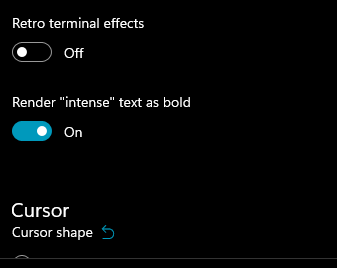
This adds a new setting `intenseTextStyle`. It's a per-appearance, control setting, defaulting to `"all"`.
* When set to `"all"` or `["bold", "bright"]`, then we'll render text as both **bold** and bright (1.10 behavior)
* When set to `"bold"`, `["bold"]`, we'll render text formatted with `^[[1m` as **bold**, but not bright
* When set to `"bright"`, `["bright"]`, we'll render text formatted with `^[[1m` as bright, but not bold. This is the pre 1.10 behavior
* When set to `"none"`, we won't do anything special for it at all.
## references
* I last did this in #10648. This time it's an enum, so we can add bright in the future. It's got positive wording this time.
* ~We will want to add `"bright"` as a value in the future, to disable the auto intense->bright conversion.~ I just did that now.
* #5682 is related
## PR Checklist
* [x] Closes#10576
* [x] I seriously don't think we have an issue for "disable intense is bright", but I'm not crazy, people wanted that, right? https://github.com/microsoft/terminal/issues/2916#issuecomment-544880423 was the closest
* [x] I work here
* [x] Tests added/passed
* [x] https://github.com/MicrosoftDocs/terminal/pull/381
## Validation Steps Performed
<!--  -->
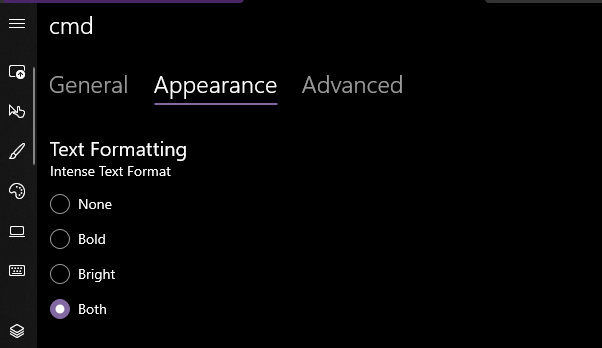
Yea that works. Printed some bold text, toggled it on, the text was no longer bold. hooray.
### EDIT, 10 Aug
```json
"intenseTextStyle": "none",
"intenseTextStyle": "bold",
"intenseTextStyle": "bright",
"intenseTextStyle": "all",
"intenseTextStyle": ["bold", "bright"],
```
all work now. Repro script:
```sh
printf "\e[1m[bold]\e[m[normal]\e[34m[blue]\e[1m[bold blue]\e[m\n"
```
Adds support for users to be able to set font features and axes (see the spec for more details!)
## Detailed Description
**CustomTextLayout**
- Asks the `DxFontRenderData` for the font features when getting glyphs
- _If any features have been set/updated, we always skip the "isTextSimple" shortcut_
- Asks the `_formatInUse` for any font axes when mapping characters in `_AnalyzeFontFallback`
**DxFontRenderData**
- Stores a map of font features (initialized to the [standard feature list])
- Stores a map of font axes
- Has methods to add font features/axes to the map or update existing ones
- Has methods to retrieve the font features/axes
- Sets the font axes in the `IDWriteTextFormat` when creating it
## Validation Steps Performed
It works!
[standard feature list]: ac5aef67d1/DrawableObject.ixx (L802)
Specified in #10457
Related to #1790Closes#759Closes#5828
This commit is a preparation for upcoming changes to KeyChordSerialization for #7539 and #10203.
In order to support variadic macros, /Zc:preprocessor was enabled, which required changing unrelated parts of the project.

## PR Checklist
* [x] I work here
* [x] Tests added/passed

## Validation Steps Performed

* Project still compiles ✔️
Introduces `FontConfig`, an object that isolates font-related settings
in our profiles
Users can now define font settings in their json as so:
```
"font":{
"face": "Consolas",
"size": 12
}
```
Backwards compatible with the currently expected way of defining font
settings in the json, note however that upon hitting 'Save' in the SUI,
these settings **will be rewritten to the font-object style in the json
(as above)**.
## Validation Steps Performed
Existing functionality works, new functionality works
References #1790Closes#6049
## Summary of the Pull Request

`ApplicationLanguages::PrimaryLanguageOverride` requires packaged activation.
This PR prevents any such application crashes, by skipping any calls to `PrimaryLanguageOverride`, as well as hiding the language selector in the settings UI.

## PR Checklist
* [x] I work here
* [x] Tests added/passed
* [ ] Documentation updated. If checked, please file a pull request on [our docs repo](https://github.com/MicrosoftDocs/terminal) and link it here: #xxx
* [ ] Schema updated.

## Validation Steps Performed

When WT is run unpackaged:
* Doesn't crash during start ✔️
* SUI doesn't show the language selector ✔️
## Summary of the Pull Request
Check for null before serializing the default terminal. Because the _currentDefaultTerminal is only initialized when the `Launch` page is navigated to, this _could_ be null if you navigate to another page, save, then save again.
## PR Checklist
* [x] Closes#10003
* [x] I work here
* [n/a] Tests added/passed
* [n/a] Requires documentation to be updated
## Validation Steps Performed
It crashed consistently before, it doesn't now.
This entirely removes `KeyMapping` from the settings model, and builds on the work done in #9543 to consolidate all actions (key bindings and commands) into a unified data structure (`ActionMap`).
## References
#9428 - Spec
#6900 - Actions page
Closes#7441
## Detailed Description of the Pull Request / Additional comments
The important thing here is to remember that we're shifting our philosophy of how to interact/represent actions. Prior to this, the actions arrays in the JSON would be deserialized twice: once for key bindings, and again for commands. By thinking of every entry in the relevant JSON as a `Command`, we can remove a lot of the context switching between working with a key binding vs a command palette item.
#9543 allows us to make that shift. Given the work in that PR, we can now deserialize all of the relevant information from each JSON action item. This allows us to simplify `ActionMap::FromJson` to simply iterate over each JSON action item, deserialize it, and add it to our `ActionMap`.
Internally, our `ActionMap` operates as discussed in #9428 by maintaining a `_KeyMap` that points to an action ID, and using that action ID to retrieve the `Command` from the `_ActionMap`. Adding actions to the `ActionMap` automatically accounts for name/key-chord collisions. A `NameMap` can be constructed when requested; this is for the Command Palette.
Querying the `ActionMap` is fairly straightforward. Helper functions were needed to be able to distinguish an explicit unbinding vs the command not being found in the current layer. Internally, we store explicitly unbound names/key-chords as `ShortcutAction::Invalid` commands. However, we return `nullptr` when a query points to an unbound command. This is done to hide this complexity away from any caller.
The command palette still needs special handling for nested and iterable commands. Thankfully, the expansion of iterable commands is performed on an `IMapView`, so we can just expose `NameMap` as a consolidation of `ActionMap`'s `NameMap` with its parents. The same can be said for exposing key chords in nested commands.
## Validation Steps Performed
All local tests pass.
- Whenever we add a new profile setting from now on we have to update
`Profile::CopySettings` _and_ `CascadiaSettings::DuplicateProfile` 👎
Notes from bug bash (checked bugs have been resolved):
- [ ] The duplicate list can be very long if you have profiles
- [x] DH: "Create new" seems too vague. "New empty profile" or something
seems a little clearer to me.
- [x] There is no deduplication counter for name
- [x] Crash when your settings file is corrupt and we had to fall back
to the defaults and you duplicate a profile
- [x] Crash due to #10003
## PR Checklist
* [x] Closes#9121
Implement dropdown menu for choosing a default terminal application from inside the Windows Terminal Settings UI
## PR Checklist
* [x] Closes#9463
* [x] I work here.
* [x] Manual tests passed
* [x] https://github.com/MicrosoftDocs/terminal/issues/314 (and cross reference #9462)
## Detailed Description of the Pull Request / Additional comments
- Adds dropdown menu and a template card for displaying the available default applications (using the same lookup code as the console property sheet `console.dll`)
- Adds model to TSM for adapting the data for display and binding on XAML
- Lookup occurs on every page reload. Persistence only happens on Save Changes.
- Manifest changed for Terminal to add capability to opt-out of registry redirection so we can edit this setting
## Validation Steps Performed
- [x] Flipped the menu and pressed Save Changes and launched cmd from run box... it moved between the two.
- [x] Flipped system theme from light to dark and ensured secondary color looked good
- [x] Flipped the status with a different mechanism (conhost propsheet) and then reopened settings page and confirmed it loaded the updated status
## PR Checklist
* [x] Closes https://github.com/microsoft/terminal/issues/9714
* [x] CLA signed.
* [ ] Tests added/passed
* [ ] Documentation updated.
* [ ] Schema updated.
* [ ] I've discussed this with core contributors already.

## Detailed Description of the Pull Request / Additional comments
Attempts to generate a name Profile X, where X is the index of the new profile (1-based).
As long as name is already taken, generates new name by incrementing X by 1
This pull request adds an appearance configuration object to our
settings model and app lib, allowing the control to be rendered
differently depending on its state, and then uses it to add support for
an "unfocused" appearance that the terminal will use when it's not in
focus.
To accomplish this, we isolated the appearance-related settings from
Profile (into AppearanceConfig) and TerminalSettings (into the
IControlAppearance and ICoreAppearance interfaces). A bunch of work was
done to make inheritance work.
The unfocused appearance inherits from the focused one _for that
profile_. This is important: If you define a
defaults.unfocusedAppearance, it will apply all of defaults' settings to
any leaf profile when a terminal in that profile is out of focus.
Specified in #8345Closes#3062Closes#2316
**BE NOT AFRAID**. I know that there's 107 files in this PR, but almost
all of it is just find/replacing `TerminalControl` with `Control`.

This is the start of the work to move TermControl into multiple pieces,
for #5000. The PR starts this work by:
* Splits `TerminalControl` into separate lib and dll projects. We'll
  want control tests in the future, and for that, we'll need a lib.
* Moves `ICoreSettings` back into the `Microsoft.Terminal.Core`
  namespace. We'll have other types in there soon too.
  * I could not tell you why this works suddenly. New VS versions? New
    cppwinrt version? Maybe we're just better at dealing with mdmerge
    bugs these days.
* RENAMES  `Microsoft.Terminal.TerminalControl` to
  `Microsoft.Terminal.Control`. This touches pretty much every file in
  the sln. Sorry about that (not sorry).

An upcoming PR will move much of the logic in TermControl into a new
`ControlCore` class that we'll add in `Microsoft.Terminal.Core`.
`ControlCore` will then be unittest-able in the
`UnitTests_TerminalCore`, which will help prevent regressions like #9455

## Detailed Description of the Pull Request / Additional comments
You're really gonna want to clean the sln first, then merge this into
your branch, then rebuild. It's very likely that old winmds will get
left behind. If you see something like

```
Error    MDM2007    Cannot create type
Microsoft.Terminal.TerminalControl.KeyModifiers in read-only metadata
file Microsoft.Terminal.TerminalControl.
```

then that's what happened to you.
`CascadiaSettings::UpdateColorSchemeReferences` had two bugs in it:
1. we would never check/update the base layer
2. we would explicitly set the color scheme on a profile referencing the
old name
This PR fixes both of those issues by checking/updating the base layer,
and ensuring that we check if a profile has an explicit reference before
updating it.
Since the affected code is in TSM, I also created an automated local
test.
## Validation Steps Performed
Bug repro steps.
Specifically tested [DHowett's scenario] too.
Test added.
Closes#9094
[DHowett's scenario]: https://github.com/microsoft/terminal/issues/9094#issuecomment-776412781




