
Split `TermControl` into a Core, Interactivity, and Control layer (#9820)
## Summary of the Pull Request
Brace yourselves, it's finally here. This PR does the dirty work of splitting the monolithic `TermControl` into three components. These components are:
* `ControlCore`: This encapsulates the `Terminal` instance, the `DxEngine` and `Renderer`, and the `Connection`. This is intended to everything that someone might need to stand up a terminal instance in a control, but without any regard for how the UX works.
* `ControlInteractivity`: This is a wrapper for the `ControlCore`, which holds the logic for things like double-click, right click copy/paste, selection, etc. This is intended to be a UI framework-independent abstraction. The methods this layer exposes can be called the same from both the WinUI TermControl and the WPF control.
* `TermControl`: This is the UWP control. It's got a Core and Interactivity inside it, which it uses for the actual logic of the terminal itself. TermControl's main responsibility is now
By splitting into smaller pieces, it will enable us to
* write unit tests for the `Core` and `Interactivity` bits, which we desparately need
* Combine `ControlCore` and `ControlInteractivity` in an out-of-proc core process in the future, to enable tab tearout.
However, we're not doing that work quite yet. There's still lots of work to be done to enable that, thought this is likely the biggest portion.
Ideally, this would just be methods moved wholesale from one file to another. Unfortunately, there are a bunch of cases where that didn't work as well as expected. Especially when trying to better enforce the boundary between the classes.
We've got a couple tests here that I've added. These are partially examples, and partially things I ran into while implementing this. A bunch of things from #7001 can go in now that we have this.
This PR is gonna be a huge pain to review - 38 files with 3,730 additions and 1,661 deletions is nothing to scoff at. It will also conflict 100% with anything that's targeting `TermControl`. I'm hoping we can review this over the course of the next week and just be done with it, and leave plenty of runway for 1.9 bugs in post.
## References
* In pursuit of #1256
* Proc Model: #5000
* https://github.com/microsoft/terminal/projects/5
## PR Checklist
* [x] Closes #6842
* [x] Closes https://github.com/microsoft/terminal/projects/5#card-50760249
* [x] Closes https://github.com/microsoft/terminal/projects/5#card-50760258
* [x] I work here
* [x] Tests added/passed
* [n/a] Requires documentation to be updated
## Detailed Description of the Pull Request / Additional comments
* I don't love the names `ControlCore` and `ControlInteractivity`. Open to other names.
* I added a `ICoreState` interface for "properties that come from the `ControlCore`, but consumers of the `TermControl` need to know". In the future, these will all need to be handled specially, because they might involve an RPC call to retrieve the info from the core (or cache it) in the window process.
* I've added more `EventArgs` to make more events proper `TypedEvent`s.
* I've changed how the TerminalApp layer requests updated TaskbarProgress state. It doesn't need to pump TermControl to raise a new event anymore.
* ~~Something that snuck into this branch in the very long history is the switch to `DCompositionCreateSurfaceHandle` for the `DxEngine`. @miniksa wrote this originally in 30b8335, I'm just finally committing it here. We'll need that in the future for the out-of-proc stuff.~~
* I reverted this in c113b65d9. We can revert _that_ commit when we want to come back to it.
* I've changed the acrylic handler a decent amount. But added tests!
* All the `ThrottledFunc` things are left in `TermControl`. Some might be able to move down into core/interactivity, but once we figure out how to use a different kind of Dispatcher (because a UI thread won't necessarily exist for those components).
* I've undoubtably messed up the merging of the locking around the appearance config stuff recently
## Validation Steps Performed
I've got a rolling list in https://github.com/microsoft/terminal/issues/6842#issuecomment-810990460 that I'm updating as I go.
2021-04-27 10:50:45 -05:00
|
|
|
// Copyright (c) Microsoft Corporation.
|
|
|
|
|
// Licensed under the MIT license.
|
|
|
|
|
|
|
|
|
|
#include "pch.h"
|
|
|
|
|
#include "ControlCore.h"
|

Introduce AtlasEngine - A new text rendering prototype (#11623)
This commit introduces "AtlasEngine", a new text renderer based on DxEngine.
But unlike it, DirectWrite and Direct2D are only used to rasterize glyphs.
Blending and placing these glyphs into the target view is being done using
Direct3D and a simple HLSL shader. Since this new renderer more aggressively
assumes that the text is monospace, it simplifies the implementation:
The viewport is divided into cells, and its data is stored as a simple matrix.
Modifications to this matrix involve only simple pointer arithmetic and is easy
to understand. But just like with DxEngine however, DirectWrite
related code remains extremely complex and hard to understand.
Supported features:
* Basic text rendering with grayscale AA
* Foreground and background colors
* Emojis, including zero width joiners
* Underline, dotted underline, strikethrough
* Custom font axes and features
* Selections
* All cursor styles
* Full alpha support for all colors
* _Should_ work with Windows 7
Unsupported features:
* A more conservative GPU memory usage
The backing texture atlas for glyphs is grow-only and will not shrink.
After 256MB of memory is used up (~20k glyphs) text output
will be broken until the renderer is restarted.
* ClearType
* Remaining gridlines (left, right, top, bottom, double underline)
* Hyperlinks don't get full underlines if hovered in WT
* Softfonts
* Non-default line renditions
Performance:
* Runs at up to native display refresh rate
Unfortunately the frame rate often drops below refresh rate, due us
fighting over the buffer lock with other parts of the application.
* CPU consumption is up to halved compared to DxEngine
AtlasEngine is still highly unoptimized. Glyph hashing
consumes up to a third of the current CPU time.
* No regressions in WT performance
VT parsing and related buffer management takes up most of the CPU time (~85%),
due to which the AtlasEngine can't show any further improvements.
* ~2x improvement in raw text throughput in OpenConsole
compared to DxEngine running at 144 FPS
* ≥10x improvement in colored VT output in WT/OpenConsole
compared to DxEngine running at 144 FPS
2021-11-13 01:10:06 +01:00
|
|
|
|
2022-10-31 23:18:16 +01:00
|
|
|
// MidiAudio
|
|
|
|
|
#include <mmeapi.h>
|
|
|
|
|
#include <dsound.h>
|
|
|
|
|
|
Split `TermControl` into a Core, Interactivity, and Control layer (#9820)
## Summary of the Pull Request
Brace yourselves, it's finally here. This PR does the dirty work of splitting the monolithic `TermControl` into three components. These components are:
* `ControlCore`: This encapsulates the `Terminal` instance, the `DxEngine` and `Renderer`, and the `Connection`. This is intended to everything that someone might need to stand up a terminal instance in a control, but without any regard for how the UX works.
* `ControlInteractivity`: This is a wrapper for the `ControlCore`, which holds the logic for things like double-click, right click copy/paste, selection, etc. This is intended to be a UI framework-independent abstraction. The methods this layer exposes can be called the same from both the WinUI TermControl and the WPF control.
* `TermControl`: This is the UWP control. It's got a Core and Interactivity inside it, which it uses for the actual logic of the terminal itself. TermControl's main responsibility is now
By splitting into smaller pieces, it will enable us to
* write unit tests for the `Core` and `Interactivity` bits, which we desparately need
* Combine `ControlCore` and `ControlInteractivity` in an out-of-proc core process in the future, to enable tab tearout.
However, we're not doing that work quite yet. There's still lots of work to be done to enable that, thought this is likely the biggest portion.
Ideally, this would just be methods moved wholesale from one file to another. Unfortunately, there are a bunch of cases where that didn't work as well as expected. Especially when trying to better enforce the boundary between the classes.
We've got a couple tests here that I've added. These are partially examples, and partially things I ran into while implementing this. A bunch of things from #7001 can go in now that we have this.
This PR is gonna be a huge pain to review - 38 files with 3,730 additions and 1,661 deletions is nothing to scoff at. It will also conflict 100% with anything that's targeting `TermControl`. I'm hoping we can review this over the course of the next week and just be done with it, and leave plenty of runway for 1.9 bugs in post.
## References
* In pursuit of #1256
* Proc Model: #5000
* https://github.com/microsoft/terminal/projects/5
## PR Checklist
* [x] Closes #6842
* [x] Closes https://github.com/microsoft/terminal/projects/5#card-50760249
* [x] Closes https://github.com/microsoft/terminal/projects/5#card-50760258
* [x] I work here
* [x] Tests added/passed
* [n/a] Requires documentation to be updated
## Detailed Description of the Pull Request / Additional comments
* I don't love the names `ControlCore` and `ControlInteractivity`. Open to other names.
* I added a `ICoreState` interface for "properties that come from the `ControlCore`, but consumers of the `TermControl` need to know". In the future, these will all need to be handled specially, because they might involve an RPC call to retrieve the info from the core (or cache it) in the window process.
* I've added more `EventArgs` to make more events proper `TypedEvent`s.
* I've changed how the TerminalApp layer requests updated TaskbarProgress state. It doesn't need to pump TermControl to raise a new event anymore.
* ~~Something that snuck into this branch in the very long history is the switch to `DCompositionCreateSurfaceHandle` for the `DxEngine`. @miniksa wrote this originally in 30b8335, I'm just finally committing it here. We'll need that in the future for the out-of-proc stuff.~~
* I reverted this in c113b65d9. We can revert _that_ commit when we want to come back to it.
* I've changed the acrylic handler a decent amount. But added tests!
* All the `ThrottledFunc` things are left in `TermControl`. Some might be able to move down into core/interactivity, but once we figure out how to use a different kind of Dispatcher (because a UI thread won't necessarily exist for those components).
* I've undoubtably messed up the merging of the locking around the appearance config stuff recently
## Validation Steps Performed
I've got a rolling list in https://github.com/microsoft/terminal/issues/6842#issuecomment-810990460 that I'm updating as I go.
2021-04-27 10:50:45 -05:00
|
|
|
#include <DefaultSettings.h>
|
2024-03-29 12:48:58 +01:00
|
|
|
#include <unicode.hpp>
|
Introduce AtlasEngine - A new text rendering prototype (#11623)
This commit introduces "AtlasEngine", a new text renderer based on DxEngine.
But unlike it, DirectWrite and Direct2D are only used to rasterize glyphs.
Blending and placing these glyphs into the target view is being done using
Direct3D and a simple HLSL shader. Since this new renderer more aggressively
assumes that the text is monospace, it simplifies the implementation:
The viewport is divided into cells, and its data is stored as a simple matrix.
Modifications to this matrix involve only simple pointer arithmetic and is easy
to understand. But just like with DxEngine however, DirectWrite
related code remains extremely complex and hard to understand.
Supported features:
* Basic text rendering with grayscale AA
* Foreground and background colors
* Emojis, including zero width joiners
* Underline, dotted underline, strikethrough
* Custom font axes and features
* Selections
* All cursor styles
* Full alpha support for all colors
* _Should_ work with Windows 7
Unsupported features:
* A more conservative GPU memory usage
The backing texture atlas for glyphs is grow-only and will not shrink.
After 256MB of memory is used up (~20k glyphs) text output
will be broken until the renderer is restarted.
* ClearType
* Remaining gridlines (left, right, top, bottom, double underline)
* Hyperlinks don't get full underlines if hovered in WT
* Softfonts
* Non-default line renditions
Performance:
* Runs at up to native display refresh rate
Unfortunately the frame rate often drops below refresh rate, due us
fighting over the buffer lock with other parts of the application.
* CPU consumption is up to halved compared to DxEngine
AtlasEngine is still highly unoptimized. Glyph hashing
consumes up to a third of the current CPU time.
* No regressions in WT performance
VT parsing and related buffer management takes up most of the CPU time (~85%),
due to which the AtlasEngine can't show any further improvements.
* ~2x improvement in raw text throughput in OpenConsole
compared to DxEngine running at 144 FPS
* ≥10x improvement in colored VT output in WT/OpenConsole
compared to DxEngine running at 144 FPS
2021-11-13 01:10:06 +01:00
|
|
|
|
|
|
|
|
#include "EventArgs.h"
|
|
|
|
|
#include "../../renderer/atlas/AtlasEngine.h"
|
2024-03-26 22:31:24 +01:00
|
|
|
#include "../../renderer/base/renderer.hpp"
|
|
|
|
|
#include "../../renderer/uia/UiaRenderer.hpp"
|
2024-06-26 20:40:27 +02:00
|
|
|
#include "../../types/inc/CodepointWidthDetector.hpp"
|

Remove TerminalSettings from the TerminalSettingsModel project (#19262)
The idea with IControlSettings (and friends) was always that a consumer
of the terminal control could implement it in whatever way they pleased.
Windows Terminal (the application) was intended to be only one
consumer. It has a whole JSON settings model. Nobody wants to think
about JSON at the Terminal Control level. We could have an "adapter" in
TerminalApp, which spoke Terminal JSON Settings on one side and Terminal
Control on the other side.
That worked until we added the settings editor. The settings editor
needed to display a control, and that control's settings needed to be
based on the JSON settings. Oops. We took the expedient route of moving
the adapter into TerminalSettingsModel itself, and poking a bunch of
holes in it so that TerminalApp and TerminalSettingsEditor could tweak
it as needed.
Later, we doubled down on the control settings interface by having every
Terminal Control _make its own ControlSettings_ when we were going to do
the multi-process model. This reduced the number of IPC round trips for
every settings query to 0. Later we built color scheme previewing on top
of that--adding structs to carry color schemes and stuff which was
already in the Appearance config. Sheesh. Layers and layers and layers.
This pull request moves it back into its own library and strips it from
the surface of TerminalSettingsModel. It also deletes `ControlSettings`
and `struct CoreScheme`. That library is called
`TerminalSettingsAppAdapterLib`, and it contains a hidden WinRT
_implements_ type rather than a full-fledged activatable `runtimeclass`.
It also implements one-level inheritance on its own rather than using
IInheritable.
It adheres to the following principles:
- The control will never modify its settings in a way that is visible to
the control's consumer; therefore, none of the properties have setters
- The settings should never contain things of interest only to the
Application that the Application uses to communicate data _back to
itself_ (see `ProfileName`, removed in 68b723c and `KeyBindings`,
removed in fa09141). This generalizes to "we should never store stuff
in an unrelated object passed between layers solely for the purpose of
getting it back".
I made a few changes to the settings interface, including introducing a
new `ICoreScheme` interface that _only_ contains color scheme info. This
is designed to support the Preview/Set color scheme actions, which no
longer work by _app backing up the scheme and restoring it later._ All
of that machinery lives inside TermControl/ControlCore now.
`ICoreScheme` no longer supports `GetColorAtIndex`; you must read all 16
colors at the same time. I am not sorry. Every consumer did that
already, so now we have 15 fewer COM calls for every color scheme.
The new TerminalSettings is mostly consumed via
`com_ptr<TerminalSettings>`, so a bunch of `.` (projected) accesses had
to turn into `->` (com_ptr dereferencing) accesses.
I also realized, in the course of this work, that the old
TerminalSettings contained a partial hand-written reimplementation of
_every setting_ in `ControlProperties`. Every contributor had to add
every new setting to both places--why? I can't figure it out. I'm using
ControlProperties comprehensively now. I propagated any setting whose
default value was different from that in ControlProperties back to
ControlProperties.
This is part X in a series of pull requests that will remove all mention
of Microsoft.Terminal.Control and Microsoft.Terminal.Core from the
settings model. Once that is done, the settings model can consume _only_
the base WinRT types and build very early and test more easily.
Previewing is fun. I introduced a new place to stash an entire color
table on ControlCore, which we use to save the "active" colors while we
temporarily overwrite them. SetColorScheme is _also_ fun. We now have a
slot for overriding only the focused color scheme on ControlCore. It's
fine. It's clearer than "back up the focused appearance, overwrite the
focused appearance, create a child of the user's settings and apply the
color scheme to it, etc.".
There is a bug/design choice in color scheme overriding, which may or
may not matter: overlaying a color scheme on a terminal with an
unfocused appearance which _does not_ have its own color scheme will
result in the previously-deleted overridden focused color scheme peeking
through when the terminal is not focused.
I also got rid of our only in-product use of
`Terminal::CreateFromSettings` which required us to set `InitialRows`
and `InitialCols` on the incoming settings object (see core tenet 2).
Refs #19261
Refs #19314
Refs #19254
2025-09-03 14:01:36 -05:00
|
|
|
#include "../../types/inc/utils.hpp"
|
Split `TermControl` into a Core, Interactivity, and Control layer (#9820)
## Summary of the Pull Request
Brace yourselves, it's finally here. This PR does the dirty work of splitting the monolithic `TermControl` into three components. These components are:
* `ControlCore`: This encapsulates the `Terminal` instance, the `DxEngine` and `Renderer`, and the `Connection`. This is intended to everything that someone might need to stand up a terminal instance in a control, but without any regard for how the UX works.
* `ControlInteractivity`: This is a wrapper for the `ControlCore`, which holds the logic for things like double-click, right click copy/paste, selection, etc. This is intended to be a UI framework-independent abstraction. The methods this layer exposes can be called the same from both the WinUI TermControl and the WPF control.
* `TermControl`: This is the UWP control. It's got a Core and Interactivity inside it, which it uses for the actual logic of the terminal itself. TermControl's main responsibility is now
By splitting into smaller pieces, it will enable us to
* write unit tests for the `Core` and `Interactivity` bits, which we desparately need
* Combine `ControlCore` and `ControlInteractivity` in an out-of-proc core process in the future, to enable tab tearout.
However, we're not doing that work quite yet. There's still lots of work to be done to enable that, thought this is likely the biggest portion.
Ideally, this would just be methods moved wholesale from one file to another. Unfortunately, there are a bunch of cases where that didn't work as well as expected. Especially when trying to better enforce the boundary between the classes.
We've got a couple tests here that I've added. These are partially examples, and partially things I ran into while implementing this. A bunch of things from #7001 can go in now that we have this.
This PR is gonna be a huge pain to review - 38 files with 3,730 additions and 1,661 deletions is nothing to scoff at. It will also conflict 100% with anything that's targeting `TermControl`. I'm hoping we can review this over the course of the next week and just be done with it, and leave plenty of runway for 1.9 bugs in post.
## References
* In pursuit of #1256
* Proc Model: #5000
* https://github.com/microsoft/terminal/projects/5
## PR Checklist
* [x] Closes #6842
* [x] Closes https://github.com/microsoft/terminal/projects/5#card-50760249
* [x] Closes https://github.com/microsoft/terminal/projects/5#card-50760258
* [x] I work here
* [x] Tests added/passed
* [n/a] Requires documentation to be updated
## Detailed Description of the Pull Request / Additional comments
* I don't love the names `ControlCore` and `ControlInteractivity`. Open to other names.
* I added a `ICoreState` interface for "properties that come from the `ControlCore`, but consumers of the `TermControl` need to know". In the future, these will all need to be handled specially, because they might involve an RPC call to retrieve the info from the core (or cache it) in the window process.
* I've added more `EventArgs` to make more events proper `TypedEvent`s.
* I've changed how the TerminalApp layer requests updated TaskbarProgress state. It doesn't need to pump TermControl to raise a new event anymore.
* ~~Something that snuck into this branch in the very long history is the switch to `DCompositionCreateSurfaceHandle` for the `DxEngine`. @miniksa wrote this originally in 30b8335, I'm just finally committing it here. We'll need that in the future for the out-of-proc stuff.~~
* I reverted this in c113b65d9. We can revert _that_ commit when we want to come back to it.
* I've changed the acrylic handler a decent amount. But added tests!
* All the `ThrottledFunc` things are left in `TermControl`. Some might be able to move down into core/interactivity, but once we figure out how to use a different kind of Dispatcher (because a UI thread won't necessarily exist for those components).
* I've undoubtably messed up the merging of the locking around the appearance config stuff recently
## Validation Steps Performed
I've got a rolling list in https://github.com/microsoft/terminal/issues/6842#issuecomment-810990460 that I'm updating as I go.
2021-04-27 10:50:45 -05:00
|
|
|
|
|
|
|
|
#include "ControlCore.g.cpp"
|

Implement EnableColorSelection (#13429)
## Summary of the Pull Request
As described in #9583, this change implements the legacy conhost "EnableColorSelection" feature.
## Detailed Description of the Pull Request / Additional comments
@zadjii-msft was super nice and provided the outline/plumbing (WinRT classes and such) as a hackathon-type project (thank you!)--a "SelectionColor" runtimeclass, a ColorSelection method on the ControlCore runtimeclass, associated plumbing through the layers; plus the action-and-args plumbing to allow hooking up a basic "ColorSelection" action, which allows you to put actions in your settings JSON like so:
```json
{
"command":
{
"action": "experimental.colorSelection",
"foreground": "#0f3"
},
"keys": "alt+4"
},
```
On top of that foundation, I added a couple of things:
* The ability to specify indexes for colors, in addition to RGB and RRGGBB colors.
- It's a bit hacky, because there are some conversions that fight against sneaking an "I'm an index" flag in the alpha channel.
* A new "matchMode" parameter on the action, allowing you to say if you want to only color the current selection ("0") or all matches ("1").
- I made it an int, because I'd like to enable at least one other "match mode" later, but it requires me/someone to fix up search.cpp to handle regex first.
- Search used an old UIA "ColorSelection" method which was previously `E_NOTIMPL`, but is now wired up. Don't know what/if anything else uses this.
* An uber-toggle setting, "EnableColorSelection", which allows you to set a single `bool` in your settings JSON, to light up all the keybindings you would expect from the legacy "EnableColorSelection" feature:
- alt+[0..9]: color foreground
- alt+shift+[0..9]: color foreground, all matches
- ctrl+[0..9]: color background
- ctrl+shift+[0..9]: color background, all matches
* A few of the actions cannot be properly invoked via their keybindings, due to #13124. `*!*` But they work if you do them from the command palette.
* If you have "`EnableColorSelection : true`" in your settings JSON, but then specify a different action in your JSON that uses the same key binding as a color selection keybinding, your custom one wins, which I think is the right thing.
* I fixed what I think was a bug in search.cpp, which also affected the legacy EnableColorSelection feature: due to a non-inclusive coordinate comparison, you were not allowed to color a single character; but I see no reason why that should be disallowed. Now you can make all your `X`s red if you like.
"Soft" spots:
* I was a bit surprised at some of the helpers I had to provide in textBuffer.cpp. Perhaps there are existing methods that I didn't find?
* Localization? Because there are so many (40!) actions, I went to some trouble to try to provide nice command/arg descriptions. But I don't know how localization works…
<!-- Please review the items on the PR checklist before submitting-->
## PR Checklist
* [x] Closes #9583
* [x] CLA signed. If not, go over [here](https://cla.opensource.microsoft.com/microsoft/Terminal) and sign the CLA
* [ ] Tests added/passed *(what would be the right place to add tests for this?)*
* [ ] Documentation updated. If checked, please file a pull request on [our docs repo](https://github.com/MicrosoftDocs/terminal) and link it here: #xxx
* [ ] Schema updated. *(is this needed?)*
* [x] I've discussed this with core contributors already. If not checked, I'm ready to accept this work might be rejected in favor of a different grand plan. Issue number where discussion took place: #xxx
## Validation Steps Performed
Just manual testing.
2022-08-31 16:54:29 -07:00
|
|
|
#include "SelectionColor.g.cpp"
|
Split `TermControl` into a Core, Interactivity, and Control layer (#9820)
## Summary of the Pull Request
Brace yourselves, it's finally here. This PR does the dirty work of splitting the monolithic `TermControl` into three components. These components are:
* `ControlCore`: This encapsulates the `Terminal` instance, the `DxEngine` and `Renderer`, and the `Connection`. This is intended to everything that someone might need to stand up a terminal instance in a control, but without any regard for how the UX works.
* `ControlInteractivity`: This is a wrapper for the `ControlCore`, which holds the logic for things like double-click, right click copy/paste, selection, etc. This is intended to be a UI framework-independent abstraction. The methods this layer exposes can be called the same from both the WinUI TermControl and the WPF control.
* `TermControl`: This is the UWP control. It's got a Core and Interactivity inside it, which it uses for the actual logic of the terminal itself. TermControl's main responsibility is now
By splitting into smaller pieces, it will enable us to
* write unit tests for the `Core` and `Interactivity` bits, which we desparately need
* Combine `ControlCore` and `ControlInteractivity` in an out-of-proc core process in the future, to enable tab tearout.
However, we're not doing that work quite yet. There's still lots of work to be done to enable that, thought this is likely the biggest portion.
Ideally, this would just be methods moved wholesale from one file to another. Unfortunately, there are a bunch of cases where that didn't work as well as expected. Especially when trying to better enforce the boundary between the classes.
We've got a couple tests here that I've added. These are partially examples, and partially things I ran into while implementing this. A bunch of things from #7001 can go in now that we have this.
This PR is gonna be a huge pain to review - 38 files with 3,730 additions and 1,661 deletions is nothing to scoff at. It will also conflict 100% with anything that's targeting `TermControl`. I'm hoping we can review this over the course of the next week and just be done with it, and leave plenty of runway for 1.9 bugs in post.
## References
* In pursuit of #1256
* Proc Model: #5000
* https://github.com/microsoft/terminal/projects/5
## PR Checklist
* [x] Closes #6842
* [x] Closes https://github.com/microsoft/terminal/projects/5#card-50760249
* [x] Closes https://github.com/microsoft/terminal/projects/5#card-50760258
* [x] I work here
* [x] Tests added/passed
* [n/a] Requires documentation to be updated
## Detailed Description of the Pull Request / Additional comments
* I don't love the names `ControlCore` and `ControlInteractivity`. Open to other names.
* I added a `ICoreState` interface for "properties that come from the `ControlCore`, but consumers of the `TermControl` need to know". In the future, these will all need to be handled specially, because they might involve an RPC call to retrieve the info from the core (or cache it) in the window process.
* I've added more `EventArgs` to make more events proper `TypedEvent`s.
* I've changed how the TerminalApp layer requests updated TaskbarProgress state. It doesn't need to pump TermControl to raise a new event anymore.
* ~~Something that snuck into this branch in the very long history is the switch to `DCompositionCreateSurfaceHandle` for the `DxEngine`. @miniksa wrote this originally in 30b8335, I'm just finally committing it here. We'll need that in the future for the out-of-proc stuff.~~
* I reverted this in c113b65d9. We can revert _that_ commit when we want to come back to it.
* I've changed the acrylic handler a decent amount. But added tests!
* All the `ThrottledFunc` things are left in `TermControl`. Some might be able to move down into core/interactivity, but once we figure out how to use a different kind of Dispatcher (because a UI thread won't necessarily exist for those components).
* I've undoubtably messed up the merging of the locking around the appearance config stuff recently
## Validation Steps Performed
I've got a rolling list in https://github.com/microsoft/terminal/issues/6842#issuecomment-810990460 that I'm updating as I go.
2021-04-27 10:50:45 -05:00
|
|
|
|
Remove TerminalSettings from the TerminalSettingsModel project (#19262)
The idea with IControlSettings (and friends) was always that a consumer
of the terminal control could implement it in whatever way they pleased.
Windows Terminal (the application) was intended to be only one
consumer. It has a whole JSON settings model. Nobody wants to think
about JSON at the Terminal Control level. We could have an "adapter" in
TerminalApp, which spoke Terminal JSON Settings on one side and Terminal
Control on the other side.
That worked until we added the settings editor. The settings editor
needed to display a control, and that control's settings needed to be
based on the JSON settings. Oops. We took the expedient route of moving
the adapter into TerminalSettingsModel itself, and poking a bunch of
holes in it so that TerminalApp and TerminalSettingsEditor could tweak
it as needed.
Later, we doubled down on the control settings interface by having every
Terminal Control _make its own ControlSettings_ when we were going to do
the multi-process model. This reduced the number of IPC round trips for
every settings query to 0. Later we built color scheme previewing on top
of that--adding structs to carry color schemes and stuff which was
already in the Appearance config. Sheesh. Layers and layers and layers.
This pull request moves it back into its own library and strips it from
the surface of TerminalSettingsModel. It also deletes `ControlSettings`
and `struct CoreScheme`. That library is called
`TerminalSettingsAppAdapterLib`, and it contains a hidden WinRT
_implements_ type rather than a full-fledged activatable `runtimeclass`.
It also implements one-level inheritance on its own rather than using
IInheritable.
It adheres to the following principles:
- The control will never modify its settings in a way that is visible to
the control's consumer; therefore, none of the properties have setters
- The settings should never contain things of interest only to the
Application that the Application uses to communicate data _back to
itself_ (see `ProfileName`, removed in 68b723c and `KeyBindings`,
removed in fa09141). This generalizes to "we should never store stuff
in an unrelated object passed between layers solely for the purpose of
getting it back".
I made a few changes to the settings interface, including introducing a
new `ICoreScheme` interface that _only_ contains color scheme info. This
is designed to support the Preview/Set color scheme actions, which no
longer work by _app backing up the scheme and restoring it later._ All
of that machinery lives inside TermControl/ControlCore now.
`ICoreScheme` no longer supports `GetColorAtIndex`; you must read all 16
colors at the same time. I am not sorry. Every consumer did that
already, so now we have 15 fewer COM calls for every color scheme.
The new TerminalSettings is mostly consumed via
`com_ptr<TerminalSettings>`, so a bunch of `.` (projected) accesses had
to turn into `->` (com_ptr dereferencing) accesses.
I also realized, in the course of this work, that the old
TerminalSettings contained a partial hand-written reimplementation of
_every setting_ in `ControlProperties`. Every contributor had to add
every new setting to both places--why? I can't figure it out. I'm using
ControlProperties comprehensively now. I propagated any setting whose
default value was different from that in ControlProperties back to
ControlProperties.
This is part X in a series of pull requests that will remove all mention
of Microsoft.Terminal.Control and Microsoft.Terminal.Core from the
settings model. Once that is done, the settings model can consume _only_
the base WinRT types and build very early and test more easily.
Previewing is fun. I introduced a new place to stash an entire color
table on ControlCore, which we use to save the "active" colors while we
temporarily overwrite them. SetColorScheme is _also_ fun. We now have a
slot for overriding only the focused color scheme on ControlCore. It's
fine. It's clearer than "back up the focused appearance, overwrite the
focused appearance, create a child of the user's settings and apply the
color scheme to it, etc.".
There is a bug/design choice in color scheme overriding, which may or
may not matter: overlaying a color scheme on a terminal with an
unfocused appearance which _does not_ have its own color scheme will
result in the previously-deleted overridden focused color scheme peeking
through when the terminal is not focused.
I also got rid of our only in-product use of
`Terminal::CreateFromSettings` which required us to set `InitialRows`
and `InitialCols` on the incoming settings object (see core tenet 2).
Refs #19261
Refs #19314
Refs #19254
2025-09-03 14:01:36 -05:00
|
|
|
using namespace ::Microsoft::Console;
|
Split `TermControl` into a Core, Interactivity, and Control layer (#9820)
## Summary of the Pull Request
Brace yourselves, it's finally here. This PR does the dirty work of splitting the monolithic `TermControl` into three components. These components are:
* `ControlCore`: This encapsulates the `Terminal` instance, the `DxEngine` and `Renderer`, and the `Connection`. This is intended to everything that someone might need to stand up a terminal instance in a control, but without any regard for how the UX works.
* `ControlInteractivity`: This is a wrapper for the `ControlCore`, which holds the logic for things like double-click, right click copy/paste, selection, etc. This is intended to be a UI framework-independent abstraction. The methods this layer exposes can be called the same from both the WinUI TermControl and the WPF control.
* `TermControl`: This is the UWP control. It's got a Core and Interactivity inside it, which it uses for the actual logic of the terminal itself. TermControl's main responsibility is now
By splitting into smaller pieces, it will enable us to
* write unit tests for the `Core` and `Interactivity` bits, which we desparately need
* Combine `ControlCore` and `ControlInteractivity` in an out-of-proc core process in the future, to enable tab tearout.
However, we're not doing that work quite yet. There's still lots of work to be done to enable that, thought this is likely the biggest portion.
Ideally, this would just be methods moved wholesale from one file to another. Unfortunately, there are a bunch of cases where that didn't work as well as expected. Especially when trying to better enforce the boundary between the classes.
We've got a couple tests here that I've added. These are partially examples, and partially things I ran into while implementing this. A bunch of things from #7001 can go in now that we have this.
This PR is gonna be a huge pain to review - 38 files with 3,730 additions and 1,661 deletions is nothing to scoff at. It will also conflict 100% with anything that's targeting `TermControl`. I'm hoping we can review this over the course of the next week and just be done with it, and leave plenty of runway for 1.9 bugs in post.
## References
* In pursuit of #1256
* Proc Model: #5000
* https://github.com/microsoft/terminal/projects/5
## PR Checklist
* [x] Closes #6842
* [x] Closes https://github.com/microsoft/terminal/projects/5#card-50760249
* [x] Closes https://github.com/microsoft/terminal/projects/5#card-50760258
* [x] I work here
* [x] Tests added/passed
* [n/a] Requires documentation to be updated
## Detailed Description of the Pull Request / Additional comments
* I don't love the names `ControlCore` and `ControlInteractivity`. Open to other names.
* I added a `ICoreState` interface for "properties that come from the `ControlCore`, but consumers of the `TermControl` need to know". In the future, these will all need to be handled specially, because they might involve an RPC call to retrieve the info from the core (or cache it) in the window process.
* I've added more `EventArgs` to make more events proper `TypedEvent`s.
* I've changed how the TerminalApp layer requests updated TaskbarProgress state. It doesn't need to pump TermControl to raise a new event anymore.
* ~~Something that snuck into this branch in the very long history is the switch to `DCompositionCreateSurfaceHandle` for the `DxEngine`. @miniksa wrote this originally in 30b8335, I'm just finally committing it here. We'll need that in the future for the out-of-proc stuff.~~
* I reverted this in c113b65d9. We can revert _that_ commit when we want to come back to it.
* I've changed the acrylic handler a decent amount. But added tests!
* All the `ThrottledFunc` things are left in `TermControl`. Some might be able to move down into core/interactivity, but once we figure out how to use a different kind of Dispatcher (because a UI thread won't necessarily exist for those components).
* I've undoubtably messed up the merging of the locking around the appearance config stuff recently
## Validation Steps Performed
I've got a rolling list in https://github.com/microsoft/terminal/issues/6842#issuecomment-810990460 that I'm updating as I go.
2021-04-27 10:50:45 -05:00
|
|
|
using namespace ::Microsoft::Console::Types;
|
|
|
|
|
using namespace ::Microsoft::Console::VirtualTerminal;
|
|
|
|
|
using namespace ::Microsoft::Terminal::Core;
|
|
|
|
|
using namespace winrt::Windows::Graphics::Display;
|
|
|
|
|
using namespace winrt::Windows::System;
|
|
|
|
|
using namespace winrt::Windows::ApplicationModel::DataTransfer;
|
|
|
|
|
|
|
|
|
|
namespace winrt::Microsoft::Terminal::Control::implementation
|
|
|
|
|
{
|
2024-03-26 22:31:24 +01:00
|
|
|
static winrt::Microsoft::Terminal::Core::OptionalColor OptionalFromColor(const til::color& c) noexcept
|
Experimental: add support for scrollbar marks (#12948)
Adds support for marks in the scrollbar. These marks can be added in 3
ways:
* Via the iterm2 `OSC 1337 ; SetMark` sequence
* Via the `addMark` action
* Automatically when the `experimental.autoMarkPrompts` per-profile
setting is enabled.
#11000 has more tracking for the big-picture for this feature, as well
as additional follow-ups. This set of functionality seemed complete
enough to send a review for now. That issue describes these how I wish
these actions to look in the fullness of time. This is simply the v0.1
from the hackathon last month.
#### Actions
* `addMark`: add a mark to the buffer. If there's a selection, use
place the mark covering at the selection. Otherwise, place the mark
on the cursor row.
- `color`: a color for the scrollbar mark. This is optional - defaults
to the `foreground` color of the current scheme if omitted.
* `scrollToMark`
- `direction`: `["first", "previous", "next", "last"]`
* `clearMark`: Clears marks at the current postition (either the
selection if there is one, or the cursor position.
* `clearAllMarks`: Don't think this needs explanation.
#### Per-profile settings
* `experimental.autoMarkPrompts`: `bool`, default `false`.
* `experimental.showMarksOnScrollbar`: `bool`
## PR Checklist
* [x] Closes #1527
* [x] Closes #6232
## Detailed Description of the Pull Request / Additional comments
This is basically hackathon code. It's experimental! That's okay! We'll
figure the rest of the design in post.
Theoretically, I should make these actions `experimental.` as well, but
it seemed like since the only way to see these guys was via the
`experimental.showMarksOnScrollbar` setting, you've already broken
yourself into experimental jail, and you know what you're doing.
Things that won't work as expected:
* resizing, ESPECIALLY reflowing
* Clearing the buffer with ED sequences / Clear Buffer
I could theoretically add velocity around this in the `TermControl`
layer. Always prevent marks from being visible, ignore all the actions.
Marks could still be set by VT and automark, but they'd be useless.
Next up priorities:
* Making this work with the FinalTerm sequences
* properly speccing
* adding support for `showMarksOnScrollbar: flags(categories)`, so you
can only display errors on the scrollbar
* adding the `category` flag to the `addMark` action
## Validation Steps Performed
I like using it quite a bit. The marks can get noisy if you have them
emitted on every prompt and the buffer has 9000 lines. But that's the
beautiful thing, the actions work even if the marks aren't visible, so
you can still scroll between prompts.
<details>
<summary>Settings blob</summary>
```jsonc
// actions
{ "keys": "ctrl+up", "command": { "action": "scrollToMark", "direction": "previous" }, "name": "Previous mark" },
{ "keys": "ctrl+down", "command": { "action": "scrollToMark", "direction": "next" }, "name": "Next mark" },
{ "keys": "ctrl+pgup", "command": { "action": "scrollToMark", "direction": "first" }, "name": "First mark" },
{ "keys": "ctrl+pgdn", "command": { "action": "scrollToMark", "direction": "last" }, "name": "Last mark" },
{ "command": { "action": "addMark" } },
{ "command": { "action": "addMark", "color": "#ff00ff" } },
{ "command": { "action": "addMark", "color": "#0000ff" } },
{ "command": { "action": "clearAllMarks" } },
// profiles.defaults
"experimental.autoMarkPrompts": true,
"experimental.showMarksOnScrollbar": true,
```
</details>
2022-06-09 16:10:16 -05:00
|
|
|
{
|
|
|
|
|
Core::OptionalColor result;
|
|
|
|
|
result.Color = c;
|
|
|
|
|
result.HasValue = true;
|
|
|
|
|
return result;
|
|
|
|
|
}
|
2024-03-26 22:31:24 +01:00
|
|
|
|
|
|
|
|
static ::Microsoft::Console::Render::Atlas::GraphicsAPI parseGraphicsAPI(GraphicsAPI api) noexcept
|
Experimental: add support for scrollbar marks (#12948)
Adds support for marks in the scrollbar. These marks can be added in 3
ways:
* Via the iterm2 `OSC 1337 ; SetMark` sequence
* Via the `addMark` action
* Automatically when the `experimental.autoMarkPrompts` per-profile
setting is enabled.
#11000 has more tracking for the big-picture for this feature, as well
as additional follow-ups. This set of functionality seemed complete
enough to send a review for now. That issue describes these how I wish
these actions to look in the fullness of time. This is simply the v0.1
from the hackathon last month.
#### Actions
* `addMark`: add a mark to the buffer. If there's a selection, use
place the mark covering at the selection. Otherwise, place the mark
on the cursor row.
- `color`: a color for the scrollbar mark. This is optional - defaults
to the `foreground` color of the current scheme if omitted.
* `scrollToMark`
- `direction`: `["first", "previous", "next", "last"]`
* `clearMark`: Clears marks at the current postition (either the
selection if there is one, or the cursor position.
* `clearAllMarks`: Don't think this needs explanation.
#### Per-profile settings
* `experimental.autoMarkPrompts`: `bool`, default `false`.
* `experimental.showMarksOnScrollbar`: `bool`
## PR Checklist
* [x] Closes #1527
* [x] Closes #6232
## Detailed Description of the Pull Request / Additional comments
This is basically hackathon code. It's experimental! That's okay! We'll
figure the rest of the design in post.
Theoretically, I should make these actions `experimental.` as well, but
it seemed like since the only way to see these guys was via the
`experimental.showMarksOnScrollbar` setting, you've already broken
yourself into experimental jail, and you know what you're doing.
Things that won't work as expected:
* resizing, ESPECIALLY reflowing
* Clearing the buffer with ED sequences / Clear Buffer
I could theoretically add velocity around this in the `TermControl`
layer. Always prevent marks from being visible, ignore all the actions.
Marks could still be set by VT and automark, but they'd be useless.
Next up priorities:
* Making this work with the FinalTerm sequences
* properly speccing
* adding support for `showMarksOnScrollbar: flags(categories)`, so you
can only display errors on the scrollbar
* adding the `category` flag to the `addMark` action
## Validation Steps Performed
I like using it quite a bit. The marks can get noisy if you have them
emitted on every prompt and the buffer has 9000 lines. But that's the
beautiful thing, the actions work even if the marks aren't visible, so
you can still scroll between prompts.
<details>
<summary>Settings blob</summary>
```jsonc
// actions
{ "keys": "ctrl+up", "command": { "action": "scrollToMark", "direction": "previous" }, "name": "Previous mark" },
{ "keys": "ctrl+down", "command": { "action": "scrollToMark", "direction": "next" }, "name": "Next mark" },
{ "keys": "ctrl+pgup", "command": { "action": "scrollToMark", "direction": "first" }, "name": "First mark" },
{ "keys": "ctrl+pgdn", "command": { "action": "scrollToMark", "direction": "last" }, "name": "Last mark" },
{ "command": { "action": "addMark" } },
{ "command": { "action": "addMark", "color": "#ff00ff" } },
{ "command": { "action": "addMark", "color": "#0000ff" } },
{ "command": { "action": "clearAllMarks" } },
// profiles.defaults
"experimental.autoMarkPrompts": true,
"experimental.showMarksOnScrollbar": true,
```
</details>
2022-06-09 16:10:16 -05:00
|
|
|
{
|
2024-03-26 22:31:24 +01:00
|
|
|
using GA = ::Microsoft::Console::Render::Atlas::GraphicsAPI;
|
|
|
|
|
switch (api)
|
Experimental: add support for scrollbar marks (#12948)
Adds support for marks in the scrollbar. These marks can be added in 3
ways:
* Via the iterm2 `OSC 1337 ; SetMark` sequence
* Via the `addMark` action
* Automatically when the `experimental.autoMarkPrompts` per-profile
setting is enabled.
#11000 has more tracking for the big-picture for this feature, as well
as additional follow-ups. This set of functionality seemed complete
enough to send a review for now. That issue describes these how I wish
these actions to look in the fullness of time. This is simply the v0.1
from the hackathon last month.
#### Actions
* `addMark`: add a mark to the buffer. If there's a selection, use
place the mark covering at the selection. Otherwise, place the mark
on the cursor row.
- `color`: a color for the scrollbar mark. This is optional - defaults
to the `foreground` color of the current scheme if omitted.
* `scrollToMark`
- `direction`: `["first", "previous", "next", "last"]`
* `clearMark`: Clears marks at the current postition (either the
selection if there is one, or the cursor position.
* `clearAllMarks`: Don't think this needs explanation.
#### Per-profile settings
* `experimental.autoMarkPrompts`: `bool`, default `false`.
* `experimental.showMarksOnScrollbar`: `bool`
## PR Checklist
* [x] Closes #1527
* [x] Closes #6232
## Detailed Description of the Pull Request / Additional comments
This is basically hackathon code. It's experimental! That's okay! We'll
figure the rest of the design in post.
Theoretically, I should make these actions `experimental.` as well, but
it seemed like since the only way to see these guys was via the
`experimental.showMarksOnScrollbar` setting, you've already broken
yourself into experimental jail, and you know what you're doing.
Things that won't work as expected:
* resizing, ESPECIALLY reflowing
* Clearing the buffer with ED sequences / Clear Buffer
I could theoretically add velocity around this in the `TermControl`
layer. Always prevent marks from being visible, ignore all the actions.
Marks could still be set by VT and automark, but they'd be useless.
Next up priorities:
* Making this work with the FinalTerm sequences
* properly speccing
* adding support for `showMarksOnScrollbar: flags(categories)`, so you
can only display errors on the scrollbar
* adding the `category` flag to the `addMark` action
## Validation Steps Performed
I like using it quite a bit. The marks can get noisy if you have them
emitted on every prompt and the buffer has 9000 lines. But that's the
beautiful thing, the actions work even if the marks aren't visible, so
you can still scroll between prompts.
<details>
<summary>Settings blob</summary>
```jsonc
// actions
{ "keys": "ctrl+up", "command": { "action": "scrollToMark", "direction": "previous" }, "name": "Previous mark" },
{ "keys": "ctrl+down", "command": { "action": "scrollToMark", "direction": "next" }, "name": "Next mark" },
{ "keys": "ctrl+pgup", "command": { "action": "scrollToMark", "direction": "first" }, "name": "First mark" },
{ "keys": "ctrl+pgdn", "command": { "action": "scrollToMark", "direction": "last" }, "name": "Last mark" },
{ "command": { "action": "addMark" } },
{ "command": { "action": "addMark", "color": "#ff00ff" } },
{ "command": { "action": "addMark", "color": "#0000ff" } },
{ "command": { "action": "clearAllMarks" } },
// profiles.defaults
"experimental.autoMarkPrompts": true,
"experimental.showMarksOnScrollbar": true,
```
</details>
2022-06-09 16:10:16 -05:00
|
|
|
{
|
2024-03-26 22:31:24 +01:00
|
|
|
case GraphicsAPI::Direct2D:
|
|
|
|
|
return GA::Direct2D;
|
|
|
|
|
case GraphicsAPI::Direct3D11:
|
|
|
|
|
return GA::Direct3D11;
|
|
|
|
|
default:
|
|
|
|
|
return GA::Automatic;
|
Experimental: add support for scrollbar marks (#12948)
Adds support for marks in the scrollbar. These marks can be added in 3
ways:
* Via the iterm2 `OSC 1337 ; SetMark` sequence
* Via the `addMark` action
* Automatically when the `experimental.autoMarkPrompts` per-profile
setting is enabled.
#11000 has more tracking for the big-picture for this feature, as well
as additional follow-ups. This set of functionality seemed complete
enough to send a review for now. That issue describes these how I wish
these actions to look in the fullness of time. This is simply the v0.1
from the hackathon last month.
#### Actions
* `addMark`: add a mark to the buffer. If there's a selection, use
place the mark covering at the selection. Otherwise, place the mark
on the cursor row.
- `color`: a color for the scrollbar mark. This is optional - defaults
to the `foreground` color of the current scheme if omitted.
* `scrollToMark`
- `direction`: `["first", "previous", "next", "last"]`
* `clearMark`: Clears marks at the current postition (either the
selection if there is one, or the cursor position.
* `clearAllMarks`: Don't think this needs explanation.
#### Per-profile settings
* `experimental.autoMarkPrompts`: `bool`, default `false`.
* `experimental.showMarksOnScrollbar`: `bool`
## PR Checklist
* [x] Closes #1527
* [x] Closes #6232
## Detailed Description of the Pull Request / Additional comments
This is basically hackathon code. It's experimental! That's okay! We'll
figure the rest of the design in post.
Theoretically, I should make these actions `experimental.` as well, but
it seemed like since the only way to see these guys was via the
`experimental.showMarksOnScrollbar` setting, you've already broken
yourself into experimental jail, and you know what you're doing.
Things that won't work as expected:
* resizing, ESPECIALLY reflowing
* Clearing the buffer with ED sequences / Clear Buffer
I could theoretically add velocity around this in the `TermControl`
layer. Always prevent marks from being visible, ignore all the actions.
Marks could still be set by VT and automark, but they'd be useless.
Next up priorities:
* Making this work with the FinalTerm sequences
* properly speccing
* adding support for `showMarksOnScrollbar: flags(categories)`, so you
can only display errors on the scrollbar
* adding the `category` flag to the `addMark` action
## Validation Steps Performed
I like using it quite a bit. The marks can get noisy if you have them
emitted on every prompt and the buffer has 9000 lines. But that's the
beautiful thing, the actions work even if the marks aren't visible, so
you can still scroll between prompts.
<details>
<summary>Settings blob</summary>
```jsonc
// actions
{ "keys": "ctrl+up", "command": { "action": "scrollToMark", "direction": "previous" }, "name": "Previous mark" },
{ "keys": "ctrl+down", "command": { "action": "scrollToMark", "direction": "next" }, "name": "Next mark" },
{ "keys": "ctrl+pgup", "command": { "action": "scrollToMark", "direction": "first" }, "name": "First mark" },
{ "keys": "ctrl+pgdn", "command": { "action": "scrollToMark", "direction": "last" }, "name": "Last mark" },
{ "command": { "action": "addMark" } },
{ "command": { "action": "addMark", "color": "#ff00ff" } },
{ "command": { "action": "addMark", "color": "#0000ff" } },
{ "command": { "action": "clearAllMarks" } },
// profiles.defaults
"experimental.autoMarkPrompts": true,
"experimental.showMarksOnScrollbar": true,
```
</details>
2022-06-09 16:10:16 -05:00
|
|
|
}
|
|
|
|
|
}
|
|
|
|
|
|
Implement EnableColorSelection (#13429)
## Summary of the Pull Request
As described in #9583, this change implements the legacy conhost "EnableColorSelection" feature.
## Detailed Description of the Pull Request / Additional comments
@zadjii-msft was super nice and provided the outline/plumbing (WinRT classes and such) as a hackathon-type project (thank you!)--a "SelectionColor" runtimeclass, a ColorSelection method on the ControlCore runtimeclass, associated plumbing through the layers; plus the action-and-args plumbing to allow hooking up a basic "ColorSelection" action, which allows you to put actions in your settings JSON like so:
```json
{
"command":
{
"action": "experimental.colorSelection",
"foreground": "#0f3"
},
"keys": "alt+4"
},
```
On top of that foundation, I added a couple of things:
* The ability to specify indexes for colors, in addition to RGB and RRGGBB colors.
- It's a bit hacky, because there are some conversions that fight against sneaking an "I'm an index" flag in the alpha channel.
* A new "matchMode" parameter on the action, allowing you to say if you want to only color the current selection ("0") or all matches ("1").
- I made it an int, because I'd like to enable at least one other "match mode" later, but it requires me/someone to fix up search.cpp to handle regex first.
- Search used an old UIA "ColorSelection" method which was previously `E_NOTIMPL`, but is now wired up. Don't know what/if anything else uses this.
* An uber-toggle setting, "EnableColorSelection", which allows you to set a single `bool` in your settings JSON, to light up all the keybindings you would expect from the legacy "EnableColorSelection" feature:
- alt+[0..9]: color foreground
- alt+shift+[0..9]: color foreground, all matches
- ctrl+[0..9]: color background
- ctrl+shift+[0..9]: color background, all matches
* A few of the actions cannot be properly invoked via their keybindings, due to #13124. `*!*` But they work if you do them from the command palette.
* If you have "`EnableColorSelection : true`" in your settings JSON, but then specify a different action in your JSON that uses the same key binding as a color selection keybinding, your custom one wins, which I think is the right thing.
* I fixed what I think was a bug in search.cpp, which also affected the legacy EnableColorSelection feature: due to a non-inclusive coordinate comparison, you were not allowed to color a single character; but I see no reason why that should be disallowed. Now you can make all your `X`s red if you like.
"Soft" spots:
* I was a bit surprised at some of the helpers I had to provide in textBuffer.cpp. Perhaps there are existing methods that I didn't find?
* Localization? Because there are so many (40!) actions, I went to some trouble to try to provide nice command/arg descriptions. But I don't know how localization works…
<!-- Please review the items on the PR checklist before submitting-->
## PR Checklist
* [x] Closes #9583
* [x] CLA signed. If not, go over [here](https://cla.opensource.microsoft.com/microsoft/Terminal) and sign the CLA
* [ ] Tests added/passed *(what would be the right place to add tests for this?)*
* [ ] Documentation updated. If checked, please file a pull request on [our docs repo](https://github.com/MicrosoftDocs/terminal) and link it here: #xxx
* [ ] Schema updated. *(is this needed?)*
* [x] I've discussed this with core contributors already. If not checked, I'm ready to accept this work might be rejected in favor of a different grand plan. Issue number where discussion took place: #xxx
## Validation Steps Performed
Just manual testing.
2022-08-31 16:54:29 -07:00
|
|
|
TextColor SelectionColor::AsTextColor() const noexcept
|
|
|
|
|
{
|
2023-05-03 12:41:36 -05:00
|
|
|
if (IsIndex16())
|
Implement EnableColorSelection (#13429)
## Summary of the Pull Request
As described in #9583, this change implements the legacy conhost "EnableColorSelection" feature.
## Detailed Description of the Pull Request / Additional comments
@zadjii-msft was super nice and provided the outline/plumbing (WinRT classes and such) as a hackathon-type project (thank you!)--a "SelectionColor" runtimeclass, a ColorSelection method on the ControlCore runtimeclass, associated plumbing through the layers; plus the action-and-args plumbing to allow hooking up a basic "ColorSelection" action, which allows you to put actions in your settings JSON like so:
```json
{
"command":
{
"action": "experimental.colorSelection",
"foreground": "#0f3"
},
"keys": "alt+4"
},
```
On top of that foundation, I added a couple of things:
* The ability to specify indexes for colors, in addition to RGB and RRGGBB colors.
- It's a bit hacky, because there are some conversions that fight against sneaking an "I'm an index" flag in the alpha channel.
* A new "matchMode" parameter on the action, allowing you to say if you want to only color the current selection ("0") or all matches ("1").
- I made it an int, because I'd like to enable at least one other "match mode" later, but it requires me/someone to fix up search.cpp to handle regex first.
- Search used an old UIA "ColorSelection" method which was previously `E_NOTIMPL`, but is now wired up. Don't know what/if anything else uses this.
* An uber-toggle setting, "EnableColorSelection", which allows you to set a single `bool` in your settings JSON, to light up all the keybindings you would expect from the legacy "EnableColorSelection" feature:
- alt+[0..9]: color foreground
- alt+shift+[0..9]: color foreground, all matches
- ctrl+[0..9]: color background
- ctrl+shift+[0..9]: color background, all matches
* A few of the actions cannot be properly invoked via their keybindings, due to #13124. `*!*` But they work if you do them from the command palette.
* If you have "`EnableColorSelection : true`" in your settings JSON, but then specify a different action in your JSON that uses the same key binding as a color selection keybinding, your custom one wins, which I think is the right thing.
* I fixed what I think was a bug in search.cpp, which also affected the legacy EnableColorSelection feature: due to a non-inclusive coordinate comparison, you were not allowed to color a single character; but I see no reason why that should be disallowed. Now you can make all your `X`s red if you like.
"Soft" spots:
* I was a bit surprised at some of the helpers I had to provide in textBuffer.cpp. Perhaps there are existing methods that I didn't find?
* Localization? Because there are so many (40!) actions, I went to some trouble to try to provide nice command/arg descriptions. But I don't know how localization works…
<!-- Please review the items on the PR checklist before submitting-->
## PR Checklist
* [x] Closes #9583
* [x] CLA signed. If not, go over [here](https://cla.opensource.microsoft.com/microsoft/Terminal) and sign the CLA
* [ ] Tests added/passed *(what would be the right place to add tests for this?)*
* [ ] Documentation updated. If checked, please file a pull request on [our docs repo](https://github.com/MicrosoftDocs/terminal) and link it here: #xxx
* [ ] Schema updated. *(is this needed?)*
* [x] I've discussed this with core contributors already. If not checked, I'm ready to accept this work might be rejected in favor of a different grand plan. Issue number where discussion took place: #xxx
## Validation Steps Performed
Just manual testing.
2022-08-31 16:54:29 -07:00
|
|
|
{
|
2023-05-03 12:41:36 -05:00
|
|
|
return { Color().r, false };
|
Implement EnableColorSelection (#13429)
## Summary of the Pull Request
As described in #9583, this change implements the legacy conhost "EnableColorSelection" feature.
## Detailed Description of the Pull Request / Additional comments
@zadjii-msft was super nice and provided the outline/plumbing (WinRT classes and such) as a hackathon-type project (thank you!)--a "SelectionColor" runtimeclass, a ColorSelection method on the ControlCore runtimeclass, associated plumbing through the layers; plus the action-and-args plumbing to allow hooking up a basic "ColorSelection" action, which allows you to put actions in your settings JSON like so:
```json
{
"command":
{
"action": "experimental.colorSelection",
"foreground": "#0f3"
},
"keys": "alt+4"
},
```
On top of that foundation, I added a couple of things:
* The ability to specify indexes for colors, in addition to RGB and RRGGBB colors.
- It's a bit hacky, because there are some conversions that fight against sneaking an "I'm an index" flag in the alpha channel.
* A new "matchMode" parameter on the action, allowing you to say if you want to only color the current selection ("0") or all matches ("1").
- I made it an int, because I'd like to enable at least one other "match mode" later, but it requires me/someone to fix up search.cpp to handle regex first.
- Search used an old UIA "ColorSelection" method which was previously `E_NOTIMPL`, but is now wired up. Don't know what/if anything else uses this.
* An uber-toggle setting, "EnableColorSelection", which allows you to set a single `bool` in your settings JSON, to light up all the keybindings you would expect from the legacy "EnableColorSelection" feature:
- alt+[0..9]: color foreground
- alt+shift+[0..9]: color foreground, all matches
- ctrl+[0..9]: color background
- ctrl+shift+[0..9]: color background, all matches
* A few of the actions cannot be properly invoked via their keybindings, due to #13124. `*!*` But they work if you do them from the command palette.
* If you have "`EnableColorSelection : true`" in your settings JSON, but then specify a different action in your JSON that uses the same key binding as a color selection keybinding, your custom one wins, which I think is the right thing.
* I fixed what I think was a bug in search.cpp, which also affected the legacy EnableColorSelection feature: due to a non-inclusive coordinate comparison, you were not allowed to color a single character; but I see no reason why that should be disallowed. Now you can make all your `X`s red if you like.
"Soft" spots:
* I was a bit surprised at some of the helpers I had to provide in textBuffer.cpp. Perhaps there are existing methods that I didn't find?
* Localization? Because there are so many (40!) actions, I went to some trouble to try to provide nice command/arg descriptions. But I don't know how localization works…
<!-- Please review the items on the PR checklist before submitting-->
## PR Checklist
* [x] Closes #9583
* [x] CLA signed. If not, go over [here](https://cla.opensource.microsoft.com/microsoft/Terminal) and sign the CLA
* [ ] Tests added/passed *(what would be the right place to add tests for this?)*
* [ ] Documentation updated. If checked, please file a pull request on [our docs repo](https://github.com/MicrosoftDocs/terminal) and link it here: #xxx
* [ ] Schema updated. *(is this needed?)*
* [x] I've discussed this with core contributors already. If not checked, I'm ready to accept this work might be rejected in favor of a different grand plan. Issue number where discussion took place: #xxx
## Validation Steps Performed
Just manual testing.
2022-08-31 16:54:29 -07:00
|
|
|
}
|
|
|
|
|
else
|
|
|
|
|
{
|
2023-05-03 12:41:36 -05:00
|
|
|
return { static_cast<COLORREF>(Color()) };
|
Implement EnableColorSelection (#13429)
## Summary of the Pull Request
As described in #9583, this change implements the legacy conhost "EnableColorSelection" feature.
## Detailed Description of the Pull Request / Additional comments
@zadjii-msft was super nice and provided the outline/plumbing (WinRT classes and such) as a hackathon-type project (thank you!)--a "SelectionColor" runtimeclass, a ColorSelection method on the ControlCore runtimeclass, associated plumbing through the layers; plus the action-and-args plumbing to allow hooking up a basic "ColorSelection" action, which allows you to put actions in your settings JSON like so:
```json
{
"command":
{
"action": "experimental.colorSelection",
"foreground": "#0f3"
},
"keys": "alt+4"
},
```
On top of that foundation, I added a couple of things:
* The ability to specify indexes for colors, in addition to RGB and RRGGBB colors.
- It's a bit hacky, because there are some conversions that fight against sneaking an "I'm an index" flag in the alpha channel.
* A new "matchMode" parameter on the action, allowing you to say if you want to only color the current selection ("0") or all matches ("1").
- I made it an int, because I'd like to enable at least one other "match mode" later, but it requires me/someone to fix up search.cpp to handle regex first.
- Search used an old UIA "ColorSelection" method which was previously `E_NOTIMPL`, but is now wired up. Don't know what/if anything else uses this.
* An uber-toggle setting, "EnableColorSelection", which allows you to set a single `bool` in your settings JSON, to light up all the keybindings you would expect from the legacy "EnableColorSelection" feature:
- alt+[0..9]: color foreground
- alt+shift+[0..9]: color foreground, all matches
- ctrl+[0..9]: color background
- ctrl+shift+[0..9]: color background, all matches
* A few of the actions cannot be properly invoked via their keybindings, due to #13124. `*!*` But they work if you do them from the command palette.
* If you have "`EnableColorSelection : true`" in your settings JSON, but then specify a different action in your JSON that uses the same key binding as a color selection keybinding, your custom one wins, which I think is the right thing.
* I fixed what I think was a bug in search.cpp, which also affected the legacy EnableColorSelection feature: due to a non-inclusive coordinate comparison, you were not allowed to color a single character; but I see no reason why that should be disallowed. Now you can make all your `X`s red if you like.
"Soft" spots:
* I was a bit surprised at some of the helpers I had to provide in textBuffer.cpp. Perhaps there are existing methods that I didn't find?
* Localization? Because there are so many (40!) actions, I went to some trouble to try to provide nice command/arg descriptions. But I don't know how localization works…
<!-- Please review the items on the PR checklist before submitting-->
## PR Checklist
* [x] Closes #9583
* [x] CLA signed. If not, go over [here](https://cla.opensource.microsoft.com/microsoft/Terminal) and sign the CLA
* [ ] Tests added/passed *(what would be the right place to add tests for this?)*
* [ ] Documentation updated. If checked, please file a pull request on [our docs repo](https://github.com/MicrosoftDocs/terminal) and link it here: #xxx
* [ ] Schema updated. *(is this needed?)*
* [x] I've discussed this with core contributors already. If not checked, I'm ready to accept this work might be rejected in favor of a different grand plan. Issue number where discussion took place: #xxx
## Validation Steps Performed
Just manual testing.
2022-08-31 16:54:29 -07:00
|
|
|
}
|
|
|
|
|
}
|
|
|
|
|
|
Change the `ControlCore` layer to own a copy of its settings (#11619)
## Summary of the Pull Request
Currently, the TermControl and ControlCore recieve a settings object that implements `IControlSettings`. They use for this for both reading the settings they should use, and also storing some runtime overrides to those settings (namely, `Opacity`). The object they recieve currently is a `T.S.M.TerminalSettings` object, as well as another `TerminalSettings` object if the user wants to have an `unfocusedAppearance`. All these are all hosted in the same process, so everything is fine and dandy.
With the upcoming move to having the Terminal split into multiple processes, this will no longer work. If the `ControlCore` in the Content Process is given a pointer to a `TerminalSettings` in a certain Window Process, and that control is subsequently moved to another window, then there's no guarantee that the original `TerminalSettings` object continues to exist. In this scenario, when window 1 is closed, now the Core is unable to read any settings, because the process that owned that object no longer exists.
The solution to this issue is to have the `ControlCore`'s own their own copy of the settings they were created with. that way, they can be confident those settings will always exist. Enter `ControlSettings`, a dumb struct for just storing all the contents of the Settings. I used x-macros for this, so that we don't need to copy-paste into this file every time we add a setting.
Changing this has all sorts of other fallout effects:
* Previewing a scheme/anything is a tad bit more annoying. Before, we could just sneak the previewed scheme into a `TerminalSettings` that lived between the settings we created the control with, and the settings they were actually using, and it would _just work_. Even explaining that here, it sounds like magic, because it was. However, now, the TermControl can't use a layered `TerminalSettings` for the settings anymore. Now we need to actually read out the current color table, and set the whole scheme when we change it. So now there's also a `Microsoft.Terminal.Core.Scheme` _struct_ for holding that data.
- Why a `struct`? Because that will go across the process boundary as a blob, rather than as a pointer to an object in the other process. That way we can transit the whole struct from window to core safely.
* A TermControl doesn't have a `IControlSettings` at all anymore - it initalizes itself via the settings in the `Core`. This will be useful for tear-out, when we need to have the `TermControl` initialize itself from just a `ControlCore`, without being able to rebuild the settings from scratch.
* The `TabTests` that were written under the assumption that the Control had a layered `TerminalSettings` obviously broke, as they were designed to. They've been modified to reflect the new reality.
* When we initialize the Control, we give it the settings and the `UnfocusedAppearance` all at once. If we don't give it an `unfocusedAppearance`, it will just use the focused appearance as the unfocused appearance.
* The Control no longer can _write_ settings to the `ControlSettings`. We don't want to be storing things in there. Pretty much everything we set in the control, we store somewhere other than in the settings object itself. However, `opacity` and `useAcrylic`, we need to store in a handy new `RUNTIME_SETTING` property. We can write those runtime overrides to those properties.
* We no longer store the color scheme for a pane in the persisted state. I'm tracking that in #9800. I don't think it's too hard to add back, but I wanted this in front of eyes sooner than later.
## References
* #1256
* #5000
* #9794 has the scheme previewing in it.
* #9818 is WAY more possible now.
## PR Checklist
* [x] Surprisingly there wasn't ever a card or issue for this one. This was only ever a bullet point in #5000.
* A bunch of these issues were fixed along the way, though I never intended to fix them:
* [x] Closes #11571
* [x] Closes #11586
* [x] Closes #7219
* [x] Closes #11067
* [x] I think #11623 actually ended up resolving this one, but I'm double tapping on it here: Closes #5703
* [x] I work here
* [x] Tests added/passed
* [n/a] Requires documentation to be updated
## Detailed Description of the Pull Request / Additional comments
Along the way I tried to clean up code where possible, but not too agressively.
I didn't end up converting the various `MockTerminalSettings` classes used in tests to the x macros quite yet. I wanted to merge this with #11416 in `main` before I went too crazy.
## Validation Steps Performed
* [x] Scheme previewing works
* [x] Adjusting the font size works
* [x] focused/unfocused appearances still work
* [x] mouse-wheeling opacity still works
* [x] acrylic & cleartype still does the right thing
* [x] saving the settings still works
* [x] going wild on sliding the opacity slider in the settings doesn't crash the terminal
* [x] toggling retro effects with a keybinding still works
* [x] toggling retro effects with the command palette works
* [x] The matrix of (`useAcrylic(true,false)`)x(`opacity(50,100)`)x(`antialiasingMode(cleartype, grayscale)`) works as expected. Slightly changed, falls back to grayscale more often, but looks more right.
2021-12-01 13:33:51 -06:00
|
|
|
ControlCore::ControlCore(Control::IControlSettings settings,
|
|
|
|
|
Control::IControlAppearance unfocusedAppearance,
|
Split `TermControl` into a Core, Interactivity, and Control layer (#9820)
## Summary of the Pull Request
Brace yourselves, it's finally here. This PR does the dirty work of splitting the monolithic `TermControl` into three components. These components are:
* `ControlCore`: This encapsulates the `Terminal` instance, the `DxEngine` and `Renderer`, and the `Connection`. This is intended to everything that someone might need to stand up a terminal instance in a control, but without any regard for how the UX works.
* `ControlInteractivity`: This is a wrapper for the `ControlCore`, which holds the logic for things like double-click, right click copy/paste, selection, etc. This is intended to be a UI framework-independent abstraction. The methods this layer exposes can be called the same from both the WinUI TermControl and the WPF control.
* `TermControl`: This is the UWP control. It's got a Core and Interactivity inside it, which it uses for the actual logic of the terminal itself. TermControl's main responsibility is now
By splitting into smaller pieces, it will enable us to
* write unit tests for the `Core` and `Interactivity` bits, which we desparately need
* Combine `ControlCore` and `ControlInteractivity` in an out-of-proc core process in the future, to enable tab tearout.
However, we're not doing that work quite yet. There's still lots of work to be done to enable that, thought this is likely the biggest portion.
Ideally, this would just be methods moved wholesale from one file to another. Unfortunately, there are a bunch of cases where that didn't work as well as expected. Especially when trying to better enforce the boundary between the classes.
We've got a couple tests here that I've added. These are partially examples, and partially things I ran into while implementing this. A bunch of things from #7001 can go in now that we have this.
This PR is gonna be a huge pain to review - 38 files with 3,730 additions and 1,661 deletions is nothing to scoff at. It will also conflict 100% with anything that's targeting `TermControl`. I'm hoping we can review this over the course of the next week and just be done with it, and leave plenty of runway for 1.9 bugs in post.
## References
* In pursuit of #1256
* Proc Model: #5000
* https://github.com/microsoft/terminal/projects/5
## PR Checklist
* [x] Closes #6842
* [x] Closes https://github.com/microsoft/terminal/projects/5#card-50760249
* [x] Closes https://github.com/microsoft/terminal/projects/5#card-50760258
* [x] I work here
* [x] Tests added/passed
* [n/a] Requires documentation to be updated
## Detailed Description of the Pull Request / Additional comments
* I don't love the names `ControlCore` and `ControlInteractivity`. Open to other names.
* I added a `ICoreState` interface for "properties that come from the `ControlCore`, but consumers of the `TermControl` need to know". In the future, these will all need to be handled specially, because they might involve an RPC call to retrieve the info from the core (or cache it) in the window process.
* I've added more `EventArgs` to make more events proper `TypedEvent`s.
* I've changed how the TerminalApp layer requests updated TaskbarProgress state. It doesn't need to pump TermControl to raise a new event anymore.
* ~~Something that snuck into this branch in the very long history is the switch to `DCompositionCreateSurfaceHandle` for the `DxEngine`. @miniksa wrote this originally in 30b8335, I'm just finally committing it here. We'll need that in the future for the out-of-proc stuff.~~
* I reverted this in c113b65d9. We can revert _that_ commit when we want to come back to it.
* I've changed the acrylic handler a decent amount. But added tests!
* All the `ThrottledFunc` things are left in `TermControl`. Some might be able to move down into core/interactivity, but once we figure out how to use a different kind of Dispatcher (because a UI thread won't necessarily exist for those components).
* I've undoubtably messed up the merging of the locking around the appearance config stuff recently
## Validation Steps Performed
I've got a rolling list in https://github.com/microsoft/terminal/issues/6842#issuecomment-810990460 that I'm updating as I go.
2021-04-27 10:50:45 -05:00
|
|
|
TerminalConnection::ITerminalConnection connection) :
|
2022-09-17 00:37:56 +02:00
|
|
|
_desiredFont{ DEFAULT_FONT_FACE, 0, DEFAULT_FONT_WEIGHT, DEFAULT_FONT_SIZE, CP_UTF8 },
|
Split `TermControl` into a Core, Interactivity, and Control layer (#9820)
## Summary of the Pull Request
Brace yourselves, it's finally here. This PR does the dirty work of splitting the monolithic `TermControl` into three components. These components are:
* `ControlCore`: This encapsulates the `Terminal` instance, the `DxEngine` and `Renderer`, and the `Connection`. This is intended to everything that someone might need to stand up a terminal instance in a control, but without any regard for how the UX works.
* `ControlInteractivity`: This is a wrapper for the `ControlCore`, which holds the logic for things like double-click, right click copy/paste, selection, etc. This is intended to be a UI framework-independent abstraction. The methods this layer exposes can be called the same from both the WinUI TermControl and the WPF control.
* `TermControl`: This is the UWP control. It's got a Core and Interactivity inside it, which it uses for the actual logic of the terminal itself. TermControl's main responsibility is now
By splitting into smaller pieces, it will enable us to
* write unit tests for the `Core` and `Interactivity` bits, which we desparately need
* Combine `ControlCore` and `ControlInteractivity` in an out-of-proc core process in the future, to enable tab tearout.
However, we're not doing that work quite yet. There's still lots of work to be done to enable that, thought this is likely the biggest portion.
Ideally, this would just be methods moved wholesale from one file to another. Unfortunately, there are a bunch of cases where that didn't work as well as expected. Especially when trying to better enforce the boundary between the classes.
We've got a couple tests here that I've added. These are partially examples, and partially things I ran into while implementing this. A bunch of things from #7001 can go in now that we have this.
This PR is gonna be a huge pain to review - 38 files with 3,730 additions and 1,661 deletions is nothing to scoff at. It will also conflict 100% with anything that's targeting `TermControl`. I'm hoping we can review this over the course of the next week and just be done with it, and leave plenty of runway for 1.9 bugs in post.
## References
* In pursuit of #1256
* Proc Model: #5000
* https://github.com/microsoft/terminal/projects/5
## PR Checklist
* [x] Closes #6842
* [x] Closes https://github.com/microsoft/terminal/projects/5#card-50760249
* [x] Closes https://github.com/microsoft/terminal/projects/5#card-50760258
* [x] I work here
* [x] Tests added/passed
* [n/a] Requires documentation to be updated
## Detailed Description of the Pull Request / Additional comments
* I don't love the names `ControlCore` and `ControlInteractivity`. Open to other names.
* I added a `ICoreState` interface for "properties that come from the `ControlCore`, but consumers of the `TermControl` need to know". In the future, these will all need to be handled specially, because they might involve an RPC call to retrieve the info from the core (or cache it) in the window process.
* I've added more `EventArgs` to make more events proper `TypedEvent`s.
* I've changed how the TerminalApp layer requests updated TaskbarProgress state. It doesn't need to pump TermControl to raise a new event anymore.
* ~~Something that snuck into this branch in the very long history is the switch to `DCompositionCreateSurfaceHandle` for the `DxEngine`. @miniksa wrote this originally in 30b8335, I'm just finally committing it here. We'll need that in the future for the out-of-proc stuff.~~
* I reverted this in c113b65d9. We can revert _that_ commit when we want to come back to it.
* I've changed the acrylic handler a decent amount. But added tests!
* All the `ThrottledFunc` things are left in `TermControl`. Some might be able to move down into core/interactivity, but once we figure out how to use a different kind of Dispatcher (because a UI thread won't necessarily exist for those components).
* I've undoubtably messed up the merging of the locking around the appearance config stuff recently
## Validation Steps Performed
I've got a rolling list in https://github.com/microsoft/terminal/issues/6842#issuecomment-810990460 that I'm updating as I go.
2021-04-27 10:50:45 -05:00
|
|
|
_actualFont{ DEFAULT_FONT_FACE, 0, DEFAULT_FONT_WEIGHT, { 0, DEFAULT_FONT_SIZE }, CP_UTF8, false }
|
|
|
|
|
{
|
2024-06-26 20:40:27 +02:00
|
|
|
static const auto textMeasurementInit = [&]() {
|
|
|
|
|
TextMeasurementMode mode = TextMeasurementMode::Graphemes;
|
|
|
|
|
switch (settings.TextMeasurement())
|
|
|
|
|
{
|
|
|
|
|
case TextMeasurement::Wcswidth:
|
|
|
|
|
mode = TextMeasurementMode::Wcswidth;
|
|
|
|
|
break;
|
|
|
|
|
case TextMeasurement::Console:
|
|
|
|
|
mode = TextMeasurementMode::Console;
|
|
|
|
|
break;
|
|
|
|
|
default:
|
|
|
|
|
break;
|
|
|
|
|
}
|
|
|
|
|
CodepointWidthDetector::Singleton().Reset(mode);
|
2026-02-28 04:54:56 +09:00
|
|
|
|
|
|
|
|
if (settings.AmbiguousWidth() == AmbiguousWidth::Wide)
|
|
|
|
|
{
|
|
|
|
|
CodepointWidthDetector::Singleton().SetAmbiguousWidth(2);
|
|
|
|
|
}
|
|
|
|
|
|
2024-06-26 20:40:27 +02:00
|
|
|
return true;
|
|
|
|
|
}();
|
|
|
|
|
|
Remove TerminalSettings from the TerminalSettingsModel project (#19262)
The idea with IControlSettings (and friends) was always that a consumer
of the terminal control could implement it in whatever way they pleased.
Windows Terminal (the application) was intended to be only one
consumer. It has a whole JSON settings model. Nobody wants to think
about JSON at the Terminal Control level. We could have an "adapter" in
TerminalApp, which spoke Terminal JSON Settings on one side and Terminal
Control on the other side.
That worked until we added the settings editor. The settings editor
needed to display a control, and that control's settings needed to be
based on the JSON settings. Oops. We took the expedient route of moving
the adapter into TerminalSettingsModel itself, and poking a bunch of
holes in it so that TerminalApp and TerminalSettingsEditor could tweak
it as needed.
Later, we doubled down on the control settings interface by having every
Terminal Control _make its own ControlSettings_ when we were going to do
the multi-process model. This reduced the number of IPC round trips for
every settings query to 0. Later we built color scheme previewing on top
of that--adding structs to carry color schemes and stuff which was
already in the Appearance config. Sheesh. Layers and layers and layers.
This pull request moves it back into its own library and strips it from
the surface of TerminalSettingsModel. It also deletes `ControlSettings`
and `struct CoreScheme`. That library is called
`TerminalSettingsAppAdapterLib`, and it contains a hidden WinRT
_implements_ type rather than a full-fledged activatable `runtimeclass`.
It also implements one-level inheritance on its own rather than using
IInheritable.
It adheres to the following principles:
- The control will never modify its settings in a way that is visible to
the control's consumer; therefore, none of the properties have setters
- The settings should never contain things of interest only to the
Application that the Application uses to communicate data _back to
itself_ (see `ProfileName`, removed in 68b723c and `KeyBindings`,
removed in fa09141). This generalizes to "we should never store stuff
in an unrelated object passed between layers solely for the purpose of
getting it back".
I made a few changes to the settings interface, including introducing a
new `ICoreScheme` interface that _only_ contains color scheme info. This
is designed to support the Preview/Set color scheme actions, which no
longer work by _app backing up the scheme and restoring it later._ All
of that machinery lives inside TermControl/ControlCore now.
`ICoreScheme` no longer supports `GetColorAtIndex`; you must read all 16
colors at the same time. I am not sorry. Every consumer did that
already, so now we have 15 fewer COM calls for every color scheme.
The new TerminalSettings is mostly consumed via
`com_ptr<TerminalSettings>`, so a bunch of `.` (projected) accesses had
to turn into `->` (com_ptr dereferencing) accesses.
I also realized, in the course of this work, that the old
TerminalSettings contained a partial hand-written reimplementation of
_every setting_ in `ControlProperties`. Every contributor had to add
every new setting to both places--why? I can't figure it out. I'm using
ControlProperties comprehensively now. I propagated any setting whose
default value was different from that in ControlProperties back to
ControlProperties.
This is part X in a series of pull requests that will remove all mention
of Microsoft.Terminal.Control and Microsoft.Terminal.Core from the
settings model. Once that is done, the settings model can consume _only_
the base WinRT types and build very early and test more easily.
Previewing is fun. I introduced a new place to stash an entire color
table on ControlCore, which we use to save the "active" colors while we
temporarily overwrite them. SetColorScheme is _also_ fun. We now have a
slot for overriding only the focused color scheme on ControlCore. It's
fine. It's clearer than "back up the focused appearance, overwrite the
focused appearance, create a child of the user's settings and apply the
color scheme to it, etc.".
There is a bug/design choice in color scheme overriding, which may or
may not matter: overlaying a color scheme on a terminal with an
unfocused appearance which _does not_ have its own color scheme will
result in the previously-deleted overridden focused color scheme peeking
through when the terminal is not focused.
I also got rid of our only in-product use of
`Terminal::CreateFromSettings` which required us to set `InitialRows`
and `InitialCols` on the incoming settings object (see core tenet 2).
Refs #19261
Refs #19314
Refs #19254
2025-09-03 14:01:36 -05:00
|
|
|
_settings = settings;
|
|
|
|
|
_hasUnfocusedAppearance = static_cast<bool>(unfocusedAppearance);
|
|
|
|
|
_unfocusedAppearance = _hasUnfocusedAppearance ? unfocusedAppearance : settings;
|
2022-08-30 22:20:05 +02:00
|
|
|
_terminal = std::make_shared<::Microsoft::Terminal::Core::Terminal>();
|
2023-09-19 18:59:39 +02:00
|
|
|
const auto lock = _terminal->LockForWriting();
|
Split `TermControl` into a Core, Interactivity, and Control layer (#9820)
## Summary of the Pull Request
Brace yourselves, it's finally here. This PR does the dirty work of splitting the monolithic `TermControl` into three components. These components are:
* `ControlCore`: This encapsulates the `Terminal` instance, the `DxEngine` and `Renderer`, and the `Connection`. This is intended to everything that someone might need to stand up a terminal instance in a control, but without any regard for how the UX works.
* `ControlInteractivity`: This is a wrapper for the `ControlCore`, which holds the logic for things like double-click, right click copy/paste, selection, etc. This is intended to be a UI framework-independent abstraction. The methods this layer exposes can be called the same from both the WinUI TermControl and the WPF control.
* `TermControl`: This is the UWP control. It's got a Core and Interactivity inside it, which it uses for the actual logic of the terminal itself. TermControl's main responsibility is now
By splitting into smaller pieces, it will enable us to
* write unit tests for the `Core` and `Interactivity` bits, which we desparately need
* Combine `ControlCore` and `ControlInteractivity` in an out-of-proc core process in the future, to enable tab tearout.
However, we're not doing that work quite yet. There's still lots of work to be done to enable that, thought this is likely the biggest portion.
Ideally, this would just be methods moved wholesale from one file to another. Unfortunately, there are a bunch of cases where that didn't work as well as expected. Especially when trying to better enforce the boundary between the classes.
We've got a couple tests here that I've added. These are partially examples, and partially things I ran into while implementing this. A bunch of things from #7001 can go in now that we have this.
This PR is gonna be a huge pain to review - 38 files with 3,730 additions and 1,661 deletions is nothing to scoff at. It will also conflict 100% with anything that's targeting `TermControl`. I'm hoping we can review this over the course of the next week and just be done with it, and leave plenty of runway for 1.9 bugs in post.
## References
* In pursuit of #1256
* Proc Model: #5000
* https://github.com/microsoft/terminal/projects/5
## PR Checklist
* [x] Closes #6842
* [x] Closes https://github.com/microsoft/terminal/projects/5#card-50760249
* [x] Closes https://github.com/microsoft/terminal/projects/5#card-50760258
* [x] I work here
* [x] Tests added/passed
* [n/a] Requires documentation to be updated
## Detailed Description of the Pull Request / Additional comments
* I don't love the names `ControlCore` and `ControlInteractivity`. Open to other names.
* I added a `ICoreState` interface for "properties that come from the `ControlCore`, but consumers of the `TermControl` need to know". In the future, these will all need to be handled specially, because they might involve an RPC call to retrieve the info from the core (or cache it) in the window process.
* I've added more `EventArgs` to make more events proper `TypedEvent`s.
* I've changed how the TerminalApp layer requests updated TaskbarProgress state. It doesn't need to pump TermControl to raise a new event anymore.
* ~~Something that snuck into this branch in the very long history is the switch to `DCompositionCreateSurfaceHandle` for the `DxEngine`. @miniksa wrote this originally in 30b8335, I'm just finally committing it here. We'll need that in the future for the out-of-proc stuff.~~
* I reverted this in c113b65d9. We can revert _that_ commit when we want to come back to it.
* I've changed the acrylic handler a decent amount. But added tests!
* All the `ThrottledFunc` things are left in `TermControl`. Some might be able to move down into core/interactivity, but once we figure out how to use a different kind of Dispatcher (because a UI thread won't necessarily exist for those components).
* I've undoubtably messed up the merging of the locking around the appearance config stuff recently
## Validation Steps Performed
I've got a rolling list in https://github.com/microsoft/terminal/issues/6842#issuecomment-810990460 that I'm updating as I go.
2021-04-27 10:50:45 -05:00
|
|
|
|
2023-05-12 22:11:22 +02:00
|
|
|
_setupDispatcherAndCallbacks();
|
|
|
|
|
|
2023-04-28 15:01:12 -05:00
|
|
|
Connection(connection);
|
Split `TermControl` into a Core, Interactivity, and Control layer (#9820)
## Summary of the Pull Request
Brace yourselves, it's finally here. This PR does the dirty work of splitting the monolithic `TermControl` into three components. These components are:
* `ControlCore`: This encapsulates the `Terminal` instance, the `DxEngine` and `Renderer`, and the `Connection`. This is intended to everything that someone might need to stand up a terminal instance in a control, but without any regard for how the UX works.
* `ControlInteractivity`: This is a wrapper for the `ControlCore`, which holds the logic for things like double-click, right click copy/paste, selection, etc. This is intended to be a UI framework-independent abstraction. The methods this layer exposes can be called the same from both the WinUI TermControl and the WPF control.
* `TermControl`: This is the UWP control. It's got a Core and Interactivity inside it, which it uses for the actual logic of the terminal itself. TermControl's main responsibility is now
By splitting into smaller pieces, it will enable us to
* write unit tests for the `Core` and `Interactivity` bits, which we desparately need
* Combine `ControlCore` and `ControlInteractivity` in an out-of-proc core process in the future, to enable tab tearout.
However, we're not doing that work quite yet. There's still lots of work to be done to enable that, thought this is likely the biggest portion.
Ideally, this would just be methods moved wholesale from one file to another. Unfortunately, there are a bunch of cases where that didn't work as well as expected. Especially when trying to better enforce the boundary between the classes.
We've got a couple tests here that I've added. These are partially examples, and partially things I ran into while implementing this. A bunch of things from #7001 can go in now that we have this.
This PR is gonna be a huge pain to review - 38 files with 3,730 additions and 1,661 deletions is nothing to scoff at. It will also conflict 100% with anything that's targeting `TermControl`. I'm hoping we can review this over the course of the next week and just be done with it, and leave plenty of runway for 1.9 bugs in post.
## References
* In pursuit of #1256
* Proc Model: #5000
* https://github.com/microsoft/terminal/projects/5
## PR Checklist
* [x] Closes #6842
* [x] Closes https://github.com/microsoft/terminal/projects/5#card-50760249
* [x] Closes https://github.com/microsoft/terminal/projects/5#card-50760258
* [x] I work here
* [x] Tests added/passed
* [n/a] Requires documentation to be updated
## Detailed Description of the Pull Request / Additional comments
* I don't love the names `ControlCore` and `ControlInteractivity`. Open to other names.
* I added a `ICoreState` interface for "properties that come from the `ControlCore`, but consumers of the `TermControl` need to know". In the future, these will all need to be handled specially, because they might involve an RPC call to retrieve the info from the core (or cache it) in the window process.
* I've added more `EventArgs` to make more events proper `TypedEvent`s.
* I've changed how the TerminalApp layer requests updated TaskbarProgress state. It doesn't need to pump TermControl to raise a new event anymore.
* ~~Something that snuck into this branch in the very long history is the switch to `DCompositionCreateSurfaceHandle` for the `DxEngine`. @miniksa wrote this originally in 30b8335, I'm just finally committing it here. We'll need that in the future for the out-of-proc stuff.~~
* I reverted this in c113b65d9. We can revert _that_ commit when we want to come back to it.
* I've changed the acrylic handler a decent amount. But added tests!
* All the `ThrottledFunc` things are left in `TermControl`. Some might be able to move down into core/interactivity, but once we figure out how to use a different kind of Dispatcher (because a UI thread won't necessarily exist for those components).
* I've undoubtably messed up the merging of the locking around the appearance config stuff recently
## Validation Steps Performed
I've got a rolling list in https://github.com/microsoft/terminal/issues/6842#issuecomment-810990460 that I'm updating as I go.
2021-04-27 10:50:45 -05:00
|
|
|
|
2022-03-30 16:22:42 -07:00
|
|
|
_terminal->SetWriteInputCallback([this](std::wstring_view wstr) {
|
2024-08-23 19:54:27 +02:00
|
|
|
_pendingResponses.append(wstr);
|
Split `TermControl` into a Core, Interactivity, and Control layer (#9820)
## Summary of the Pull Request
Brace yourselves, it's finally here. This PR does the dirty work of splitting the monolithic `TermControl` into three components. These components are:
* `ControlCore`: This encapsulates the `Terminal` instance, the `DxEngine` and `Renderer`, and the `Connection`. This is intended to everything that someone might need to stand up a terminal instance in a control, but without any regard for how the UX works.
* `ControlInteractivity`: This is a wrapper for the `ControlCore`, which holds the logic for things like double-click, right click copy/paste, selection, etc. This is intended to be a UI framework-independent abstraction. The methods this layer exposes can be called the same from both the WinUI TermControl and the WPF control.
* `TermControl`: This is the UWP control. It's got a Core and Interactivity inside it, which it uses for the actual logic of the terminal itself. TermControl's main responsibility is now
By splitting into smaller pieces, it will enable us to
* write unit tests for the `Core` and `Interactivity` bits, which we desparately need
* Combine `ControlCore` and `ControlInteractivity` in an out-of-proc core process in the future, to enable tab tearout.
However, we're not doing that work quite yet. There's still lots of work to be done to enable that, thought this is likely the biggest portion.
Ideally, this would just be methods moved wholesale from one file to another. Unfortunately, there are a bunch of cases where that didn't work as well as expected. Especially when trying to better enforce the boundary between the classes.
We've got a couple tests here that I've added. These are partially examples, and partially things I ran into while implementing this. A bunch of things from #7001 can go in now that we have this.
This PR is gonna be a huge pain to review - 38 files with 3,730 additions and 1,661 deletions is nothing to scoff at. It will also conflict 100% with anything that's targeting `TermControl`. I'm hoping we can review this over the course of the next week and just be done with it, and leave plenty of runway for 1.9 bugs in post.
## References
* In pursuit of #1256
* Proc Model: #5000
* https://github.com/microsoft/terminal/projects/5
## PR Checklist
* [x] Closes #6842
* [x] Closes https://github.com/microsoft/terminal/projects/5#card-50760249
* [x] Closes https://github.com/microsoft/terminal/projects/5#card-50760258
* [x] I work here
* [x] Tests added/passed
* [n/a] Requires documentation to be updated
## Detailed Description of the Pull Request / Additional comments
* I don't love the names `ControlCore` and `ControlInteractivity`. Open to other names.
* I added a `ICoreState` interface for "properties that come from the `ControlCore`, but consumers of the `TermControl` need to know". In the future, these will all need to be handled specially, because they might involve an RPC call to retrieve the info from the core (or cache it) in the window process.
* I've added more `EventArgs` to make more events proper `TypedEvent`s.
* I've changed how the TerminalApp layer requests updated TaskbarProgress state. It doesn't need to pump TermControl to raise a new event anymore.
* ~~Something that snuck into this branch in the very long history is the switch to `DCompositionCreateSurfaceHandle` for the `DxEngine`. @miniksa wrote this originally in 30b8335, I'm just finally committing it here. We'll need that in the future for the out-of-proc stuff.~~
* I reverted this in c113b65d9. We can revert _that_ commit when we want to come back to it.
* I've changed the acrylic handler a decent amount. But added tests!
* All the `ThrottledFunc` things are left in `TermControl`. Some might be able to move down into core/interactivity, but once we figure out how to use a different kind of Dispatcher (because a UI thread won't necessarily exist for those components).
* I've undoubtably messed up the merging of the locking around the appearance config stuff recently
## Validation Steps Performed
I've got a rolling list in https://github.com/microsoft/terminal/issues/6842#issuecomment-810990460 that I'm updating as I go.
2021-04-27 10:50:45 -05:00
|
|
|
});
|
|
|
|
|
|
|
|
|
|
// GH#8969: pre-seed working directory to prevent potential races
|
Remove TerminalSettings from the TerminalSettingsModel project (#19262)
The idea with IControlSettings (and friends) was always that a consumer
of the terminal control could implement it in whatever way they pleased.
Windows Terminal (the application) was intended to be only one
consumer. It has a whole JSON settings model. Nobody wants to think
about JSON at the Terminal Control level. We could have an "adapter" in
TerminalApp, which spoke Terminal JSON Settings on one side and Terminal
Control on the other side.
That worked until we added the settings editor. The settings editor
needed to display a control, and that control's settings needed to be
based on the JSON settings. Oops. We took the expedient route of moving
the adapter into TerminalSettingsModel itself, and poking a bunch of
holes in it so that TerminalApp and TerminalSettingsEditor could tweak
it as needed.
Later, we doubled down on the control settings interface by having every
Terminal Control _make its own ControlSettings_ when we were going to do
the multi-process model. This reduced the number of IPC round trips for
every settings query to 0. Later we built color scheme previewing on top
of that--adding structs to carry color schemes and stuff which was
already in the Appearance config. Sheesh. Layers and layers and layers.
This pull request moves it back into its own library and strips it from
the surface of TerminalSettingsModel. It also deletes `ControlSettings`
and `struct CoreScheme`. That library is called
`TerminalSettingsAppAdapterLib`, and it contains a hidden WinRT
_implements_ type rather than a full-fledged activatable `runtimeclass`.
It also implements one-level inheritance on its own rather than using
IInheritable.
It adheres to the following principles:
- The control will never modify its settings in a way that is visible to
the control's consumer; therefore, none of the properties have setters
- The settings should never contain things of interest only to the
Application that the Application uses to communicate data _back to
itself_ (see `ProfileName`, removed in 68b723c and `KeyBindings`,
removed in fa09141). This generalizes to "we should never store stuff
in an unrelated object passed between layers solely for the purpose of
getting it back".
I made a few changes to the settings interface, including introducing a
new `ICoreScheme` interface that _only_ contains color scheme info. This
is designed to support the Preview/Set color scheme actions, which no
longer work by _app backing up the scheme and restoring it later._ All
of that machinery lives inside TermControl/ControlCore now.
`ICoreScheme` no longer supports `GetColorAtIndex`; you must read all 16
colors at the same time. I am not sorry. Every consumer did that
already, so now we have 15 fewer COM calls for every color scheme.
The new TerminalSettings is mostly consumed via
`com_ptr<TerminalSettings>`, so a bunch of `.` (projected) accesses had
to turn into `->` (com_ptr dereferencing) accesses.
I also realized, in the course of this work, that the old
TerminalSettings contained a partial hand-written reimplementation of
_every setting_ in `ControlProperties`. Every contributor had to add
every new setting to both places--why? I can't figure it out. I'm using
ControlProperties comprehensively now. I propagated any setting whose
default value was different from that in ControlProperties back to
ControlProperties.
This is part X in a series of pull requests that will remove all mention
of Microsoft.Terminal.Control and Microsoft.Terminal.Core from the
settings model. Once that is done, the settings model can consume _only_
the base WinRT types and build very early and test more easily.
Previewing is fun. I introduced a new place to stash an entire color
table on ControlCore, which we use to save the "active" colors while we
temporarily overwrite them. SetColorScheme is _also_ fun. We now have a
slot for overriding only the focused color scheme on ControlCore. It's
fine. It's clearer than "back up the focused appearance, overwrite the
focused appearance, create a child of the user's settings and apply the
color scheme to it, etc.".
There is a bug/design choice in color scheme overriding, which may or
may not matter: overlaying a color scheme on a terminal with an
unfocused appearance which _does not_ have its own color scheme will
result in the previously-deleted overridden focused color scheme peeking
through when the terminal is not focused.
I also got rid of our only in-product use of
`Terminal::CreateFromSettings` which required us to set `InitialRows`
and `InitialCols` on the incoming settings object (see core tenet 2).
Refs #19261
Refs #19314
Refs #19254
2025-09-03 14:01:36 -05:00
|
|
|
_terminal->SetWorkingDirectory(_settings.StartingDirectory());
|
Split `TermControl` into a Core, Interactivity, and Control layer (#9820)
## Summary of the Pull Request
Brace yourselves, it's finally here. This PR does the dirty work of splitting the monolithic `TermControl` into three components. These components are:
* `ControlCore`: This encapsulates the `Terminal` instance, the `DxEngine` and `Renderer`, and the `Connection`. This is intended to everything that someone might need to stand up a terminal instance in a control, but without any regard for how the UX works.
* `ControlInteractivity`: This is a wrapper for the `ControlCore`, which holds the logic for things like double-click, right click copy/paste, selection, etc. This is intended to be a UI framework-independent abstraction. The methods this layer exposes can be called the same from both the WinUI TermControl and the WPF control.
* `TermControl`: This is the UWP control. It's got a Core and Interactivity inside it, which it uses for the actual logic of the terminal itself. TermControl's main responsibility is now
By splitting into smaller pieces, it will enable us to
* write unit tests for the `Core` and `Interactivity` bits, which we desparately need
* Combine `ControlCore` and `ControlInteractivity` in an out-of-proc core process in the future, to enable tab tearout.
However, we're not doing that work quite yet. There's still lots of work to be done to enable that, thought this is likely the biggest portion.
Ideally, this would just be methods moved wholesale from one file to another. Unfortunately, there are a bunch of cases where that didn't work as well as expected. Especially when trying to better enforce the boundary between the classes.
We've got a couple tests here that I've added. These are partially examples, and partially things I ran into while implementing this. A bunch of things from #7001 can go in now that we have this.
This PR is gonna be a huge pain to review - 38 files with 3,730 additions and 1,661 deletions is nothing to scoff at. It will also conflict 100% with anything that's targeting `TermControl`. I'm hoping we can review this over the course of the next week and just be done with it, and leave plenty of runway for 1.9 bugs in post.
## References
* In pursuit of #1256
* Proc Model: #5000
* https://github.com/microsoft/terminal/projects/5
## PR Checklist
* [x] Closes #6842
* [x] Closes https://github.com/microsoft/terminal/projects/5#card-50760249
* [x] Closes https://github.com/microsoft/terminal/projects/5#card-50760258
* [x] I work here
* [x] Tests added/passed
* [n/a] Requires documentation to be updated
## Detailed Description of the Pull Request / Additional comments
* I don't love the names `ControlCore` and `ControlInteractivity`. Open to other names.
* I added a `ICoreState` interface for "properties that come from the `ControlCore`, but consumers of the `TermControl` need to know". In the future, these will all need to be handled specially, because they might involve an RPC call to retrieve the info from the core (or cache it) in the window process.
* I've added more `EventArgs` to make more events proper `TypedEvent`s.
* I've changed how the TerminalApp layer requests updated TaskbarProgress state. It doesn't need to pump TermControl to raise a new event anymore.
* ~~Something that snuck into this branch in the very long history is the switch to `DCompositionCreateSurfaceHandle` for the `DxEngine`. @miniksa wrote this originally in 30b8335, I'm just finally committing it here. We'll need that in the future for the out-of-proc stuff.~~
* I reverted this in c113b65d9. We can revert _that_ commit when we want to come back to it.
* I've changed the acrylic handler a decent amount. But added tests!
* All the `ThrottledFunc` things are left in `TermControl`. Some might be able to move down into core/interactivity, but once we figure out how to use a different kind of Dispatcher (because a UI thread won't necessarily exist for those components).
* I've undoubtably messed up the merging of the locking around the appearance config stuff recently
## Validation Steps Performed
I've got a rolling list in https://github.com/microsoft/terminal/issues/6842#issuecomment-810990460 that I'm updating as I go.
2021-04-27 10:50:45 -05:00
|
|
|
|
2025-08-08 22:53:42 +02:00
|
|
|
_terminal->SetCopyToClipboardCallback([this](wil::zwstring_view wstr) {
|
|
|
|
|
WriteToClipboard.raise(*this, winrt::make<WriteToClipboardEventArgs>(winrt::hstring{ std::wstring_view{ wstr } }, std::string{}, std::string{}));
|
|
|
|
|
});
|
Split `TermControl` into a Core, Interactivity, and Control layer (#9820)
## Summary of the Pull Request
Brace yourselves, it's finally here. This PR does the dirty work of splitting the monolithic `TermControl` into three components. These components are:
* `ControlCore`: This encapsulates the `Terminal` instance, the `DxEngine` and `Renderer`, and the `Connection`. This is intended to everything that someone might need to stand up a terminal instance in a control, but without any regard for how the UX works.
* `ControlInteractivity`: This is a wrapper for the `ControlCore`, which holds the logic for things like double-click, right click copy/paste, selection, etc. This is intended to be a UI framework-independent abstraction. The methods this layer exposes can be called the same from both the WinUI TermControl and the WPF control.
* `TermControl`: This is the UWP control. It's got a Core and Interactivity inside it, which it uses for the actual logic of the terminal itself. TermControl's main responsibility is now
By splitting into smaller pieces, it will enable us to
* write unit tests for the `Core` and `Interactivity` bits, which we desparately need
* Combine `ControlCore` and `ControlInteractivity` in an out-of-proc core process in the future, to enable tab tearout.
However, we're not doing that work quite yet. There's still lots of work to be done to enable that, thought this is likely the biggest portion.
Ideally, this would just be methods moved wholesale from one file to another. Unfortunately, there are a bunch of cases where that didn't work as well as expected. Especially when trying to better enforce the boundary between the classes.
We've got a couple tests here that I've added. These are partially examples, and partially things I ran into while implementing this. A bunch of things from #7001 can go in now that we have this.
This PR is gonna be a huge pain to review - 38 files with 3,730 additions and 1,661 deletions is nothing to scoff at. It will also conflict 100% with anything that's targeting `TermControl`. I'm hoping we can review this over the course of the next week and just be done with it, and leave plenty of runway for 1.9 bugs in post.
## References
* In pursuit of #1256
* Proc Model: #5000
* https://github.com/microsoft/terminal/projects/5
## PR Checklist
* [x] Closes #6842
* [x] Closes https://github.com/microsoft/terminal/projects/5#card-50760249
* [x] Closes https://github.com/microsoft/terminal/projects/5#card-50760258
* [x] I work here
* [x] Tests added/passed
* [n/a] Requires documentation to be updated
## Detailed Description of the Pull Request / Additional comments
* I don't love the names `ControlCore` and `ControlInteractivity`. Open to other names.
* I added a `ICoreState` interface for "properties that come from the `ControlCore`, but consumers of the `TermControl` need to know". In the future, these will all need to be handled specially, because they might involve an RPC call to retrieve the info from the core (or cache it) in the window process.
* I've added more `EventArgs` to make more events proper `TypedEvent`s.
* I've changed how the TerminalApp layer requests updated TaskbarProgress state. It doesn't need to pump TermControl to raise a new event anymore.
* ~~Something that snuck into this branch in the very long history is the switch to `DCompositionCreateSurfaceHandle` for the `DxEngine`. @miniksa wrote this originally in 30b8335, I'm just finally committing it here. We'll need that in the future for the out-of-proc stuff.~~
* I reverted this in c113b65d9. We can revert _that_ commit when we want to come back to it.
* I've changed the acrylic handler a decent amount. But added tests!
* All the `ThrottledFunc` things are left in `TermControl`. Some might be able to move down into core/interactivity, but once we figure out how to use a different kind of Dispatcher (because a UI thread won't necessarily exist for those components).
* I've undoubtably messed up the merging of the locking around the appearance config stuff recently
## Validation Steps Performed
I've got a rolling list in https://github.com/microsoft/terminal/issues/6842#issuecomment-810990460 that I'm updating as I go.
2021-04-27 10:50:45 -05:00
|
|
|
|
2024-04-29 12:58:55 -05:00
|
|
|
auto pfnWarningBell = [this] { _terminalWarningBell(); };
|
Split `TermControl` into a Core, Interactivity, and Control layer (#9820)
## Summary of the Pull Request
Brace yourselves, it's finally here. This PR does the dirty work of splitting the monolithic `TermControl` into three components. These components are:
* `ControlCore`: This encapsulates the `Terminal` instance, the `DxEngine` and `Renderer`, and the `Connection`. This is intended to everything that someone might need to stand up a terminal instance in a control, but without any regard for how the UX works.
* `ControlInteractivity`: This is a wrapper for the `ControlCore`, which holds the logic for things like double-click, right click copy/paste, selection, etc. This is intended to be a UI framework-independent abstraction. The methods this layer exposes can be called the same from both the WinUI TermControl and the WPF control.
* `TermControl`: This is the UWP control. It's got a Core and Interactivity inside it, which it uses for the actual logic of the terminal itself. TermControl's main responsibility is now
By splitting into smaller pieces, it will enable us to
* write unit tests for the `Core` and `Interactivity` bits, which we desparately need
* Combine `ControlCore` and `ControlInteractivity` in an out-of-proc core process in the future, to enable tab tearout.
However, we're not doing that work quite yet. There's still lots of work to be done to enable that, thought this is likely the biggest portion.
Ideally, this would just be methods moved wholesale from one file to another. Unfortunately, there are a bunch of cases where that didn't work as well as expected. Especially when trying to better enforce the boundary between the classes.
We've got a couple tests here that I've added. These are partially examples, and partially things I ran into while implementing this. A bunch of things from #7001 can go in now that we have this.
This PR is gonna be a huge pain to review - 38 files with 3,730 additions and 1,661 deletions is nothing to scoff at. It will also conflict 100% with anything that's targeting `TermControl`. I'm hoping we can review this over the course of the next week and just be done with it, and leave plenty of runway for 1.9 bugs in post.
## References
* In pursuit of #1256
* Proc Model: #5000
* https://github.com/microsoft/terminal/projects/5
## PR Checklist
* [x] Closes #6842
* [x] Closes https://github.com/microsoft/terminal/projects/5#card-50760249
* [x] Closes https://github.com/microsoft/terminal/projects/5#card-50760258
* [x] I work here
* [x] Tests added/passed
* [n/a] Requires documentation to be updated
## Detailed Description of the Pull Request / Additional comments
* I don't love the names `ControlCore` and `ControlInteractivity`. Open to other names.
* I added a `ICoreState` interface for "properties that come from the `ControlCore`, but consumers of the `TermControl` need to know". In the future, these will all need to be handled specially, because they might involve an RPC call to retrieve the info from the core (or cache it) in the window process.
* I've added more `EventArgs` to make more events proper `TypedEvent`s.
* I've changed how the TerminalApp layer requests updated TaskbarProgress state. It doesn't need to pump TermControl to raise a new event anymore.
* ~~Something that snuck into this branch in the very long history is the switch to `DCompositionCreateSurfaceHandle` for the `DxEngine`. @miniksa wrote this originally in 30b8335, I'm just finally committing it here. We'll need that in the future for the out-of-proc stuff.~~
* I reverted this in c113b65d9. We can revert _that_ commit when we want to come back to it.
* I've changed the acrylic handler a decent amount. But added tests!
* All the `ThrottledFunc` things are left in `TermControl`. Some might be able to move down into core/interactivity, but once we figure out how to use a different kind of Dispatcher (because a UI thread won't necessarily exist for those components).
* I've undoubtably messed up the merging of the locking around the appearance config stuff recently
## Validation Steps Performed
I've got a rolling list in https://github.com/microsoft/terminal/issues/6842#issuecomment-810990460 that I'm updating as I go.
2021-04-27 10:50:45 -05:00
|
|
|
_terminal->SetWarningBellCallback(pfnWarningBell);
|
|
|
|
|
|
2024-04-29 12:58:55 -05:00
|
|
|
auto pfnTitleChanged = [this](auto&& PH1) { _terminalTitleChanged(std::forward<decltype(PH1)>(PH1)); };
|
Split `TermControl` into a Core, Interactivity, and Control layer (#9820)
## Summary of the Pull Request
Brace yourselves, it's finally here. This PR does the dirty work of splitting the monolithic `TermControl` into three components. These components are:
* `ControlCore`: This encapsulates the `Terminal` instance, the `DxEngine` and `Renderer`, and the `Connection`. This is intended to everything that someone might need to stand up a terminal instance in a control, but without any regard for how the UX works.
* `ControlInteractivity`: This is a wrapper for the `ControlCore`, which holds the logic for things like double-click, right click copy/paste, selection, etc. This is intended to be a UI framework-independent abstraction. The methods this layer exposes can be called the same from both the WinUI TermControl and the WPF control.
* `TermControl`: This is the UWP control. It's got a Core and Interactivity inside it, which it uses for the actual logic of the terminal itself. TermControl's main responsibility is now
By splitting into smaller pieces, it will enable us to
* write unit tests for the `Core` and `Interactivity` bits, which we desparately need
* Combine `ControlCore` and `ControlInteractivity` in an out-of-proc core process in the future, to enable tab tearout.
However, we're not doing that work quite yet. There's still lots of work to be done to enable that, thought this is likely the biggest portion.
Ideally, this would just be methods moved wholesale from one file to another. Unfortunately, there are a bunch of cases where that didn't work as well as expected. Especially when trying to better enforce the boundary between the classes.
We've got a couple tests here that I've added. These are partially examples, and partially things I ran into while implementing this. A bunch of things from #7001 can go in now that we have this.
This PR is gonna be a huge pain to review - 38 files with 3,730 additions and 1,661 deletions is nothing to scoff at. It will also conflict 100% with anything that's targeting `TermControl`. I'm hoping we can review this over the course of the next week and just be done with it, and leave plenty of runway for 1.9 bugs in post.
## References
* In pursuit of #1256
* Proc Model: #5000
* https://github.com/microsoft/terminal/projects/5
## PR Checklist
* [x] Closes #6842
* [x] Closes https://github.com/microsoft/terminal/projects/5#card-50760249
* [x] Closes https://github.com/microsoft/terminal/projects/5#card-50760258
* [x] I work here
* [x] Tests added/passed
* [n/a] Requires documentation to be updated
## Detailed Description of the Pull Request / Additional comments
* I don't love the names `ControlCore` and `ControlInteractivity`. Open to other names.
* I added a `ICoreState` interface for "properties that come from the `ControlCore`, but consumers of the `TermControl` need to know". In the future, these will all need to be handled specially, because they might involve an RPC call to retrieve the info from the core (or cache it) in the window process.
* I've added more `EventArgs` to make more events proper `TypedEvent`s.
* I've changed how the TerminalApp layer requests updated TaskbarProgress state. It doesn't need to pump TermControl to raise a new event anymore.
* ~~Something that snuck into this branch in the very long history is the switch to `DCompositionCreateSurfaceHandle` for the `DxEngine`. @miniksa wrote this originally in 30b8335, I'm just finally committing it here. We'll need that in the future for the out-of-proc stuff.~~
* I reverted this in c113b65d9. We can revert _that_ commit when we want to come back to it.
* I've changed the acrylic handler a decent amount. But added tests!
* All the `ThrottledFunc` things are left in `TermControl`. Some might be able to move down into core/interactivity, but once we figure out how to use a different kind of Dispatcher (because a UI thread won't necessarily exist for those components).
* I've undoubtably messed up the merging of the locking around the appearance config stuff recently
## Validation Steps Performed
I've got a rolling list in https://github.com/microsoft/terminal/issues/6842#issuecomment-810990460 that I'm updating as I go.
2021-04-27 10:50:45 -05:00
|
|
|
_terminal->SetTitleChangedCallback(pfnTitleChanged);
|
|
|
|
|
|
2024-04-29 12:58:55 -05:00
|
|
|
auto pfnScrollPositionChanged = [this](auto&& PH1, auto&& PH2, auto&& PH3) { _terminalScrollPositionChanged(std::forward<decltype(PH1)>(PH1), std::forward<decltype(PH2)>(PH2), std::forward<decltype(PH3)>(PH3)); };
|
Split `TermControl` into a Core, Interactivity, and Control layer (#9820)
## Summary of the Pull Request
Brace yourselves, it's finally here. This PR does the dirty work of splitting the monolithic `TermControl` into three components. These components are:
* `ControlCore`: This encapsulates the `Terminal` instance, the `DxEngine` and `Renderer`, and the `Connection`. This is intended to everything that someone might need to stand up a terminal instance in a control, but without any regard for how the UX works.
* `ControlInteractivity`: This is a wrapper for the `ControlCore`, which holds the logic for things like double-click, right click copy/paste, selection, etc. This is intended to be a UI framework-independent abstraction. The methods this layer exposes can be called the same from both the WinUI TermControl and the WPF control.
* `TermControl`: This is the UWP control. It's got a Core and Interactivity inside it, which it uses for the actual logic of the terminal itself. TermControl's main responsibility is now
By splitting into smaller pieces, it will enable us to
* write unit tests for the `Core` and `Interactivity` bits, which we desparately need
* Combine `ControlCore` and `ControlInteractivity` in an out-of-proc core process in the future, to enable tab tearout.
However, we're not doing that work quite yet. There's still lots of work to be done to enable that, thought this is likely the biggest portion.
Ideally, this would just be methods moved wholesale from one file to another. Unfortunately, there are a bunch of cases where that didn't work as well as expected. Especially when trying to better enforce the boundary between the classes.
We've got a couple tests here that I've added. These are partially examples, and partially things I ran into while implementing this. A bunch of things from #7001 can go in now that we have this.
This PR is gonna be a huge pain to review - 38 files with 3,730 additions and 1,661 deletions is nothing to scoff at. It will also conflict 100% with anything that's targeting `TermControl`. I'm hoping we can review this over the course of the next week and just be done with it, and leave plenty of runway for 1.9 bugs in post.
## References
* In pursuit of #1256
* Proc Model: #5000
* https://github.com/microsoft/terminal/projects/5
## PR Checklist
* [x] Closes #6842
* [x] Closes https://github.com/microsoft/terminal/projects/5#card-50760249
* [x] Closes https://github.com/microsoft/terminal/projects/5#card-50760258
* [x] I work here
* [x] Tests added/passed
* [n/a] Requires documentation to be updated
## Detailed Description of the Pull Request / Additional comments
* I don't love the names `ControlCore` and `ControlInteractivity`. Open to other names.
* I added a `ICoreState` interface for "properties that come from the `ControlCore`, but consumers of the `TermControl` need to know". In the future, these will all need to be handled specially, because they might involve an RPC call to retrieve the info from the core (or cache it) in the window process.
* I've added more `EventArgs` to make more events proper `TypedEvent`s.
* I've changed how the TerminalApp layer requests updated TaskbarProgress state. It doesn't need to pump TermControl to raise a new event anymore.
* ~~Something that snuck into this branch in the very long history is the switch to `DCompositionCreateSurfaceHandle` for the `DxEngine`. @miniksa wrote this originally in 30b8335, I'm just finally committing it here. We'll need that in the future for the out-of-proc stuff.~~
* I reverted this in c113b65d9. We can revert _that_ commit when we want to come back to it.
* I've changed the acrylic handler a decent amount. But added tests!
* All the `ThrottledFunc` things are left in `TermControl`. Some might be able to move down into core/interactivity, but once we figure out how to use a different kind of Dispatcher (because a UI thread won't necessarily exist for those components).
* I've undoubtably messed up the merging of the locking around the appearance config stuff recently
## Validation Steps Performed
I've got a rolling list in https://github.com/microsoft/terminal/issues/6842#issuecomment-810990460 that I'm updating as I go.
2021-04-27 10:50:45 -05:00
|
|
|
_terminal->SetScrollPositionChangedCallback(pfnScrollPositionChanged);
|
|
|
|
|
|
2024-04-29 12:58:55 -05:00
|
|
|
auto pfnTerminalTaskbarProgressChanged = [this] { _terminalTaskbarProgressChanged(); };
|
Split `TermControl` into a Core, Interactivity, and Control layer (#9820)
## Summary of the Pull Request
Brace yourselves, it's finally here. This PR does the dirty work of splitting the monolithic `TermControl` into three components. These components are:
* `ControlCore`: This encapsulates the `Terminal` instance, the `DxEngine` and `Renderer`, and the `Connection`. This is intended to everything that someone might need to stand up a terminal instance in a control, but without any regard for how the UX works.
* `ControlInteractivity`: This is a wrapper for the `ControlCore`, which holds the logic for things like double-click, right click copy/paste, selection, etc. This is intended to be a UI framework-independent abstraction. The methods this layer exposes can be called the same from both the WinUI TermControl and the WPF control.
* `TermControl`: This is the UWP control. It's got a Core and Interactivity inside it, which it uses for the actual logic of the terminal itself. TermControl's main responsibility is now
By splitting into smaller pieces, it will enable us to
* write unit tests for the `Core` and `Interactivity` bits, which we desparately need
* Combine `ControlCore` and `ControlInteractivity` in an out-of-proc core process in the future, to enable tab tearout.
However, we're not doing that work quite yet. There's still lots of work to be done to enable that, thought this is likely the biggest portion.
Ideally, this would just be methods moved wholesale from one file to another. Unfortunately, there are a bunch of cases where that didn't work as well as expected. Especially when trying to better enforce the boundary between the classes.
We've got a couple tests here that I've added. These are partially examples, and partially things I ran into while implementing this. A bunch of things from #7001 can go in now that we have this.
This PR is gonna be a huge pain to review - 38 files with 3,730 additions and 1,661 deletions is nothing to scoff at. It will also conflict 100% with anything that's targeting `TermControl`. I'm hoping we can review this over the course of the next week and just be done with it, and leave plenty of runway for 1.9 bugs in post.
## References
* In pursuit of #1256
* Proc Model: #5000
* https://github.com/microsoft/terminal/projects/5
## PR Checklist
* [x] Closes #6842
* [x] Closes https://github.com/microsoft/terminal/projects/5#card-50760249
* [x] Closes https://github.com/microsoft/terminal/projects/5#card-50760258
* [x] I work here
* [x] Tests added/passed
* [n/a] Requires documentation to be updated
## Detailed Description of the Pull Request / Additional comments
* I don't love the names `ControlCore` and `ControlInteractivity`. Open to other names.
* I added a `ICoreState` interface for "properties that come from the `ControlCore`, but consumers of the `TermControl` need to know". In the future, these will all need to be handled specially, because they might involve an RPC call to retrieve the info from the core (or cache it) in the window process.
* I've added more `EventArgs` to make more events proper `TypedEvent`s.
* I've changed how the TerminalApp layer requests updated TaskbarProgress state. It doesn't need to pump TermControl to raise a new event anymore.
* ~~Something that snuck into this branch in the very long history is the switch to `DCompositionCreateSurfaceHandle` for the `DxEngine`. @miniksa wrote this originally in 30b8335, I'm just finally committing it here. We'll need that in the future for the out-of-proc stuff.~~
* I reverted this in c113b65d9. We can revert _that_ commit when we want to come back to it.
* I've changed the acrylic handler a decent amount. But added tests!
* All the `ThrottledFunc` things are left in `TermControl`. Some might be able to move down into core/interactivity, but once we figure out how to use a different kind of Dispatcher (because a UI thread won't necessarily exist for those components).
* I've undoubtably messed up the merging of the locking around the appearance config stuff recently
## Validation Steps Performed
I've got a rolling list in https://github.com/microsoft/terminal/issues/6842#issuecomment-810990460 that I'm updating as I go.
2021-04-27 10:50:45 -05:00
|
|
|
_terminal->TaskbarProgressChangedCallback(pfnTerminalTaskbarProgressChanged);
|
|
|
|
|
|
2024-04-29 12:58:55 -05:00
|
|
|
auto pfnShowWindowChanged = [this](auto&& PH1) { _terminalShowWindowChanged(std::forward<decltype(PH1)>(PH1)); };
|
2022-04-27 11:20:14 -07:00
|
|
|
_terminal->SetShowWindowCallback(pfnShowWindowChanged);
|
|
|
|
|
|
2024-04-29 12:58:55 -05:00
|
|
|
auto pfnPlayMidiNote = [this](auto&& PH1, auto&& PH2, auto&& PH3) { _terminalPlayMidiNote(std::forward<decltype(PH1)>(PH1), std::forward<decltype(PH2)>(PH2), std::forward<decltype(PH3)>(PH3)); };
|
2022-06-01 18:53:56 +01:00
|
|
|
_terminal->SetPlayMidiNoteCallback(pfnPlayMidiNote);
|
|
|
|
|
|
Add Suggestions UI & experimental shell completions support (#14938)
There's two parts to this PR that should be considered _separately_.
1. The Suggestions UI, a new graphical menu for displaying suggestions /
completions to the user in the context of the terminal the user is
working in.
2. The VsCode shell completions protocol. This enables the shell to
invoke this UI via a VT sequence.
These are being introduced at the same time, because they both require
one another. However, I need to absolutely emphasize:
### THE FORMAT OF THE COMPLETION PROTOCOL IS EXPERIMENTAL AND SUBJECT TO
CHANGE
This is what we've prototyped with VsCode, but we're still working on
how we want to conclusively define that protocol. However, we can also
refine the Suggestions UI independently of how the protocol is actually
implemented.
This will let us rev the Suggestions UI to support other things like
tooltips, recent commands, tasks, INDEPENDENTLY of us rev'ing the
completion protocol.
So yes, they're both here, but let's not nitpick that protocol for now.
### Checklist
* Doesn't actually close anything
* Heavily related to #3121, but I'm not gonna say that's closed till we
settle on the protocol
* See also:
* #1595
* #14779
* https://github.com/microsoft/vscode/pull/171648
### Detailed Description
#### Suggestions UI
The Suggestions UI is spec'ed over in #14864, so go read that. It's
basically a transient Command Palette, that floats by the user's cursor.
It's heavily forked from the Command Palette code, with all the business
about switching modes removed. The major bit of new code is
`SuggestionsControl::Anchor`. It also supports two "modes":
* A "palette", which is like the command palette - a list with a text
box
* A "menu", which is more like the intellisense flyout. No text box.
This is the mode that the shell completions use
#### Shell Completions Protocol
I literally cannot say this enough times - this protocol is experimental
and subject to change. Build on it at your own peril. It's disabled in
Release builds (but available in preview behind
`globals.experimental.enableShellCompletionMenu`), so that when it
ships, no one can take a dependency on it accidentally.
Right now we're just taking a blob of JSON, passing that up to the App
layer, who asks `Command` to parse it and build a list of `sendInput`
actions to populate the menu with. It's not a particularly elegant
solution, but it's good enough to prototype with.
#### How do I test this?
I've been testing this in two parts. You'll need a snippet in your
powershell profile, and a keybinding in the Terminal settings to trigger
it. The work together by binding <kbd>Ctrl+space</kbd> to _essentially_
send <kbd>F12</kbd><kbd>b</kbd>. Wacky, but it works.
```json
{ "command": { "action": "sendInput","input": "\u001b[24~b" }, "keys": "ctrl+space" },
```
```ps1
function Send-Completions2 {
$commandLine = ""
$cursorIndex = 0
# TODO: Since fuzzy matching exists, should completions be provided only for character after the
# last space and then filter on the client side? That would let you trigger ctrl+space
# anywhere on a word and have full completions available
[Microsoft.PowerShell.PSConsoleReadLine]::GetBufferState([ref]$commandLine, [ref]$cursorIndex)
$completionPrefix = $commandLine
# Get completions
$result = "`e]633;Completions"
if ($completionPrefix.Length -gt 0) {
# Get and send completions
$completions = TabExpansion2 -inputScript $completionPrefix -cursorColumn $cursorIndex
if ($null -ne $completions.CompletionMatches) {
$result += ";$($completions.ReplacementIndex);$($completions.ReplacementLength);$($cursorIndex);"
$result += $completions.CompletionMatches | ConvertTo-Json -Compress
}
}
$result += "`a"
Write-Host -NoNewLine $result
}
function Set-MappedKeyHandlers {
# VS Code send completions request (may override Ctrl+Spacebar)
Set-PSReadLineKeyHandler -Chord 'F12,b' -ScriptBlock {
Send-Completions2
}
}
# Register key handlers if PSReadLine is available
if (Get-Module -Name PSReadLine) {
Set-MappedKeyHandlers
}
```
### TODO
* [x] `(prompt | format-hex).`<kbd>Ctrl+space</kbd> -> This always
throws an exception. Seems like the payload is always clipped to
```{"CompletionText":"Ascii","ListItemText":"Ascii","ResultType":5,"ToolTip":"string
Ascii { get```
and that ain't JSON. Investigate on the pwsh side?
2023-08-14 05:46:42 -05:00
|
|
|
auto pfnCompletionsChanged = [=](auto&& menuJson, auto&& replaceLength) { _terminalCompletionsChanged(menuJson, replaceLength); };
|
|
|
|
|
_terminal->CompletionsChangedCallback(pfnCompletionsChanged);
|
|
|
|
|
|
2024-08-23 10:20:29 -07:00
|
|
|
auto pfnSearchMissingCommand = [this](auto&& PH1, auto&& PH2) { _terminalSearchMissingCommand(std::forward<decltype(PH1)>(PH1), std::forward<decltype(PH2)>(PH2)); };
|
2024-06-28 16:27:31 -07:00
|
|
|
_terminal->SetSearchMissingCommandCallback(pfnSearchMissingCommand);
|
|
|
|
|
|
2026-03-24 19:31:15 -07:00
|
|
|
auto pfnPromptStarted = [this] { _terminalPromptStarted(); };
|
|
|
|
|
_terminal->SetPromptStartedCallback(pfnPromptStarted);
|
|
|
|
|
|
|
|
|
|
auto pfnOutputStarted = [this] { _terminalOutputStarted(); };
|
|
|
|
|
_terminal->SetOutputStartedCallback(pfnOutputStarted);
|
|
|
|
|
|
2024-06-28 16:27:31 -07:00
|
|
|
auto pfnClearQuickFix = [this] { ClearQuickFix(); };
|
|
|
|
|
_terminal->SetClearQuickFixCallback(pfnClearQuickFix);
|
|
|
|
|
|
2024-08-29 21:43:50 +03:00
|
|
|
auto pfnWindowSizeChanged = [this](auto&& PH1, auto&& PH2) { _terminalWindowSizeChanged(std::forward<decltype(PH1)>(PH1), std::forward<decltype(PH2)>(PH2)); };
|
|
|
|
|
_terminal->SetWindowSizeChangedCallback(pfnWindowSizeChanged);
|
|
|
|
|
|
2021-08-18 14:26:43 -07:00
|
|
|
// MSFT 33353327: Initialize the renderer in the ctor instead of Initialize().
|
|
|
|
|
// We need the renderer to be ready to accept new engines before the SwapChainPanel is ready to go.
|
|
|
|
|
// If we wait, a screen reader may try to get the AutomationPeer (aka the UIA Engine), and we won't be able to attach
|
|
|
|
|
// the UIA Engine to the renderer. This prevents us from signaling changes to the cursor or buffer.
|
|
|
|
|
{
|
|
|
|
|
// Now create the renderer and initialize the render thread.
|
2025-04-24 19:22:30 +02:00
|
|
|
auto& renderSettings = _terminal->GetRenderSettings();
|
2025-03-14 23:06:01 +01:00
|
|
|
_renderer = std::make_unique<::Microsoft::Console::Render::Renderer>(renderSettings, _terminal.get());
|
2021-08-18 14:26:43 -07:00
|
|
|
|

Merge the TerminalDispatch and AdaptDispatch classes (#13024)
## Summary of the Pull Request
This PR replaces the `TerminalDispatch` class with the `AdaptDispatch` class from conhost, so we're no longer duplicating the VT functionality in two places. It also gives us a more complete VT implementation on the Terminal side, so it should work better in pass-through mode.
## References
This is essentially part two of PR #12703.
## PR Checklist
* [x] Closes #3849
* [x] CLA signed.
* [ ] Tests added/passed
* [ ] Documentation updated.
* [ ] Schema updated.
* [x] I've discussed this with core contributors already. Issue number where discussion took place: #12662
## Detailed Description of the Pull Request / Additional comments
The first thing was to give the `ConGetSet` interface a new name, since it's now no longer specific to conhost. I went with `ITerminalApi`, since that was the equivalent interface on the terminal side, and it still seemed like a generic enough name. I also changed the way the api is managed by the `AdaptDispatch` class, so it's now stored as a reference rather than a `unique_ptr`, which more closely matches the way the `TerminalDispatch` class worked.
I then had to make sure that `AdaptDispatch` actually included all of the functionality currently in `TerminalDispatch`. That meant copying across the code for bracketed paste mode, the copy to clipboard operation, and the various ConEmu OSC operations. This also required a few new methods to the `ConGetSet`/`ITerminalApi` interface, but for now these are just stubs in conhost.
Then there were a few thing in the api interface that needed cleaning up. The `ReparentWindow` method doesn't belong there, so I've moved that into `PtySignalInputThread` class. And the `WriteInput` method was too low-level for the Terminal requirements, so I've replaced that with a `ReturnResponse` method which takes a `wstring_view`.
It was then a matter of getting the `Terminal` class to implement all the methods in the new `ITerminalApi` interface that it didn't already have. This was mostly mapping to existing functionality, but there are still a number of methods that I've had to leave as stubs for now. However, what we have is still good enough that I could then nuke the `TerminalDispatch` class from the Terminal code and replace it with `AdaptDispatch`.
One oddity that came up in testing, though, was the `AdaptDispatch` implementation of `EraseAll` would push a blank line into the scrollback when called on an empty buffer, whereas the previous terminal implementation did not. That caused problems for the conpty connection, because one of the first things it does on startup is send an `ED 2` sequence. I've now updated the `AdaptDispatch` implementation to match the behavior of the terminal implementation in that regard.
Another problem was that the terminal implementation of the color table commands had special handling for the background color to notify the application window that it needed to repaint the background. I didn't want to have to push the color table operations through the `ITerminalApi` interface, so I've instead moved the handling of the background update into the renderer, initiated by a flag on the `TriggerRefreshAll` method.
## Validation Steps Performed
Surprisingly this PR didn't require a lot of changes to get the unit tests working again. There were just a few methods used from the original `ITerminalApi` that have now been removed, and which needed an equivalent replacement. Also the updated behavior of the `EraseAll` method in conhost resulted in a change to the expected cursor position in one of the screen buffer tests.
In terms of manual testing, I've tried out all the different shells in Windows Terminal to make sure there wasn't anything obviously wrong. And I've run a bunch of the tests from _vttest_ to try and get a wider coverage of the VT functionality, and confirmed everything still works at least as well as it used to. I've also run some of my own tests to verify the operations that had to be copied from `TerminalDispatch` to `AdaptDispatch`.
2022-05-04 12:14:51 +01:00
|
|
|
_renderer->SetBackgroundColorChangedCallback([this]() { _rendererBackgroundColorChanged(); });
|
Add support for the DECAC escape sequence (#13058)
The `DECAC` (Assign Colors) escape sequence controls which color table
entries are associated with the default foreground and background
colors. This is how you would change the default colors on the the
original DEC VT525 terminals.
But `DECAC` also allows you to assign the color table entries for the
"window frame", which in our case is mapped to the tab color (just the
background for now). So this now gives us a way to control the tab color
via an escape sequence as well.
DETAILS
-------
The way this works is there are now two new entries in the color table
for the frame colors, and two new aliases in the color alias table that
are mapped to those color table entries. As previously mentioned, only
the background is used for now.
By default, the colors are set to `INVALID_COLOR`, which indicates that
the system colors should be used. But if the user has set a `tabColor`
property in their profile, the frame background will be initialized with
that value instead.
And note that some of the existing color table entries are now
renumbered for compatibility with XTerm, which uses entries 256 to 260
for special colors which we don't yet support. Our default colors are
now at 261 and 262, the frame colors are 263 and 264, and the cursor
color is 265.
So at runtime, you can change the tab color programmatically by setting
the color table entry at index 262 using `OSC 4` (assuming you need a
specific RGB value). Otherwise if you just want to set the tab color to
an existing color index, you can use `DECAC 2`.
You can even make the tab color automatically match background color by
mapping the frame background alias to the color table entry for the
default background, using `DECAC 2;261;262` (technically this is mapping
both the the foreground and background).
This PR doesn't include support for querying the color mapping with
`DECRQSS`, and doesn't support resetting the colors with `RIS`, but
hopefully those can be figured out in a future PR - there are some
complications that'll need to be resolved first.
## Validation Steps Performed
I've added a basic unit test that confirms the `DECAC` escape sequence
updates the color aliases in the render settings as expected. I've also
manually confirmed that the tab color in Windows Terminal is updated by
`DECAC 2`, and the default colors are updated in both conhost and WT
using `DECAC 1`.
Closes #6574
2022-05-12 21:18:40 +01:00
|
|
|
_renderer->SetFrameColorChangedCallback([this]() { _rendererTabColorChanged(); });
|
2025-12-09 16:52:27 -06:00
|
|
|
_renderer->SetRendererEnteredErrorStateCallback([this]() { _rendererEnteredErrorState(); });
|
2021-08-18 14:26:43 -07:00
|
|
|
}
|
|
|
|
|
|
Add support for moving panes and tabs between windows (#14866)
_Lo! Harken to me, for I shall divulge the heart of the tab tear-out
saga. Verily, this PR shall bestow upon thee the power to move tabs and
panes between windows by means of pre-defined actions. Though be warned,
it does not yet grant thee the power to drag and drop them as thou
mayest desire. Yet, the same plumbing that underpins this work shall
remain steadfast. Behold, the majority of this undertaking concerns the
elevation of the RequestMoveContent event from the TerminalPage to the
very summit of the Monarch. From thence, a great AttachContent method
shall descend back to the lowest depths. Furthermore, there are minor
revisions to TermControl that shall enable thee to better detach the
content and attach it to a new one._
This is the most important part of the tab tear-out saga. This PR
enables the user to move tabs and panes between windows using
pre-defined actions. It does _not_ enable the user to drag/drop them
yet, but the same fundamental plumbing will still apply. Most of the PR
is plumbing the `RequestMoveContent` event up from the `TerminalPage` up
to the `Monarch`, and then plumbing an `AttachContent` method back down.
There are also small changes to `TermControl` to better support
detaching the content and attaching to a new one.
For testing, I recommend:
```json
{ "keys": "f1", "command": { "action": "moveTab", "window": "1" } },
{ "keys": "f2", "command": { "action": "moveTab", "window": "2" } },
{ "keys": "f3", "command": { "action": "movePane", "window": "1" } },
{ "keys": "f4", "command": { "action": "movePane", "window": "2" } },
{ "keys": "shift+f3", "command": { "action": "movePane", "window": "1", "index": 3 } },
{ "keys": "shift+f4", "command": { "action": "movePane", "window": "2", "index": 3 } },
```
* Related to #1256
* Related to #5000
---------
Co-authored-by: Carlos Zamora <carlos.zamora@microsoft.com>
2023-03-30 09:37:53 -05:00
|
|
|
UpdateSettings(settings, unfocusedAppearance);
|
|
|
|
|
}
|
|
|
|
|
|
2025-12-09 16:52:27 -06:00
|
|
|
void ControlCore::_rendererEnteredErrorState()
|
|
|
|
|
{
|
|
|
|
|
// The first time the renderer fails out (after all of its own retries), switch it to D2D and WARP
|
|
|
|
|
// and force it to try again. If it _still_ fails, we can let it halt.
|
|
|
|
|
if (_renderFailures++ == 0)
|
|
|
|
|
{
|
|
|
|
|
const auto lock = _terminal->LockForWriting();
|
|
|
|
|
_renderEngine->SetGraphicsAPI(parseGraphicsAPI(GraphicsAPI::Direct2D));
|
|
|
|
|
_renderEngine->SetSoftwareRendering(true);
|
|
|
|
|
_renderer->EnablePainting();
|
|
|
|
|
return;
|
|
|
|
|
}
|
|
|
|
|
RendererEnteredErrorState.raise(nullptr, nullptr);
|
|
|
|
|
}
|
|
|
|
|
|
Add support for moving panes and tabs between windows (#14866)
_Lo! Harken to me, for I shall divulge the heart of the tab tear-out
saga. Verily, this PR shall bestow upon thee the power to move tabs and
panes between windows by means of pre-defined actions. Though be warned,
it does not yet grant thee the power to drag and drop them as thou
mayest desire. Yet, the same plumbing that underpins this work shall
remain steadfast. Behold, the majority of this undertaking concerns the
elevation of the RequestMoveContent event from the TerminalPage to the
very summit of the Monarch. From thence, a great AttachContent method
shall descend back to the lowest depths. Furthermore, there are minor
revisions to TermControl that shall enable thee to better detach the
content and attach it to a new one._
This is the most important part of the tab tear-out saga. This PR
enables the user to move tabs and panes between windows using
pre-defined actions. It does _not_ enable the user to drag/drop them
yet, but the same fundamental plumbing will still apply. Most of the PR
is plumbing the `RequestMoveContent` event up from the `TerminalPage` up
to the `Monarch`, and then plumbing an `AttachContent` method back down.
There are also small changes to `TermControl` to better support
detaching the content and attaching to a new one.
For testing, I recommend:
```json
{ "keys": "f1", "command": { "action": "moveTab", "window": "1" } },
{ "keys": "f2", "command": { "action": "moveTab", "window": "2" } },
{ "keys": "f3", "command": { "action": "movePane", "window": "1" } },
{ "keys": "f4", "command": { "action": "movePane", "window": "2" } },
{ "keys": "shift+f3", "command": { "action": "movePane", "window": "1", "index": 3 } },
{ "keys": "shift+f4", "command": { "action": "movePane", "window": "2", "index": 3 } },
```
* Related to #1256
* Related to #5000
---------
Co-authored-by: Carlos Zamora <carlos.zamora@microsoft.com>
2023-03-30 09:37:53 -05:00
|
|
|
void ControlCore::_setupDispatcherAndCallbacks()
|
|
|
|
|
{
|
Allow `ThrottledFunc` to work on different types of dispatcher (#10187)
#### ⚠️ targets #10051
## Summary of the Pull Request
This updates our `ThrottledFunc`s to take a dispatcher parameter. This means that we can use the `Windows::UI::Core::CoreDispatcher` in the `TermControl`, where there's always a `CoreDispatcher`, and use a `Windows::System::DispatcherQueue` in `ControlCore`/`ControlInteractivity`. When running in-proc, these are always the _same thing_. However, out-of-proc, the core needs a dispatcher queue that's not tied to a UI thread (because the content proces _doesn't have a UI thread!_).
This lets us get rid of the output event, because we don't need to bubble that event out to the `TermControl` to let it throttle that update anymore.
## References
* Tear-out: #1256
* Megathread: #5000
* Project: https://github.com/microsoft/terminal/projects/5
## PR Checklist
* [x] This is a part of #1256
* [x] I work here
* [n/a] Tests added/passed
* [n/a] Requires documentation to be updated
## Detailed Description of the Pull Request / Additional comments
Fortunately, `winrt::resume_foreground` works the same on both a `CoreDispatcher` and a `DispatcherQueue`, so this wasn't too hard!
## Validation Steps Performed
This was validated in `dev/migrie/oop/the-whole-thing` (or `dev/migrie/oop/connection-factory`, I forget which), and I made sure that it worked both in-proc and x-proc. Not only that, _it wasn't any slower_!This reverts commit 04b751faa70680bf0296063deacec4657c6ff9d6.
2021-08-09 10:21:59 -05:00
|
|
|
// Get our dispatcher. If we're hosted in-proc with XAML, this will get
|
|
|
|
|
// us the same dispatcher as TermControl::Dispatcher(). If we're out of
|
|
|
|
|
// proc, this'll return null. We'll need to instead make a new
|
|
|
|
|
// DispatcherQueue (on a new thread), so we can use that for throttled
|
|
|
|
|
// functions.
|
|
|
|
|
_dispatcher = winrt::Windows::System::DispatcherQueue::GetForCurrentThread();
|
|
|
|
|
if (!_dispatcher)
|
|
|
|
|
{
|
|
|
|
|
auto controller{ winrt::Windows::System::DispatcherQueueController::CreateOnDedicatedThread() };
|
|
|
|
|
_dispatcher = controller.DispatcherQueue();
|
|
|
|
|
}
|
|
|
|
|
|
2023-05-12 22:11:22 +02:00
|
|
|
const auto shared = _shared.lock();
|
2024-04-24 00:04:35 +02:00
|
|
|
// Raises an OutputIdle event once there hasn't been any output for at least 100ms.
|
|
|
|
|
// It also updates all regex patterns in the viewport.
|
|
|
|
|
//
|
2022-08-16 20:30:03 +02:00
|
|
|
// NOTE: Calling UpdatePatternLocations from a background
|
|
|
|
|
// thread is a workaround for us to hit GH#12607 less often.
|
2025-08-04 20:25:37 +02:00
|
|
|
shared->outputIdle = std::make_unique<til::throttled_func<>>(
|
|
|
|
|
til::throttled_func_options{
|
|
|
|
|
.delay = std::chrono::milliseconds{ 100 },
|
|
|
|
|
.debounce = true,
|
|
|
|
|
.trailing = true,
|
|
|
|
|
},
|
2025-03-14 23:06:01 +01:00
|
|
|
[this, weakThis = get_weak(), dispatcher = _dispatcher]() {
|
2024-04-24 00:04:35 +02:00
|
|
|
dispatcher.TryEnqueue(DispatcherQueuePriority::Normal, [weakThis]() {
|
2024-05-07 20:35:48 +02:00
|
|
|
if (const auto self = weakThis.get(); self && !self->_IsClosing())
|
2024-04-24 00:04:35 +02:00
|
|
|
{
|
|
|
|
|
self->OutputIdle.raise(*self, nullptr);
|
|
|
|
|
}
|
|
|
|
|
});
|
|
|
|
|
|
2025-03-14 23:06:01 +01:00
|
|
|
// We can't use a `weak_ptr` to `_terminal` here, because it takes significant
|
|
|
|
|
// dependency on the lifetime of `this` (primarily on our `_renderer`).
|
|
|
|
|
// and a `weak_ptr` would allow it to outlive `this`.
|
|
|
|
|
// Theoretically `debounced_func_trailing` should call `WaitForThreadpoolTimerCallbacks()`
|
|
|
|
|
// with cancel=true on destruction, which should ensure that our use of `this` here is safe.
|
|
|
|
|
const auto lock = _terminal->LockForWriting();
|
|
|
|
|
_terminal->UpdatePatternsUnderLock();
|
Allow `ThrottledFunc` to work on different types of dispatcher (#10187)
#### ⚠️ targets #10051
## Summary of the Pull Request
This updates our `ThrottledFunc`s to take a dispatcher parameter. This means that we can use the `Windows::UI::Core::CoreDispatcher` in the `TermControl`, where there's always a `CoreDispatcher`, and use a `Windows::System::DispatcherQueue` in `ControlCore`/`ControlInteractivity`. When running in-proc, these are always the _same thing_. However, out-of-proc, the core needs a dispatcher queue that's not tied to a UI thread (because the content proces _doesn't have a UI thread!_).
This lets us get rid of the output event, because we don't need to bubble that event out to the `TermControl` to let it throttle that update anymore.
## References
* Tear-out: #1256
* Megathread: #5000
* Project: https://github.com/microsoft/terminal/projects/5
## PR Checklist
* [x] This is a part of #1256
* [x] I work here
* [n/a] Tests added/passed
* [n/a] Requires documentation to be updated
## Detailed Description of the Pull Request / Additional comments
Fortunately, `winrt::resume_foreground` works the same on both a `CoreDispatcher` and a `DispatcherQueue`, so this wasn't too hard!
## Validation Steps Performed
This was validated in `dev/migrie/oop/the-whole-thing` (or `dev/migrie/oop/connection-factory`, I forget which), and I made sure that it worked both in-proc and x-proc. Not only that, _it wasn't any slower_!This reverts commit 04b751faa70680bf0296063deacec4657c6ff9d6.
2021-08-09 10:21:59 -05:00
|
|
|
});
|
|
|
|
|
|
2024-10-08 18:37:33 +02:00
|
|
|
// If you rapidly show/hide Windows Terminal, something about GotFocus()/LostFocus() gets broken.
|
|
|
|
|
// We'll then receive easily 10+ such calls from WinUI the next time the application is shown.
|
2025-08-04 20:25:37 +02:00
|
|
|
shared->focusChanged = std::make_unique<til::throttled_func<bool>>(
|
|
|
|
|
til::throttled_func_options{
|
|
|
|
|
.delay = std::chrono::milliseconds{ 25 },
|
|
|
|
|
.debounce = true,
|
|
|
|
|
.trailing = true,
|
|
|
|
|
},
|
2025-03-14 23:06:01 +01:00
|
|
|
[this](const bool focused) {
|
|
|
|
|
// Theoretically `debounced_func_trailing` should call `WaitForThreadpoolTimerCallbacks()`
|
|
|
|
|
// with cancel=true on destruction, which should ensure that our use of `this` here is safe.
|
|
|
|
|
_focusChanged(focused);
|
2024-10-08 18:37:33 +02:00
|
|
|
});
|
|
|
|
|
|
2024-04-24 00:04:35 +02:00
|
|
|
// Scrollbar updates are also expensive (XAML), so we'll throttle them as well.
|
2025-08-04 20:25:37 +02:00
|
|
|
shared->updateScrollBar = std::make_shared<ThrottledFunc<Control::ScrollPositionChangedArgs>>(
|
Allow `ThrottledFunc` to work on different types of dispatcher (#10187)
#### ⚠️ targets #10051
## Summary of the Pull Request
This updates our `ThrottledFunc`s to take a dispatcher parameter. This means that we can use the `Windows::UI::Core::CoreDispatcher` in the `TermControl`, where there's always a `CoreDispatcher`, and use a `Windows::System::DispatcherQueue` in `ControlCore`/`ControlInteractivity`. When running in-proc, these are always the _same thing_. However, out-of-proc, the core needs a dispatcher queue that's not tied to a UI thread (because the content proces _doesn't have a UI thread!_).
This lets us get rid of the output event, because we don't need to bubble that event out to the `TermControl` to let it throttle that update anymore.
## References
* Tear-out: #1256
* Megathread: #5000
* Project: https://github.com/microsoft/terminal/projects/5
## PR Checklist
* [x] This is a part of #1256
* [x] I work here
* [n/a] Tests added/passed
* [n/a] Requires documentation to be updated
## Detailed Description of the Pull Request / Additional comments
Fortunately, `winrt::resume_foreground` works the same on both a `CoreDispatcher` and a `DispatcherQueue`, so this wasn't too hard!
## Validation Steps Performed
This was validated in `dev/migrie/oop/the-whole-thing` (or `dev/migrie/oop/connection-factory`, I forget which), and I made sure that it worked both in-proc and x-proc. Not only that, _it wasn't any slower_!This reverts commit 04b751faa70680bf0296063deacec4657c6ff9d6.
2021-08-09 10:21:59 -05:00
|
|
|
_dispatcher,
|
2025-08-04 20:25:37 +02:00
|
|
|
til::throttled_func_options{
|
|
|
|
|
.delay = std::chrono::milliseconds{ 8 },
|
|
|
|
|
.trailing = true,
|
|
|
|
|
},
|
Allow `ThrottledFunc` to work on different types of dispatcher (#10187)
#### ⚠️ targets #10051
## Summary of the Pull Request
This updates our `ThrottledFunc`s to take a dispatcher parameter. This means that we can use the `Windows::UI::Core::CoreDispatcher` in the `TermControl`, where there's always a `CoreDispatcher`, and use a `Windows::System::DispatcherQueue` in `ControlCore`/`ControlInteractivity`. When running in-proc, these are always the _same thing_. However, out-of-proc, the core needs a dispatcher queue that's not tied to a UI thread (because the content proces _doesn't have a UI thread!_).
This lets us get rid of the output event, because we don't need to bubble that event out to the `TermControl` to let it throttle that update anymore.
## References
* Tear-out: #1256
* Megathread: #5000
* Project: https://github.com/microsoft/terminal/projects/5
## PR Checklist
* [x] This is a part of #1256
* [x] I work here
* [n/a] Tests added/passed
* [n/a] Requires documentation to be updated
## Detailed Description of the Pull Request / Additional comments
Fortunately, `winrt::resume_foreground` works the same on both a `CoreDispatcher` and a `DispatcherQueue`, so this wasn't too hard!
## Validation Steps Performed
This was validated in `dev/migrie/oop/the-whole-thing` (or `dev/migrie/oop/connection-factory`, I forget which), and I made sure that it worked both in-proc and x-proc. Not only that, _it wasn't any slower_!This reverts commit 04b751faa70680bf0296063deacec4657c6ff9d6.
2021-08-09 10:21:59 -05:00
|
|
|
[weakThis = get_weak()](const auto& update) {
|
2024-05-07 20:35:48 +02:00
|
|
|
if (auto core{ weakThis.get() }; core && !core->_IsClosing())
|
Allow `ThrottledFunc` to work on different types of dispatcher (#10187)
#### ⚠️ targets #10051
## Summary of the Pull Request
This updates our `ThrottledFunc`s to take a dispatcher parameter. This means that we can use the `Windows::UI::Core::CoreDispatcher` in the `TermControl`, where there's always a `CoreDispatcher`, and use a `Windows::System::DispatcherQueue` in `ControlCore`/`ControlInteractivity`. When running in-proc, these are always the _same thing_. However, out-of-proc, the core needs a dispatcher queue that's not tied to a UI thread (because the content proces _doesn't have a UI thread!_).
This lets us get rid of the output event, because we don't need to bubble that event out to the `TermControl` to let it throttle that update anymore.
## References
* Tear-out: #1256
* Megathread: #5000
* Project: https://github.com/microsoft/terminal/projects/5
## PR Checklist
* [x] This is a part of #1256
* [x] I work here
* [n/a] Tests added/passed
* [n/a] Requires documentation to be updated
## Detailed Description of the Pull Request / Additional comments
Fortunately, `winrt::resume_foreground` works the same on both a `CoreDispatcher` and a `DispatcherQueue`, so this wasn't too hard!
## Validation Steps Performed
This was validated in `dev/migrie/oop/the-whole-thing` (or `dev/migrie/oop/connection-factory`, I forget which), and I made sure that it worked both in-proc and x-proc. Not only that, _it wasn't any slower_!This reverts commit 04b751faa70680bf0296063deacec4657c6ff9d6.
2021-08-09 10:21:59 -05:00
|
|
|
{
|
Replace usages of `TYPED_EVENT` with `til::event` (#16837)
This PR automagically finds and replaces all[^1] usages of our
TYPED_EVENT macro with `til::event`. Benefits include:
* less macro magic
* editors are more easily able to figure out the relationship between
`til::event<> Foo;`, `Foo.raise(...)`, and `bar.Foo({this,
&Bar::FooHandler})` (whereas before the relationship between
`_FooHandlers(...)` and `bar.Foo({...})`) couldn't be figured out by
vscode & sublime.
Other find & replace work that had to be done:
* I added the `til::typed_event<>` == `<IInspectable, IInspectable>`
thing from #16170, since that is goodness
* I actually fixed `til::property_changed_event`, so you can use that
for your property changed events. They're all the same anyways.
* events had to come before `WINRT_PROPERTY`s, since the latter macro
leaves us in a `private:` block
* `Pane::SetupChildCloseHandlers` I had to swap _back_, because the
script thought that was an event 🤦
* `ProfileViewModel::DeleteProfile` had to be renamed
`DeleteProfileRequested`, since there was already a `DeleteProfile`
method on it.
* WindowManager.cpp was directly wiring up it's `winrt::event`s to the
monarch & peasant. That doesn't work with `til::event`s and I'm kinda
surprised it ever did
<details>
<summary>The script in question</summary>
```py
import os
import re
def replace_in_file(file_path, file_name):
with open(file_path, 'r', encoding="utf8") as file:
content = file.read()
found_matches = False
# Define the pattern for matching
pattern = r' WINRT_CALLBACK\((\w+),\s*(.*?)\);'
event_matches = re.findall(pattern, content)
if event_matches:
found_matches = True
print(f'found events in {file_path}:')
for match in event_matches:
name = match[0]
args = match[1]
if name == "newConnection" and file_name == "ConptyConnection.cpp":
# This one is special
continue
old_declaration = 'WINRT_CALLBACK(' + name + ', ' + args + ');'
new_declaration = 'til::event<' + args + '> ' + name + ';' if name != "PropertyChanged" else 'til::property_changed_event PropertyChanged;'
print(f' {old_declaration} -> {new_declaration}')
content = content.replace(old_declaration, new_declaration)
typed_event_pattern = r' TYPED_EVENT\((\w+),\s*(.*?)\);'
typed_matches = re.findall(typed_event_pattern, content)
if typed_matches:
found_matches = True
print(f'found typed_events in {file_path}:')
for match in typed_matches:
name = match[0]
args = match[1]
if name == "newConnection" and file_name == "ConptyConnection.cpp":
# This one is special
continue
old_declaration = f'TYPED_EVENT({name}, {args});'
was_inspectable = (args == "winrt::Windows::Foundation::IInspectable, winrt::Windows::Foundation::IInspectable" ) or (args == "IInspectable, IInspectable" )
new_declaration = f'til::typed_event<{args}> {name};' if not was_inspectable else f"til::typed_event<> {name};"
print(f' {old_declaration} -> {new_declaration}')
content = content.replace(old_declaration, new_declaration)
handlers_pattern = r'_(\w+)Handlers\('
handler_matches = re.findall(handlers_pattern, content)
if handler_matches:
found_matches = True
print(f'found handlers in {file_path}:')
for match in handler_matches:
name = match
if name == "newConnection" and file_name == "ConptyConnection.cpp":
# This one is special
continue
old_declaration = f'_{name}Handlers('
new_declaration = f'{name}.raise('
print(f' {old_declaration} -> {new_declaration}')
content = content.replace(old_declaration, new_declaration)
if found_matches:
with open(file_path, 'w', encoding="utf8") as file:
file.write(content)
def find_and_replace(directory):
for root, dirs, files in os.walk(directory):
if 'Generated Files' in dirs:
dirs.remove('Generated Files') # Exclude the "Generated Files" directory
for file in files:
if file.endswith('.cpp') or file.endswith('.h') or file.endswith('.hpp'):
file_path = os.path.join(root, file)
try:
replace_in_file(file_path, file)
except Exception as e:
print(f"error reading {file_path}")
if file == "TermControl.cpp":
print(e)
# raise e
# Replace in files within a specific directory
directory_path = 'D:\\dev\\public\\terminal\\src'
find_and_replace(directory_path)
```
</details>
[^1]: there are other macros we use that were also using this macro,
those weren't replaced.
---------
Co-authored-by: Dustin Howett <duhowett@microsoft.com>
Co-authored-by: Leonard Hecker <lhecker@microsoft.com>
2024-03-20 09:02:26 -07:00
|
|
|
core->ScrollPositionChanged.raise(*core, update);
|
Allow `ThrottledFunc` to work on different types of dispatcher (#10187)
#### ⚠️ targets #10051
## Summary of the Pull Request
This updates our `ThrottledFunc`s to take a dispatcher parameter. This means that we can use the `Windows::UI::Core::CoreDispatcher` in the `TermControl`, where there's always a `CoreDispatcher`, and use a `Windows::System::DispatcherQueue` in `ControlCore`/`ControlInteractivity`. When running in-proc, these are always the _same thing_. However, out-of-proc, the core needs a dispatcher queue that's not tied to a UI thread (because the content proces _doesn't have a UI thread!_).
This lets us get rid of the output event, because we don't need to bubble that event out to the `TermControl` to let it throttle that update anymore.
## References
* Tear-out: #1256
* Megathread: #5000
* Project: https://github.com/microsoft/terminal/projects/5
## PR Checklist
* [x] This is a part of #1256
* [x] I work here
* [n/a] Tests added/passed
* [n/a] Requires documentation to be updated
## Detailed Description of the Pull Request / Additional comments
Fortunately, `winrt::resume_foreground` works the same on both a `CoreDispatcher` and a `DispatcherQueue`, so this wasn't too hard!
## Validation Steps Performed
This was validated in `dev/migrie/oop/the-whole-thing` (or `dev/migrie/oop/connection-factory`, I forget which), and I made sure that it worked both in-proc and x-proc. Not only that, _it wasn't any slower_!This reverts commit 04b751faa70680bf0296063deacec4657c6ff9d6.
2021-08-09 10:21:59 -05:00
|
|
|
}
|
|
|
|
|
});
|
Split `TermControl` into a Core, Interactivity, and Control layer (#9820)
## Summary of the Pull Request
Brace yourselves, it's finally here. This PR does the dirty work of splitting the monolithic `TermControl` into three components. These components are:
* `ControlCore`: This encapsulates the `Terminal` instance, the `DxEngine` and `Renderer`, and the `Connection`. This is intended to everything that someone might need to stand up a terminal instance in a control, but without any regard for how the UX works.
* `ControlInteractivity`: This is a wrapper for the `ControlCore`, which holds the logic for things like double-click, right click copy/paste, selection, etc. This is intended to be a UI framework-independent abstraction. The methods this layer exposes can be called the same from both the WinUI TermControl and the WPF control.
* `TermControl`: This is the UWP control. It's got a Core and Interactivity inside it, which it uses for the actual logic of the terminal itself. TermControl's main responsibility is now
By splitting into smaller pieces, it will enable us to
* write unit tests for the `Core` and `Interactivity` bits, which we desparately need
* Combine `ControlCore` and `ControlInteractivity` in an out-of-proc core process in the future, to enable tab tearout.
However, we're not doing that work quite yet. There's still lots of work to be done to enable that, thought this is likely the biggest portion.
Ideally, this would just be methods moved wholesale from one file to another. Unfortunately, there are a bunch of cases where that didn't work as well as expected. Especially when trying to better enforce the boundary between the classes.
We've got a couple tests here that I've added. These are partially examples, and partially things I ran into while implementing this. A bunch of things from #7001 can go in now that we have this.
This PR is gonna be a huge pain to review - 38 files with 3,730 additions and 1,661 deletions is nothing to scoff at. It will also conflict 100% with anything that's targeting `TermControl`. I'm hoping we can review this over the course of the next week and just be done with it, and leave plenty of runway for 1.9 bugs in post.
## References
* In pursuit of #1256
* Proc Model: #5000
* https://github.com/microsoft/terminal/projects/5
## PR Checklist
* [x] Closes #6842
* [x] Closes https://github.com/microsoft/terminal/projects/5#card-50760249
* [x] Closes https://github.com/microsoft/terminal/projects/5#card-50760258
* [x] I work here
* [x] Tests added/passed
* [n/a] Requires documentation to be updated
## Detailed Description of the Pull Request / Additional comments
* I don't love the names `ControlCore` and `ControlInteractivity`. Open to other names.
* I added a `ICoreState` interface for "properties that come from the `ControlCore`, but consumers of the `TermControl` need to know". In the future, these will all need to be handled specially, because they might involve an RPC call to retrieve the info from the core (or cache it) in the window process.
* I've added more `EventArgs` to make more events proper `TypedEvent`s.
* I've changed how the TerminalApp layer requests updated TaskbarProgress state. It doesn't need to pump TermControl to raise a new event anymore.
* ~~Something that snuck into this branch in the very long history is the switch to `DCompositionCreateSurfaceHandle` for the `DxEngine`. @miniksa wrote this originally in 30b8335, I'm just finally committing it here. We'll need that in the future for the out-of-proc stuff.~~
* I reverted this in c113b65d9. We can revert _that_ commit when we want to come back to it.
* I've changed the acrylic handler a decent amount. But added tests!
* All the `ThrottledFunc` things are left in `TermControl`. Some might be able to move down into core/interactivity, but once we figure out how to use a different kind of Dispatcher (because a UI thread won't necessarily exist for those components).
* I've undoubtably messed up the merging of the locking around the appearance config stuff recently
## Validation Steps Performed
I've got a rolling list in https://github.com/microsoft/terminal/issues/6842#issuecomment-810990460 that I'm updating as I go.
2021-04-27 10:50:45 -05:00
|
|
|
}
|
|
|
|
|
|
2025-03-14 23:06:01 +01:00
|
|
|
// Safely disconnects event handlers from the connection and closes it. This is necessary because
|
|
|
|
|
// WinRT event revokers don't prevent pending calls from proceeding (thread-safe but not race-free).
|
|
|
|
|
void ControlCore::_closeConnection()
|
|
|
|
|
{
|
|
|
|
|
_connectionOutputEventRevoker.revoke();
|
|
|
|
|
_connectionStateChangedRevoker.revoke();
|
|
|
|
|
|
|
|
|
|
// One of the tasks for `ITerminalConnection::Close()` is to block until all pending
|
|
|
|
|
// callback calls have completed. This solves the race-condition issue mentioned above.
|
|
|
|
|
if (_connection)
|
|
|
|
|
{
|
|
|
|
|
_connection.Close();
|
|
|
|
|
_connection = nullptr;
|
|
|
|
|
}
|
|
|
|
|
}
|
|
|
|
|
|
Split `TermControl` into a Core, Interactivity, and Control layer (#9820)
## Summary of the Pull Request
Brace yourselves, it's finally here. This PR does the dirty work of splitting the monolithic `TermControl` into three components. These components are:
* `ControlCore`: This encapsulates the `Terminal` instance, the `DxEngine` and `Renderer`, and the `Connection`. This is intended to everything that someone might need to stand up a terminal instance in a control, but without any regard for how the UX works.
* `ControlInteractivity`: This is a wrapper for the `ControlCore`, which holds the logic for things like double-click, right click copy/paste, selection, etc. This is intended to be a UI framework-independent abstraction. The methods this layer exposes can be called the same from both the WinUI TermControl and the WPF control.
* `TermControl`: This is the UWP control. It's got a Core and Interactivity inside it, which it uses for the actual logic of the terminal itself. TermControl's main responsibility is now
By splitting into smaller pieces, it will enable us to
* write unit tests for the `Core` and `Interactivity` bits, which we desparately need
* Combine `ControlCore` and `ControlInteractivity` in an out-of-proc core process in the future, to enable tab tearout.
However, we're not doing that work quite yet. There's still lots of work to be done to enable that, thought this is likely the biggest portion.
Ideally, this would just be methods moved wholesale from one file to another. Unfortunately, there are a bunch of cases where that didn't work as well as expected. Especially when trying to better enforce the boundary between the classes.
We've got a couple tests here that I've added. These are partially examples, and partially things I ran into while implementing this. A bunch of things from #7001 can go in now that we have this.
This PR is gonna be a huge pain to review - 38 files with 3,730 additions and 1,661 deletions is nothing to scoff at. It will also conflict 100% with anything that's targeting `TermControl`. I'm hoping we can review this over the course of the next week and just be done with it, and leave plenty of runway for 1.9 bugs in post.
## References
* In pursuit of #1256
* Proc Model: #5000
* https://github.com/microsoft/terminal/projects/5
## PR Checklist
* [x] Closes #6842
* [x] Closes https://github.com/microsoft/terminal/projects/5#card-50760249
* [x] Closes https://github.com/microsoft/terminal/projects/5#card-50760258
* [x] I work here
* [x] Tests added/passed
* [n/a] Requires documentation to be updated
## Detailed Description of the Pull Request / Additional comments
* I don't love the names `ControlCore` and `ControlInteractivity`. Open to other names.
* I added a `ICoreState` interface for "properties that come from the `ControlCore`, but consumers of the `TermControl` need to know". In the future, these will all need to be handled specially, because they might involve an RPC call to retrieve the info from the core (or cache it) in the window process.
* I've added more `EventArgs` to make more events proper `TypedEvent`s.
* I've changed how the TerminalApp layer requests updated TaskbarProgress state. It doesn't need to pump TermControl to raise a new event anymore.
* ~~Something that snuck into this branch in the very long history is the switch to `DCompositionCreateSurfaceHandle` for the `DxEngine`. @miniksa wrote this originally in 30b8335, I'm just finally committing it here. We'll need that in the future for the out-of-proc stuff.~~
* I reverted this in c113b65d9. We can revert _that_ commit when we want to come back to it.
* I've changed the acrylic handler a decent amount. But added tests!
* All the `ThrottledFunc` things are left in `TermControl`. Some might be able to move down into core/interactivity, but once we figure out how to use a different kind of Dispatcher (because a UI thread won't necessarily exist for those components).
* I've undoubtably messed up the merging of the locking around the appearance config stuff recently
## Validation Steps Performed
I've got a rolling list in https://github.com/microsoft/terminal/issues/6842#issuecomment-810990460 that I'm updating as I go.
2021-04-27 10:50:45 -05:00
|
|
|
ControlCore::~ControlCore()
|
|
|
|
|
{
|
|
|
|
|
Close();
|
2021-05-04 23:17:37 +02:00
|
|
|
|
2025-03-14 23:06:01 +01:00
|
|
|
// See notes about the _renderer member in the header file.
|
|
|
|
|
_renderer->TriggerTeardown();
|
Split `TermControl` into a Core, Interactivity, and Control layer (#9820)
## Summary of the Pull Request
Brace yourselves, it's finally here. This PR does the dirty work of splitting the monolithic `TermControl` into three components. These components are:
* `ControlCore`: This encapsulates the `Terminal` instance, the `DxEngine` and `Renderer`, and the `Connection`. This is intended to everything that someone might need to stand up a terminal instance in a control, but without any regard for how the UX works.
* `ControlInteractivity`: This is a wrapper for the `ControlCore`, which holds the logic for things like double-click, right click copy/paste, selection, etc. This is intended to be a UI framework-independent abstraction. The methods this layer exposes can be called the same from both the WinUI TermControl and the WPF control.
* `TermControl`: This is the UWP control. It's got a Core and Interactivity inside it, which it uses for the actual logic of the terminal itself. TermControl's main responsibility is now
By splitting into smaller pieces, it will enable us to
* write unit tests for the `Core` and `Interactivity` bits, which we desparately need
* Combine `ControlCore` and `ControlInteractivity` in an out-of-proc core process in the future, to enable tab tearout.
However, we're not doing that work quite yet. There's still lots of work to be done to enable that, thought this is likely the biggest portion.
Ideally, this would just be methods moved wholesale from one file to another. Unfortunately, there are a bunch of cases where that didn't work as well as expected. Especially when trying to better enforce the boundary between the classes.
We've got a couple tests here that I've added. These are partially examples, and partially things I ran into while implementing this. A bunch of things from #7001 can go in now that we have this.
This PR is gonna be a huge pain to review - 38 files with 3,730 additions and 1,661 deletions is nothing to scoff at. It will also conflict 100% with anything that's targeting `TermControl`. I'm hoping we can review this over the course of the next week and just be done with it, and leave plenty of runway for 1.9 bugs in post.
## References
* In pursuit of #1256
* Proc Model: #5000
* https://github.com/microsoft/terminal/projects/5
## PR Checklist
* [x] Closes #6842
* [x] Closes https://github.com/microsoft/terminal/projects/5#card-50760249
* [x] Closes https://github.com/microsoft/terminal/projects/5#card-50760258
* [x] I work here
* [x] Tests added/passed
* [n/a] Requires documentation to be updated
## Detailed Description of the Pull Request / Additional comments
* I don't love the names `ControlCore` and `ControlInteractivity`. Open to other names.
* I added a `ICoreState` interface for "properties that come from the `ControlCore`, but consumers of the `TermControl` need to know". In the future, these will all need to be handled specially, because they might involve an RPC call to retrieve the info from the core (or cache it) in the window process.
* I've added more `EventArgs` to make more events proper `TypedEvent`s.
* I've changed how the TerminalApp layer requests updated TaskbarProgress state. It doesn't need to pump TermControl to raise a new event anymore.
* ~~Something that snuck into this branch in the very long history is the switch to `DCompositionCreateSurfaceHandle` for the `DxEngine`. @miniksa wrote this originally in 30b8335, I'm just finally committing it here. We'll need that in the future for the out-of-proc stuff.~~
* I reverted this in c113b65d9. We can revert _that_ commit when we want to come back to it.
* I've changed the acrylic handler a decent amount. But added tests!
* All the `ThrottledFunc` things are left in `TermControl`. Some might be able to move down into core/interactivity, but once we figure out how to use a different kind of Dispatcher (because a UI thread won't necessarily exist for those components).
* I've undoubtably messed up the merging of the locking around the appearance config stuff recently
## Validation Steps Performed
I've got a rolling list in https://github.com/microsoft/terminal/issues/6842#issuecomment-810990460 that I'm updating as I go.
2021-04-27 10:50:45 -05:00
|
|
|
}
|
|
|
|
|
|
Add support for moving panes and tabs between windows (#14866)
_Lo! Harken to me, for I shall divulge the heart of the tab tear-out
saga. Verily, this PR shall bestow upon thee the power to move tabs and
panes between windows by means of pre-defined actions. Though be warned,
it does not yet grant thee the power to drag and drop them as thou
mayest desire. Yet, the same plumbing that underpins this work shall
remain steadfast. Behold, the majority of this undertaking concerns the
elevation of the RequestMoveContent event from the TerminalPage to the
very summit of the Monarch. From thence, a great AttachContent method
shall descend back to the lowest depths. Furthermore, there are minor
revisions to TermControl that shall enable thee to better detach the
content and attach it to a new one._
This is the most important part of the tab tear-out saga. This PR
enables the user to move tabs and panes between windows using
pre-defined actions. It does _not_ enable the user to drag/drop them
yet, but the same fundamental plumbing will still apply. Most of the PR
is plumbing the `RequestMoveContent` event up from the `TerminalPage` up
to the `Monarch`, and then plumbing an `AttachContent` method back down.
There are also small changes to `TermControl` to better support
detaching the content and attaching to a new one.
For testing, I recommend:
```json
{ "keys": "f1", "command": { "action": "moveTab", "window": "1" } },
{ "keys": "f2", "command": { "action": "moveTab", "window": "2" } },
{ "keys": "f3", "command": { "action": "movePane", "window": "1" } },
{ "keys": "f4", "command": { "action": "movePane", "window": "2" } },
{ "keys": "shift+f3", "command": { "action": "movePane", "window": "1", "index": 3 } },
{ "keys": "shift+f4", "command": { "action": "movePane", "window": "2", "index": 3 } },
```
* Related to #1256
* Related to #5000
---------
Co-authored-by: Carlos Zamora <carlos.zamora@microsoft.com>
2023-03-30 09:37:53 -05:00
|
|
|
void ControlCore::Detach()
|
|
|
|
|
{
|
|
|
|
|
// Disable the renderer, so that it doesn't try to start any new frames
|
|
|
|
|
// for our engines while we're not attached to anything.
|
2025-03-14 23:06:01 +01:00
|
|
|
_renderer->TriggerTeardown();
|
Add support for moving panes and tabs between windows (#14866)
_Lo! Harken to me, for I shall divulge the heart of the tab tear-out
saga. Verily, this PR shall bestow upon thee the power to move tabs and
panes between windows by means of pre-defined actions. Though be warned,
it does not yet grant thee the power to drag and drop them as thou
mayest desire. Yet, the same plumbing that underpins this work shall
remain steadfast. Behold, the majority of this undertaking concerns the
elevation of the RequestMoveContent event from the TerminalPage to the
very summit of the Monarch. From thence, a great AttachContent method
shall descend back to the lowest depths. Furthermore, there are minor
revisions to TermControl that shall enable thee to better detach the
content and attach it to a new one._
This is the most important part of the tab tear-out saga. This PR
enables the user to move tabs and panes between windows using
pre-defined actions. It does _not_ enable the user to drag/drop them
yet, but the same fundamental plumbing will still apply. Most of the PR
is plumbing the `RequestMoveContent` event up from the `TerminalPage` up
to the `Monarch`, and then plumbing an `AttachContent` method back down.
There are also small changes to `TermControl` to better support
detaching the content and attaching to a new one.
For testing, I recommend:
```json
{ "keys": "f1", "command": { "action": "moveTab", "window": "1" } },
{ "keys": "f2", "command": { "action": "moveTab", "window": "2" } },
{ "keys": "f3", "command": { "action": "movePane", "window": "1" } },
{ "keys": "f4", "command": { "action": "movePane", "window": "2" } },
{ "keys": "shift+f3", "command": { "action": "movePane", "window": "1", "index": 3 } },
{ "keys": "shift+f4", "command": { "action": "movePane", "window": "2", "index": 3 } },
```
* Related to #1256
* Related to #5000
---------
Co-authored-by: Carlos Zamora <carlos.zamora@microsoft.com>
2023-03-30 09:37:53 -05:00
|
|
|
|
|
|
|
|
// Clear out any throttled funcs that we had wired up to run on this UI
|
|
|
|
|
// thread. These will be recreated in _setupDispatcherAndCallbacks, when
|
|
|
|
|
// we're re-attached to a new control (on a possibly new UI thread).
|
2023-05-12 22:11:22 +02:00
|
|
|
const auto shared = _shared.lock();
|
2024-04-24 00:04:35 +02:00
|
|
|
shared->outputIdle.reset();
|
2023-05-12 22:11:22 +02:00
|
|
|
shared->updateScrollBar.reset();
|
Add support for moving panes and tabs between windows (#14866)
_Lo! Harken to me, for I shall divulge the heart of the tab tear-out
saga. Verily, this PR shall bestow upon thee the power to move tabs and
panes between windows by means of pre-defined actions. Though be warned,
it does not yet grant thee the power to drag and drop them as thou
mayest desire. Yet, the same plumbing that underpins this work shall
remain steadfast. Behold, the majority of this undertaking concerns the
elevation of the RequestMoveContent event from the TerminalPage to the
very summit of the Monarch. From thence, a great AttachContent method
shall descend back to the lowest depths. Furthermore, there are minor
revisions to TermControl that shall enable thee to better detach the
content and attach it to a new one._
This is the most important part of the tab tear-out saga. This PR
enables the user to move tabs and panes between windows using
pre-defined actions. It does _not_ enable the user to drag/drop them
yet, but the same fundamental plumbing will still apply. Most of the PR
is plumbing the `RequestMoveContent` event up from the `TerminalPage` up
to the `Monarch`, and then plumbing an `AttachContent` method back down.
There are also small changes to `TermControl` to better support
detaching the content and attaching to a new one.
For testing, I recommend:
```json
{ "keys": "f1", "command": { "action": "moveTab", "window": "1" } },
{ "keys": "f2", "command": { "action": "moveTab", "window": "2" } },
{ "keys": "f3", "command": { "action": "movePane", "window": "1" } },
{ "keys": "f4", "command": { "action": "movePane", "window": "2" } },
{ "keys": "shift+f3", "command": { "action": "movePane", "window": "1", "index": 3 } },
{ "keys": "shift+f4", "command": { "action": "movePane", "window": "2", "index": 3 } },
```
* Related to #1256
* Related to #5000
---------
Co-authored-by: Carlos Zamora <carlos.zamora@microsoft.com>
2023-03-30 09:37:53 -05:00
|
|
|
}
|
|
|
|
|
|
Stop using Settings to shuttle IKeyBindings around (#19314)
For some reason, we went real hard on an architecture where the settings
object contained the key bindings handler for the terminal. To make this
work, we had to wind it through tons of layers: `TermControl`,
`ControlInteractivity`, `ControlCore` (which saved it on
`ControlSettings`), `ControlSettings`. Of course, because we have no
clear delineation of concerns at the App layer this required us to put
the bindings into the Settings Cache[^1].
Well, `TermControl` used `ControlCore` to get the Settings, to get the
Bindings, to dispatch keys.
Yes, `TermControl` stored `IKeyBindings` down three layers _only to fish
it back out and use it itself._
There is one place in the application where `TermControl`s are hooked up
to their owners. Instead of passing the key bindings dispatcher in
through nine hundred layers, we can just set it once--definitively!--
there.
[^1]: This was the last thing that made the settings cache
page-specific...
2025-09-03 11:43:34 -05:00
|
|
|
void ControlCore::AttachToNewControl()
|
Add support for moving panes and tabs between windows (#14866)
_Lo! Harken to me, for I shall divulge the heart of the tab tear-out
saga. Verily, this PR shall bestow upon thee the power to move tabs and
panes between windows by means of pre-defined actions. Though be warned,
it does not yet grant thee the power to drag and drop them as thou
mayest desire. Yet, the same plumbing that underpins this work shall
remain steadfast. Behold, the majority of this undertaking concerns the
elevation of the RequestMoveContent event from the TerminalPage to the
very summit of the Monarch. From thence, a great AttachContent method
shall descend back to the lowest depths. Furthermore, there are minor
revisions to TermControl that shall enable thee to better detach the
content and attach it to a new one._
This is the most important part of the tab tear-out saga. This PR
enables the user to move tabs and panes between windows using
pre-defined actions. It does _not_ enable the user to drag/drop them
yet, but the same fundamental plumbing will still apply. Most of the PR
is plumbing the `RequestMoveContent` event up from the `TerminalPage` up
to the `Monarch`, and then plumbing an `AttachContent` method back down.
There are also small changes to `TermControl` to better support
detaching the content and attaching to a new one.
For testing, I recommend:
```json
{ "keys": "f1", "command": { "action": "moveTab", "window": "1" } },
{ "keys": "f2", "command": { "action": "moveTab", "window": "2" } },
{ "keys": "f3", "command": { "action": "movePane", "window": "1" } },
{ "keys": "f4", "command": { "action": "movePane", "window": "2" } },
{ "keys": "shift+f3", "command": { "action": "movePane", "window": "1", "index": 3 } },
{ "keys": "shift+f4", "command": { "action": "movePane", "window": "2", "index": 3 } },
```
* Related to #1256
* Related to #5000
---------
Co-authored-by: Carlos Zamora <carlos.zamora@microsoft.com>
2023-03-30 09:37:53 -05:00
|
|
|
{
|
|
|
|
|
_setupDispatcherAndCallbacks();
|
|
|
|
|
const auto actualNewSize = _actualFont.GetSize();
|
|
|
|
|
// Bubble this up, so our new control knows how big we want the font.
|
Replace usages of `TYPED_EVENT` with `til::event` (#16837)
This PR automagically finds and replaces all[^1] usages of our
TYPED_EVENT macro with `til::event`. Benefits include:
* less macro magic
* editors are more easily able to figure out the relationship between
`til::event<> Foo;`, `Foo.raise(...)`, and `bar.Foo({this,
&Bar::FooHandler})` (whereas before the relationship between
`_FooHandlers(...)` and `bar.Foo({...})`) couldn't be figured out by
vscode & sublime.
Other find & replace work that had to be done:
* I added the `til::typed_event<>` == `<IInspectable, IInspectable>`
thing from #16170, since that is goodness
* I actually fixed `til::property_changed_event`, so you can use that
for your property changed events. They're all the same anyways.
* events had to come before `WINRT_PROPERTY`s, since the latter macro
leaves us in a `private:` block
* `Pane::SetupChildCloseHandlers` I had to swap _back_, because the
script thought that was an event 🤦
* `ProfileViewModel::DeleteProfile` had to be renamed
`DeleteProfileRequested`, since there was already a `DeleteProfile`
method on it.
* WindowManager.cpp was directly wiring up it's `winrt::event`s to the
monarch & peasant. That doesn't work with `til::event`s and I'm kinda
surprised it ever did
<details>
<summary>The script in question</summary>
```py
import os
import re
def replace_in_file(file_path, file_name):
with open(file_path, 'r', encoding="utf8") as file:
content = file.read()
found_matches = False
# Define the pattern for matching
pattern = r' WINRT_CALLBACK\((\w+),\s*(.*?)\);'
event_matches = re.findall(pattern, content)
if event_matches:
found_matches = True
print(f'found events in {file_path}:')
for match in event_matches:
name = match[0]
args = match[1]
if name == "newConnection" and file_name == "ConptyConnection.cpp":
# This one is special
continue
old_declaration = 'WINRT_CALLBACK(' + name + ', ' + args + ');'
new_declaration = 'til::event<' + args + '> ' + name + ';' if name != "PropertyChanged" else 'til::property_changed_event PropertyChanged;'
print(f' {old_declaration} -> {new_declaration}')
content = content.replace(old_declaration, new_declaration)
typed_event_pattern = r' TYPED_EVENT\((\w+),\s*(.*?)\);'
typed_matches = re.findall(typed_event_pattern, content)
if typed_matches:
found_matches = True
print(f'found typed_events in {file_path}:')
for match in typed_matches:
name = match[0]
args = match[1]
if name == "newConnection" and file_name == "ConptyConnection.cpp":
# This one is special
continue
old_declaration = f'TYPED_EVENT({name}, {args});'
was_inspectable = (args == "winrt::Windows::Foundation::IInspectable, winrt::Windows::Foundation::IInspectable" ) or (args == "IInspectable, IInspectable" )
new_declaration = f'til::typed_event<{args}> {name};' if not was_inspectable else f"til::typed_event<> {name};"
print(f' {old_declaration} -> {new_declaration}')
content = content.replace(old_declaration, new_declaration)
handlers_pattern = r'_(\w+)Handlers\('
handler_matches = re.findall(handlers_pattern, content)
if handler_matches:
found_matches = True
print(f'found handlers in {file_path}:')
for match in handler_matches:
name = match
if name == "newConnection" and file_name == "ConptyConnection.cpp":
# This one is special
continue
old_declaration = f'_{name}Handlers('
new_declaration = f'{name}.raise('
print(f' {old_declaration} -> {new_declaration}')
content = content.replace(old_declaration, new_declaration)
if found_matches:
with open(file_path, 'w', encoding="utf8") as file:
file.write(content)
def find_and_replace(directory):
for root, dirs, files in os.walk(directory):
if 'Generated Files' in dirs:
dirs.remove('Generated Files') # Exclude the "Generated Files" directory
for file in files:
if file.endswith('.cpp') or file.endswith('.h') or file.endswith('.hpp'):
file_path = os.path.join(root, file)
try:
replace_in_file(file_path, file)
except Exception as e:
print(f"error reading {file_path}")
if file == "TermControl.cpp":
print(e)
# raise e
# Replace in files within a specific directory
directory_path = 'D:\\dev\\public\\terminal\\src'
find_and_replace(directory_path)
```
</details>
[^1]: there are other macros we use that were also using this macro,
those weren't replaced.
---------
Co-authored-by: Dustin Howett <duhowett@microsoft.com>
Co-authored-by: Leonard Hecker <lhecker@microsoft.com>
2024-03-20 09:02:26 -07:00
|
|
|
FontSizeChanged.raise(*this, winrt::make<FontSizeChangedArgs>(actualNewSize.width, actualNewSize.height));
|
Add support for moving panes and tabs between windows (#14866)
_Lo! Harken to me, for I shall divulge the heart of the tab tear-out
saga. Verily, this PR shall bestow upon thee the power to move tabs and
panes between windows by means of pre-defined actions. Though be warned,
it does not yet grant thee the power to drag and drop them as thou
mayest desire. Yet, the same plumbing that underpins this work shall
remain steadfast. Behold, the majority of this undertaking concerns the
elevation of the RequestMoveContent event from the TerminalPage to the
very summit of the Monarch. From thence, a great AttachContent method
shall descend back to the lowest depths. Furthermore, there are minor
revisions to TermControl that shall enable thee to better detach the
content and attach it to a new one._
This is the most important part of the tab tear-out saga. This PR
enables the user to move tabs and panes between windows using
pre-defined actions. It does _not_ enable the user to drag/drop them
yet, but the same fundamental plumbing will still apply. Most of the PR
is plumbing the `RequestMoveContent` event up from the `TerminalPage` up
to the `Monarch`, and then plumbing an `AttachContent` method back down.
There are also small changes to `TermControl` to better support
detaching the content and attaching to a new one.
For testing, I recommend:
```json
{ "keys": "f1", "command": { "action": "moveTab", "window": "1" } },
{ "keys": "f2", "command": { "action": "moveTab", "window": "2" } },
{ "keys": "f3", "command": { "action": "movePane", "window": "1" } },
{ "keys": "f4", "command": { "action": "movePane", "window": "2" } },
{ "keys": "shift+f3", "command": { "action": "movePane", "window": "1", "index": 3 } },
{ "keys": "shift+f4", "command": { "action": "movePane", "window": "2", "index": 3 } },
```
* Related to #1256
* Related to #5000
---------
Co-authored-by: Carlos Zamora <carlos.zamora@microsoft.com>
2023-03-30 09:37:53 -05:00
|
|
|
|
2023-04-25 23:32:44 +02:00
|
|
|
// The renderer will be re-enabled in Initialize
|
|
|
|
|
|
Replace usages of `TYPED_EVENT` with `til::event` (#16837)
This PR automagically finds and replaces all[^1] usages of our
TYPED_EVENT macro with `til::event`. Benefits include:
* less macro magic
* editors are more easily able to figure out the relationship between
`til::event<> Foo;`, `Foo.raise(...)`, and `bar.Foo({this,
&Bar::FooHandler})` (whereas before the relationship between
`_FooHandlers(...)` and `bar.Foo({...})`) couldn't be figured out by
vscode & sublime.
Other find & replace work that had to be done:
* I added the `til::typed_event<>` == `<IInspectable, IInspectable>`
thing from #16170, since that is goodness
* I actually fixed `til::property_changed_event`, so you can use that
for your property changed events. They're all the same anyways.
* events had to come before `WINRT_PROPERTY`s, since the latter macro
leaves us in a `private:` block
* `Pane::SetupChildCloseHandlers` I had to swap _back_, because the
script thought that was an event 🤦
* `ProfileViewModel::DeleteProfile` had to be renamed
`DeleteProfileRequested`, since there was already a `DeleteProfile`
method on it.
* WindowManager.cpp was directly wiring up it's `winrt::event`s to the
monarch & peasant. That doesn't work with `til::event`s and I'm kinda
surprised it ever did
<details>
<summary>The script in question</summary>
```py
import os
import re
def replace_in_file(file_path, file_name):
with open(file_path, 'r', encoding="utf8") as file:
content = file.read()
found_matches = False
# Define the pattern for matching
pattern = r' WINRT_CALLBACK\((\w+),\s*(.*?)\);'
event_matches = re.findall(pattern, content)
if event_matches:
found_matches = True
print(f'found events in {file_path}:')
for match in event_matches:
name = match[0]
args = match[1]
if name == "newConnection" and file_name == "ConptyConnection.cpp":
# This one is special
continue
old_declaration = 'WINRT_CALLBACK(' + name + ', ' + args + ');'
new_declaration = 'til::event<' + args + '> ' + name + ';' if name != "PropertyChanged" else 'til::property_changed_event PropertyChanged;'
print(f' {old_declaration} -> {new_declaration}')
content = content.replace(old_declaration, new_declaration)
typed_event_pattern = r' TYPED_EVENT\((\w+),\s*(.*?)\);'
typed_matches = re.findall(typed_event_pattern, content)
if typed_matches:
found_matches = True
print(f'found typed_events in {file_path}:')
for match in typed_matches:
name = match[0]
args = match[1]
if name == "newConnection" and file_name == "ConptyConnection.cpp":
# This one is special
continue
old_declaration = f'TYPED_EVENT({name}, {args});'
was_inspectable = (args == "winrt::Windows::Foundation::IInspectable, winrt::Windows::Foundation::IInspectable" ) or (args == "IInspectable, IInspectable" )
new_declaration = f'til::typed_event<{args}> {name};' if not was_inspectable else f"til::typed_event<> {name};"
print(f' {old_declaration} -> {new_declaration}')
content = content.replace(old_declaration, new_declaration)
handlers_pattern = r'_(\w+)Handlers\('
handler_matches = re.findall(handlers_pattern, content)
if handler_matches:
found_matches = True
print(f'found handlers in {file_path}:')
for match in handler_matches:
name = match
if name == "newConnection" and file_name == "ConptyConnection.cpp":
# This one is special
continue
old_declaration = f'_{name}Handlers('
new_declaration = f'{name}.raise('
print(f' {old_declaration} -> {new_declaration}')
content = content.replace(old_declaration, new_declaration)
if found_matches:
with open(file_path, 'w', encoding="utf8") as file:
file.write(content)
def find_and_replace(directory):
for root, dirs, files in os.walk(directory):
if 'Generated Files' in dirs:
dirs.remove('Generated Files') # Exclude the "Generated Files" directory
for file in files:
if file.endswith('.cpp') or file.endswith('.h') or file.endswith('.hpp'):
file_path = os.path.join(root, file)
try:
replace_in_file(file_path, file)
except Exception as e:
print(f"error reading {file_path}")
if file == "TermControl.cpp":
print(e)
# raise e
# Replace in files within a specific directory
directory_path = 'D:\\dev\\public\\terminal\\src'
find_and_replace(directory_path)
```
</details>
[^1]: there are other macros we use that were also using this macro,
those weren't replaced.
---------
Co-authored-by: Dustin Howett <duhowett@microsoft.com>
Co-authored-by: Leonard Hecker <lhecker@microsoft.com>
2024-03-20 09:02:26 -07:00
|
|
|
Attached.raise(*this, nullptr);
|
Add support for moving panes and tabs between windows (#14866)
_Lo! Harken to me, for I shall divulge the heart of the tab tear-out
saga. Verily, this PR shall bestow upon thee the power to move tabs and
panes between windows by means of pre-defined actions. Though be warned,
it does not yet grant thee the power to drag and drop them as thou
mayest desire. Yet, the same plumbing that underpins this work shall
remain steadfast. Behold, the majority of this undertaking concerns the
elevation of the RequestMoveContent event from the TerminalPage to the
very summit of the Monarch. From thence, a great AttachContent method
shall descend back to the lowest depths. Furthermore, there are minor
revisions to TermControl that shall enable thee to better detach the
content and attach it to a new one._
This is the most important part of the tab tear-out saga. This PR
enables the user to move tabs and panes between windows using
pre-defined actions. It does _not_ enable the user to drag/drop them
yet, but the same fundamental plumbing will still apply. Most of the PR
is plumbing the `RequestMoveContent` event up from the `TerminalPage` up
to the `Monarch`, and then plumbing an `AttachContent` method back down.
There are also small changes to `TermControl` to better support
detaching the content and attaching to a new one.
For testing, I recommend:
```json
{ "keys": "f1", "command": { "action": "moveTab", "window": "1" } },
{ "keys": "f2", "command": { "action": "moveTab", "window": "2" } },
{ "keys": "f3", "command": { "action": "movePane", "window": "1" } },
{ "keys": "f4", "command": { "action": "movePane", "window": "2" } },
{ "keys": "shift+f3", "command": { "action": "movePane", "window": "1", "index": 3 } },
{ "keys": "shift+f4", "command": { "action": "movePane", "window": "2", "index": 3 } },
```
* Related to #1256
* Related to #5000
---------
Co-authored-by: Carlos Zamora <carlos.zamora@microsoft.com>
2023-03-30 09:37:53 -05:00
|
|
|
}
|
|
|
|
|
|
2023-04-28 15:01:12 -05:00
|
|
|
TerminalConnection::ITerminalConnection ControlCore::Connection()
|
|
|
|
|
{
|
|
|
|
|
return _connection;
|
|
|
|
|
}
|
|
|
|
|
|
|
|
|
|
// Method Description:
|
|
|
|
|
// - Setup our event handlers for this connection. If we've currently got a
|
|
|
|
|
// connection, then this'll revoke the existing connection's handlers.
|
|
|
|
|
// - This will not call Start on the incoming connection. The caller should do that.
|
|
|
|
|
// - If the caller doesn't want the old connection to be closed, then they
|
|
|
|
|
// should grab a reference to it before calling this (so that it doesn't
|
|
|
|
|
// destruct, and close) during this call.
|
|
|
|
|
void ControlCore::Connection(const TerminalConnection::ITerminalConnection& newConnection)
|
|
|
|
|
{
|
|
|
|
|
auto oldState = ConnectionState(); // rely on ControlCore's automatic null handling
|
|
|
|
|
// revoke ALL old handlers immediately
|
|
|
|
|
|
2025-03-14 23:06:01 +01:00
|
|
|
_closeConnection();
|
2023-04-28 15:01:12 -05:00
|
|
|
|
|
|
|
|
_connection = newConnection;
|
|
|
|
|
if (_connection)
|
|
|
|
|
{
|
|
|
|
|
// Subscribe to the connection's disconnected event and call our connection closed handlers.
|
|
|
|
|
_connectionStateChangedRevoker = newConnection.StateChanged(winrt::auto_revoke, [this](auto&& /*s*/, auto&& /*v*/) {
|
Replace usages of `TYPED_EVENT` with `til::event` (#16837)
This PR automagically finds and replaces all[^1] usages of our
TYPED_EVENT macro with `til::event`. Benefits include:
* less macro magic
* editors are more easily able to figure out the relationship between
`til::event<> Foo;`, `Foo.raise(...)`, and `bar.Foo({this,
&Bar::FooHandler})` (whereas before the relationship between
`_FooHandlers(...)` and `bar.Foo({...})`) couldn't be figured out by
vscode & sublime.
Other find & replace work that had to be done:
* I added the `til::typed_event<>` == `<IInspectable, IInspectable>`
thing from #16170, since that is goodness
* I actually fixed `til::property_changed_event`, so you can use that
for your property changed events. They're all the same anyways.
* events had to come before `WINRT_PROPERTY`s, since the latter macro
leaves us in a `private:` block
* `Pane::SetupChildCloseHandlers` I had to swap _back_, because the
script thought that was an event 🤦
* `ProfileViewModel::DeleteProfile` had to be renamed
`DeleteProfileRequested`, since there was already a `DeleteProfile`
method on it.
* WindowManager.cpp was directly wiring up it's `winrt::event`s to the
monarch & peasant. That doesn't work with `til::event`s and I'm kinda
surprised it ever did
<details>
<summary>The script in question</summary>
```py
import os
import re
def replace_in_file(file_path, file_name):
with open(file_path, 'r', encoding="utf8") as file:
content = file.read()
found_matches = False
# Define the pattern for matching
pattern = r' WINRT_CALLBACK\((\w+),\s*(.*?)\);'
event_matches = re.findall(pattern, content)
if event_matches:
found_matches = True
print(f'found events in {file_path}:')
for match in event_matches:
name = match[0]
args = match[1]
if name == "newConnection" and file_name == "ConptyConnection.cpp":
# This one is special
continue
old_declaration = 'WINRT_CALLBACK(' + name + ', ' + args + ');'
new_declaration = 'til::event<' + args + '> ' + name + ';' if name != "PropertyChanged" else 'til::property_changed_event PropertyChanged;'
print(f' {old_declaration} -> {new_declaration}')
content = content.replace(old_declaration, new_declaration)
typed_event_pattern = r' TYPED_EVENT\((\w+),\s*(.*?)\);'
typed_matches = re.findall(typed_event_pattern, content)
if typed_matches:
found_matches = True
print(f'found typed_events in {file_path}:')
for match in typed_matches:
name = match[0]
args = match[1]
if name == "newConnection" and file_name == "ConptyConnection.cpp":
# This one is special
continue
old_declaration = f'TYPED_EVENT({name}, {args});'
was_inspectable = (args == "winrt::Windows::Foundation::IInspectable, winrt::Windows::Foundation::IInspectable" ) or (args == "IInspectable, IInspectable" )
new_declaration = f'til::typed_event<{args}> {name};' if not was_inspectable else f"til::typed_event<> {name};"
print(f' {old_declaration} -> {new_declaration}')
content = content.replace(old_declaration, new_declaration)
handlers_pattern = r'_(\w+)Handlers\('
handler_matches = re.findall(handlers_pattern, content)
if handler_matches:
found_matches = True
print(f'found handlers in {file_path}:')
for match in handler_matches:
name = match
if name == "newConnection" and file_name == "ConptyConnection.cpp":
# This one is special
continue
old_declaration = f'_{name}Handlers('
new_declaration = f'{name}.raise('
print(f' {old_declaration} -> {new_declaration}')
content = content.replace(old_declaration, new_declaration)
if found_matches:
with open(file_path, 'w', encoding="utf8") as file:
file.write(content)
def find_and_replace(directory):
for root, dirs, files in os.walk(directory):
if 'Generated Files' in dirs:
dirs.remove('Generated Files') # Exclude the "Generated Files" directory
for file in files:
if file.endswith('.cpp') or file.endswith('.h') or file.endswith('.hpp'):
file_path = os.path.join(root, file)
try:
replace_in_file(file_path, file)
except Exception as e:
print(f"error reading {file_path}")
if file == "TermControl.cpp":
print(e)
# raise e
# Replace in files within a specific directory
directory_path = 'D:\\dev\\public\\terminal\\src'
find_and_replace(directory_path)
```
</details>
[^1]: there are other macros we use that were also using this macro,
those weren't replaced.
---------
Co-authored-by: Dustin Howett <duhowett@microsoft.com>
Co-authored-by: Leonard Hecker <lhecker@microsoft.com>
2024-03-20 09:02:26 -07:00
|
|
|
ConnectionStateChanged.raise(*this, nullptr);
|
2023-04-28 15:01:12 -05:00
|
|
|
});
|
|
|
|
|
|
|
|
|
|
// Get our current size in rows/cols, and hook them up to
|
|
|
|
|
// this connection too.
|
|
|
|
|
{
|
2023-09-19 18:59:39 +02:00
|
|
|
const auto lock = _terminal->LockForReading();
|
2023-04-28 15:01:12 -05:00
|
|
|
const auto vp = _terminal->GetViewport();
|
|
|
|
|
const auto width = vp.Width();
|
|
|
|
|
const auto height = vp.Height();
|
|
|
|
|
|
|
|
|
|
newConnection.Resize(height, width);
|
|
|
|
|
}
|
|
|
|
|
// Window owner too.
|
|
|
|
|
if (auto conpty{ newConnection.try_as<TerminalConnection::ConptyConnection>() })
|
|
|
|
|
{
|
|
|
|
|
conpty.ReparentWindow(_owningHwnd);
|
|
|
|
|
}
|
|
|
|
|
|
|
|
|
|
// This event is explicitly revoked in the destructor: does not need weak_ref
|
|
|
|
|
_connectionOutputEventRevoker = _connection.TerminalOutput(winrt::auto_revoke, { this, &ControlCore::_connectionOutputHandler });
|
|
|
|
|
}
|
|
|
|
|
|
|
|
|
|
// Fire off a connection state changed notification, to let our hosting
|
|
|
|
|
// app know that we're in a different state now.
|
|
|
|
|
if (oldState != ConnectionState())
|
|
|
|
|
{ // rely on the null handling again
|
|
|
|
|
// send the notification
|
Replace usages of `TYPED_EVENT` with `til::event` (#16837)
This PR automagically finds and replaces all[^1] usages of our
TYPED_EVENT macro with `til::event`. Benefits include:
* less macro magic
* editors are more easily able to figure out the relationship between
`til::event<> Foo;`, `Foo.raise(...)`, and `bar.Foo({this,
&Bar::FooHandler})` (whereas before the relationship between
`_FooHandlers(...)` and `bar.Foo({...})`) couldn't be figured out by
vscode & sublime.
Other find & replace work that had to be done:
* I added the `til::typed_event<>` == `<IInspectable, IInspectable>`
thing from #16170, since that is goodness
* I actually fixed `til::property_changed_event`, so you can use that
for your property changed events. They're all the same anyways.
* events had to come before `WINRT_PROPERTY`s, since the latter macro
leaves us in a `private:` block
* `Pane::SetupChildCloseHandlers` I had to swap _back_, because the
script thought that was an event 🤦
* `ProfileViewModel::DeleteProfile` had to be renamed
`DeleteProfileRequested`, since there was already a `DeleteProfile`
method on it.
* WindowManager.cpp was directly wiring up it's `winrt::event`s to the
monarch & peasant. That doesn't work with `til::event`s and I'm kinda
surprised it ever did
<details>
<summary>The script in question</summary>
```py
import os
import re
def replace_in_file(file_path, file_name):
with open(file_path, 'r', encoding="utf8") as file:
content = file.read()
found_matches = False
# Define the pattern for matching
pattern = r' WINRT_CALLBACK\((\w+),\s*(.*?)\);'
event_matches = re.findall(pattern, content)
if event_matches:
found_matches = True
print(f'found events in {file_path}:')
for match in event_matches:
name = match[0]
args = match[1]
if name == "newConnection" and file_name == "ConptyConnection.cpp":
# This one is special
continue
old_declaration = 'WINRT_CALLBACK(' + name + ', ' + args + ');'
new_declaration = 'til::event<' + args + '> ' + name + ';' if name != "PropertyChanged" else 'til::property_changed_event PropertyChanged;'
print(f' {old_declaration} -> {new_declaration}')
content = content.replace(old_declaration, new_declaration)
typed_event_pattern = r' TYPED_EVENT\((\w+),\s*(.*?)\);'
typed_matches = re.findall(typed_event_pattern, content)
if typed_matches:
found_matches = True
print(f'found typed_events in {file_path}:')
for match in typed_matches:
name = match[0]
args = match[1]
if name == "newConnection" and file_name == "ConptyConnection.cpp":
# This one is special
continue
old_declaration = f'TYPED_EVENT({name}, {args});'
was_inspectable = (args == "winrt::Windows::Foundation::IInspectable, winrt::Windows::Foundation::IInspectable" ) or (args == "IInspectable, IInspectable" )
new_declaration = f'til::typed_event<{args}> {name};' if not was_inspectable else f"til::typed_event<> {name};"
print(f' {old_declaration} -> {new_declaration}')
content = content.replace(old_declaration, new_declaration)
handlers_pattern = r'_(\w+)Handlers\('
handler_matches = re.findall(handlers_pattern, content)
if handler_matches:
found_matches = True
print(f'found handlers in {file_path}:')
for match in handler_matches:
name = match
if name == "newConnection" and file_name == "ConptyConnection.cpp":
# This one is special
continue
old_declaration = f'_{name}Handlers('
new_declaration = f'{name}.raise('
print(f' {old_declaration} -> {new_declaration}')
content = content.replace(old_declaration, new_declaration)
if found_matches:
with open(file_path, 'w', encoding="utf8") as file:
file.write(content)
def find_and_replace(directory):
for root, dirs, files in os.walk(directory):
if 'Generated Files' in dirs:
dirs.remove('Generated Files') # Exclude the "Generated Files" directory
for file in files:
if file.endswith('.cpp') or file.endswith('.h') or file.endswith('.hpp'):
file_path = os.path.join(root, file)
try:
replace_in_file(file_path, file)
except Exception as e:
print(f"error reading {file_path}")
if file == "TermControl.cpp":
print(e)
# raise e
# Replace in files within a specific directory
directory_path = 'D:\\dev\\public\\terminal\\src'
find_and_replace(directory_path)
```
</details>
[^1]: there are other macros we use that were also using this macro,
those weren't replaced.
---------
Co-authored-by: Dustin Howett <duhowett@microsoft.com>
Co-authored-by: Leonard Hecker <lhecker@microsoft.com>
2024-03-20 09:02:26 -07:00
|
|
|
ConnectionStateChanged.raise(*this, nullptr);
|
2023-04-28 15:01:12 -05:00
|
|
|
}
|
|
|
|
|
}
|
|
|
|
|
|
2023-04-04 18:33:17 +02:00
|
|
|
bool ControlCore::Initialize(const float actualWidth,
|
|
|
|
|
const float actualHeight,
|
|
|
|
|
const float compositionScale)
|
Split `TermControl` into a Core, Interactivity, and Control layer (#9820)
## Summary of the Pull Request
Brace yourselves, it's finally here. This PR does the dirty work of splitting the monolithic `TermControl` into three components. These components are:
* `ControlCore`: This encapsulates the `Terminal` instance, the `DxEngine` and `Renderer`, and the `Connection`. This is intended to everything that someone might need to stand up a terminal instance in a control, but without any regard for how the UX works.
* `ControlInteractivity`: This is a wrapper for the `ControlCore`, which holds the logic for things like double-click, right click copy/paste, selection, etc. This is intended to be a UI framework-independent abstraction. The methods this layer exposes can be called the same from both the WinUI TermControl and the WPF control.
* `TermControl`: This is the UWP control. It's got a Core and Interactivity inside it, which it uses for the actual logic of the terminal itself. TermControl's main responsibility is now
By splitting into smaller pieces, it will enable us to
* write unit tests for the `Core` and `Interactivity` bits, which we desparately need
* Combine `ControlCore` and `ControlInteractivity` in an out-of-proc core process in the future, to enable tab tearout.
However, we're not doing that work quite yet. There's still lots of work to be done to enable that, thought this is likely the biggest portion.
Ideally, this would just be methods moved wholesale from one file to another. Unfortunately, there are a bunch of cases where that didn't work as well as expected. Especially when trying to better enforce the boundary between the classes.
We've got a couple tests here that I've added. These are partially examples, and partially things I ran into while implementing this. A bunch of things from #7001 can go in now that we have this.
This PR is gonna be a huge pain to review - 38 files with 3,730 additions and 1,661 deletions is nothing to scoff at. It will also conflict 100% with anything that's targeting `TermControl`. I'm hoping we can review this over the course of the next week and just be done with it, and leave plenty of runway for 1.9 bugs in post.
## References
* In pursuit of #1256
* Proc Model: #5000
* https://github.com/microsoft/terminal/projects/5
## PR Checklist
* [x] Closes #6842
* [x] Closes https://github.com/microsoft/terminal/projects/5#card-50760249
* [x] Closes https://github.com/microsoft/terminal/projects/5#card-50760258
* [x] I work here
* [x] Tests added/passed
* [n/a] Requires documentation to be updated
## Detailed Description of the Pull Request / Additional comments
* I don't love the names `ControlCore` and `ControlInteractivity`. Open to other names.
* I added a `ICoreState` interface for "properties that come from the `ControlCore`, but consumers of the `TermControl` need to know". In the future, these will all need to be handled specially, because they might involve an RPC call to retrieve the info from the core (or cache it) in the window process.
* I've added more `EventArgs` to make more events proper `TypedEvent`s.
* I've changed how the TerminalApp layer requests updated TaskbarProgress state. It doesn't need to pump TermControl to raise a new event anymore.
* ~~Something that snuck into this branch in the very long history is the switch to `DCompositionCreateSurfaceHandle` for the `DxEngine`. @miniksa wrote this originally in 30b8335, I'm just finally committing it here. We'll need that in the future for the out-of-proc stuff.~~
* I reverted this in c113b65d9. We can revert _that_ commit when we want to come back to it.
* I've changed the acrylic handler a decent amount. But added tests!
* All the `ThrottledFunc` things are left in `TermControl`. Some might be able to move down into core/interactivity, but once we figure out how to use a different kind of Dispatcher (because a UI thread won't necessarily exist for those components).
* I've undoubtably messed up the merging of the locking around the appearance config stuff recently
## Validation Steps Performed
I've got a rolling list in https://github.com/microsoft/terminal/issues/6842#issuecomment-810990460 that I'm updating as I go.
2021-04-27 10:50:45 -05:00
|
|
|
{
|
Introduce AtlasEngine - A new text rendering prototype (#11623)
This commit introduces "AtlasEngine", a new text renderer based on DxEngine.
But unlike it, DirectWrite and Direct2D are only used to rasterize glyphs.
Blending and placing these glyphs into the target view is being done using
Direct3D and a simple HLSL shader. Since this new renderer more aggressively
assumes that the text is monospace, it simplifies the implementation:
The viewport is divided into cells, and its data is stored as a simple matrix.
Modifications to this matrix involve only simple pointer arithmetic and is easy
to understand. But just like with DxEngine however, DirectWrite
related code remains extremely complex and hard to understand.
Supported features:
* Basic text rendering with grayscale AA
* Foreground and background colors
* Emojis, including zero width joiners
* Underline, dotted underline, strikethrough
* Custom font axes and features
* Selections
* All cursor styles
* Full alpha support for all colors
* _Should_ work with Windows 7
Unsupported features:
* A more conservative GPU memory usage
The backing texture atlas for glyphs is grow-only and will not shrink.
After 256MB of memory is used up (~20k glyphs) text output
will be broken until the renderer is restarted.
* ClearType
* Remaining gridlines (left, right, top, bottom, double underline)
* Hyperlinks don't get full underlines if hovered in WT
* Softfonts
* Non-default line renditions
Performance:
* Runs at up to native display refresh rate
Unfortunately the frame rate often drops below refresh rate, due us
fighting over the buffer lock with other parts of the application.
* CPU consumption is up to halved compared to DxEngine
AtlasEngine is still highly unoptimized. Glyph hashing
consumes up to a third of the current CPU time.
* No regressions in WT performance
VT parsing and related buffer management takes up most of the CPU time (~85%),
due to which the AtlasEngine can't show any further improvements.
* ~2x improvement in raw text throughput in OpenConsole
compared to DxEngine running at 144 FPS
* ≥10x improvement in colored VT output in WT/OpenConsole
compared to DxEngine running at 144 FPS
2021-11-13 01:10:06 +01:00
|
|
|
assert(_settings);
|
|
|
|
|
|
Split `TermControl` into a Core, Interactivity, and Control layer (#9820)
## Summary of the Pull Request
Brace yourselves, it's finally here. This PR does the dirty work of splitting the monolithic `TermControl` into three components. These components are:
* `ControlCore`: This encapsulates the `Terminal` instance, the `DxEngine` and `Renderer`, and the `Connection`. This is intended to everything that someone might need to stand up a terminal instance in a control, but without any regard for how the UX works.
* `ControlInteractivity`: This is a wrapper for the `ControlCore`, which holds the logic for things like double-click, right click copy/paste, selection, etc. This is intended to be a UI framework-independent abstraction. The methods this layer exposes can be called the same from both the WinUI TermControl and the WPF control.
* `TermControl`: This is the UWP control. It's got a Core and Interactivity inside it, which it uses for the actual logic of the terminal itself. TermControl's main responsibility is now
By splitting into smaller pieces, it will enable us to
* write unit tests for the `Core` and `Interactivity` bits, which we desparately need
* Combine `ControlCore` and `ControlInteractivity` in an out-of-proc core process in the future, to enable tab tearout.
However, we're not doing that work quite yet. There's still lots of work to be done to enable that, thought this is likely the biggest portion.
Ideally, this would just be methods moved wholesale from one file to another. Unfortunately, there are a bunch of cases where that didn't work as well as expected. Especially when trying to better enforce the boundary between the classes.
We've got a couple tests here that I've added. These are partially examples, and partially things I ran into while implementing this. A bunch of things from #7001 can go in now that we have this.
This PR is gonna be a huge pain to review - 38 files with 3,730 additions and 1,661 deletions is nothing to scoff at. It will also conflict 100% with anything that's targeting `TermControl`. I'm hoping we can review this over the course of the next week and just be done with it, and leave plenty of runway for 1.9 bugs in post.
## References
* In pursuit of #1256
* Proc Model: #5000
* https://github.com/microsoft/terminal/projects/5
## PR Checklist
* [x] Closes #6842
* [x] Closes https://github.com/microsoft/terminal/projects/5#card-50760249
* [x] Closes https://github.com/microsoft/terminal/projects/5#card-50760258
* [x] I work here
* [x] Tests added/passed
* [n/a] Requires documentation to be updated
## Detailed Description of the Pull Request / Additional comments
* I don't love the names `ControlCore` and `ControlInteractivity`. Open to other names.
* I added a `ICoreState` interface for "properties that come from the `ControlCore`, but consumers of the `TermControl` need to know". In the future, these will all need to be handled specially, because they might involve an RPC call to retrieve the info from the core (or cache it) in the window process.
* I've added more `EventArgs` to make more events proper `TypedEvent`s.
* I've changed how the TerminalApp layer requests updated TaskbarProgress state. It doesn't need to pump TermControl to raise a new event anymore.
* ~~Something that snuck into this branch in the very long history is the switch to `DCompositionCreateSurfaceHandle` for the `DxEngine`. @miniksa wrote this originally in 30b8335, I'm just finally committing it here. We'll need that in the future for the out-of-proc stuff.~~
* I reverted this in c113b65d9. We can revert _that_ commit when we want to come back to it.
* I've changed the acrylic handler a decent amount. But added tests!
* All the `ThrottledFunc` things are left in `TermControl`. Some might be able to move down into core/interactivity, but once we figure out how to use a different kind of Dispatcher (because a UI thread won't necessarily exist for those components).
* I've undoubtably messed up the merging of the locking around the appearance config stuff recently
## Validation Steps Performed
I've got a rolling list in https://github.com/microsoft/terminal/issues/6842#issuecomment-810990460 that I'm updating as I go.
2021-04-27 10:50:45 -05:00
|
|
|
_panelWidth = actualWidth;
|
|
|
|
|
_panelHeight = actualHeight;
|
|
|
|
|
_compositionScale = compositionScale;
|
|
|
|
|
|
|
|
|
|
{ // scope for terminalLock
|
2023-09-19 18:59:39 +02:00
|
|
|
const auto lock = _terminal->LockForWriting();
|
Split `TermControl` into a Core, Interactivity, and Control layer (#9820)
## Summary of the Pull Request
Brace yourselves, it's finally here. This PR does the dirty work of splitting the monolithic `TermControl` into three components. These components are:
* `ControlCore`: This encapsulates the `Terminal` instance, the `DxEngine` and `Renderer`, and the `Connection`. This is intended to everything that someone might need to stand up a terminal instance in a control, but without any regard for how the UX works.
* `ControlInteractivity`: This is a wrapper for the `ControlCore`, which holds the logic for things like double-click, right click copy/paste, selection, etc. This is intended to be a UI framework-independent abstraction. The methods this layer exposes can be called the same from both the WinUI TermControl and the WPF control.
* `TermControl`: This is the UWP control. It's got a Core and Interactivity inside it, which it uses for the actual logic of the terminal itself. TermControl's main responsibility is now
By splitting into smaller pieces, it will enable us to
* write unit tests for the `Core` and `Interactivity` bits, which we desparately need
* Combine `ControlCore` and `ControlInteractivity` in an out-of-proc core process in the future, to enable tab tearout.
However, we're not doing that work quite yet. There's still lots of work to be done to enable that, thought this is likely the biggest portion.
Ideally, this would just be methods moved wholesale from one file to another. Unfortunately, there are a bunch of cases where that didn't work as well as expected. Especially when trying to better enforce the boundary between the classes.
We've got a couple tests here that I've added. These are partially examples, and partially things I ran into while implementing this. A bunch of things from #7001 can go in now that we have this.
This PR is gonna be a huge pain to review - 38 files with 3,730 additions and 1,661 deletions is nothing to scoff at. It will also conflict 100% with anything that's targeting `TermControl`. I'm hoping we can review this over the course of the next week and just be done with it, and leave plenty of runway for 1.9 bugs in post.
## References
* In pursuit of #1256
* Proc Model: #5000
* https://github.com/microsoft/terminal/projects/5
## PR Checklist
* [x] Closes #6842
* [x] Closes https://github.com/microsoft/terminal/projects/5#card-50760249
* [x] Closes https://github.com/microsoft/terminal/projects/5#card-50760258
* [x] I work here
* [x] Tests added/passed
* [n/a] Requires documentation to be updated
## Detailed Description of the Pull Request / Additional comments
* I don't love the names `ControlCore` and `ControlInteractivity`. Open to other names.
* I added a `ICoreState` interface for "properties that come from the `ControlCore`, but consumers of the `TermControl` need to know". In the future, these will all need to be handled specially, because they might involve an RPC call to retrieve the info from the core (or cache it) in the window process.
* I've added more `EventArgs` to make more events proper `TypedEvent`s.
* I've changed how the TerminalApp layer requests updated TaskbarProgress state. It doesn't need to pump TermControl to raise a new event anymore.
* ~~Something that snuck into this branch in the very long history is the switch to `DCompositionCreateSurfaceHandle` for the `DxEngine`. @miniksa wrote this originally in 30b8335, I'm just finally committing it here. We'll need that in the future for the out-of-proc stuff.~~
* I reverted this in c113b65d9. We can revert _that_ commit when we want to come back to it.
* I've changed the acrylic handler a decent amount. But added tests!
* All the `ThrottledFunc` things are left in `TermControl`. Some might be able to move down into core/interactivity, but once we figure out how to use a different kind of Dispatcher (because a UI thread won't necessarily exist for those components).
* I've undoubtably messed up the merging of the locking around the appearance config stuff recently
## Validation Steps Performed
I've got a rolling list in https://github.com/microsoft/terminal/issues/6842#issuecomment-810990460 that I'm updating as I go.
2021-04-27 10:50:45 -05:00
|
|
|
|
2023-05-12 22:11:22 +02:00
|
|
|
if (_initializedTerminal.load(std::memory_order_relaxed))
|
Split `TermControl` into a Core, Interactivity, and Control layer (#9820)
## Summary of the Pull Request
Brace yourselves, it's finally here. This PR does the dirty work of splitting the monolithic `TermControl` into three components. These components are:
* `ControlCore`: This encapsulates the `Terminal` instance, the `DxEngine` and `Renderer`, and the `Connection`. This is intended to everything that someone might need to stand up a terminal instance in a control, but without any regard for how the UX works.
* `ControlInteractivity`: This is a wrapper for the `ControlCore`, which holds the logic for things like double-click, right click copy/paste, selection, etc. This is intended to be a UI framework-independent abstraction. The methods this layer exposes can be called the same from both the WinUI TermControl and the WPF control.
* `TermControl`: This is the UWP control. It's got a Core and Interactivity inside it, which it uses for the actual logic of the terminal itself. TermControl's main responsibility is now
By splitting into smaller pieces, it will enable us to
* write unit tests for the `Core` and `Interactivity` bits, which we desparately need
* Combine `ControlCore` and `ControlInteractivity` in an out-of-proc core process in the future, to enable tab tearout.
However, we're not doing that work quite yet. There's still lots of work to be done to enable that, thought this is likely the biggest portion.
Ideally, this would just be methods moved wholesale from one file to another. Unfortunately, there are a bunch of cases where that didn't work as well as expected. Especially when trying to better enforce the boundary between the classes.
We've got a couple tests here that I've added. These are partially examples, and partially things I ran into while implementing this. A bunch of things from #7001 can go in now that we have this.
This PR is gonna be a huge pain to review - 38 files with 3,730 additions and 1,661 deletions is nothing to scoff at. It will also conflict 100% with anything that's targeting `TermControl`. I'm hoping we can review this over the course of the next week and just be done with it, and leave plenty of runway for 1.9 bugs in post.
## References
* In pursuit of #1256
* Proc Model: #5000
* https://github.com/microsoft/terminal/projects/5
## PR Checklist
* [x] Closes #6842
* [x] Closes https://github.com/microsoft/terminal/projects/5#card-50760249
* [x] Closes https://github.com/microsoft/terminal/projects/5#card-50760258
* [x] I work here
* [x] Tests added/passed
* [n/a] Requires documentation to be updated
## Detailed Description of the Pull Request / Additional comments
* I don't love the names `ControlCore` and `ControlInteractivity`. Open to other names.
* I added a `ICoreState` interface for "properties that come from the `ControlCore`, but consumers of the `TermControl` need to know". In the future, these will all need to be handled specially, because they might involve an RPC call to retrieve the info from the core (or cache it) in the window process.
* I've added more `EventArgs` to make more events proper `TypedEvent`s.
* I've changed how the TerminalApp layer requests updated TaskbarProgress state. It doesn't need to pump TermControl to raise a new event anymore.
* ~~Something that snuck into this branch in the very long history is the switch to `DCompositionCreateSurfaceHandle` for the `DxEngine`. @miniksa wrote this originally in 30b8335, I'm just finally committing it here. We'll need that in the future for the out-of-proc stuff.~~
* I reverted this in c113b65d9. We can revert _that_ commit when we want to come back to it.
* I've changed the acrylic handler a decent amount. But added tests!
* All the `ThrottledFunc` things are left in `TermControl`. Some might be able to move down into core/interactivity, but once we figure out how to use a different kind of Dispatcher (because a UI thread won't necessarily exist for those components).
* I've undoubtably messed up the merging of the locking around the appearance config stuff recently
## Validation Steps Performed
I've got a rolling list in https://github.com/microsoft/terminal/issues/6842#issuecomment-810990460 that I'm updating as I go.
2021-04-27 10:50:45 -05:00
|
|
|
{
|
|
|
|
|
return false;
|
|
|
|
|
}
|
|
|
|
|
|
|
|
|
|
const auto windowWidth = actualWidth * compositionScale;
|
|
|
|
|
const auto windowHeight = actualHeight * compositionScale;
|
|
|
|
|
|
|
|
|
|
if (windowWidth == 0 || windowHeight == 0)
|
|
|
|
|
{
|
|
|
|
|
return false;
|
|
|
|
|
}
|
|
|
|
|
|
2024-02-22 00:50:59 +01:00
|
|
|
_renderEngine = std::make_unique<::Microsoft::Console::Render::AtlasEngine>();
|
Introduce AtlasEngine - A new text rendering prototype (#11623)
This commit introduces "AtlasEngine", a new text renderer based on DxEngine.
But unlike it, DirectWrite and Direct2D are only used to rasterize glyphs.
Blending and placing these glyphs into the target view is being done using
Direct3D and a simple HLSL shader. Since this new renderer more aggressively
assumes that the text is monospace, it simplifies the implementation:
The viewport is divided into cells, and its data is stored as a simple matrix.
Modifications to this matrix involve only simple pointer arithmetic and is easy
to understand. But just like with DxEngine however, DirectWrite
related code remains extremely complex and hard to understand.
Supported features:
* Basic text rendering with grayscale AA
* Foreground and background colors
* Emojis, including zero width joiners
* Underline, dotted underline, strikethrough
* Custom font axes and features
* Selections
* All cursor styles
* Full alpha support for all colors
* _Should_ work with Windows 7
Unsupported features:
* A more conservative GPU memory usage
The backing texture atlas for glyphs is grow-only and will not shrink.
After 256MB of memory is used up (~20k glyphs) text output
will be broken until the renderer is restarted.
* ClearType
* Remaining gridlines (left, right, top, bottom, double underline)
* Hyperlinks don't get full underlines if hovered in WT
* Softfonts
* Non-default line renditions
Performance:
* Runs at up to native display refresh rate
Unfortunately the frame rate often drops below refresh rate, due us
fighting over the buffer lock with other parts of the application.
* CPU consumption is up to halved compared to DxEngine
AtlasEngine is still highly unoptimized. Glyph hashing
consumes up to a third of the current CPU time.
* No regressions in WT performance
VT parsing and related buffer management takes up most of the CPU time (~85%),
due to which the AtlasEngine can't show any further improvements.
* ~2x improvement in raw text throughput in OpenConsole
compared to DxEngine running at 144 FPS
* ≥10x improvement in colored VT output in WT/OpenConsole
compared to DxEngine running at 144 FPS
2021-11-13 01:10:06 +01:00
|
|
|
_renderer->AddRenderEngine(_renderEngine.get());
|
Split `TermControl` into a Core, Interactivity, and Control layer (#9820)
## Summary of the Pull Request
Brace yourselves, it's finally here. This PR does the dirty work of splitting the monolithic `TermControl` into three components. These components are:
* `ControlCore`: This encapsulates the `Terminal` instance, the `DxEngine` and `Renderer`, and the `Connection`. This is intended to everything that someone might need to stand up a terminal instance in a control, but without any regard for how the UX works.
* `ControlInteractivity`: This is a wrapper for the `ControlCore`, which holds the logic for things like double-click, right click copy/paste, selection, etc. This is intended to be a UI framework-independent abstraction. The methods this layer exposes can be called the same from both the WinUI TermControl and the WPF control.
* `TermControl`: This is the UWP control. It's got a Core and Interactivity inside it, which it uses for the actual logic of the terminal itself. TermControl's main responsibility is now
By splitting into smaller pieces, it will enable us to
* write unit tests for the `Core` and `Interactivity` bits, which we desparately need
* Combine `ControlCore` and `ControlInteractivity` in an out-of-proc core process in the future, to enable tab tearout.
However, we're not doing that work quite yet. There's still lots of work to be done to enable that, thought this is likely the biggest portion.
Ideally, this would just be methods moved wholesale from one file to another. Unfortunately, there are a bunch of cases where that didn't work as well as expected. Especially when trying to better enforce the boundary between the classes.
We've got a couple tests here that I've added. These are partially examples, and partially things I ran into while implementing this. A bunch of things from #7001 can go in now that we have this.
This PR is gonna be a huge pain to review - 38 files with 3,730 additions and 1,661 deletions is nothing to scoff at. It will also conflict 100% with anything that's targeting `TermControl`. I'm hoping we can review this over the course of the next week and just be done with it, and leave plenty of runway for 1.9 bugs in post.
## References
* In pursuit of #1256
* Proc Model: #5000
* https://github.com/microsoft/terminal/projects/5
## PR Checklist
* [x] Closes #6842
* [x] Closes https://github.com/microsoft/terminal/projects/5#card-50760249
* [x] Closes https://github.com/microsoft/terminal/projects/5#card-50760258
* [x] I work here
* [x] Tests added/passed
* [n/a] Requires documentation to be updated
## Detailed Description of the Pull Request / Additional comments
* I don't love the names `ControlCore` and `ControlInteractivity`. Open to other names.
* I added a `ICoreState` interface for "properties that come from the `ControlCore`, but consumers of the `TermControl` need to know". In the future, these will all need to be handled specially, because they might involve an RPC call to retrieve the info from the core (or cache it) in the window process.
* I've added more `EventArgs` to make more events proper `TypedEvent`s.
* I've changed how the TerminalApp layer requests updated TaskbarProgress state. It doesn't need to pump TermControl to raise a new event anymore.
* ~~Something that snuck into this branch in the very long history is the switch to `DCompositionCreateSurfaceHandle` for the `DxEngine`. @miniksa wrote this originally in 30b8335, I'm just finally committing it here. We'll need that in the future for the out-of-proc stuff.~~
* I reverted this in c113b65d9. We can revert _that_ commit when we want to come back to it.
* I've changed the acrylic handler a decent amount. But added tests!
* All the `ThrottledFunc` things are left in `TermControl`. Some might be able to move down into core/interactivity, but once we figure out how to use a different kind of Dispatcher (because a UI thread won't necessarily exist for those components).
* I've undoubtably messed up the merging of the locking around the appearance config stuff recently
## Validation Steps Performed
I've got a rolling list in https://github.com/microsoft/terminal/issues/6842#issuecomment-810990460 that I'm updating as I go.
2021-04-27 10:50:45 -05:00
|
|
|
|
2024-03-27 00:10:29 +01:00
|
|
|
// Hook up the warnings callback as early as possible so that we catch everything.
|
|
|
|
|
_renderEngine->SetWarningCallback([this](HRESULT hr, wil::zwstring_view parameter) {
|
|
|
|
|
_rendererWarning(hr, parameter);
|
|
|
|
|
});
|
|
|
|
|
|
Split `TermControl` into a Core, Interactivity, and Control layer (#9820)
## Summary of the Pull Request
Brace yourselves, it's finally here. This PR does the dirty work of splitting the monolithic `TermControl` into three components. These components are:
* `ControlCore`: This encapsulates the `Terminal` instance, the `DxEngine` and `Renderer`, and the `Connection`. This is intended to everything that someone might need to stand up a terminal instance in a control, but without any regard for how the UX works.
* `ControlInteractivity`: This is a wrapper for the `ControlCore`, which holds the logic for things like double-click, right click copy/paste, selection, etc. This is intended to be a UI framework-independent abstraction. The methods this layer exposes can be called the same from both the WinUI TermControl and the WPF control.
* `TermControl`: This is the UWP control. It's got a Core and Interactivity inside it, which it uses for the actual logic of the terminal itself. TermControl's main responsibility is now
By splitting into smaller pieces, it will enable us to
* write unit tests for the `Core` and `Interactivity` bits, which we desparately need
* Combine `ControlCore` and `ControlInteractivity` in an out-of-proc core process in the future, to enable tab tearout.
However, we're not doing that work quite yet. There's still lots of work to be done to enable that, thought this is likely the biggest portion.
Ideally, this would just be methods moved wholesale from one file to another. Unfortunately, there are a bunch of cases where that didn't work as well as expected. Especially when trying to better enforce the boundary between the classes.
We've got a couple tests here that I've added. These are partially examples, and partially things I ran into while implementing this. A bunch of things from #7001 can go in now that we have this.
This PR is gonna be a huge pain to review - 38 files with 3,730 additions and 1,661 deletions is nothing to scoff at. It will also conflict 100% with anything that's targeting `TermControl`. I'm hoping we can review this over the course of the next week and just be done with it, and leave plenty of runway for 1.9 bugs in post.
## References
* In pursuit of #1256
* Proc Model: #5000
* https://github.com/microsoft/terminal/projects/5
## PR Checklist
* [x] Closes #6842
* [x] Closes https://github.com/microsoft/terminal/projects/5#card-50760249
* [x] Closes https://github.com/microsoft/terminal/projects/5#card-50760258
* [x] I work here
* [x] Tests added/passed
* [n/a] Requires documentation to be updated
## Detailed Description of the Pull Request / Additional comments
* I don't love the names `ControlCore` and `ControlInteractivity`. Open to other names.
* I added a `ICoreState` interface for "properties that come from the `ControlCore`, but consumers of the `TermControl` need to know". In the future, these will all need to be handled specially, because they might involve an RPC call to retrieve the info from the core (or cache it) in the window process.
* I've added more `EventArgs` to make more events proper `TypedEvent`s.
* I've changed how the TerminalApp layer requests updated TaskbarProgress state. It doesn't need to pump TermControl to raise a new event anymore.
* ~~Something that snuck into this branch in the very long history is the switch to `DCompositionCreateSurfaceHandle` for the `DxEngine`. @miniksa wrote this originally in 30b8335, I'm just finally committing it here. We'll need that in the future for the out-of-proc stuff.~~
* I reverted this in c113b65d9. We can revert _that_ commit when we want to come back to it.
* I've changed the acrylic handler a decent amount. But added tests!
* All the `ThrottledFunc` things are left in `TermControl`. Some might be able to move down into core/interactivity, but once we figure out how to use a different kind of Dispatcher (because a UI thread won't necessarily exist for those components).
* I've undoubtably messed up the merging of the locking around the appearance config stuff recently
## Validation Steps Performed
I've got a rolling list in https://github.com/microsoft/terminal/issues/6842#issuecomment-810990460 that I'm updating as I go.
2021-04-27 10:50:45 -05:00
|
|
|
// Initialize our font with the renderer
|
|
|
|
|
// We don't have to care about DPI. We'll get a change message immediately if it's not 96
|
|
|
|
|
// and react accordingly.
|
2023-08-24 14:53:03 -05:00
|
|
|
_updateFont();
|
Split `TermControl` into a Core, Interactivity, and Control layer (#9820)
## Summary of the Pull Request
Brace yourselves, it's finally here. This PR does the dirty work of splitting the monolithic `TermControl` into three components. These components are:
* `ControlCore`: This encapsulates the `Terminal` instance, the `DxEngine` and `Renderer`, and the `Connection`. This is intended to everything that someone might need to stand up a terminal instance in a control, but without any regard for how the UX works.
* `ControlInteractivity`: This is a wrapper for the `ControlCore`, which holds the logic for things like double-click, right click copy/paste, selection, etc. This is intended to be a UI framework-independent abstraction. The methods this layer exposes can be called the same from both the WinUI TermControl and the WPF control.
* `TermControl`: This is the UWP control. It's got a Core and Interactivity inside it, which it uses for the actual logic of the terminal itself. TermControl's main responsibility is now
By splitting into smaller pieces, it will enable us to
* write unit tests for the `Core` and `Interactivity` bits, which we desparately need
* Combine `ControlCore` and `ControlInteractivity` in an out-of-proc core process in the future, to enable tab tearout.
However, we're not doing that work quite yet. There's still lots of work to be done to enable that, thought this is likely the biggest portion.
Ideally, this would just be methods moved wholesale from one file to another. Unfortunately, there are a bunch of cases where that didn't work as well as expected. Especially when trying to better enforce the boundary between the classes.
We've got a couple tests here that I've added. These are partially examples, and partially things I ran into while implementing this. A bunch of things from #7001 can go in now that we have this.
This PR is gonna be a huge pain to review - 38 files with 3,730 additions and 1,661 deletions is nothing to scoff at. It will also conflict 100% with anything that's targeting `TermControl`. I'm hoping we can review this over the course of the next week and just be done with it, and leave plenty of runway for 1.9 bugs in post.
## References
* In pursuit of #1256
* Proc Model: #5000
* https://github.com/microsoft/terminal/projects/5
## PR Checklist
* [x] Closes #6842
* [x] Closes https://github.com/microsoft/terminal/projects/5#card-50760249
* [x] Closes https://github.com/microsoft/terminal/projects/5#card-50760258
* [x] I work here
* [x] Tests added/passed
* [n/a] Requires documentation to be updated
## Detailed Description of the Pull Request / Additional comments
* I don't love the names `ControlCore` and `ControlInteractivity`. Open to other names.
* I added a `ICoreState` interface for "properties that come from the `ControlCore`, but consumers of the `TermControl` need to know". In the future, these will all need to be handled specially, because they might involve an RPC call to retrieve the info from the core (or cache it) in the window process.
* I've added more `EventArgs` to make more events proper `TypedEvent`s.
* I've changed how the TerminalApp layer requests updated TaskbarProgress state. It doesn't need to pump TermControl to raise a new event anymore.
* ~~Something that snuck into this branch in the very long history is the switch to `DCompositionCreateSurfaceHandle` for the `DxEngine`. @miniksa wrote this originally in 30b8335, I'm just finally committing it here. We'll need that in the future for the out-of-proc stuff.~~
* I reverted this in c113b65d9. We can revert _that_ commit when we want to come back to it.
* I've changed the acrylic handler a decent amount. But added tests!
* All the `ThrottledFunc` things are left in `TermControl`. Some might be able to move down into core/interactivity, but once we figure out how to use a different kind of Dispatcher (because a UI thread won't necessarily exist for those components).
* I've undoubtably messed up the merging of the locking around the appearance config stuff recently
## Validation Steps Performed
I've got a rolling list in https://github.com/microsoft/terminal/issues/6842#issuecomment-810990460 that I'm updating as I go.
2021-04-27 10:50:45 -05:00
|
|
|
|
2023-04-04 18:33:17 +02:00
|
|
|
const til::size windowSize{ til::math::rounding, windowWidth, windowHeight };
|
Split `TermControl` into a Core, Interactivity, and Control layer (#9820)
## Summary of the Pull Request
Brace yourselves, it's finally here. This PR does the dirty work of splitting the monolithic `TermControl` into three components. These components are:
* `ControlCore`: This encapsulates the `Terminal` instance, the `DxEngine` and `Renderer`, and the `Connection`. This is intended to everything that someone might need to stand up a terminal instance in a control, but without any regard for how the UX works.
* `ControlInteractivity`: This is a wrapper for the `ControlCore`, which holds the logic for things like double-click, right click copy/paste, selection, etc. This is intended to be a UI framework-independent abstraction. The methods this layer exposes can be called the same from both the WinUI TermControl and the WPF control.
* `TermControl`: This is the UWP control. It's got a Core and Interactivity inside it, which it uses for the actual logic of the terminal itself. TermControl's main responsibility is now
By splitting into smaller pieces, it will enable us to
* write unit tests for the `Core` and `Interactivity` bits, which we desparately need
* Combine `ControlCore` and `ControlInteractivity` in an out-of-proc core process in the future, to enable tab tearout.
However, we're not doing that work quite yet. There's still lots of work to be done to enable that, thought this is likely the biggest portion.
Ideally, this would just be methods moved wholesale from one file to another. Unfortunately, there are a bunch of cases where that didn't work as well as expected. Especially when trying to better enforce the boundary between the classes.
We've got a couple tests here that I've added. These are partially examples, and partially things I ran into while implementing this. A bunch of things from #7001 can go in now that we have this.
This PR is gonna be a huge pain to review - 38 files with 3,730 additions and 1,661 deletions is nothing to scoff at. It will also conflict 100% with anything that's targeting `TermControl`. I'm hoping we can review this over the course of the next week and just be done with it, and leave plenty of runway for 1.9 bugs in post.
## References
* In pursuit of #1256
* Proc Model: #5000
* https://github.com/microsoft/terminal/projects/5
## PR Checklist
* [x] Closes #6842
* [x] Closes https://github.com/microsoft/terminal/projects/5#card-50760249
* [x] Closes https://github.com/microsoft/terminal/projects/5#card-50760258
* [x] I work here
* [x] Tests added/passed
* [n/a] Requires documentation to be updated
## Detailed Description of the Pull Request / Additional comments
* I don't love the names `ControlCore` and `ControlInteractivity`. Open to other names.
* I added a `ICoreState` interface for "properties that come from the `ControlCore`, but consumers of the `TermControl` need to know". In the future, these will all need to be handled specially, because they might involve an RPC call to retrieve the info from the core (or cache it) in the window process.
* I've added more `EventArgs` to make more events proper `TypedEvent`s.
* I've changed how the TerminalApp layer requests updated TaskbarProgress state. It doesn't need to pump TermControl to raise a new event anymore.
* ~~Something that snuck into this branch in the very long history is the switch to `DCompositionCreateSurfaceHandle` for the `DxEngine`. @miniksa wrote this originally in 30b8335, I'm just finally committing it here. We'll need that in the future for the out-of-proc stuff.~~
* I reverted this in c113b65d9. We can revert _that_ commit when we want to come back to it.
* I've changed the acrylic handler a decent amount. But added tests!
* All the `ThrottledFunc` things are left in `TermControl`. Some might be able to move down into core/interactivity, but once we figure out how to use a different kind of Dispatcher (because a UI thread won't necessarily exist for those components).
* I've undoubtably messed up the merging of the locking around the appearance config stuff recently
## Validation Steps Performed
I've got a rolling list in https://github.com/microsoft/terminal/issues/6842#issuecomment-810990460 that I'm updating as I go.
2021-04-27 10:50:45 -05:00
|
|
|
|
|
|
|
|
// First set up the dx engine with the window size in pixels.
|
|
|
|
|
// Then, using the font, get the number of characters that can fit.
|
|
|
|
|
// Resize our terminal connection to match that size, and initialize the terminal with that size.
|
|
|
|
|
const auto viewInPixels = Viewport::FromDimensions({ 0, 0 }, windowSize);
|
2021-07-22 16:15:44 -07:00
|
|
|
LOG_IF_FAILED(_renderEngine->SetWindowSize({ viewInPixels.Width(), viewInPixels.Height() }));
|
Split `TermControl` into a Core, Interactivity, and Control layer (#9820)
## Summary of the Pull Request
Brace yourselves, it's finally here. This PR does the dirty work of splitting the monolithic `TermControl` into three components. These components are:
* `ControlCore`: This encapsulates the `Terminal` instance, the `DxEngine` and `Renderer`, and the `Connection`. This is intended to everything that someone might need to stand up a terminal instance in a control, but without any regard for how the UX works.
* `ControlInteractivity`: This is a wrapper for the `ControlCore`, which holds the logic for things like double-click, right click copy/paste, selection, etc. This is intended to be a UI framework-independent abstraction. The methods this layer exposes can be called the same from both the WinUI TermControl and the WPF control.
* `TermControl`: This is the UWP control. It's got a Core and Interactivity inside it, which it uses for the actual logic of the terminal itself. TermControl's main responsibility is now
By splitting into smaller pieces, it will enable us to
* write unit tests for the `Core` and `Interactivity` bits, which we desparately need
* Combine `ControlCore` and `ControlInteractivity` in an out-of-proc core process in the future, to enable tab tearout.
However, we're not doing that work quite yet. There's still lots of work to be done to enable that, thought this is likely the biggest portion.
Ideally, this would just be methods moved wholesale from one file to another. Unfortunately, there are a bunch of cases where that didn't work as well as expected. Especially when trying to better enforce the boundary between the classes.
We've got a couple tests here that I've added. These are partially examples, and partially things I ran into while implementing this. A bunch of things from #7001 can go in now that we have this.
This PR is gonna be a huge pain to review - 38 files with 3,730 additions and 1,661 deletions is nothing to scoff at. It will also conflict 100% with anything that's targeting `TermControl`. I'm hoping we can review this over the course of the next week and just be done with it, and leave plenty of runway for 1.9 bugs in post.
## References
* In pursuit of #1256
* Proc Model: #5000
* https://github.com/microsoft/terminal/projects/5
## PR Checklist
* [x] Closes #6842
* [x] Closes https://github.com/microsoft/terminal/projects/5#card-50760249
* [x] Closes https://github.com/microsoft/terminal/projects/5#card-50760258
* [x] I work here
* [x] Tests added/passed
* [n/a] Requires documentation to be updated
## Detailed Description of the Pull Request / Additional comments
* I don't love the names `ControlCore` and `ControlInteractivity`. Open to other names.
* I added a `ICoreState` interface for "properties that come from the `ControlCore`, but consumers of the `TermControl` need to know". In the future, these will all need to be handled specially, because they might involve an RPC call to retrieve the info from the core (or cache it) in the window process.
* I've added more `EventArgs` to make more events proper `TypedEvent`s.
* I've changed how the TerminalApp layer requests updated TaskbarProgress state. It doesn't need to pump TermControl to raise a new event anymore.
* ~~Something that snuck into this branch in the very long history is the switch to `DCompositionCreateSurfaceHandle` for the `DxEngine`. @miniksa wrote this originally in 30b8335, I'm just finally committing it here. We'll need that in the future for the out-of-proc stuff.~~
* I reverted this in c113b65d9. We can revert _that_ commit when we want to come back to it.
* I've changed the acrylic handler a decent amount. But added tests!
* All the `ThrottledFunc` things are left in `TermControl`. Some might be able to move down into core/interactivity, but once we figure out how to use a different kind of Dispatcher (because a UI thread won't necessarily exist for those components).
* I've undoubtably messed up the merging of the locking around the appearance config stuff recently
## Validation Steps Performed
I've got a rolling list in https://github.com/microsoft/terminal/issues/6842#issuecomment-810990460 that I'm updating as I go.
2021-04-27 10:50:45 -05:00
|
|
|
|
2021-07-22 16:15:44 -07:00
|
|
|
const auto vp = _renderEngine->GetViewportInCharacters(viewInPixels);
|
Split `TermControl` into a Core, Interactivity, and Control layer (#9820)
## Summary of the Pull Request
Brace yourselves, it's finally here. This PR does the dirty work of splitting the monolithic `TermControl` into three components. These components are:
* `ControlCore`: This encapsulates the `Terminal` instance, the `DxEngine` and `Renderer`, and the `Connection`. This is intended to everything that someone might need to stand up a terminal instance in a control, but without any regard for how the UX works.
* `ControlInteractivity`: This is a wrapper for the `ControlCore`, which holds the logic for things like double-click, right click copy/paste, selection, etc. This is intended to be a UI framework-independent abstraction. The methods this layer exposes can be called the same from both the WinUI TermControl and the WPF control.
* `TermControl`: This is the UWP control. It's got a Core and Interactivity inside it, which it uses for the actual logic of the terminal itself. TermControl's main responsibility is now
By splitting into smaller pieces, it will enable us to
* write unit tests for the `Core` and `Interactivity` bits, which we desparately need
* Combine `ControlCore` and `ControlInteractivity` in an out-of-proc core process in the future, to enable tab tearout.
However, we're not doing that work quite yet. There's still lots of work to be done to enable that, thought this is likely the biggest portion.
Ideally, this would just be methods moved wholesale from one file to another. Unfortunately, there are a bunch of cases where that didn't work as well as expected. Especially when trying to better enforce the boundary between the classes.
We've got a couple tests here that I've added. These are partially examples, and partially things I ran into while implementing this. A bunch of things from #7001 can go in now that we have this.
This PR is gonna be a huge pain to review - 38 files with 3,730 additions and 1,661 deletions is nothing to scoff at. It will also conflict 100% with anything that's targeting `TermControl`. I'm hoping we can review this over the course of the next week and just be done with it, and leave plenty of runway for 1.9 bugs in post.
## References
* In pursuit of #1256
* Proc Model: #5000
* https://github.com/microsoft/terminal/projects/5
## PR Checklist
* [x] Closes #6842
* [x] Closes https://github.com/microsoft/terminal/projects/5#card-50760249
* [x] Closes https://github.com/microsoft/terminal/projects/5#card-50760258
* [x] I work here
* [x] Tests added/passed
* [n/a] Requires documentation to be updated
## Detailed Description of the Pull Request / Additional comments
* I don't love the names `ControlCore` and `ControlInteractivity`. Open to other names.
* I added a `ICoreState` interface for "properties that come from the `ControlCore`, but consumers of the `TermControl` need to know". In the future, these will all need to be handled specially, because they might involve an RPC call to retrieve the info from the core (or cache it) in the window process.
* I've added more `EventArgs` to make more events proper `TypedEvent`s.
* I've changed how the TerminalApp layer requests updated TaskbarProgress state. It doesn't need to pump TermControl to raise a new event anymore.
* ~~Something that snuck into this branch in the very long history is the switch to `DCompositionCreateSurfaceHandle` for the `DxEngine`. @miniksa wrote this originally in 30b8335, I'm just finally committing it here. We'll need that in the future for the out-of-proc stuff.~~
* I reverted this in c113b65d9. We can revert _that_ commit when we want to come back to it.
* I've changed the acrylic handler a decent amount. But added tests!
* All the `ThrottledFunc` things are left in `TermControl`. Some might be able to move down into core/interactivity, but once we figure out how to use a different kind of Dispatcher (because a UI thread won't necessarily exist for those components).
* I've undoubtably messed up the merging of the locking around the appearance config stuff recently
## Validation Steps Performed
I've got a rolling list in https://github.com/microsoft/terminal/issues/6842#issuecomment-810990460 that I'm updating as I go.
2021-04-27 10:50:45 -05:00
|
|
|
const auto width = vp.Width();
|
|
|
|
|
const auto height = vp.Height();
|
2025-03-14 23:06:01 +01:00
|
|
|
|
|
|
|
|
if (_connection)
|
|
|
|
|
{
|
|
|
|
|
_connection.Resize(height, width);
|
|
|
|
|
}
|
Split `TermControl` into a Core, Interactivity, and Control layer (#9820)
## Summary of the Pull Request
Brace yourselves, it's finally here. This PR does the dirty work of splitting the monolithic `TermControl` into three components. These components are:
* `ControlCore`: This encapsulates the `Terminal` instance, the `DxEngine` and `Renderer`, and the `Connection`. This is intended to everything that someone might need to stand up a terminal instance in a control, but without any regard for how the UX works.
* `ControlInteractivity`: This is a wrapper for the `ControlCore`, which holds the logic for things like double-click, right click copy/paste, selection, etc. This is intended to be a UI framework-independent abstraction. The methods this layer exposes can be called the same from both the WinUI TermControl and the WPF control.
* `TermControl`: This is the UWP control. It's got a Core and Interactivity inside it, which it uses for the actual logic of the terminal itself. TermControl's main responsibility is now
By splitting into smaller pieces, it will enable us to
* write unit tests for the `Core` and `Interactivity` bits, which we desparately need
* Combine `ControlCore` and `ControlInteractivity` in an out-of-proc core process in the future, to enable tab tearout.
However, we're not doing that work quite yet. There's still lots of work to be done to enable that, thought this is likely the biggest portion.
Ideally, this would just be methods moved wholesale from one file to another. Unfortunately, there are a bunch of cases where that didn't work as well as expected. Especially when trying to better enforce the boundary between the classes.
We've got a couple tests here that I've added. These are partially examples, and partially things I ran into while implementing this. A bunch of things from #7001 can go in now that we have this.
This PR is gonna be a huge pain to review - 38 files with 3,730 additions and 1,661 deletions is nothing to scoff at. It will also conflict 100% with anything that's targeting `TermControl`. I'm hoping we can review this over the course of the next week and just be done with it, and leave plenty of runway for 1.9 bugs in post.
## References
* In pursuit of #1256
* Proc Model: #5000
* https://github.com/microsoft/terminal/projects/5
## PR Checklist
* [x] Closes #6842
* [x] Closes https://github.com/microsoft/terminal/projects/5#card-50760249
* [x] Closes https://github.com/microsoft/terminal/projects/5#card-50760258
* [x] I work here
* [x] Tests added/passed
* [n/a] Requires documentation to be updated
## Detailed Description of the Pull Request / Additional comments
* I don't love the names `ControlCore` and `ControlInteractivity`. Open to other names.
* I added a `ICoreState` interface for "properties that come from the `ControlCore`, but consumers of the `TermControl` need to know". In the future, these will all need to be handled specially, because they might involve an RPC call to retrieve the info from the core (or cache it) in the window process.
* I've added more `EventArgs` to make more events proper `TypedEvent`s.
* I've changed how the TerminalApp layer requests updated TaskbarProgress state. It doesn't need to pump TermControl to raise a new event anymore.
* ~~Something that snuck into this branch in the very long history is the switch to `DCompositionCreateSurfaceHandle` for the `DxEngine`. @miniksa wrote this originally in 30b8335, I'm just finally committing it here. We'll need that in the future for the out-of-proc stuff.~~
* I reverted this in c113b65d9. We can revert _that_ commit when we want to come back to it.
* I've changed the acrylic handler a decent amount. But added tests!
* All the `ThrottledFunc` things are left in `TermControl`. Some might be able to move down into core/interactivity, but once we figure out how to use a different kind of Dispatcher (because a UI thread won't necessarily exist for those components).
* I've undoubtably messed up the merging of the locking around the appearance config stuff recently
## Validation Steps Performed
I've got a rolling list in https://github.com/microsoft/terminal/issues/6842#issuecomment-810990460 that I'm updating as I go.
2021-04-27 10:50:45 -05:00
|
|
|
|
Make sure foreground access works for DefTerm (#13247)
See also: #12799, the origin of much of this.
This change evolved over multiple phases.
### Part the first
When we create a defterm connection in `TerminalPage::_OnNewConnection`,
we don't have the hosting HWND yet, so the tab gets created without one.
We'll later get called with the owner, in `Initialize`.
To remedy this, we need to:
* In `Initialize`, make sure to update any existing controls with the
new owner.
* In `ControlCore`, actually propogate the new owner down to the
connection
### Part the second
DefTerm launches don't actually request focus mode, so the Terminal
never sends them focus events. We need those focus events so that the
console can request foreground rights.
To remedy this, we need to:
* pass `--win32input` to the commandline used to initialize OpenConsole
in ConPTY mode. We request focus events at the same time we request
win32-input-mode.
* I also added `--resizeQuirk`, because _by all accounts that should be
there_. Resizing in defterm windows should be _wacky_ without it, and
I'm a little surprised we haven't seen any bugs due to this yet.
### Part the third
`ConsoleSetForeground` expects a `HANDLE` to the process we want to give
foreground rights to. The problem is, the wire format we used _also_
decided that a HANDLE value was a good idea. It's not. If we pass the
literal value of the HANDLE to the process from OpenConsole to conhost,
so conhost can call that API, the value that conhost uses there will
most likely be an invalid handle. The HANDLE's value is its value in
_OpenConsole_, not in conhost.
To remedy this, we need to:
* Just not forward `ConsoleSetForeground`. Turns out, we _can_ just call
that in OpenConsole safely. There's no validation. So just instantiate
a static version of the Win32 version of ConsoleControl, just to use
for SetForeground. (thanks Dustin)
* [x] Tested manually - Win+R `powershell`, `notepad` spawns on top.
Closes #13211
2022-06-09 18:12:26 -05:00
|
|
|
if (_owningHwnd != 0)
|
2022-04-12 17:44:01 -05:00
|
|
|
{
|
|
|
|
|
if (auto conpty{ _connection.try_as<TerminalConnection::ConptyConnection>() })
|
|
|
|
|
{
|
Make sure foreground access works for DefTerm (#13247)
See also: #12799, the origin of much of this.
This change evolved over multiple phases.
### Part the first
When we create a defterm connection in `TerminalPage::_OnNewConnection`,
we don't have the hosting HWND yet, so the tab gets created without one.
We'll later get called with the owner, in `Initialize`.
To remedy this, we need to:
* In `Initialize`, make sure to update any existing controls with the
new owner.
* In `ControlCore`, actually propogate the new owner down to the
connection
### Part the second
DefTerm launches don't actually request focus mode, so the Terminal
never sends them focus events. We need those focus events so that the
console can request foreground rights.
To remedy this, we need to:
* pass `--win32input` to the commandline used to initialize OpenConsole
in ConPTY mode. We request focus events at the same time we request
win32-input-mode.
* I also added `--resizeQuirk`, because _by all accounts that should be
there_. Resizing in defterm windows should be _wacky_ without it, and
I'm a little surprised we haven't seen any bugs due to this yet.
### Part the third
`ConsoleSetForeground` expects a `HANDLE` to the process we want to give
foreground rights to. The problem is, the wire format we used _also_
decided that a HANDLE value was a good idea. It's not. If we pass the
literal value of the HANDLE to the process from OpenConsole to conhost,
so conhost can call that API, the value that conhost uses there will
most likely be an invalid handle. The HANDLE's value is its value in
_OpenConsole_, not in conhost.
To remedy this, we need to:
* Just not forward `ConsoleSetForeground`. Turns out, we _can_ just call
that in OpenConsole safely. There's no validation. So just instantiate
a static version of the Win32 version of ConsoleControl, just to use
for SetForeground. (thanks Dustin)
* [x] Tested manually - Win+R `powershell`, `notepad` spawns on top.
Closes #13211
2022-06-09 18:12:26 -05:00
|
|
|
conpty.ReparentWindow(_owningHwnd);
|
2022-04-12 17:44:01 -05:00
|
|
|
}
|
|
|
|
|
}
|
|
|
|
|
|
Split `TermControl` into a Core, Interactivity, and Control layer (#9820)
## Summary of the Pull Request
Brace yourselves, it's finally here. This PR does the dirty work of splitting the monolithic `TermControl` into three components. These components are:
* `ControlCore`: This encapsulates the `Terminal` instance, the `DxEngine` and `Renderer`, and the `Connection`. This is intended to everything that someone might need to stand up a terminal instance in a control, but without any regard for how the UX works.
* `ControlInteractivity`: This is a wrapper for the `ControlCore`, which holds the logic for things like double-click, right click copy/paste, selection, etc. This is intended to be a UI framework-independent abstraction. The methods this layer exposes can be called the same from both the WinUI TermControl and the WPF control.
* `TermControl`: This is the UWP control. It's got a Core and Interactivity inside it, which it uses for the actual logic of the terminal itself. TermControl's main responsibility is now
By splitting into smaller pieces, it will enable us to
* write unit tests for the `Core` and `Interactivity` bits, which we desparately need
* Combine `ControlCore` and `ControlInteractivity` in an out-of-proc core process in the future, to enable tab tearout.
However, we're not doing that work quite yet. There's still lots of work to be done to enable that, thought this is likely the biggest portion.
Ideally, this would just be methods moved wholesale from one file to another. Unfortunately, there are a bunch of cases where that didn't work as well as expected. Especially when trying to better enforce the boundary between the classes.
We've got a couple tests here that I've added. These are partially examples, and partially things I ran into while implementing this. A bunch of things from #7001 can go in now that we have this.
This PR is gonna be a huge pain to review - 38 files with 3,730 additions and 1,661 deletions is nothing to scoff at. It will also conflict 100% with anything that's targeting `TermControl`. I'm hoping we can review this over the course of the next week and just be done with it, and leave plenty of runway for 1.9 bugs in post.
## References
* In pursuit of #1256
* Proc Model: #5000
* https://github.com/microsoft/terminal/projects/5
## PR Checklist
* [x] Closes #6842
* [x] Closes https://github.com/microsoft/terminal/projects/5#card-50760249
* [x] Closes https://github.com/microsoft/terminal/projects/5#card-50760258
* [x] I work here
* [x] Tests added/passed
* [n/a] Requires documentation to be updated
## Detailed Description of the Pull Request / Additional comments
* I don't love the names `ControlCore` and `ControlInteractivity`. Open to other names.
* I added a `ICoreState` interface for "properties that come from the `ControlCore`, but consumers of the `TermControl` need to know". In the future, these will all need to be handled specially, because they might involve an RPC call to retrieve the info from the core (or cache it) in the window process.
* I've added more `EventArgs` to make more events proper `TypedEvent`s.
* I've changed how the TerminalApp layer requests updated TaskbarProgress state. It doesn't need to pump TermControl to raise a new event anymore.
* ~~Something that snuck into this branch in the very long history is the switch to `DCompositionCreateSurfaceHandle` for the `DxEngine`. @miniksa wrote this originally in 30b8335, I'm just finally committing it here. We'll need that in the future for the out-of-proc stuff.~~
* I reverted this in c113b65d9. We can revert _that_ commit when we want to come back to it.
* I've changed the acrylic handler a decent amount. But added tests!
* All the `ThrottledFunc` things are left in `TermControl`. Some might be able to move down into core/interactivity, but once we figure out how to use a different kind of Dispatcher (because a UI thread won't necessarily exist for those components).
* I've undoubtably messed up the merging of the locking around the appearance config stuff recently
## Validation Steps Performed
I've got a rolling list in https://github.com/microsoft/terminal/issues/6842#issuecomment-810990460 that I'm updating as I go.
2021-04-27 10:50:45 -05:00
|
|
|
// Override the default width and height to match the size of the swapChainPanel
|
Remove TerminalSettings from the TerminalSettingsModel project (#19262)
The idea with IControlSettings (and friends) was always that a consumer
of the terminal control could implement it in whatever way they pleased.
Windows Terminal (the application) was intended to be only one
consumer. It has a whole JSON settings model. Nobody wants to think
about JSON at the Terminal Control level. We could have an "adapter" in
TerminalApp, which spoke Terminal JSON Settings on one side and Terminal
Control on the other side.
That worked until we added the settings editor. The settings editor
needed to display a control, and that control's settings needed to be
based on the JSON settings. Oops. We took the expedient route of moving
the adapter into TerminalSettingsModel itself, and poking a bunch of
holes in it so that TerminalApp and TerminalSettingsEditor could tweak
it as needed.
Later, we doubled down on the control settings interface by having every
Terminal Control _make its own ControlSettings_ when we were going to do
the multi-process model. This reduced the number of IPC round trips for
every settings query to 0. Later we built color scheme previewing on top
of that--adding structs to carry color schemes and stuff which was
already in the Appearance config. Sheesh. Layers and layers and layers.
This pull request moves it back into its own library and strips it from
the surface of TerminalSettingsModel. It also deletes `ControlSettings`
and `struct CoreScheme`. That library is called
`TerminalSettingsAppAdapterLib`, and it contains a hidden WinRT
_implements_ type rather than a full-fledged activatable `runtimeclass`.
It also implements one-level inheritance on its own rather than using
IInheritable.
It adheres to the following principles:
- The control will never modify its settings in a way that is visible to
the control's consumer; therefore, none of the properties have setters
- The settings should never contain things of interest only to the
Application that the Application uses to communicate data _back to
itself_ (see `ProfileName`, removed in 68b723c and `KeyBindings`,
removed in fa09141). This generalizes to "we should never store stuff
in an unrelated object passed between layers solely for the purpose of
getting it back".
I made a few changes to the settings interface, including introducing a
new `ICoreScheme` interface that _only_ contains color scheme info. This
is designed to support the Preview/Set color scheme actions, which no
longer work by _app backing up the scheme and restoring it later._ All
of that machinery lives inside TermControl/ControlCore now.
`ICoreScheme` no longer supports `GetColorAtIndex`; you must read all 16
colors at the same time. I am not sorry. Every consumer did that
already, so now we have 15 fewer COM calls for every color scheme.
The new TerminalSettings is mostly consumed via
`com_ptr<TerminalSettings>`, so a bunch of `.` (projected) accesses had
to turn into `->` (com_ptr dereferencing) accesses.
I also realized, in the course of this work, that the old
TerminalSettings contained a partial hand-written reimplementation of
_every setting_ in `ControlProperties`. Every contributor had to add
every new setting to both places--why? I can't figure it out. I'm using
ControlProperties comprehensively now. I propagated any setting whose
default value was different from that in ControlProperties back to
ControlProperties.
This is part X in a series of pull requests that will remove all mention
of Microsoft.Terminal.Control and Microsoft.Terminal.Core from the
settings model. Once that is done, the settings model can consume _only_
the base WinRT types and build very early and test more easily.
Previewing is fun. I introduced a new place to stash an entire color
table on ControlCore, which we use to save the "active" colors while we
temporarily overwrite them. SetColorScheme is _also_ fun. We now have a
slot for overriding only the focused color scheme on ControlCore. It's
fine. It's clearer than "back up the focused appearance, overwrite the
focused appearance, create a child of the user's settings and apply the
color scheme to it, etc.".
There is a bug/design choice in color scheme overriding, which may or
may not matter: overlaying a color scheme on a terminal with an
unfocused appearance which _does not_ have its own color scheme will
result in the previously-deleted overridden focused color scheme peeking
through when the terminal is not focused.
I also got rid of our only in-product use of
`Terminal::CreateFromSettings` which required us to set `InitialRows`
and `InitialCols` on the incoming settings object (see core tenet 2).
Refs #19261
Refs #19314
Refs #19254
2025-09-03 14:01:36 -05:00
|
|
|
const til::size viewportSize{ Utils::ClampToShortMax(width, 1),
|
|
|
|
|
Utils::ClampToShortMax(height, 1) };
|
Split `TermControl` into a Core, Interactivity, and Control layer (#9820)
## Summary of the Pull Request
Brace yourselves, it's finally here. This PR does the dirty work of splitting the monolithic `TermControl` into three components. These components are:
* `ControlCore`: This encapsulates the `Terminal` instance, the `DxEngine` and `Renderer`, and the `Connection`. This is intended to everything that someone might need to stand up a terminal instance in a control, but without any regard for how the UX works.
* `ControlInteractivity`: This is a wrapper for the `ControlCore`, which holds the logic for things like double-click, right click copy/paste, selection, etc. This is intended to be a UI framework-independent abstraction. The methods this layer exposes can be called the same from both the WinUI TermControl and the WPF control.
* `TermControl`: This is the UWP control. It's got a Core and Interactivity inside it, which it uses for the actual logic of the terminal itself. TermControl's main responsibility is now
By splitting into smaller pieces, it will enable us to
* write unit tests for the `Core` and `Interactivity` bits, which we desparately need
* Combine `ControlCore` and `ControlInteractivity` in an out-of-proc core process in the future, to enable tab tearout.
However, we're not doing that work quite yet. There's still lots of work to be done to enable that, thought this is likely the biggest portion.
Ideally, this would just be methods moved wholesale from one file to another. Unfortunately, there are a bunch of cases where that didn't work as well as expected. Especially when trying to better enforce the boundary between the classes.
We've got a couple tests here that I've added. These are partially examples, and partially things I ran into while implementing this. A bunch of things from #7001 can go in now that we have this.
This PR is gonna be a huge pain to review - 38 files with 3,730 additions and 1,661 deletions is nothing to scoff at. It will also conflict 100% with anything that's targeting `TermControl`. I'm hoping we can review this over the course of the next week and just be done with it, and leave plenty of runway for 1.9 bugs in post.
## References
* In pursuit of #1256
* Proc Model: #5000
* https://github.com/microsoft/terminal/projects/5
## PR Checklist
* [x] Closes #6842
* [x] Closes https://github.com/microsoft/terminal/projects/5#card-50760249
* [x] Closes https://github.com/microsoft/terminal/projects/5#card-50760258
* [x] I work here
* [x] Tests added/passed
* [n/a] Requires documentation to be updated
## Detailed Description of the Pull Request / Additional comments
* I don't love the names `ControlCore` and `ControlInteractivity`. Open to other names.
* I added a `ICoreState` interface for "properties that come from the `ControlCore`, but consumers of the `TermControl` need to know". In the future, these will all need to be handled specially, because they might involve an RPC call to retrieve the info from the core (or cache it) in the window process.
* I've added more `EventArgs` to make more events proper `TypedEvent`s.
* I've changed how the TerminalApp layer requests updated TaskbarProgress state. It doesn't need to pump TermControl to raise a new event anymore.
* ~~Something that snuck into this branch in the very long history is the switch to `DCompositionCreateSurfaceHandle` for the `DxEngine`. @miniksa wrote this originally in 30b8335, I'm just finally committing it here. We'll need that in the future for the out-of-proc stuff.~~
* I reverted this in c113b65d9. We can revert _that_ commit when we want to come back to it.
* I've changed the acrylic handler a decent amount. But added tests!
* All the `ThrottledFunc` things are left in `TermControl`. Some might be able to move down into core/interactivity, but once we figure out how to use a different kind of Dispatcher (because a UI thread won't necessarily exist for those components).
* I've undoubtably messed up the merging of the locking around the appearance config stuff recently
## Validation Steps Performed
I've got a rolling list in https://github.com/microsoft/terminal/issues/6842#issuecomment-810990460 that I'm updating as I go.
2021-04-27 10:50:45 -05:00
|
|
|
|
Remove TerminalSettings from the TerminalSettingsModel project (#19262)
The idea with IControlSettings (and friends) was always that a consumer
of the terminal control could implement it in whatever way they pleased.
Windows Terminal (the application) was intended to be only one
consumer. It has a whole JSON settings model. Nobody wants to think
about JSON at the Terminal Control level. We could have an "adapter" in
TerminalApp, which spoke Terminal JSON Settings on one side and Terminal
Control on the other side.
That worked until we added the settings editor. The settings editor
needed to display a control, and that control's settings needed to be
based on the JSON settings. Oops. We took the expedient route of moving
the adapter into TerminalSettingsModel itself, and poking a bunch of
holes in it so that TerminalApp and TerminalSettingsEditor could tweak
it as needed.
Later, we doubled down on the control settings interface by having every
Terminal Control _make its own ControlSettings_ when we were going to do
the multi-process model. This reduced the number of IPC round trips for
every settings query to 0. Later we built color scheme previewing on top
of that--adding structs to carry color schemes and stuff which was
already in the Appearance config. Sheesh. Layers and layers and layers.
This pull request moves it back into its own library and strips it from
the surface of TerminalSettingsModel. It also deletes `ControlSettings`
and `struct CoreScheme`. That library is called
`TerminalSettingsAppAdapterLib`, and it contains a hidden WinRT
_implements_ type rather than a full-fledged activatable `runtimeclass`.
It also implements one-level inheritance on its own rather than using
IInheritable.
It adheres to the following principles:
- The control will never modify its settings in a way that is visible to
the control's consumer; therefore, none of the properties have setters
- The settings should never contain things of interest only to the
Application that the Application uses to communicate data _back to
itself_ (see `ProfileName`, removed in 68b723c and `KeyBindings`,
removed in fa09141). This generalizes to "we should never store stuff
in an unrelated object passed between layers solely for the purpose of
getting it back".
I made a few changes to the settings interface, including introducing a
new `ICoreScheme` interface that _only_ contains color scheme info. This
is designed to support the Preview/Set color scheme actions, which no
longer work by _app backing up the scheme and restoring it later._ All
of that machinery lives inside TermControl/ControlCore now.
`ICoreScheme` no longer supports `GetColorAtIndex`; you must read all 16
colors at the same time. I am not sorry. Every consumer did that
already, so now we have 15 fewer COM calls for every color scheme.
The new TerminalSettings is mostly consumed via
`com_ptr<TerminalSettings>`, so a bunch of `.` (projected) accesses had
to turn into `->` (com_ptr dereferencing) accesses.
I also realized, in the course of this work, that the old
TerminalSettings contained a partial hand-written reimplementation of
_every setting_ in `ControlProperties`. Every contributor had to add
every new setting to both places--why? I can't figure it out. I'm using
ControlProperties comprehensively now. I propagated any setting whose
default value was different from that in ControlProperties back to
ControlProperties.
This is part X in a series of pull requests that will remove all mention
of Microsoft.Terminal.Control and Microsoft.Terminal.Core from the
settings model. Once that is done, the settings model can consume _only_
the base WinRT types and build very early and test more easily.
Previewing is fun. I introduced a new place to stash an entire color
table on ControlCore, which we use to save the "active" colors while we
temporarily overwrite them. SetColorScheme is _also_ fun. We now have a
slot for overriding only the focused color scheme on ControlCore. It's
fine. It's clearer than "back up the focused appearance, overwrite the
focused appearance, create a child of the user's settings and apply the
color scheme to it, etc.".
There is a bug/design choice in color scheme overriding, which may or
may not matter: overlaying a color scheme on a terminal with an
unfocused appearance which _does not_ have its own color scheme will
result in the previously-deleted overridden focused color scheme peeking
through when the terminal is not focused.
I also got rid of our only in-product use of
`Terminal::CreateFromSettings` which required us to set `InitialRows`
and `InitialCols` on the incoming settings object (see core tenet 2).
Refs #19261
Refs #19314
Refs #19254
2025-09-03 14:01:36 -05:00
|
|
|
// TODO:MSFT:20642297 - Support infinite scrollback here, if HistorySize is -1
|
|
|
|
|
_terminal->Create(viewportSize, Utils::ClampToShortMax(_settings.HistorySize(), 0), *_renderer);
|
|
|
|
|
_terminal->UpdateSettings(_settings);
|
Split `TermControl` into a Core, Interactivity, and Control layer (#9820)
## Summary of the Pull Request
Brace yourselves, it's finally here. This PR does the dirty work of splitting the monolithic `TermControl` into three components. These components are:
* `ControlCore`: This encapsulates the `Terminal` instance, the `DxEngine` and `Renderer`, and the `Connection`. This is intended to everything that someone might need to stand up a terminal instance in a control, but without any regard for how the UX works.
* `ControlInteractivity`: This is a wrapper for the `ControlCore`, which holds the logic for things like double-click, right click copy/paste, selection, etc. This is intended to be a UI framework-independent abstraction. The methods this layer exposes can be called the same from both the WinUI TermControl and the WPF control.
* `TermControl`: This is the UWP control. It's got a Core and Interactivity inside it, which it uses for the actual logic of the terminal itself. TermControl's main responsibility is now
By splitting into smaller pieces, it will enable us to
* write unit tests for the `Core` and `Interactivity` bits, which we desparately need
* Combine `ControlCore` and `ControlInteractivity` in an out-of-proc core process in the future, to enable tab tearout.
However, we're not doing that work quite yet. There's still lots of work to be done to enable that, thought this is likely the biggest portion.
Ideally, this would just be methods moved wholesale from one file to another. Unfortunately, there are a bunch of cases where that didn't work as well as expected. Especially when trying to better enforce the boundary between the classes.
We've got a couple tests here that I've added. These are partially examples, and partially things I ran into while implementing this. A bunch of things from #7001 can go in now that we have this.
This PR is gonna be a huge pain to review - 38 files with 3,730 additions and 1,661 deletions is nothing to scoff at. It will also conflict 100% with anything that's targeting `TermControl`. I'm hoping we can review this over the course of the next week and just be done with it, and leave plenty of runway for 1.9 bugs in post.
## References
* In pursuit of #1256
* Proc Model: #5000
* https://github.com/microsoft/terminal/projects/5
## PR Checklist
* [x] Closes #6842
* [x] Closes https://github.com/microsoft/terminal/projects/5#card-50760249
* [x] Closes https://github.com/microsoft/terminal/projects/5#card-50760258
* [x] I work here
* [x] Tests added/passed
* [n/a] Requires documentation to be updated
## Detailed Description of the Pull Request / Additional comments
* I don't love the names `ControlCore` and `ControlInteractivity`. Open to other names.
* I added a `ICoreState` interface for "properties that come from the `ControlCore`, but consumers of the `TermControl` need to know". In the future, these will all need to be handled specially, because they might involve an RPC call to retrieve the info from the core (or cache it) in the window process.
* I've added more `EventArgs` to make more events proper `TypedEvent`s.
* I've changed how the TerminalApp layer requests updated TaskbarProgress state. It doesn't need to pump TermControl to raise a new event anymore.
* ~~Something that snuck into this branch in the very long history is the switch to `DCompositionCreateSurfaceHandle` for the `DxEngine`. @miniksa wrote this originally in 30b8335, I'm just finally committing it here. We'll need that in the future for the out-of-proc stuff.~~
* I reverted this in c113b65d9. We can revert _that_ commit when we want to come back to it.
* I've changed the acrylic handler a decent amount. But added tests!
* All the `ThrottledFunc` things are left in `TermControl`. Some might be able to move down into core/interactivity, but once we figure out how to use a different kind of Dispatcher (because a UI thread won't necessarily exist for those components).
* I've undoubtably messed up the merging of the locking around the appearance config stuff recently
## Validation Steps Performed
I've got a rolling list in https://github.com/microsoft/terminal/issues/6842#issuecomment-810990460 that I'm updating as I go.
2021-04-27 10:50:45 -05:00
|
|
|
|
Add support for moving panes and tabs between windows (#14866)
_Lo! Harken to me, for I shall divulge the heart of the tab tear-out
saga. Verily, this PR shall bestow upon thee the power to move tabs and
panes between windows by means of pre-defined actions. Though be warned,
it does not yet grant thee the power to drag and drop them as thou
mayest desire. Yet, the same plumbing that underpins this work shall
remain steadfast. Behold, the majority of this undertaking concerns the
elevation of the RequestMoveContent event from the TerminalPage to the
very summit of the Monarch. From thence, a great AttachContent method
shall descend back to the lowest depths. Furthermore, there are minor
revisions to TermControl that shall enable thee to better detach the
content and attach it to a new one._
This is the most important part of the tab tear-out saga. This PR
enables the user to move tabs and panes between windows using
pre-defined actions. It does _not_ enable the user to drag/drop them
yet, but the same fundamental plumbing will still apply. Most of the PR
is plumbing the `RequestMoveContent` event up from the `TerminalPage` up
to the `Monarch`, and then plumbing an `AttachContent` method back down.
There are also small changes to `TermControl` to better support
detaching the content and attaching to a new one.
For testing, I recommend:
```json
{ "keys": "f1", "command": { "action": "moveTab", "window": "1" } },
{ "keys": "f2", "command": { "action": "moveTab", "window": "2" } },
{ "keys": "f3", "command": { "action": "movePane", "window": "1" } },
{ "keys": "f4", "command": { "action": "movePane", "window": "2" } },
{ "keys": "shift+f3", "command": { "action": "movePane", "window": "1", "index": 3 } },
{ "keys": "shift+f4", "command": { "action": "movePane", "window": "2", "index": 3 } },
```
* Related to #1256
* Related to #5000
---------
Co-authored-by: Carlos Zamora <carlos.zamora@microsoft.com>
2023-03-30 09:37:53 -05:00
|
|
|
// Tell the render engine to notify us when the swap chain changes.
|
|
|
|
|
// We do this after we initially set the swapchain so as to avoid
|
|
|
|
|
// unnecessary callbacks (and locking problems)
|
|
|
|
|
_renderEngine->SetCallback([this](HANDLE handle) {
|
|
|
|
|
_renderEngineSwapChainChanged(handle);
|
|
|
|
|
});
|
Split `TermControl` into a Core, Interactivity, and Control layer (#9820)
## Summary of the Pull Request
Brace yourselves, it's finally here. This PR does the dirty work of splitting the monolithic `TermControl` into three components. These components are:
* `ControlCore`: This encapsulates the `Terminal` instance, the `DxEngine` and `Renderer`, and the `Connection`. This is intended to everything that someone might need to stand up a terminal instance in a control, but without any regard for how the UX works.
* `ControlInteractivity`: This is a wrapper for the `ControlCore`, which holds the logic for things like double-click, right click copy/paste, selection, etc. This is intended to be a UI framework-independent abstraction. The methods this layer exposes can be called the same from both the WinUI TermControl and the WPF control.
* `TermControl`: This is the UWP control. It's got a Core and Interactivity inside it, which it uses for the actual logic of the terminal itself. TermControl's main responsibility is now
By splitting into smaller pieces, it will enable us to
* write unit tests for the `Core` and `Interactivity` bits, which we desparately need
* Combine `ControlCore` and `ControlInteractivity` in an out-of-proc core process in the future, to enable tab tearout.
However, we're not doing that work quite yet. There's still lots of work to be done to enable that, thought this is likely the biggest portion.
Ideally, this would just be methods moved wholesale from one file to another. Unfortunately, there are a bunch of cases where that didn't work as well as expected. Especially when trying to better enforce the boundary between the classes.
We've got a couple tests here that I've added. These are partially examples, and partially things I ran into while implementing this. A bunch of things from #7001 can go in now that we have this.
This PR is gonna be a huge pain to review - 38 files with 3,730 additions and 1,661 deletions is nothing to scoff at. It will also conflict 100% with anything that's targeting `TermControl`. I'm hoping we can review this over the course of the next week and just be done with it, and leave plenty of runway for 1.9 bugs in post.
## References
* In pursuit of #1256
* Proc Model: #5000
* https://github.com/microsoft/terminal/projects/5
## PR Checklist
* [x] Closes #6842
* [x] Closes https://github.com/microsoft/terminal/projects/5#card-50760249
* [x] Closes https://github.com/microsoft/terminal/projects/5#card-50760258
* [x] I work here
* [x] Tests added/passed
* [n/a] Requires documentation to be updated
## Detailed Description of the Pull Request / Additional comments
* I don't love the names `ControlCore` and `ControlInteractivity`. Open to other names.
* I added a `ICoreState` interface for "properties that come from the `ControlCore`, but consumers of the `TermControl` need to know". In the future, these will all need to be handled specially, because they might involve an RPC call to retrieve the info from the core (or cache it) in the window process.
* I've added more `EventArgs` to make more events proper `TypedEvent`s.
* I've changed how the TerminalApp layer requests updated TaskbarProgress state. It doesn't need to pump TermControl to raise a new event anymore.
* ~~Something that snuck into this branch in the very long history is the switch to `DCompositionCreateSurfaceHandle` for the `DxEngine`. @miniksa wrote this originally in 30b8335, I'm just finally committing it here. We'll need that in the future for the out-of-proc stuff.~~
* I reverted this in c113b65d9. We can revert _that_ commit when we want to come back to it.
* I've changed the acrylic handler a decent amount. But added tests!
* All the `ThrottledFunc` things are left in `TermControl`. Some might be able to move down into core/interactivity, but once we figure out how to use a different kind of Dispatcher (because a UI thread won't necessarily exist for those components).
* I've undoubtably messed up the merging of the locking around the appearance config stuff recently
## Validation Steps Performed
I've got a rolling list in https://github.com/microsoft/terminal/issues/6842#issuecomment-810990460 that I'm updating as I go.
2021-04-27 10:50:45 -05:00
|
|
|
|
Remove TerminalSettings from the TerminalSettingsModel project (#19262)
The idea with IControlSettings (and friends) was always that a consumer
of the terminal control could implement it in whatever way they pleased.
Windows Terminal (the application) was intended to be only one
consumer. It has a whole JSON settings model. Nobody wants to think
about JSON at the Terminal Control level. We could have an "adapter" in
TerminalApp, which spoke Terminal JSON Settings on one side and Terminal
Control on the other side.
That worked until we added the settings editor. The settings editor
needed to display a control, and that control's settings needed to be
based on the JSON settings. Oops. We took the expedient route of moving
the adapter into TerminalSettingsModel itself, and poking a bunch of
holes in it so that TerminalApp and TerminalSettingsEditor could tweak
it as needed.
Later, we doubled down on the control settings interface by having every
Terminal Control _make its own ControlSettings_ when we were going to do
the multi-process model. This reduced the number of IPC round trips for
every settings query to 0. Later we built color scheme previewing on top
of that--adding structs to carry color schemes and stuff which was
already in the Appearance config. Sheesh. Layers and layers and layers.
This pull request moves it back into its own library and strips it from
the surface of TerminalSettingsModel. It also deletes `ControlSettings`
and `struct CoreScheme`. That library is called
`TerminalSettingsAppAdapterLib`, and it contains a hidden WinRT
_implements_ type rather than a full-fledged activatable `runtimeclass`.
It also implements one-level inheritance on its own rather than using
IInheritable.
It adheres to the following principles:
- The control will never modify its settings in a way that is visible to
the control's consumer; therefore, none of the properties have setters
- The settings should never contain things of interest only to the
Application that the Application uses to communicate data _back to
itself_ (see `ProfileName`, removed in 68b723c and `KeyBindings`,
removed in fa09141). This generalizes to "we should never store stuff
in an unrelated object passed between layers solely for the purpose of
getting it back".
I made a few changes to the settings interface, including introducing a
new `ICoreScheme` interface that _only_ contains color scheme info. This
is designed to support the Preview/Set color scheme actions, which no
longer work by _app backing up the scheme and restoring it later._ All
of that machinery lives inside TermControl/ControlCore now.
`ICoreScheme` no longer supports `GetColorAtIndex`; you must read all 16
colors at the same time. I am not sorry. Every consumer did that
already, so now we have 15 fewer COM calls for every color scheme.
The new TerminalSettings is mostly consumed via
`com_ptr<TerminalSettings>`, so a bunch of `.` (projected) accesses had
to turn into `->` (com_ptr dereferencing) accesses.
I also realized, in the course of this work, that the old
TerminalSettings contained a partial hand-written reimplementation of
_every setting_ in `ControlProperties`. Every contributor had to add
every new setting to both places--why? I can't figure it out. I'm using
ControlProperties comprehensively now. I propagated any setting whose
default value was different from that in ControlProperties back to
ControlProperties.
This is part X in a series of pull requests that will remove all mention
of Microsoft.Terminal.Control and Microsoft.Terminal.Core from the
settings model. Once that is done, the settings model can consume _only_
the base WinRT types and build very early and test more easily.
Previewing is fun. I introduced a new place to stash an entire color
table on ControlCore, which we use to save the "active" colors while we
temporarily overwrite them. SetColorScheme is _also_ fun. We now have a
slot for overriding only the focused color scheme on ControlCore. It's
fine. It's clearer than "back up the focused appearance, overwrite the
focused appearance, create a child of the user's settings and apply the
color scheme to it, etc.".
There is a bug/design choice in color scheme overriding, which may or
may not matter: overlaying a color scheme on a terminal with an
unfocused appearance which _does not_ have its own color scheme will
result in the previously-deleted overridden focused color scheme peeking
through when the terminal is not focused.
I also got rid of our only in-product use of
`Terminal::CreateFromSettings` which required us to set `InitialRows`
and `InitialCols` on the incoming settings object (see core tenet 2).
Refs #19261
Refs #19314
Refs #19254
2025-09-03 14:01:36 -05:00
|
|
|
_renderEngine->SetRetroTerminalEffect(_settings.RetroTerminalEffect());
|
|
|
|
|
_renderEngine->SetPixelShaderPath(_settings.PixelShaderPath());
|
|
|
|
|
_renderEngine->SetPixelShaderImagePath(_settings.PixelShaderImagePath());
|
|
|
|
|
_renderEngine->SetGraphicsAPI(parseGraphicsAPI(_settings.GraphicsAPI()));
|
|
|
|
|
_renderEngine->SetDisablePartialInvalidation(_settings.DisablePartialInvalidation());
|
|
|
|
|
_renderEngine->SetSoftwareRendering(_settings.SoftwareRendering());
|
Split `TermControl` into a Core, Interactivity, and Control layer (#9820)
## Summary of the Pull Request
Brace yourselves, it's finally here. This PR does the dirty work of splitting the monolithic `TermControl` into three components. These components are:
* `ControlCore`: This encapsulates the `Terminal` instance, the `DxEngine` and `Renderer`, and the `Connection`. This is intended to everything that someone might need to stand up a terminal instance in a control, but without any regard for how the UX works.
* `ControlInteractivity`: This is a wrapper for the `ControlCore`, which holds the logic for things like double-click, right click copy/paste, selection, etc. This is intended to be a UI framework-independent abstraction. The methods this layer exposes can be called the same from both the WinUI TermControl and the WPF control.
* `TermControl`: This is the UWP control. It's got a Core and Interactivity inside it, which it uses for the actual logic of the terminal itself. TermControl's main responsibility is now
By splitting into smaller pieces, it will enable us to
* write unit tests for the `Core` and `Interactivity` bits, which we desparately need
* Combine `ControlCore` and `ControlInteractivity` in an out-of-proc core process in the future, to enable tab tearout.
However, we're not doing that work quite yet. There's still lots of work to be done to enable that, thought this is likely the biggest portion.
Ideally, this would just be methods moved wholesale from one file to another. Unfortunately, there are a bunch of cases where that didn't work as well as expected. Especially when trying to better enforce the boundary between the classes.
We've got a couple tests here that I've added. These are partially examples, and partially things I ran into while implementing this. A bunch of things from #7001 can go in now that we have this.
This PR is gonna be a huge pain to review - 38 files with 3,730 additions and 1,661 deletions is nothing to scoff at. It will also conflict 100% with anything that's targeting `TermControl`. I'm hoping we can review this over the course of the next week and just be done with it, and leave plenty of runway for 1.9 bugs in post.
## References
* In pursuit of #1256
* Proc Model: #5000
* https://github.com/microsoft/terminal/projects/5
## PR Checklist
* [x] Closes #6842
* [x] Closes https://github.com/microsoft/terminal/projects/5#card-50760249
* [x] Closes https://github.com/microsoft/terminal/projects/5#card-50760258
* [x] I work here
* [x] Tests added/passed
* [n/a] Requires documentation to be updated
## Detailed Description of the Pull Request / Additional comments
* I don't love the names `ControlCore` and `ControlInteractivity`. Open to other names.
* I added a `ICoreState` interface for "properties that come from the `ControlCore`, but consumers of the `TermControl` need to know". In the future, these will all need to be handled specially, because they might involve an RPC call to retrieve the info from the core (or cache it) in the window process.
* I've added more `EventArgs` to make more events proper `TypedEvent`s.
* I've changed how the TerminalApp layer requests updated TaskbarProgress state. It doesn't need to pump TermControl to raise a new event anymore.
* ~~Something that snuck into this branch in the very long history is the switch to `DCompositionCreateSurfaceHandle` for the `DxEngine`. @miniksa wrote this originally in 30b8335, I'm just finally committing it here. We'll need that in the future for the out-of-proc stuff.~~
* I reverted this in c113b65d9. We can revert _that_ commit when we want to come back to it.
* I've changed the acrylic handler a decent amount. But added tests!
* All the `ThrottledFunc` things are left in `TermControl`. Some might be able to move down into core/interactivity, but once we figure out how to use a different kind of Dispatcher (because a UI thread won't necessarily exist for those components).
* I've undoubtably messed up the merging of the locking around the appearance config stuff recently
## Validation Steps Performed
I've got a rolling list in https://github.com/microsoft/terminal/issues/6842#issuecomment-810990460 that I'm updating as I go.
2021-04-27 10:50:45 -05:00
|
|
|
|
Introduce AtlasEngine - A new text rendering prototype (#11623)
This commit introduces "AtlasEngine", a new text renderer based on DxEngine.
But unlike it, DirectWrite and Direct2D are only used to rasterize glyphs.
Blending and placing these glyphs into the target view is being done using
Direct3D and a simple HLSL shader. Since this new renderer more aggressively
assumes that the text is monospace, it simplifies the implementation:
The viewport is divided into cells, and its data is stored as a simple matrix.
Modifications to this matrix involve only simple pointer arithmetic and is easy
to understand. But just like with DxEngine however, DirectWrite
related code remains extremely complex and hard to understand.
Supported features:
* Basic text rendering with grayscale AA
* Foreground and background colors
* Emojis, including zero width joiners
* Underline, dotted underline, strikethrough
* Custom font axes and features
* Selections
* All cursor styles
* Full alpha support for all colors
* _Should_ work with Windows 7
Unsupported features:
* A more conservative GPU memory usage
The backing texture atlas for glyphs is grow-only and will not shrink.
After 256MB of memory is used up (~20k glyphs) text output
will be broken until the renderer is restarted.
* ClearType
* Remaining gridlines (left, right, top, bottom, double underline)
* Hyperlinks don't get full underlines if hovered in WT
* Softfonts
* Non-default line renditions
Performance:
* Runs at up to native display refresh rate
Unfortunately the frame rate often drops below refresh rate, due us
fighting over the buffer lock with other parts of the application.
* CPU consumption is up to halved compared to DxEngine
AtlasEngine is still highly unoptimized. Glyph hashing
consumes up to a third of the current CPU time.
* No regressions in WT performance
VT parsing and related buffer management takes up most of the CPU time (~85%),
due to which the AtlasEngine can't show any further improvements.
* ~2x improvement in raw text throughput in OpenConsole
compared to DxEngine running at 144 FPS
* ≥10x improvement in colored VT output in WT/OpenConsole
compared to DxEngine running at 144 FPS
2021-11-13 01:10:06 +01:00
|
|
|
_updateAntiAliasingMode();
|
Split `TermControl` into a Core, Interactivity, and Control layer (#9820)
## Summary of the Pull Request
Brace yourselves, it's finally here. This PR does the dirty work of splitting the monolithic `TermControl` into three components. These components are:
* `ControlCore`: This encapsulates the `Terminal` instance, the `DxEngine` and `Renderer`, and the `Connection`. This is intended to everything that someone might need to stand up a terminal instance in a control, but without any regard for how the UX works.
* `ControlInteractivity`: This is a wrapper for the `ControlCore`, which holds the logic for things like double-click, right click copy/paste, selection, etc. This is intended to be a UI framework-independent abstraction. The methods this layer exposes can be called the same from both the WinUI TermControl and the WPF control.
* `TermControl`: This is the UWP control. It's got a Core and Interactivity inside it, which it uses for the actual logic of the terminal itself. TermControl's main responsibility is now
By splitting into smaller pieces, it will enable us to
* write unit tests for the `Core` and `Interactivity` bits, which we desparately need
* Combine `ControlCore` and `ControlInteractivity` in an out-of-proc core process in the future, to enable tab tearout.
However, we're not doing that work quite yet. There's still lots of work to be done to enable that, thought this is likely the biggest portion.
Ideally, this would just be methods moved wholesale from one file to another. Unfortunately, there are a bunch of cases where that didn't work as well as expected. Especially when trying to better enforce the boundary between the classes.
We've got a couple tests here that I've added. These are partially examples, and partially things I ran into while implementing this. A bunch of things from #7001 can go in now that we have this.
This PR is gonna be a huge pain to review - 38 files with 3,730 additions and 1,661 deletions is nothing to scoff at. It will also conflict 100% with anything that's targeting `TermControl`. I'm hoping we can review this over the course of the next week and just be done with it, and leave plenty of runway for 1.9 bugs in post.
## References
* In pursuit of #1256
* Proc Model: #5000
* https://github.com/microsoft/terminal/projects/5
## PR Checklist
* [x] Closes #6842
* [x] Closes https://github.com/microsoft/terminal/projects/5#card-50760249
* [x] Closes https://github.com/microsoft/terminal/projects/5#card-50760258
* [x] I work here
* [x] Tests added/passed
* [n/a] Requires documentation to be updated
## Detailed Description of the Pull Request / Additional comments
* I don't love the names `ControlCore` and `ControlInteractivity`. Open to other names.
* I added a `ICoreState` interface for "properties that come from the `ControlCore`, but consumers of the `TermControl` need to know". In the future, these will all need to be handled specially, because they might involve an RPC call to retrieve the info from the core (or cache it) in the window process.
* I've added more `EventArgs` to make more events proper `TypedEvent`s.
* I've changed how the TerminalApp layer requests updated TaskbarProgress state. It doesn't need to pump TermControl to raise a new event anymore.
* ~~Something that snuck into this branch in the very long history is the switch to `DCompositionCreateSurfaceHandle` for the `DxEngine`. @miniksa wrote this originally in 30b8335, I'm just finally committing it here. We'll need that in the future for the out-of-proc stuff.~~
* I reverted this in c113b65d9. We can revert _that_ commit when we want to come back to it.
* I've changed the acrylic handler a decent amount. But added tests!
* All the `ThrottledFunc` things are left in `TermControl`. Some might be able to move down into core/interactivity, but once we figure out how to use a different kind of Dispatcher (because a UI thread won't necessarily exist for those components).
* I've undoubtably messed up the merging of the locking around the appearance config stuff recently
## Validation Steps Performed
I've got a rolling list in https://github.com/microsoft/terminal/issues/6842#issuecomment-810990460 that I'm updating as I go.
2021-04-27 10:50:45 -05:00
|
|
|
|
|
|
|
|
// GH#5098: Inform the engine of the opacity of the default text background.
|
2021-09-29 16:55:44 -05:00
|
|
|
// GH#11315: Always do this, even if they don't have acrylic on.
|
Change the `ControlCore` layer to own a copy of its settings (#11619)
## Summary of the Pull Request
Currently, the TermControl and ControlCore recieve a settings object that implements `IControlSettings`. They use for this for both reading the settings they should use, and also storing some runtime overrides to those settings (namely, `Opacity`). The object they recieve currently is a `T.S.M.TerminalSettings` object, as well as another `TerminalSettings` object if the user wants to have an `unfocusedAppearance`. All these are all hosted in the same process, so everything is fine and dandy.
With the upcoming move to having the Terminal split into multiple processes, this will no longer work. If the `ControlCore` in the Content Process is given a pointer to a `TerminalSettings` in a certain Window Process, and that control is subsequently moved to another window, then there's no guarantee that the original `TerminalSettings` object continues to exist. In this scenario, when window 1 is closed, now the Core is unable to read any settings, because the process that owned that object no longer exists.
The solution to this issue is to have the `ControlCore`'s own their own copy of the settings they were created with. that way, they can be confident those settings will always exist. Enter `ControlSettings`, a dumb struct for just storing all the contents of the Settings. I used x-macros for this, so that we don't need to copy-paste into this file every time we add a setting.
Changing this has all sorts of other fallout effects:
* Previewing a scheme/anything is a tad bit more annoying. Before, we could just sneak the previewed scheme into a `TerminalSettings` that lived between the settings we created the control with, and the settings they were actually using, and it would _just work_. Even explaining that here, it sounds like magic, because it was. However, now, the TermControl can't use a layered `TerminalSettings` for the settings anymore. Now we need to actually read out the current color table, and set the whole scheme when we change it. So now there's also a `Microsoft.Terminal.Core.Scheme` _struct_ for holding that data.
- Why a `struct`? Because that will go across the process boundary as a blob, rather than as a pointer to an object in the other process. That way we can transit the whole struct from window to core safely.
* A TermControl doesn't have a `IControlSettings` at all anymore - it initalizes itself via the settings in the `Core`. This will be useful for tear-out, when we need to have the `TermControl` initialize itself from just a `ControlCore`, without being able to rebuild the settings from scratch.
* The `TabTests` that were written under the assumption that the Control had a layered `TerminalSettings` obviously broke, as they were designed to. They've been modified to reflect the new reality.
* When we initialize the Control, we give it the settings and the `UnfocusedAppearance` all at once. If we don't give it an `unfocusedAppearance`, it will just use the focused appearance as the unfocused appearance.
* The Control no longer can _write_ settings to the `ControlSettings`. We don't want to be storing things in there. Pretty much everything we set in the control, we store somewhere other than in the settings object itself. However, `opacity` and `useAcrylic`, we need to store in a handy new `RUNTIME_SETTING` property. We can write those runtime overrides to those properties.
* We no longer store the color scheme for a pane in the persisted state. I'm tracking that in #9800. I don't think it's too hard to add back, but I wanted this in front of eyes sooner than later.
## References
* #1256
* #5000
* #9794 has the scheme previewing in it.
* #9818 is WAY more possible now.
## PR Checklist
* [x] Surprisingly there wasn't ever a card or issue for this one. This was only ever a bullet point in #5000.
* A bunch of these issues were fixed along the way, though I never intended to fix them:
* [x] Closes #11571
* [x] Closes #11586
* [x] Closes #7219
* [x] Closes #11067
* [x] I think #11623 actually ended up resolving this one, but I'm double tapping on it here: Closes #5703
* [x] I work here
* [x] Tests added/passed
* [n/a] Requires documentation to be updated
## Detailed Description of the Pull Request / Additional comments
Along the way I tried to clean up code where possible, but not too agressively.
I didn't end up converting the various `MockTerminalSettings` classes used in tests to the x macros quite yet. I wanted to merge this with #11416 in `main` before I went too crazy.
## Validation Steps Performed
* [x] Scheme previewing works
* [x] Adjusting the font size works
* [x] focused/unfocused appearances still work
* [x] mouse-wheeling opacity still works
* [x] acrylic & cleartype still does the right thing
* [x] saving the settings still works
* [x] going wild on sliding the opacity slider in the settings doesn't crash the terminal
* [x] toggling retro effects with a keybinding still works
* [x] toggling retro effects with the command palette works
* [x] The matrix of (`useAcrylic(true,false)`)x(`opacity(50,100)`)x(`antialiasingMode(cleartype, grayscale)`) works as expected. Slightly changed, falls back to grayscale more often, but looks more right.
2021-12-01 13:33:51 -06:00
|
|
|
_renderEngine->EnableTransparentBackground(_isBackgroundTransparent());
|
Split `TermControl` into a Core, Interactivity, and Control layer (#9820)
## Summary of the Pull Request
Brace yourselves, it's finally here. This PR does the dirty work of splitting the monolithic `TermControl` into three components. These components are:
* `ControlCore`: This encapsulates the `Terminal` instance, the `DxEngine` and `Renderer`, and the `Connection`. This is intended to everything that someone might need to stand up a terminal instance in a control, but without any regard for how the UX works.
* `ControlInteractivity`: This is a wrapper for the `ControlCore`, which holds the logic for things like double-click, right click copy/paste, selection, etc. This is intended to be a UI framework-independent abstraction. The methods this layer exposes can be called the same from both the WinUI TermControl and the WPF control.
* `TermControl`: This is the UWP control. It's got a Core and Interactivity inside it, which it uses for the actual logic of the terminal itself. TermControl's main responsibility is now
By splitting into smaller pieces, it will enable us to
* write unit tests for the `Core` and `Interactivity` bits, which we desparately need
* Combine `ControlCore` and `ControlInteractivity` in an out-of-proc core process in the future, to enable tab tearout.
However, we're not doing that work quite yet. There's still lots of work to be done to enable that, thought this is likely the biggest portion.
Ideally, this would just be methods moved wholesale from one file to another. Unfortunately, there are a bunch of cases where that didn't work as well as expected. Especially when trying to better enforce the boundary between the classes.
We've got a couple tests here that I've added. These are partially examples, and partially things I ran into while implementing this. A bunch of things from #7001 can go in now that we have this.
This PR is gonna be a huge pain to review - 38 files with 3,730 additions and 1,661 deletions is nothing to scoff at. It will also conflict 100% with anything that's targeting `TermControl`. I'm hoping we can review this over the course of the next week and just be done with it, and leave plenty of runway for 1.9 bugs in post.
## References
* In pursuit of #1256
* Proc Model: #5000
* https://github.com/microsoft/terminal/projects/5
## PR Checklist
* [x] Closes #6842
* [x] Closes https://github.com/microsoft/terminal/projects/5#card-50760249
* [x] Closes https://github.com/microsoft/terminal/projects/5#card-50760258
* [x] I work here
* [x] Tests added/passed
* [n/a] Requires documentation to be updated
## Detailed Description of the Pull Request / Additional comments
* I don't love the names `ControlCore` and `ControlInteractivity`. Open to other names.
* I added a `ICoreState` interface for "properties that come from the `ControlCore`, but consumers of the `TermControl` need to know". In the future, these will all need to be handled specially, because they might involve an RPC call to retrieve the info from the core (or cache it) in the window process.
* I've added more `EventArgs` to make more events proper `TypedEvent`s.
* I've changed how the TerminalApp layer requests updated TaskbarProgress state. It doesn't need to pump TermControl to raise a new event anymore.
* ~~Something that snuck into this branch in the very long history is the switch to `DCompositionCreateSurfaceHandle` for the `DxEngine`. @miniksa wrote this originally in 30b8335, I'm just finally committing it here. We'll need that in the future for the out-of-proc stuff.~~
* I reverted this in c113b65d9. We can revert _that_ commit when we want to come back to it.
* I've changed the acrylic handler a decent amount. But added tests!
* All the `ThrottledFunc` things are left in `TermControl`. Some might be able to move down into core/interactivity, but once we figure out how to use a different kind of Dispatcher (because a UI thread won't necessarily exist for those components).
* I've undoubtably messed up the merging of the locking around the appearance config stuff recently
## Validation Steps Performed
I've got a rolling list in https://github.com/microsoft/terminal/issues/6842#issuecomment-810990460 that I'm updating as I go.
2021-04-27 10:50:45 -05:00
|
|
|
|
2023-05-12 22:11:22 +02:00
|
|
|
_initializedTerminal.store(true, std::memory_order_relaxed);
|
Split `TermControl` into a Core, Interactivity, and Control layer (#9820)
## Summary of the Pull Request
Brace yourselves, it's finally here. This PR does the dirty work of splitting the monolithic `TermControl` into three components. These components are:
* `ControlCore`: This encapsulates the `Terminal` instance, the `DxEngine` and `Renderer`, and the `Connection`. This is intended to everything that someone might need to stand up a terminal instance in a control, but without any regard for how the UX works.
* `ControlInteractivity`: This is a wrapper for the `ControlCore`, which holds the logic for things like double-click, right click copy/paste, selection, etc. This is intended to be a UI framework-independent abstraction. The methods this layer exposes can be called the same from both the WinUI TermControl and the WPF control.
* `TermControl`: This is the UWP control. It's got a Core and Interactivity inside it, which it uses for the actual logic of the terminal itself. TermControl's main responsibility is now
By splitting into smaller pieces, it will enable us to
* write unit tests for the `Core` and `Interactivity` bits, which we desparately need
* Combine `ControlCore` and `ControlInteractivity` in an out-of-proc core process in the future, to enable tab tearout.
However, we're not doing that work quite yet. There's still lots of work to be done to enable that, thought this is likely the biggest portion.
Ideally, this would just be methods moved wholesale from one file to another. Unfortunately, there are a bunch of cases where that didn't work as well as expected. Especially when trying to better enforce the boundary between the classes.
We've got a couple tests here that I've added. These are partially examples, and partially things I ran into while implementing this. A bunch of things from #7001 can go in now that we have this.
This PR is gonna be a huge pain to review - 38 files with 3,730 additions and 1,661 deletions is nothing to scoff at. It will also conflict 100% with anything that's targeting `TermControl`. I'm hoping we can review this over the course of the next week and just be done with it, and leave plenty of runway for 1.9 bugs in post.
## References
* In pursuit of #1256
* Proc Model: #5000
* https://github.com/microsoft/terminal/projects/5
## PR Checklist
* [x] Closes #6842
* [x] Closes https://github.com/microsoft/terminal/projects/5#card-50760249
* [x] Closes https://github.com/microsoft/terminal/projects/5#card-50760258
* [x] I work here
* [x] Tests added/passed
* [n/a] Requires documentation to be updated
## Detailed Description of the Pull Request / Additional comments
* I don't love the names `ControlCore` and `ControlInteractivity`. Open to other names.
* I added a `ICoreState` interface for "properties that come from the `ControlCore`, but consumers of the `TermControl` need to know". In the future, these will all need to be handled specially, because they might involve an RPC call to retrieve the info from the core (or cache it) in the window process.
* I've added more `EventArgs` to make more events proper `TypedEvent`s.
* I've changed how the TerminalApp layer requests updated TaskbarProgress state. It doesn't need to pump TermControl to raise a new event anymore.
* ~~Something that snuck into this branch in the very long history is the switch to `DCompositionCreateSurfaceHandle` for the `DxEngine`. @miniksa wrote this originally in 30b8335, I'm just finally committing it here. We'll need that in the future for the out-of-proc stuff.~~
* I reverted this in c113b65d9. We can revert _that_ commit when we want to come back to it.
* I've changed the acrylic handler a decent amount. But added tests!
* All the `ThrottledFunc` things are left in `TermControl`. Some might be able to move down into core/interactivity, but once we figure out how to use a different kind of Dispatcher (because a UI thread won't necessarily exist for those components).
* I've undoubtably messed up the merging of the locking around the appearance config stuff recently
## Validation Steps Performed
I've got a rolling list in https://github.com/microsoft/terminal/issues/6842#issuecomment-810990460 that I'm updating as I go.
2021-04-27 10:50:45 -05:00
|
|
|
} // scope for TerminalLock
|
|
|
|
|
|
|
|
|
|
return true;
|
|
|
|
|
}
|
|
|
|
|
|
|
|
|
|
// Method Description:
|
|
|
|
|
// - Tell the renderer to start painting.
|
|
|
|
|
// - !! IMPORTANT !! Make sure that we've attached our swap chain to an
|
|
|
|
|
// actual target before calling this.
|
|
|
|
|
// Arguments:
|
|
|
|
|
// - <none>
|
|
|
|
|
// Return Value:
|
|
|
|
|
// - <none>
|
|
|
|
|
void ControlCore::EnablePainting()
|
|
|
|
|
{
|
2023-05-12 22:11:22 +02:00
|
|
|
if (_initializedTerminal.load(std::memory_order_relaxed))
|
Split `TermControl` into a Core, Interactivity, and Control layer (#9820)
## Summary of the Pull Request
Brace yourselves, it's finally here. This PR does the dirty work of splitting the monolithic `TermControl` into three components. These components are:
* `ControlCore`: This encapsulates the `Terminal` instance, the `DxEngine` and `Renderer`, and the `Connection`. This is intended to everything that someone might need to stand up a terminal instance in a control, but without any regard for how the UX works.
* `ControlInteractivity`: This is a wrapper for the `ControlCore`, which holds the logic for things like double-click, right click copy/paste, selection, etc. This is intended to be a UI framework-independent abstraction. The methods this layer exposes can be called the same from both the WinUI TermControl and the WPF control.
* `TermControl`: This is the UWP control. It's got a Core and Interactivity inside it, which it uses for the actual logic of the terminal itself. TermControl's main responsibility is now
By splitting into smaller pieces, it will enable us to
* write unit tests for the `Core` and `Interactivity` bits, which we desparately need
* Combine `ControlCore` and `ControlInteractivity` in an out-of-proc core process in the future, to enable tab tearout.
However, we're not doing that work quite yet. There's still lots of work to be done to enable that, thought this is likely the biggest portion.
Ideally, this would just be methods moved wholesale from one file to another. Unfortunately, there are a bunch of cases where that didn't work as well as expected. Especially when trying to better enforce the boundary between the classes.
We've got a couple tests here that I've added. These are partially examples, and partially things I ran into while implementing this. A bunch of things from #7001 can go in now that we have this.
This PR is gonna be a huge pain to review - 38 files with 3,730 additions and 1,661 deletions is nothing to scoff at. It will also conflict 100% with anything that's targeting `TermControl`. I'm hoping we can review this over the course of the next week and just be done with it, and leave plenty of runway for 1.9 bugs in post.
## References
* In pursuit of #1256
* Proc Model: #5000
* https://github.com/microsoft/terminal/projects/5
## PR Checklist
* [x] Closes #6842
* [x] Closes https://github.com/microsoft/terminal/projects/5#card-50760249
* [x] Closes https://github.com/microsoft/terminal/projects/5#card-50760258
* [x] I work here
* [x] Tests added/passed
* [n/a] Requires documentation to be updated
## Detailed Description of the Pull Request / Additional comments
* I don't love the names `ControlCore` and `ControlInteractivity`. Open to other names.
* I added a `ICoreState` interface for "properties that come from the `ControlCore`, but consumers of the `TermControl` need to know". In the future, these will all need to be handled specially, because they might involve an RPC call to retrieve the info from the core (or cache it) in the window process.
* I've added more `EventArgs` to make more events proper `TypedEvent`s.
* I've changed how the TerminalApp layer requests updated TaskbarProgress state. It doesn't need to pump TermControl to raise a new event anymore.
* ~~Something that snuck into this branch in the very long history is the switch to `DCompositionCreateSurfaceHandle` for the `DxEngine`. @miniksa wrote this originally in 30b8335, I'm just finally committing it here. We'll need that in the future for the out-of-proc stuff.~~
* I reverted this in c113b65d9. We can revert _that_ commit when we want to come back to it.
* I've changed the acrylic handler a decent amount. But added tests!
* All the `ThrottledFunc` things are left in `TermControl`. Some might be able to move down into core/interactivity, but once we figure out how to use a different kind of Dispatcher (because a UI thread won't necessarily exist for those components).
* I've undoubtably messed up the merging of the locking around the appearance config stuff recently
## Validation Steps Performed
I've got a rolling list in https://github.com/microsoft/terminal/issues/6842#issuecomment-810990460 that I'm updating as I go.
2021-04-27 10:50:45 -05:00
|
|
|
{
|
2025-03-14 23:06:01 +01:00
|
|
|
// The lock must be held, because it calls into IRenderData which is shared state.
|
2023-09-19 18:59:39 +02:00
|
|
|
const auto lock = _terminal->LockForWriting();
|
Split `TermControl` into a Core, Interactivity, and Control layer (#9820)
## Summary of the Pull Request
Brace yourselves, it's finally here. This PR does the dirty work of splitting the monolithic `TermControl` into three components. These components are:
* `ControlCore`: This encapsulates the `Terminal` instance, the `DxEngine` and `Renderer`, and the `Connection`. This is intended to everything that someone might need to stand up a terminal instance in a control, but without any regard for how the UX works.
* `ControlInteractivity`: This is a wrapper for the `ControlCore`, which holds the logic for things like double-click, right click copy/paste, selection, etc. This is intended to be a UI framework-independent abstraction. The methods this layer exposes can be called the same from both the WinUI TermControl and the WPF control.
* `TermControl`: This is the UWP control. It's got a Core and Interactivity inside it, which it uses for the actual logic of the terminal itself. TermControl's main responsibility is now
By splitting into smaller pieces, it will enable us to
* write unit tests for the `Core` and `Interactivity` bits, which we desparately need
* Combine `ControlCore` and `ControlInteractivity` in an out-of-proc core process in the future, to enable tab tearout.
However, we're not doing that work quite yet. There's still lots of work to be done to enable that, thought this is likely the biggest portion.
Ideally, this would just be methods moved wholesale from one file to another. Unfortunately, there are a bunch of cases where that didn't work as well as expected. Especially when trying to better enforce the boundary between the classes.
We've got a couple tests here that I've added. These are partially examples, and partially things I ran into while implementing this. A bunch of things from #7001 can go in now that we have this.
This PR is gonna be a huge pain to review - 38 files with 3,730 additions and 1,661 deletions is nothing to scoff at. It will also conflict 100% with anything that's targeting `TermControl`. I'm hoping we can review this over the course of the next week and just be done with it, and leave plenty of runway for 1.9 bugs in post.
## References
* In pursuit of #1256
* Proc Model: #5000
* https://github.com/microsoft/terminal/projects/5
## PR Checklist
* [x] Closes #6842
* [x] Closes https://github.com/microsoft/terminal/projects/5#card-50760249
* [x] Closes https://github.com/microsoft/terminal/projects/5#card-50760258
* [x] I work here
* [x] Tests added/passed
* [n/a] Requires documentation to be updated
## Detailed Description of the Pull Request / Additional comments
* I don't love the names `ControlCore` and `ControlInteractivity`. Open to other names.
* I added a `ICoreState` interface for "properties that come from the `ControlCore`, but consumers of the `TermControl` need to know". In the future, these will all need to be handled specially, because they might involve an RPC call to retrieve the info from the core (or cache it) in the window process.
* I've added more `EventArgs` to make more events proper `TypedEvent`s.
* I've changed how the TerminalApp layer requests updated TaskbarProgress state. It doesn't need to pump TermControl to raise a new event anymore.
* ~~Something that snuck into this branch in the very long history is the switch to `DCompositionCreateSurfaceHandle` for the `DxEngine`. @miniksa wrote this originally in 30b8335, I'm just finally committing it here. We'll need that in the future for the out-of-proc stuff.~~
* I reverted this in c113b65d9. We can revert _that_ commit when we want to come back to it.
* I've changed the acrylic handler a decent amount. But added tests!
* All the `ThrottledFunc` things are left in `TermControl`. Some might be able to move down into core/interactivity, but once we figure out how to use a different kind of Dispatcher (because a UI thread won't necessarily exist for those components).
* I've undoubtably messed up the merging of the locking around the appearance config stuff recently
## Validation Steps Performed
I've got a rolling list in https://github.com/microsoft/terminal/issues/6842#issuecomment-810990460 that I'm updating as I go.
2021-04-27 10:50:45 -05:00
|
|
|
_renderer->EnablePainting();
|
|
|
|
|
}
|
|
|
|
|
}
|
|
|
|
|
|
|
|
|
|
// Method Description:
|
|
|
|
|
// - Writes the given sequence as input to the active terminal connection.
|
|
|
|
|
// - This method has been overloaded to allow zero-copy winrt::param::hstring optimizations.
|
|
|
|
|
// Arguments:
|
|
|
|
|
// - wstr: the string of characters to write to the terminal connection.
|
|
|
|
|
// Return Value:
|
|
|
|
|
// - <none>
|
|
|
|
|
void ControlCore::_sendInputToConnection(std::wstring_view wstr)
|
2024-08-23 19:54:27 +02:00
|
|
|
{
|
2025-03-14 23:06:01 +01:00
|
|
|
if (_connection)
|
|
|
|
|
{
|
|
|
|
|
_connection.WriteInput(winrt_wstring_to_array_view(wstr));
|
|
|
|
|
}
|
2024-08-23 19:54:27 +02:00
|
|
|
}
|
|
|
|
|
|
|
|
|
|
// Method Description:
|
|
|
|
|
// - Writes the given sequence as input to the active terminal connection,
|
|
|
|
|
// Arguments:
|
|
|
|
|
// - wstr: the string of characters to write to the terminal connection.
|
|
|
|
|
// Return Value:
|
|
|
|
|
// - <none>
|
|
|
|
|
void ControlCore::SendInput(const std::wstring_view wstr)
|
Split `TermControl` into a Core, Interactivity, and Control layer (#9820)
## Summary of the Pull Request
Brace yourselves, it's finally here. This PR does the dirty work of splitting the monolithic `TermControl` into three components. These components are:
* `ControlCore`: This encapsulates the `Terminal` instance, the `DxEngine` and `Renderer`, and the `Connection`. This is intended to everything that someone might need to stand up a terminal instance in a control, but without any regard for how the UX works.
* `ControlInteractivity`: This is a wrapper for the `ControlCore`, which holds the logic for things like double-click, right click copy/paste, selection, etc. This is intended to be a UI framework-independent abstraction. The methods this layer exposes can be called the same from both the WinUI TermControl and the WPF control.
* `TermControl`: This is the UWP control. It's got a Core and Interactivity inside it, which it uses for the actual logic of the terminal itself. TermControl's main responsibility is now
By splitting into smaller pieces, it will enable us to
* write unit tests for the `Core` and `Interactivity` bits, which we desparately need
* Combine `ControlCore` and `ControlInteractivity` in an out-of-proc core process in the future, to enable tab tearout.
However, we're not doing that work quite yet. There's still lots of work to be done to enable that, thought this is likely the biggest portion.
Ideally, this would just be methods moved wholesale from one file to another. Unfortunately, there are a bunch of cases where that didn't work as well as expected. Especially when trying to better enforce the boundary between the classes.
We've got a couple tests here that I've added. These are partially examples, and partially things I ran into while implementing this. A bunch of things from #7001 can go in now that we have this.
This PR is gonna be a huge pain to review - 38 files with 3,730 additions and 1,661 deletions is nothing to scoff at. It will also conflict 100% with anything that's targeting `TermControl`. I'm hoping we can review this over the course of the next week and just be done with it, and leave plenty of runway for 1.9 bugs in post.
## References
* In pursuit of #1256
* Proc Model: #5000
* https://github.com/microsoft/terminal/projects/5
## PR Checklist
* [x] Closes #6842
* [x] Closes https://github.com/microsoft/terminal/projects/5#card-50760249
* [x] Closes https://github.com/microsoft/terminal/projects/5#card-50760258
* [x] I work here
* [x] Tests added/passed
* [n/a] Requires documentation to be updated
## Detailed Description of the Pull Request / Additional comments
* I don't love the names `ControlCore` and `ControlInteractivity`. Open to other names.
* I added a `ICoreState` interface for "properties that come from the `ControlCore`, but consumers of the `TermControl` need to know". In the future, these will all need to be handled specially, because they might involve an RPC call to retrieve the info from the core (or cache it) in the window process.
* I've added more `EventArgs` to make more events proper `TypedEvent`s.
* I've changed how the TerminalApp layer requests updated TaskbarProgress state. It doesn't need to pump TermControl to raise a new event anymore.
* ~~Something that snuck into this branch in the very long history is the switch to `DCompositionCreateSurfaceHandle` for the `DxEngine`. @miniksa wrote this originally in 30b8335, I'm just finally committing it here. We'll need that in the future for the out-of-proc stuff.~~
* I reverted this in c113b65d9. We can revert _that_ commit when we want to come back to it.
* I've changed the acrylic handler a decent amount. But added tests!
* All the `ThrottledFunc` things are left in `TermControl`. Some might be able to move down into core/interactivity, but once we figure out how to use a different kind of Dispatcher (because a UI thread won't necessarily exist for those components).
* I've undoubtably messed up the merging of the locking around the appearance config stuff recently
## Validation Steps Performed
I've got a rolling list in https://github.com/microsoft/terminal/issues/6842#issuecomment-810990460 that I'm updating as I go.
2021-04-27 10:50:45 -05:00
|
|
|
{
|
2023-11-08 17:28:07 +01:00
|
|
|
if (wstr.empty())
|
|
|
|
|
{
|
|
|
|
|
return;
|
|
|
|
|
}
|
|
|
|
|
|
|
|
|
|
// The connection may call functions like WriteFile() which may block indefinitely.
|
|
|
|
|
// It's important we don't hold any mutexes across such calls.
|
|
|
|
|
_terminal->_assertUnlocked();
|
|
|
|
|
|
Split `TermControl` into a Core, Interactivity, and Control layer (#9820)
## Summary of the Pull Request
Brace yourselves, it's finally here. This PR does the dirty work of splitting the monolithic `TermControl` into three components. These components are:
* `ControlCore`: This encapsulates the `Terminal` instance, the `DxEngine` and `Renderer`, and the `Connection`. This is intended to everything that someone might need to stand up a terminal instance in a control, but without any regard for how the UX works.
* `ControlInteractivity`: This is a wrapper for the `ControlCore`, which holds the logic for things like double-click, right click copy/paste, selection, etc. This is intended to be a UI framework-independent abstraction. The methods this layer exposes can be called the same from both the WinUI TermControl and the WPF control.
* `TermControl`: This is the UWP control. It's got a Core and Interactivity inside it, which it uses for the actual logic of the terminal itself. TermControl's main responsibility is now
By splitting into smaller pieces, it will enable us to
* write unit tests for the `Core` and `Interactivity` bits, which we desparately need
* Combine `ControlCore` and `ControlInteractivity` in an out-of-proc core process in the future, to enable tab tearout.
However, we're not doing that work quite yet. There's still lots of work to be done to enable that, thought this is likely the biggest portion.
Ideally, this would just be methods moved wholesale from one file to another. Unfortunately, there are a bunch of cases where that didn't work as well as expected. Especially when trying to better enforce the boundary between the classes.
We've got a couple tests here that I've added. These are partially examples, and partially things I ran into while implementing this. A bunch of things from #7001 can go in now that we have this.
This PR is gonna be a huge pain to review - 38 files with 3,730 additions and 1,661 deletions is nothing to scoff at. It will also conflict 100% with anything that's targeting `TermControl`. I'm hoping we can review this over the course of the next week and just be done with it, and leave plenty of runway for 1.9 bugs in post.
## References
* In pursuit of #1256
* Proc Model: #5000
* https://github.com/microsoft/terminal/projects/5
## PR Checklist
* [x] Closes #6842
* [x] Closes https://github.com/microsoft/terminal/projects/5#card-50760249
* [x] Closes https://github.com/microsoft/terminal/projects/5#card-50760258
* [x] I work here
* [x] Tests added/passed
* [n/a] Requires documentation to be updated
## Detailed Description of the Pull Request / Additional comments
* I don't love the names `ControlCore` and `ControlInteractivity`. Open to other names.
* I added a `ICoreState` interface for "properties that come from the `ControlCore`, but consumers of the `TermControl` need to know". In the future, these will all need to be handled specially, because they might involve an RPC call to retrieve the info from the core (or cache it) in the window process.
* I've added more `EventArgs` to make more events proper `TypedEvent`s.
* I've changed how the TerminalApp layer requests updated TaskbarProgress state. It doesn't need to pump TermControl to raise a new event anymore.
* ~~Something that snuck into this branch in the very long history is the switch to `DCompositionCreateSurfaceHandle` for the `DxEngine`. @miniksa wrote this originally in 30b8335, I'm just finally committing it here. We'll need that in the future for the out-of-proc stuff.~~
* I reverted this in c113b65d9. We can revert _that_ commit when we want to come back to it.
* I've changed the acrylic handler a decent amount. But added tests!
* All the `ThrottledFunc` things are left in `TermControl`. Some might be able to move down into core/interactivity, but once we figure out how to use a different kind of Dispatcher (because a UI thread won't necessarily exist for those components).
* I've undoubtably messed up the merging of the locking around the appearance config stuff recently
## Validation Steps Performed
I've got a rolling list in https://github.com/microsoft/terminal/issues/6842#issuecomment-810990460 that I'm updating as I go.
2021-04-27 10:50:45 -05:00
|
|
|
if (_isReadOnly)
|
|
|
|
|
{
|
|
|
|
|
_raiseReadOnlyWarning();
|
|
|
|
|
}
|
|
|
|
|
else
|
|
|
|
|
{
|
2024-08-23 19:54:27 +02:00
|
|
|
_sendInputToConnection(wstr);
|
Split `TermControl` into a Core, Interactivity, and Control layer (#9820)
## Summary of the Pull Request
Brace yourselves, it's finally here. This PR does the dirty work of splitting the monolithic `TermControl` into three components. These components are:
* `ControlCore`: This encapsulates the `Terminal` instance, the `DxEngine` and `Renderer`, and the `Connection`. This is intended to everything that someone might need to stand up a terminal instance in a control, but without any regard for how the UX works.
* `ControlInteractivity`: This is a wrapper for the `ControlCore`, which holds the logic for things like double-click, right click copy/paste, selection, etc. This is intended to be a UI framework-independent abstraction. The methods this layer exposes can be called the same from both the WinUI TermControl and the WPF control.
* `TermControl`: This is the UWP control. It's got a Core and Interactivity inside it, which it uses for the actual logic of the terminal itself. TermControl's main responsibility is now
By splitting into smaller pieces, it will enable us to
* write unit tests for the `Core` and `Interactivity` bits, which we desparately need
* Combine `ControlCore` and `ControlInteractivity` in an out-of-proc core process in the future, to enable tab tearout.
However, we're not doing that work quite yet. There's still lots of work to be done to enable that, thought this is likely the biggest portion.
Ideally, this would just be methods moved wholesale from one file to another. Unfortunately, there are a bunch of cases where that didn't work as well as expected. Especially when trying to better enforce the boundary between the classes.
We've got a couple tests here that I've added. These are partially examples, and partially things I ran into while implementing this. A bunch of things from #7001 can go in now that we have this.
This PR is gonna be a huge pain to review - 38 files with 3,730 additions and 1,661 deletions is nothing to scoff at. It will also conflict 100% with anything that's targeting `TermControl`. I'm hoping we can review this over the course of the next week and just be done with it, and leave plenty of runway for 1.9 bugs in post.
## References
* In pursuit of #1256
* Proc Model: #5000
* https://github.com/microsoft/terminal/projects/5
## PR Checklist
* [x] Closes #6842
* [x] Closes https://github.com/microsoft/terminal/projects/5#card-50760249
* [x] Closes https://github.com/microsoft/terminal/projects/5#card-50760258
* [x] I work here
* [x] Tests added/passed
* [n/a] Requires documentation to be updated
## Detailed Description of the Pull Request / Additional comments
* I don't love the names `ControlCore` and `ControlInteractivity`. Open to other names.
* I added a `ICoreState` interface for "properties that come from the `ControlCore`, but consumers of the `TermControl` need to know". In the future, these will all need to be handled specially, because they might involve an RPC call to retrieve the info from the core (or cache it) in the window process.
* I've added more `EventArgs` to make more events proper `TypedEvent`s.
* I've changed how the TerminalApp layer requests updated TaskbarProgress state. It doesn't need to pump TermControl to raise a new event anymore.
* ~~Something that snuck into this branch in the very long history is the switch to `DCompositionCreateSurfaceHandle` for the `DxEngine`. @miniksa wrote this originally in 30b8335, I'm just finally committing it here. We'll need that in the future for the out-of-proc stuff.~~
* I reverted this in c113b65d9. We can revert _that_ commit when we want to come back to it.
* I've changed the acrylic handler a decent amount. But added tests!
* All the `ThrottledFunc` things are left in `TermControl`. Some might be able to move down into core/interactivity, but once we figure out how to use a different kind of Dispatcher (because a UI thread won't necessarily exist for those components).
* I've undoubtably messed up the merging of the locking around the appearance config stuff recently
## Validation Steps Performed
I've got a rolling list in https://github.com/microsoft/terminal/issues/6842#issuecomment-810990460 that I'm updating as I go.
2021-04-27 10:50:45 -05:00
|
|
|
}
|
|
|
|
|
}
|
|
|
|
|
|
|
|
|
|
bool ControlCore::SendCharEvent(const wchar_t ch,
|
|
|
|
|
const WORD scanCode,
|
|
|
|
|
const ::Microsoft::Terminal::Core::ControlKeyStates modifiers)
|
|
|
|
|
{
|
2022-12-08 05:29:34 -08:00
|
|
|
const wchar_t CtrlD = 0x4;
|
|
|
|
|
const wchar_t Enter = '\r';
|
|
|
|
|
|
2025-03-14 23:06:01 +01:00
|
|
|
if (_connection && _connection.State() >= winrt::Microsoft::Terminal::TerminalConnection::ConnectionState::Closed)
|
2022-12-08 05:29:34 -08:00
|
|
|
{
|
|
|
|
|
if (ch == CtrlD)
|
|
|
|
|
{
|
Replace usages of `TYPED_EVENT` with `til::event` (#16837)
This PR automagically finds and replaces all[^1] usages of our
TYPED_EVENT macro with `til::event`. Benefits include:
* less macro magic
* editors are more easily able to figure out the relationship between
`til::event<> Foo;`, `Foo.raise(...)`, and `bar.Foo({this,
&Bar::FooHandler})` (whereas before the relationship between
`_FooHandlers(...)` and `bar.Foo({...})`) couldn't be figured out by
vscode & sublime.
Other find & replace work that had to be done:
* I added the `til::typed_event<>` == `<IInspectable, IInspectable>`
thing from #16170, since that is goodness
* I actually fixed `til::property_changed_event`, so you can use that
for your property changed events. They're all the same anyways.
* events had to come before `WINRT_PROPERTY`s, since the latter macro
leaves us in a `private:` block
* `Pane::SetupChildCloseHandlers` I had to swap _back_, because the
script thought that was an event 🤦
* `ProfileViewModel::DeleteProfile` had to be renamed
`DeleteProfileRequested`, since there was already a `DeleteProfile`
method on it.
* WindowManager.cpp was directly wiring up it's `winrt::event`s to the
monarch & peasant. That doesn't work with `til::event`s and I'm kinda
surprised it ever did
<details>
<summary>The script in question</summary>
```py
import os
import re
def replace_in_file(file_path, file_name):
with open(file_path, 'r', encoding="utf8") as file:
content = file.read()
found_matches = False
# Define the pattern for matching
pattern = r' WINRT_CALLBACK\((\w+),\s*(.*?)\);'
event_matches = re.findall(pattern, content)
if event_matches:
found_matches = True
print(f'found events in {file_path}:')
for match in event_matches:
name = match[0]
args = match[1]
if name == "newConnection" and file_name == "ConptyConnection.cpp":
# This one is special
continue
old_declaration = 'WINRT_CALLBACK(' + name + ', ' + args + ');'
new_declaration = 'til::event<' + args + '> ' + name + ';' if name != "PropertyChanged" else 'til::property_changed_event PropertyChanged;'
print(f' {old_declaration} -> {new_declaration}')
content = content.replace(old_declaration, new_declaration)
typed_event_pattern = r' TYPED_EVENT\((\w+),\s*(.*?)\);'
typed_matches = re.findall(typed_event_pattern, content)
if typed_matches:
found_matches = True
print(f'found typed_events in {file_path}:')
for match in typed_matches:
name = match[0]
args = match[1]
if name == "newConnection" and file_name == "ConptyConnection.cpp":
# This one is special
continue
old_declaration = f'TYPED_EVENT({name}, {args});'
was_inspectable = (args == "winrt::Windows::Foundation::IInspectable, winrt::Windows::Foundation::IInspectable" ) or (args == "IInspectable, IInspectable" )
new_declaration = f'til::typed_event<{args}> {name};' if not was_inspectable else f"til::typed_event<> {name};"
print(f' {old_declaration} -> {new_declaration}')
content = content.replace(old_declaration, new_declaration)
handlers_pattern = r'_(\w+)Handlers\('
handler_matches = re.findall(handlers_pattern, content)
if handler_matches:
found_matches = True
print(f'found handlers in {file_path}:')
for match in handler_matches:
name = match
if name == "newConnection" and file_name == "ConptyConnection.cpp":
# This one is special
continue
old_declaration = f'_{name}Handlers('
new_declaration = f'{name}.raise('
print(f' {old_declaration} -> {new_declaration}')
content = content.replace(old_declaration, new_declaration)
if found_matches:
with open(file_path, 'w', encoding="utf8") as file:
file.write(content)
def find_and_replace(directory):
for root, dirs, files in os.walk(directory):
if 'Generated Files' in dirs:
dirs.remove('Generated Files') # Exclude the "Generated Files" directory
for file in files:
if file.endswith('.cpp') or file.endswith('.h') or file.endswith('.hpp'):
file_path = os.path.join(root, file)
try:
replace_in_file(file_path, file)
except Exception as e:
print(f"error reading {file_path}")
if file == "TermControl.cpp":
print(e)
# raise e
# Replace in files within a specific directory
directory_path = 'D:\\dev\\public\\terminal\\src'
find_and_replace(directory_path)
```
</details>
[^1]: there are other macros we use that were also using this macro,
those weren't replaced.
---------
Co-authored-by: Dustin Howett <duhowett@microsoft.com>
Co-authored-by: Leonard Hecker <lhecker@microsoft.com>
2024-03-20 09:02:26 -07:00
|
|
|
CloseTerminalRequested.raise(*this, nullptr);
|
2022-12-08 05:29:34 -08:00
|
|
|
return true;
|
|
|
|
|
}
|
|
|
|
|
|
|
|
|
|
if (ch == Enter)
|
|
|
|
|
{
|
2023-04-28 15:01:12 -05:00
|
|
|
// Ask the hosting application to give us a new connection.
|
Replace usages of `TYPED_EVENT` with `til::event` (#16837)
This PR automagically finds and replaces all[^1] usages of our
TYPED_EVENT macro with `til::event`. Benefits include:
* less macro magic
* editors are more easily able to figure out the relationship between
`til::event<> Foo;`, `Foo.raise(...)`, and `bar.Foo({this,
&Bar::FooHandler})` (whereas before the relationship between
`_FooHandlers(...)` and `bar.Foo({...})`) couldn't be figured out by
vscode & sublime.
Other find & replace work that had to be done:
* I added the `til::typed_event<>` == `<IInspectable, IInspectable>`
thing from #16170, since that is goodness
* I actually fixed `til::property_changed_event`, so you can use that
for your property changed events. They're all the same anyways.
* events had to come before `WINRT_PROPERTY`s, since the latter macro
leaves us in a `private:` block
* `Pane::SetupChildCloseHandlers` I had to swap _back_, because the
script thought that was an event 🤦
* `ProfileViewModel::DeleteProfile` had to be renamed
`DeleteProfileRequested`, since there was already a `DeleteProfile`
method on it.
* WindowManager.cpp was directly wiring up it's `winrt::event`s to the
monarch & peasant. That doesn't work with `til::event`s and I'm kinda
surprised it ever did
<details>
<summary>The script in question</summary>
```py
import os
import re
def replace_in_file(file_path, file_name):
with open(file_path, 'r', encoding="utf8") as file:
content = file.read()
found_matches = False
# Define the pattern for matching
pattern = r' WINRT_CALLBACK\((\w+),\s*(.*?)\);'
event_matches = re.findall(pattern, content)
if event_matches:
found_matches = True
print(f'found events in {file_path}:')
for match in event_matches:
name = match[0]
args = match[1]
if name == "newConnection" and file_name == "ConptyConnection.cpp":
# This one is special
continue
old_declaration = 'WINRT_CALLBACK(' + name + ', ' + args + ');'
new_declaration = 'til::event<' + args + '> ' + name + ';' if name != "PropertyChanged" else 'til::property_changed_event PropertyChanged;'
print(f' {old_declaration} -> {new_declaration}')
content = content.replace(old_declaration, new_declaration)
typed_event_pattern = r' TYPED_EVENT\((\w+),\s*(.*?)\);'
typed_matches = re.findall(typed_event_pattern, content)
if typed_matches:
found_matches = True
print(f'found typed_events in {file_path}:')
for match in typed_matches:
name = match[0]
args = match[1]
if name == "newConnection" and file_name == "ConptyConnection.cpp":
# This one is special
continue
old_declaration = f'TYPED_EVENT({name}, {args});'
was_inspectable = (args == "winrt::Windows::Foundation::IInspectable, winrt::Windows::Foundation::IInspectable" ) or (args == "IInspectable, IInspectable" )
new_declaration = f'til::typed_event<{args}> {name};' if not was_inspectable else f"til::typed_event<> {name};"
print(f' {old_declaration} -> {new_declaration}')
content = content.replace(old_declaration, new_declaration)
handlers_pattern = r'_(\w+)Handlers\('
handler_matches = re.findall(handlers_pattern, content)
if handler_matches:
found_matches = True
print(f'found handlers in {file_path}:')
for match in handler_matches:
name = match
if name == "newConnection" and file_name == "ConptyConnection.cpp":
# This one is special
continue
old_declaration = f'_{name}Handlers('
new_declaration = f'{name}.raise('
print(f' {old_declaration} -> {new_declaration}')
content = content.replace(old_declaration, new_declaration)
if found_matches:
with open(file_path, 'w', encoding="utf8") as file:
file.write(content)
def find_and_replace(directory):
for root, dirs, files in os.walk(directory):
if 'Generated Files' in dirs:
dirs.remove('Generated Files') # Exclude the "Generated Files" directory
for file in files:
if file.endswith('.cpp') or file.endswith('.h') or file.endswith('.hpp'):
file_path = os.path.join(root, file)
try:
replace_in_file(file_path, file)
except Exception as e:
print(f"error reading {file_path}")
if file == "TermControl.cpp":
print(e)
# raise e
# Replace in files within a specific directory
directory_path = 'D:\\dev\\public\\terminal\\src'
find_and_replace(directory_path)
```
</details>
[^1]: there are other macros we use that were also using this macro,
those weren't replaced.
---------
Co-authored-by: Dustin Howett <duhowett@microsoft.com>
Co-authored-by: Leonard Hecker <lhecker@microsoft.com>
2024-03-20 09:02:26 -07:00
|
|
|
RestartTerminalRequested.raise(*this, nullptr);
|
2022-12-08 05:29:34 -08:00
|
|
|
return true;
|
|
|
|
|
}
|
|
|
|
|
}
|
|
|
|
|
|
2022-10-31 23:18:16 +01:00
|
|
|
if (ch == L'\x3') // Ctrl+C or Ctrl+Break
|
|
|
|
|
{
|
|
|
|
|
_handleControlC();
|
|
|
|
|
}
|
|
|
|
|
|
2023-11-08 17:28:07 +01:00
|
|
|
TerminalInput::OutputType out;
|
|
|
|
|
{
|
|
|
|
|
const auto lock = _terminal->LockForReading();
|
|
|
|
|
out = _terminal->SendCharEvent(ch, scanCode, modifiers);
|
|
|
|
|
}
|
|
|
|
|
if (out)
|
|
|
|
|
{
|
2024-08-23 19:54:27 +02:00
|
|
|
SendInput(*out);
|
2023-11-08 17:28:07 +01:00
|
|
|
return true;
|
|
|
|
|
}
|
|
|
|
|
return false;
|
Split `TermControl` into a Core, Interactivity, and Control layer (#9820)
## Summary of the Pull Request
Brace yourselves, it's finally here. This PR does the dirty work of splitting the monolithic `TermControl` into three components. These components are:
* `ControlCore`: This encapsulates the `Terminal` instance, the `DxEngine` and `Renderer`, and the `Connection`. This is intended to everything that someone might need to stand up a terminal instance in a control, but without any regard for how the UX works.
* `ControlInteractivity`: This is a wrapper for the `ControlCore`, which holds the logic for things like double-click, right click copy/paste, selection, etc. This is intended to be a UI framework-independent abstraction. The methods this layer exposes can be called the same from both the WinUI TermControl and the WPF control.
* `TermControl`: This is the UWP control. It's got a Core and Interactivity inside it, which it uses for the actual logic of the terminal itself. TermControl's main responsibility is now
By splitting into smaller pieces, it will enable us to
* write unit tests for the `Core` and `Interactivity` bits, which we desparately need
* Combine `ControlCore` and `ControlInteractivity` in an out-of-proc core process in the future, to enable tab tearout.
However, we're not doing that work quite yet. There's still lots of work to be done to enable that, thought this is likely the biggest portion.
Ideally, this would just be methods moved wholesale from one file to another. Unfortunately, there are a bunch of cases where that didn't work as well as expected. Especially when trying to better enforce the boundary between the classes.
We've got a couple tests here that I've added. These are partially examples, and partially things I ran into while implementing this. A bunch of things from #7001 can go in now that we have this.
This PR is gonna be a huge pain to review - 38 files with 3,730 additions and 1,661 deletions is nothing to scoff at. It will also conflict 100% with anything that's targeting `TermControl`. I'm hoping we can review this over the course of the next week and just be done with it, and leave plenty of runway for 1.9 bugs in post.
## References
* In pursuit of #1256
* Proc Model: #5000
* https://github.com/microsoft/terminal/projects/5
## PR Checklist
* [x] Closes #6842
* [x] Closes https://github.com/microsoft/terminal/projects/5#card-50760249
* [x] Closes https://github.com/microsoft/terminal/projects/5#card-50760258
* [x] I work here
* [x] Tests added/passed
* [n/a] Requires documentation to be updated
## Detailed Description of the Pull Request / Additional comments
* I don't love the names `ControlCore` and `ControlInteractivity`. Open to other names.
* I added a `ICoreState` interface for "properties that come from the `ControlCore`, but consumers of the `TermControl` need to know". In the future, these will all need to be handled specially, because they might involve an RPC call to retrieve the info from the core (or cache it) in the window process.
* I've added more `EventArgs` to make more events proper `TypedEvent`s.
* I've changed how the TerminalApp layer requests updated TaskbarProgress state. It doesn't need to pump TermControl to raise a new event anymore.
* ~~Something that snuck into this branch in the very long history is the switch to `DCompositionCreateSurfaceHandle` for the `DxEngine`. @miniksa wrote this originally in 30b8335, I'm just finally committing it here. We'll need that in the future for the out-of-proc stuff.~~
* I reverted this in c113b65d9. We can revert _that_ commit when we want to come back to it.
* I've changed the acrylic handler a decent amount. But added tests!
* All the `ThrottledFunc` things are left in `TermControl`. Some might be able to move down into core/interactivity, but once we figure out how to use a different kind of Dispatcher (because a UI thread won't necessarily exist for those components).
* I've undoubtably messed up the merging of the locking around the appearance config stuff recently
## Validation Steps Performed
I've got a rolling list in https://github.com/microsoft/terminal/issues/6842#issuecomment-810990460 that I'm updating as I go.
2021-04-27 10:50:45 -05:00
|
|
|
}
|
|
|
|
|
|
2022-10-31 23:18:16 +01:00
|
|
|
void ControlCore::_handleControlC()
|
|
|
|
|
{
|
|
|
|
|
if (!_midiAudioSkipTimer)
|
|
|
|
|
{
|
|
|
|
|
_midiAudioSkipTimer = _dispatcher.CreateTimer();
|
|
|
|
|
_midiAudioSkipTimer.Interval(std::chrono::seconds(1));
|
|
|
|
|
_midiAudioSkipTimer.IsRepeating(false);
|
|
|
|
|
_midiAudioSkipTimer.Tick([weakSelf = get_weak()](auto&&, auto&&) {
|
|
|
|
|
if (const auto self = weakSelf.get())
|
|
|
|
|
{
|
|
|
|
|
self->_midiAudio.EndSkip();
|
|
|
|
|
}
|
|
|
|
|
});
|
|
|
|
|
}
|
|
|
|
|
|
|
|
|
|
_midiAudio.BeginSkip();
|
|
|
|
|
_midiAudioSkipTimer.Start();
|
|
|
|
|
}
|
|
|
|
|
|
2022-08-22 13:39:23 -07:00
|
|
|
bool ControlCore::_shouldTryUpdateSelection(const WORD vkey)
|
|
|
|
|
{
|
|
|
|
|
// GH#6423 - don't update selection if the key that was pressed was a
|
|
|
|
|
// modifier key. We'll wait for a real keystroke to dismiss the
|
|
|
|
|
// GH #7395 - don't update selection when taking PrintScreen
|
|
|
|
|
// selection.
|
2023-09-19 18:59:39 +02:00
|
|
|
return _terminal->IsSelectionActive() && ::Microsoft::Terminal::Core::Terminal::IsInputKey(vkey);
|
2022-08-22 13:39:23 -07:00
|
|
|
}
|
|
|
|
|
|
|
|
|
|
bool ControlCore::TryMarkModeKeybinding(const WORD vkey,
|
|
|
|
|
const ::Microsoft::Terminal::Core::ControlKeyStates mods)
|
|
|
|
|
{
|
2023-09-19 18:59:39 +02:00
|
|
|
auto lock = _terminal->LockForWriting();
|
|
|
|
|
|
2022-08-22 13:39:23 -07:00
|
|
|
if (_shouldTryUpdateSelection(vkey) && _terminal->SelectionMode() == ::Terminal::SelectionInteractionMode::Mark)
|
|
|
|
|
{
|
|
|
|
|
if (vkey == 'A' && !mods.IsAltPressed() && !mods.IsShiftPressed() && mods.IsCtrlPressed())
|
|
|
|
|
{
|
|
|
|
|
// Ctrl + A --> Select all
|
|
|
|
|
_terminal->SelectAll();
|
|
|
|
|
_updateSelectionUI();
|
|
|
|
|
return true;
|
|
|
|
|
}
|
Remove TerminalSettings from the TerminalSettingsModel project (#19262)
The idea with IControlSettings (and friends) was always that a consumer
of the terminal control could implement it in whatever way they pleased.
Windows Terminal (the application) was intended to be only one
consumer. It has a whole JSON settings model. Nobody wants to think
about JSON at the Terminal Control level. We could have an "adapter" in
TerminalApp, which spoke Terminal JSON Settings on one side and Terminal
Control on the other side.
That worked until we added the settings editor. The settings editor
needed to display a control, and that control's settings needed to be
based on the JSON settings. Oops. We took the expedient route of moving
the adapter into TerminalSettingsModel itself, and poking a bunch of
holes in it so that TerminalApp and TerminalSettingsEditor could tweak
it as needed.
Later, we doubled down on the control settings interface by having every
Terminal Control _make its own ControlSettings_ when we were going to do
the multi-process model. This reduced the number of IPC round trips for
every settings query to 0. Later we built color scheme previewing on top
of that--adding structs to carry color schemes and stuff which was
already in the Appearance config. Sheesh. Layers and layers and layers.
This pull request moves it back into its own library and strips it from
the surface of TerminalSettingsModel. It also deletes `ControlSettings`
and `struct CoreScheme`. That library is called
`TerminalSettingsAppAdapterLib`, and it contains a hidden WinRT
_implements_ type rather than a full-fledged activatable `runtimeclass`.
It also implements one-level inheritance on its own rather than using
IInheritable.
It adheres to the following principles:
- The control will never modify its settings in a way that is visible to
the control's consumer; therefore, none of the properties have setters
- The settings should never contain things of interest only to the
Application that the Application uses to communicate data _back to
itself_ (see `ProfileName`, removed in 68b723c and `KeyBindings`,
removed in fa09141). This generalizes to "we should never store stuff
in an unrelated object passed between layers solely for the purpose of
getting it back".
I made a few changes to the settings interface, including introducing a
new `ICoreScheme` interface that _only_ contains color scheme info. This
is designed to support the Preview/Set color scheme actions, which no
longer work by _app backing up the scheme and restoring it later._ All
of that machinery lives inside TermControl/ControlCore now.
`ICoreScheme` no longer supports `GetColorAtIndex`; you must read all 16
colors at the same time. I am not sorry. Every consumer did that
already, so now we have 15 fewer COM calls for every color scheme.
The new TerminalSettings is mostly consumed via
`com_ptr<TerminalSettings>`, so a bunch of `.` (projected) accesses had
to turn into `->` (com_ptr dereferencing) accesses.
I also realized, in the course of this work, that the old
TerminalSettings contained a partial hand-written reimplementation of
_every setting_ in `ControlProperties`. Every contributor had to add
every new setting to both places--why? I can't figure it out. I'm using
ControlProperties comprehensively now. I propagated any setting whose
default value was different from that in ControlProperties back to
ControlProperties.
This is part X in a series of pull requests that will remove all mention
of Microsoft.Terminal.Control and Microsoft.Terminal.Core from the
settings model. Once that is done, the settings model can consume _only_
the base WinRT types and build very early and test more easily.
Previewing is fun. I introduced a new place to stash an entire color
table on ControlCore, which we use to save the "active" colors while we
temporarily overwrite them. SetColorScheme is _also_ fun. We now have a
slot for overriding only the focused color scheme on ControlCore. It's
fine. It's clearer than "back up the focused appearance, overwrite the
focused appearance, create a child of the user's settings and apply the
color scheme to it, etc.".
There is a bug/design choice in color scheme overriding, which may or
may not matter: overlaying a color scheme on a terminal with an
unfocused appearance which _does not_ have its own color scheme will
result in the previously-deleted overridden focused color scheme peeking
through when the terminal is not focused.
I also got rid of our only in-product use of
`Terminal::CreateFromSettings` which required us to set `InitialRows`
and `InitialCols` on the incoming settings object (see core tenet 2).
Refs #19261
Refs #19314
Refs #19254
2025-09-03 14:01:36 -05:00
|
|
|
else if (vkey == VK_TAB && !mods.IsAltPressed() && !mods.IsCtrlPressed() && _settings.DetectURLs())
|
2022-08-22 13:39:23 -07:00
|
|
|
{
|
|
|
|
|
// [Shift +] Tab --> next/previous hyperlink
|
|
|
|
|
const auto direction = mods.IsShiftPressed() ? ::Terminal::SearchDirection::Backward : ::Terminal::SearchDirection::Forward;
|
|
|
|
|
_terminal->SelectHyperlink(direction);
|
|
|
|
|
_updateSelectionUI();
|
|
|
|
|
return true;
|
|
|
|
|
}
|
2022-09-07 09:07:52 -07:00
|
|
|
else if (vkey == VK_RETURN && mods.IsCtrlPressed() && !mods.IsAltPressed() && !mods.IsShiftPressed())
|
2022-08-22 13:39:23 -07:00
|
|
|
{
|
|
|
|
|
// Ctrl + Enter --> Open URL
|
2022-09-07 09:07:52 -07:00
|
|
|
if (const auto uri = _terminal->GetHyperlinkAtBufferPosition(_terminal->GetSelectionAnchor()); !uri.empty())
|
|
|
|
|
{
|
2023-09-19 18:59:39 +02:00
|
|
|
lock.unlock();
|
Replace usages of `TYPED_EVENT` with `til::event` (#16837)
This PR automagically finds and replaces all[^1] usages of our
TYPED_EVENT macro with `til::event`. Benefits include:
* less macro magic
* editors are more easily able to figure out the relationship between
`til::event<> Foo;`, `Foo.raise(...)`, and `bar.Foo({this,
&Bar::FooHandler})` (whereas before the relationship between
`_FooHandlers(...)` and `bar.Foo({...})`) couldn't be figured out by
vscode & sublime.
Other find & replace work that had to be done:
* I added the `til::typed_event<>` == `<IInspectable, IInspectable>`
thing from #16170, since that is goodness
* I actually fixed `til::property_changed_event`, so you can use that
for your property changed events. They're all the same anyways.
* events had to come before `WINRT_PROPERTY`s, since the latter macro
leaves us in a `private:` block
* `Pane::SetupChildCloseHandlers` I had to swap _back_, because the
script thought that was an event 🤦
* `ProfileViewModel::DeleteProfile` had to be renamed
`DeleteProfileRequested`, since there was already a `DeleteProfile`
method on it.
* WindowManager.cpp was directly wiring up it's `winrt::event`s to the
monarch & peasant. That doesn't work with `til::event`s and I'm kinda
surprised it ever did
<details>
<summary>The script in question</summary>
```py
import os
import re
def replace_in_file(file_path, file_name):
with open(file_path, 'r', encoding="utf8") as file:
content = file.read()
found_matches = False
# Define the pattern for matching
pattern = r' WINRT_CALLBACK\((\w+),\s*(.*?)\);'
event_matches = re.findall(pattern, content)
if event_matches:
found_matches = True
print(f'found events in {file_path}:')
for match in event_matches:
name = match[0]
args = match[1]
if name == "newConnection" and file_name == "ConptyConnection.cpp":
# This one is special
continue
old_declaration = 'WINRT_CALLBACK(' + name + ', ' + args + ');'
new_declaration = 'til::event<' + args + '> ' + name + ';' if name != "PropertyChanged" else 'til::property_changed_event PropertyChanged;'
print(f' {old_declaration} -> {new_declaration}')
content = content.replace(old_declaration, new_declaration)
typed_event_pattern = r' TYPED_EVENT\((\w+),\s*(.*?)\);'
typed_matches = re.findall(typed_event_pattern, content)
if typed_matches:
found_matches = True
print(f'found typed_events in {file_path}:')
for match in typed_matches:
name = match[0]
args = match[1]
if name == "newConnection" and file_name == "ConptyConnection.cpp":
# This one is special
continue
old_declaration = f'TYPED_EVENT({name}, {args});'
was_inspectable = (args == "winrt::Windows::Foundation::IInspectable, winrt::Windows::Foundation::IInspectable" ) or (args == "IInspectable, IInspectable" )
new_declaration = f'til::typed_event<{args}> {name};' if not was_inspectable else f"til::typed_event<> {name};"
print(f' {old_declaration} -> {new_declaration}')
content = content.replace(old_declaration, new_declaration)
handlers_pattern = r'_(\w+)Handlers\('
handler_matches = re.findall(handlers_pattern, content)
if handler_matches:
found_matches = True
print(f'found handlers in {file_path}:')
for match in handler_matches:
name = match
if name == "newConnection" and file_name == "ConptyConnection.cpp":
# This one is special
continue
old_declaration = f'_{name}Handlers('
new_declaration = f'{name}.raise('
print(f' {old_declaration} -> {new_declaration}')
content = content.replace(old_declaration, new_declaration)
if found_matches:
with open(file_path, 'w', encoding="utf8") as file:
file.write(content)
def find_and_replace(directory):
for root, dirs, files in os.walk(directory):
if 'Generated Files' in dirs:
dirs.remove('Generated Files') # Exclude the "Generated Files" directory
for file in files:
if file.endswith('.cpp') or file.endswith('.h') or file.endswith('.hpp'):
file_path = os.path.join(root, file)
try:
replace_in_file(file_path, file)
except Exception as e:
print(f"error reading {file_path}")
if file == "TermControl.cpp":
print(e)
# raise e
# Replace in files within a specific directory
directory_path = 'D:\\dev\\public\\terminal\\src'
find_and_replace(directory_path)
```
</details>
[^1]: there are other macros we use that were also using this macro,
those weren't replaced.
---------
Co-authored-by: Dustin Howett <duhowett@microsoft.com>
Co-authored-by: Leonard Hecker <lhecker@microsoft.com>
2024-03-20 09:02:26 -07:00
|
|
|
OpenHyperlink.raise(*this, winrt::make<OpenHyperlinkEventArgs>(winrt::hstring{ uri }));
|
2022-09-07 09:07:52 -07:00
|
|
|
}
|
|
|
|
|
else
|
|
|
|
|
{
|
|
|
|
|
const auto selectedText = _terminal->GetTextBuffer().GetPlainText(_terminal->GetSelectionAnchor(), _terminal->GetSelectionEnd());
|
2023-09-19 18:59:39 +02:00
|
|
|
lock.unlock();
|
Replace usages of `TYPED_EVENT` with `til::event` (#16837)
This PR automagically finds and replaces all[^1] usages of our
TYPED_EVENT macro with `til::event`. Benefits include:
* less macro magic
* editors are more easily able to figure out the relationship between
`til::event<> Foo;`, `Foo.raise(...)`, and `bar.Foo({this,
&Bar::FooHandler})` (whereas before the relationship between
`_FooHandlers(...)` and `bar.Foo({...})`) couldn't be figured out by
vscode & sublime.
Other find & replace work that had to be done:
* I added the `til::typed_event<>` == `<IInspectable, IInspectable>`
thing from #16170, since that is goodness
* I actually fixed `til::property_changed_event`, so you can use that
for your property changed events. They're all the same anyways.
* events had to come before `WINRT_PROPERTY`s, since the latter macro
leaves us in a `private:` block
* `Pane::SetupChildCloseHandlers` I had to swap _back_, because the
script thought that was an event 🤦
* `ProfileViewModel::DeleteProfile` had to be renamed
`DeleteProfileRequested`, since there was already a `DeleteProfile`
method on it.
* WindowManager.cpp was directly wiring up it's `winrt::event`s to the
monarch & peasant. That doesn't work with `til::event`s and I'm kinda
surprised it ever did
<details>
<summary>The script in question</summary>
```py
import os
import re
def replace_in_file(file_path, file_name):
with open(file_path, 'r', encoding="utf8") as file:
content = file.read()
found_matches = False
# Define the pattern for matching
pattern = r' WINRT_CALLBACK\((\w+),\s*(.*?)\);'
event_matches = re.findall(pattern, content)
if event_matches:
found_matches = True
print(f'found events in {file_path}:')
for match in event_matches:
name = match[0]
args = match[1]
if name == "newConnection" and file_name == "ConptyConnection.cpp":
# This one is special
continue
old_declaration = 'WINRT_CALLBACK(' + name + ', ' + args + ');'
new_declaration = 'til::event<' + args + '> ' + name + ';' if name != "PropertyChanged" else 'til::property_changed_event PropertyChanged;'
print(f' {old_declaration} -> {new_declaration}')
content = content.replace(old_declaration, new_declaration)
typed_event_pattern = r' TYPED_EVENT\((\w+),\s*(.*?)\);'
typed_matches = re.findall(typed_event_pattern, content)
if typed_matches:
found_matches = True
print(f'found typed_events in {file_path}:')
for match in typed_matches:
name = match[0]
args = match[1]
if name == "newConnection" and file_name == "ConptyConnection.cpp":
# This one is special
continue
old_declaration = f'TYPED_EVENT({name}, {args});'
was_inspectable = (args == "winrt::Windows::Foundation::IInspectable, winrt::Windows::Foundation::IInspectable" ) or (args == "IInspectable, IInspectable" )
new_declaration = f'til::typed_event<{args}> {name};' if not was_inspectable else f"til::typed_event<> {name};"
print(f' {old_declaration} -> {new_declaration}')
content = content.replace(old_declaration, new_declaration)
handlers_pattern = r'_(\w+)Handlers\('
handler_matches = re.findall(handlers_pattern, content)
if handler_matches:
found_matches = True
print(f'found handlers in {file_path}:')
for match in handler_matches:
name = match
if name == "newConnection" and file_name == "ConptyConnection.cpp":
# This one is special
continue
old_declaration = f'_{name}Handlers('
new_declaration = f'{name}.raise('
print(f' {old_declaration} -> {new_declaration}')
content = content.replace(old_declaration, new_declaration)
if found_matches:
with open(file_path, 'w', encoding="utf8") as file:
file.write(content)
def find_and_replace(directory):
for root, dirs, files in os.walk(directory):
if 'Generated Files' in dirs:
dirs.remove('Generated Files') # Exclude the "Generated Files" directory
for file in files:
if file.endswith('.cpp') or file.endswith('.h') or file.endswith('.hpp'):
file_path = os.path.join(root, file)
try:
replace_in_file(file_path, file)
except Exception as e:
print(f"error reading {file_path}")
if file == "TermControl.cpp":
print(e)
# raise e
# Replace in files within a specific directory
directory_path = 'D:\\dev\\public\\terminal\\src'
find_and_replace(directory_path)
```
</details>
[^1]: there are other macros we use that were also using this macro,
those weren't replaced.
---------
Co-authored-by: Dustin Howett <duhowett@microsoft.com>
Co-authored-by: Leonard Hecker <lhecker@microsoft.com>
2024-03-20 09:02:26 -07:00
|
|
|
OpenHyperlink.raise(*this, winrt::make<OpenHyperlinkEventArgs>(winrt::hstring{ selectedText }));
|
2022-09-07 09:07:52 -07:00
|
|
|
}
|
2022-08-22 13:39:23 -07:00
|
|
|
return true;
|
|
|
|
|
}
|
|
|
|
|
else if (vkey == VK_RETURN && !mods.IsCtrlPressed() && !mods.IsAltPressed())
|
|
|
|
|
{
|
|
|
|
|
// [Shift +] Enter --> copy text
|
Remove TerminalSettings from the TerminalSettingsModel project (#19262)
The idea with IControlSettings (and friends) was always that a consumer
of the terminal control could implement it in whatever way they pleased.
Windows Terminal (the application) was intended to be only one
consumer. It has a whole JSON settings model. Nobody wants to think
about JSON at the Terminal Control level. We could have an "adapter" in
TerminalApp, which spoke Terminal JSON Settings on one side and Terminal
Control on the other side.
That worked until we added the settings editor. The settings editor
needed to display a control, and that control's settings needed to be
based on the JSON settings. Oops. We took the expedient route of moving
the adapter into TerminalSettingsModel itself, and poking a bunch of
holes in it so that TerminalApp and TerminalSettingsEditor could tweak
it as needed.
Later, we doubled down on the control settings interface by having every
Terminal Control _make its own ControlSettings_ when we were going to do
the multi-process model. This reduced the number of IPC round trips for
every settings query to 0. Later we built color scheme previewing on top
of that--adding structs to carry color schemes and stuff which was
already in the Appearance config. Sheesh. Layers and layers and layers.
This pull request moves it back into its own library and strips it from
the surface of TerminalSettingsModel. It also deletes `ControlSettings`
and `struct CoreScheme`. That library is called
`TerminalSettingsAppAdapterLib`, and it contains a hidden WinRT
_implements_ type rather than a full-fledged activatable `runtimeclass`.
It also implements one-level inheritance on its own rather than using
IInheritable.
It adheres to the following principles:
- The control will never modify its settings in a way that is visible to
the control's consumer; therefore, none of the properties have setters
- The settings should never contain things of interest only to the
Application that the Application uses to communicate data _back to
itself_ (see `ProfileName`, removed in 68b723c and `KeyBindings`,
removed in fa09141). This generalizes to "we should never store stuff
in an unrelated object passed between layers solely for the purpose of
getting it back".
I made a few changes to the settings interface, including introducing a
new `ICoreScheme` interface that _only_ contains color scheme info. This
is designed to support the Preview/Set color scheme actions, which no
longer work by _app backing up the scheme and restoring it later._ All
of that machinery lives inside TermControl/ControlCore now.
`ICoreScheme` no longer supports `GetColorAtIndex`; you must read all 16
colors at the same time. I am not sorry. Every consumer did that
already, so now we have 15 fewer COM calls for every color scheme.
The new TerminalSettings is mostly consumed via
`com_ptr<TerminalSettings>`, so a bunch of `.` (projected) accesses had
to turn into `->` (com_ptr dereferencing) accesses.
I also realized, in the course of this work, that the old
TerminalSettings contained a partial hand-written reimplementation of
_every setting_ in `ControlProperties`. Every contributor had to add
every new setting to both places--why? I can't figure it out. I'm using
ControlProperties comprehensively now. I propagated any setting whose
default value was different from that in ControlProperties back to
ControlProperties.
This is part X in a series of pull requests that will remove all mention
of Microsoft.Terminal.Control and Microsoft.Terminal.Core from the
settings model. Once that is done, the settings model can consume _only_
the base WinRT types and build very early and test more easily.
Previewing is fun. I introduced a new place to stash an entire color
table on ControlCore, which we use to save the "active" colors while we
temporarily overwrite them. SetColorScheme is _also_ fun. We now have a
slot for overriding only the focused color scheme on ControlCore. It's
fine. It's clearer than "back up the focused appearance, overwrite the
focused appearance, create a child of the user's settings and apply the
color scheme to it, etc.".
There is a bug/design choice in color scheme overriding, which may or
may not matter: overlaying a color scheme on a terminal with an
unfocused appearance which _does not_ have its own color scheme will
result in the previously-deleted overridden focused color scheme peeking
through when the terminal is not focused.
I also got rid of our only in-product use of
`Terminal::CreateFromSettings` which required us to set `InitialRows`
and `InitialCols` on the incoming settings object (see core tenet 2).
Refs #19261
Refs #19314
Refs #19254
2025-09-03 14:01:36 -05:00
|
|
|
CopySelectionToClipboard(mods.IsShiftPressed(), false, _settings.CopyFormatting());
|
2022-08-22 13:39:23 -07:00
|
|
|
_terminal->ClearSelection();
|
|
|
|
|
_updateSelectionUI();
|
|
|
|
|
return true;
|
|
|
|
|
}
|
|
|
|
|
else if (vkey == VK_ESCAPE)
|
|
|
|
|
{
|
|
|
|
|
_terminal->ClearSelection();
|
|
|
|
|
_updateSelectionUI();
|
|
|
|
|
return true;
|
|
|
|
|
}
|
|
|
|
|
else if (const auto updateSlnParams{ _terminal->ConvertKeyEventToUpdateSelectionParams(mods, vkey) })
|
|
|
|
|
{
|
|
|
|
|
// try to update the selection
|
|
|
|
|
_terminal->UpdateSelection(updateSlnParams->first, updateSlnParams->second, mods);
|
|
|
|
|
_updateSelectionUI();
|
|
|
|
|
return true;
|
|
|
|
|
}
|
|
|
|
|
}
|
|
|
|
|
return false;
|
|
|
|
|
}
|
|
|
|
|
|
Split `TermControl` into a Core, Interactivity, and Control layer (#9820)
## Summary of the Pull Request
Brace yourselves, it's finally here. This PR does the dirty work of splitting the monolithic `TermControl` into three components. These components are:
* `ControlCore`: This encapsulates the `Terminal` instance, the `DxEngine` and `Renderer`, and the `Connection`. This is intended to everything that someone might need to stand up a terminal instance in a control, but without any regard for how the UX works.
* `ControlInteractivity`: This is a wrapper for the `ControlCore`, which holds the logic for things like double-click, right click copy/paste, selection, etc. This is intended to be a UI framework-independent abstraction. The methods this layer exposes can be called the same from both the WinUI TermControl and the WPF control.
* `TermControl`: This is the UWP control. It's got a Core and Interactivity inside it, which it uses for the actual logic of the terminal itself. TermControl's main responsibility is now
By splitting into smaller pieces, it will enable us to
* write unit tests for the `Core` and `Interactivity` bits, which we desparately need
* Combine `ControlCore` and `ControlInteractivity` in an out-of-proc core process in the future, to enable tab tearout.
However, we're not doing that work quite yet. There's still lots of work to be done to enable that, thought this is likely the biggest portion.
Ideally, this would just be methods moved wholesale from one file to another. Unfortunately, there are a bunch of cases where that didn't work as well as expected. Especially when trying to better enforce the boundary between the classes.
We've got a couple tests here that I've added. These are partially examples, and partially things I ran into while implementing this. A bunch of things from #7001 can go in now that we have this.
This PR is gonna be a huge pain to review - 38 files with 3,730 additions and 1,661 deletions is nothing to scoff at. It will also conflict 100% with anything that's targeting `TermControl`. I'm hoping we can review this over the course of the next week and just be done with it, and leave plenty of runway for 1.9 bugs in post.
## References
* In pursuit of #1256
* Proc Model: #5000
* https://github.com/microsoft/terminal/projects/5
## PR Checklist
* [x] Closes #6842
* [x] Closes https://github.com/microsoft/terminal/projects/5#card-50760249
* [x] Closes https://github.com/microsoft/terminal/projects/5#card-50760258
* [x] I work here
* [x] Tests added/passed
* [n/a] Requires documentation to be updated
## Detailed Description of the Pull Request / Additional comments
* I don't love the names `ControlCore` and `ControlInteractivity`. Open to other names.
* I added a `ICoreState` interface for "properties that come from the `ControlCore`, but consumers of the `TermControl` need to know". In the future, these will all need to be handled specially, because they might involve an RPC call to retrieve the info from the core (or cache it) in the window process.
* I've added more `EventArgs` to make more events proper `TypedEvent`s.
* I've changed how the TerminalApp layer requests updated TaskbarProgress state. It doesn't need to pump TermControl to raise a new event anymore.
* ~~Something that snuck into this branch in the very long history is the switch to `DCompositionCreateSurfaceHandle` for the `DxEngine`. @miniksa wrote this originally in 30b8335, I'm just finally committing it here. We'll need that in the future for the out-of-proc stuff.~~
* I reverted this in c113b65d9. We can revert _that_ commit when we want to come back to it.
* I've changed the acrylic handler a decent amount. But added tests!
* All the `ThrottledFunc` things are left in `TermControl`. Some might be able to move down into core/interactivity, but once we figure out how to use a different kind of Dispatcher (because a UI thread won't necessarily exist for those components).
* I've undoubtably messed up the merging of the locking around the appearance config stuff recently
## Validation Steps Performed
I've got a rolling list in https://github.com/microsoft/terminal/issues/6842#issuecomment-810990460 that I'm updating as I go.
2021-04-27 10:50:45 -05:00
|
|
|
// Method Description:
|
|
|
|
|
// - Send this particular key event to the terminal.
|
|
|
|
|
// See Terminal::SendKeyEvent for more information.
|
|
|
|
|
// - Clears the current selection.
|
|
|
|
|
// - Makes the cursor briefly visible during typing.
|
|
|
|
|
// Arguments:
|
|
|
|
|
// - vkey: The vkey of the key pressed.
|
|
|
|
|
// - scanCode: The scan code of the key pressed.
|
|
|
|
|
// - modifiers: The Microsoft::Terminal::Core::ControlKeyStates representing the modifier key states.
|
2025-06-24 16:54:04 -04:00
|
|
|
// - keyDown: If true, the key was pressed; otherwise, the key was released.
|
Split `TermControl` into a Core, Interactivity, and Control layer (#9820)
## Summary of the Pull Request
Brace yourselves, it's finally here. This PR does the dirty work of splitting the monolithic `TermControl` into three components. These components are:
* `ControlCore`: This encapsulates the `Terminal` instance, the `DxEngine` and `Renderer`, and the `Connection`. This is intended to everything that someone might need to stand up a terminal instance in a control, but without any regard for how the UX works.
* `ControlInteractivity`: This is a wrapper for the `ControlCore`, which holds the logic for things like double-click, right click copy/paste, selection, etc. This is intended to be a UI framework-independent abstraction. The methods this layer exposes can be called the same from both the WinUI TermControl and the WPF control.
* `TermControl`: This is the UWP control. It's got a Core and Interactivity inside it, which it uses for the actual logic of the terminal itself. TermControl's main responsibility is now
By splitting into smaller pieces, it will enable us to
* write unit tests for the `Core` and `Interactivity` bits, which we desparately need
* Combine `ControlCore` and `ControlInteractivity` in an out-of-proc core process in the future, to enable tab tearout.
However, we're not doing that work quite yet. There's still lots of work to be done to enable that, thought this is likely the biggest portion.
Ideally, this would just be methods moved wholesale from one file to another. Unfortunately, there are a bunch of cases where that didn't work as well as expected. Especially when trying to better enforce the boundary between the classes.
We've got a couple tests here that I've added. These are partially examples, and partially things I ran into while implementing this. A bunch of things from #7001 can go in now that we have this.
This PR is gonna be a huge pain to review - 38 files with 3,730 additions and 1,661 deletions is nothing to scoff at. It will also conflict 100% with anything that's targeting `TermControl`. I'm hoping we can review this over the course of the next week and just be done with it, and leave plenty of runway for 1.9 bugs in post.
## References
* In pursuit of #1256
* Proc Model: #5000
* https://github.com/microsoft/terminal/projects/5
## PR Checklist
* [x] Closes #6842
* [x] Closes https://github.com/microsoft/terminal/projects/5#card-50760249
* [x] Closes https://github.com/microsoft/terminal/projects/5#card-50760258
* [x] I work here
* [x] Tests added/passed
* [n/a] Requires documentation to be updated
## Detailed Description of the Pull Request / Additional comments
* I don't love the names `ControlCore` and `ControlInteractivity`. Open to other names.
* I added a `ICoreState` interface for "properties that come from the `ControlCore`, but consumers of the `TermControl` need to know". In the future, these will all need to be handled specially, because they might involve an RPC call to retrieve the info from the core (or cache it) in the window process.
* I've added more `EventArgs` to make more events proper `TypedEvent`s.
* I've changed how the TerminalApp layer requests updated TaskbarProgress state. It doesn't need to pump TermControl to raise a new event anymore.
* ~~Something that snuck into this branch in the very long history is the switch to `DCompositionCreateSurfaceHandle` for the `DxEngine`. @miniksa wrote this originally in 30b8335, I'm just finally committing it here. We'll need that in the future for the out-of-proc stuff.~~
* I reverted this in c113b65d9. We can revert _that_ commit when we want to come back to it.
* I've changed the acrylic handler a decent amount. But added tests!
* All the `ThrottledFunc` things are left in `TermControl`. Some might be able to move down into core/interactivity, but once we figure out how to use a different kind of Dispatcher (because a UI thread won't necessarily exist for those components).
* I've undoubtably messed up the merging of the locking around the appearance config stuff recently
## Validation Steps Performed
I've got a rolling list in https://github.com/microsoft/terminal/issues/6842#issuecomment-810990460 that I'm updating as I go.
2021-04-27 10:50:45 -05:00
|
|
|
bool ControlCore::TrySendKeyEvent(const WORD vkey,
|
|
|
|
|
const WORD scanCode,
|
|
|
|
|
const ControlKeyStates modifiers,
|
|
|
|
|
const bool keyDown)
|
|
|
|
|
{
|
2023-11-08 17:28:07 +01:00
|
|
|
if (!vkey)
|
|
|
|
|
{
|
|
|
|
|
return true;
|
|
|
|
|
}
|
2023-09-19 18:59:39 +02:00
|
|
|
|
2023-11-08 17:28:07 +01:00
|
|
|
TerminalInput::OutputType out;
|
Split `TermControl` into a Core, Interactivity, and Control layer (#9820)
## Summary of the Pull Request
Brace yourselves, it's finally here. This PR does the dirty work of splitting the monolithic `TermControl` into three components. These components are:
* `ControlCore`: This encapsulates the `Terminal` instance, the `DxEngine` and `Renderer`, and the `Connection`. This is intended to everything that someone might need to stand up a terminal instance in a control, but without any regard for how the UX works.
* `ControlInteractivity`: This is a wrapper for the `ControlCore`, which holds the logic for things like double-click, right click copy/paste, selection, etc. This is intended to be a UI framework-independent abstraction. The methods this layer exposes can be called the same from both the WinUI TermControl and the WPF control.
* `TermControl`: This is the UWP control. It's got a Core and Interactivity inside it, which it uses for the actual logic of the terminal itself. TermControl's main responsibility is now
By splitting into smaller pieces, it will enable us to
* write unit tests for the `Core` and `Interactivity` bits, which we desparately need
* Combine `ControlCore` and `ControlInteractivity` in an out-of-proc core process in the future, to enable tab tearout.
However, we're not doing that work quite yet. There's still lots of work to be done to enable that, thought this is likely the biggest portion.
Ideally, this would just be methods moved wholesale from one file to another. Unfortunately, there are a bunch of cases where that didn't work as well as expected. Especially when trying to better enforce the boundary between the classes.
We've got a couple tests here that I've added. These are partially examples, and partially things I ran into while implementing this. A bunch of things from #7001 can go in now that we have this.
This PR is gonna be a huge pain to review - 38 files with 3,730 additions and 1,661 deletions is nothing to scoff at. It will also conflict 100% with anything that's targeting `TermControl`. I'm hoping we can review this over the course of the next week and just be done with it, and leave plenty of runway for 1.9 bugs in post.
## References
* In pursuit of #1256
* Proc Model: #5000
* https://github.com/microsoft/terminal/projects/5
## PR Checklist
* [x] Closes #6842
* [x] Closes https://github.com/microsoft/terminal/projects/5#card-50760249
* [x] Closes https://github.com/microsoft/terminal/projects/5#card-50760258
* [x] I work here
* [x] Tests added/passed
* [n/a] Requires documentation to be updated
## Detailed Description of the Pull Request / Additional comments
* I don't love the names `ControlCore` and `ControlInteractivity`. Open to other names.
* I added a `ICoreState` interface for "properties that come from the `ControlCore`, but consumers of the `TermControl` need to know". In the future, these will all need to be handled specially, because they might involve an RPC call to retrieve the info from the core (or cache it) in the window process.
* I've added more `EventArgs` to make more events proper `TypedEvent`s.
* I've changed how the TerminalApp layer requests updated TaskbarProgress state. It doesn't need to pump TermControl to raise a new event anymore.
* ~~Something that snuck into this branch in the very long history is the switch to `DCompositionCreateSurfaceHandle` for the `DxEngine`. @miniksa wrote this originally in 30b8335, I'm just finally committing it here. We'll need that in the future for the out-of-proc stuff.~~
* I reverted this in c113b65d9. We can revert _that_ commit when we want to come back to it.
* I've changed the acrylic handler a decent amount. But added tests!
* All the `ThrottledFunc` things are left in `TermControl`. Some might be able to move down into core/interactivity, but once we figure out how to use a different kind of Dispatcher (because a UI thread won't necessarily exist for those components).
* I've undoubtably messed up the merging of the locking around the appearance config stuff recently
## Validation Steps Performed
I've got a rolling list in https://github.com/microsoft/terminal/issues/6842#issuecomment-810990460 that I'm updating as I go.
2021-04-27 10:50:45 -05:00
|
|
|
{
|
2023-11-08 17:28:07 +01:00
|
|
|
const auto lock = _terminal->LockForWriting();
|
2021-09-23 12:24:32 -07:00
|
|
|
|
2023-11-08 17:28:07 +01:00
|
|
|
// Update the selection, if it's present
|
|
|
|
|
// GH#8522, GH#3758 - Only modify the selection on key _down_. If we
|
|
|
|
|
// modify on key up, then there's chance that we'll immediately dismiss
|
|
|
|
|
// a selection created by an action bound to a keydown.
|
|
|
|
|
if (_shouldTryUpdateSelection(vkey) && keyDown)
|
Split `TermControl` into a Core, Interactivity, and Control layer (#9820)
## Summary of the Pull Request
Brace yourselves, it's finally here. This PR does the dirty work of splitting the monolithic `TermControl` into three components. These components are:
* `ControlCore`: This encapsulates the `Terminal` instance, the `DxEngine` and `Renderer`, and the `Connection`. This is intended to everything that someone might need to stand up a terminal instance in a control, but without any regard for how the UX works.
* `ControlInteractivity`: This is a wrapper for the `ControlCore`, which holds the logic for things like double-click, right click copy/paste, selection, etc. This is intended to be a UI framework-independent abstraction. The methods this layer exposes can be called the same from both the WinUI TermControl and the WPF control.
* `TermControl`: This is the UWP control. It's got a Core and Interactivity inside it, which it uses for the actual logic of the terminal itself. TermControl's main responsibility is now
By splitting into smaller pieces, it will enable us to
* write unit tests for the `Core` and `Interactivity` bits, which we desparately need
* Combine `ControlCore` and `ControlInteractivity` in an out-of-proc core process in the future, to enable tab tearout.
However, we're not doing that work quite yet. There's still lots of work to be done to enable that, thought this is likely the biggest portion.
Ideally, this would just be methods moved wholesale from one file to another. Unfortunately, there are a bunch of cases where that didn't work as well as expected. Especially when trying to better enforce the boundary between the classes.
We've got a couple tests here that I've added. These are partially examples, and partially things I ran into while implementing this. A bunch of things from #7001 can go in now that we have this.
This PR is gonna be a huge pain to review - 38 files with 3,730 additions and 1,661 deletions is nothing to scoff at. It will also conflict 100% with anything that's targeting `TermControl`. I'm hoping we can review this over the course of the next week and just be done with it, and leave plenty of runway for 1.9 bugs in post.
## References
* In pursuit of #1256
* Proc Model: #5000
* https://github.com/microsoft/terminal/projects/5
## PR Checklist
* [x] Closes #6842
* [x] Closes https://github.com/microsoft/terminal/projects/5#card-50760249
* [x] Closes https://github.com/microsoft/terminal/projects/5#card-50760258
* [x] I work here
* [x] Tests added/passed
* [n/a] Requires documentation to be updated
## Detailed Description of the Pull Request / Additional comments
* I don't love the names `ControlCore` and `ControlInteractivity`. Open to other names.
* I added a `ICoreState` interface for "properties that come from the `ControlCore`, but consumers of the `TermControl` need to know". In the future, these will all need to be handled specially, because they might involve an RPC call to retrieve the info from the core (or cache it) in the window process.
* I've added more `EventArgs` to make more events proper `TypedEvent`s.
* I've changed how the TerminalApp layer requests updated TaskbarProgress state. It doesn't need to pump TermControl to raise a new event anymore.
* ~~Something that snuck into this branch in the very long history is the switch to `DCompositionCreateSurfaceHandle` for the `DxEngine`. @miniksa wrote this originally in 30b8335, I'm just finally committing it here. We'll need that in the future for the out-of-proc stuff.~~
* I reverted this in c113b65d9. We can revert _that_ commit when we want to come back to it.
* I've changed the acrylic handler a decent amount. But added tests!
* All the `ThrottledFunc` things are left in `TermControl`. Some might be able to move down into core/interactivity, but once we figure out how to use a different kind of Dispatcher (because a UI thread won't necessarily exist for those components).
* I've undoubtably messed up the merging of the locking around the appearance config stuff recently
## Validation Steps Performed
I've got a rolling list in https://github.com/microsoft/terminal/issues/6842#issuecomment-810990460 that I'm updating as I go.
2021-04-27 10:50:45 -05:00
|
|
|
{
|
2023-11-08 17:28:07 +01:00
|
|
|
// try to update the selection
|
|
|
|
|
if (const auto updateSlnParams{ _terminal->ConvertKeyEventToUpdateSelectionParams(modifiers, vkey) })
|
|
|
|
|
{
|
|
|
|
|
_terminal->UpdateSelection(updateSlnParams->first, updateSlnParams->second, modifiers);
|
|
|
|
|
_updateSelectionUI();
|
|
|
|
|
return true;
|
|
|
|
|
}
|
Split `TermControl` into a Core, Interactivity, and Control layer (#9820)
## Summary of the Pull Request
Brace yourselves, it's finally here. This PR does the dirty work of splitting the monolithic `TermControl` into three components. These components are:
* `ControlCore`: This encapsulates the `Terminal` instance, the `DxEngine` and `Renderer`, and the `Connection`. This is intended to everything that someone might need to stand up a terminal instance in a control, but without any regard for how the UX works.
* `ControlInteractivity`: This is a wrapper for the `ControlCore`, which holds the logic for things like double-click, right click copy/paste, selection, etc. This is intended to be a UI framework-independent abstraction. The methods this layer exposes can be called the same from both the WinUI TermControl and the WPF control.
* `TermControl`: This is the UWP control. It's got a Core and Interactivity inside it, which it uses for the actual logic of the terminal itself. TermControl's main responsibility is now
By splitting into smaller pieces, it will enable us to
* write unit tests for the `Core` and `Interactivity` bits, which we desparately need
* Combine `ControlCore` and `ControlInteractivity` in an out-of-proc core process in the future, to enable tab tearout.
However, we're not doing that work quite yet. There's still lots of work to be done to enable that, thought this is likely the biggest portion.
Ideally, this would just be methods moved wholesale from one file to another. Unfortunately, there are a bunch of cases where that didn't work as well as expected. Especially when trying to better enforce the boundary between the classes.
We've got a couple tests here that I've added. These are partially examples, and partially things I ran into while implementing this. A bunch of things from #7001 can go in now that we have this.
This PR is gonna be a huge pain to review - 38 files with 3,730 additions and 1,661 deletions is nothing to scoff at. It will also conflict 100% with anything that's targeting `TermControl`. I'm hoping we can review this over the course of the next week and just be done with it, and leave plenty of runway for 1.9 bugs in post.
## References
* In pursuit of #1256
* Proc Model: #5000
* https://github.com/microsoft/terminal/projects/5
## PR Checklist
* [x] Closes #6842
* [x] Closes https://github.com/microsoft/terminal/projects/5#card-50760249
* [x] Closes https://github.com/microsoft/terminal/projects/5#card-50760258
* [x] I work here
* [x] Tests added/passed
* [n/a] Requires documentation to be updated
## Detailed Description of the Pull Request / Additional comments
* I don't love the names `ControlCore` and `ControlInteractivity`. Open to other names.
* I added a `ICoreState` interface for "properties that come from the `ControlCore`, but consumers of the `TermControl` need to know". In the future, these will all need to be handled specially, because they might involve an RPC call to retrieve the info from the core (or cache it) in the window process.
* I've added more `EventArgs` to make more events proper `TypedEvent`s.
* I've changed how the TerminalApp layer requests updated TaskbarProgress state. It doesn't need to pump TermControl to raise a new event anymore.
* ~~Something that snuck into this branch in the very long history is the switch to `DCompositionCreateSurfaceHandle` for the `DxEngine`. @miniksa wrote this originally in 30b8335, I'm just finally committing it here. We'll need that in the future for the out-of-proc stuff.~~
* I reverted this in c113b65d9. We can revert _that_ commit when we want to come back to it.
* I've changed the acrylic handler a decent amount. But added tests!
* All the `ThrottledFunc` things are left in `TermControl`. Some might be able to move down into core/interactivity, but once we figure out how to use a different kind of Dispatcher (because a UI thread won't necessarily exist for those components).
* I've undoubtably messed up the merging of the locking around the appearance config stuff recently
## Validation Steps Performed
I've got a rolling list in https://github.com/microsoft/terminal/issues/6842#issuecomment-810990460 that I'm updating as I go.
2021-04-27 10:50:45 -05:00
|
|
|
|
2023-11-08 17:28:07 +01:00
|
|
|
// GH#8791 - don't dismiss selection if Windows key was also pressed as a key-combination.
|
|
|
|
|
if (!modifiers.IsWinPressed())
|
|
|
|
|
{
|
|
|
|
|
_terminal->ClearSelection();
|
|
|
|
|
_updateSelectionUI();
|
|
|
|
|
}
|
|
|
|
|
|
|
|
|
|
// When there is a selection active, escape should clear it and NOT flow through
|
|
|
|
|
// to the terminal. With any other keypress, it should clear the selection AND
|
|
|
|
|
// flow through to the terminal.
|
|
|
|
|
if (vkey == VK_ESCAPE)
|
|
|
|
|
{
|
|
|
|
|
return true;
|
|
|
|
|
}
|
Split `TermControl` into a Core, Interactivity, and Control layer (#9820)
## Summary of the Pull Request
Brace yourselves, it's finally here. This PR does the dirty work of splitting the monolithic `TermControl` into three components. These components are:
* `ControlCore`: This encapsulates the `Terminal` instance, the `DxEngine` and `Renderer`, and the `Connection`. This is intended to everything that someone might need to stand up a terminal instance in a control, but without any regard for how the UX works.
* `ControlInteractivity`: This is a wrapper for the `ControlCore`, which holds the logic for things like double-click, right click copy/paste, selection, etc. This is intended to be a UI framework-independent abstraction. The methods this layer exposes can be called the same from both the WinUI TermControl and the WPF control.
* `TermControl`: This is the UWP control. It's got a Core and Interactivity inside it, which it uses for the actual logic of the terminal itself. TermControl's main responsibility is now
By splitting into smaller pieces, it will enable us to
* write unit tests for the `Core` and `Interactivity` bits, which we desparately need
* Combine `ControlCore` and `ControlInteractivity` in an out-of-proc core process in the future, to enable tab tearout.
However, we're not doing that work quite yet. There's still lots of work to be done to enable that, thought this is likely the biggest portion.
Ideally, this would just be methods moved wholesale from one file to another. Unfortunately, there are a bunch of cases where that didn't work as well as expected. Especially when trying to better enforce the boundary between the classes.
We've got a couple tests here that I've added. These are partially examples, and partially things I ran into while implementing this. A bunch of things from #7001 can go in now that we have this.
This PR is gonna be a huge pain to review - 38 files with 3,730 additions and 1,661 deletions is nothing to scoff at. It will also conflict 100% with anything that's targeting `TermControl`. I'm hoping we can review this over the course of the next week and just be done with it, and leave plenty of runway for 1.9 bugs in post.
## References
* In pursuit of #1256
* Proc Model: #5000
* https://github.com/microsoft/terminal/projects/5
## PR Checklist
* [x] Closes #6842
* [x] Closes https://github.com/microsoft/terminal/projects/5#card-50760249
* [x] Closes https://github.com/microsoft/terminal/projects/5#card-50760258
* [x] I work here
* [x] Tests added/passed
* [n/a] Requires documentation to be updated
## Detailed Description of the Pull Request / Additional comments
* I don't love the names `ControlCore` and `ControlInteractivity`. Open to other names.
* I added a `ICoreState` interface for "properties that come from the `ControlCore`, but consumers of the `TermControl` need to know". In the future, these will all need to be handled specially, because they might involve an RPC call to retrieve the info from the core (or cache it) in the window process.
* I've added more `EventArgs` to make more events proper `TypedEvent`s.
* I've changed how the TerminalApp layer requests updated TaskbarProgress state. It doesn't need to pump TermControl to raise a new event anymore.
* ~~Something that snuck into this branch in the very long history is the switch to `DCompositionCreateSurfaceHandle` for the `DxEngine`. @miniksa wrote this originally in 30b8335, I'm just finally committing it here. We'll need that in the future for the out-of-proc stuff.~~
* I reverted this in c113b65d9. We can revert _that_ commit when we want to come back to it.
* I've changed the acrylic handler a decent amount. But added tests!
* All the `ThrottledFunc` things are left in `TermControl`. Some might be able to move down into core/interactivity, but once we figure out how to use a different kind of Dispatcher (because a UI thread won't necessarily exist for those components).
* I've undoubtably messed up the merging of the locking around the appearance config stuff recently
## Validation Steps Performed
I've got a rolling list in https://github.com/microsoft/terminal/issues/6842#issuecomment-810990460 that I'm updating as I go.
2021-04-27 10:50:45 -05:00
|
|
|
}
|
|
|
|
|
|
2023-11-08 17:28:07 +01:00
|
|
|
// If the terminal translated the key, mark the event as handled.
|
|
|
|
|
// This will prevent the system from trying to get the character out
|
|
|
|
|
// of it and sending us a CharacterReceived event.
|
|
|
|
|
out = _terminal->SendKeyEvent(vkey, scanCode, modifiers, keyDown);
|
|
|
|
|
}
|
|
|
|
|
if (out)
|
|
|
|
|
{
|
2024-08-23 19:54:27 +02:00
|
|
|
SendInput(*out);
|
2023-11-08 17:28:07 +01:00
|
|
|
return true;
|
|
|
|
|
}
|
|
|
|
|
return false;
|
Split `TermControl` into a Core, Interactivity, and Control layer (#9820)
## Summary of the Pull Request
Brace yourselves, it's finally here. This PR does the dirty work of splitting the monolithic `TermControl` into three components. These components are:
* `ControlCore`: This encapsulates the `Terminal` instance, the `DxEngine` and `Renderer`, and the `Connection`. This is intended to everything that someone might need to stand up a terminal instance in a control, but without any regard for how the UX works.
* `ControlInteractivity`: This is a wrapper for the `ControlCore`, which holds the logic for things like double-click, right click copy/paste, selection, etc. This is intended to be a UI framework-independent abstraction. The methods this layer exposes can be called the same from both the WinUI TermControl and the WPF control.
* `TermControl`: This is the UWP control. It's got a Core and Interactivity inside it, which it uses for the actual logic of the terminal itself. TermControl's main responsibility is now
By splitting into smaller pieces, it will enable us to
* write unit tests for the `Core` and `Interactivity` bits, which we desparately need
* Combine `ControlCore` and `ControlInteractivity` in an out-of-proc core process in the future, to enable tab tearout.
However, we're not doing that work quite yet. There's still lots of work to be done to enable that, thought this is likely the biggest portion.
Ideally, this would just be methods moved wholesale from one file to another. Unfortunately, there are a bunch of cases where that didn't work as well as expected. Especially when trying to better enforce the boundary between the classes.
We've got a couple tests here that I've added. These are partially examples, and partially things I ran into while implementing this. A bunch of things from #7001 can go in now that we have this.
This PR is gonna be a huge pain to review - 38 files with 3,730 additions and 1,661 deletions is nothing to scoff at. It will also conflict 100% with anything that's targeting `TermControl`. I'm hoping we can review this over the course of the next week and just be done with it, and leave plenty of runway for 1.9 bugs in post.
## References
* In pursuit of #1256
* Proc Model: #5000
* https://github.com/microsoft/terminal/projects/5
## PR Checklist
* [x] Closes #6842
* [x] Closes https://github.com/microsoft/terminal/projects/5#card-50760249
* [x] Closes https://github.com/microsoft/terminal/projects/5#card-50760258
* [x] I work here
* [x] Tests added/passed
* [n/a] Requires documentation to be updated
## Detailed Description of the Pull Request / Additional comments
* I don't love the names `ControlCore` and `ControlInteractivity`. Open to other names.
* I added a `ICoreState` interface for "properties that come from the `ControlCore`, but consumers of the `TermControl` need to know". In the future, these will all need to be handled specially, because they might involve an RPC call to retrieve the info from the core (or cache it) in the window process.
* I've added more `EventArgs` to make more events proper `TypedEvent`s.
* I've changed how the TerminalApp layer requests updated TaskbarProgress state. It doesn't need to pump TermControl to raise a new event anymore.
* ~~Something that snuck into this branch in the very long history is the switch to `DCompositionCreateSurfaceHandle` for the `DxEngine`. @miniksa wrote this originally in 30b8335, I'm just finally committing it here. We'll need that in the future for the out-of-proc stuff.~~
* I reverted this in c113b65d9. We can revert _that_ commit when we want to come back to it.
* I've changed the acrylic handler a decent amount. But added tests!
* All the `ThrottledFunc` things are left in `TermControl`. Some might be able to move down into core/interactivity, but once we figure out how to use a different kind of Dispatcher (because a UI thread won't necessarily exist for those components).
* I've undoubtably messed up the merging of the locking around the appearance config stuff recently
## Validation Steps Performed
I've got a rolling list in https://github.com/microsoft/terminal/issues/6842#issuecomment-810990460 that I'm updating as I go.
2021-04-27 10:50:45 -05:00
|
|
|
}
|
|
|
|
|
|
|
|
|
|
bool ControlCore::SendMouseEvent(const til::point viewportPos,
|
|
|
|
|
const unsigned int uiButton,
|
|
|
|
|
const ControlKeyStates states,
|
|
|
|
|
const short wheelDelta,
|
|
|
|
|
const TerminalInput::MouseButtonState state)
|
|
|
|
|
{
|
2023-11-08 17:28:07 +01:00
|
|
|
TerminalInput::OutputType out;
|
|
|
|
|
{
|
|
|
|
|
const auto lock = _terminal->LockForReading();
|
|
|
|
|
out = _terminal->SendMouseEvent(viewportPos, uiButton, states, wheelDelta, state);
|
|
|
|
|
}
|
|
|
|
|
if (out)
|
|
|
|
|
{
|
2024-08-23 19:54:27 +02:00
|
|
|
SendInput(*out);
|
2023-11-08 17:28:07 +01:00
|
|
|
return true;
|
|
|
|
|
}
|
|
|
|
|
return false;
|
Split `TermControl` into a Core, Interactivity, and Control layer (#9820)
## Summary of the Pull Request
Brace yourselves, it's finally here. This PR does the dirty work of splitting the monolithic `TermControl` into three components. These components are:
* `ControlCore`: This encapsulates the `Terminal` instance, the `DxEngine` and `Renderer`, and the `Connection`. This is intended to everything that someone might need to stand up a terminal instance in a control, but without any regard for how the UX works.
* `ControlInteractivity`: This is a wrapper for the `ControlCore`, which holds the logic for things like double-click, right click copy/paste, selection, etc. This is intended to be a UI framework-independent abstraction. The methods this layer exposes can be called the same from both the WinUI TermControl and the WPF control.
* `TermControl`: This is the UWP control. It's got a Core and Interactivity inside it, which it uses for the actual logic of the terminal itself. TermControl's main responsibility is now
By splitting into smaller pieces, it will enable us to
* write unit tests for the `Core` and `Interactivity` bits, which we desparately need
* Combine `ControlCore` and `ControlInteractivity` in an out-of-proc core process in the future, to enable tab tearout.
However, we're not doing that work quite yet. There's still lots of work to be done to enable that, thought this is likely the biggest portion.
Ideally, this would just be methods moved wholesale from one file to another. Unfortunately, there are a bunch of cases where that didn't work as well as expected. Especially when trying to better enforce the boundary between the classes.
We've got a couple tests here that I've added. These are partially examples, and partially things I ran into while implementing this. A bunch of things from #7001 can go in now that we have this.
This PR is gonna be a huge pain to review - 38 files with 3,730 additions and 1,661 deletions is nothing to scoff at. It will also conflict 100% with anything that's targeting `TermControl`. I'm hoping we can review this over the course of the next week and just be done with it, and leave plenty of runway for 1.9 bugs in post.
## References
* In pursuit of #1256
* Proc Model: #5000
* https://github.com/microsoft/terminal/projects/5
## PR Checklist
* [x] Closes #6842
* [x] Closes https://github.com/microsoft/terminal/projects/5#card-50760249
* [x] Closes https://github.com/microsoft/terminal/projects/5#card-50760258
* [x] I work here
* [x] Tests added/passed
* [n/a] Requires documentation to be updated
## Detailed Description of the Pull Request / Additional comments
* I don't love the names `ControlCore` and `ControlInteractivity`. Open to other names.
* I added a `ICoreState` interface for "properties that come from the `ControlCore`, but consumers of the `TermControl` need to know". In the future, these will all need to be handled specially, because they might involve an RPC call to retrieve the info from the core (or cache it) in the window process.
* I've added more `EventArgs` to make more events proper `TypedEvent`s.
* I've changed how the TerminalApp layer requests updated TaskbarProgress state. It doesn't need to pump TermControl to raise a new event anymore.
* ~~Something that snuck into this branch in the very long history is the switch to `DCompositionCreateSurfaceHandle` for the `DxEngine`. @miniksa wrote this originally in 30b8335, I'm just finally committing it here. We'll need that in the future for the out-of-proc stuff.~~
* I reverted this in c113b65d9. We can revert _that_ commit when we want to come back to it.
* I've changed the acrylic handler a decent amount. But added tests!
* All the `ThrottledFunc` things are left in `TermControl`. Some might be able to move down into core/interactivity, but once we figure out how to use a different kind of Dispatcher (because a UI thread won't necessarily exist for those components).
* I've undoubtably messed up the merging of the locking around the appearance config stuff recently
## Validation Steps Performed
I've got a rolling list in https://github.com/microsoft/terminal/issues/6842#issuecomment-810990460 that I'm updating as I go.
2021-04-27 10:50:45 -05:00
|
|
|
}
|
|
|
|
|
|
|
|
|
|
void ControlCore::UserScrollViewport(const int viewTop)
|
|
|
|
|
{
|
2023-09-19 18:59:39 +02:00
|
|
|
{
|
|
|
|
|
// This is a scroll event that wasn't initiated by the terminal
|
|
|
|
|
// itself - it was initiated by the mouse wheel, or the scrollbar.
|
|
|
|
|
const auto lock = _terminal->LockForWriting();
|
|
|
|
|
_terminal->UserScrollViewport(viewTop);
|
|
|
|
|
}
|
2021-08-26 13:57:50 -05:00
|
|
|
|
2023-05-12 22:11:22 +02:00
|
|
|
const auto shared = _shared.lock_shared();
|
2024-04-24 00:04:35 +02:00
|
|
|
if (shared->outputIdle)
|
Add support for moving panes and tabs between windows (#14866)
_Lo! Harken to me, for I shall divulge the heart of the tab tear-out
saga. Verily, this PR shall bestow upon thee the power to move tabs and
panes between windows by means of pre-defined actions. Though be warned,
it does not yet grant thee the power to drag and drop them as thou
mayest desire. Yet, the same plumbing that underpins this work shall
remain steadfast. Behold, the majority of this undertaking concerns the
elevation of the RequestMoveContent event from the TerminalPage to the
very summit of the Monarch. From thence, a great AttachContent method
shall descend back to the lowest depths. Furthermore, there are minor
revisions to TermControl that shall enable thee to better detach the
content and attach it to a new one._
This is the most important part of the tab tear-out saga. This PR
enables the user to move tabs and panes between windows using
pre-defined actions. It does _not_ enable the user to drag/drop them
yet, but the same fundamental plumbing will still apply. Most of the PR
is plumbing the `RequestMoveContent` event up from the `TerminalPage` up
to the `Monarch`, and then plumbing an `AttachContent` method back down.
There are also small changes to `TermControl` to better support
detaching the content and attaching to a new one.
For testing, I recommend:
```json
{ "keys": "f1", "command": { "action": "moveTab", "window": "1" } },
{ "keys": "f2", "command": { "action": "moveTab", "window": "2" } },
{ "keys": "f3", "command": { "action": "movePane", "window": "1" } },
{ "keys": "f4", "command": { "action": "movePane", "window": "2" } },
{ "keys": "shift+f3", "command": { "action": "movePane", "window": "1", "index": 3 } },
{ "keys": "shift+f4", "command": { "action": "movePane", "window": "2", "index": 3 } },
```
* Related to #1256
* Related to #5000
---------
Co-authored-by: Carlos Zamora <carlos.zamora@microsoft.com>
2023-03-30 09:37:53 -05:00
|
|
|
{
|
2024-04-24 00:04:35 +02:00
|
|
|
(*shared->outputIdle)();
|
Add support for moving panes and tabs between windows (#14866)
_Lo! Harken to me, for I shall divulge the heart of the tab tear-out
saga. Verily, this PR shall bestow upon thee the power to move tabs and
panes between windows by means of pre-defined actions. Though be warned,
it does not yet grant thee the power to drag and drop them as thou
mayest desire. Yet, the same plumbing that underpins this work shall
remain steadfast. Behold, the majority of this undertaking concerns the
elevation of the RequestMoveContent event from the TerminalPage to the
very summit of the Monarch. From thence, a great AttachContent method
shall descend back to the lowest depths. Furthermore, there are minor
revisions to TermControl that shall enable thee to better detach the
content and attach it to a new one._
This is the most important part of the tab tear-out saga. This PR
enables the user to move tabs and panes between windows using
pre-defined actions. It does _not_ enable the user to drag/drop them
yet, but the same fundamental plumbing will still apply. Most of the PR
is plumbing the `RequestMoveContent` event up from the `TerminalPage` up
to the `Monarch`, and then plumbing an `AttachContent` method back down.
There are also small changes to `TermControl` to better support
detaching the content and attaching to a new one.
For testing, I recommend:
```json
{ "keys": "f1", "command": { "action": "moveTab", "window": "1" } },
{ "keys": "f2", "command": { "action": "moveTab", "window": "2" } },
{ "keys": "f3", "command": { "action": "movePane", "window": "1" } },
{ "keys": "f4", "command": { "action": "movePane", "window": "2" } },
{ "keys": "shift+f3", "command": { "action": "movePane", "window": "1", "index": 3 } },
{ "keys": "shift+f4", "command": { "action": "movePane", "window": "2", "index": 3 } },
```
* Related to #1256
* Related to #5000
---------
Co-authored-by: Carlos Zamora <carlos.zamora@microsoft.com>
2023-03-30 09:37:53 -05:00
|
|
|
}
|
Split `TermControl` into a Core, Interactivity, and Control layer (#9820)
## Summary of the Pull Request
Brace yourselves, it's finally here. This PR does the dirty work of splitting the monolithic `TermControl` into three components. These components are:
* `ControlCore`: This encapsulates the `Terminal` instance, the `DxEngine` and `Renderer`, and the `Connection`. This is intended to everything that someone might need to stand up a terminal instance in a control, but without any regard for how the UX works.
* `ControlInteractivity`: This is a wrapper for the `ControlCore`, which holds the logic for things like double-click, right click copy/paste, selection, etc. This is intended to be a UI framework-independent abstraction. The methods this layer exposes can be called the same from both the WinUI TermControl and the WPF control.
* `TermControl`: This is the UWP control. It's got a Core and Interactivity inside it, which it uses for the actual logic of the terminal itself. TermControl's main responsibility is now
By splitting into smaller pieces, it will enable us to
* write unit tests for the `Core` and `Interactivity` bits, which we desparately need
* Combine `ControlCore` and `ControlInteractivity` in an out-of-proc core process in the future, to enable tab tearout.
However, we're not doing that work quite yet. There's still lots of work to be done to enable that, thought this is likely the biggest portion.
Ideally, this would just be methods moved wholesale from one file to another. Unfortunately, there are a bunch of cases where that didn't work as well as expected. Especially when trying to better enforce the boundary between the classes.
We've got a couple tests here that I've added. These are partially examples, and partially things I ran into while implementing this. A bunch of things from #7001 can go in now that we have this.
This PR is gonna be a huge pain to review - 38 files with 3,730 additions and 1,661 deletions is nothing to scoff at. It will also conflict 100% with anything that's targeting `TermControl`. I'm hoping we can review this over the course of the next week and just be done with it, and leave plenty of runway for 1.9 bugs in post.
## References
* In pursuit of #1256
* Proc Model: #5000
* https://github.com/microsoft/terminal/projects/5
## PR Checklist
* [x] Closes #6842
* [x] Closes https://github.com/microsoft/terminal/projects/5#card-50760249
* [x] Closes https://github.com/microsoft/terminal/projects/5#card-50760258
* [x] I work here
* [x] Tests added/passed
* [n/a] Requires documentation to be updated
## Detailed Description of the Pull Request / Additional comments
* I don't love the names `ControlCore` and `ControlInteractivity`. Open to other names.
* I added a `ICoreState` interface for "properties that come from the `ControlCore`, but consumers of the `TermControl` need to know". In the future, these will all need to be handled specially, because they might involve an RPC call to retrieve the info from the core (or cache it) in the window process.
* I've added more `EventArgs` to make more events proper `TypedEvent`s.
* I've changed how the TerminalApp layer requests updated TaskbarProgress state. It doesn't need to pump TermControl to raise a new event anymore.
* ~~Something that snuck into this branch in the very long history is the switch to `DCompositionCreateSurfaceHandle` for the `DxEngine`. @miniksa wrote this originally in 30b8335, I'm just finally committing it here. We'll need that in the future for the out-of-proc stuff.~~
* I reverted this in c113b65d9. We can revert _that_ commit when we want to come back to it.
* I've changed the acrylic handler a decent amount. But added tests!
* All the `ThrottledFunc` things are left in `TermControl`. Some might be able to move down into core/interactivity, but once we figure out how to use a different kind of Dispatcher (because a UI thread won't necessarily exist for those components).
* I've undoubtably messed up the merging of the locking around the appearance config stuff recently
## Validation Steps Performed
I've got a rolling list in https://github.com/microsoft/terminal/issues/6842#issuecomment-810990460 that I'm updating as I go.
2021-04-27 10:50:45 -05:00
|
|
|
}
|
|
|
|
|
|
2024-04-23 02:07:00 +02:00
|
|
|
void ControlCore::AdjustOpacity(const float adjustment)
|
Split `TermControl` into a Core, Interactivity, and Control layer (#9820)
## Summary of the Pull Request
Brace yourselves, it's finally here. This PR does the dirty work of splitting the monolithic `TermControl` into three components. These components are:
* `ControlCore`: This encapsulates the `Terminal` instance, the `DxEngine` and `Renderer`, and the `Connection`. This is intended to everything that someone might need to stand up a terminal instance in a control, but without any regard for how the UX works.
* `ControlInteractivity`: This is a wrapper for the `ControlCore`, which holds the logic for things like double-click, right click copy/paste, selection, etc. This is intended to be a UI framework-independent abstraction. The methods this layer exposes can be called the same from both the WinUI TermControl and the WPF control.
* `TermControl`: This is the UWP control. It's got a Core and Interactivity inside it, which it uses for the actual logic of the terminal itself. TermControl's main responsibility is now
By splitting into smaller pieces, it will enable us to
* write unit tests for the `Core` and `Interactivity` bits, which we desparately need
* Combine `ControlCore` and `ControlInteractivity` in an out-of-proc core process in the future, to enable tab tearout.
However, we're not doing that work quite yet. There's still lots of work to be done to enable that, thought this is likely the biggest portion.
Ideally, this would just be methods moved wholesale from one file to another. Unfortunately, there are a bunch of cases where that didn't work as well as expected. Especially when trying to better enforce the boundary between the classes.
We've got a couple tests here that I've added. These are partially examples, and partially things I ran into while implementing this. A bunch of things from #7001 can go in now that we have this.
This PR is gonna be a huge pain to review - 38 files with 3,730 additions and 1,661 deletions is nothing to scoff at. It will also conflict 100% with anything that's targeting `TermControl`. I'm hoping we can review this over the course of the next week and just be done with it, and leave plenty of runway for 1.9 bugs in post.
## References
* In pursuit of #1256
* Proc Model: #5000
* https://github.com/microsoft/terminal/projects/5
## PR Checklist
* [x] Closes #6842
* [x] Closes https://github.com/microsoft/terminal/projects/5#card-50760249
* [x] Closes https://github.com/microsoft/terminal/projects/5#card-50760258
* [x] I work here
* [x] Tests added/passed
* [n/a] Requires documentation to be updated
## Detailed Description of the Pull Request / Additional comments
* I don't love the names `ControlCore` and `ControlInteractivity`. Open to other names.
* I added a `ICoreState` interface for "properties that come from the `ControlCore`, but consumers of the `TermControl` need to know". In the future, these will all need to be handled specially, because they might involve an RPC call to retrieve the info from the core (or cache it) in the window process.
* I've added more `EventArgs` to make more events proper `TypedEvent`s.
* I've changed how the TerminalApp layer requests updated TaskbarProgress state. It doesn't need to pump TermControl to raise a new event anymore.
* ~~Something that snuck into this branch in the very long history is the switch to `DCompositionCreateSurfaceHandle` for the `DxEngine`. @miniksa wrote this originally in 30b8335, I'm just finally committing it here. We'll need that in the future for the out-of-proc stuff.~~
* I reverted this in c113b65d9. We can revert _that_ commit when we want to come back to it.
* I've changed the acrylic handler a decent amount. But added tests!
* All the `ThrottledFunc` things are left in `TermControl`. Some might be able to move down into core/interactivity, but once we figure out how to use a different kind of Dispatcher (because a UI thread won't necessarily exist for those components).
* I've undoubtably messed up the merging of the locking around the appearance config stuff recently
## Validation Steps Performed
I've got a rolling list in https://github.com/microsoft/terminal/issues/6842#issuecomment-810990460 that I'm updating as I go.
2021-04-27 10:50:45 -05:00
|
|
|
{
|
|
|
|
|
if (adjustment == 0)
|
|
|
|
|
{
|
|
|
|
|
return;
|
|
|
|
|
}
|
|
|
|
|
|
2022-01-12 13:06:31 -06:00
|
|
|
_setOpacity(Opacity() + adjustment);
|
|
|
|
|
}
|
|
|
|
|
|
2023-10-13 22:43:38 +02:00
|
|
|
// Method Description:
|
|
|
|
|
// - Updates the opacity of the terminal
|
|
|
|
|
// Arguments:
|
|
|
|
|
// - opacity: The new opacity to set.
|
|
|
|
|
// - focused (default == true): Whether the window is focused or unfocused.
|
|
|
|
|
// Return Value:
|
|
|
|
|
// - <none>
|
2024-04-23 02:07:00 +02:00
|
|
|
void ControlCore::_setOpacity(const float opacity, bool focused)
|
2022-01-12 13:06:31 -06:00
|
|
|
{
|
2024-04-23 02:07:00 +02:00
|
|
|
const auto newOpacity = std::clamp(opacity, 0.0f, 1.0f);
|
2022-01-12 13:06:31 -06:00
|
|
|
|
|
|
|
|
if (newOpacity == Opacity())
|
|
|
|
|
{
|
|
|
|
|
return;
|
|
|
|
|
}
|
Split `TermControl` into a Core, Interactivity, and Control layer (#9820)
## Summary of the Pull Request
Brace yourselves, it's finally here. This PR does the dirty work of splitting the monolithic `TermControl` into three components. These components are:
* `ControlCore`: This encapsulates the `Terminal` instance, the `DxEngine` and `Renderer`, and the `Connection`. This is intended to everything that someone might need to stand up a terminal instance in a control, but without any regard for how the UX works.
* `ControlInteractivity`: This is a wrapper for the `ControlCore`, which holds the logic for things like double-click, right click copy/paste, selection, etc. This is intended to be a UI framework-independent abstraction. The methods this layer exposes can be called the same from both the WinUI TermControl and the WPF control.
* `TermControl`: This is the UWP control. It's got a Core and Interactivity inside it, which it uses for the actual logic of the terminal itself. TermControl's main responsibility is now
By splitting into smaller pieces, it will enable us to
* write unit tests for the `Core` and `Interactivity` bits, which we desparately need
* Combine `ControlCore` and `ControlInteractivity` in an out-of-proc core process in the future, to enable tab tearout.
However, we're not doing that work quite yet. There's still lots of work to be done to enable that, thought this is likely the biggest portion.
Ideally, this would just be methods moved wholesale from one file to another. Unfortunately, there are a bunch of cases where that didn't work as well as expected. Especially when trying to better enforce the boundary between the classes.
We've got a couple tests here that I've added. These are partially examples, and partially things I ran into while implementing this. A bunch of things from #7001 can go in now that we have this.
This PR is gonna be a huge pain to review - 38 files with 3,730 additions and 1,661 deletions is nothing to scoff at. It will also conflict 100% with anything that's targeting `TermControl`. I'm hoping we can review this over the course of the next week and just be done with it, and leave plenty of runway for 1.9 bugs in post.
## References
* In pursuit of #1256
* Proc Model: #5000
* https://github.com/microsoft/terminal/projects/5
## PR Checklist
* [x] Closes #6842
* [x] Closes https://github.com/microsoft/terminal/projects/5#card-50760249
* [x] Closes https://github.com/microsoft/terminal/projects/5#card-50760258
* [x] I work here
* [x] Tests added/passed
* [n/a] Requires documentation to be updated
## Detailed Description of the Pull Request / Additional comments
* I don't love the names `ControlCore` and `ControlInteractivity`. Open to other names.
* I added a `ICoreState` interface for "properties that come from the `ControlCore`, but consumers of the `TermControl` need to know". In the future, these will all need to be handled specially, because they might involve an RPC call to retrieve the info from the core (or cache it) in the window process.
* I've added more `EventArgs` to make more events proper `TypedEvent`s.
* I've changed how the TerminalApp layer requests updated TaskbarProgress state. It doesn't need to pump TermControl to raise a new event anymore.
* ~~Something that snuck into this branch in the very long history is the switch to `DCompositionCreateSurfaceHandle` for the `DxEngine`. @miniksa wrote this originally in 30b8335, I'm just finally committing it here. We'll need that in the future for the out-of-proc stuff.~~
* I reverted this in c113b65d9. We can revert _that_ commit when we want to come back to it.
* I've changed the acrylic handler a decent amount. But added tests!
* All the `ThrottledFunc` things are left in `TermControl`. Some might be able to move down into core/interactivity, but once we figure out how to use a different kind of Dispatcher (because a UI thread won't necessarily exist for those components).
* I've undoubtably messed up the merging of the locking around the appearance config stuff recently
## Validation Steps Performed
I've got a rolling list in https://github.com/microsoft/terminal/issues/6842#issuecomment-810990460 that I'm updating as I go.
2021-04-27 10:50:45 -05:00
|
|
|
|
Change the `ControlCore` layer to own a copy of its settings (#11619)
## Summary of the Pull Request
Currently, the TermControl and ControlCore recieve a settings object that implements `IControlSettings`. They use for this for both reading the settings they should use, and also storing some runtime overrides to those settings (namely, `Opacity`). The object they recieve currently is a `T.S.M.TerminalSettings` object, as well as another `TerminalSettings` object if the user wants to have an `unfocusedAppearance`. All these are all hosted in the same process, so everything is fine and dandy.
With the upcoming move to having the Terminal split into multiple processes, this will no longer work. If the `ControlCore` in the Content Process is given a pointer to a `TerminalSettings` in a certain Window Process, and that control is subsequently moved to another window, then there's no guarantee that the original `TerminalSettings` object continues to exist. In this scenario, when window 1 is closed, now the Core is unable to read any settings, because the process that owned that object no longer exists.
The solution to this issue is to have the `ControlCore`'s own their own copy of the settings they were created with. that way, they can be confident those settings will always exist. Enter `ControlSettings`, a dumb struct for just storing all the contents of the Settings. I used x-macros for this, so that we don't need to copy-paste into this file every time we add a setting.
Changing this has all sorts of other fallout effects:
* Previewing a scheme/anything is a tad bit more annoying. Before, we could just sneak the previewed scheme into a `TerminalSettings` that lived between the settings we created the control with, and the settings they were actually using, and it would _just work_. Even explaining that here, it sounds like magic, because it was. However, now, the TermControl can't use a layered `TerminalSettings` for the settings anymore. Now we need to actually read out the current color table, and set the whole scheme when we change it. So now there's also a `Microsoft.Terminal.Core.Scheme` _struct_ for holding that data.
- Why a `struct`? Because that will go across the process boundary as a blob, rather than as a pointer to an object in the other process. That way we can transit the whole struct from window to core safely.
* A TermControl doesn't have a `IControlSettings` at all anymore - it initalizes itself via the settings in the `Core`. This will be useful for tear-out, when we need to have the `TermControl` initialize itself from just a `ControlCore`, without being able to rebuild the settings from scratch.
* The `TabTests` that were written under the assumption that the Control had a layered `TerminalSettings` obviously broke, as they were designed to. They've been modified to reflect the new reality.
* When we initialize the Control, we give it the settings and the `UnfocusedAppearance` all at once. If we don't give it an `unfocusedAppearance`, it will just use the focused appearance as the unfocused appearance.
* The Control no longer can _write_ settings to the `ControlSettings`. We don't want to be storing things in there. Pretty much everything we set in the control, we store somewhere other than in the settings object itself. However, `opacity` and `useAcrylic`, we need to store in a handy new `RUNTIME_SETTING` property. We can write those runtime overrides to those properties.
* We no longer store the color scheme for a pane in the persisted state. I'm tracking that in #9800. I don't think it's too hard to add back, but I wanted this in front of eyes sooner than later.
## References
* #1256
* #5000
* #9794 has the scheme previewing in it.
* #9818 is WAY more possible now.
## PR Checklist
* [x] Surprisingly there wasn't ever a card or issue for this one. This was only ever a bullet point in #5000.
* A bunch of these issues were fixed along the way, though I never intended to fix them:
* [x] Closes #11571
* [x] Closes #11586
* [x] Closes #7219
* [x] Closes #11067
* [x] I think #11623 actually ended up resolving this one, but I'm double tapping on it here: Closes #5703
* [x] I work here
* [x] Tests added/passed
* [n/a] Requires documentation to be updated
## Detailed Description of the Pull Request / Additional comments
Along the way I tried to clean up code where possible, but not too agressively.
I didn't end up converting the various `MockTerminalSettings` classes used in tests to the x macros quite yet. I wanted to merge this with #11416 in `main` before I went too crazy.
## Validation Steps Performed
* [x] Scheme previewing works
* [x] Adjusting the font size works
* [x] focused/unfocused appearances still work
* [x] mouse-wheeling opacity still works
* [x] acrylic & cleartype still does the right thing
* [x] saving the settings still works
* [x] going wild on sliding the opacity slider in the settings doesn't crash the terminal
* [x] toggling retro effects with a keybinding still works
* [x] toggling retro effects with the command palette works
* [x] The matrix of (`useAcrylic(true,false)`)x(`opacity(50,100)`)x(`antialiasingMode(cleartype, grayscale)`) works as expected. Slightly changed, falls back to grayscale more often, but looks more right.
2021-12-01 13:33:51 -06:00
|
|
|
// Update our runtime opacity value
|
2022-10-27 01:19:36 +02:00
|
|
|
_runtimeOpacity = newOpacity;
|
Split `TermControl` into a Core, Interactivity, and Control layer (#9820)
## Summary of the Pull Request
Brace yourselves, it's finally here. This PR does the dirty work of splitting the monolithic `TermControl` into three components. These components are:
* `ControlCore`: This encapsulates the `Terminal` instance, the `DxEngine` and `Renderer`, and the `Connection`. This is intended to everything that someone might need to stand up a terminal instance in a control, but without any regard for how the UX works.
* `ControlInteractivity`: This is a wrapper for the `ControlCore`, which holds the logic for things like double-click, right click copy/paste, selection, etc. This is intended to be a UI framework-independent abstraction. The methods this layer exposes can be called the same from both the WinUI TermControl and the WPF control.
* `TermControl`: This is the UWP control. It's got a Core and Interactivity inside it, which it uses for the actual logic of the terminal itself. TermControl's main responsibility is now
By splitting into smaller pieces, it will enable us to
* write unit tests for the `Core` and `Interactivity` bits, which we desparately need
* Combine `ControlCore` and `ControlInteractivity` in an out-of-proc core process in the future, to enable tab tearout.
However, we're not doing that work quite yet. There's still lots of work to be done to enable that, thought this is likely the biggest portion.
Ideally, this would just be methods moved wholesale from one file to another. Unfortunately, there are a bunch of cases where that didn't work as well as expected. Especially when trying to better enforce the boundary between the classes.
We've got a couple tests here that I've added. These are partially examples, and partially things I ran into while implementing this. A bunch of things from #7001 can go in now that we have this.
This PR is gonna be a huge pain to review - 38 files with 3,730 additions and 1,661 deletions is nothing to scoff at. It will also conflict 100% with anything that's targeting `TermControl`. I'm hoping we can review this over the course of the next week and just be done with it, and leave plenty of runway for 1.9 bugs in post.
## References
* In pursuit of #1256
* Proc Model: #5000
* https://github.com/microsoft/terminal/projects/5
## PR Checklist
* [x] Closes #6842
* [x] Closes https://github.com/microsoft/terminal/projects/5#card-50760249
* [x] Closes https://github.com/microsoft/terminal/projects/5#card-50760258
* [x] I work here
* [x] Tests added/passed
* [n/a] Requires documentation to be updated
## Detailed Description of the Pull Request / Additional comments
* I don't love the names `ControlCore` and `ControlInteractivity`. Open to other names.
* I added a `ICoreState` interface for "properties that come from the `ControlCore`, but consumers of the `TermControl` need to know". In the future, these will all need to be handled specially, because they might involve an RPC call to retrieve the info from the core (or cache it) in the window process.
* I've added more `EventArgs` to make more events proper `TypedEvent`s.
* I've changed how the TerminalApp layer requests updated TaskbarProgress state. It doesn't need to pump TermControl to raise a new event anymore.
* ~~Something that snuck into this branch in the very long history is the switch to `DCompositionCreateSurfaceHandle` for the `DxEngine`. @miniksa wrote this originally in 30b8335, I'm just finally committing it here. We'll need that in the future for the out-of-proc stuff.~~
* I reverted this in c113b65d9. We can revert _that_ commit when we want to come back to it.
* I've changed the acrylic handler a decent amount. But added tests!
* All the `ThrottledFunc` things are left in `TermControl`. Some might be able to move down into core/interactivity, but once we figure out how to use a different kind of Dispatcher (because a UI thread won't necessarily exist for those components).
* I've undoubtably messed up the merging of the locking around the appearance config stuff recently
## Validation Steps Performed
I've got a rolling list in https://github.com/microsoft/terminal/issues/6842#issuecomment-810990460 that I'm updating as I go.
2021-04-27 10:50:45 -05:00
|
|
|
|
2023-10-13 22:43:38 +02:00
|
|
|
//Stores the focused runtime opacity separately from unfocused opacity
|
|
|
|
|
//to transition smoothly between the two.
|
|
|
|
|
_runtimeFocusedOpacity = focused ? newOpacity : _runtimeFocusedOpacity;
|
|
|
|
|
|
2022-12-09 12:50:56 -08:00
|
|
|
// Manually turn off acrylic if they turn off transparency.
|
Remove TerminalSettings from the TerminalSettingsModel project (#19262)
The idea with IControlSettings (and friends) was always that a consumer
of the terminal control could implement it in whatever way they pleased.
Windows Terminal (the application) was intended to be only one
consumer. It has a whole JSON settings model. Nobody wants to think
about JSON at the Terminal Control level. We could have an "adapter" in
TerminalApp, which spoke Terminal JSON Settings on one side and Terminal
Control on the other side.
That worked until we added the settings editor. The settings editor
needed to display a control, and that control's settings needed to be
based on the JSON settings. Oops. We took the expedient route of moving
the adapter into TerminalSettingsModel itself, and poking a bunch of
holes in it so that TerminalApp and TerminalSettingsEditor could tweak
it as needed.
Later, we doubled down on the control settings interface by having every
Terminal Control _make its own ControlSettings_ when we were going to do
the multi-process model. This reduced the number of IPC round trips for
every settings query to 0. Later we built color scheme previewing on top
of that--adding structs to carry color schemes and stuff which was
already in the Appearance config. Sheesh. Layers and layers and layers.
This pull request moves it back into its own library and strips it from
the surface of TerminalSettingsModel. It also deletes `ControlSettings`
and `struct CoreScheme`. That library is called
`TerminalSettingsAppAdapterLib`, and it contains a hidden WinRT
_implements_ type rather than a full-fledged activatable `runtimeclass`.
It also implements one-level inheritance on its own rather than using
IInheritable.
It adheres to the following principles:
- The control will never modify its settings in a way that is visible to
the control's consumer; therefore, none of the properties have setters
- The settings should never contain things of interest only to the
Application that the Application uses to communicate data _back to
itself_ (see `ProfileName`, removed in 68b723c and `KeyBindings`,
removed in fa09141). This generalizes to "we should never store stuff
in an unrelated object passed between layers solely for the purpose of
getting it back".
I made a few changes to the settings interface, including introducing a
new `ICoreScheme` interface that _only_ contains color scheme info. This
is designed to support the Preview/Set color scheme actions, which no
longer work by _app backing up the scheme and restoring it later._ All
of that machinery lives inside TermControl/ControlCore now.
`ICoreScheme` no longer supports `GetColorAtIndex`; you must read all 16
colors at the same time. I am not sorry. Every consumer did that
already, so now we have 15 fewer COM calls for every color scheme.
The new TerminalSettings is mostly consumed via
`com_ptr<TerminalSettings>`, so a bunch of `.` (projected) accesses had
to turn into `->` (com_ptr dereferencing) accesses.
I also realized, in the course of this work, that the old
TerminalSettings contained a partial hand-written reimplementation of
_every setting_ in `ControlProperties`. Every contributor had to add
every new setting to both places--why? I can't figure it out. I'm using
ControlProperties comprehensively now. I propagated any setting whose
default value was different from that in ControlProperties back to
ControlProperties.
This is part X in a series of pull requests that will remove all mention
of Microsoft.Terminal.Control and Microsoft.Terminal.Core from the
settings model. Once that is done, the settings model can consume _only_
the base WinRT types and build very early and test more easily.
Previewing is fun. I introduced a new place to stash an entire color
table on ControlCore, which we use to save the "active" colors while we
temporarily overwrite them. SetColorScheme is _also_ fun. We now have a
slot for overriding only the focused color scheme on ControlCore. It's
fine. It's clearer than "back up the focused appearance, overwrite the
focused appearance, create a child of the user's settings and apply the
color scheme to it, etc.".
There is a bug/design choice in color scheme overriding, which may or
may not matter: overlaying a color scheme on a terminal with an
unfocused appearance which _does not_ have its own color scheme will
result in the previously-deleted overridden focused color scheme peeking
through when the terminal is not focused.
I also got rid of our only in-product use of
`Terminal::CreateFromSettings` which required us to set `InitialRows`
and `InitialCols` on the incoming settings object (see core tenet 2).
Refs #19261
Refs #19314
Refs #19254
2025-09-03 14:01:36 -05:00
|
|
|
_runtimeUseAcrylic = newOpacity < 1.0f && _settings.UseAcrylic();
|
Change the `ControlCore` layer to own a copy of its settings (#11619)
## Summary of the Pull Request
Currently, the TermControl and ControlCore recieve a settings object that implements `IControlSettings`. They use for this for both reading the settings they should use, and also storing some runtime overrides to those settings (namely, `Opacity`). The object they recieve currently is a `T.S.M.TerminalSettings` object, as well as another `TerminalSettings` object if the user wants to have an `unfocusedAppearance`. All these are all hosted in the same process, so everything is fine and dandy.
With the upcoming move to having the Terminal split into multiple processes, this will no longer work. If the `ControlCore` in the Content Process is given a pointer to a `TerminalSettings` in a certain Window Process, and that control is subsequently moved to another window, then there's no guarantee that the original `TerminalSettings` object continues to exist. In this scenario, when window 1 is closed, now the Core is unable to read any settings, because the process that owned that object no longer exists.
The solution to this issue is to have the `ControlCore`'s own their own copy of the settings they were created with. that way, they can be confident those settings will always exist. Enter `ControlSettings`, a dumb struct for just storing all the contents of the Settings. I used x-macros for this, so that we don't need to copy-paste into this file every time we add a setting.
Changing this has all sorts of other fallout effects:
* Previewing a scheme/anything is a tad bit more annoying. Before, we could just sneak the previewed scheme into a `TerminalSettings` that lived between the settings we created the control with, and the settings they were actually using, and it would _just work_. Even explaining that here, it sounds like magic, because it was. However, now, the TermControl can't use a layered `TerminalSettings` for the settings anymore. Now we need to actually read out the current color table, and set the whole scheme when we change it. So now there's also a `Microsoft.Terminal.Core.Scheme` _struct_ for holding that data.
- Why a `struct`? Because that will go across the process boundary as a blob, rather than as a pointer to an object in the other process. That way we can transit the whole struct from window to core safely.
* A TermControl doesn't have a `IControlSettings` at all anymore - it initalizes itself via the settings in the `Core`. This will be useful for tear-out, when we need to have the `TermControl` initialize itself from just a `ControlCore`, without being able to rebuild the settings from scratch.
* The `TabTests` that were written under the assumption that the Control had a layered `TerminalSettings` obviously broke, as they were designed to. They've been modified to reflect the new reality.
* When we initialize the Control, we give it the settings and the `UnfocusedAppearance` all at once. If we don't give it an `unfocusedAppearance`, it will just use the focused appearance as the unfocused appearance.
* The Control no longer can _write_ settings to the `ControlSettings`. We don't want to be storing things in there. Pretty much everything we set in the control, we store somewhere other than in the settings object itself. However, `opacity` and `useAcrylic`, we need to store in a handy new `RUNTIME_SETTING` property. We can write those runtime overrides to those properties.
* We no longer store the color scheme for a pane in the persisted state. I'm tracking that in #9800. I don't think it's too hard to add back, but I wanted this in front of eyes sooner than later.
## References
* #1256
* #5000
* #9794 has the scheme previewing in it.
* #9818 is WAY more possible now.
## PR Checklist
* [x] Surprisingly there wasn't ever a card or issue for this one. This was only ever a bullet point in #5000.
* A bunch of these issues were fixed along the way, though I never intended to fix them:
* [x] Closes #11571
* [x] Closes #11586
* [x] Closes #7219
* [x] Closes #11067
* [x] I think #11623 actually ended up resolving this one, but I'm double tapping on it here: Closes #5703
* [x] I work here
* [x] Tests added/passed
* [n/a] Requires documentation to be updated
## Detailed Description of the Pull Request / Additional comments
Along the way I tried to clean up code where possible, but not too agressively.
I didn't end up converting the various `MockTerminalSettings` classes used in tests to the x macros quite yet. I wanted to merge this with #11416 in `main` before I went too crazy.
## Validation Steps Performed
* [x] Scheme previewing works
* [x] Adjusting the font size works
* [x] focused/unfocused appearances still work
* [x] mouse-wheeling opacity still works
* [x] acrylic & cleartype still does the right thing
* [x] saving the settings still works
* [x] going wild on sliding the opacity slider in the settings doesn't crash the terminal
* [x] toggling retro effects with a keybinding still works
* [x] toggling retro effects with the command palette works
* [x] The matrix of (`useAcrylic(true,false)`)x(`opacity(50,100)`)x(`antialiasingMode(cleartype, grayscale)`) works as expected. Slightly changed, falls back to grayscale more often, but looks more right.
2021-12-01 13:33:51 -06:00
|
|
|
|
|
|
|
|
// Update the renderer as well. It might need to fall back from
|
|
|
|
|
// cleartype -> grayscale if the BG is transparent / acrylic.
|
|
|
|
|
if (_renderEngine)
|
|
|
|
|
{
|
2023-09-19 18:59:39 +02:00
|
|
|
const auto lock = _terminal->LockForWriting();
|
Change the `ControlCore` layer to own a copy of its settings (#11619)
## Summary of the Pull Request
Currently, the TermControl and ControlCore recieve a settings object that implements `IControlSettings`. They use for this for both reading the settings they should use, and also storing some runtime overrides to those settings (namely, `Opacity`). The object they recieve currently is a `T.S.M.TerminalSettings` object, as well as another `TerminalSettings` object if the user wants to have an `unfocusedAppearance`. All these are all hosted in the same process, so everything is fine and dandy.
With the upcoming move to having the Terminal split into multiple processes, this will no longer work. If the `ControlCore` in the Content Process is given a pointer to a `TerminalSettings` in a certain Window Process, and that control is subsequently moved to another window, then there's no guarantee that the original `TerminalSettings` object continues to exist. In this scenario, when window 1 is closed, now the Core is unable to read any settings, because the process that owned that object no longer exists.
The solution to this issue is to have the `ControlCore`'s own their own copy of the settings they were created with. that way, they can be confident those settings will always exist. Enter `ControlSettings`, a dumb struct for just storing all the contents of the Settings. I used x-macros for this, so that we don't need to copy-paste into this file every time we add a setting.
Changing this has all sorts of other fallout effects:
* Previewing a scheme/anything is a tad bit more annoying. Before, we could just sneak the previewed scheme into a `TerminalSettings` that lived between the settings we created the control with, and the settings they were actually using, and it would _just work_. Even explaining that here, it sounds like magic, because it was. However, now, the TermControl can't use a layered `TerminalSettings` for the settings anymore. Now we need to actually read out the current color table, and set the whole scheme when we change it. So now there's also a `Microsoft.Terminal.Core.Scheme` _struct_ for holding that data.
- Why a `struct`? Because that will go across the process boundary as a blob, rather than as a pointer to an object in the other process. That way we can transit the whole struct from window to core safely.
* A TermControl doesn't have a `IControlSettings` at all anymore - it initalizes itself via the settings in the `Core`. This will be useful for tear-out, when we need to have the `TermControl` initialize itself from just a `ControlCore`, without being able to rebuild the settings from scratch.
* The `TabTests` that were written under the assumption that the Control had a layered `TerminalSettings` obviously broke, as they were designed to. They've been modified to reflect the new reality.
* When we initialize the Control, we give it the settings and the `UnfocusedAppearance` all at once. If we don't give it an `unfocusedAppearance`, it will just use the focused appearance as the unfocused appearance.
* The Control no longer can _write_ settings to the `ControlSettings`. We don't want to be storing things in there. Pretty much everything we set in the control, we store somewhere other than in the settings object itself. However, `opacity` and `useAcrylic`, we need to store in a handy new `RUNTIME_SETTING` property. We can write those runtime overrides to those properties.
* We no longer store the color scheme for a pane in the persisted state. I'm tracking that in #9800. I don't think it's too hard to add back, but I wanted this in front of eyes sooner than later.
## References
* #1256
* #5000
* #9794 has the scheme previewing in it.
* #9818 is WAY more possible now.
## PR Checklist
* [x] Surprisingly there wasn't ever a card or issue for this one. This was only ever a bullet point in #5000.
* A bunch of these issues were fixed along the way, though I never intended to fix them:
* [x] Closes #11571
* [x] Closes #11586
* [x] Closes #7219
* [x] Closes #11067
* [x] I think #11623 actually ended up resolving this one, but I'm double tapping on it here: Closes #5703
* [x] I work here
* [x] Tests added/passed
* [n/a] Requires documentation to be updated
## Detailed Description of the Pull Request / Additional comments
Along the way I tried to clean up code where possible, but not too agressively.
I didn't end up converting the various `MockTerminalSettings` classes used in tests to the x macros quite yet. I wanted to merge this with #11416 in `main` before I went too crazy.
## Validation Steps Performed
* [x] Scheme previewing works
* [x] Adjusting the font size works
* [x] focused/unfocused appearances still work
* [x] mouse-wheeling opacity still works
* [x] acrylic & cleartype still does the right thing
* [x] saving the settings still works
* [x] going wild on sliding the opacity slider in the settings doesn't crash the terminal
* [x] toggling retro effects with a keybinding still works
* [x] toggling retro effects with the command palette works
* [x] The matrix of (`useAcrylic(true,false)`)x(`opacity(50,100)`)x(`antialiasingMode(cleartype, grayscale)`) works as expected. Slightly changed, falls back to grayscale more often, but looks more right.
2021-12-01 13:33:51 -06:00
|
|
|
_renderEngine->EnableTransparentBackground(_isBackgroundTransparent());
|
2022-01-25 19:35:25 +01:00
|
|
|
_renderer->NotifyPaintFrame();
|
2021-10-07 06:39:20 -05:00
|
|
|
}
|
|
|
|
|
|
2021-09-20 12:08:13 -05:00
|
|
|
auto eventArgs = winrt::make_self<TransparencyChangedEventArgs>(newOpacity);
|
Replace usages of `TYPED_EVENT` with `til::event` (#16837)
This PR automagically finds and replaces all[^1] usages of our
TYPED_EVENT macro with `til::event`. Benefits include:
* less macro magic
* editors are more easily able to figure out the relationship between
`til::event<> Foo;`, `Foo.raise(...)`, and `bar.Foo({this,
&Bar::FooHandler})` (whereas before the relationship between
`_FooHandlers(...)` and `bar.Foo({...})`) couldn't be figured out by
vscode & sublime.
Other find & replace work that had to be done:
* I added the `til::typed_event<>` == `<IInspectable, IInspectable>`
thing from #16170, since that is goodness
* I actually fixed `til::property_changed_event`, so you can use that
for your property changed events. They're all the same anyways.
* events had to come before `WINRT_PROPERTY`s, since the latter macro
leaves us in a `private:` block
* `Pane::SetupChildCloseHandlers` I had to swap _back_, because the
script thought that was an event 🤦
* `ProfileViewModel::DeleteProfile` had to be renamed
`DeleteProfileRequested`, since there was already a `DeleteProfile`
method on it.
* WindowManager.cpp was directly wiring up it's `winrt::event`s to the
monarch & peasant. That doesn't work with `til::event`s and I'm kinda
surprised it ever did
<details>
<summary>The script in question</summary>
```py
import os
import re
def replace_in_file(file_path, file_name):
with open(file_path, 'r', encoding="utf8") as file:
content = file.read()
found_matches = False
# Define the pattern for matching
pattern = r' WINRT_CALLBACK\((\w+),\s*(.*?)\);'
event_matches = re.findall(pattern, content)
if event_matches:
found_matches = True
print(f'found events in {file_path}:')
for match in event_matches:
name = match[0]
args = match[1]
if name == "newConnection" and file_name == "ConptyConnection.cpp":
# This one is special
continue
old_declaration = 'WINRT_CALLBACK(' + name + ', ' + args + ');'
new_declaration = 'til::event<' + args + '> ' + name + ';' if name != "PropertyChanged" else 'til::property_changed_event PropertyChanged;'
print(f' {old_declaration} -> {new_declaration}')
content = content.replace(old_declaration, new_declaration)
typed_event_pattern = r' TYPED_EVENT\((\w+),\s*(.*?)\);'
typed_matches = re.findall(typed_event_pattern, content)
if typed_matches:
found_matches = True
print(f'found typed_events in {file_path}:')
for match in typed_matches:
name = match[0]
args = match[1]
if name == "newConnection" and file_name == "ConptyConnection.cpp":
# This one is special
continue
old_declaration = f'TYPED_EVENT({name}, {args});'
was_inspectable = (args == "winrt::Windows::Foundation::IInspectable, winrt::Windows::Foundation::IInspectable" ) or (args == "IInspectable, IInspectable" )
new_declaration = f'til::typed_event<{args}> {name};' if not was_inspectable else f"til::typed_event<> {name};"
print(f' {old_declaration} -> {new_declaration}')
content = content.replace(old_declaration, new_declaration)
handlers_pattern = r'_(\w+)Handlers\('
handler_matches = re.findall(handlers_pattern, content)
if handler_matches:
found_matches = True
print(f'found handlers in {file_path}:')
for match in handler_matches:
name = match
if name == "newConnection" and file_name == "ConptyConnection.cpp":
# This one is special
continue
old_declaration = f'_{name}Handlers('
new_declaration = f'{name}.raise('
print(f' {old_declaration} -> {new_declaration}')
content = content.replace(old_declaration, new_declaration)
if found_matches:
with open(file_path, 'w', encoding="utf8") as file:
file.write(content)
def find_and_replace(directory):
for root, dirs, files in os.walk(directory):
if 'Generated Files' in dirs:
dirs.remove('Generated Files') # Exclude the "Generated Files" directory
for file in files:
if file.endswith('.cpp') or file.endswith('.h') or file.endswith('.hpp'):
file_path = os.path.join(root, file)
try:
replace_in_file(file_path, file)
except Exception as e:
print(f"error reading {file_path}")
if file == "TermControl.cpp":
print(e)
# raise e
# Replace in files within a specific directory
directory_path = 'D:\\dev\\public\\terminal\\src'
find_and_replace(directory_path)
```
</details>
[^1]: there are other macros we use that were also using this macro,
those weren't replaced.
---------
Co-authored-by: Dustin Howett <duhowett@microsoft.com>
Co-authored-by: Leonard Hecker <lhecker@microsoft.com>
2024-03-20 09:02:26 -07:00
|
|
|
TransparencyChanged.raise(*this, *eventArgs);
|
Split `TermControl` into a Core, Interactivity, and Control layer (#9820)
## Summary of the Pull Request
Brace yourselves, it's finally here. This PR does the dirty work of splitting the monolithic `TermControl` into three components. These components are:
* `ControlCore`: This encapsulates the `Terminal` instance, the `DxEngine` and `Renderer`, and the `Connection`. This is intended to everything that someone might need to stand up a terminal instance in a control, but without any regard for how the UX works.
* `ControlInteractivity`: This is a wrapper for the `ControlCore`, which holds the logic for things like double-click, right click copy/paste, selection, etc. This is intended to be a UI framework-independent abstraction. The methods this layer exposes can be called the same from both the WinUI TermControl and the WPF control.
* `TermControl`: This is the UWP control. It's got a Core and Interactivity inside it, which it uses for the actual logic of the terminal itself. TermControl's main responsibility is now
By splitting into smaller pieces, it will enable us to
* write unit tests for the `Core` and `Interactivity` bits, which we desparately need
* Combine `ControlCore` and `ControlInteractivity` in an out-of-proc core process in the future, to enable tab tearout.
However, we're not doing that work quite yet. There's still lots of work to be done to enable that, thought this is likely the biggest portion.
Ideally, this would just be methods moved wholesale from one file to another. Unfortunately, there are a bunch of cases where that didn't work as well as expected. Especially when trying to better enforce the boundary between the classes.
We've got a couple tests here that I've added. These are partially examples, and partially things I ran into while implementing this. A bunch of things from #7001 can go in now that we have this.
This PR is gonna be a huge pain to review - 38 files with 3,730 additions and 1,661 deletions is nothing to scoff at. It will also conflict 100% with anything that's targeting `TermControl`. I'm hoping we can review this over the course of the next week and just be done with it, and leave plenty of runway for 1.9 bugs in post.
## References
* In pursuit of #1256
* Proc Model: #5000
* https://github.com/microsoft/terminal/projects/5
## PR Checklist
* [x] Closes #6842
* [x] Closes https://github.com/microsoft/terminal/projects/5#card-50760249
* [x] Closes https://github.com/microsoft/terminal/projects/5#card-50760258
* [x] I work here
* [x] Tests added/passed
* [n/a] Requires documentation to be updated
## Detailed Description of the Pull Request / Additional comments
* I don't love the names `ControlCore` and `ControlInteractivity`. Open to other names.
* I added a `ICoreState` interface for "properties that come from the `ControlCore`, but consumers of the `TermControl` need to know". In the future, these will all need to be handled specially, because they might involve an RPC call to retrieve the info from the core (or cache it) in the window process.
* I've added more `EventArgs` to make more events proper `TypedEvent`s.
* I've changed how the TerminalApp layer requests updated TaskbarProgress state. It doesn't need to pump TermControl to raise a new event anymore.
* ~~Something that snuck into this branch in the very long history is the switch to `DCompositionCreateSurfaceHandle` for the `DxEngine`. @miniksa wrote this originally in 30b8335, I'm just finally committing it here. We'll need that in the future for the out-of-proc stuff.~~
* I reverted this in c113b65d9. We can revert _that_ commit when we want to come back to it.
* I've changed the acrylic handler a decent amount. But added tests!
* All the `ThrottledFunc` things are left in `TermControl`. Some might be able to move down into core/interactivity, but once we figure out how to use a different kind of Dispatcher (because a UI thread won't necessarily exist for those components).
* I've undoubtably messed up the merging of the locking around the appearance config stuff recently
## Validation Steps Performed
I've got a rolling list in https://github.com/microsoft/terminal/issues/6842#issuecomment-810990460 that I'm updating as I go.
2021-04-27 10:50:45 -05:00
|
|
|
}
|
|
|
|
|
|
|
|
|
|
void ControlCore::ToggleShaderEffects()
|
|
|
|
|
{
|
Remove TerminalSettings from the TerminalSettingsModel project (#19262)
The idea with IControlSettings (and friends) was always that a consumer
of the terminal control could implement it in whatever way they pleased.
Windows Terminal (the application) was intended to be only one
consumer. It has a whole JSON settings model. Nobody wants to think
about JSON at the Terminal Control level. We could have an "adapter" in
TerminalApp, which spoke Terminal JSON Settings on one side and Terminal
Control on the other side.
That worked until we added the settings editor. The settings editor
needed to display a control, and that control's settings needed to be
based on the JSON settings. Oops. We took the expedient route of moving
the adapter into TerminalSettingsModel itself, and poking a bunch of
holes in it so that TerminalApp and TerminalSettingsEditor could tweak
it as needed.
Later, we doubled down on the control settings interface by having every
Terminal Control _make its own ControlSettings_ when we were going to do
the multi-process model. This reduced the number of IPC round trips for
every settings query to 0. Later we built color scheme previewing on top
of that--adding structs to carry color schemes and stuff which was
already in the Appearance config. Sheesh. Layers and layers and layers.
This pull request moves it back into its own library and strips it from
the surface of TerminalSettingsModel. It also deletes `ControlSettings`
and `struct CoreScheme`. That library is called
`TerminalSettingsAppAdapterLib`, and it contains a hidden WinRT
_implements_ type rather than a full-fledged activatable `runtimeclass`.
It also implements one-level inheritance on its own rather than using
IInheritable.
It adheres to the following principles:
- The control will never modify its settings in a way that is visible to
the control's consumer; therefore, none of the properties have setters
- The settings should never contain things of interest only to the
Application that the Application uses to communicate data _back to
itself_ (see `ProfileName`, removed in 68b723c and `KeyBindings`,
removed in fa09141). This generalizes to "we should never store stuff
in an unrelated object passed between layers solely for the purpose of
getting it back".
I made a few changes to the settings interface, including introducing a
new `ICoreScheme` interface that _only_ contains color scheme info. This
is designed to support the Preview/Set color scheme actions, which no
longer work by _app backing up the scheme and restoring it later._ All
of that machinery lives inside TermControl/ControlCore now.
`ICoreScheme` no longer supports `GetColorAtIndex`; you must read all 16
colors at the same time. I am not sorry. Every consumer did that
already, so now we have 15 fewer COM calls for every color scheme.
The new TerminalSettings is mostly consumed via
`com_ptr<TerminalSettings>`, so a bunch of `.` (projected) accesses had
to turn into `->` (com_ptr dereferencing) accesses.
I also realized, in the course of this work, that the old
TerminalSettings contained a partial hand-written reimplementation of
_every setting_ in `ControlProperties`. Every contributor had to add
every new setting to both places--why? I can't figure it out. I'm using
ControlProperties comprehensively now. I propagated any setting whose
default value was different from that in ControlProperties back to
ControlProperties.
This is part X in a series of pull requests that will remove all mention
of Microsoft.Terminal.Control and Microsoft.Terminal.Core from the
settings model. Once that is done, the settings model can consume _only_
the base WinRT types and build very early and test more easily.
Previewing is fun. I introduced a new place to stash an entire color
table on ControlCore, which we use to save the "active" colors while we
temporarily overwrite them. SetColorScheme is _also_ fun. We now have a
slot for overriding only the focused color scheme on ControlCore. It's
fine. It's clearer than "back up the focused appearance, overwrite the
focused appearance, create a child of the user's settings and apply the
color scheme to it, etc.".
There is a bug/design choice in color scheme overriding, which may or
may not matter: overlaying a color scheme on a terminal with an
unfocused appearance which _does not_ have its own color scheme will
result in the previously-deleted overridden focused color scheme peeking
through when the terminal is not focused.
I also got rid of our only in-product use of
`Terminal::CreateFromSettings` which required us to set `InitialRows`
and `InitialCols` on the incoming settings object (see core tenet 2).
Refs #19261
Refs #19314
Refs #19254
2025-09-03 14:01:36 -05:00
|
|
|
const auto path = _settings.PixelShaderPath();
|
2023-09-19 18:59:39 +02:00
|
|
|
const auto lock = _terminal->LockForWriting();
|
Split `TermControl` into a Core, Interactivity, and Control layer (#9820)
## Summary of the Pull Request
Brace yourselves, it's finally here. This PR does the dirty work of splitting the monolithic `TermControl` into three components. These components are:
* `ControlCore`: This encapsulates the `Terminal` instance, the `DxEngine` and `Renderer`, and the `Connection`. This is intended to everything that someone might need to stand up a terminal instance in a control, but without any regard for how the UX works.
* `ControlInteractivity`: This is a wrapper for the `ControlCore`, which holds the logic for things like double-click, right click copy/paste, selection, etc. This is intended to be a UI framework-independent abstraction. The methods this layer exposes can be called the same from both the WinUI TermControl and the WPF control.
* `TermControl`: This is the UWP control. It's got a Core and Interactivity inside it, which it uses for the actual logic of the terminal itself. TermControl's main responsibility is now
By splitting into smaller pieces, it will enable us to
* write unit tests for the `Core` and `Interactivity` bits, which we desparately need
* Combine `ControlCore` and `ControlInteractivity` in an out-of-proc core process in the future, to enable tab tearout.
However, we're not doing that work quite yet. There's still lots of work to be done to enable that, thought this is likely the biggest portion.
Ideally, this would just be methods moved wholesale from one file to another. Unfortunately, there are a bunch of cases where that didn't work as well as expected. Especially when trying to better enforce the boundary between the classes.
We've got a couple tests here that I've added. These are partially examples, and partially things I ran into while implementing this. A bunch of things from #7001 can go in now that we have this.
This PR is gonna be a huge pain to review - 38 files with 3,730 additions and 1,661 deletions is nothing to scoff at. It will also conflict 100% with anything that's targeting `TermControl`. I'm hoping we can review this over the course of the next week and just be done with it, and leave plenty of runway for 1.9 bugs in post.
## References
* In pursuit of #1256
* Proc Model: #5000
* https://github.com/microsoft/terminal/projects/5
## PR Checklist
* [x] Closes #6842
* [x] Closes https://github.com/microsoft/terminal/projects/5#card-50760249
* [x] Closes https://github.com/microsoft/terminal/projects/5#card-50760258
* [x] I work here
* [x] Tests added/passed
* [n/a] Requires documentation to be updated
## Detailed Description of the Pull Request / Additional comments
* I don't love the names `ControlCore` and `ControlInteractivity`. Open to other names.
* I added a `ICoreState` interface for "properties that come from the `ControlCore`, but consumers of the `TermControl` need to know". In the future, these will all need to be handled specially, because they might involve an RPC call to retrieve the info from the core (or cache it) in the window process.
* I've added more `EventArgs` to make more events proper `TypedEvent`s.
* I've changed how the TerminalApp layer requests updated TaskbarProgress state. It doesn't need to pump TermControl to raise a new event anymore.
* ~~Something that snuck into this branch in the very long history is the switch to `DCompositionCreateSurfaceHandle` for the `DxEngine`. @miniksa wrote this originally in 30b8335, I'm just finally committing it here. We'll need that in the future for the out-of-proc stuff.~~
* I reverted this in c113b65d9. We can revert _that_ commit when we want to come back to it.
* I've changed the acrylic handler a decent amount. But added tests!
* All the `ThrottledFunc` things are left in `TermControl`. Some might be able to move down into core/interactivity, but once we figure out how to use a different kind of Dispatcher (because a UI thread won't necessarily exist for those components).
* I've undoubtably messed up the merging of the locking around the appearance config stuff recently
## Validation Steps Performed
I've got a rolling list in https://github.com/microsoft/terminal/issues/6842#issuecomment-810990460 that I'm updating as I go.
2021-04-27 10:50:45 -05:00
|
|
|
// Originally, this action could be used to enable the retro effects
|
|
|
|
|
// even when they're set to `false` in the settings. If the user didn't
|
|
|
|
|
// specify a custom pixel shader, manually enable the legacy retro
|
|
|
|
|
// effect first. This will ensure that a toggle off->on will still work,
|
|
|
|
|
// even if they currently have retro effect off.
|
2022-09-03 00:10:09 +02:00
|
|
|
if (path.empty())
|
Split `TermControl` into a Core, Interactivity, and Control layer (#9820)
## Summary of the Pull Request
Brace yourselves, it's finally here. This PR does the dirty work of splitting the monolithic `TermControl` into three components. These components are:
* `ControlCore`: This encapsulates the `Terminal` instance, the `DxEngine` and `Renderer`, and the `Connection`. This is intended to everything that someone might need to stand up a terminal instance in a control, but without any regard for how the UX works.
* `ControlInteractivity`: This is a wrapper for the `ControlCore`, which holds the logic for things like double-click, right click copy/paste, selection, etc. This is intended to be a UI framework-independent abstraction. The methods this layer exposes can be called the same from both the WinUI TermControl and the WPF control.
* `TermControl`: This is the UWP control. It's got a Core and Interactivity inside it, which it uses for the actual logic of the terminal itself. TermControl's main responsibility is now
By splitting into smaller pieces, it will enable us to
* write unit tests for the `Core` and `Interactivity` bits, which we desparately need
* Combine `ControlCore` and `ControlInteractivity` in an out-of-proc core process in the future, to enable tab tearout.
However, we're not doing that work quite yet. There's still lots of work to be done to enable that, thought this is likely the biggest portion.
Ideally, this would just be methods moved wholesale from one file to another. Unfortunately, there are a bunch of cases where that didn't work as well as expected. Especially when trying to better enforce the boundary between the classes.
We've got a couple tests here that I've added. These are partially examples, and partially things I ran into while implementing this. A bunch of things from #7001 can go in now that we have this.
This PR is gonna be a huge pain to review - 38 files with 3,730 additions and 1,661 deletions is nothing to scoff at. It will also conflict 100% with anything that's targeting `TermControl`. I'm hoping we can review this over the course of the next week and just be done with it, and leave plenty of runway for 1.9 bugs in post.
## References
* In pursuit of #1256
* Proc Model: #5000
* https://github.com/microsoft/terminal/projects/5
## PR Checklist
* [x] Closes #6842
* [x] Closes https://github.com/microsoft/terminal/projects/5#card-50760249
* [x] Closes https://github.com/microsoft/terminal/projects/5#card-50760258
* [x] I work here
* [x] Tests added/passed
* [n/a] Requires documentation to be updated
## Detailed Description of the Pull Request / Additional comments
* I don't love the names `ControlCore` and `ControlInteractivity`. Open to other names.
* I added a `ICoreState` interface for "properties that come from the `ControlCore`, but consumers of the `TermControl` need to know". In the future, these will all need to be handled specially, because they might involve an RPC call to retrieve the info from the core (or cache it) in the window process.
* I've added more `EventArgs` to make more events proper `TypedEvent`s.
* I've changed how the TerminalApp layer requests updated TaskbarProgress state. It doesn't need to pump TermControl to raise a new event anymore.
* ~~Something that snuck into this branch in the very long history is the switch to `DCompositionCreateSurfaceHandle` for the `DxEngine`. @miniksa wrote this originally in 30b8335, I'm just finally committing it here. We'll need that in the future for the out-of-proc stuff.~~
* I reverted this in c113b65d9. We can revert _that_ commit when we want to come back to it.
* I've changed the acrylic handler a decent amount. But added tests!
* All the `ThrottledFunc` things are left in `TermControl`. Some might be able to move down into core/interactivity, but once we figure out how to use a different kind of Dispatcher (because a UI thread won't necessarily exist for those components).
* I've undoubtably messed up the merging of the locking around the appearance config stuff recently
## Validation Steps Performed
I've got a rolling list in https://github.com/microsoft/terminal/issues/6842#issuecomment-810990460 that I'm updating as I go.
2021-04-27 10:50:45 -05:00
|
|
|
{
|
2022-09-03 00:10:09 +02:00
|
|
|
_renderEngine->SetRetroTerminalEffect(!_renderEngine->GetRetroTerminalEffect());
|
Split `TermControl` into a Core, Interactivity, and Control layer (#9820)
## Summary of the Pull Request
Brace yourselves, it's finally here. This PR does the dirty work of splitting the monolithic `TermControl` into three components. These components are:
* `ControlCore`: This encapsulates the `Terminal` instance, the `DxEngine` and `Renderer`, and the `Connection`. This is intended to everything that someone might need to stand up a terminal instance in a control, but without any regard for how the UX works.
* `ControlInteractivity`: This is a wrapper for the `ControlCore`, which holds the logic for things like double-click, right click copy/paste, selection, etc. This is intended to be a UI framework-independent abstraction. The methods this layer exposes can be called the same from both the WinUI TermControl and the WPF control.
* `TermControl`: This is the UWP control. It's got a Core and Interactivity inside it, which it uses for the actual logic of the terminal itself. TermControl's main responsibility is now
By splitting into smaller pieces, it will enable us to
* write unit tests for the `Core` and `Interactivity` bits, which we desparately need
* Combine `ControlCore` and `ControlInteractivity` in an out-of-proc core process in the future, to enable tab tearout.
However, we're not doing that work quite yet. There's still lots of work to be done to enable that, thought this is likely the biggest portion.
Ideally, this would just be methods moved wholesale from one file to another. Unfortunately, there are a bunch of cases where that didn't work as well as expected. Especially when trying to better enforce the boundary between the classes.
We've got a couple tests here that I've added. These are partially examples, and partially things I ran into while implementing this. A bunch of things from #7001 can go in now that we have this.
This PR is gonna be a huge pain to review - 38 files with 3,730 additions and 1,661 deletions is nothing to scoff at. It will also conflict 100% with anything that's targeting `TermControl`. I'm hoping we can review this over the course of the next week and just be done with it, and leave plenty of runway for 1.9 bugs in post.
## References
* In pursuit of #1256
* Proc Model: #5000
* https://github.com/microsoft/terminal/projects/5
## PR Checklist
* [x] Closes #6842
* [x] Closes https://github.com/microsoft/terminal/projects/5#card-50760249
* [x] Closes https://github.com/microsoft/terminal/projects/5#card-50760258
* [x] I work here
* [x] Tests added/passed
* [n/a] Requires documentation to be updated
## Detailed Description of the Pull Request / Additional comments
* I don't love the names `ControlCore` and `ControlInteractivity`. Open to other names.
* I added a `ICoreState` interface for "properties that come from the `ControlCore`, but consumers of the `TermControl` need to know". In the future, these will all need to be handled specially, because they might involve an RPC call to retrieve the info from the core (or cache it) in the window process.
* I've added more `EventArgs` to make more events proper `TypedEvent`s.
* I've changed how the TerminalApp layer requests updated TaskbarProgress state. It doesn't need to pump TermControl to raise a new event anymore.
* ~~Something that snuck into this branch in the very long history is the switch to `DCompositionCreateSurfaceHandle` for the `DxEngine`. @miniksa wrote this originally in 30b8335, I'm just finally committing it here. We'll need that in the future for the out-of-proc stuff.~~
* I reverted this in c113b65d9. We can revert _that_ commit when we want to come back to it.
* I've changed the acrylic handler a decent amount. But added tests!
* All the `ThrottledFunc` things are left in `TermControl`. Some might be able to move down into core/interactivity, but once we figure out how to use a different kind of Dispatcher (because a UI thread won't necessarily exist for those components).
* I've undoubtably messed up the merging of the locking around the appearance config stuff recently
## Validation Steps Performed
I've got a rolling list in https://github.com/microsoft/terminal/issues/6842#issuecomment-810990460 that I'm updating as I go.
2021-04-27 10:50:45 -05:00
|
|
|
}
|
|
|
|
|
else
|
|
|
|
|
{
|
2022-09-03 00:10:09 +02:00
|
|
|
_renderEngine->SetPixelShaderPath(_renderEngine->GetPixelShaderPath().empty() ? std::wstring_view{ path } : std::wstring_view{});
|
Split `TermControl` into a Core, Interactivity, and Control layer (#9820)
## Summary of the Pull Request
Brace yourselves, it's finally here. This PR does the dirty work of splitting the monolithic `TermControl` into three components. These components are:
* `ControlCore`: This encapsulates the `Terminal` instance, the `DxEngine` and `Renderer`, and the `Connection`. This is intended to everything that someone might need to stand up a terminal instance in a control, but without any regard for how the UX works.
* `ControlInteractivity`: This is a wrapper for the `ControlCore`, which holds the logic for things like double-click, right click copy/paste, selection, etc. This is intended to be a UI framework-independent abstraction. The methods this layer exposes can be called the same from both the WinUI TermControl and the WPF control.
* `TermControl`: This is the UWP control. It's got a Core and Interactivity inside it, which it uses for the actual logic of the terminal itself. TermControl's main responsibility is now
By splitting into smaller pieces, it will enable us to
* write unit tests for the `Core` and `Interactivity` bits, which we desparately need
* Combine `ControlCore` and `ControlInteractivity` in an out-of-proc core process in the future, to enable tab tearout.
However, we're not doing that work quite yet. There's still lots of work to be done to enable that, thought this is likely the biggest portion.
Ideally, this would just be methods moved wholesale from one file to another. Unfortunately, there are a bunch of cases where that didn't work as well as expected. Especially when trying to better enforce the boundary between the classes.
We've got a couple tests here that I've added. These are partially examples, and partially things I ran into while implementing this. A bunch of things from #7001 can go in now that we have this.
This PR is gonna be a huge pain to review - 38 files with 3,730 additions and 1,661 deletions is nothing to scoff at. It will also conflict 100% with anything that's targeting `TermControl`. I'm hoping we can review this over the course of the next week and just be done with it, and leave plenty of runway for 1.9 bugs in post.
## References
* In pursuit of #1256
* Proc Model: #5000
* https://github.com/microsoft/terminal/projects/5
## PR Checklist
* [x] Closes #6842
* [x] Closes https://github.com/microsoft/terminal/projects/5#card-50760249
* [x] Closes https://github.com/microsoft/terminal/projects/5#card-50760258
* [x] I work here
* [x] Tests added/passed
* [n/a] Requires documentation to be updated
## Detailed Description of the Pull Request / Additional comments
* I don't love the names `ControlCore` and `ControlInteractivity`. Open to other names.
* I added a `ICoreState` interface for "properties that come from the `ControlCore`, but consumers of the `TermControl` need to know". In the future, these will all need to be handled specially, because they might involve an RPC call to retrieve the info from the core (or cache it) in the window process.
* I've added more `EventArgs` to make more events proper `TypedEvent`s.
* I've changed how the TerminalApp layer requests updated TaskbarProgress state. It doesn't need to pump TermControl to raise a new event anymore.
* ~~Something that snuck into this branch in the very long history is the switch to `DCompositionCreateSurfaceHandle` for the `DxEngine`. @miniksa wrote this originally in 30b8335, I'm just finally committing it here. We'll need that in the future for the out-of-proc stuff.~~
* I reverted this in c113b65d9. We can revert _that_ commit when we want to come back to it.
* I've changed the acrylic handler a decent amount. But added tests!
* All the `ThrottledFunc` things are left in `TermControl`. Some might be able to move down into core/interactivity, but once we figure out how to use a different kind of Dispatcher (because a UI thread won't necessarily exist for those components).
* I've undoubtably messed up the merging of the locking around the appearance config stuff recently
## Validation Steps Performed
I've got a rolling list in https://github.com/microsoft/terminal/issues/6842#issuecomment-810990460 that I'm updating as I go.
2021-04-27 10:50:45 -05:00
|
|
|
}
|

Add the ability to interact with subtrees of panes (#11153)
This commit adds the ability to interact with subtrees of panes.
Have you ever thought that you don't have enough regression testing to
do? Boy do I have the PR for you! This breaks all kinds of assumptions
about what is or is not focused, largely complicated by the fact that a
pane is not a proper control. I did my best to cover as many cases as I
could, but I wouldn't be surprised if there are some things broken that
I am unaware of.
Done:
- Add `parent` and `child` movement directions to move up and down the
tree respectively
- When a parent pane is selected it will have borders all around it in
addition to any borders the children have.
- Fix focus, swap, split, zoom, toggle orientation, resize, and move to
all handle interacting with more than one pane.
- Similarly the actions for font size changing, closing, read-only, clearing
buffer, and changing color scheme will distribute to all children.
- This technically leaves control focus on the original control in the
focused subtree because panes aren't proper controls themselves. This
is also used to make sure we go back down the same path with the
`child` movement.
- You can zoom a parent pane, and click between different zoomed
sub-panes and it won't unzoom you until you use moveFocus or another
action. This wasn't explicitly programmed behavior so it is probably
buggy (I've quashed a couple at least). It is a natural consequence of
showing multiple terminals and allowing you to focus a terminal and a
parent separately, since changing the active pane directly does not
unzoom. This also means there can be a disconnect between what pane is
zoomed and what pane is active.
## Validation Steps Performed
Tested focus movement, swapping, moving panes, and zooming.
Closes #10733
2021-09-28 15:16:05 -04:00
|
|
|
// Always redraw after toggling effects. This way even if the control
|
|
|
|
|
// does not have focus it will update immediately.
|
|
|
|
|
_renderer->TriggerRedrawAll();
|
Split `TermControl` into a Core, Interactivity, and Control layer (#9820)
## Summary of the Pull Request
Brace yourselves, it's finally here. This PR does the dirty work of splitting the monolithic `TermControl` into three components. These components are:
* `ControlCore`: This encapsulates the `Terminal` instance, the `DxEngine` and `Renderer`, and the `Connection`. This is intended to everything that someone might need to stand up a terminal instance in a control, but without any regard for how the UX works.
* `ControlInteractivity`: This is a wrapper for the `ControlCore`, which holds the logic for things like double-click, right click copy/paste, selection, etc. This is intended to be a UI framework-independent abstraction. The methods this layer exposes can be called the same from both the WinUI TermControl and the WPF control.
* `TermControl`: This is the UWP control. It's got a Core and Interactivity inside it, which it uses for the actual logic of the terminal itself. TermControl's main responsibility is now
By splitting into smaller pieces, it will enable us to
* write unit tests for the `Core` and `Interactivity` bits, which we desparately need
* Combine `ControlCore` and `ControlInteractivity` in an out-of-proc core process in the future, to enable tab tearout.
However, we're not doing that work quite yet. There's still lots of work to be done to enable that, thought this is likely the biggest portion.
Ideally, this would just be methods moved wholesale from one file to another. Unfortunately, there are a bunch of cases where that didn't work as well as expected. Especially when trying to better enforce the boundary between the classes.
We've got a couple tests here that I've added. These are partially examples, and partially things I ran into while implementing this. A bunch of things from #7001 can go in now that we have this.
This PR is gonna be a huge pain to review - 38 files with 3,730 additions and 1,661 deletions is nothing to scoff at. It will also conflict 100% with anything that's targeting `TermControl`. I'm hoping we can review this over the course of the next week and just be done with it, and leave plenty of runway for 1.9 bugs in post.
## References
* In pursuit of #1256
* Proc Model: #5000
* https://github.com/microsoft/terminal/projects/5
## PR Checklist
* [x] Closes #6842
* [x] Closes https://github.com/microsoft/terminal/projects/5#card-50760249
* [x] Closes https://github.com/microsoft/terminal/projects/5#card-50760258
* [x] I work here
* [x] Tests added/passed
* [n/a] Requires documentation to be updated
## Detailed Description of the Pull Request / Additional comments
* I don't love the names `ControlCore` and `ControlInteractivity`. Open to other names.
* I added a `ICoreState` interface for "properties that come from the `ControlCore`, but consumers of the `TermControl` need to know". In the future, these will all need to be handled specially, because they might involve an RPC call to retrieve the info from the core (or cache it) in the window process.
* I've added more `EventArgs` to make more events proper `TypedEvent`s.
* I've changed how the TerminalApp layer requests updated TaskbarProgress state. It doesn't need to pump TermControl to raise a new event anymore.
* ~~Something that snuck into this branch in the very long history is the switch to `DCompositionCreateSurfaceHandle` for the `DxEngine`. @miniksa wrote this originally in 30b8335, I'm just finally committing it here. We'll need that in the future for the out-of-proc stuff.~~
* I reverted this in c113b65d9. We can revert _that_ commit when we want to come back to it.
* I've changed the acrylic handler a decent amount. But added tests!
* All the `ThrottledFunc` things are left in `TermControl`. Some might be able to move down into core/interactivity, but once we figure out how to use a different kind of Dispatcher (because a UI thread won't necessarily exist for those components).
* I've undoubtably messed up the merging of the locking around the appearance config stuff recently
## Validation Steps Performed
I've got a rolling list in https://github.com/microsoft/terminal/issues/6842#issuecomment-810990460 that I'm updating as I go.
2021-04-27 10:50:45 -05:00
|
|
|
}
|
|
|
|
|
|
|
|
|
|
// Method description:
|
|
|
|
|
// - Updates last hovered cell, renders / removes rendering of hyper-link if required
|
|
|
|
|
// Arguments:
|
|
|
|
|
// - terminalPosition: The terminal position of the pointer
|
Only access ControlInteractivity through the projection (#10051)
## Summary of the Pull Request
This forces the `TermControl` to only use `ControlCore` and `ControlInteractivity` via their WinRT projections. We want this, because WinRT projections can be used across process boundaries. In the future, `ControlCore` and `ControlInteractivity` are going to be living in a different process entirely from `TermControl`. By enforcing this boundary now, we can make sure that they will work seamlessly in the future.
## References
* Tear-out: #1256
* Megathread: #5000
* Project: https://github.com/microsoft/terminal/projects/5
## PR Checklist
* [x] Closes https://github.com/microsoft/terminal/projects/5#card-50760270
* [x] I work here
* [x] Tests added/passed
* [n/a] Requires documentation to be updated
## Detailed Description of the Pull Request / Additional comments
Most all this was just converting pure c++ types to winrt types when possible. I've added a couple helper projections with `til` converters, which made most of this really easy.
The "`MouseButtonState` needs to be composed of `Int32`s instead of `bool`s" is MENTAL. I have no idea why this is, but when I had the control OOP in the sample, that would crash when trying to de-marshal the bools. BODGY.
The biggest changes are in the way the UIA stuff is hooked up. The UiaEngine needs to be attached directly to the `Renderer`, and it can't be easily projected, so it needs to live next to the `ControlCore`. But the `TermControlAutomationPeer` needed the `UiaEngine` to help implement some interfaces.
Now, there's a new layer we've introduced. `InteractivityAutomationPeer` does the `ITextProvider`, `IControlAccessibilityInfo` and the `IUiaEventDispatcher` thing. `TermControlAutomationPeer` now has a
`InteractivityAutomationPeer` stashed inside itself, so that it can ask the interactivity layer to do the real work. We still need the `TermControlAutomationPeer` though, to be able to attach to the real UI tree.
## Validation Steps Performed
The terminal behaves basically the same as before.
Most importantly, I whipped out Accessibility Insights, and the Terminal looks the same as before.
2021-07-19 11:59:30 -05:00
|
|
|
void ControlCore::SetHoveredCell(Core::Point pos)
|
|
|
|
|
{
|
|
|
|
|
_updateHoveredCell(std::optional<til::point>{ pos });
|
|
|
|
|
}
|
|
|
|
|
void ControlCore::ClearHoveredCell()
|
|
|
|
|
{
|
|
|
|
|
_updateHoveredCell(std::nullopt);
|
|
|
|
|
}
|
|
|
|
|
|
|
|
|
|
void ControlCore::_updateHoveredCell(const std::optional<til::point> terminalPosition)
|
Split `TermControl` into a Core, Interactivity, and Control layer (#9820)
## Summary of the Pull Request
Brace yourselves, it's finally here. This PR does the dirty work of splitting the monolithic `TermControl` into three components. These components are:
* `ControlCore`: This encapsulates the `Terminal` instance, the `DxEngine` and `Renderer`, and the `Connection`. This is intended to everything that someone might need to stand up a terminal instance in a control, but without any regard for how the UX works.
* `ControlInteractivity`: This is a wrapper for the `ControlCore`, which holds the logic for things like double-click, right click copy/paste, selection, etc. This is intended to be a UI framework-independent abstraction. The methods this layer exposes can be called the same from both the WinUI TermControl and the WPF control.
* `TermControl`: This is the UWP control. It's got a Core and Interactivity inside it, which it uses for the actual logic of the terminal itself. TermControl's main responsibility is now
By splitting into smaller pieces, it will enable us to
* write unit tests for the `Core` and `Interactivity` bits, which we desparately need
* Combine `ControlCore` and `ControlInteractivity` in an out-of-proc core process in the future, to enable tab tearout.
However, we're not doing that work quite yet. There's still lots of work to be done to enable that, thought this is likely the biggest portion.
Ideally, this would just be methods moved wholesale from one file to another. Unfortunately, there are a bunch of cases where that didn't work as well as expected. Especially when trying to better enforce the boundary between the classes.
We've got a couple tests here that I've added. These are partially examples, and partially things I ran into while implementing this. A bunch of things from #7001 can go in now that we have this.
This PR is gonna be a huge pain to review - 38 files with 3,730 additions and 1,661 deletions is nothing to scoff at. It will also conflict 100% with anything that's targeting `TermControl`. I'm hoping we can review this over the course of the next week and just be done with it, and leave plenty of runway for 1.9 bugs in post.
## References
* In pursuit of #1256
* Proc Model: #5000
* https://github.com/microsoft/terminal/projects/5
## PR Checklist
* [x] Closes #6842
* [x] Closes https://github.com/microsoft/terminal/projects/5#card-50760249
* [x] Closes https://github.com/microsoft/terminal/projects/5#card-50760258
* [x] I work here
* [x] Tests added/passed
* [n/a] Requires documentation to be updated
## Detailed Description of the Pull Request / Additional comments
* I don't love the names `ControlCore` and `ControlInteractivity`. Open to other names.
* I added a `ICoreState` interface for "properties that come from the `ControlCore`, but consumers of the `TermControl` need to know". In the future, these will all need to be handled specially, because they might involve an RPC call to retrieve the info from the core (or cache it) in the window process.
* I've added more `EventArgs` to make more events proper `TypedEvent`s.
* I've changed how the TerminalApp layer requests updated TaskbarProgress state. It doesn't need to pump TermControl to raise a new event anymore.
* ~~Something that snuck into this branch in the very long history is the switch to `DCompositionCreateSurfaceHandle` for the `DxEngine`. @miniksa wrote this originally in 30b8335, I'm just finally committing it here. We'll need that in the future for the out-of-proc stuff.~~
* I reverted this in c113b65d9. We can revert _that_ commit when we want to come back to it.
* I've changed the acrylic handler a decent amount. But added tests!
* All the `ThrottledFunc` things are left in `TermControl`. Some might be able to move down into core/interactivity, but once we figure out how to use a different kind of Dispatcher (because a UI thread won't necessarily exist for those components).
* I've undoubtably messed up the merging of the locking around the appearance config stuff recently
## Validation Steps Performed
I've got a rolling list in https://github.com/microsoft/terminal/issues/6842#issuecomment-810990460 that I'm updating as I go.
2021-04-27 10:50:45 -05:00
|
|
|
{
|
|
|
|
|
if (terminalPosition == _lastHoveredCell)
|
|
|
|
|
{
|
|
|
|
|
return;
|
|
|
|
|
}
|
|
|
|
|
|
|
|
|
|
// GH#9618 - lock while we're reading from the terminal, and if we need
|
|
|
|
|
// to update something, then lock again to write the terminal.
|
|
|
|
|
|
|
|
|
|
_lastHoveredCell = terminalPosition;
|
|
|
|
|
uint16_t newId{ 0u };
|
|
|
|
|
// we can't use auto here because we're pre-declaring newInterval.
|

Add keyboard navigation to hyperlinks (#13405)
## Summary of the Pull Request
Adds support to navigate to clickable hyperlinks using only the keyboard. When in mark mode, the user can press [shift+]tab to go the previous/next hyperlink in the text buffer. Once a hyperlink is selected, the user can press <kbd>Ctrl+Enter</kbd> to open the hyperlink.
## References
#4993
## PR Checklist
* [x] Closes #6649
* [x] Documentation updated at https://github.com/MicrosoftDocs/terminal/pull/558
## Detailed Description of the Pull Request / Additional comments
- Main change
- The `OpenHyperlink` event needs to be piped down to `ControlCore` now so that we can open a hyperlink at that layer.
- `SelectHyperlink(dir)` searches the buffer in a given direction and finds the first hyperlink, then selects it.
- "finding the hyperlink" is the tough part because the pattern tree takes in buffer coordinates, searches through the buffer in that given space, then stores everything relative to the defined space. Normally, the given buffer coordinates would align with the viewport's start and end. However, we're now trying to search outside of the viewport (sometimes), so we need to manage two coordinate systems at the same time.
- `convertToSearchArea()` lambda was used to convert a given coordinate into the search area coordinate system. So if the search area is the visible viewport, we spit out a viewport position. If the search area is the _next_ viewport, we spit out a position relative to that.
- `extractResultFromList()` lambda takes the list of patterns from the pattern tree and spits out the hyperlink we want. If we're searching forwards, we get the next one. Otherwise, we get the previous one. We explicitly ignore the one we're already on. If we don't find any, we return `nullopt`.
- Now that we have all these cool tools, we use them to progressively search through the buffer to find the next/previous hyperlink. Start by searching the visible viewport _after_ (or _before_) the current selection. If we can't find anything, go to the next "page" (viewport scrolled up/down). Repeat this process until something comes up.
- If we can't find anything, nothing happens. We don't wrap around.
- Other relevant changes
- the `copy` action is no longer bound to `Enter`. Instead, we manually handle it in `ControlCore.cpp`. This also lets us handle <kbd>Shift+Enter</kbd> appropriately without having to take another key binding.
- `_ScrollToPoint` was added. It's a simple function that just scrolls the viewport such that the provided buffer position is in view. This was used to de-duplicate code.
- `_ScrollToPoint` was added into the `ToggleMarkMode()` function. Turns out, we don't scroll to the new selection when we enter mark mode (whoops!). We _should_ do that and we should backport this part of the change too. I'll handle that.
- add some clarity when some functions are using the viewport position vs the buffer position. This is important because the pattern interval tree works in the viewport space.
## Validation Steps Performed
- case: all hyperlinks are in the view
- ✅ get next link
- ✅ get prev link
- ✅ case: need to scroll down for next link
- ✅ case: need to scroll up for next link
2022-07-12 12:51:37 -07:00
|
|
|
decltype(_terminal->GetHyperlinkIntervalFromViewportPosition({})) newInterval{ std::nullopt };
|
Split `TermControl` into a Core, Interactivity, and Control layer (#9820)
## Summary of the Pull Request
Brace yourselves, it's finally here. This PR does the dirty work of splitting the monolithic `TermControl` into three components. These components are:
* `ControlCore`: This encapsulates the `Terminal` instance, the `DxEngine` and `Renderer`, and the `Connection`. This is intended to everything that someone might need to stand up a terminal instance in a control, but without any regard for how the UX works.
* `ControlInteractivity`: This is a wrapper for the `ControlCore`, which holds the logic for things like double-click, right click copy/paste, selection, etc. This is intended to be a UI framework-independent abstraction. The methods this layer exposes can be called the same from both the WinUI TermControl and the WPF control.
* `TermControl`: This is the UWP control. It's got a Core and Interactivity inside it, which it uses for the actual logic of the terminal itself. TermControl's main responsibility is now
By splitting into smaller pieces, it will enable us to
* write unit tests for the `Core` and `Interactivity` bits, which we desparately need
* Combine `ControlCore` and `ControlInteractivity` in an out-of-proc core process in the future, to enable tab tearout.
However, we're not doing that work quite yet. There's still lots of work to be done to enable that, thought this is likely the biggest portion.
Ideally, this would just be methods moved wholesale from one file to another. Unfortunately, there are a bunch of cases where that didn't work as well as expected. Especially when trying to better enforce the boundary between the classes.
We've got a couple tests here that I've added. These are partially examples, and partially things I ran into while implementing this. A bunch of things from #7001 can go in now that we have this.
This PR is gonna be a huge pain to review - 38 files with 3,730 additions and 1,661 deletions is nothing to scoff at. It will also conflict 100% with anything that's targeting `TermControl`. I'm hoping we can review this over the course of the next week and just be done with it, and leave plenty of runway for 1.9 bugs in post.
## References
* In pursuit of #1256
* Proc Model: #5000
* https://github.com/microsoft/terminal/projects/5
## PR Checklist
* [x] Closes #6842
* [x] Closes https://github.com/microsoft/terminal/projects/5#card-50760249
* [x] Closes https://github.com/microsoft/terminal/projects/5#card-50760258
* [x] I work here
* [x] Tests added/passed
* [n/a] Requires documentation to be updated
## Detailed Description of the Pull Request / Additional comments
* I don't love the names `ControlCore` and `ControlInteractivity`. Open to other names.
* I added a `ICoreState` interface for "properties that come from the `ControlCore`, but consumers of the `TermControl` need to know". In the future, these will all need to be handled specially, because they might involve an RPC call to retrieve the info from the core (or cache it) in the window process.
* I've added more `EventArgs` to make more events proper `TypedEvent`s.
* I've changed how the TerminalApp layer requests updated TaskbarProgress state. It doesn't need to pump TermControl to raise a new event anymore.
* ~~Something that snuck into this branch in the very long history is the switch to `DCompositionCreateSurfaceHandle` for the `DxEngine`. @miniksa wrote this originally in 30b8335, I'm just finally committing it here. We'll need that in the future for the out-of-proc stuff.~~
* I reverted this in c113b65d9. We can revert _that_ commit when we want to come back to it.
* I've changed the acrylic handler a decent amount. But added tests!
* All the `ThrottledFunc` things are left in `TermControl`. Some might be able to move down into core/interactivity, but once we figure out how to use a different kind of Dispatcher (because a UI thread won't necessarily exist for those components).
* I've undoubtably messed up the merging of the locking around the appearance config stuff recently
## Validation Steps Performed
I've got a rolling list in https://github.com/microsoft/terminal/issues/6842#issuecomment-810990460 that I'm updating as I go.
2021-04-27 10:50:45 -05:00
|
|
|
if (terminalPosition.has_value())
|
|
|
|
|
{
|
2023-09-19 18:59:39 +02:00
|
|
|
const auto lock = _terminal->LockForReading();
|
Add keyboard navigation to hyperlinks (#13405)
## Summary of the Pull Request
Adds support to navigate to clickable hyperlinks using only the keyboard. When in mark mode, the user can press [shift+]tab to go the previous/next hyperlink in the text buffer. Once a hyperlink is selected, the user can press <kbd>Ctrl+Enter</kbd> to open the hyperlink.
## References
#4993
## PR Checklist
* [x] Closes #6649
* [x] Documentation updated at https://github.com/MicrosoftDocs/terminal/pull/558
## Detailed Description of the Pull Request / Additional comments
- Main change
- The `OpenHyperlink` event needs to be piped down to `ControlCore` now so that we can open a hyperlink at that layer.
- `SelectHyperlink(dir)` searches the buffer in a given direction and finds the first hyperlink, then selects it.
- "finding the hyperlink" is the tough part because the pattern tree takes in buffer coordinates, searches through the buffer in that given space, then stores everything relative to the defined space. Normally, the given buffer coordinates would align with the viewport's start and end. However, we're now trying to search outside of the viewport (sometimes), so we need to manage two coordinate systems at the same time.
- `convertToSearchArea()` lambda was used to convert a given coordinate into the search area coordinate system. So if the search area is the visible viewport, we spit out a viewport position. If the search area is the _next_ viewport, we spit out a position relative to that.
- `extractResultFromList()` lambda takes the list of patterns from the pattern tree and spits out the hyperlink we want. If we're searching forwards, we get the next one. Otherwise, we get the previous one. We explicitly ignore the one we're already on. If we don't find any, we return `nullopt`.
- Now that we have all these cool tools, we use them to progressively search through the buffer to find the next/previous hyperlink. Start by searching the visible viewport _after_ (or _before_) the current selection. If we can't find anything, go to the next "page" (viewport scrolled up/down). Repeat this process until something comes up.
- If we can't find anything, nothing happens. We don't wrap around.
- Other relevant changes
- the `copy` action is no longer bound to `Enter`. Instead, we manually handle it in `ControlCore.cpp`. This also lets us handle <kbd>Shift+Enter</kbd> appropriately without having to take another key binding.
- `_ScrollToPoint` was added. It's a simple function that just scrolls the viewport such that the provided buffer position is in view. This was used to de-duplicate code.
- `_ScrollToPoint` was added into the `ToggleMarkMode()` function. Turns out, we don't scroll to the new selection when we enter mark mode (whoops!). We _should_ do that and we should backport this part of the change too. I'll handle that.
- add some clarity when some functions are using the viewport position vs the buffer position. This is important because the pattern interval tree works in the viewport space.
## Validation Steps Performed
- case: all hyperlinks are in the view
- ✅ get next link
- ✅ get prev link
- ✅ case: need to scroll down for next link
- ✅ case: need to scroll up for next link
2022-07-12 12:51:37 -07:00
|
|
|
newId = _terminal->GetHyperlinkIdAtViewportPosition(*terminalPosition);
|
|
|
|
|
newInterval = _terminal->GetHyperlinkIntervalFromViewportPosition(*terminalPosition);
|
Split `TermControl` into a Core, Interactivity, and Control layer (#9820)
## Summary of the Pull Request
Brace yourselves, it's finally here. This PR does the dirty work of splitting the monolithic `TermControl` into three components. These components are:
* `ControlCore`: This encapsulates the `Terminal` instance, the `DxEngine` and `Renderer`, and the `Connection`. This is intended to everything that someone might need to stand up a terminal instance in a control, but without any regard for how the UX works.
* `ControlInteractivity`: This is a wrapper for the `ControlCore`, which holds the logic for things like double-click, right click copy/paste, selection, etc. This is intended to be a UI framework-independent abstraction. The methods this layer exposes can be called the same from both the WinUI TermControl and the WPF control.
* `TermControl`: This is the UWP control. It's got a Core and Interactivity inside it, which it uses for the actual logic of the terminal itself. TermControl's main responsibility is now
By splitting into smaller pieces, it will enable us to
* write unit tests for the `Core` and `Interactivity` bits, which we desparately need
* Combine `ControlCore` and `ControlInteractivity` in an out-of-proc core process in the future, to enable tab tearout.
However, we're not doing that work quite yet. There's still lots of work to be done to enable that, thought this is likely the biggest portion.
Ideally, this would just be methods moved wholesale from one file to another. Unfortunately, there are a bunch of cases where that didn't work as well as expected. Especially when trying to better enforce the boundary between the classes.
We've got a couple tests here that I've added. These are partially examples, and partially things I ran into while implementing this. A bunch of things from #7001 can go in now that we have this.
This PR is gonna be a huge pain to review - 38 files with 3,730 additions and 1,661 deletions is nothing to scoff at. It will also conflict 100% with anything that's targeting `TermControl`. I'm hoping we can review this over the course of the next week and just be done with it, and leave plenty of runway for 1.9 bugs in post.
## References
* In pursuit of #1256
* Proc Model: #5000
* https://github.com/microsoft/terminal/projects/5
## PR Checklist
* [x] Closes #6842
* [x] Closes https://github.com/microsoft/terminal/projects/5#card-50760249
* [x] Closes https://github.com/microsoft/terminal/projects/5#card-50760258
* [x] I work here
* [x] Tests added/passed
* [n/a] Requires documentation to be updated
## Detailed Description of the Pull Request / Additional comments
* I don't love the names `ControlCore` and `ControlInteractivity`. Open to other names.
* I added a `ICoreState` interface for "properties that come from the `ControlCore`, but consumers of the `TermControl` need to know". In the future, these will all need to be handled specially, because they might involve an RPC call to retrieve the info from the core (or cache it) in the window process.
* I've added more `EventArgs` to make more events proper `TypedEvent`s.
* I've changed how the TerminalApp layer requests updated TaskbarProgress state. It doesn't need to pump TermControl to raise a new event anymore.
* ~~Something that snuck into this branch in the very long history is the switch to `DCompositionCreateSurfaceHandle` for the `DxEngine`. @miniksa wrote this originally in 30b8335, I'm just finally committing it here. We'll need that in the future for the out-of-proc stuff.~~
* I reverted this in c113b65d9. We can revert _that_ commit when we want to come back to it.
* I've changed the acrylic handler a decent amount. But added tests!
* All the `ThrottledFunc` things are left in `TermControl`. Some might be able to move down into core/interactivity, but once we figure out how to use a different kind of Dispatcher (because a UI thread won't necessarily exist for those components).
* I've undoubtably messed up the merging of the locking around the appearance config stuff recently
## Validation Steps Performed
I've got a rolling list in https://github.com/microsoft/terminal/issues/6842#issuecomment-810990460 that I'm updating as I go.
2021-04-27 10:50:45 -05:00
|
|
|
}
|
|
|
|
|
|
|
|
|
|
// If the hyperlink ID changed or the interval changed, trigger a redraw all
|
|
|
|
|
// (so this will happen both when we move onto a link and when we move off a link)
|
|
|
|
|
if (newId != _lastHoveredId ||
|
|
|
|
|
(newInterval != _lastHoveredInterval))
|
|
|
|
|
{
|
|
|
|
|
// Introduce scope for lock - we don't want to raise the
|
|
|
|
|
// HoveredHyperlinkChanged event under lock, because then handlers
|
|
|
|
|
// wouldn't be able to ask us about the hyperlink text/position
|
|
|
|
|
// without deadlocking us.
|
|
|
|
|
{
|
2023-09-19 18:59:39 +02:00
|
|
|
const auto lock = _terminal->LockForWriting();
|
Split `TermControl` into a Core, Interactivity, and Control layer (#9820)
## Summary of the Pull Request
Brace yourselves, it's finally here. This PR does the dirty work of splitting the monolithic `TermControl` into three components. These components are:
* `ControlCore`: This encapsulates the `Terminal` instance, the `DxEngine` and `Renderer`, and the `Connection`. This is intended to everything that someone might need to stand up a terminal instance in a control, but without any regard for how the UX works.
* `ControlInteractivity`: This is a wrapper for the `ControlCore`, which holds the logic for things like double-click, right click copy/paste, selection, etc. This is intended to be a UI framework-independent abstraction. The methods this layer exposes can be called the same from both the WinUI TermControl and the WPF control.
* `TermControl`: This is the UWP control. It's got a Core and Interactivity inside it, which it uses for the actual logic of the terminal itself. TermControl's main responsibility is now
By splitting into smaller pieces, it will enable us to
* write unit tests for the `Core` and `Interactivity` bits, which we desparately need
* Combine `ControlCore` and `ControlInteractivity` in an out-of-proc core process in the future, to enable tab tearout.
However, we're not doing that work quite yet. There's still lots of work to be done to enable that, thought this is likely the biggest portion.
Ideally, this would just be methods moved wholesale from one file to another. Unfortunately, there are a bunch of cases where that didn't work as well as expected. Especially when trying to better enforce the boundary between the classes.
We've got a couple tests here that I've added. These are partially examples, and partially things I ran into while implementing this. A bunch of things from #7001 can go in now that we have this.
This PR is gonna be a huge pain to review - 38 files with 3,730 additions and 1,661 deletions is nothing to scoff at. It will also conflict 100% with anything that's targeting `TermControl`. I'm hoping we can review this over the course of the next week and just be done with it, and leave plenty of runway for 1.9 bugs in post.
## References
* In pursuit of #1256
* Proc Model: #5000
* https://github.com/microsoft/terminal/projects/5
## PR Checklist
* [x] Closes #6842
* [x] Closes https://github.com/microsoft/terminal/projects/5#card-50760249
* [x] Closes https://github.com/microsoft/terminal/projects/5#card-50760258
* [x] I work here
* [x] Tests added/passed
* [n/a] Requires documentation to be updated
## Detailed Description of the Pull Request / Additional comments
* I don't love the names `ControlCore` and `ControlInteractivity`. Open to other names.
* I added a `ICoreState` interface for "properties that come from the `ControlCore`, but consumers of the `TermControl` need to know". In the future, these will all need to be handled specially, because they might involve an RPC call to retrieve the info from the core (or cache it) in the window process.
* I've added more `EventArgs` to make more events proper `TypedEvent`s.
* I've changed how the TerminalApp layer requests updated TaskbarProgress state. It doesn't need to pump TermControl to raise a new event anymore.
* ~~Something that snuck into this branch in the very long history is the switch to `DCompositionCreateSurfaceHandle` for the `DxEngine`. @miniksa wrote this originally in 30b8335, I'm just finally committing it here. We'll need that in the future for the out-of-proc stuff.~~
* I reverted this in c113b65d9. We can revert _that_ commit when we want to come back to it.
* I've changed the acrylic handler a decent amount. But added tests!
* All the `ThrottledFunc` things are left in `TermControl`. Some might be able to move down into core/interactivity, but once we figure out how to use a different kind of Dispatcher (because a UI thread won't necessarily exist for those components).
* I've undoubtably messed up the merging of the locking around the appearance config stuff recently
## Validation Steps Performed
I've got a rolling list in https://github.com/microsoft/terminal/issues/6842#issuecomment-810990460 that I'm updating as I go.
2021-04-27 10:50:45 -05:00
|
|
|
|
|
|
|
|
_lastHoveredId = newId;
|
|
|
|
|
_lastHoveredInterval = newInterval;
|
2023-04-03 20:39:36 +02:00
|
|
|
_renderer->UpdateHyperlinkHoveredId(newId);
|
Split `TermControl` into a Core, Interactivity, and Control layer (#9820)
## Summary of the Pull Request
Brace yourselves, it's finally here. This PR does the dirty work of splitting the monolithic `TermControl` into three components. These components are:
* `ControlCore`: This encapsulates the `Terminal` instance, the `DxEngine` and `Renderer`, and the `Connection`. This is intended to everything that someone might need to stand up a terminal instance in a control, but without any regard for how the UX works.
* `ControlInteractivity`: This is a wrapper for the `ControlCore`, which holds the logic for things like double-click, right click copy/paste, selection, etc. This is intended to be a UI framework-independent abstraction. The methods this layer exposes can be called the same from both the WinUI TermControl and the WPF control.
* `TermControl`: This is the UWP control. It's got a Core and Interactivity inside it, which it uses for the actual logic of the terminal itself. TermControl's main responsibility is now
By splitting into smaller pieces, it will enable us to
* write unit tests for the `Core` and `Interactivity` bits, which we desparately need
* Combine `ControlCore` and `ControlInteractivity` in an out-of-proc core process in the future, to enable tab tearout.
However, we're not doing that work quite yet. There's still lots of work to be done to enable that, thought this is likely the biggest portion.
Ideally, this would just be methods moved wholesale from one file to another. Unfortunately, there are a bunch of cases where that didn't work as well as expected. Especially when trying to better enforce the boundary between the classes.
We've got a couple tests here that I've added. These are partially examples, and partially things I ran into while implementing this. A bunch of things from #7001 can go in now that we have this.
This PR is gonna be a huge pain to review - 38 files with 3,730 additions and 1,661 deletions is nothing to scoff at. It will also conflict 100% with anything that's targeting `TermControl`. I'm hoping we can review this over the course of the next week and just be done with it, and leave plenty of runway for 1.9 bugs in post.
## References
* In pursuit of #1256
* Proc Model: #5000
* https://github.com/microsoft/terminal/projects/5
## PR Checklist
* [x] Closes #6842
* [x] Closes https://github.com/microsoft/terminal/projects/5#card-50760249
* [x] Closes https://github.com/microsoft/terminal/projects/5#card-50760258
* [x] I work here
* [x] Tests added/passed
* [n/a] Requires documentation to be updated
## Detailed Description of the Pull Request / Additional comments
* I don't love the names `ControlCore` and `ControlInteractivity`. Open to other names.
* I added a `ICoreState` interface for "properties that come from the `ControlCore`, but consumers of the `TermControl` need to know". In the future, these will all need to be handled specially, because they might involve an RPC call to retrieve the info from the core (or cache it) in the window process.
* I've added more `EventArgs` to make more events proper `TypedEvent`s.
* I've changed how the TerminalApp layer requests updated TaskbarProgress state. It doesn't need to pump TermControl to raise a new event anymore.
* ~~Something that snuck into this branch in the very long history is the switch to `DCompositionCreateSurfaceHandle` for the `DxEngine`. @miniksa wrote this originally in 30b8335, I'm just finally committing it here. We'll need that in the future for the out-of-proc stuff.~~
* I reverted this in c113b65d9. We can revert _that_ commit when we want to come back to it.
* I've changed the acrylic handler a decent amount. But added tests!
* All the `ThrottledFunc` things are left in `TermControl`. Some might be able to move down into core/interactivity, but once we figure out how to use a different kind of Dispatcher (because a UI thread won't necessarily exist for those components).
* I've undoubtably messed up the merging of the locking around the appearance config stuff recently
## Validation Steps Performed
I've got a rolling list in https://github.com/microsoft/terminal/issues/6842#issuecomment-810990460 that I'm updating as I go.
2021-04-27 10:50:45 -05:00
|
|
|
_renderer->UpdateLastHoveredInterval(newInterval);
|
|
|
|
|
_renderer->TriggerRedrawAll();
|
|
|
|
|
}
|
|
|
|
|
|
Replace usages of `TYPED_EVENT` with `til::event` (#16837)
This PR automagically finds and replaces all[^1] usages of our
TYPED_EVENT macro with `til::event`. Benefits include:
* less macro magic
* editors are more easily able to figure out the relationship between
`til::event<> Foo;`, `Foo.raise(...)`, and `bar.Foo({this,
&Bar::FooHandler})` (whereas before the relationship between
`_FooHandlers(...)` and `bar.Foo({...})`) couldn't be figured out by
vscode & sublime.
Other find & replace work that had to be done:
* I added the `til::typed_event<>` == `<IInspectable, IInspectable>`
thing from #16170, since that is goodness
* I actually fixed `til::property_changed_event`, so you can use that
for your property changed events. They're all the same anyways.
* events had to come before `WINRT_PROPERTY`s, since the latter macro
leaves us in a `private:` block
* `Pane::SetupChildCloseHandlers` I had to swap _back_, because the
script thought that was an event 🤦
* `ProfileViewModel::DeleteProfile` had to be renamed
`DeleteProfileRequested`, since there was already a `DeleteProfile`
method on it.
* WindowManager.cpp was directly wiring up it's `winrt::event`s to the
monarch & peasant. That doesn't work with `til::event`s and I'm kinda
surprised it ever did
<details>
<summary>The script in question</summary>
```py
import os
import re
def replace_in_file(file_path, file_name):
with open(file_path, 'r', encoding="utf8") as file:
content = file.read()
found_matches = False
# Define the pattern for matching
pattern = r' WINRT_CALLBACK\((\w+),\s*(.*?)\);'
event_matches = re.findall(pattern, content)
if event_matches:
found_matches = True
print(f'found events in {file_path}:')
for match in event_matches:
name = match[0]
args = match[1]
if name == "newConnection" and file_name == "ConptyConnection.cpp":
# This one is special
continue
old_declaration = 'WINRT_CALLBACK(' + name + ', ' + args + ');'
new_declaration = 'til::event<' + args + '> ' + name + ';' if name != "PropertyChanged" else 'til::property_changed_event PropertyChanged;'
print(f' {old_declaration} -> {new_declaration}')
content = content.replace(old_declaration, new_declaration)
typed_event_pattern = r' TYPED_EVENT\((\w+),\s*(.*?)\);'
typed_matches = re.findall(typed_event_pattern, content)
if typed_matches:
found_matches = True
print(f'found typed_events in {file_path}:')
for match in typed_matches:
name = match[0]
args = match[1]
if name == "newConnection" and file_name == "ConptyConnection.cpp":
# This one is special
continue
old_declaration = f'TYPED_EVENT({name}, {args});'
was_inspectable = (args == "winrt::Windows::Foundation::IInspectable, winrt::Windows::Foundation::IInspectable" ) or (args == "IInspectable, IInspectable" )
new_declaration = f'til::typed_event<{args}> {name};' if not was_inspectable else f"til::typed_event<> {name};"
print(f' {old_declaration} -> {new_declaration}')
content = content.replace(old_declaration, new_declaration)
handlers_pattern = r'_(\w+)Handlers\('
handler_matches = re.findall(handlers_pattern, content)
if handler_matches:
found_matches = True
print(f'found handlers in {file_path}:')
for match in handler_matches:
name = match
if name == "newConnection" and file_name == "ConptyConnection.cpp":
# This one is special
continue
old_declaration = f'_{name}Handlers('
new_declaration = f'{name}.raise('
print(f' {old_declaration} -> {new_declaration}')
content = content.replace(old_declaration, new_declaration)
if found_matches:
with open(file_path, 'w', encoding="utf8") as file:
file.write(content)
def find_and_replace(directory):
for root, dirs, files in os.walk(directory):
if 'Generated Files' in dirs:
dirs.remove('Generated Files') # Exclude the "Generated Files" directory
for file in files:
if file.endswith('.cpp') or file.endswith('.h') or file.endswith('.hpp'):
file_path = os.path.join(root, file)
try:
replace_in_file(file_path, file)
except Exception as e:
print(f"error reading {file_path}")
if file == "TermControl.cpp":
print(e)
# raise e
# Replace in files within a specific directory
directory_path = 'D:\\dev\\public\\terminal\\src'
find_and_replace(directory_path)
```
</details>
[^1]: there are other macros we use that were also using this macro,
those weren't replaced.
---------
Co-authored-by: Dustin Howett <duhowett@microsoft.com>
Co-authored-by: Leonard Hecker <lhecker@microsoft.com>
2024-03-20 09:02:26 -07:00
|
|
|
HoveredHyperlinkChanged.raise(*this, nullptr);
|
Split `TermControl` into a Core, Interactivity, and Control layer (#9820)
## Summary of the Pull Request
Brace yourselves, it's finally here. This PR does the dirty work of splitting the monolithic `TermControl` into three components. These components are:
* `ControlCore`: This encapsulates the `Terminal` instance, the `DxEngine` and `Renderer`, and the `Connection`. This is intended to everything that someone might need to stand up a terminal instance in a control, but without any regard for how the UX works.
* `ControlInteractivity`: This is a wrapper for the `ControlCore`, which holds the logic for things like double-click, right click copy/paste, selection, etc. This is intended to be a UI framework-independent abstraction. The methods this layer exposes can be called the same from both the WinUI TermControl and the WPF control.
* `TermControl`: This is the UWP control. It's got a Core and Interactivity inside it, which it uses for the actual logic of the terminal itself. TermControl's main responsibility is now
By splitting into smaller pieces, it will enable us to
* write unit tests for the `Core` and `Interactivity` bits, which we desparately need
* Combine `ControlCore` and `ControlInteractivity` in an out-of-proc core process in the future, to enable tab tearout.
However, we're not doing that work quite yet. There's still lots of work to be done to enable that, thought this is likely the biggest portion.
Ideally, this would just be methods moved wholesale from one file to another. Unfortunately, there are a bunch of cases where that didn't work as well as expected. Especially when trying to better enforce the boundary between the classes.
We've got a couple tests here that I've added. These are partially examples, and partially things I ran into while implementing this. A bunch of things from #7001 can go in now that we have this.
This PR is gonna be a huge pain to review - 38 files with 3,730 additions and 1,661 deletions is nothing to scoff at. It will also conflict 100% with anything that's targeting `TermControl`. I'm hoping we can review this over the course of the next week and just be done with it, and leave plenty of runway for 1.9 bugs in post.
## References
* In pursuit of #1256
* Proc Model: #5000
* https://github.com/microsoft/terminal/projects/5
## PR Checklist
* [x] Closes #6842
* [x] Closes https://github.com/microsoft/terminal/projects/5#card-50760249
* [x] Closes https://github.com/microsoft/terminal/projects/5#card-50760258
* [x] I work here
* [x] Tests added/passed
* [n/a] Requires documentation to be updated
## Detailed Description of the Pull Request / Additional comments
* I don't love the names `ControlCore` and `ControlInteractivity`. Open to other names.
* I added a `ICoreState` interface for "properties that come from the `ControlCore`, but consumers of the `TermControl` need to know". In the future, these will all need to be handled specially, because they might involve an RPC call to retrieve the info from the core (or cache it) in the window process.
* I've added more `EventArgs` to make more events proper `TypedEvent`s.
* I've changed how the TerminalApp layer requests updated TaskbarProgress state. It doesn't need to pump TermControl to raise a new event anymore.
* ~~Something that snuck into this branch in the very long history is the switch to `DCompositionCreateSurfaceHandle` for the `DxEngine`. @miniksa wrote this originally in 30b8335, I'm just finally committing it here. We'll need that in the future for the out-of-proc stuff.~~
* I reverted this in c113b65d9. We can revert _that_ commit when we want to come back to it.
* I've changed the acrylic handler a decent amount. But added tests!
* All the `ThrottledFunc` things are left in `TermControl`. Some might be able to move down into core/interactivity, but once we figure out how to use a different kind of Dispatcher (because a UI thread won't necessarily exist for those components).
* I've undoubtably messed up the merging of the locking around the appearance config stuff recently
## Validation Steps Performed
I've got a rolling list in https://github.com/microsoft/terminal/issues/6842#issuecomment-810990460 that I'm updating as I go.
2021-04-27 10:50:45 -05:00
|
|
|
}
|
|
|
|
|
}
|
|
|
|
|
|
2022-01-13 22:09:29 +01:00
|
|
|
winrt::hstring ControlCore::GetHyperlink(const Core::Point pos) const
|
Split `TermControl` into a Core, Interactivity, and Control layer (#9820)
## Summary of the Pull Request
Brace yourselves, it's finally here. This PR does the dirty work of splitting the monolithic `TermControl` into three components. These components are:
* `ControlCore`: This encapsulates the `Terminal` instance, the `DxEngine` and `Renderer`, and the `Connection`. This is intended to everything that someone might need to stand up a terminal instance in a control, but without any regard for how the UX works.
* `ControlInteractivity`: This is a wrapper for the `ControlCore`, which holds the logic for things like double-click, right click copy/paste, selection, etc. This is intended to be a UI framework-independent abstraction. The methods this layer exposes can be called the same from both the WinUI TermControl and the WPF control.
* `TermControl`: This is the UWP control. It's got a Core and Interactivity inside it, which it uses for the actual logic of the terminal itself. TermControl's main responsibility is now
By splitting into smaller pieces, it will enable us to
* write unit tests for the `Core` and `Interactivity` bits, which we desparately need
* Combine `ControlCore` and `ControlInteractivity` in an out-of-proc core process in the future, to enable tab tearout.
However, we're not doing that work quite yet. There's still lots of work to be done to enable that, thought this is likely the biggest portion.
Ideally, this would just be methods moved wholesale from one file to another. Unfortunately, there are a bunch of cases where that didn't work as well as expected. Especially when trying to better enforce the boundary between the classes.
We've got a couple tests here that I've added. These are partially examples, and partially things I ran into while implementing this. A bunch of things from #7001 can go in now that we have this.
This PR is gonna be a huge pain to review - 38 files with 3,730 additions and 1,661 deletions is nothing to scoff at. It will also conflict 100% with anything that's targeting `TermControl`. I'm hoping we can review this over the course of the next week and just be done with it, and leave plenty of runway for 1.9 bugs in post.
## References
* In pursuit of #1256
* Proc Model: #5000
* https://github.com/microsoft/terminal/projects/5
## PR Checklist
* [x] Closes #6842
* [x] Closes https://github.com/microsoft/terminal/projects/5#card-50760249
* [x] Closes https://github.com/microsoft/terminal/projects/5#card-50760258
* [x] I work here
* [x] Tests added/passed
* [n/a] Requires documentation to be updated
## Detailed Description of the Pull Request / Additional comments
* I don't love the names `ControlCore` and `ControlInteractivity`. Open to other names.
* I added a `ICoreState` interface for "properties that come from the `ControlCore`, but consumers of the `TermControl` need to know". In the future, these will all need to be handled specially, because they might involve an RPC call to retrieve the info from the core (or cache it) in the window process.
* I've added more `EventArgs` to make more events proper `TypedEvent`s.
* I've changed how the TerminalApp layer requests updated TaskbarProgress state. It doesn't need to pump TermControl to raise a new event anymore.
* ~~Something that snuck into this branch in the very long history is the switch to `DCompositionCreateSurfaceHandle` for the `DxEngine`. @miniksa wrote this originally in 30b8335, I'm just finally committing it here. We'll need that in the future for the out-of-proc stuff.~~
* I reverted this in c113b65d9. We can revert _that_ commit when we want to come back to it.
* I've changed the acrylic handler a decent amount. But added tests!
* All the `ThrottledFunc` things are left in `TermControl`. Some might be able to move down into core/interactivity, but once we figure out how to use a different kind of Dispatcher (because a UI thread won't necessarily exist for those components).
* I've undoubtably messed up the merging of the locking around the appearance config stuff recently
## Validation Steps Performed
I've got a rolling list in https://github.com/microsoft/terminal/issues/6842#issuecomment-810990460 that I'm updating as I go.
2021-04-27 10:50:45 -05:00
|
|
|
{
|
2023-09-19 18:59:39 +02:00
|
|
|
const auto lock = _terminal->LockForReading();
|
Add keyboard navigation to hyperlinks (#13405)
## Summary of the Pull Request
Adds support to navigate to clickable hyperlinks using only the keyboard. When in mark mode, the user can press [shift+]tab to go the previous/next hyperlink in the text buffer. Once a hyperlink is selected, the user can press <kbd>Ctrl+Enter</kbd> to open the hyperlink.
## References
#4993
## PR Checklist
* [x] Closes #6649
* [x] Documentation updated at https://github.com/MicrosoftDocs/terminal/pull/558
## Detailed Description of the Pull Request / Additional comments
- Main change
- The `OpenHyperlink` event needs to be piped down to `ControlCore` now so that we can open a hyperlink at that layer.
- `SelectHyperlink(dir)` searches the buffer in a given direction and finds the first hyperlink, then selects it.
- "finding the hyperlink" is the tough part because the pattern tree takes in buffer coordinates, searches through the buffer in that given space, then stores everything relative to the defined space. Normally, the given buffer coordinates would align with the viewport's start and end. However, we're now trying to search outside of the viewport (sometimes), so we need to manage two coordinate systems at the same time.
- `convertToSearchArea()` lambda was used to convert a given coordinate into the search area coordinate system. So if the search area is the visible viewport, we spit out a viewport position. If the search area is the _next_ viewport, we spit out a position relative to that.
- `extractResultFromList()` lambda takes the list of patterns from the pattern tree and spits out the hyperlink we want. If we're searching forwards, we get the next one. Otherwise, we get the previous one. We explicitly ignore the one we're already on. If we don't find any, we return `nullopt`.
- Now that we have all these cool tools, we use them to progressively search through the buffer to find the next/previous hyperlink. Start by searching the visible viewport _after_ (or _before_) the current selection. If we can't find anything, go to the next "page" (viewport scrolled up/down). Repeat this process until something comes up.
- If we can't find anything, nothing happens. We don't wrap around.
- Other relevant changes
- the `copy` action is no longer bound to `Enter`. Instead, we manually handle it in `ControlCore.cpp`. This also lets us handle <kbd>Shift+Enter</kbd> appropriately without having to take another key binding.
- `_ScrollToPoint` was added. It's a simple function that just scrolls the viewport such that the provided buffer position is in view. This was used to de-duplicate code.
- `_ScrollToPoint` was added into the `ToggleMarkMode()` function. Turns out, we don't scroll to the new selection when we enter mark mode (whoops!). We _should_ do that and we should backport this part of the change too. I'll handle that.
- add some clarity when some functions are using the viewport position vs the buffer position. This is important because the pattern interval tree works in the viewport space.
## Validation Steps Performed
- case: all hyperlinks are in the view
- ✅ get next link
- ✅ get prev link
- ✅ case: need to scroll down for next link
- ✅ case: need to scroll up for next link
2022-07-12 12:51:37 -07:00
|
|
|
return winrt::hstring{ _terminal->GetHyperlinkAtViewportPosition(til::point{ pos }) };
|
Split `TermControl` into a Core, Interactivity, and Control layer (#9820)
## Summary of the Pull Request
Brace yourselves, it's finally here. This PR does the dirty work of splitting the monolithic `TermControl` into three components. These components are:
* `ControlCore`: This encapsulates the `Terminal` instance, the `DxEngine` and `Renderer`, and the `Connection`. This is intended to everything that someone might need to stand up a terminal instance in a control, but without any regard for how the UX works.
* `ControlInteractivity`: This is a wrapper for the `ControlCore`, which holds the logic for things like double-click, right click copy/paste, selection, etc. This is intended to be a UI framework-independent abstraction. The methods this layer exposes can be called the same from both the WinUI TermControl and the WPF control.
* `TermControl`: This is the UWP control. It's got a Core and Interactivity inside it, which it uses for the actual logic of the terminal itself. TermControl's main responsibility is now
By splitting into smaller pieces, it will enable us to
* write unit tests for the `Core` and `Interactivity` bits, which we desparately need
* Combine `ControlCore` and `ControlInteractivity` in an out-of-proc core process in the future, to enable tab tearout.
However, we're not doing that work quite yet. There's still lots of work to be done to enable that, thought this is likely the biggest portion.
Ideally, this would just be methods moved wholesale from one file to another. Unfortunately, there are a bunch of cases where that didn't work as well as expected. Especially when trying to better enforce the boundary between the classes.
We've got a couple tests here that I've added. These are partially examples, and partially things I ran into while implementing this. A bunch of things from #7001 can go in now that we have this.
This PR is gonna be a huge pain to review - 38 files with 3,730 additions and 1,661 deletions is nothing to scoff at. It will also conflict 100% with anything that's targeting `TermControl`. I'm hoping we can review this over the course of the next week and just be done with it, and leave plenty of runway for 1.9 bugs in post.
## References
* In pursuit of #1256
* Proc Model: #5000
* https://github.com/microsoft/terminal/projects/5
## PR Checklist
* [x] Closes #6842
* [x] Closes https://github.com/microsoft/terminal/projects/5#card-50760249
* [x] Closes https://github.com/microsoft/terminal/projects/5#card-50760258
* [x] I work here
* [x] Tests added/passed
* [n/a] Requires documentation to be updated
## Detailed Description of the Pull Request / Additional comments
* I don't love the names `ControlCore` and `ControlInteractivity`. Open to other names.
* I added a `ICoreState` interface for "properties that come from the `ControlCore`, but consumers of the `TermControl` need to know". In the future, these will all need to be handled specially, because they might involve an RPC call to retrieve the info from the core (or cache it) in the window process.
* I've added more `EventArgs` to make more events proper `TypedEvent`s.
* I've changed how the TerminalApp layer requests updated TaskbarProgress state. It doesn't need to pump TermControl to raise a new event anymore.
* ~~Something that snuck into this branch in the very long history is the switch to `DCompositionCreateSurfaceHandle` for the `DxEngine`. @miniksa wrote this originally in 30b8335, I'm just finally committing it here. We'll need that in the future for the out-of-proc stuff.~~
* I reverted this in c113b65d9. We can revert _that_ commit when we want to come back to it.
* I've changed the acrylic handler a decent amount. But added tests!
* All the `ThrottledFunc` things are left in `TermControl`. Some might be able to move down into core/interactivity, but once we figure out how to use a different kind of Dispatcher (because a UI thread won't necessarily exist for those components).
* I've undoubtably messed up the merging of the locking around the appearance config stuff recently
## Validation Steps Performed
I've got a rolling list in https://github.com/microsoft/terminal/issues/6842#issuecomment-810990460 that I'm updating as I go.
2021-04-27 10:50:45 -05:00
|
|
|
}
|
|
|
|
|
|
Only access ControlInteractivity through the projection (#10051)
## Summary of the Pull Request
This forces the `TermControl` to only use `ControlCore` and `ControlInteractivity` via their WinRT projections. We want this, because WinRT projections can be used across process boundaries. In the future, `ControlCore` and `ControlInteractivity` are going to be living in a different process entirely from `TermControl`. By enforcing this boundary now, we can make sure that they will work seamlessly in the future.
## References
* Tear-out: #1256
* Megathread: #5000
* Project: https://github.com/microsoft/terminal/projects/5
## PR Checklist
* [x] Closes https://github.com/microsoft/terminal/projects/5#card-50760270
* [x] I work here
* [x] Tests added/passed
* [n/a] Requires documentation to be updated
## Detailed Description of the Pull Request / Additional comments
Most all this was just converting pure c++ types to winrt types when possible. I've added a couple helper projections with `til` converters, which made most of this really easy.
The "`MouseButtonState` needs to be composed of `Int32`s instead of `bool`s" is MENTAL. I have no idea why this is, but when I had the control OOP in the sample, that would crash when trying to de-marshal the bools. BODGY.
The biggest changes are in the way the UIA stuff is hooked up. The UiaEngine needs to be attached directly to the `Renderer`, and it can't be easily projected, so it needs to live next to the `ControlCore`. But the `TermControlAutomationPeer` needed the `UiaEngine` to help implement some interfaces.
Now, there's a new layer we've introduced. `InteractivityAutomationPeer` does the `ITextProvider`, `IControlAccessibilityInfo` and the `IUiaEventDispatcher` thing. `TermControlAutomationPeer` now has a
`InteractivityAutomationPeer` stashed inside itself, so that it can ask the interactivity layer to do the real work. We still need the `TermControlAutomationPeer` though, to be able to attach to the real UI tree.
## Validation Steps Performed
The terminal behaves basically the same as before.
Most importantly, I whipped out Accessibility Insights, and the Terminal looks the same as before.
2021-07-19 11:59:30 -05:00
|
|
|
winrt::hstring ControlCore::HoveredUriText() const
|
Split `TermControl` into a Core, Interactivity, and Control layer (#9820)
## Summary of the Pull Request
Brace yourselves, it's finally here. This PR does the dirty work of splitting the monolithic `TermControl` into three components. These components are:
* `ControlCore`: This encapsulates the `Terminal` instance, the `DxEngine` and `Renderer`, and the `Connection`. This is intended to everything that someone might need to stand up a terminal instance in a control, but without any regard for how the UX works.
* `ControlInteractivity`: This is a wrapper for the `ControlCore`, which holds the logic for things like double-click, right click copy/paste, selection, etc. This is intended to be a UI framework-independent abstraction. The methods this layer exposes can be called the same from both the WinUI TermControl and the WPF control.
* `TermControl`: This is the UWP control. It's got a Core and Interactivity inside it, which it uses for the actual logic of the terminal itself. TermControl's main responsibility is now
By splitting into smaller pieces, it will enable us to
* write unit tests for the `Core` and `Interactivity` bits, which we desparately need
* Combine `ControlCore` and `ControlInteractivity` in an out-of-proc core process in the future, to enable tab tearout.
However, we're not doing that work quite yet. There's still lots of work to be done to enable that, thought this is likely the biggest portion.
Ideally, this would just be methods moved wholesale from one file to another. Unfortunately, there are a bunch of cases where that didn't work as well as expected. Especially when trying to better enforce the boundary between the classes.
We've got a couple tests here that I've added. These are partially examples, and partially things I ran into while implementing this. A bunch of things from #7001 can go in now that we have this.
This PR is gonna be a huge pain to review - 38 files with 3,730 additions and 1,661 deletions is nothing to scoff at. It will also conflict 100% with anything that's targeting `TermControl`. I'm hoping we can review this over the course of the next week and just be done with it, and leave plenty of runway for 1.9 bugs in post.
## References
* In pursuit of #1256
* Proc Model: #5000
* https://github.com/microsoft/terminal/projects/5
## PR Checklist
* [x] Closes #6842
* [x] Closes https://github.com/microsoft/terminal/projects/5#card-50760249
* [x] Closes https://github.com/microsoft/terminal/projects/5#card-50760258
* [x] I work here
* [x] Tests added/passed
* [n/a] Requires documentation to be updated
## Detailed Description of the Pull Request / Additional comments
* I don't love the names `ControlCore` and `ControlInteractivity`. Open to other names.
* I added a `ICoreState` interface for "properties that come from the `ControlCore`, but consumers of the `TermControl` need to know". In the future, these will all need to be handled specially, because they might involve an RPC call to retrieve the info from the core (or cache it) in the window process.
* I've added more `EventArgs` to make more events proper `TypedEvent`s.
* I've changed how the TerminalApp layer requests updated TaskbarProgress state. It doesn't need to pump TermControl to raise a new event anymore.
* ~~Something that snuck into this branch in the very long history is the switch to `DCompositionCreateSurfaceHandle` for the `DxEngine`. @miniksa wrote this originally in 30b8335, I'm just finally committing it here. We'll need that in the future for the out-of-proc stuff.~~
* I reverted this in c113b65d9. We can revert _that_ commit when we want to come back to it.
* I've changed the acrylic handler a decent amount. But added tests!
* All the `ThrottledFunc` things are left in `TermControl`. Some might be able to move down into core/interactivity, but once we figure out how to use a different kind of Dispatcher (because a UI thread won't necessarily exist for those components).
* I've undoubtably messed up the merging of the locking around the appearance config stuff recently
## Validation Steps Performed
I've got a rolling list in https://github.com/microsoft/terminal/issues/6842#issuecomment-810990460 that I'm updating as I go.
2021-04-27 10:50:45 -05:00
|
|
|
{
|
|
|
|
|
if (_lastHoveredCell.has_value())
|
|
|
|
|
{
|
2023-09-19 18:59:39 +02:00
|
|
|
const auto lock = _terminal->LockForReading();
|
2022-10-12 17:16:38 -05:00
|
|
|
auto uri{ _terminal->GetHyperlinkAtViewportPosition(*_lastHoveredCell) };
|
|
|
|
|
uri.resize(std::min<size_t>(1024u, uri.size())); // Truncate for display
|
|
|
|
|
return winrt::hstring{ uri };
|
Split `TermControl` into a Core, Interactivity, and Control layer (#9820)
## Summary of the Pull Request
Brace yourselves, it's finally here. This PR does the dirty work of splitting the monolithic `TermControl` into three components. These components are:
* `ControlCore`: This encapsulates the `Terminal` instance, the `DxEngine` and `Renderer`, and the `Connection`. This is intended to everything that someone might need to stand up a terminal instance in a control, but without any regard for how the UX works.
* `ControlInteractivity`: This is a wrapper for the `ControlCore`, which holds the logic for things like double-click, right click copy/paste, selection, etc. This is intended to be a UI framework-independent abstraction. The methods this layer exposes can be called the same from both the WinUI TermControl and the WPF control.
* `TermControl`: This is the UWP control. It's got a Core and Interactivity inside it, which it uses for the actual logic of the terminal itself. TermControl's main responsibility is now
By splitting into smaller pieces, it will enable us to
* write unit tests for the `Core` and `Interactivity` bits, which we desparately need
* Combine `ControlCore` and `ControlInteractivity` in an out-of-proc core process in the future, to enable tab tearout.
However, we're not doing that work quite yet. There's still lots of work to be done to enable that, thought this is likely the biggest portion.
Ideally, this would just be methods moved wholesale from one file to another. Unfortunately, there are a bunch of cases where that didn't work as well as expected. Especially when trying to better enforce the boundary between the classes.
We've got a couple tests here that I've added. These are partially examples, and partially things I ran into while implementing this. A bunch of things from #7001 can go in now that we have this.
This PR is gonna be a huge pain to review - 38 files with 3,730 additions and 1,661 deletions is nothing to scoff at. It will also conflict 100% with anything that's targeting `TermControl`. I'm hoping we can review this over the course of the next week and just be done with it, and leave plenty of runway for 1.9 bugs in post.
## References
* In pursuit of #1256
* Proc Model: #5000
* https://github.com/microsoft/terminal/projects/5
## PR Checklist
* [x] Closes #6842
* [x] Closes https://github.com/microsoft/terminal/projects/5#card-50760249
* [x] Closes https://github.com/microsoft/terminal/projects/5#card-50760258
* [x] I work here
* [x] Tests added/passed
* [n/a] Requires documentation to be updated
## Detailed Description of the Pull Request / Additional comments
* I don't love the names `ControlCore` and `ControlInteractivity`. Open to other names.
* I added a `ICoreState` interface for "properties that come from the `ControlCore`, but consumers of the `TermControl` need to know". In the future, these will all need to be handled specially, because they might involve an RPC call to retrieve the info from the core (or cache it) in the window process.
* I've added more `EventArgs` to make more events proper `TypedEvent`s.
* I've changed how the TerminalApp layer requests updated TaskbarProgress state. It doesn't need to pump TermControl to raise a new event anymore.
* ~~Something that snuck into this branch in the very long history is the switch to `DCompositionCreateSurfaceHandle` for the `DxEngine`. @miniksa wrote this originally in 30b8335, I'm just finally committing it here. We'll need that in the future for the out-of-proc stuff.~~
* I reverted this in c113b65d9. We can revert _that_ commit when we want to come back to it.
* I've changed the acrylic handler a decent amount. But added tests!
* All the `ThrottledFunc` things are left in `TermControl`. Some might be able to move down into core/interactivity, but once we figure out how to use a different kind of Dispatcher (because a UI thread won't necessarily exist for those components).
* I've undoubtably messed up the merging of the locking around the appearance config stuff recently
## Validation Steps Performed
I've got a rolling list in https://github.com/microsoft/terminal/issues/6842#issuecomment-810990460 that I'm updating as I go.
2021-04-27 10:50:45 -05:00
|
|
|
}
|
|
|
|
|
return {};
|
|
|
|
|
}
|
|
|
|
|
|
Only access ControlInteractivity through the projection (#10051)
## Summary of the Pull Request
This forces the `TermControl` to only use `ControlCore` and `ControlInteractivity` via their WinRT projections. We want this, because WinRT projections can be used across process boundaries. In the future, `ControlCore` and `ControlInteractivity` are going to be living in a different process entirely from `TermControl`. By enforcing this boundary now, we can make sure that they will work seamlessly in the future.
## References
* Tear-out: #1256
* Megathread: #5000
* Project: https://github.com/microsoft/terminal/projects/5
## PR Checklist
* [x] Closes https://github.com/microsoft/terminal/projects/5#card-50760270
* [x] I work here
* [x] Tests added/passed
* [n/a] Requires documentation to be updated
## Detailed Description of the Pull Request / Additional comments
Most all this was just converting pure c++ types to winrt types when possible. I've added a couple helper projections with `til` converters, which made most of this really easy.
The "`MouseButtonState` needs to be composed of `Int32`s instead of `bool`s" is MENTAL. I have no idea why this is, but when I had the control OOP in the sample, that would crash when trying to de-marshal the bools. BODGY.
The biggest changes are in the way the UIA stuff is hooked up. The UiaEngine needs to be attached directly to the `Renderer`, and it can't be easily projected, so it needs to live next to the `ControlCore`. But the `TermControlAutomationPeer` needed the `UiaEngine` to help implement some interfaces.
Now, there's a new layer we've introduced. `InteractivityAutomationPeer` does the `ITextProvider`, `IControlAccessibilityInfo` and the `IUiaEventDispatcher` thing. `TermControlAutomationPeer` now has a
`InteractivityAutomationPeer` stashed inside itself, so that it can ask the interactivity layer to do the real work. We still need the `TermControlAutomationPeer` though, to be able to attach to the real UI tree.
## Validation Steps Performed
The terminal behaves basically the same as before.
Most importantly, I whipped out Accessibility Insights, and the Terminal looks the same as before.
2021-07-19 11:59:30 -05:00
|
|
|
Windows::Foundation::IReference<Core::Point> ControlCore::HoveredCell() const
|
Split `TermControl` into a Core, Interactivity, and Control layer (#9820)
## Summary of the Pull Request
Brace yourselves, it's finally here. This PR does the dirty work of splitting the monolithic `TermControl` into three components. These components are:
* `ControlCore`: This encapsulates the `Terminal` instance, the `DxEngine` and `Renderer`, and the `Connection`. This is intended to everything that someone might need to stand up a terminal instance in a control, but without any regard for how the UX works.
* `ControlInteractivity`: This is a wrapper for the `ControlCore`, which holds the logic for things like double-click, right click copy/paste, selection, etc. This is intended to be a UI framework-independent abstraction. The methods this layer exposes can be called the same from both the WinUI TermControl and the WPF control.
* `TermControl`: This is the UWP control. It's got a Core and Interactivity inside it, which it uses for the actual logic of the terminal itself. TermControl's main responsibility is now
By splitting into smaller pieces, it will enable us to
* write unit tests for the `Core` and `Interactivity` bits, which we desparately need
* Combine `ControlCore` and `ControlInteractivity` in an out-of-proc core process in the future, to enable tab tearout.
However, we're not doing that work quite yet. There's still lots of work to be done to enable that, thought this is likely the biggest portion.
Ideally, this would just be methods moved wholesale from one file to another. Unfortunately, there are a bunch of cases where that didn't work as well as expected. Especially when trying to better enforce the boundary between the classes.
We've got a couple tests here that I've added. These are partially examples, and partially things I ran into while implementing this. A bunch of things from #7001 can go in now that we have this.
This PR is gonna be a huge pain to review - 38 files with 3,730 additions and 1,661 deletions is nothing to scoff at. It will also conflict 100% with anything that's targeting `TermControl`. I'm hoping we can review this over the course of the next week and just be done with it, and leave plenty of runway for 1.9 bugs in post.
## References
* In pursuit of #1256
* Proc Model: #5000
* https://github.com/microsoft/terminal/projects/5
## PR Checklist
* [x] Closes #6842
* [x] Closes https://github.com/microsoft/terminal/projects/5#card-50760249
* [x] Closes https://github.com/microsoft/terminal/projects/5#card-50760258
* [x] I work here
* [x] Tests added/passed
* [n/a] Requires documentation to be updated
## Detailed Description of the Pull Request / Additional comments
* I don't love the names `ControlCore` and `ControlInteractivity`. Open to other names.
* I added a `ICoreState` interface for "properties that come from the `ControlCore`, but consumers of the `TermControl` need to know". In the future, these will all need to be handled specially, because they might involve an RPC call to retrieve the info from the core (or cache it) in the window process.
* I've added more `EventArgs` to make more events proper `TypedEvent`s.
* I've changed how the TerminalApp layer requests updated TaskbarProgress state. It doesn't need to pump TermControl to raise a new event anymore.
* ~~Something that snuck into this branch in the very long history is the switch to `DCompositionCreateSurfaceHandle` for the `DxEngine`. @miniksa wrote this originally in 30b8335, I'm just finally committing it here. We'll need that in the future for the out-of-proc stuff.~~
* I reverted this in c113b65d9. We can revert _that_ commit when we want to come back to it.
* I've changed the acrylic handler a decent amount. But added tests!
* All the `ThrottledFunc` things are left in `TermControl`. Some might be able to move down into core/interactivity, but once we figure out how to use a different kind of Dispatcher (because a UI thread won't necessarily exist for those components).
* I've undoubtably messed up the merging of the locking around the appearance config stuff recently
## Validation Steps Performed
I've got a rolling list in https://github.com/microsoft/terminal/issues/6842#issuecomment-810990460 that I'm updating as I go.
2021-04-27 10:50:45 -05:00
|
|
|
{
|
2022-01-13 22:09:29 +01:00
|
|
|
return _lastHoveredCell.has_value() ? Windows::Foundation::IReference<Core::Point>{ _lastHoveredCell.value().to_core_point() } : nullptr;
|
Split `TermControl` into a Core, Interactivity, and Control layer (#9820)
## Summary of the Pull Request
Brace yourselves, it's finally here. This PR does the dirty work of splitting the monolithic `TermControl` into three components. These components are:
* `ControlCore`: This encapsulates the `Terminal` instance, the `DxEngine` and `Renderer`, and the `Connection`. This is intended to everything that someone might need to stand up a terminal instance in a control, but without any regard for how the UX works.
* `ControlInteractivity`: This is a wrapper for the `ControlCore`, which holds the logic for things like double-click, right click copy/paste, selection, etc. This is intended to be a UI framework-independent abstraction. The methods this layer exposes can be called the same from both the WinUI TermControl and the WPF control.
* `TermControl`: This is the UWP control. It's got a Core and Interactivity inside it, which it uses for the actual logic of the terminal itself. TermControl's main responsibility is now
By splitting into smaller pieces, it will enable us to
* write unit tests for the `Core` and `Interactivity` bits, which we desparately need
* Combine `ControlCore` and `ControlInteractivity` in an out-of-proc core process in the future, to enable tab tearout.
However, we're not doing that work quite yet. There's still lots of work to be done to enable that, thought this is likely the biggest portion.
Ideally, this would just be methods moved wholesale from one file to another. Unfortunately, there are a bunch of cases where that didn't work as well as expected. Especially when trying to better enforce the boundary between the classes.
We've got a couple tests here that I've added. These are partially examples, and partially things I ran into while implementing this. A bunch of things from #7001 can go in now that we have this.
This PR is gonna be a huge pain to review - 38 files with 3,730 additions and 1,661 deletions is nothing to scoff at. It will also conflict 100% with anything that's targeting `TermControl`. I'm hoping we can review this over the course of the next week and just be done with it, and leave plenty of runway for 1.9 bugs in post.
## References
* In pursuit of #1256
* Proc Model: #5000
* https://github.com/microsoft/terminal/projects/5
## PR Checklist
* [x] Closes #6842
* [x] Closes https://github.com/microsoft/terminal/projects/5#card-50760249
* [x] Closes https://github.com/microsoft/terminal/projects/5#card-50760258
* [x] I work here
* [x] Tests added/passed
* [n/a] Requires documentation to be updated
## Detailed Description of the Pull Request / Additional comments
* I don't love the names `ControlCore` and `ControlInteractivity`. Open to other names.
* I added a `ICoreState` interface for "properties that come from the `ControlCore`, but consumers of the `TermControl` need to know". In the future, these will all need to be handled specially, because they might involve an RPC call to retrieve the info from the core (or cache it) in the window process.
* I've added more `EventArgs` to make more events proper `TypedEvent`s.
* I've changed how the TerminalApp layer requests updated TaskbarProgress state. It doesn't need to pump TermControl to raise a new event anymore.
* ~~Something that snuck into this branch in the very long history is the switch to `DCompositionCreateSurfaceHandle` for the `DxEngine`. @miniksa wrote this originally in 30b8335, I'm just finally committing it here. We'll need that in the future for the out-of-proc stuff.~~
* I reverted this in c113b65d9. We can revert _that_ commit when we want to come back to it.
* I've changed the acrylic handler a decent amount. But added tests!
* All the `ThrottledFunc` things are left in `TermControl`. Some might be able to move down into core/interactivity, but once we figure out how to use a different kind of Dispatcher (because a UI thread won't necessarily exist for those components).
* I've undoubtably messed up the merging of the locking around the appearance config stuff recently
## Validation Steps Performed
I've got a rolling list in https://github.com/microsoft/terminal/issues/6842#issuecomment-810990460 that I'm updating as I go.
2021-04-27 10:50:45 -05:00
|
|
|
}
|
|
|
|
|
|
|
|
|
|
// Method Description:
|
|
|
|
|
// - Updates the settings of the current terminal.
|
|
|
|
|
// - INVARIANT: This method can only be called if the caller DOES NOT HAVE writing lock on the terminal.
|
Change the `ControlCore` layer to own a copy of its settings (#11619)
## Summary of the Pull Request
Currently, the TermControl and ControlCore recieve a settings object that implements `IControlSettings`. They use for this for both reading the settings they should use, and also storing some runtime overrides to those settings (namely, `Opacity`). The object they recieve currently is a `T.S.M.TerminalSettings` object, as well as another `TerminalSettings` object if the user wants to have an `unfocusedAppearance`. All these are all hosted in the same process, so everything is fine and dandy.
With the upcoming move to having the Terminal split into multiple processes, this will no longer work. If the `ControlCore` in the Content Process is given a pointer to a `TerminalSettings` in a certain Window Process, and that control is subsequently moved to another window, then there's no guarantee that the original `TerminalSettings` object continues to exist. In this scenario, when window 1 is closed, now the Core is unable to read any settings, because the process that owned that object no longer exists.
The solution to this issue is to have the `ControlCore`'s own their own copy of the settings they were created with. that way, they can be confident those settings will always exist. Enter `ControlSettings`, a dumb struct for just storing all the contents of the Settings. I used x-macros for this, so that we don't need to copy-paste into this file every time we add a setting.
Changing this has all sorts of other fallout effects:
* Previewing a scheme/anything is a tad bit more annoying. Before, we could just sneak the previewed scheme into a `TerminalSettings` that lived between the settings we created the control with, and the settings they were actually using, and it would _just work_. Even explaining that here, it sounds like magic, because it was. However, now, the TermControl can't use a layered `TerminalSettings` for the settings anymore. Now we need to actually read out the current color table, and set the whole scheme when we change it. So now there's also a `Microsoft.Terminal.Core.Scheme` _struct_ for holding that data.
- Why a `struct`? Because that will go across the process boundary as a blob, rather than as a pointer to an object in the other process. That way we can transit the whole struct from window to core safely.
* A TermControl doesn't have a `IControlSettings` at all anymore - it initalizes itself via the settings in the `Core`. This will be useful for tear-out, when we need to have the `TermControl` initialize itself from just a `ControlCore`, without being able to rebuild the settings from scratch.
* The `TabTests` that were written under the assumption that the Control had a layered `TerminalSettings` obviously broke, as they were designed to. They've been modified to reflect the new reality.
* When we initialize the Control, we give it the settings and the `UnfocusedAppearance` all at once. If we don't give it an `unfocusedAppearance`, it will just use the focused appearance as the unfocused appearance.
* The Control no longer can _write_ settings to the `ControlSettings`. We don't want to be storing things in there. Pretty much everything we set in the control, we store somewhere other than in the settings object itself. However, `opacity` and `useAcrylic`, we need to store in a handy new `RUNTIME_SETTING` property. We can write those runtime overrides to those properties.
* We no longer store the color scheme for a pane in the persisted state. I'm tracking that in #9800. I don't think it's too hard to add back, but I wanted this in front of eyes sooner than later.
## References
* #1256
* #5000
* #9794 has the scheme previewing in it.
* #9818 is WAY more possible now.
## PR Checklist
* [x] Surprisingly there wasn't ever a card or issue for this one. This was only ever a bullet point in #5000.
* A bunch of these issues were fixed along the way, though I never intended to fix them:
* [x] Closes #11571
* [x] Closes #11586
* [x] Closes #7219
* [x] Closes #11067
* [x] I think #11623 actually ended up resolving this one, but I'm double tapping on it here: Closes #5703
* [x] I work here
* [x] Tests added/passed
* [n/a] Requires documentation to be updated
## Detailed Description of the Pull Request / Additional comments
Along the way I tried to clean up code where possible, but not too agressively.
I didn't end up converting the various `MockTerminalSettings` classes used in tests to the x macros quite yet. I wanted to merge this with #11416 in `main` before I went too crazy.
## Validation Steps Performed
* [x] Scheme previewing works
* [x] Adjusting the font size works
* [x] focused/unfocused appearances still work
* [x] mouse-wheeling opacity still works
* [x] acrylic & cleartype still does the right thing
* [x] saving the settings still works
* [x] going wild on sliding the opacity slider in the settings doesn't crash the terminal
* [x] toggling retro effects with a keybinding still works
* [x] toggling retro effects with the command palette works
* [x] The matrix of (`useAcrylic(true,false)`)x(`opacity(50,100)`)x(`antialiasingMode(cleartype, grayscale)`) works as expected. Slightly changed, falls back to grayscale more often, but looks more right.
2021-12-01 13:33:51 -06:00
|
|
|
void ControlCore::UpdateSettings(const IControlSettings& settings, const IControlAppearance& newAppearance)
|
Split `TermControl` into a Core, Interactivity, and Control layer (#9820)
## Summary of the Pull Request
Brace yourselves, it's finally here. This PR does the dirty work of splitting the monolithic `TermControl` into three components. These components are:
* `ControlCore`: This encapsulates the `Terminal` instance, the `DxEngine` and `Renderer`, and the `Connection`. This is intended to everything that someone might need to stand up a terminal instance in a control, but without any regard for how the UX works.
* `ControlInteractivity`: This is a wrapper for the `ControlCore`, which holds the logic for things like double-click, right click copy/paste, selection, etc. This is intended to be a UI framework-independent abstraction. The methods this layer exposes can be called the same from both the WinUI TermControl and the WPF control.
* `TermControl`: This is the UWP control. It's got a Core and Interactivity inside it, which it uses for the actual logic of the terminal itself. TermControl's main responsibility is now
By splitting into smaller pieces, it will enable us to
* write unit tests for the `Core` and `Interactivity` bits, which we desparately need
* Combine `ControlCore` and `ControlInteractivity` in an out-of-proc core process in the future, to enable tab tearout.
However, we're not doing that work quite yet. There's still lots of work to be done to enable that, thought this is likely the biggest portion.
Ideally, this would just be methods moved wholesale from one file to another. Unfortunately, there are a bunch of cases where that didn't work as well as expected. Especially when trying to better enforce the boundary between the classes.
We've got a couple tests here that I've added. These are partially examples, and partially things I ran into while implementing this. A bunch of things from #7001 can go in now that we have this.
This PR is gonna be a huge pain to review - 38 files with 3,730 additions and 1,661 deletions is nothing to scoff at. It will also conflict 100% with anything that's targeting `TermControl`. I'm hoping we can review this over the course of the next week and just be done with it, and leave plenty of runway for 1.9 bugs in post.
## References
* In pursuit of #1256
* Proc Model: #5000
* https://github.com/microsoft/terminal/projects/5
## PR Checklist
* [x] Closes #6842
* [x] Closes https://github.com/microsoft/terminal/projects/5#card-50760249
* [x] Closes https://github.com/microsoft/terminal/projects/5#card-50760258
* [x] I work here
* [x] Tests added/passed
* [n/a] Requires documentation to be updated
## Detailed Description of the Pull Request / Additional comments
* I don't love the names `ControlCore` and `ControlInteractivity`. Open to other names.
* I added a `ICoreState` interface for "properties that come from the `ControlCore`, but consumers of the `TermControl` need to know". In the future, these will all need to be handled specially, because they might involve an RPC call to retrieve the info from the core (or cache it) in the window process.
* I've added more `EventArgs` to make more events proper `TypedEvent`s.
* I've changed how the TerminalApp layer requests updated TaskbarProgress state. It doesn't need to pump TermControl to raise a new event anymore.
* ~~Something that snuck into this branch in the very long history is the switch to `DCompositionCreateSurfaceHandle` for the `DxEngine`. @miniksa wrote this originally in 30b8335, I'm just finally committing it here. We'll need that in the future for the out-of-proc stuff.~~
* I reverted this in c113b65d9. We can revert _that_ commit when we want to come back to it.
* I've changed the acrylic handler a decent amount. But added tests!
* All the `ThrottledFunc` things are left in `TermControl`. Some might be able to move down into core/interactivity, but once we figure out how to use a different kind of Dispatcher (because a UI thread won't necessarily exist for those components).
* I've undoubtably messed up the merging of the locking around the appearance config stuff recently
## Validation Steps Performed
I've got a rolling list in https://github.com/microsoft/terminal/issues/6842#issuecomment-810990460 that I'm updating as I go.
2021-04-27 10:50:45 -05:00
|
|
|
{
|
Remove TerminalSettings from the TerminalSettingsModel project (#19262)
The idea with IControlSettings (and friends) was always that a consumer
of the terminal control could implement it in whatever way they pleased.
Windows Terminal (the application) was intended to be only one
consumer. It has a whole JSON settings model. Nobody wants to think
about JSON at the Terminal Control level. We could have an "adapter" in
TerminalApp, which spoke Terminal JSON Settings on one side and Terminal
Control on the other side.
That worked until we added the settings editor. The settings editor
needed to display a control, and that control's settings needed to be
based on the JSON settings. Oops. We took the expedient route of moving
the adapter into TerminalSettingsModel itself, and poking a bunch of
holes in it so that TerminalApp and TerminalSettingsEditor could tweak
it as needed.
Later, we doubled down on the control settings interface by having every
Terminal Control _make its own ControlSettings_ when we were going to do
the multi-process model. This reduced the number of IPC round trips for
every settings query to 0. Later we built color scheme previewing on top
of that--adding structs to carry color schemes and stuff which was
already in the Appearance config. Sheesh. Layers and layers and layers.
This pull request moves it back into its own library and strips it from
the surface of TerminalSettingsModel. It also deletes `ControlSettings`
and `struct CoreScheme`. That library is called
`TerminalSettingsAppAdapterLib`, and it contains a hidden WinRT
_implements_ type rather than a full-fledged activatable `runtimeclass`.
It also implements one-level inheritance on its own rather than using
IInheritable.
It adheres to the following principles:
- The control will never modify its settings in a way that is visible to
the control's consumer; therefore, none of the properties have setters
- The settings should never contain things of interest only to the
Application that the Application uses to communicate data _back to
itself_ (see `ProfileName`, removed in 68b723c and `KeyBindings`,
removed in fa09141). This generalizes to "we should never store stuff
in an unrelated object passed between layers solely for the purpose of
getting it back".
I made a few changes to the settings interface, including introducing a
new `ICoreScheme` interface that _only_ contains color scheme info. This
is designed to support the Preview/Set color scheme actions, which no
longer work by _app backing up the scheme and restoring it later._ All
of that machinery lives inside TermControl/ControlCore now.
`ICoreScheme` no longer supports `GetColorAtIndex`; you must read all 16
colors at the same time. I am not sorry. Every consumer did that
already, so now we have 15 fewer COM calls for every color scheme.
The new TerminalSettings is mostly consumed via
`com_ptr<TerminalSettings>`, so a bunch of `.` (projected) accesses had
to turn into `->` (com_ptr dereferencing) accesses.
I also realized, in the course of this work, that the old
TerminalSettings contained a partial hand-written reimplementation of
_every setting_ in `ControlProperties`. Every contributor had to add
every new setting to both places--why? I can't figure it out. I'm using
ControlProperties comprehensively now. I propagated any setting whose
default value was different from that in ControlProperties back to
ControlProperties.
This is part X in a series of pull requests that will remove all mention
of Microsoft.Terminal.Control and Microsoft.Terminal.Core from the
settings model. Once that is done, the settings model can consume _only_
the base WinRT types and build very early and test more easily.
Previewing is fun. I introduced a new place to stash an entire color
table on ControlCore, which we use to save the "active" colors while we
temporarily overwrite them. SetColorScheme is _also_ fun. We now have a
slot for overriding only the focused color scheme on ControlCore. It's
fine. It's clearer than "back up the focused appearance, overwrite the
focused appearance, create a child of the user's settings and apply the
color scheme to it, etc.".
There is a bug/design choice in color scheme overriding, which may or
may not matter: overlaying a color scheme on a terminal with an
unfocused appearance which _does not_ have its own color scheme will
result in the previously-deleted overridden focused color scheme peeking
through when the terminal is not focused.
I also got rid of our only in-product use of
`Terminal::CreateFromSettings` which required us to set `InitialRows`
and `InitialCols` on the incoming settings object (see core tenet 2).
Refs #19261
Refs #19314
Refs #19254
2025-09-03 14:01:36 -05:00
|
|
|
_settings = settings;
|
|
|
|
|
_hasUnfocusedAppearance = static_cast<bool>(newAppearance);
|
|
|
|
|
_unfocusedAppearance = _hasUnfocusedAppearance ? newAppearance : settings;
|
Change the `ControlCore` layer to own a copy of its settings (#11619)
## Summary of the Pull Request
Currently, the TermControl and ControlCore recieve a settings object that implements `IControlSettings`. They use for this for both reading the settings they should use, and also storing some runtime overrides to those settings (namely, `Opacity`). The object they recieve currently is a `T.S.M.TerminalSettings` object, as well as another `TerminalSettings` object if the user wants to have an `unfocusedAppearance`. All these are all hosted in the same process, so everything is fine and dandy.
With the upcoming move to having the Terminal split into multiple processes, this will no longer work. If the `ControlCore` in the Content Process is given a pointer to a `TerminalSettings` in a certain Window Process, and that control is subsequently moved to another window, then there's no guarantee that the original `TerminalSettings` object continues to exist. In this scenario, when window 1 is closed, now the Core is unable to read any settings, because the process that owned that object no longer exists.
The solution to this issue is to have the `ControlCore`'s own their own copy of the settings they were created with. that way, they can be confident those settings will always exist. Enter `ControlSettings`, a dumb struct for just storing all the contents of the Settings. I used x-macros for this, so that we don't need to copy-paste into this file every time we add a setting.
Changing this has all sorts of other fallout effects:
* Previewing a scheme/anything is a tad bit more annoying. Before, we could just sneak the previewed scheme into a `TerminalSettings` that lived between the settings we created the control with, and the settings they were actually using, and it would _just work_. Even explaining that here, it sounds like magic, because it was. However, now, the TermControl can't use a layered `TerminalSettings` for the settings anymore. Now we need to actually read out the current color table, and set the whole scheme when we change it. So now there's also a `Microsoft.Terminal.Core.Scheme` _struct_ for holding that data.
- Why a `struct`? Because that will go across the process boundary as a blob, rather than as a pointer to an object in the other process. That way we can transit the whole struct from window to core safely.
* A TermControl doesn't have a `IControlSettings` at all anymore - it initalizes itself via the settings in the `Core`. This will be useful for tear-out, when we need to have the `TermControl` initialize itself from just a `ControlCore`, without being able to rebuild the settings from scratch.
* The `TabTests` that were written under the assumption that the Control had a layered `TerminalSettings` obviously broke, as they were designed to. They've been modified to reflect the new reality.
* When we initialize the Control, we give it the settings and the `UnfocusedAppearance` all at once. If we don't give it an `unfocusedAppearance`, it will just use the focused appearance as the unfocused appearance.
* The Control no longer can _write_ settings to the `ControlSettings`. We don't want to be storing things in there. Pretty much everything we set in the control, we store somewhere other than in the settings object itself. However, `opacity` and `useAcrylic`, we need to store in a handy new `RUNTIME_SETTING` property. We can write those runtime overrides to those properties.
* We no longer store the color scheme for a pane in the persisted state. I'm tracking that in #9800. I don't think it's too hard to add back, but I wanted this in front of eyes sooner than later.
## References
* #1256
* #5000
* #9794 has the scheme previewing in it.
* #9818 is WAY more possible now.
## PR Checklist
* [x] Surprisingly there wasn't ever a card or issue for this one. This was only ever a bullet point in #5000.
* A bunch of these issues were fixed along the way, though I never intended to fix them:
* [x] Closes #11571
* [x] Closes #11586
* [x] Closes #7219
* [x] Closes #11067
* [x] I think #11623 actually ended up resolving this one, but I'm double tapping on it here: Closes #5703
* [x] I work here
* [x] Tests added/passed
* [n/a] Requires documentation to be updated
## Detailed Description of the Pull Request / Additional comments
Along the way I tried to clean up code where possible, but not too agressively.
I didn't end up converting the various `MockTerminalSettings` classes used in tests to the x macros quite yet. I wanted to merge this with #11416 in `main` before I went too crazy.
## Validation Steps Performed
* [x] Scheme previewing works
* [x] Adjusting the font size works
* [x] focused/unfocused appearances still work
* [x] mouse-wheeling opacity still works
* [x] acrylic & cleartype still does the right thing
* [x] saving the settings still works
* [x] going wild on sliding the opacity slider in the settings doesn't crash the terminal
* [x] toggling retro effects with a keybinding still works
* [x] toggling retro effects with the command palette works
* [x] The matrix of (`useAcrylic(true,false)`)x(`opacity(50,100)`)x(`antialiasingMode(cleartype, grayscale)`) works as expected. Slightly changed, falls back to grayscale more often, but looks more right.
2021-12-01 13:33:51 -06:00
|
|
|
|
2023-09-19 18:59:39 +02:00
|
|
|
const auto lock = _terminal->LockForWriting();
|
Split `TermControl` into a Core, Interactivity, and Control layer (#9820)
## Summary of the Pull Request
Brace yourselves, it's finally here. This PR does the dirty work of splitting the monolithic `TermControl` into three components. These components are:
* `ControlCore`: This encapsulates the `Terminal` instance, the `DxEngine` and `Renderer`, and the `Connection`. This is intended to everything that someone might need to stand up a terminal instance in a control, but without any regard for how the UX works.
* `ControlInteractivity`: This is a wrapper for the `ControlCore`, which holds the logic for things like double-click, right click copy/paste, selection, etc. This is intended to be a UI framework-independent abstraction. The methods this layer exposes can be called the same from both the WinUI TermControl and the WPF control.
* `TermControl`: This is the UWP control. It's got a Core and Interactivity inside it, which it uses for the actual logic of the terminal itself. TermControl's main responsibility is now
By splitting into smaller pieces, it will enable us to
* write unit tests for the `Core` and `Interactivity` bits, which we desparately need
* Combine `ControlCore` and `ControlInteractivity` in an out-of-proc core process in the future, to enable tab tearout.
However, we're not doing that work quite yet. There's still lots of work to be done to enable that, thought this is likely the biggest portion.
Ideally, this would just be methods moved wholesale from one file to another. Unfortunately, there are a bunch of cases where that didn't work as well as expected. Especially when trying to better enforce the boundary between the classes.
We've got a couple tests here that I've added. These are partially examples, and partially things I ran into while implementing this. A bunch of things from #7001 can go in now that we have this.
This PR is gonna be a huge pain to review - 38 files with 3,730 additions and 1,661 deletions is nothing to scoff at. It will also conflict 100% with anything that's targeting `TermControl`. I'm hoping we can review this over the course of the next week and just be done with it, and leave plenty of runway for 1.9 bugs in post.
## References
* In pursuit of #1256
* Proc Model: #5000
* https://github.com/microsoft/terminal/projects/5
## PR Checklist
* [x] Closes #6842
* [x] Closes https://github.com/microsoft/terminal/projects/5#card-50760249
* [x] Closes https://github.com/microsoft/terminal/projects/5#card-50760258
* [x] I work here
* [x] Tests added/passed
* [n/a] Requires documentation to be updated
## Detailed Description of the Pull Request / Additional comments
* I don't love the names `ControlCore` and `ControlInteractivity`. Open to other names.
* I added a `ICoreState` interface for "properties that come from the `ControlCore`, but consumers of the `TermControl` need to know". In the future, these will all need to be handled specially, because they might involve an RPC call to retrieve the info from the core (or cache it) in the window process.
* I've added more `EventArgs` to make more events proper `TypedEvent`s.
* I've changed how the TerminalApp layer requests updated TaskbarProgress state. It doesn't need to pump TermControl to raise a new event anymore.
* ~~Something that snuck into this branch in the very long history is the switch to `DCompositionCreateSurfaceHandle` for the `DxEngine`. @miniksa wrote this originally in 30b8335, I'm just finally committing it here. We'll need that in the future for the out-of-proc stuff.~~
* I reverted this in c113b65d9. We can revert _that_ commit when we want to come back to it.
* I've changed the acrylic handler a decent amount. But added tests!
* All the `ThrottledFunc` things are left in `TermControl`. Some might be able to move down into core/interactivity, but once we figure out how to use a different kind of Dispatcher (because a UI thread won't necessarily exist for those components).
* I've undoubtably messed up the merging of the locking around the appearance config stuff recently
## Validation Steps Performed
I've got a rolling list in https://github.com/microsoft/terminal/issues/6842#issuecomment-810990460 that I'm updating as I go.
2021-04-27 10:50:45 -05:00
|
|
|
|
Remove TerminalSettings from the TerminalSettingsModel project (#19262)
The idea with IControlSettings (and friends) was always that a consumer
of the terminal control could implement it in whatever way they pleased.
Windows Terminal (the application) was intended to be only one
consumer. It has a whole JSON settings model. Nobody wants to think
about JSON at the Terminal Control level. We could have an "adapter" in
TerminalApp, which spoke Terminal JSON Settings on one side and Terminal
Control on the other side.
That worked until we added the settings editor. The settings editor
needed to display a control, and that control's settings needed to be
based on the JSON settings. Oops. We took the expedient route of moving
the adapter into TerminalSettingsModel itself, and poking a bunch of
holes in it so that TerminalApp and TerminalSettingsEditor could tweak
it as needed.
Later, we doubled down on the control settings interface by having every
Terminal Control _make its own ControlSettings_ when we were going to do
the multi-process model. This reduced the number of IPC round trips for
every settings query to 0. Later we built color scheme previewing on top
of that--adding structs to carry color schemes and stuff which was
already in the Appearance config. Sheesh. Layers and layers and layers.
This pull request moves it back into its own library and strips it from
the surface of TerminalSettingsModel. It also deletes `ControlSettings`
and `struct CoreScheme`. That library is called
`TerminalSettingsAppAdapterLib`, and it contains a hidden WinRT
_implements_ type rather than a full-fledged activatable `runtimeclass`.
It also implements one-level inheritance on its own rather than using
IInheritable.
It adheres to the following principles:
- The control will never modify its settings in a way that is visible to
the control's consumer; therefore, none of the properties have setters
- The settings should never contain things of interest only to the
Application that the Application uses to communicate data _back to
itself_ (see `ProfileName`, removed in 68b723c and `KeyBindings`,
removed in fa09141). This generalizes to "we should never store stuff
in an unrelated object passed between layers solely for the purpose of
getting it back".
I made a few changes to the settings interface, including introducing a
new `ICoreScheme` interface that _only_ contains color scheme info. This
is designed to support the Preview/Set color scheme actions, which no
longer work by _app backing up the scheme and restoring it later._ All
of that machinery lives inside TermControl/ControlCore now.
`ICoreScheme` no longer supports `GetColorAtIndex`; you must read all 16
colors at the same time. I am not sorry. Every consumer did that
already, so now we have 15 fewer COM calls for every color scheme.
The new TerminalSettings is mostly consumed via
`com_ptr<TerminalSettings>`, so a bunch of `.` (projected) accesses had
to turn into `->` (com_ptr dereferencing) accesses.
I also realized, in the course of this work, that the old
TerminalSettings contained a partial hand-written reimplementation of
_every setting_ in `ControlProperties`. Every contributor had to add
every new setting to both places--why? I can't figure it out. I'm using
ControlProperties comprehensively now. I propagated any setting whose
default value was different from that in ControlProperties back to
ControlProperties.
This is part X in a series of pull requests that will remove all mention
of Microsoft.Terminal.Control and Microsoft.Terminal.Core from the
settings model. Once that is done, the settings model can consume _only_
the base WinRT types and build very early and test more easily.
Previewing is fun. I introduced a new place to stash an entire color
table on ControlCore, which we use to save the "active" colors while we
temporarily overwrite them. SetColorScheme is _also_ fun. We now have a
slot for overriding only the focused color scheme on ControlCore. It's
fine. It's clearer than "back up the focused appearance, overwrite the
focused appearance, create a child of the user's settings and apply the
color scheme to it, etc.".
There is a bug/design choice in color scheme overriding, which may or
may not matter: overlaying a color scheme on a terminal with an
unfocused appearance which _does not_ have its own color scheme will
result in the previously-deleted overridden focused color scheme peeking
through when the terminal is not focused.
I also got rid of our only in-product use of
`Terminal::CreateFromSettings` which required us to set `InitialRows`
and `InitialCols` on the incoming settings object (see core tenet 2).
Refs #19261
Refs #19314
Refs #19254
2025-09-03 14:01:36 -05:00
|
|
|
_builtinGlyphs = _settings.EnableBuiltinGlyphs();
|
|
|
|
|
_colorGlyphs = _settings.EnableColorGlyphs();
|
|
|
|
|
_cellWidth = CSSLengthPercentage::FromString(_settings.CellWidth().c_str());
|
|
|
|
|
_cellHeight = CSSLengthPercentage::FromString(_settings.CellHeight().c_str());
|
2022-10-27 01:19:36 +02:00
|
|
|
_runtimeOpacity = std::nullopt;
|
2023-10-13 22:43:38 +02:00
|
|
|
_runtimeFocusedOpacity = std::nullopt;
|
2021-10-07 06:39:20 -05:00
|
|
|
|
2022-12-09 12:50:56 -08:00
|
|
|
// Manually turn off acrylic if they turn off transparency.
|
Remove TerminalSettings from the TerminalSettingsModel project (#19262)
The idea with IControlSettings (and friends) was always that a consumer
of the terminal control could implement it in whatever way they pleased.
Windows Terminal (the application) was intended to be only one
consumer. It has a whole JSON settings model. Nobody wants to think
about JSON at the Terminal Control level. We could have an "adapter" in
TerminalApp, which spoke Terminal JSON Settings on one side and Terminal
Control on the other side.
That worked until we added the settings editor. The settings editor
needed to display a control, and that control's settings needed to be
based on the JSON settings. Oops. We took the expedient route of moving
the adapter into TerminalSettingsModel itself, and poking a bunch of
holes in it so that TerminalApp and TerminalSettingsEditor could tweak
it as needed.
Later, we doubled down on the control settings interface by having every
Terminal Control _make its own ControlSettings_ when we were going to do
the multi-process model. This reduced the number of IPC round trips for
every settings query to 0. Later we built color scheme previewing on top
of that--adding structs to carry color schemes and stuff which was
already in the Appearance config. Sheesh. Layers and layers and layers.
This pull request moves it back into its own library and strips it from
the surface of TerminalSettingsModel. It also deletes `ControlSettings`
and `struct CoreScheme`. That library is called
`TerminalSettingsAppAdapterLib`, and it contains a hidden WinRT
_implements_ type rather than a full-fledged activatable `runtimeclass`.
It also implements one-level inheritance on its own rather than using
IInheritable.
It adheres to the following principles:
- The control will never modify its settings in a way that is visible to
the control's consumer; therefore, none of the properties have setters
- The settings should never contain things of interest only to the
Application that the Application uses to communicate data _back to
itself_ (see `ProfileName`, removed in 68b723c and `KeyBindings`,
removed in fa09141). This generalizes to "we should never store stuff
in an unrelated object passed between layers solely for the purpose of
getting it back".
I made a few changes to the settings interface, including introducing a
new `ICoreScheme` interface that _only_ contains color scheme info. This
is designed to support the Preview/Set color scheme actions, which no
longer work by _app backing up the scheme and restoring it later._ All
of that machinery lives inside TermControl/ControlCore now.
`ICoreScheme` no longer supports `GetColorAtIndex`; you must read all 16
colors at the same time. I am not sorry. Every consumer did that
already, so now we have 15 fewer COM calls for every color scheme.
The new TerminalSettings is mostly consumed via
`com_ptr<TerminalSettings>`, so a bunch of `.` (projected) accesses had
to turn into `->` (com_ptr dereferencing) accesses.
I also realized, in the course of this work, that the old
TerminalSettings contained a partial hand-written reimplementation of
_every setting_ in `ControlProperties`. Every contributor had to add
every new setting to both places--why? I can't figure it out. I'm using
ControlProperties comprehensively now. I propagated any setting whose
default value was different from that in ControlProperties back to
ControlProperties.
This is part X in a series of pull requests that will remove all mention
of Microsoft.Terminal.Control and Microsoft.Terminal.Core from the
settings model. Once that is done, the settings model can consume _only_
the base WinRT types and build very early and test more easily.
Previewing is fun. I introduced a new place to stash an entire color
table on ControlCore, which we use to save the "active" colors while we
temporarily overwrite them. SetColorScheme is _also_ fun. We now have a
slot for overriding only the focused color scheme on ControlCore. It's
fine. It's clearer than "back up the focused appearance, overwrite the
focused appearance, create a child of the user's settings and apply the
color scheme to it, etc.".
There is a bug/design choice in color scheme overriding, which may or
may not matter: overlaying a color scheme on a terminal with an
unfocused appearance which _does not_ have its own color scheme will
result in the previously-deleted overridden focused color scheme peeking
through when the terminal is not focused.
I also got rid of our only in-product use of
`Terminal::CreateFromSettings` which required us to set `InitialRows`
and `InitialCols` on the incoming settings object (see core tenet 2).
Refs #19261
Refs #19314
Refs #19254
2025-09-03 14:01:36 -05:00
|
|
|
_runtimeUseAcrylic = _settings.Opacity() < 1.0 && _settings.UseAcrylic();
|
2022-12-09 12:50:56 -08:00
|
|
|
|
Remove TerminalSettings from the TerminalSettingsModel project (#19262)
The idea with IControlSettings (and friends) was always that a consumer
of the terminal control could implement it in whatever way they pleased.
Windows Terminal (the application) was intended to be only one
consumer. It has a whole JSON settings model. Nobody wants to think
about JSON at the Terminal Control level. We could have an "adapter" in
TerminalApp, which spoke Terminal JSON Settings on one side and Terminal
Control on the other side.
That worked until we added the settings editor. The settings editor
needed to display a control, and that control's settings needed to be
based on the JSON settings. Oops. We took the expedient route of moving
the adapter into TerminalSettingsModel itself, and poking a bunch of
holes in it so that TerminalApp and TerminalSettingsEditor could tweak
it as needed.
Later, we doubled down on the control settings interface by having every
Terminal Control _make its own ControlSettings_ when we were going to do
the multi-process model. This reduced the number of IPC round trips for
every settings query to 0. Later we built color scheme previewing on top
of that--adding structs to carry color schemes and stuff which was
already in the Appearance config. Sheesh. Layers and layers and layers.
This pull request moves it back into its own library and strips it from
the surface of TerminalSettingsModel. It also deletes `ControlSettings`
and `struct CoreScheme`. That library is called
`TerminalSettingsAppAdapterLib`, and it contains a hidden WinRT
_implements_ type rather than a full-fledged activatable `runtimeclass`.
It also implements one-level inheritance on its own rather than using
IInheritable.
It adheres to the following principles:
- The control will never modify its settings in a way that is visible to
the control's consumer; therefore, none of the properties have setters
- The settings should never contain things of interest only to the
Application that the Application uses to communicate data _back to
itself_ (see `ProfileName`, removed in 68b723c and `KeyBindings`,
removed in fa09141). This generalizes to "we should never store stuff
in an unrelated object passed between layers solely for the purpose of
getting it back".
I made a few changes to the settings interface, including introducing a
new `ICoreScheme` interface that _only_ contains color scheme info. This
is designed to support the Preview/Set color scheme actions, which no
longer work by _app backing up the scheme and restoring it later._ All
of that machinery lives inside TermControl/ControlCore now.
`ICoreScheme` no longer supports `GetColorAtIndex`; you must read all 16
colors at the same time. I am not sorry. Every consumer did that
already, so now we have 15 fewer COM calls for every color scheme.
The new TerminalSettings is mostly consumed via
`com_ptr<TerminalSettings>`, so a bunch of `.` (projected) accesses had
to turn into `->` (com_ptr dereferencing) accesses.
I also realized, in the course of this work, that the old
TerminalSettings contained a partial hand-written reimplementation of
_every setting_ in `ControlProperties`. Every contributor had to add
every new setting to both places--why? I can't figure it out. I'm using
ControlProperties comprehensively now. I propagated any setting whose
default value was different from that in ControlProperties back to
ControlProperties.
This is part X in a series of pull requests that will remove all mention
of Microsoft.Terminal.Control and Microsoft.Terminal.Core from the
settings model. Once that is done, the settings model can consume _only_
the base WinRT types and build very early and test more easily.
Previewing is fun. I introduced a new place to stash an entire color
table on ControlCore, which we use to save the "active" colors while we
temporarily overwrite them. SetColorScheme is _also_ fun. We now have a
slot for overriding only the focused color scheme on ControlCore. It's
fine. It's clearer than "back up the focused appearance, overwrite the
focused appearance, create a child of the user's settings and apply the
color scheme to it, etc.".
There is a bug/design choice in color scheme overriding, which may or
may not matter: overlaying a color scheme on a terminal with an
unfocused appearance which _does not_ have its own color scheme will
result in the previously-deleted overridden focused color scheme peeking
through when the terminal is not focused.
I also got rid of our only in-product use of
`Terminal::CreateFromSettings` which required us to set `InitialRows`
and `InitialCols` on the incoming settings object (see core tenet 2).
Refs #19261
Refs #19314
Refs #19254
2025-09-03 14:01:36 -05:00
|
|
|
const auto sizeChanged = _setFontSizeUnderLock(_settings.FontSize());
|
Split `TermControl` into a Core, Interactivity, and Control layer (#9820)
## Summary of the Pull Request
Brace yourselves, it's finally here. This PR does the dirty work of splitting the monolithic `TermControl` into three components. These components are:
* `ControlCore`: This encapsulates the `Terminal` instance, the `DxEngine` and `Renderer`, and the `Connection`. This is intended to everything that someone might need to stand up a terminal instance in a control, but without any regard for how the UX works.
* `ControlInteractivity`: This is a wrapper for the `ControlCore`, which holds the logic for things like double-click, right click copy/paste, selection, etc. This is intended to be a UI framework-independent abstraction. The methods this layer exposes can be called the same from both the WinUI TermControl and the WPF control.
* `TermControl`: This is the UWP control. It's got a Core and Interactivity inside it, which it uses for the actual logic of the terminal itself. TermControl's main responsibility is now
By splitting into smaller pieces, it will enable us to
* write unit tests for the `Core` and `Interactivity` bits, which we desparately need
* Combine `ControlCore` and `ControlInteractivity` in an out-of-proc core process in the future, to enable tab tearout.
However, we're not doing that work quite yet. There's still lots of work to be done to enable that, thought this is likely the biggest portion.
Ideally, this would just be methods moved wholesale from one file to another. Unfortunately, there are a bunch of cases where that didn't work as well as expected. Especially when trying to better enforce the boundary between the classes.
We've got a couple tests here that I've added. These are partially examples, and partially things I ran into while implementing this. A bunch of things from #7001 can go in now that we have this.
This PR is gonna be a huge pain to review - 38 files with 3,730 additions and 1,661 deletions is nothing to scoff at. It will also conflict 100% with anything that's targeting `TermControl`. I'm hoping we can review this over the course of the next week and just be done with it, and leave plenty of runway for 1.9 bugs in post.
## References
* In pursuit of #1256
* Proc Model: #5000
* https://github.com/microsoft/terminal/projects/5
## PR Checklist
* [x] Closes #6842
* [x] Closes https://github.com/microsoft/terminal/projects/5#card-50760249
* [x] Closes https://github.com/microsoft/terminal/projects/5#card-50760258
* [x] I work here
* [x] Tests added/passed
* [n/a] Requires documentation to be updated
## Detailed Description of the Pull Request / Additional comments
* I don't love the names `ControlCore` and `ControlInteractivity`. Open to other names.
* I added a `ICoreState` interface for "properties that come from the `ControlCore`, but consumers of the `TermControl` need to know". In the future, these will all need to be handled specially, because they might involve an RPC call to retrieve the info from the core (or cache it) in the window process.
* I've added more `EventArgs` to make more events proper `TypedEvent`s.
* I've changed how the TerminalApp layer requests updated TaskbarProgress state. It doesn't need to pump TermControl to raise a new event anymore.
* ~~Something that snuck into this branch in the very long history is the switch to `DCompositionCreateSurfaceHandle` for the `DxEngine`. @miniksa wrote this originally in 30b8335, I'm just finally committing it here. We'll need that in the future for the out-of-proc stuff.~~
* I reverted this in c113b65d9. We can revert _that_ commit when we want to come back to it.
* I've changed the acrylic handler a decent amount. But added tests!
* All the `ThrottledFunc` things are left in `TermControl`. Some might be able to move down into core/interactivity, but once we figure out how to use a different kind of Dispatcher (because a UI thread won't necessarily exist for those components).
* I've undoubtably messed up the merging of the locking around the appearance config stuff recently
## Validation Steps Performed
I've got a rolling list in https://github.com/microsoft/terminal/issues/6842#issuecomment-810990460 that I'm updating as I go.
2021-04-27 10:50:45 -05:00
|
|
|
|
|
|
|
|
// Update the terminal core with its new Core settings
|
Remove TerminalSettings from the TerminalSettingsModel project (#19262)
The idea with IControlSettings (and friends) was always that a consumer
of the terminal control could implement it in whatever way they pleased.
Windows Terminal (the application) was intended to be only one
consumer. It has a whole JSON settings model. Nobody wants to think
about JSON at the Terminal Control level. We could have an "adapter" in
TerminalApp, which spoke Terminal JSON Settings on one side and Terminal
Control on the other side.
That worked until we added the settings editor. The settings editor
needed to display a control, and that control's settings needed to be
based on the JSON settings. Oops. We took the expedient route of moving
the adapter into TerminalSettingsModel itself, and poking a bunch of
holes in it so that TerminalApp and TerminalSettingsEditor could tweak
it as needed.
Later, we doubled down on the control settings interface by having every
Terminal Control _make its own ControlSettings_ when we were going to do
the multi-process model. This reduced the number of IPC round trips for
every settings query to 0. Later we built color scheme previewing on top
of that--adding structs to carry color schemes and stuff which was
already in the Appearance config. Sheesh. Layers and layers and layers.
This pull request moves it back into its own library and strips it from
the surface of TerminalSettingsModel. It also deletes `ControlSettings`
and `struct CoreScheme`. That library is called
`TerminalSettingsAppAdapterLib`, and it contains a hidden WinRT
_implements_ type rather than a full-fledged activatable `runtimeclass`.
It also implements one-level inheritance on its own rather than using
IInheritable.
It adheres to the following principles:
- The control will never modify its settings in a way that is visible to
the control's consumer; therefore, none of the properties have setters
- The settings should never contain things of interest only to the
Application that the Application uses to communicate data _back to
itself_ (see `ProfileName`, removed in 68b723c and `KeyBindings`,
removed in fa09141). This generalizes to "we should never store stuff
in an unrelated object passed between layers solely for the purpose of
getting it back".
I made a few changes to the settings interface, including introducing a
new `ICoreScheme` interface that _only_ contains color scheme info. This
is designed to support the Preview/Set color scheme actions, which no
longer work by _app backing up the scheme and restoring it later._ All
of that machinery lives inside TermControl/ControlCore now.
`ICoreScheme` no longer supports `GetColorAtIndex`; you must read all 16
colors at the same time. I am not sorry. Every consumer did that
already, so now we have 15 fewer COM calls for every color scheme.
The new TerminalSettings is mostly consumed via
`com_ptr<TerminalSettings>`, so a bunch of `.` (projected) accesses had
to turn into `->` (com_ptr dereferencing) accesses.
I also realized, in the course of this work, that the old
TerminalSettings contained a partial hand-written reimplementation of
_every setting_ in `ControlProperties`. Every contributor had to add
every new setting to both places--why? I can't figure it out. I'm using
ControlProperties comprehensively now. I propagated any setting whose
default value was different from that in ControlProperties back to
ControlProperties.
This is part X in a series of pull requests that will remove all mention
of Microsoft.Terminal.Control and Microsoft.Terminal.Core from the
settings model. Once that is done, the settings model can consume _only_
the base WinRT types and build very early and test more easily.
Previewing is fun. I introduced a new place to stash an entire color
table on ControlCore, which we use to save the "active" colors while we
temporarily overwrite them. SetColorScheme is _also_ fun. We now have a
slot for overriding only the focused color scheme on ControlCore. It's
fine. It's clearer than "back up the focused appearance, overwrite the
focused appearance, create a child of the user's settings and apply the
color scheme to it, etc.".
There is a bug/design choice in color scheme overriding, which may or
may not matter: overlaying a color scheme on a terminal with an
unfocused appearance which _does not_ have its own color scheme will
result in the previously-deleted overridden focused color scheme peeking
through when the terminal is not focused.
I also got rid of our only in-product use of
`Terminal::CreateFromSettings` which required us to set `InitialRows`
and `InitialCols` on the incoming settings object (see core tenet 2).
Refs #19261
Refs #19314
Refs #19254
2025-09-03 14:01:36 -05:00
|
|
|
_terminal->UpdateSettings(_settings);
|
Split `TermControl` into a Core, Interactivity, and Control layer (#9820)
## Summary of the Pull Request
Brace yourselves, it's finally here. This PR does the dirty work of splitting the monolithic `TermControl` into three components. These components are:
* `ControlCore`: This encapsulates the `Terminal` instance, the `DxEngine` and `Renderer`, and the `Connection`. This is intended to everything that someone might need to stand up a terminal instance in a control, but without any regard for how the UX works.
* `ControlInteractivity`: This is a wrapper for the `ControlCore`, which holds the logic for things like double-click, right click copy/paste, selection, etc. This is intended to be a UI framework-independent abstraction. The methods this layer exposes can be called the same from both the WinUI TermControl and the WPF control.
* `TermControl`: This is the UWP control. It's got a Core and Interactivity inside it, which it uses for the actual logic of the terminal itself. TermControl's main responsibility is now
By splitting into smaller pieces, it will enable us to
* write unit tests for the `Core` and `Interactivity` bits, which we desparately need
* Combine `ControlCore` and `ControlInteractivity` in an out-of-proc core process in the future, to enable tab tearout.
However, we're not doing that work quite yet. There's still lots of work to be done to enable that, thought this is likely the biggest portion.
Ideally, this would just be methods moved wholesale from one file to another. Unfortunately, there are a bunch of cases where that didn't work as well as expected. Especially when trying to better enforce the boundary between the classes.
We've got a couple tests here that I've added. These are partially examples, and partially things I ran into while implementing this. A bunch of things from #7001 can go in now that we have this.
This PR is gonna be a huge pain to review - 38 files with 3,730 additions and 1,661 deletions is nothing to scoff at. It will also conflict 100% with anything that's targeting `TermControl`. I'm hoping we can review this over the course of the next week and just be done with it, and leave plenty of runway for 1.9 bugs in post.
## References
* In pursuit of #1256
* Proc Model: #5000
* https://github.com/microsoft/terminal/projects/5
## PR Checklist
* [x] Closes #6842
* [x] Closes https://github.com/microsoft/terminal/projects/5#card-50760249
* [x] Closes https://github.com/microsoft/terminal/projects/5#card-50760258
* [x] I work here
* [x] Tests added/passed
* [n/a] Requires documentation to be updated
## Detailed Description of the Pull Request / Additional comments
* I don't love the names `ControlCore` and `ControlInteractivity`. Open to other names.
* I added a `ICoreState` interface for "properties that come from the `ControlCore`, but consumers of the `TermControl` need to know". In the future, these will all need to be handled specially, because they might involve an RPC call to retrieve the info from the core (or cache it) in the window process.
* I've added more `EventArgs` to make more events proper `TypedEvent`s.
* I've changed how the TerminalApp layer requests updated TaskbarProgress state. It doesn't need to pump TermControl to raise a new event anymore.
* ~~Something that snuck into this branch in the very long history is the switch to `DCompositionCreateSurfaceHandle` for the `DxEngine`. @miniksa wrote this originally in 30b8335, I'm just finally committing it here. We'll need that in the future for the out-of-proc stuff.~~
* I reverted this in c113b65d9. We can revert _that_ commit when we want to come back to it.
* I've changed the acrylic handler a decent amount. But added tests!
* All the `ThrottledFunc` things are left in `TermControl`. Some might be able to move down into core/interactivity, but once we figure out how to use a different kind of Dispatcher (because a UI thread won't necessarily exist for those components).
* I've undoubtably messed up the merging of the locking around the appearance config stuff recently
## Validation Steps Performed
I've got a rolling list in https://github.com/microsoft/terminal/issues/6842#issuecomment-810990460 that I'm updating as I go.
2021-04-27 10:50:45 -05:00
|
|
|
|
2023-05-12 22:11:22 +02:00
|
|
|
if (!_initializedTerminal.load(std::memory_order_relaxed))
|
Split `TermControl` into a Core, Interactivity, and Control layer (#9820)
## Summary of the Pull Request
Brace yourselves, it's finally here. This PR does the dirty work of splitting the monolithic `TermControl` into three components. These components are:
* `ControlCore`: This encapsulates the `Terminal` instance, the `DxEngine` and `Renderer`, and the `Connection`. This is intended to everything that someone might need to stand up a terminal instance in a control, but without any regard for how the UX works.
* `ControlInteractivity`: This is a wrapper for the `ControlCore`, which holds the logic for things like double-click, right click copy/paste, selection, etc. This is intended to be a UI framework-independent abstraction. The methods this layer exposes can be called the same from both the WinUI TermControl and the WPF control.
* `TermControl`: This is the UWP control. It's got a Core and Interactivity inside it, which it uses for the actual logic of the terminal itself. TermControl's main responsibility is now
By splitting into smaller pieces, it will enable us to
* write unit tests for the `Core` and `Interactivity` bits, which we desparately need
* Combine `ControlCore` and `ControlInteractivity` in an out-of-proc core process in the future, to enable tab tearout.
However, we're not doing that work quite yet. There's still lots of work to be done to enable that, thought this is likely the biggest portion.
Ideally, this would just be methods moved wholesale from one file to another. Unfortunately, there are a bunch of cases where that didn't work as well as expected. Especially when trying to better enforce the boundary between the classes.
We've got a couple tests here that I've added. These are partially examples, and partially things I ran into while implementing this. A bunch of things from #7001 can go in now that we have this.
This PR is gonna be a huge pain to review - 38 files with 3,730 additions and 1,661 deletions is nothing to scoff at. It will also conflict 100% with anything that's targeting `TermControl`. I'm hoping we can review this over the course of the next week and just be done with it, and leave plenty of runway for 1.9 bugs in post.
## References
* In pursuit of #1256
* Proc Model: #5000
* https://github.com/microsoft/terminal/projects/5
## PR Checklist
* [x] Closes #6842
* [x] Closes https://github.com/microsoft/terminal/projects/5#card-50760249
* [x] Closes https://github.com/microsoft/terminal/projects/5#card-50760258
* [x] I work here
* [x] Tests added/passed
* [n/a] Requires documentation to be updated
## Detailed Description of the Pull Request / Additional comments
* I don't love the names `ControlCore` and `ControlInteractivity`. Open to other names.
* I added a `ICoreState` interface for "properties that come from the `ControlCore`, but consumers of the `TermControl` need to know". In the future, these will all need to be handled specially, because they might involve an RPC call to retrieve the info from the core (or cache it) in the window process.
* I've added more `EventArgs` to make more events proper `TypedEvent`s.
* I've changed how the TerminalApp layer requests updated TaskbarProgress state. It doesn't need to pump TermControl to raise a new event anymore.
* ~~Something that snuck into this branch in the very long history is the switch to `DCompositionCreateSurfaceHandle` for the `DxEngine`. @miniksa wrote this originally in 30b8335, I'm just finally committing it here. We'll need that in the future for the out-of-proc stuff.~~
* I reverted this in c113b65d9. We can revert _that_ commit when we want to come back to it.
* I've changed the acrylic handler a decent amount. But added tests!
* All the `ThrottledFunc` things are left in `TermControl`. Some might be able to move down into core/interactivity, but once we figure out how to use a different kind of Dispatcher (because a UI thread won't necessarily exist for those components).
* I've undoubtably messed up the merging of the locking around the appearance config stuff recently
## Validation Steps Performed
I've got a rolling list in https://github.com/microsoft/terminal/issues/6842#issuecomment-810990460 that I'm updating as I go.
2021-04-27 10:50:45 -05:00
|
|
|
{
|
|
|
|
|
// If we haven't initialized, there's no point in continuing.
|
|
|
|
|
// Initialization will handle the renderer settings.
|
|
|
|
|
return;
|
|
|
|
|
}
|
|
|
|
|
|
Remove TerminalSettings from the TerminalSettingsModel project (#19262)
The idea with IControlSettings (and friends) was always that a consumer
of the terminal control could implement it in whatever way they pleased.
Windows Terminal (the application) was intended to be only one
consumer. It has a whole JSON settings model. Nobody wants to think
about JSON at the Terminal Control level. We could have an "adapter" in
TerminalApp, which spoke Terminal JSON Settings on one side and Terminal
Control on the other side.
That worked until we added the settings editor. The settings editor
needed to display a control, and that control's settings needed to be
based on the JSON settings. Oops. We took the expedient route of moving
the adapter into TerminalSettingsModel itself, and poking a bunch of
holes in it so that TerminalApp and TerminalSettingsEditor could tweak
it as needed.
Later, we doubled down on the control settings interface by having every
Terminal Control _make its own ControlSettings_ when we were going to do
the multi-process model. This reduced the number of IPC round trips for
every settings query to 0. Later we built color scheme previewing on top
of that--adding structs to carry color schemes and stuff which was
already in the Appearance config. Sheesh. Layers and layers and layers.
This pull request moves it back into its own library and strips it from
the surface of TerminalSettingsModel. It also deletes `ControlSettings`
and `struct CoreScheme`. That library is called
`TerminalSettingsAppAdapterLib`, and it contains a hidden WinRT
_implements_ type rather than a full-fledged activatable `runtimeclass`.
It also implements one-level inheritance on its own rather than using
IInheritable.
It adheres to the following principles:
- The control will never modify its settings in a way that is visible to
the control's consumer; therefore, none of the properties have setters
- The settings should never contain things of interest only to the
Application that the Application uses to communicate data _back to
itself_ (see `ProfileName`, removed in 68b723c and `KeyBindings`,
removed in fa09141). This generalizes to "we should never store stuff
in an unrelated object passed between layers solely for the purpose of
getting it back".
I made a few changes to the settings interface, including introducing a
new `ICoreScheme` interface that _only_ contains color scheme info. This
is designed to support the Preview/Set color scheme actions, which no
longer work by _app backing up the scheme and restoring it later._ All
of that machinery lives inside TermControl/ControlCore now.
`ICoreScheme` no longer supports `GetColorAtIndex`; you must read all 16
colors at the same time. I am not sorry. Every consumer did that
already, so now we have 15 fewer COM calls for every color scheme.
The new TerminalSettings is mostly consumed via
`com_ptr<TerminalSettings>`, so a bunch of `.` (projected) accesses had
to turn into `->` (com_ptr dereferencing) accesses.
I also realized, in the course of this work, that the old
TerminalSettings contained a partial hand-written reimplementation of
_every setting_ in `ControlProperties`. Every contributor had to add
every new setting to both places--why? I can't figure it out. I'm using
ControlProperties comprehensively now. I propagated any setting whose
default value was different from that in ControlProperties back to
ControlProperties.
This is part X in a series of pull requests that will remove all mention
of Microsoft.Terminal.Control and Microsoft.Terminal.Core from the
settings model. Once that is done, the settings model can consume _only_
the base WinRT types and build very early and test more easily.
Previewing is fun. I introduced a new place to stash an entire color
table on ControlCore, which we use to save the "active" colors while we
temporarily overwrite them. SetColorScheme is _also_ fun. We now have a
slot for overriding only the focused color scheme on ControlCore. It's
fine. It's clearer than "back up the focused appearance, overwrite the
focused appearance, create a child of the user's settings and apply the
color scheme to it, etc.".
There is a bug/design choice in color scheme overriding, which may or
may not matter: overlaying a color scheme on a terminal with an
unfocused appearance which _does not_ have its own color scheme will
result in the previously-deleted overridden focused color scheme peeking
through when the terminal is not focused.
I also got rid of our only in-product use of
`Terminal::CreateFromSettings` which required us to set `InitialRows`
and `InitialCols` on the incoming settings object (see core tenet 2).
Refs #19261
Refs #19314
Refs #19254
2025-09-03 14:01:36 -05:00
|
|
|
_renderEngine->SetGraphicsAPI(parseGraphicsAPI(_settings.GraphicsAPI()));
|
|
|
|
|
_renderEngine->SetDisablePartialInvalidation(_settings.DisablePartialInvalidation());
|
|
|
|
|
_renderEngine->SetSoftwareRendering(_settings.SoftwareRendering());
|
Change the `ControlCore` layer to own a copy of its settings (#11619)
## Summary of the Pull Request
Currently, the TermControl and ControlCore recieve a settings object that implements `IControlSettings`. They use for this for both reading the settings they should use, and also storing some runtime overrides to those settings (namely, `Opacity`). The object they recieve currently is a `T.S.M.TerminalSettings` object, as well as another `TerminalSettings` object if the user wants to have an `unfocusedAppearance`. All these are all hosted in the same process, so everything is fine and dandy.
With the upcoming move to having the Terminal split into multiple processes, this will no longer work. If the `ControlCore` in the Content Process is given a pointer to a `TerminalSettings` in a certain Window Process, and that control is subsequently moved to another window, then there's no guarantee that the original `TerminalSettings` object continues to exist. In this scenario, when window 1 is closed, now the Core is unable to read any settings, because the process that owned that object no longer exists.
The solution to this issue is to have the `ControlCore`'s own their own copy of the settings they were created with. that way, they can be confident those settings will always exist. Enter `ControlSettings`, a dumb struct for just storing all the contents of the Settings. I used x-macros for this, so that we don't need to copy-paste into this file every time we add a setting.
Changing this has all sorts of other fallout effects:
* Previewing a scheme/anything is a tad bit more annoying. Before, we could just sneak the previewed scheme into a `TerminalSettings` that lived between the settings we created the control with, and the settings they were actually using, and it would _just work_. Even explaining that here, it sounds like magic, because it was. However, now, the TermControl can't use a layered `TerminalSettings` for the settings anymore. Now we need to actually read out the current color table, and set the whole scheme when we change it. So now there's also a `Microsoft.Terminal.Core.Scheme` _struct_ for holding that data.
- Why a `struct`? Because that will go across the process boundary as a blob, rather than as a pointer to an object in the other process. That way we can transit the whole struct from window to core safely.
* A TermControl doesn't have a `IControlSettings` at all anymore - it initalizes itself via the settings in the `Core`. This will be useful for tear-out, when we need to have the `TermControl` initialize itself from just a `ControlCore`, without being able to rebuild the settings from scratch.
* The `TabTests` that were written under the assumption that the Control had a layered `TerminalSettings` obviously broke, as they were designed to. They've been modified to reflect the new reality.
* When we initialize the Control, we give it the settings and the `UnfocusedAppearance` all at once. If we don't give it an `unfocusedAppearance`, it will just use the focused appearance as the unfocused appearance.
* The Control no longer can _write_ settings to the `ControlSettings`. We don't want to be storing things in there. Pretty much everything we set in the control, we store somewhere other than in the settings object itself. However, `opacity` and `useAcrylic`, we need to store in a handy new `RUNTIME_SETTING` property. We can write those runtime overrides to those properties.
* We no longer store the color scheme for a pane in the persisted state. I'm tracking that in #9800. I don't think it's too hard to add back, but I wanted this in front of eyes sooner than later.
## References
* #1256
* #5000
* #9794 has the scheme previewing in it.
* #9818 is WAY more possible now.
## PR Checklist
* [x] Surprisingly there wasn't ever a card or issue for this one. This was only ever a bullet point in #5000.
* A bunch of these issues were fixed along the way, though I never intended to fix them:
* [x] Closes #11571
* [x] Closes #11586
* [x] Closes #7219
* [x] Closes #11067
* [x] I think #11623 actually ended up resolving this one, but I'm double tapping on it here: Closes #5703
* [x] I work here
* [x] Tests added/passed
* [n/a] Requires documentation to be updated
## Detailed Description of the Pull Request / Additional comments
Along the way I tried to clean up code where possible, but not too agressively.
I didn't end up converting the various `MockTerminalSettings` classes used in tests to the x macros quite yet. I wanted to merge this with #11416 in `main` before I went too crazy.
## Validation Steps Performed
* [x] Scheme previewing works
* [x] Adjusting the font size works
* [x] focused/unfocused appearances still work
* [x] mouse-wheeling opacity still works
* [x] acrylic & cleartype still does the right thing
* [x] saving the settings still works
* [x] going wild on sliding the opacity slider in the settings doesn't crash the terminal
* [x] toggling retro effects with a keybinding still works
* [x] toggling retro effects with the command palette works
* [x] The matrix of (`useAcrylic(true,false)`)x(`opacity(50,100)`)x(`antialiasingMode(cleartype, grayscale)`) works as expected. Slightly changed, falls back to grayscale more often, but looks more right.
2021-12-01 13:33:51 -06:00
|
|
|
// Inform the renderer of our opacity
|
|
|
|
|
_renderEngine->EnableTransparentBackground(_isBackgroundTransparent());
|
2025-12-09 16:52:27 -06:00
|
|
|
_renderFailures = 0; // We may have changed the engine; reset the failure counter.
|
Add an ENUM setting for disabling rendering "intense" text as bold (#10759)
## Summary of the Pull Request
This adds a new setting `intenseTextStyle`. It's a per-appearance, control setting, defaulting to `"all"`.
* When set to `"all"` or `["bold", "bright"]`, then we'll render text as both **bold** and bright (1.10 behavior)
* When set to `"bold"`, `["bold"]`, we'll render text formatted with `^[[1m` as **bold**, but not bright
* When set to `"bright"`, `["bright"]`, we'll render text formatted with `^[[1m` as bright, but not bold. This is the pre 1.10 behavior
* When set to `"none"`, we won't do anything special for it at all.
## references
* I last did this in #10648. This time it's an enum, so we can add bright in the future. It's got positive wording this time.
* ~We will want to add `"bright"` as a value in the future, to disable the auto intense->bright conversion.~ I just did that now.
* #5682 is related
## PR Checklist
* [x] Closes #10576
* [x] I seriously don't think we have an issue for "disable intense is bright", but I'm not crazy, people wanted that, right? https://github.com/microsoft/terminal/issues/2916#issuecomment-544880423 was the closest
* [x] I work here
* [x] Tests added/passed
* [x] https://github.com/MicrosoftDocs/terminal/pull/381
## Validation Steps Performed
<!-- 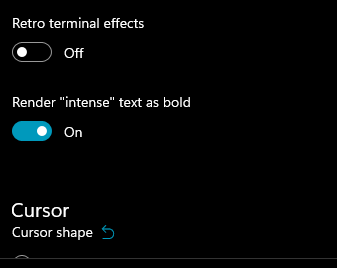 -->
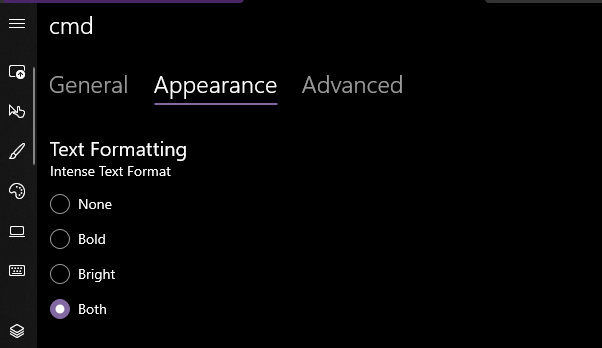
Yea that works. Printed some bold text, toggled it on, the text was no longer bold. hooray.
### EDIT, 10 Aug
```json
"intenseTextStyle": "none",
"intenseTextStyle": "bold",
"intenseTextStyle": "bright",
"intenseTextStyle": "all",
"intenseTextStyle": ["bold", "bright"],
```
all work now. Repro script:
```sh
printf "\e[1m[bold]\e[m[normal]\e[34m[blue]\e[1m[bold blue]\e[m\n"
```
2021-08-16 08:45:56 -05:00
|
|
|
|
Add support for the DECAC escape sequence (#13058)
The `DECAC` (Assign Colors) escape sequence controls which color table
entries are associated with the default foreground and background
colors. This is how you would change the default colors on the the
original DEC VT525 terminals.
But `DECAC` also allows you to assign the color table entries for the
"window frame", which in our case is mapped to the tab color (just the
background for now). So this now gives us a way to control the tab color
via an escape sequence as well.
DETAILS
-------
The way this works is there are now two new entries in the color table
for the frame colors, and two new aliases in the color alias table that
are mapped to those color table entries. As previously mentioned, only
the background is used for now.
By default, the colors are set to `INVALID_COLOR`, which indicates that
the system colors should be used. But if the user has set a `tabColor`
property in their profile, the frame background will be initialized with
that value instead.
And note that some of the existing color table entries are now
renumbered for compatibility with XTerm, which uses entries 256 to 260
for special colors which we don't yet support. Our default colors are
now at 261 and 262, the frame colors are 263 and 264, and the cursor
color is 265.
So at runtime, you can change the tab color programmatically by setting
the color table entry at index 262 using `OSC 4` (assuming you need a
specific RGB value). Otherwise if you just want to set the tab color to
an existing color index, you can use `DECAC 2`.
You can even make the tab color automatically match background color by
mapping the frame background alias to the color table entry for the
default background, using `DECAC 2;261;262` (technically this is mapping
both the the foreground and background).
This PR doesn't include support for querying the color mapping with
`DECRQSS`, and doesn't support resetting the colors with `RIS`, but
hopefully those can be figured out in a future PR - there are some
complications that'll need to be resolved first.
## Validation Steps Performed
I've added a basic unit test that confirms the `DECAC` escape sequence
updates the color aliases in the render settings as expected. I've also
manually confirmed that the tab color in Windows Terminal is updated by
`DECAC 2`, and the default colors are updated in both conhost and WT
using `DECAC 1`.
Closes #6574
2022-05-12 21:18:40 +01:00
|
|
|
// Trigger a redraw to repaint the window background and tab colors.
|
|
|
|
|
_renderer->TriggerRedrawAll(true, true);
|
|
|
|
|
|
Introduce AtlasEngine - A new text rendering prototype (#11623)
This commit introduces "AtlasEngine", a new text renderer based on DxEngine.
But unlike it, DirectWrite and Direct2D are only used to rasterize glyphs.
Blending and placing these glyphs into the target view is being done using
Direct3D and a simple HLSL shader. Since this new renderer more aggressively
assumes that the text is monospace, it simplifies the implementation:
The viewport is divided into cells, and its data is stored as a simple matrix.
Modifications to this matrix involve only simple pointer arithmetic and is easy
to understand. But just like with DxEngine however, DirectWrite
related code remains extremely complex and hard to understand.
Supported features:
* Basic text rendering with grayscale AA
* Foreground and background colors
* Emojis, including zero width joiners
* Underline, dotted underline, strikethrough
* Custom font axes and features
* Selections
* All cursor styles
* Full alpha support for all colors
* _Should_ work with Windows 7
Unsupported features:
* A more conservative GPU memory usage
The backing texture atlas for glyphs is grow-only and will not shrink.
After 256MB of memory is used up (~20k glyphs) text output
will be broken until the renderer is restarted.
* ClearType
* Remaining gridlines (left, right, top, bottom, double underline)
* Hyperlinks don't get full underlines if hovered in WT
* Softfonts
* Non-default line renditions
Performance:
* Runs at up to native display refresh rate
Unfortunately the frame rate often drops below refresh rate, due us
fighting over the buffer lock with other parts of the application.
* CPU consumption is up to halved compared to DxEngine
AtlasEngine is still highly unoptimized. Glyph hashing
consumes up to a third of the current CPU time.
* No regressions in WT performance
VT parsing and related buffer management takes up most of the CPU time (~85%),
due to which the AtlasEngine can't show any further improvements.
* ~2x improvement in raw text throughput in OpenConsole
compared to DxEngine running at 144 FPS
* ≥10x improvement in colored VT output in WT/OpenConsole
compared to DxEngine running at 144 FPS
2021-11-13 01:10:06 +01:00
|
|
|
_updateAntiAliasingMode();
|
Split `TermControl` into a Core, Interactivity, and Control layer (#9820)
## Summary of the Pull Request
Brace yourselves, it's finally here. This PR does the dirty work of splitting the monolithic `TermControl` into three components. These components are:
* `ControlCore`: This encapsulates the `Terminal` instance, the `DxEngine` and `Renderer`, and the `Connection`. This is intended to everything that someone might need to stand up a terminal instance in a control, but without any regard for how the UX works.
* `ControlInteractivity`: This is a wrapper for the `ControlCore`, which holds the logic for things like double-click, right click copy/paste, selection, etc. This is intended to be a UI framework-independent abstraction. The methods this layer exposes can be called the same from both the WinUI TermControl and the WPF control.
* `TermControl`: This is the UWP control. It's got a Core and Interactivity inside it, which it uses for the actual logic of the terminal itself. TermControl's main responsibility is now
By splitting into smaller pieces, it will enable us to
* write unit tests for the `Core` and `Interactivity` bits, which we desparately need
* Combine `ControlCore` and `ControlInteractivity` in an out-of-proc core process in the future, to enable tab tearout.
However, we're not doing that work quite yet. There's still lots of work to be done to enable that, thought this is likely the biggest portion.
Ideally, this would just be methods moved wholesale from one file to another. Unfortunately, there are a bunch of cases where that didn't work as well as expected. Especially when trying to better enforce the boundary between the classes.
We've got a couple tests here that I've added. These are partially examples, and partially things I ran into while implementing this. A bunch of things from #7001 can go in now that we have this.
This PR is gonna be a huge pain to review - 38 files with 3,730 additions and 1,661 deletions is nothing to scoff at. It will also conflict 100% with anything that's targeting `TermControl`. I'm hoping we can review this over the course of the next week and just be done with it, and leave plenty of runway for 1.9 bugs in post.
## References
* In pursuit of #1256
* Proc Model: #5000
* https://github.com/microsoft/terminal/projects/5
## PR Checklist
* [x] Closes #6842
* [x] Closes https://github.com/microsoft/terminal/projects/5#card-50760249
* [x] Closes https://github.com/microsoft/terminal/projects/5#card-50760258
* [x] I work here
* [x] Tests added/passed
* [n/a] Requires documentation to be updated
## Detailed Description of the Pull Request / Additional comments
* I don't love the names `ControlCore` and `ControlInteractivity`. Open to other names.
* I added a `ICoreState` interface for "properties that come from the `ControlCore`, but consumers of the `TermControl` need to know". In the future, these will all need to be handled specially, because they might involve an RPC call to retrieve the info from the core (or cache it) in the window process.
* I've added more `EventArgs` to make more events proper `TypedEvent`s.
* I've changed how the TerminalApp layer requests updated TaskbarProgress state. It doesn't need to pump TermControl to raise a new event anymore.
* ~~Something that snuck into this branch in the very long history is the switch to `DCompositionCreateSurfaceHandle` for the `DxEngine`. @miniksa wrote this originally in 30b8335, I'm just finally committing it here. We'll need that in the future for the out-of-proc stuff.~~
* I reverted this in c113b65d9. We can revert _that_ commit when we want to come back to it.
* I've changed the acrylic handler a decent amount. But added tests!
* All the `ThrottledFunc` things are left in `TermControl`. Some might be able to move down into core/interactivity, but once we figure out how to use a different kind of Dispatcher (because a UI thread won't necessarily exist for those components).
* I've undoubtably messed up the merging of the locking around the appearance config stuff recently
## Validation Steps Performed
I've got a rolling list in https://github.com/microsoft/terminal/issues/6842#issuecomment-810990460 that I'm updating as I go.
2021-04-27 10:50:45 -05:00
|
|
|
|
2022-03-24 18:56:11 +01:00
|
|
|
if (sizeChanged)
|
Split `TermControl` into a Core, Interactivity, and Control layer (#9820)
## Summary of the Pull Request
Brace yourselves, it's finally here. This PR does the dirty work of splitting the monolithic `TermControl` into three components. These components are:
* `ControlCore`: This encapsulates the `Terminal` instance, the `DxEngine` and `Renderer`, and the `Connection`. This is intended to everything that someone might need to stand up a terminal instance in a control, but without any regard for how the UX works.
* `ControlInteractivity`: This is a wrapper for the `ControlCore`, which holds the logic for things like double-click, right click copy/paste, selection, etc. This is intended to be a UI framework-independent abstraction. The methods this layer exposes can be called the same from both the WinUI TermControl and the WPF control.
* `TermControl`: This is the UWP control. It's got a Core and Interactivity inside it, which it uses for the actual logic of the terminal itself. TermControl's main responsibility is now
By splitting into smaller pieces, it will enable us to
* write unit tests for the `Core` and `Interactivity` bits, which we desparately need
* Combine `ControlCore` and `ControlInteractivity` in an out-of-proc core process in the future, to enable tab tearout.
However, we're not doing that work quite yet. There's still lots of work to be done to enable that, thought this is likely the biggest portion.
Ideally, this would just be methods moved wholesale from one file to another. Unfortunately, there are a bunch of cases where that didn't work as well as expected. Especially when trying to better enforce the boundary between the classes.
We've got a couple tests here that I've added. These are partially examples, and partially things I ran into while implementing this. A bunch of things from #7001 can go in now that we have this.
This PR is gonna be a huge pain to review - 38 files with 3,730 additions and 1,661 deletions is nothing to scoff at. It will also conflict 100% with anything that's targeting `TermControl`. I'm hoping we can review this over the course of the next week and just be done with it, and leave plenty of runway for 1.9 bugs in post.
## References
* In pursuit of #1256
* Proc Model: #5000
* https://github.com/microsoft/terminal/projects/5
## PR Checklist
* [x] Closes #6842
* [x] Closes https://github.com/microsoft/terminal/projects/5#card-50760249
* [x] Closes https://github.com/microsoft/terminal/projects/5#card-50760258
* [x] I work here
* [x] Tests added/passed
* [n/a] Requires documentation to be updated
## Detailed Description of the Pull Request / Additional comments
* I don't love the names `ControlCore` and `ControlInteractivity`. Open to other names.
* I added a `ICoreState` interface for "properties that come from the `ControlCore`, but consumers of the `TermControl` need to know". In the future, these will all need to be handled specially, because they might involve an RPC call to retrieve the info from the core (or cache it) in the window process.
* I've added more `EventArgs` to make more events proper `TypedEvent`s.
* I've changed how the TerminalApp layer requests updated TaskbarProgress state. It doesn't need to pump TermControl to raise a new event anymore.
* ~~Something that snuck into this branch in the very long history is the switch to `DCompositionCreateSurfaceHandle` for the `DxEngine`. @miniksa wrote this originally in 30b8335, I'm just finally committing it here. We'll need that in the future for the out-of-proc stuff.~~
* I reverted this in c113b65d9. We can revert _that_ commit when we want to come back to it.
* I've changed the acrylic handler a decent amount. But added tests!
* All the `ThrottledFunc` things are left in `TermControl`. Some might be able to move down into core/interactivity, but once we figure out how to use a different kind of Dispatcher (because a UI thread won't necessarily exist for those components).
* I've undoubtably messed up the merging of the locking around the appearance config stuff recently
## Validation Steps Performed
I've got a rolling list in https://github.com/microsoft/terminal/issues/6842#issuecomment-810990460 that I'm updating as I go.
2021-04-27 10:50:45 -05:00
|
|
|
{
|
|
|
|
|
_refreshSizeUnderLock();
|
|
|
|
|
}
|
|
|
|
|
}
|
|
|
|
|
|
|
|
|
|
// Method Description:
|
|
|
|
|
// - Updates the appearance of the current terminal.
|
|
|
|
|
// - INVARIANT: This method can only be called if the caller DOES NOT HAVE writing lock on the terminal.
|
2024-04-23 02:07:00 +02:00
|
|
|
void ControlCore::ApplyAppearance(const bool focused)
|
Split `TermControl` into a Core, Interactivity, and Control layer (#9820)
## Summary of the Pull Request
Brace yourselves, it's finally here. This PR does the dirty work of splitting the monolithic `TermControl` into three components. These components are:
* `ControlCore`: This encapsulates the `Terminal` instance, the `DxEngine` and `Renderer`, and the `Connection`. This is intended to everything that someone might need to stand up a terminal instance in a control, but without any regard for how the UX works.
* `ControlInteractivity`: This is a wrapper for the `ControlCore`, which holds the logic for things like double-click, right click copy/paste, selection, etc. This is intended to be a UI framework-independent abstraction. The methods this layer exposes can be called the same from both the WinUI TermControl and the WPF control.
* `TermControl`: This is the UWP control. It's got a Core and Interactivity inside it, which it uses for the actual logic of the terminal itself. TermControl's main responsibility is now
By splitting into smaller pieces, it will enable us to
* write unit tests for the `Core` and `Interactivity` bits, which we desparately need
* Combine `ControlCore` and `ControlInteractivity` in an out-of-proc core process in the future, to enable tab tearout.
However, we're not doing that work quite yet. There's still lots of work to be done to enable that, thought this is likely the biggest portion.
Ideally, this would just be methods moved wholesale from one file to another. Unfortunately, there are a bunch of cases where that didn't work as well as expected. Especially when trying to better enforce the boundary between the classes.
We've got a couple tests here that I've added. These are partially examples, and partially things I ran into while implementing this. A bunch of things from #7001 can go in now that we have this.
This PR is gonna be a huge pain to review - 38 files with 3,730 additions and 1,661 deletions is nothing to scoff at. It will also conflict 100% with anything that's targeting `TermControl`. I'm hoping we can review this over the course of the next week and just be done with it, and leave plenty of runway for 1.9 bugs in post.
## References
* In pursuit of #1256
* Proc Model: #5000
* https://github.com/microsoft/terminal/projects/5
## PR Checklist
* [x] Closes #6842
* [x] Closes https://github.com/microsoft/terminal/projects/5#card-50760249
* [x] Closes https://github.com/microsoft/terminal/projects/5#card-50760258
* [x] I work here
* [x] Tests added/passed
* [n/a] Requires documentation to be updated
## Detailed Description of the Pull Request / Additional comments
* I don't love the names `ControlCore` and `ControlInteractivity`. Open to other names.
* I added a `ICoreState` interface for "properties that come from the `ControlCore`, but consumers of the `TermControl` need to know". In the future, these will all need to be handled specially, because they might involve an RPC call to retrieve the info from the core (or cache it) in the window process.
* I've added more `EventArgs` to make more events proper `TypedEvent`s.
* I've changed how the TerminalApp layer requests updated TaskbarProgress state. It doesn't need to pump TermControl to raise a new event anymore.
* ~~Something that snuck into this branch in the very long history is the switch to `DCompositionCreateSurfaceHandle` for the `DxEngine`. @miniksa wrote this originally in 30b8335, I'm just finally committing it here. We'll need that in the future for the out-of-proc stuff.~~
* I reverted this in c113b65d9. We can revert _that_ commit when we want to come back to it.
* I've changed the acrylic handler a decent amount. But added tests!
* All the `ThrottledFunc` things are left in `TermControl`. Some might be able to move down into core/interactivity, but once we figure out how to use a different kind of Dispatcher (because a UI thread won't necessarily exist for those components).
* I've undoubtably messed up the merging of the locking around the appearance config stuff recently
## Validation Steps Performed
I've got a rolling list in https://github.com/microsoft/terminal/issues/6842#issuecomment-810990460 that I'm updating as I go.
2021-04-27 10:50:45 -05:00
|
|
|
{
|
2023-09-19 18:59:39 +02:00
|
|
|
const auto lock = _terminal->LockForWriting();
|
Remove TerminalSettings from the TerminalSettingsModel project (#19262)
The idea with IControlSettings (and friends) was always that a consumer
of the terminal control could implement it in whatever way they pleased.
Windows Terminal (the application) was intended to be only one
consumer. It has a whole JSON settings model. Nobody wants to think
about JSON at the Terminal Control level. We could have an "adapter" in
TerminalApp, which spoke Terminal JSON Settings on one side and Terminal
Control on the other side.
That worked until we added the settings editor. The settings editor
needed to display a control, and that control's settings needed to be
based on the JSON settings. Oops. We took the expedient route of moving
the adapter into TerminalSettingsModel itself, and poking a bunch of
holes in it so that TerminalApp and TerminalSettingsEditor could tweak
it as needed.
Later, we doubled down on the control settings interface by having every
Terminal Control _make its own ControlSettings_ when we were going to do
the multi-process model. This reduced the number of IPC round trips for
every settings query to 0. Later we built color scheme previewing on top
of that--adding structs to carry color schemes and stuff which was
already in the Appearance config. Sheesh. Layers and layers and layers.
This pull request moves it back into its own library and strips it from
the surface of TerminalSettingsModel. It also deletes `ControlSettings`
and `struct CoreScheme`. That library is called
`TerminalSettingsAppAdapterLib`, and it contains a hidden WinRT
_implements_ type rather than a full-fledged activatable `runtimeclass`.
It also implements one-level inheritance on its own rather than using
IInheritable.
It adheres to the following principles:
- The control will never modify its settings in a way that is visible to
the control's consumer; therefore, none of the properties have setters
- The settings should never contain things of interest only to the
Application that the Application uses to communicate data _back to
itself_ (see `ProfileName`, removed in 68b723c and `KeyBindings`,
removed in fa09141). This generalizes to "we should never store stuff
in an unrelated object passed between layers solely for the purpose of
getting it back".
I made a few changes to the settings interface, including introducing a
new `ICoreScheme` interface that _only_ contains color scheme info. This
is designed to support the Preview/Set color scheme actions, which no
longer work by _app backing up the scheme and restoring it later._ All
of that machinery lives inside TermControl/ControlCore now.
`ICoreScheme` no longer supports `GetColorAtIndex`; you must read all 16
colors at the same time. I am not sorry. Every consumer did that
already, so now we have 15 fewer COM calls for every color scheme.
The new TerminalSettings is mostly consumed via
`com_ptr<TerminalSettings>`, so a bunch of `.` (projected) accesses had
to turn into `->` (com_ptr dereferencing) accesses.
I also realized, in the course of this work, that the old
TerminalSettings contained a partial hand-written reimplementation of
_every setting_ in `ControlProperties`. Every contributor had to add
every new setting to both places--why? I can't figure it out. I'm using
ControlProperties comprehensively now. I propagated any setting whose
default value was different from that in ControlProperties back to
ControlProperties.
This is part X in a series of pull requests that will remove all mention
of Microsoft.Terminal.Control and Microsoft.Terminal.Core from the
settings model. Once that is done, the settings model can consume _only_
the base WinRT types and build very early and test more easily.
Previewing is fun. I introduced a new place to stash an entire color
table on ControlCore, which we use to save the "active" colors while we
temporarily overwrite them. SetColorScheme is _also_ fun. We now have a
slot for overriding only the focused color scheme on ControlCore. It's
fine. It's clearer than "back up the focused appearance, overwrite the
focused appearance, create a child of the user's settings and apply the
color scheme to it, etc.".
There is a bug/design choice in color scheme overriding, which may or
may not matter: overlaying a color scheme on a terminal with an
unfocused appearance which _does not_ have its own color scheme will
result in the previously-deleted overridden focused color scheme peeking
through when the terminal is not focused.
I also got rid of our only in-product use of
`Terminal::CreateFromSettings` which required us to set `InitialRows`
and `InitialCols` on the incoming settings object (see core tenet 2).
Refs #19261
Refs #19314
Refs #19254
2025-09-03 14:01:36 -05:00
|
|
|
const IControlAppearance newAppearance{ focused ? _settings : _unfocusedAppearance };
|
Split `TermControl` into a Core, Interactivity, and Control layer (#9820)
## Summary of the Pull Request
Brace yourselves, it's finally here. This PR does the dirty work of splitting the monolithic `TermControl` into three components. These components are:
* `ControlCore`: This encapsulates the `Terminal` instance, the `DxEngine` and `Renderer`, and the `Connection`. This is intended to everything that someone might need to stand up a terminal instance in a control, but without any regard for how the UX works.
* `ControlInteractivity`: This is a wrapper for the `ControlCore`, which holds the logic for things like double-click, right click copy/paste, selection, etc. This is intended to be a UI framework-independent abstraction. The methods this layer exposes can be called the same from both the WinUI TermControl and the WPF control.
* `TermControl`: This is the UWP control. It's got a Core and Interactivity inside it, which it uses for the actual logic of the terminal itself. TermControl's main responsibility is now
By splitting into smaller pieces, it will enable us to
* write unit tests for the `Core` and `Interactivity` bits, which we desparately need
* Combine `ControlCore` and `ControlInteractivity` in an out-of-proc core process in the future, to enable tab tearout.
However, we're not doing that work quite yet. There's still lots of work to be done to enable that, thought this is likely the biggest portion.
Ideally, this would just be methods moved wholesale from one file to another. Unfortunately, there are a bunch of cases where that didn't work as well as expected. Especially when trying to better enforce the boundary between the classes.
We've got a couple tests here that I've added. These are partially examples, and partially things I ran into while implementing this. A bunch of things from #7001 can go in now that we have this.
This PR is gonna be a huge pain to review - 38 files with 3,730 additions and 1,661 deletions is nothing to scoff at. It will also conflict 100% with anything that's targeting `TermControl`. I'm hoping we can review this over the course of the next week and just be done with it, and leave plenty of runway for 1.9 bugs in post.
## References
* In pursuit of #1256
* Proc Model: #5000
* https://github.com/microsoft/terminal/projects/5
## PR Checklist
* [x] Closes #6842
* [x] Closes https://github.com/microsoft/terminal/projects/5#card-50760249
* [x] Closes https://github.com/microsoft/terminal/projects/5#card-50760258
* [x] I work here
* [x] Tests added/passed
* [n/a] Requires documentation to be updated
## Detailed Description of the Pull Request / Additional comments
* I don't love the names `ControlCore` and `ControlInteractivity`. Open to other names.
* I added a `ICoreState` interface for "properties that come from the `ControlCore`, but consumers of the `TermControl` need to know". In the future, these will all need to be handled specially, because they might involve an RPC call to retrieve the info from the core (or cache it) in the window process.
* I've added more `EventArgs` to make more events proper `TypedEvent`s.
* I've changed how the TerminalApp layer requests updated TaskbarProgress state. It doesn't need to pump TermControl to raise a new event anymore.
* ~~Something that snuck into this branch in the very long history is the switch to `DCompositionCreateSurfaceHandle` for the `DxEngine`. @miniksa wrote this originally in 30b8335, I'm just finally committing it here. We'll need that in the future for the out-of-proc stuff.~~
* I reverted this in c113b65d9. We can revert _that_ commit when we want to come back to it.
* I've changed the acrylic handler a decent amount. But added tests!
* All the `ThrottledFunc` things are left in `TermControl`. Some might be able to move down into core/interactivity, but once we figure out how to use a different kind of Dispatcher (because a UI thread won't necessarily exist for those components).
* I've undoubtably messed up the merging of the locking around the appearance config stuff recently
## Validation Steps Performed
I've got a rolling list in https://github.com/microsoft/terminal/issues/6842#issuecomment-810990460 that I'm updating as I go.
2021-04-27 10:50:45 -05:00
|
|
|
// Update the terminal core with its new Core settings
|
Remove TerminalSettings from the TerminalSettingsModel project (#19262)
The idea with IControlSettings (and friends) was always that a consumer
of the terminal control could implement it in whatever way they pleased.
Windows Terminal (the application) was intended to be only one
consumer. It has a whole JSON settings model. Nobody wants to think
about JSON at the Terminal Control level. We could have an "adapter" in
TerminalApp, which spoke Terminal JSON Settings on one side and Terminal
Control on the other side.
That worked until we added the settings editor. The settings editor
needed to display a control, and that control's settings needed to be
based on the JSON settings. Oops. We took the expedient route of moving
the adapter into TerminalSettingsModel itself, and poking a bunch of
holes in it so that TerminalApp and TerminalSettingsEditor could tweak
it as needed.
Later, we doubled down on the control settings interface by having every
Terminal Control _make its own ControlSettings_ when we were going to do
the multi-process model. This reduced the number of IPC round trips for
every settings query to 0. Later we built color scheme previewing on top
of that--adding structs to carry color schemes and stuff which was
already in the Appearance config. Sheesh. Layers and layers and layers.
This pull request moves it back into its own library and strips it from
the surface of TerminalSettingsModel. It also deletes `ControlSettings`
and `struct CoreScheme`. That library is called
`TerminalSettingsAppAdapterLib`, and it contains a hidden WinRT
_implements_ type rather than a full-fledged activatable `runtimeclass`.
It also implements one-level inheritance on its own rather than using
IInheritable.
It adheres to the following principles:
- The control will never modify its settings in a way that is visible to
the control's consumer; therefore, none of the properties have setters
- The settings should never contain things of interest only to the
Application that the Application uses to communicate data _back to
itself_ (see `ProfileName`, removed in 68b723c and `KeyBindings`,
removed in fa09141). This generalizes to "we should never store stuff
in an unrelated object passed between layers solely for the purpose of
getting it back".
I made a few changes to the settings interface, including introducing a
new `ICoreScheme` interface that _only_ contains color scheme info. This
is designed to support the Preview/Set color scheme actions, which no
longer work by _app backing up the scheme and restoring it later._ All
of that machinery lives inside TermControl/ControlCore now.
`ICoreScheme` no longer supports `GetColorAtIndex`; you must read all 16
colors at the same time. I am not sorry. Every consumer did that
already, so now we have 15 fewer COM calls for every color scheme.
The new TerminalSettings is mostly consumed via
`com_ptr<TerminalSettings>`, so a bunch of `.` (projected) accesses had
to turn into `->` (com_ptr dereferencing) accesses.
I also realized, in the course of this work, that the old
TerminalSettings contained a partial hand-written reimplementation of
_every setting_ in `ControlProperties`. Every contributor had to add
every new setting to both places--why? I can't figure it out. I'm using
ControlProperties comprehensively now. I propagated any setting whose
default value was different from that in ControlProperties back to
ControlProperties.
This is part X in a series of pull requests that will remove all mention
of Microsoft.Terminal.Control and Microsoft.Terminal.Core from the
settings model. Once that is done, the settings model can consume _only_
the base WinRT types and build very early and test more easily.
Previewing is fun. I introduced a new place to stash an entire color
table on ControlCore, which we use to save the "active" colors while we
temporarily overwrite them. SetColorScheme is _also_ fun. We now have a
slot for overriding only the focused color scheme on ControlCore. It's
fine. It's clearer than "back up the focused appearance, overwrite the
focused appearance, create a child of the user's settings and apply the
color scheme to it, etc.".
There is a bug/design choice in color scheme overriding, which may or
may not matter: overlaying a color scheme on a terminal with an
unfocused appearance which _does not_ have its own color scheme will
result in the previously-deleted overridden focused color scheme peeking
through when the terminal is not focused.
I also got rid of our only in-product use of
`Terminal::CreateFromSettings` which required us to set `InitialRows`
and `InitialCols` on the incoming settings object (see core tenet 2).
Refs #19261
Refs #19314
Refs #19254
2025-09-03 14:01:36 -05:00
|
|
|
_terminal->UpdateAppearance(newAppearance);
|
|
|
|
|
if ((focused || !_hasUnfocusedAppearance) && _focusedColorSchemeOverride)
|
|
|
|
|
{
|
|
|
|
|
_terminal->UpdateColorScheme(_focusedColorSchemeOverride);
|
|
|
|
|
}
|
Split `TermControl` into a Core, Interactivity, and Control layer (#9820)
## Summary of the Pull Request
Brace yourselves, it's finally here. This PR does the dirty work of splitting the monolithic `TermControl` into three components. These components are:
* `ControlCore`: This encapsulates the `Terminal` instance, the `DxEngine` and `Renderer`, and the `Connection`. This is intended to everything that someone might need to stand up a terminal instance in a control, but without any regard for how the UX works.
* `ControlInteractivity`: This is a wrapper for the `ControlCore`, which holds the logic for things like double-click, right click copy/paste, selection, etc. This is intended to be a UI framework-independent abstraction. The methods this layer exposes can be called the same from both the WinUI TermControl and the WPF control.
* `TermControl`: This is the UWP control. It's got a Core and Interactivity inside it, which it uses for the actual logic of the terminal itself. TermControl's main responsibility is now
By splitting into smaller pieces, it will enable us to
* write unit tests for the `Core` and `Interactivity` bits, which we desparately need
* Combine `ControlCore` and `ControlInteractivity` in an out-of-proc core process in the future, to enable tab tearout.
However, we're not doing that work quite yet. There's still lots of work to be done to enable that, thought this is likely the biggest portion.
Ideally, this would just be methods moved wholesale from one file to another. Unfortunately, there are a bunch of cases where that didn't work as well as expected. Especially when trying to better enforce the boundary between the classes.
We've got a couple tests here that I've added. These are partially examples, and partially things I ran into while implementing this. A bunch of things from #7001 can go in now that we have this.
This PR is gonna be a huge pain to review - 38 files with 3,730 additions and 1,661 deletions is nothing to scoff at. It will also conflict 100% with anything that's targeting `TermControl`. I'm hoping we can review this over the course of the next week and just be done with it, and leave plenty of runway for 1.9 bugs in post.
## References
* In pursuit of #1256
* Proc Model: #5000
* https://github.com/microsoft/terminal/projects/5
## PR Checklist
* [x] Closes #6842
* [x] Closes https://github.com/microsoft/terminal/projects/5#card-50760249
* [x] Closes https://github.com/microsoft/terminal/projects/5#card-50760258
* [x] I work here
* [x] Tests added/passed
* [n/a] Requires documentation to be updated
## Detailed Description of the Pull Request / Additional comments
* I don't love the names `ControlCore` and `ControlInteractivity`. Open to other names.
* I added a `ICoreState` interface for "properties that come from the `ControlCore`, but consumers of the `TermControl` need to know". In the future, these will all need to be handled specially, because they might involve an RPC call to retrieve the info from the core (or cache it) in the window process.
* I've added more `EventArgs` to make more events proper `TypedEvent`s.
* I've changed how the TerminalApp layer requests updated TaskbarProgress state. It doesn't need to pump TermControl to raise a new event anymore.
* ~~Something that snuck into this branch in the very long history is the switch to `DCompositionCreateSurfaceHandle` for the `DxEngine`. @miniksa wrote this originally in 30b8335, I'm just finally committing it here. We'll need that in the future for the out-of-proc stuff.~~
* I reverted this in c113b65d9. We can revert _that_ commit when we want to come back to it.
* I've changed the acrylic handler a decent amount. But added tests!
* All the `ThrottledFunc` things are left in `TermControl`. Some might be able to move down into core/interactivity, but once we figure out how to use a different kind of Dispatcher (because a UI thread won't necessarily exist for those components).
* I've undoubtably messed up the merging of the locking around the appearance config stuff recently
## Validation Steps Performed
I've got a rolling list in https://github.com/microsoft/terminal/issues/6842#issuecomment-810990460 that I'm updating as I go.
2021-04-27 10:50:45 -05:00
|
|
|
|
2024-02-22 00:50:59 +01:00
|
|
|
// Update AtlasEngine settings under the lock
|
Split `TermControl` into a Core, Interactivity, and Control layer (#9820)
## Summary of the Pull Request
Brace yourselves, it's finally here. This PR does the dirty work of splitting the monolithic `TermControl` into three components. These components are:
* `ControlCore`: This encapsulates the `Terminal` instance, the `DxEngine` and `Renderer`, and the `Connection`. This is intended to everything that someone might need to stand up a terminal instance in a control, but without any regard for how the UX works.
* `ControlInteractivity`: This is a wrapper for the `ControlCore`, which holds the logic for things like double-click, right click copy/paste, selection, etc. This is intended to be a UI framework-independent abstraction. The methods this layer exposes can be called the same from both the WinUI TermControl and the WPF control.
* `TermControl`: This is the UWP control. It's got a Core and Interactivity inside it, which it uses for the actual logic of the terminal itself. TermControl's main responsibility is now
By splitting into smaller pieces, it will enable us to
* write unit tests for the `Core` and `Interactivity` bits, which we desparately need
* Combine `ControlCore` and `ControlInteractivity` in an out-of-proc core process in the future, to enable tab tearout.
However, we're not doing that work quite yet. There's still lots of work to be done to enable that, thought this is likely the biggest portion.
Ideally, this would just be methods moved wholesale from one file to another. Unfortunately, there are a bunch of cases where that didn't work as well as expected. Especially when trying to better enforce the boundary between the classes.
We've got a couple tests here that I've added. These are partially examples, and partially things I ran into while implementing this. A bunch of things from #7001 can go in now that we have this.
This PR is gonna be a huge pain to review - 38 files with 3,730 additions and 1,661 deletions is nothing to scoff at. It will also conflict 100% with anything that's targeting `TermControl`. I'm hoping we can review this over the course of the next week and just be done with it, and leave plenty of runway for 1.9 bugs in post.
## References
* In pursuit of #1256
* Proc Model: #5000
* https://github.com/microsoft/terminal/projects/5
## PR Checklist
* [x] Closes #6842
* [x] Closes https://github.com/microsoft/terminal/projects/5#card-50760249
* [x] Closes https://github.com/microsoft/terminal/projects/5#card-50760258
* [x] I work here
* [x] Tests added/passed
* [n/a] Requires documentation to be updated
## Detailed Description of the Pull Request / Additional comments
* I don't love the names `ControlCore` and `ControlInteractivity`. Open to other names.
* I added a `ICoreState` interface for "properties that come from the `ControlCore`, but consumers of the `TermControl` need to know". In the future, these will all need to be handled specially, because they might involve an RPC call to retrieve the info from the core (or cache it) in the window process.
* I've added more `EventArgs` to make more events proper `TypedEvent`s.
* I've changed how the TerminalApp layer requests updated TaskbarProgress state. It doesn't need to pump TermControl to raise a new event anymore.
* ~~Something that snuck into this branch in the very long history is the switch to `DCompositionCreateSurfaceHandle` for the `DxEngine`. @miniksa wrote this originally in 30b8335, I'm just finally committing it here. We'll need that in the future for the out-of-proc stuff.~~
* I reverted this in c113b65d9. We can revert _that_ commit when we want to come back to it.
* I've changed the acrylic handler a decent amount. But added tests!
* All the `ThrottledFunc` things are left in `TermControl`. Some might be able to move down into core/interactivity, but once we figure out how to use a different kind of Dispatcher (because a UI thread won't necessarily exist for those components).
* I've undoubtably messed up the merging of the locking around the appearance config stuff recently
## Validation Steps Performed
I've got a rolling list in https://github.com/microsoft/terminal/issues/6842#issuecomment-810990460 that I'm updating as I go.
2021-04-27 10:50:45 -05:00
|
|
|
if (_renderEngine)
|
|
|
|
|
{
|
2024-02-22 00:50:59 +01:00
|
|
|
// Update AtlasEngine settings under the lock
|
Remove TerminalSettings from the TerminalSettingsModel project (#19262)
The idea with IControlSettings (and friends) was always that a consumer
of the terminal control could implement it in whatever way they pleased.
Windows Terminal (the application) was intended to be only one
consumer. It has a whole JSON settings model. Nobody wants to think
about JSON at the Terminal Control level. We could have an "adapter" in
TerminalApp, which spoke Terminal JSON Settings on one side and Terminal
Control on the other side.
That worked until we added the settings editor. The settings editor
needed to display a control, and that control's settings needed to be
based on the JSON settings. Oops. We took the expedient route of moving
the adapter into TerminalSettingsModel itself, and poking a bunch of
holes in it so that TerminalApp and TerminalSettingsEditor could tweak
it as needed.
Later, we doubled down on the control settings interface by having every
Terminal Control _make its own ControlSettings_ when we were going to do
the multi-process model. This reduced the number of IPC round trips for
every settings query to 0. Later we built color scheme previewing on top
of that--adding structs to carry color schemes and stuff which was
already in the Appearance config. Sheesh. Layers and layers and layers.
This pull request moves it back into its own library and strips it from
the surface of TerminalSettingsModel. It also deletes `ControlSettings`
and `struct CoreScheme`. That library is called
`TerminalSettingsAppAdapterLib`, and it contains a hidden WinRT
_implements_ type rather than a full-fledged activatable `runtimeclass`.
It also implements one-level inheritance on its own rather than using
IInheritable.
It adheres to the following principles:
- The control will never modify its settings in a way that is visible to
the control's consumer; therefore, none of the properties have setters
- The settings should never contain things of interest only to the
Application that the Application uses to communicate data _back to
itself_ (see `ProfileName`, removed in 68b723c and `KeyBindings`,
removed in fa09141). This generalizes to "we should never store stuff
in an unrelated object passed between layers solely for the purpose of
getting it back".
I made a few changes to the settings interface, including introducing a
new `ICoreScheme` interface that _only_ contains color scheme info. This
is designed to support the Preview/Set color scheme actions, which no
longer work by _app backing up the scheme and restoring it later._ All
of that machinery lives inside TermControl/ControlCore now.
`ICoreScheme` no longer supports `GetColorAtIndex`; you must read all 16
colors at the same time. I am not sorry. Every consumer did that
already, so now we have 15 fewer COM calls for every color scheme.
The new TerminalSettings is mostly consumed via
`com_ptr<TerminalSettings>`, so a bunch of `.` (projected) accesses had
to turn into `->` (com_ptr dereferencing) accesses.
I also realized, in the course of this work, that the old
TerminalSettings contained a partial hand-written reimplementation of
_every setting_ in `ControlProperties`. Every contributor had to add
every new setting to both places--why? I can't figure it out. I'm using
ControlProperties comprehensively now. I propagated any setting whose
default value was different from that in ControlProperties back to
ControlProperties.
This is part X in a series of pull requests that will remove all mention
of Microsoft.Terminal.Control and Microsoft.Terminal.Core from the
settings model. Once that is done, the settings model can consume _only_
the base WinRT types and build very early and test more easily.
Previewing is fun. I introduced a new place to stash an entire color
table on ControlCore, which we use to save the "active" colors while we
temporarily overwrite them. SetColorScheme is _also_ fun. We now have a
slot for overriding only the focused color scheme on ControlCore. It's
fine. It's clearer than "back up the focused appearance, overwrite the
focused appearance, create a child of the user's settings and apply the
color scheme to it, etc.".
There is a bug/design choice in color scheme overriding, which may or
may not matter: overlaying a color scheme on a terminal with an
unfocused appearance which _does not_ have its own color scheme will
result in the previously-deleted overridden focused color scheme peeking
through when the terminal is not focused.
I also got rid of our only in-product use of
`Terminal::CreateFromSettings` which required us to set `InitialRows`
and `InitialCols` on the incoming settings object (see core tenet 2).
Refs #19261
Refs #19314
Refs #19254
2025-09-03 14:01:36 -05:00
|
|
|
_renderEngine->SetRetroTerminalEffect(newAppearance.RetroTerminalEffect());
|
|
|
|
|
_renderEngine->SetPixelShaderPath(newAppearance.PixelShaderPath());
|
|
|
|
|
_renderEngine->SetPixelShaderImagePath(newAppearance.PixelShaderImagePath());
|

Enable unfocused acrylic (#15923)
## Summary of the Pull Request
Closes #7158
Enabling Acrylic as both an appearance setting (with all the plumbing),
allowing it to be set differently in both focused and unfocused
terminals. EnableUnfocusedAcrylic Global Setting that controls if
unfocused acrylic is possible so that people can disable that behavior.
## References and Relevant Issues
#7158 , references: #15913 , #11092
## Detailed Description of the Pull Request / Additional comments
### Allowing Acrylic to be set differently in both focused and unfocused
terminals:
#### A

#### B

#### C

#### D

``` json
"profiles":
{
"list":
[
{
"commandline": "pwsh.exe",
"name": "A",
"unfocusedAppearance":
{
"useAcrylic": true,
},
"useAcrylic": true,
},
{
"commandline": "pwsh.exe",
"name": "B",
"unfocusedAppearance":
{
"useAcrylic": false,
},
"useAcrylic": true,
},
{
"commandline": "pwsh.exe",
"name": "C",
"unfocusedAppearance":
{
"useAcrylic": true,
},
"useAcrylic": false,
},
{
"commandline": "pwsh.exe",
"name": "D",
"unfocusedAppearance":
{
},
"useAcrylic": false,
},
]
}
```
- **A**: AcrylicBlur always on
- **B**: Acrylic when focused, not acrylic when unfocused
- **C**: Why the hell not. Not Acrylic when focused, Acrylic when
unfocused.
- **D:** Possible today by not using Acrylic.
### EnableUnfocusedACrylic global setting that controls if unfocused
acrylic is possible
So that people can disable that behavior:

### Alternate approaches I considered:
Using `_InitializeBackgroundBrush` call instead of
`_changeBackgroundColor(bg) in
``TermControl::_UpdateAppearanceFromUIThread`. Comments in this function
mentioned:
``` *.cs'
// In the future, this might need to be changed to a
// _InitializeBackgroundBrush call instead, because we may need to
// switch from a solid color brush to an acrylic one.
```
I considered using this to tackle to problem, but don't see the benefit.
The only time we need to update the brush is when the user changes the
`EnableUnfocusedAcrylic ` setting which is already covered by
`fire_and_forget TermControl::UpdateControlSettings`
### Supporting different Opacity in Focused and Unfocused Appearance???
This PR is split up in two parts #7158 covers allowing Acrylic to be set
differently in both focused and unfocused terminals. And
EnableUnfocusedAcrylic Global Setting that controls if unfocused acrylic
is possible so that people can disable that behavior.
#11092 will be about enabling opacity as both an appearance setting,
allowing it to be set differently in both focused and unfocused
terminals.
### Skipping the XAML for now:
“I actually think we may want to skip the XAML on this one for now.
We've been having some discussions about compatibility settings, global
settings, stuff like this, and it might be _more- confusing to have you
do something here. We can always add it in post when we decide where to
put it.”
-- Mike Griese
## Validation Steps Performed
#### When Scrolling Mouse , opacity changes appropriately, on opacity
100 there are no gray lines or artefacts


#### When Adjusting Opacity through command palette, opacity changes
appropriately, on opacity 100 there are no gray lines or artefacts


#### When opening command palette state goes to unfocused, the acrylic
and color change appropriately


#### Stumbled upon a new bug when performing validation steps #15913

## PR Checklist
- [x] Closes #7158
- [X] Tests added/passed
- [X] Documentation updated
- If checked, please file a pull request on [our docs
repo](https://github.com/MicrosoftDocs/terminal) and link it here: #xxx
- [x] Schema updated (if necessary)
---------
Co-authored-by: Mike Griese <migrie@microsoft.com>
2023-09-07 23:19:16 +02:00
|
|
|
|
2023-10-13 22:43:38 +02:00
|
|
|
// Incase EnableUnfocusedAcrylic is disabled and Focused Acrylic is set to true,
|
|
|
|
|
// the terminal should ignore the unfocused opacity from settings.
|
|
|
|
|
// The Focused Opacity from settings should be ignored if overridden at runtime.
|
Remove TerminalSettings from the TerminalSettingsModel project (#19262)
The idea with IControlSettings (and friends) was always that a consumer
of the terminal control could implement it in whatever way they pleased.
Windows Terminal (the application) was intended to be only one
consumer. It has a whole JSON settings model. Nobody wants to think
about JSON at the Terminal Control level. We could have an "adapter" in
TerminalApp, which spoke Terminal JSON Settings on one side and Terminal
Control on the other side.
That worked until we added the settings editor. The settings editor
needed to display a control, and that control's settings needed to be
based on the JSON settings. Oops. We took the expedient route of moving
the adapter into TerminalSettingsModel itself, and poking a bunch of
holes in it so that TerminalApp and TerminalSettingsEditor could tweak
it as needed.
Later, we doubled down on the control settings interface by having every
Terminal Control _make its own ControlSettings_ when we were going to do
the multi-process model. This reduced the number of IPC round trips for
every settings query to 0. Later we built color scheme previewing on top
of that--adding structs to carry color schemes and stuff which was
already in the Appearance config. Sheesh. Layers and layers and layers.
This pull request moves it back into its own library and strips it from
the surface of TerminalSettingsModel. It also deletes `ControlSettings`
and `struct CoreScheme`. That library is called
`TerminalSettingsAppAdapterLib`, and it contains a hidden WinRT
_implements_ type rather than a full-fledged activatable `runtimeclass`.
It also implements one-level inheritance on its own rather than using
IInheritable.
It adheres to the following principles:
- The control will never modify its settings in a way that is visible to
the control's consumer; therefore, none of the properties have setters
- The settings should never contain things of interest only to the
Application that the Application uses to communicate data _back to
itself_ (see `ProfileName`, removed in 68b723c and `KeyBindings`,
removed in fa09141). This generalizes to "we should never store stuff
in an unrelated object passed between layers solely for the purpose of
getting it back".
I made a few changes to the settings interface, including introducing a
new `ICoreScheme` interface that _only_ contains color scheme info. This
is designed to support the Preview/Set color scheme actions, which no
longer work by _app backing up the scheme and restoring it later._ All
of that machinery lives inside TermControl/ControlCore now.
`ICoreScheme` no longer supports `GetColorAtIndex`; you must read all 16
colors at the same time. I am not sorry. Every consumer did that
already, so now we have 15 fewer COM calls for every color scheme.
The new TerminalSettings is mostly consumed via
`com_ptr<TerminalSettings>`, so a bunch of `.` (projected) accesses had
to turn into `->` (com_ptr dereferencing) accesses.
I also realized, in the course of this work, that the old
TerminalSettings contained a partial hand-written reimplementation of
_every setting_ in `ControlProperties`. Every contributor had to add
every new setting to both places--why? I can't figure it out. I'm using
ControlProperties comprehensively now. I propagated any setting whose
default value was different from that in ControlProperties back to
ControlProperties.
This is part X in a series of pull requests that will remove all mention
of Microsoft.Terminal.Control and Microsoft.Terminal.Core from the
settings model. Once that is done, the settings model can consume _only_
the base WinRT types and build very early and test more easily.
Previewing is fun. I introduced a new place to stash an entire color
table on ControlCore, which we use to save the "active" colors while we
temporarily overwrite them. SetColorScheme is _also_ fun. We now have a
slot for overriding only the focused color scheme on ControlCore. It's
fine. It's clearer than "back up the focused appearance, overwrite the
focused appearance, create a child of the user's settings and apply the
color scheme to it, etc.".
There is a bug/design choice in color scheme overriding, which may or
may not matter: overlaying a color scheme on a terminal with an
unfocused appearance which _does not_ have its own color scheme will
result in the previously-deleted overridden focused color scheme peeking
through when the terminal is not focused.
I also got rid of our only in-product use of
`Terminal::CreateFromSettings` which required us to set `InitialRows`
and `InitialCols` on the incoming settings object (see core tenet 2).
Refs #19261
Refs #19314
Refs #19254
2025-09-03 14:01:36 -05:00
|
|
|
const auto useFocusedRuntimeOpacity = focused || (!_settings.EnableUnfocusedAcrylic() && UseAcrylic());
|
|
|
|
|
const auto newOpacity = useFocusedRuntimeOpacity ? FocusedOpacity() : newAppearance.Opacity();
|
2023-10-13 22:43:38 +02:00
|
|
|
_setOpacity(newOpacity, focused);
|
|
|
|
|
|
Enable unfocused acrylic (#15923)
## Summary of the Pull Request
Closes #7158
Enabling Acrylic as both an appearance setting (with all the plumbing),
allowing it to be set differently in both focused and unfocused
terminals. EnableUnfocusedAcrylic Global Setting that controls if
unfocused acrylic is possible so that people can disable that behavior.
## References and Relevant Issues
#7158 , references: #15913 , #11092
## Detailed Description of the Pull Request / Additional comments
### Allowing Acrylic to be set differently in both focused and unfocused
terminals:
#### A

#### B

#### C

#### D

``` json
"profiles":
{
"list":
[
{
"commandline": "pwsh.exe",
"name": "A",
"unfocusedAppearance":
{
"useAcrylic": true,
},
"useAcrylic": true,
},
{
"commandline": "pwsh.exe",
"name": "B",
"unfocusedAppearance":
{
"useAcrylic": false,
},
"useAcrylic": true,
},
{
"commandline": "pwsh.exe",
"name": "C",
"unfocusedAppearance":
{
"useAcrylic": true,
},
"useAcrylic": false,
},
{
"commandline": "pwsh.exe",
"name": "D",
"unfocusedAppearance":
{
},
"useAcrylic": false,
},
]
}
```
- **A**: AcrylicBlur always on
- **B**: Acrylic when focused, not acrylic when unfocused
- **C**: Why the hell not. Not Acrylic when focused, Acrylic when
unfocused.
- **D:** Possible today by not using Acrylic.
### EnableUnfocusedACrylic global setting that controls if unfocused
acrylic is possible
So that people can disable that behavior:

### Alternate approaches I considered:
Using `_InitializeBackgroundBrush` call instead of
`_changeBackgroundColor(bg) in
``TermControl::_UpdateAppearanceFromUIThread`. Comments in this function
mentioned:
``` *.cs'
// In the future, this might need to be changed to a
// _InitializeBackgroundBrush call instead, because we may need to
// switch from a solid color brush to an acrylic one.
```
I considered using this to tackle to problem, but don't see the benefit.
The only time we need to update the brush is when the user changes the
`EnableUnfocusedAcrylic ` setting which is already covered by
`fire_and_forget TermControl::UpdateControlSettings`
### Supporting different Opacity in Focused and Unfocused Appearance???
This PR is split up in two parts #7158 covers allowing Acrylic to be set
differently in both focused and unfocused terminals. And
EnableUnfocusedAcrylic Global Setting that controls if unfocused acrylic
is possible so that people can disable that behavior.
#11092 will be about enabling opacity as both an appearance setting,
allowing it to be set differently in both focused and unfocused
terminals.
### Skipping the XAML for now:
“I actually think we may want to skip the XAML on this one for now.
We've been having some discussions about compatibility settings, global
settings, stuff like this, and it might be _more- confusing to have you
do something here. We can always add it in post when we decide where to
put it.”
-- Mike Griese
## Validation Steps Performed
#### When Scrolling Mouse , opacity changes appropriately, on opacity
100 there are no gray lines or artefacts


#### When Adjusting Opacity through command palette, opacity changes
appropriately, on opacity 100 there are no gray lines or artefacts


#### When opening command palette state goes to unfocused, the acrylic
and color change appropriately


#### Stumbled upon a new bug when performing validation steps #15913

## PR Checklist
- [x] Closes #7158
- [X] Tests added/passed
- [X] Documentation updated
- If checked, please file a pull request on [our docs
repo](https://github.com/MicrosoftDocs/terminal) and link it here: #xxx
- [x] Schema updated (if necessary)
---------
Co-authored-by: Mike Griese <migrie@microsoft.com>
2023-09-07 23:19:16 +02:00
|
|
|
// No need to update Acrylic if UnfocusedAcrylic is disabled
|
Remove TerminalSettings from the TerminalSettingsModel project (#19262)
The idea with IControlSettings (and friends) was always that a consumer
of the terminal control could implement it in whatever way they pleased.
Windows Terminal (the application) was intended to be only one
consumer. It has a whole JSON settings model. Nobody wants to think
about JSON at the Terminal Control level. We could have an "adapter" in
TerminalApp, which spoke Terminal JSON Settings on one side and Terminal
Control on the other side.
That worked until we added the settings editor. The settings editor
needed to display a control, and that control's settings needed to be
based on the JSON settings. Oops. We took the expedient route of moving
the adapter into TerminalSettingsModel itself, and poking a bunch of
holes in it so that TerminalApp and TerminalSettingsEditor could tweak
it as needed.
Later, we doubled down on the control settings interface by having every
Terminal Control _make its own ControlSettings_ when we were going to do
the multi-process model. This reduced the number of IPC round trips for
every settings query to 0. Later we built color scheme previewing on top
of that--adding structs to carry color schemes and stuff which was
already in the Appearance config. Sheesh. Layers and layers and layers.
This pull request moves it back into its own library and strips it from
the surface of TerminalSettingsModel. It also deletes `ControlSettings`
and `struct CoreScheme`. That library is called
`TerminalSettingsAppAdapterLib`, and it contains a hidden WinRT
_implements_ type rather than a full-fledged activatable `runtimeclass`.
It also implements one-level inheritance on its own rather than using
IInheritable.
It adheres to the following principles:
- The control will never modify its settings in a way that is visible to
the control's consumer; therefore, none of the properties have setters
- The settings should never contain things of interest only to the
Application that the Application uses to communicate data _back to
itself_ (see `ProfileName`, removed in 68b723c and `KeyBindings`,
removed in fa09141). This generalizes to "we should never store stuff
in an unrelated object passed between layers solely for the purpose of
getting it back".
I made a few changes to the settings interface, including introducing a
new `ICoreScheme` interface that _only_ contains color scheme info. This
is designed to support the Preview/Set color scheme actions, which no
longer work by _app backing up the scheme and restoring it later._ All
of that machinery lives inside TermControl/ControlCore now.
`ICoreScheme` no longer supports `GetColorAtIndex`; you must read all 16
colors at the same time. I am not sorry. Every consumer did that
already, so now we have 15 fewer COM calls for every color scheme.
The new TerminalSettings is mostly consumed via
`com_ptr<TerminalSettings>`, so a bunch of `.` (projected) accesses had
to turn into `->` (com_ptr dereferencing) accesses.
I also realized, in the course of this work, that the old
TerminalSettings contained a partial hand-written reimplementation of
_every setting_ in `ControlProperties`. Every contributor had to add
every new setting to both places--why? I can't figure it out. I'm using
ControlProperties comprehensively now. I propagated any setting whose
default value was different from that in ControlProperties back to
ControlProperties.
This is part X in a series of pull requests that will remove all mention
of Microsoft.Terminal.Control and Microsoft.Terminal.Core from the
settings model. Once that is done, the settings model can consume _only_
the base WinRT types and build very early and test more easily.
Previewing is fun. I introduced a new place to stash an entire color
table on ControlCore, which we use to save the "active" colors while we
temporarily overwrite them. SetColorScheme is _also_ fun. We now have a
slot for overriding only the focused color scheme on ControlCore. It's
fine. It's clearer than "back up the focused appearance, overwrite the
focused appearance, create a child of the user's settings and apply the
color scheme to it, etc.".
There is a bug/design choice in color scheme overriding, which may or
may not matter: overlaying a color scheme on a terminal with an
unfocused appearance which _does not_ have its own color scheme will
result in the previously-deleted overridden focused color scheme peeking
through when the terminal is not focused.
I also got rid of our only in-product use of
`Terminal::CreateFromSettings` which required us to set `InitialRows`
and `InitialCols` on the incoming settings object (see core tenet 2).
Refs #19261
Refs #19314
Refs #19254
2025-09-03 14:01:36 -05:00
|
|
|
if (_settings.EnableUnfocusedAcrylic())
|
Enable unfocused acrylic (#15923)
## Summary of the Pull Request
Closes #7158
Enabling Acrylic as both an appearance setting (with all the plumbing),
allowing it to be set differently in both focused and unfocused
terminals. EnableUnfocusedAcrylic Global Setting that controls if
unfocused acrylic is possible so that people can disable that behavior.
## References and Relevant Issues
#7158 , references: #15913 , #11092
## Detailed Description of the Pull Request / Additional comments
### Allowing Acrylic to be set differently in both focused and unfocused
terminals:
#### A

#### B

#### C

#### D

``` json
"profiles":
{
"list":
[
{
"commandline": "pwsh.exe",
"name": "A",
"unfocusedAppearance":
{
"useAcrylic": true,
},
"useAcrylic": true,
},
{
"commandline": "pwsh.exe",
"name": "B",
"unfocusedAppearance":
{
"useAcrylic": false,
},
"useAcrylic": true,
},
{
"commandline": "pwsh.exe",
"name": "C",
"unfocusedAppearance":
{
"useAcrylic": true,
},
"useAcrylic": false,
},
{
"commandline": "pwsh.exe",
"name": "D",
"unfocusedAppearance":
{
},
"useAcrylic": false,
},
]
}
```
- **A**: AcrylicBlur always on
- **B**: Acrylic when focused, not acrylic when unfocused
- **C**: Why the hell not. Not Acrylic when focused, Acrylic when
unfocused.
- **D:** Possible today by not using Acrylic.
### EnableUnfocusedACrylic global setting that controls if unfocused
acrylic is possible
So that people can disable that behavior:

### Alternate approaches I considered:
Using `_InitializeBackgroundBrush` call instead of
`_changeBackgroundColor(bg) in
``TermControl::_UpdateAppearanceFromUIThread`. Comments in this function
mentioned:
``` *.cs'
// In the future, this might need to be changed to a
// _InitializeBackgroundBrush call instead, because we may need to
// switch from a solid color brush to an acrylic one.
```
I considered using this to tackle to problem, but don't see the benefit.
The only time we need to update the brush is when the user changes the
`EnableUnfocusedAcrylic ` setting which is already covered by
`fire_and_forget TermControl::UpdateControlSettings`
### Supporting different Opacity in Focused and Unfocused Appearance???
This PR is split up in two parts #7158 covers allowing Acrylic to be set
differently in both focused and unfocused terminals. And
EnableUnfocusedAcrylic Global Setting that controls if unfocused acrylic
is possible so that people can disable that behavior.
#11092 will be about enabling opacity as both an appearance setting,
allowing it to be set differently in both focused and unfocused
terminals.
### Skipping the XAML for now:
“I actually think we may want to skip the XAML on this one for now.
We've been having some discussions about compatibility settings, global
settings, stuff like this, and it might be _more- confusing to have you
do something here. We can always add it in post when we decide where to
put it.”
-- Mike Griese
## Validation Steps Performed
#### When Scrolling Mouse , opacity changes appropriately, on opacity
100 there are no gray lines or artefacts


#### When Adjusting Opacity through command palette, opacity changes
appropriately, on opacity 100 there are no gray lines or artefacts


#### When opening command palette state goes to unfocused, the acrylic
and color change appropriately


#### Stumbled upon a new bug when performing validation steps #15913

## PR Checklist
- [x] Closes #7158
- [X] Tests added/passed
- [X] Documentation updated
- If checked, please file a pull request on [our docs
repo](https://github.com/MicrosoftDocs/terminal) and link it here: #xxx
- [x] Schema updated (if necessary)
---------
Co-authored-by: Mike Griese <migrie@microsoft.com>
2023-09-07 23:19:16 +02:00
|
|
|
{
|
|
|
|
|
// Manually turn off acrylic if they turn off transparency.
|
Remove TerminalSettings from the TerminalSettingsModel project (#19262)
The idea with IControlSettings (and friends) was always that a consumer
of the terminal control could implement it in whatever way they pleased.
Windows Terminal (the application) was intended to be only one
consumer. It has a whole JSON settings model. Nobody wants to think
about JSON at the Terminal Control level. We could have an "adapter" in
TerminalApp, which spoke Terminal JSON Settings on one side and Terminal
Control on the other side.
That worked until we added the settings editor. The settings editor
needed to display a control, and that control's settings needed to be
based on the JSON settings. Oops. We took the expedient route of moving
the adapter into TerminalSettingsModel itself, and poking a bunch of
holes in it so that TerminalApp and TerminalSettingsEditor could tweak
it as needed.
Later, we doubled down on the control settings interface by having every
Terminal Control _make its own ControlSettings_ when we were going to do
the multi-process model. This reduced the number of IPC round trips for
every settings query to 0. Later we built color scheme previewing on top
of that--adding structs to carry color schemes and stuff which was
already in the Appearance config. Sheesh. Layers and layers and layers.
This pull request moves it back into its own library and strips it from
the surface of TerminalSettingsModel. It also deletes `ControlSettings`
and `struct CoreScheme`. That library is called
`TerminalSettingsAppAdapterLib`, and it contains a hidden WinRT
_implements_ type rather than a full-fledged activatable `runtimeclass`.
It also implements one-level inheritance on its own rather than using
IInheritable.
It adheres to the following principles:
- The control will never modify its settings in a way that is visible to
the control's consumer; therefore, none of the properties have setters
- The settings should never contain things of interest only to the
Application that the Application uses to communicate data _back to
itself_ (see `ProfileName`, removed in 68b723c and `KeyBindings`,
removed in fa09141). This generalizes to "we should never store stuff
in an unrelated object passed between layers solely for the purpose of
getting it back".
I made a few changes to the settings interface, including introducing a
new `ICoreScheme` interface that _only_ contains color scheme info. This
is designed to support the Preview/Set color scheme actions, which no
longer work by _app backing up the scheme and restoring it later._ All
of that machinery lives inside TermControl/ControlCore now.
`ICoreScheme` no longer supports `GetColorAtIndex`; you must read all 16
colors at the same time. I am not sorry. Every consumer did that
already, so now we have 15 fewer COM calls for every color scheme.
The new TerminalSettings is mostly consumed via
`com_ptr<TerminalSettings>`, so a bunch of `.` (projected) accesses had
to turn into `->` (com_ptr dereferencing) accesses.
I also realized, in the course of this work, that the old
TerminalSettings contained a partial hand-written reimplementation of
_every setting_ in `ControlProperties`. Every contributor had to add
every new setting to both places--why? I can't figure it out. I'm using
ControlProperties comprehensively now. I propagated any setting whose
default value was different from that in ControlProperties back to
ControlProperties.
This is part X in a series of pull requests that will remove all mention
of Microsoft.Terminal.Control and Microsoft.Terminal.Core from the
settings model. Once that is done, the settings model can consume _only_
the base WinRT types and build very early and test more easily.
Previewing is fun. I introduced a new place to stash an entire color
table on ControlCore, which we use to save the "active" colors while we
temporarily overwrite them. SetColorScheme is _also_ fun. We now have a
slot for overriding only the focused color scheme on ControlCore. It's
fine. It's clearer than "back up the focused appearance, overwrite the
focused appearance, create a child of the user's settings and apply the
color scheme to it, etc.".
There is a bug/design choice in color scheme overriding, which may or
may not matter: overlaying a color scheme on a terminal with an
unfocused appearance which _does not_ have its own color scheme will
result in the previously-deleted overridden focused color scheme peeking
through when the terminal is not focused.
I also got rid of our only in-product use of
`Terminal::CreateFromSettings` which required us to set `InitialRows`
and `InitialCols` on the incoming settings object (see core tenet 2).
Refs #19261
Refs #19314
Refs #19254
2025-09-03 14:01:36 -05:00
|
|
|
_runtimeUseAcrylic = Opacity() < 1.0 && newAppearance.UseAcrylic();
|
2023-10-13 22:43:38 +02:00
|
|
|
}
|
Enable unfocused acrylic (#15923)
## Summary of the Pull Request
Closes #7158
Enabling Acrylic as both an appearance setting (with all the plumbing),
allowing it to be set differently in both focused and unfocused
terminals. EnableUnfocusedAcrylic Global Setting that controls if
unfocused acrylic is possible so that people can disable that behavior.
## References and Relevant Issues
#7158 , references: #15913 , #11092
## Detailed Description of the Pull Request / Additional comments
### Allowing Acrylic to be set differently in both focused and unfocused
terminals:
#### A

#### B

#### C

#### D

``` json
"profiles":
{
"list":
[
{
"commandline": "pwsh.exe",
"name": "A",
"unfocusedAppearance":
{
"useAcrylic": true,
},
"useAcrylic": true,
},
{
"commandline": "pwsh.exe",
"name": "B",
"unfocusedAppearance":
{
"useAcrylic": false,
},
"useAcrylic": true,
},
{
"commandline": "pwsh.exe",
"name": "C",
"unfocusedAppearance":
{
"useAcrylic": true,
},
"useAcrylic": false,
},
{
"commandline": "pwsh.exe",
"name": "D",
"unfocusedAppearance":
{
},
"useAcrylic": false,
},
]
}
```
- **A**: AcrylicBlur always on
- **B**: Acrylic when focused, not acrylic when unfocused
- **C**: Why the hell not. Not Acrylic when focused, Acrylic when
unfocused.
- **D:** Possible today by not using Acrylic.
### EnableUnfocusedACrylic global setting that controls if unfocused
acrylic is possible
So that people can disable that behavior:

### Alternate approaches I considered:
Using `_InitializeBackgroundBrush` call instead of
`_changeBackgroundColor(bg) in
``TermControl::_UpdateAppearanceFromUIThread`. Comments in this function
mentioned:
``` *.cs'
// In the future, this might need to be changed to a
// _InitializeBackgroundBrush call instead, because we may need to
// switch from a solid color brush to an acrylic one.
```
I considered using this to tackle to problem, but don't see the benefit.
The only time we need to update the brush is when the user changes the
`EnableUnfocusedAcrylic ` setting which is already covered by
`fire_and_forget TermControl::UpdateControlSettings`
### Supporting different Opacity in Focused and Unfocused Appearance???
This PR is split up in two parts #7158 covers allowing Acrylic to be set
differently in both focused and unfocused terminals. And
EnableUnfocusedAcrylic Global Setting that controls if unfocused acrylic
is possible so that people can disable that behavior.
#11092 will be about enabling opacity as both an appearance setting,
allowing it to be set differently in both focused and unfocused
terminals.
### Skipping the XAML for now:
“I actually think we may want to skip the XAML on this one for now.
We've been having some discussions about compatibility settings, global
settings, stuff like this, and it might be _more- confusing to have you
do something here. We can always add it in post when we decide where to
put it.”
-- Mike Griese
## Validation Steps Performed
#### When Scrolling Mouse , opacity changes appropriately, on opacity
100 there are no gray lines or artefacts


#### When Adjusting Opacity through command palette, opacity changes
appropriately, on opacity 100 there are no gray lines or artefacts


#### When opening command palette state goes to unfocused, the acrylic
and color change appropriately


#### Stumbled upon a new bug when performing validation steps #15913

## PR Checklist
- [x] Closes #7158
- [X] Tests added/passed
- [X] Documentation updated
- If checked, please file a pull request on [our docs
repo](https://github.com/MicrosoftDocs/terminal) and link it here: #xxx
- [x] Schema updated (if necessary)
---------
Co-authored-by: Mike Griese <migrie@microsoft.com>
2023-09-07 23:19:16 +02:00
|
|
|
|
2023-10-13 22:43:38 +02:00
|
|
|
// Update the renderer as well. It might need to fall back from
|
|
|
|
|
// cleartype -> grayscale if the BG is transparent / acrylic.
|
|
|
|
|
_renderEngine->EnableTransparentBackground(_isBackgroundTransparent());
|
|
|
|
|
_renderer->NotifyPaintFrame();
|
Enable unfocused acrylic (#15923)
## Summary of the Pull Request
Closes #7158
Enabling Acrylic as both an appearance setting (with all the plumbing),
allowing it to be set differently in both focused and unfocused
terminals. EnableUnfocusedAcrylic Global Setting that controls if
unfocused acrylic is possible so that people can disable that behavior.
## References and Relevant Issues
#7158 , references: #15913 , #11092
## Detailed Description of the Pull Request / Additional comments
### Allowing Acrylic to be set differently in both focused and unfocused
terminals:
#### A

#### B

#### C

#### D

``` json
"profiles":
{
"list":
[
{
"commandline": "pwsh.exe",
"name": "A",
"unfocusedAppearance":
{
"useAcrylic": true,
},
"useAcrylic": true,
},
{
"commandline": "pwsh.exe",
"name": "B",
"unfocusedAppearance":
{
"useAcrylic": false,
},
"useAcrylic": true,
},
{
"commandline": "pwsh.exe",
"name": "C",
"unfocusedAppearance":
{
"useAcrylic": true,
},
"useAcrylic": false,
},
{
"commandline": "pwsh.exe",
"name": "D",
"unfocusedAppearance":
{
},
"useAcrylic": false,
},
]
}
```
- **A**: AcrylicBlur always on
- **B**: Acrylic when focused, not acrylic when unfocused
- **C**: Why the hell not. Not Acrylic when focused, Acrylic when
unfocused.
- **D:** Possible today by not using Acrylic.
### EnableUnfocusedACrylic global setting that controls if unfocused
acrylic is possible
So that people can disable that behavior:

### Alternate approaches I considered:
Using `_InitializeBackgroundBrush` call instead of
`_changeBackgroundColor(bg) in
``TermControl::_UpdateAppearanceFromUIThread`. Comments in this function
mentioned:
``` *.cs'
// In the future, this might need to be changed to a
// _InitializeBackgroundBrush call instead, because we may need to
// switch from a solid color brush to an acrylic one.
```
I considered using this to tackle to problem, but don't see the benefit.
The only time we need to update the brush is when the user changes the
`EnableUnfocusedAcrylic ` setting which is already covered by
`fire_and_forget TermControl::UpdateControlSettings`
### Supporting different Opacity in Focused and Unfocused Appearance???
This PR is split up in two parts #7158 covers allowing Acrylic to be set
differently in both focused and unfocused terminals. And
EnableUnfocusedAcrylic Global Setting that controls if unfocused acrylic
is possible so that people can disable that behavior.
#11092 will be about enabling opacity as both an appearance setting,
allowing it to be set differently in both focused and unfocused
terminals.
### Skipping the XAML for now:
“I actually think we may want to skip the XAML on this one for now.
We've been having some discussions about compatibility settings, global
settings, stuff like this, and it might be _more- confusing to have you
do something here. We can always add it in post when we decide where to
put it.”
-- Mike Griese
## Validation Steps Performed
#### When Scrolling Mouse , opacity changes appropriately, on opacity
100 there are no gray lines or artefacts


#### When Adjusting Opacity through command palette, opacity changes
appropriately, on opacity 100 there are no gray lines or artefacts


#### When opening command palette state goes to unfocused, the acrylic
and color change appropriately


#### Stumbled upon a new bug when performing validation steps #15913

## PR Checklist
- [x] Closes #7158
- [X] Tests added/passed
- [X] Documentation updated
- If checked, please file a pull request on [our docs
repo](https://github.com/MicrosoftDocs/terminal) and link it here: #xxx
- [x] Schema updated (if necessary)
---------
Co-authored-by: Mike Griese <migrie@microsoft.com>
2023-09-07 23:19:16 +02:00
|
|
|
|
2023-10-13 22:43:38 +02:00
|
|
|
auto eventArgs = winrt::make_self<TransparencyChangedEventArgs>(Opacity());
|
Replace usages of `TYPED_EVENT` with `til::event` (#16837)
This PR automagically finds and replaces all[^1] usages of our
TYPED_EVENT macro with `til::event`. Benefits include:
* less macro magic
* editors are more easily able to figure out the relationship between
`til::event<> Foo;`, `Foo.raise(...)`, and `bar.Foo({this,
&Bar::FooHandler})` (whereas before the relationship between
`_FooHandlers(...)` and `bar.Foo({...})`) couldn't be figured out by
vscode & sublime.
Other find & replace work that had to be done:
* I added the `til::typed_event<>` == `<IInspectable, IInspectable>`
thing from #16170, since that is goodness
* I actually fixed `til::property_changed_event`, so you can use that
for your property changed events. They're all the same anyways.
* events had to come before `WINRT_PROPERTY`s, since the latter macro
leaves us in a `private:` block
* `Pane::SetupChildCloseHandlers` I had to swap _back_, because the
script thought that was an event 🤦
* `ProfileViewModel::DeleteProfile` had to be renamed
`DeleteProfileRequested`, since there was already a `DeleteProfile`
method on it.
* WindowManager.cpp was directly wiring up it's `winrt::event`s to the
monarch & peasant. That doesn't work with `til::event`s and I'm kinda
surprised it ever did
<details>
<summary>The script in question</summary>
```py
import os
import re
def replace_in_file(file_path, file_name):
with open(file_path, 'r', encoding="utf8") as file:
content = file.read()
found_matches = False
# Define the pattern for matching
pattern = r' WINRT_CALLBACK\((\w+),\s*(.*?)\);'
event_matches = re.findall(pattern, content)
if event_matches:
found_matches = True
print(f'found events in {file_path}:')
for match in event_matches:
name = match[0]
args = match[1]
if name == "newConnection" and file_name == "ConptyConnection.cpp":
# This one is special
continue
old_declaration = 'WINRT_CALLBACK(' + name + ', ' + args + ');'
new_declaration = 'til::event<' + args + '> ' + name + ';' if name != "PropertyChanged" else 'til::property_changed_event PropertyChanged;'
print(f' {old_declaration} -> {new_declaration}')
content = content.replace(old_declaration, new_declaration)
typed_event_pattern = r' TYPED_EVENT\((\w+),\s*(.*?)\);'
typed_matches = re.findall(typed_event_pattern, content)
if typed_matches:
found_matches = True
print(f'found typed_events in {file_path}:')
for match in typed_matches:
name = match[0]
args = match[1]
if name == "newConnection" and file_name == "ConptyConnection.cpp":
# This one is special
continue
old_declaration = f'TYPED_EVENT({name}, {args});'
was_inspectable = (args == "winrt::Windows::Foundation::IInspectable, winrt::Windows::Foundation::IInspectable" ) or (args == "IInspectable, IInspectable" )
new_declaration = f'til::typed_event<{args}> {name};' if not was_inspectable else f"til::typed_event<> {name};"
print(f' {old_declaration} -> {new_declaration}')
content = content.replace(old_declaration, new_declaration)
handlers_pattern = r'_(\w+)Handlers\('
handler_matches = re.findall(handlers_pattern, content)
if handler_matches:
found_matches = True
print(f'found handlers in {file_path}:')
for match in handler_matches:
name = match
if name == "newConnection" and file_name == "ConptyConnection.cpp":
# This one is special
continue
old_declaration = f'_{name}Handlers('
new_declaration = f'{name}.raise('
print(f' {old_declaration} -> {new_declaration}')
content = content.replace(old_declaration, new_declaration)
if found_matches:
with open(file_path, 'w', encoding="utf8") as file:
file.write(content)
def find_and_replace(directory):
for root, dirs, files in os.walk(directory):
if 'Generated Files' in dirs:
dirs.remove('Generated Files') # Exclude the "Generated Files" directory
for file in files:
if file.endswith('.cpp') or file.endswith('.h') or file.endswith('.hpp'):
file_path = os.path.join(root, file)
try:
replace_in_file(file_path, file)
except Exception as e:
print(f"error reading {file_path}")
if file == "TermControl.cpp":
print(e)
# raise e
# Replace in files within a specific directory
directory_path = 'D:\\dev\\public\\terminal\\src'
find_and_replace(directory_path)
```
</details>
[^1]: there are other macros we use that were also using this macro,
those weren't replaced.
---------
Co-authored-by: Dustin Howett <duhowett@microsoft.com>
Co-authored-by: Leonard Hecker <lhecker@microsoft.com>
2024-03-20 09:02:26 -07:00
|
|
|
TransparencyChanged.raise(*this, *eventArgs);
|
Enable unfocused acrylic (#15923)
## Summary of the Pull Request
Closes #7158
Enabling Acrylic as both an appearance setting (with all the plumbing),
allowing it to be set differently in both focused and unfocused
terminals. EnableUnfocusedAcrylic Global Setting that controls if
unfocused acrylic is possible so that people can disable that behavior.
## References and Relevant Issues
#7158 , references: #15913 , #11092
## Detailed Description of the Pull Request / Additional comments
### Allowing Acrylic to be set differently in both focused and unfocused
terminals:
#### A

#### B

#### C

#### D

``` json
"profiles":
{
"list":
[
{
"commandline": "pwsh.exe",
"name": "A",
"unfocusedAppearance":
{
"useAcrylic": true,
},
"useAcrylic": true,
},
{
"commandline": "pwsh.exe",
"name": "B",
"unfocusedAppearance":
{
"useAcrylic": false,
},
"useAcrylic": true,
},
{
"commandline": "pwsh.exe",
"name": "C",
"unfocusedAppearance":
{
"useAcrylic": true,
},
"useAcrylic": false,
},
{
"commandline": "pwsh.exe",
"name": "D",
"unfocusedAppearance":
{
},
"useAcrylic": false,
},
]
}
```
- **A**: AcrylicBlur always on
- **B**: Acrylic when focused, not acrylic when unfocused
- **C**: Why the hell not. Not Acrylic when focused, Acrylic when
unfocused.
- **D:** Possible today by not using Acrylic.
### EnableUnfocusedACrylic global setting that controls if unfocused
acrylic is possible
So that people can disable that behavior:

### Alternate approaches I considered:
Using `_InitializeBackgroundBrush` call instead of
`_changeBackgroundColor(bg) in
``TermControl::_UpdateAppearanceFromUIThread`. Comments in this function
mentioned:
``` *.cs'
// In the future, this might need to be changed to a
// _InitializeBackgroundBrush call instead, because we may need to
// switch from a solid color brush to an acrylic one.
```
I considered using this to tackle to problem, but don't see the benefit.
The only time we need to update the brush is when the user changes the
`EnableUnfocusedAcrylic ` setting which is already covered by
`fire_and_forget TermControl::UpdateControlSettings`
### Supporting different Opacity in Focused and Unfocused Appearance???
This PR is split up in two parts #7158 covers allowing Acrylic to be set
differently in both focused and unfocused terminals. And
EnableUnfocusedAcrylic Global Setting that controls if unfocused acrylic
is possible so that people can disable that behavior.
#11092 will be about enabling opacity as both an appearance setting,
allowing it to be set differently in both focused and unfocused
terminals.
### Skipping the XAML for now:
“I actually think we may want to skip the XAML on this one for now.
We've been having some discussions about compatibility settings, global
settings, stuff like this, and it might be _more- confusing to have you
do something here. We can always add it in post when we decide where to
put it.”
-- Mike Griese
## Validation Steps Performed
#### When Scrolling Mouse , opacity changes appropriately, on opacity
100 there are no gray lines or artefacts


#### When Adjusting Opacity through command palette, opacity changes
appropriately, on opacity 100 there are no gray lines or artefacts


#### When opening command palette state goes to unfocused, the acrylic
and color change appropriately


#### Stumbled upon a new bug when performing validation steps #15913

## PR Checklist
- [x] Closes #7158
- [X] Tests added/passed
- [X] Documentation updated
- If checked, please file a pull request on [our docs
repo](https://github.com/MicrosoftDocs/terminal) and link it here: #xxx
- [x] Schema updated (if necessary)
---------
Co-authored-by: Mike Griese <migrie@microsoft.com>
2023-09-07 23:19:16 +02:00
|
|
|
|
|
|
|
|
_renderer->TriggerRedrawAll(true, true);
|
Split `TermControl` into a Core, Interactivity, and Control layer (#9820)
## Summary of the Pull Request
Brace yourselves, it's finally here. This PR does the dirty work of splitting the monolithic `TermControl` into three components. These components are:
* `ControlCore`: This encapsulates the `Terminal` instance, the `DxEngine` and `Renderer`, and the `Connection`. This is intended to everything that someone might need to stand up a terminal instance in a control, but without any regard for how the UX works.
* `ControlInteractivity`: This is a wrapper for the `ControlCore`, which holds the logic for things like double-click, right click copy/paste, selection, etc. This is intended to be a UI framework-independent abstraction. The methods this layer exposes can be called the same from both the WinUI TermControl and the WPF control.
* `TermControl`: This is the UWP control. It's got a Core and Interactivity inside it, which it uses for the actual logic of the terminal itself. TermControl's main responsibility is now
By splitting into smaller pieces, it will enable us to
* write unit tests for the `Core` and `Interactivity` bits, which we desparately need
* Combine `ControlCore` and `ControlInteractivity` in an out-of-proc core process in the future, to enable tab tearout.
However, we're not doing that work quite yet. There's still lots of work to be done to enable that, thought this is likely the biggest portion.
Ideally, this would just be methods moved wholesale from one file to another. Unfortunately, there are a bunch of cases where that didn't work as well as expected. Especially when trying to better enforce the boundary between the classes.
We've got a couple tests here that I've added. These are partially examples, and partially things I ran into while implementing this. A bunch of things from #7001 can go in now that we have this.
This PR is gonna be a huge pain to review - 38 files with 3,730 additions and 1,661 deletions is nothing to scoff at. It will also conflict 100% with anything that's targeting `TermControl`. I'm hoping we can review this over the course of the next week and just be done with it, and leave plenty of runway for 1.9 bugs in post.
## References
* In pursuit of #1256
* Proc Model: #5000
* https://github.com/microsoft/terminal/projects/5
## PR Checklist
* [x] Closes #6842
* [x] Closes https://github.com/microsoft/terminal/projects/5#card-50760249
* [x] Closes https://github.com/microsoft/terminal/projects/5#card-50760258
* [x] I work here
* [x] Tests added/passed
* [n/a] Requires documentation to be updated
## Detailed Description of the Pull Request / Additional comments
* I don't love the names `ControlCore` and `ControlInteractivity`. Open to other names.
* I added a `ICoreState` interface for "properties that come from the `ControlCore`, but consumers of the `TermControl` need to know". In the future, these will all need to be handled specially, because they might involve an RPC call to retrieve the info from the core (or cache it) in the window process.
* I've added more `EventArgs` to make more events proper `TypedEvent`s.
* I've changed how the TerminalApp layer requests updated TaskbarProgress state. It doesn't need to pump TermControl to raise a new event anymore.
* ~~Something that snuck into this branch in the very long history is the switch to `DCompositionCreateSurfaceHandle` for the `DxEngine`. @miniksa wrote this originally in 30b8335, I'm just finally committing it here. We'll need that in the future for the out-of-proc stuff.~~
* I reverted this in c113b65d9. We can revert _that_ commit when we want to come back to it.
* I've changed the acrylic handler a decent amount. But added tests!
* All the `ThrottledFunc` things are left in `TermControl`. Some might be able to move down into core/interactivity, but once we figure out how to use a different kind of Dispatcher (because a UI thread won't necessarily exist for those components).
* I've undoubtably messed up the merging of the locking around the appearance config stuff recently
## Validation Steps Performed
I've got a rolling list in https://github.com/microsoft/terminal/issues/6842#issuecomment-810990460 that I'm updating as I go.
2021-04-27 10:50:45 -05:00
|
|
|
}
|
|
|
|
|
}
|
|
|
|
|
|
2025-06-13 15:38:40 -07:00
|
|
|
void ControlCore::SetHighContrastMode(const bool enabled)
|
|
|
|
|
{
|
|
|
|
|
_terminal->SetHighContrastMode(enabled);
|
|
|
|
|
}
|
|
|
|
|
|
2024-03-26 22:31:24 +01:00
|
|
|
Control::IControlSettings ControlCore::Settings()
|
|
|
|
|
{
|
Remove TerminalSettings from the TerminalSettingsModel project (#19262)
The idea with IControlSettings (and friends) was always that a consumer
of the terminal control could implement it in whatever way they pleased.
Windows Terminal (the application) was intended to be only one
consumer. It has a whole JSON settings model. Nobody wants to think
about JSON at the Terminal Control level. We could have an "adapter" in
TerminalApp, which spoke Terminal JSON Settings on one side and Terminal
Control on the other side.
That worked until we added the settings editor. The settings editor
needed to display a control, and that control's settings needed to be
based on the JSON settings. Oops. We took the expedient route of moving
the adapter into TerminalSettingsModel itself, and poking a bunch of
holes in it so that TerminalApp and TerminalSettingsEditor could tweak
it as needed.
Later, we doubled down on the control settings interface by having every
Terminal Control _make its own ControlSettings_ when we were going to do
the multi-process model. This reduced the number of IPC round trips for
every settings query to 0. Later we built color scheme previewing on top
of that--adding structs to carry color schemes and stuff which was
already in the Appearance config. Sheesh. Layers and layers and layers.
This pull request moves it back into its own library and strips it from
the surface of TerminalSettingsModel. It also deletes `ControlSettings`
and `struct CoreScheme`. That library is called
`TerminalSettingsAppAdapterLib`, and it contains a hidden WinRT
_implements_ type rather than a full-fledged activatable `runtimeclass`.
It also implements one-level inheritance on its own rather than using
IInheritable.
It adheres to the following principles:
- The control will never modify its settings in a way that is visible to
the control's consumer; therefore, none of the properties have setters
- The settings should never contain things of interest only to the
Application that the Application uses to communicate data _back to
itself_ (see `ProfileName`, removed in 68b723c and `KeyBindings`,
removed in fa09141). This generalizes to "we should never store stuff
in an unrelated object passed between layers solely for the purpose of
getting it back".
I made a few changes to the settings interface, including introducing a
new `ICoreScheme` interface that _only_ contains color scheme info. This
is designed to support the Preview/Set color scheme actions, which no
longer work by _app backing up the scheme and restoring it later._ All
of that machinery lives inside TermControl/ControlCore now.
`ICoreScheme` no longer supports `GetColorAtIndex`; you must read all 16
colors at the same time. I am not sorry. Every consumer did that
already, so now we have 15 fewer COM calls for every color scheme.
The new TerminalSettings is mostly consumed via
`com_ptr<TerminalSettings>`, so a bunch of `.` (projected) accesses had
to turn into `->` (com_ptr dereferencing) accesses.
I also realized, in the course of this work, that the old
TerminalSettings contained a partial hand-written reimplementation of
_every setting_ in `ControlProperties`. Every contributor had to add
every new setting to both places--why? I can't figure it out. I'm using
ControlProperties comprehensively now. I propagated any setting whose
default value was different from that in ControlProperties back to
ControlProperties.
This is part X in a series of pull requests that will remove all mention
of Microsoft.Terminal.Control and Microsoft.Terminal.Core from the
settings model. Once that is done, the settings model can consume _only_
the base WinRT types and build very early and test more easily.
Previewing is fun. I introduced a new place to stash an entire color
table on ControlCore, which we use to save the "active" colors while we
temporarily overwrite them. SetColorScheme is _also_ fun. We now have a
slot for overriding only the focused color scheme on ControlCore. It's
fine. It's clearer than "back up the focused appearance, overwrite the
focused appearance, create a child of the user's settings and apply the
color scheme to it, etc.".
There is a bug/design choice in color scheme overriding, which may or
may not matter: overlaying a color scheme on a terminal with an
unfocused appearance which _does not_ have its own color scheme will
result in the previously-deleted overridden focused color scheme peeking
through when the terminal is not focused.
I also got rid of our only in-product use of
`Terminal::CreateFromSettings` which required us to set `InitialRows`
and `InitialCols` on the incoming settings object (see core tenet 2).
Refs #19261
Refs #19314
Refs #19254
2025-09-03 14:01:36 -05:00
|
|
|
return _settings;
|
2024-03-26 22:31:24 +01:00
|
|
|
}
|
|
|
|
|
|
|
|
|
|
Control::IControlAppearance ControlCore::FocusedAppearance() const
|
|
|
|
|
{
|
Remove TerminalSettings from the TerminalSettingsModel project (#19262)
The idea with IControlSettings (and friends) was always that a consumer
of the terminal control could implement it in whatever way they pleased.
Windows Terminal (the application) was intended to be only one
consumer. It has a whole JSON settings model. Nobody wants to think
about JSON at the Terminal Control level. We could have an "adapter" in
TerminalApp, which spoke Terminal JSON Settings on one side and Terminal
Control on the other side.
That worked until we added the settings editor. The settings editor
needed to display a control, and that control's settings needed to be
based on the JSON settings. Oops. We took the expedient route of moving
the adapter into TerminalSettingsModel itself, and poking a bunch of
holes in it so that TerminalApp and TerminalSettingsEditor could tweak
it as needed.
Later, we doubled down on the control settings interface by having every
Terminal Control _make its own ControlSettings_ when we were going to do
the multi-process model. This reduced the number of IPC round trips for
every settings query to 0. Later we built color scheme previewing on top
of that--adding structs to carry color schemes and stuff which was
already in the Appearance config. Sheesh. Layers and layers and layers.
This pull request moves it back into its own library and strips it from
the surface of TerminalSettingsModel. It also deletes `ControlSettings`
and `struct CoreScheme`. That library is called
`TerminalSettingsAppAdapterLib`, and it contains a hidden WinRT
_implements_ type rather than a full-fledged activatable `runtimeclass`.
It also implements one-level inheritance on its own rather than using
IInheritable.
It adheres to the following principles:
- The control will never modify its settings in a way that is visible to
the control's consumer; therefore, none of the properties have setters
- The settings should never contain things of interest only to the
Application that the Application uses to communicate data _back to
itself_ (see `ProfileName`, removed in 68b723c and `KeyBindings`,
removed in fa09141). This generalizes to "we should never store stuff
in an unrelated object passed between layers solely for the purpose of
getting it back".
I made a few changes to the settings interface, including introducing a
new `ICoreScheme` interface that _only_ contains color scheme info. This
is designed to support the Preview/Set color scheme actions, which no
longer work by _app backing up the scheme and restoring it later._ All
of that machinery lives inside TermControl/ControlCore now.
`ICoreScheme` no longer supports `GetColorAtIndex`; you must read all 16
colors at the same time. I am not sorry. Every consumer did that
already, so now we have 15 fewer COM calls for every color scheme.
The new TerminalSettings is mostly consumed via
`com_ptr<TerminalSettings>`, so a bunch of `.` (projected) accesses had
to turn into `->` (com_ptr dereferencing) accesses.
I also realized, in the course of this work, that the old
TerminalSettings contained a partial hand-written reimplementation of
_every setting_ in `ControlProperties`. Every contributor had to add
every new setting to both places--why? I can't figure it out. I'm using
ControlProperties comprehensively now. I propagated any setting whose
default value was different from that in ControlProperties back to
ControlProperties.
This is part X in a series of pull requests that will remove all mention
of Microsoft.Terminal.Control and Microsoft.Terminal.Core from the
settings model. Once that is done, the settings model can consume _only_
the base WinRT types and build very early and test more easily.
Previewing is fun. I introduced a new place to stash an entire color
table on ControlCore, which we use to save the "active" colors while we
temporarily overwrite them. SetColorScheme is _also_ fun. We now have a
slot for overriding only the focused color scheme on ControlCore. It's
fine. It's clearer than "back up the focused appearance, overwrite the
focused appearance, create a child of the user's settings and apply the
color scheme to it, etc.".
There is a bug/design choice in color scheme overriding, which may or
may not matter: overlaying a color scheme on a terminal with an
unfocused appearance which _does not_ have its own color scheme will
result in the previously-deleted overridden focused color scheme peeking
through when the terminal is not focused.
I also got rid of our only in-product use of
`Terminal::CreateFromSettings` which required us to set `InitialRows`
and `InitialCols` on the incoming settings object (see core tenet 2).
Refs #19261
Refs #19314
Refs #19254
2025-09-03 14:01:36 -05:00
|
|
|
return _settings;
|
2024-03-26 22:31:24 +01:00
|
|
|
}
|
|
|
|
|
|
|
|
|
|
Control::IControlAppearance ControlCore::UnfocusedAppearance() const
|
|
|
|
|
{
|
Remove TerminalSettings from the TerminalSettingsModel project (#19262)
The idea with IControlSettings (and friends) was always that a consumer
of the terminal control could implement it in whatever way they pleased.
Windows Terminal (the application) was intended to be only one
consumer. It has a whole JSON settings model. Nobody wants to think
about JSON at the Terminal Control level. We could have an "adapter" in
TerminalApp, which spoke Terminal JSON Settings on one side and Terminal
Control on the other side.
That worked until we added the settings editor. The settings editor
needed to display a control, and that control's settings needed to be
based on the JSON settings. Oops. We took the expedient route of moving
the adapter into TerminalSettingsModel itself, and poking a bunch of
holes in it so that TerminalApp and TerminalSettingsEditor could tweak
it as needed.
Later, we doubled down on the control settings interface by having every
Terminal Control _make its own ControlSettings_ when we were going to do
the multi-process model. This reduced the number of IPC round trips for
every settings query to 0. Later we built color scheme previewing on top
of that--adding structs to carry color schemes and stuff which was
already in the Appearance config. Sheesh. Layers and layers and layers.
This pull request moves it back into its own library and strips it from
the surface of TerminalSettingsModel. It also deletes `ControlSettings`
and `struct CoreScheme`. That library is called
`TerminalSettingsAppAdapterLib`, and it contains a hidden WinRT
_implements_ type rather than a full-fledged activatable `runtimeclass`.
It also implements one-level inheritance on its own rather than using
IInheritable.
It adheres to the following principles:
- The control will never modify its settings in a way that is visible to
the control's consumer; therefore, none of the properties have setters
- The settings should never contain things of interest only to the
Application that the Application uses to communicate data _back to
itself_ (see `ProfileName`, removed in 68b723c and `KeyBindings`,
removed in fa09141). This generalizes to "we should never store stuff
in an unrelated object passed between layers solely for the purpose of
getting it back".
I made a few changes to the settings interface, including introducing a
new `ICoreScheme` interface that _only_ contains color scheme info. This
is designed to support the Preview/Set color scheme actions, which no
longer work by _app backing up the scheme and restoring it later._ All
of that machinery lives inside TermControl/ControlCore now.
`ICoreScheme` no longer supports `GetColorAtIndex`; you must read all 16
colors at the same time. I am not sorry. Every consumer did that
already, so now we have 15 fewer COM calls for every color scheme.
The new TerminalSettings is mostly consumed via
`com_ptr<TerminalSettings>`, so a bunch of `.` (projected) accesses had
to turn into `->` (com_ptr dereferencing) accesses.
I also realized, in the course of this work, that the old
TerminalSettings contained a partial hand-written reimplementation of
_every setting_ in `ControlProperties`. Every contributor had to add
every new setting to both places--why? I can't figure it out. I'm using
ControlProperties comprehensively now. I propagated any setting whose
default value was different from that in ControlProperties back to
ControlProperties.
This is part X in a series of pull requests that will remove all mention
of Microsoft.Terminal.Control and Microsoft.Terminal.Core from the
settings model. Once that is done, the settings model can consume _only_
the base WinRT types and build very early and test more easily.
Previewing is fun. I introduced a new place to stash an entire color
table on ControlCore, which we use to save the "active" colors while we
temporarily overwrite them. SetColorScheme is _also_ fun. We now have a
slot for overriding only the focused color scheme on ControlCore. It's
fine. It's clearer than "back up the focused appearance, overwrite the
focused appearance, create a child of the user's settings and apply the
color scheme to it, etc.".
There is a bug/design choice in color scheme overriding, which may or
may not matter: overlaying a color scheme on a terminal with an
unfocused appearance which _does not_ have its own color scheme will
result in the previously-deleted overridden focused color scheme peeking
through when the terminal is not focused.
I also got rid of our only in-product use of
`Terminal::CreateFromSettings` which required us to set `InitialRows`
and `InitialCols` on the incoming settings object (see core tenet 2).
Refs #19261
Refs #19314
Refs #19254
2025-09-03 14:01:36 -05:00
|
|
|
return _unfocusedAppearance;
|
|
|
|
|
}
|
|
|
|
|
|
|
|
|
|
void ControlCore::ApplyPreviewColorScheme(const Core::ICoreScheme& scheme)
|
|
|
|
|
{
|
|
|
|
|
const auto lock = _terminal->LockForReading();
|
|
|
|
|
auto& renderSettings = _terminal->GetRenderSettings();
|
|
|
|
|
if (!_stashedColorScheme)
|
|
|
|
|
{
|
|
|
|
|
_stashedColorScheme = std::make_unique_for_overwrite<StashedColorScheme>();
|
|
|
|
|
*_stashedColorScheme = {
|
|
|
|
|
.scheme = renderSettings.GetColorTable(),
|
|
|
|
|
.foregroundAlias = renderSettings.GetColorAliasIndex(ColorAlias::DefaultForeground),
|
|
|
|
|
.backgroundAlias = renderSettings.GetColorAliasIndex(ColorAlias::DefaultBackground),
|
|
|
|
|
};
|
|
|
|
|
}
|
|
|
|
|
_terminal->UpdateColorScheme(scheme);
|
|
|
|
|
_renderer->TriggerRedrawAll(true);
|
|
|
|
|
}
|
|
|
|
|
|
|
|
|
|
void ControlCore::ResetPreviewColorScheme()
|
|
|
|
|
{
|
|
|
|
|
if (_stashedColorScheme)
|
|
|
|
|
{
|
|
|
|
|
const auto lock = _terminal->LockForWriting();
|
|
|
|
|
auto& renderSettings = _terminal->GetRenderSettings();
|
|
|
|
|
decltype(auto) stashedScheme{ *_stashedColorScheme.get() };
|
|
|
|
|
for (size_t i = 0; i < TextColor::TABLE_SIZE; ++i)
|
|
|
|
|
{
|
|
|
|
|
renderSettings.SetColorTableEntry(i, til::at(stashedScheme.scheme, i));
|
|
|
|
|
}
|
|
|
|
|
renderSettings.SetColorAliasIndex(ColorAlias::DefaultForeground, stashedScheme.foregroundAlias);
|
|
|
|
|
renderSettings.SetColorAliasIndex(ColorAlias::DefaultBackground, stashedScheme.backgroundAlias);
|
|
|
|
|
_renderer->TriggerRedrawAll(true);
|
|
|
|
|
}
|
|
|
|
|
_stashedColorScheme.reset();
|
|
|
|
|
}
|
|
|
|
|
|
|
|
|
|
void ControlCore::SetOverrideColorScheme(const Core::ICoreScheme& scheme)
|
|
|
|
|
{
|
|
|
|
|
const auto lock = _terminal->LockForWriting();
|
|
|
|
|
_focusedColorSchemeOverride = scheme;
|
|
|
|
|
|
|
|
|
|
_terminal->UpdateColorScheme(scheme ? scheme : _settings.as<Core::ICoreScheme>());
|
|
|
|
|
_renderer->TriggerRedrawAll(true);
|
2024-03-26 22:31:24 +01:00
|
|
|
}
|
|
|
|
|
|
Introduce AtlasEngine - A new text rendering prototype (#11623)
This commit introduces "AtlasEngine", a new text renderer based on DxEngine.
But unlike it, DirectWrite and Direct2D are only used to rasterize glyphs.
Blending and placing these glyphs into the target view is being done using
Direct3D and a simple HLSL shader. Since this new renderer more aggressively
assumes that the text is monospace, it simplifies the implementation:
The viewport is divided into cells, and its data is stored as a simple matrix.
Modifications to this matrix involve only simple pointer arithmetic and is easy
to understand. But just like with DxEngine however, DirectWrite
related code remains extremely complex and hard to understand.
Supported features:
* Basic text rendering with grayscale AA
* Foreground and background colors
* Emojis, including zero width joiners
* Underline, dotted underline, strikethrough
* Custom font axes and features
* Selections
* All cursor styles
* Full alpha support for all colors
* _Should_ work with Windows 7
Unsupported features:
* A more conservative GPU memory usage
The backing texture atlas for glyphs is grow-only and will not shrink.
After 256MB of memory is used up (~20k glyphs) text output
will be broken until the renderer is restarted.
* ClearType
* Remaining gridlines (left, right, top, bottom, double underline)
* Hyperlinks don't get full underlines if hovered in WT
* Softfonts
* Non-default line renditions
Performance:
* Runs at up to native display refresh rate
Unfortunately the frame rate often drops below refresh rate, due us
fighting over the buffer lock with other parts of the application.
* CPU consumption is up to halved compared to DxEngine
AtlasEngine is still highly unoptimized. Glyph hashing
consumes up to a third of the current CPU time.
* No regressions in WT performance
VT parsing and related buffer management takes up most of the CPU time (~85%),
due to which the AtlasEngine can't show any further improvements.
* ~2x improvement in raw text throughput in OpenConsole
compared to DxEngine running at 144 FPS
* ≥10x improvement in colored VT output in WT/OpenConsole
compared to DxEngine running at 144 FPS
2021-11-13 01:10:06 +01:00
|
|
|
void ControlCore::_updateAntiAliasingMode()
|
Split `TermControl` into a Core, Interactivity, and Control layer (#9820)
## Summary of the Pull Request
Brace yourselves, it's finally here. This PR does the dirty work of splitting the monolithic `TermControl` into three components. These components are:
* `ControlCore`: This encapsulates the `Terminal` instance, the `DxEngine` and `Renderer`, and the `Connection`. This is intended to everything that someone might need to stand up a terminal instance in a control, but without any regard for how the UX works.
* `ControlInteractivity`: This is a wrapper for the `ControlCore`, which holds the logic for things like double-click, right click copy/paste, selection, etc. This is intended to be a UI framework-independent abstraction. The methods this layer exposes can be called the same from both the WinUI TermControl and the WPF control.
* `TermControl`: This is the UWP control. It's got a Core and Interactivity inside it, which it uses for the actual logic of the terminal itself. TermControl's main responsibility is now
By splitting into smaller pieces, it will enable us to
* write unit tests for the `Core` and `Interactivity` bits, which we desparately need
* Combine `ControlCore` and `ControlInteractivity` in an out-of-proc core process in the future, to enable tab tearout.
However, we're not doing that work quite yet. There's still lots of work to be done to enable that, thought this is likely the biggest portion.
Ideally, this would just be methods moved wholesale from one file to another. Unfortunately, there are a bunch of cases where that didn't work as well as expected. Especially when trying to better enforce the boundary between the classes.
We've got a couple tests here that I've added. These are partially examples, and partially things I ran into while implementing this. A bunch of things from #7001 can go in now that we have this.
This PR is gonna be a huge pain to review - 38 files with 3,730 additions and 1,661 deletions is nothing to scoff at. It will also conflict 100% with anything that's targeting `TermControl`. I'm hoping we can review this over the course of the next week and just be done with it, and leave plenty of runway for 1.9 bugs in post.
## References
* In pursuit of #1256
* Proc Model: #5000
* https://github.com/microsoft/terminal/projects/5
## PR Checklist
* [x] Closes #6842
* [x] Closes https://github.com/microsoft/terminal/projects/5#card-50760249
* [x] Closes https://github.com/microsoft/terminal/projects/5#card-50760258
* [x] I work here
* [x] Tests added/passed
* [n/a] Requires documentation to be updated
## Detailed Description of the Pull Request / Additional comments
* I don't love the names `ControlCore` and `ControlInteractivity`. Open to other names.
* I added a `ICoreState` interface for "properties that come from the `ControlCore`, but consumers of the `TermControl` need to know". In the future, these will all need to be handled specially, because they might involve an RPC call to retrieve the info from the core (or cache it) in the window process.
* I've added more `EventArgs` to make more events proper `TypedEvent`s.
* I've changed how the TerminalApp layer requests updated TaskbarProgress state. It doesn't need to pump TermControl to raise a new event anymore.
* ~~Something that snuck into this branch in the very long history is the switch to `DCompositionCreateSurfaceHandle` for the `DxEngine`. @miniksa wrote this originally in 30b8335, I'm just finally committing it here. We'll need that in the future for the out-of-proc stuff.~~
* I reverted this in c113b65d9. We can revert _that_ commit when we want to come back to it.
* I've changed the acrylic handler a decent amount. But added tests!
* All the `ThrottledFunc` things are left in `TermControl`. Some might be able to move down into core/interactivity, but once we figure out how to use a different kind of Dispatcher (because a UI thread won't necessarily exist for those components).
* I've undoubtably messed up the merging of the locking around the appearance config stuff recently
## Validation Steps Performed
I've got a rolling list in https://github.com/microsoft/terminal/issues/6842#issuecomment-810990460 that I'm updating as I go.
2021-04-27 10:50:45 -05:00
|
|
|
{
|
Introduce AtlasEngine - A new text rendering prototype (#11623)
This commit introduces "AtlasEngine", a new text renderer based on DxEngine.
But unlike it, DirectWrite and Direct2D are only used to rasterize glyphs.
Blending and placing these glyphs into the target view is being done using
Direct3D and a simple HLSL shader. Since this new renderer more aggressively
assumes that the text is monospace, it simplifies the implementation:
The viewport is divided into cells, and its data is stored as a simple matrix.
Modifications to this matrix involve only simple pointer arithmetic and is easy
to understand. But just like with DxEngine however, DirectWrite
related code remains extremely complex and hard to understand.
Supported features:
* Basic text rendering with grayscale AA
* Foreground and background colors
* Emojis, including zero width joiners
* Underline, dotted underline, strikethrough
* Custom font axes and features
* Selections
* All cursor styles
* Full alpha support for all colors
* _Should_ work with Windows 7
Unsupported features:
* A more conservative GPU memory usage
The backing texture atlas for glyphs is grow-only and will not shrink.
After 256MB of memory is used up (~20k glyphs) text output
will be broken until the renderer is restarted.
* ClearType
* Remaining gridlines (left, right, top, bottom, double underline)
* Hyperlinks don't get full underlines if hovered in WT
* Softfonts
* Non-default line renditions
Performance:
* Runs at up to native display refresh rate
Unfortunately the frame rate often drops below refresh rate, due us
fighting over the buffer lock with other parts of the application.
* CPU consumption is up to halved compared to DxEngine
AtlasEngine is still highly unoptimized. Glyph hashing
consumes up to a third of the current CPU time.
* No regressions in WT performance
VT parsing and related buffer management takes up most of the CPU time (~85%),
due to which the AtlasEngine can't show any further improvements.
* ~2x improvement in raw text throughput in OpenConsole
compared to DxEngine running at 144 FPS
* ≥10x improvement in colored VT output in WT/OpenConsole
compared to DxEngine running at 144 FPS
2021-11-13 01:10:06 +01:00
|
|
|
D2D1_TEXT_ANTIALIAS_MODE mode;
|
2024-02-22 00:50:59 +01:00
|
|
|
// Update AtlasEngine's AntialiasingMode
|
Remove TerminalSettings from the TerminalSettingsModel project (#19262)
The idea with IControlSettings (and friends) was always that a consumer
of the terminal control could implement it in whatever way they pleased.
Windows Terminal (the application) was intended to be only one
consumer. It has a whole JSON settings model. Nobody wants to think
about JSON at the Terminal Control level. We could have an "adapter" in
TerminalApp, which spoke Terminal JSON Settings on one side and Terminal
Control on the other side.
That worked until we added the settings editor. The settings editor
needed to display a control, and that control's settings needed to be
based on the JSON settings. Oops. We took the expedient route of moving
the adapter into TerminalSettingsModel itself, and poking a bunch of
holes in it so that TerminalApp and TerminalSettingsEditor could tweak
it as needed.
Later, we doubled down on the control settings interface by having every
Terminal Control _make its own ControlSettings_ when we were going to do
the multi-process model. This reduced the number of IPC round trips for
every settings query to 0. Later we built color scheme previewing on top
of that--adding structs to carry color schemes and stuff which was
already in the Appearance config. Sheesh. Layers and layers and layers.
This pull request moves it back into its own library and strips it from
the surface of TerminalSettingsModel. It also deletes `ControlSettings`
and `struct CoreScheme`. That library is called
`TerminalSettingsAppAdapterLib`, and it contains a hidden WinRT
_implements_ type rather than a full-fledged activatable `runtimeclass`.
It also implements one-level inheritance on its own rather than using
IInheritable.
It adheres to the following principles:
- The control will never modify its settings in a way that is visible to
the control's consumer; therefore, none of the properties have setters
- The settings should never contain things of interest only to the
Application that the Application uses to communicate data _back to
itself_ (see `ProfileName`, removed in 68b723c and `KeyBindings`,
removed in fa09141). This generalizes to "we should never store stuff
in an unrelated object passed between layers solely for the purpose of
getting it back".
I made a few changes to the settings interface, including introducing a
new `ICoreScheme` interface that _only_ contains color scheme info. This
is designed to support the Preview/Set color scheme actions, which no
longer work by _app backing up the scheme and restoring it later._ All
of that machinery lives inside TermControl/ControlCore now.
`ICoreScheme` no longer supports `GetColorAtIndex`; you must read all 16
colors at the same time. I am not sorry. Every consumer did that
already, so now we have 15 fewer COM calls for every color scheme.
The new TerminalSettings is mostly consumed via
`com_ptr<TerminalSettings>`, so a bunch of `.` (projected) accesses had
to turn into `->` (com_ptr dereferencing) accesses.
I also realized, in the course of this work, that the old
TerminalSettings contained a partial hand-written reimplementation of
_every setting_ in `ControlProperties`. Every contributor had to add
every new setting to both places--why? I can't figure it out. I'm using
ControlProperties comprehensively now. I propagated any setting whose
default value was different from that in ControlProperties back to
ControlProperties.
This is part X in a series of pull requests that will remove all mention
of Microsoft.Terminal.Control and Microsoft.Terminal.Core from the
settings model. Once that is done, the settings model can consume _only_
the base WinRT types and build very early and test more easily.
Previewing is fun. I introduced a new place to stash an entire color
table on ControlCore, which we use to save the "active" colors while we
temporarily overwrite them. SetColorScheme is _also_ fun. We now have a
slot for overriding only the focused color scheme on ControlCore. It's
fine. It's clearer than "back up the focused appearance, overwrite the
focused appearance, create a child of the user's settings and apply the
color scheme to it, etc.".
There is a bug/design choice in color scheme overriding, which may or
may not matter: overlaying a color scheme on a terminal with an
unfocused appearance which _does not_ have its own color scheme will
result in the previously-deleted overridden focused color scheme peeking
through when the terminal is not focused.
I also got rid of our only in-product use of
`Terminal::CreateFromSettings` which required us to set `InitialRows`
and `InitialCols` on the incoming settings object (see core tenet 2).
Refs #19261
Refs #19314
Refs #19254
2025-09-03 14:01:36 -05:00
|
|
|
switch (_settings.AntialiasingMode())
|
Split `TermControl` into a Core, Interactivity, and Control layer (#9820)
## Summary of the Pull Request
Brace yourselves, it's finally here. This PR does the dirty work of splitting the monolithic `TermControl` into three components. These components are:
* `ControlCore`: This encapsulates the `Terminal` instance, the `DxEngine` and `Renderer`, and the `Connection`. This is intended to everything that someone might need to stand up a terminal instance in a control, but without any regard for how the UX works.
* `ControlInteractivity`: This is a wrapper for the `ControlCore`, which holds the logic for things like double-click, right click copy/paste, selection, etc. This is intended to be a UI framework-independent abstraction. The methods this layer exposes can be called the same from both the WinUI TermControl and the WPF control.
* `TermControl`: This is the UWP control. It's got a Core and Interactivity inside it, which it uses for the actual logic of the terminal itself. TermControl's main responsibility is now
By splitting into smaller pieces, it will enable us to
* write unit tests for the `Core` and `Interactivity` bits, which we desparately need
* Combine `ControlCore` and `ControlInteractivity` in an out-of-proc core process in the future, to enable tab tearout.
However, we're not doing that work quite yet. There's still lots of work to be done to enable that, thought this is likely the biggest portion.
Ideally, this would just be methods moved wholesale from one file to another. Unfortunately, there are a bunch of cases where that didn't work as well as expected. Especially when trying to better enforce the boundary between the classes.
We've got a couple tests here that I've added. These are partially examples, and partially things I ran into while implementing this. A bunch of things from #7001 can go in now that we have this.
This PR is gonna be a huge pain to review - 38 files with 3,730 additions and 1,661 deletions is nothing to scoff at. It will also conflict 100% with anything that's targeting `TermControl`. I'm hoping we can review this over the course of the next week and just be done with it, and leave plenty of runway for 1.9 bugs in post.
## References
* In pursuit of #1256
* Proc Model: #5000
* https://github.com/microsoft/terminal/projects/5
## PR Checklist
* [x] Closes #6842
* [x] Closes https://github.com/microsoft/terminal/projects/5#card-50760249
* [x] Closes https://github.com/microsoft/terminal/projects/5#card-50760258
* [x] I work here
* [x] Tests added/passed
* [n/a] Requires documentation to be updated
## Detailed Description of the Pull Request / Additional comments
* I don't love the names `ControlCore` and `ControlInteractivity`. Open to other names.
* I added a `ICoreState` interface for "properties that come from the `ControlCore`, but consumers of the `TermControl` need to know". In the future, these will all need to be handled specially, because they might involve an RPC call to retrieve the info from the core (or cache it) in the window process.
* I've added more `EventArgs` to make more events proper `TypedEvent`s.
* I've changed how the TerminalApp layer requests updated TaskbarProgress state. It doesn't need to pump TermControl to raise a new event anymore.
* ~~Something that snuck into this branch in the very long history is the switch to `DCompositionCreateSurfaceHandle` for the `DxEngine`. @miniksa wrote this originally in 30b8335, I'm just finally committing it here. We'll need that in the future for the out-of-proc stuff.~~
* I reverted this in c113b65d9. We can revert _that_ commit when we want to come back to it.
* I've changed the acrylic handler a decent amount. But added tests!
* All the `ThrottledFunc` things are left in `TermControl`. Some might be able to move down into core/interactivity, but once we figure out how to use a different kind of Dispatcher (because a UI thread won't necessarily exist for those components).
* I've undoubtably messed up the merging of the locking around the appearance config stuff recently
## Validation Steps Performed
I've got a rolling list in https://github.com/microsoft/terminal/issues/6842#issuecomment-810990460 that I'm updating as I go.
2021-04-27 10:50:45 -05:00
|
|
|
{
|
|
|
|
|
case TextAntialiasingMode::Cleartype:
|
Introduce AtlasEngine - A new text rendering prototype (#11623)
This commit introduces "AtlasEngine", a new text renderer based on DxEngine.
But unlike it, DirectWrite and Direct2D are only used to rasterize glyphs.
Blending and placing these glyphs into the target view is being done using
Direct3D and a simple HLSL shader. Since this new renderer more aggressively
assumes that the text is monospace, it simplifies the implementation:
The viewport is divided into cells, and its data is stored as a simple matrix.
Modifications to this matrix involve only simple pointer arithmetic and is easy
to understand. But just like with DxEngine however, DirectWrite
related code remains extremely complex and hard to understand.
Supported features:
* Basic text rendering with grayscale AA
* Foreground and background colors
* Emojis, including zero width joiners
* Underline, dotted underline, strikethrough
* Custom font axes and features
* Selections
* All cursor styles
* Full alpha support for all colors
* _Should_ work with Windows 7
Unsupported features:
* A more conservative GPU memory usage
The backing texture atlas for glyphs is grow-only and will not shrink.
After 256MB of memory is used up (~20k glyphs) text output
will be broken until the renderer is restarted.
* ClearType
* Remaining gridlines (left, right, top, bottom, double underline)
* Hyperlinks don't get full underlines if hovered in WT
* Softfonts
* Non-default line renditions
Performance:
* Runs at up to native display refresh rate
Unfortunately the frame rate often drops below refresh rate, due us
fighting over the buffer lock with other parts of the application.
* CPU consumption is up to halved compared to DxEngine
AtlasEngine is still highly unoptimized. Glyph hashing
consumes up to a third of the current CPU time.
* No regressions in WT performance
VT parsing and related buffer management takes up most of the CPU time (~85%),
due to which the AtlasEngine can't show any further improvements.
* ~2x improvement in raw text throughput in OpenConsole
compared to DxEngine running at 144 FPS
* ≥10x improvement in colored VT output in WT/OpenConsole
compared to DxEngine running at 144 FPS
2021-11-13 01:10:06 +01:00
|
|
|
mode = D2D1_TEXT_ANTIALIAS_MODE_CLEARTYPE;
|
Split `TermControl` into a Core, Interactivity, and Control layer (#9820)
## Summary of the Pull Request
Brace yourselves, it's finally here. This PR does the dirty work of splitting the monolithic `TermControl` into three components. These components are:
* `ControlCore`: This encapsulates the `Terminal` instance, the `DxEngine` and `Renderer`, and the `Connection`. This is intended to everything that someone might need to stand up a terminal instance in a control, but without any regard for how the UX works.
* `ControlInteractivity`: This is a wrapper for the `ControlCore`, which holds the logic for things like double-click, right click copy/paste, selection, etc. This is intended to be a UI framework-independent abstraction. The methods this layer exposes can be called the same from both the WinUI TermControl and the WPF control.
* `TermControl`: This is the UWP control. It's got a Core and Interactivity inside it, which it uses for the actual logic of the terminal itself. TermControl's main responsibility is now
By splitting into smaller pieces, it will enable us to
* write unit tests for the `Core` and `Interactivity` bits, which we desparately need
* Combine `ControlCore` and `ControlInteractivity` in an out-of-proc core process in the future, to enable tab tearout.
However, we're not doing that work quite yet. There's still lots of work to be done to enable that, thought this is likely the biggest portion.
Ideally, this would just be methods moved wholesale from one file to another. Unfortunately, there are a bunch of cases where that didn't work as well as expected. Especially when trying to better enforce the boundary between the classes.
We've got a couple tests here that I've added. These are partially examples, and partially things I ran into while implementing this. A bunch of things from #7001 can go in now that we have this.
This PR is gonna be a huge pain to review - 38 files with 3,730 additions and 1,661 deletions is nothing to scoff at. It will also conflict 100% with anything that's targeting `TermControl`. I'm hoping we can review this over the course of the next week and just be done with it, and leave plenty of runway for 1.9 bugs in post.
## References
* In pursuit of #1256
* Proc Model: #5000
* https://github.com/microsoft/terminal/projects/5
## PR Checklist
* [x] Closes #6842
* [x] Closes https://github.com/microsoft/terminal/projects/5#card-50760249
* [x] Closes https://github.com/microsoft/terminal/projects/5#card-50760258
* [x] I work here
* [x] Tests added/passed
* [n/a] Requires documentation to be updated
## Detailed Description of the Pull Request / Additional comments
* I don't love the names `ControlCore` and `ControlInteractivity`. Open to other names.
* I added a `ICoreState` interface for "properties that come from the `ControlCore`, but consumers of the `TermControl` need to know". In the future, these will all need to be handled specially, because they might involve an RPC call to retrieve the info from the core (or cache it) in the window process.
* I've added more `EventArgs` to make more events proper `TypedEvent`s.
* I've changed how the TerminalApp layer requests updated TaskbarProgress state. It doesn't need to pump TermControl to raise a new event anymore.
* ~~Something that snuck into this branch in the very long history is the switch to `DCompositionCreateSurfaceHandle` for the `DxEngine`. @miniksa wrote this originally in 30b8335, I'm just finally committing it here. We'll need that in the future for the out-of-proc stuff.~~
* I reverted this in c113b65d9. We can revert _that_ commit when we want to come back to it.
* I've changed the acrylic handler a decent amount. But added tests!
* All the `ThrottledFunc` things are left in `TermControl`. Some might be able to move down into core/interactivity, but once we figure out how to use a different kind of Dispatcher (because a UI thread won't necessarily exist for those components).
* I've undoubtably messed up the merging of the locking around the appearance config stuff recently
## Validation Steps Performed
I've got a rolling list in https://github.com/microsoft/terminal/issues/6842#issuecomment-810990460 that I'm updating as I go.
2021-04-27 10:50:45 -05:00
|
|
|
break;
|
|
|
|
|
case TextAntialiasingMode::Aliased:
|
Introduce AtlasEngine - A new text rendering prototype (#11623)
This commit introduces "AtlasEngine", a new text renderer based on DxEngine.
But unlike it, DirectWrite and Direct2D are only used to rasterize glyphs.
Blending and placing these glyphs into the target view is being done using
Direct3D and a simple HLSL shader. Since this new renderer more aggressively
assumes that the text is monospace, it simplifies the implementation:
The viewport is divided into cells, and its data is stored as a simple matrix.
Modifications to this matrix involve only simple pointer arithmetic and is easy
to understand. But just like with DxEngine however, DirectWrite
related code remains extremely complex and hard to understand.
Supported features:
* Basic text rendering with grayscale AA
* Foreground and background colors
* Emojis, including zero width joiners
* Underline, dotted underline, strikethrough
* Custom font axes and features
* Selections
* All cursor styles
* Full alpha support for all colors
* _Should_ work with Windows 7
Unsupported features:
* A more conservative GPU memory usage
The backing texture atlas for glyphs is grow-only and will not shrink.
After 256MB of memory is used up (~20k glyphs) text output
will be broken until the renderer is restarted.
* ClearType
* Remaining gridlines (left, right, top, bottom, double underline)
* Hyperlinks don't get full underlines if hovered in WT
* Softfonts
* Non-default line renditions
Performance:
* Runs at up to native display refresh rate
Unfortunately the frame rate often drops below refresh rate, due us
fighting over the buffer lock with other parts of the application.
* CPU consumption is up to halved compared to DxEngine
AtlasEngine is still highly unoptimized. Glyph hashing
consumes up to a third of the current CPU time.
* No regressions in WT performance
VT parsing and related buffer management takes up most of the CPU time (~85%),
due to which the AtlasEngine can't show any further improvements.
* ~2x improvement in raw text throughput in OpenConsole
compared to DxEngine running at 144 FPS
* ≥10x improvement in colored VT output in WT/OpenConsole
compared to DxEngine running at 144 FPS
2021-11-13 01:10:06 +01:00
|
|
|
mode = D2D1_TEXT_ANTIALIAS_MODE_ALIASED;
|
Split `TermControl` into a Core, Interactivity, and Control layer (#9820)
## Summary of the Pull Request
Brace yourselves, it's finally here. This PR does the dirty work of splitting the monolithic `TermControl` into three components. These components are:
* `ControlCore`: This encapsulates the `Terminal` instance, the `DxEngine` and `Renderer`, and the `Connection`. This is intended to everything that someone might need to stand up a terminal instance in a control, but without any regard for how the UX works.
* `ControlInteractivity`: This is a wrapper for the `ControlCore`, which holds the logic for things like double-click, right click copy/paste, selection, etc. This is intended to be a UI framework-independent abstraction. The methods this layer exposes can be called the same from both the WinUI TermControl and the WPF control.
* `TermControl`: This is the UWP control. It's got a Core and Interactivity inside it, which it uses for the actual logic of the terminal itself. TermControl's main responsibility is now
By splitting into smaller pieces, it will enable us to
* write unit tests for the `Core` and `Interactivity` bits, which we desparately need
* Combine `ControlCore` and `ControlInteractivity` in an out-of-proc core process in the future, to enable tab tearout.
However, we're not doing that work quite yet. There's still lots of work to be done to enable that, thought this is likely the biggest portion.
Ideally, this would just be methods moved wholesale from one file to another. Unfortunately, there are a bunch of cases where that didn't work as well as expected. Especially when trying to better enforce the boundary between the classes.
We've got a couple tests here that I've added. These are partially examples, and partially things I ran into while implementing this. A bunch of things from #7001 can go in now that we have this.
This PR is gonna be a huge pain to review - 38 files with 3,730 additions and 1,661 deletions is nothing to scoff at. It will also conflict 100% with anything that's targeting `TermControl`. I'm hoping we can review this over the course of the next week and just be done with it, and leave plenty of runway for 1.9 bugs in post.
## References
* In pursuit of #1256
* Proc Model: #5000
* https://github.com/microsoft/terminal/projects/5
## PR Checklist
* [x] Closes #6842
* [x] Closes https://github.com/microsoft/terminal/projects/5#card-50760249
* [x] Closes https://github.com/microsoft/terminal/projects/5#card-50760258
* [x] I work here
* [x] Tests added/passed
* [n/a] Requires documentation to be updated
## Detailed Description of the Pull Request / Additional comments
* I don't love the names `ControlCore` and `ControlInteractivity`. Open to other names.
* I added a `ICoreState` interface for "properties that come from the `ControlCore`, but consumers of the `TermControl` need to know". In the future, these will all need to be handled specially, because they might involve an RPC call to retrieve the info from the core (or cache it) in the window process.
* I've added more `EventArgs` to make more events proper `TypedEvent`s.
* I've changed how the TerminalApp layer requests updated TaskbarProgress state. It doesn't need to pump TermControl to raise a new event anymore.
* ~~Something that snuck into this branch in the very long history is the switch to `DCompositionCreateSurfaceHandle` for the `DxEngine`. @miniksa wrote this originally in 30b8335, I'm just finally committing it here. We'll need that in the future for the out-of-proc stuff.~~
* I reverted this in c113b65d9. We can revert _that_ commit when we want to come back to it.
* I've changed the acrylic handler a decent amount. But added tests!
* All the `ThrottledFunc` things are left in `TermControl`. Some might be able to move down into core/interactivity, but once we figure out how to use a different kind of Dispatcher (because a UI thread won't necessarily exist for those components).
* I've undoubtably messed up the merging of the locking around the appearance config stuff recently
## Validation Steps Performed
I've got a rolling list in https://github.com/microsoft/terminal/issues/6842#issuecomment-810990460 that I'm updating as I go.
2021-04-27 10:50:45 -05:00
|
|
|
break;
|
|
|
|
|
default:
|
Introduce AtlasEngine - A new text rendering prototype (#11623)
This commit introduces "AtlasEngine", a new text renderer based on DxEngine.
But unlike it, DirectWrite and Direct2D are only used to rasterize glyphs.
Blending and placing these glyphs into the target view is being done using
Direct3D and a simple HLSL shader. Since this new renderer more aggressively
assumes that the text is monospace, it simplifies the implementation:
The viewport is divided into cells, and its data is stored as a simple matrix.
Modifications to this matrix involve only simple pointer arithmetic and is easy
to understand. But just like with DxEngine however, DirectWrite
related code remains extremely complex and hard to understand.
Supported features:
* Basic text rendering with grayscale AA
* Foreground and background colors
* Emojis, including zero width joiners
* Underline, dotted underline, strikethrough
* Custom font axes and features
* Selections
* All cursor styles
* Full alpha support for all colors
* _Should_ work with Windows 7
Unsupported features:
* A more conservative GPU memory usage
The backing texture atlas for glyphs is grow-only and will not shrink.
After 256MB of memory is used up (~20k glyphs) text output
will be broken until the renderer is restarted.
* ClearType
* Remaining gridlines (left, right, top, bottom, double underline)
* Hyperlinks don't get full underlines if hovered in WT
* Softfonts
* Non-default line renditions
Performance:
* Runs at up to native display refresh rate
Unfortunately the frame rate often drops below refresh rate, due us
fighting over the buffer lock with other parts of the application.
* CPU consumption is up to halved compared to DxEngine
AtlasEngine is still highly unoptimized. Glyph hashing
consumes up to a third of the current CPU time.
* No regressions in WT performance
VT parsing and related buffer management takes up most of the CPU time (~85%),
due to which the AtlasEngine can't show any further improvements.
* ~2x improvement in raw text throughput in OpenConsole
compared to DxEngine running at 144 FPS
* ≥10x improvement in colored VT output in WT/OpenConsole
compared to DxEngine running at 144 FPS
2021-11-13 01:10:06 +01:00
|
|
|
mode = D2D1_TEXT_ANTIALIAS_MODE_GRAYSCALE;
|
Split `TermControl` into a Core, Interactivity, and Control layer (#9820)
## Summary of the Pull Request
Brace yourselves, it's finally here. This PR does the dirty work of splitting the monolithic `TermControl` into three components. These components are:
* `ControlCore`: This encapsulates the `Terminal` instance, the `DxEngine` and `Renderer`, and the `Connection`. This is intended to everything that someone might need to stand up a terminal instance in a control, but without any regard for how the UX works.
* `ControlInteractivity`: This is a wrapper for the `ControlCore`, which holds the logic for things like double-click, right click copy/paste, selection, etc. This is intended to be a UI framework-independent abstraction. The methods this layer exposes can be called the same from both the WinUI TermControl and the WPF control.
* `TermControl`: This is the UWP control. It's got a Core and Interactivity inside it, which it uses for the actual logic of the terminal itself. TermControl's main responsibility is now
By splitting into smaller pieces, it will enable us to
* write unit tests for the `Core` and `Interactivity` bits, which we desparately need
* Combine `ControlCore` and `ControlInteractivity` in an out-of-proc core process in the future, to enable tab tearout.
However, we're not doing that work quite yet. There's still lots of work to be done to enable that, thought this is likely the biggest portion.
Ideally, this would just be methods moved wholesale from one file to another. Unfortunately, there are a bunch of cases where that didn't work as well as expected. Especially when trying to better enforce the boundary between the classes.
We've got a couple tests here that I've added. These are partially examples, and partially things I ran into while implementing this. A bunch of things from #7001 can go in now that we have this.
This PR is gonna be a huge pain to review - 38 files with 3,730 additions and 1,661 deletions is nothing to scoff at. It will also conflict 100% with anything that's targeting `TermControl`. I'm hoping we can review this over the course of the next week and just be done with it, and leave plenty of runway for 1.9 bugs in post.
## References
* In pursuit of #1256
* Proc Model: #5000
* https://github.com/microsoft/terminal/projects/5
## PR Checklist
* [x] Closes #6842
* [x] Closes https://github.com/microsoft/terminal/projects/5#card-50760249
* [x] Closes https://github.com/microsoft/terminal/projects/5#card-50760258
* [x] I work here
* [x] Tests added/passed
* [n/a] Requires documentation to be updated
## Detailed Description of the Pull Request / Additional comments
* I don't love the names `ControlCore` and `ControlInteractivity`. Open to other names.
* I added a `ICoreState` interface for "properties that come from the `ControlCore`, but consumers of the `TermControl` need to know". In the future, these will all need to be handled specially, because they might involve an RPC call to retrieve the info from the core (or cache it) in the window process.
* I've added more `EventArgs` to make more events proper `TypedEvent`s.
* I've changed how the TerminalApp layer requests updated TaskbarProgress state. It doesn't need to pump TermControl to raise a new event anymore.
* ~~Something that snuck into this branch in the very long history is the switch to `DCompositionCreateSurfaceHandle` for the `DxEngine`. @miniksa wrote this originally in 30b8335, I'm just finally committing it here. We'll need that in the future for the out-of-proc stuff.~~
* I reverted this in c113b65d9. We can revert _that_ commit when we want to come back to it.
* I've changed the acrylic handler a decent amount. But added tests!
* All the `ThrottledFunc` things are left in `TermControl`. Some might be able to move down into core/interactivity, but once we figure out how to use a different kind of Dispatcher (because a UI thread won't necessarily exist for those components).
* I've undoubtably messed up the merging of the locking around the appearance config stuff recently
## Validation Steps Performed
I've got a rolling list in https://github.com/microsoft/terminal/issues/6842#issuecomment-810990460 that I'm updating as I go.
2021-04-27 10:50:45 -05:00
|
|
|
break;
|
|
|
|
|
}
|
Introduce AtlasEngine - A new text rendering prototype (#11623)
This commit introduces "AtlasEngine", a new text renderer based on DxEngine.
But unlike it, DirectWrite and Direct2D are only used to rasterize glyphs.
Blending and placing these glyphs into the target view is being done using
Direct3D and a simple HLSL shader. Since this new renderer more aggressively
assumes that the text is monospace, it simplifies the implementation:
The viewport is divided into cells, and its data is stored as a simple matrix.
Modifications to this matrix involve only simple pointer arithmetic and is easy
to understand. But just like with DxEngine however, DirectWrite
related code remains extremely complex and hard to understand.
Supported features:
* Basic text rendering with grayscale AA
* Foreground and background colors
* Emojis, including zero width joiners
* Underline, dotted underline, strikethrough
* Custom font axes and features
* Selections
* All cursor styles
* Full alpha support for all colors
* _Should_ work with Windows 7
Unsupported features:
* A more conservative GPU memory usage
The backing texture atlas for glyphs is grow-only and will not shrink.
After 256MB of memory is used up (~20k glyphs) text output
will be broken until the renderer is restarted.
* ClearType
* Remaining gridlines (left, right, top, bottom, double underline)
* Hyperlinks don't get full underlines if hovered in WT
* Softfonts
* Non-default line renditions
Performance:
* Runs at up to native display refresh rate
Unfortunately the frame rate often drops below refresh rate, due us
fighting over the buffer lock with other parts of the application.
* CPU consumption is up to halved compared to DxEngine
AtlasEngine is still highly unoptimized. Glyph hashing
consumes up to a third of the current CPU time.
* No regressions in WT performance
VT parsing and related buffer management takes up most of the CPU time (~85%),
due to which the AtlasEngine can't show any further improvements.
* ~2x improvement in raw text throughput in OpenConsole
compared to DxEngine running at 144 FPS
* ≥10x improvement in colored VT output in WT/OpenConsole
compared to DxEngine running at 144 FPS
2021-11-13 01:10:06 +01:00
|
|
|
|
|
|
|
|
_renderEngine->SetAntialiasingMode(mode);
|
Split `TermControl` into a Core, Interactivity, and Control layer (#9820)
## Summary of the Pull Request
Brace yourselves, it's finally here. This PR does the dirty work of splitting the monolithic `TermControl` into three components. These components are:
* `ControlCore`: This encapsulates the `Terminal` instance, the `DxEngine` and `Renderer`, and the `Connection`. This is intended to everything that someone might need to stand up a terminal instance in a control, but without any regard for how the UX works.
* `ControlInteractivity`: This is a wrapper for the `ControlCore`, which holds the logic for things like double-click, right click copy/paste, selection, etc. This is intended to be a UI framework-independent abstraction. The methods this layer exposes can be called the same from both the WinUI TermControl and the WPF control.
* `TermControl`: This is the UWP control. It's got a Core and Interactivity inside it, which it uses for the actual logic of the terminal itself. TermControl's main responsibility is now
By splitting into smaller pieces, it will enable us to
* write unit tests for the `Core` and `Interactivity` bits, which we desparately need
* Combine `ControlCore` and `ControlInteractivity` in an out-of-proc core process in the future, to enable tab tearout.
However, we're not doing that work quite yet. There's still lots of work to be done to enable that, thought this is likely the biggest portion.
Ideally, this would just be methods moved wholesale from one file to another. Unfortunately, there are a bunch of cases where that didn't work as well as expected. Especially when trying to better enforce the boundary between the classes.
We've got a couple tests here that I've added. These are partially examples, and partially things I ran into while implementing this. A bunch of things from #7001 can go in now that we have this.
This PR is gonna be a huge pain to review - 38 files with 3,730 additions and 1,661 deletions is nothing to scoff at. It will also conflict 100% with anything that's targeting `TermControl`. I'm hoping we can review this over the course of the next week and just be done with it, and leave plenty of runway for 1.9 bugs in post.
## References
* In pursuit of #1256
* Proc Model: #5000
* https://github.com/microsoft/terminal/projects/5
## PR Checklist
* [x] Closes #6842
* [x] Closes https://github.com/microsoft/terminal/projects/5#card-50760249
* [x] Closes https://github.com/microsoft/terminal/projects/5#card-50760258
* [x] I work here
* [x] Tests added/passed
* [n/a] Requires documentation to be updated
## Detailed Description of the Pull Request / Additional comments
* I don't love the names `ControlCore` and `ControlInteractivity`. Open to other names.
* I added a `ICoreState` interface for "properties that come from the `ControlCore`, but consumers of the `TermControl` need to know". In the future, these will all need to be handled specially, because they might involve an RPC call to retrieve the info from the core (or cache it) in the window process.
* I've added more `EventArgs` to make more events proper `TypedEvent`s.
* I've changed how the TerminalApp layer requests updated TaskbarProgress state. It doesn't need to pump TermControl to raise a new event anymore.
* ~~Something that snuck into this branch in the very long history is the switch to `DCompositionCreateSurfaceHandle` for the `DxEngine`. @miniksa wrote this originally in 30b8335, I'm just finally committing it here. We'll need that in the future for the out-of-proc stuff.~~
* I reverted this in c113b65d9. We can revert _that_ commit when we want to come back to it.
* I've changed the acrylic handler a decent amount. But added tests!
* All the `ThrottledFunc` things are left in `TermControl`. Some might be able to move down into core/interactivity, but once we figure out how to use a different kind of Dispatcher (because a UI thread won't necessarily exist for those components).
* I've undoubtably messed up the merging of the locking around the appearance config stuff recently
## Validation Steps Performed
I've got a rolling list in https://github.com/microsoft/terminal/issues/6842#issuecomment-810990460 that I'm updating as I go.
2021-04-27 10:50:45 -05:00
|
|
|
}
|
|
|
|
|
|
|
|
|
|
// Method Description:
|
|
|
|
|
// - Update the font with the renderer. This will be called either when the
|
|
|
|
|
// font changes or the DPI changes, as DPI changes will necessitate a
|
|
|
|
|
// font change. This method will *not* change the buffer/viewport size
|
|
|
|
|
// to account for the new glyph dimensions. Callers should make sure to
|
|
|
|
|
// appropriately call _doResizeUnderLock after this method is called.
|
|
|
|
|
// - The write lock should be held when calling this method.
|
|
|
|
|
// Arguments:
|
2023-08-24 14:53:03 -05:00
|
|
|
// <none>
|
|
|
|
|
void ControlCore::_updateFont()
|
Split `TermControl` into a Core, Interactivity, and Control layer (#9820)
## Summary of the Pull Request
Brace yourselves, it's finally here. This PR does the dirty work of splitting the monolithic `TermControl` into three components. These components are:
* `ControlCore`: This encapsulates the `Terminal` instance, the `DxEngine` and `Renderer`, and the `Connection`. This is intended to everything that someone might need to stand up a terminal instance in a control, but without any regard for how the UX works.
* `ControlInteractivity`: This is a wrapper for the `ControlCore`, which holds the logic for things like double-click, right click copy/paste, selection, etc. This is intended to be a UI framework-independent abstraction. The methods this layer exposes can be called the same from both the WinUI TermControl and the WPF control.
* `TermControl`: This is the UWP control. It's got a Core and Interactivity inside it, which it uses for the actual logic of the terminal itself. TermControl's main responsibility is now
By splitting into smaller pieces, it will enable us to
* write unit tests for the `Core` and `Interactivity` bits, which we desparately need
* Combine `ControlCore` and `ControlInteractivity` in an out-of-proc core process in the future, to enable tab tearout.
However, we're not doing that work quite yet. There's still lots of work to be done to enable that, thought this is likely the biggest portion.
Ideally, this would just be methods moved wholesale from one file to another. Unfortunately, there are a bunch of cases where that didn't work as well as expected. Especially when trying to better enforce the boundary between the classes.
We've got a couple tests here that I've added. These are partially examples, and partially things I ran into while implementing this. A bunch of things from #7001 can go in now that we have this.
This PR is gonna be a huge pain to review - 38 files with 3,730 additions and 1,661 deletions is nothing to scoff at. It will also conflict 100% with anything that's targeting `TermControl`. I'm hoping we can review this over the course of the next week and just be done with it, and leave plenty of runway for 1.9 bugs in post.
## References
* In pursuit of #1256
* Proc Model: #5000
* https://github.com/microsoft/terminal/projects/5
## PR Checklist
* [x] Closes #6842
* [x] Closes https://github.com/microsoft/terminal/projects/5#card-50760249
* [x] Closes https://github.com/microsoft/terminal/projects/5#card-50760258
* [x] I work here
* [x] Tests added/passed
* [n/a] Requires documentation to be updated
## Detailed Description of the Pull Request / Additional comments
* I don't love the names `ControlCore` and `ControlInteractivity`. Open to other names.
* I added a `ICoreState` interface for "properties that come from the `ControlCore`, but consumers of the `TermControl` need to know". In the future, these will all need to be handled specially, because they might involve an RPC call to retrieve the info from the core (or cache it) in the window process.
* I've added more `EventArgs` to make more events proper `TypedEvent`s.
* I've changed how the TerminalApp layer requests updated TaskbarProgress state. It doesn't need to pump TermControl to raise a new event anymore.
* ~~Something that snuck into this branch in the very long history is the switch to `DCompositionCreateSurfaceHandle` for the `DxEngine`. @miniksa wrote this originally in 30b8335, I'm just finally committing it here. We'll need that in the future for the out-of-proc stuff.~~
* I reverted this in c113b65d9. We can revert _that_ commit when we want to come back to it.
* I've changed the acrylic handler a decent amount. But added tests!
* All the `ThrottledFunc` things are left in `TermControl`. Some might be able to move down into core/interactivity, but once we figure out how to use a different kind of Dispatcher (because a UI thread won't necessarily exist for those components).
* I've undoubtably messed up the merging of the locking around the appearance config stuff recently
## Validation Steps Performed
I've got a rolling list in https://github.com/microsoft/terminal/issues/6842#issuecomment-810990460 that I'm updating as I go.
2021-04-27 10:50:45 -05:00
|
|
|
{
|
2023-04-04 18:33:17 +02:00
|
|
|
const auto newDpi = static_cast<int>(lrint(_compositionScale * USER_DEFAULT_SCREEN_DPI));
|
Split `TermControl` into a Core, Interactivity, and Control layer (#9820)
## Summary of the Pull Request
Brace yourselves, it's finally here. This PR does the dirty work of splitting the monolithic `TermControl` into three components. These components are:
* `ControlCore`: This encapsulates the `Terminal` instance, the `DxEngine` and `Renderer`, and the `Connection`. This is intended to everything that someone might need to stand up a terminal instance in a control, but without any regard for how the UX works.
* `ControlInteractivity`: This is a wrapper for the `ControlCore`, which holds the logic for things like double-click, right click copy/paste, selection, etc. This is intended to be a UI framework-independent abstraction. The methods this layer exposes can be called the same from both the WinUI TermControl and the WPF control.
* `TermControl`: This is the UWP control. It's got a Core and Interactivity inside it, which it uses for the actual logic of the terminal itself. TermControl's main responsibility is now
By splitting into smaller pieces, it will enable us to
* write unit tests for the `Core` and `Interactivity` bits, which we desparately need
* Combine `ControlCore` and `ControlInteractivity` in an out-of-proc core process in the future, to enable tab tearout.
However, we're not doing that work quite yet. There's still lots of work to be done to enable that, thought this is likely the biggest portion.
Ideally, this would just be methods moved wholesale from one file to another. Unfortunately, there are a bunch of cases where that didn't work as well as expected. Especially when trying to better enforce the boundary between the classes.
We've got a couple tests here that I've added. These are partially examples, and partially things I ran into while implementing this. A bunch of things from #7001 can go in now that we have this.
This PR is gonna be a huge pain to review - 38 files with 3,730 additions and 1,661 deletions is nothing to scoff at. It will also conflict 100% with anything that's targeting `TermControl`. I'm hoping we can review this over the course of the next week and just be done with it, and leave plenty of runway for 1.9 bugs in post.
## References
* In pursuit of #1256
* Proc Model: #5000
* https://github.com/microsoft/terminal/projects/5
## PR Checklist
* [x] Closes #6842
* [x] Closes https://github.com/microsoft/terminal/projects/5#card-50760249
* [x] Closes https://github.com/microsoft/terminal/projects/5#card-50760258
* [x] I work here
* [x] Tests added/passed
* [n/a] Requires documentation to be updated
## Detailed Description of the Pull Request / Additional comments
* I don't love the names `ControlCore` and `ControlInteractivity`. Open to other names.
* I added a `ICoreState` interface for "properties that come from the `ControlCore`, but consumers of the `TermControl` need to know". In the future, these will all need to be handled specially, because they might involve an RPC call to retrieve the info from the core (or cache it) in the window process.
* I've added more `EventArgs` to make more events proper `TypedEvent`s.
* I've changed how the TerminalApp layer requests updated TaskbarProgress state. It doesn't need to pump TermControl to raise a new event anymore.
* ~~Something that snuck into this branch in the very long history is the switch to `DCompositionCreateSurfaceHandle` for the `DxEngine`. @miniksa wrote this originally in 30b8335, I'm just finally committing it here. We'll need that in the future for the out-of-proc stuff.~~
* I reverted this in c113b65d9. We can revert _that_ commit when we want to come back to it.
* I've changed the acrylic handler a decent amount. But added tests!
* All the `ThrottledFunc` things are left in `TermControl`. Some might be able to move down into core/interactivity, but once we figure out how to use a different kind of Dispatcher (because a UI thread won't necessarily exist for those components).
* I've undoubtably messed up the merging of the locking around the appearance config stuff recently
## Validation Steps Performed
I've got a rolling list in https://github.com/microsoft/terminal/issues/6842#issuecomment-810990460 that I'm updating as I go.
2021-04-27 10:50:45 -05:00
|
|
|
|
Expose Text Attributes to UI Automation (#10336)
## Summary of the Pull Request
This implements `GetAttributeValue` and `FindAttribute` for `UiaTextRangeBase` (the shared `ITextRangeProvider` for Conhost and Windows Terminal). This also updates `UiaTracing` to collect more useful information on these function calls.
## References
#7000 - Epic
[Text Attribute Identifiers](https://docs.microsoft.com/en-us/windows/win32/winauto/uiauto-textattribute-ids)
[ITextRangeProvider::GetAttributeValue](https://docs.microsoft.com/en-us/windows/win32/api/uiautomationcore/nf-uiautomationcore-itextrangeprovider-getattributevalue)
[ITextRangeProvider::FindAttribute](https://docs.microsoft.com/en-us/windows/win32/api/uiautomationcore/nf-uiautomationcore-itextrangeprovider-findattribute)
## PR Checklist
* [X] Closes #2161
* [X] Tests added/passed
## Detailed Description of the Pull Request / Additional comments
- `TextBuffer`:
- Exposes a new `TextBufferCellIterator` that takes in an end position. This simplifies the logic drastically as we can now use this iterator to navigate through the text buffer. The iterator can also expose the position in the buffer.
- `UiaTextRangeBase`:
- Shared logic & helper functions:
- Most of the text attributes are stored as `TextAttribute`s in the text buffer. To extract them, we generate an attribute verification function via `_getAttrVerificationFn()`, then use that to verify if a given cell has the desired attribute.
- A few attributes are special (i.e. font name, font size, and "is read only"), in that they are (1) acquired differently and (2) consistent across the entire text buffer. These are handled separate from the attribute verification function.
- `GetAttributeValue`: Retrieve the attribute verification of the first cell in the range. Then, verify that the entire range has that attribute by iterating through the text range. If a cell does not have that attribute, return the "reserved mixed attribute value".
- `FindAttribute`: Iterate through the text range and leverage the attribute verification function to find the first contiguous range with that attribute. Then, make the end exclusive and output a `UiaTextRangeBase`. This function must be able to perform a search backwards, so we abstract the "start" and "end" into `resultFirstAnchor` and `resultSecondAnchor`, then perform post processing to output a valid `UiaTextRangeBase`.
- `UiaTracing`:
- `GetAttributeValue`: Log uia text range, desired attribute, resulting attribute metadata, and the type of the result.
- `FindAttribute`: Log uia text range, desired attribute and attribute metadata, if we were searching backwards, the type of the result, and the resulting text range.
- `AttributeType` is a nice way to understand/record if the result was either of the reserved UIA values, a normal result, or an error.
- `UiaTextRangeTests`:
- `GetAttributeValue`:
- verify that we know which attributes we support
- test each of the known text attributes (expecting 100% code coverage for `_getAttrVerificationFn()`)
- `FindAttribute`:
- test each of the known _special_ text attributes
- test `IsItalic`. NOTE: I'm explicitly only testing one of the standard text attributes because the logic is largely the same between all of them and they leverage `_getAttrVerificationFn()`.
## Validation Steps Performed
- @codeofdusk has been testing this Conhost build
- Tests added for Conhost and shared implementation
- Windows Terminal changes were manually verified using accessibility insights and NVDA
2021-07-09 16:21:35 -07:00
|
|
|
_terminal->SetFontInfo(_actualFont);
|
|
|
|
|
|
2021-07-22 16:15:44 -07:00
|
|
|
if (_renderEngine)
|
|
|
|
|
{
|
Remove TerminalSettings from the TerminalSettingsModel project (#19262)
The idea with IControlSettings (and friends) was always that a consumer
of the terminal control could implement it in whatever way they pleased.
Windows Terminal (the application) was intended to be only one
consumer. It has a whole JSON settings model. Nobody wants to think
about JSON at the Terminal Control level. We could have an "adapter" in
TerminalApp, which spoke Terminal JSON Settings on one side and Terminal
Control on the other side.
That worked until we added the settings editor. The settings editor
needed to display a control, and that control's settings needed to be
based on the JSON settings. Oops. We took the expedient route of moving
the adapter into TerminalSettingsModel itself, and poking a bunch of
holes in it so that TerminalApp and TerminalSettingsEditor could tweak
it as needed.
Later, we doubled down on the control settings interface by having every
Terminal Control _make its own ControlSettings_ when we were going to do
the multi-process model. This reduced the number of IPC round trips for
every settings query to 0. Later we built color scheme previewing on top
of that--adding structs to carry color schemes and stuff which was
already in the Appearance config. Sheesh. Layers and layers and layers.
This pull request moves it back into its own library and strips it from
the surface of TerminalSettingsModel. It also deletes `ControlSettings`
and `struct CoreScheme`. That library is called
`TerminalSettingsAppAdapterLib`, and it contains a hidden WinRT
_implements_ type rather than a full-fledged activatable `runtimeclass`.
It also implements one-level inheritance on its own rather than using
IInheritable.
It adheres to the following principles:
- The control will never modify its settings in a way that is visible to
the control's consumer; therefore, none of the properties have setters
- The settings should never contain things of interest only to the
Application that the Application uses to communicate data _back to
itself_ (see `ProfileName`, removed in 68b723c and `KeyBindings`,
removed in fa09141). This generalizes to "we should never store stuff
in an unrelated object passed between layers solely for the purpose of
getting it back".
I made a few changes to the settings interface, including introducing a
new `ICoreScheme` interface that _only_ contains color scheme info. This
is designed to support the Preview/Set color scheme actions, which no
longer work by _app backing up the scheme and restoring it later._ All
of that machinery lives inside TermControl/ControlCore now.
`ICoreScheme` no longer supports `GetColorAtIndex`; you must read all 16
colors at the same time. I am not sorry. Every consumer did that
already, so now we have 15 fewer COM calls for every color scheme.
The new TerminalSettings is mostly consumed via
`com_ptr<TerminalSettings>`, so a bunch of `.` (projected) accesses had
to turn into `->` (com_ptr dereferencing) accesses.
I also realized, in the course of this work, that the old
TerminalSettings contained a partial hand-written reimplementation of
_every setting_ in `ControlProperties`. Every contributor had to add
every new setting to both places--why? I can't figure it out. I'm using
ControlProperties comprehensively now. I propagated any setting whose
default value was different from that in ControlProperties back to
ControlProperties.
This is part X in a series of pull requests that will remove all mention
of Microsoft.Terminal.Control and Microsoft.Terminal.Core from the
settings model. Once that is done, the settings model can consume _only_
the base WinRT types and build very early and test more easily.
Previewing is fun. I introduced a new place to stash an entire color
table on ControlCore, which we use to save the "active" colors while we
temporarily overwrite them. SetColorScheme is _also_ fun. We now have a
slot for overriding only the focused color scheme on ControlCore. It's
fine. It's clearer than "back up the focused appearance, overwrite the
focused appearance, create a child of the user's settings and apply the
color scheme to it, etc.".
There is a bug/design choice in color scheme overriding, which may or
may not matter: overlaying a color scheme on a terminal with an
unfocused appearance which _does not_ have its own color scheme will
result in the previously-deleted overridden focused color scheme peeking
through when the terminal is not focused.
I also got rid of our only in-product use of
`Terminal::CreateFromSettings` which required us to set `InitialRows`
and `InitialCols` on the incoming settings object (see core tenet 2).
Refs #19261
Refs #19314
Refs #19254
2025-09-03 14:01:36 -05:00
|
|
|
static constexpr auto cloneMap = [](const auto& map) {
|
2024-05-01 19:09:20 +02:00
|
|
|
std::unordered_map<std::wstring_view, float> clone;
|
|
|
|
|
if (map)
|
2021-07-22 16:15:44 -07:00
|
|
|
{
|
2024-05-01 19:09:20 +02:00
|
|
|
clone.reserve(map.Size());
|
|
|
|
|
for (const auto& [tag, param] : map)
|
|
|
|
|
{
|
|
|
|
|
clone.emplace(tag, param);
|
|
|
|
|
}
|
2021-07-22 16:15:44 -07:00
|
|
|
}
|
2024-05-01 19:09:20 +02:00
|
|
|
return clone;
|
|
|
|
|
};
|
2021-07-22 16:15:44 -07:00
|
|
|
|
Remove TerminalSettings from the TerminalSettingsModel project (#19262)
The idea with IControlSettings (and friends) was always that a consumer
of the terminal control could implement it in whatever way they pleased.
Windows Terminal (the application) was intended to be only one
consumer. It has a whole JSON settings model. Nobody wants to think
about JSON at the Terminal Control level. We could have an "adapter" in
TerminalApp, which spoke Terminal JSON Settings on one side and Terminal
Control on the other side.
That worked until we added the settings editor. The settings editor
needed to display a control, and that control's settings needed to be
based on the JSON settings. Oops. We took the expedient route of moving
the adapter into TerminalSettingsModel itself, and poking a bunch of
holes in it so that TerminalApp and TerminalSettingsEditor could tweak
it as needed.
Later, we doubled down on the control settings interface by having every
Terminal Control _make its own ControlSettings_ when we were going to do
the multi-process model. This reduced the number of IPC round trips for
every settings query to 0. Later we built color scheme previewing on top
of that--adding structs to carry color schemes and stuff which was
already in the Appearance config. Sheesh. Layers and layers and layers.
This pull request moves it back into its own library and strips it from
the surface of TerminalSettingsModel. It also deletes `ControlSettings`
and `struct CoreScheme`. That library is called
`TerminalSettingsAppAdapterLib`, and it contains a hidden WinRT
_implements_ type rather than a full-fledged activatable `runtimeclass`.
It also implements one-level inheritance on its own rather than using
IInheritable.
It adheres to the following principles:
- The control will never modify its settings in a way that is visible to
the control's consumer; therefore, none of the properties have setters
- The settings should never contain things of interest only to the
Application that the Application uses to communicate data _back to
itself_ (see `ProfileName`, removed in 68b723c and `KeyBindings`,
removed in fa09141). This generalizes to "we should never store stuff
in an unrelated object passed between layers solely for the purpose of
getting it back".
I made a few changes to the settings interface, including introducing a
new `ICoreScheme` interface that _only_ contains color scheme info. This
is designed to support the Preview/Set color scheme actions, which no
longer work by _app backing up the scheme and restoring it later._ All
of that machinery lives inside TermControl/ControlCore now.
`ICoreScheme` no longer supports `GetColorAtIndex`; you must read all 16
colors at the same time. I am not sorry. Every consumer did that
already, so now we have 15 fewer COM calls for every color scheme.
The new TerminalSettings is mostly consumed via
`com_ptr<TerminalSettings>`, so a bunch of `.` (projected) accesses had
to turn into `->` (com_ptr dereferencing) accesses.
I also realized, in the course of this work, that the old
TerminalSettings contained a partial hand-written reimplementation of
_every setting_ in `ControlProperties`. Every contributor had to add
every new setting to both places--why? I can't figure it out. I'm using
ControlProperties comprehensively now. I propagated any setting whose
default value was different from that in ControlProperties back to
ControlProperties.
This is part X in a series of pull requests that will remove all mention
of Microsoft.Terminal.Control and Microsoft.Terminal.Core from the
settings model. Once that is done, the settings model can consume _only_
the base WinRT types and build very early and test more easily.
Previewing is fun. I introduced a new place to stash an entire color
table on ControlCore, which we use to save the "active" colors while we
temporarily overwrite them. SetColorScheme is _also_ fun. We now have a
slot for overriding only the focused color scheme on ControlCore. It's
fine. It's clearer than "back up the focused appearance, overwrite the
focused appearance, create a child of the user's settings and apply the
color scheme to it, etc.".
There is a bug/design choice in color scheme overriding, which may or
may not matter: overlaying a color scheme on a terminal with an
unfocused appearance which _does not_ have its own color scheme will
result in the previously-deleted overridden focused color scheme peeking
through when the terminal is not focused.
I also got rid of our only in-product use of
`Terminal::CreateFromSettings` which required us to set `InitialRows`
and `InitialCols` on the incoming settings object (see core tenet 2).
Refs #19261
Refs #19314
Refs #19254
2025-09-03 14:01:36 -05:00
|
|
|
const auto fontFeatures = _settings.FontFeatures();
|
|
|
|
|
const auto fontAxes = _settings.FontAxes();
|
2024-05-01 19:09:20 +02:00
|
|
|
const auto featureMap = cloneMap(fontFeatures);
|
|
|
|
|
const auto axesMap = cloneMap(fontAxes);
|
2021-07-22 16:15:44 -07:00
|
|
|
|
|
|
|
|
// TODO: MSFT:20895307 If the font doesn't exist, this doesn't
|
|
|
|
|
// actually fail. We need a way to gracefully fallback.
|
|
|
|
|
LOG_IF_FAILED(_renderEngine->UpdateDpi(newDpi));
|
|
|
|
|
LOG_IF_FAILED(_renderEngine->UpdateFont(_desiredFont, _actualFont, featureMap, axesMap));
|
|
|
|
|
}
|
Split `TermControl` into a Core, Interactivity, and Control layer (#9820)
## Summary of the Pull Request
Brace yourselves, it's finally here. This PR does the dirty work of splitting the monolithic `TermControl` into three components. These components are:
* `ControlCore`: This encapsulates the `Terminal` instance, the `DxEngine` and `Renderer`, and the `Connection`. This is intended to everything that someone might need to stand up a terminal instance in a control, but without any regard for how the UX works.
* `ControlInteractivity`: This is a wrapper for the `ControlCore`, which holds the logic for things like double-click, right click copy/paste, selection, etc. This is intended to be a UI framework-independent abstraction. The methods this layer exposes can be called the same from both the WinUI TermControl and the WPF control.
* `TermControl`: This is the UWP control. It's got a Core and Interactivity inside it, which it uses for the actual logic of the terminal itself. TermControl's main responsibility is now
By splitting into smaller pieces, it will enable us to
* write unit tests for the `Core` and `Interactivity` bits, which we desparately need
* Combine `ControlCore` and `ControlInteractivity` in an out-of-proc core process in the future, to enable tab tearout.
However, we're not doing that work quite yet. There's still lots of work to be done to enable that, thought this is likely the biggest portion.
Ideally, this would just be methods moved wholesale from one file to another. Unfortunately, there are a bunch of cases where that didn't work as well as expected. Especially when trying to better enforce the boundary between the classes.
We've got a couple tests here that I've added. These are partially examples, and partially things I ran into while implementing this. A bunch of things from #7001 can go in now that we have this.
This PR is gonna be a huge pain to review - 38 files with 3,730 additions and 1,661 deletions is nothing to scoff at. It will also conflict 100% with anything that's targeting `TermControl`. I'm hoping we can review this over the course of the next week and just be done with it, and leave plenty of runway for 1.9 bugs in post.
## References
* In pursuit of #1256
* Proc Model: #5000
* https://github.com/microsoft/terminal/projects/5
## PR Checklist
* [x] Closes #6842
* [x] Closes https://github.com/microsoft/terminal/projects/5#card-50760249
* [x] Closes https://github.com/microsoft/terminal/projects/5#card-50760258
* [x] I work here
* [x] Tests added/passed
* [n/a] Requires documentation to be updated
## Detailed Description of the Pull Request / Additional comments
* I don't love the names `ControlCore` and `ControlInteractivity`. Open to other names.
* I added a `ICoreState` interface for "properties that come from the `ControlCore`, but consumers of the `TermControl` need to know". In the future, these will all need to be handled specially, because they might involve an RPC call to retrieve the info from the core (or cache it) in the window process.
* I've added more `EventArgs` to make more events proper `TypedEvent`s.
* I've changed how the TerminalApp layer requests updated TaskbarProgress state. It doesn't need to pump TermControl to raise a new event anymore.
* ~~Something that snuck into this branch in the very long history is the switch to `DCompositionCreateSurfaceHandle` for the `DxEngine`. @miniksa wrote this originally in 30b8335, I'm just finally committing it here. We'll need that in the future for the out-of-proc stuff.~~
* I reverted this in c113b65d9. We can revert _that_ commit when we want to come back to it.
* I've changed the acrylic handler a decent amount. But added tests!
* All the `ThrottledFunc` things are left in `TermControl`. Some might be able to move down into core/interactivity, but once we figure out how to use a different kind of Dispatcher (because a UI thread won't necessarily exist for those components).
* I've undoubtably messed up the merging of the locking around the appearance config stuff recently
## Validation Steps Performed
I've got a rolling list in https://github.com/microsoft/terminal/issues/6842#issuecomment-810990460 that I'm updating as I go.
2021-04-27 10:50:45 -05:00
|
|
|
|
|
|
|
|
const auto actualNewSize = _actualFont.GetSize();
|
Replace usages of `TYPED_EVENT` with `til::event` (#16837)
This PR automagically finds and replaces all[^1] usages of our
TYPED_EVENT macro with `til::event`. Benefits include:
* less macro magic
* editors are more easily able to figure out the relationship between
`til::event<> Foo;`, `Foo.raise(...)`, and `bar.Foo({this,
&Bar::FooHandler})` (whereas before the relationship between
`_FooHandlers(...)` and `bar.Foo({...})`) couldn't be figured out by
vscode & sublime.
Other find & replace work that had to be done:
* I added the `til::typed_event<>` == `<IInspectable, IInspectable>`
thing from #16170, since that is goodness
* I actually fixed `til::property_changed_event`, so you can use that
for your property changed events. They're all the same anyways.
* events had to come before `WINRT_PROPERTY`s, since the latter macro
leaves us in a `private:` block
* `Pane::SetupChildCloseHandlers` I had to swap _back_, because the
script thought that was an event 🤦
* `ProfileViewModel::DeleteProfile` had to be renamed
`DeleteProfileRequested`, since there was already a `DeleteProfile`
method on it.
* WindowManager.cpp was directly wiring up it's `winrt::event`s to the
monarch & peasant. That doesn't work with `til::event`s and I'm kinda
surprised it ever did
<details>
<summary>The script in question</summary>
```py
import os
import re
def replace_in_file(file_path, file_name):
with open(file_path, 'r', encoding="utf8") as file:
content = file.read()
found_matches = False
# Define the pattern for matching
pattern = r' WINRT_CALLBACK\((\w+),\s*(.*?)\);'
event_matches = re.findall(pattern, content)
if event_matches:
found_matches = True
print(f'found events in {file_path}:')
for match in event_matches:
name = match[0]
args = match[1]
if name == "newConnection" and file_name == "ConptyConnection.cpp":
# This one is special
continue
old_declaration = 'WINRT_CALLBACK(' + name + ', ' + args + ');'
new_declaration = 'til::event<' + args + '> ' + name + ';' if name != "PropertyChanged" else 'til::property_changed_event PropertyChanged;'
print(f' {old_declaration} -> {new_declaration}')
content = content.replace(old_declaration, new_declaration)
typed_event_pattern = r' TYPED_EVENT\((\w+),\s*(.*?)\);'
typed_matches = re.findall(typed_event_pattern, content)
if typed_matches:
found_matches = True
print(f'found typed_events in {file_path}:')
for match in typed_matches:
name = match[0]
args = match[1]
if name == "newConnection" and file_name == "ConptyConnection.cpp":
# This one is special
continue
old_declaration = f'TYPED_EVENT({name}, {args});'
was_inspectable = (args == "winrt::Windows::Foundation::IInspectable, winrt::Windows::Foundation::IInspectable" ) or (args == "IInspectable, IInspectable" )
new_declaration = f'til::typed_event<{args}> {name};' if not was_inspectable else f"til::typed_event<> {name};"
print(f' {old_declaration} -> {new_declaration}')
content = content.replace(old_declaration, new_declaration)
handlers_pattern = r'_(\w+)Handlers\('
handler_matches = re.findall(handlers_pattern, content)
if handler_matches:
found_matches = True
print(f'found handlers in {file_path}:')
for match in handler_matches:
name = match
if name == "newConnection" and file_name == "ConptyConnection.cpp":
# This one is special
continue
old_declaration = f'_{name}Handlers('
new_declaration = f'{name}.raise('
print(f' {old_declaration} -> {new_declaration}')
content = content.replace(old_declaration, new_declaration)
if found_matches:
with open(file_path, 'w', encoding="utf8") as file:
file.write(content)
def find_and_replace(directory):
for root, dirs, files in os.walk(directory):
if 'Generated Files' in dirs:
dirs.remove('Generated Files') # Exclude the "Generated Files" directory
for file in files:
if file.endswith('.cpp') or file.endswith('.h') or file.endswith('.hpp'):
file_path = os.path.join(root, file)
try:
replace_in_file(file_path, file)
except Exception as e:
print(f"error reading {file_path}")
if file == "TermControl.cpp":
print(e)
# raise e
# Replace in files within a specific directory
directory_path = 'D:\\dev\\public\\terminal\\src'
find_and_replace(directory_path)
```
</details>
[^1]: there are other macros we use that were also using this macro,
those weren't replaced.
---------
Co-authored-by: Dustin Howett <duhowett@microsoft.com>
Co-authored-by: Leonard Hecker <lhecker@microsoft.com>
2024-03-20 09:02:26 -07:00
|
|
|
FontSizeChanged.raise(*this, winrt::make<FontSizeChangedArgs>(actualNewSize.width, actualNewSize.height));
|
Split `TermControl` into a Core, Interactivity, and Control layer (#9820)
## Summary of the Pull Request
Brace yourselves, it's finally here. This PR does the dirty work of splitting the monolithic `TermControl` into three components. These components are:
* `ControlCore`: This encapsulates the `Terminal` instance, the `DxEngine` and `Renderer`, and the `Connection`. This is intended to everything that someone might need to stand up a terminal instance in a control, but without any regard for how the UX works.
* `ControlInteractivity`: This is a wrapper for the `ControlCore`, which holds the logic for things like double-click, right click copy/paste, selection, etc. This is intended to be a UI framework-independent abstraction. The methods this layer exposes can be called the same from both the WinUI TermControl and the WPF control.
* `TermControl`: This is the UWP control. It's got a Core and Interactivity inside it, which it uses for the actual logic of the terminal itself. TermControl's main responsibility is now
By splitting into smaller pieces, it will enable us to
* write unit tests for the `Core` and `Interactivity` bits, which we desparately need
* Combine `ControlCore` and `ControlInteractivity` in an out-of-proc core process in the future, to enable tab tearout.
However, we're not doing that work quite yet. There's still lots of work to be done to enable that, thought this is likely the biggest portion.
Ideally, this would just be methods moved wholesale from one file to another. Unfortunately, there are a bunch of cases where that didn't work as well as expected. Especially when trying to better enforce the boundary between the classes.
We've got a couple tests here that I've added. These are partially examples, and partially things I ran into while implementing this. A bunch of things from #7001 can go in now that we have this.
This PR is gonna be a huge pain to review - 38 files with 3,730 additions and 1,661 deletions is nothing to scoff at. It will also conflict 100% with anything that's targeting `TermControl`. I'm hoping we can review this over the course of the next week and just be done with it, and leave plenty of runway for 1.9 bugs in post.
## References
* In pursuit of #1256
* Proc Model: #5000
* https://github.com/microsoft/terminal/projects/5
## PR Checklist
* [x] Closes #6842
* [x] Closes https://github.com/microsoft/terminal/projects/5#card-50760249
* [x] Closes https://github.com/microsoft/terminal/projects/5#card-50760258
* [x] I work here
* [x] Tests added/passed
* [n/a] Requires documentation to be updated
## Detailed Description of the Pull Request / Additional comments
* I don't love the names `ControlCore` and `ControlInteractivity`. Open to other names.
* I added a `ICoreState` interface for "properties that come from the `ControlCore`, but consumers of the `TermControl` need to know". In the future, these will all need to be handled specially, because they might involve an RPC call to retrieve the info from the core (or cache it) in the window process.
* I've added more `EventArgs` to make more events proper `TypedEvent`s.
* I've changed how the TerminalApp layer requests updated TaskbarProgress state. It doesn't need to pump TermControl to raise a new event anymore.
* ~~Something that snuck into this branch in the very long history is the switch to `DCompositionCreateSurfaceHandle` for the `DxEngine`. @miniksa wrote this originally in 30b8335, I'm just finally committing it here. We'll need that in the future for the out-of-proc stuff.~~
* I reverted this in c113b65d9. We can revert _that_ commit when we want to come back to it.
* I've changed the acrylic handler a decent amount. But added tests!
* All the `ThrottledFunc` things are left in `TermControl`. Some might be able to move down into core/interactivity, but once we figure out how to use a different kind of Dispatcher (because a UI thread won't necessarily exist for those components).
* I've undoubtably messed up the merging of the locking around the appearance config stuff recently
## Validation Steps Performed
I've got a rolling list in https://github.com/microsoft/terminal/issues/6842#issuecomment-810990460 that I'm updating as I go.
2021-04-27 10:50:45 -05:00
|
|
|
}
|
|
|
|
|
|
|
|
|
|
// Method Description:
|
|
|
|
|
// - Set the font size of the terminal control.
|
|
|
|
|
// Arguments:
|
|
|
|
|
// - fontSize: The size of the font.
|
2022-03-24 18:56:11 +01:00
|
|
|
// Return Value:
|
|
|
|
|
// - Returns true if you need to call _refreshSizeUnderLock().
|
2022-09-17 00:37:56 +02:00
|
|
|
bool ControlCore::_setFontSizeUnderLock(float fontSize)
|
Split `TermControl` into a Core, Interactivity, and Control layer (#9820)
## Summary of the Pull Request
Brace yourselves, it's finally here. This PR does the dirty work of splitting the monolithic `TermControl` into three components. These components are:
* `ControlCore`: This encapsulates the `Terminal` instance, the `DxEngine` and `Renderer`, and the `Connection`. This is intended to everything that someone might need to stand up a terminal instance in a control, but without any regard for how the UX works.
* `ControlInteractivity`: This is a wrapper for the `ControlCore`, which holds the logic for things like double-click, right click copy/paste, selection, etc. This is intended to be a UI framework-independent abstraction. The methods this layer exposes can be called the same from both the WinUI TermControl and the WPF control.
* `TermControl`: This is the UWP control. It's got a Core and Interactivity inside it, which it uses for the actual logic of the terminal itself. TermControl's main responsibility is now
By splitting into smaller pieces, it will enable us to
* write unit tests for the `Core` and `Interactivity` bits, which we desparately need
* Combine `ControlCore` and `ControlInteractivity` in an out-of-proc core process in the future, to enable tab tearout.
However, we're not doing that work quite yet. There's still lots of work to be done to enable that, thought this is likely the biggest portion.
Ideally, this would just be methods moved wholesale from one file to another. Unfortunately, there are a bunch of cases where that didn't work as well as expected. Especially when trying to better enforce the boundary between the classes.
We've got a couple tests here that I've added. These are partially examples, and partially things I ran into while implementing this. A bunch of things from #7001 can go in now that we have this.
This PR is gonna be a huge pain to review - 38 files with 3,730 additions and 1,661 deletions is nothing to scoff at. It will also conflict 100% with anything that's targeting `TermControl`. I'm hoping we can review this over the course of the next week and just be done with it, and leave plenty of runway for 1.9 bugs in post.
## References
* In pursuit of #1256
* Proc Model: #5000
* https://github.com/microsoft/terminal/projects/5
## PR Checklist
* [x] Closes #6842
* [x] Closes https://github.com/microsoft/terminal/projects/5#card-50760249
* [x] Closes https://github.com/microsoft/terminal/projects/5#card-50760258
* [x] I work here
* [x] Tests added/passed
* [n/a] Requires documentation to be updated
## Detailed Description of the Pull Request / Additional comments
* I don't love the names `ControlCore` and `ControlInteractivity`. Open to other names.
* I added a `ICoreState` interface for "properties that come from the `ControlCore`, but consumers of the `TermControl` need to know". In the future, these will all need to be handled specially, because they might involve an RPC call to retrieve the info from the core (or cache it) in the window process.
* I've added more `EventArgs` to make more events proper `TypedEvent`s.
* I've changed how the TerminalApp layer requests updated TaskbarProgress state. It doesn't need to pump TermControl to raise a new event anymore.
* ~~Something that snuck into this branch in the very long history is the switch to `DCompositionCreateSurfaceHandle` for the `DxEngine`. @miniksa wrote this originally in 30b8335, I'm just finally committing it here. We'll need that in the future for the out-of-proc stuff.~~
* I reverted this in c113b65d9. We can revert _that_ commit when we want to come back to it.
* I've changed the acrylic handler a decent amount. But added tests!
* All the `ThrottledFunc` things are left in `TermControl`. Some might be able to move down into core/interactivity, but once we figure out how to use a different kind of Dispatcher (because a UI thread won't necessarily exist for those components).
* I've undoubtably messed up the merging of the locking around the appearance config stuff recently
## Validation Steps Performed
I've got a rolling list in https://github.com/microsoft/terminal/issues/6842#issuecomment-810990460 that I'm updating as I go.
2021-04-27 10:50:45 -05:00
|
|
|
{
|
2022-03-24 18:56:11 +01:00
|
|
|
// Make sure we have a non-zero font size
|
2022-09-17 00:37:56 +02:00
|
|
|
const auto newSize = std::max(fontSize, 1.0f);
|
Remove TerminalSettings from the TerminalSettingsModel project (#19262)
The idea with IControlSettings (and friends) was always that a consumer
of the terminal control could implement it in whatever way they pleased.
Windows Terminal (the application) was intended to be only one
consumer. It has a whole JSON settings model. Nobody wants to think
about JSON at the Terminal Control level. We could have an "adapter" in
TerminalApp, which spoke Terminal JSON Settings on one side and Terminal
Control on the other side.
That worked until we added the settings editor. The settings editor
needed to display a control, and that control's settings needed to be
based on the JSON settings. Oops. We took the expedient route of moving
the adapter into TerminalSettingsModel itself, and poking a bunch of
holes in it so that TerminalApp and TerminalSettingsEditor could tweak
it as needed.
Later, we doubled down on the control settings interface by having every
Terminal Control _make its own ControlSettings_ when we were going to do
the multi-process model. This reduced the number of IPC round trips for
every settings query to 0. Later we built color scheme previewing on top
of that--adding structs to carry color schemes and stuff which was
already in the Appearance config. Sheesh. Layers and layers and layers.
This pull request moves it back into its own library and strips it from
the surface of TerminalSettingsModel. It also deletes `ControlSettings`
and `struct CoreScheme`. That library is called
`TerminalSettingsAppAdapterLib`, and it contains a hidden WinRT
_implements_ type rather than a full-fledged activatable `runtimeclass`.
It also implements one-level inheritance on its own rather than using
IInheritable.
It adheres to the following principles:
- The control will never modify its settings in a way that is visible to
the control's consumer; therefore, none of the properties have setters
- The settings should never contain things of interest only to the
Application that the Application uses to communicate data _back to
itself_ (see `ProfileName`, removed in 68b723c and `KeyBindings`,
removed in fa09141). This generalizes to "we should never store stuff
in an unrelated object passed between layers solely for the purpose of
getting it back".
I made a few changes to the settings interface, including introducing a
new `ICoreScheme` interface that _only_ contains color scheme info. This
is designed to support the Preview/Set color scheme actions, which no
longer work by _app backing up the scheme and restoring it later._ All
of that machinery lives inside TermControl/ControlCore now.
`ICoreScheme` no longer supports `GetColorAtIndex`; you must read all 16
colors at the same time. I am not sorry. Every consumer did that
already, so now we have 15 fewer COM calls for every color scheme.
The new TerminalSettings is mostly consumed via
`com_ptr<TerminalSettings>`, so a bunch of `.` (projected) accesses had
to turn into `->` (com_ptr dereferencing) accesses.
I also realized, in the course of this work, that the old
TerminalSettings contained a partial hand-written reimplementation of
_every setting_ in `ControlProperties`. Every contributor had to add
every new setting to both places--why? I can't figure it out. I'm using
ControlProperties comprehensively now. I propagated any setting whose
default value was different from that in ControlProperties back to
ControlProperties.
This is part X in a series of pull requests that will remove all mention
of Microsoft.Terminal.Control and Microsoft.Terminal.Core from the
settings model. Once that is done, the settings model can consume _only_
the base WinRT types and build very early and test more easily.
Previewing is fun. I introduced a new place to stash an entire color
table on ControlCore, which we use to save the "active" colors while we
temporarily overwrite them. SetColorScheme is _also_ fun. We now have a
slot for overriding only the focused color scheme on ControlCore. It's
fine. It's clearer than "back up the focused appearance, overwrite the
focused appearance, create a child of the user's settings and apply the
color scheme to it, etc.".
There is a bug/design choice in color scheme overriding, which may or
may not matter: overlaying a color scheme on a terminal with an
unfocused appearance which _does not_ have its own color scheme will
result in the previously-deleted overridden focused color scheme peeking
through when the terminal is not focused.
I also got rid of our only in-product use of
`Terminal::CreateFromSettings` which required us to set `InitialRows`
and `InitialCols` on the incoming settings object (see core tenet 2).
Refs #19261
Refs #19314
Refs #19254
2025-09-03 14:01:36 -05:00
|
|
|
const auto fontFace = _settings.FontFace();
|
|
|
|
|
const auto fontWeight = _settings.FontWeight();
|
2022-09-17 00:37:56 +02:00
|
|
|
_desiredFont = { fontFace, 0, fontWeight.Weight, newSize, CP_UTF8 };
|
|
|
|
|
_actualFont = { fontFace, 0, fontWeight.Weight, _desiredFont.GetEngineSize(), CP_UTF8, false };
|
2022-03-24 18:56:11 +01:00
|
|
|
|
Add support for custom box drawing and powerline glyphs (#16729)
This adds support for drawing our own box drawing, block element,
and basic Powerline (U+E0Bx) glyphs in AtlasEngine.
This PR consists of 4 parts:
* AtlasEngine was refactored to simplify `_drawGlyph` because I've
wanted to do that for ~1 year now and never got a chance.
Well, now I'm doing it and you all will review it muahahaha.
The good news is that it removes a goto usage that even for my
standards was rather dangerous. Now it's gone and the risk with it.
* AtlasEngine was further refactored to properly parse out text that
we want to handle different from regular text. Previously, we only
did that for soft fonts, but now we want to do that for a lot more,
so a refactor was in order. The new code is still extremely
disgusting, because I now stuff `wchar_t`s into an array that's
intended for glyph indices, but that's the best way to make it fast
and not blow up the complexity of the code even further.
* Finally this adds a huge LUT for all the aforementioned glyphs.
The LUT has 4 "drawing instruction" entries per glyph which describe
the shape (rectangle, circle, lines, etc.) and the start/end coord.
With a lot of bit packing each entry is only 4 bytes large.
* Finally-finally a `builtinGlyphs` setting was added to the font
object and it defaults to `true`.
Closes #5897
## Validation Steps Performed
* RenderingTests with soft fonts ✅
* All the aforementioned glyphs ✅
* ...with color ✅
* `customGlyphs` setting can be toggled on and off ✅
2024-02-23 22:40:29 +01:00
|
|
|
_desiredFont.SetEnableBuiltinGlyphs(_builtinGlyphs);
|
2024-03-14 19:05:12 -05:00
|
|
|
_desiredFont.SetEnableColorGlyphs(_colorGlyphs);
|
2023-02-14 22:42:14 +01:00
|
|
|
_desiredFont.SetCellSize(_cellWidth, _cellHeight);
|
|
|
|
|
|
2022-03-24 18:56:11 +01:00
|
|
|
const auto before = _actualFont.GetSize();
|
|
|
|
|
_updateFont();
|
|
|
|
|
const auto after = _actualFont.GetSize();
|
|
|
|
|
return before != after;
|
Split `TermControl` into a Core, Interactivity, and Control layer (#9820)
## Summary of the Pull Request
Brace yourselves, it's finally here. This PR does the dirty work of splitting the monolithic `TermControl` into three components. These components are:
* `ControlCore`: This encapsulates the `Terminal` instance, the `DxEngine` and `Renderer`, and the `Connection`. This is intended to everything that someone might need to stand up a terminal instance in a control, but without any regard for how the UX works.
* `ControlInteractivity`: This is a wrapper for the `ControlCore`, which holds the logic for things like double-click, right click copy/paste, selection, etc. This is intended to be a UI framework-independent abstraction. The methods this layer exposes can be called the same from both the WinUI TermControl and the WPF control.
* `TermControl`: This is the UWP control. It's got a Core and Interactivity inside it, which it uses for the actual logic of the terminal itself. TermControl's main responsibility is now
By splitting into smaller pieces, it will enable us to
* write unit tests for the `Core` and `Interactivity` bits, which we desparately need
* Combine `ControlCore` and `ControlInteractivity` in an out-of-proc core process in the future, to enable tab tearout.
However, we're not doing that work quite yet. There's still lots of work to be done to enable that, thought this is likely the biggest portion.
Ideally, this would just be methods moved wholesale from one file to another. Unfortunately, there are a bunch of cases where that didn't work as well as expected. Especially when trying to better enforce the boundary between the classes.
We've got a couple tests here that I've added. These are partially examples, and partially things I ran into while implementing this. A bunch of things from #7001 can go in now that we have this.
This PR is gonna be a huge pain to review - 38 files with 3,730 additions and 1,661 deletions is nothing to scoff at. It will also conflict 100% with anything that's targeting `TermControl`. I'm hoping we can review this over the course of the next week and just be done with it, and leave plenty of runway for 1.9 bugs in post.
## References
* In pursuit of #1256
* Proc Model: #5000
* https://github.com/microsoft/terminal/projects/5
## PR Checklist
* [x] Closes #6842
* [x] Closes https://github.com/microsoft/terminal/projects/5#card-50760249
* [x] Closes https://github.com/microsoft/terminal/projects/5#card-50760258
* [x] I work here
* [x] Tests added/passed
* [n/a] Requires documentation to be updated
## Detailed Description of the Pull Request / Additional comments
* I don't love the names `ControlCore` and `ControlInteractivity`. Open to other names.
* I added a `ICoreState` interface for "properties that come from the `ControlCore`, but consumers of the `TermControl` need to know". In the future, these will all need to be handled specially, because they might involve an RPC call to retrieve the info from the core (or cache it) in the window process.
* I've added more `EventArgs` to make more events proper `TypedEvent`s.
* I've changed how the TerminalApp layer requests updated TaskbarProgress state. It doesn't need to pump TermControl to raise a new event anymore.
* ~~Something that snuck into this branch in the very long history is the switch to `DCompositionCreateSurfaceHandle` for the `DxEngine`. @miniksa wrote this originally in 30b8335, I'm just finally committing it here. We'll need that in the future for the out-of-proc stuff.~~
* I reverted this in c113b65d9. We can revert _that_ commit when we want to come back to it.
* I've changed the acrylic handler a decent amount. But added tests!
* All the `ThrottledFunc` things are left in `TermControl`. Some might be able to move down into core/interactivity, but once we figure out how to use a different kind of Dispatcher (because a UI thread won't necessarily exist for those components).
* I've undoubtably messed up the merging of the locking around the appearance config stuff recently
## Validation Steps Performed
I've got a rolling list in https://github.com/microsoft/terminal/issues/6842#issuecomment-810990460 that I'm updating as I go.
2021-04-27 10:50:45 -05:00
|
|
|
}
|
|
|
|
|
|
|
|
|
|
// Method Description:
|
|
|
|
|
// - Reset the font size of the terminal to its default size.
|
|
|
|
|
// Arguments:
|
|
|
|
|
// - none
|
|
|
|
|
void ControlCore::ResetFontSize()
|
|
|
|
|
{
|
2022-03-24 18:56:11 +01:00
|
|
|
const auto lock = _terminal->LockForWriting();
|
|
|
|
|
|
Remove TerminalSettings from the TerminalSettingsModel project (#19262)
The idea with IControlSettings (and friends) was always that a consumer
of the terminal control could implement it in whatever way they pleased.
Windows Terminal (the application) was intended to be only one
consumer. It has a whole JSON settings model. Nobody wants to think
about JSON at the Terminal Control level. We could have an "adapter" in
TerminalApp, which spoke Terminal JSON Settings on one side and Terminal
Control on the other side.
That worked until we added the settings editor. The settings editor
needed to display a control, and that control's settings needed to be
based on the JSON settings. Oops. We took the expedient route of moving
the adapter into TerminalSettingsModel itself, and poking a bunch of
holes in it so that TerminalApp and TerminalSettingsEditor could tweak
it as needed.
Later, we doubled down on the control settings interface by having every
Terminal Control _make its own ControlSettings_ when we were going to do
the multi-process model. This reduced the number of IPC round trips for
every settings query to 0. Later we built color scheme previewing on top
of that--adding structs to carry color schemes and stuff which was
already in the Appearance config. Sheesh. Layers and layers and layers.
This pull request moves it back into its own library and strips it from
the surface of TerminalSettingsModel. It also deletes `ControlSettings`
and `struct CoreScheme`. That library is called
`TerminalSettingsAppAdapterLib`, and it contains a hidden WinRT
_implements_ type rather than a full-fledged activatable `runtimeclass`.
It also implements one-level inheritance on its own rather than using
IInheritable.
It adheres to the following principles:
- The control will never modify its settings in a way that is visible to
the control's consumer; therefore, none of the properties have setters
- The settings should never contain things of interest only to the
Application that the Application uses to communicate data _back to
itself_ (see `ProfileName`, removed in 68b723c and `KeyBindings`,
removed in fa09141). This generalizes to "we should never store stuff
in an unrelated object passed between layers solely for the purpose of
getting it back".
I made a few changes to the settings interface, including introducing a
new `ICoreScheme` interface that _only_ contains color scheme info. This
is designed to support the Preview/Set color scheme actions, which no
longer work by _app backing up the scheme and restoring it later._ All
of that machinery lives inside TermControl/ControlCore now.
`ICoreScheme` no longer supports `GetColorAtIndex`; you must read all 16
colors at the same time. I am not sorry. Every consumer did that
already, so now we have 15 fewer COM calls for every color scheme.
The new TerminalSettings is mostly consumed via
`com_ptr<TerminalSettings>`, so a bunch of `.` (projected) accesses had
to turn into `->` (com_ptr dereferencing) accesses.
I also realized, in the course of this work, that the old
TerminalSettings contained a partial hand-written reimplementation of
_every setting_ in `ControlProperties`. Every contributor had to add
every new setting to both places--why? I can't figure it out. I'm using
ControlProperties comprehensively now. I propagated any setting whose
default value was different from that in ControlProperties back to
ControlProperties.
This is part X in a series of pull requests that will remove all mention
of Microsoft.Terminal.Control and Microsoft.Terminal.Core from the
settings model. Once that is done, the settings model can consume _only_
the base WinRT types and build very early and test more easily.
Previewing is fun. I introduced a new place to stash an entire color
table on ControlCore, which we use to save the "active" colors while we
temporarily overwrite them. SetColorScheme is _also_ fun. We now have a
slot for overriding only the focused color scheme on ControlCore. It's
fine. It's clearer than "back up the focused appearance, overwrite the
focused appearance, create a child of the user's settings and apply the
color scheme to it, etc.".
There is a bug/design choice in color scheme overriding, which may or
may not matter: overlaying a color scheme on a terminal with an
unfocused appearance which _does not_ have its own color scheme will
result in the previously-deleted overridden focused color scheme peeking
through when the terminal is not focused.
I also got rid of our only in-product use of
`Terminal::CreateFromSettings` which required us to set `InitialRows`
and `InitialCols` on the incoming settings object (see core tenet 2).
Refs #19261
Refs #19314
Refs #19254
2025-09-03 14:01:36 -05:00
|
|
|
if (_setFontSizeUnderLock(_settings.FontSize()))
|
2022-03-24 18:56:11 +01:00
|
|
|
{
|
|
|
|
|
_refreshSizeUnderLock();
|
|
|
|
|
}
|
Split `TermControl` into a Core, Interactivity, and Control layer (#9820)
## Summary of the Pull Request
Brace yourselves, it's finally here. This PR does the dirty work of splitting the monolithic `TermControl` into three components. These components are:
* `ControlCore`: This encapsulates the `Terminal` instance, the `DxEngine` and `Renderer`, and the `Connection`. This is intended to everything that someone might need to stand up a terminal instance in a control, but without any regard for how the UX works.
* `ControlInteractivity`: This is a wrapper for the `ControlCore`, which holds the logic for things like double-click, right click copy/paste, selection, etc. This is intended to be a UI framework-independent abstraction. The methods this layer exposes can be called the same from both the WinUI TermControl and the WPF control.
* `TermControl`: This is the UWP control. It's got a Core and Interactivity inside it, which it uses for the actual logic of the terminal itself. TermControl's main responsibility is now
By splitting into smaller pieces, it will enable us to
* write unit tests for the `Core` and `Interactivity` bits, which we desparately need
* Combine `ControlCore` and `ControlInteractivity` in an out-of-proc core process in the future, to enable tab tearout.
However, we're not doing that work quite yet. There's still lots of work to be done to enable that, thought this is likely the biggest portion.
Ideally, this would just be methods moved wholesale from one file to another. Unfortunately, there are a bunch of cases where that didn't work as well as expected. Especially when trying to better enforce the boundary between the classes.
We've got a couple tests here that I've added. These are partially examples, and partially things I ran into while implementing this. A bunch of things from #7001 can go in now that we have this.
This PR is gonna be a huge pain to review - 38 files with 3,730 additions and 1,661 deletions is nothing to scoff at. It will also conflict 100% with anything that's targeting `TermControl`. I'm hoping we can review this over the course of the next week and just be done with it, and leave plenty of runway for 1.9 bugs in post.
## References
* In pursuit of #1256
* Proc Model: #5000
* https://github.com/microsoft/terminal/projects/5
## PR Checklist
* [x] Closes #6842
* [x] Closes https://github.com/microsoft/terminal/projects/5#card-50760249
* [x] Closes https://github.com/microsoft/terminal/projects/5#card-50760258
* [x] I work here
* [x] Tests added/passed
* [n/a] Requires documentation to be updated
## Detailed Description of the Pull Request / Additional comments
* I don't love the names `ControlCore` and `ControlInteractivity`. Open to other names.
* I added a `ICoreState` interface for "properties that come from the `ControlCore`, but consumers of the `TermControl` need to know". In the future, these will all need to be handled specially, because they might involve an RPC call to retrieve the info from the core (or cache it) in the window process.
* I've added more `EventArgs` to make more events proper `TypedEvent`s.
* I've changed how the TerminalApp layer requests updated TaskbarProgress state. It doesn't need to pump TermControl to raise a new event anymore.
* ~~Something that snuck into this branch in the very long history is the switch to `DCompositionCreateSurfaceHandle` for the `DxEngine`. @miniksa wrote this originally in 30b8335, I'm just finally committing it here. We'll need that in the future for the out-of-proc stuff.~~
* I reverted this in c113b65d9. We can revert _that_ commit when we want to come back to it.
* I've changed the acrylic handler a decent amount. But added tests!
* All the `ThrottledFunc` things are left in `TermControl`. Some might be able to move down into core/interactivity, but once we figure out how to use a different kind of Dispatcher (because a UI thread won't necessarily exist for those components).
* I've undoubtably messed up the merging of the locking around the appearance config stuff recently
## Validation Steps Performed
I've got a rolling list in https://github.com/microsoft/terminal/issues/6842#issuecomment-810990460 that I'm updating as I go.
2021-04-27 10:50:45 -05:00
|
|
|
}
|
|
|
|
|
|
|
|
|
|
// Method Description:
|
|
|
|
|
// - Adjust the font size of the terminal control.
|
|
|
|
|
// Arguments:
|
|
|
|
|
// - fontSizeDelta: The amount to increase or decrease the font size by.
|
2022-09-17 00:37:56 +02:00
|
|
|
void ControlCore::AdjustFontSize(float fontSizeDelta)
|
Split `TermControl` into a Core, Interactivity, and Control layer (#9820)
## Summary of the Pull Request
Brace yourselves, it's finally here. This PR does the dirty work of splitting the monolithic `TermControl` into three components. These components are:
* `ControlCore`: This encapsulates the `Terminal` instance, the `DxEngine` and `Renderer`, and the `Connection`. This is intended to everything that someone might need to stand up a terminal instance in a control, but without any regard for how the UX works.
* `ControlInteractivity`: This is a wrapper for the `ControlCore`, which holds the logic for things like double-click, right click copy/paste, selection, etc. This is intended to be a UI framework-independent abstraction. The methods this layer exposes can be called the same from both the WinUI TermControl and the WPF control.
* `TermControl`: This is the UWP control. It's got a Core and Interactivity inside it, which it uses for the actual logic of the terminal itself. TermControl's main responsibility is now
By splitting into smaller pieces, it will enable us to
* write unit tests for the `Core` and `Interactivity` bits, which we desparately need
* Combine `ControlCore` and `ControlInteractivity` in an out-of-proc core process in the future, to enable tab tearout.
However, we're not doing that work quite yet. There's still lots of work to be done to enable that, thought this is likely the biggest portion.
Ideally, this would just be methods moved wholesale from one file to another. Unfortunately, there are a bunch of cases where that didn't work as well as expected. Especially when trying to better enforce the boundary between the classes.
We've got a couple tests here that I've added. These are partially examples, and partially things I ran into while implementing this. A bunch of things from #7001 can go in now that we have this.
This PR is gonna be a huge pain to review - 38 files with 3,730 additions and 1,661 deletions is nothing to scoff at. It will also conflict 100% with anything that's targeting `TermControl`. I'm hoping we can review this over the course of the next week and just be done with it, and leave plenty of runway for 1.9 bugs in post.
## References
* In pursuit of #1256
* Proc Model: #5000
* https://github.com/microsoft/terminal/projects/5
## PR Checklist
* [x] Closes #6842
* [x] Closes https://github.com/microsoft/terminal/projects/5#card-50760249
* [x] Closes https://github.com/microsoft/terminal/projects/5#card-50760258
* [x] I work here
* [x] Tests added/passed
* [n/a] Requires documentation to be updated
## Detailed Description of the Pull Request / Additional comments
* I don't love the names `ControlCore` and `ControlInteractivity`. Open to other names.
* I added a `ICoreState` interface for "properties that come from the `ControlCore`, but consumers of the `TermControl` need to know". In the future, these will all need to be handled specially, because they might involve an RPC call to retrieve the info from the core (or cache it) in the window process.
* I've added more `EventArgs` to make more events proper `TypedEvent`s.
* I've changed how the TerminalApp layer requests updated TaskbarProgress state. It doesn't need to pump TermControl to raise a new event anymore.
* ~~Something that snuck into this branch in the very long history is the switch to `DCompositionCreateSurfaceHandle` for the `DxEngine`. @miniksa wrote this originally in 30b8335, I'm just finally committing it here. We'll need that in the future for the out-of-proc stuff.~~
* I reverted this in c113b65d9. We can revert _that_ commit when we want to come back to it.
* I've changed the acrylic handler a decent amount. But added tests!
* All the `ThrottledFunc` things are left in `TermControl`. Some might be able to move down into core/interactivity, but once we figure out how to use a different kind of Dispatcher (because a UI thread won't necessarily exist for those components).
* I've undoubtably messed up the merging of the locking around the appearance config stuff recently
## Validation Steps Performed
I've got a rolling list in https://github.com/microsoft/terminal/issues/6842#issuecomment-810990460 that I'm updating as I go.
2021-04-27 10:50:45 -05:00
|
|
|
{
|
2022-03-24 18:56:11 +01:00
|
|
|
const auto lock = _terminal->LockForWriting();
|
|
|
|
|
|
2022-09-17 00:37:56 +02:00
|
|
|
if (_setFontSizeUnderLock(_desiredFont.GetFontSize() + fontSizeDelta))
|
2022-03-24 18:56:11 +01:00
|
|
|
{
|
|
|
|
|
_refreshSizeUnderLock();
|
|
|
|
|
}
|
Split `TermControl` into a Core, Interactivity, and Control layer (#9820)
## Summary of the Pull Request
Brace yourselves, it's finally here. This PR does the dirty work of splitting the monolithic `TermControl` into three components. These components are:
* `ControlCore`: This encapsulates the `Terminal` instance, the `DxEngine` and `Renderer`, and the `Connection`. This is intended to everything that someone might need to stand up a terminal instance in a control, but without any regard for how the UX works.
* `ControlInteractivity`: This is a wrapper for the `ControlCore`, which holds the logic for things like double-click, right click copy/paste, selection, etc. This is intended to be a UI framework-independent abstraction. The methods this layer exposes can be called the same from both the WinUI TermControl and the WPF control.
* `TermControl`: This is the UWP control. It's got a Core and Interactivity inside it, which it uses for the actual logic of the terminal itself. TermControl's main responsibility is now
By splitting into smaller pieces, it will enable us to
* write unit tests for the `Core` and `Interactivity` bits, which we desparately need
* Combine `ControlCore` and `ControlInteractivity` in an out-of-proc core process in the future, to enable tab tearout.
However, we're not doing that work quite yet. There's still lots of work to be done to enable that, thought this is likely the biggest portion.
Ideally, this would just be methods moved wholesale from one file to another. Unfortunately, there are a bunch of cases where that didn't work as well as expected. Especially when trying to better enforce the boundary between the classes.
We've got a couple tests here that I've added. These are partially examples, and partially things I ran into while implementing this. A bunch of things from #7001 can go in now that we have this.
This PR is gonna be a huge pain to review - 38 files with 3,730 additions and 1,661 deletions is nothing to scoff at. It will also conflict 100% with anything that's targeting `TermControl`. I'm hoping we can review this over the course of the next week and just be done with it, and leave plenty of runway for 1.9 bugs in post.
## References
* In pursuit of #1256
* Proc Model: #5000
* https://github.com/microsoft/terminal/projects/5
## PR Checklist
* [x] Closes #6842
* [x] Closes https://github.com/microsoft/terminal/projects/5#card-50760249
* [x] Closes https://github.com/microsoft/terminal/projects/5#card-50760258
* [x] I work here
* [x] Tests added/passed
* [n/a] Requires documentation to be updated
## Detailed Description of the Pull Request / Additional comments
* I don't love the names `ControlCore` and `ControlInteractivity`. Open to other names.
* I added a `ICoreState` interface for "properties that come from the `ControlCore`, but consumers of the `TermControl` need to know". In the future, these will all need to be handled specially, because they might involve an RPC call to retrieve the info from the core (or cache it) in the window process.
* I've added more `EventArgs` to make more events proper `TypedEvent`s.
* I've changed how the TerminalApp layer requests updated TaskbarProgress state. It doesn't need to pump TermControl to raise a new event anymore.
* ~~Something that snuck into this branch in the very long history is the switch to `DCompositionCreateSurfaceHandle` for the `DxEngine`. @miniksa wrote this originally in 30b8335, I'm just finally committing it here. We'll need that in the future for the out-of-proc stuff.~~
* I reverted this in c113b65d9. We can revert _that_ commit when we want to come back to it.
* I've changed the acrylic handler a decent amount. But added tests!
* All the `ThrottledFunc` things are left in `TermControl`. Some might be able to move down into core/interactivity, but once we figure out how to use a different kind of Dispatcher (because a UI thread won't necessarily exist for those components).
* I've undoubtably messed up the merging of the locking around the appearance config stuff recently
## Validation Steps Performed
I've got a rolling list in https://github.com/microsoft/terminal/issues/6842#issuecomment-810990460 that I'm updating as I go.
2021-04-27 10:50:45 -05:00
|
|
|
}
|
|
|
|
|
|
|
|
|
|
// Method Description:
|
2022-03-24 18:56:11 +01:00
|
|
|
// - Process a resize event that was initiated by the user. This can either
|
|
|
|
|
// be due to the user resizing the window (causing the swapchain to
|
|
|
|
|
// resize) or due to the DPI changing (causing us to need to resize the
|
|
|
|
|
// buffer to match)
|
Split `TermControl` into a Core, Interactivity, and Control layer (#9820)
## Summary of the Pull Request
Brace yourselves, it's finally here. This PR does the dirty work of splitting the monolithic `TermControl` into three components. These components are:
* `ControlCore`: This encapsulates the `Terminal` instance, the `DxEngine` and `Renderer`, and the `Connection`. This is intended to everything that someone might need to stand up a terminal instance in a control, but without any regard for how the UX works.
* `ControlInteractivity`: This is a wrapper for the `ControlCore`, which holds the logic for things like double-click, right click copy/paste, selection, etc. This is intended to be a UI framework-independent abstraction. The methods this layer exposes can be called the same from both the WinUI TermControl and the WPF control.
* `TermControl`: This is the UWP control. It's got a Core and Interactivity inside it, which it uses for the actual logic of the terminal itself. TermControl's main responsibility is now
By splitting into smaller pieces, it will enable us to
* write unit tests for the `Core` and `Interactivity` bits, which we desparately need
* Combine `ControlCore` and `ControlInteractivity` in an out-of-proc core process in the future, to enable tab tearout.
However, we're not doing that work quite yet. There's still lots of work to be done to enable that, thought this is likely the biggest portion.
Ideally, this would just be methods moved wholesale from one file to another. Unfortunately, there are a bunch of cases where that didn't work as well as expected. Especially when trying to better enforce the boundary between the classes.
We've got a couple tests here that I've added. These are partially examples, and partially things I ran into while implementing this. A bunch of things from #7001 can go in now that we have this.
This PR is gonna be a huge pain to review - 38 files with 3,730 additions and 1,661 deletions is nothing to scoff at. It will also conflict 100% with anything that's targeting `TermControl`. I'm hoping we can review this over the course of the next week and just be done with it, and leave plenty of runway for 1.9 bugs in post.
## References
* In pursuit of #1256
* Proc Model: #5000
* https://github.com/microsoft/terminal/projects/5
## PR Checklist
* [x] Closes #6842
* [x] Closes https://github.com/microsoft/terminal/projects/5#card-50760249
* [x] Closes https://github.com/microsoft/terminal/projects/5#card-50760258
* [x] I work here
* [x] Tests added/passed
* [n/a] Requires documentation to be updated
## Detailed Description of the Pull Request / Additional comments
* I don't love the names `ControlCore` and `ControlInteractivity`. Open to other names.
* I added a `ICoreState` interface for "properties that come from the `ControlCore`, but consumers of the `TermControl` need to know". In the future, these will all need to be handled specially, because they might involve an RPC call to retrieve the info from the core (or cache it) in the window process.
* I've added more `EventArgs` to make more events proper `TypedEvent`s.
* I've changed how the TerminalApp layer requests updated TaskbarProgress state. It doesn't need to pump TermControl to raise a new event anymore.
* ~~Something that snuck into this branch in the very long history is the switch to `DCompositionCreateSurfaceHandle` for the `DxEngine`. @miniksa wrote this originally in 30b8335, I'm just finally committing it here. We'll need that in the future for the out-of-proc stuff.~~
* I reverted this in c113b65d9. We can revert _that_ commit when we want to come back to it.
* I've changed the acrylic handler a decent amount. But added tests!
* All the `ThrottledFunc` things are left in `TermControl`. Some might be able to move down into core/interactivity, but once we figure out how to use a different kind of Dispatcher (because a UI thread won't necessarily exist for those components).
* I've undoubtably messed up the merging of the locking around the appearance config stuff recently
## Validation Steps Performed
I've got a rolling list in https://github.com/microsoft/terminal/issues/6842#issuecomment-810990460 that I'm updating as I go.
2021-04-27 10:50:45 -05:00
|
|
|
// - Note that a DPI change will also trigger a font size change, and will
|
|
|
|
|
// call into here.
|
|
|
|
|
// - The write lock should be held when calling this method, we might be
|
2022-03-24 18:56:11 +01:00
|
|
|
// changing the buffer size in _refreshSizeUnderLock.
|
Split `TermControl` into a Core, Interactivity, and Control layer (#9820)
## Summary of the Pull Request
Brace yourselves, it's finally here. This PR does the dirty work of splitting the monolithic `TermControl` into three components. These components are:
* `ControlCore`: This encapsulates the `Terminal` instance, the `DxEngine` and `Renderer`, and the `Connection`. This is intended to everything that someone might need to stand up a terminal instance in a control, but without any regard for how the UX works.
* `ControlInteractivity`: This is a wrapper for the `ControlCore`, which holds the logic for things like double-click, right click copy/paste, selection, etc. This is intended to be a UI framework-independent abstraction. The methods this layer exposes can be called the same from both the WinUI TermControl and the WPF control.
* `TermControl`: This is the UWP control. It's got a Core and Interactivity inside it, which it uses for the actual logic of the terminal itself. TermControl's main responsibility is now
By splitting into smaller pieces, it will enable us to
* write unit tests for the `Core` and `Interactivity` bits, which we desparately need
* Combine `ControlCore` and `ControlInteractivity` in an out-of-proc core process in the future, to enable tab tearout.
However, we're not doing that work quite yet. There's still lots of work to be done to enable that, thought this is likely the biggest portion.
Ideally, this would just be methods moved wholesale from one file to another. Unfortunately, there are a bunch of cases where that didn't work as well as expected. Especially when trying to better enforce the boundary between the classes.
We've got a couple tests here that I've added. These are partially examples, and partially things I ran into while implementing this. A bunch of things from #7001 can go in now that we have this.
This PR is gonna be a huge pain to review - 38 files with 3,730 additions and 1,661 deletions is nothing to scoff at. It will also conflict 100% with anything that's targeting `TermControl`. I'm hoping we can review this over the course of the next week and just be done with it, and leave plenty of runway for 1.9 bugs in post.
## References
* In pursuit of #1256
* Proc Model: #5000
* https://github.com/microsoft/terminal/projects/5
## PR Checklist
* [x] Closes #6842
* [x] Closes https://github.com/microsoft/terminal/projects/5#card-50760249
* [x] Closes https://github.com/microsoft/terminal/projects/5#card-50760258
* [x] I work here
* [x] Tests added/passed
* [n/a] Requires documentation to be updated
## Detailed Description of the Pull Request / Additional comments
* I don't love the names `ControlCore` and `ControlInteractivity`. Open to other names.
* I added a `ICoreState` interface for "properties that come from the `ControlCore`, but consumers of the `TermControl` need to know". In the future, these will all need to be handled specially, because they might involve an RPC call to retrieve the info from the core (or cache it) in the window process.
* I've added more `EventArgs` to make more events proper `TypedEvent`s.
* I've changed how the TerminalApp layer requests updated TaskbarProgress state. It doesn't need to pump TermControl to raise a new event anymore.
* ~~Something that snuck into this branch in the very long history is the switch to `DCompositionCreateSurfaceHandle` for the `DxEngine`. @miniksa wrote this originally in 30b8335, I'm just finally committing it here. We'll need that in the future for the out-of-proc stuff.~~
* I reverted this in c113b65d9. We can revert _that_ commit when we want to come back to it.
* I've changed the acrylic handler a decent amount. But added tests!
* All the `ThrottledFunc` things are left in `TermControl`. Some might be able to move down into core/interactivity, but once we figure out how to use a different kind of Dispatcher (because a UI thread won't necessarily exist for those components).
* I've undoubtably messed up the merging of the locking around the appearance config stuff recently
## Validation Steps Performed
I've got a rolling list in https://github.com/microsoft/terminal/issues/6842#issuecomment-810990460 that I'm updating as I go.
2021-04-27 10:50:45 -05:00
|
|
|
// Arguments:
|
|
|
|
|
// - <none>
|
|
|
|
|
// Return Value:
|
|
|
|
|
// - <none>
|
|
|
|
|
void ControlCore::_refreshSizeUnderLock()
|
|
|
|
|
{
|
2022-08-29 16:42:17 -05:00
|
|
|
if (_IsClosing())
|
|
|
|
|
{
|
|
|
|
|
return;
|
|
|
|
|
}
|
|
|
|
|
|
2023-04-04 18:33:17 +02:00
|
|
|
auto cx = gsl::narrow_cast<til::CoordType>(lrint(_panelWidth * _compositionScale));
|
|
|
|
|
auto cy = gsl::narrow_cast<til::CoordType>(lrint(_panelHeight * _compositionScale));
|
Split `TermControl` into a Core, Interactivity, and Control layer (#9820)
## Summary of the Pull Request
Brace yourselves, it's finally here. This PR does the dirty work of splitting the monolithic `TermControl` into three components. These components are:
* `ControlCore`: This encapsulates the `Terminal` instance, the `DxEngine` and `Renderer`, and the `Connection`. This is intended to everything that someone might need to stand up a terminal instance in a control, but without any regard for how the UX works.
* `ControlInteractivity`: This is a wrapper for the `ControlCore`, which holds the logic for things like double-click, right click copy/paste, selection, etc. This is intended to be a UI framework-independent abstraction. The methods this layer exposes can be called the same from both the WinUI TermControl and the WPF control.
* `TermControl`: This is the UWP control. It's got a Core and Interactivity inside it, which it uses for the actual logic of the terminal itself. TermControl's main responsibility is now
By splitting into smaller pieces, it will enable us to
* write unit tests for the `Core` and `Interactivity` bits, which we desparately need
* Combine `ControlCore` and `ControlInteractivity` in an out-of-proc core process in the future, to enable tab tearout.
However, we're not doing that work quite yet. There's still lots of work to be done to enable that, thought this is likely the biggest portion.
Ideally, this would just be methods moved wholesale from one file to another. Unfortunately, there are a bunch of cases where that didn't work as well as expected. Especially when trying to better enforce the boundary between the classes.
We've got a couple tests here that I've added. These are partially examples, and partially things I ran into while implementing this. A bunch of things from #7001 can go in now that we have this.
This PR is gonna be a huge pain to review - 38 files with 3,730 additions and 1,661 deletions is nothing to scoff at. It will also conflict 100% with anything that's targeting `TermControl`. I'm hoping we can review this over the course of the next week and just be done with it, and leave plenty of runway for 1.9 bugs in post.
## References
* In pursuit of #1256
* Proc Model: #5000
* https://github.com/microsoft/terminal/projects/5
## PR Checklist
* [x] Closes #6842
* [x] Closes https://github.com/microsoft/terminal/projects/5#card-50760249
* [x] Closes https://github.com/microsoft/terminal/projects/5#card-50760258
* [x] I work here
* [x] Tests added/passed
* [n/a] Requires documentation to be updated
## Detailed Description of the Pull Request / Additional comments
* I don't love the names `ControlCore` and `ControlInteractivity`. Open to other names.
* I added a `ICoreState` interface for "properties that come from the `ControlCore`, but consumers of the `TermControl` need to know". In the future, these will all need to be handled specially, because they might involve an RPC call to retrieve the info from the core (or cache it) in the window process.
* I've added more `EventArgs` to make more events proper `TypedEvent`s.
* I've changed how the TerminalApp layer requests updated TaskbarProgress state. It doesn't need to pump TermControl to raise a new event anymore.
* ~~Something that snuck into this branch in the very long history is the switch to `DCompositionCreateSurfaceHandle` for the `DxEngine`. @miniksa wrote this originally in 30b8335, I'm just finally committing it here. We'll need that in the future for the out-of-proc stuff.~~
* I reverted this in c113b65d9. We can revert _that_ commit when we want to come back to it.
* I've changed the acrylic handler a decent amount. But added tests!
* All the `ThrottledFunc` things are left in `TermControl`. Some might be able to move down into core/interactivity, but once we figure out how to use a different kind of Dispatcher (because a UI thread won't necessarily exist for those components).
* I've undoubtably messed up the merging of the locking around the appearance config stuff recently
## Validation Steps Performed
I've got a rolling list in https://github.com/microsoft/terminal/issues/6842#issuecomment-810990460 that I'm updating as I go.
2021-04-27 10:50:45 -05:00
|
|
|
|
|
|
|
|
// Don't actually resize so small that a single character wouldn't fit
|
|
|
|
|
// in either dimension. The buffer really doesn't like being size 0.
|
2022-12-01 01:40:00 +01:00
|
|
|
cx = std::max(cx, _actualFont.GetSize().width);
|
|
|
|
|
cy = std::max(cy, _actualFont.GetSize().height);
|
Split `TermControl` into a Core, Interactivity, and Control layer (#9820)
## Summary of the Pull Request
Brace yourselves, it's finally here. This PR does the dirty work of splitting the monolithic `TermControl` into three components. These components are:
* `ControlCore`: This encapsulates the `Terminal` instance, the `DxEngine` and `Renderer`, and the `Connection`. This is intended to everything that someone might need to stand up a terminal instance in a control, but without any regard for how the UX works.
* `ControlInteractivity`: This is a wrapper for the `ControlCore`, which holds the logic for things like double-click, right click copy/paste, selection, etc. This is intended to be a UI framework-independent abstraction. The methods this layer exposes can be called the same from both the WinUI TermControl and the WPF control.
* `TermControl`: This is the UWP control. It's got a Core and Interactivity inside it, which it uses for the actual logic of the terminal itself. TermControl's main responsibility is now
By splitting into smaller pieces, it will enable us to
* write unit tests for the `Core` and `Interactivity` bits, which we desparately need
* Combine `ControlCore` and `ControlInteractivity` in an out-of-proc core process in the future, to enable tab tearout.
However, we're not doing that work quite yet. There's still lots of work to be done to enable that, thought this is likely the biggest portion.
Ideally, this would just be methods moved wholesale from one file to another. Unfortunately, there are a bunch of cases where that didn't work as well as expected. Especially when trying to better enforce the boundary between the classes.
We've got a couple tests here that I've added. These are partially examples, and partially things I ran into while implementing this. A bunch of things from #7001 can go in now that we have this.
This PR is gonna be a huge pain to review - 38 files with 3,730 additions and 1,661 deletions is nothing to scoff at. It will also conflict 100% with anything that's targeting `TermControl`. I'm hoping we can review this over the course of the next week and just be done with it, and leave plenty of runway for 1.9 bugs in post.
## References
* In pursuit of #1256
* Proc Model: #5000
* https://github.com/microsoft/terminal/projects/5
## PR Checklist
* [x] Closes #6842
* [x] Closes https://github.com/microsoft/terminal/projects/5#card-50760249
* [x] Closes https://github.com/microsoft/terminal/projects/5#card-50760258
* [x] I work here
* [x] Tests added/passed
* [n/a] Requires documentation to be updated
## Detailed Description of the Pull Request / Additional comments
* I don't love the names `ControlCore` and `ControlInteractivity`. Open to other names.
* I added a `ICoreState` interface for "properties that come from the `ControlCore`, but consumers of the `TermControl` need to know". In the future, these will all need to be handled specially, because they might involve an RPC call to retrieve the info from the core (or cache it) in the window process.
* I've added more `EventArgs` to make more events proper `TypedEvent`s.
* I've changed how the TerminalApp layer requests updated TaskbarProgress state. It doesn't need to pump TermControl to raise a new event anymore.
* ~~Something that snuck into this branch in the very long history is the switch to `DCompositionCreateSurfaceHandle` for the `DxEngine`. @miniksa wrote this originally in 30b8335, I'm just finally committing it here. We'll need that in the future for the out-of-proc stuff.~~
* I reverted this in c113b65d9. We can revert _that_ commit when we want to come back to it.
* I've changed the acrylic handler a decent amount. But added tests!
* All the `ThrottledFunc` things are left in `TermControl`. Some might be able to move down into core/interactivity, but once we figure out how to use a different kind of Dispatcher (because a UI thread won't necessarily exist for those components).
* I've undoubtably messed up the merging of the locking around the appearance config stuff recently
## Validation Steps Performed
I've got a rolling list in https://github.com/microsoft/terminal/issues/6842#issuecomment-810990460 that I'm updating as I go.
2021-04-27 10:50:45 -05:00
|
|
|
|
2021-08-09 21:22:08 +03:00
|
|
|
// Convert our new dimensions to characters
|
2022-03-24 18:56:11 +01:00
|
|
|
const auto viewInPixels = Viewport::FromDimensions({ 0, 0 }, { cx, cy });
|
2021-08-09 21:22:08 +03:00
|
|
|
const auto vp = _renderEngine->GetViewportInCharacters(viewInPixels);
|
|
|
|
|
|
Split `TermControl` into a Core, Interactivity, and Control layer (#9820)
## Summary of the Pull Request
Brace yourselves, it's finally here. This PR does the dirty work of splitting the monolithic `TermControl` into three components. These components are:
* `ControlCore`: This encapsulates the `Terminal` instance, the `DxEngine` and `Renderer`, and the `Connection`. This is intended to everything that someone might need to stand up a terminal instance in a control, but without any regard for how the UX works.
* `ControlInteractivity`: This is a wrapper for the `ControlCore`, which holds the logic for things like double-click, right click copy/paste, selection, etc. This is intended to be a UI framework-independent abstraction. The methods this layer exposes can be called the same from both the WinUI TermControl and the WPF control.
* `TermControl`: This is the UWP control. It's got a Core and Interactivity inside it, which it uses for the actual logic of the terminal itself. TermControl's main responsibility is now
By splitting into smaller pieces, it will enable us to
* write unit tests for the `Core` and `Interactivity` bits, which we desparately need
* Combine `ControlCore` and `ControlInteractivity` in an out-of-proc core process in the future, to enable tab tearout.
However, we're not doing that work quite yet. There's still lots of work to be done to enable that, thought this is likely the biggest portion.
Ideally, this would just be methods moved wholesale from one file to another. Unfortunately, there are a bunch of cases where that didn't work as well as expected. Especially when trying to better enforce the boundary between the classes.
We've got a couple tests here that I've added. These are partially examples, and partially things I ran into while implementing this. A bunch of things from #7001 can go in now that we have this.
This PR is gonna be a huge pain to review - 38 files with 3,730 additions and 1,661 deletions is nothing to scoff at. It will also conflict 100% with anything that's targeting `TermControl`. I'm hoping we can review this over the course of the next week and just be done with it, and leave plenty of runway for 1.9 bugs in post.
## References
* In pursuit of #1256
* Proc Model: #5000
* https://github.com/microsoft/terminal/projects/5
## PR Checklist
* [x] Closes #6842
* [x] Closes https://github.com/microsoft/terminal/projects/5#card-50760249
* [x] Closes https://github.com/microsoft/terminal/projects/5#card-50760258
* [x] I work here
* [x] Tests added/passed
* [n/a] Requires documentation to be updated
## Detailed Description of the Pull Request / Additional comments
* I don't love the names `ControlCore` and `ControlInteractivity`. Open to other names.
* I added a `ICoreState` interface for "properties that come from the `ControlCore`, but consumers of the `TermControl` need to know". In the future, these will all need to be handled specially, because they might involve an RPC call to retrieve the info from the core (or cache it) in the window process.
* I've added more `EventArgs` to make more events proper `TypedEvent`s.
* I've changed how the TerminalApp layer requests updated TaskbarProgress state. It doesn't need to pump TermControl to raise a new event anymore.
* ~~Something that snuck into this branch in the very long history is the switch to `DCompositionCreateSurfaceHandle` for the `DxEngine`. @miniksa wrote this originally in 30b8335, I'm just finally committing it here. We'll need that in the future for the out-of-proc stuff.~~
* I reverted this in c113b65d9. We can revert _that_ commit when we want to come back to it.
* I've changed the acrylic handler a decent amount. But added tests!
* All the `ThrottledFunc` things are left in `TermControl`. Some might be able to move down into core/interactivity, but once we figure out how to use a different kind of Dispatcher (because a UI thread won't necessarily exist for those components).
* I've undoubtably messed up the merging of the locking around the appearance config stuff recently
## Validation Steps Performed
I've got a rolling list in https://github.com/microsoft/terminal/issues/6842#issuecomment-810990460 that I'm updating as I go.
2021-04-27 10:50:45 -05:00
|
|
|
_terminal->ClearSelection();
|
|
|
|
|
|
|
|
|
|
// Tell the dx engine that our window is now the new size.
|
2022-03-24 18:56:11 +01:00
|
|
|
THROW_IF_FAILED(_renderEngine->SetWindowSize({ cx, cy }));
|
Split `TermControl` into a Core, Interactivity, and Control layer (#9820)
## Summary of the Pull Request
Brace yourselves, it's finally here. This PR does the dirty work of splitting the monolithic `TermControl` into three components. These components are:
* `ControlCore`: This encapsulates the `Terminal` instance, the `DxEngine` and `Renderer`, and the `Connection`. This is intended to everything that someone might need to stand up a terminal instance in a control, but without any regard for how the UX works.
* `ControlInteractivity`: This is a wrapper for the `ControlCore`, which holds the logic for things like double-click, right click copy/paste, selection, etc. This is intended to be a UI framework-independent abstraction. The methods this layer exposes can be called the same from both the WinUI TermControl and the WPF control.
* `TermControl`: This is the UWP control. It's got a Core and Interactivity inside it, which it uses for the actual logic of the terminal itself. TermControl's main responsibility is now
By splitting into smaller pieces, it will enable us to
* write unit tests for the `Core` and `Interactivity` bits, which we desparately need
* Combine `ControlCore` and `ControlInteractivity` in an out-of-proc core process in the future, to enable tab tearout.
However, we're not doing that work quite yet. There's still lots of work to be done to enable that, thought this is likely the biggest portion.
Ideally, this would just be methods moved wholesale from one file to another. Unfortunately, there are a bunch of cases where that didn't work as well as expected. Especially when trying to better enforce the boundary between the classes.
We've got a couple tests here that I've added. These are partially examples, and partially things I ran into while implementing this. A bunch of things from #7001 can go in now that we have this.
This PR is gonna be a huge pain to review - 38 files with 3,730 additions and 1,661 deletions is nothing to scoff at. It will also conflict 100% with anything that's targeting `TermControl`. I'm hoping we can review this over the course of the next week and just be done with it, and leave plenty of runway for 1.9 bugs in post.
## References
* In pursuit of #1256
* Proc Model: #5000
* https://github.com/microsoft/terminal/projects/5
## PR Checklist
* [x] Closes #6842
* [x] Closes https://github.com/microsoft/terminal/projects/5#card-50760249
* [x] Closes https://github.com/microsoft/terminal/projects/5#card-50760258
* [x] I work here
* [x] Tests added/passed
* [n/a] Requires documentation to be updated
## Detailed Description of the Pull Request / Additional comments
* I don't love the names `ControlCore` and `ControlInteractivity`. Open to other names.
* I added a `ICoreState` interface for "properties that come from the `ControlCore`, but consumers of the `TermControl` need to know". In the future, these will all need to be handled specially, because they might involve an RPC call to retrieve the info from the core (or cache it) in the window process.
* I've added more `EventArgs` to make more events proper `TypedEvent`s.
* I've changed how the TerminalApp layer requests updated TaskbarProgress state. It doesn't need to pump TermControl to raise a new event anymore.
* ~~Something that snuck into this branch in the very long history is the switch to `DCompositionCreateSurfaceHandle` for the `DxEngine`. @miniksa wrote this originally in 30b8335, I'm just finally committing it here. We'll need that in the future for the out-of-proc stuff.~~
* I reverted this in c113b65d9. We can revert _that_ commit when we want to come back to it.
* I've changed the acrylic handler a decent amount. But added tests!
* All the `ThrottledFunc` things are left in `TermControl`. Some might be able to move down into core/interactivity, but once we figure out how to use a different kind of Dispatcher (because a UI thread won't necessarily exist for those components).
* I've undoubtably messed up the merging of the locking around the appearance config stuff recently
## Validation Steps Performed
I've got a rolling list in https://github.com/microsoft/terminal/issues/6842#issuecomment-810990460 that I'm updating as I go.
2021-04-27 10:50:45 -05:00
|
|
|
|
|
|
|
|
// Invalidate everything
|
|
|
|
|
_renderer->TriggerRedrawAll();
|
|
|
|
|
|
|
|
|
|
// If this function succeeds with S_FALSE, then the terminal didn't
|
|
|
|
|
// actually change size. No need to notify the connection of this no-op.
|
2022-04-25 17:40:47 +02:00
|
|
|
const auto hr = _terminal->UserResize({ vp.Width(), vp.Height() });
|
2024-04-24 00:04:35 +02:00
|
|
|
if (FAILED(hr) || hr == S_FALSE)
|
Split `TermControl` into a Core, Interactivity, and Control layer (#9820)
## Summary of the Pull Request
Brace yourselves, it's finally here. This PR does the dirty work of splitting the monolithic `TermControl` into three components. These components are:
* `ControlCore`: This encapsulates the `Terminal` instance, the `DxEngine` and `Renderer`, and the `Connection`. This is intended to everything that someone might need to stand up a terminal instance in a control, but without any regard for how the UX works.
* `ControlInteractivity`: This is a wrapper for the `ControlCore`, which holds the logic for things like double-click, right click copy/paste, selection, etc. This is intended to be a UI framework-independent abstraction. The methods this layer exposes can be called the same from both the WinUI TermControl and the WPF control.
* `TermControl`: This is the UWP control. It's got a Core and Interactivity inside it, which it uses for the actual logic of the terminal itself. TermControl's main responsibility is now
By splitting into smaller pieces, it will enable us to
* write unit tests for the `Core` and `Interactivity` bits, which we desparately need
* Combine `ControlCore` and `ControlInteractivity` in an out-of-proc core process in the future, to enable tab tearout.
However, we're not doing that work quite yet. There's still lots of work to be done to enable that, thought this is likely the biggest portion.
Ideally, this would just be methods moved wholesale from one file to another. Unfortunately, there are a bunch of cases where that didn't work as well as expected. Especially when trying to better enforce the boundary between the classes.
We've got a couple tests here that I've added. These are partially examples, and partially things I ran into while implementing this. A bunch of things from #7001 can go in now that we have this.
This PR is gonna be a huge pain to review - 38 files with 3,730 additions and 1,661 deletions is nothing to scoff at. It will also conflict 100% with anything that's targeting `TermControl`. I'm hoping we can review this over the course of the next week and just be done with it, and leave plenty of runway for 1.9 bugs in post.
## References
* In pursuit of #1256
* Proc Model: #5000
* https://github.com/microsoft/terminal/projects/5
## PR Checklist
* [x] Closes #6842
* [x] Closes https://github.com/microsoft/terminal/projects/5#card-50760249
* [x] Closes https://github.com/microsoft/terminal/projects/5#card-50760258
* [x] I work here
* [x] Tests added/passed
* [n/a] Requires documentation to be updated
## Detailed Description of the Pull Request / Additional comments
* I don't love the names `ControlCore` and `ControlInteractivity`. Open to other names.
* I added a `ICoreState` interface for "properties that come from the `ControlCore`, but consumers of the `TermControl` need to know". In the future, these will all need to be handled specially, because they might involve an RPC call to retrieve the info from the core (or cache it) in the window process.
* I've added more `EventArgs` to make more events proper `TypedEvent`s.
* I've changed how the TerminalApp layer requests updated TaskbarProgress state. It doesn't need to pump TermControl to raise a new event anymore.
* ~~Something that snuck into this branch in the very long history is the switch to `DCompositionCreateSurfaceHandle` for the `DxEngine`. @miniksa wrote this originally in 30b8335, I'm just finally committing it here. We'll need that in the future for the out-of-proc stuff.~~
* I reverted this in c113b65d9. We can revert _that_ commit when we want to come back to it.
* I've changed the acrylic handler a decent amount. But added tests!
* All the `ThrottledFunc` things are left in `TermControl`. Some might be able to move down into core/interactivity, but once we figure out how to use a different kind of Dispatcher (because a UI thread won't necessarily exist for those components).
* I've undoubtably messed up the merging of the locking around the appearance config stuff recently
## Validation Steps Performed
I've got a rolling list in https://github.com/microsoft/terminal/issues/6842#issuecomment-810990460 that I'm updating as I go.
2021-04-27 10:50:45 -05:00
|
|
|
{
|
2024-04-24 00:04:35 +02:00
|
|
|
return;
|
|
|
|
|
}
|
|
|
|
|
|
2025-03-14 23:06:01 +01:00
|
|
|
if (_connection)
|
|
|
|
|
{
|
|
|
|
|
_connection.Resize(vp.Height(), vp.Width());
|
|
|
|
|
}
|

Improve Search Highlighting (#16611)
### The changeset involves:
- Decoupling Selection and Search Highlighting code paths.
- We no longer invalidate search highlights when:
- Left-clicking on terminal
- A new selection is made
- Left-clicking on Search-box
- Dispatching Find Next/Prev Match Action. (The search highlight was
removed after pressing the first key of the Action's key combination)
- And, anything that doesn't change buffer content, shouldn't invalidate
the highlighted region (E.g. Cursor movement)
- Highlighting foreground color is *actually* applied to the highlighted
text.
- Double-clicking on SearchBox no longer starts a text selection in the
terminal.
- Selected text is properly populated in the Search Box (#16355)
Closes: #16355

## Some Implementation Details
### Detecting text layout changes in the Control layer
As Search Highlight regions need to be removed when new text is added,
or the existing text is re-arranged due to window resize or similar
events, a new event `TextLayoutUpdated` is added that notifies
`CoreControl` of any text layout changes. The event is used to
invalidate and remove all search highlight regions from the buffer
(because the regions might not be _fresh_ anymore.
The new event is raised when:
1. `AdaptDispatch` writes new text into the buffer.
2. MainBuffer is switched to AltBuffer or vice-versa.
3. The user resized the window.
4. Font size changed.
5. Zoom level changed.
(Intensionally,) It's not raised when:
1. Buffer is scrolled.
2. The text cursor is moved.
When `ControlCore` receives a `TextLayoutUpdated` event, it clears the
Search Highlights in the *render data*, and raises an
`UpdateSearchResults` event to notify `TermControl` to update the Search
UI (`SearchBoxControl`).
In the future, we can use `TextLayoutUpdated` event to start a new
search which would refresh the results automatically after a slight
delay (throttled). *VSCode already does this today*.
### How does AtlasEngine draw the highlighted regions?
We follow a similar idea as for drawing the Selection region. When new
regions are available, the old+new regions are marked invalidated.
Later, a call to `_drawHighlighted()` is made at the end of
`PaintBufferLine()` to override the highlighted regions' colors with
highlight colors. The highlighting colors replace the buffer colors
while search highlights are active.
Note that to paint search highlights, we currently invalidate the row
completely. This forces text shaping for the rows in the viewport that
have at least one highlighted region. This is done to keep the (already
lengthy) PR... simple. We could take advantage of the fact that only
colors have changed and not the characters (or glyphs). I'm expecting
that this could be improved like:
1. When search regions are added, we add the highlighting colors to the
color bitmaps without causing text shaping.
2. When search regions are removed, we re-fill the color bitmaps with
the original colors from the Buffer.
## Validation Steps:
- New text, window resize, font size changes, zooming, and pasting
content into the terminal removes search highlights.
- highlighting colors override the foreground and background color of
the text (in the rendered output).
- Blinking, faded, reverse video, Intense text is highlighted as
expected.
2024-04-17 21:41:31 +05:30
|
|
|
|
2024-04-24 00:04:35 +02:00
|
|
|
// TermControl will call Search() once the OutputIdle even fires after 100ms.
|
|
|
|
|
// Until then we need to hide the now-stale search results from the renderer.
|
|
|
|
|
ClearSearch();
|
|
|
|
|
const auto shared = _shared.lock_shared();
|
|
|
|
|
if (shared->outputIdle)
|
|
|
|
|
{
|
|
|
|
|
(*shared->outputIdle)();
|
Split `TermControl` into a Core, Interactivity, and Control layer (#9820)
## Summary of the Pull Request
Brace yourselves, it's finally here. This PR does the dirty work of splitting the monolithic `TermControl` into three components. These components are:
* `ControlCore`: This encapsulates the `Terminal` instance, the `DxEngine` and `Renderer`, and the `Connection`. This is intended to everything that someone might need to stand up a terminal instance in a control, but without any regard for how the UX works.
* `ControlInteractivity`: This is a wrapper for the `ControlCore`, which holds the logic for things like double-click, right click copy/paste, selection, etc. This is intended to be a UI framework-independent abstraction. The methods this layer exposes can be called the same from both the WinUI TermControl and the WPF control.
* `TermControl`: This is the UWP control. It's got a Core and Interactivity inside it, which it uses for the actual logic of the terminal itself. TermControl's main responsibility is now
By splitting into smaller pieces, it will enable us to
* write unit tests for the `Core` and `Interactivity` bits, which we desparately need
* Combine `ControlCore` and `ControlInteractivity` in an out-of-proc core process in the future, to enable tab tearout.
However, we're not doing that work quite yet. There's still lots of work to be done to enable that, thought this is likely the biggest portion.
Ideally, this would just be methods moved wholesale from one file to another. Unfortunately, there are a bunch of cases where that didn't work as well as expected. Especially when trying to better enforce the boundary between the classes.
We've got a couple tests here that I've added. These are partially examples, and partially things I ran into while implementing this. A bunch of things from #7001 can go in now that we have this.
This PR is gonna be a huge pain to review - 38 files with 3,730 additions and 1,661 deletions is nothing to scoff at. It will also conflict 100% with anything that's targeting `TermControl`. I'm hoping we can review this over the course of the next week and just be done with it, and leave plenty of runway for 1.9 bugs in post.
## References
* In pursuit of #1256
* Proc Model: #5000
* https://github.com/microsoft/terminal/projects/5
## PR Checklist
* [x] Closes #6842
* [x] Closes https://github.com/microsoft/terminal/projects/5#card-50760249
* [x] Closes https://github.com/microsoft/terminal/projects/5#card-50760258
* [x] I work here
* [x] Tests added/passed
* [n/a] Requires documentation to be updated
## Detailed Description of the Pull Request / Additional comments
* I don't love the names `ControlCore` and `ControlInteractivity`. Open to other names.
* I added a `ICoreState` interface for "properties that come from the `ControlCore`, but consumers of the `TermControl` need to know". In the future, these will all need to be handled specially, because they might involve an RPC call to retrieve the info from the core (or cache it) in the window process.
* I've added more `EventArgs` to make more events proper `TypedEvent`s.
* I've changed how the TerminalApp layer requests updated TaskbarProgress state. It doesn't need to pump TermControl to raise a new event anymore.
* ~~Something that snuck into this branch in the very long history is the switch to `DCompositionCreateSurfaceHandle` for the `DxEngine`. @miniksa wrote this originally in 30b8335, I'm just finally committing it here. We'll need that in the future for the out-of-proc stuff.~~
* I reverted this in c113b65d9. We can revert _that_ commit when we want to come back to it.
* I've changed the acrylic handler a decent amount. But added tests!
* All the `ThrottledFunc` things are left in `TermControl`. Some might be able to move down into core/interactivity, but once we figure out how to use a different kind of Dispatcher (because a UI thread won't necessarily exist for those components).
* I've undoubtably messed up the merging of the locking around the appearance config stuff recently
## Validation Steps Performed
I've got a rolling list in https://github.com/microsoft/terminal/issues/6842#issuecomment-810990460 that I'm updating as I go.
2021-04-27 10:50:45 -05:00
|
|
|
}
|
|
|
|
|
}
|
|
|
|
|
|
2023-04-04 18:33:17 +02:00
|
|
|
void ControlCore::SizeChanged(const float width,
|
|
|
|
|
const float height)
|
Split `TermControl` into a Core, Interactivity, and Control layer (#9820)
## Summary of the Pull Request
Brace yourselves, it's finally here. This PR does the dirty work of splitting the monolithic `TermControl` into three components. These components are:
* `ControlCore`: This encapsulates the `Terminal` instance, the `DxEngine` and `Renderer`, and the `Connection`. This is intended to everything that someone might need to stand up a terminal instance in a control, but without any regard for how the UX works.
* `ControlInteractivity`: This is a wrapper for the `ControlCore`, which holds the logic for things like double-click, right click copy/paste, selection, etc. This is intended to be a UI framework-independent abstraction. The methods this layer exposes can be called the same from both the WinUI TermControl and the WPF control.
* `TermControl`: This is the UWP control. It's got a Core and Interactivity inside it, which it uses for the actual logic of the terminal itself. TermControl's main responsibility is now
By splitting into smaller pieces, it will enable us to
* write unit tests for the `Core` and `Interactivity` bits, which we desparately need
* Combine `ControlCore` and `ControlInteractivity` in an out-of-proc core process in the future, to enable tab tearout.
However, we're not doing that work quite yet. There's still lots of work to be done to enable that, thought this is likely the biggest portion.
Ideally, this would just be methods moved wholesale from one file to another. Unfortunately, there are a bunch of cases where that didn't work as well as expected. Especially when trying to better enforce the boundary between the classes.
We've got a couple tests here that I've added. These are partially examples, and partially things I ran into while implementing this. A bunch of things from #7001 can go in now that we have this.
This PR is gonna be a huge pain to review - 38 files with 3,730 additions and 1,661 deletions is nothing to scoff at. It will also conflict 100% with anything that's targeting `TermControl`. I'm hoping we can review this over the course of the next week and just be done with it, and leave plenty of runway for 1.9 bugs in post.
## References
* In pursuit of #1256
* Proc Model: #5000
* https://github.com/microsoft/terminal/projects/5
## PR Checklist
* [x] Closes #6842
* [x] Closes https://github.com/microsoft/terminal/projects/5#card-50760249
* [x] Closes https://github.com/microsoft/terminal/projects/5#card-50760258
* [x] I work here
* [x] Tests added/passed
* [n/a] Requires documentation to be updated
## Detailed Description of the Pull Request / Additional comments
* I don't love the names `ControlCore` and `ControlInteractivity`. Open to other names.
* I added a `ICoreState` interface for "properties that come from the `ControlCore`, but consumers of the `TermControl` need to know". In the future, these will all need to be handled specially, because they might involve an RPC call to retrieve the info from the core (or cache it) in the window process.
* I've added more `EventArgs` to make more events proper `TypedEvent`s.
* I've changed how the TerminalApp layer requests updated TaskbarProgress state. It doesn't need to pump TermControl to raise a new event anymore.
* ~~Something that snuck into this branch in the very long history is the switch to `DCompositionCreateSurfaceHandle` for the `DxEngine`. @miniksa wrote this originally in 30b8335, I'm just finally committing it here. We'll need that in the future for the out-of-proc stuff.~~
* I reverted this in c113b65d9. We can revert _that_ commit when we want to come back to it.
* I've changed the acrylic handler a decent amount. But added tests!
* All the `ThrottledFunc` things are left in `TermControl`. Some might be able to move down into core/interactivity, but once we figure out how to use a different kind of Dispatcher (because a UI thread won't necessarily exist for those components).
* I've undoubtably messed up the merging of the locking around the appearance config stuff recently
## Validation Steps Performed
I've got a rolling list in https://github.com/microsoft/terminal/issues/6842#issuecomment-810990460 that I'm updating as I go.
2021-04-27 10:50:45 -05:00
|
|
|
{
|
Add support for moving panes and tabs between windows (#14866)
_Lo! Harken to me, for I shall divulge the heart of the tab tear-out
saga. Verily, this PR shall bestow upon thee the power to move tabs and
panes between windows by means of pre-defined actions. Though be warned,
it does not yet grant thee the power to drag and drop them as thou
mayest desire. Yet, the same plumbing that underpins this work shall
remain steadfast. Behold, the majority of this undertaking concerns the
elevation of the RequestMoveContent event from the TerminalPage to the
very summit of the Monarch. From thence, a great AttachContent method
shall descend back to the lowest depths. Furthermore, there are minor
revisions to TermControl that shall enable thee to better detach the
content and attach it to a new one._
This is the most important part of the tab tear-out saga. This PR
enables the user to move tabs and panes between windows using
pre-defined actions. It does _not_ enable the user to drag/drop them
yet, but the same fundamental plumbing will still apply. Most of the PR
is plumbing the `RequestMoveContent` event up from the `TerminalPage` up
to the `Monarch`, and then plumbing an `AttachContent` method back down.
There are also small changes to `TermControl` to better support
detaching the content and attaching to a new one.
For testing, I recommend:
```json
{ "keys": "f1", "command": { "action": "moveTab", "window": "1" } },
{ "keys": "f2", "command": { "action": "moveTab", "window": "2" } },
{ "keys": "f3", "command": { "action": "movePane", "window": "1" } },
{ "keys": "f4", "command": { "action": "movePane", "window": "2" } },
{ "keys": "shift+f3", "command": { "action": "movePane", "window": "1", "index": 3 } },
{ "keys": "shift+f4", "command": { "action": "movePane", "window": "2", "index": 3 } },
```
* Related to #1256
* Related to #5000
---------
Co-authored-by: Carlos Zamora <carlos.zamora@microsoft.com>
2023-03-30 09:37:53 -05:00
|
|
|
SizeOrScaleChanged(width, height, _compositionScale);
|
Split `TermControl` into a Core, Interactivity, and Control layer (#9820)
## Summary of the Pull Request
Brace yourselves, it's finally here. This PR does the dirty work of splitting the monolithic `TermControl` into three components. These components are:
* `ControlCore`: This encapsulates the `Terminal` instance, the `DxEngine` and `Renderer`, and the `Connection`. This is intended to everything that someone might need to stand up a terminal instance in a control, but without any regard for how the UX works.
* `ControlInteractivity`: This is a wrapper for the `ControlCore`, which holds the logic for things like double-click, right click copy/paste, selection, etc. This is intended to be a UI framework-independent abstraction. The methods this layer exposes can be called the same from both the WinUI TermControl and the WPF control.
* `TermControl`: This is the UWP control. It's got a Core and Interactivity inside it, which it uses for the actual logic of the terminal itself. TermControl's main responsibility is now
By splitting into smaller pieces, it will enable us to
* write unit tests for the `Core` and `Interactivity` bits, which we desparately need
* Combine `ControlCore` and `ControlInteractivity` in an out-of-proc core process in the future, to enable tab tearout.
However, we're not doing that work quite yet. There's still lots of work to be done to enable that, thought this is likely the biggest portion.
Ideally, this would just be methods moved wholesale from one file to another. Unfortunately, there are a bunch of cases where that didn't work as well as expected. Especially when trying to better enforce the boundary between the classes.
We've got a couple tests here that I've added. These are partially examples, and partially things I ran into while implementing this. A bunch of things from #7001 can go in now that we have this.
This PR is gonna be a huge pain to review - 38 files with 3,730 additions and 1,661 deletions is nothing to scoff at. It will also conflict 100% with anything that's targeting `TermControl`. I'm hoping we can review this over the course of the next week and just be done with it, and leave plenty of runway for 1.9 bugs in post.
## References
* In pursuit of #1256
* Proc Model: #5000
* https://github.com/microsoft/terminal/projects/5
## PR Checklist
* [x] Closes #6842
* [x] Closes https://github.com/microsoft/terminal/projects/5#card-50760249
* [x] Closes https://github.com/microsoft/terminal/projects/5#card-50760258
* [x] I work here
* [x] Tests added/passed
* [n/a] Requires documentation to be updated
## Detailed Description of the Pull Request / Additional comments
* I don't love the names `ControlCore` and `ControlInteractivity`. Open to other names.
* I added a `ICoreState` interface for "properties that come from the `ControlCore`, but consumers of the `TermControl` need to know". In the future, these will all need to be handled specially, because they might involve an RPC call to retrieve the info from the core (or cache it) in the window process.
* I've added more `EventArgs` to make more events proper `TypedEvent`s.
* I've changed how the TerminalApp layer requests updated TaskbarProgress state. It doesn't need to pump TermControl to raise a new event anymore.
* ~~Something that snuck into this branch in the very long history is the switch to `DCompositionCreateSurfaceHandle` for the `DxEngine`. @miniksa wrote this originally in 30b8335, I'm just finally committing it here. We'll need that in the future for the out-of-proc stuff.~~
* I reverted this in c113b65d9. We can revert _that_ commit when we want to come back to it.
* I've changed the acrylic handler a decent amount. But added tests!
* All the `ThrottledFunc` things are left in `TermControl`. Some might be able to move down into core/interactivity, but once we figure out how to use a different kind of Dispatcher (because a UI thread won't necessarily exist for those components).
* I've undoubtably messed up the merging of the locking around the appearance config stuff recently
## Validation Steps Performed
I've got a rolling list in https://github.com/microsoft/terminal/issues/6842#issuecomment-810990460 that I'm updating as I go.
2021-04-27 10:50:45 -05:00
|
|
|
}
|
|
|
|
|
|
2023-04-04 18:33:17 +02:00
|
|
|
void ControlCore::ScaleChanged(const float scale)
|
Split `TermControl` into a Core, Interactivity, and Control layer (#9820)
## Summary of the Pull Request
Brace yourselves, it's finally here. This PR does the dirty work of splitting the monolithic `TermControl` into three components. These components are:
* `ControlCore`: This encapsulates the `Terminal` instance, the `DxEngine` and `Renderer`, and the `Connection`. This is intended to everything that someone might need to stand up a terminal instance in a control, but without any regard for how the UX works.
* `ControlInteractivity`: This is a wrapper for the `ControlCore`, which holds the logic for things like double-click, right click copy/paste, selection, etc. This is intended to be a UI framework-independent abstraction. The methods this layer exposes can be called the same from both the WinUI TermControl and the WPF control.
* `TermControl`: This is the UWP control. It's got a Core and Interactivity inside it, which it uses for the actual logic of the terminal itself. TermControl's main responsibility is now
By splitting into smaller pieces, it will enable us to
* write unit tests for the `Core` and `Interactivity` bits, which we desparately need
* Combine `ControlCore` and `ControlInteractivity` in an out-of-proc core process in the future, to enable tab tearout.
However, we're not doing that work quite yet. There's still lots of work to be done to enable that, thought this is likely the biggest portion.
Ideally, this would just be methods moved wholesale from one file to another. Unfortunately, there are a bunch of cases where that didn't work as well as expected. Especially when trying to better enforce the boundary between the classes.
We've got a couple tests here that I've added. These are partially examples, and partially things I ran into while implementing this. A bunch of things from #7001 can go in now that we have this.
This PR is gonna be a huge pain to review - 38 files with 3,730 additions and 1,661 deletions is nothing to scoff at. It will also conflict 100% with anything that's targeting `TermControl`. I'm hoping we can review this over the course of the next week and just be done with it, and leave plenty of runway for 1.9 bugs in post.
## References
* In pursuit of #1256
* Proc Model: #5000
* https://github.com/microsoft/terminal/projects/5
## PR Checklist
* [x] Closes #6842
* [x] Closes https://github.com/microsoft/terminal/projects/5#card-50760249
* [x] Closes https://github.com/microsoft/terminal/projects/5#card-50760258
* [x] I work here
* [x] Tests added/passed
* [n/a] Requires documentation to be updated
## Detailed Description of the Pull Request / Additional comments
* I don't love the names `ControlCore` and `ControlInteractivity`. Open to other names.
* I added a `ICoreState` interface for "properties that come from the `ControlCore`, but consumers of the `TermControl` need to know". In the future, these will all need to be handled specially, because they might involve an RPC call to retrieve the info from the core (or cache it) in the window process.
* I've added more `EventArgs` to make more events proper `TypedEvent`s.
* I've changed how the TerminalApp layer requests updated TaskbarProgress state. It doesn't need to pump TermControl to raise a new event anymore.
* ~~Something that snuck into this branch in the very long history is the switch to `DCompositionCreateSurfaceHandle` for the `DxEngine`. @miniksa wrote this originally in 30b8335, I'm just finally committing it here. We'll need that in the future for the out-of-proc stuff.~~
* I reverted this in c113b65d9. We can revert _that_ commit when we want to come back to it.
* I've changed the acrylic handler a decent amount. But added tests!
* All the `ThrottledFunc` things are left in `TermControl`. Some might be able to move down into core/interactivity, but once we figure out how to use a different kind of Dispatcher (because a UI thread won't necessarily exist for those components).
* I've undoubtably messed up the merging of the locking around the appearance config stuff recently
## Validation Steps Performed
I've got a rolling list in https://github.com/microsoft/terminal/issues/6842#issuecomment-810990460 that I'm updating as I go.
2021-04-27 10:50:45 -05:00
|
|
|
{
|
|
|
|
|
if (!_renderEngine)
|
|
|
|
|
{
|
|
|
|
|
return;
|
|
|
|
|
}
|
Add support for moving panes and tabs between windows (#14866)
_Lo! Harken to me, for I shall divulge the heart of the tab tear-out
saga. Verily, this PR shall bestow upon thee the power to move tabs and
panes between windows by means of pre-defined actions. Though be warned,
it does not yet grant thee the power to drag and drop them as thou
mayest desire. Yet, the same plumbing that underpins this work shall
remain steadfast. Behold, the majority of this undertaking concerns the
elevation of the RequestMoveContent event from the TerminalPage to the
very summit of the Monarch. From thence, a great AttachContent method
shall descend back to the lowest depths. Furthermore, there are minor
revisions to TermControl that shall enable thee to better detach the
content and attach it to a new one._
This is the most important part of the tab tear-out saga. This PR
enables the user to move tabs and panes between windows using
pre-defined actions. It does _not_ enable the user to drag/drop them
yet, but the same fundamental plumbing will still apply. Most of the PR
is plumbing the `RequestMoveContent` event up from the `TerminalPage` up
to the `Monarch`, and then plumbing an `AttachContent` method back down.
There are also small changes to `TermControl` to better support
detaching the content and attaching to a new one.
For testing, I recommend:
```json
{ "keys": "f1", "command": { "action": "moveTab", "window": "1" } },
{ "keys": "f2", "command": { "action": "moveTab", "window": "2" } },
{ "keys": "f3", "command": { "action": "movePane", "window": "1" } },
{ "keys": "f4", "command": { "action": "movePane", "window": "2" } },
{ "keys": "shift+f3", "command": { "action": "movePane", "window": "1", "index": 3 } },
{ "keys": "shift+f4", "command": { "action": "movePane", "window": "2", "index": 3 } },
```
* Related to #1256
* Related to #5000
---------
Co-authored-by: Carlos Zamora <carlos.zamora@microsoft.com>
2023-03-30 09:37:53 -05:00
|
|
|
SizeOrScaleChanged(_panelWidth, _panelHeight, scale);
|
|
|
|
|
}
|
Split `TermControl` into a Core, Interactivity, and Control layer (#9820)
## Summary of the Pull Request
Brace yourselves, it's finally here. This PR does the dirty work of splitting the monolithic `TermControl` into three components. These components are:
* `ControlCore`: This encapsulates the `Terminal` instance, the `DxEngine` and `Renderer`, and the `Connection`. This is intended to everything that someone might need to stand up a terminal instance in a control, but without any regard for how the UX works.
* `ControlInteractivity`: This is a wrapper for the `ControlCore`, which holds the logic for things like double-click, right click copy/paste, selection, etc. This is intended to be a UI framework-independent abstraction. The methods this layer exposes can be called the same from both the WinUI TermControl and the WPF control.
* `TermControl`: This is the UWP control. It's got a Core and Interactivity inside it, which it uses for the actual logic of the terminal itself. TermControl's main responsibility is now
By splitting into smaller pieces, it will enable us to
* write unit tests for the `Core` and `Interactivity` bits, which we desparately need
* Combine `ControlCore` and `ControlInteractivity` in an out-of-proc core process in the future, to enable tab tearout.
However, we're not doing that work quite yet. There's still lots of work to be done to enable that, thought this is likely the biggest portion.
Ideally, this would just be methods moved wholesale from one file to another. Unfortunately, there are a bunch of cases where that didn't work as well as expected. Especially when trying to better enforce the boundary between the classes.
We've got a couple tests here that I've added. These are partially examples, and partially things I ran into while implementing this. A bunch of things from #7001 can go in now that we have this.
This PR is gonna be a huge pain to review - 38 files with 3,730 additions and 1,661 deletions is nothing to scoff at. It will also conflict 100% with anything that's targeting `TermControl`. I'm hoping we can review this over the course of the next week and just be done with it, and leave plenty of runway for 1.9 bugs in post.
## References
* In pursuit of #1256
* Proc Model: #5000
* https://github.com/microsoft/terminal/projects/5
## PR Checklist
* [x] Closes #6842
* [x] Closes https://github.com/microsoft/terminal/projects/5#card-50760249
* [x] Closes https://github.com/microsoft/terminal/projects/5#card-50760258
* [x] I work here
* [x] Tests added/passed
* [n/a] Requires documentation to be updated
## Detailed Description of the Pull Request / Additional comments
* I don't love the names `ControlCore` and `ControlInteractivity`. Open to other names.
* I added a `ICoreState` interface for "properties that come from the `ControlCore`, but consumers of the `TermControl` need to know". In the future, these will all need to be handled specially, because they might involve an RPC call to retrieve the info from the core (or cache it) in the window process.
* I've added more `EventArgs` to make more events proper `TypedEvent`s.
* I've changed how the TerminalApp layer requests updated TaskbarProgress state. It doesn't need to pump TermControl to raise a new event anymore.
* ~~Something that snuck into this branch in the very long history is the switch to `DCompositionCreateSurfaceHandle` for the `DxEngine`. @miniksa wrote this originally in 30b8335, I'm just finally committing it here. We'll need that in the future for the out-of-proc stuff.~~
* I reverted this in c113b65d9. We can revert _that_ commit when we want to come back to it.
* I've changed the acrylic handler a decent amount. But added tests!
* All the `ThrottledFunc` things are left in `TermControl`. Some might be able to move down into core/interactivity, but once we figure out how to use a different kind of Dispatcher (because a UI thread won't necessarily exist for those components).
* I've undoubtably messed up the merging of the locking around the appearance config stuff recently
## Validation Steps Performed
I've got a rolling list in https://github.com/microsoft/terminal/issues/6842#issuecomment-810990460 that I'm updating as I go.
2021-04-27 10:50:45 -05:00
|
|
|
|
2023-04-04 18:33:17 +02:00
|
|
|
void ControlCore::SizeOrScaleChanged(const float width,
|
|
|
|
|
const float height,
|
|
|
|
|
const float scale)
|
Add support for moving panes and tabs between windows (#14866)
_Lo! Harken to me, for I shall divulge the heart of the tab tear-out
saga. Verily, this PR shall bestow upon thee the power to move tabs and
panes between windows by means of pre-defined actions. Though be warned,
it does not yet grant thee the power to drag and drop them as thou
mayest desire. Yet, the same plumbing that underpins this work shall
remain steadfast. Behold, the majority of this undertaking concerns the
elevation of the RequestMoveContent event from the TerminalPage to the
very summit of the Monarch. From thence, a great AttachContent method
shall descend back to the lowest depths. Furthermore, there are minor
revisions to TermControl that shall enable thee to better detach the
content and attach it to a new one._
This is the most important part of the tab tear-out saga. This PR
enables the user to move tabs and panes between windows using
pre-defined actions. It does _not_ enable the user to drag/drop them
yet, but the same fundamental plumbing will still apply. Most of the PR
is plumbing the `RequestMoveContent` event up from the `TerminalPage` up
to the `Monarch`, and then plumbing an `AttachContent` method back down.
There are also small changes to `TermControl` to better support
detaching the content and attaching to a new one.
For testing, I recommend:
```json
{ "keys": "f1", "command": { "action": "moveTab", "window": "1" } },
{ "keys": "f2", "command": { "action": "moveTab", "window": "2" } },
{ "keys": "f3", "command": { "action": "movePane", "window": "1" } },
{ "keys": "f4", "command": { "action": "movePane", "window": "2" } },
{ "keys": "shift+f3", "command": { "action": "movePane", "window": "1", "index": 3 } },
{ "keys": "shift+f4", "command": { "action": "movePane", "window": "2", "index": 3 } },
```
* Related to #1256
* Related to #5000
---------
Co-authored-by: Carlos Zamora <carlos.zamora@microsoft.com>
2023-03-30 09:37:53 -05:00
|
|
|
{
|
2023-04-04 18:33:17 +02:00
|
|
|
const auto scaleChanged = _compositionScale != scale;
|
2022-03-24 18:56:11 +01:00
|
|
|
// _refreshSizeUnderLock redraws the entire terminal.
|
|
|
|
|
// Don't call it if we don't have to.
|
2023-04-04 18:33:17 +02:00
|
|
|
if (_panelWidth == width && _panelHeight == height && !scaleChanged)
|
Split `TermControl` into a Core, Interactivity, and Control layer (#9820)
## Summary of the Pull Request
Brace yourselves, it's finally here. This PR does the dirty work of splitting the monolithic `TermControl` into three components. These components are:
* `ControlCore`: This encapsulates the `Terminal` instance, the `DxEngine` and `Renderer`, and the `Connection`. This is intended to everything that someone might need to stand up a terminal instance in a control, but without any regard for how the UX works.
* `ControlInteractivity`: This is a wrapper for the `ControlCore`, which holds the logic for things like double-click, right click copy/paste, selection, etc. This is intended to be a UI framework-independent abstraction. The methods this layer exposes can be called the same from both the WinUI TermControl and the WPF control.
* `TermControl`: This is the UWP control. It's got a Core and Interactivity inside it, which it uses for the actual logic of the terminal itself. TermControl's main responsibility is now
By splitting into smaller pieces, it will enable us to
* write unit tests for the `Core` and `Interactivity` bits, which we desparately need
* Combine `ControlCore` and `ControlInteractivity` in an out-of-proc core process in the future, to enable tab tearout.
However, we're not doing that work quite yet. There's still lots of work to be done to enable that, thought this is likely the biggest portion.
Ideally, this would just be methods moved wholesale from one file to another. Unfortunately, there are a bunch of cases where that didn't work as well as expected. Especially when trying to better enforce the boundary between the classes.
We've got a couple tests here that I've added. These are partially examples, and partially things I ran into while implementing this. A bunch of things from #7001 can go in now that we have this.
This PR is gonna be a huge pain to review - 38 files with 3,730 additions and 1,661 deletions is nothing to scoff at. It will also conflict 100% with anything that's targeting `TermControl`. I'm hoping we can review this over the course of the next week and just be done with it, and leave plenty of runway for 1.9 bugs in post.
## References
* In pursuit of #1256
* Proc Model: #5000
* https://github.com/microsoft/terminal/projects/5
## PR Checklist
* [x] Closes #6842
* [x] Closes https://github.com/microsoft/terminal/projects/5#card-50760249
* [x] Closes https://github.com/microsoft/terminal/projects/5#card-50760258
* [x] I work here
* [x] Tests added/passed
* [n/a] Requires documentation to be updated
## Detailed Description of the Pull Request / Additional comments
* I don't love the names `ControlCore` and `ControlInteractivity`. Open to other names.
* I added a `ICoreState` interface for "properties that come from the `ControlCore`, but consumers of the `TermControl` need to know". In the future, these will all need to be handled specially, because they might involve an RPC call to retrieve the info from the core (or cache it) in the window process.
* I've added more `EventArgs` to make more events proper `TypedEvent`s.
* I've changed how the TerminalApp layer requests updated TaskbarProgress state. It doesn't need to pump TermControl to raise a new event anymore.
* ~~Something that snuck into this branch in the very long history is the switch to `DCompositionCreateSurfaceHandle` for the `DxEngine`. @miniksa wrote this originally in 30b8335, I'm just finally committing it here. We'll need that in the future for the out-of-proc stuff.~~
* I reverted this in c113b65d9. We can revert _that_ commit when we want to come back to it.
* I've changed the acrylic handler a decent amount. But added tests!
* All the `ThrottledFunc` things are left in `TermControl`. Some might be able to move down into core/interactivity, but once we figure out how to use a different kind of Dispatcher (because a UI thread won't necessarily exist for those components).
* I've undoubtably messed up the merging of the locking around the appearance config stuff recently
## Validation Steps Performed
I've got a rolling list in https://github.com/microsoft/terminal/issues/6842#issuecomment-810990460 that I'm updating as I go.
2021-04-27 10:50:45 -05:00
|
|
|
{
|
|
|
|
|
return;
|
|
|
|
|
}
|
|
|
|
|
|
Add support for moving panes and tabs between windows (#14866)
_Lo! Harken to me, for I shall divulge the heart of the tab tear-out
saga. Verily, this PR shall bestow upon thee the power to move tabs and
panes between windows by means of pre-defined actions. Though be warned,
it does not yet grant thee the power to drag and drop them as thou
mayest desire. Yet, the same plumbing that underpins this work shall
remain steadfast. Behold, the majority of this undertaking concerns the
elevation of the RequestMoveContent event from the TerminalPage to the
very summit of the Monarch. From thence, a great AttachContent method
shall descend back to the lowest depths. Furthermore, there are minor
revisions to TermControl that shall enable thee to better detach the
content and attach it to a new one._
This is the most important part of the tab tear-out saga. This PR
enables the user to move tabs and panes between windows using
pre-defined actions. It does _not_ enable the user to drag/drop them
yet, but the same fundamental plumbing will still apply. Most of the PR
is plumbing the `RequestMoveContent` event up from the `TerminalPage` up
to the `Monarch`, and then plumbing an `AttachContent` method back down.
There are also small changes to `TermControl` to better support
detaching the content and attaching to a new one.
For testing, I recommend:
```json
{ "keys": "f1", "command": { "action": "moveTab", "window": "1" } },
{ "keys": "f2", "command": { "action": "moveTab", "window": "2" } },
{ "keys": "f3", "command": { "action": "movePane", "window": "1" } },
{ "keys": "f4", "command": { "action": "movePane", "window": "2" } },
{ "keys": "shift+f3", "command": { "action": "movePane", "window": "1", "index": 3 } },
{ "keys": "shift+f4", "command": { "action": "movePane", "window": "2", "index": 3 } },
```
* Related to #1256
* Related to #5000
---------
Co-authored-by: Carlos Zamora <carlos.zamora@microsoft.com>
2023-03-30 09:37:53 -05:00
|
|
|
_panelWidth = width;
|
|
|
|
|
_panelHeight = height;
|
Split `TermControl` into a Core, Interactivity, and Control layer (#9820)
## Summary of the Pull Request
Brace yourselves, it's finally here. This PR does the dirty work of splitting the monolithic `TermControl` into three components. These components are:
* `ControlCore`: This encapsulates the `Terminal` instance, the `DxEngine` and `Renderer`, and the `Connection`. This is intended to everything that someone might need to stand up a terminal instance in a control, but without any regard for how the UX works.
* `ControlInteractivity`: This is a wrapper for the `ControlCore`, which holds the logic for things like double-click, right click copy/paste, selection, etc. This is intended to be a UI framework-independent abstraction. The methods this layer exposes can be called the same from both the WinUI TermControl and the WPF control.
* `TermControl`: This is the UWP control. It's got a Core and Interactivity inside it, which it uses for the actual logic of the terminal itself. TermControl's main responsibility is now
By splitting into smaller pieces, it will enable us to
* write unit tests for the `Core` and `Interactivity` bits, which we desparately need
* Combine `ControlCore` and `ControlInteractivity` in an out-of-proc core process in the future, to enable tab tearout.
However, we're not doing that work quite yet. There's still lots of work to be done to enable that, thought this is likely the biggest portion.
Ideally, this would just be methods moved wholesale from one file to another. Unfortunately, there are a bunch of cases where that didn't work as well as expected. Especially when trying to better enforce the boundary between the classes.
We've got a couple tests here that I've added. These are partially examples, and partially things I ran into while implementing this. A bunch of things from #7001 can go in now that we have this.
This PR is gonna be a huge pain to review - 38 files with 3,730 additions and 1,661 deletions is nothing to scoff at. It will also conflict 100% with anything that's targeting `TermControl`. I'm hoping we can review this over the course of the next week and just be done with it, and leave plenty of runway for 1.9 bugs in post.
## References
* In pursuit of #1256
* Proc Model: #5000
* https://github.com/microsoft/terminal/projects/5
## PR Checklist
* [x] Closes #6842
* [x] Closes https://github.com/microsoft/terminal/projects/5#card-50760249
* [x] Closes https://github.com/microsoft/terminal/projects/5#card-50760258
* [x] I work here
* [x] Tests added/passed
* [n/a] Requires documentation to be updated
## Detailed Description of the Pull Request / Additional comments
* I don't love the names `ControlCore` and `ControlInteractivity`. Open to other names.
* I added a `ICoreState` interface for "properties that come from the `ControlCore`, but consumers of the `TermControl` need to know". In the future, these will all need to be handled specially, because they might involve an RPC call to retrieve the info from the core (or cache it) in the window process.
* I've added more `EventArgs` to make more events proper `TypedEvent`s.
* I've changed how the TerminalApp layer requests updated TaskbarProgress state. It doesn't need to pump TermControl to raise a new event anymore.
* ~~Something that snuck into this branch in the very long history is the switch to `DCompositionCreateSurfaceHandle` for the `DxEngine`. @miniksa wrote this originally in 30b8335, I'm just finally committing it here. We'll need that in the future for the out-of-proc stuff.~~
* I reverted this in c113b65d9. We can revert _that_ commit when we want to come back to it.
* I've changed the acrylic handler a decent amount. But added tests!
* All the `ThrottledFunc` things are left in `TermControl`. Some might be able to move down into core/interactivity, but once we figure out how to use a different kind of Dispatcher (because a UI thread won't necessarily exist for those components).
* I've undoubtably messed up the merging of the locking around the appearance config stuff recently
## Validation Steps Performed
I've got a rolling list in https://github.com/microsoft/terminal/issues/6842#issuecomment-810990460 that I'm updating as I go.
2021-04-27 10:50:45 -05:00
|
|
|
_compositionScale = scale;
|
|
|
|
|
|
2023-09-19 18:59:39 +02:00
|
|
|
const auto lock = _terminal->LockForWriting();
|
2023-04-04 18:33:17 +02:00
|
|
|
if (scaleChanged)
|
Add support for moving panes and tabs between windows (#14866)
_Lo! Harken to me, for I shall divulge the heart of the tab tear-out
saga. Verily, this PR shall bestow upon thee the power to move tabs and
panes between windows by means of pre-defined actions. Though be warned,
it does not yet grant thee the power to drag and drop them as thou
mayest desire. Yet, the same plumbing that underpins this work shall
remain steadfast. Behold, the majority of this undertaking concerns the
elevation of the RequestMoveContent event from the TerminalPage to the
very summit of the Monarch. From thence, a great AttachContent method
shall descend back to the lowest depths. Furthermore, there are minor
revisions to TermControl that shall enable thee to better detach the
content and attach it to a new one._
This is the most important part of the tab tear-out saga. This PR
enables the user to move tabs and panes between windows using
pre-defined actions. It does _not_ enable the user to drag/drop them
yet, but the same fundamental plumbing will still apply. Most of the PR
is plumbing the `RequestMoveContent` event up from the `TerminalPage` up
to the `Monarch`, and then plumbing an `AttachContent` method back down.
There are also small changes to `TermControl` to better support
detaching the content and attaching to a new one.
For testing, I recommend:
```json
{ "keys": "f1", "command": { "action": "moveTab", "window": "1" } },
{ "keys": "f2", "command": { "action": "moveTab", "window": "2" } },
{ "keys": "f3", "command": { "action": "movePane", "window": "1" } },
{ "keys": "f4", "command": { "action": "movePane", "window": "2" } },
{ "keys": "shift+f3", "command": { "action": "movePane", "window": "1", "index": 3 } },
{ "keys": "shift+f4", "command": { "action": "movePane", "window": "2", "index": 3 } },
```
* Related to #1256
* Related to #5000
---------
Co-authored-by: Carlos Zamora <carlos.zamora@microsoft.com>
2023-03-30 09:37:53 -05:00
|
|
|
{
|
|
|
|
|
// _updateFont relies on the new _compositionScale set above
|
|
|
|
|
_updateFont();
|
|
|
|
|
}
|
2022-03-24 18:56:11 +01:00
|
|
|
_refreshSizeUnderLock();
|
Split `TermControl` into a Core, Interactivity, and Control layer (#9820)
## Summary of the Pull Request
Brace yourselves, it's finally here. This PR does the dirty work of splitting the monolithic `TermControl` into three components. These components are:
* `ControlCore`: This encapsulates the `Terminal` instance, the `DxEngine` and `Renderer`, and the `Connection`. This is intended to everything that someone might need to stand up a terminal instance in a control, but without any regard for how the UX works.
* `ControlInteractivity`: This is a wrapper for the `ControlCore`, which holds the logic for things like double-click, right click copy/paste, selection, etc. This is intended to be a UI framework-independent abstraction. The methods this layer exposes can be called the same from both the WinUI TermControl and the WPF control.
* `TermControl`: This is the UWP control. It's got a Core and Interactivity inside it, which it uses for the actual logic of the terminal itself. TermControl's main responsibility is now
By splitting into smaller pieces, it will enable us to
* write unit tests for the `Core` and `Interactivity` bits, which we desparately need
* Combine `ControlCore` and `ControlInteractivity` in an out-of-proc core process in the future, to enable tab tearout.
However, we're not doing that work quite yet. There's still lots of work to be done to enable that, thought this is likely the biggest portion.
Ideally, this would just be methods moved wholesale from one file to another. Unfortunately, there are a bunch of cases where that didn't work as well as expected. Especially when trying to better enforce the boundary between the classes.
We've got a couple tests here that I've added. These are partially examples, and partially things I ran into while implementing this. A bunch of things from #7001 can go in now that we have this.
This PR is gonna be a huge pain to review - 38 files with 3,730 additions and 1,661 deletions is nothing to scoff at. It will also conflict 100% with anything that's targeting `TermControl`. I'm hoping we can review this over the course of the next week and just be done with it, and leave plenty of runway for 1.9 bugs in post.
## References
* In pursuit of #1256
* Proc Model: #5000
* https://github.com/microsoft/terminal/projects/5
## PR Checklist
* [x] Closes #6842
* [x] Closes https://github.com/microsoft/terminal/projects/5#card-50760249
* [x] Closes https://github.com/microsoft/terminal/projects/5#card-50760258
* [x] I work here
* [x] Tests added/passed
* [n/a] Requires documentation to be updated
## Detailed Description of the Pull Request / Additional comments
* I don't love the names `ControlCore` and `ControlInteractivity`. Open to other names.
* I added a `ICoreState` interface for "properties that come from the `ControlCore`, but consumers of the `TermControl` need to know". In the future, these will all need to be handled specially, because they might involve an RPC call to retrieve the info from the core (or cache it) in the window process.
* I've added more `EventArgs` to make more events proper `TypedEvent`s.
* I've changed how the TerminalApp layer requests updated TaskbarProgress state. It doesn't need to pump TermControl to raise a new event anymore.
* ~~Something that snuck into this branch in the very long history is the switch to `DCompositionCreateSurfaceHandle` for the `DxEngine`. @miniksa wrote this originally in 30b8335, I'm just finally committing it here. We'll need that in the future for the out-of-proc stuff.~~
* I reverted this in c113b65d9. We can revert _that_ commit when we want to come back to it.
* I've changed the acrylic handler a decent amount. But added tests!
* All the `ThrottledFunc` things are left in `TermControl`. Some might be able to move down into core/interactivity, but once we figure out how to use a different kind of Dispatcher (because a UI thread won't necessarily exist for those components).
* I've undoubtably messed up the merging of the locking around the appearance config stuff recently
## Validation Steps Performed
I've got a rolling list in https://github.com/microsoft/terminal/issues/6842#issuecomment-810990460 that I'm updating as I go.
2021-04-27 10:50:45 -05:00
|
|
|
}
|
|
|
|
|
|
2022-06-04 01:02:46 +02:00
|
|
|
void ControlCore::SetSelectionAnchor(const til::point position)
|
Split `TermControl` into a Core, Interactivity, and Control layer (#9820)
## Summary of the Pull Request
Brace yourselves, it's finally here. This PR does the dirty work of splitting the monolithic `TermControl` into three components. These components are:
* `ControlCore`: This encapsulates the `Terminal` instance, the `DxEngine` and `Renderer`, and the `Connection`. This is intended to everything that someone might need to stand up a terminal instance in a control, but without any regard for how the UX works.
* `ControlInteractivity`: This is a wrapper for the `ControlCore`, which holds the logic for things like double-click, right click copy/paste, selection, etc. This is intended to be a UI framework-independent abstraction. The methods this layer exposes can be called the same from both the WinUI TermControl and the WPF control.
* `TermControl`: This is the UWP control. It's got a Core and Interactivity inside it, which it uses for the actual logic of the terminal itself. TermControl's main responsibility is now
By splitting into smaller pieces, it will enable us to
* write unit tests for the `Core` and `Interactivity` bits, which we desparately need
* Combine `ControlCore` and `ControlInteractivity` in an out-of-proc core process in the future, to enable tab tearout.
However, we're not doing that work quite yet. There's still lots of work to be done to enable that, thought this is likely the biggest portion.
Ideally, this would just be methods moved wholesale from one file to another. Unfortunately, there are a bunch of cases where that didn't work as well as expected. Especially when trying to better enforce the boundary between the classes.
We've got a couple tests here that I've added. These are partially examples, and partially things I ran into while implementing this. A bunch of things from #7001 can go in now that we have this.
This PR is gonna be a huge pain to review - 38 files with 3,730 additions and 1,661 deletions is nothing to scoff at. It will also conflict 100% with anything that's targeting `TermControl`. I'm hoping we can review this over the course of the next week and just be done with it, and leave plenty of runway for 1.9 bugs in post.
## References
* In pursuit of #1256
* Proc Model: #5000
* https://github.com/microsoft/terminal/projects/5
## PR Checklist
* [x] Closes #6842
* [x] Closes https://github.com/microsoft/terminal/projects/5#card-50760249
* [x] Closes https://github.com/microsoft/terminal/projects/5#card-50760258
* [x] I work here
* [x] Tests added/passed
* [n/a] Requires documentation to be updated
## Detailed Description of the Pull Request / Additional comments
* I don't love the names `ControlCore` and `ControlInteractivity`. Open to other names.
* I added a `ICoreState` interface for "properties that come from the `ControlCore`, but consumers of the `TermControl` need to know". In the future, these will all need to be handled specially, because they might involve an RPC call to retrieve the info from the core (or cache it) in the window process.
* I've added more `EventArgs` to make more events proper `TypedEvent`s.
* I've changed how the TerminalApp layer requests updated TaskbarProgress state. It doesn't need to pump TermControl to raise a new event anymore.
* ~~Something that snuck into this branch in the very long history is the switch to `DCompositionCreateSurfaceHandle` for the `DxEngine`. @miniksa wrote this originally in 30b8335, I'm just finally committing it here. We'll need that in the future for the out-of-proc stuff.~~
* I reverted this in c113b65d9. We can revert _that_ commit when we want to come back to it.
* I've changed the acrylic handler a decent amount. But added tests!
* All the `ThrottledFunc` things are left in `TermControl`. Some might be able to move down into core/interactivity, but once we figure out how to use a different kind of Dispatcher (because a UI thread won't necessarily exist for those components).
* I've undoubtably messed up the merging of the locking around the appearance config stuff recently
## Validation Steps Performed
I've got a rolling list in https://github.com/microsoft/terminal/issues/6842#issuecomment-810990460 that I'm updating as I go.
2021-04-27 10:50:45 -05:00
|
|
|
{
|
2023-09-19 18:59:39 +02:00
|
|
|
const auto lock = _terminal->LockForWriting();
|
2022-06-04 01:02:46 +02:00
|
|
|
_terminal->SetSelectionAnchor(position);
|
Split `TermControl` into a Core, Interactivity, and Control layer (#9820)
## Summary of the Pull Request
Brace yourselves, it's finally here. This PR does the dirty work of splitting the monolithic `TermControl` into three components. These components are:
* `ControlCore`: This encapsulates the `Terminal` instance, the `DxEngine` and `Renderer`, and the `Connection`. This is intended to everything that someone might need to stand up a terminal instance in a control, but without any regard for how the UX works.
* `ControlInteractivity`: This is a wrapper for the `ControlCore`, which holds the logic for things like double-click, right click copy/paste, selection, etc. This is intended to be a UI framework-independent abstraction. The methods this layer exposes can be called the same from both the WinUI TermControl and the WPF control.
* `TermControl`: This is the UWP control. It's got a Core and Interactivity inside it, which it uses for the actual logic of the terminal itself. TermControl's main responsibility is now
By splitting into smaller pieces, it will enable us to
* write unit tests for the `Core` and `Interactivity` bits, which we desparately need
* Combine `ControlCore` and `ControlInteractivity` in an out-of-proc core process in the future, to enable tab tearout.
However, we're not doing that work quite yet. There's still lots of work to be done to enable that, thought this is likely the biggest portion.
Ideally, this would just be methods moved wholesale from one file to another. Unfortunately, there are a bunch of cases where that didn't work as well as expected. Especially when trying to better enforce the boundary between the classes.
We've got a couple tests here that I've added. These are partially examples, and partially things I ran into while implementing this. A bunch of things from #7001 can go in now that we have this.
This PR is gonna be a huge pain to review - 38 files with 3,730 additions and 1,661 deletions is nothing to scoff at. It will also conflict 100% with anything that's targeting `TermControl`. I'm hoping we can review this over the course of the next week and just be done with it, and leave plenty of runway for 1.9 bugs in post.
## References
* In pursuit of #1256
* Proc Model: #5000
* https://github.com/microsoft/terminal/projects/5
## PR Checklist
* [x] Closes #6842
* [x] Closes https://github.com/microsoft/terminal/projects/5#card-50760249
* [x] Closes https://github.com/microsoft/terminal/projects/5#card-50760258
* [x] I work here
* [x] Tests added/passed
* [n/a] Requires documentation to be updated
## Detailed Description of the Pull Request / Additional comments
* I don't love the names `ControlCore` and `ControlInteractivity`. Open to other names.
* I added a `ICoreState` interface for "properties that come from the `ControlCore`, but consumers of the `TermControl` need to know". In the future, these will all need to be handled specially, because they might involve an RPC call to retrieve the info from the core (or cache it) in the window process.
* I've added more `EventArgs` to make more events proper `TypedEvent`s.
* I've changed how the TerminalApp layer requests updated TaskbarProgress state. It doesn't need to pump TermControl to raise a new event anymore.
* ~~Something that snuck into this branch in the very long history is the switch to `DCompositionCreateSurfaceHandle` for the `DxEngine`. @miniksa wrote this originally in 30b8335, I'm just finally committing it here. We'll need that in the future for the out-of-proc stuff.~~
* I reverted this in c113b65d9. We can revert _that_ commit when we want to come back to it.
* I've changed the acrylic handler a decent amount. But added tests!
* All the `ThrottledFunc` things are left in `TermControl`. Some might be able to move down into core/interactivity, but once we figure out how to use a different kind of Dispatcher (because a UI thread won't necessarily exist for those components).
* I've undoubtably messed up the merging of the locking around the appearance config stuff recently
## Validation Steps Performed
I've got a rolling list in https://github.com/microsoft/terminal/issues/6842#issuecomment-810990460 that I'm updating as I go.
2021-04-27 10:50:45 -05:00
|
|
|
}
|
|
|
|
|
|
2022-06-20 15:47:53 -07:00
|
|
|
// Method Description:
|
|
|
|
|
// - Retrieves selection metadata from Terminal necessary to draw the
|
|
|
|
|
// selection markers.
|
|
|
|
|
// - Since all of this needs to be done under lock, it is more performant
|
|
|
|
|
// to throw it all in a struct and pass it along.
|
|
|
|
|
Control::SelectionData ControlCore::SelectionInfo() const
|
|
|
|
|
{
|
2023-09-19 18:59:39 +02:00
|
|
|
const auto lock = _terminal->LockForReading();
|
2022-06-20 15:47:53 -07:00
|
|
|
Control::SelectionData info;
|
|
|
|
|
|
|
|
|
|
const auto start{ _terminal->SelectionStartForRendering() };
|
2022-12-01 01:40:00 +01:00
|
|
|
info.StartPos = { start.x, start.y };
|
2022-06-20 15:47:53 -07:00
|
|
|
|
|
|
|
|
const auto end{ _terminal->SelectionEndForRendering() };
|
2022-12-01 01:40:00 +01:00
|
|
|
info.EndPos = { end.x, end.y };
|
2022-06-20 15:47:53 -07:00
|
|
|
|
2022-06-30 18:07:07 -07:00
|
|
|
info.Endpoint = static_cast<SelectionEndpointTarget>(_terminal->SelectionEndpointTarget());
|
2022-06-20 15:47:53 -07:00
|
|
|
|
|
|
|
|
const auto bufferSize{ _terminal->GetTextBuffer().GetSize() };
|
|
|
|
|
info.StartAtLeftBoundary = _terminal->GetSelectionAnchor().x == bufferSize.Left();
|
Make selection an exclusive range (#18106)
Selection is generally stored as an inclusive start and end. This PR
makes the end exclusive which now allows degenerate selections, namely
in mark mode. This also modifies mouse selection to round to the nearest
cell boundary (see #5099) and improves word boundaries to be a bit more
modern and make sense for degenerate selections (similar to #15787).
Closes #5099
Closes #13447
Closes #17892
## Detailed Description of the Pull Request / Additional comments
- Buffer, Viewport, and Point
- Introduced a few new functions here to find word boundaries, delimiter
class runs, and glyph boundaries.
- 📝These new functions should be able to replace a few other functions
(i.e. `GetWordStart` --> `GetWordStart2`). That migration is going to be
a part of #4423 to reduce the risk of breaking UIA.
- Viewport: added a few functions to handle navigating the _exclusive_
bounds (namely allowing RightExclusive as a position for buffer
coordinates). This is important for selection to be able to highlight
the entire line.
- 📝`BottomInclusiveRightExclusive()` will replace `EndExclusive` in the
UIA code
- Point: `iterate_rows_exclusive` is similar to `iterate_rows`, except
it has handling for RightExclusive
- Renderer
- Use `iterate_rows_exclusive` for proper handling (this actually fixed
a lot of our issues)
- Remove some workarounds in `_drawHighlighted` (this is a boundary
where we got inclusive coords and made them exclusive, but now we don't
need that!)
- Terminal
- fix selection marker rendering
- `_ConvertToBufferCell()`: add a param to allow for RightExclusive or
clamp it to RightInclusive (original behavior). Both are useful!
- Use new `GetWordStart2` and `GetWordEnd2` to improve word boundaries
and make them feel right now that the selection an exclusive range.
- Convert a few `IsInBounds` --> `IsInExclusiveBounds` for safety and
correctness
- Add `TriggerSelection` to `SelectNewRegion`
- 📝 We normally called `TriggerSelection` in a different layer, but it
turns out, UIA's `Select` function wouldn't actually update the
renderer. Whoops! This fixes that.
- TermControl
- `_getTerminalPosition` now has a new param to round to the nearest
cell (see #5099)
- UIA
- `TermControlUIAProvider::GetSelectionRange` no need to convert from
inclusive range to exclusive range anymore!
- `TextBuffer::GetPlainText` now works on an exclusive range, so no need
to convert the range anymore!
## Validation Steps Performed
This fundamental change impacts a lot of scenarios:
- ✅Rendering selections
- ✅Selection markers
- ✅Copy text
- ✅Session restore
- ✅Mark mode navigation (i.e. character, word, line, buffer)
- ✅Mouse selection (i.e. click+drag, shift+click, multi-click,
alt+click)
- ✅Hyperlinks (interaction and rendering)
- ✅Accessibility (i.e. get selection, movement, text extraction,
selecting text)
- [ ] Prev/Next Command/Output (untested)
- ✅Unit tests
## Follow-ups
- Refs #4423
- Now that selection and UIA are both exclusive ranges, it should be a
lot easier to deduplicate code between selection and UIA. We should be
able to remove `EndExclusive` as well when we do that. This'll also be
an opportunity to modernize that code and use more `til` classes.
2025-01-28 14:54:49 -08:00
|
|
|
info.EndAtRightBoundary = _terminal->GetSelectionEnd().x == bufferSize.RightExclusive();
|
2022-06-20 15:47:53 -07:00
|
|
|
return info;
|
|
|
|
|
}
|
|
|
|
|
|
Split `TermControl` into a Core, Interactivity, and Control layer (#9820)
## Summary of the Pull Request
Brace yourselves, it's finally here. This PR does the dirty work of splitting the monolithic `TermControl` into three components. These components are:
* `ControlCore`: This encapsulates the `Terminal` instance, the `DxEngine` and `Renderer`, and the `Connection`. This is intended to everything that someone might need to stand up a terminal instance in a control, but without any regard for how the UX works.
* `ControlInteractivity`: This is a wrapper for the `ControlCore`, which holds the logic for things like double-click, right click copy/paste, selection, etc. This is intended to be a UI framework-independent abstraction. The methods this layer exposes can be called the same from both the WinUI TermControl and the WPF control.
* `TermControl`: This is the UWP control. It's got a Core and Interactivity inside it, which it uses for the actual logic of the terminal itself. TermControl's main responsibility is now
By splitting into smaller pieces, it will enable us to
* write unit tests for the `Core` and `Interactivity` bits, which we desparately need
* Combine `ControlCore` and `ControlInteractivity` in an out-of-proc core process in the future, to enable tab tearout.
However, we're not doing that work quite yet. There's still lots of work to be done to enable that, thought this is likely the biggest portion.
Ideally, this would just be methods moved wholesale from one file to another. Unfortunately, there are a bunch of cases where that didn't work as well as expected. Especially when trying to better enforce the boundary between the classes.
We've got a couple tests here that I've added. These are partially examples, and partially things I ran into while implementing this. A bunch of things from #7001 can go in now that we have this.
This PR is gonna be a huge pain to review - 38 files with 3,730 additions and 1,661 deletions is nothing to scoff at. It will also conflict 100% with anything that's targeting `TermControl`. I'm hoping we can review this over the course of the next week and just be done with it, and leave plenty of runway for 1.9 bugs in post.
## References
* In pursuit of #1256
* Proc Model: #5000
* https://github.com/microsoft/terminal/projects/5
## PR Checklist
* [x] Closes #6842
* [x] Closes https://github.com/microsoft/terminal/projects/5#card-50760249
* [x] Closes https://github.com/microsoft/terminal/projects/5#card-50760258
* [x] I work here
* [x] Tests added/passed
* [n/a] Requires documentation to be updated
## Detailed Description of the Pull Request / Additional comments
* I don't love the names `ControlCore` and `ControlInteractivity`. Open to other names.
* I added a `ICoreState` interface for "properties that come from the `ControlCore`, but consumers of the `TermControl` need to know". In the future, these will all need to be handled specially, because they might involve an RPC call to retrieve the info from the core (or cache it) in the window process.
* I've added more `EventArgs` to make more events proper `TypedEvent`s.
* I've changed how the TerminalApp layer requests updated TaskbarProgress state. It doesn't need to pump TermControl to raise a new event anymore.
* ~~Something that snuck into this branch in the very long history is the switch to `DCompositionCreateSurfaceHandle` for the `DxEngine`. @miniksa wrote this originally in 30b8335, I'm just finally committing it here. We'll need that in the future for the out-of-proc stuff.~~
* I reverted this in c113b65d9. We can revert _that_ commit when we want to come back to it.
* I've changed the acrylic handler a decent amount. But added tests!
* All the `ThrottledFunc` things are left in `TermControl`. Some might be able to move down into core/interactivity, but once we figure out how to use a different kind of Dispatcher (because a UI thread won't necessarily exist for those components).
* I've undoubtably messed up the merging of the locking around the appearance config stuff recently
## Validation Steps Performed
I've got a rolling list in https://github.com/microsoft/terminal/issues/6842#issuecomment-810990460 that I'm updating as I go.
2021-04-27 10:50:45 -05:00
|
|
|
// Method Description:
|
|
|
|
|
// - Sets selection's end position to match supplied cursor position, e.g. while mouse dragging.
|
|
|
|
|
// Arguments:
|
|
|
|
|
// - position: the point in terminal coordinates (in cells, not pixels)
|
2022-06-04 01:02:46 +02:00
|
|
|
void ControlCore::SetEndSelectionPoint(const til::point position)
|
Split `TermControl` into a Core, Interactivity, and Control layer (#9820)
## Summary of the Pull Request
Brace yourselves, it's finally here. This PR does the dirty work of splitting the monolithic `TermControl` into three components. These components are:
* `ControlCore`: This encapsulates the `Terminal` instance, the `DxEngine` and `Renderer`, and the `Connection`. This is intended to everything that someone might need to stand up a terminal instance in a control, but without any regard for how the UX works.
* `ControlInteractivity`: This is a wrapper for the `ControlCore`, which holds the logic for things like double-click, right click copy/paste, selection, etc. This is intended to be a UI framework-independent abstraction. The methods this layer exposes can be called the same from both the WinUI TermControl and the WPF control.
* `TermControl`: This is the UWP control. It's got a Core and Interactivity inside it, which it uses for the actual logic of the terminal itself. TermControl's main responsibility is now
By splitting into smaller pieces, it will enable us to
* write unit tests for the `Core` and `Interactivity` bits, which we desparately need
* Combine `ControlCore` and `ControlInteractivity` in an out-of-proc core process in the future, to enable tab tearout.
However, we're not doing that work quite yet. There's still lots of work to be done to enable that, thought this is likely the biggest portion.
Ideally, this would just be methods moved wholesale from one file to another. Unfortunately, there are a bunch of cases where that didn't work as well as expected. Especially when trying to better enforce the boundary between the classes.
We've got a couple tests here that I've added. These are partially examples, and partially things I ran into while implementing this. A bunch of things from #7001 can go in now that we have this.
This PR is gonna be a huge pain to review - 38 files with 3,730 additions and 1,661 deletions is nothing to scoff at. It will also conflict 100% with anything that's targeting `TermControl`. I'm hoping we can review this over the course of the next week and just be done with it, and leave plenty of runway for 1.9 bugs in post.
## References
* In pursuit of #1256
* Proc Model: #5000
* https://github.com/microsoft/terminal/projects/5
## PR Checklist
* [x] Closes #6842
* [x] Closes https://github.com/microsoft/terminal/projects/5#card-50760249
* [x] Closes https://github.com/microsoft/terminal/projects/5#card-50760258
* [x] I work here
* [x] Tests added/passed
* [n/a] Requires documentation to be updated
## Detailed Description of the Pull Request / Additional comments
* I don't love the names `ControlCore` and `ControlInteractivity`. Open to other names.
* I added a `ICoreState` interface for "properties that come from the `ControlCore`, but consumers of the `TermControl` need to know". In the future, these will all need to be handled specially, because they might involve an RPC call to retrieve the info from the core (or cache it) in the window process.
* I've added more `EventArgs` to make more events proper `TypedEvent`s.
* I've changed how the TerminalApp layer requests updated TaskbarProgress state. It doesn't need to pump TermControl to raise a new event anymore.
* ~~Something that snuck into this branch in the very long history is the switch to `DCompositionCreateSurfaceHandle` for the `DxEngine`. @miniksa wrote this originally in 30b8335, I'm just finally committing it here. We'll need that in the future for the out-of-proc stuff.~~
* I reverted this in c113b65d9. We can revert _that_ commit when we want to come back to it.
* I've changed the acrylic handler a decent amount. But added tests!
* All the `ThrottledFunc` things are left in `TermControl`. Some might be able to move down into core/interactivity, but once we figure out how to use a different kind of Dispatcher (because a UI thread won't necessarily exist for those components).
* I've undoubtably messed up the merging of the locking around the appearance config stuff recently
## Validation Steps Performed
I've got a rolling list in https://github.com/microsoft/terminal/issues/6842#issuecomment-810990460 that I'm updating as I go.
2021-04-27 10:50:45 -05:00
|
|
|
{
|
2023-09-19 18:59:39 +02:00
|
|
|
const auto lock = _terminal->LockForWriting();
|
|
|
|
|
|
Split `TermControl` into a Core, Interactivity, and Control layer (#9820)
## Summary of the Pull Request
Brace yourselves, it's finally here. This PR does the dirty work of splitting the monolithic `TermControl` into three components. These components are:
* `ControlCore`: This encapsulates the `Terminal` instance, the `DxEngine` and `Renderer`, and the `Connection`. This is intended to everything that someone might need to stand up a terminal instance in a control, but without any regard for how the UX works.
* `ControlInteractivity`: This is a wrapper for the `ControlCore`, which holds the logic for things like double-click, right click copy/paste, selection, etc. This is intended to be a UI framework-independent abstraction. The methods this layer exposes can be called the same from both the WinUI TermControl and the WPF control.
* `TermControl`: This is the UWP control. It's got a Core and Interactivity inside it, which it uses for the actual logic of the terminal itself. TermControl's main responsibility is now
By splitting into smaller pieces, it will enable us to
* write unit tests for the `Core` and `Interactivity` bits, which we desparately need
* Combine `ControlCore` and `ControlInteractivity` in an out-of-proc core process in the future, to enable tab tearout.
However, we're not doing that work quite yet. There's still lots of work to be done to enable that, thought this is likely the biggest portion.
Ideally, this would just be methods moved wholesale from one file to another. Unfortunately, there are a bunch of cases where that didn't work as well as expected. Especially when trying to better enforce the boundary between the classes.
We've got a couple tests here that I've added. These are partially examples, and partially things I ran into while implementing this. A bunch of things from #7001 can go in now that we have this.
This PR is gonna be a huge pain to review - 38 files with 3,730 additions and 1,661 deletions is nothing to scoff at. It will also conflict 100% with anything that's targeting `TermControl`. I'm hoping we can review this over the course of the next week and just be done with it, and leave plenty of runway for 1.9 bugs in post.
## References
* In pursuit of #1256
* Proc Model: #5000
* https://github.com/microsoft/terminal/projects/5
## PR Checklist
* [x] Closes #6842
* [x] Closes https://github.com/microsoft/terminal/projects/5#card-50760249
* [x] Closes https://github.com/microsoft/terminal/projects/5#card-50760258
* [x] I work here
* [x] Tests added/passed
* [n/a] Requires documentation to be updated
## Detailed Description of the Pull Request / Additional comments
* I don't love the names `ControlCore` and `ControlInteractivity`. Open to other names.
* I added a `ICoreState` interface for "properties that come from the `ControlCore`, but consumers of the `TermControl` need to know". In the future, these will all need to be handled specially, because they might involve an RPC call to retrieve the info from the core (or cache it) in the window process.
* I've added more `EventArgs` to make more events proper `TypedEvent`s.
* I've changed how the TerminalApp layer requests updated TaskbarProgress state. It doesn't need to pump TermControl to raise a new event anymore.
* ~~Something that snuck into this branch in the very long history is the switch to `DCompositionCreateSurfaceHandle` for the `DxEngine`. @miniksa wrote this originally in 30b8335, I'm just finally committing it here. We'll need that in the future for the out-of-proc stuff.~~
* I reverted this in c113b65d9. We can revert _that_ commit when we want to come back to it.
* I've changed the acrylic handler a decent amount. But added tests!
* All the `ThrottledFunc` things are left in `TermControl`. Some might be able to move down into core/interactivity, but once we figure out how to use a different kind of Dispatcher (because a UI thread won't necessarily exist for those components).
* I've undoubtably messed up the merging of the locking around the appearance config stuff recently
## Validation Steps Performed
I've got a rolling list in https://github.com/microsoft/terminal/issues/6842#issuecomment-810990460 that I'm updating as I go.
2021-04-27 10:50:45 -05:00
|
|
|
if (!_terminal->IsSelectionActive())
|
|
|
|
|
{
|
|
|
|
|
return;
|
|
|
|
|
}
|
|
|
|
|
|
Make selection an exclusive range (#18106)
Selection is generally stored as an inclusive start and end. This PR
makes the end exclusive which now allows degenerate selections, namely
in mark mode. This also modifies mouse selection to round to the nearest
cell boundary (see #5099) and improves word boundaries to be a bit more
modern and make sense for degenerate selections (similar to #15787).
Closes #5099
Closes #13447
Closes #17892
## Detailed Description of the Pull Request / Additional comments
- Buffer, Viewport, and Point
- Introduced a few new functions here to find word boundaries, delimiter
class runs, and glyph boundaries.
- 📝These new functions should be able to replace a few other functions
(i.e. `GetWordStart` --> `GetWordStart2`). That migration is going to be
a part of #4423 to reduce the risk of breaking UIA.
- Viewport: added a few functions to handle navigating the _exclusive_
bounds (namely allowing RightExclusive as a position for buffer
coordinates). This is important for selection to be able to highlight
the entire line.
- 📝`BottomInclusiveRightExclusive()` will replace `EndExclusive` in the
UIA code
- Point: `iterate_rows_exclusive` is similar to `iterate_rows`, except
it has handling for RightExclusive
- Renderer
- Use `iterate_rows_exclusive` for proper handling (this actually fixed
a lot of our issues)
- Remove some workarounds in `_drawHighlighted` (this is a boundary
where we got inclusive coords and made them exclusive, but now we don't
need that!)
- Terminal
- fix selection marker rendering
- `_ConvertToBufferCell()`: add a param to allow for RightExclusive or
clamp it to RightInclusive (original behavior). Both are useful!
- Use new `GetWordStart2` and `GetWordEnd2` to improve word boundaries
and make them feel right now that the selection an exclusive range.
- Convert a few `IsInBounds` --> `IsInExclusiveBounds` for safety and
correctness
- Add `TriggerSelection` to `SelectNewRegion`
- 📝 We normally called `TriggerSelection` in a different layer, but it
turns out, UIA's `Select` function wouldn't actually update the
renderer. Whoops! This fixes that.
- TermControl
- `_getTerminalPosition` now has a new param to round to the nearest
cell (see #5099)
- UIA
- `TermControlUIAProvider::GetSelectionRange` no need to convert from
inclusive range to exclusive range anymore!
- `TextBuffer::GetPlainText` now works on an exclusive range, so no need
to convert the range anymore!
## Validation Steps Performed
This fundamental change impacts a lot of scenarios:
- ✅Rendering selections
- ✅Selection markers
- ✅Copy text
- ✅Session restore
- ✅Mark mode navigation (i.e. character, word, line, buffer)
- ✅Mouse selection (i.e. click+drag, shift+click, multi-click,
alt+click)
- ✅Hyperlinks (interaction and rendering)
- ✅Accessibility (i.e. get selection, movement, text extraction,
selecting text)
- [ ] Prev/Next Command/Output (untested)
- ✅Unit tests
## Follow-ups
- Refs #4423
- Now that selection and UIA are both exclusive ranges, it should be a
lot easier to deduplicate code between selection and UIA. We should be
able to remove `EndExclusive` as well when we do that. This'll also be
an opportunity to modernize that code and use more `til` classes.
2025-01-28 14:54:49 -08:00
|
|
|
// clamp the converted position to be within the viewport bounds
|
|
|
|
|
// x: allow range of [0, RightExclusive]
|
|
|
|
|
// GH #18106: right exclusive needed for selection to support exclusive end
|
Split `TermControl` into a Core, Interactivity, and Control layer (#9820)
## Summary of the Pull Request
Brace yourselves, it's finally here. This PR does the dirty work of splitting the monolithic `TermControl` into three components. These components are:
* `ControlCore`: This encapsulates the `Terminal` instance, the `DxEngine` and `Renderer`, and the `Connection`. This is intended to everything that someone might need to stand up a terminal instance in a control, but without any regard for how the UX works.
* `ControlInteractivity`: This is a wrapper for the `ControlCore`, which holds the logic for things like double-click, right click copy/paste, selection, etc. This is intended to be a UI framework-independent abstraction. The methods this layer exposes can be called the same from both the WinUI TermControl and the WPF control.
* `TermControl`: This is the UWP control. It's got a Core and Interactivity inside it, which it uses for the actual logic of the terminal itself. TermControl's main responsibility is now
By splitting into smaller pieces, it will enable us to
* write unit tests for the `Core` and `Interactivity` bits, which we desparately need
* Combine `ControlCore` and `ControlInteractivity` in an out-of-proc core process in the future, to enable tab tearout.
However, we're not doing that work quite yet. There's still lots of work to be done to enable that, thought this is likely the biggest portion.
Ideally, this would just be methods moved wholesale from one file to another. Unfortunately, there are a bunch of cases where that didn't work as well as expected. Especially when trying to better enforce the boundary between the classes.
We've got a couple tests here that I've added. These are partially examples, and partially things I ran into while implementing this. A bunch of things from #7001 can go in now that we have this.
This PR is gonna be a huge pain to review - 38 files with 3,730 additions and 1,661 deletions is nothing to scoff at. It will also conflict 100% with anything that's targeting `TermControl`. I'm hoping we can review this over the course of the next week and just be done with it, and leave plenty of runway for 1.9 bugs in post.
## References
* In pursuit of #1256
* Proc Model: #5000
* https://github.com/microsoft/terminal/projects/5
## PR Checklist
* [x] Closes #6842
* [x] Closes https://github.com/microsoft/terminal/projects/5#card-50760249
* [x] Closes https://github.com/microsoft/terminal/projects/5#card-50760258
* [x] I work here
* [x] Tests added/passed
* [n/a] Requires documentation to be updated
## Detailed Description of the Pull Request / Additional comments
* I don't love the names `ControlCore` and `ControlInteractivity`. Open to other names.
* I added a `ICoreState` interface for "properties that come from the `ControlCore`, but consumers of the `TermControl` need to know". In the future, these will all need to be handled specially, because they might involve an RPC call to retrieve the info from the core (or cache it) in the window process.
* I've added more `EventArgs` to make more events proper `TypedEvent`s.
* I've changed how the TerminalApp layer requests updated TaskbarProgress state. It doesn't need to pump TermControl to raise a new event anymore.
* ~~Something that snuck into this branch in the very long history is the switch to `DCompositionCreateSurfaceHandle` for the `DxEngine`. @miniksa wrote this originally in 30b8335, I'm just finally committing it here. We'll need that in the future for the out-of-proc stuff.~~
* I reverted this in c113b65d9. We can revert _that_ commit when we want to come back to it.
* I've changed the acrylic handler a decent amount. But added tests!
* All the `ThrottledFunc` things are left in `TermControl`. Some might be able to move down into core/interactivity, but once we figure out how to use a different kind of Dispatcher (because a UI thread won't necessarily exist for those components).
* I've undoubtably messed up the merging of the locking around the appearance config stuff recently
## Validation Steps Performed
I've got a rolling list in https://github.com/microsoft/terminal/issues/6842#issuecomment-810990460 that I'm updating as I go.
2021-04-27 10:50:45 -05:00
|
|
|
til::point terminalPosition{
|
Make selection an exclusive range (#18106)
Selection is generally stored as an inclusive start and end. This PR
makes the end exclusive which now allows degenerate selections, namely
in mark mode. This also modifies mouse selection to round to the nearest
cell boundary (see #5099) and improves word boundaries to be a bit more
modern and make sense for degenerate selections (similar to #15787).
Closes #5099
Closes #13447
Closes #17892
## Detailed Description of the Pull Request / Additional comments
- Buffer, Viewport, and Point
- Introduced a few new functions here to find word boundaries, delimiter
class runs, and glyph boundaries.
- 📝These new functions should be able to replace a few other functions
(i.e. `GetWordStart` --> `GetWordStart2`). That migration is going to be
a part of #4423 to reduce the risk of breaking UIA.
- Viewport: added a few functions to handle navigating the _exclusive_
bounds (namely allowing RightExclusive as a position for buffer
coordinates). This is important for selection to be able to highlight
the entire line.
- 📝`BottomInclusiveRightExclusive()` will replace `EndExclusive` in the
UIA code
- Point: `iterate_rows_exclusive` is similar to `iterate_rows`, except
it has handling for RightExclusive
- Renderer
- Use `iterate_rows_exclusive` for proper handling (this actually fixed
a lot of our issues)
- Remove some workarounds in `_drawHighlighted` (this is a boundary
where we got inclusive coords and made them exclusive, but now we don't
need that!)
- Terminal
- fix selection marker rendering
- `_ConvertToBufferCell()`: add a param to allow for RightExclusive or
clamp it to RightInclusive (original behavior). Both are useful!
- Use new `GetWordStart2` and `GetWordEnd2` to improve word boundaries
and make them feel right now that the selection an exclusive range.
- Convert a few `IsInBounds` --> `IsInExclusiveBounds` for safety and
correctness
- Add `TriggerSelection` to `SelectNewRegion`
- 📝 We normally called `TriggerSelection` in a different layer, but it
turns out, UIA's `Select` function wouldn't actually update the
renderer. Whoops! This fixes that.
- TermControl
- `_getTerminalPosition` now has a new param to round to the nearest
cell (see #5099)
- UIA
- `TermControlUIAProvider::GetSelectionRange` no need to convert from
inclusive range to exclusive range anymore!
- `TextBuffer::GetPlainText` now works on an exclusive range, so no need
to convert the range anymore!
## Validation Steps Performed
This fundamental change impacts a lot of scenarios:
- ✅Rendering selections
- ✅Selection markers
- ✅Copy text
- ✅Session restore
- ✅Mark mode navigation (i.e. character, word, line, buffer)
- ✅Mouse selection (i.e. click+drag, shift+click, multi-click,
alt+click)
- ✅Hyperlinks (interaction and rendering)
- ✅Accessibility (i.e. get selection, movement, text extraction,
selecting text)
- [ ] Prev/Next Command/Output (untested)
- ✅Unit tests
## Follow-ups
- Refs #4423
- Now that selection and UIA are both exclusive ranges, it should be a
lot easier to deduplicate code between selection and UIA. We should be
able to remove `EndExclusive` as well when we do that. This'll also be
an opportunity to modernize that code and use more `til` classes.
2025-01-28 14:54:49 -08:00
|
|
|
std::clamp(position.x, 0, _terminal->GetViewport().Width()),
|
2022-01-13 22:09:29 +01:00
|
|
|
std::clamp(position.y, 0, _terminal->GetViewport().Height() - 1)
|
Split `TermControl` into a Core, Interactivity, and Control layer (#9820)
## Summary of the Pull Request
Brace yourselves, it's finally here. This PR does the dirty work of splitting the monolithic `TermControl` into three components. These components are:
* `ControlCore`: This encapsulates the `Terminal` instance, the `DxEngine` and `Renderer`, and the `Connection`. This is intended to everything that someone might need to stand up a terminal instance in a control, but without any regard for how the UX works.
* `ControlInteractivity`: This is a wrapper for the `ControlCore`, which holds the logic for things like double-click, right click copy/paste, selection, etc. This is intended to be a UI framework-independent abstraction. The methods this layer exposes can be called the same from both the WinUI TermControl and the WPF control.
* `TermControl`: This is the UWP control. It's got a Core and Interactivity inside it, which it uses for the actual logic of the terminal itself. TermControl's main responsibility is now
By splitting into smaller pieces, it will enable us to
* write unit tests for the `Core` and `Interactivity` bits, which we desparately need
* Combine `ControlCore` and `ControlInteractivity` in an out-of-proc core process in the future, to enable tab tearout.
However, we're not doing that work quite yet. There's still lots of work to be done to enable that, thought this is likely the biggest portion.
Ideally, this would just be methods moved wholesale from one file to another. Unfortunately, there are a bunch of cases where that didn't work as well as expected. Especially when trying to better enforce the boundary between the classes.
We've got a couple tests here that I've added. These are partially examples, and partially things I ran into while implementing this. A bunch of things from #7001 can go in now that we have this.
This PR is gonna be a huge pain to review - 38 files with 3,730 additions and 1,661 deletions is nothing to scoff at. It will also conflict 100% with anything that's targeting `TermControl`. I'm hoping we can review this over the course of the next week and just be done with it, and leave plenty of runway for 1.9 bugs in post.
## References
* In pursuit of #1256
* Proc Model: #5000
* https://github.com/microsoft/terminal/projects/5
## PR Checklist
* [x] Closes #6842
* [x] Closes https://github.com/microsoft/terminal/projects/5#card-50760249
* [x] Closes https://github.com/microsoft/terminal/projects/5#card-50760258
* [x] I work here
* [x] Tests added/passed
* [n/a] Requires documentation to be updated
## Detailed Description of the Pull Request / Additional comments
* I don't love the names `ControlCore` and `ControlInteractivity`. Open to other names.
* I added a `ICoreState` interface for "properties that come from the `ControlCore`, but consumers of the `TermControl` need to know". In the future, these will all need to be handled specially, because they might involve an RPC call to retrieve the info from the core (or cache it) in the window process.
* I've added more `EventArgs` to make more events proper `TypedEvent`s.
* I've changed how the TerminalApp layer requests updated TaskbarProgress state. It doesn't need to pump TermControl to raise a new event anymore.
* ~~Something that snuck into this branch in the very long history is the switch to `DCompositionCreateSurfaceHandle` for the `DxEngine`. @miniksa wrote this originally in 30b8335, I'm just finally committing it here. We'll need that in the future for the out-of-proc stuff.~~
* I reverted this in c113b65d9. We can revert _that_ commit when we want to come back to it.
* I've changed the acrylic handler a decent amount. But added tests!
* All the `ThrottledFunc` things are left in `TermControl`. Some might be able to move down into core/interactivity, but once we figure out how to use a different kind of Dispatcher (because a UI thread won't necessarily exist for those components).
* I've undoubtably messed up the merging of the locking around the appearance config stuff recently
## Validation Steps Performed
I've got a rolling list in https://github.com/microsoft/terminal/issues/6842#issuecomment-810990460 that I'm updating as I go.
2021-04-27 10:50:45 -05:00
|
|
|
};
|
|
|
|
|
|
|
|
|
|
// save location (for rendering) + render
|
2022-06-04 01:02:46 +02:00
|
|
|
_terminal->SetSelectionEnd(terminalPosition);
|
2022-06-30 18:07:07 -07:00
|
|
|
_updateSelectionUI();
|
Split `TermControl` into a Core, Interactivity, and Control layer (#9820)
## Summary of the Pull Request
Brace yourselves, it's finally here. This PR does the dirty work of splitting the monolithic `TermControl` into three components. These components are:
* `ControlCore`: This encapsulates the `Terminal` instance, the `DxEngine` and `Renderer`, and the `Connection`. This is intended to everything that someone might need to stand up a terminal instance in a control, but without any regard for how the UX works.
* `ControlInteractivity`: This is a wrapper for the `ControlCore`, which holds the logic for things like double-click, right click copy/paste, selection, etc. This is intended to be a UI framework-independent abstraction. The methods this layer exposes can be called the same from both the WinUI TermControl and the WPF control.
* `TermControl`: This is the UWP control. It's got a Core and Interactivity inside it, which it uses for the actual logic of the terminal itself. TermControl's main responsibility is now
By splitting into smaller pieces, it will enable us to
* write unit tests for the `Core` and `Interactivity` bits, which we desparately need
* Combine `ControlCore` and `ControlInteractivity` in an out-of-proc core process in the future, to enable tab tearout.
However, we're not doing that work quite yet. There's still lots of work to be done to enable that, thought this is likely the biggest portion.
Ideally, this would just be methods moved wholesale from one file to another. Unfortunately, there are a bunch of cases where that didn't work as well as expected. Especially when trying to better enforce the boundary between the classes.
We've got a couple tests here that I've added. These are partially examples, and partially things I ran into while implementing this. A bunch of things from #7001 can go in now that we have this.
This PR is gonna be a huge pain to review - 38 files with 3,730 additions and 1,661 deletions is nothing to scoff at. It will also conflict 100% with anything that's targeting `TermControl`. I'm hoping we can review this over the course of the next week and just be done with it, and leave plenty of runway for 1.9 bugs in post.
## References
* In pursuit of #1256
* Proc Model: #5000
* https://github.com/microsoft/terminal/projects/5
## PR Checklist
* [x] Closes #6842
* [x] Closes https://github.com/microsoft/terminal/projects/5#card-50760249
* [x] Closes https://github.com/microsoft/terminal/projects/5#card-50760258
* [x] I work here
* [x] Tests added/passed
* [n/a] Requires documentation to be updated
## Detailed Description of the Pull Request / Additional comments
* I don't love the names `ControlCore` and `ControlInteractivity`. Open to other names.
* I added a `ICoreState` interface for "properties that come from the `ControlCore`, but consumers of the `TermControl` need to know". In the future, these will all need to be handled specially, because they might involve an RPC call to retrieve the info from the core (or cache it) in the window process.
* I've added more `EventArgs` to make more events proper `TypedEvent`s.
* I've changed how the TerminalApp layer requests updated TaskbarProgress state. It doesn't need to pump TermControl to raise a new event anymore.
* ~~Something that snuck into this branch in the very long history is the switch to `DCompositionCreateSurfaceHandle` for the `DxEngine`. @miniksa wrote this originally in 30b8335, I'm just finally committing it here. We'll need that in the future for the out-of-proc stuff.~~
* I reverted this in c113b65d9. We can revert _that_ commit when we want to come back to it.
* I've changed the acrylic handler a decent amount. But added tests!
* All the `ThrottledFunc` things are left in `TermControl`. Some might be able to move down into core/interactivity, but once we figure out how to use a different kind of Dispatcher (because a UI thread won't necessarily exist for those components).
* I've undoubtably messed up the merging of the locking around the appearance config stuff recently
## Validation Steps Performed
I've got a rolling list in https://github.com/microsoft/terminal/issues/6842#issuecomment-810990460 that I'm updating as I go.
2021-04-27 10:50:45 -05:00
|
|
|
}
|
|
|
|
|
|
|
|
|
|
// Method Description:
|
|
|
|
|
// - Given a copy-able selection, get the selected text from the buffer and send it to the
|
|
|
|
|
// Windows Clipboard (CascadiaWin32:main.cpp).
|
|
|
|
|
// Arguments:
|
|
|
|
|
// - singleLine: collapse all of the text to one line
|
2024-11-20 08:03:04 -08:00
|
|
|
// - withControlSequences: if enabled, the copied plain text contains color/style ANSI escape codes from the selection
|
Split `TermControl` into a Core, Interactivity, and Control layer (#9820)
## Summary of the Pull Request
Brace yourselves, it's finally here. This PR does the dirty work of splitting the monolithic `TermControl` into three components. These components are:
* `ControlCore`: This encapsulates the `Terminal` instance, the `DxEngine` and `Renderer`, and the `Connection`. This is intended to everything that someone might need to stand up a terminal instance in a control, but without any regard for how the UX works.
* `ControlInteractivity`: This is a wrapper for the `ControlCore`, which holds the logic for things like double-click, right click copy/paste, selection, etc. This is intended to be a UI framework-independent abstraction. The methods this layer exposes can be called the same from both the WinUI TermControl and the WPF control.
* `TermControl`: This is the UWP control. It's got a Core and Interactivity inside it, which it uses for the actual logic of the terminal itself. TermControl's main responsibility is now
By splitting into smaller pieces, it will enable us to
* write unit tests for the `Core` and `Interactivity` bits, which we desparately need
* Combine `ControlCore` and `ControlInteractivity` in an out-of-proc core process in the future, to enable tab tearout.
However, we're not doing that work quite yet. There's still lots of work to be done to enable that, thought this is likely the biggest portion.
Ideally, this would just be methods moved wholesale from one file to another. Unfortunately, there are a bunch of cases where that didn't work as well as expected. Especially when trying to better enforce the boundary between the classes.
We've got a couple tests here that I've added. These are partially examples, and partially things I ran into while implementing this. A bunch of things from #7001 can go in now that we have this.
This PR is gonna be a huge pain to review - 38 files with 3,730 additions and 1,661 deletions is nothing to scoff at. It will also conflict 100% with anything that's targeting `TermControl`. I'm hoping we can review this over the course of the next week and just be done with it, and leave plenty of runway for 1.9 bugs in post.
## References
* In pursuit of #1256
* Proc Model: #5000
* https://github.com/microsoft/terminal/projects/5
## PR Checklist
* [x] Closes #6842
* [x] Closes https://github.com/microsoft/terminal/projects/5#card-50760249
* [x] Closes https://github.com/microsoft/terminal/projects/5#card-50760258
* [x] I work here
* [x] Tests added/passed
* [n/a] Requires documentation to be updated
## Detailed Description of the Pull Request / Additional comments
* I don't love the names `ControlCore` and `ControlInteractivity`. Open to other names.
* I added a `ICoreState` interface for "properties that come from the `ControlCore`, but consumers of the `TermControl` need to know". In the future, these will all need to be handled specially, because they might involve an RPC call to retrieve the info from the core (or cache it) in the window process.
* I've added more `EventArgs` to make more events proper `TypedEvent`s.
* I've changed how the TerminalApp layer requests updated TaskbarProgress state. It doesn't need to pump TermControl to raise a new event anymore.
* ~~Something that snuck into this branch in the very long history is the switch to `DCompositionCreateSurfaceHandle` for the `DxEngine`. @miniksa wrote this originally in 30b8335, I'm just finally committing it here. We'll need that in the future for the out-of-proc stuff.~~
* I reverted this in c113b65d9. We can revert _that_ commit when we want to come back to it.
* I've changed the acrylic handler a decent amount. But added tests!
* All the `ThrottledFunc` things are left in `TermControl`. Some might be able to move down into core/interactivity, but once we figure out how to use a different kind of Dispatcher (because a UI thread won't necessarily exist for those components).
* I've undoubtably messed up the merging of the locking around the appearance config stuff recently
## Validation Steps Performed
I've got a rolling list in https://github.com/microsoft/terminal/issues/6842#issuecomment-810990460 that I'm updating as I go.
2021-04-27 10:50:45 -05:00
|
|
|
// - formats: which formats to copy (defined by action's CopyFormatting arg). nullptr
|
|
|
|
|
// if we should defer which formats are copied to the global setting
|
|
|
|
|
bool ControlCore::CopySelectionToClipboard(bool singleLine,
|
2024-11-20 08:03:04 -08:00
|
|
|
bool withControlSequences,
|
2025-08-08 22:53:42 +02:00
|
|
|
const CopyFormat formats)
|
Split `TermControl` into a Core, Interactivity, and Control layer (#9820)
## Summary of the Pull Request
Brace yourselves, it's finally here. This PR does the dirty work of splitting the monolithic `TermControl` into three components. These components are:
* `ControlCore`: This encapsulates the `Terminal` instance, the `DxEngine` and `Renderer`, and the `Connection`. This is intended to everything that someone might need to stand up a terminal instance in a control, but without any regard for how the UX works.
* `ControlInteractivity`: This is a wrapper for the `ControlCore`, which holds the logic for things like double-click, right click copy/paste, selection, etc. This is intended to be a UI framework-independent abstraction. The methods this layer exposes can be called the same from both the WinUI TermControl and the WPF control.
* `TermControl`: This is the UWP control. It's got a Core and Interactivity inside it, which it uses for the actual logic of the terminal itself. TermControl's main responsibility is now
By splitting into smaller pieces, it will enable us to
* write unit tests for the `Core` and `Interactivity` bits, which we desparately need
* Combine `ControlCore` and `ControlInteractivity` in an out-of-proc core process in the future, to enable tab tearout.
However, we're not doing that work quite yet. There's still lots of work to be done to enable that, thought this is likely the biggest portion.
Ideally, this would just be methods moved wholesale from one file to another. Unfortunately, there are a bunch of cases where that didn't work as well as expected. Especially when trying to better enforce the boundary between the classes.
We've got a couple tests here that I've added. These are partially examples, and partially things I ran into while implementing this. A bunch of things from #7001 can go in now that we have this.
This PR is gonna be a huge pain to review - 38 files with 3,730 additions and 1,661 deletions is nothing to scoff at. It will also conflict 100% with anything that's targeting `TermControl`. I'm hoping we can review this over the course of the next week and just be done with it, and leave plenty of runway for 1.9 bugs in post.
## References
* In pursuit of #1256
* Proc Model: #5000
* https://github.com/microsoft/terminal/projects/5
## PR Checklist
* [x] Closes #6842
* [x] Closes https://github.com/microsoft/terminal/projects/5#card-50760249
* [x] Closes https://github.com/microsoft/terminal/projects/5#card-50760258
* [x] I work here
* [x] Tests added/passed
* [n/a] Requires documentation to be updated
## Detailed Description of the Pull Request / Additional comments
* I don't love the names `ControlCore` and `ControlInteractivity`. Open to other names.
* I added a `ICoreState` interface for "properties that come from the `ControlCore`, but consumers of the `TermControl` need to know". In the future, these will all need to be handled specially, because they might involve an RPC call to retrieve the info from the core (or cache it) in the window process.
* I've added more `EventArgs` to make more events proper `TypedEvent`s.
* I've changed how the TerminalApp layer requests updated TaskbarProgress state. It doesn't need to pump TermControl to raise a new event anymore.
* ~~Something that snuck into this branch in the very long history is the switch to `DCompositionCreateSurfaceHandle` for the `DxEngine`. @miniksa wrote this originally in 30b8335, I'm just finally committing it here. We'll need that in the future for the out-of-proc stuff.~~
* I reverted this in c113b65d9. We can revert _that_ commit when we want to come back to it.
* I've changed the acrylic handler a decent amount. But added tests!
* All the `ThrottledFunc` things are left in `TermControl`. Some might be able to move down into core/interactivity, but once we figure out how to use a different kind of Dispatcher (because a UI thread won't necessarily exist for those components).
* I've undoubtably messed up the merging of the locking around the appearance config stuff recently
## Validation Steps Performed
I've got a rolling list in https://github.com/microsoft/terminal/issues/6842#issuecomment-810990460 that I'm updating as I go.
2021-04-27 10:50:45 -05:00
|
|
|
{
|
2024-04-10 21:35:11 +02:00
|
|
|
::Microsoft::Terminal::Core::Terminal::TextCopyData payload;
|
Split `TermControl` into a Core, Interactivity, and Control layer (#9820)
## Summary of the Pull Request
Brace yourselves, it's finally here. This PR does the dirty work of splitting the monolithic `TermControl` into three components. These components are:
* `ControlCore`: This encapsulates the `Terminal` instance, the `DxEngine` and `Renderer`, and the `Connection`. This is intended to everything that someone might need to stand up a terminal instance in a control, but without any regard for how the UX works.
* `ControlInteractivity`: This is a wrapper for the `ControlCore`, which holds the logic for things like double-click, right click copy/paste, selection, etc. This is intended to be a UI framework-independent abstraction. The methods this layer exposes can be called the same from both the WinUI TermControl and the WPF control.
* `TermControl`: This is the UWP control. It's got a Core and Interactivity inside it, which it uses for the actual logic of the terminal itself. TermControl's main responsibility is now
By splitting into smaller pieces, it will enable us to
* write unit tests for the `Core` and `Interactivity` bits, which we desparately need
* Combine `ControlCore` and `ControlInteractivity` in an out-of-proc core process in the future, to enable tab tearout.
However, we're not doing that work quite yet. There's still lots of work to be done to enable that, thought this is likely the biggest portion.
Ideally, this would just be methods moved wholesale from one file to another. Unfortunately, there are a bunch of cases where that didn't work as well as expected. Especially when trying to better enforce the boundary between the classes.
We've got a couple tests here that I've added. These are partially examples, and partially things I ran into while implementing this. A bunch of things from #7001 can go in now that we have this.
This PR is gonna be a huge pain to review - 38 files with 3,730 additions and 1,661 deletions is nothing to scoff at. It will also conflict 100% with anything that's targeting `TermControl`. I'm hoping we can review this over the course of the next week and just be done with it, and leave plenty of runway for 1.9 bugs in post.
## References
* In pursuit of #1256
* Proc Model: #5000
* https://github.com/microsoft/terminal/projects/5
## PR Checklist
* [x] Closes #6842
* [x] Closes https://github.com/microsoft/terminal/projects/5#card-50760249
* [x] Closes https://github.com/microsoft/terminal/projects/5#card-50760258
* [x] I work here
* [x] Tests added/passed
* [n/a] Requires documentation to be updated
## Detailed Description of the Pull Request / Additional comments
* I don't love the names `ControlCore` and `ControlInteractivity`. Open to other names.
* I added a `ICoreState` interface for "properties that come from the `ControlCore`, but consumers of the `TermControl` need to know". In the future, these will all need to be handled specially, because they might involve an RPC call to retrieve the info from the core (or cache it) in the window process.
* I've added more `EventArgs` to make more events proper `TypedEvent`s.
* I've changed how the TerminalApp layer requests updated TaskbarProgress state. It doesn't need to pump TermControl to raise a new event anymore.
* ~~Something that snuck into this branch in the very long history is the switch to `DCompositionCreateSurfaceHandle` for the `DxEngine`. @miniksa wrote this originally in 30b8335, I'm just finally committing it here. We'll need that in the future for the out-of-proc stuff.~~
* I reverted this in c113b65d9. We can revert _that_ commit when we want to come back to it.
* I've changed the acrylic handler a decent amount. But added tests!
* All the `ThrottledFunc` things are left in `TermControl`. Some might be able to move down into core/interactivity, but once we figure out how to use a different kind of Dispatcher (because a UI thread won't necessarily exist for those components).
* I've undoubtably messed up the merging of the locking around the appearance config stuff recently
## Validation Steps Performed
I've got a rolling list in https://github.com/microsoft/terminal/issues/6842#issuecomment-810990460 that I'm updating as I go.
2021-04-27 10:50:45 -05:00
|
|
|
{
|
2024-04-10 21:35:11 +02:00
|
|
|
const auto lock = _terminal->LockForWriting();
|
|
|
|
|
|
|
|
|
|
// no selection --> nothing to copy
|
|
|
|
|
if (!_terminal->IsSelectionActive())
|
|
|
|
|
{
|
|
|
|
|
return false;
|
|
|
|
|
}
|
Split `TermControl` into a Core, Interactivity, and Control layer (#9820)
## Summary of the Pull Request
Brace yourselves, it's finally here. This PR does the dirty work of splitting the monolithic `TermControl` into three components. These components are:
* `ControlCore`: This encapsulates the `Terminal` instance, the `DxEngine` and `Renderer`, and the `Connection`. This is intended to everything that someone might need to stand up a terminal instance in a control, but without any regard for how the UX works.
* `ControlInteractivity`: This is a wrapper for the `ControlCore`, which holds the logic for things like double-click, right click copy/paste, selection, etc. This is intended to be a UI framework-independent abstraction. The methods this layer exposes can be called the same from both the WinUI TermControl and the WPF control.
* `TermControl`: This is the UWP control. It's got a Core and Interactivity inside it, which it uses for the actual logic of the terminal itself. TermControl's main responsibility is now
By splitting into smaller pieces, it will enable us to
* write unit tests for the `Core` and `Interactivity` bits, which we desparately need
* Combine `ControlCore` and `ControlInteractivity` in an out-of-proc core process in the future, to enable tab tearout.
However, we're not doing that work quite yet. There's still lots of work to be done to enable that, thought this is likely the biggest portion.
Ideally, this would just be methods moved wholesale from one file to another. Unfortunately, there are a bunch of cases where that didn't work as well as expected. Especially when trying to better enforce the boundary between the classes.
We've got a couple tests here that I've added. These are partially examples, and partially things I ran into while implementing this. A bunch of things from #7001 can go in now that we have this.
This PR is gonna be a huge pain to review - 38 files with 3,730 additions and 1,661 deletions is nothing to scoff at. It will also conflict 100% with anything that's targeting `TermControl`. I'm hoping we can review this over the course of the next week and just be done with it, and leave plenty of runway for 1.9 bugs in post.
## References
* In pursuit of #1256
* Proc Model: #5000
* https://github.com/microsoft/terminal/projects/5
## PR Checklist
* [x] Closes #6842
* [x] Closes https://github.com/microsoft/terminal/projects/5#card-50760249
* [x] Closes https://github.com/microsoft/terminal/projects/5#card-50760258
* [x] I work here
* [x] Tests added/passed
* [n/a] Requires documentation to be updated
## Detailed Description of the Pull Request / Additional comments
* I don't love the names `ControlCore` and `ControlInteractivity`. Open to other names.
* I added a `ICoreState` interface for "properties that come from the `ControlCore`, but consumers of the `TermControl` need to know". In the future, these will all need to be handled specially, because they might involve an RPC call to retrieve the info from the core (or cache it) in the window process.
* I've added more `EventArgs` to make more events proper `TypedEvent`s.
* I've changed how the TerminalApp layer requests updated TaskbarProgress state. It doesn't need to pump TermControl to raise a new event anymore.
* ~~Something that snuck into this branch in the very long history is the switch to `DCompositionCreateSurfaceHandle` for the `DxEngine`. @miniksa wrote this originally in 30b8335, I'm just finally committing it here. We'll need that in the future for the out-of-proc stuff.~~
* I reverted this in c113b65d9. We can revert _that_ commit when we want to come back to it.
* I've changed the acrylic handler a decent amount. But added tests!
* All the `ThrottledFunc` things are left in `TermControl`. Some might be able to move down into core/interactivity, but once we figure out how to use a different kind of Dispatcher (because a UI thread won't necessarily exist for those components).
* I've undoubtably messed up the merging of the locking around the appearance config stuff recently
## Validation Steps Performed
I've got a rolling list in https://github.com/microsoft/terminal/issues/6842#issuecomment-810990460 that I'm updating as I go.
2021-04-27 10:50:45 -05:00
|
|
|
|
2025-08-08 22:53:42 +02:00
|
|
|
const auto copyHtml = WI_IsFlagSet(formats, CopyFormat::HTML);
|
|
|
|
|
const auto copyRtf = WI_IsFlagSet(formats, CopyFormat::RTF);
|
2024-01-30 03:50:33 +05:30
|
|
|
|
2024-04-10 21:35:11 +02:00
|
|
|
// extract text from buffer
|
|
|
|
|
// RetrieveSelectedTextFromBuffer will lock while it's reading
|
2024-11-20 08:03:04 -08:00
|
|
|
payload = _terminal->RetrieveSelectedTextFromBuffer(singleLine, withControlSequences, copyHtml, copyRtf);
|
2024-04-10 21:35:11 +02:00
|
|
|
}
|
Split `TermControl` into a Core, Interactivity, and Control layer (#9820)
## Summary of the Pull Request
Brace yourselves, it's finally here. This PR does the dirty work of splitting the monolithic `TermControl` into three components. These components are:
* `ControlCore`: This encapsulates the `Terminal` instance, the `DxEngine` and `Renderer`, and the `Connection`. This is intended to everything that someone might need to stand up a terminal instance in a control, but without any regard for how the UX works.
* `ControlInteractivity`: This is a wrapper for the `ControlCore`, which holds the logic for things like double-click, right click copy/paste, selection, etc. This is intended to be a UI framework-independent abstraction. The methods this layer exposes can be called the same from both the WinUI TermControl and the WPF control.
* `TermControl`: This is the UWP control. It's got a Core and Interactivity inside it, which it uses for the actual logic of the terminal itself. TermControl's main responsibility is now
By splitting into smaller pieces, it will enable us to
* write unit tests for the `Core` and `Interactivity` bits, which we desparately need
* Combine `ControlCore` and `ControlInteractivity` in an out-of-proc core process in the future, to enable tab tearout.
However, we're not doing that work quite yet. There's still lots of work to be done to enable that, thought this is likely the biggest portion.
Ideally, this would just be methods moved wholesale from one file to another. Unfortunately, there are a bunch of cases where that didn't work as well as expected. Especially when trying to better enforce the boundary between the classes.
We've got a couple tests here that I've added. These are partially examples, and partially things I ran into while implementing this. A bunch of things from #7001 can go in now that we have this.
This PR is gonna be a huge pain to review - 38 files with 3,730 additions and 1,661 deletions is nothing to scoff at. It will also conflict 100% with anything that's targeting `TermControl`. I'm hoping we can review this over the course of the next week and just be done with it, and leave plenty of runway for 1.9 bugs in post.
## References
* In pursuit of #1256
* Proc Model: #5000
* https://github.com/microsoft/terminal/projects/5
## PR Checklist
* [x] Closes #6842
* [x] Closes https://github.com/microsoft/terminal/projects/5#card-50760249
* [x] Closes https://github.com/microsoft/terminal/projects/5#card-50760258
* [x] I work here
* [x] Tests added/passed
* [n/a] Requires documentation to be updated
## Detailed Description of the Pull Request / Additional comments
* I don't love the names `ControlCore` and `ControlInteractivity`. Open to other names.
* I added a `ICoreState` interface for "properties that come from the `ControlCore`, but consumers of the `TermControl` need to know". In the future, these will all need to be handled specially, because they might involve an RPC call to retrieve the info from the core (or cache it) in the window process.
* I've added more `EventArgs` to make more events proper `TypedEvent`s.
* I've changed how the TerminalApp layer requests updated TaskbarProgress state. It doesn't need to pump TermControl to raise a new event anymore.
* ~~Something that snuck into this branch in the very long history is the switch to `DCompositionCreateSurfaceHandle` for the `DxEngine`. @miniksa wrote this originally in 30b8335, I'm just finally committing it here. We'll need that in the future for the out-of-proc stuff.~~
* I reverted this in c113b65d9. We can revert _that_ commit when we want to come back to it.
* I've changed the acrylic handler a decent amount. But added tests!
* All the `ThrottledFunc` things are left in `TermControl`. Some might be able to move down into core/interactivity, but once we figure out how to use a different kind of Dispatcher (because a UI thread won't necessarily exist for those components).
* I've undoubtably messed up the merging of the locking around the appearance config stuff recently
## Validation Steps Performed
I've got a rolling list in https://github.com/microsoft/terminal/issues/6842#issuecomment-810990460 that I'm updating as I go.
2021-04-27 10:50:45 -05:00
|
|
|
|
2025-08-08 22:53:42 +02:00
|
|
|
WriteToClipboard.raise(
|
|
|
|
|
*this,
|
|
|
|
|
winrt::make<WriteToClipboardEventArgs>(
|
|
|
|
|
winrt::hstring{ payload.plainText },
|
|
|
|
|
std::move(payload.html),
|
|
|
|
|
std::move(payload.rtf)));
|
Split `TermControl` into a Core, Interactivity, and Control layer (#9820)
## Summary of the Pull Request
Brace yourselves, it's finally here. This PR does the dirty work of splitting the monolithic `TermControl` into three components. These components are:
* `ControlCore`: This encapsulates the `Terminal` instance, the `DxEngine` and `Renderer`, and the `Connection`. This is intended to everything that someone might need to stand up a terminal instance in a control, but without any regard for how the UX works.
* `ControlInteractivity`: This is a wrapper for the `ControlCore`, which holds the logic for things like double-click, right click copy/paste, selection, etc. This is intended to be a UI framework-independent abstraction. The methods this layer exposes can be called the same from both the WinUI TermControl and the WPF control.
* `TermControl`: This is the UWP control. It's got a Core and Interactivity inside it, which it uses for the actual logic of the terminal itself. TermControl's main responsibility is now
By splitting into smaller pieces, it will enable us to
* write unit tests for the `Core` and `Interactivity` bits, which we desparately need
* Combine `ControlCore` and `ControlInteractivity` in an out-of-proc core process in the future, to enable tab tearout.
However, we're not doing that work quite yet. There's still lots of work to be done to enable that, thought this is likely the biggest portion.
Ideally, this would just be methods moved wholesale from one file to another. Unfortunately, there are a bunch of cases where that didn't work as well as expected. Especially when trying to better enforce the boundary between the classes.
We've got a couple tests here that I've added. These are partially examples, and partially things I ran into while implementing this. A bunch of things from #7001 can go in now that we have this.
This PR is gonna be a huge pain to review - 38 files with 3,730 additions and 1,661 deletions is nothing to scoff at. It will also conflict 100% with anything that's targeting `TermControl`. I'm hoping we can review this over the course of the next week and just be done with it, and leave plenty of runway for 1.9 bugs in post.
## References
* In pursuit of #1256
* Proc Model: #5000
* https://github.com/microsoft/terminal/projects/5
## PR Checklist
* [x] Closes #6842
* [x] Closes https://github.com/microsoft/terminal/projects/5#card-50760249
* [x] Closes https://github.com/microsoft/terminal/projects/5#card-50760258
* [x] I work here
* [x] Tests added/passed
* [n/a] Requires documentation to be updated
## Detailed Description of the Pull Request / Additional comments
* I don't love the names `ControlCore` and `ControlInteractivity`. Open to other names.
* I added a `ICoreState` interface for "properties that come from the `ControlCore`, but consumers of the `TermControl` need to know". In the future, these will all need to be handled specially, because they might involve an RPC call to retrieve the info from the core (or cache it) in the window process.
* I've added more `EventArgs` to make more events proper `TypedEvent`s.
* I've changed how the TerminalApp layer requests updated TaskbarProgress state. It doesn't need to pump TermControl to raise a new event anymore.
* ~~Something that snuck into this branch in the very long history is the switch to `DCompositionCreateSurfaceHandle` for the `DxEngine`. @miniksa wrote this originally in 30b8335, I'm just finally committing it here. We'll need that in the future for the out-of-proc stuff.~~
* I reverted this in c113b65d9. We can revert _that_ commit when we want to come back to it.
* I've changed the acrylic handler a decent amount. But added tests!
* All the `ThrottledFunc` things are left in `TermControl`. Some might be able to move down into core/interactivity, but once we figure out how to use a different kind of Dispatcher (because a UI thread won't necessarily exist for those components).
* I've undoubtably messed up the merging of the locking around the appearance config stuff recently
## Validation Steps Performed
I've got a rolling list in https://github.com/microsoft/terminal/issues/6842#issuecomment-810990460 that I'm updating as I go.
2021-04-27 10:50:45 -05:00
|
|
|
return true;
|
|
|
|
|
}
|
|
|
|
|
|
2022-05-06 13:06:49 -07:00
|
|
|
void ControlCore::SelectAll()
|
|
|
|
|
{
|
2023-09-19 18:59:39 +02:00
|
|
|
const auto lock = _terminal->LockForWriting();
|
2022-05-06 13:06:49 -07:00
|
|
|
_terminal->SelectAll();
|
2022-06-30 18:07:07 -07:00
|
|
|
_updateSelectionUI();
|
|
|
|
|
}
|
|
|
|
|
|
|
|
|
|
void ControlCore::ClearSelection()
|
|
|
|
|
{
|
2023-09-19 18:59:39 +02:00
|
|
|
const auto lock = _terminal->LockForWriting();
|
2022-06-30 18:07:07 -07:00
|
|
|
_terminal->ClearSelection();
|
|
|
|
|
_updateSelectionUI();
|
2022-05-06 13:06:49 -07:00
|
|
|
}
|
|
|
|
|
|
2022-06-07 03:55:17 -07:00
|
|
|
bool ControlCore::ToggleBlockSelection()
|
|
|
|
|
{
|
2023-09-19 18:59:39 +02:00
|
|
|
const auto lock = _terminal->LockForWriting();
|
2022-06-07 03:55:17 -07:00
|
|
|
if (_terminal->IsSelectionActive())
|
|
|
|
|
{
|
|
|
|
|
_terminal->SetBlockSelection(!_terminal->IsBlockSelection());
|
|
|
|
|
_renderer->TriggerSelection();
|
2022-06-20 15:47:53 -07:00
|
|
|
// do not update the selection markers!
|
|
|
|
|
// if we were showing them, keep it that way.
|
|
|
|
|
// otherwise, continue to not show them
|
2022-06-07 03:55:17 -07:00
|
|
|
return true;
|
|
|
|
|
}
|
|
|
|
|
return false;
|
|
|
|
|
}
|
|
|
|
|
|
2022-05-20 16:04:53 -07:00
|
|
|
void ControlCore::ToggleMarkMode()
|
|
|
|
|
{
|
2023-09-19 18:59:39 +02:00
|
|
|
const auto lock = _terminal->LockForWriting();
|
2022-05-20 16:04:53 -07:00
|
|
|
_terminal->ToggleMarkMode();
|
2022-06-30 18:07:07 -07:00
|
|
|
_updateSelectionUI();
|
2022-05-20 16:04:53 -07:00
|
|
|
}
|
|
|
|
|
|
2022-06-30 18:07:07 -07:00
|
|
|
Control::SelectionInteractionMode ControlCore::SelectionMode() const
|
2022-05-20 16:04:53 -07:00
|
|
|
{
|
2022-06-30 18:07:07 -07:00
|
|
|
return static_cast<Control::SelectionInteractionMode>(_terminal->SelectionMode());
|
2022-05-20 16:04:53 -07:00
|
|
|
}
|
|
|
|
|
|
2022-06-30 18:44:39 -07:00
|
|
|
bool ControlCore::SwitchSelectionEndpoint()
|
|
|
|
|
{
|
2023-09-19 18:59:39 +02:00
|
|
|
const auto lock = _terminal->LockForWriting();
|
2022-06-30 18:44:39 -07:00
|
|
|
if (_terminal->IsSelectionActive())
|
|
|
|
|
{
|
|
|
|
|
_terminal->SwitchSelectionEndpoint();
|
2022-07-05 13:38:22 -07:00
|
|
|
_updateSelectionUI();
|
2022-06-30 18:44:39 -07:00
|
|
|
return true;
|
|
|
|
|
}
|
|
|
|
|
return false;
|
|
|
|
|
}
|
|
|
|
|
|
2022-08-31 12:06:05 -07:00
|
|
|
bool ControlCore::ExpandSelectionToWord()
|
|
|
|
|
{
|
2023-09-19 18:59:39 +02:00
|
|
|
const auto lock = _terminal->LockForWriting();
|
2022-08-31 12:06:05 -07:00
|
|
|
if (_terminal->IsSelectionActive())
|
|
|
|
|
{
|
|
|
|
|
_terminal->ExpandSelectionToWord();
|
|
|
|
|
_updateSelectionUI();
|
|
|
|
|
return true;
|
|
|
|
|
}
|
|
|
|
|
return false;
|
|
|
|
|
}
|
|
|
|
|
|
Split `TermControl` into a Core, Interactivity, and Control layer (#9820)
## Summary of the Pull Request
Brace yourselves, it's finally here. This PR does the dirty work of splitting the monolithic `TermControl` into three components. These components are:
* `ControlCore`: This encapsulates the `Terminal` instance, the `DxEngine` and `Renderer`, and the `Connection`. This is intended to everything that someone might need to stand up a terminal instance in a control, but without any regard for how the UX works.
* `ControlInteractivity`: This is a wrapper for the `ControlCore`, which holds the logic for things like double-click, right click copy/paste, selection, etc. This is intended to be a UI framework-independent abstraction. The methods this layer exposes can be called the same from both the WinUI TermControl and the WPF control.
* `TermControl`: This is the UWP control. It's got a Core and Interactivity inside it, which it uses for the actual logic of the terminal itself. TermControl's main responsibility is now
By splitting into smaller pieces, it will enable us to
* write unit tests for the `Core` and `Interactivity` bits, which we desparately need
* Combine `ControlCore` and `ControlInteractivity` in an out-of-proc core process in the future, to enable tab tearout.
However, we're not doing that work quite yet. There's still lots of work to be done to enable that, thought this is likely the biggest portion.
Ideally, this would just be methods moved wholesale from one file to another. Unfortunately, there are a bunch of cases where that didn't work as well as expected. Especially when trying to better enforce the boundary between the classes.
We've got a couple tests here that I've added. These are partially examples, and partially things I ran into while implementing this. A bunch of things from #7001 can go in now that we have this.
This PR is gonna be a huge pain to review - 38 files with 3,730 additions and 1,661 deletions is nothing to scoff at. It will also conflict 100% with anything that's targeting `TermControl`. I'm hoping we can review this over the course of the next week and just be done with it, and leave plenty of runway for 1.9 bugs in post.
## References
* In pursuit of #1256
* Proc Model: #5000
* https://github.com/microsoft/terminal/projects/5
## PR Checklist
* [x] Closes #6842
* [x] Closes https://github.com/microsoft/terminal/projects/5#card-50760249
* [x] Closes https://github.com/microsoft/terminal/projects/5#card-50760258
* [x] I work here
* [x] Tests added/passed
* [n/a] Requires documentation to be updated
## Detailed Description of the Pull Request / Additional comments
* I don't love the names `ControlCore` and `ControlInteractivity`. Open to other names.
* I added a `ICoreState` interface for "properties that come from the `ControlCore`, but consumers of the `TermControl` need to know". In the future, these will all need to be handled specially, because they might involve an RPC call to retrieve the info from the core (or cache it) in the window process.
* I've added more `EventArgs` to make more events proper `TypedEvent`s.
* I've changed how the TerminalApp layer requests updated TaskbarProgress state. It doesn't need to pump TermControl to raise a new event anymore.
* ~~Something that snuck into this branch in the very long history is the switch to `DCompositionCreateSurfaceHandle` for the `DxEngine`. @miniksa wrote this originally in 30b8335, I'm just finally committing it here. We'll need that in the future for the out-of-proc stuff.~~
* I reverted this in c113b65d9. We can revert _that_ commit when we want to come back to it.
* I've changed the acrylic handler a decent amount. But added tests!
* All the `ThrottledFunc` things are left in `TermControl`. Some might be able to move down into core/interactivity, but once we figure out how to use a different kind of Dispatcher (because a UI thread won't necessarily exist for those components).
* I've undoubtably messed up the merging of the locking around the appearance config stuff recently
## Validation Steps Performed
I've got a rolling list in https://github.com/microsoft/terminal/issues/6842#issuecomment-810990460 that I'm updating as I go.
2021-04-27 10:50:45 -05:00
|
|
|
// Method Description:
|
|
|
|
|
// - Pre-process text pasted (presumably from the clipboard)
|
|
|
|
|
// before sending it over the terminal's connection.
|
|
|
|
|
void ControlCore::PasteText(const winrt::hstring& hstr)
|
|
|
|
|
{
|
2023-11-08 17:28:07 +01:00
|
|
|
using namespace ::Microsoft::Console::Utils;
|
|
|
|
|
|
|
|
|
|
auto filtered = FilterStringForPaste(hstr, CarriageReturnNewline | ControlCodes);
|
|
|
|
|
if (BracketedPasteEnabled())
|
|
|
|
|
{
|
|
|
|
|
filtered.insert(0, L"\x1b[200~");
|
|
|
|
|
filtered.append(L"\x1b[201~");
|
|
|
|
|
}
|
|
|
|
|
|
|
|
|
|
// It's important to not hold the terminal lock while calling this function as sending the data may take a long time.
|
2024-08-23 19:54:27 +02:00
|
|
|
SendInput(filtered);
|
2023-11-08 17:28:07 +01:00
|
|
|
|
2023-09-19 18:59:39 +02:00
|
|
|
const auto lock = _terminal->LockForWriting();
|
Split `TermControl` into a Core, Interactivity, and Control layer (#9820)
## Summary of the Pull Request
Brace yourselves, it's finally here. This PR does the dirty work of splitting the monolithic `TermControl` into three components. These components are:
* `ControlCore`: This encapsulates the `Terminal` instance, the `DxEngine` and `Renderer`, and the `Connection`. This is intended to everything that someone might need to stand up a terminal instance in a control, but without any regard for how the UX works.
* `ControlInteractivity`: This is a wrapper for the `ControlCore`, which holds the logic for things like double-click, right click copy/paste, selection, etc. This is intended to be a UI framework-independent abstraction. The methods this layer exposes can be called the same from both the WinUI TermControl and the WPF control.
* `TermControl`: This is the UWP control. It's got a Core and Interactivity inside it, which it uses for the actual logic of the terminal itself. TermControl's main responsibility is now
By splitting into smaller pieces, it will enable us to
* write unit tests for the `Core` and `Interactivity` bits, which we desparately need
* Combine `ControlCore` and `ControlInteractivity` in an out-of-proc core process in the future, to enable tab tearout.
However, we're not doing that work quite yet. There's still lots of work to be done to enable that, thought this is likely the biggest portion.
Ideally, this would just be methods moved wholesale from one file to another. Unfortunately, there are a bunch of cases where that didn't work as well as expected. Especially when trying to better enforce the boundary between the classes.
We've got a couple tests here that I've added. These are partially examples, and partially things I ran into while implementing this. A bunch of things from #7001 can go in now that we have this.
This PR is gonna be a huge pain to review - 38 files with 3,730 additions and 1,661 deletions is nothing to scoff at. It will also conflict 100% with anything that's targeting `TermControl`. I'm hoping we can review this over the course of the next week and just be done with it, and leave plenty of runway for 1.9 bugs in post.
## References
* In pursuit of #1256
* Proc Model: #5000
* https://github.com/microsoft/terminal/projects/5
## PR Checklist
* [x] Closes #6842
* [x] Closes https://github.com/microsoft/terminal/projects/5#card-50760249
* [x] Closes https://github.com/microsoft/terminal/projects/5#card-50760258
* [x] I work here
* [x] Tests added/passed
* [n/a] Requires documentation to be updated
## Detailed Description of the Pull Request / Additional comments
* I don't love the names `ControlCore` and `ControlInteractivity`. Open to other names.
* I added a `ICoreState` interface for "properties that come from the `ControlCore`, but consumers of the `TermControl` need to know". In the future, these will all need to be handled specially, because they might involve an RPC call to retrieve the info from the core (or cache it) in the window process.
* I've added more `EventArgs` to make more events proper `TypedEvent`s.
* I've changed how the TerminalApp layer requests updated TaskbarProgress state. It doesn't need to pump TermControl to raise a new event anymore.
* ~~Something that snuck into this branch in the very long history is the switch to `DCompositionCreateSurfaceHandle` for the `DxEngine`. @miniksa wrote this originally in 30b8335, I'm just finally committing it here. We'll need that in the future for the out-of-proc stuff.~~
* I reverted this in c113b65d9. We can revert _that_ commit when we want to come back to it.
* I've changed the acrylic handler a decent amount. But added tests!
* All the `ThrottledFunc` things are left in `TermControl`. Some might be able to move down into core/interactivity, but once we figure out how to use a different kind of Dispatcher (because a UI thread won't necessarily exist for those components).
* I've undoubtably messed up the merging of the locking around the appearance config stuff recently
## Validation Steps Performed
I've got a rolling list in https://github.com/microsoft/terminal/issues/6842#issuecomment-810990460 that I'm updating as I go.
2021-04-27 10:50:45 -05:00
|
|
|
_terminal->ClearSelection();
|
2022-06-30 18:07:07 -07:00
|
|
|
_updateSelectionUI();
|
Split `TermControl` into a Core, Interactivity, and Control layer (#9820)
## Summary of the Pull Request
Brace yourselves, it's finally here. This PR does the dirty work of splitting the monolithic `TermControl` into three components. These components are:
* `ControlCore`: This encapsulates the `Terminal` instance, the `DxEngine` and `Renderer`, and the `Connection`. This is intended to everything that someone might need to stand up a terminal instance in a control, but without any regard for how the UX works.
* `ControlInteractivity`: This is a wrapper for the `ControlCore`, which holds the logic for things like double-click, right click copy/paste, selection, etc. This is intended to be a UI framework-independent abstraction. The methods this layer exposes can be called the same from both the WinUI TermControl and the WPF control.
* `TermControl`: This is the UWP control. It's got a Core and Interactivity inside it, which it uses for the actual logic of the terminal itself. TermControl's main responsibility is now
By splitting into smaller pieces, it will enable us to
* write unit tests for the `Core` and `Interactivity` bits, which we desparately need
* Combine `ControlCore` and `ControlInteractivity` in an out-of-proc core process in the future, to enable tab tearout.
However, we're not doing that work quite yet. There's still lots of work to be done to enable that, thought this is likely the biggest portion.
Ideally, this would just be methods moved wholesale from one file to another. Unfortunately, there are a bunch of cases where that didn't work as well as expected. Especially when trying to better enforce the boundary between the classes.
We've got a couple tests here that I've added. These are partially examples, and partially things I ran into while implementing this. A bunch of things from #7001 can go in now that we have this.
This PR is gonna be a huge pain to review - 38 files with 3,730 additions and 1,661 deletions is nothing to scoff at. It will also conflict 100% with anything that's targeting `TermControl`. I'm hoping we can review this over the course of the next week and just be done with it, and leave plenty of runway for 1.9 bugs in post.
## References
* In pursuit of #1256
* Proc Model: #5000
* https://github.com/microsoft/terminal/projects/5
## PR Checklist
* [x] Closes #6842
* [x] Closes https://github.com/microsoft/terminal/projects/5#card-50760249
* [x] Closes https://github.com/microsoft/terminal/projects/5#card-50760258
* [x] I work here
* [x] Tests added/passed
* [n/a] Requires documentation to be updated
## Detailed Description of the Pull Request / Additional comments
* I don't love the names `ControlCore` and `ControlInteractivity`. Open to other names.
* I added a `ICoreState` interface for "properties that come from the `ControlCore`, but consumers of the `TermControl` need to know". In the future, these will all need to be handled specially, because they might involve an RPC call to retrieve the info from the core (or cache it) in the window process.
* I've added more `EventArgs` to make more events proper `TypedEvent`s.
* I've changed how the TerminalApp layer requests updated TaskbarProgress state. It doesn't need to pump TermControl to raise a new event anymore.
* ~~Something that snuck into this branch in the very long history is the switch to `DCompositionCreateSurfaceHandle` for the `DxEngine`. @miniksa wrote this originally in 30b8335, I'm just finally committing it here. We'll need that in the future for the out-of-proc stuff.~~
* I reverted this in c113b65d9. We can revert _that_ commit when we want to come back to it.
* I've changed the acrylic handler a decent amount. But added tests!
* All the `ThrottledFunc` things are left in `TermControl`. Some might be able to move down into core/interactivity, but once we figure out how to use a different kind of Dispatcher (because a UI thread won't necessarily exist for those components).
* I've undoubtably messed up the merging of the locking around the appearance config stuff recently
## Validation Steps Performed
I've got a rolling list in https://github.com/microsoft/terminal/issues/6842#issuecomment-810990460 that I'm updating as I go.
2021-04-27 10:50:45 -05:00
|
|
|
_terminal->TrySnapOnInput();
|
|
|
|
|
}
|
|
|
|
|
|
|
|
|
|
FontInfo ControlCore::GetFont() const
|
|
|
|
|
{
|
|
|
|
|
return _actualFont;
|
|
|
|
|
}
|
|
|
|
|
|
Only access ControlInteractivity through the projection (#10051)
## Summary of the Pull Request
This forces the `TermControl` to only use `ControlCore` and `ControlInteractivity` via their WinRT projections. We want this, because WinRT projections can be used across process boundaries. In the future, `ControlCore` and `ControlInteractivity` are going to be living in a different process entirely from `TermControl`. By enforcing this boundary now, we can make sure that they will work seamlessly in the future.
## References
* Tear-out: #1256
* Megathread: #5000
* Project: https://github.com/microsoft/terminal/projects/5
## PR Checklist
* [x] Closes https://github.com/microsoft/terminal/projects/5#card-50760270
* [x] I work here
* [x] Tests added/passed
* [n/a] Requires documentation to be updated
## Detailed Description of the Pull Request / Additional comments
Most all this was just converting pure c++ types to winrt types when possible. I've added a couple helper projections with `til` converters, which made most of this really easy.
The "`MouseButtonState` needs to be composed of `Int32`s instead of `bool`s" is MENTAL. I have no idea why this is, but when I had the control OOP in the sample, that would crash when trying to de-marshal the bools. BODGY.
The biggest changes are in the way the UIA stuff is hooked up. The UiaEngine needs to be attached directly to the `Renderer`, and it can't be easily projected, so it needs to live next to the `ControlCore`. But the `TermControlAutomationPeer` needed the `UiaEngine` to help implement some interfaces.
Now, there's a new layer we've introduced. `InteractivityAutomationPeer` does the `ITextProvider`, `IControlAccessibilityInfo` and the `IUiaEventDispatcher` thing. `TermControlAutomationPeer` now has a
`InteractivityAutomationPeer` stashed inside itself, so that it can ask the interactivity layer to do the real work. We still need the `TermControlAutomationPeer` though, to be able to attach to the real UI tree.
## Validation Steps Performed
The terminal behaves basically the same as before.
Most importantly, I whipped out Accessibility Insights, and the Terminal looks the same as before.
2021-07-19 11:59:30 -05:00
|
|
|
winrt::Windows::Foundation::Size ControlCore::FontSize() const noexcept
|
|
|
|
|
{
|
2021-10-18 18:55:38 +02:00
|
|
|
const auto fontSize = _actualFont.GetSize();
|
Only access ControlInteractivity through the projection (#10051)
## Summary of the Pull Request
This forces the `TermControl` to only use `ControlCore` and `ControlInteractivity` via their WinRT projections. We want this, because WinRT projections can be used across process boundaries. In the future, `ControlCore` and `ControlInteractivity` are going to be living in a different process entirely from `TermControl`. By enforcing this boundary now, we can make sure that they will work seamlessly in the future.
## References
* Tear-out: #1256
* Megathread: #5000
* Project: https://github.com/microsoft/terminal/projects/5
## PR Checklist
* [x] Closes https://github.com/microsoft/terminal/projects/5#card-50760270
* [x] I work here
* [x] Tests added/passed
* [n/a] Requires documentation to be updated
## Detailed Description of the Pull Request / Additional comments
Most all this was just converting pure c++ types to winrt types when possible. I've added a couple helper projections with `til` converters, which made most of this really easy.
The "`MouseButtonState` needs to be composed of `Int32`s instead of `bool`s" is MENTAL. I have no idea why this is, but when I had the control OOP in the sample, that would crash when trying to de-marshal the bools. BODGY.
The biggest changes are in the way the UIA stuff is hooked up. The UiaEngine needs to be attached directly to the `Renderer`, and it can't be easily projected, so it needs to live next to the `ControlCore`. But the `TermControlAutomationPeer` needed the `UiaEngine` to help implement some interfaces.
Now, there's a new layer we've introduced. `InteractivityAutomationPeer` does the `ITextProvider`, `IControlAccessibilityInfo` and the `IUiaEventDispatcher` thing. `TermControlAutomationPeer` now has a
`InteractivityAutomationPeer` stashed inside itself, so that it can ask the interactivity layer to do the real work. We still need the `TermControlAutomationPeer` though, to be able to attach to the real UI tree.
## Validation Steps Performed
The terminal behaves basically the same as before.
Most importantly, I whipped out Accessibility Insights, and the Terminal looks the same as before.
2021-07-19 11:59:30 -05:00
|
|
|
return {
|
2024-04-23 02:07:00 +02:00
|
|
|
static_cast<float>(fontSize.width),
|
|
|
|
|
static_cast<float>(fontSize.height)
|
Only access ControlInteractivity through the projection (#10051)
## Summary of the Pull Request
This forces the `TermControl` to only use `ControlCore` and `ControlInteractivity` via their WinRT projections. We want this, because WinRT projections can be used across process boundaries. In the future, `ControlCore` and `ControlInteractivity` are going to be living in a different process entirely from `TermControl`. By enforcing this boundary now, we can make sure that they will work seamlessly in the future.
## References
* Tear-out: #1256
* Megathread: #5000
* Project: https://github.com/microsoft/terminal/projects/5
## PR Checklist
* [x] Closes https://github.com/microsoft/terminal/projects/5#card-50760270
* [x] I work here
* [x] Tests added/passed
* [n/a] Requires documentation to be updated
## Detailed Description of the Pull Request / Additional comments
Most all this was just converting pure c++ types to winrt types when possible. I've added a couple helper projections with `til` converters, which made most of this really easy.
The "`MouseButtonState` needs to be composed of `Int32`s instead of `bool`s" is MENTAL. I have no idea why this is, but when I had the control OOP in the sample, that would crash when trying to de-marshal the bools. BODGY.
The biggest changes are in the way the UIA stuff is hooked up. The UiaEngine needs to be attached directly to the `Renderer`, and it can't be easily projected, so it needs to live next to the `ControlCore`. But the `TermControlAutomationPeer` needed the `UiaEngine` to help implement some interfaces.
Now, there's a new layer we've introduced. `InteractivityAutomationPeer` does the `ITextProvider`, `IControlAccessibilityInfo` and the `IUiaEventDispatcher` thing. `TermControlAutomationPeer` now has a
`InteractivityAutomationPeer` stashed inside itself, so that it can ask the interactivity layer to do the real work. We still need the `TermControlAutomationPeer` though, to be able to attach to the real UI tree.
## Validation Steps Performed
The terminal behaves basically the same as before.
Most importantly, I whipped out Accessibility Insights, and the Terminal looks the same as before.
2021-07-19 11:59:30 -05:00
|
|
|
};
|
|
|
|
|
}
|
|
|
|
|
|
|
|
|
|
uint16_t ControlCore::FontWeight() const noexcept
|
|
|
|
|
{
|
2021-10-18 18:55:38 +02:00
|
|
|
return static_cast<uint16_t>(_actualFont.GetWeight());
|
Only access ControlInteractivity through the projection (#10051)
## Summary of the Pull Request
This forces the `TermControl` to only use `ControlCore` and `ControlInteractivity` via their WinRT projections. We want this, because WinRT projections can be used across process boundaries. In the future, `ControlCore` and `ControlInteractivity` are going to be living in a different process entirely from `TermControl`. By enforcing this boundary now, we can make sure that they will work seamlessly in the future.
## References
* Tear-out: #1256
* Megathread: #5000
* Project: https://github.com/microsoft/terminal/projects/5
## PR Checklist
* [x] Closes https://github.com/microsoft/terminal/projects/5#card-50760270
* [x] I work here
* [x] Tests added/passed
* [n/a] Requires documentation to be updated
## Detailed Description of the Pull Request / Additional comments
Most all this was just converting pure c++ types to winrt types when possible. I've added a couple helper projections with `til` converters, which made most of this really easy.
The "`MouseButtonState` needs to be composed of `Int32`s instead of `bool`s" is MENTAL. I have no idea why this is, but when I had the control OOP in the sample, that would crash when trying to de-marshal the bools. BODGY.
The biggest changes are in the way the UIA stuff is hooked up. The UiaEngine needs to be attached directly to the `Renderer`, and it can't be easily projected, so it needs to live next to the `ControlCore`. But the `TermControlAutomationPeer` needed the `UiaEngine` to help implement some interfaces.
Now, there's a new layer we've introduced. `InteractivityAutomationPeer` does the `ITextProvider`, `IControlAccessibilityInfo` and the `IUiaEventDispatcher` thing. `TermControlAutomationPeer` now has a
`InteractivityAutomationPeer` stashed inside itself, so that it can ask the interactivity layer to do the real work. We still need the `TermControlAutomationPeer` though, to be able to attach to the real UI tree.
## Validation Steps Performed
The terminal behaves basically the same as before.
Most importantly, I whipped out Accessibility Insights, and the Terminal looks the same as before.
2021-07-19 11:59:30 -05:00
|
|
|
}
|
|
|
|
|
|
2022-09-17 00:37:56 +02:00
|
|
|
winrt::Windows::Foundation::Size ControlCore::FontSizeInDips() const
|
Split `TermControl` into a Core, Interactivity, and Control layer (#9820)
## Summary of the Pull Request
Brace yourselves, it's finally here. This PR does the dirty work of splitting the monolithic `TermControl` into three components. These components are:
* `ControlCore`: This encapsulates the `Terminal` instance, the `DxEngine` and `Renderer`, and the `Connection`. This is intended to everything that someone might need to stand up a terminal instance in a control, but without any regard for how the UX works.
* `ControlInteractivity`: This is a wrapper for the `ControlCore`, which holds the logic for things like double-click, right click copy/paste, selection, etc. This is intended to be a UI framework-independent abstraction. The methods this layer exposes can be called the same from both the WinUI TermControl and the WPF control.
* `TermControl`: This is the UWP control. It's got a Core and Interactivity inside it, which it uses for the actual logic of the terminal itself. TermControl's main responsibility is now
By splitting into smaller pieces, it will enable us to
* write unit tests for the `Core` and `Interactivity` bits, which we desparately need
* Combine `ControlCore` and `ControlInteractivity` in an out-of-proc core process in the future, to enable tab tearout.
However, we're not doing that work quite yet. There's still lots of work to be done to enable that, thought this is likely the biggest portion.
Ideally, this would just be methods moved wholesale from one file to another. Unfortunately, there are a bunch of cases where that didn't work as well as expected. Especially when trying to better enforce the boundary between the classes.
We've got a couple tests here that I've added. These are partially examples, and partially things I ran into while implementing this. A bunch of things from #7001 can go in now that we have this.
This PR is gonna be a huge pain to review - 38 files with 3,730 additions and 1,661 deletions is nothing to scoff at. It will also conflict 100% with anything that's targeting `TermControl`. I'm hoping we can review this over the course of the next week and just be done with it, and leave plenty of runway for 1.9 bugs in post.
## References
* In pursuit of #1256
* Proc Model: #5000
* https://github.com/microsoft/terminal/projects/5
## PR Checklist
* [x] Closes #6842
* [x] Closes https://github.com/microsoft/terminal/projects/5#card-50760249
* [x] Closes https://github.com/microsoft/terminal/projects/5#card-50760258
* [x] I work here
* [x] Tests added/passed
* [n/a] Requires documentation to be updated
## Detailed Description of the Pull Request / Additional comments
* I don't love the names `ControlCore` and `ControlInteractivity`. Open to other names.
* I added a `ICoreState` interface for "properties that come from the `ControlCore`, but consumers of the `TermControl` need to know". In the future, these will all need to be handled specially, because they might involve an RPC call to retrieve the info from the core (or cache it) in the window process.
* I've added more `EventArgs` to make more events proper `TypedEvent`s.
* I've changed how the TerminalApp layer requests updated TaskbarProgress state. It doesn't need to pump TermControl to raise a new event anymore.
* ~~Something that snuck into this branch in the very long history is the switch to `DCompositionCreateSurfaceHandle` for the `DxEngine`. @miniksa wrote this originally in 30b8335, I'm just finally committing it here. We'll need that in the future for the out-of-proc stuff.~~
* I reverted this in c113b65d9. We can revert _that_ commit when we want to come back to it.
* I've changed the acrylic handler a decent amount. But added tests!
* All the `ThrottledFunc` things are left in `TermControl`. Some might be able to move down into core/interactivity, but once we figure out how to use a different kind of Dispatcher (because a UI thread won't necessarily exist for those components).
* I've undoubtably messed up the merging of the locking around the appearance config stuff recently
## Validation Steps Performed
I've got a rolling list in https://github.com/microsoft/terminal/issues/6842#issuecomment-810990460 that I'm updating as I go.
2021-04-27 10:50:45 -05:00
|
|
|
{
|
2022-09-17 00:37:56 +02:00
|
|
|
const auto fontSize = _actualFont.GetSize();
|
2023-04-04 18:33:17 +02:00
|
|
|
const auto scale = 1.0f / _compositionScale;
|
2022-09-17 00:37:56 +02:00
|
|
|
return {
|
|
|
|
|
fontSize.width * scale,
|
|
|
|
|
fontSize.height * scale,
|
|
|
|
|
};
|
Split `TermControl` into a Core, Interactivity, and Control layer (#9820)
## Summary of the Pull Request
Brace yourselves, it's finally here. This PR does the dirty work of splitting the monolithic `TermControl` into three components. These components are:
* `ControlCore`: This encapsulates the `Terminal` instance, the `DxEngine` and `Renderer`, and the `Connection`. This is intended to everything that someone might need to stand up a terminal instance in a control, but without any regard for how the UX works.
* `ControlInteractivity`: This is a wrapper for the `ControlCore`, which holds the logic for things like double-click, right click copy/paste, selection, etc. This is intended to be a UI framework-independent abstraction. The methods this layer exposes can be called the same from both the WinUI TermControl and the WPF control.
* `TermControl`: This is the UWP control. It's got a Core and Interactivity inside it, which it uses for the actual logic of the terminal itself. TermControl's main responsibility is now
By splitting into smaller pieces, it will enable us to
* write unit tests for the `Core` and `Interactivity` bits, which we desparately need
* Combine `ControlCore` and `ControlInteractivity` in an out-of-proc core process in the future, to enable tab tearout.
However, we're not doing that work quite yet. There's still lots of work to be done to enable that, thought this is likely the biggest portion.
Ideally, this would just be methods moved wholesale from one file to another. Unfortunately, there are a bunch of cases where that didn't work as well as expected. Especially when trying to better enforce the boundary between the classes.
We've got a couple tests here that I've added. These are partially examples, and partially things I ran into while implementing this. A bunch of things from #7001 can go in now that we have this.
This PR is gonna be a huge pain to review - 38 files with 3,730 additions and 1,661 deletions is nothing to scoff at. It will also conflict 100% with anything that's targeting `TermControl`. I'm hoping we can review this over the course of the next week and just be done with it, and leave plenty of runway for 1.9 bugs in post.
## References
* In pursuit of #1256
* Proc Model: #5000
* https://github.com/microsoft/terminal/projects/5
## PR Checklist
* [x] Closes #6842
* [x] Closes https://github.com/microsoft/terminal/projects/5#card-50760249
* [x] Closes https://github.com/microsoft/terminal/projects/5#card-50760258
* [x] I work here
* [x] Tests added/passed
* [n/a] Requires documentation to be updated
## Detailed Description of the Pull Request / Additional comments
* I don't love the names `ControlCore` and `ControlInteractivity`. Open to other names.
* I added a `ICoreState` interface for "properties that come from the `ControlCore`, but consumers of the `TermControl` need to know". In the future, these will all need to be handled specially, because they might involve an RPC call to retrieve the info from the core (or cache it) in the window process.
* I've added more `EventArgs` to make more events proper `TypedEvent`s.
* I've changed how the TerminalApp layer requests updated TaskbarProgress state. It doesn't need to pump TermControl to raise a new event anymore.
* ~~Something that snuck into this branch in the very long history is the switch to `DCompositionCreateSurfaceHandle` for the `DxEngine`. @miniksa wrote this originally in 30b8335, I'm just finally committing it here. We'll need that in the future for the out-of-proc stuff.~~
* I reverted this in c113b65d9. We can revert _that_ commit when we want to come back to it.
* I've changed the acrylic handler a decent amount. But added tests!
* All the `ThrottledFunc` things are left in `TermControl`. Some might be able to move down into core/interactivity, but once we figure out how to use a different kind of Dispatcher (because a UI thread won't necessarily exist for those components).
* I've undoubtably messed up the merging of the locking around the appearance config stuff recently
## Validation Steps Performed
I've got a rolling list in https://github.com/microsoft/terminal/issues/6842#issuecomment-810990460 that I'm updating as I go.
2021-04-27 10:50:45 -05:00
|
|
|
}
|
|
|
|
|
|
|
|
|
|
TerminalConnection::ConnectionState ControlCore::ConnectionState() const
|
|
|
|
|
{
|
2021-10-06 16:11:09 -05:00
|
|
|
return _connection ? _connection.State() : TerminalConnection::ConnectionState::Closed;
|
Split `TermControl` into a Core, Interactivity, and Control layer (#9820)
## Summary of the Pull Request
Brace yourselves, it's finally here. This PR does the dirty work of splitting the monolithic `TermControl` into three components. These components are:
* `ControlCore`: This encapsulates the `Terminal` instance, the `DxEngine` and `Renderer`, and the `Connection`. This is intended to everything that someone might need to stand up a terminal instance in a control, but without any regard for how the UX works.
* `ControlInteractivity`: This is a wrapper for the `ControlCore`, which holds the logic for things like double-click, right click copy/paste, selection, etc. This is intended to be a UI framework-independent abstraction. The methods this layer exposes can be called the same from both the WinUI TermControl and the WPF control.
* `TermControl`: This is the UWP control. It's got a Core and Interactivity inside it, which it uses for the actual logic of the terminal itself. TermControl's main responsibility is now
By splitting into smaller pieces, it will enable us to
* write unit tests for the `Core` and `Interactivity` bits, which we desparately need
* Combine `ControlCore` and `ControlInteractivity` in an out-of-proc core process in the future, to enable tab tearout.
However, we're not doing that work quite yet. There's still lots of work to be done to enable that, thought this is likely the biggest portion.
Ideally, this would just be methods moved wholesale from one file to another. Unfortunately, there are a bunch of cases where that didn't work as well as expected. Especially when trying to better enforce the boundary between the classes.
We've got a couple tests here that I've added. These are partially examples, and partially things I ran into while implementing this. A bunch of things from #7001 can go in now that we have this.
This PR is gonna be a huge pain to review - 38 files with 3,730 additions and 1,661 deletions is nothing to scoff at. It will also conflict 100% with anything that's targeting `TermControl`. I'm hoping we can review this over the course of the next week and just be done with it, and leave plenty of runway for 1.9 bugs in post.
## References
* In pursuit of #1256
* Proc Model: #5000
* https://github.com/microsoft/terminal/projects/5
## PR Checklist
* [x] Closes #6842
* [x] Closes https://github.com/microsoft/terminal/projects/5#card-50760249
* [x] Closes https://github.com/microsoft/terminal/projects/5#card-50760258
* [x] I work here
* [x] Tests added/passed
* [n/a] Requires documentation to be updated
## Detailed Description of the Pull Request / Additional comments
* I don't love the names `ControlCore` and `ControlInteractivity`. Open to other names.
* I added a `ICoreState` interface for "properties that come from the `ControlCore`, but consumers of the `TermControl` need to know". In the future, these will all need to be handled specially, because they might involve an RPC call to retrieve the info from the core (or cache it) in the window process.
* I've added more `EventArgs` to make more events proper `TypedEvent`s.
* I've changed how the TerminalApp layer requests updated TaskbarProgress state. It doesn't need to pump TermControl to raise a new event anymore.
* ~~Something that snuck into this branch in the very long history is the switch to `DCompositionCreateSurfaceHandle` for the `DxEngine`. @miniksa wrote this originally in 30b8335, I'm just finally committing it here. We'll need that in the future for the out-of-proc stuff.~~
* I reverted this in c113b65d9. We can revert _that_ commit when we want to come back to it.
* I've changed the acrylic handler a decent amount. But added tests!
* All the `ThrottledFunc` things are left in `TermControl`. Some might be able to move down into core/interactivity, but once we figure out how to use a different kind of Dispatcher (because a UI thread won't necessarily exist for those components).
* I've undoubtably messed up the merging of the locking around the appearance config stuff recently
## Validation Steps Performed
I've got a rolling list in https://github.com/microsoft/terminal/issues/6842#issuecomment-810990460 that I'm updating as I go.
2021-04-27 10:50:45 -05:00
|
|
|
}
|
|
|
|
|
|
|
|
|
|
hstring ControlCore::Title()
|
|
|
|
|
{
|
2023-09-19 18:59:39 +02:00
|
|
|
const auto lock = _terminal->LockForReading();
|
Split `TermControl` into a Core, Interactivity, and Control layer (#9820)
## Summary of the Pull Request
Brace yourselves, it's finally here. This PR does the dirty work of splitting the monolithic `TermControl` into three components. These components are:
* `ControlCore`: This encapsulates the `Terminal` instance, the `DxEngine` and `Renderer`, and the `Connection`. This is intended to everything that someone might need to stand up a terminal instance in a control, but without any regard for how the UX works.
* `ControlInteractivity`: This is a wrapper for the `ControlCore`, which holds the logic for things like double-click, right click copy/paste, selection, etc. This is intended to be a UI framework-independent abstraction. The methods this layer exposes can be called the same from both the WinUI TermControl and the WPF control.
* `TermControl`: This is the UWP control. It's got a Core and Interactivity inside it, which it uses for the actual logic of the terminal itself. TermControl's main responsibility is now
By splitting into smaller pieces, it will enable us to
* write unit tests for the `Core` and `Interactivity` bits, which we desparately need
* Combine `ControlCore` and `ControlInteractivity` in an out-of-proc core process in the future, to enable tab tearout.
However, we're not doing that work quite yet. There's still lots of work to be done to enable that, thought this is likely the biggest portion.
Ideally, this would just be methods moved wholesale from one file to another. Unfortunately, there are a bunch of cases where that didn't work as well as expected. Especially when trying to better enforce the boundary between the classes.
We've got a couple tests here that I've added. These are partially examples, and partially things I ran into while implementing this. A bunch of things from #7001 can go in now that we have this.
This PR is gonna be a huge pain to review - 38 files with 3,730 additions and 1,661 deletions is nothing to scoff at. It will also conflict 100% with anything that's targeting `TermControl`. I'm hoping we can review this over the course of the next week and just be done with it, and leave plenty of runway for 1.9 bugs in post.
## References
* In pursuit of #1256
* Proc Model: #5000
* https://github.com/microsoft/terminal/projects/5
## PR Checklist
* [x] Closes #6842
* [x] Closes https://github.com/microsoft/terminal/projects/5#card-50760249
* [x] Closes https://github.com/microsoft/terminal/projects/5#card-50760258
* [x] I work here
* [x] Tests added/passed
* [n/a] Requires documentation to be updated
## Detailed Description of the Pull Request / Additional comments
* I don't love the names `ControlCore` and `ControlInteractivity`. Open to other names.
* I added a `ICoreState` interface for "properties that come from the `ControlCore`, but consumers of the `TermControl` need to know". In the future, these will all need to be handled specially, because they might involve an RPC call to retrieve the info from the core (or cache it) in the window process.
* I've added more `EventArgs` to make more events proper `TypedEvent`s.
* I've changed how the TerminalApp layer requests updated TaskbarProgress state. It doesn't need to pump TermControl to raise a new event anymore.
* ~~Something that snuck into this branch in the very long history is the switch to `DCompositionCreateSurfaceHandle` for the `DxEngine`. @miniksa wrote this originally in 30b8335, I'm just finally committing it here. We'll need that in the future for the out-of-proc stuff.~~
* I reverted this in c113b65d9. We can revert _that_ commit when we want to come back to it.
* I've changed the acrylic handler a decent amount. But added tests!
* All the `ThrottledFunc` things are left in `TermControl`. Some might be able to move down into core/interactivity, but once we figure out how to use a different kind of Dispatcher (because a UI thread won't necessarily exist for those components).
* I've undoubtably messed up the merging of the locking around the appearance config stuff recently
## Validation Steps Performed
I've got a rolling list in https://github.com/microsoft/terminal/issues/6842#issuecomment-810990460 that I'm updating as I go.
2021-04-27 10:50:45 -05:00
|
|
|
return hstring{ _terminal->GetConsoleTitle() };
|
|
|
|
|
}
|
|
|
|
|
|
|
|
|
|
hstring ControlCore::WorkingDirectory() const
|
|
|
|
|
{
|
2023-09-19 18:59:39 +02:00
|
|
|
const auto lock = _terminal->LockForReading();
|
Split `TermControl` into a Core, Interactivity, and Control layer (#9820)
## Summary of the Pull Request
Brace yourselves, it's finally here. This PR does the dirty work of splitting the monolithic `TermControl` into three components. These components are:
* `ControlCore`: This encapsulates the `Terminal` instance, the `DxEngine` and `Renderer`, and the `Connection`. This is intended to everything that someone might need to stand up a terminal instance in a control, but without any regard for how the UX works.
* `ControlInteractivity`: This is a wrapper for the `ControlCore`, which holds the logic for things like double-click, right click copy/paste, selection, etc. This is intended to be a UI framework-independent abstraction. The methods this layer exposes can be called the same from both the WinUI TermControl and the WPF control.
* `TermControl`: This is the UWP control. It's got a Core and Interactivity inside it, which it uses for the actual logic of the terminal itself. TermControl's main responsibility is now
By splitting into smaller pieces, it will enable us to
* write unit tests for the `Core` and `Interactivity` bits, which we desparately need
* Combine `ControlCore` and `ControlInteractivity` in an out-of-proc core process in the future, to enable tab tearout.
However, we're not doing that work quite yet. There's still lots of work to be done to enable that, thought this is likely the biggest portion.
Ideally, this would just be methods moved wholesale from one file to another. Unfortunately, there are a bunch of cases where that didn't work as well as expected. Especially when trying to better enforce the boundary between the classes.
We've got a couple tests here that I've added. These are partially examples, and partially things I ran into while implementing this. A bunch of things from #7001 can go in now that we have this.
This PR is gonna be a huge pain to review - 38 files with 3,730 additions and 1,661 deletions is nothing to scoff at. It will also conflict 100% with anything that's targeting `TermControl`. I'm hoping we can review this over the course of the next week and just be done with it, and leave plenty of runway for 1.9 bugs in post.
## References
* In pursuit of #1256
* Proc Model: #5000
* https://github.com/microsoft/terminal/projects/5
## PR Checklist
* [x] Closes #6842
* [x] Closes https://github.com/microsoft/terminal/projects/5#card-50760249
* [x] Closes https://github.com/microsoft/terminal/projects/5#card-50760258
* [x] I work here
* [x] Tests added/passed
* [n/a] Requires documentation to be updated
## Detailed Description of the Pull Request / Additional comments
* I don't love the names `ControlCore` and `ControlInteractivity`. Open to other names.
* I added a `ICoreState` interface for "properties that come from the `ControlCore`, but consumers of the `TermControl` need to know". In the future, these will all need to be handled specially, because they might involve an RPC call to retrieve the info from the core (or cache it) in the window process.
* I've added more `EventArgs` to make more events proper `TypedEvent`s.
* I've changed how the TerminalApp layer requests updated TaskbarProgress state. It doesn't need to pump TermControl to raise a new event anymore.
* ~~Something that snuck into this branch in the very long history is the switch to `DCompositionCreateSurfaceHandle` for the `DxEngine`. @miniksa wrote this originally in 30b8335, I'm just finally committing it here. We'll need that in the future for the out-of-proc stuff.~~
* I reverted this in c113b65d9. We can revert _that_ commit when we want to come back to it.
* I've changed the acrylic handler a decent amount. But added tests!
* All the `ThrottledFunc` things are left in `TermControl`. Some might be able to move down into core/interactivity, but once we figure out how to use a different kind of Dispatcher (because a UI thread won't necessarily exist for those components).
* I've undoubtably messed up the merging of the locking around the appearance config stuff recently
## Validation Steps Performed
I've got a rolling list in https://github.com/microsoft/terminal/issues/6842#issuecomment-810990460 that I'm updating as I go.
2021-04-27 10:50:45 -05:00
|
|
|
return hstring{ _terminal->GetWorkingDirectory() };
|
|
|
|
|
}
|
|
|
|
|
|
|
|
|
|
bool ControlCore::BracketedPasteEnabled() const noexcept
|
|
|
|
|
{
|
2023-09-19 18:59:39 +02:00
|
|
|
const auto lock = _terminal->LockForReading();
|
Split `TermControl` into a Core, Interactivity, and Control layer (#9820)
## Summary of the Pull Request
Brace yourselves, it's finally here. This PR does the dirty work of splitting the monolithic `TermControl` into three components. These components are:
* `ControlCore`: This encapsulates the `Terminal` instance, the `DxEngine` and `Renderer`, and the `Connection`. This is intended to everything that someone might need to stand up a terminal instance in a control, but without any regard for how the UX works.
* `ControlInteractivity`: This is a wrapper for the `ControlCore`, which holds the logic for things like double-click, right click copy/paste, selection, etc. This is intended to be a UI framework-independent abstraction. The methods this layer exposes can be called the same from both the WinUI TermControl and the WPF control.
* `TermControl`: This is the UWP control. It's got a Core and Interactivity inside it, which it uses for the actual logic of the terminal itself. TermControl's main responsibility is now
By splitting into smaller pieces, it will enable us to
* write unit tests for the `Core` and `Interactivity` bits, which we desparately need
* Combine `ControlCore` and `ControlInteractivity` in an out-of-proc core process in the future, to enable tab tearout.
However, we're not doing that work quite yet. There's still lots of work to be done to enable that, thought this is likely the biggest portion.
Ideally, this would just be methods moved wholesale from one file to another. Unfortunately, there are a bunch of cases where that didn't work as well as expected. Especially when trying to better enforce the boundary between the classes.
We've got a couple tests here that I've added. These are partially examples, and partially things I ran into while implementing this. A bunch of things from #7001 can go in now that we have this.
This PR is gonna be a huge pain to review - 38 files with 3,730 additions and 1,661 deletions is nothing to scoff at. It will also conflict 100% with anything that's targeting `TermControl`. I'm hoping we can review this over the course of the next week and just be done with it, and leave plenty of runway for 1.9 bugs in post.
## References
* In pursuit of #1256
* Proc Model: #5000
* https://github.com/microsoft/terminal/projects/5
## PR Checklist
* [x] Closes #6842
* [x] Closes https://github.com/microsoft/terminal/projects/5#card-50760249
* [x] Closes https://github.com/microsoft/terminal/projects/5#card-50760258
* [x] I work here
* [x] Tests added/passed
* [n/a] Requires documentation to be updated
## Detailed Description of the Pull Request / Additional comments
* I don't love the names `ControlCore` and `ControlInteractivity`. Open to other names.
* I added a `ICoreState` interface for "properties that come from the `ControlCore`, but consumers of the `TermControl` need to know". In the future, these will all need to be handled specially, because they might involve an RPC call to retrieve the info from the core (or cache it) in the window process.
* I've added more `EventArgs` to make more events proper `TypedEvent`s.
* I've changed how the TerminalApp layer requests updated TaskbarProgress state. It doesn't need to pump TermControl to raise a new event anymore.
* ~~Something that snuck into this branch in the very long history is the switch to `DCompositionCreateSurfaceHandle` for the `DxEngine`. @miniksa wrote this originally in 30b8335, I'm just finally committing it here. We'll need that in the future for the out-of-proc stuff.~~
* I reverted this in c113b65d9. We can revert _that_ commit when we want to come back to it.
* I've changed the acrylic handler a decent amount. But added tests!
* All the `ThrottledFunc` things are left in `TermControl`. Some might be able to move down into core/interactivity, but once we figure out how to use a different kind of Dispatcher (because a UI thread won't necessarily exist for those components).
* I've undoubtably messed up the merging of the locking around the appearance config stuff recently
## Validation Steps Performed
I've got a rolling list in https://github.com/microsoft/terminal/issues/6842#issuecomment-810990460 that I'm updating as I go.
2021-04-27 10:50:45 -05:00
|
|
|
return _terminal->IsXtermBracketedPasteModeEnabled();
|
|
|
|
|
}
|
|
|
|
|
|
|
|
|
|
Windows::Foundation::IReference<winrt::Windows::UI::Color> ControlCore::TabColor() noexcept
|
|
|
|
|
{
|
2023-09-19 18:59:39 +02:00
|
|
|
const auto lock = _terminal->LockForReading();
|
Split `TermControl` into a Core, Interactivity, and Control layer (#9820)
## Summary of the Pull Request
Brace yourselves, it's finally here. This PR does the dirty work of splitting the monolithic `TermControl` into three components. These components are:
* `ControlCore`: This encapsulates the `Terminal` instance, the `DxEngine` and `Renderer`, and the `Connection`. This is intended to everything that someone might need to stand up a terminal instance in a control, but without any regard for how the UX works.
* `ControlInteractivity`: This is a wrapper for the `ControlCore`, which holds the logic for things like double-click, right click copy/paste, selection, etc. This is intended to be a UI framework-independent abstraction. The methods this layer exposes can be called the same from both the WinUI TermControl and the WPF control.
* `TermControl`: This is the UWP control. It's got a Core and Interactivity inside it, which it uses for the actual logic of the terminal itself. TermControl's main responsibility is now
By splitting into smaller pieces, it will enable us to
* write unit tests for the `Core` and `Interactivity` bits, which we desparately need
* Combine `ControlCore` and `ControlInteractivity` in an out-of-proc core process in the future, to enable tab tearout.
However, we're not doing that work quite yet. There's still lots of work to be done to enable that, thought this is likely the biggest portion.
Ideally, this would just be methods moved wholesale from one file to another. Unfortunately, there are a bunch of cases where that didn't work as well as expected. Especially when trying to better enforce the boundary between the classes.
We've got a couple tests here that I've added. These are partially examples, and partially things I ran into while implementing this. A bunch of things from #7001 can go in now that we have this.
This PR is gonna be a huge pain to review - 38 files with 3,730 additions and 1,661 deletions is nothing to scoff at. It will also conflict 100% with anything that's targeting `TermControl`. I'm hoping we can review this over the course of the next week and just be done with it, and leave plenty of runway for 1.9 bugs in post.
## References
* In pursuit of #1256
* Proc Model: #5000
* https://github.com/microsoft/terminal/projects/5
## PR Checklist
* [x] Closes #6842
* [x] Closes https://github.com/microsoft/terminal/projects/5#card-50760249
* [x] Closes https://github.com/microsoft/terminal/projects/5#card-50760258
* [x] I work here
* [x] Tests added/passed
* [n/a] Requires documentation to be updated
## Detailed Description of the Pull Request / Additional comments
* I don't love the names `ControlCore` and `ControlInteractivity`. Open to other names.
* I added a `ICoreState` interface for "properties that come from the `ControlCore`, but consumers of the `TermControl` need to know". In the future, these will all need to be handled specially, because they might involve an RPC call to retrieve the info from the core (or cache it) in the window process.
* I've added more `EventArgs` to make more events proper `TypedEvent`s.
* I've changed how the TerminalApp layer requests updated TaskbarProgress state. It doesn't need to pump TermControl to raise a new event anymore.
* ~~Something that snuck into this branch in the very long history is the switch to `DCompositionCreateSurfaceHandle` for the `DxEngine`. @miniksa wrote this originally in 30b8335, I'm just finally committing it here. We'll need that in the future for the out-of-proc stuff.~~
* I reverted this in c113b65d9. We can revert _that_ commit when we want to come back to it.
* I've changed the acrylic handler a decent amount. But added tests!
* All the `ThrottledFunc` things are left in `TermControl`. Some might be able to move down into core/interactivity, but once we figure out how to use a different kind of Dispatcher (because a UI thread won't necessarily exist for those components).
* I've undoubtably messed up the merging of the locking around the appearance config stuff recently
## Validation Steps Performed
I've got a rolling list in https://github.com/microsoft/terminal/issues/6842#issuecomment-810990460 that I'm updating as I go.
2021-04-27 10:50:45 -05:00
|
|
|
auto coreColor = _terminal->GetTabColor();
|
2023-02-17 16:19:47 -08:00
|
|
|
return coreColor.has_value() ? Windows::Foundation::IReference<winrt::Windows::UI::Color>{ static_cast<winrt::Windows::UI::Color>(coreColor.value()) } :
|
Split `TermControl` into a Core, Interactivity, and Control layer (#9820)
## Summary of the Pull Request
Brace yourselves, it's finally here. This PR does the dirty work of splitting the monolithic `TermControl` into three components. These components are:
* `ControlCore`: This encapsulates the `Terminal` instance, the `DxEngine` and `Renderer`, and the `Connection`. This is intended to everything that someone might need to stand up a terminal instance in a control, but without any regard for how the UX works.
* `ControlInteractivity`: This is a wrapper for the `ControlCore`, which holds the logic for things like double-click, right click copy/paste, selection, etc. This is intended to be a UI framework-independent abstraction. The methods this layer exposes can be called the same from both the WinUI TermControl and the WPF control.
* `TermControl`: This is the UWP control. It's got a Core and Interactivity inside it, which it uses for the actual logic of the terminal itself. TermControl's main responsibility is now
By splitting into smaller pieces, it will enable us to
* write unit tests for the `Core` and `Interactivity` bits, which we desparately need
* Combine `ControlCore` and `ControlInteractivity` in an out-of-proc core process in the future, to enable tab tearout.
However, we're not doing that work quite yet. There's still lots of work to be done to enable that, thought this is likely the biggest portion.
Ideally, this would just be methods moved wholesale from one file to another. Unfortunately, there are a bunch of cases where that didn't work as well as expected. Especially when trying to better enforce the boundary between the classes.
We've got a couple tests here that I've added. These are partially examples, and partially things I ran into while implementing this. A bunch of things from #7001 can go in now that we have this.
This PR is gonna be a huge pain to review - 38 files with 3,730 additions and 1,661 deletions is nothing to scoff at. It will also conflict 100% with anything that's targeting `TermControl`. I'm hoping we can review this over the course of the next week and just be done with it, and leave plenty of runway for 1.9 bugs in post.
## References
* In pursuit of #1256
* Proc Model: #5000
* https://github.com/microsoft/terminal/projects/5
## PR Checklist
* [x] Closes #6842
* [x] Closes https://github.com/microsoft/terminal/projects/5#card-50760249
* [x] Closes https://github.com/microsoft/terminal/projects/5#card-50760258
* [x] I work here
* [x] Tests added/passed
* [n/a] Requires documentation to be updated
## Detailed Description of the Pull Request / Additional comments
* I don't love the names `ControlCore` and `ControlInteractivity`. Open to other names.
* I added a `ICoreState` interface for "properties that come from the `ControlCore`, but consumers of the `TermControl` need to know". In the future, these will all need to be handled specially, because they might involve an RPC call to retrieve the info from the core (or cache it) in the window process.
* I've added more `EventArgs` to make more events proper `TypedEvent`s.
* I've changed how the TerminalApp layer requests updated TaskbarProgress state. It doesn't need to pump TermControl to raise a new event anymore.
* ~~Something that snuck into this branch in the very long history is the switch to `DCompositionCreateSurfaceHandle` for the `DxEngine`. @miniksa wrote this originally in 30b8335, I'm just finally committing it here. We'll need that in the future for the out-of-proc stuff.~~
* I reverted this in c113b65d9. We can revert _that_ commit when we want to come back to it.
* I've changed the acrylic handler a decent amount. But added tests!
* All the `ThrottledFunc` things are left in `TermControl`. Some might be able to move down into core/interactivity, but once we figure out how to use a different kind of Dispatcher (because a UI thread won't necessarily exist for those components).
* I've undoubtably messed up the merging of the locking around the appearance config stuff recently
## Validation Steps Performed
I've got a rolling list in https://github.com/microsoft/terminal/issues/6842#issuecomment-810990460 that I'm updating as I go.
2021-04-27 10:50:45 -05:00
|
|
|
nullptr;
|
|
|
|
|
}
|
|
|
|
|
|
2023-09-05 16:23:09 -05:00
|
|
|
til::color ControlCore::ForegroundColor() const
|
|
|
|
|
{
|
2023-09-20 17:03:53 +02:00
|
|
|
const auto lock = _terminal->LockForReading();
|
2023-09-05 16:23:09 -05:00
|
|
|
return _terminal->GetRenderSettings().GetColorAlias(ColorAlias::DefaultForeground);
|
|
|
|
|
}
|
|
|
|
|
|
Split `TermControl` into a Core, Interactivity, and Control layer (#9820)
## Summary of the Pull Request
Brace yourselves, it's finally here. This PR does the dirty work of splitting the monolithic `TermControl` into three components. These components are:
* `ControlCore`: This encapsulates the `Terminal` instance, the `DxEngine` and `Renderer`, and the `Connection`. This is intended to everything that someone might need to stand up a terminal instance in a control, but without any regard for how the UX works.
* `ControlInteractivity`: This is a wrapper for the `ControlCore`, which holds the logic for things like double-click, right click copy/paste, selection, etc. This is intended to be a UI framework-independent abstraction. The methods this layer exposes can be called the same from both the WinUI TermControl and the WPF control.
* `TermControl`: This is the UWP control. It's got a Core and Interactivity inside it, which it uses for the actual logic of the terminal itself. TermControl's main responsibility is now
By splitting into smaller pieces, it will enable us to
* write unit tests for the `Core` and `Interactivity` bits, which we desparately need
* Combine `ControlCore` and `ControlInteractivity` in an out-of-proc core process in the future, to enable tab tearout.
However, we're not doing that work quite yet. There's still lots of work to be done to enable that, thought this is likely the biggest portion.
Ideally, this would just be methods moved wholesale from one file to another. Unfortunately, there are a bunch of cases where that didn't work as well as expected. Especially when trying to better enforce the boundary between the classes.
We've got a couple tests here that I've added. These are partially examples, and partially things I ran into while implementing this. A bunch of things from #7001 can go in now that we have this.
This PR is gonna be a huge pain to review - 38 files with 3,730 additions and 1,661 deletions is nothing to scoff at. It will also conflict 100% with anything that's targeting `TermControl`. I'm hoping we can review this over the course of the next week and just be done with it, and leave plenty of runway for 1.9 bugs in post.
## References
* In pursuit of #1256
* Proc Model: #5000
* https://github.com/microsoft/terminal/projects/5
## PR Checklist
* [x] Closes #6842
* [x] Closes https://github.com/microsoft/terminal/projects/5#card-50760249
* [x] Closes https://github.com/microsoft/terminal/projects/5#card-50760258
* [x] I work here
* [x] Tests added/passed
* [n/a] Requires documentation to be updated
## Detailed Description of the Pull Request / Additional comments
* I don't love the names `ControlCore` and `ControlInteractivity`. Open to other names.
* I added a `ICoreState` interface for "properties that come from the `ControlCore`, but consumers of the `TermControl` need to know". In the future, these will all need to be handled specially, because they might involve an RPC call to retrieve the info from the core (or cache it) in the window process.
* I've added more `EventArgs` to make more events proper `TypedEvent`s.
* I've changed how the TerminalApp layer requests updated TaskbarProgress state. It doesn't need to pump TermControl to raise a new event anymore.
* ~~Something that snuck into this branch in the very long history is the switch to `DCompositionCreateSurfaceHandle` for the `DxEngine`. @miniksa wrote this originally in 30b8335, I'm just finally committing it here. We'll need that in the future for the out-of-proc stuff.~~
* I reverted this in c113b65d9. We can revert _that_ commit when we want to come back to it.
* I've changed the acrylic handler a decent amount. But added tests!
* All the `ThrottledFunc` things are left in `TermControl`. Some might be able to move down into core/interactivity, but once we figure out how to use a different kind of Dispatcher (because a UI thread won't necessarily exist for those components).
* I've undoubtably messed up the merging of the locking around the appearance config stuff recently
## Validation Steps Performed
I've got a rolling list in https://github.com/microsoft/terminal/issues/6842#issuecomment-810990460 that I'm updating as I go.
2021-04-27 10:50:45 -05:00
|
|
|
til::color ControlCore::BackgroundColor() const
|
|
|
|
|
{
|
2023-09-19 18:59:39 +02:00
|
|
|
const auto lock = _terminal->LockForReading();
|
Move the common render settings into a shared class (#12127)
## Summary of the Pull Request
This PR moves the color table and related render settings, which are common to both conhost and Windows Terminal, into a shared class that can be accessed directly from the renderer. This avoids the overhead of having to look up these properties via the `IRenderData` interface, which relies on inefficient virtual function calls.
This also introduces the concept of color aliases, which determine the position in the color table that colors like the default foreground and background are stored. This allows the option of mapping them to one of the standard 16 colors, or to have their own separate table entries.
## References
This is a continuation of the color table refactoring started in #11602 and #11784. The color alias functionality is a prerequisite for supporting a default bold color as proposed in #11939. The color aliases could also be a way for us to replace the PowerShell color quirk for #6807.
## PR Checklist
* [x] Closes #12002
* [x] CLA signed.
* [ ] Tests added/passed
* [ ] Documentation updated.
* [ ] Schema updated.
* [ ] I've discussed this with core contributors already. If not checked, I'm ready to accept this work might be rejected in favor of a different grand plan. Issue number where discussion took place: #xxx
## Detailed Description of the Pull Request / Additional comments
In addition to the color table, this new `RenderSettings` class manages the blinking state, the code for adjusting indistinguishable colors, and various boolean properties used in the color calculations. These boolean properties are now stored in a `til::enumset` so they can all be managed through a single `SetRenderMode` API, and easily extended with additional modes that we're likely to need in the future.
In Windows Terminal we have an instance of `RenderSettings` stored in the `Terminal` class, and in conhost it's stored in the `Settings` class. In both cases, a reference to this class is passed to the `Renderer` constructor, so it now has direct access to that data. The renderer can then pass that reference to the render engines where it's needed in the `UpdateDrawingBrushes` method.
This means the renderer no longer needs the `IRenderData` interface to access the `GetAttributeColors`, `GetCursorColor`, or `IsScreenReversed` methods, so those have now been removed. We still need access to `GetAttributeColors` in certain accessibility code, though, so I've kept that method in the `IUIAData` interface, but the implementation just forwards to the `RenderSettings` class.
The implementation of the `RenderSettings::GetAttributeColors` method is loosely based on the original `Terminal` code, only the `CalculateRgbColors` call has now been incorporated directly into the code. This let us deduplicate some bits that were previously repeated in the section for adjusting indistinguishable colors. The last steps, where we calculate the alpha components, have now been split in to a separate `GetAttributeColorsWithAlpha` method, since that's typically not needed.
## Validation Steps Performed
There were quite a lot changes needed in the unit tests, but they're mostly straightforward replacements of one method call with another.
In the `TextAttributeTests`, where we were previously testing the `CalculateRgbColors` method, we're now running those tests though `RenderSettings::GetAttributeColors`, which incorporates the same functionality. The only complication is when testing the `IntenseIsBright` option, that needs to be set with an additional `SetRenderMode` call where previously it was just a parameter on `CalculateRgbColors`.
In the `ScreenBufferTests` and `TextBufferTests`, calls to `LookupAttributeColors` have again been replaced by the `RenderSettings::GetAttributeColors` method, which serves the same purpose, and calls to `IsScreenReversed` have been replaced with an appropriate `GetRenderMode` call. In the `VtRendererTests`, all the calls to `UpdateDrawingBrushes` now just need to be passed a reference to a `RenderSettings` instance.
2022-01-13 21:10:09 +00:00
|
|
|
return _terminal->GetRenderSettings().GetColorAlias(ColorAlias::DefaultBackground);
|
Split `TermControl` into a Core, Interactivity, and Control layer (#9820)
## Summary of the Pull Request
Brace yourselves, it's finally here. This PR does the dirty work of splitting the monolithic `TermControl` into three components. These components are:
* `ControlCore`: This encapsulates the `Terminal` instance, the `DxEngine` and `Renderer`, and the `Connection`. This is intended to everything that someone might need to stand up a terminal instance in a control, but without any regard for how the UX works.
* `ControlInteractivity`: This is a wrapper for the `ControlCore`, which holds the logic for things like double-click, right click copy/paste, selection, etc. This is intended to be a UI framework-independent abstraction. The methods this layer exposes can be called the same from both the WinUI TermControl and the WPF control.
* `TermControl`: This is the UWP control. It's got a Core and Interactivity inside it, which it uses for the actual logic of the terminal itself. TermControl's main responsibility is now
By splitting into smaller pieces, it will enable us to
* write unit tests for the `Core` and `Interactivity` bits, which we desparately need
* Combine `ControlCore` and `ControlInteractivity` in an out-of-proc core process in the future, to enable tab tearout.
However, we're not doing that work quite yet. There's still lots of work to be done to enable that, thought this is likely the biggest portion.
Ideally, this would just be methods moved wholesale from one file to another. Unfortunately, there are a bunch of cases where that didn't work as well as expected. Especially when trying to better enforce the boundary between the classes.
We've got a couple tests here that I've added. These are partially examples, and partially things I ran into while implementing this. A bunch of things from #7001 can go in now that we have this.
This PR is gonna be a huge pain to review - 38 files with 3,730 additions and 1,661 deletions is nothing to scoff at. It will also conflict 100% with anything that's targeting `TermControl`. I'm hoping we can review this over the course of the next week and just be done with it, and leave plenty of runway for 1.9 bugs in post.
## References
* In pursuit of #1256
* Proc Model: #5000
* https://github.com/microsoft/terminal/projects/5
## PR Checklist
* [x] Closes #6842
* [x] Closes https://github.com/microsoft/terminal/projects/5#card-50760249
* [x] Closes https://github.com/microsoft/terminal/projects/5#card-50760258
* [x] I work here
* [x] Tests added/passed
* [n/a] Requires documentation to be updated
## Detailed Description of the Pull Request / Additional comments
* I don't love the names `ControlCore` and `ControlInteractivity`. Open to other names.
* I added a `ICoreState` interface for "properties that come from the `ControlCore`, but consumers of the `TermControl` need to know". In the future, these will all need to be handled specially, because they might involve an RPC call to retrieve the info from the core (or cache it) in the window process.
* I've added more `EventArgs` to make more events proper `TypedEvent`s.
* I've changed how the TerminalApp layer requests updated TaskbarProgress state. It doesn't need to pump TermControl to raise a new event anymore.
* ~~Something that snuck into this branch in the very long history is the switch to `DCompositionCreateSurfaceHandle` for the `DxEngine`. @miniksa wrote this originally in 30b8335, I'm just finally committing it here. We'll need that in the future for the out-of-proc stuff.~~
* I reverted this in c113b65d9. We can revert _that_ commit when we want to come back to it.
* I've changed the acrylic handler a decent amount. But added tests!
* All the `ThrottledFunc` things are left in `TermControl`. Some might be able to move down into core/interactivity, but once we figure out how to use a different kind of Dispatcher (because a UI thread won't necessarily exist for those components).
* I've undoubtably messed up the merging of the locking around the appearance config stuff recently
## Validation Steps Performed
I've got a rolling list in https://github.com/microsoft/terminal/issues/6842#issuecomment-810990460 that I'm updating as I go.
2021-04-27 10:50:45 -05:00
|
|
|
}
|
|
|
|
|
|
|
|
|
|
// Method Description:
|
|
|
|
|
// - Gets the internal taskbar state value
|
|
|
|
|
// Return Value:
|
|
|
|
|
// - The taskbar state of this control
|
|
|
|
|
const size_t ControlCore::TaskbarState() const noexcept
|
|
|
|
|
{
|
2023-09-19 18:59:39 +02:00
|
|
|
const auto lock = _terminal->LockForReading();
|
Split `TermControl` into a Core, Interactivity, and Control layer (#9820)
## Summary of the Pull Request
Brace yourselves, it's finally here. This PR does the dirty work of splitting the monolithic `TermControl` into three components. These components are:
* `ControlCore`: This encapsulates the `Terminal` instance, the `DxEngine` and `Renderer`, and the `Connection`. This is intended to everything that someone might need to stand up a terminal instance in a control, but without any regard for how the UX works.
* `ControlInteractivity`: This is a wrapper for the `ControlCore`, which holds the logic for things like double-click, right click copy/paste, selection, etc. This is intended to be a UI framework-independent abstraction. The methods this layer exposes can be called the same from both the WinUI TermControl and the WPF control.
* `TermControl`: This is the UWP control. It's got a Core and Interactivity inside it, which it uses for the actual logic of the terminal itself. TermControl's main responsibility is now
By splitting into smaller pieces, it will enable us to
* write unit tests for the `Core` and `Interactivity` bits, which we desparately need
* Combine `ControlCore` and `ControlInteractivity` in an out-of-proc core process in the future, to enable tab tearout.
However, we're not doing that work quite yet. There's still lots of work to be done to enable that, thought this is likely the biggest portion.
Ideally, this would just be methods moved wholesale from one file to another. Unfortunately, there are a bunch of cases where that didn't work as well as expected. Especially when trying to better enforce the boundary between the classes.
We've got a couple tests here that I've added. These are partially examples, and partially things I ran into while implementing this. A bunch of things from #7001 can go in now that we have this.
This PR is gonna be a huge pain to review - 38 files with 3,730 additions and 1,661 deletions is nothing to scoff at. It will also conflict 100% with anything that's targeting `TermControl`. I'm hoping we can review this over the course of the next week and just be done with it, and leave plenty of runway for 1.9 bugs in post.
## References
* In pursuit of #1256
* Proc Model: #5000
* https://github.com/microsoft/terminal/projects/5
## PR Checklist
* [x] Closes #6842
* [x] Closes https://github.com/microsoft/terminal/projects/5#card-50760249
* [x] Closes https://github.com/microsoft/terminal/projects/5#card-50760258
* [x] I work here
* [x] Tests added/passed
* [n/a] Requires documentation to be updated
## Detailed Description of the Pull Request / Additional comments
* I don't love the names `ControlCore` and `ControlInteractivity`. Open to other names.
* I added a `ICoreState` interface for "properties that come from the `ControlCore`, but consumers of the `TermControl` need to know". In the future, these will all need to be handled specially, because they might involve an RPC call to retrieve the info from the core (or cache it) in the window process.
* I've added more `EventArgs` to make more events proper `TypedEvent`s.
* I've changed how the TerminalApp layer requests updated TaskbarProgress state. It doesn't need to pump TermControl to raise a new event anymore.
* ~~Something that snuck into this branch in the very long history is the switch to `DCompositionCreateSurfaceHandle` for the `DxEngine`. @miniksa wrote this originally in 30b8335, I'm just finally committing it here. We'll need that in the future for the out-of-proc stuff.~~
* I reverted this in c113b65d9. We can revert _that_ commit when we want to come back to it.
* I've changed the acrylic handler a decent amount. But added tests!
* All the `ThrottledFunc` things are left in `TermControl`. Some might be able to move down into core/interactivity, but once we figure out how to use a different kind of Dispatcher (because a UI thread won't necessarily exist for those components).
* I've undoubtably messed up the merging of the locking around the appearance config stuff recently
## Validation Steps Performed
I've got a rolling list in https://github.com/microsoft/terminal/issues/6842#issuecomment-810990460 that I'm updating as I go.
2021-04-27 10:50:45 -05:00
|
|
|
return _terminal->GetTaskbarState();
|
|
|
|
|
}
|
|
|
|
|
|
|
|
|
|
// Method Description:
|
|
|
|
|
// - Gets the internal taskbar progress value
|
|
|
|
|
// Return Value:
|
|
|
|
|
// - The taskbar progress of this control
|
|
|
|
|
const size_t ControlCore::TaskbarProgress() const noexcept
|
|
|
|
|
{
|
2023-09-19 18:59:39 +02:00
|
|
|
const auto lock = _terminal->LockForReading();
|
Split `TermControl` into a Core, Interactivity, and Control layer (#9820)
## Summary of the Pull Request
Brace yourselves, it's finally here. This PR does the dirty work of splitting the monolithic `TermControl` into three components. These components are:
* `ControlCore`: This encapsulates the `Terminal` instance, the `DxEngine` and `Renderer`, and the `Connection`. This is intended to everything that someone might need to stand up a terminal instance in a control, but without any regard for how the UX works.
* `ControlInteractivity`: This is a wrapper for the `ControlCore`, which holds the logic for things like double-click, right click copy/paste, selection, etc. This is intended to be a UI framework-independent abstraction. The methods this layer exposes can be called the same from both the WinUI TermControl and the WPF control.
* `TermControl`: This is the UWP control. It's got a Core and Interactivity inside it, which it uses for the actual logic of the terminal itself. TermControl's main responsibility is now
By splitting into smaller pieces, it will enable us to
* write unit tests for the `Core` and `Interactivity` bits, which we desparately need
* Combine `ControlCore` and `ControlInteractivity` in an out-of-proc core process in the future, to enable tab tearout.
However, we're not doing that work quite yet. There's still lots of work to be done to enable that, thought this is likely the biggest portion.
Ideally, this would just be methods moved wholesale from one file to another. Unfortunately, there are a bunch of cases where that didn't work as well as expected. Especially when trying to better enforce the boundary between the classes.
We've got a couple tests here that I've added. These are partially examples, and partially things I ran into while implementing this. A bunch of things from #7001 can go in now that we have this.
This PR is gonna be a huge pain to review - 38 files with 3,730 additions and 1,661 deletions is nothing to scoff at. It will also conflict 100% with anything that's targeting `TermControl`. I'm hoping we can review this over the course of the next week and just be done with it, and leave plenty of runway for 1.9 bugs in post.
## References
* In pursuit of #1256
* Proc Model: #5000
* https://github.com/microsoft/terminal/projects/5
## PR Checklist
* [x] Closes #6842
* [x] Closes https://github.com/microsoft/terminal/projects/5#card-50760249
* [x] Closes https://github.com/microsoft/terminal/projects/5#card-50760258
* [x] I work here
* [x] Tests added/passed
* [n/a] Requires documentation to be updated
## Detailed Description of the Pull Request / Additional comments
* I don't love the names `ControlCore` and `ControlInteractivity`. Open to other names.
* I added a `ICoreState` interface for "properties that come from the `ControlCore`, but consumers of the `TermControl` need to know". In the future, these will all need to be handled specially, because they might involve an RPC call to retrieve the info from the core (or cache it) in the window process.
* I've added more `EventArgs` to make more events proper `TypedEvent`s.
* I've changed how the TerminalApp layer requests updated TaskbarProgress state. It doesn't need to pump TermControl to raise a new event anymore.
* ~~Something that snuck into this branch in the very long history is the switch to `DCompositionCreateSurfaceHandle` for the `DxEngine`. @miniksa wrote this originally in 30b8335, I'm just finally committing it here. We'll need that in the future for the out-of-proc stuff.~~
* I reverted this in c113b65d9. We can revert _that_ commit when we want to come back to it.
* I've changed the acrylic handler a decent amount. But added tests!
* All the `ThrottledFunc` things are left in `TermControl`. Some might be able to move down into core/interactivity, but once we figure out how to use a different kind of Dispatcher (because a UI thread won't necessarily exist for those components).
* I've undoubtably messed up the merging of the locking around the appearance config stuff recently
## Validation Steps Performed
I've got a rolling list in https://github.com/microsoft/terminal/issues/6842#issuecomment-810990460 that I'm updating as I go.
2021-04-27 10:50:45 -05:00
|
|
|
return _terminal->GetTaskbarProgress();
|
|
|
|
|
}
|
|
|
|
|
|
|
|
|
|
int ControlCore::ScrollOffset()
|
|
|
|
|
{
|
2023-09-19 18:59:39 +02:00
|
|
|
const auto lock = _terminal->LockForReading();
|
Split `TermControl` into a Core, Interactivity, and Control layer (#9820)
## Summary of the Pull Request
Brace yourselves, it's finally here. This PR does the dirty work of splitting the monolithic `TermControl` into three components. These components are:
* `ControlCore`: This encapsulates the `Terminal` instance, the `DxEngine` and `Renderer`, and the `Connection`. This is intended to everything that someone might need to stand up a terminal instance in a control, but without any regard for how the UX works.
* `ControlInteractivity`: This is a wrapper for the `ControlCore`, which holds the logic for things like double-click, right click copy/paste, selection, etc. This is intended to be a UI framework-independent abstraction. The methods this layer exposes can be called the same from both the WinUI TermControl and the WPF control.
* `TermControl`: This is the UWP control. It's got a Core and Interactivity inside it, which it uses for the actual logic of the terminal itself. TermControl's main responsibility is now
By splitting into smaller pieces, it will enable us to
* write unit tests for the `Core` and `Interactivity` bits, which we desparately need
* Combine `ControlCore` and `ControlInteractivity` in an out-of-proc core process in the future, to enable tab tearout.
However, we're not doing that work quite yet. There's still lots of work to be done to enable that, thought this is likely the biggest portion.
Ideally, this would just be methods moved wholesale from one file to another. Unfortunately, there are a bunch of cases where that didn't work as well as expected. Especially when trying to better enforce the boundary between the classes.
We've got a couple tests here that I've added. These are partially examples, and partially things I ran into while implementing this. A bunch of things from #7001 can go in now that we have this.
This PR is gonna be a huge pain to review - 38 files with 3,730 additions and 1,661 deletions is nothing to scoff at. It will also conflict 100% with anything that's targeting `TermControl`. I'm hoping we can review this over the course of the next week and just be done with it, and leave plenty of runway for 1.9 bugs in post.
## References
* In pursuit of #1256
* Proc Model: #5000
* https://github.com/microsoft/terminal/projects/5
## PR Checklist
* [x] Closes #6842
* [x] Closes https://github.com/microsoft/terminal/projects/5#card-50760249
* [x] Closes https://github.com/microsoft/terminal/projects/5#card-50760258
* [x] I work here
* [x] Tests added/passed
* [n/a] Requires documentation to be updated
## Detailed Description of the Pull Request / Additional comments
* I don't love the names `ControlCore` and `ControlInteractivity`. Open to other names.
* I added a `ICoreState` interface for "properties that come from the `ControlCore`, but consumers of the `TermControl` need to know". In the future, these will all need to be handled specially, because they might involve an RPC call to retrieve the info from the core (or cache it) in the window process.
* I've added more `EventArgs` to make more events proper `TypedEvent`s.
* I've changed how the TerminalApp layer requests updated TaskbarProgress state. It doesn't need to pump TermControl to raise a new event anymore.
* ~~Something that snuck into this branch in the very long history is the switch to `DCompositionCreateSurfaceHandle` for the `DxEngine`. @miniksa wrote this originally in 30b8335, I'm just finally committing it here. We'll need that in the future for the out-of-proc stuff.~~
* I reverted this in c113b65d9. We can revert _that_ commit when we want to come back to it.
* I've changed the acrylic handler a decent amount. But added tests!
* All the `ThrottledFunc` things are left in `TermControl`. Some might be able to move down into core/interactivity, but once we figure out how to use a different kind of Dispatcher (because a UI thread won't necessarily exist for those components).
* I've undoubtably messed up the merging of the locking around the appearance config stuff recently
## Validation Steps Performed
I've got a rolling list in https://github.com/microsoft/terminal/issues/6842#issuecomment-810990460 that I'm updating as I go.
2021-04-27 10:50:45 -05:00
|
|
|
return _terminal->GetScrollOffset();
|
|
|
|
|
}
|
|
|
|
|
|
|
|
|
|
// Function Description:
|
|
|
|
|
// - Gets the height of the terminal in lines of text. This is just the
|
|
|
|
|
// height of the viewport.
|
|
|
|
|
// Return Value:
|
|
|
|
|
// - The height of the terminal in lines of text
|
|
|
|
|
int ControlCore::ViewHeight() const
|
|
|
|
|
{
|
2023-09-19 18:59:39 +02:00
|
|
|
const auto lock = _terminal->LockForReading();
|
Split `TermControl` into a Core, Interactivity, and Control layer (#9820)
## Summary of the Pull Request
Brace yourselves, it's finally here. This PR does the dirty work of splitting the monolithic `TermControl` into three components. These components are:
* `ControlCore`: This encapsulates the `Terminal` instance, the `DxEngine` and `Renderer`, and the `Connection`. This is intended to everything that someone might need to stand up a terminal instance in a control, but without any regard for how the UX works.
* `ControlInteractivity`: This is a wrapper for the `ControlCore`, which holds the logic for things like double-click, right click copy/paste, selection, etc. This is intended to be a UI framework-independent abstraction. The methods this layer exposes can be called the same from both the WinUI TermControl and the WPF control.
* `TermControl`: This is the UWP control. It's got a Core and Interactivity inside it, which it uses for the actual logic of the terminal itself. TermControl's main responsibility is now
By splitting into smaller pieces, it will enable us to
* write unit tests for the `Core` and `Interactivity` bits, which we desparately need
* Combine `ControlCore` and `ControlInteractivity` in an out-of-proc core process in the future, to enable tab tearout.
However, we're not doing that work quite yet. There's still lots of work to be done to enable that, thought this is likely the biggest portion.
Ideally, this would just be methods moved wholesale from one file to another. Unfortunately, there are a bunch of cases where that didn't work as well as expected. Especially when trying to better enforce the boundary between the classes.
We've got a couple tests here that I've added. These are partially examples, and partially things I ran into while implementing this. A bunch of things from #7001 can go in now that we have this.
This PR is gonna be a huge pain to review - 38 files with 3,730 additions and 1,661 deletions is nothing to scoff at. It will also conflict 100% with anything that's targeting `TermControl`. I'm hoping we can review this over the course of the next week and just be done with it, and leave plenty of runway for 1.9 bugs in post.
## References
* In pursuit of #1256
* Proc Model: #5000
* https://github.com/microsoft/terminal/projects/5
## PR Checklist
* [x] Closes #6842
* [x] Closes https://github.com/microsoft/terminal/projects/5#card-50760249
* [x] Closes https://github.com/microsoft/terminal/projects/5#card-50760258
* [x] I work here
* [x] Tests added/passed
* [n/a] Requires documentation to be updated
## Detailed Description of the Pull Request / Additional comments
* I don't love the names `ControlCore` and `ControlInteractivity`. Open to other names.
* I added a `ICoreState` interface for "properties that come from the `ControlCore`, but consumers of the `TermControl` need to know". In the future, these will all need to be handled specially, because they might involve an RPC call to retrieve the info from the core (or cache it) in the window process.
* I've added more `EventArgs` to make more events proper `TypedEvent`s.
* I've changed how the TerminalApp layer requests updated TaskbarProgress state. It doesn't need to pump TermControl to raise a new event anymore.
* ~~Something that snuck into this branch in the very long history is the switch to `DCompositionCreateSurfaceHandle` for the `DxEngine`. @miniksa wrote this originally in 30b8335, I'm just finally committing it here. We'll need that in the future for the out-of-proc stuff.~~
* I reverted this in c113b65d9. We can revert _that_ commit when we want to come back to it.
* I've changed the acrylic handler a decent amount. But added tests!
* All the `ThrottledFunc` things are left in `TermControl`. Some might be able to move down into core/interactivity, but once we figure out how to use a different kind of Dispatcher (because a UI thread won't necessarily exist for those components).
* I've undoubtably messed up the merging of the locking around the appearance config stuff recently
## Validation Steps Performed
I've got a rolling list in https://github.com/microsoft/terminal/issues/6842#issuecomment-810990460 that I'm updating as I go.
2021-04-27 10:50:45 -05:00
|
|
|
return _terminal->GetViewport().Height();
|
|
|
|
|
}
|
|
|
|
|
|
|
|
|
|
// Function Description:
|
|
|
|
|
// - Gets the height of the terminal in lines of text. This includes the
|
|
|
|
|
// history AND the viewport.
|
|
|
|
|
// Return Value:
|
|
|
|
|
// - The height of the terminal in lines of text
|
|
|
|
|
int ControlCore::BufferHeight() const
|
|
|
|
|
{
|
2023-09-19 18:59:39 +02:00
|
|
|
const auto lock = _terminal->LockForReading();
|
Split `TermControl` into a Core, Interactivity, and Control layer (#9820)
## Summary of the Pull Request
Brace yourselves, it's finally here. This PR does the dirty work of splitting the monolithic `TermControl` into three components. These components are:
* `ControlCore`: This encapsulates the `Terminal` instance, the `DxEngine` and `Renderer`, and the `Connection`. This is intended to everything that someone might need to stand up a terminal instance in a control, but without any regard for how the UX works.
* `ControlInteractivity`: This is a wrapper for the `ControlCore`, which holds the logic for things like double-click, right click copy/paste, selection, etc. This is intended to be a UI framework-independent abstraction. The methods this layer exposes can be called the same from both the WinUI TermControl and the WPF control.
* `TermControl`: This is the UWP control. It's got a Core and Interactivity inside it, which it uses for the actual logic of the terminal itself. TermControl's main responsibility is now
By splitting into smaller pieces, it will enable us to
* write unit tests for the `Core` and `Interactivity` bits, which we desparately need
* Combine `ControlCore` and `ControlInteractivity` in an out-of-proc core process in the future, to enable tab tearout.
However, we're not doing that work quite yet. There's still lots of work to be done to enable that, thought this is likely the biggest portion.
Ideally, this would just be methods moved wholesale from one file to another. Unfortunately, there are a bunch of cases where that didn't work as well as expected. Especially when trying to better enforce the boundary between the classes.
We've got a couple tests here that I've added. These are partially examples, and partially things I ran into while implementing this. A bunch of things from #7001 can go in now that we have this.
This PR is gonna be a huge pain to review - 38 files with 3,730 additions and 1,661 deletions is nothing to scoff at. It will also conflict 100% with anything that's targeting `TermControl`. I'm hoping we can review this over the course of the next week and just be done with it, and leave plenty of runway for 1.9 bugs in post.
## References
* In pursuit of #1256
* Proc Model: #5000
* https://github.com/microsoft/terminal/projects/5
## PR Checklist
* [x] Closes #6842
* [x] Closes https://github.com/microsoft/terminal/projects/5#card-50760249
* [x] Closes https://github.com/microsoft/terminal/projects/5#card-50760258
* [x] I work here
* [x] Tests added/passed
* [n/a] Requires documentation to be updated
## Detailed Description of the Pull Request / Additional comments
* I don't love the names `ControlCore` and `ControlInteractivity`. Open to other names.
* I added a `ICoreState` interface for "properties that come from the `ControlCore`, but consumers of the `TermControl` need to know". In the future, these will all need to be handled specially, because they might involve an RPC call to retrieve the info from the core (or cache it) in the window process.
* I've added more `EventArgs` to make more events proper `TypedEvent`s.
* I've changed how the TerminalApp layer requests updated TaskbarProgress state. It doesn't need to pump TermControl to raise a new event anymore.
* ~~Something that snuck into this branch in the very long history is the switch to `DCompositionCreateSurfaceHandle` for the `DxEngine`. @miniksa wrote this originally in 30b8335, I'm just finally committing it here. We'll need that in the future for the out-of-proc stuff.~~
* I reverted this in c113b65d9. We can revert _that_ commit when we want to come back to it.
* I've changed the acrylic handler a decent amount. But added tests!
* All the `ThrottledFunc` things are left in `TermControl`. Some might be able to move down into core/interactivity, but once we figure out how to use a different kind of Dispatcher (because a UI thread won't necessarily exist for those components).
* I've undoubtably messed up the merging of the locking around the appearance config stuff recently
## Validation Steps Performed
I've got a rolling list in https://github.com/microsoft/terminal/issues/6842#issuecomment-810990460 that I'm updating as I go.
2021-04-27 10:50:45 -05:00
|
|
|
return _terminal->GetBufferHeight();
|
|
|
|
|
}
|
|
|
|
|
|
|
|
|
|
void ControlCore::_terminalWarningBell()
|
|
|
|
|
{
|
|
|
|
|
// Since this can only ever be triggered by output from the connection,
|
|
|
|
|
// then the Terminal already has the write lock when calling this
|
|
|
|
|
// callback.
|
2026-03-24 19:31:15 -07:00
|
|
|
if (_restoring)
|
|
|
|
|
{
|
|
|
|
|
return;
|
|
|
|
|
}
|
Replace usages of `TYPED_EVENT` with `til::event` (#16837)
This PR automagically finds and replaces all[^1] usages of our
TYPED_EVENT macro with `til::event`. Benefits include:
* less macro magic
* editors are more easily able to figure out the relationship between
`til::event<> Foo;`, `Foo.raise(...)`, and `bar.Foo({this,
&Bar::FooHandler})` (whereas before the relationship between
`_FooHandlers(...)` and `bar.Foo({...})`) couldn't be figured out by
vscode & sublime.
Other find & replace work that had to be done:
* I added the `til::typed_event<>` == `<IInspectable, IInspectable>`
thing from #16170, since that is goodness
* I actually fixed `til::property_changed_event`, so you can use that
for your property changed events. They're all the same anyways.
* events had to come before `WINRT_PROPERTY`s, since the latter macro
leaves us in a `private:` block
* `Pane::SetupChildCloseHandlers` I had to swap _back_, because the
script thought that was an event 🤦
* `ProfileViewModel::DeleteProfile` had to be renamed
`DeleteProfileRequested`, since there was already a `DeleteProfile`
method on it.
* WindowManager.cpp was directly wiring up it's `winrt::event`s to the
monarch & peasant. That doesn't work with `til::event`s and I'm kinda
surprised it ever did
<details>
<summary>The script in question</summary>
```py
import os
import re
def replace_in_file(file_path, file_name):
with open(file_path, 'r', encoding="utf8") as file:
content = file.read()
found_matches = False
# Define the pattern for matching
pattern = r' WINRT_CALLBACK\((\w+),\s*(.*?)\);'
event_matches = re.findall(pattern, content)
if event_matches:
found_matches = True
print(f'found events in {file_path}:')
for match in event_matches:
name = match[0]
args = match[1]
if name == "newConnection" and file_name == "ConptyConnection.cpp":
# This one is special
continue
old_declaration = 'WINRT_CALLBACK(' + name + ', ' + args + ');'
new_declaration = 'til::event<' + args + '> ' + name + ';' if name != "PropertyChanged" else 'til::property_changed_event PropertyChanged;'
print(f' {old_declaration} -> {new_declaration}')
content = content.replace(old_declaration, new_declaration)
typed_event_pattern = r' TYPED_EVENT\((\w+),\s*(.*?)\);'
typed_matches = re.findall(typed_event_pattern, content)
if typed_matches:
found_matches = True
print(f'found typed_events in {file_path}:')
for match in typed_matches:
name = match[0]
args = match[1]
if name == "newConnection" and file_name == "ConptyConnection.cpp":
# This one is special
continue
old_declaration = f'TYPED_EVENT({name}, {args});'
was_inspectable = (args == "winrt::Windows::Foundation::IInspectable, winrt::Windows::Foundation::IInspectable" ) or (args == "IInspectable, IInspectable" )
new_declaration = f'til::typed_event<{args}> {name};' if not was_inspectable else f"til::typed_event<> {name};"
print(f' {old_declaration} -> {new_declaration}')
content = content.replace(old_declaration, new_declaration)
handlers_pattern = r'_(\w+)Handlers\('
handler_matches = re.findall(handlers_pattern, content)
if handler_matches:
found_matches = True
print(f'found handlers in {file_path}:')
for match in handler_matches:
name = match
if name == "newConnection" and file_name == "ConptyConnection.cpp":
# This one is special
continue
old_declaration = f'_{name}Handlers('
new_declaration = f'{name}.raise('
print(f' {old_declaration} -> {new_declaration}')
content = content.replace(old_declaration, new_declaration)
if found_matches:
with open(file_path, 'w', encoding="utf8") as file:
file.write(content)
def find_and_replace(directory):
for root, dirs, files in os.walk(directory):
if 'Generated Files' in dirs:
dirs.remove('Generated Files') # Exclude the "Generated Files" directory
for file in files:
if file.endswith('.cpp') or file.endswith('.h') or file.endswith('.hpp'):
file_path = os.path.join(root, file)
try:
replace_in_file(file_path, file)
except Exception as e:
print(f"error reading {file_path}")
if file == "TermControl.cpp":
print(e)
# raise e
# Replace in files within a specific directory
directory_path = 'D:\\dev\\public\\terminal\\src'
find_and_replace(directory_path)
```
</details>
[^1]: there are other macros we use that were also using this macro,
those weren't replaced.
---------
Co-authored-by: Dustin Howett <duhowett@microsoft.com>
Co-authored-by: Leonard Hecker <lhecker@microsoft.com>
2024-03-20 09:02:26 -07:00
|
|
|
WarningBell.raise(*this, nullptr);
|
Split `TermControl` into a Core, Interactivity, and Control layer (#9820)
## Summary of the Pull Request
Brace yourselves, it's finally here. This PR does the dirty work of splitting the monolithic `TermControl` into three components. These components are:
* `ControlCore`: This encapsulates the `Terminal` instance, the `DxEngine` and `Renderer`, and the `Connection`. This is intended to everything that someone might need to stand up a terminal instance in a control, but without any regard for how the UX works.
* `ControlInteractivity`: This is a wrapper for the `ControlCore`, which holds the logic for things like double-click, right click copy/paste, selection, etc. This is intended to be a UI framework-independent abstraction. The methods this layer exposes can be called the same from both the WinUI TermControl and the WPF control.
* `TermControl`: This is the UWP control. It's got a Core and Interactivity inside it, which it uses for the actual logic of the terminal itself. TermControl's main responsibility is now
By splitting into smaller pieces, it will enable us to
* write unit tests for the `Core` and `Interactivity` bits, which we desparately need
* Combine `ControlCore` and `ControlInteractivity` in an out-of-proc core process in the future, to enable tab tearout.
However, we're not doing that work quite yet. There's still lots of work to be done to enable that, thought this is likely the biggest portion.
Ideally, this would just be methods moved wholesale from one file to another. Unfortunately, there are a bunch of cases where that didn't work as well as expected. Especially when trying to better enforce the boundary between the classes.
We've got a couple tests here that I've added. These are partially examples, and partially things I ran into while implementing this. A bunch of things from #7001 can go in now that we have this.
This PR is gonna be a huge pain to review - 38 files with 3,730 additions and 1,661 deletions is nothing to scoff at. It will also conflict 100% with anything that's targeting `TermControl`. I'm hoping we can review this over the course of the next week and just be done with it, and leave plenty of runway for 1.9 bugs in post.
## References
* In pursuit of #1256
* Proc Model: #5000
* https://github.com/microsoft/terminal/projects/5
## PR Checklist
* [x] Closes #6842
* [x] Closes https://github.com/microsoft/terminal/projects/5#card-50760249
* [x] Closes https://github.com/microsoft/terminal/projects/5#card-50760258
* [x] I work here
* [x] Tests added/passed
* [n/a] Requires documentation to be updated
## Detailed Description of the Pull Request / Additional comments
* I don't love the names `ControlCore` and `ControlInteractivity`. Open to other names.
* I added a `ICoreState` interface for "properties that come from the `ControlCore`, but consumers of the `TermControl` need to know". In the future, these will all need to be handled specially, because they might involve an RPC call to retrieve the info from the core (or cache it) in the window process.
* I've added more `EventArgs` to make more events proper `TypedEvent`s.
* I've changed how the TerminalApp layer requests updated TaskbarProgress state. It doesn't need to pump TermControl to raise a new event anymore.
* ~~Something that snuck into this branch in the very long history is the switch to `DCompositionCreateSurfaceHandle` for the `DxEngine`. @miniksa wrote this originally in 30b8335, I'm just finally committing it here. We'll need that in the future for the out-of-proc stuff.~~
* I reverted this in c113b65d9. We can revert _that_ commit when we want to come back to it.
* I've changed the acrylic handler a decent amount. But added tests!
* All the `ThrottledFunc` things are left in `TermControl`. Some might be able to move down into core/interactivity, but once we figure out how to use a different kind of Dispatcher (because a UI thread won't necessarily exist for those components).
* I've undoubtably messed up the merging of the locking around the appearance config stuff recently
## Validation Steps Performed
I've got a rolling list in https://github.com/microsoft/terminal/issues/6842#issuecomment-810990460 that I'm updating as I go.
2021-04-27 10:50:45 -05:00
|
|
|
}
|
|
|
|
|
|
2026-03-24 19:31:15 -07:00
|
|
|
void ControlCore::_terminalPromptStarted()
|
|
|
|
|
{
|
|
|
|
|
if (_restoring)
|
|
|
|
|
{
|
|
|
|
|
return;
|
|
|
|
|
}
|
|
|
|
|
PromptStarted.raise(*this, nullptr);
|
|
|
|
|
}
|
|
|
|
|
|
|
|
|
|
void ControlCore::_terminalOutputStarted()
|
|
|
|
|
{
|
|
|
|
|
if (_restoring)
|
|
|
|
|
{
|
|
|
|
|
return;
|
|
|
|
|
}
|
|
|
|
|
OutputStarted.raise(*this, nullptr);
|
|
|
|
|
}
|
|
|
|
|
|
Split `TermControl` into a Core, Interactivity, and Control layer (#9820)
## Summary of the Pull Request
Brace yourselves, it's finally here. This PR does the dirty work of splitting the monolithic `TermControl` into three components. These components are:
* `ControlCore`: This encapsulates the `Terminal` instance, the `DxEngine` and `Renderer`, and the `Connection`. This is intended to everything that someone might need to stand up a terminal instance in a control, but without any regard for how the UX works.
* `ControlInteractivity`: This is a wrapper for the `ControlCore`, which holds the logic for things like double-click, right click copy/paste, selection, etc. This is intended to be a UI framework-independent abstraction. The methods this layer exposes can be called the same from both the WinUI TermControl and the WPF control.
* `TermControl`: This is the UWP control. It's got a Core and Interactivity inside it, which it uses for the actual logic of the terminal itself. TermControl's main responsibility is now
By splitting into smaller pieces, it will enable us to
* write unit tests for the `Core` and `Interactivity` bits, which we desparately need
* Combine `ControlCore` and `ControlInteractivity` in an out-of-proc core process in the future, to enable tab tearout.
However, we're not doing that work quite yet. There's still lots of work to be done to enable that, thought this is likely the biggest portion.
Ideally, this would just be methods moved wholesale from one file to another. Unfortunately, there are a bunch of cases where that didn't work as well as expected. Especially when trying to better enforce the boundary between the classes.
We've got a couple tests here that I've added. These are partially examples, and partially things I ran into while implementing this. A bunch of things from #7001 can go in now that we have this.
This PR is gonna be a huge pain to review - 38 files with 3,730 additions and 1,661 deletions is nothing to scoff at. It will also conflict 100% with anything that's targeting `TermControl`. I'm hoping we can review this over the course of the next week and just be done with it, and leave plenty of runway for 1.9 bugs in post.
## References
* In pursuit of #1256
* Proc Model: #5000
* https://github.com/microsoft/terminal/projects/5
## PR Checklist
* [x] Closes #6842
* [x] Closes https://github.com/microsoft/terminal/projects/5#card-50760249
* [x] Closes https://github.com/microsoft/terminal/projects/5#card-50760258
* [x] I work here
* [x] Tests added/passed
* [n/a] Requires documentation to be updated
## Detailed Description of the Pull Request / Additional comments
* I don't love the names `ControlCore` and `ControlInteractivity`. Open to other names.
* I added a `ICoreState` interface for "properties that come from the `ControlCore`, but consumers of the `TermControl` need to know". In the future, these will all need to be handled specially, because they might involve an RPC call to retrieve the info from the core (or cache it) in the window process.
* I've added more `EventArgs` to make more events proper `TypedEvent`s.
* I've changed how the TerminalApp layer requests updated TaskbarProgress state. It doesn't need to pump TermControl to raise a new event anymore.
* ~~Something that snuck into this branch in the very long history is the switch to `DCompositionCreateSurfaceHandle` for the `DxEngine`. @miniksa wrote this originally in 30b8335, I'm just finally committing it here. We'll need that in the future for the out-of-proc stuff.~~
* I reverted this in c113b65d9. We can revert _that_ commit when we want to come back to it.
* I've changed the acrylic handler a decent amount. But added tests!
* All the `ThrottledFunc` things are left in `TermControl`. Some might be able to move down into core/interactivity, but once we figure out how to use a different kind of Dispatcher (because a UI thread won't necessarily exist for those components).
* I've undoubtably messed up the merging of the locking around the appearance config stuff recently
## Validation Steps Performed
I've got a rolling list in https://github.com/microsoft/terminal/issues/6842#issuecomment-810990460 that I'm updating as I go.
2021-04-27 10:50:45 -05:00
|
|
|
// Method Description:
|
2026-03-26 19:27:24 -07:00
|
|
|
// - Called for the Terminal's TitleChanged callback. This will re-raise
|
Split `TermControl` into a Core, Interactivity, and Control layer (#9820)
## Summary of the Pull Request
Brace yourselves, it's finally here. This PR does the dirty work of splitting the monolithic `TermControl` into three components. These components are:
* `ControlCore`: This encapsulates the `Terminal` instance, the `DxEngine` and `Renderer`, and the `Connection`. This is intended to everything that someone might need to stand up a terminal instance in a control, but without any regard for how the UX works.
* `ControlInteractivity`: This is a wrapper for the `ControlCore`, which holds the logic for things like double-click, right click copy/paste, selection, etc. This is intended to be a UI framework-independent abstraction. The methods this layer exposes can be called the same from both the WinUI TermControl and the WPF control.
* `TermControl`: This is the UWP control. It's got a Core and Interactivity inside it, which it uses for the actual logic of the terminal itself. TermControl's main responsibility is now
By splitting into smaller pieces, it will enable us to
* write unit tests for the `Core` and `Interactivity` bits, which we desparately need
* Combine `ControlCore` and `ControlInteractivity` in an out-of-proc core process in the future, to enable tab tearout.
However, we're not doing that work quite yet. There's still lots of work to be done to enable that, thought this is likely the biggest portion.
Ideally, this would just be methods moved wholesale from one file to another. Unfortunately, there are a bunch of cases where that didn't work as well as expected. Especially when trying to better enforce the boundary between the classes.
We've got a couple tests here that I've added. These are partially examples, and partially things I ran into while implementing this. A bunch of things from #7001 can go in now that we have this.
This PR is gonna be a huge pain to review - 38 files with 3,730 additions and 1,661 deletions is nothing to scoff at. It will also conflict 100% with anything that's targeting `TermControl`. I'm hoping we can review this over the course of the next week and just be done with it, and leave plenty of runway for 1.9 bugs in post.
## References
* In pursuit of #1256
* Proc Model: #5000
* https://github.com/microsoft/terminal/projects/5
## PR Checklist
* [x] Closes #6842
* [x] Closes https://github.com/microsoft/terminal/projects/5#card-50760249
* [x] Closes https://github.com/microsoft/terminal/projects/5#card-50760258
* [x] I work here
* [x] Tests added/passed
* [n/a] Requires documentation to be updated
## Detailed Description of the Pull Request / Additional comments
* I don't love the names `ControlCore` and `ControlInteractivity`. Open to other names.
* I added a `ICoreState` interface for "properties that come from the `ControlCore`, but consumers of the `TermControl` need to know". In the future, these will all need to be handled specially, because they might involve an RPC call to retrieve the info from the core (or cache it) in the window process.
* I've added more `EventArgs` to make more events proper `TypedEvent`s.
* I've changed how the TerminalApp layer requests updated TaskbarProgress state. It doesn't need to pump TermControl to raise a new event anymore.
* ~~Something that snuck into this branch in the very long history is the switch to `DCompositionCreateSurfaceHandle` for the `DxEngine`. @miniksa wrote this originally in 30b8335, I'm just finally committing it here. We'll need that in the future for the out-of-proc stuff.~~
* I reverted this in c113b65d9. We can revert _that_ commit when we want to come back to it.
* I've changed the acrylic handler a decent amount. But added tests!
* All the `ThrottledFunc` things are left in `TermControl`. Some might be able to move down into core/interactivity, but once we figure out how to use a different kind of Dispatcher (because a UI thread won't necessarily exist for those components).
* I've undoubtably messed up the merging of the locking around the appearance config stuff recently
## Validation Steps Performed
I've got a rolling list in https://github.com/microsoft/terminal/issues/6842#issuecomment-810990460 that I'm updating as I go.
2021-04-27 10:50:45 -05:00
|
|
|
// a new winrt TypedEvent that can be listened to.
|
|
|
|
|
// - The listeners to this event will re-query the control for the current
|
|
|
|
|
// value of Title().
|
|
|
|
|
// Arguments:
|
|
|
|
|
// - wstr: the new title of this terminal.
|
|
|
|
|
// Return Value:
|
|
|
|
|
// - <none>
|
|
|
|
|
void ControlCore::_terminalTitleChanged(std::wstring_view wstr)
|
|
|
|
|
{
|
|
|
|
|
// Since this can only ever be triggered by output from the connection,
|
|
|
|
|
// then the Terminal already has the write lock when calling this
|
|
|
|
|
// callback.
|
Replace usages of `TYPED_EVENT` with `til::event` (#16837)
This PR automagically finds and replaces all[^1] usages of our
TYPED_EVENT macro with `til::event`. Benefits include:
* less macro magic
* editors are more easily able to figure out the relationship between
`til::event<> Foo;`, `Foo.raise(...)`, and `bar.Foo({this,
&Bar::FooHandler})` (whereas before the relationship between
`_FooHandlers(...)` and `bar.Foo({...})`) couldn't be figured out by
vscode & sublime.
Other find & replace work that had to be done:
* I added the `til::typed_event<>` == `<IInspectable, IInspectable>`
thing from #16170, since that is goodness
* I actually fixed `til::property_changed_event`, so you can use that
for your property changed events. They're all the same anyways.
* events had to come before `WINRT_PROPERTY`s, since the latter macro
leaves us in a `private:` block
* `Pane::SetupChildCloseHandlers` I had to swap _back_, because the
script thought that was an event 🤦
* `ProfileViewModel::DeleteProfile` had to be renamed
`DeleteProfileRequested`, since there was already a `DeleteProfile`
method on it.
* WindowManager.cpp was directly wiring up it's `winrt::event`s to the
monarch & peasant. That doesn't work with `til::event`s and I'm kinda
surprised it ever did
<details>
<summary>The script in question</summary>
```py
import os
import re
def replace_in_file(file_path, file_name):
with open(file_path, 'r', encoding="utf8") as file:
content = file.read()
found_matches = False
# Define the pattern for matching
pattern = r' WINRT_CALLBACK\((\w+),\s*(.*?)\);'
event_matches = re.findall(pattern, content)
if event_matches:
found_matches = True
print(f'found events in {file_path}:')
for match in event_matches:
name = match[0]
args = match[1]
if name == "newConnection" and file_name == "ConptyConnection.cpp":
# This one is special
continue
old_declaration = 'WINRT_CALLBACK(' + name + ', ' + args + ');'
new_declaration = 'til::event<' + args + '> ' + name + ';' if name != "PropertyChanged" else 'til::property_changed_event PropertyChanged;'
print(f' {old_declaration} -> {new_declaration}')
content = content.replace(old_declaration, new_declaration)
typed_event_pattern = r' TYPED_EVENT\((\w+),\s*(.*?)\);'
typed_matches = re.findall(typed_event_pattern, content)
if typed_matches:
found_matches = True
print(f'found typed_events in {file_path}:')
for match in typed_matches:
name = match[0]
args = match[1]
if name == "newConnection" and file_name == "ConptyConnection.cpp":
# This one is special
continue
old_declaration = f'TYPED_EVENT({name}, {args});'
was_inspectable = (args == "winrt::Windows::Foundation::IInspectable, winrt::Windows::Foundation::IInspectable" ) or (args == "IInspectable, IInspectable" )
new_declaration = f'til::typed_event<{args}> {name};' if not was_inspectable else f"til::typed_event<> {name};"
print(f' {old_declaration} -> {new_declaration}')
content = content.replace(old_declaration, new_declaration)
handlers_pattern = r'_(\w+)Handlers\('
handler_matches = re.findall(handlers_pattern, content)
if handler_matches:
found_matches = True
print(f'found handlers in {file_path}:')
for match in handler_matches:
name = match
if name == "newConnection" and file_name == "ConptyConnection.cpp":
# This one is special
continue
old_declaration = f'_{name}Handlers('
new_declaration = f'{name}.raise('
print(f' {old_declaration} -> {new_declaration}')
content = content.replace(old_declaration, new_declaration)
if found_matches:
with open(file_path, 'w', encoding="utf8") as file:
file.write(content)
def find_and_replace(directory):
for root, dirs, files in os.walk(directory):
if 'Generated Files' in dirs:
dirs.remove('Generated Files') # Exclude the "Generated Files" directory
for file in files:
if file.endswith('.cpp') or file.endswith('.h') or file.endswith('.hpp'):
file_path = os.path.join(root, file)
try:
replace_in_file(file_path, file)
except Exception as e:
print(f"error reading {file_path}")
if file == "TermControl.cpp":
print(e)
# raise e
# Replace in files within a specific directory
directory_path = 'D:\\dev\\public\\terminal\\src'
find_and_replace(directory_path)
```
</details>
[^1]: there are other macros we use that were also using this macro,
those weren't replaced.
---------
Co-authored-by: Dustin Howett <duhowett@microsoft.com>
Co-authored-by: Leonard Hecker <lhecker@microsoft.com>
2024-03-20 09:02:26 -07:00
|
|
|
TitleChanged.raise(*this, winrt::make<TitleChangedEventArgs>(winrt::hstring{ wstr }));
|
Split `TermControl` into a Core, Interactivity, and Control layer (#9820)
## Summary of the Pull Request
Brace yourselves, it's finally here. This PR does the dirty work of splitting the monolithic `TermControl` into three components. These components are:
* `ControlCore`: This encapsulates the `Terminal` instance, the `DxEngine` and `Renderer`, and the `Connection`. This is intended to everything that someone might need to stand up a terminal instance in a control, but without any regard for how the UX works.
* `ControlInteractivity`: This is a wrapper for the `ControlCore`, which holds the logic for things like double-click, right click copy/paste, selection, etc. This is intended to be a UI framework-independent abstraction. The methods this layer exposes can be called the same from both the WinUI TermControl and the WPF control.
* `TermControl`: This is the UWP control. It's got a Core and Interactivity inside it, which it uses for the actual logic of the terminal itself. TermControl's main responsibility is now
By splitting into smaller pieces, it will enable us to
* write unit tests for the `Core` and `Interactivity` bits, which we desparately need
* Combine `ControlCore` and `ControlInteractivity` in an out-of-proc core process in the future, to enable tab tearout.
However, we're not doing that work quite yet. There's still lots of work to be done to enable that, thought this is likely the biggest portion.
Ideally, this would just be methods moved wholesale from one file to another. Unfortunately, there are a bunch of cases where that didn't work as well as expected. Especially when trying to better enforce the boundary between the classes.
We've got a couple tests here that I've added. These are partially examples, and partially things I ran into while implementing this. A bunch of things from #7001 can go in now that we have this.
This PR is gonna be a huge pain to review - 38 files with 3,730 additions and 1,661 deletions is nothing to scoff at. It will also conflict 100% with anything that's targeting `TermControl`. I'm hoping we can review this over the course of the next week and just be done with it, and leave plenty of runway for 1.9 bugs in post.
## References
* In pursuit of #1256
* Proc Model: #5000
* https://github.com/microsoft/terminal/projects/5
## PR Checklist
* [x] Closes #6842
* [x] Closes https://github.com/microsoft/terminal/projects/5#card-50760249
* [x] Closes https://github.com/microsoft/terminal/projects/5#card-50760258
* [x] I work here
* [x] Tests added/passed
* [n/a] Requires documentation to be updated
## Detailed Description of the Pull Request / Additional comments
* I don't love the names `ControlCore` and `ControlInteractivity`. Open to other names.
* I added a `ICoreState` interface for "properties that come from the `ControlCore`, but consumers of the `TermControl` need to know". In the future, these will all need to be handled specially, because they might involve an RPC call to retrieve the info from the core (or cache it) in the window process.
* I've added more `EventArgs` to make more events proper `TypedEvent`s.
* I've changed how the TerminalApp layer requests updated TaskbarProgress state. It doesn't need to pump TermControl to raise a new event anymore.
* ~~Something that snuck into this branch in the very long history is the switch to `DCompositionCreateSurfaceHandle` for the `DxEngine`. @miniksa wrote this originally in 30b8335, I'm just finally committing it here. We'll need that in the future for the out-of-proc stuff.~~
* I reverted this in c113b65d9. We can revert _that_ commit when we want to come back to it.
* I've changed the acrylic handler a decent amount. But added tests!
* All the `ThrottledFunc` things are left in `TermControl`. Some might be able to move down into core/interactivity, but once we figure out how to use a different kind of Dispatcher (because a UI thread won't necessarily exist for those components).
* I've undoubtably messed up the merging of the locking around the appearance config stuff recently
## Validation Steps Performed
I've got a rolling list in https://github.com/microsoft/terminal/issues/6842#issuecomment-810990460 that I'm updating as I go.
2021-04-27 10:50:45 -05:00
|
|
|
}
|
|
|
|
|
|
|
|
|
|
// Method Description:
|
|
|
|
|
// - Update the position and size of the scrollbar to match the given
|
|
|
|
|
// viewport top, viewport height, and buffer size.
|
|
|
|
|
// Additionally fires a ScrollPositionChanged event for anyone who's
|
|
|
|
|
// registered an event handler for us.
|
|
|
|
|
// Arguments:
|
|
|
|
|
// - viewTop: the top of the visible viewport, in rows. 0 indicates the top
|
|
|
|
|
// of the buffer.
|
|
|
|
|
// - viewHeight: the height of the viewport in rows.
|
|
|
|
|
// - bufferSize: the length of the buffer, in rows
|
|
|
|
|
void ControlCore::_terminalScrollPositionChanged(const int viewTop,
|
|
|
|
|
const int viewHeight,
|
|
|
|
|
const int bufferSize)
|
|
|
|
|
{
|
2023-05-12 22:11:22 +02:00
|
|
|
if (!_initializedTerminal.load(std::memory_order_relaxed))
|
Experimental: add support for scrollbar marks (#12948)
Adds support for marks in the scrollbar. These marks can be added in 3
ways:
* Via the iterm2 `OSC 1337 ; SetMark` sequence
* Via the `addMark` action
* Automatically when the `experimental.autoMarkPrompts` per-profile
setting is enabled.
#11000 has more tracking for the big-picture for this feature, as well
as additional follow-ups. This set of functionality seemed complete
enough to send a review for now. That issue describes these how I wish
these actions to look in the fullness of time. This is simply the v0.1
from the hackathon last month.
#### Actions
* `addMark`: add a mark to the buffer. If there's a selection, use
place the mark covering at the selection. Otherwise, place the mark
on the cursor row.
- `color`: a color for the scrollbar mark. This is optional - defaults
to the `foreground` color of the current scheme if omitted.
* `scrollToMark`
- `direction`: `["first", "previous", "next", "last"]`
* `clearMark`: Clears marks at the current postition (either the
selection if there is one, or the cursor position.
* `clearAllMarks`: Don't think this needs explanation.
#### Per-profile settings
* `experimental.autoMarkPrompts`: `bool`, default `false`.
* `experimental.showMarksOnScrollbar`: `bool`
## PR Checklist
* [x] Closes #1527
* [x] Closes #6232
## Detailed Description of the Pull Request / Additional comments
This is basically hackathon code. It's experimental! That's okay! We'll
figure the rest of the design in post.
Theoretically, I should make these actions `experimental.` as well, but
it seemed like since the only way to see these guys was via the
`experimental.showMarksOnScrollbar` setting, you've already broken
yourself into experimental jail, and you know what you're doing.
Things that won't work as expected:
* resizing, ESPECIALLY reflowing
* Clearing the buffer with ED sequences / Clear Buffer
I could theoretically add velocity around this in the `TermControl`
layer. Always prevent marks from being visible, ignore all the actions.
Marks could still be set by VT and automark, but they'd be useless.
Next up priorities:
* Making this work with the FinalTerm sequences
* properly speccing
* adding support for `showMarksOnScrollbar: flags(categories)`, so you
can only display errors on the scrollbar
* adding the `category` flag to the `addMark` action
## Validation Steps Performed
I like using it quite a bit. The marks can get noisy if you have them
emitted on every prompt and the buffer has 9000 lines. But that's the
beautiful thing, the actions work even if the marks aren't visible, so
you can still scroll between prompts.
<details>
<summary>Settings blob</summary>
```jsonc
// actions
{ "keys": "ctrl+up", "command": { "action": "scrollToMark", "direction": "previous" }, "name": "Previous mark" },
{ "keys": "ctrl+down", "command": { "action": "scrollToMark", "direction": "next" }, "name": "Next mark" },
{ "keys": "ctrl+pgup", "command": { "action": "scrollToMark", "direction": "first" }, "name": "First mark" },
{ "keys": "ctrl+pgdn", "command": { "action": "scrollToMark", "direction": "last" }, "name": "Last mark" },
{ "command": { "action": "addMark" } },
{ "command": { "action": "addMark", "color": "#ff00ff" } },
{ "command": { "action": "addMark", "color": "#0000ff" } },
{ "command": { "action": "clearAllMarks" } },
// profiles.defaults
"experimental.autoMarkPrompts": true,
"experimental.showMarksOnScrollbar": true,
```
</details>
2022-06-09 16:10:16 -05:00
|
|
|
{
|
|
|
|
|
return;
|
|
|
|
|
}
|
2023-05-12 22:11:22 +02:00
|
|
|
|
Allow `ThrottledFunc` to work on different types of dispatcher (#10187)
#### ⚠️ targets #10051
## Summary of the Pull Request
This updates our `ThrottledFunc`s to take a dispatcher parameter. This means that we can use the `Windows::UI::Core::CoreDispatcher` in the `TermControl`, where there's always a `CoreDispatcher`, and use a `Windows::System::DispatcherQueue` in `ControlCore`/`ControlInteractivity`. When running in-proc, these are always the _same thing_. However, out-of-proc, the core needs a dispatcher queue that's not tied to a UI thread (because the content proces _doesn't have a UI thread!_).
This lets us get rid of the output event, because we don't need to bubble that event out to the `TermControl` to let it throttle that update anymore.
## References
* Tear-out: #1256
* Megathread: #5000
* Project: https://github.com/microsoft/terminal/projects/5
## PR Checklist
* [x] This is a part of #1256
* [x] I work here
* [n/a] Tests added/passed
* [n/a] Requires documentation to be updated
## Detailed Description of the Pull Request / Additional comments
Fortunately, `winrt::resume_foreground` works the same on both a `CoreDispatcher` and a `DispatcherQueue`, so this wasn't too hard!
## Validation Steps Performed
This was validated in `dev/migrie/oop/the-whole-thing` (or `dev/migrie/oop/connection-factory`, I forget which), and I made sure that it worked both in-proc and x-proc. Not only that, _it wasn't any slower_!This reverts commit 04b751faa70680bf0296063deacec4657c6ff9d6.
2021-08-09 10:21:59 -05:00
|
|
|
// Start the throttled update of our scrollbar.
|
|
|
|
|
auto update{ winrt::make<ScrollPositionChangedArgs>(viewTop,
|
|
|
|
|
viewHeight,
|
|
|
|
|
bufferSize) };
|
2023-05-12 22:11:22 +02:00
|
|
|
|
|
|
|
|
if (_inUnitTests) [[unlikely]]
|
Allow `ThrottledFunc` to work on different types of dispatcher (#10187)
#### ⚠️ targets #10051
## Summary of the Pull Request
This updates our `ThrottledFunc`s to take a dispatcher parameter. This means that we can use the `Windows::UI::Core::CoreDispatcher` in the `TermControl`, where there's always a `CoreDispatcher`, and use a `Windows::System::DispatcherQueue` in `ControlCore`/`ControlInteractivity`. When running in-proc, these are always the _same thing_. However, out-of-proc, the core needs a dispatcher queue that's not tied to a UI thread (because the content proces _doesn't have a UI thread!_).
This lets us get rid of the output event, because we don't need to bubble that event out to the `TermControl` to let it throttle that update anymore.
## References
* Tear-out: #1256
* Megathread: #5000
* Project: https://github.com/microsoft/terminal/projects/5
## PR Checklist
* [x] This is a part of #1256
* [x] I work here
* [n/a] Tests added/passed
* [n/a] Requires documentation to be updated
## Detailed Description of the Pull Request / Additional comments
Fortunately, `winrt::resume_foreground` works the same on both a `CoreDispatcher` and a `DispatcherQueue`, so this wasn't too hard!
## Validation Steps Performed
This was validated in `dev/migrie/oop/the-whole-thing` (or `dev/migrie/oop/connection-factory`, I forget which), and I made sure that it worked both in-proc and x-proc. Not only that, _it wasn't any slower_!This reverts commit 04b751faa70680bf0296063deacec4657c6ff9d6.
2021-08-09 10:21:59 -05:00
|
|
|
{
|
Replace usages of `TYPED_EVENT` with `til::event` (#16837)
This PR automagically finds and replaces all[^1] usages of our
TYPED_EVENT macro with `til::event`. Benefits include:
* less macro magic
* editors are more easily able to figure out the relationship between
`til::event<> Foo;`, `Foo.raise(...)`, and `bar.Foo({this,
&Bar::FooHandler})` (whereas before the relationship between
`_FooHandlers(...)` and `bar.Foo({...})`) couldn't be figured out by
vscode & sublime.
Other find & replace work that had to be done:
* I added the `til::typed_event<>` == `<IInspectable, IInspectable>`
thing from #16170, since that is goodness
* I actually fixed `til::property_changed_event`, so you can use that
for your property changed events. They're all the same anyways.
* events had to come before `WINRT_PROPERTY`s, since the latter macro
leaves us in a `private:` block
* `Pane::SetupChildCloseHandlers` I had to swap _back_, because the
script thought that was an event 🤦
* `ProfileViewModel::DeleteProfile` had to be renamed
`DeleteProfileRequested`, since there was already a `DeleteProfile`
method on it.
* WindowManager.cpp was directly wiring up it's `winrt::event`s to the
monarch & peasant. That doesn't work with `til::event`s and I'm kinda
surprised it ever did
<details>
<summary>The script in question</summary>
```py
import os
import re
def replace_in_file(file_path, file_name):
with open(file_path, 'r', encoding="utf8") as file:
content = file.read()
found_matches = False
# Define the pattern for matching
pattern = r' WINRT_CALLBACK\((\w+),\s*(.*?)\);'
event_matches = re.findall(pattern, content)
if event_matches:
found_matches = True
print(f'found events in {file_path}:')
for match in event_matches:
name = match[0]
args = match[1]
if name == "newConnection" and file_name == "ConptyConnection.cpp":
# This one is special
continue
old_declaration = 'WINRT_CALLBACK(' + name + ', ' + args + ');'
new_declaration = 'til::event<' + args + '> ' + name + ';' if name != "PropertyChanged" else 'til::property_changed_event PropertyChanged;'
print(f' {old_declaration} -> {new_declaration}')
content = content.replace(old_declaration, new_declaration)
typed_event_pattern = r' TYPED_EVENT\((\w+),\s*(.*?)\);'
typed_matches = re.findall(typed_event_pattern, content)
if typed_matches:
found_matches = True
print(f'found typed_events in {file_path}:')
for match in typed_matches:
name = match[0]
args = match[1]
if name == "newConnection" and file_name == "ConptyConnection.cpp":
# This one is special
continue
old_declaration = f'TYPED_EVENT({name}, {args});'
was_inspectable = (args == "winrt::Windows::Foundation::IInspectable, winrt::Windows::Foundation::IInspectable" ) or (args == "IInspectable, IInspectable" )
new_declaration = f'til::typed_event<{args}> {name};' if not was_inspectable else f"til::typed_event<> {name};"
print(f' {old_declaration} -> {new_declaration}')
content = content.replace(old_declaration, new_declaration)
handlers_pattern = r'_(\w+)Handlers\('
handler_matches = re.findall(handlers_pattern, content)
if handler_matches:
found_matches = True
print(f'found handlers in {file_path}:')
for match in handler_matches:
name = match
if name == "newConnection" and file_name == "ConptyConnection.cpp":
# This one is special
continue
old_declaration = f'_{name}Handlers('
new_declaration = f'{name}.raise('
print(f' {old_declaration} -> {new_declaration}')
content = content.replace(old_declaration, new_declaration)
if found_matches:
with open(file_path, 'w', encoding="utf8") as file:
file.write(content)
def find_and_replace(directory):
for root, dirs, files in os.walk(directory):
if 'Generated Files' in dirs:
dirs.remove('Generated Files') # Exclude the "Generated Files" directory
for file in files:
if file.endswith('.cpp') or file.endswith('.h') or file.endswith('.hpp'):
file_path = os.path.join(root, file)
try:
replace_in_file(file_path, file)
except Exception as e:
print(f"error reading {file_path}")
if file == "TermControl.cpp":
print(e)
# raise e
# Replace in files within a specific directory
directory_path = 'D:\\dev\\public\\terminal\\src'
find_and_replace(directory_path)
```
</details>
[^1]: there are other macros we use that were also using this macro,
those weren't replaced.
---------
Co-authored-by: Dustin Howett <duhowett@microsoft.com>
Co-authored-by: Leonard Hecker <lhecker@microsoft.com>
2024-03-20 09:02:26 -07:00
|
|
|
ScrollPositionChanged.raise(*this, update);
|
Allow `ThrottledFunc` to work on different types of dispatcher (#10187)
#### ⚠️ targets #10051
## Summary of the Pull Request
This updates our `ThrottledFunc`s to take a dispatcher parameter. This means that we can use the `Windows::UI::Core::CoreDispatcher` in the `TermControl`, where there's always a `CoreDispatcher`, and use a `Windows::System::DispatcherQueue` in `ControlCore`/`ControlInteractivity`. When running in-proc, these are always the _same thing_. However, out-of-proc, the core needs a dispatcher queue that's not tied to a UI thread (because the content proces _doesn't have a UI thread!_).
This lets us get rid of the output event, because we don't need to bubble that event out to the `TermControl` to let it throttle that update anymore.
## References
* Tear-out: #1256
* Megathread: #5000
* Project: https://github.com/microsoft/terminal/projects/5
## PR Checklist
* [x] This is a part of #1256
* [x] I work here
* [n/a] Tests added/passed
* [n/a] Requires documentation to be updated
## Detailed Description of the Pull Request / Additional comments
Fortunately, `winrt::resume_foreground` works the same on both a `CoreDispatcher` and a `DispatcherQueue`, so this wasn't too hard!
## Validation Steps Performed
This was validated in `dev/migrie/oop/the-whole-thing` (or `dev/migrie/oop/connection-factory`, I forget which), and I made sure that it worked both in-proc and x-proc. Not only that, _it wasn't any slower_!This reverts commit 04b751faa70680bf0296063deacec4657c6ff9d6.
2021-08-09 10:21:59 -05:00
|
|
|
}
|
2023-05-12 22:11:22 +02:00
|
|
|
else
|
Add support for moving panes and tabs between windows (#14866)
_Lo! Harken to me, for I shall divulge the heart of the tab tear-out
saga. Verily, this PR shall bestow upon thee the power to move tabs and
panes between windows by means of pre-defined actions. Though be warned,
it does not yet grant thee the power to drag and drop them as thou
mayest desire. Yet, the same plumbing that underpins this work shall
remain steadfast. Behold, the majority of this undertaking concerns the
elevation of the RequestMoveContent event from the TerminalPage to the
very summit of the Monarch. From thence, a great AttachContent method
shall descend back to the lowest depths. Furthermore, there are minor
revisions to TermControl that shall enable thee to better detach the
content and attach it to a new one._
This is the most important part of the tab tear-out saga. This PR
enables the user to move tabs and panes between windows using
pre-defined actions. It does _not_ enable the user to drag/drop them
yet, but the same fundamental plumbing will still apply. Most of the PR
is plumbing the `RequestMoveContent` event up from the `TerminalPage` up
to the `Monarch`, and then plumbing an `AttachContent` method back down.
There are also small changes to `TermControl` to better support
detaching the content and attaching to a new one.
For testing, I recommend:
```json
{ "keys": "f1", "command": { "action": "moveTab", "window": "1" } },
{ "keys": "f2", "command": { "action": "moveTab", "window": "2" } },
{ "keys": "f3", "command": { "action": "movePane", "window": "1" } },
{ "keys": "f4", "command": { "action": "movePane", "window": "2" } },
{ "keys": "shift+f3", "command": { "action": "movePane", "window": "1", "index": 3 } },
{ "keys": "shift+f4", "command": { "action": "movePane", "window": "2", "index": 3 } },
```
* Related to #1256
* Related to #5000
---------
Co-authored-by: Carlos Zamora <carlos.zamora@microsoft.com>
2023-03-30 09:37:53 -05:00
|
|
|
{
|
2023-05-12 22:11:22 +02:00
|
|
|
const auto shared = _shared.lock_shared();
|
|
|
|
|
if (shared->updateScrollBar)
|
|
|
|
|
{
|
|
|
|
|
shared->updateScrollBar->Run(update);
|
|
|
|
|
}
|
Add support for moving panes and tabs between windows (#14866)
_Lo! Harken to me, for I shall divulge the heart of the tab tear-out
saga. Verily, this PR shall bestow upon thee the power to move tabs and
panes between windows by means of pre-defined actions. Though be warned,
it does not yet grant thee the power to drag and drop them as thou
mayest desire. Yet, the same plumbing that underpins this work shall
remain steadfast. Behold, the majority of this undertaking concerns the
elevation of the RequestMoveContent event from the TerminalPage to the
very summit of the Monarch. From thence, a great AttachContent method
shall descend back to the lowest depths. Furthermore, there are minor
revisions to TermControl that shall enable thee to better detach the
content and attach it to a new one._
This is the most important part of the tab tear-out saga. This PR
enables the user to move tabs and panes between windows using
pre-defined actions. It does _not_ enable the user to drag/drop them
yet, but the same fundamental plumbing will still apply. Most of the PR
is plumbing the `RequestMoveContent` event up from the `TerminalPage` up
to the `Monarch`, and then plumbing an `AttachContent` method back down.
There are also small changes to `TermControl` to better support
detaching the content and attaching to a new one.
For testing, I recommend:
```json
{ "keys": "f1", "command": { "action": "moveTab", "window": "1" } },
{ "keys": "f2", "command": { "action": "moveTab", "window": "2" } },
{ "keys": "f3", "command": { "action": "movePane", "window": "1" } },
{ "keys": "f4", "command": { "action": "movePane", "window": "2" } },
{ "keys": "shift+f3", "command": { "action": "movePane", "window": "1", "index": 3 } },
{ "keys": "shift+f4", "command": { "action": "movePane", "window": "2", "index": 3 } },
```
* Related to #1256
* Related to #5000
---------
Co-authored-by: Carlos Zamora <carlos.zamora@microsoft.com>
2023-03-30 09:37:53 -05:00
|
|
|
}
|
Split `TermControl` into a Core, Interactivity, and Control layer (#9820)
## Summary of the Pull Request
Brace yourselves, it's finally here. This PR does the dirty work of splitting the monolithic `TermControl` into three components. These components are:
* `ControlCore`: This encapsulates the `Terminal` instance, the `DxEngine` and `Renderer`, and the `Connection`. This is intended to everything that someone might need to stand up a terminal instance in a control, but without any regard for how the UX works.
* `ControlInteractivity`: This is a wrapper for the `ControlCore`, which holds the logic for things like double-click, right click copy/paste, selection, etc. This is intended to be a UI framework-independent abstraction. The methods this layer exposes can be called the same from both the WinUI TermControl and the WPF control.
* `TermControl`: This is the UWP control. It's got a Core and Interactivity inside it, which it uses for the actual logic of the terminal itself. TermControl's main responsibility is now
By splitting into smaller pieces, it will enable us to
* write unit tests for the `Core` and `Interactivity` bits, which we desparately need
* Combine `ControlCore` and `ControlInteractivity` in an out-of-proc core process in the future, to enable tab tearout.
However, we're not doing that work quite yet. There's still lots of work to be done to enable that, thought this is likely the biggest portion.
Ideally, this would just be methods moved wholesale from one file to another. Unfortunately, there are a bunch of cases where that didn't work as well as expected. Especially when trying to better enforce the boundary between the classes.
We've got a couple tests here that I've added. These are partially examples, and partially things I ran into while implementing this. A bunch of things from #7001 can go in now that we have this.
This PR is gonna be a huge pain to review - 38 files with 3,730 additions and 1,661 deletions is nothing to scoff at. It will also conflict 100% with anything that's targeting `TermControl`. I'm hoping we can review this over the course of the next week and just be done with it, and leave plenty of runway for 1.9 bugs in post.
## References
* In pursuit of #1256
* Proc Model: #5000
* https://github.com/microsoft/terminal/projects/5
## PR Checklist
* [x] Closes #6842
* [x] Closes https://github.com/microsoft/terminal/projects/5#card-50760249
* [x] Closes https://github.com/microsoft/terminal/projects/5#card-50760258
* [x] I work here
* [x] Tests added/passed
* [n/a] Requires documentation to be updated
## Detailed Description of the Pull Request / Additional comments
* I don't love the names `ControlCore` and `ControlInteractivity`. Open to other names.
* I added a `ICoreState` interface for "properties that come from the `ControlCore`, but consumers of the `TermControl` need to know". In the future, these will all need to be handled specially, because they might involve an RPC call to retrieve the info from the core (or cache it) in the window process.
* I've added more `EventArgs` to make more events proper `TypedEvent`s.
* I've changed how the TerminalApp layer requests updated TaskbarProgress state. It doesn't need to pump TermControl to raise a new event anymore.
* ~~Something that snuck into this branch in the very long history is the switch to `DCompositionCreateSurfaceHandle` for the `DxEngine`. @miniksa wrote this originally in 30b8335, I'm just finally committing it here. We'll need that in the future for the out-of-proc stuff.~~
* I reverted this in c113b65d9. We can revert _that_ commit when we want to come back to it.
* I've changed the acrylic handler a decent amount. But added tests!
* All the `ThrottledFunc` things are left in `TermControl`. Some might be able to move down into core/interactivity, but once we figure out how to use a different kind of Dispatcher (because a UI thread won't necessarily exist for those components).
* I've undoubtably messed up the merging of the locking around the appearance config stuff recently
## Validation Steps Performed
I've got a rolling list in https://github.com/microsoft/terminal/issues/6842#issuecomment-810990460 that I'm updating as I go.
2021-04-27 10:50:45 -05:00
|
|
|
}
|
|
|
|
|
|
|
|
|
|
void ControlCore::_terminalTaskbarProgressChanged()
|
|
|
|
|
{
|
2026-03-24 19:31:15 -07:00
|
|
|
if (_restoring)
|
|
|
|
|
{
|
|
|
|
|
return;
|
|
|
|
|
}
|
Replace usages of `TYPED_EVENT` with `til::event` (#16837)
This PR automagically finds and replaces all[^1] usages of our
TYPED_EVENT macro with `til::event`. Benefits include:
* less macro magic
* editors are more easily able to figure out the relationship between
`til::event<> Foo;`, `Foo.raise(...)`, and `bar.Foo({this,
&Bar::FooHandler})` (whereas before the relationship between
`_FooHandlers(...)` and `bar.Foo({...})`) couldn't be figured out by
vscode & sublime.
Other find & replace work that had to be done:
* I added the `til::typed_event<>` == `<IInspectable, IInspectable>`
thing from #16170, since that is goodness
* I actually fixed `til::property_changed_event`, so you can use that
for your property changed events. They're all the same anyways.
* events had to come before `WINRT_PROPERTY`s, since the latter macro
leaves us in a `private:` block
* `Pane::SetupChildCloseHandlers` I had to swap _back_, because the
script thought that was an event 🤦
* `ProfileViewModel::DeleteProfile` had to be renamed
`DeleteProfileRequested`, since there was already a `DeleteProfile`
method on it.
* WindowManager.cpp was directly wiring up it's `winrt::event`s to the
monarch & peasant. That doesn't work with `til::event`s and I'm kinda
surprised it ever did
<details>
<summary>The script in question</summary>
```py
import os
import re
def replace_in_file(file_path, file_name):
with open(file_path, 'r', encoding="utf8") as file:
content = file.read()
found_matches = False
# Define the pattern for matching
pattern = r' WINRT_CALLBACK\((\w+),\s*(.*?)\);'
event_matches = re.findall(pattern, content)
if event_matches:
found_matches = True
print(f'found events in {file_path}:')
for match in event_matches:
name = match[0]
args = match[1]
if name == "newConnection" and file_name == "ConptyConnection.cpp":
# This one is special
continue
old_declaration = 'WINRT_CALLBACK(' + name + ', ' + args + ');'
new_declaration = 'til::event<' + args + '> ' + name + ';' if name != "PropertyChanged" else 'til::property_changed_event PropertyChanged;'
print(f' {old_declaration} -> {new_declaration}')
content = content.replace(old_declaration, new_declaration)
typed_event_pattern = r' TYPED_EVENT\((\w+),\s*(.*?)\);'
typed_matches = re.findall(typed_event_pattern, content)
if typed_matches:
found_matches = True
print(f'found typed_events in {file_path}:')
for match in typed_matches:
name = match[0]
args = match[1]
if name == "newConnection" and file_name == "ConptyConnection.cpp":
# This one is special
continue
old_declaration = f'TYPED_EVENT({name}, {args});'
was_inspectable = (args == "winrt::Windows::Foundation::IInspectable, winrt::Windows::Foundation::IInspectable" ) or (args == "IInspectable, IInspectable" )
new_declaration = f'til::typed_event<{args}> {name};' if not was_inspectable else f"til::typed_event<> {name};"
print(f' {old_declaration} -> {new_declaration}')
content = content.replace(old_declaration, new_declaration)
handlers_pattern = r'_(\w+)Handlers\('
handler_matches = re.findall(handlers_pattern, content)
if handler_matches:
found_matches = True
print(f'found handlers in {file_path}:')
for match in handler_matches:
name = match
if name == "newConnection" and file_name == "ConptyConnection.cpp":
# This one is special
continue
old_declaration = f'_{name}Handlers('
new_declaration = f'{name}.raise('
print(f' {old_declaration} -> {new_declaration}')
content = content.replace(old_declaration, new_declaration)
if found_matches:
with open(file_path, 'w', encoding="utf8") as file:
file.write(content)
def find_and_replace(directory):
for root, dirs, files in os.walk(directory):
if 'Generated Files' in dirs:
dirs.remove('Generated Files') # Exclude the "Generated Files" directory
for file in files:
if file.endswith('.cpp') or file.endswith('.h') or file.endswith('.hpp'):
file_path = os.path.join(root, file)
try:
replace_in_file(file_path, file)
except Exception as e:
print(f"error reading {file_path}")
if file == "TermControl.cpp":
print(e)
# raise e
# Replace in files within a specific directory
directory_path = 'D:\\dev\\public\\terminal\\src'
find_and_replace(directory_path)
```
</details>
[^1]: there are other macros we use that were also using this macro,
those weren't replaced.
---------
Co-authored-by: Dustin Howett <duhowett@microsoft.com>
Co-authored-by: Leonard Hecker <lhecker@microsoft.com>
2024-03-20 09:02:26 -07:00
|
|
|
TaskbarProgressChanged.raise(*this, nullptr);
|
Split `TermControl` into a Core, Interactivity, and Control layer (#9820)
## Summary of the Pull Request
Brace yourselves, it's finally here. This PR does the dirty work of splitting the monolithic `TermControl` into three components. These components are:
* `ControlCore`: This encapsulates the `Terminal` instance, the `DxEngine` and `Renderer`, and the `Connection`. This is intended to everything that someone might need to stand up a terminal instance in a control, but without any regard for how the UX works.
* `ControlInteractivity`: This is a wrapper for the `ControlCore`, which holds the logic for things like double-click, right click copy/paste, selection, etc. This is intended to be a UI framework-independent abstraction. The methods this layer exposes can be called the same from both the WinUI TermControl and the WPF control.
* `TermControl`: This is the UWP control. It's got a Core and Interactivity inside it, which it uses for the actual logic of the terminal itself. TermControl's main responsibility is now
By splitting into smaller pieces, it will enable us to
* write unit tests for the `Core` and `Interactivity` bits, which we desparately need
* Combine `ControlCore` and `ControlInteractivity` in an out-of-proc core process in the future, to enable tab tearout.
However, we're not doing that work quite yet. There's still lots of work to be done to enable that, thought this is likely the biggest portion.
Ideally, this would just be methods moved wholesale from one file to another. Unfortunately, there are a bunch of cases where that didn't work as well as expected. Especially when trying to better enforce the boundary between the classes.
We've got a couple tests here that I've added. These are partially examples, and partially things I ran into while implementing this. A bunch of things from #7001 can go in now that we have this.
This PR is gonna be a huge pain to review - 38 files with 3,730 additions and 1,661 deletions is nothing to scoff at. It will also conflict 100% with anything that's targeting `TermControl`. I'm hoping we can review this over the course of the next week and just be done with it, and leave plenty of runway for 1.9 bugs in post.
## References
* In pursuit of #1256
* Proc Model: #5000
* https://github.com/microsoft/terminal/projects/5
## PR Checklist
* [x] Closes #6842
* [x] Closes https://github.com/microsoft/terminal/projects/5#card-50760249
* [x] Closes https://github.com/microsoft/terminal/projects/5#card-50760258
* [x] I work here
* [x] Tests added/passed
* [n/a] Requires documentation to be updated
## Detailed Description of the Pull Request / Additional comments
* I don't love the names `ControlCore` and `ControlInteractivity`. Open to other names.
* I added a `ICoreState` interface for "properties that come from the `ControlCore`, but consumers of the `TermControl` need to know". In the future, these will all need to be handled specially, because they might involve an RPC call to retrieve the info from the core (or cache it) in the window process.
* I've added more `EventArgs` to make more events proper `TypedEvent`s.
* I've changed how the TerminalApp layer requests updated TaskbarProgress state. It doesn't need to pump TermControl to raise a new event anymore.
* ~~Something that snuck into this branch in the very long history is the switch to `DCompositionCreateSurfaceHandle` for the `DxEngine`. @miniksa wrote this originally in 30b8335, I'm just finally committing it here. We'll need that in the future for the out-of-proc stuff.~~
* I reverted this in c113b65d9. We can revert _that_ commit when we want to come back to it.
* I've changed the acrylic handler a decent amount. But added tests!
* All the `ThrottledFunc` things are left in `TermControl`. Some might be able to move down into core/interactivity, but once we figure out how to use a different kind of Dispatcher (because a UI thread won't necessarily exist for those components).
* I've undoubtably messed up the merging of the locking around the appearance config stuff recently
## Validation Steps Performed
I've got a rolling list in https://github.com/microsoft/terminal/issues/6842#issuecomment-810990460 that I'm updating as I go.
2021-04-27 10:50:45 -05:00
|
|
|
}
|
|
|
|
|
|
2022-04-27 11:20:14 -07:00
|
|
|
void ControlCore::_terminalShowWindowChanged(bool showOrHide)
|
|
|
|
|
{
|
2023-05-12 22:11:22 +02:00
|
|
|
auto showWindow = winrt::make_self<implementation::ShowWindowArgs>(showOrHide);
|
Replace usages of `TYPED_EVENT` with `til::event` (#16837)
This PR automagically finds and replaces all[^1] usages of our
TYPED_EVENT macro with `til::event`. Benefits include:
* less macro magic
* editors are more easily able to figure out the relationship between
`til::event<> Foo;`, `Foo.raise(...)`, and `bar.Foo({this,
&Bar::FooHandler})` (whereas before the relationship between
`_FooHandlers(...)` and `bar.Foo({...})`) couldn't be figured out by
vscode & sublime.
Other find & replace work that had to be done:
* I added the `til::typed_event<>` == `<IInspectable, IInspectable>`
thing from #16170, since that is goodness
* I actually fixed `til::property_changed_event`, so you can use that
for your property changed events. They're all the same anyways.
* events had to come before `WINRT_PROPERTY`s, since the latter macro
leaves us in a `private:` block
* `Pane::SetupChildCloseHandlers` I had to swap _back_, because the
script thought that was an event 🤦
* `ProfileViewModel::DeleteProfile` had to be renamed
`DeleteProfileRequested`, since there was already a `DeleteProfile`
method on it.
* WindowManager.cpp was directly wiring up it's `winrt::event`s to the
monarch & peasant. That doesn't work with `til::event`s and I'm kinda
surprised it ever did
<details>
<summary>The script in question</summary>
```py
import os
import re
def replace_in_file(file_path, file_name):
with open(file_path, 'r', encoding="utf8") as file:
content = file.read()
found_matches = False
# Define the pattern for matching
pattern = r' WINRT_CALLBACK\((\w+),\s*(.*?)\);'
event_matches = re.findall(pattern, content)
if event_matches:
found_matches = True
print(f'found events in {file_path}:')
for match in event_matches:
name = match[0]
args = match[1]
if name == "newConnection" and file_name == "ConptyConnection.cpp":
# This one is special
continue
old_declaration = 'WINRT_CALLBACK(' + name + ', ' + args + ');'
new_declaration = 'til::event<' + args + '> ' + name + ';' if name != "PropertyChanged" else 'til::property_changed_event PropertyChanged;'
print(f' {old_declaration} -> {new_declaration}')
content = content.replace(old_declaration, new_declaration)
typed_event_pattern = r' TYPED_EVENT\((\w+),\s*(.*?)\);'
typed_matches = re.findall(typed_event_pattern, content)
if typed_matches:
found_matches = True
print(f'found typed_events in {file_path}:')
for match in typed_matches:
name = match[0]
args = match[1]
if name == "newConnection" and file_name == "ConptyConnection.cpp":
# This one is special
continue
old_declaration = f'TYPED_EVENT({name}, {args});'
was_inspectable = (args == "winrt::Windows::Foundation::IInspectable, winrt::Windows::Foundation::IInspectable" ) or (args == "IInspectable, IInspectable" )
new_declaration = f'til::typed_event<{args}> {name};' if not was_inspectable else f"til::typed_event<> {name};"
print(f' {old_declaration} -> {new_declaration}')
content = content.replace(old_declaration, new_declaration)
handlers_pattern = r'_(\w+)Handlers\('
handler_matches = re.findall(handlers_pattern, content)
if handler_matches:
found_matches = True
print(f'found handlers in {file_path}:')
for match in handler_matches:
name = match
if name == "newConnection" and file_name == "ConptyConnection.cpp":
# This one is special
continue
old_declaration = f'_{name}Handlers('
new_declaration = f'{name}.raise('
print(f' {old_declaration} -> {new_declaration}')
content = content.replace(old_declaration, new_declaration)
if found_matches:
with open(file_path, 'w', encoding="utf8") as file:
file.write(content)
def find_and_replace(directory):
for root, dirs, files in os.walk(directory):
if 'Generated Files' in dirs:
dirs.remove('Generated Files') # Exclude the "Generated Files" directory
for file in files:
if file.endswith('.cpp') or file.endswith('.h') or file.endswith('.hpp'):
file_path = os.path.join(root, file)
try:
replace_in_file(file_path, file)
except Exception as e:
print(f"error reading {file_path}")
if file == "TermControl.cpp":
print(e)
# raise e
# Replace in files within a specific directory
directory_path = 'D:\\dev\\public\\terminal\\src'
find_and_replace(directory_path)
```
</details>
[^1]: there are other macros we use that were also using this macro,
those weren't replaced.
---------
Co-authored-by: Dustin Howett <duhowett@microsoft.com>
Co-authored-by: Leonard Hecker <lhecker@microsoft.com>
2024-03-20 09:02:26 -07:00
|
|
|
ShowWindowChanged.raise(*this, *showWindow);
|
2022-04-27 11:20:14 -07:00
|
|
|
}
|
|
|
|
|
|
2022-06-01 18:53:56 +01:00
|
|
|
// Method Description:
|
|
|
|
|
// - Plays a single MIDI note, blocking for the duration.
|
|
|
|
|
// Arguments:
|
|
|
|
|
// - noteNumber - The MIDI note number to be played (0 - 127).
|
|
|
|
|
// - velocity - The force with which the note should be played (0 - 127).
|
|
|
|
|
// - duration - How long the note should be sustained (in microseconds).
|
|
|
|
|
void ControlCore::_terminalPlayMidiNote(const int noteNumber, const int velocity, const std::chrono::microseconds duration)
|
|
|
|
|
{
|
2026-03-24 19:31:15 -07:00
|
|
|
if (_restoring)
|
|
|
|
|
{
|
|
|
|
|
return;
|
|
|
|
|
}
|
2022-11-01 00:07:59 +01:00
|
|
|
// The UI thread might try to acquire the console lock from time to time.
|
|
|
|
|
// --> Unlock it, so the UI doesn't hang while we're busy.
|
|
|
|
|
const auto suspension = _terminal->SuspendLock();
|
2022-06-01 18:53:56 +01:00
|
|
|
// This call will block for the duration, unless shutdown early.
|
2022-10-31 23:18:16 +01:00
|
|
|
_midiAudio.PlayNote(reinterpret_cast<HWND>(_owningHwnd), noteNumber, velocity, std::chrono::duration_cast<std::chrono::milliseconds>(duration));
|
2022-06-01 18:53:56 +01:00
|
|
|
}
|
|
|
|
|
|
2024-08-29 21:43:50 +03:00
|
|
|
void ControlCore::_terminalWindowSizeChanged(int32_t width, int32_t height)
|
|
|
|
|
{
|
|
|
|
|
auto size = winrt::make<implementation::WindowSizeChangedEventArgs>(width, height);
|
|
|
|
|
WindowSizeChanged.raise(*this, size);
|
|
|
|
|
}
|
|
|
|
|
|
2024-08-23 10:20:29 -07:00
|
|
|
void ControlCore::_terminalSearchMissingCommand(std::wstring_view missingCommand, const til::CoordType& bufferRow)
|
2024-06-28 16:27:31 -07:00
|
|
|
{
|
2024-08-23 10:20:29 -07:00
|
|
|
SearchMissingCommand.raise(*this, make<implementation::SearchMissingCommandEventArgs>(hstring{ missingCommand }, bufferRow));
|
2024-06-28 16:27:31 -07:00
|
|
|
}
|
|
|
|
|
|
2024-12-05 07:18:45 -05:00
|
|
|
void ControlCore::OpenCWD()
|
|
|
|
|
{
|
|
|
|
|
const auto workingDirectory = WorkingDirectory();
|
|
|
|
|
ShellExecute(nullptr, nullptr, L"explorer", workingDirectory.c_str(), nullptr, SW_SHOW);
|
|
|
|
|
}
|
|
|
|
|
|
2024-06-28 16:27:31 -07:00
|
|
|
void ControlCore::ClearQuickFix()
|
|
|
|
|
{
|
|
|
|
|
_cachedQuickFixes = nullptr;
|
|
|
|
|
RefreshQuickFixUI.raise(*this, nullptr);
|
|
|
|
|
}
|
|
|
|
|
|
Split `TermControl` into a Core, Interactivity, and Control layer (#9820)
## Summary of the Pull Request
Brace yourselves, it's finally here. This PR does the dirty work of splitting the monolithic `TermControl` into three components. These components are:
* `ControlCore`: This encapsulates the `Terminal` instance, the `DxEngine` and `Renderer`, and the `Connection`. This is intended to everything that someone might need to stand up a terminal instance in a control, but without any regard for how the UX works.
* `ControlInteractivity`: This is a wrapper for the `ControlCore`, which holds the logic for things like double-click, right click copy/paste, selection, etc. This is intended to be a UI framework-independent abstraction. The methods this layer exposes can be called the same from both the WinUI TermControl and the WPF control.
* `TermControl`: This is the UWP control. It's got a Core and Interactivity inside it, which it uses for the actual logic of the terminal itself. TermControl's main responsibility is now
By splitting into smaller pieces, it will enable us to
* write unit tests for the `Core` and `Interactivity` bits, which we desparately need
* Combine `ControlCore` and `ControlInteractivity` in an out-of-proc core process in the future, to enable tab tearout.
However, we're not doing that work quite yet. There's still lots of work to be done to enable that, thought this is likely the biggest portion.
Ideally, this would just be methods moved wholesale from one file to another. Unfortunately, there are a bunch of cases where that didn't work as well as expected. Especially when trying to better enforce the boundary between the classes.
We've got a couple tests here that I've added. These are partially examples, and partially things I ran into while implementing this. A bunch of things from #7001 can go in now that we have this.
This PR is gonna be a huge pain to review - 38 files with 3,730 additions and 1,661 deletions is nothing to scoff at. It will also conflict 100% with anything that's targeting `TermControl`. I'm hoping we can review this over the course of the next week and just be done with it, and leave plenty of runway for 1.9 bugs in post.
## References
* In pursuit of #1256
* Proc Model: #5000
* https://github.com/microsoft/terminal/projects/5
## PR Checklist
* [x] Closes #6842
* [x] Closes https://github.com/microsoft/terminal/projects/5#card-50760249
* [x] Closes https://github.com/microsoft/terminal/projects/5#card-50760258
* [x] I work here
* [x] Tests added/passed
* [n/a] Requires documentation to be updated
## Detailed Description of the Pull Request / Additional comments
* I don't love the names `ControlCore` and `ControlInteractivity`. Open to other names.
* I added a `ICoreState` interface for "properties that come from the `ControlCore`, but consumers of the `TermControl` need to know". In the future, these will all need to be handled specially, because they might involve an RPC call to retrieve the info from the core (or cache it) in the window process.
* I've added more `EventArgs` to make more events proper `TypedEvent`s.
* I've changed how the TerminalApp layer requests updated TaskbarProgress state. It doesn't need to pump TermControl to raise a new event anymore.
* ~~Something that snuck into this branch in the very long history is the switch to `DCompositionCreateSurfaceHandle` for the `DxEngine`. @miniksa wrote this originally in 30b8335, I'm just finally committing it here. We'll need that in the future for the out-of-proc stuff.~~
* I reverted this in c113b65d9. We can revert _that_ commit when we want to come back to it.
* I've changed the acrylic handler a decent amount. But added tests!
* All the `ThrottledFunc` things are left in `TermControl`. Some might be able to move down into core/interactivity, but once we figure out how to use a different kind of Dispatcher (because a UI thread won't necessarily exist for those components).
* I've undoubtably messed up the merging of the locking around the appearance config stuff recently
## Validation Steps Performed
I've got a rolling list in https://github.com/microsoft/terminal/issues/6842#issuecomment-810990460 that I'm updating as I go.
2021-04-27 10:50:45 -05:00
|
|
|
bool ControlCore::HasSelection() const
|
|
|
|
|
{
|
2023-09-19 18:59:39 +02:00
|
|
|
const auto lock = _terminal->LockForReading();
|
Split `TermControl` into a Core, Interactivity, and Control layer (#9820)
## Summary of the Pull Request
Brace yourselves, it's finally here. This PR does the dirty work of splitting the monolithic `TermControl` into three components. These components are:
* `ControlCore`: This encapsulates the `Terminal` instance, the `DxEngine` and `Renderer`, and the `Connection`. This is intended to everything that someone might need to stand up a terminal instance in a control, but without any regard for how the UX works.
* `ControlInteractivity`: This is a wrapper for the `ControlCore`, which holds the logic for things like double-click, right click copy/paste, selection, etc. This is intended to be a UI framework-independent abstraction. The methods this layer exposes can be called the same from both the WinUI TermControl and the WPF control.
* `TermControl`: This is the UWP control. It's got a Core and Interactivity inside it, which it uses for the actual logic of the terminal itself. TermControl's main responsibility is now
By splitting into smaller pieces, it will enable us to
* write unit tests for the `Core` and `Interactivity` bits, which we desparately need
* Combine `ControlCore` and `ControlInteractivity` in an out-of-proc core process in the future, to enable tab tearout.
However, we're not doing that work quite yet. There's still lots of work to be done to enable that, thought this is likely the biggest portion.
Ideally, this would just be methods moved wholesale from one file to another. Unfortunately, there are a bunch of cases where that didn't work as well as expected. Especially when trying to better enforce the boundary between the classes.
We've got a couple tests here that I've added. These are partially examples, and partially things I ran into while implementing this. A bunch of things from #7001 can go in now that we have this.
This PR is gonna be a huge pain to review - 38 files with 3,730 additions and 1,661 deletions is nothing to scoff at. It will also conflict 100% with anything that's targeting `TermControl`. I'm hoping we can review this over the course of the next week and just be done with it, and leave plenty of runway for 1.9 bugs in post.
## References
* In pursuit of #1256
* Proc Model: #5000
* https://github.com/microsoft/terminal/projects/5
## PR Checklist
* [x] Closes #6842
* [x] Closes https://github.com/microsoft/terminal/projects/5#card-50760249
* [x] Closes https://github.com/microsoft/terminal/projects/5#card-50760258
* [x] I work here
* [x] Tests added/passed
* [n/a] Requires documentation to be updated
## Detailed Description of the Pull Request / Additional comments
* I don't love the names `ControlCore` and `ControlInteractivity`. Open to other names.
* I added a `ICoreState` interface for "properties that come from the `ControlCore`, but consumers of the `TermControl` need to know". In the future, these will all need to be handled specially, because they might involve an RPC call to retrieve the info from the core (or cache it) in the window process.
* I've added more `EventArgs` to make more events proper `TypedEvent`s.
* I've changed how the TerminalApp layer requests updated TaskbarProgress state. It doesn't need to pump TermControl to raise a new event anymore.
* ~~Something that snuck into this branch in the very long history is the switch to `DCompositionCreateSurfaceHandle` for the `DxEngine`. @miniksa wrote this originally in 30b8335, I'm just finally committing it here. We'll need that in the future for the out-of-proc stuff.~~
* I reverted this in c113b65d9. We can revert _that_ commit when we want to come back to it.
* I've changed the acrylic handler a decent amount. But added tests!
* All the `ThrottledFunc` things are left in `TermControl`. Some might be able to move down into core/interactivity, but once we figure out how to use a different kind of Dispatcher (because a UI thread won't necessarily exist for those components).
* I've undoubtably messed up the merging of the locking around the appearance config stuff recently
## Validation Steps Performed
I've got a rolling list in https://github.com/microsoft/terminal/issues/6842#issuecomment-810990460 that I'm updating as I go.
2021-04-27 10:50:45 -05:00
|
|
|
return _terminal->IsSelectionActive();
|
|
|
|
|
}
|
|
|
|
|
|
2024-01-30 03:50:33 +05:30
|
|
|
// Method Description:
|
|
|
|
|
// - Checks if the currently active selection spans multiple lines
|
|
|
|
|
// Return Value:
|
|
|
|
|
// - true if selection is multi-line
|
|
|
|
|
bool ControlCore::HasMultiLineSelection() const
|
|
|
|
|
{
|
|
|
|
|
const auto lock = _terminal->LockForReading();
|
|
|
|
|
assert(_terminal->IsSelectionActive()); // should only be called when selection is active
|
|
|
|
|
return _terminal->GetSelectionAnchor().y != _terminal->GetSelectionEnd().y;
|
|
|
|
|
}
|
|
|
|
|
|
Split `TermControl` into a Core, Interactivity, and Control layer (#9820)
## Summary of the Pull Request
Brace yourselves, it's finally here. This PR does the dirty work of splitting the monolithic `TermControl` into three components. These components are:
* `ControlCore`: This encapsulates the `Terminal` instance, the `DxEngine` and `Renderer`, and the `Connection`. This is intended to everything that someone might need to stand up a terminal instance in a control, but without any regard for how the UX works.
* `ControlInteractivity`: This is a wrapper for the `ControlCore`, which holds the logic for things like double-click, right click copy/paste, selection, etc. This is intended to be a UI framework-independent abstraction. The methods this layer exposes can be called the same from both the WinUI TermControl and the WPF control.
* `TermControl`: This is the UWP control. It's got a Core and Interactivity inside it, which it uses for the actual logic of the terminal itself. TermControl's main responsibility is now
By splitting into smaller pieces, it will enable us to
* write unit tests for the `Core` and `Interactivity` bits, which we desparately need
* Combine `ControlCore` and `ControlInteractivity` in an out-of-proc core process in the future, to enable tab tearout.
However, we're not doing that work quite yet. There's still lots of work to be done to enable that, thought this is likely the biggest portion.
Ideally, this would just be methods moved wholesale from one file to another. Unfortunately, there are a bunch of cases where that didn't work as well as expected. Especially when trying to better enforce the boundary between the classes.
We've got a couple tests here that I've added. These are partially examples, and partially things I ran into while implementing this. A bunch of things from #7001 can go in now that we have this.
This PR is gonna be a huge pain to review - 38 files with 3,730 additions and 1,661 deletions is nothing to scoff at. It will also conflict 100% with anything that's targeting `TermControl`. I'm hoping we can review this over the course of the next week and just be done with it, and leave plenty of runway for 1.9 bugs in post.
## References
* In pursuit of #1256
* Proc Model: #5000
* https://github.com/microsoft/terminal/projects/5
## PR Checklist
* [x] Closes #6842
* [x] Closes https://github.com/microsoft/terminal/projects/5#card-50760249
* [x] Closes https://github.com/microsoft/terminal/projects/5#card-50760258
* [x] I work here
* [x] Tests added/passed
* [n/a] Requires documentation to be updated
## Detailed Description of the Pull Request / Additional comments
* I don't love the names `ControlCore` and `ControlInteractivity`. Open to other names.
* I added a `ICoreState` interface for "properties that come from the `ControlCore`, but consumers of the `TermControl` need to know". In the future, these will all need to be handled specially, because they might involve an RPC call to retrieve the info from the core (or cache it) in the window process.
* I've added more `EventArgs` to make more events proper `TypedEvent`s.
* I've changed how the TerminalApp layer requests updated TaskbarProgress state. It doesn't need to pump TermControl to raise a new event anymore.
* ~~Something that snuck into this branch in the very long history is the switch to `DCompositionCreateSurfaceHandle` for the `DxEngine`. @miniksa wrote this originally in 30b8335, I'm just finally committing it here. We'll need that in the future for the out-of-proc stuff.~~
* I reverted this in c113b65d9. We can revert _that_ commit when we want to come back to it.
* I've changed the acrylic handler a decent amount. But added tests!
* All the `ThrottledFunc` things are left in `TermControl`. Some might be able to move down into core/interactivity, but once we figure out how to use a different kind of Dispatcher (because a UI thread won't necessarily exist for those components).
* I've undoubtably messed up the merging of the locking around the appearance config stuff recently
## Validation Steps Performed
I've got a rolling list in https://github.com/microsoft/terminal/issues/6842#issuecomment-810990460 that I'm updating as I go.
2021-04-27 10:50:45 -05:00
|
|
|
bool ControlCore::CopyOnSelect() const
|
|
|
|
|
{
|
Remove TerminalSettings from the TerminalSettingsModel project (#19262)
The idea with IControlSettings (and friends) was always that a consumer
of the terminal control could implement it in whatever way they pleased.
Windows Terminal (the application) was intended to be only one
consumer. It has a whole JSON settings model. Nobody wants to think
about JSON at the Terminal Control level. We could have an "adapter" in
TerminalApp, which spoke Terminal JSON Settings on one side and Terminal
Control on the other side.
That worked until we added the settings editor. The settings editor
needed to display a control, and that control's settings needed to be
based on the JSON settings. Oops. We took the expedient route of moving
the adapter into TerminalSettingsModel itself, and poking a bunch of
holes in it so that TerminalApp and TerminalSettingsEditor could tweak
it as needed.
Later, we doubled down on the control settings interface by having every
Terminal Control _make its own ControlSettings_ when we were going to do
the multi-process model. This reduced the number of IPC round trips for
every settings query to 0. Later we built color scheme previewing on top
of that--adding structs to carry color schemes and stuff which was
already in the Appearance config. Sheesh. Layers and layers and layers.
This pull request moves it back into its own library and strips it from
the surface of TerminalSettingsModel. It also deletes `ControlSettings`
and `struct CoreScheme`. That library is called
`TerminalSettingsAppAdapterLib`, and it contains a hidden WinRT
_implements_ type rather than a full-fledged activatable `runtimeclass`.
It also implements one-level inheritance on its own rather than using
IInheritable.
It adheres to the following principles:
- The control will never modify its settings in a way that is visible to
the control's consumer; therefore, none of the properties have setters
- The settings should never contain things of interest only to the
Application that the Application uses to communicate data _back to
itself_ (see `ProfileName`, removed in 68b723c and `KeyBindings`,
removed in fa09141). This generalizes to "we should never store stuff
in an unrelated object passed between layers solely for the purpose of
getting it back".
I made a few changes to the settings interface, including introducing a
new `ICoreScheme` interface that _only_ contains color scheme info. This
is designed to support the Preview/Set color scheme actions, which no
longer work by _app backing up the scheme and restoring it later._ All
of that machinery lives inside TermControl/ControlCore now.
`ICoreScheme` no longer supports `GetColorAtIndex`; you must read all 16
colors at the same time. I am not sorry. Every consumer did that
already, so now we have 15 fewer COM calls for every color scheme.
The new TerminalSettings is mostly consumed via
`com_ptr<TerminalSettings>`, so a bunch of `.` (projected) accesses had
to turn into `->` (com_ptr dereferencing) accesses.
I also realized, in the course of this work, that the old
TerminalSettings contained a partial hand-written reimplementation of
_every setting_ in `ControlProperties`. Every contributor had to add
every new setting to both places--why? I can't figure it out. I'm using
ControlProperties comprehensively now. I propagated any setting whose
default value was different from that in ControlProperties back to
ControlProperties.
This is part X in a series of pull requests that will remove all mention
of Microsoft.Terminal.Control and Microsoft.Terminal.Core from the
settings model. Once that is done, the settings model can consume _only_
the base WinRT types and build very early and test more easily.
Previewing is fun. I introduced a new place to stash an entire color
table on ControlCore, which we use to save the "active" colors while we
temporarily overwrite them. SetColorScheme is _also_ fun. We now have a
slot for overriding only the focused color scheme on ControlCore. It's
fine. It's clearer than "back up the focused appearance, overwrite the
focused appearance, create a child of the user's settings and apply the
color scheme to it, etc.".
There is a bug/design choice in color scheme overriding, which may or
may not matter: overlaying a color scheme on a terminal with an
unfocused appearance which _does not_ have its own color scheme will
result in the previously-deleted overridden focused color scheme peeking
through when the terminal is not focused.
I also got rid of our only in-product use of
`Terminal::CreateFromSettings` which required us to set `InitialRows`
and `InitialCols` on the incoming settings object (see core tenet 2).
Refs #19261
Refs #19314
Refs #19254
2025-09-03 14:01:36 -05:00
|
|
|
return _settings.CopyOnSelect();
|
Split `TermControl` into a Core, Interactivity, and Control layer (#9820)
## Summary of the Pull Request
Brace yourselves, it's finally here. This PR does the dirty work of splitting the monolithic `TermControl` into three components. These components are:
* `ControlCore`: This encapsulates the `Terminal` instance, the `DxEngine` and `Renderer`, and the `Connection`. This is intended to everything that someone might need to stand up a terminal instance in a control, but without any regard for how the UX works.
* `ControlInteractivity`: This is a wrapper for the `ControlCore`, which holds the logic for things like double-click, right click copy/paste, selection, etc. This is intended to be a UI framework-independent abstraction. The methods this layer exposes can be called the same from both the WinUI TermControl and the WPF control.
* `TermControl`: This is the UWP control. It's got a Core and Interactivity inside it, which it uses for the actual logic of the terminal itself. TermControl's main responsibility is now
By splitting into smaller pieces, it will enable us to
* write unit tests for the `Core` and `Interactivity` bits, which we desparately need
* Combine `ControlCore` and `ControlInteractivity` in an out-of-proc core process in the future, to enable tab tearout.
However, we're not doing that work quite yet. There's still lots of work to be done to enable that, thought this is likely the biggest portion.
Ideally, this would just be methods moved wholesale from one file to another. Unfortunately, there are a bunch of cases where that didn't work as well as expected. Especially when trying to better enforce the boundary between the classes.
We've got a couple tests here that I've added. These are partially examples, and partially things I ran into while implementing this. A bunch of things from #7001 can go in now that we have this.
This PR is gonna be a huge pain to review - 38 files with 3,730 additions and 1,661 deletions is nothing to scoff at. It will also conflict 100% with anything that's targeting `TermControl`. I'm hoping we can review this over the course of the next week and just be done with it, and leave plenty of runway for 1.9 bugs in post.
## References
* In pursuit of #1256
* Proc Model: #5000
* https://github.com/microsoft/terminal/projects/5
## PR Checklist
* [x] Closes #6842
* [x] Closes https://github.com/microsoft/terminal/projects/5#card-50760249
* [x] Closes https://github.com/microsoft/terminal/projects/5#card-50760258
* [x] I work here
* [x] Tests added/passed
* [n/a] Requires documentation to be updated
## Detailed Description of the Pull Request / Additional comments
* I don't love the names `ControlCore` and `ControlInteractivity`. Open to other names.
* I added a `ICoreState` interface for "properties that come from the `ControlCore`, but consumers of the `TermControl` need to know". In the future, these will all need to be handled specially, because they might involve an RPC call to retrieve the info from the core (or cache it) in the window process.
* I've added more `EventArgs` to make more events proper `TypedEvent`s.
* I've changed how the TerminalApp layer requests updated TaskbarProgress state. It doesn't need to pump TermControl to raise a new event anymore.
* ~~Something that snuck into this branch in the very long history is the switch to `DCompositionCreateSurfaceHandle` for the `DxEngine`. @miniksa wrote this originally in 30b8335, I'm just finally committing it here. We'll need that in the future for the out-of-proc stuff.~~
* I reverted this in c113b65d9. We can revert _that_ commit when we want to come back to it.
* I've changed the acrylic handler a decent amount. But added tests!
* All the `ThrottledFunc` things are left in `TermControl`. Some might be able to move down into core/interactivity, but once we figure out how to use a different kind of Dispatcher (because a UI thread won't necessarily exist for those components).
* I've undoubtably messed up the merging of the locking around the appearance config stuff recently
## Validation Steps Performed
I've got a rolling list in https://github.com/microsoft/terminal/issues/6842#issuecomment-810990460 that I'm updating as I go.
2021-04-27 10:50:45 -05:00
|
|
|
}
|
|
|
|
|
|
2024-01-30 03:50:33 +05:30
|
|
|
winrt::hstring ControlCore::SelectedText(bool trimTrailingWhitespace) const
|
Split `TermControl` into a Core, Interactivity, and Control layer (#9820)
## Summary of the Pull Request
Brace yourselves, it's finally here. This PR does the dirty work of splitting the monolithic `TermControl` into three components. These components are:
* `ControlCore`: This encapsulates the `Terminal` instance, the `DxEngine` and `Renderer`, and the `Connection`. This is intended to everything that someone might need to stand up a terminal instance in a control, but without any regard for how the UX works.
* `ControlInteractivity`: This is a wrapper for the `ControlCore`, which holds the logic for things like double-click, right click copy/paste, selection, etc. This is intended to be a UI framework-independent abstraction. The methods this layer exposes can be called the same from both the WinUI TermControl and the WPF control.
* `TermControl`: This is the UWP control. It's got a Core and Interactivity inside it, which it uses for the actual logic of the terminal itself. TermControl's main responsibility is now
By splitting into smaller pieces, it will enable us to
* write unit tests for the `Core` and `Interactivity` bits, which we desparately need
* Combine `ControlCore` and `ControlInteractivity` in an out-of-proc core process in the future, to enable tab tearout.
However, we're not doing that work quite yet. There's still lots of work to be done to enable that, thought this is likely the biggest portion.
Ideally, this would just be methods moved wholesale from one file to another. Unfortunately, there are a bunch of cases where that didn't work as well as expected. Especially when trying to better enforce the boundary between the classes.
We've got a couple tests here that I've added. These are partially examples, and partially things I ran into while implementing this. A bunch of things from #7001 can go in now that we have this.
This PR is gonna be a huge pain to review - 38 files with 3,730 additions and 1,661 deletions is nothing to scoff at. It will also conflict 100% with anything that's targeting `TermControl`. I'm hoping we can review this over the course of the next week and just be done with it, and leave plenty of runway for 1.9 bugs in post.
## References
* In pursuit of #1256
* Proc Model: #5000
* https://github.com/microsoft/terminal/projects/5
## PR Checklist
* [x] Closes #6842
* [x] Closes https://github.com/microsoft/terminal/projects/5#card-50760249
* [x] Closes https://github.com/microsoft/terminal/projects/5#card-50760258
* [x] I work here
* [x] Tests added/passed
* [n/a] Requires documentation to be updated
## Detailed Description of the Pull Request / Additional comments
* I don't love the names `ControlCore` and `ControlInteractivity`. Open to other names.
* I added a `ICoreState` interface for "properties that come from the `ControlCore`, but consumers of the `TermControl` need to know". In the future, these will all need to be handled specially, because they might involve an RPC call to retrieve the info from the core (or cache it) in the window process.
* I've added more `EventArgs` to make more events proper `TypedEvent`s.
* I've changed how the TerminalApp layer requests updated TaskbarProgress state. It doesn't need to pump TermControl to raise a new event anymore.
* ~~Something that snuck into this branch in the very long history is the switch to `DCompositionCreateSurfaceHandle` for the `DxEngine`. @miniksa wrote this originally in 30b8335, I'm just finally committing it here. We'll need that in the future for the out-of-proc stuff.~~
* I reverted this in c113b65d9. We can revert _that_ commit when we want to come back to it.
* I've changed the acrylic handler a decent amount. But added tests!
* All the `ThrottledFunc` things are left in `TermControl`. Some might be able to move down into core/interactivity, but once we figure out how to use a different kind of Dispatcher (because a UI thread won't necessarily exist for those components).
* I've undoubtably messed up the merging of the locking around the appearance config stuff recently
## Validation Steps Performed
I've got a rolling list in https://github.com/microsoft/terminal/issues/6842#issuecomment-810990460 that I'm updating as I go.
2021-04-27 10:50:45 -05:00
|
|
|
{
|
|
|
|
|
// RetrieveSelectedTextFromBuffer will lock while it's reading
|
2023-09-19 18:59:39 +02:00
|
|
|
const auto lock = _terminal->LockForReading();
|
2024-01-30 03:50:33 +05:30
|
|
|
const auto internalResult{ _terminal->RetrieveSelectedTextFromBuffer(!trimTrailingWhitespace) };
|
|
|
|
|
return winrt::hstring{ internalResult.plainText };
|
Split `TermControl` into a Core, Interactivity, and Control layer (#9820)
## Summary of the Pull Request
Brace yourselves, it's finally here. This PR does the dirty work of splitting the monolithic `TermControl` into three components. These components are:
* `ControlCore`: This encapsulates the `Terminal` instance, the `DxEngine` and `Renderer`, and the `Connection`. This is intended to everything that someone might need to stand up a terminal instance in a control, but without any regard for how the UX works.
* `ControlInteractivity`: This is a wrapper for the `ControlCore`, which holds the logic for things like double-click, right click copy/paste, selection, etc. This is intended to be a UI framework-independent abstraction. The methods this layer exposes can be called the same from both the WinUI TermControl and the WPF control.
* `TermControl`: This is the UWP control. It's got a Core and Interactivity inside it, which it uses for the actual logic of the terminal itself. TermControl's main responsibility is now
By splitting into smaller pieces, it will enable us to
* write unit tests for the `Core` and `Interactivity` bits, which we desparately need
* Combine `ControlCore` and `ControlInteractivity` in an out-of-proc core process in the future, to enable tab tearout.
However, we're not doing that work quite yet. There's still lots of work to be done to enable that, thought this is likely the biggest portion.
Ideally, this would just be methods moved wholesale from one file to another. Unfortunately, there are a bunch of cases where that didn't work as well as expected. Especially when trying to better enforce the boundary between the classes.
We've got a couple tests here that I've added. These are partially examples, and partially things I ran into while implementing this. A bunch of things from #7001 can go in now that we have this.
This PR is gonna be a huge pain to review - 38 files with 3,730 additions and 1,661 deletions is nothing to scoff at. It will also conflict 100% with anything that's targeting `TermControl`. I'm hoping we can review this over the course of the next week and just be done with it, and leave plenty of runway for 1.9 bugs in post.
## References
* In pursuit of #1256
* Proc Model: #5000
* https://github.com/microsoft/terminal/projects/5
## PR Checklist
* [x] Closes #6842
* [x] Closes https://github.com/microsoft/terminal/projects/5#card-50760249
* [x] Closes https://github.com/microsoft/terminal/projects/5#card-50760258
* [x] I work here
* [x] Tests added/passed
* [n/a] Requires documentation to be updated
## Detailed Description of the Pull Request / Additional comments
* I don't love the names `ControlCore` and `ControlInteractivity`. Open to other names.
* I added a `ICoreState` interface for "properties that come from the `ControlCore`, but consumers of the `TermControl` need to know". In the future, these will all need to be handled specially, because they might involve an RPC call to retrieve the info from the core (or cache it) in the window process.
* I've added more `EventArgs` to make more events proper `TypedEvent`s.
* I've changed how the TerminalApp layer requests updated TaskbarProgress state. It doesn't need to pump TermControl to raise a new event anymore.
* ~~Something that snuck into this branch in the very long history is the switch to `DCompositionCreateSurfaceHandle` for the `DxEngine`. @miniksa wrote this originally in 30b8335, I'm just finally committing it here. We'll need that in the future for the out-of-proc stuff.~~
* I reverted this in c113b65d9. We can revert _that_ commit when we want to come back to it.
* I've changed the acrylic handler a decent amount. But added tests!
* All the `ThrottledFunc` things are left in `TermControl`. Some might be able to move down into core/interactivity, but once we figure out how to use a different kind of Dispatcher (because a UI thread won't necessarily exist for those components).
* I've undoubtably messed up the merging of the locking around the appearance config stuff recently
## Validation Steps Performed
I've got a rolling list in https://github.com/microsoft/terminal/issues/6842#issuecomment-810990460 that I'm updating as I go.
2021-04-27 10:50:45 -05:00
|
|
|
}
|
|
|
|
|
|
2022-12-05 20:38:31 +01:00
|
|
|
::Microsoft::Console::Render::IRenderData* ControlCore::GetRenderData() const
|
Split `TermControl` into a Core, Interactivity, and Control layer (#9820)
## Summary of the Pull Request
Brace yourselves, it's finally here. This PR does the dirty work of splitting the monolithic `TermControl` into three components. These components are:
* `ControlCore`: This encapsulates the `Terminal` instance, the `DxEngine` and `Renderer`, and the `Connection`. This is intended to everything that someone might need to stand up a terminal instance in a control, but without any regard for how the UX works.
* `ControlInteractivity`: This is a wrapper for the `ControlCore`, which holds the logic for things like double-click, right click copy/paste, selection, etc. This is intended to be a UI framework-independent abstraction. The methods this layer exposes can be called the same from both the WinUI TermControl and the WPF control.
* `TermControl`: This is the UWP control. It's got a Core and Interactivity inside it, which it uses for the actual logic of the terminal itself. TermControl's main responsibility is now
By splitting into smaller pieces, it will enable us to
* write unit tests for the `Core` and `Interactivity` bits, which we desparately need
* Combine `ControlCore` and `ControlInteractivity` in an out-of-proc core process in the future, to enable tab tearout.
However, we're not doing that work quite yet. There's still lots of work to be done to enable that, thought this is likely the biggest portion.
Ideally, this would just be methods moved wholesale from one file to another. Unfortunately, there are a bunch of cases where that didn't work as well as expected. Especially when trying to better enforce the boundary between the classes.
We've got a couple tests here that I've added. These are partially examples, and partially things I ran into while implementing this. A bunch of things from #7001 can go in now that we have this.
This PR is gonna be a huge pain to review - 38 files with 3,730 additions and 1,661 deletions is nothing to scoff at. It will also conflict 100% with anything that's targeting `TermControl`. I'm hoping we can review this over the course of the next week and just be done with it, and leave plenty of runway for 1.9 bugs in post.
## References
* In pursuit of #1256
* Proc Model: #5000
* https://github.com/microsoft/terminal/projects/5
## PR Checklist
* [x] Closes #6842
* [x] Closes https://github.com/microsoft/terminal/projects/5#card-50760249
* [x] Closes https://github.com/microsoft/terminal/projects/5#card-50760258
* [x] I work here
* [x] Tests added/passed
* [n/a] Requires documentation to be updated
## Detailed Description of the Pull Request / Additional comments
* I don't love the names `ControlCore` and `ControlInteractivity`. Open to other names.
* I added a `ICoreState` interface for "properties that come from the `ControlCore`, but consumers of the `TermControl` need to know". In the future, these will all need to be handled specially, because they might involve an RPC call to retrieve the info from the core (or cache it) in the window process.
* I've added more `EventArgs` to make more events proper `TypedEvent`s.
* I've changed how the TerminalApp layer requests updated TaskbarProgress state. It doesn't need to pump TermControl to raise a new event anymore.
* ~~Something that snuck into this branch in the very long history is the switch to `DCompositionCreateSurfaceHandle` for the `DxEngine`. @miniksa wrote this originally in 30b8335, I'm just finally committing it here. We'll need that in the future for the out-of-proc stuff.~~
* I reverted this in c113b65d9. We can revert _that_ commit when we want to come back to it.
* I've changed the acrylic handler a decent amount. But added tests!
* All the `ThrottledFunc` things are left in `TermControl`. Some might be able to move down into core/interactivity, but once we figure out how to use a different kind of Dispatcher (because a UI thread won't necessarily exist for those components).
* I've undoubtably messed up the merging of the locking around the appearance config stuff recently
## Validation Steps Performed
I've got a rolling list in https://github.com/microsoft/terminal/issues/6842#issuecomment-810990460 that I'm updating as I go.
2021-04-27 10:50:45 -05:00
|
|
|
{
|
|
|
|
|
return _terminal.get();
|
|
|
|
|
}
|
|
|
|
|
|
|
|
|
|
// Method Description:
|
|
|
|
|
// - Search text in text buffer. This is triggered if the user click
|
|
|
|
|
// search button or press enter.
|
|
|
|
|
// Arguments:
|
|
|
|
|
// - text: the text to search
|
|
|
|
|
// - goForward: boolean that represents if the current search direction is forward
|
2024-12-04 08:06:31 -10:00
|
|
|
// - caseSensitive: boolean that represents if the current search is case-sensitive
|
2024-04-30 22:48:05 +02:00
|
|
|
// - resetOnly: If true, only Reset() will be called, if anything. FindNext() will never be called.
|
Split `TermControl` into a Core, Interactivity, and Control layer (#9820)
## Summary of the Pull Request
Brace yourselves, it's finally here. This PR does the dirty work of splitting the monolithic `TermControl` into three components. These components are:
* `ControlCore`: This encapsulates the `Terminal` instance, the `DxEngine` and `Renderer`, and the `Connection`. This is intended to everything that someone might need to stand up a terminal instance in a control, but without any regard for how the UX works.
* `ControlInteractivity`: This is a wrapper for the `ControlCore`, which holds the logic for things like double-click, right click copy/paste, selection, etc. This is intended to be a UI framework-independent abstraction. The methods this layer exposes can be called the same from both the WinUI TermControl and the WPF control.
* `TermControl`: This is the UWP control. It's got a Core and Interactivity inside it, which it uses for the actual logic of the terminal itself. TermControl's main responsibility is now
By splitting into smaller pieces, it will enable us to
* write unit tests for the `Core` and `Interactivity` bits, which we desparately need
* Combine `ControlCore` and `ControlInteractivity` in an out-of-proc core process in the future, to enable tab tearout.
However, we're not doing that work quite yet. There's still lots of work to be done to enable that, thought this is likely the biggest portion.
Ideally, this would just be methods moved wholesale from one file to another. Unfortunately, there are a bunch of cases where that didn't work as well as expected. Especially when trying to better enforce the boundary between the classes.
We've got a couple tests here that I've added. These are partially examples, and partially things I ran into while implementing this. A bunch of things from #7001 can go in now that we have this.
This PR is gonna be a huge pain to review - 38 files with 3,730 additions and 1,661 deletions is nothing to scoff at. It will also conflict 100% with anything that's targeting `TermControl`. I'm hoping we can review this over the course of the next week and just be done with it, and leave plenty of runway for 1.9 bugs in post.
## References
* In pursuit of #1256
* Proc Model: #5000
* https://github.com/microsoft/terminal/projects/5
## PR Checklist
* [x] Closes #6842
* [x] Closes https://github.com/microsoft/terminal/projects/5#card-50760249
* [x] Closes https://github.com/microsoft/terminal/projects/5#card-50760258
* [x] I work here
* [x] Tests added/passed
* [n/a] Requires documentation to be updated
## Detailed Description of the Pull Request / Additional comments
* I don't love the names `ControlCore` and `ControlInteractivity`. Open to other names.
* I added a `ICoreState` interface for "properties that come from the `ControlCore`, but consumers of the `TermControl` need to know". In the future, these will all need to be handled specially, because they might involve an RPC call to retrieve the info from the core (or cache it) in the window process.
* I've added more `EventArgs` to make more events proper `TypedEvent`s.
* I've changed how the TerminalApp layer requests updated TaskbarProgress state. It doesn't need to pump TermControl to raise a new event anymore.
* ~~Something that snuck into this branch in the very long history is the switch to `DCompositionCreateSurfaceHandle` for the `DxEngine`. @miniksa wrote this originally in 30b8335, I'm just finally committing it here. We'll need that in the future for the out-of-proc stuff.~~
* I reverted this in c113b65d9. We can revert _that_ commit when we want to come back to it.
* I've changed the acrylic handler a decent amount. But added tests!
* All the `ThrottledFunc` things are left in `TermControl`. Some might be able to move down into core/interactivity, but once we figure out how to use a different kind of Dispatcher (because a UI thread won't necessarily exist for those components).
* I've undoubtably messed up the merging of the locking around the appearance config stuff recently
## Validation Steps Performed
I've got a rolling list in https://github.com/microsoft/terminal/issues/6842#issuecomment-810990460 that I'm updating as I go.
2021-04-27 10:50:45 -05:00
|
|
|
// Return Value:
|
|
|
|
|
// - <none>
|
2026-01-24 01:33:18 +01:00
|
|
|
SearchResults ControlCore::Search(const SearchRequest& request)
|
Split `TermControl` into a Core, Interactivity, and Control layer (#9820)
## Summary of the Pull Request
Brace yourselves, it's finally here. This PR does the dirty work of splitting the monolithic `TermControl` into three components. These components are:
* `ControlCore`: This encapsulates the `Terminal` instance, the `DxEngine` and `Renderer`, and the `Connection`. This is intended to everything that someone might need to stand up a terminal instance in a control, but without any regard for how the UX works.
* `ControlInteractivity`: This is a wrapper for the `ControlCore`, which holds the logic for things like double-click, right click copy/paste, selection, etc. This is intended to be a UI framework-independent abstraction. The methods this layer exposes can be called the same from both the WinUI TermControl and the WPF control.
* `TermControl`: This is the UWP control. It's got a Core and Interactivity inside it, which it uses for the actual logic of the terminal itself. TermControl's main responsibility is now
By splitting into smaller pieces, it will enable us to
* write unit tests for the `Core` and `Interactivity` bits, which we desparately need
* Combine `ControlCore` and `ControlInteractivity` in an out-of-proc core process in the future, to enable tab tearout.
However, we're not doing that work quite yet. There's still lots of work to be done to enable that, thought this is likely the biggest portion.
Ideally, this would just be methods moved wholesale from one file to another. Unfortunately, there are a bunch of cases where that didn't work as well as expected. Especially when trying to better enforce the boundary between the classes.
We've got a couple tests here that I've added. These are partially examples, and partially things I ran into while implementing this. A bunch of things from #7001 can go in now that we have this.
This PR is gonna be a huge pain to review - 38 files with 3,730 additions and 1,661 deletions is nothing to scoff at. It will also conflict 100% with anything that's targeting `TermControl`. I'm hoping we can review this over the course of the next week and just be done with it, and leave plenty of runway for 1.9 bugs in post.
## References
* In pursuit of #1256
* Proc Model: #5000
* https://github.com/microsoft/terminal/projects/5
## PR Checklist
* [x] Closes #6842
* [x] Closes https://github.com/microsoft/terminal/projects/5#card-50760249
* [x] Closes https://github.com/microsoft/terminal/projects/5#card-50760258
* [x] I work here
* [x] Tests added/passed
* [n/a] Requires documentation to be updated
## Detailed Description of the Pull Request / Additional comments
* I don't love the names `ControlCore` and `ControlInteractivity`. Open to other names.
* I added a `ICoreState` interface for "properties that come from the `ControlCore`, but consumers of the `TermControl` need to know". In the future, these will all need to be handled specially, because they might involve an RPC call to retrieve the info from the core (or cache it) in the window process.
* I've added more `EventArgs` to make more events proper `TypedEvent`s.
* I've changed how the TerminalApp layer requests updated TaskbarProgress state. It doesn't need to pump TermControl to raise a new event anymore.
* ~~Something that snuck into this branch in the very long history is the switch to `DCompositionCreateSurfaceHandle` for the `DxEngine`. @miniksa wrote this originally in 30b8335, I'm just finally committing it here. We'll need that in the future for the out-of-proc stuff.~~
* I reverted this in c113b65d9. We can revert _that_ commit when we want to come back to it.
* I've changed the acrylic handler a decent amount. But added tests!
* All the `ThrottledFunc` things are left in `TermControl`. Some might be able to move down into core/interactivity, but once we figure out how to use a different kind of Dispatcher (because a UI thread won't necessarily exist for those components).
* I've undoubtably messed up the merging of the locking around the appearance config stuff recently
## Validation Steps Performed
I've got a rolling list in https://github.com/microsoft/terminal/issues/6842#issuecomment-810990460 that I'm updating as I go.
2021-04-27 10:50:45 -05:00
|
|
|
{
|
2023-09-19 18:59:39 +02:00
|
|
|
const auto lock = _terminal->LockForWriting();
|
2024-09-24 21:06:36 +02:00
|
|
|
|
2024-05-31 06:17:16 -05:00
|
|
|
SearchFlag flags{};
|
2024-08-07 02:32:16 -04:00
|
|
|
WI_SetFlagIf(flags, SearchFlag::CaseInsensitive, !request.CaseSensitive);
|
|
|
|
|
WI_SetFlagIf(flags, SearchFlag::RegularExpression, request.RegularExpression);
|
|
|
|
|
const auto searchInvalidated = _searcher.IsStale(*_terminal.get(), request.Text, flags);
|
2023-08-25 00:56:40 +02:00
|
|
|
|
2026-01-24 01:33:18 +01:00
|
|
|
if (searchInvalidated || request.ExecuteSearch)
|
Split `TermControl` into a Core, Interactivity, and Control layer (#9820)
## Summary of the Pull Request
Brace yourselves, it's finally here. This PR does the dirty work of splitting the monolithic `TermControl` into three components. These components are:
* `ControlCore`: This encapsulates the `Terminal` instance, the `DxEngine` and `Renderer`, and the `Connection`. This is intended to everything that someone might need to stand up a terminal instance in a control, but without any regard for how the UX works.
* `ControlInteractivity`: This is a wrapper for the `ControlCore`, which holds the logic for things like double-click, right click copy/paste, selection, etc. This is intended to be a UI framework-independent abstraction. The methods this layer exposes can be called the same from both the WinUI TermControl and the WPF control.
* `TermControl`: This is the UWP control. It's got a Core and Interactivity inside it, which it uses for the actual logic of the terminal itself. TermControl's main responsibility is now
By splitting into smaller pieces, it will enable us to
* write unit tests for the `Core` and `Interactivity` bits, which we desparately need
* Combine `ControlCore` and `ControlInteractivity` in an out-of-proc core process in the future, to enable tab tearout.
However, we're not doing that work quite yet. There's still lots of work to be done to enable that, thought this is likely the biggest portion.
Ideally, this would just be methods moved wholesale from one file to another. Unfortunately, there are a bunch of cases where that didn't work as well as expected. Especially when trying to better enforce the boundary between the classes.
We've got a couple tests here that I've added. These are partially examples, and partially things I ran into while implementing this. A bunch of things from #7001 can go in now that we have this.
This PR is gonna be a huge pain to review - 38 files with 3,730 additions and 1,661 deletions is nothing to scoff at. It will also conflict 100% with anything that's targeting `TermControl`. I'm hoping we can review this over the course of the next week and just be done with it, and leave plenty of runway for 1.9 bugs in post.
## References
* In pursuit of #1256
* Proc Model: #5000
* https://github.com/microsoft/terminal/projects/5
## PR Checklist
* [x] Closes #6842
* [x] Closes https://github.com/microsoft/terminal/projects/5#card-50760249
* [x] Closes https://github.com/microsoft/terminal/projects/5#card-50760258
* [x] I work here
* [x] Tests added/passed
* [n/a] Requires documentation to be updated
## Detailed Description of the Pull Request / Additional comments
* I don't love the names `ControlCore` and `ControlInteractivity`. Open to other names.
* I added a `ICoreState` interface for "properties that come from the `ControlCore`, but consumers of the `TermControl` need to know". In the future, these will all need to be handled specially, because they might involve an RPC call to retrieve the info from the core (or cache it) in the window process.
* I've added more `EventArgs` to make more events proper `TypedEvent`s.
* I've changed how the TerminalApp layer requests updated TaskbarProgress state. It doesn't need to pump TermControl to raise a new event anymore.
* ~~Something that snuck into this branch in the very long history is the switch to `DCompositionCreateSurfaceHandle` for the `DxEngine`. @miniksa wrote this originally in 30b8335, I'm just finally committing it here. We'll need that in the future for the out-of-proc stuff.~~
* I reverted this in c113b65d9. We can revert _that_ commit when we want to come back to it.
* I've changed the acrylic handler a decent amount. But added tests!
* All the `ThrottledFunc` things are left in `TermControl`. Some might be able to move down into core/interactivity, but once we figure out how to use a different kind of Dispatcher (because a UI thread won't necessarily exist for those components).
* I've undoubtably messed up the merging of the locking around the appearance config stuff recently
## Validation Steps Performed
I've got a rolling list in https://github.com/microsoft/terminal/issues/6842#issuecomment-810990460 that I'm updating as I go.
2021-04-27 10:50:45 -05:00
|
|
|
{
|
2024-04-30 22:48:05 +02:00
|
|
|
std::vector<til::point_span> oldResults;
|
2024-04-24 00:04:35 +02:00
|
|
|
|
2024-04-30 22:48:05 +02:00
|
|
|
if (searchInvalidated)
|
Improve Search Highlighting (#16611)
### The changeset involves:
- Decoupling Selection and Search Highlighting code paths.
- We no longer invalidate search highlights when:
- Left-clicking on terminal
- A new selection is made
- Left-clicking on Search-box
- Dispatching Find Next/Prev Match Action. (The search highlight was
removed after pressing the first key of the Action's key combination)
- And, anything that doesn't change buffer content, shouldn't invalidate
the highlighted region (E.g. Cursor movement)
- Highlighting foreground color is *actually* applied to the highlighted
text.
- Double-clicking on SearchBox no longer starts a text selection in the
terminal.
- Selected text is properly populated in the Search Box (#16355)
Closes: #16355

## Some Implementation Details
### Detecting text layout changes in the Control layer
As Search Highlight regions need to be removed when new text is added,
or the existing text is re-arranged due to window resize or similar
events, a new event `TextLayoutUpdated` is added that notifies
`CoreControl` of any text layout changes. The event is used to
invalidate and remove all search highlight regions from the buffer
(because the regions might not be _fresh_ anymore.
The new event is raised when:
1. `AdaptDispatch` writes new text into the buffer.
2. MainBuffer is switched to AltBuffer or vice-versa.
3. The user resized the window.
4. Font size changed.
5. Zoom level changed.
(Intensionally,) It's not raised when:
1. Buffer is scrolled.
2. The text cursor is moved.
When `ControlCore` receives a `TextLayoutUpdated` event, it clears the
Search Highlights in the *render data*, and raises an
`UpdateSearchResults` event to notify `TermControl` to update the Search
UI (`SearchBoxControl`).
In the future, we can use `TextLayoutUpdated` event to start a new
search which would refresh the results automatically after a slight
delay (throttled). *VSCode already does this today*.
### How does AtlasEngine draw the highlighted regions?
We follow a similar idea as for drawing the Selection region. When new
regions are available, the old+new regions are marked invalidated.
Later, a call to `_drawHighlighted()` is made at the end of
`PaintBufferLine()` to override the highlighted regions' colors with
highlight colors. The highlighting colors replace the buffer colors
while search highlights are active.
Note that to paint search highlights, we currently invalidate the row
completely. This forces text shaping for the rows in the viewport that
have at least one highlighted region. This is done to keep the (already
lengthy) PR... simple. We could take advantage of the fact that only
colors have changed and not the characters (or glyphs). I'm expecting
that this could be improved like:
1. When search regions are added, we add the highlighting colors to the
color bitmaps without causing text shaping.
2. When search regions are removed, we re-fill the color bitmaps with
the original colors from the Buffer.
## Validation Steps:
- New text, window resize, font size changes, zooming, and pasting
content into the terminal removes search highlights.
- highlighting colors override the foreground and background color of
the text (in the rendered output).
- Blinking, faded, reverse video, Intense text is highlighted as
expected.
2024-04-17 21:41:31 +05:30
|
|
|
{
|
2024-04-30 22:48:05 +02:00
|
|
|
oldResults = _searcher.ExtractResults();
|
2024-08-07 02:32:16 -04:00
|
|
|
_searcher.Reset(*_terminal.get(), request.Text, flags, !request.GoForward);
|
2024-04-30 22:48:05 +02:00
|
|
|
_terminal->SetSearchHighlights(_searcher.Results());
|
|
|
|
|
}
|
2024-09-24 21:06:36 +02:00
|
|
|
|
2026-01-24 01:33:18 +01:00
|
|
|
if (request.ExecuteSearch)
|
2024-04-30 22:48:05 +02:00
|
|
|
{
|
2024-08-07 02:32:16 -04:00
|
|
|
_searcher.FindNext(!request.GoForward);
|
Improve Search Highlighting (#16611)
### The changeset involves:
- Decoupling Selection and Search Highlighting code paths.
- We no longer invalidate search highlights when:
- Left-clicking on terminal
- A new selection is made
- Left-clicking on Search-box
- Dispatching Find Next/Prev Match Action. (The search highlight was
removed after pressing the first key of the Action's key combination)
- And, anything that doesn't change buffer content, shouldn't invalidate
the highlighted region (E.g. Cursor movement)
- Highlighting foreground color is *actually* applied to the highlighted
text.
- Double-clicking on SearchBox no longer starts a text selection in the
terminal.
- Selected text is properly populated in the Search Box (#16355)
Closes: #16355

## Some Implementation Details
### Detecting text layout changes in the Control layer
As Search Highlight regions need to be removed when new text is added,
or the existing text is re-arranged due to window resize or similar
events, a new event `TextLayoutUpdated` is added that notifies
`CoreControl` of any text layout changes. The event is used to
invalidate and remove all search highlight regions from the buffer
(because the regions might not be _fresh_ anymore.
The new event is raised when:
1. `AdaptDispatch` writes new text into the buffer.
2. MainBuffer is switched to AltBuffer or vice-versa.
3. The user resized the window.
4. Font size changed.
5. Zoom level changed.
(Intensionally,) It's not raised when:
1. Buffer is scrolled.
2. The text cursor is moved.
When `ControlCore` receives a `TextLayoutUpdated` event, it clears the
Search Highlights in the *render data*, and raises an
`UpdateSearchResults` event to notify `TermControl` to update the Search
UI (`SearchBoxControl`).
In the future, we can use `TextLayoutUpdated` event to start a new
search which would refresh the results automatically after a slight
delay (throttled). *VSCode already does this today*.
### How does AtlasEngine draw the highlighted regions?
We follow a similar idea as for drawing the Selection region. When new
regions are available, the old+new regions are marked invalidated.
Later, a call to `_drawHighlighted()` is made at the end of
`PaintBufferLine()` to override the highlighted regions' colors with
highlight colors. The highlighting colors replace the buffer colors
while search highlights are active.
Note that to paint search highlights, we currently invalidate the row
completely. This forces text shaping for the rows in the viewport that
have at least one highlighted region. This is done to keep the (already
lengthy) PR... simple. We could take advantage of the fact that only
colors have changed and not the characters (or glyphs). I'm expecting
that this could be improved like:
1. When search regions are added, we add the highlighting colors to the
color bitmaps without causing text shaping.
2. When search regions are removed, we re-fill the color bitmaps with
the original colors from the Buffer.
## Validation Steps:
- New text, window resize, font size changes, zooming, and pasting
content into the terminal removes search highlights.
- highlighting colors override the foreground and background color of
the text (in the rendered output).
- Blinking, faded, reverse video, Intense text is highlighted as
expected.
2024-04-17 21:41:31 +05:30
|
|
|
}
|
|
|
|
|
|
2024-09-24 21:06:36 +02:00
|
|
|
_terminal->SetSearchHighlightFocused(gsl::narrow<size_t>(std::max<ptrdiff_t>(0, _searcher.CurrentMatch())));
|
|
|
|
|
_renderer->TriggerSearchHighlight(oldResults);
|
2026-01-24 01:33:18 +01:00
|
|
|
}
|
2024-09-24 21:06:36 +02:00
|
|
|
|
2026-01-24 01:33:18 +01:00
|
|
|
if (request.ScrollIntoView)
|
|
|
|
|
{
|
|
|
|
|
_terminal->ScrollToSearchHighlight(request.ScrollOffset);
|
Split `TermControl` into a Core, Interactivity, and Control layer (#9820)
## Summary of the Pull Request
Brace yourselves, it's finally here. This PR does the dirty work of splitting the monolithic `TermControl` into three components. These components are:
* `ControlCore`: This encapsulates the `Terminal` instance, the `DxEngine` and `Renderer`, and the `Connection`. This is intended to everything that someone might need to stand up a terminal instance in a control, but without any regard for how the UX works.
* `ControlInteractivity`: This is a wrapper for the `ControlCore`, which holds the logic for things like double-click, right click copy/paste, selection, etc. This is intended to be a UI framework-independent abstraction. The methods this layer exposes can be called the same from both the WinUI TermControl and the WPF control.
* `TermControl`: This is the UWP control. It's got a Core and Interactivity inside it, which it uses for the actual logic of the terminal itself. TermControl's main responsibility is now
By splitting into smaller pieces, it will enable us to
* write unit tests for the `Core` and `Interactivity` bits, which we desparately need
* Combine `ControlCore` and `ControlInteractivity` in an out-of-proc core process in the future, to enable tab tearout.
However, we're not doing that work quite yet. There's still lots of work to be done to enable that, thought this is likely the biggest portion.
Ideally, this would just be methods moved wholesale from one file to another. Unfortunately, there are a bunch of cases where that didn't work as well as expected. Especially when trying to better enforce the boundary between the classes.
We've got a couple tests here that I've added. These are partially examples, and partially things I ran into while implementing this. A bunch of things from #7001 can go in now that we have this.
This PR is gonna be a huge pain to review - 38 files with 3,730 additions and 1,661 deletions is nothing to scoff at. It will also conflict 100% with anything that's targeting `TermControl`. I'm hoping we can review this over the course of the next week and just be done with it, and leave plenty of runway for 1.9 bugs in post.
## References
* In pursuit of #1256
* Proc Model: #5000
* https://github.com/microsoft/terminal/projects/5
## PR Checklist
* [x] Closes #6842
* [x] Closes https://github.com/microsoft/terminal/projects/5#card-50760249
* [x] Closes https://github.com/microsoft/terminal/projects/5#card-50760258
* [x] I work here
* [x] Tests added/passed
* [n/a] Requires documentation to be updated
## Detailed Description of the Pull Request / Additional comments
* I don't love the names `ControlCore` and `ControlInteractivity`. Open to other names.
* I added a `ICoreState` interface for "properties that come from the `ControlCore`, but consumers of the `TermControl` need to know". In the future, these will all need to be handled specially, because they might involve an RPC call to retrieve the info from the core (or cache it) in the window process.
* I've added more `EventArgs` to make more events proper `TypedEvent`s.
* I've changed how the TerminalApp layer requests updated TaskbarProgress state. It doesn't need to pump TermControl to raise a new event anymore.
* ~~Something that snuck into this branch in the very long history is the switch to `DCompositionCreateSurfaceHandle` for the `DxEngine`. @miniksa wrote this originally in 30b8335, I'm just finally committing it here. We'll need that in the future for the out-of-proc stuff.~~
* I reverted this in c113b65d9. We can revert _that_ commit when we want to come back to it.
* I've changed the acrylic handler a decent amount. But added tests!
* All the `ThrottledFunc` things are left in `TermControl`. Some might be able to move down into core/interactivity, but once we figure out how to use a different kind of Dispatcher (because a UI thread won't necessarily exist for those components).
* I've undoubtably messed up the merging of the locking around the appearance config stuff recently
## Validation Steps Performed
I've got a rolling list in https://github.com/microsoft/terminal/issues/6842#issuecomment-810990460 that I'm updating as I go.
2021-04-27 10:50:45 -05:00
|
|
|
}
|
|
|
|
|
|
2024-04-24 00:04:35 +02:00
|
|
|
int32_t totalMatches = 0;
|
|
|
|
|
int32_t currentMatch = 0;
|
|
|
|
|
if (const auto idx = _searcher.CurrentMatch(); idx >= 0)
|
Split `TermControl` into a Core, Interactivity, and Control layer (#9820)
## Summary of the Pull Request
Brace yourselves, it's finally here. This PR does the dirty work of splitting the monolithic `TermControl` into three components. These components are:
* `ControlCore`: This encapsulates the `Terminal` instance, the `DxEngine` and `Renderer`, and the `Connection`. This is intended to everything that someone might need to stand up a terminal instance in a control, but without any regard for how the UX works.
* `ControlInteractivity`: This is a wrapper for the `ControlCore`, which holds the logic for things like double-click, right click copy/paste, selection, etc. This is intended to be a UI framework-independent abstraction. The methods this layer exposes can be called the same from both the WinUI TermControl and the WPF control.
* `TermControl`: This is the UWP control. It's got a Core and Interactivity inside it, which it uses for the actual logic of the terminal itself. TermControl's main responsibility is now
By splitting into smaller pieces, it will enable us to
* write unit tests for the `Core` and `Interactivity` bits, which we desparately need
* Combine `ControlCore` and `ControlInteractivity` in an out-of-proc core process in the future, to enable tab tearout.
However, we're not doing that work quite yet. There's still lots of work to be done to enable that, thought this is likely the biggest portion.
Ideally, this would just be methods moved wholesale from one file to another. Unfortunately, there are a bunch of cases where that didn't work as well as expected. Especially when trying to better enforce the boundary between the classes.
We've got a couple tests here that I've added. These are partially examples, and partially things I ran into while implementing this. A bunch of things from #7001 can go in now that we have this.
This PR is gonna be a huge pain to review - 38 files with 3,730 additions and 1,661 deletions is nothing to scoff at. It will also conflict 100% with anything that's targeting `TermControl`. I'm hoping we can review this over the course of the next week and just be done with it, and leave plenty of runway for 1.9 bugs in post.
## References
* In pursuit of #1256
* Proc Model: #5000
* https://github.com/microsoft/terminal/projects/5
## PR Checklist
* [x] Closes #6842
* [x] Closes https://github.com/microsoft/terminal/projects/5#card-50760249
* [x] Closes https://github.com/microsoft/terminal/projects/5#card-50760258
* [x] I work here
* [x] Tests added/passed
* [n/a] Requires documentation to be updated
## Detailed Description of the Pull Request / Additional comments
* I don't love the names `ControlCore` and `ControlInteractivity`. Open to other names.
* I added a `ICoreState` interface for "properties that come from the `ControlCore`, but consumers of the `TermControl` need to know". In the future, these will all need to be handled specially, because they might involve an RPC call to retrieve the info from the core (or cache it) in the window process.
* I've added more `EventArgs` to make more events proper `TypedEvent`s.
* I've changed how the TerminalApp layer requests updated TaskbarProgress state. It doesn't need to pump TermControl to raise a new event anymore.
* ~~Something that snuck into this branch in the very long history is the switch to `DCompositionCreateSurfaceHandle` for the `DxEngine`. @miniksa wrote this originally in 30b8335, I'm just finally committing it here. We'll need that in the future for the out-of-proc stuff.~~
* I reverted this in c113b65d9. We can revert _that_ commit when we want to come back to it.
* I've changed the acrylic handler a decent amount. But added tests!
* All the `ThrottledFunc` things are left in `TermControl`. Some might be able to move down into core/interactivity, but once we figure out how to use a different kind of Dispatcher (because a UI thread won't necessarily exist for those components).
* I've undoubtably messed up the merging of the locking around the appearance config stuff recently
## Validation Steps Performed
I've got a rolling list in https://github.com/microsoft/terminal/issues/6842#issuecomment-810990460 that I'm updating as I go.
2021-04-27 10:50:45 -05:00
|
|
|
{
|
2024-04-24 00:04:35 +02:00
|
|
|
totalMatches = gsl::narrow<int32_t>(_searcher.Results().size());
|
|
|
|
|
currentMatch = gsl::narrow<int32_t>(idx);
|
Split `TermControl` into a Core, Interactivity, and Control layer (#9820)
## Summary of the Pull Request
Brace yourselves, it's finally here. This PR does the dirty work of splitting the monolithic `TermControl` into three components. These components are:
* `ControlCore`: This encapsulates the `Terminal` instance, the `DxEngine` and `Renderer`, and the `Connection`. This is intended to everything that someone might need to stand up a terminal instance in a control, but without any regard for how the UX works.
* `ControlInteractivity`: This is a wrapper for the `ControlCore`, which holds the logic for things like double-click, right click copy/paste, selection, etc. This is intended to be a UI framework-independent abstraction. The methods this layer exposes can be called the same from both the WinUI TermControl and the WPF control.
* `TermControl`: This is the UWP control. It's got a Core and Interactivity inside it, which it uses for the actual logic of the terminal itself. TermControl's main responsibility is now
By splitting into smaller pieces, it will enable us to
* write unit tests for the `Core` and `Interactivity` bits, which we desparately need
* Combine `ControlCore` and `ControlInteractivity` in an out-of-proc core process in the future, to enable tab tearout.
However, we're not doing that work quite yet. There's still lots of work to be done to enable that, thought this is likely the biggest portion.
Ideally, this would just be methods moved wholesale from one file to another. Unfortunately, there are a bunch of cases where that didn't work as well as expected. Especially when trying to better enforce the boundary between the classes.
We've got a couple tests here that I've added. These are partially examples, and partially things I ran into while implementing this. A bunch of things from #7001 can go in now that we have this.
This PR is gonna be a huge pain to review - 38 files with 3,730 additions and 1,661 deletions is nothing to scoff at. It will also conflict 100% with anything that's targeting `TermControl`. I'm hoping we can review this over the course of the next week and just be done with it, and leave plenty of runway for 1.9 bugs in post.
## References
* In pursuit of #1256
* Proc Model: #5000
* https://github.com/microsoft/terminal/projects/5
## PR Checklist
* [x] Closes #6842
* [x] Closes https://github.com/microsoft/terminal/projects/5#card-50760249
* [x] Closes https://github.com/microsoft/terminal/projects/5#card-50760258
* [x] I work here
* [x] Tests added/passed
* [n/a] Requires documentation to be updated
## Detailed Description of the Pull Request / Additional comments
* I don't love the names `ControlCore` and `ControlInteractivity`. Open to other names.
* I added a `ICoreState` interface for "properties that come from the `ControlCore`, but consumers of the `TermControl` need to know". In the future, these will all need to be handled specially, because they might involve an RPC call to retrieve the info from the core (or cache it) in the window process.
* I've added more `EventArgs` to make more events proper `TypedEvent`s.
* I've changed how the TerminalApp layer requests updated TaskbarProgress state. It doesn't need to pump TermControl to raise a new event anymore.
* ~~Something that snuck into this branch in the very long history is the switch to `DCompositionCreateSurfaceHandle` for the `DxEngine`. @miniksa wrote this originally in 30b8335, I'm just finally committing it here. We'll need that in the future for the out-of-proc stuff.~~
* I reverted this in c113b65d9. We can revert _that_ commit when we want to come back to it.
* I've changed the acrylic handler a decent amount. But added tests!
* All the `ThrottledFunc` things are left in `TermControl`. Some might be able to move down into core/interactivity, but once we figure out how to use a different kind of Dispatcher (because a UI thread won't necessarily exist for those components).
* I've undoubtably messed up the merging of the locking around the appearance config stuff recently
## Validation Steps Performed
I've got a rolling list in https://github.com/microsoft/terminal/issues/6842#issuecomment-810990460 that I'm updating as I go.
2021-04-27 10:50:45 -05:00
|
|
|
}
|
2022-01-31 14:44:31 -06:00
|
|
|
|
2024-04-24 00:04:35 +02:00
|
|
|
return {
|
|
|
|
|
.TotalMatches = totalMatches,
|
|
|
|
|
.CurrentMatch = currentMatch,
|
|
|
|
|
.SearchInvalidated = searchInvalidated,
|
2024-05-31 06:17:16 -05:00
|
|
|
.SearchRegexInvalid = !_searcher.IsOk(),
|
2024-04-24 00:04:35 +02:00
|
|
|
};
|
2023-09-05 16:23:09 -05:00
|
|
|
}
|
|
|
|
|
|
2024-04-30 22:48:05 +02:00
|
|
|
const std::vector<til::point_span>& ControlCore::SearchResultRows() const noexcept
|
2023-09-05 16:23:09 -05:00
|
|
|
{
|
2024-04-30 22:48:05 +02:00
|
|
|
return _searcher.Results();
|
2023-08-25 00:56:40 +02:00
|
|
|
}
|
|
|
|
|
|
|
|
|
|
void ControlCore::ClearSearch()
|
|
|
|
|
{
|
2024-04-24 00:04:35 +02:00
|
|
|
const auto lock = _terminal->LockForWriting();
|
mark mode: begin selection at focused search result (#19550)
## Summary of the Pull Request
Searching in terminal highlights all search results. However, those
results are considered separate from a selection. In the past, the
highlighted result would be selected, resulting in it being the initial
position for mark mode. Now that it's separate, mark mode doesn't start
there.
To fix this, there's 2 changes here:
1. When we exit the search, we now select the focused search result.
This becomes the initial position for mark mode.
2. When we're in the middle of a search and mark mode becomes enabled,
the focused search result becomes the initial position for mark mode.
With this change, mark mode's initial position is determined in this
order:
1. the position of an active selection
2. the position of the focused search result (if one is available)
3. the top-left position of the viewport (if there is a scrollback) (see
#19549)
4. the current cursor position
## Validation Steps Performed
Entering mark mode in scenario X results in a starting position of Y:
✅ selected text during a search --> selected text
- NOTE: this seems to only occur if you start a search, then manually
click on the terminal to bring focus there, but keep the search results
active
✅ performed a search and results are available -->focused search result
✅ performed a search and no results are available
- scrolled up --> top-left of viewport
- no scrollback --> cursor position
✅ performed a search, got results, then closed search --> focused search
result
Closes #19358
2025-11-18 11:43:42 -08:00
|
|
|
|
|
|
|
|
// GH #19358: select the focused search result before clearing search
|
|
|
|
|
if (const auto focusedSearchResult = _terminal->GetSearchHighlightFocused())
|
|
|
|
|
{
|
2025-12-02 09:34:43 -08:00
|
|
|
// search results are buffer-relative, whereas the selection functions expect viewport-relative coordinates
|
|
|
|
|
const auto scrollOffset{ _terminal->GetScrollOffset() };
|
|
|
|
|
const auto startPos = til::point{ focusedSearchResult->start.x, focusedSearchResult->start.y - scrollOffset };
|
|
|
|
|
const auto endPos = til::point{ focusedSearchResult->end.x, focusedSearchResult->end.y - scrollOffset };
|
|
|
|
|
|
|
|
|
|
_terminal->SetSelectionAnchor(startPos);
|
|
|
|
|
_terminal->SetSelectionEnd(endPos);
|
mark mode: begin selection at focused search result (#19550)
## Summary of the Pull Request
Searching in terminal highlights all search results. However, those
results are considered separate from a selection. In the past, the
highlighted result would be selected, resulting in it being the initial
position for mark mode. Now that it's separate, mark mode doesn't start
there.
To fix this, there's 2 changes here:
1. When we exit the search, we now select the focused search result.
This becomes the initial position for mark mode.
2. When we're in the middle of a search and mark mode becomes enabled,
the focused search result becomes the initial position for mark mode.
With this change, mark mode's initial position is determined in this
order:
1. the position of an active selection
2. the position of the focused search result (if one is available)
3. the top-left position of the viewport (if there is a scrollback) (see
#19549)
4. the current cursor position
## Validation Steps Performed
Entering mark mode in scenario X results in a starting position of Y:
✅ selected text during a search --> selected text
- NOTE: this seems to only occur if you start a search, then manually
click on the terminal to bring focus there, but keep the search results
active
✅ performed a search and results are available -->focused search result
✅ performed a search and no results are available
- scrolled up --> top-left of viewport
- no scrollback --> cursor position
✅ performed a search, got results, then closed search --> focused search
result
Closes #19358
2025-11-18 11:43:42 -08:00
|
|
|
_renderer->TriggerSelection();
|
|
|
|
|
}
|
|
|
|
|
|
2024-04-24 00:04:35 +02:00
|
|
|
_terminal->SetSearchHighlights({});
|
2024-09-24 21:06:36 +02:00
|
|
|
_terminal->SetSearchHighlightFocused(0);
|
2024-04-24 00:04:35 +02:00
|
|
|
_renderer->TriggerSearchHighlight(_searcher.Results());
|
|
|
|
|
_searcher = {};
|
Improve Search Highlighting (#16611)
### The changeset involves:
- Decoupling Selection and Search Highlighting code paths.
- We no longer invalidate search highlights when:
- Left-clicking on terminal
- A new selection is made
- Left-clicking on Search-box
- Dispatching Find Next/Prev Match Action. (The search highlight was
removed after pressing the first key of the Action's key combination)
- And, anything that doesn't change buffer content, shouldn't invalidate
the highlighted region (E.g. Cursor movement)
- Highlighting foreground color is *actually* applied to the highlighted
text.
- Double-clicking on SearchBox no longer starts a text selection in the
terminal.
- Selected text is properly populated in the Search Box (#16355)
Closes: #16355

## Some Implementation Details
### Detecting text layout changes in the Control layer
As Search Highlight regions need to be removed when new text is added,
or the existing text is re-arranged due to window resize or similar
events, a new event `TextLayoutUpdated` is added that notifies
`CoreControl` of any text layout changes. The event is used to
invalidate and remove all search highlight regions from the buffer
(because the regions might not be _fresh_ anymore.
The new event is raised when:
1. `AdaptDispatch` writes new text into the buffer.
2. MainBuffer is switched to AltBuffer or vice-versa.
3. The user resized the window.
4. Font size changed.
5. Zoom level changed.
(Intensionally,) It's not raised when:
1. Buffer is scrolled.
2. The text cursor is moved.
When `ControlCore` receives a `TextLayoutUpdated` event, it clears the
Search Highlights in the *render data*, and raises an
`UpdateSearchResults` event to notify `TermControl` to update the Search
UI (`SearchBoxControl`).
In the future, we can use `TextLayoutUpdated` event to start a new
search which would refresh the results automatically after a slight
delay (throttled). *VSCode already does this today*.
### How does AtlasEngine draw the highlighted regions?
We follow a similar idea as for drawing the Selection region. When new
regions are available, the old+new regions are marked invalidated.
Later, a call to `_drawHighlighted()` is made at the end of
`PaintBufferLine()` to override the highlighted regions' colors with
highlight colors. The highlighting colors replace the buffer colors
while search highlights are active.
Note that to paint search highlights, we currently invalidate the row
completely. This forces text shaping for the rows in the viewport that
have at least one highlighted region. This is done to keep the (already
lengthy) PR... simple. We could take advantage of the fact that only
colors have changed and not the characters (or glyphs). I'm expecting
that this could be improved like:
1. When search regions are added, we add the highlighting colors to the
color bitmaps without causing text shaping.
2. When search regions are removed, we re-fill the color bitmaps with
the original colors from the Buffer.
## Validation Steps:
- New text, window resize, font size changes, zooming, and pasting
content into the terminal removes search highlights.
- highlighting colors override the foreground and background color of
the text (in the rendered output).
- Blinking, faded, reverse video, Intense text is highlighted as
expected.
2024-04-17 21:41:31 +05:30
|
|
|
}
|
|
|
|
|
|
Split `TermControl` into a Core, Interactivity, and Control layer (#9820)
## Summary of the Pull Request
Brace yourselves, it's finally here. This PR does the dirty work of splitting the monolithic `TermControl` into three components. These components are:
* `ControlCore`: This encapsulates the `Terminal` instance, the `DxEngine` and `Renderer`, and the `Connection`. This is intended to everything that someone might need to stand up a terminal instance in a control, but without any regard for how the UX works.
* `ControlInteractivity`: This is a wrapper for the `ControlCore`, which holds the logic for things like double-click, right click copy/paste, selection, etc. This is intended to be a UI framework-independent abstraction. The methods this layer exposes can be called the same from both the WinUI TermControl and the WPF control.
* `TermControl`: This is the UWP control. It's got a Core and Interactivity inside it, which it uses for the actual logic of the terminal itself. TermControl's main responsibility is now
By splitting into smaller pieces, it will enable us to
* write unit tests for the `Core` and `Interactivity` bits, which we desparately need
* Combine `ControlCore` and `ControlInteractivity` in an out-of-proc core process in the future, to enable tab tearout.
However, we're not doing that work quite yet. There's still lots of work to be done to enable that, thought this is likely the biggest portion.
Ideally, this would just be methods moved wholesale from one file to another. Unfortunately, there are a bunch of cases where that didn't work as well as expected. Especially when trying to better enforce the boundary between the classes.
We've got a couple tests here that I've added. These are partially examples, and partially things I ran into while implementing this. A bunch of things from #7001 can go in now that we have this.
This PR is gonna be a huge pain to review - 38 files with 3,730 additions and 1,661 deletions is nothing to scoff at. It will also conflict 100% with anything that's targeting `TermControl`. I'm hoping we can review this over the course of the next week and just be done with it, and leave plenty of runway for 1.9 bugs in post.
## References
* In pursuit of #1256
* Proc Model: #5000
* https://github.com/microsoft/terminal/projects/5
## PR Checklist
* [x] Closes #6842
* [x] Closes https://github.com/microsoft/terminal/projects/5#card-50760249
* [x] Closes https://github.com/microsoft/terminal/projects/5#card-50760258
* [x] I work here
* [x] Tests added/passed
* [n/a] Requires documentation to be updated
## Detailed Description of the Pull Request / Additional comments
* I don't love the names `ControlCore` and `ControlInteractivity`. Open to other names.
* I added a `ICoreState` interface for "properties that come from the `ControlCore`, but consumers of the `TermControl` need to know". In the future, these will all need to be handled specially, because they might involve an RPC call to retrieve the info from the core (or cache it) in the window process.
* I've added more `EventArgs` to make more events proper `TypedEvent`s.
* I've changed how the TerminalApp layer requests updated TaskbarProgress state. It doesn't need to pump TermControl to raise a new event anymore.
* ~~Something that snuck into this branch in the very long history is the switch to `DCompositionCreateSurfaceHandle` for the `DxEngine`. @miniksa wrote this originally in 30b8335, I'm just finally committing it here. We'll need that in the future for the out-of-proc stuff.~~
* I reverted this in c113b65d9. We can revert _that_ commit when we want to come back to it.
* I've changed the acrylic handler a decent amount. But added tests!
* All the `ThrottledFunc` things are left in `TermControl`. Some might be able to move down into core/interactivity, but once we figure out how to use a different kind of Dispatcher (because a UI thread won't necessarily exist for those components).
* I've undoubtably messed up the merging of the locking around the appearance config stuff recently
## Validation Steps Performed
I've got a rolling list in https://github.com/microsoft/terminal/issues/6842#issuecomment-810990460 that I'm updating as I go.
2021-04-27 10:50:45 -05:00
|
|
|
void ControlCore::Close()
|
|
|
|
|
{
|
Allow `ThrottledFunc` to work on different types of dispatcher (#10187)
#### ⚠️ targets #10051
## Summary of the Pull Request
This updates our `ThrottledFunc`s to take a dispatcher parameter. This means that we can use the `Windows::UI::Core::CoreDispatcher` in the `TermControl`, where there's always a `CoreDispatcher`, and use a `Windows::System::DispatcherQueue` in `ControlCore`/`ControlInteractivity`. When running in-proc, these are always the _same thing_. However, out-of-proc, the core needs a dispatcher queue that's not tied to a UI thread (because the content proces _doesn't have a UI thread!_).
This lets us get rid of the output event, because we don't need to bubble that event out to the `TermControl` to let it throttle that update anymore.
## References
* Tear-out: #1256
* Megathread: #5000
* Project: https://github.com/microsoft/terminal/projects/5
## PR Checklist
* [x] This is a part of #1256
* [x] I work here
* [n/a] Tests added/passed
* [n/a] Requires documentation to be updated
## Detailed Description of the Pull Request / Additional comments
Fortunately, `winrt::resume_foreground` works the same on both a `CoreDispatcher` and a `DispatcherQueue`, so this wasn't too hard!
## Validation Steps Performed
This was validated in `dev/migrie/oop/the-whole-thing` (or `dev/migrie/oop/connection-factory`, I forget which), and I made sure that it worked both in-proc and x-proc. Not only that, _it wasn't any slower_!This reverts commit 04b751faa70680bf0296063deacec4657c6ff9d6.
2021-08-09 10:21:59 -05:00
|
|
|
if (!_IsClosing())
|
Split `TermControl` into a Core, Interactivity, and Control layer (#9820)
## Summary of the Pull Request
Brace yourselves, it's finally here. This PR does the dirty work of splitting the monolithic `TermControl` into three components. These components are:
* `ControlCore`: This encapsulates the `Terminal` instance, the `DxEngine` and `Renderer`, and the `Connection`. This is intended to everything that someone might need to stand up a terminal instance in a control, but without any regard for how the UX works.
* `ControlInteractivity`: This is a wrapper for the `ControlCore`, which holds the logic for things like double-click, right click copy/paste, selection, etc. This is intended to be a UI framework-independent abstraction. The methods this layer exposes can be called the same from both the WinUI TermControl and the WPF control.
* `TermControl`: This is the UWP control. It's got a Core and Interactivity inside it, which it uses for the actual logic of the terminal itself. TermControl's main responsibility is now
By splitting into smaller pieces, it will enable us to
* write unit tests for the `Core` and `Interactivity` bits, which we desparately need
* Combine `ControlCore` and `ControlInteractivity` in an out-of-proc core process in the future, to enable tab tearout.
However, we're not doing that work quite yet. There's still lots of work to be done to enable that, thought this is likely the biggest portion.
Ideally, this would just be methods moved wholesale from one file to another. Unfortunately, there are a bunch of cases where that didn't work as well as expected. Especially when trying to better enforce the boundary between the classes.
We've got a couple tests here that I've added. These are partially examples, and partially things I ran into while implementing this. A bunch of things from #7001 can go in now that we have this.
This PR is gonna be a huge pain to review - 38 files with 3,730 additions and 1,661 deletions is nothing to scoff at. It will also conflict 100% with anything that's targeting `TermControl`. I'm hoping we can review this over the course of the next week and just be done with it, and leave plenty of runway for 1.9 bugs in post.
## References
* In pursuit of #1256
* Proc Model: #5000
* https://github.com/microsoft/terminal/projects/5
## PR Checklist
* [x] Closes #6842
* [x] Closes https://github.com/microsoft/terminal/projects/5#card-50760249
* [x] Closes https://github.com/microsoft/terminal/projects/5#card-50760258
* [x] I work here
* [x] Tests added/passed
* [n/a] Requires documentation to be updated
## Detailed Description of the Pull Request / Additional comments
* I don't love the names `ControlCore` and `ControlInteractivity`. Open to other names.
* I added a `ICoreState` interface for "properties that come from the `ControlCore`, but consumers of the `TermControl` need to know". In the future, these will all need to be handled specially, because they might involve an RPC call to retrieve the info from the core (or cache it) in the window process.
* I've added more `EventArgs` to make more events proper `TypedEvent`s.
* I've changed how the TerminalApp layer requests updated TaskbarProgress state. It doesn't need to pump TermControl to raise a new event anymore.
* ~~Something that snuck into this branch in the very long history is the switch to `DCompositionCreateSurfaceHandle` for the `DxEngine`. @miniksa wrote this originally in 30b8335, I'm just finally committing it here. We'll need that in the future for the out-of-proc stuff.~~
* I reverted this in c113b65d9. We can revert _that_ commit when we want to come back to it.
* I've changed the acrylic handler a decent amount. But added tests!
* All the `ThrottledFunc` things are left in `TermControl`. Some might be able to move down into core/interactivity, but once we figure out how to use a different kind of Dispatcher (because a UI thread won't necessarily exist for those components).
* I've undoubtably messed up the merging of the locking around the appearance config stuff recently
## Validation Steps Performed
I've got a rolling list in https://github.com/microsoft/terminal/issues/6842#issuecomment-810990460 that I'm updating as I go.
2021-04-27 10:50:45 -05:00
|
|
|
{
|
Allow `ThrottledFunc` to work on different types of dispatcher (#10187)
#### ⚠️ targets #10051
## Summary of the Pull Request
This updates our `ThrottledFunc`s to take a dispatcher parameter. This means that we can use the `Windows::UI::Core::CoreDispatcher` in the `TermControl`, where there's always a `CoreDispatcher`, and use a `Windows::System::DispatcherQueue` in `ControlCore`/`ControlInteractivity`. When running in-proc, these are always the _same thing_. However, out-of-proc, the core needs a dispatcher queue that's not tied to a UI thread (because the content proces _doesn't have a UI thread!_).
This lets us get rid of the output event, because we don't need to bubble that event out to the `TermControl` to let it throttle that update anymore.
## References
* Tear-out: #1256
* Megathread: #5000
* Project: https://github.com/microsoft/terminal/projects/5
## PR Checklist
* [x] This is a part of #1256
* [x] I work here
* [n/a] Tests added/passed
* [n/a] Requires documentation to be updated
## Detailed Description of the Pull Request / Additional comments
Fortunately, `winrt::resume_foreground` works the same on both a `CoreDispatcher` and a `DispatcherQueue`, so this wasn't too hard!
## Validation Steps Performed
This was validated in `dev/migrie/oop/the-whole-thing` (or `dev/migrie/oop/connection-factory`, I forget which), and I made sure that it worked both in-proc and x-proc. Not only that, _it wasn't any slower_!This reverts commit 04b751faa70680bf0296063deacec4657c6ff9d6.
2021-08-09 10:21:59 -05:00
|
|
|
_closing = true;
|
|
|
|
|
|
2022-10-31 23:18:16 +01:00
|
|
|
// Ensure Close() doesn't hang, waiting for MidiAudio to finish playing an hour long song.
|
|
|
|
|
_midiAudio.BeginSkip();
|
Split `TermControl` into a Core, Interactivity, and Control layer (#9820)
## Summary of the Pull Request
Brace yourselves, it's finally here. This PR does the dirty work of splitting the monolithic `TermControl` into three components. These components are:
* `ControlCore`: This encapsulates the `Terminal` instance, the `DxEngine` and `Renderer`, and the `Connection`. This is intended to everything that someone might need to stand up a terminal instance in a control, but without any regard for how the UX works.
* `ControlInteractivity`: This is a wrapper for the `ControlCore`, which holds the logic for things like double-click, right click copy/paste, selection, etc. This is intended to be a UI framework-independent abstraction. The methods this layer exposes can be called the same from both the WinUI TermControl and the WPF control.
* `TermControl`: This is the UWP control. It's got a Core and Interactivity inside it, which it uses for the actual logic of the terminal itself. TermControl's main responsibility is now
By splitting into smaller pieces, it will enable us to
* write unit tests for the `Core` and `Interactivity` bits, which we desparately need
* Combine `ControlCore` and `ControlInteractivity` in an out-of-proc core process in the future, to enable tab tearout.
However, we're not doing that work quite yet. There's still lots of work to be done to enable that, thought this is likely the biggest portion.
Ideally, this would just be methods moved wholesale from one file to another. Unfortunately, there are a bunch of cases where that didn't work as well as expected. Especially when trying to better enforce the boundary between the classes.
We've got a couple tests here that I've added. These are partially examples, and partially things I ran into while implementing this. A bunch of things from #7001 can go in now that we have this.
This PR is gonna be a huge pain to review - 38 files with 3,730 additions and 1,661 deletions is nothing to scoff at. It will also conflict 100% with anything that's targeting `TermControl`. I'm hoping we can review this over the course of the next week and just be done with it, and leave plenty of runway for 1.9 bugs in post.
## References
* In pursuit of #1256
* Proc Model: #5000
* https://github.com/microsoft/terminal/projects/5
## PR Checklist
* [x] Closes #6842
* [x] Closes https://github.com/microsoft/terminal/projects/5#card-50760249
* [x] Closes https://github.com/microsoft/terminal/projects/5#card-50760258
* [x] I work here
* [x] Tests added/passed
* [n/a] Requires documentation to be updated
## Detailed Description of the Pull Request / Additional comments
* I don't love the names `ControlCore` and `ControlInteractivity`. Open to other names.
* I added a `ICoreState` interface for "properties that come from the `ControlCore`, but consumers of the `TermControl` need to know". In the future, these will all need to be handled specially, because they might involve an RPC call to retrieve the info from the core (or cache it) in the window process.
* I've added more `EventArgs` to make more events proper `TypedEvent`s.
* I've changed how the TerminalApp layer requests updated TaskbarProgress state. It doesn't need to pump TermControl to raise a new event anymore.
* ~~Something that snuck into this branch in the very long history is the switch to `DCompositionCreateSurfaceHandle` for the `DxEngine`. @miniksa wrote this originally in 30b8335, I'm just finally committing it here. We'll need that in the future for the out-of-proc stuff.~~
* I reverted this in c113b65d9. We can revert _that_ commit when we want to come back to it.
* I've changed the acrylic handler a decent amount. But added tests!
* All the `ThrottledFunc` things are left in `TermControl`. Some might be able to move down into core/interactivity, but once we figure out how to use a different kind of Dispatcher (because a UI thread won't necessarily exist for those components).
* I've undoubtably messed up the merging of the locking around the appearance config stuff recently
## Validation Steps Performed
I've got a rolling list in https://github.com/microsoft/terminal/issues/6842#issuecomment-810990460 that I'm updating as I go.
2021-04-27 10:50:45 -05:00
|
|
|
}
|
2025-03-14 23:06:01 +01:00
|
|
|
|
|
|
|
|
_closeConnection();
|
Split `TermControl` into a Core, Interactivity, and Control layer (#9820)
## Summary of the Pull Request
Brace yourselves, it's finally here. This PR does the dirty work of splitting the monolithic `TermControl` into three components. These components are:
* `ControlCore`: This encapsulates the `Terminal` instance, the `DxEngine` and `Renderer`, and the `Connection`. This is intended to everything that someone might need to stand up a terminal instance in a control, but without any regard for how the UX works.
* `ControlInteractivity`: This is a wrapper for the `ControlCore`, which holds the logic for things like double-click, right click copy/paste, selection, etc. This is intended to be a UI framework-independent abstraction. The methods this layer exposes can be called the same from both the WinUI TermControl and the WPF control.
* `TermControl`: This is the UWP control. It's got a Core and Interactivity inside it, which it uses for the actual logic of the terminal itself. TermControl's main responsibility is now
By splitting into smaller pieces, it will enable us to
* write unit tests for the `Core` and `Interactivity` bits, which we desparately need
* Combine `ControlCore` and `ControlInteractivity` in an out-of-proc core process in the future, to enable tab tearout.
However, we're not doing that work quite yet. There's still lots of work to be done to enable that, thought this is likely the biggest portion.
Ideally, this would just be methods moved wholesale from one file to another. Unfortunately, there are a bunch of cases where that didn't work as well as expected. Especially when trying to better enforce the boundary between the classes.
We've got a couple tests here that I've added. These are partially examples, and partially things I ran into while implementing this. A bunch of things from #7001 can go in now that we have this.
This PR is gonna be a huge pain to review - 38 files with 3,730 additions and 1,661 deletions is nothing to scoff at. It will also conflict 100% with anything that's targeting `TermControl`. I'm hoping we can review this over the course of the next week and just be done with it, and leave plenty of runway for 1.9 bugs in post.
## References
* In pursuit of #1256
* Proc Model: #5000
* https://github.com/microsoft/terminal/projects/5
## PR Checklist
* [x] Closes #6842
* [x] Closes https://github.com/microsoft/terminal/projects/5#card-50760249
* [x] Closes https://github.com/microsoft/terminal/projects/5#card-50760258
* [x] I work here
* [x] Tests added/passed
* [n/a] Requires documentation to be updated
## Detailed Description of the Pull Request / Additional comments
* I don't love the names `ControlCore` and `ControlInteractivity`. Open to other names.
* I added a `ICoreState` interface for "properties that come from the `ControlCore`, but consumers of the `TermControl` need to know". In the future, these will all need to be handled specially, because they might involve an RPC call to retrieve the info from the core (or cache it) in the window process.
* I've added more `EventArgs` to make more events proper `TypedEvent`s.
* I've changed how the TerminalApp layer requests updated TaskbarProgress state. It doesn't need to pump TermControl to raise a new event anymore.
* ~~Something that snuck into this branch in the very long history is the switch to `DCompositionCreateSurfaceHandle` for the `DxEngine`. @miniksa wrote this originally in 30b8335, I'm just finally committing it here. We'll need that in the future for the out-of-proc stuff.~~
* I reverted this in c113b65d9. We can revert _that_ commit when we want to come back to it.
* I've changed the acrylic handler a decent amount. But added tests!
* All the `ThrottledFunc` things are left in `TermControl`. Some might be able to move down into core/interactivity, but once we figure out how to use a different kind of Dispatcher (because a UI thread won't necessarily exist for those components).
* I've undoubtably messed up the merging of the locking around the appearance config stuff recently
## Validation Steps Performed
I've got a rolling list in https://github.com/microsoft/terminal/issues/6842#issuecomment-810990460 that I'm updating as I go.
2021-04-27 10:50:45 -05:00
|
|
|
}
|
|
|
|
|
|
2025-11-20 20:49:14 +01:00
|
|
|
void ControlCore::PersistTo(HANDLE handle) const
|
2024-03-29 12:48:58 +01:00
|
|
|
{
|
|
|
|
|
const auto lock = _terminal->LockForReading();
|
2025-11-20 20:49:14 +01:00
|
|
|
_terminal->SerializeMainBuffer(handle);
|
2024-03-29 12:48:58 +01:00
|
|
|
}
|
|
|
|
|
|
2026-03-24 19:31:15 -07:00
|
|
|
void ControlCore::RestoreFromPath(const wchar_t* path)
|
2024-03-29 12:48:58 +01:00
|
|
|
{
|
2026-03-24 19:31:15 -07:00
|
|
|
_restoring = true;
|
|
|
|
|
const auto restoreComplete = wil::scope_exit([&] { _restoring = false; });
|
2025-11-20 20:49:14 +01:00
|
|
|
wil::unique_handle file{ CreateFileW(path, GENERIC_READ, FILE_SHARE_READ | FILE_SHARE_DELETE, nullptr, OPEN_EXISTING, FILE_ATTRIBUTE_NORMAL | FILE_FLAG_SEQUENTIAL_SCAN, nullptr) };
|
|
|
|
|
|
|
|
|
|
// This block of code exists temporarily to fix buffer dumps that were
|
|
|
|
|
// previously persisted as "buffer_" but really should be named "elevated_".
|
|
|
|
|
// If loading the properly named file fails, retry with the old name.
|
|
|
|
|
if (!file)
|
|
|
|
|
{
|
|
|
|
|
static constexpr std::wstring_view needle{ L"\\elevated_" };
|
|
|
|
|
|
|
|
|
|
// Check if the path contains "\elevated_", indicating that we're in an elevated session.
|
|
|
|
|
const std::wstring_view pathView{ path };
|
|
|
|
|
const auto idx = pathView.find(needle);
|
|
|
|
|
|
|
|
|
|
if (idx != std::wstring_view::npos)
|
|
|
|
|
{
|
|
|
|
|
// If so, try to open the file with "\buffer_" instead, which is what we previously used.
|
|
|
|
|
std::wstring altPath{ pathView };
|
|
|
|
|
altPath.replace(idx, needle.size(), L"\\buffer_");
|
|
|
|
|
|
|
|
|
|
file.reset(CreateFileW(altPath.c_str(), GENERIC_READ, FILE_SHARE_READ | FILE_SHARE_DELETE, nullptr, OPEN_EXISTING, FILE_ATTRIBUTE_NORMAL | FILE_FLAG_SEQUENTIAL_SCAN, nullptr));
|
|
|
|
|
|
|
|
|
|
// If the alternate file is found, move it to the correct location.
|
|
|
|
|
if (file)
|
|
|
|
|
{
|
|
|
|
|
LOG_IF_WIN32_BOOL_FALSE(MoveFileW(altPath.c_str(), path));
|
|
|
|
|
}
|
|
|
|
|
}
|
|
|
|
|
}
|
|
|
|
|
|
2024-03-29 12:48:58 +01:00
|
|
|
if (!file)
|
|
|
|
|
{
|
|
|
|
|
return;
|
|
|
|
|
}
|
|
|
|
|
|
2024-04-24 23:23:50 +02:00
|
|
|
FILETIME lastWriteTime;
|
2025-04-10 06:03:40 +05:30
|
|
|
FILETIME localFileTime;
|
2024-04-24 23:23:50 +02:00
|
|
|
SYSTEMTIME lastWriteSystemTime;
|
2025-04-10 06:03:40 +05:30
|
|
|
|
|
|
|
|
// Get the last write time in UTC
|
|
|
|
|
if (!GetFileTime(file.get(), nullptr, nullptr, &lastWriteTime))
|
|
|
|
|
{
|
|
|
|
|
return;
|
|
|
|
|
}
|
|
|
|
|
|
|
|
|
|
// Convert UTC FILETIME to local FILETIME
|
|
|
|
|
if (!FileTimeToLocalFileTime(&lastWriteTime, &localFileTime))
|
|
|
|
|
{
|
|
|
|
|
return;
|
|
|
|
|
}
|
|
|
|
|
|
|
|
|
|
// Convert local FILETIME to SYSTEMTIME
|
|
|
|
|
if (!FileTimeToSystemTime(&localFileTime, &lastWriteSystemTime))
|
2024-04-24 23:23:50 +02:00
|
|
|
{
|
|
|
|
|
return;
|
|
|
|
|
}
|
|
|
|
|
|
|
|
|
|
wchar_t dateBuf[256];
|
|
|
|
|
const auto dateLen = GetDateFormatEx(nullptr, 0, &lastWriteSystemTime, nullptr, &dateBuf[0], ARRAYSIZE(dateBuf), nullptr);
|
|
|
|
|
wchar_t timeBuf[256];
|
|
|
|
|
const auto timeLen = GetTimeFormatEx(nullptr, 0, &lastWriteSystemTime, nullptr, &timeBuf[0], ARRAYSIZE(timeBuf));
|
|
|
|
|
|
|
|
|
|
std::wstring message;
|
|
|
|
|
if (dateLen > 0 && timeLen > 0)
|
|
|
|
|
{
|
|
|
|
|
const auto msg = RS_(L"SessionRestoreMessage");
|
|
|
|
|
const std::wstring_view date{ &dateBuf[0], gsl::narrow_cast<size_t>(dateLen) };
|
|
|
|
|
const std::wstring_view time{ &timeBuf[0], gsl::narrow_cast<size_t>(timeLen) };
|
|
|
|
|
// This escape sequence string
|
|
|
|
|
// * sets the color to white on a bright black background ("\x1b[100;37m")
|
|
|
|
|
// * prints " [Restored <date> <time>] <spaces until end of line> "
|
|
|
|
|
// * resets the color ("\x1b[m")
|
|
|
|
|
// * newlines
|
2024-05-30 16:25:02 +02:00
|
|
|
message = fmt::format(FMT_COMPILE(L"\x1b[100;37m [{} {} {}]\x1b[K\x1b[m\r\n"), msg, date, time);
|
2024-04-24 23:23:50 +02:00
|
|
|
}
|
|
|
|
|
|
2024-03-29 12:48:58 +01:00
|
|
|
wchar_t buffer[32 * 1024];
|
|
|
|
|
DWORD read = 0;
|
|
|
|
|
|
|
|
|
|
// Ensure the text file starts with a UTF-16 BOM.
|
|
|
|
|
if (!ReadFile(file.get(), &buffer[0], 2, &read, nullptr) || read < 2 || buffer[0] != L'\uFEFF')
|
|
|
|
|
{
|
|
|
|
|
return;
|
|
|
|
|
}
|
|
|
|
|
|
|
|
|
|
for (;;)
|
|
|
|
|
{
|
|
|
|
|
if (!ReadFile(file.get(), &buffer[0], sizeof(buffer), &read, nullptr))
|
|
|
|
|
{
|
|
|
|
|
break;
|
|
|
|
|
}
|
|
|
|
|
|
|
|
|
|
const auto lock = _terminal->LockForWriting();
|
|
|
|
|
_terminal->Write({ &buffer[0], read / 2 });
|
|
|
|
|
|
|
|
|
|
if (read < sizeof(buffer))
|
|
|
|
|
{
|
2024-08-14 01:17:17 +02:00
|
|
|
// Normally the cursor should already be at the start of the line, but let's be absolutely sure it is.
|
2025-11-11 15:29:48 +01:00
|
|
|
if (_terminal->GetTextBuffer().GetCursor().GetPosition().x != 0)
|
2024-08-14 01:17:17 +02:00
|
|
|
{
|
|
|
|
|
_terminal->Write(L"\r\n");
|
|
|
|
|
}
|
|
|
|
|
_terminal->Write(message);
|
2024-03-29 12:48:58 +01:00
|
|
|
break;
|
|
|
|
|
}
|
|
|
|
|
}
|
|
|
|
|
}
|
|
|
|
|
|
2024-03-27 00:10:29 +01:00
|
|
|
void ControlCore::_rendererWarning(const HRESULT hr, wil::zwstring_view parameter)
|
Split `TermControl` into a Core, Interactivity, and Control layer (#9820)
## Summary of the Pull Request
Brace yourselves, it's finally here. This PR does the dirty work of splitting the monolithic `TermControl` into three components. These components are:
* `ControlCore`: This encapsulates the `Terminal` instance, the `DxEngine` and `Renderer`, and the `Connection`. This is intended to everything that someone might need to stand up a terminal instance in a control, but without any regard for how the UX works.
* `ControlInteractivity`: This is a wrapper for the `ControlCore`, which holds the logic for things like double-click, right click copy/paste, selection, etc. This is intended to be a UI framework-independent abstraction. The methods this layer exposes can be called the same from both the WinUI TermControl and the WPF control.
* `TermControl`: This is the UWP control. It's got a Core and Interactivity inside it, which it uses for the actual logic of the terminal itself. TermControl's main responsibility is now
By splitting into smaller pieces, it will enable us to
* write unit tests for the `Core` and `Interactivity` bits, which we desparately need
* Combine `ControlCore` and `ControlInteractivity` in an out-of-proc core process in the future, to enable tab tearout.
However, we're not doing that work quite yet. There's still lots of work to be done to enable that, thought this is likely the biggest portion.
Ideally, this would just be methods moved wholesale from one file to another. Unfortunately, there are a bunch of cases where that didn't work as well as expected. Especially when trying to better enforce the boundary between the classes.
We've got a couple tests here that I've added. These are partially examples, and partially things I ran into while implementing this. A bunch of things from #7001 can go in now that we have this.
This PR is gonna be a huge pain to review - 38 files with 3,730 additions and 1,661 deletions is nothing to scoff at. It will also conflict 100% with anything that's targeting `TermControl`. I'm hoping we can review this over the course of the next week and just be done with it, and leave plenty of runway for 1.9 bugs in post.
## References
* In pursuit of #1256
* Proc Model: #5000
* https://github.com/microsoft/terminal/projects/5
## PR Checklist
* [x] Closes #6842
* [x] Closes https://github.com/microsoft/terminal/projects/5#card-50760249
* [x] Closes https://github.com/microsoft/terminal/projects/5#card-50760258
* [x] I work here
* [x] Tests added/passed
* [n/a] Requires documentation to be updated
## Detailed Description of the Pull Request / Additional comments
* I don't love the names `ControlCore` and `ControlInteractivity`. Open to other names.
* I added a `ICoreState` interface for "properties that come from the `ControlCore`, but consumers of the `TermControl` need to know". In the future, these will all need to be handled specially, because they might involve an RPC call to retrieve the info from the core (or cache it) in the window process.
* I've added more `EventArgs` to make more events proper `TypedEvent`s.
* I've changed how the TerminalApp layer requests updated TaskbarProgress state. It doesn't need to pump TermControl to raise a new event anymore.
* ~~Something that snuck into this branch in the very long history is the switch to `DCompositionCreateSurfaceHandle` for the `DxEngine`. @miniksa wrote this originally in 30b8335, I'm just finally committing it here. We'll need that in the future for the out-of-proc stuff.~~
* I reverted this in c113b65d9. We can revert _that_ commit when we want to come back to it.
* I've changed the acrylic handler a decent amount. But added tests!
* All the `ThrottledFunc` things are left in `TermControl`. Some might be able to move down into core/interactivity, but once we figure out how to use a different kind of Dispatcher (because a UI thread won't necessarily exist for those components).
* I've undoubtably messed up the merging of the locking around the appearance config stuff recently
## Validation Steps Performed
I've got a rolling list in https://github.com/microsoft/terminal/issues/6842#issuecomment-810990460 that I'm updating as I go.
2021-04-27 10:50:45 -05:00
|
|
|
{
|
2024-03-27 00:10:29 +01:00
|
|
|
RendererWarning.raise(*this, winrt::make<RendererWarningArgs>(hr, winrt::hstring{ parameter }));
|
Split `TermControl` into a Core, Interactivity, and Control layer (#9820)
## Summary of the Pull Request
Brace yourselves, it's finally here. This PR does the dirty work of splitting the monolithic `TermControl` into three components. These components are:
* `ControlCore`: This encapsulates the `Terminal` instance, the `DxEngine` and `Renderer`, and the `Connection`. This is intended to everything that someone might need to stand up a terminal instance in a control, but without any regard for how the UX works.
* `ControlInteractivity`: This is a wrapper for the `ControlCore`, which holds the logic for things like double-click, right click copy/paste, selection, etc. This is intended to be a UI framework-independent abstraction. The methods this layer exposes can be called the same from both the WinUI TermControl and the WPF control.
* `TermControl`: This is the UWP control. It's got a Core and Interactivity inside it, which it uses for the actual logic of the terminal itself. TermControl's main responsibility is now
By splitting into smaller pieces, it will enable us to
* write unit tests for the `Core` and `Interactivity` bits, which we desparately need
* Combine `ControlCore` and `ControlInteractivity` in an out-of-proc core process in the future, to enable tab tearout.
However, we're not doing that work quite yet. There's still lots of work to be done to enable that, thought this is likely the biggest portion.
Ideally, this would just be methods moved wholesale from one file to another. Unfortunately, there are a bunch of cases where that didn't work as well as expected. Especially when trying to better enforce the boundary between the classes.
We've got a couple tests here that I've added. These are partially examples, and partially things I ran into while implementing this. A bunch of things from #7001 can go in now that we have this.
This PR is gonna be a huge pain to review - 38 files with 3,730 additions and 1,661 deletions is nothing to scoff at. It will also conflict 100% with anything that's targeting `TermControl`. I'm hoping we can review this over the course of the next week and just be done with it, and leave plenty of runway for 1.9 bugs in post.
## References
* In pursuit of #1256
* Proc Model: #5000
* https://github.com/microsoft/terminal/projects/5
## PR Checklist
* [x] Closes #6842
* [x] Closes https://github.com/microsoft/terminal/projects/5#card-50760249
* [x] Closes https://github.com/microsoft/terminal/projects/5#card-50760258
* [x] I work here
* [x] Tests added/passed
* [n/a] Requires documentation to be updated
## Detailed Description of the Pull Request / Additional comments
* I don't love the names `ControlCore` and `ControlInteractivity`. Open to other names.
* I added a `ICoreState` interface for "properties that come from the `ControlCore`, but consumers of the `TermControl` need to know". In the future, these will all need to be handled specially, because they might involve an RPC call to retrieve the info from the core (or cache it) in the window process.
* I've added more `EventArgs` to make more events proper `TypedEvent`s.
* I've changed how the TerminalApp layer requests updated TaskbarProgress state. It doesn't need to pump TermControl to raise a new event anymore.
* ~~Something that snuck into this branch in the very long history is the switch to `DCompositionCreateSurfaceHandle` for the `DxEngine`. @miniksa wrote this originally in 30b8335, I'm just finally committing it here. We'll need that in the future for the out-of-proc stuff.~~
* I reverted this in c113b65d9. We can revert _that_ commit when we want to come back to it.
* I've changed the acrylic handler a decent amount. But added tests!
* All the `ThrottledFunc` things are left in `TermControl`. Some might be able to move down into core/interactivity, but once we figure out how to use a different kind of Dispatcher (because a UI thread won't necessarily exist for those components).
* I've undoubtably messed up the merging of the locking around the appearance config stuff recently
## Validation Steps Performed
I've got a rolling list in https://github.com/microsoft/terminal/issues/6842#issuecomment-810990460 that I'm updating as I go.
2021-04-27 10:50:45 -05:00
|
|
|
}
|
|
|
|
|
|
2024-08-23 21:19:42 +02:00
|
|
|
safe_void_coroutine ControlCore::_renderEngineSwapChainChanged(const HANDLE sourceHandle)
|
Split `TermControl` into a Core, Interactivity, and Control layer (#9820)
## Summary of the Pull Request
Brace yourselves, it's finally here. This PR does the dirty work of splitting the monolithic `TermControl` into three components. These components are:
* `ControlCore`: This encapsulates the `Terminal` instance, the `DxEngine` and `Renderer`, and the `Connection`. This is intended to everything that someone might need to stand up a terminal instance in a control, but without any regard for how the UX works.
* `ControlInteractivity`: This is a wrapper for the `ControlCore`, which holds the logic for things like double-click, right click copy/paste, selection, etc. This is intended to be a UI framework-independent abstraction. The methods this layer exposes can be called the same from both the WinUI TermControl and the WPF control.
* `TermControl`: This is the UWP control. It's got a Core and Interactivity inside it, which it uses for the actual logic of the terminal itself. TermControl's main responsibility is now
By splitting into smaller pieces, it will enable us to
* write unit tests for the `Core` and `Interactivity` bits, which we desparately need
* Combine `ControlCore` and `ControlInteractivity` in an out-of-proc core process in the future, to enable tab tearout.
However, we're not doing that work quite yet. There's still lots of work to be done to enable that, thought this is likely the biggest portion.
Ideally, this would just be methods moved wholesale from one file to another. Unfortunately, there are a bunch of cases where that didn't work as well as expected. Especially when trying to better enforce the boundary between the classes.
We've got a couple tests here that I've added. These are partially examples, and partially things I ran into while implementing this. A bunch of things from #7001 can go in now that we have this.
This PR is gonna be a huge pain to review - 38 files with 3,730 additions and 1,661 deletions is nothing to scoff at. It will also conflict 100% with anything that's targeting `TermControl`. I'm hoping we can review this over the course of the next week and just be done with it, and leave plenty of runway for 1.9 bugs in post.
## References
* In pursuit of #1256
* Proc Model: #5000
* https://github.com/microsoft/terminal/projects/5
## PR Checklist
* [x] Closes #6842
* [x] Closes https://github.com/microsoft/terminal/projects/5#card-50760249
* [x] Closes https://github.com/microsoft/terminal/projects/5#card-50760258
* [x] I work here
* [x] Tests added/passed
* [n/a] Requires documentation to be updated
## Detailed Description of the Pull Request / Additional comments
* I don't love the names `ControlCore` and `ControlInteractivity`. Open to other names.
* I added a `ICoreState` interface for "properties that come from the `ControlCore`, but consumers of the `TermControl` need to know". In the future, these will all need to be handled specially, because they might involve an RPC call to retrieve the info from the core (or cache it) in the window process.
* I've added more `EventArgs` to make more events proper `TypedEvent`s.
* I've changed how the TerminalApp layer requests updated TaskbarProgress state. It doesn't need to pump TermControl to raise a new event anymore.
* ~~Something that snuck into this branch in the very long history is the switch to `DCompositionCreateSurfaceHandle` for the `DxEngine`. @miniksa wrote this originally in 30b8335, I'm just finally committing it here. We'll need that in the future for the out-of-proc stuff.~~
* I reverted this in c113b65d9. We can revert _that_ commit when we want to come back to it.
* I've changed the acrylic handler a decent amount. But added tests!
* All the `ThrottledFunc` things are left in `TermControl`. Some might be able to move down into core/interactivity, but once we figure out how to use a different kind of Dispatcher (because a UI thread won't necessarily exist for those components).
* I've undoubtably messed up the merging of the locking around the appearance config stuff recently
## Validation Steps Performed
I've got a rolling list in https://github.com/microsoft/terminal/issues/6842#issuecomment-810990460 that I'm updating as I go.
2021-04-27 10:50:45 -05:00
|
|
|
{
|
Add support for moving panes and tabs between windows (#14866)
_Lo! Harken to me, for I shall divulge the heart of the tab tear-out
saga. Verily, this PR shall bestow upon thee the power to move tabs and
panes between windows by means of pre-defined actions. Though be warned,
it does not yet grant thee the power to drag and drop them as thou
mayest desire. Yet, the same plumbing that underpins this work shall
remain steadfast. Behold, the majority of this undertaking concerns the
elevation of the RequestMoveContent event from the TerminalPage to the
very summit of the Monarch. From thence, a great AttachContent method
shall descend back to the lowest depths. Furthermore, there are minor
revisions to TermControl that shall enable thee to better detach the
content and attach it to a new one._
This is the most important part of the tab tear-out saga. This PR
enables the user to move tabs and panes between windows using
pre-defined actions. It does _not_ enable the user to drag/drop them
yet, but the same fundamental plumbing will still apply. Most of the PR
is plumbing the `RequestMoveContent` event up from the `TerminalPage` up
to the `Monarch`, and then plumbing an `AttachContent` method back down.
There are also small changes to `TermControl` to better support
detaching the content and attaching to a new one.
For testing, I recommend:
```json
{ "keys": "f1", "command": { "action": "moveTab", "window": "1" } },
{ "keys": "f2", "command": { "action": "moveTab", "window": "2" } },
{ "keys": "f3", "command": { "action": "movePane", "window": "1" } },
{ "keys": "f4", "command": { "action": "movePane", "window": "2" } },
{ "keys": "shift+f3", "command": { "action": "movePane", "window": "1", "index": 3 } },
{ "keys": "shift+f4", "command": { "action": "movePane", "window": "2", "index": 3 } },
```
* Related to #1256
* Related to #5000
---------
Co-authored-by: Carlos Zamora <carlos.zamora@microsoft.com>
2023-03-30 09:37:53 -05:00
|
|
|
// `sourceHandle` is a weak ref to a HANDLE that's ultimately owned by the
|
|
|
|
|
// render engine's own unique_handle. We'll add another ref to it here.
|
|
|
|
|
// This will make sure that we always have a valid HANDLE to give to
|
|
|
|
|
// callers of our own SwapChainHandle method, even if the renderer is
|
|
|
|
|
// currently in the process of discarding this value and creating a new
|
|
|
|
|
// one. Callers should have already set up the SwapChainChanged
|
|
|
|
|
// callback, so this all works out.
|
|
|
|
|
|
|
|
|
|
winrt::handle duplicatedHandle;
|
|
|
|
|
const auto processHandle = GetCurrentProcess();
|
|
|
|
|
THROW_IF_WIN32_BOOL_FALSE(DuplicateHandle(processHandle, sourceHandle, processHandle, duplicatedHandle.put(), 0, FALSE, DUPLICATE_SAME_ACCESS));
|
|
|
|
|
|
|
|
|
|
const auto weakThis{ get_weak() };
|
|
|
|
|
|
2025-03-14 23:06:01 +01:00
|
|
|
// Concurrent read of _dispatcher is safe, because Detach() calls TriggerTeardown()
|
2023-05-12 22:11:22 +02:00
|
|
|
// which blocks until this call returns. _dispatcher will only be changed afterwards.
|
Add support for moving panes and tabs between windows (#14866)
_Lo! Harken to me, for I shall divulge the heart of the tab tear-out
saga. Verily, this PR shall bestow upon thee the power to move tabs and
panes between windows by means of pre-defined actions. Though be warned,
it does not yet grant thee the power to drag and drop them as thou
mayest desire. Yet, the same plumbing that underpins this work shall
remain steadfast. Behold, the majority of this undertaking concerns the
elevation of the RequestMoveContent event from the TerminalPage to the
very summit of the Monarch. From thence, a great AttachContent method
shall descend back to the lowest depths. Furthermore, there are minor
revisions to TermControl that shall enable thee to better detach the
content and attach it to a new one._
This is the most important part of the tab tear-out saga. This PR
enables the user to move tabs and panes between windows using
pre-defined actions. It does _not_ enable the user to drag/drop them
yet, but the same fundamental plumbing will still apply. Most of the PR
is plumbing the `RequestMoveContent` event up from the `TerminalPage` up
to the `Monarch`, and then plumbing an `AttachContent` method back down.
There are also small changes to `TermControl` to better support
detaching the content and attaching to a new one.
For testing, I recommend:
```json
{ "keys": "f1", "command": { "action": "moveTab", "window": "1" } },
{ "keys": "f2", "command": { "action": "moveTab", "window": "2" } },
{ "keys": "f3", "command": { "action": "movePane", "window": "1" } },
{ "keys": "f4", "command": { "action": "movePane", "window": "2" } },
{ "keys": "shift+f3", "command": { "action": "movePane", "window": "1", "index": 3 } },
{ "keys": "shift+f4", "command": { "action": "movePane", "window": "2", "index": 3 } },
```
* Related to #1256
* Related to #5000
---------
Co-authored-by: Carlos Zamora <carlos.zamora@microsoft.com>
2023-03-30 09:37:53 -05:00
|
|
|
co_await wil::resume_foreground(_dispatcher);
|
|
|
|
|
|
|
|
|
|
if (auto core{ weakThis.get() })
|
|
|
|
|
{
|
|
|
|
|
// `this` is safe to use now
|
|
|
|
|
|
|
|
|
|
_lastSwapChainHandle = std::move(duplicatedHandle);
|
|
|
|
|
// Now bubble the event up to the control.
|
Replace usages of `TYPED_EVENT` with `til::event` (#16837)
This PR automagically finds and replaces all[^1] usages of our
TYPED_EVENT macro with `til::event`. Benefits include:
* less macro magic
* editors are more easily able to figure out the relationship between
`til::event<> Foo;`, `Foo.raise(...)`, and `bar.Foo({this,
&Bar::FooHandler})` (whereas before the relationship between
`_FooHandlers(...)` and `bar.Foo({...})`) couldn't be figured out by
vscode & sublime.
Other find & replace work that had to be done:
* I added the `til::typed_event<>` == `<IInspectable, IInspectable>`
thing from #16170, since that is goodness
* I actually fixed `til::property_changed_event`, so you can use that
for your property changed events. They're all the same anyways.
* events had to come before `WINRT_PROPERTY`s, since the latter macro
leaves us in a `private:` block
* `Pane::SetupChildCloseHandlers` I had to swap _back_, because the
script thought that was an event 🤦
* `ProfileViewModel::DeleteProfile` had to be renamed
`DeleteProfileRequested`, since there was already a `DeleteProfile`
method on it.
* WindowManager.cpp was directly wiring up it's `winrt::event`s to the
monarch & peasant. That doesn't work with `til::event`s and I'm kinda
surprised it ever did
<details>
<summary>The script in question</summary>
```py
import os
import re
def replace_in_file(file_path, file_name):
with open(file_path, 'r', encoding="utf8") as file:
content = file.read()
found_matches = False
# Define the pattern for matching
pattern = r' WINRT_CALLBACK\((\w+),\s*(.*?)\);'
event_matches = re.findall(pattern, content)
if event_matches:
found_matches = True
print(f'found events in {file_path}:')
for match in event_matches:
name = match[0]
args = match[1]
if name == "newConnection" and file_name == "ConptyConnection.cpp":
# This one is special
continue
old_declaration = 'WINRT_CALLBACK(' + name + ', ' + args + ');'
new_declaration = 'til::event<' + args + '> ' + name + ';' if name != "PropertyChanged" else 'til::property_changed_event PropertyChanged;'
print(f' {old_declaration} -> {new_declaration}')
content = content.replace(old_declaration, new_declaration)
typed_event_pattern = r' TYPED_EVENT\((\w+),\s*(.*?)\);'
typed_matches = re.findall(typed_event_pattern, content)
if typed_matches:
found_matches = True
print(f'found typed_events in {file_path}:')
for match in typed_matches:
name = match[0]
args = match[1]
if name == "newConnection" and file_name == "ConptyConnection.cpp":
# This one is special
continue
old_declaration = f'TYPED_EVENT({name}, {args});'
was_inspectable = (args == "winrt::Windows::Foundation::IInspectable, winrt::Windows::Foundation::IInspectable" ) or (args == "IInspectable, IInspectable" )
new_declaration = f'til::typed_event<{args}> {name};' if not was_inspectable else f"til::typed_event<> {name};"
print(f' {old_declaration} -> {new_declaration}')
content = content.replace(old_declaration, new_declaration)
handlers_pattern = r'_(\w+)Handlers\('
handler_matches = re.findall(handlers_pattern, content)
if handler_matches:
found_matches = True
print(f'found handlers in {file_path}:')
for match in handler_matches:
name = match
if name == "newConnection" and file_name == "ConptyConnection.cpp":
# This one is special
continue
old_declaration = f'_{name}Handlers('
new_declaration = f'{name}.raise('
print(f' {old_declaration} -> {new_declaration}')
content = content.replace(old_declaration, new_declaration)
if found_matches:
with open(file_path, 'w', encoding="utf8") as file:
file.write(content)
def find_and_replace(directory):
for root, dirs, files in os.walk(directory):
if 'Generated Files' in dirs:
dirs.remove('Generated Files') # Exclude the "Generated Files" directory
for file in files:
if file.endswith('.cpp') or file.endswith('.h') or file.endswith('.hpp'):
file_path = os.path.join(root, file)
try:
replace_in_file(file_path, file)
except Exception as e:
print(f"error reading {file_path}")
if file == "TermControl.cpp":
print(e)
# raise e
# Replace in files within a specific directory
directory_path = 'D:\\dev\\public\\terminal\\src'
find_and_replace(directory_path)
```
</details>
[^1]: there are other macros we use that were also using this macro,
those weren't replaced.
---------
Co-authored-by: Dustin Howett <duhowett@microsoft.com>
Co-authored-by: Leonard Hecker <lhecker@microsoft.com>
2024-03-20 09:02:26 -07:00
|
|
|
SwapChainChanged.raise(*this, winrt::box_value<uint64_t>(reinterpret_cast<uint64_t>(_lastSwapChainHandle.get())));
|
Add support for moving panes and tabs between windows (#14866)
_Lo! Harken to me, for I shall divulge the heart of the tab tear-out
saga. Verily, this PR shall bestow upon thee the power to move tabs and
panes between windows by means of pre-defined actions. Though be warned,
it does not yet grant thee the power to drag and drop them as thou
mayest desire. Yet, the same plumbing that underpins this work shall
remain steadfast. Behold, the majority of this undertaking concerns the
elevation of the RequestMoveContent event from the TerminalPage to the
very summit of the Monarch. From thence, a great AttachContent method
shall descend back to the lowest depths. Furthermore, there are minor
revisions to TermControl that shall enable thee to better detach the
content and attach it to a new one._
This is the most important part of the tab tear-out saga. This PR
enables the user to move tabs and panes between windows using
pre-defined actions. It does _not_ enable the user to drag/drop them
yet, but the same fundamental plumbing will still apply. Most of the PR
is plumbing the `RequestMoveContent` event up from the `TerminalPage` up
to the `Monarch`, and then plumbing an `AttachContent` method back down.
There are also small changes to `TermControl` to better support
detaching the content and attaching to a new one.
For testing, I recommend:
```json
{ "keys": "f1", "command": { "action": "moveTab", "window": "1" } },
{ "keys": "f2", "command": { "action": "moveTab", "window": "2" } },
{ "keys": "f3", "command": { "action": "movePane", "window": "1" } },
{ "keys": "f4", "command": { "action": "movePane", "window": "2" } },
{ "keys": "shift+f3", "command": { "action": "movePane", "window": "1", "index": 3 } },
{ "keys": "shift+f4", "command": { "action": "movePane", "window": "2", "index": 3 } },
```
* Related to #1256
* Related to #5000
---------
Co-authored-by: Carlos Zamora <carlos.zamora@microsoft.com>
2023-03-30 09:37:53 -05:00
|
|
|
}
|
Split `TermControl` into a Core, Interactivity, and Control layer (#9820)
## Summary of the Pull Request
Brace yourselves, it's finally here. This PR does the dirty work of splitting the monolithic `TermControl` into three components. These components are:
* `ControlCore`: This encapsulates the `Terminal` instance, the `DxEngine` and `Renderer`, and the `Connection`. This is intended to everything that someone might need to stand up a terminal instance in a control, but without any regard for how the UX works.
* `ControlInteractivity`: This is a wrapper for the `ControlCore`, which holds the logic for things like double-click, right click copy/paste, selection, etc. This is intended to be a UI framework-independent abstraction. The methods this layer exposes can be called the same from both the WinUI TermControl and the WPF control.
* `TermControl`: This is the UWP control. It's got a Core and Interactivity inside it, which it uses for the actual logic of the terminal itself. TermControl's main responsibility is now
By splitting into smaller pieces, it will enable us to
* write unit tests for the `Core` and `Interactivity` bits, which we desparately need
* Combine `ControlCore` and `ControlInteractivity` in an out-of-proc core process in the future, to enable tab tearout.
However, we're not doing that work quite yet. There's still lots of work to be done to enable that, thought this is likely the biggest portion.
Ideally, this would just be methods moved wholesale from one file to another. Unfortunately, there are a bunch of cases where that didn't work as well as expected. Especially when trying to better enforce the boundary between the classes.
We've got a couple tests here that I've added. These are partially examples, and partially things I ran into while implementing this. A bunch of things from #7001 can go in now that we have this.
This PR is gonna be a huge pain to review - 38 files with 3,730 additions and 1,661 deletions is nothing to scoff at. It will also conflict 100% with anything that's targeting `TermControl`. I'm hoping we can review this over the course of the next week and just be done with it, and leave plenty of runway for 1.9 bugs in post.
## References
* In pursuit of #1256
* Proc Model: #5000
* https://github.com/microsoft/terminal/projects/5
## PR Checklist
* [x] Closes #6842
* [x] Closes https://github.com/microsoft/terminal/projects/5#card-50760249
* [x] Closes https://github.com/microsoft/terminal/projects/5#card-50760258
* [x] I work here
* [x] Tests added/passed
* [n/a] Requires documentation to be updated
## Detailed Description of the Pull Request / Additional comments
* I don't love the names `ControlCore` and `ControlInteractivity`. Open to other names.
* I added a `ICoreState` interface for "properties that come from the `ControlCore`, but consumers of the `TermControl` need to know". In the future, these will all need to be handled specially, because they might involve an RPC call to retrieve the info from the core (or cache it) in the window process.
* I've added more `EventArgs` to make more events proper `TypedEvent`s.
* I've changed how the TerminalApp layer requests updated TaskbarProgress state. It doesn't need to pump TermControl to raise a new event anymore.
* ~~Something that snuck into this branch in the very long history is the switch to `DCompositionCreateSurfaceHandle` for the `DxEngine`. @miniksa wrote this originally in 30b8335, I'm just finally committing it here. We'll need that in the future for the out-of-proc stuff.~~
* I reverted this in c113b65d9. We can revert _that_ commit when we want to come back to it.
* I've changed the acrylic handler a decent amount. But added tests!
* All the `ThrottledFunc` things are left in `TermControl`. Some might be able to move down into core/interactivity, but once we figure out how to use a different kind of Dispatcher (because a UI thread won't necessarily exist for those components).
* I've undoubtably messed up the merging of the locking around the appearance config stuff recently
## Validation Steps Performed
I've got a rolling list in https://github.com/microsoft/terminal/issues/6842#issuecomment-810990460 that I'm updating as I go.
2021-04-27 10:50:45 -05:00
|
|
|
}
|
|
|
|
|
|
Merge the TerminalDispatch and AdaptDispatch classes (#13024)
## Summary of the Pull Request
This PR replaces the `TerminalDispatch` class with the `AdaptDispatch` class from conhost, so we're no longer duplicating the VT functionality in two places. It also gives us a more complete VT implementation on the Terminal side, so it should work better in pass-through mode.
## References
This is essentially part two of PR #12703.
## PR Checklist
* [x] Closes #3849
* [x] CLA signed.
* [ ] Tests added/passed
* [ ] Documentation updated.
* [ ] Schema updated.
* [x] I've discussed this with core contributors already. Issue number where discussion took place: #12662
## Detailed Description of the Pull Request / Additional comments
The first thing was to give the `ConGetSet` interface a new name, since it's now no longer specific to conhost. I went with `ITerminalApi`, since that was the equivalent interface on the terminal side, and it still seemed like a generic enough name. I also changed the way the api is managed by the `AdaptDispatch` class, so it's now stored as a reference rather than a `unique_ptr`, which more closely matches the way the `TerminalDispatch` class worked.
I then had to make sure that `AdaptDispatch` actually included all of the functionality currently in `TerminalDispatch`. That meant copying across the code for bracketed paste mode, the copy to clipboard operation, and the various ConEmu OSC operations. This also required a few new methods to the `ConGetSet`/`ITerminalApi` interface, but for now these are just stubs in conhost.
Then there were a few thing in the api interface that needed cleaning up. The `ReparentWindow` method doesn't belong there, so I've moved that into `PtySignalInputThread` class. And the `WriteInput` method was too low-level for the Terminal requirements, so I've replaced that with a `ReturnResponse` method which takes a `wstring_view`.
It was then a matter of getting the `Terminal` class to implement all the methods in the new `ITerminalApi` interface that it didn't already have. This was mostly mapping to existing functionality, but there are still a number of methods that I've had to leave as stubs for now. However, what we have is still good enough that I could then nuke the `TerminalDispatch` class from the Terminal code and replace it with `AdaptDispatch`.
One oddity that came up in testing, though, was the `AdaptDispatch` implementation of `EraseAll` would push a blank line into the scrollback when called on an empty buffer, whereas the previous terminal implementation did not. That caused problems for the conpty connection, because one of the first things it does on startup is send an `ED 2` sequence. I've now updated the `AdaptDispatch` implementation to match the behavior of the terminal implementation in that regard.
Another problem was that the terminal implementation of the color table commands had special handling for the background color to notify the application window that it needed to repaint the background. I didn't want to have to push the color table operations through the `ITerminalApi` interface, so I've instead moved the handling of the background update into the renderer, initiated by a flag on the `TriggerRefreshAll` method.
## Validation Steps Performed
Surprisingly this PR didn't require a lot of changes to get the unit tests working again. There were just a few methods used from the original `ITerminalApi` that have now been removed, and which needed an equivalent replacement. Also the updated behavior of the `EraseAll` method in conhost resulted in a change to the expected cursor position in one of the screen buffer tests.
In terms of manual testing, I've tried out all the different shells in Windows Terminal to make sure there wasn't anything obviously wrong. And I've run a bunch of the tests from _vttest_ to try and get a wider coverage of the VT functionality, and confirmed everything still works at least as well as it used to. I've also run some of my own tests to verify the operations that had to be copied from `TerminalDispatch` to `AdaptDispatch`.
2022-05-04 12:14:51 +01:00
|
|
|
void ControlCore::_rendererBackgroundColorChanged()
|
|
|
|
|
{
|
Replace usages of `TYPED_EVENT` with `til::event` (#16837)
This PR automagically finds and replaces all[^1] usages of our
TYPED_EVENT macro with `til::event`. Benefits include:
* less macro magic
* editors are more easily able to figure out the relationship between
`til::event<> Foo;`, `Foo.raise(...)`, and `bar.Foo({this,
&Bar::FooHandler})` (whereas before the relationship between
`_FooHandlers(...)` and `bar.Foo({...})`) couldn't be figured out by
vscode & sublime.
Other find & replace work that had to be done:
* I added the `til::typed_event<>` == `<IInspectable, IInspectable>`
thing from #16170, since that is goodness
* I actually fixed `til::property_changed_event`, so you can use that
for your property changed events. They're all the same anyways.
* events had to come before `WINRT_PROPERTY`s, since the latter macro
leaves us in a `private:` block
* `Pane::SetupChildCloseHandlers` I had to swap _back_, because the
script thought that was an event 🤦
* `ProfileViewModel::DeleteProfile` had to be renamed
`DeleteProfileRequested`, since there was already a `DeleteProfile`
method on it.
* WindowManager.cpp was directly wiring up it's `winrt::event`s to the
monarch & peasant. That doesn't work with `til::event`s and I'm kinda
surprised it ever did
<details>
<summary>The script in question</summary>
```py
import os
import re
def replace_in_file(file_path, file_name):
with open(file_path, 'r', encoding="utf8") as file:
content = file.read()
found_matches = False
# Define the pattern for matching
pattern = r' WINRT_CALLBACK\((\w+),\s*(.*?)\);'
event_matches = re.findall(pattern, content)
if event_matches:
found_matches = True
print(f'found events in {file_path}:')
for match in event_matches:
name = match[0]
args = match[1]
if name == "newConnection" and file_name == "ConptyConnection.cpp":
# This one is special
continue
old_declaration = 'WINRT_CALLBACK(' + name + ', ' + args + ');'
new_declaration = 'til::event<' + args + '> ' + name + ';' if name != "PropertyChanged" else 'til::property_changed_event PropertyChanged;'
print(f' {old_declaration} -> {new_declaration}')
content = content.replace(old_declaration, new_declaration)
typed_event_pattern = r' TYPED_EVENT\((\w+),\s*(.*?)\);'
typed_matches = re.findall(typed_event_pattern, content)
if typed_matches:
found_matches = True
print(f'found typed_events in {file_path}:')
for match in typed_matches:
name = match[0]
args = match[1]
if name == "newConnection" and file_name == "ConptyConnection.cpp":
# This one is special
continue
old_declaration = f'TYPED_EVENT({name}, {args});'
was_inspectable = (args == "winrt::Windows::Foundation::IInspectable, winrt::Windows::Foundation::IInspectable" ) or (args == "IInspectable, IInspectable" )
new_declaration = f'til::typed_event<{args}> {name};' if not was_inspectable else f"til::typed_event<> {name};"
print(f' {old_declaration} -> {new_declaration}')
content = content.replace(old_declaration, new_declaration)
handlers_pattern = r'_(\w+)Handlers\('
handler_matches = re.findall(handlers_pattern, content)
if handler_matches:
found_matches = True
print(f'found handlers in {file_path}:')
for match in handler_matches:
name = match
if name == "newConnection" and file_name == "ConptyConnection.cpp":
# This one is special
continue
old_declaration = f'_{name}Handlers('
new_declaration = f'{name}.raise('
print(f' {old_declaration} -> {new_declaration}')
content = content.replace(old_declaration, new_declaration)
if found_matches:
with open(file_path, 'w', encoding="utf8") as file:
file.write(content)
def find_and_replace(directory):
for root, dirs, files in os.walk(directory):
if 'Generated Files' in dirs:
dirs.remove('Generated Files') # Exclude the "Generated Files" directory
for file in files:
if file.endswith('.cpp') or file.endswith('.h') or file.endswith('.hpp'):
file_path = os.path.join(root, file)
try:
replace_in_file(file_path, file)
except Exception as e:
print(f"error reading {file_path}")
if file == "TermControl.cpp":
print(e)
# raise e
# Replace in files within a specific directory
directory_path = 'D:\\dev\\public\\terminal\\src'
find_and_replace(directory_path)
```
</details>
[^1]: there are other macros we use that were also using this macro,
those weren't replaced.
---------
Co-authored-by: Dustin Howett <duhowett@microsoft.com>
Co-authored-by: Leonard Hecker <lhecker@microsoft.com>
2024-03-20 09:02:26 -07:00
|
|
|
BackgroundColorChanged.raise(*this, nullptr);
|
Merge the TerminalDispatch and AdaptDispatch classes (#13024)
## Summary of the Pull Request
This PR replaces the `TerminalDispatch` class with the `AdaptDispatch` class from conhost, so we're no longer duplicating the VT functionality in two places. It also gives us a more complete VT implementation on the Terminal side, so it should work better in pass-through mode.
## References
This is essentially part two of PR #12703.
## PR Checklist
* [x] Closes #3849
* [x] CLA signed.
* [ ] Tests added/passed
* [ ] Documentation updated.
* [ ] Schema updated.
* [x] I've discussed this with core contributors already. Issue number where discussion took place: #12662
## Detailed Description of the Pull Request / Additional comments
The first thing was to give the `ConGetSet` interface a new name, since it's now no longer specific to conhost. I went with `ITerminalApi`, since that was the equivalent interface on the terminal side, and it still seemed like a generic enough name. I also changed the way the api is managed by the `AdaptDispatch` class, so it's now stored as a reference rather than a `unique_ptr`, which more closely matches the way the `TerminalDispatch` class worked.
I then had to make sure that `AdaptDispatch` actually included all of the functionality currently in `TerminalDispatch`. That meant copying across the code for bracketed paste mode, the copy to clipboard operation, and the various ConEmu OSC operations. This also required a few new methods to the `ConGetSet`/`ITerminalApi` interface, but for now these are just stubs in conhost.
Then there were a few thing in the api interface that needed cleaning up. The `ReparentWindow` method doesn't belong there, so I've moved that into `PtySignalInputThread` class. And the `WriteInput` method was too low-level for the Terminal requirements, so I've replaced that with a `ReturnResponse` method which takes a `wstring_view`.
It was then a matter of getting the `Terminal` class to implement all the methods in the new `ITerminalApi` interface that it didn't already have. This was mostly mapping to existing functionality, but there are still a number of methods that I've had to leave as stubs for now. However, what we have is still good enough that I could then nuke the `TerminalDispatch` class from the Terminal code and replace it with `AdaptDispatch`.
One oddity that came up in testing, though, was the `AdaptDispatch` implementation of `EraseAll` would push a blank line into the scrollback when called on an empty buffer, whereas the previous terminal implementation did not. That caused problems for the conpty connection, because one of the first things it does on startup is send an `ED 2` sequence. I've now updated the `AdaptDispatch` implementation to match the behavior of the terminal implementation in that regard.
Another problem was that the terminal implementation of the color table commands had special handling for the background color to notify the application window that it needed to repaint the background. I didn't want to have to push the color table operations through the `ITerminalApi` interface, so I've instead moved the handling of the background update into the renderer, initiated by a flag on the `TriggerRefreshAll` method.
## Validation Steps Performed
Surprisingly this PR didn't require a lot of changes to get the unit tests working again. There were just a few methods used from the original `ITerminalApi` that have now been removed, and which needed an equivalent replacement. Also the updated behavior of the `EraseAll` method in conhost resulted in a change to the expected cursor position in one of the screen buffer tests.
In terms of manual testing, I've tried out all the different shells in Windows Terminal to make sure there wasn't anything obviously wrong. And I've run a bunch of the tests from _vttest_ to try and get a wider coverage of the VT functionality, and confirmed everything still works at least as well as it used to. I've also run some of my own tests to verify the operations that had to be copied from `TerminalDispatch` to `AdaptDispatch`.
2022-05-04 12:14:51 +01:00
|
|
|
}
|
|
|
|
|
|
Add support for the DECAC escape sequence (#13058)
The `DECAC` (Assign Colors) escape sequence controls which color table
entries are associated with the default foreground and background
colors. This is how you would change the default colors on the the
original DEC VT525 terminals.
But `DECAC` also allows you to assign the color table entries for the
"window frame", which in our case is mapped to the tab color (just the
background for now). So this now gives us a way to control the tab color
via an escape sequence as well.
DETAILS
-------
The way this works is there are now two new entries in the color table
for the frame colors, and two new aliases in the color alias table that
are mapped to those color table entries. As previously mentioned, only
the background is used for now.
By default, the colors are set to `INVALID_COLOR`, which indicates that
the system colors should be used. But if the user has set a `tabColor`
property in their profile, the frame background will be initialized with
that value instead.
And note that some of the existing color table entries are now
renumbered for compatibility with XTerm, which uses entries 256 to 260
for special colors which we don't yet support. Our default colors are
now at 261 and 262, the frame colors are 263 and 264, and the cursor
color is 265.
So at runtime, you can change the tab color programmatically by setting
the color table entry at index 262 using `OSC 4` (assuming you need a
specific RGB value). Otherwise if you just want to set the tab color to
an existing color index, you can use `DECAC 2`.
You can even make the tab color automatically match background color by
mapping the frame background alias to the color table entry for the
default background, using `DECAC 2;261;262` (technically this is mapping
both the the foreground and background).
This PR doesn't include support for querying the color mapping with
`DECRQSS`, and doesn't support resetting the colors with `RIS`, but
hopefully those can be figured out in a future PR - there are some
complications that'll need to be resolved first.
## Validation Steps Performed
I've added a basic unit test that confirms the `DECAC` escape sequence
updates the color aliases in the render settings as expected. I've also
manually confirmed that the tab color in Windows Terminal is updated by
`DECAC 2`, and the default colors are updated in both conhost and WT
using `DECAC 1`.
Closes #6574
2022-05-12 21:18:40 +01:00
|
|
|
void ControlCore::_rendererTabColorChanged()
|
|
|
|
|
{
|
Replace usages of `TYPED_EVENT` with `til::event` (#16837)
This PR automagically finds and replaces all[^1] usages of our
TYPED_EVENT macro with `til::event`. Benefits include:
* less macro magic
* editors are more easily able to figure out the relationship between
`til::event<> Foo;`, `Foo.raise(...)`, and `bar.Foo({this,
&Bar::FooHandler})` (whereas before the relationship between
`_FooHandlers(...)` and `bar.Foo({...})`) couldn't be figured out by
vscode & sublime.
Other find & replace work that had to be done:
* I added the `til::typed_event<>` == `<IInspectable, IInspectable>`
thing from #16170, since that is goodness
* I actually fixed `til::property_changed_event`, so you can use that
for your property changed events. They're all the same anyways.
* events had to come before `WINRT_PROPERTY`s, since the latter macro
leaves us in a `private:` block
* `Pane::SetupChildCloseHandlers` I had to swap _back_, because the
script thought that was an event 🤦
* `ProfileViewModel::DeleteProfile` had to be renamed
`DeleteProfileRequested`, since there was already a `DeleteProfile`
method on it.
* WindowManager.cpp was directly wiring up it's `winrt::event`s to the
monarch & peasant. That doesn't work with `til::event`s and I'm kinda
surprised it ever did
<details>
<summary>The script in question</summary>
```py
import os
import re
def replace_in_file(file_path, file_name):
with open(file_path, 'r', encoding="utf8") as file:
content = file.read()
found_matches = False
# Define the pattern for matching
pattern = r' WINRT_CALLBACK\((\w+),\s*(.*?)\);'
event_matches = re.findall(pattern, content)
if event_matches:
found_matches = True
print(f'found events in {file_path}:')
for match in event_matches:
name = match[0]
args = match[1]
if name == "newConnection" and file_name == "ConptyConnection.cpp":
# This one is special
continue
old_declaration = 'WINRT_CALLBACK(' + name + ', ' + args + ');'
new_declaration = 'til::event<' + args + '> ' + name + ';' if name != "PropertyChanged" else 'til::property_changed_event PropertyChanged;'
print(f' {old_declaration} -> {new_declaration}')
content = content.replace(old_declaration, new_declaration)
typed_event_pattern = r' TYPED_EVENT\((\w+),\s*(.*?)\);'
typed_matches = re.findall(typed_event_pattern, content)
if typed_matches:
found_matches = True
print(f'found typed_events in {file_path}:')
for match in typed_matches:
name = match[0]
args = match[1]
if name == "newConnection" and file_name == "ConptyConnection.cpp":
# This one is special
continue
old_declaration = f'TYPED_EVENT({name}, {args});'
was_inspectable = (args == "winrt::Windows::Foundation::IInspectable, winrt::Windows::Foundation::IInspectable" ) or (args == "IInspectable, IInspectable" )
new_declaration = f'til::typed_event<{args}> {name};' if not was_inspectable else f"til::typed_event<> {name};"
print(f' {old_declaration} -> {new_declaration}')
content = content.replace(old_declaration, new_declaration)
handlers_pattern = r'_(\w+)Handlers\('
handler_matches = re.findall(handlers_pattern, content)
if handler_matches:
found_matches = True
print(f'found handlers in {file_path}:')
for match in handler_matches:
name = match
if name == "newConnection" and file_name == "ConptyConnection.cpp":
# This one is special
continue
old_declaration = f'_{name}Handlers('
new_declaration = f'{name}.raise('
print(f' {old_declaration} -> {new_declaration}')
content = content.replace(old_declaration, new_declaration)
if found_matches:
with open(file_path, 'w', encoding="utf8") as file:
file.write(content)
def find_and_replace(directory):
for root, dirs, files in os.walk(directory):
if 'Generated Files' in dirs:
dirs.remove('Generated Files') # Exclude the "Generated Files" directory
for file in files:
if file.endswith('.cpp') or file.endswith('.h') or file.endswith('.hpp'):
file_path = os.path.join(root, file)
try:
replace_in_file(file_path, file)
except Exception as e:
print(f"error reading {file_path}")
if file == "TermControl.cpp":
print(e)
# raise e
# Replace in files within a specific directory
directory_path = 'D:\\dev\\public\\terminal\\src'
find_and_replace(directory_path)
```
</details>
[^1]: there are other macros we use that were also using this macro,
those weren't replaced.
---------
Co-authored-by: Dustin Howett <duhowett@microsoft.com>
Co-authored-by: Leonard Hecker <lhecker@microsoft.com>
2024-03-20 09:02:26 -07:00
|
|
|
TabColorChanged.raise(*this, nullptr);
|
Add support for the DECAC escape sequence (#13058)
The `DECAC` (Assign Colors) escape sequence controls which color table
entries are associated with the default foreground and background
colors. This is how you would change the default colors on the the
original DEC VT525 terminals.
But `DECAC` also allows you to assign the color table entries for the
"window frame", which in our case is mapped to the tab color (just the
background for now). So this now gives us a way to control the tab color
via an escape sequence as well.
DETAILS
-------
The way this works is there are now two new entries in the color table
for the frame colors, and two new aliases in the color alias table that
are mapped to those color table entries. As previously mentioned, only
the background is used for now.
By default, the colors are set to `INVALID_COLOR`, which indicates that
the system colors should be used. But if the user has set a `tabColor`
property in their profile, the frame background will be initialized with
that value instead.
And note that some of the existing color table entries are now
renumbered for compatibility with XTerm, which uses entries 256 to 260
for special colors which we don't yet support. Our default colors are
now at 261 and 262, the frame colors are 263 and 264, and the cursor
color is 265.
So at runtime, you can change the tab color programmatically by setting
the color table entry at index 262 using `OSC 4` (assuming you need a
specific RGB value). Otherwise if you just want to set the tab color to
an existing color index, you can use `DECAC 2`.
You can even make the tab color automatically match background color by
mapping the frame background alias to the color table entry for the
default background, using `DECAC 2;261;262` (technically this is mapping
both the the foreground and background).
This PR doesn't include support for querying the color mapping with
`DECRQSS`, and doesn't support resetting the colors with `RIS`, but
hopefully those can be figured out in a future PR - there are some
complications that'll need to be resolved first.
## Validation Steps Performed
I've added a basic unit test that confirms the `DECAC` escape sequence
updates the color aliases in the render settings as expected. I've also
manually confirmed that the tab color in Windows Terminal is updated by
`DECAC 2`, and the default colors are updated in both conhost and WT
using `DECAC 1`.
Closes #6574
2022-05-12 21:18:40 +01:00
|
|
|
}
|
|
|
|
|
|
Split `TermControl` into a Core, Interactivity, and Control layer (#9820)
## Summary of the Pull Request
Brace yourselves, it's finally here. This PR does the dirty work of splitting the monolithic `TermControl` into three components. These components are:
* `ControlCore`: This encapsulates the `Terminal` instance, the `DxEngine` and `Renderer`, and the `Connection`. This is intended to everything that someone might need to stand up a terminal instance in a control, but without any regard for how the UX works.
* `ControlInteractivity`: This is a wrapper for the `ControlCore`, which holds the logic for things like double-click, right click copy/paste, selection, etc. This is intended to be a UI framework-independent abstraction. The methods this layer exposes can be called the same from both the WinUI TermControl and the WPF control.
* `TermControl`: This is the UWP control. It's got a Core and Interactivity inside it, which it uses for the actual logic of the terminal itself. TermControl's main responsibility is now
By splitting into smaller pieces, it will enable us to
* write unit tests for the `Core` and `Interactivity` bits, which we desparately need
* Combine `ControlCore` and `ControlInteractivity` in an out-of-proc core process in the future, to enable tab tearout.
However, we're not doing that work quite yet. There's still lots of work to be done to enable that, thought this is likely the biggest portion.
Ideally, this would just be methods moved wholesale from one file to another. Unfortunately, there are a bunch of cases where that didn't work as well as expected. Especially when trying to better enforce the boundary between the classes.
We've got a couple tests here that I've added. These are partially examples, and partially things I ran into while implementing this. A bunch of things from #7001 can go in now that we have this.
This PR is gonna be a huge pain to review - 38 files with 3,730 additions and 1,661 deletions is nothing to scoff at. It will also conflict 100% with anything that's targeting `TermControl`. I'm hoping we can review this over the course of the next week and just be done with it, and leave plenty of runway for 1.9 bugs in post.
## References
* In pursuit of #1256
* Proc Model: #5000
* https://github.com/microsoft/terminal/projects/5
## PR Checklist
* [x] Closes #6842
* [x] Closes https://github.com/microsoft/terminal/projects/5#card-50760249
* [x] Closes https://github.com/microsoft/terminal/projects/5#card-50760258
* [x] I work here
* [x] Tests added/passed
* [n/a] Requires documentation to be updated
## Detailed Description of the Pull Request / Additional comments
* I don't love the names `ControlCore` and `ControlInteractivity`. Open to other names.
* I added a `ICoreState` interface for "properties that come from the `ControlCore`, but consumers of the `TermControl` need to know". In the future, these will all need to be handled specially, because they might involve an RPC call to retrieve the info from the core (or cache it) in the window process.
* I've added more `EventArgs` to make more events proper `TypedEvent`s.
* I've changed how the TerminalApp layer requests updated TaskbarProgress state. It doesn't need to pump TermControl to raise a new event anymore.
* ~~Something that snuck into this branch in the very long history is the switch to `DCompositionCreateSurfaceHandle` for the `DxEngine`. @miniksa wrote this originally in 30b8335, I'm just finally committing it here. We'll need that in the future for the out-of-proc stuff.~~
* I reverted this in c113b65d9. We can revert _that_ commit when we want to come back to it.
* I've changed the acrylic handler a decent amount. But added tests!
* All the `ThrottledFunc` things are left in `TermControl`. Some might be able to move down into core/interactivity, but once we figure out how to use a different kind of Dispatcher (because a UI thread won't necessarily exist for those components).
* I've undoubtably messed up the merging of the locking around the appearance config stuff recently
## Validation Steps Performed
I've got a rolling list in https://github.com/microsoft/terminal/issues/6842#issuecomment-810990460 that I'm updating as I go.
2021-04-27 10:50:45 -05:00
|
|
|
void ControlCore::ResumeRendering()
|
|
|
|
|
{
|
2025-03-14 23:06:01 +01:00
|
|
|
// The lock must be held, because it calls into IRenderData which is shared state.
|
2023-09-19 18:59:39 +02:00
|
|
|
const auto lock = _terminal->LockForWriting();
|
2025-12-09 16:52:27 -06:00
|
|
|
_renderFailures = 0;
|
2025-03-14 23:06:01 +01:00
|
|
|
_renderer->EnablePainting();
|
Split `TermControl` into a Core, Interactivity, and Control layer (#9820)
## Summary of the Pull Request
Brace yourselves, it's finally here. This PR does the dirty work of splitting the monolithic `TermControl` into three components. These components are:
* `ControlCore`: This encapsulates the `Terminal` instance, the `DxEngine` and `Renderer`, and the `Connection`. This is intended to everything that someone might need to stand up a terminal instance in a control, but without any regard for how the UX works.
* `ControlInteractivity`: This is a wrapper for the `ControlCore`, which holds the logic for things like double-click, right click copy/paste, selection, etc. This is intended to be a UI framework-independent abstraction. The methods this layer exposes can be called the same from both the WinUI TermControl and the WPF control.
* `TermControl`: This is the UWP control. It's got a Core and Interactivity inside it, which it uses for the actual logic of the terminal itself. TermControl's main responsibility is now
By splitting into smaller pieces, it will enable us to
* write unit tests for the `Core` and `Interactivity` bits, which we desparately need
* Combine `ControlCore` and `ControlInteractivity` in an out-of-proc core process in the future, to enable tab tearout.
However, we're not doing that work quite yet. There's still lots of work to be done to enable that, thought this is likely the biggest portion.
Ideally, this would just be methods moved wholesale from one file to another. Unfortunately, there are a bunch of cases where that didn't work as well as expected. Especially when trying to better enforce the boundary between the classes.
We've got a couple tests here that I've added. These are partially examples, and partially things I ran into while implementing this. A bunch of things from #7001 can go in now that we have this.
This PR is gonna be a huge pain to review - 38 files with 3,730 additions and 1,661 deletions is nothing to scoff at. It will also conflict 100% with anything that's targeting `TermControl`. I'm hoping we can review this over the course of the next week and just be done with it, and leave plenty of runway for 1.9 bugs in post.
## References
* In pursuit of #1256
* Proc Model: #5000
* https://github.com/microsoft/terminal/projects/5
## PR Checklist
* [x] Closes #6842
* [x] Closes https://github.com/microsoft/terminal/projects/5#card-50760249
* [x] Closes https://github.com/microsoft/terminal/projects/5#card-50760258
* [x] I work here
* [x] Tests added/passed
* [n/a] Requires documentation to be updated
## Detailed Description of the Pull Request / Additional comments
* I don't love the names `ControlCore` and `ControlInteractivity`. Open to other names.
* I added a `ICoreState` interface for "properties that come from the `ControlCore`, but consumers of the `TermControl` need to know". In the future, these will all need to be handled specially, because they might involve an RPC call to retrieve the info from the core (or cache it) in the window process.
* I've added more `EventArgs` to make more events proper `TypedEvent`s.
* I've changed how the TerminalApp layer requests updated TaskbarProgress state. It doesn't need to pump TermControl to raise a new event anymore.
* ~~Something that snuck into this branch in the very long history is the switch to `DCompositionCreateSurfaceHandle` for the `DxEngine`. @miniksa wrote this originally in 30b8335, I'm just finally committing it here. We'll need that in the future for the out-of-proc stuff.~~
* I reverted this in c113b65d9. We can revert _that_ commit when we want to come back to it.
* I've changed the acrylic handler a decent amount. But added tests!
* All the `ThrottledFunc` things are left in `TermControl`. Some might be able to move down into core/interactivity, but once we figure out how to use a different kind of Dispatcher (because a UI thread won't necessarily exist for those components).
* I've undoubtably messed up the merging of the locking around the appearance config stuff recently
## Validation Steps Performed
I've got a rolling list in https://github.com/microsoft/terminal/issues/6842#issuecomment-810990460 that I'm updating as I go.
2021-04-27 10:50:45 -05:00
|
|
|
}
|
|
|
|
|
|
|
|
|
|
bool ControlCore::IsVtMouseModeEnabled() const
|
|
|
|
|
{
|
2023-09-19 18:59:39 +02:00
|
|
|
const auto lock = _terminal->LockForWriting();
|
|
|
|
|
return _terminal->IsTrackingMouseInput();
|
Split `TermControl` into a Core, Interactivity, and Control layer (#9820)
## Summary of the Pull Request
Brace yourselves, it's finally here. This PR does the dirty work of splitting the monolithic `TermControl` into three components. These components are:
* `ControlCore`: This encapsulates the `Terminal` instance, the `DxEngine` and `Renderer`, and the `Connection`. This is intended to everything that someone might need to stand up a terminal instance in a control, but without any regard for how the UX works.
* `ControlInteractivity`: This is a wrapper for the `ControlCore`, which holds the logic for things like double-click, right click copy/paste, selection, etc. This is intended to be a UI framework-independent abstraction. The methods this layer exposes can be called the same from both the WinUI TermControl and the WPF control.
* `TermControl`: This is the UWP control. It's got a Core and Interactivity inside it, which it uses for the actual logic of the terminal itself. TermControl's main responsibility is now
By splitting into smaller pieces, it will enable us to
* write unit tests for the `Core` and `Interactivity` bits, which we desparately need
* Combine `ControlCore` and `ControlInteractivity` in an out-of-proc core process in the future, to enable tab tearout.
However, we're not doing that work quite yet. There's still lots of work to be done to enable that, thought this is likely the biggest portion.
Ideally, this would just be methods moved wholesale from one file to another. Unfortunately, there are a bunch of cases where that didn't work as well as expected. Especially when trying to better enforce the boundary between the classes.
We've got a couple tests here that I've added. These are partially examples, and partially things I ran into while implementing this. A bunch of things from #7001 can go in now that we have this.
This PR is gonna be a huge pain to review - 38 files with 3,730 additions and 1,661 deletions is nothing to scoff at. It will also conflict 100% with anything that's targeting `TermControl`. I'm hoping we can review this over the course of the next week and just be done with it, and leave plenty of runway for 1.9 bugs in post.
## References
* In pursuit of #1256
* Proc Model: #5000
* https://github.com/microsoft/terminal/projects/5
## PR Checklist
* [x] Closes #6842
* [x] Closes https://github.com/microsoft/terminal/projects/5#card-50760249
* [x] Closes https://github.com/microsoft/terminal/projects/5#card-50760258
* [x] I work here
* [x] Tests added/passed
* [n/a] Requires documentation to be updated
## Detailed Description of the Pull Request / Additional comments
* I don't love the names `ControlCore` and `ControlInteractivity`. Open to other names.
* I added a `ICoreState` interface for "properties that come from the `ControlCore`, but consumers of the `TermControl` need to know". In the future, these will all need to be handled specially, because they might involve an RPC call to retrieve the info from the core (or cache it) in the window process.
* I've added more `EventArgs` to make more events proper `TypedEvent`s.
* I've changed how the TerminalApp layer requests updated TaskbarProgress state. It doesn't need to pump TermControl to raise a new event anymore.
* ~~Something that snuck into this branch in the very long history is the switch to `DCompositionCreateSurfaceHandle` for the `DxEngine`. @miniksa wrote this originally in 30b8335, I'm just finally committing it here. We'll need that in the future for the out-of-proc stuff.~~
* I reverted this in c113b65d9. We can revert _that_ commit when we want to come back to it.
* I've changed the acrylic handler a decent amount. But added tests!
* All the `ThrottledFunc` things are left in `TermControl`. Some might be able to move down into core/interactivity, but once we figure out how to use a different kind of Dispatcher (because a UI thread won't necessarily exist for those components).
* I've undoubtably messed up the merging of the locking around the appearance config stuff recently
## Validation Steps Performed
I've got a rolling list in https://github.com/microsoft/terminal/issues/6842#issuecomment-810990460 that I'm updating as I go.
2021-04-27 10:50:45 -05:00
|
|
|
}
|
2022-04-12 18:00:46 -05:00
|
|
|
bool ControlCore::ShouldSendAlternateScroll(const unsigned int uiButton,
|
|
|
|
|
const int32_t delta) const
|
|
|
|
|
{
|
2023-09-19 18:59:39 +02:00
|
|
|
const auto lock = _terminal->LockForWriting();
|
|
|
|
|
return _terminal->ShouldSendAlternateScroll(uiButton, delta);
|
2022-04-12 18:00:46 -05:00
|
|
|
}
|
Split `TermControl` into a Core, Interactivity, and Control layer (#9820)
## Summary of the Pull Request
Brace yourselves, it's finally here. This PR does the dirty work of splitting the monolithic `TermControl` into three components. These components are:
* `ControlCore`: This encapsulates the `Terminal` instance, the `DxEngine` and `Renderer`, and the `Connection`. This is intended to everything that someone might need to stand up a terminal instance in a control, but without any regard for how the UX works.
* `ControlInteractivity`: This is a wrapper for the `ControlCore`, which holds the logic for things like double-click, right click copy/paste, selection, etc. This is intended to be a UI framework-independent abstraction. The methods this layer exposes can be called the same from both the WinUI TermControl and the WPF control.
* `TermControl`: This is the UWP control. It's got a Core and Interactivity inside it, which it uses for the actual logic of the terminal itself. TermControl's main responsibility is now
By splitting into smaller pieces, it will enable us to
* write unit tests for the `Core` and `Interactivity` bits, which we desparately need
* Combine `ControlCore` and `ControlInteractivity` in an out-of-proc core process in the future, to enable tab tearout.
However, we're not doing that work quite yet. There's still lots of work to be done to enable that, thought this is likely the biggest portion.
Ideally, this would just be methods moved wholesale from one file to another. Unfortunately, there are a bunch of cases where that didn't work as well as expected. Especially when trying to better enforce the boundary between the classes.
We've got a couple tests here that I've added. These are partially examples, and partially things I ran into while implementing this. A bunch of things from #7001 can go in now that we have this.
This PR is gonna be a huge pain to review - 38 files with 3,730 additions and 1,661 deletions is nothing to scoff at. It will also conflict 100% with anything that's targeting `TermControl`. I'm hoping we can review this over the course of the next week and just be done with it, and leave plenty of runway for 1.9 bugs in post.
## References
* In pursuit of #1256
* Proc Model: #5000
* https://github.com/microsoft/terminal/projects/5
## PR Checklist
* [x] Closes #6842
* [x] Closes https://github.com/microsoft/terminal/projects/5#card-50760249
* [x] Closes https://github.com/microsoft/terminal/projects/5#card-50760258
* [x] I work here
* [x] Tests added/passed
* [n/a] Requires documentation to be updated
## Detailed Description of the Pull Request / Additional comments
* I don't love the names `ControlCore` and `ControlInteractivity`. Open to other names.
* I added a `ICoreState` interface for "properties that come from the `ControlCore`, but consumers of the `TermControl` need to know". In the future, these will all need to be handled specially, because they might involve an RPC call to retrieve the info from the core (or cache it) in the window process.
* I've added more `EventArgs` to make more events proper `TypedEvent`s.
* I've changed how the TerminalApp layer requests updated TaskbarProgress state. It doesn't need to pump TermControl to raise a new event anymore.
* ~~Something that snuck into this branch in the very long history is the switch to `DCompositionCreateSurfaceHandle` for the `DxEngine`. @miniksa wrote this originally in 30b8335, I'm just finally committing it here. We'll need that in the future for the out-of-proc stuff.~~
* I reverted this in c113b65d9. We can revert _that_ commit when we want to come back to it.
* I've changed the acrylic handler a decent amount. But added tests!
* All the `ThrottledFunc` things are left in `TermControl`. Some might be able to move down into core/interactivity, but once we figure out how to use a different kind of Dispatcher (because a UI thread won't necessarily exist for those components).
* I've undoubtably messed up the merging of the locking around the appearance config stuff recently
## Validation Steps Performed
I've got a rolling list in https://github.com/microsoft/terminal/issues/6842#issuecomment-810990460 that I'm updating as I go.
2021-04-27 10:50:45 -05:00
|
|
|
|
2022-01-13 22:09:29 +01:00
|
|
|
Core::Point ControlCore::CursorPosition() const
|
Split `TermControl` into a Core, Interactivity, and Control layer (#9820)
## Summary of the Pull Request
Brace yourselves, it's finally here. This PR does the dirty work of splitting the monolithic `TermControl` into three components. These components are:
* `ControlCore`: This encapsulates the `Terminal` instance, the `DxEngine` and `Renderer`, and the `Connection`. This is intended to everything that someone might need to stand up a terminal instance in a control, but without any regard for how the UX works.
* `ControlInteractivity`: This is a wrapper for the `ControlCore`, which holds the logic for things like double-click, right click copy/paste, selection, etc. This is intended to be a UI framework-independent abstraction. The methods this layer exposes can be called the same from both the WinUI TermControl and the WPF control.
* `TermControl`: This is the UWP control. It's got a Core and Interactivity inside it, which it uses for the actual logic of the terminal itself. TermControl's main responsibility is now
By splitting into smaller pieces, it will enable us to
* write unit tests for the `Core` and `Interactivity` bits, which we desparately need
* Combine `ControlCore` and `ControlInteractivity` in an out-of-proc core process in the future, to enable tab tearout.
However, we're not doing that work quite yet. There's still lots of work to be done to enable that, thought this is likely the biggest portion.
Ideally, this would just be methods moved wholesale from one file to another. Unfortunately, there are a bunch of cases where that didn't work as well as expected. Especially when trying to better enforce the boundary between the classes.
We've got a couple tests here that I've added. These are partially examples, and partially things I ran into while implementing this. A bunch of things from #7001 can go in now that we have this.
This PR is gonna be a huge pain to review - 38 files with 3,730 additions and 1,661 deletions is nothing to scoff at. It will also conflict 100% with anything that's targeting `TermControl`. I'm hoping we can review this over the course of the next week and just be done with it, and leave plenty of runway for 1.9 bugs in post.
## References
* In pursuit of #1256
* Proc Model: #5000
* https://github.com/microsoft/terminal/projects/5
## PR Checklist
* [x] Closes #6842
* [x] Closes https://github.com/microsoft/terminal/projects/5#card-50760249
* [x] Closes https://github.com/microsoft/terminal/projects/5#card-50760258
* [x] I work here
* [x] Tests added/passed
* [n/a] Requires documentation to be updated
## Detailed Description of the Pull Request / Additional comments
* I don't love the names `ControlCore` and `ControlInteractivity`. Open to other names.
* I added a `ICoreState` interface for "properties that come from the `ControlCore`, but consumers of the `TermControl` need to know". In the future, these will all need to be handled specially, because they might involve an RPC call to retrieve the info from the core (or cache it) in the window process.
* I've added more `EventArgs` to make more events proper `TypedEvent`s.
* I've changed how the TerminalApp layer requests updated TaskbarProgress state. It doesn't need to pump TermControl to raise a new event anymore.
* ~~Something that snuck into this branch in the very long history is the switch to `DCompositionCreateSurfaceHandle` for the `DxEngine`. @miniksa wrote this originally in 30b8335, I'm just finally committing it here. We'll need that in the future for the out-of-proc stuff.~~
* I reverted this in c113b65d9. We can revert _that_ commit when we want to come back to it.
* I've changed the acrylic handler a decent amount. But added tests!
* All the `ThrottledFunc` things are left in `TermControl`. Some might be able to move down into core/interactivity, but once we figure out how to use a different kind of Dispatcher (because a UI thread won't necessarily exist for those components).
* I've undoubtably messed up the merging of the locking around the appearance config stuff recently
## Validation Steps Performed
I've got a rolling list in https://github.com/microsoft/terminal/issues/6842#issuecomment-810990460 that I'm updating as I go.
2021-04-27 10:50:45 -05:00
|
|
|
{
|
|
|
|
|
// If we haven't been initialized yet, then fake it.
|
2023-05-12 22:11:22 +02:00
|
|
|
if (!_initializedTerminal.load(std::memory_order_relaxed))
|
Split `TermControl` into a Core, Interactivity, and Control layer (#9820)
## Summary of the Pull Request
Brace yourselves, it's finally here. This PR does the dirty work of splitting the monolithic `TermControl` into three components. These components are:
* `ControlCore`: This encapsulates the `Terminal` instance, the `DxEngine` and `Renderer`, and the `Connection`. This is intended to everything that someone might need to stand up a terminal instance in a control, but without any regard for how the UX works.
* `ControlInteractivity`: This is a wrapper for the `ControlCore`, which holds the logic for things like double-click, right click copy/paste, selection, etc. This is intended to be a UI framework-independent abstraction. The methods this layer exposes can be called the same from both the WinUI TermControl and the WPF control.
* `TermControl`: This is the UWP control. It's got a Core and Interactivity inside it, which it uses for the actual logic of the terminal itself. TermControl's main responsibility is now
By splitting into smaller pieces, it will enable us to
* write unit tests for the `Core` and `Interactivity` bits, which we desparately need
* Combine `ControlCore` and `ControlInteractivity` in an out-of-proc core process in the future, to enable tab tearout.
However, we're not doing that work quite yet. There's still lots of work to be done to enable that, thought this is likely the biggest portion.
Ideally, this would just be methods moved wholesale from one file to another. Unfortunately, there are a bunch of cases where that didn't work as well as expected. Especially when trying to better enforce the boundary between the classes.
We've got a couple tests here that I've added. These are partially examples, and partially things I ran into while implementing this. A bunch of things from #7001 can go in now that we have this.
This PR is gonna be a huge pain to review - 38 files with 3,730 additions and 1,661 deletions is nothing to scoff at. It will also conflict 100% with anything that's targeting `TermControl`. I'm hoping we can review this over the course of the next week and just be done with it, and leave plenty of runway for 1.9 bugs in post.
## References
* In pursuit of #1256
* Proc Model: #5000
* https://github.com/microsoft/terminal/projects/5
## PR Checklist
* [x] Closes #6842
* [x] Closes https://github.com/microsoft/terminal/projects/5#card-50760249
* [x] Closes https://github.com/microsoft/terminal/projects/5#card-50760258
* [x] I work here
* [x] Tests added/passed
* [n/a] Requires documentation to be updated
## Detailed Description of the Pull Request / Additional comments
* I don't love the names `ControlCore` and `ControlInteractivity`. Open to other names.
* I added a `ICoreState` interface for "properties that come from the `ControlCore`, but consumers of the `TermControl` need to know". In the future, these will all need to be handled specially, because they might involve an RPC call to retrieve the info from the core (or cache it) in the window process.
* I've added more `EventArgs` to make more events proper `TypedEvent`s.
* I've changed how the TerminalApp layer requests updated TaskbarProgress state. It doesn't need to pump TermControl to raise a new event anymore.
* ~~Something that snuck into this branch in the very long history is the switch to `DCompositionCreateSurfaceHandle` for the `DxEngine`. @miniksa wrote this originally in 30b8335, I'm just finally committing it here. We'll need that in the future for the out-of-proc stuff.~~
* I reverted this in c113b65d9. We can revert _that_ commit when we want to come back to it.
* I've changed the acrylic handler a decent amount. But added tests!
* All the `ThrottledFunc` things are left in `TermControl`. Some might be able to move down into core/interactivity, but once we figure out how to use a different kind of Dispatcher (because a UI thread won't necessarily exist for those components).
* I've undoubtably messed up the merging of the locking around the appearance config stuff recently
## Validation Steps Performed
I've got a rolling list in https://github.com/microsoft/terminal/issues/6842#issuecomment-810990460 that I'm updating as I go.
2021-04-27 10:50:45 -05:00
|
|
|
{
|
|
|
|
|
return { 0, 0 };
|
|
|
|
|
}
|
|
|
|
|
|
2023-09-19 18:59:39 +02:00
|
|
|
const auto lock = _terminal->LockForReading();
|
2022-08-22 09:58:40 -07:00
|
|
|
return _terminal->GetViewportRelativeCursorPosition().to_core_point();
|
Split `TermControl` into a Core, Interactivity, and Control layer (#9820)
## Summary of the Pull Request
Brace yourselves, it's finally here. This PR does the dirty work of splitting the monolithic `TermControl` into three components. These components are:
* `ControlCore`: This encapsulates the `Terminal` instance, the `DxEngine` and `Renderer`, and the `Connection`. This is intended to everything that someone might need to stand up a terminal instance in a control, but without any regard for how the UX works.
* `ControlInteractivity`: This is a wrapper for the `ControlCore`, which holds the logic for things like double-click, right click copy/paste, selection, etc. This is intended to be a UI framework-independent abstraction. The methods this layer exposes can be called the same from both the WinUI TermControl and the WPF control.
* `TermControl`: This is the UWP control. It's got a Core and Interactivity inside it, which it uses for the actual logic of the terminal itself. TermControl's main responsibility is now
By splitting into smaller pieces, it will enable us to
* write unit tests for the `Core` and `Interactivity` bits, which we desparately need
* Combine `ControlCore` and `ControlInteractivity` in an out-of-proc core process in the future, to enable tab tearout.
However, we're not doing that work quite yet. There's still lots of work to be done to enable that, thought this is likely the biggest portion.
Ideally, this would just be methods moved wholesale from one file to another. Unfortunately, there are a bunch of cases where that didn't work as well as expected. Especially when trying to better enforce the boundary between the classes.
We've got a couple tests here that I've added. These are partially examples, and partially things I ran into while implementing this. A bunch of things from #7001 can go in now that we have this.
This PR is gonna be a huge pain to review - 38 files with 3,730 additions and 1,661 deletions is nothing to scoff at. It will also conflict 100% with anything that's targeting `TermControl`. I'm hoping we can review this over the course of the next week and just be done with it, and leave plenty of runway for 1.9 bugs in post.
## References
* In pursuit of #1256
* Proc Model: #5000
* https://github.com/microsoft/terminal/projects/5
## PR Checklist
* [x] Closes #6842
* [x] Closes https://github.com/microsoft/terminal/projects/5#card-50760249
* [x] Closes https://github.com/microsoft/terminal/projects/5#card-50760258
* [x] I work here
* [x] Tests added/passed
* [n/a] Requires documentation to be updated
## Detailed Description of the Pull Request / Additional comments
* I don't love the names `ControlCore` and `ControlInteractivity`. Open to other names.
* I added a `ICoreState` interface for "properties that come from the `ControlCore`, but consumers of the `TermControl` need to know". In the future, these will all need to be handled specially, because they might involve an RPC call to retrieve the info from the core (or cache it) in the window process.
* I've added more `EventArgs` to make more events proper `TypedEvent`s.
* I've changed how the TerminalApp layer requests updated TaskbarProgress state. It doesn't need to pump TermControl to raise a new event anymore.
* ~~Something that snuck into this branch in the very long history is the switch to `DCompositionCreateSurfaceHandle` for the `DxEngine`. @miniksa wrote this originally in 30b8335, I'm just finally committing it here. We'll need that in the future for the out-of-proc stuff.~~
* I reverted this in c113b65d9. We can revert _that_ commit when we want to come back to it.
* I've changed the acrylic handler a decent amount. But added tests!
* All the `ThrottledFunc` things are left in `TermControl`. Some might be able to move down into core/interactivity, but once we figure out how to use a different kind of Dispatcher (because a UI thread won't necessarily exist for those components).
* I've undoubtably messed up the merging of the locking around the appearance config stuff recently
## Validation Steps Performed
I've got a rolling list in https://github.com/microsoft/terminal/issues/6842#issuecomment-810990460 that I'm updating as I go.
2021-04-27 10:50:45 -05:00
|
|
|
}
|
|
|
|
|
|
2025-11-11 15:29:48 +01:00
|
|
|
bool ControlCore::ForceCursorVisible() const noexcept
|
|
|
|
|
{
|
|
|
|
|
return _forceCursorVisible;
|
|
|
|
|
}
|
|
|
|
|
|
|
|
|
|
void ControlCore::ForceCursorVisible(bool force)
|
|
|
|
|
{
|
|
|
|
|
const auto lock = _terminal->LockForWriting();
|
|
|
|
|
_renderer->AllowCursorVisibility(Render::InhibitionSource::Host, _terminal->IsFocused() || force);
|
|
|
|
|
_forceCursorVisible = force;
|
|
|
|
|
}
|
|
|
|
|
|
Split `TermControl` into a Core, Interactivity, and Control layer (#9820)
## Summary of the Pull Request
Brace yourselves, it's finally here. This PR does the dirty work of splitting the monolithic `TermControl` into three components. These components are:
* `ControlCore`: This encapsulates the `Terminal` instance, the `DxEngine` and `Renderer`, and the `Connection`. This is intended to everything that someone might need to stand up a terminal instance in a control, but without any regard for how the UX works.
* `ControlInteractivity`: This is a wrapper for the `ControlCore`, which holds the logic for things like double-click, right click copy/paste, selection, etc. This is intended to be a UI framework-independent abstraction. The methods this layer exposes can be called the same from both the WinUI TermControl and the WPF control.
* `TermControl`: This is the UWP control. It's got a Core and Interactivity inside it, which it uses for the actual logic of the terminal itself. TermControl's main responsibility is now
By splitting into smaller pieces, it will enable us to
* write unit tests for the `Core` and `Interactivity` bits, which we desparately need
* Combine `ControlCore` and `ControlInteractivity` in an out-of-proc core process in the future, to enable tab tearout.
However, we're not doing that work quite yet. There's still lots of work to be done to enable that, thought this is likely the biggest portion.
Ideally, this would just be methods moved wholesale from one file to another. Unfortunately, there are a bunch of cases where that didn't work as well as expected. Especially when trying to better enforce the boundary between the classes.
We've got a couple tests here that I've added. These are partially examples, and partially things I ran into while implementing this. A bunch of things from #7001 can go in now that we have this.
This PR is gonna be a huge pain to review - 38 files with 3,730 additions and 1,661 deletions is nothing to scoff at. It will also conflict 100% with anything that's targeting `TermControl`. I'm hoping we can review this over the course of the next week and just be done with it, and leave plenty of runway for 1.9 bugs in post.
## References
* In pursuit of #1256
* Proc Model: #5000
* https://github.com/microsoft/terminal/projects/5
## PR Checklist
* [x] Closes #6842
* [x] Closes https://github.com/microsoft/terminal/projects/5#card-50760249
* [x] Closes https://github.com/microsoft/terminal/projects/5#card-50760258
* [x] I work here
* [x] Tests added/passed
* [n/a] Requires documentation to be updated
## Detailed Description of the Pull Request / Additional comments
* I don't love the names `ControlCore` and `ControlInteractivity`. Open to other names.
* I added a `ICoreState` interface for "properties that come from the `ControlCore`, but consumers of the `TermControl` need to know". In the future, these will all need to be handled specially, because they might involve an RPC call to retrieve the info from the core (or cache it) in the window process.
* I've added more `EventArgs` to make more events proper `TypedEvent`s.
* I've changed how the TerminalApp layer requests updated TaskbarProgress state. It doesn't need to pump TermControl to raise a new event anymore.
* ~~Something that snuck into this branch in the very long history is the switch to `DCompositionCreateSurfaceHandle` for the `DxEngine`. @miniksa wrote this originally in 30b8335, I'm just finally committing it here. We'll need that in the future for the out-of-proc stuff.~~
* I reverted this in c113b65d9. We can revert _that_ commit when we want to come back to it.
* I've changed the acrylic handler a decent amount. But added tests!
* All the `ThrottledFunc` things are left in `TermControl`. Some might be able to move down into core/interactivity, but once we figure out how to use a different kind of Dispatcher (because a UI thread won't necessarily exist for those components).
* I've undoubtably messed up the merging of the locking around the appearance config stuff recently
## Validation Steps Performed
I've got a rolling list in https://github.com/microsoft/terminal/issues/6842#issuecomment-810990460 that I'm updating as I go.
2021-04-27 10:50:45 -05:00
|
|
|
// This one's really pushing the boundary of what counts as "encapsulation".
|
|
|
|
|
// It really belongs in the "Interactivity" layer, which doesn't yet exist.
|
|
|
|
|
// There's so many accesses to the selection in the Core though, that I just
|
|
|
|
|
// put this here. The Control shouldn't be futzing that much with the
|
|
|
|
|
// selection itself.
|
|
|
|
|
void ControlCore::LeftClickOnTerminal(const til::point terminalPosition,
|
|
|
|
|
const int numberOfClicks,
|
|
|
|
|
const bool altEnabled,
|
|
|
|
|
const bool shiftEnabled,
|
|
|
|
|
const bool isOnOriginalPosition,
|
|
|
|
|
bool& selectionNeedsToBeCopied)
|
|
|
|
|
{
|
2023-09-19 18:59:39 +02:00
|
|
|
const auto lock = _terminal->LockForWriting();
|
Split `TermControl` into a Core, Interactivity, and Control layer (#9820)
## Summary of the Pull Request
Brace yourselves, it's finally here. This PR does the dirty work of splitting the monolithic `TermControl` into three components. These components are:
* `ControlCore`: This encapsulates the `Terminal` instance, the `DxEngine` and `Renderer`, and the `Connection`. This is intended to everything that someone might need to stand up a terminal instance in a control, but without any regard for how the UX works.
* `ControlInteractivity`: This is a wrapper for the `ControlCore`, which holds the logic for things like double-click, right click copy/paste, selection, etc. This is intended to be a UI framework-independent abstraction. The methods this layer exposes can be called the same from both the WinUI TermControl and the WPF control.
* `TermControl`: This is the UWP control. It's got a Core and Interactivity inside it, which it uses for the actual logic of the terminal itself. TermControl's main responsibility is now
By splitting into smaller pieces, it will enable us to
* write unit tests for the `Core` and `Interactivity` bits, which we desparately need
* Combine `ControlCore` and `ControlInteractivity` in an out-of-proc core process in the future, to enable tab tearout.
However, we're not doing that work quite yet. There's still lots of work to be done to enable that, thought this is likely the biggest portion.
Ideally, this would just be methods moved wholesale from one file to another. Unfortunately, there are a bunch of cases where that didn't work as well as expected. Especially when trying to better enforce the boundary between the classes.
We've got a couple tests here that I've added. These are partially examples, and partially things I ran into while implementing this. A bunch of things from #7001 can go in now that we have this.
This PR is gonna be a huge pain to review - 38 files with 3,730 additions and 1,661 deletions is nothing to scoff at. It will also conflict 100% with anything that's targeting `TermControl`. I'm hoping we can review this over the course of the next week and just be done with it, and leave plenty of runway for 1.9 bugs in post.
## References
* In pursuit of #1256
* Proc Model: #5000
* https://github.com/microsoft/terminal/projects/5
## PR Checklist
* [x] Closes #6842
* [x] Closes https://github.com/microsoft/terminal/projects/5#card-50760249
* [x] Closes https://github.com/microsoft/terminal/projects/5#card-50760258
* [x] I work here
* [x] Tests added/passed
* [n/a] Requires documentation to be updated
## Detailed Description of the Pull Request / Additional comments
* I don't love the names `ControlCore` and `ControlInteractivity`. Open to other names.
* I added a `ICoreState` interface for "properties that come from the `ControlCore`, but consumers of the `TermControl` need to know". In the future, these will all need to be handled specially, because they might involve an RPC call to retrieve the info from the core (or cache it) in the window process.
* I've added more `EventArgs` to make more events proper `TypedEvent`s.
* I've changed how the TerminalApp layer requests updated TaskbarProgress state. It doesn't need to pump TermControl to raise a new event anymore.
* ~~Something that snuck into this branch in the very long history is the switch to `DCompositionCreateSurfaceHandle` for the `DxEngine`. @miniksa wrote this originally in 30b8335, I'm just finally committing it here. We'll need that in the future for the out-of-proc stuff.~~
* I reverted this in c113b65d9. We can revert _that_ commit when we want to come back to it.
* I've changed the acrylic handler a decent amount. But added tests!
* All the `ThrottledFunc` things are left in `TermControl`. Some might be able to move down into core/interactivity, but once we figure out how to use a different kind of Dispatcher (because a UI thread won't necessarily exist for those components).
* I've undoubtably messed up the merging of the locking around the appearance config stuff recently
## Validation Steps Performed
I've got a rolling list in https://github.com/microsoft/terminal/issues/6842#issuecomment-810990460 that I'm updating as I go.
2021-04-27 10:50:45 -05:00
|
|
|
// handle ALT key
|
|
|
|
|
_terminal->SetBlockSelection(altEnabled);
|
|
|
|
|
|
2022-04-25 17:40:47 +02:00
|
|
|
auto mode = ::Terminal::SelectionExpansion::Char;
|
Split `TermControl` into a Core, Interactivity, and Control layer (#9820)
## Summary of the Pull Request
Brace yourselves, it's finally here. This PR does the dirty work of splitting the monolithic `TermControl` into three components. These components are:
* `ControlCore`: This encapsulates the `Terminal` instance, the `DxEngine` and `Renderer`, and the `Connection`. This is intended to everything that someone might need to stand up a terminal instance in a control, but without any regard for how the UX works.
* `ControlInteractivity`: This is a wrapper for the `ControlCore`, which holds the logic for things like double-click, right click copy/paste, selection, etc. This is intended to be a UI framework-independent abstraction. The methods this layer exposes can be called the same from both the WinUI TermControl and the WPF control.
* `TermControl`: This is the UWP control. It's got a Core and Interactivity inside it, which it uses for the actual logic of the terminal itself. TermControl's main responsibility is now
By splitting into smaller pieces, it will enable us to
* write unit tests for the `Core` and `Interactivity` bits, which we desparately need
* Combine `ControlCore` and `ControlInteractivity` in an out-of-proc core process in the future, to enable tab tearout.
However, we're not doing that work quite yet. There's still lots of work to be done to enable that, thought this is likely the biggest portion.
Ideally, this would just be methods moved wholesale from one file to another. Unfortunately, there are a bunch of cases where that didn't work as well as expected. Especially when trying to better enforce the boundary between the classes.
We've got a couple tests here that I've added. These are partially examples, and partially things I ran into while implementing this. A bunch of things from #7001 can go in now that we have this.
This PR is gonna be a huge pain to review - 38 files with 3,730 additions and 1,661 deletions is nothing to scoff at. It will also conflict 100% with anything that's targeting `TermControl`. I'm hoping we can review this over the course of the next week and just be done with it, and leave plenty of runway for 1.9 bugs in post.
## References
* In pursuit of #1256
* Proc Model: #5000
* https://github.com/microsoft/terminal/projects/5
## PR Checklist
* [x] Closes #6842
* [x] Closes https://github.com/microsoft/terminal/projects/5#card-50760249
* [x] Closes https://github.com/microsoft/terminal/projects/5#card-50760258
* [x] I work here
* [x] Tests added/passed
* [n/a] Requires documentation to be updated
## Detailed Description of the Pull Request / Additional comments
* I don't love the names `ControlCore` and `ControlInteractivity`. Open to other names.
* I added a `ICoreState` interface for "properties that come from the `ControlCore`, but consumers of the `TermControl` need to know". In the future, these will all need to be handled specially, because they might involve an RPC call to retrieve the info from the core (or cache it) in the window process.
* I've added more `EventArgs` to make more events proper `TypedEvent`s.
* I've changed how the TerminalApp layer requests updated TaskbarProgress state. It doesn't need to pump TermControl to raise a new event anymore.
* ~~Something that snuck into this branch in the very long history is the switch to `DCompositionCreateSurfaceHandle` for the `DxEngine`. @miniksa wrote this originally in 30b8335, I'm just finally committing it here. We'll need that in the future for the out-of-proc stuff.~~
* I reverted this in c113b65d9. We can revert _that_ commit when we want to come back to it.
* I've changed the acrylic handler a decent amount. But added tests!
* All the `ThrottledFunc` things are left in `TermControl`. Some might be able to move down into core/interactivity, but once we figure out how to use a different kind of Dispatcher (because a UI thread won't necessarily exist for those components).
* I've undoubtably messed up the merging of the locking around the appearance config stuff recently
## Validation Steps Performed
I've got a rolling list in https://github.com/microsoft/terminal/issues/6842#issuecomment-810990460 that I'm updating as I go.
2021-04-27 10:50:45 -05:00
|
|
|
if (numberOfClicks == 1)
|
|
|
|
|
{
|
2021-09-23 12:24:32 -07:00
|
|
|
mode = ::Terminal::SelectionExpansion::Char;
|
Split `TermControl` into a Core, Interactivity, and Control layer (#9820)
## Summary of the Pull Request
Brace yourselves, it's finally here. This PR does the dirty work of splitting the monolithic `TermControl` into three components. These components are:
* `ControlCore`: This encapsulates the `Terminal` instance, the `DxEngine` and `Renderer`, and the `Connection`. This is intended to everything that someone might need to stand up a terminal instance in a control, but without any regard for how the UX works.
* `ControlInteractivity`: This is a wrapper for the `ControlCore`, which holds the logic for things like double-click, right click copy/paste, selection, etc. This is intended to be a UI framework-independent abstraction. The methods this layer exposes can be called the same from both the WinUI TermControl and the WPF control.
* `TermControl`: This is the UWP control. It's got a Core and Interactivity inside it, which it uses for the actual logic of the terminal itself. TermControl's main responsibility is now
By splitting into smaller pieces, it will enable us to
* write unit tests for the `Core` and `Interactivity` bits, which we desparately need
* Combine `ControlCore` and `ControlInteractivity` in an out-of-proc core process in the future, to enable tab tearout.
However, we're not doing that work quite yet. There's still lots of work to be done to enable that, thought this is likely the biggest portion.
Ideally, this would just be methods moved wholesale from one file to another. Unfortunately, there are a bunch of cases where that didn't work as well as expected. Especially when trying to better enforce the boundary between the classes.
We've got a couple tests here that I've added. These are partially examples, and partially things I ran into while implementing this. A bunch of things from #7001 can go in now that we have this.
This PR is gonna be a huge pain to review - 38 files with 3,730 additions and 1,661 deletions is nothing to scoff at. It will also conflict 100% with anything that's targeting `TermControl`. I'm hoping we can review this over the course of the next week and just be done with it, and leave plenty of runway for 1.9 bugs in post.
## References
* In pursuit of #1256
* Proc Model: #5000
* https://github.com/microsoft/terminal/projects/5
## PR Checklist
* [x] Closes #6842
* [x] Closes https://github.com/microsoft/terminal/projects/5#card-50760249
* [x] Closes https://github.com/microsoft/terminal/projects/5#card-50760258
* [x] I work here
* [x] Tests added/passed
* [n/a] Requires documentation to be updated
## Detailed Description of the Pull Request / Additional comments
* I don't love the names `ControlCore` and `ControlInteractivity`. Open to other names.
* I added a `ICoreState` interface for "properties that come from the `ControlCore`, but consumers of the `TermControl` need to know". In the future, these will all need to be handled specially, because they might involve an RPC call to retrieve the info from the core (or cache it) in the window process.
* I've added more `EventArgs` to make more events proper `TypedEvent`s.
* I've changed how the TerminalApp layer requests updated TaskbarProgress state. It doesn't need to pump TermControl to raise a new event anymore.
* ~~Something that snuck into this branch in the very long history is the switch to `DCompositionCreateSurfaceHandle` for the `DxEngine`. @miniksa wrote this originally in 30b8335, I'm just finally committing it here. We'll need that in the future for the out-of-proc stuff.~~
* I reverted this in c113b65d9. We can revert _that_ commit when we want to come back to it.
* I've changed the acrylic handler a decent amount. But added tests!
* All the `ThrottledFunc` things are left in `TermControl`. Some might be able to move down into core/interactivity, but once we figure out how to use a different kind of Dispatcher (because a UI thread won't necessarily exist for those components).
* I've undoubtably messed up the merging of the locking around the appearance config stuff recently
## Validation Steps Performed
I've got a rolling list in https://github.com/microsoft/terminal/issues/6842#issuecomment-810990460 that I'm updating as I go.
2021-04-27 10:50:45 -05:00
|
|
|
}
|
|
|
|
|
else if (numberOfClicks == 2)
|
|
|
|
|
{
|
2021-09-23 12:24:32 -07:00
|
|
|
mode = ::Terminal::SelectionExpansion::Word;
|
Split `TermControl` into a Core, Interactivity, and Control layer (#9820)
## Summary of the Pull Request
Brace yourselves, it's finally here. This PR does the dirty work of splitting the monolithic `TermControl` into three components. These components are:
* `ControlCore`: This encapsulates the `Terminal` instance, the `DxEngine` and `Renderer`, and the `Connection`. This is intended to everything that someone might need to stand up a terminal instance in a control, but without any regard for how the UX works.
* `ControlInteractivity`: This is a wrapper for the `ControlCore`, which holds the logic for things like double-click, right click copy/paste, selection, etc. This is intended to be a UI framework-independent abstraction. The methods this layer exposes can be called the same from both the WinUI TermControl and the WPF control.
* `TermControl`: This is the UWP control. It's got a Core and Interactivity inside it, which it uses for the actual logic of the terminal itself. TermControl's main responsibility is now
By splitting into smaller pieces, it will enable us to
* write unit tests for the `Core` and `Interactivity` bits, which we desparately need
* Combine `ControlCore` and `ControlInteractivity` in an out-of-proc core process in the future, to enable tab tearout.
However, we're not doing that work quite yet. There's still lots of work to be done to enable that, thought this is likely the biggest portion.
Ideally, this would just be methods moved wholesale from one file to another. Unfortunately, there are a bunch of cases where that didn't work as well as expected. Especially when trying to better enforce the boundary between the classes.
We've got a couple tests here that I've added. These are partially examples, and partially things I ran into while implementing this. A bunch of things from #7001 can go in now that we have this.
This PR is gonna be a huge pain to review - 38 files with 3,730 additions and 1,661 deletions is nothing to scoff at. It will also conflict 100% with anything that's targeting `TermControl`. I'm hoping we can review this over the course of the next week and just be done with it, and leave plenty of runway for 1.9 bugs in post.
## References
* In pursuit of #1256
* Proc Model: #5000
* https://github.com/microsoft/terminal/projects/5
## PR Checklist
* [x] Closes #6842
* [x] Closes https://github.com/microsoft/terminal/projects/5#card-50760249
* [x] Closes https://github.com/microsoft/terminal/projects/5#card-50760258
* [x] I work here
* [x] Tests added/passed
* [n/a] Requires documentation to be updated
## Detailed Description of the Pull Request / Additional comments
* I don't love the names `ControlCore` and `ControlInteractivity`. Open to other names.
* I added a `ICoreState` interface for "properties that come from the `ControlCore`, but consumers of the `TermControl` need to know". In the future, these will all need to be handled specially, because they might involve an RPC call to retrieve the info from the core (or cache it) in the window process.
* I've added more `EventArgs` to make more events proper `TypedEvent`s.
* I've changed how the TerminalApp layer requests updated TaskbarProgress state. It doesn't need to pump TermControl to raise a new event anymore.
* ~~Something that snuck into this branch in the very long history is the switch to `DCompositionCreateSurfaceHandle` for the `DxEngine`. @miniksa wrote this originally in 30b8335, I'm just finally committing it here. We'll need that in the future for the out-of-proc stuff.~~
* I reverted this in c113b65d9. We can revert _that_ commit when we want to come back to it.
* I've changed the acrylic handler a decent amount. But added tests!
* All the `ThrottledFunc` things are left in `TermControl`. Some might be able to move down into core/interactivity, but once we figure out how to use a different kind of Dispatcher (because a UI thread won't necessarily exist for those components).
* I've undoubtably messed up the merging of the locking around the appearance config stuff recently
## Validation Steps Performed
I've got a rolling list in https://github.com/microsoft/terminal/issues/6842#issuecomment-810990460 that I'm updating as I go.
2021-04-27 10:50:45 -05:00
|
|
|
}
|
|
|
|
|
else if (numberOfClicks == 3)
|
|
|
|
|
{
|
2021-09-23 12:24:32 -07:00
|
|
|
mode = ::Terminal::SelectionExpansion::Line;
|
Split `TermControl` into a Core, Interactivity, and Control layer (#9820)
## Summary of the Pull Request
Brace yourselves, it's finally here. This PR does the dirty work of splitting the monolithic `TermControl` into three components. These components are:
* `ControlCore`: This encapsulates the `Terminal` instance, the `DxEngine` and `Renderer`, and the `Connection`. This is intended to everything that someone might need to stand up a terminal instance in a control, but without any regard for how the UX works.
* `ControlInteractivity`: This is a wrapper for the `ControlCore`, which holds the logic for things like double-click, right click copy/paste, selection, etc. This is intended to be a UI framework-independent abstraction. The methods this layer exposes can be called the same from both the WinUI TermControl and the WPF control.
* `TermControl`: This is the UWP control. It's got a Core and Interactivity inside it, which it uses for the actual logic of the terminal itself. TermControl's main responsibility is now
By splitting into smaller pieces, it will enable us to
* write unit tests for the `Core` and `Interactivity` bits, which we desparately need
* Combine `ControlCore` and `ControlInteractivity` in an out-of-proc core process in the future, to enable tab tearout.
However, we're not doing that work quite yet. There's still lots of work to be done to enable that, thought this is likely the biggest portion.
Ideally, this would just be methods moved wholesale from one file to another. Unfortunately, there are a bunch of cases where that didn't work as well as expected. Especially when trying to better enforce the boundary between the classes.
We've got a couple tests here that I've added. These are partially examples, and partially things I ran into while implementing this. A bunch of things from #7001 can go in now that we have this.
This PR is gonna be a huge pain to review - 38 files with 3,730 additions and 1,661 deletions is nothing to scoff at. It will also conflict 100% with anything that's targeting `TermControl`. I'm hoping we can review this over the course of the next week and just be done with it, and leave plenty of runway for 1.9 bugs in post.
## References
* In pursuit of #1256
* Proc Model: #5000
* https://github.com/microsoft/terminal/projects/5
## PR Checklist
* [x] Closes #6842
* [x] Closes https://github.com/microsoft/terminal/projects/5#card-50760249
* [x] Closes https://github.com/microsoft/terminal/projects/5#card-50760258
* [x] I work here
* [x] Tests added/passed
* [n/a] Requires documentation to be updated
## Detailed Description of the Pull Request / Additional comments
* I don't love the names `ControlCore` and `ControlInteractivity`. Open to other names.
* I added a `ICoreState` interface for "properties that come from the `ControlCore`, but consumers of the `TermControl` need to know". In the future, these will all need to be handled specially, because they might involve an RPC call to retrieve the info from the core (or cache it) in the window process.
* I've added more `EventArgs` to make more events proper `TypedEvent`s.
* I've changed how the TerminalApp layer requests updated TaskbarProgress state. It doesn't need to pump TermControl to raise a new event anymore.
* ~~Something that snuck into this branch in the very long history is the switch to `DCompositionCreateSurfaceHandle` for the `DxEngine`. @miniksa wrote this originally in 30b8335, I'm just finally committing it here. We'll need that in the future for the out-of-proc stuff.~~
* I reverted this in c113b65d9. We can revert _that_ commit when we want to come back to it.
* I've changed the acrylic handler a decent amount. But added tests!
* All the `ThrottledFunc` things are left in `TermControl`. Some might be able to move down into core/interactivity, but once we figure out how to use a different kind of Dispatcher (because a UI thread won't necessarily exist for those components).
* I've undoubtably messed up the merging of the locking around the appearance config stuff recently
## Validation Steps Performed
I've got a rolling list in https://github.com/microsoft/terminal/issues/6842#issuecomment-810990460 that I'm updating as I go.
2021-04-27 10:50:45 -05:00
|
|
|
}
|
|
|
|
|
|
|
|
|
|
// Update the selection appropriately
|
|
|
|
|
|
|
|
|
|
// We reset the active selection if one of the conditions apply:
|
|
|
|
|
// - shift is not held
|
|
|
|
|
// - GH#9384: the position is the same as of the first click starting
|
|
|
|
|
// the selection (we need to reset selection on double-click or
|
|
|
|
|
// triple-click, so it captures the word or the line, rather than
|
|
|
|
|
// extending the selection)
|
2026-03-17 14:46:36 -07:00
|
|
|
// - GH#9608: VT mouse mode is enabled. In this mode, Shift is used
|
|
|
|
|
// to override mouse input, so Shift+Click should start a fresh
|
|
|
|
|
// selection rather than extending the previous one.
|
|
|
|
|
if (_terminal->IsSelectionActive() && (!shiftEnabled || isOnOriginalPosition || _terminal->IsTrackingMouseInput()))
|
Split `TermControl` into a Core, Interactivity, and Control layer (#9820)
## Summary of the Pull Request
Brace yourselves, it's finally here. This PR does the dirty work of splitting the monolithic `TermControl` into three components. These components are:
* `ControlCore`: This encapsulates the `Terminal` instance, the `DxEngine` and `Renderer`, and the `Connection`. This is intended to everything that someone might need to stand up a terminal instance in a control, but without any regard for how the UX works.
* `ControlInteractivity`: This is a wrapper for the `ControlCore`, which holds the logic for things like double-click, right click copy/paste, selection, etc. This is intended to be a UI framework-independent abstraction. The methods this layer exposes can be called the same from both the WinUI TermControl and the WPF control.
* `TermControl`: This is the UWP control. It's got a Core and Interactivity inside it, which it uses for the actual logic of the terminal itself. TermControl's main responsibility is now
By splitting into smaller pieces, it will enable us to
* write unit tests for the `Core` and `Interactivity` bits, which we desparately need
* Combine `ControlCore` and `ControlInteractivity` in an out-of-proc core process in the future, to enable tab tearout.
However, we're not doing that work quite yet. There's still lots of work to be done to enable that, thought this is likely the biggest portion.
Ideally, this would just be methods moved wholesale from one file to another. Unfortunately, there are a bunch of cases where that didn't work as well as expected. Especially when trying to better enforce the boundary between the classes.
We've got a couple tests here that I've added. These are partially examples, and partially things I ran into while implementing this. A bunch of things from #7001 can go in now that we have this.
This PR is gonna be a huge pain to review - 38 files with 3,730 additions and 1,661 deletions is nothing to scoff at. It will also conflict 100% with anything that's targeting `TermControl`. I'm hoping we can review this over the course of the next week and just be done with it, and leave plenty of runway for 1.9 bugs in post.
## References
* In pursuit of #1256
* Proc Model: #5000
* https://github.com/microsoft/terminal/projects/5
## PR Checklist
* [x] Closes #6842
* [x] Closes https://github.com/microsoft/terminal/projects/5#card-50760249
* [x] Closes https://github.com/microsoft/terminal/projects/5#card-50760258
* [x] I work here
* [x] Tests added/passed
* [n/a] Requires documentation to be updated
## Detailed Description of the Pull Request / Additional comments
* I don't love the names `ControlCore` and `ControlInteractivity`. Open to other names.
* I added a `ICoreState` interface for "properties that come from the `ControlCore`, but consumers of the `TermControl` need to know". In the future, these will all need to be handled specially, because they might involve an RPC call to retrieve the info from the core (or cache it) in the window process.
* I've added more `EventArgs` to make more events proper `TypedEvent`s.
* I've changed how the TerminalApp layer requests updated TaskbarProgress state. It doesn't need to pump TermControl to raise a new event anymore.
* ~~Something that snuck into this branch in the very long history is the switch to `DCompositionCreateSurfaceHandle` for the `DxEngine`. @miniksa wrote this originally in 30b8335, I'm just finally committing it here. We'll need that in the future for the out-of-proc stuff.~~
* I reverted this in c113b65d9. We can revert _that_ commit when we want to come back to it.
* I've changed the acrylic handler a decent amount. But added tests!
* All the `ThrottledFunc` things are left in `TermControl`. Some might be able to move down into core/interactivity, but once we figure out how to use a different kind of Dispatcher (because a UI thread won't necessarily exist for those components).
* I've undoubtably messed up the merging of the locking around the appearance config stuff recently
## Validation Steps Performed
I've got a rolling list in https://github.com/microsoft/terminal/issues/6842#issuecomment-810990460 that I'm updating as I go.
2021-04-27 10:50:45 -05:00
|
|
|
{
|
|
|
|
|
// Reset the selection
|
|
|
|
|
_terminal->ClearSelection();
|
|
|
|
|
selectionNeedsToBeCopied = false; // there's no selection, so there's nothing to update
|
|
|
|
|
}
|
|
|
|
|
|
2023-09-19 18:59:39 +02:00
|
|
|
if (shiftEnabled && _terminal->IsSelectionActive())
|
Split `TermControl` into a Core, Interactivity, and Control layer (#9820)
## Summary of the Pull Request
Brace yourselves, it's finally here. This PR does the dirty work of splitting the monolithic `TermControl` into three components. These components are:
* `ControlCore`: This encapsulates the `Terminal` instance, the `DxEngine` and `Renderer`, and the `Connection`. This is intended to everything that someone might need to stand up a terminal instance in a control, but without any regard for how the UX works.
* `ControlInteractivity`: This is a wrapper for the `ControlCore`, which holds the logic for things like double-click, right click copy/paste, selection, etc. This is intended to be a UI framework-independent abstraction. The methods this layer exposes can be called the same from both the WinUI TermControl and the WPF control.
* `TermControl`: This is the UWP control. It's got a Core and Interactivity inside it, which it uses for the actual logic of the terminal itself. TermControl's main responsibility is now
By splitting into smaller pieces, it will enable us to
* write unit tests for the `Core` and `Interactivity` bits, which we desparately need
* Combine `ControlCore` and `ControlInteractivity` in an out-of-proc core process in the future, to enable tab tearout.
However, we're not doing that work quite yet. There's still lots of work to be done to enable that, thought this is likely the biggest portion.
Ideally, this would just be methods moved wholesale from one file to another. Unfortunately, there are a bunch of cases where that didn't work as well as expected. Especially when trying to better enforce the boundary between the classes.
We've got a couple tests here that I've added. These are partially examples, and partially things I ran into while implementing this. A bunch of things from #7001 can go in now that we have this.
This PR is gonna be a huge pain to review - 38 files with 3,730 additions and 1,661 deletions is nothing to scoff at. It will also conflict 100% with anything that's targeting `TermControl`. I'm hoping we can review this over the course of the next week and just be done with it, and leave plenty of runway for 1.9 bugs in post.
## References
* In pursuit of #1256
* Proc Model: #5000
* https://github.com/microsoft/terminal/projects/5
## PR Checklist
* [x] Closes #6842
* [x] Closes https://github.com/microsoft/terminal/projects/5#card-50760249
* [x] Closes https://github.com/microsoft/terminal/projects/5#card-50760258
* [x] I work here
* [x] Tests added/passed
* [n/a] Requires documentation to be updated
## Detailed Description of the Pull Request / Additional comments
* I don't love the names `ControlCore` and `ControlInteractivity`. Open to other names.
* I added a `ICoreState` interface for "properties that come from the `ControlCore`, but consumers of the `TermControl` need to know". In the future, these will all need to be handled specially, because they might involve an RPC call to retrieve the info from the core (or cache it) in the window process.
* I've added more `EventArgs` to make more events proper `TypedEvent`s.
* I've changed how the TerminalApp layer requests updated TaskbarProgress state. It doesn't need to pump TermControl to raise a new event anymore.
* ~~Something that snuck into this branch in the very long history is the switch to `DCompositionCreateSurfaceHandle` for the `DxEngine`. @miniksa wrote this originally in 30b8335, I'm just finally committing it here. We'll need that in the future for the out-of-proc stuff.~~
* I reverted this in c113b65d9. We can revert _that_ commit when we want to come back to it.
* I've changed the acrylic handler a decent amount. But added tests!
* All the `ThrottledFunc` things are left in `TermControl`. Some might be able to move down into core/interactivity, but once we figure out how to use a different kind of Dispatcher (because a UI thread won't necessarily exist for those components).
* I've undoubtably messed up the merging of the locking around the appearance config stuff recently
## Validation Steps Performed
I've got a rolling list in https://github.com/microsoft/terminal/issues/6842#issuecomment-810990460 that I'm updating as I go.
2021-04-27 10:50:45 -05:00
|
|
|
{
|
|
|
|
|
// If shift is pressed and there is a selection we extend it using
|
|
|
|
|
// the selection mode (expand the "end" selection point)
|
2022-06-04 01:02:46 +02:00
|
|
|
_terminal->SetSelectionEnd(terminalPosition, mode);
|
Split `TermControl` into a Core, Interactivity, and Control layer (#9820)
## Summary of the Pull Request
Brace yourselves, it's finally here. This PR does the dirty work of splitting the monolithic `TermControl` into three components. These components are:
* `ControlCore`: This encapsulates the `Terminal` instance, the `DxEngine` and `Renderer`, and the `Connection`. This is intended to everything that someone might need to stand up a terminal instance in a control, but without any regard for how the UX works.
* `ControlInteractivity`: This is a wrapper for the `ControlCore`, which holds the logic for things like double-click, right click copy/paste, selection, etc. This is intended to be a UI framework-independent abstraction. The methods this layer exposes can be called the same from both the WinUI TermControl and the WPF control.
* `TermControl`: This is the UWP control. It's got a Core and Interactivity inside it, which it uses for the actual logic of the terminal itself. TermControl's main responsibility is now
By splitting into smaller pieces, it will enable us to
* write unit tests for the `Core` and `Interactivity` bits, which we desparately need
* Combine `ControlCore` and `ControlInteractivity` in an out-of-proc core process in the future, to enable tab tearout.
However, we're not doing that work quite yet. There's still lots of work to be done to enable that, thought this is likely the biggest portion.
Ideally, this would just be methods moved wholesale from one file to another. Unfortunately, there are a bunch of cases where that didn't work as well as expected. Especially when trying to better enforce the boundary between the classes.
We've got a couple tests here that I've added. These are partially examples, and partially things I ran into while implementing this. A bunch of things from #7001 can go in now that we have this.
This PR is gonna be a huge pain to review - 38 files with 3,730 additions and 1,661 deletions is nothing to scoff at. It will also conflict 100% with anything that's targeting `TermControl`. I'm hoping we can review this over the course of the next week and just be done with it, and leave plenty of runway for 1.9 bugs in post.
## References
* In pursuit of #1256
* Proc Model: #5000
* https://github.com/microsoft/terminal/projects/5
## PR Checklist
* [x] Closes #6842
* [x] Closes https://github.com/microsoft/terminal/projects/5#card-50760249
* [x] Closes https://github.com/microsoft/terminal/projects/5#card-50760258
* [x] I work here
* [x] Tests added/passed
* [n/a] Requires documentation to be updated
## Detailed Description of the Pull Request / Additional comments
* I don't love the names `ControlCore` and `ControlInteractivity`. Open to other names.
* I added a `ICoreState` interface for "properties that come from the `ControlCore`, but consumers of the `TermControl` need to know". In the future, these will all need to be handled specially, because they might involve an RPC call to retrieve the info from the core (or cache it) in the window process.
* I've added more `EventArgs` to make more events proper `TypedEvent`s.
* I've changed how the TerminalApp layer requests updated TaskbarProgress state. It doesn't need to pump TermControl to raise a new event anymore.
* ~~Something that snuck into this branch in the very long history is the switch to `DCompositionCreateSurfaceHandle` for the `DxEngine`. @miniksa wrote this originally in 30b8335, I'm just finally committing it here. We'll need that in the future for the out-of-proc stuff.~~
* I reverted this in c113b65d9. We can revert _that_ commit when we want to come back to it.
* I've changed the acrylic handler a decent amount. But added tests!
* All the `ThrottledFunc` things are left in `TermControl`. Some might be able to move down into core/interactivity, but once we figure out how to use a different kind of Dispatcher (because a UI thread won't necessarily exist for those components).
* I've undoubtably messed up the merging of the locking around the appearance config stuff recently
## Validation Steps Performed
I've got a rolling list in https://github.com/microsoft/terminal/issues/6842#issuecomment-810990460 that I'm updating as I go.
2021-04-27 10:50:45 -05:00
|
|
|
selectionNeedsToBeCopied = true;
|
|
|
|
|
}
|
2021-09-23 12:24:32 -07:00
|
|
|
else if (mode != ::Terminal::SelectionExpansion::Char || shiftEnabled)
|
Split `TermControl` into a Core, Interactivity, and Control layer (#9820)
## Summary of the Pull Request
Brace yourselves, it's finally here. This PR does the dirty work of splitting the monolithic `TermControl` into three components. These components are:
* `ControlCore`: This encapsulates the `Terminal` instance, the `DxEngine` and `Renderer`, and the `Connection`. This is intended to everything that someone might need to stand up a terminal instance in a control, but without any regard for how the UX works.
* `ControlInteractivity`: This is a wrapper for the `ControlCore`, which holds the logic for things like double-click, right click copy/paste, selection, etc. This is intended to be a UI framework-independent abstraction. The methods this layer exposes can be called the same from both the WinUI TermControl and the WPF control.
* `TermControl`: This is the UWP control. It's got a Core and Interactivity inside it, which it uses for the actual logic of the terminal itself. TermControl's main responsibility is now
By splitting into smaller pieces, it will enable us to
* write unit tests for the `Core` and `Interactivity` bits, which we desparately need
* Combine `ControlCore` and `ControlInteractivity` in an out-of-proc core process in the future, to enable tab tearout.
However, we're not doing that work quite yet. There's still lots of work to be done to enable that, thought this is likely the biggest portion.
Ideally, this would just be methods moved wholesale from one file to another. Unfortunately, there are a bunch of cases where that didn't work as well as expected. Especially when trying to better enforce the boundary between the classes.
We've got a couple tests here that I've added. These are partially examples, and partially things I ran into while implementing this. A bunch of things from #7001 can go in now that we have this.
This PR is gonna be a huge pain to review - 38 files with 3,730 additions and 1,661 deletions is nothing to scoff at. It will also conflict 100% with anything that's targeting `TermControl`. I'm hoping we can review this over the course of the next week and just be done with it, and leave plenty of runway for 1.9 bugs in post.
## References
* In pursuit of #1256
* Proc Model: #5000
* https://github.com/microsoft/terminal/projects/5
## PR Checklist
* [x] Closes #6842
* [x] Closes https://github.com/microsoft/terminal/projects/5#card-50760249
* [x] Closes https://github.com/microsoft/terminal/projects/5#card-50760258
* [x] I work here
* [x] Tests added/passed
* [n/a] Requires documentation to be updated
## Detailed Description of the Pull Request / Additional comments
* I don't love the names `ControlCore` and `ControlInteractivity`. Open to other names.
* I added a `ICoreState` interface for "properties that come from the `ControlCore`, but consumers of the `TermControl` need to know". In the future, these will all need to be handled specially, because they might involve an RPC call to retrieve the info from the core (or cache it) in the window process.
* I've added more `EventArgs` to make more events proper `TypedEvent`s.
* I've changed how the TerminalApp layer requests updated TaskbarProgress state. It doesn't need to pump TermControl to raise a new event anymore.
* ~~Something that snuck into this branch in the very long history is the switch to `DCompositionCreateSurfaceHandle` for the `DxEngine`. @miniksa wrote this originally in 30b8335, I'm just finally committing it here. We'll need that in the future for the out-of-proc stuff.~~
* I reverted this in c113b65d9. We can revert _that_ commit when we want to come back to it.
* I've changed the acrylic handler a decent amount. But added tests!
* All the `ThrottledFunc` things are left in `TermControl`. Some might be able to move down into core/interactivity, but once we figure out how to use a different kind of Dispatcher (because a UI thread won't necessarily exist for those components).
* I've undoubtably messed up the merging of the locking around the appearance config stuff recently
## Validation Steps Performed
I've got a rolling list in https://github.com/microsoft/terminal/issues/6842#issuecomment-810990460 that I'm updating as I go.
2021-04-27 10:50:45 -05:00
|
|
|
{
|
|
|
|
|
// If we are handling a double / triple-click or shift+single click
|
|
|
|
|
// we establish selection using the selected mode
|
|
|
|
|
// (expand both "start" and "end" selection points)
|
2022-06-04 01:02:46 +02:00
|
|
|
_terminal->MultiClickSelection(terminalPosition, mode);
|
Split `TermControl` into a Core, Interactivity, and Control layer (#9820)
## Summary of the Pull Request
Brace yourselves, it's finally here. This PR does the dirty work of splitting the monolithic `TermControl` into three components. These components are:
* `ControlCore`: This encapsulates the `Terminal` instance, the `DxEngine` and `Renderer`, and the `Connection`. This is intended to everything that someone might need to stand up a terminal instance in a control, but without any regard for how the UX works.
* `ControlInteractivity`: This is a wrapper for the `ControlCore`, which holds the logic for things like double-click, right click copy/paste, selection, etc. This is intended to be a UI framework-independent abstraction. The methods this layer exposes can be called the same from both the WinUI TermControl and the WPF control.
* `TermControl`: This is the UWP control. It's got a Core and Interactivity inside it, which it uses for the actual logic of the terminal itself. TermControl's main responsibility is now
By splitting into smaller pieces, it will enable us to
* write unit tests for the `Core` and `Interactivity` bits, which we desparately need
* Combine `ControlCore` and `ControlInteractivity` in an out-of-proc core process in the future, to enable tab tearout.
However, we're not doing that work quite yet. There's still lots of work to be done to enable that, thought this is likely the biggest portion.
Ideally, this would just be methods moved wholesale from one file to another. Unfortunately, there are a bunch of cases where that didn't work as well as expected. Especially when trying to better enforce the boundary between the classes.
We've got a couple tests here that I've added. These are partially examples, and partially things I ran into while implementing this. A bunch of things from #7001 can go in now that we have this.
This PR is gonna be a huge pain to review - 38 files with 3,730 additions and 1,661 deletions is nothing to scoff at. It will also conflict 100% with anything that's targeting `TermControl`. I'm hoping we can review this over the course of the next week and just be done with it, and leave plenty of runway for 1.9 bugs in post.
## References
* In pursuit of #1256
* Proc Model: #5000
* https://github.com/microsoft/terminal/projects/5
## PR Checklist
* [x] Closes #6842
* [x] Closes https://github.com/microsoft/terminal/projects/5#card-50760249
* [x] Closes https://github.com/microsoft/terminal/projects/5#card-50760258
* [x] I work here
* [x] Tests added/passed
* [n/a] Requires documentation to be updated
## Detailed Description of the Pull Request / Additional comments
* I don't love the names `ControlCore` and `ControlInteractivity`. Open to other names.
* I added a `ICoreState` interface for "properties that come from the `ControlCore`, but consumers of the `TermControl` need to know". In the future, these will all need to be handled specially, because they might involve an RPC call to retrieve the info from the core (or cache it) in the window process.
* I've added more `EventArgs` to make more events proper `TypedEvent`s.
* I've changed how the TerminalApp layer requests updated TaskbarProgress state. It doesn't need to pump TermControl to raise a new event anymore.
* ~~Something that snuck into this branch in the very long history is the switch to `DCompositionCreateSurfaceHandle` for the `DxEngine`. @miniksa wrote this originally in 30b8335, I'm just finally committing it here. We'll need that in the future for the out-of-proc stuff.~~
* I reverted this in c113b65d9. We can revert _that_ commit when we want to come back to it.
* I've changed the acrylic handler a decent amount. But added tests!
* All the `ThrottledFunc` things are left in `TermControl`. Some might be able to move down into core/interactivity, but once we figure out how to use a different kind of Dispatcher (because a UI thread won't necessarily exist for those components).
* I've undoubtably messed up the merging of the locking around the appearance config stuff recently
## Validation Steps Performed
I've got a rolling list in https://github.com/microsoft/terminal/issues/6842#issuecomment-810990460 that I'm updating as I go.
2021-04-27 10:50:45 -05:00
|
|
|
selectionNeedsToBeCopied = true;
|
|
|
|
|
}
|
Remove TerminalSettings from the TerminalSettingsModel project (#19262)
The idea with IControlSettings (and friends) was always that a consumer
of the terminal control could implement it in whatever way they pleased.
Windows Terminal (the application) was intended to be only one
consumer. It has a whole JSON settings model. Nobody wants to think
about JSON at the Terminal Control level. We could have an "adapter" in
TerminalApp, which spoke Terminal JSON Settings on one side and Terminal
Control on the other side.
That worked until we added the settings editor. The settings editor
needed to display a control, and that control's settings needed to be
based on the JSON settings. Oops. We took the expedient route of moving
the adapter into TerminalSettingsModel itself, and poking a bunch of
holes in it so that TerminalApp and TerminalSettingsEditor could tweak
it as needed.
Later, we doubled down on the control settings interface by having every
Terminal Control _make its own ControlSettings_ when we were going to do
the multi-process model. This reduced the number of IPC round trips for
every settings query to 0. Later we built color scheme previewing on top
of that--adding structs to carry color schemes and stuff which was
already in the Appearance config. Sheesh. Layers and layers and layers.
This pull request moves it back into its own library and strips it from
the surface of TerminalSettingsModel. It also deletes `ControlSettings`
and `struct CoreScheme`. That library is called
`TerminalSettingsAppAdapterLib`, and it contains a hidden WinRT
_implements_ type rather than a full-fledged activatable `runtimeclass`.
It also implements one-level inheritance on its own rather than using
IInheritable.
It adheres to the following principles:
- The control will never modify its settings in a way that is visible to
the control's consumer; therefore, none of the properties have setters
- The settings should never contain things of interest only to the
Application that the Application uses to communicate data _back to
itself_ (see `ProfileName`, removed in 68b723c and `KeyBindings`,
removed in fa09141). This generalizes to "we should never store stuff
in an unrelated object passed between layers solely for the purpose of
getting it back".
I made a few changes to the settings interface, including introducing a
new `ICoreScheme` interface that _only_ contains color scheme info. This
is designed to support the Preview/Set color scheme actions, which no
longer work by _app backing up the scheme and restoring it later._ All
of that machinery lives inside TermControl/ControlCore now.
`ICoreScheme` no longer supports `GetColorAtIndex`; you must read all 16
colors at the same time. I am not sorry. Every consumer did that
already, so now we have 15 fewer COM calls for every color scheme.
The new TerminalSettings is mostly consumed via
`com_ptr<TerminalSettings>`, so a bunch of `.` (projected) accesses had
to turn into `->` (com_ptr dereferencing) accesses.
I also realized, in the course of this work, that the old
TerminalSettings contained a partial hand-written reimplementation of
_every setting_ in `ControlProperties`. Every contributor had to add
every new setting to both places--why? I can't figure it out. I'm using
ControlProperties comprehensively now. I propagated any setting whose
default value was different from that in ControlProperties back to
ControlProperties.
This is part X in a series of pull requests that will remove all mention
of Microsoft.Terminal.Control and Microsoft.Terminal.Core from the
settings model. Once that is done, the settings model can consume _only_
the base WinRT types and build very early and test more easily.
Previewing is fun. I introduced a new place to stash an entire color
table on ControlCore, which we use to save the "active" colors while we
temporarily overwrite them. SetColorScheme is _also_ fun. We now have a
slot for overriding only the focused color scheme on ControlCore. It's
fine. It's clearer than "back up the focused appearance, overwrite the
focused appearance, create a child of the user's settings and apply the
color scheme to it, etc.".
There is a bug/design choice in color scheme overriding, which may or
may not matter: overlaying a color scheme on a terminal with an
unfocused appearance which _does not_ have its own color scheme will
result in the previously-deleted overridden focused color scheme peeking
through when the terminal is not focused.
I also got rid of our only in-product use of
`Terminal::CreateFromSettings` which required us to set `InitialRows`
and `InitialCols` on the incoming settings object (see core tenet 2).
Refs #19261
Refs #19314
Refs #19254
2025-09-03 14:01:36 -05:00
|
|
|
else if (_settings.RepositionCursorWithMouse() && !selectionNeedsToBeCopied) // Don't reposition cursor if this is part of a selection operation
|
2023-08-14 07:37:13 -05:00
|
|
|
{
|
2024-04-26 14:23:39 -07:00
|
|
|
_repositionCursorWithMouse(terminalPosition);
|
|
|
|
|
}
|
|
|
|
|
_updateSelectionUI();
|
|
|
|
|
}
|
|
|
|
|
|
|
|
|
|
void ControlCore::_repositionCursorWithMouse(const til::point terminalPosition)
|
|
|
|
|
{
|
|
|
|
|
// If we're handling a single left click, without shift pressed, and
|
|
|
|
|
// outside mouse mode, AND the user has RepositionCursorWithMouse turned
|
|
|
|
|
// on, let's try to move the cursor.
|
|
|
|
|
//
|
|
|
|
|
// We'll only move the cursor if the user has clicked after the last
|
|
|
|
|
// mark, if there is one. That means the user also needs to set up
|
|
|
|
|
// shell integration to enable this feature.
|
|
|
|
|
//
|
|
|
|
|
// As noted in GH #8573, there's plenty of edge cases with this
|
|
|
|
|
// approach, but it's good enough to bring value to 90% of use cases.
|
|
|
|
|
|
|
|
|
|
// Does the current buffer line have a mark on it?
|
|
|
|
|
const auto& marks{ _terminal->GetMarkExtents() };
|
|
|
|
|
if (!marks.empty())
|
|
|
|
|
{
|
|
|
|
|
const auto& last{ marks.back() };
|
|
|
|
|
const auto [start, end] = last.GetExtent();
|
2025-11-11 15:29:48 +01:00
|
|
|
const auto& buffer = _terminal->GetTextBuffer();
|
|
|
|
|
const auto cursorPos = buffer.GetCursor().GetPosition();
|
|
|
|
|
const auto bufferSize = buffer.GetSize();
|
|
|
|
|
auto lastNonSpace = buffer.GetLastNonSpaceCharacter();
|
2024-04-26 14:23:39 -07:00
|
|
|
bufferSize.IncrementInBounds(lastNonSpace, true);
|
|
|
|
|
|
|
|
|
|
// If the user clicked off to the right side of the prompt, we
|
|
|
|
|
// want to send keystrokes to the last character in the prompt +1.
|
2023-08-14 07:37:13 -05:00
|
|
|
//
|
2024-04-26 14:23:39 -07:00
|
|
|
// We don't want to send too many here. In CMD, if the user's
|
|
|
|
|
// last command is longer than what they've currently typed, and
|
|
|
|
|
// they press right arrow at the end of the prompt, COOKED_READ
|
|
|
|
|
// will fill in characters from the previous command.
|
2023-08-14 07:37:13 -05:00
|
|
|
//
|
2024-04-26 14:23:39 -07:00
|
|
|
// By only sending keypresses to the end of the command + 1, we
|
|
|
|
|
// should leave the cursor at the very end of the prompt,
|
|
|
|
|
// without adding any characters from a previous command.
|
2023-08-14 07:37:13 -05:00
|
|
|
|
2024-04-26 14:23:39 -07:00
|
|
|
// terminalPosition is viewport-relative.
|
|
|
|
|
const auto bufferPos = _terminal->GetViewport().Origin() + terminalPosition;
|
|
|
|
|
if (bufferPos.y > lastNonSpace.y)
|
2023-08-14 07:37:13 -05:00
|
|
|
{
|
2024-04-26 14:23:39 -07:00
|
|
|
// Clicked under the prompt. Bail.
|
|
|
|
|
return;
|
|
|
|
|
}
|
2023-08-14 07:37:13 -05:00
|
|
|
|
2024-04-26 14:23:39 -07:00
|
|
|
// Limit the click to 1 past the last character on the last line.
|
|
|
|
|
const auto clampedClick = std::min(bufferPos, lastNonSpace);
|
2024-03-28 11:19:42 -07:00
|
|
|
|
2024-04-26 14:23:39 -07:00
|
|
|
if (clampedClick >= last.end)
|
|
|
|
|
{
|
|
|
|
|
// Get the distance between the cursor and the click, in cells.
|
2023-11-08 17:28:07 +01:00
|
|
|
|
2024-04-26 14:23:39 -07:00
|
|
|
// First, make sure to iterate from the first point to the
|
|
|
|
|
// second. The user may have clicked _earlier_ in the
|
|
|
|
|
// buffer!
|
|
|
|
|
auto goRight = clampedClick > cursorPos;
|
|
|
|
|
const auto startPoint = goRight ? cursorPos : clampedClick;
|
|
|
|
|
const auto endPoint = goRight ? clampedClick : cursorPos;
|
|
|
|
|
|
|
|
|
|
const auto delta = _terminal->GetTextBuffer().GetCellDistance(startPoint, endPoint);
|
|
|
|
|
const WORD key = goRight ? VK_RIGHT : VK_LEFT;
|
|
|
|
|
|
|
|
|
|
std::wstring buffer;
|
|
|
|
|
const auto append = [&](TerminalInput::OutputType&& out) {
|
|
|
|
|
if (out)
|
2024-03-28 11:19:42 -07:00
|
|
|
{
|
2024-04-26 14:23:39 -07:00
|
|
|
buffer.append(std::move(*out));
|
2024-03-28 11:19:42 -07:00
|
|
|
}
|
2024-04-26 14:23:39 -07:00
|
|
|
};
|
|
|
|
|
|
|
|
|
|
// Send an up and a down once per cell. This won't
|
|
|
|
|
// accurately handle wide characters, or continuation
|
|
|
|
|
// prompts, or cases where a single escape character in the
|
|
|
|
|
// command (e.g. ^[) takes up two cells.
|
|
|
|
|
for (size_t i = 0u; i < delta; i++)
|
|
|
|
|
{
|
|
|
|
|
append(_terminal->SendKeyEvent(key, 0, {}, true));
|
|
|
|
|
append(_terminal->SendKeyEvent(key, 0, {}, false));
|
|
|
|
|
}
|
|
|
|
|
|
|
|
|
|
{
|
|
|
|
|
// Sending input requires that we're unlocked, because
|
|
|
|
|
// writing the input pipe may block indefinitely.
|
|
|
|
|
const auto suspension = _terminal->SuspendLock();
|
2024-08-23 19:54:27 +02:00
|
|
|
SendInput(buffer);
|
2023-08-14 07:37:13 -05:00
|
|
|
}
|
|
|
|
|
}
|
|
|
|
|
}
|
2022-06-20 15:47:53 -07:00
|
|
|
}
|
Split `TermControl` into a Core, Interactivity, and Control layer (#9820)
## Summary of the Pull Request
Brace yourselves, it's finally here. This PR does the dirty work of splitting the monolithic `TermControl` into three components. These components are:
* `ControlCore`: This encapsulates the `Terminal` instance, the `DxEngine` and `Renderer`, and the `Connection`. This is intended to everything that someone might need to stand up a terminal instance in a control, but without any regard for how the UX works.
* `ControlInteractivity`: This is a wrapper for the `ControlCore`, which holds the logic for things like double-click, right click copy/paste, selection, etc. This is intended to be a UI framework-independent abstraction. The methods this layer exposes can be called the same from both the WinUI TermControl and the WPF control.
* `TermControl`: This is the UWP control. It's got a Core and Interactivity inside it, which it uses for the actual logic of the terminal itself. TermControl's main responsibility is now
By splitting into smaller pieces, it will enable us to
* write unit tests for the `Core` and `Interactivity` bits, which we desparately need
* Combine `ControlCore` and `ControlInteractivity` in an out-of-proc core process in the future, to enable tab tearout.
However, we're not doing that work quite yet. There's still lots of work to be done to enable that, thought this is likely the biggest portion.
Ideally, this would just be methods moved wholesale from one file to another. Unfortunately, there are a bunch of cases where that didn't work as well as expected. Especially when trying to better enforce the boundary between the classes.
We've got a couple tests here that I've added. These are partially examples, and partially things I ran into while implementing this. A bunch of things from #7001 can go in now that we have this.
This PR is gonna be a huge pain to review - 38 files with 3,730 additions and 1,661 deletions is nothing to scoff at. It will also conflict 100% with anything that's targeting `TermControl`. I'm hoping we can review this over the course of the next week and just be done with it, and leave plenty of runway for 1.9 bugs in post.
## References
* In pursuit of #1256
* Proc Model: #5000
* https://github.com/microsoft/terminal/projects/5
## PR Checklist
* [x] Closes #6842
* [x] Closes https://github.com/microsoft/terminal/projects/5#card-50760249
* [x] Closes https://github.com/microsoft/terminal/projects/5#card-50760258
* [x] I work here
* [x] Tests added/passed
* [n/a] Requires documentation to be updated
## Detailed Description of the Pull Request / Additional comments
* I don't love the names `ControlCore` and `ControlInteractivity`. Open to other names.
* I added a `ICoreState` interface for "properties that come from the `ControlCore`, but consumers of the `TermControl` need to know". In the future, these will all need to be handled specially, because they might involve an RPC call to retrieve the info from the core (or cache it) in the window process.
* I've added more `EventArgs` to make more events proper `TypedEvent`s.
* I've changed how the TerminalApp layer requests updated TaskbarProgress state. It doesn't need to pump TermControl to raise a new event anymore.
* ~~Something that snuck into this branch in the very long history is the switch to `DCompositionCreateSurfaceHandle` for the `DxEngine`. @miniksa wrote this originally in 30b8335, I'm just finally committing it here. We'll need that in the future for the out-of-proc stuff.~~
* I reverted this in c113b65d9. We can revert _that_ commit when we want to come back to it.
* I've changed the acrylic handler a decent amount. But added tests!
* All the `ThrottledFunc` things are left in `TermControl`. Some might be able to move down into core/interactivity, but once we figure out how to use a different kind of Dispatcher (because a UI thread won't necessarily exist for those components).
* I've undoubtably messed up the merging of the locking around the appearance config stuff recently
## Validation Steps Performed
I've got a rolling list in https://github.com/microsoft/terminal/issues/6842#issuecomment-810990460 that I'm updating as I go.
2021-04-27 10:50:45 -05:00
|
|
|
|
2022-06-30 18:07:07 -07:00
|
|
|
// Method Description:
|
|
|
|
|
// - Updates the renderer's representation of the selection as well as the selection marker overlay in TermControl
|
|
|
|
|
void ControlCore::_updateSelectionUI()
|
2022-06-20 15:47:53 -07:00
|
|
|
{
|
Split `TermControl` into a Core, Interactivity, and Control layer (#9820)
## Summary of the Pull Request
Brace yourselves, it's finally here. This PR does the dirty work of splitting the monolithic `TermControl` into three components. These components are:
* `ControlCore`: This encapsulates the `Terminal` instance, the `DxEngine` and `Renderer`, and the `Connection`. This is intended to everything that someone might need to stand up a terminal instance in a control, but without any regard for how the UX works.
* `ControlInteractivity`: This is a wrapper for the `ControlCore`, which holds the logic for things like double-click, right click copy/paste, selection, etc. This is intended to be a UI framework-independent abstraction. The methods this layer exposes can be called the same from both the WinUI TermControl and the WPF control.
* `TermControl`: This is the UWP control. It's got a Core and Interactivity inside it, which it uses for the actual logic of the terminal itself. TermControl's main responsibility is now
By splitting into smaller pieces, it will enable us to
* write unit tests for the `Core` and `Interactivity` bits, which we desparately need
* Combine `ControlCore` and `ControlInteractivity` in an out-of-proc core process in the future, to enable tab tearout.
However, we're not doing that work quite yet. There's still lots of work to be done to enable that, thought this is likely the biggest portion.
Ideally, this would just be methods moved wholesale from one file to another. Unfortunately, there are a bunch of cases where that didn't work as well as expected. Especially when trying to better enforce the boundary between the classes.
We've got a couple tests here that I've added. These are partially examples, and partially things I ran into while implementing this. A bunch of things from #7001 can go in now that we have this.
This PR is gonna be a huge pain to review - 38 files with 3,730 additions and 1,661 deletions is nothing to scoff at. It will also conflict 100% with anything that's targeting `TermControl`. I'm hoping we can review this over the course of the next week and just be done with it, and leave plenty of runway for 1.9 bugs in post.
## References
* In pursuit of #1256
* Proc Model: #5000
* https://github.com/microsoft/terminal/projects/5
## PR Checklist
* [x] Closes #6842
* [x] Closes https://github.com/microsoft/terminal/projects/5#card-50760249
* [x] Closes https://github.com/microsoft/terminal/projects/5#card-50760258
* [x] I work here
* [x] Tests added/passed
* [n/a] Requires documentation to be updated
## Detailed Description of the Pull Request / Additional comments
* I don't love the names `ControlCore` and `ControlInteractivity`. Open to other names.
* I added a `ICoreState` interface for "properties that come from the `ControlCore`, but consumers of the `TermControl` need to know". In the future, these will all need to be handled specially, because they might involve an RPC call to retrieve the info from the core (or cache it) in the window process.
* I've added more `EventArgs` to make more events proper `TypedEvent`s.
* I've changed how the TerminalApp layer requests updated TaskbarProgress state. It doesn't need to pump TermControl to raise a new event anymore.
* ~~Something that snuck into this branch in the very long history is the switch to `DCompositionCreateSurfaceHandle` for the `DxEngine`. @miniksa wrote this originally in 30b8335, I'm just finally committing it here. We'll need that in the future for the out-of-proc stuff.~~
* I reverted this in c113b65d9. We can revert _that_ commit when we want to come back to it.
* I've changed the acrylic handler a decent amount. But added tests!
* All the `ThrottledFunc` things are left in `TermControl`. Some might be able to move down into core/interactivity, but once we figure out how to use a different kind of Dispatcher (because a UI thread won't necessarily exist for those components).
* I've undoubtably messed up the merging of the locking around the appearance config stuff recently
## Validation Steps Performed
I've got a rolling list in https://github.com/microsoft/terminal/issues/6842#issuecomment-810990460 that I'm updating as I go.
2021-04-27 10:50:45 -05:00
|
|
|
_renderer->TriggerSelection();
|
2022-06-30 18:07:07 -07:00
|
|
|
// only show the markers if we're doing a keyboard selection or in mark mode
|
|
|
|
|
const bool showMarkers{ _terminal->SelectionMode() >= ::Microsoft::Terminal::Core::Terminal::SelectionInteractionMode::Keyboard };
|
Replace usages of `TYPED_EVENT` with `til::event` (#16837)
This PR automagically finds and replaces all[^1] usages of our
TYPED_EVENT macro with `til::event`. Benefits include:
* less macro magic
* editors are more easily able to figure out the relationship between
`til::event<> Foo;`, `Foo.raise(...)`, and `bar.Foo({this,
&Bar::FooHandler})` (whereas before the relationship between
`_FooHandlers(...)` and `bar.Foo({...})`) couldn't be figured out by
vscode & sublime.
Other find & replace work that had to be done:
* I added the `til::typed_event<>` == `<IInspectable, IInspectable>`
thing from #16170, since that is goodness
* I actually fixed `til::property_changed_event`, so you can use that
for your property changed events. They're all the same anyways.
* events had to come before `WINRT_PROPERTY`s, since the latter macro
leaves us in a `private:` block
* `Pane::SetupChildCloseHandlers` I had to swap _back_, because the
script thought that was an event 🤦
* `ProfileViewModel::DeleteProfile` had to be renamed
`DeleteProfileRequested`, since there was already a `DeleteProfile`
method on it.
* WindowManager.cpp was directly wiring up it's `winrt::event`s to the
monarch & peasant. That doesn't work with `til::event`s and I'm kinda
surprised it ever did
<details>
<summary>The script in question</summary>
```py
import os
import re
def replace_in_file(file_path, file_name):
with open(file_path, 'r', encoding="utf8") as file:
content = file.read()
found_matches = False
# Define the pattern for matching
pattern = r' WINRT_CALLBACK\((\w+),\s*(.*?)\);'
event_matches = re.findall(pattern, content)
if event_matches:
found_matches = True
print(f'found events in {file_path}:')
for match in event_matches:
name = match[0]
args = match[1]
if name == "newConnection" and file_name == "ConptyConnection.cpp":
# This one is special
continue
old_declaration = 'WINRT_CALLBACK(' + name + ', ' + args + ');'
new_declaration = 'til::event<' + args + '> ' + name + ';' if name != "PropertyChanged" else 'til::property_changed_event PropertyChanged;'
print(f' {old_declaration} -> {new_declaration}')
content = content.replace(old_declaration, new_declaration)
typed_event_pattern = r' TYPED_EVENT\((\w+),\s*(.*?)\);'
typed_matches = re.findall(typed_event_pattern, content)
if typed_matches:
found_matches = True
print(f'found typed_events in {file_path}:')
for match in typed_matches:
name = match[0]
args = match[1]
if name == "newConnection" and file_name == "ConptyConnection.cpp":
# This one is special
continue
old_declaration = f'TYPED_EVENT({name}, {args});'
was_inspectable = (args == "winrt::Windows::Foundation::IInspectable, winrt::Windows::Foundation::IInspectable" ) or (args == "IInspectable, IInspectable" )
new_declaration = f'til::typed_event<{args}> {name};' if not was_inspectable else f"til::typed_event<> {name};"
print(f' {old_declaration} -> {new_declaration}')
content = content.replace(old_declaration, new_declaration)
handlers_pattern = r'_(\w+)Handlers\('
handler_matches = re.findall(handlers_pattern, content)
if handler_matches:
found_matches = True
print(f'found handlers in {file_path}:')
for match in handler_matches:
name = match
if name == "newConnection" and file_name == "ConptyConnection.cpp":
# This one is special
continue
old_declaration = f'_{name}Handlers('
new_declaration = f'{name}.raise('
print(f' {old_declaration} -> {new_declaration}')
content = content.replace(old_declaration, new_declaration)
if found_matches:
with open(file_path, 'w', encoding="utf8") as file:
file.write(content)
def find_and_replace(directory):
for root, dirs, files in os.walk(directory):
if 'Generated Files' in dirs:
dirs.remove('Generated Files') # Exclude the "Generated Files" directory
for file in files:
if file.endswith('.cpp') or file.endswith('.h') or file.endswith('.hpp'):
file_path = os.path.join(root, file)
try:
replace_in_file(file_path, file)
except Exception as e:
print(f"error reading {file_path}")
if file == "TermControl.cpp":
print(e)
# raise e
# Replace in files within a specific directory
directory_path = 'D:\\dev\\public\\terminal\\src'
find_and_replace(directory_path)
```
</details>
[^1]: there are other macros we use that were also using this macro,
those weren't replaced.
---------
Co-authored-by: Dustin Howett <duhowett@microsoft.com>
Co-authored-by: Leonard Hecker <lhecker@microsoft.com>
2024-03-20 09:02:26 -07:00
|
|
|
UpdateSelectionMarkers.raise(*this, winrt::make<implementation::UpdateSelectionMarkersEventArgs>(!showMarkers));
|
Split `TermControl` into a Core, Interactivity, and Control layer (#9820)
## Summary of the Pull Request
Brace yourselves, it's finally here. This PR does the dirty work of splitting the monolithic `TermControl` into three components. These components are:
* `ControlCore`: This encapsulates the `Terminal` instance, the `DxEngine` and `Renderer`, and the `Connection`. This is intended to everything that someone might need to stand up a terminal instance in a control, but without any regard for how the UX works.
* `ControlInteractivity`: This is a wrapper for the `ControlCore`, which holds the logic for things like double-click, right click copy/paste, selection, etc. This is intended to be a UI framework-independent abstraction. The methods this layer exposes can be called the same from both the WinUI TermControl and the WPF control.
* `TermControl`: This is the UWP control. It's got a Core and Interactivity inside it, which it uses for the actual logic of the terminal itself. TermControl's main responsibility is now
By splitting into smaller pieces, it will enable us to
* write unit tests for the `Core` and `Interactivity` bits, which we desparately need
* Combine `ControlCore` and `ControlInteractivity` in an out-of-proc core process in the future, to enable tab tearout.
However, we're not doing that work quite yet. There's still lots of work to be done to enable that, thought this is likely the biggest portion.
Ideally, this would just be methods moved wholesale from one file to another. Unfortunately, there are a bunch of cases where that didn't work as well as expected. Especially when trying to better enforce the boundary between the classes.
We've got a couple tests here that I've added. These are partially examples, and partially things I ran into while implementing this. A bunch of things from #7001 can go in now that we have this.
This PR is gonna be a huge pain to review - 38 files with 3,730 additions and 1,661 deletions is nothing to scoff at. It will also conflict 100% with anything that's targeting `TermControl`. I'm hoping we can review this over the course of the next week and just be done with it, and leave plenty of runway for 1.9 bugs in post.
## References
* In pursuit of #1256
* Proc Model: #5000
* https://github.com/microsoft/terminal/projects/5
## PR Checklist
* [x] Closes #6842
* [x] Closes https://github.com/microsoft/terminal/projects/5#card-50760249
* [x] Closes https://github.com/microsoft/terminal/projects/5#card-50760258
* [x] I work here
* [x] Tests added/passed
* [n/a] Requires documentation to be updated
## Detailed Description of the Pull Request / Additional comments
* I don't love the names `ControlCore` and `ControlInteractivity`. Open to other names.
* I added a `ICoreState` interface for "properties that come from the `ControlCore`, but consumers of the `TermControl` need to know". In the future, these will all need to be handled specially, because they might involve an RPC call to retrieve the info from the core (or cache it) in the window process.
* I've added more `EventArgs` to make more events proper `TypedEvent`s.
* I've changed how the TerminalApp layer requests updated TaskbarProgress state. It doesn't need to pump TermControl to raise a new event anymore.
* ~~Something that snuck into this branch in the very long history is the switch to `DCompositionCreateSurfaceHandle` for the `DxEngine`. @miniksa wrote this originally in 30b8335, I'm just finally committing it here. We'll need that in the future for the out-of-proc stuff.~~
* I reverted this in c113b65d9. We can revert _that_ commit when we want to come back to it.
* I've changed the acrylic handler a decent amount. But added tests!
* All the `ThrottledFunc` things are left in `TermControl`. Some might be able to move down into core/interactivity, but once we figure out how to use a different kind of Dispatcher (because a UI thread won't necessarily exist for those components).
* I've undoubtably messed up the merging of the locking around the appearance config stuff recently
## Validation Steps Performed
I've got a rolling list in https://github.com/microsoft/terminal/issues/6842#issuecomment-810990460 that I'm updating as I go.
2021-04-27 10:50:45 -05:00
|
|
|
}
|
|
|
|
|
|
2024-03-26 22:31:24 +01:00
|
|
|
void ControlCore::AttachUiaEngine(::Microsoft::Console::Render::UiaEngine* const pEngine)
|
Split `TermControl` into a Core, Interactivity, and Control layer (#9820)
## Summary of the Pull Request
Brace yourselves, it's finally here. This PR does the dirty work of splitting the monolithic `TermControl` into three components. These components are:
* `ControlCore`: This encapsulates the `Terminal` instance, the `DxEngine` and `Renderer`, and the `Connection`. This is intended to everything that someone might need to stand up a terminal instance in a control, but without any regard for how the UX works.
* `ControlInteractivity`: This is a wrapper for the `ControlCore`, which holds the logic for things like double-click, right click copy/paste, selection, etc. This is intended to be a UI framework-independent abstraction. The methods this layer exposes can be called the same from both the WinUI TermControl and the WPF control.
* `TermControl`: This is the UWP control. It's got a Core and Interactivity inside it, which it uses for the actual logic of the terminal itself. TermControl's main responsibility is now
By splitting into smaller pieces, it will enable us to
* write unit tests for the `Core` and `Interactivity` bits, which we desparately need
* Combine `ControlCore` and `ControlInteractivity` in an out-of-proc core process in the future, to enable tab tearout.
However, we're not doing that work quite yet. There's still lots of work to be done to enable that, thought this is likely the biggest portion.
Ideally, this would just be methods moved wholesale from one file to another. Unfortunately, there are a bunch of cases where that didn't work as well as expected. Especially when trying to better enforce the boundary between the classes.
We've got a couple tests here that I've added. These are partially examples, and partially things I ran into while implementing this. A bunch of things from #7001 can go in now that we have this.
This PR is gonna be a huge pain to review - 38 files with 3,730 additions and 1,661 deletions is nothing to scoff at. It will also conflict 100% with anything that's targeting `TermControl`. I'm hoping we can review this over the course of the next week and just be done with it, and leave plenty of runway for 1.9 bugs in post.
## References
* In pursuit of #1256
* Proc Model: #5000
* https://github.com/microsoft/terminal/projects/5
## PR Checklist
* [x] Closes #6842
* [x] Closes https://github.com/microsoft/terminal/projects/5#card-50760249
* [x] Closes https://github.com/microsoft/terminal/projects/5#card-50760258
* [x] I work here
* [x] Tests added/passed
* [n/a] Requires documentation to be updated
## Detailed Description of the Pull Request / Additional comments
* I don't love the names `ControlCore` and `ControlInteractivity`. Open to other names.
* I added a `ICoreState` interface for "properties that come from the `ControlCore`, but consumers of the `TermControl` need to know". In the future, these will all need to be handled specially, because they might involve an RPC call to retrieve the info from the core (or cache it) in the window process.
* I've added more `EventArgs` to make more events proper `TypedEvent`s.
* I've changed how the TerminalApp layer requests updated TaskbarProgress state. It doesn't need to pump TermControl to raise a new event anymore.
* ~~Something that snuck into this branch in the very long history is the switch to `DCompositionCreateSurfaceHandle` for the `DxEngine`. @miniksa wrote this originally in 30b8335, I'm just finally committing it here. We'll need that in the future for the out-of-proc stuff.~~
* I reverted this in c113b65d9. We can revert _that_ commit when we want to come back to it.
* I've changed the acrylic handler a decent amount. But added tests!
* All the `ThrottledFunc` things are left in `TermControl`. Some might be able to move down into core/interactivity, but once we figure out how to use a different kind of Dispatcher (because a UI thread won't necessarily exist for those components).
* I've undoubtably messed up the merging of the locking around the appearance config stuff recently
## Validation Steps Performed
I've got a rolling list in https://github.com/microsoft/terminal/issues/6842#issuecomment-810990460 that I'm updating as I go.
2021-04-27 10:50:45 -05:00
|
|
|
{
|
2021-08-18 14:26:43 -07:00
|
|
|
// _renderer will always exist since it's introduced in the ctor
|
2023-09-19 18:59:39 +02:00
|
|
|
const auto lock = _terminal->LockForWriting();
|
2021-08-18 14:26:43 -07:00
|
|
|
_renderer->AddRenderEngine(pEngine);
|
Split `TermControl` into a Core, Interactivity, and Control layer (#9820)
## Summary of the Pull Request
Brace yourselves, it's finally here. This PR does the dirty work of splitting the monolithic `TermControl` into three components. These components are:
* `ControlCore`: This encapsulates the `Terminal` instance, the `DxEngine` and `Renderer`, and the `Connection`. This is intended to everything that someone might need to stand up a terminal instance in a control, but without any regard for how the UX works.
* `ControlInteractivity`: This is a wrapper for the `ControlCore`, which holds the logic for things like double-click, right click copy/paste, selection, etc. This is intended to be a UI framework-independent abstraction. The methods this layer exposes can be called the same from both the WinUI TermControl and the WPF control.
* `TermControl`: This is the UWP control. It's got a Core and Interactivity inside it, which it uses for the actual logic of the terminal itself. TermControl's main responsibility is now
By splitting into smaller pieces, it will enable us to
* write unit tests for the `Core` and `Interactivity` bits, which we desparately need
* Combine `ControlCore` and `ControlInteractivity` in an out-of-proc core process in the future, to enable tab tearout.
However, we're not doing that work quite yet. There's still lots of work to be done to enable that, thought this is likely the biggest portion.
Ideally, this would just be methods moved wholesale from one file to another. Unfortunately, there are a bunch of cases where that didn't work as well as expected. Especially when trying to better enforce the boundary between the classes.
We've got a couple tests here that I've added. These are partially examples, and partially things I ran into while implementing this. A bunch of things from #7001 can go in now that we have this.
This PR is gonna be a huge pain to review - 38 files with 3,730 additions and 1,661 deletions is nothing to scoff at. It will also conflict 100% with anything that's targeting `TermControl`. I'm hoping we can review this over the course of the next week and just be done with it, and leave plenty of runway for 1.9 bugs in post.
## References
* In pursuit of #1256
* Proc Model: #5000
* https://github.com/microsoft/terminal/projects/5
## PR Checklist
* [x] Closes #6842
* [x] Closes https://github.com/microsoft/terminal/projects/5#card-50760249
* [x] Closes https://github.com/microsoft/terminal/projects/5#card-50760258
* [x] I work here
* [x] Tests added/passed
* [n/a] Requires documentation to be updated
## Detailed Description of the Pull Request / Additional comments
* I don't love the names `ControlCore` and `ControlInteractivity`. Open to other names.
* I added a `ICoreState` interface for "properties that come from the `ControlCore`, but consumers of the `TermControl` need to know". In the future, these will all need to be handled specially, because they might involve an RPC call to retrieve the info from the core (or cache it) in the window process.
* I've added more `EventArgs` to make more events proper `TypedEvent`s.
* I've changed how the TerminalApp layer requests updated TaskbarProgress state. It doesn't need to pump TermControl to raise a new event anymore.
* ~~Something that snuck into this branch in the very long history is the switch to `DCompositionCreateSurfaceHandle` for the `DxEngine`. @miniksa wrote this originally in 30b8335, I'm just finally committing it here. We'll need that in the future for the out-of-proc stuff.~~
* I reverted this in c113b65d9. We can revert _that_ commit when we want to come back to it.
* I've changed the acrylic handler a decent amount. But added tests!
* All the `ThrottledFunc` things are left in `TermControl`. Some might be able to move down into core/interactivity, but once we figure out how to use a different kind of Dispatcher (because a UI thread won't necessarily exist for those components).
* I've undoubtably messed up the merging of the locking around the appearance config stuff recently
## Validation Steps Performed
I've got a rolling list in https://github.com/microsoft/terminal/issues/6842#issuecomment-810990460 that I'm updating as I go.
2021-04-27 10:50:45 -05:00
|
|
|
}
|
2024-03-26 22:31:24 +01:00
|
|
|
void ControlCore::DetachUiaEngine(::Microsoft::Console::Render::UiaEngine* const pEngine)
|
Add support for moving panes and tabs between windows (#14866)
_Lo! Harken to me, for I shall divulge the heart of the tab tear-out
saga. Verily, this PR shall bestow upon thee the power to move tabs and
panes between windows by means of pre-defined actions. Though be warned,
it does not yet grant thee the power to drag and drop them as thou
mayest desire. Yet, the same plumbing that underpins this work shall
remain steadfast. Behold, the majority of this undertaking concerns the
elevation of the RequestMoveContent event from the TerminalPage to the
very summit of the Monarch. From thence, a great AttachContent method
shall descend back to the lowest depths. Furthermore, there are minor
revisions to TermControl that shall enable thee to better detach the
content and attach it to a new one._
This is the most important part of the tab tear-out saga. This PR
enables the user to move tabs and panes between windows using
pre-defined actions. It does _not_ enable the user to drag/drop them
yet, but the same fundamental plumbing will still apply. Most of the PR
is plumbing the `RequestMoveContent` event up from the `TerminalPage` up
to the `Monarch`, and then plumbing an `AttachContent` method back down.
There are also small changes to `TermControl` to better support
detaching the content and attaching to a new one.
For testing, I recommend:
```json
{ "keys": "f1", "command": { "action": "moveTab", "window": "1" } },
{ "keys": "f2", "command": { "action": "moveTab", "window": "2" } },
{ "keys": "f3", "command": { "action": "movePane", "window": "1" } },
{ "keys": "f4", "command": { "action": "movePane", "window": "2" } },
{ "keys": "shift+f3", "command": { "action": "movePane", "window": "1", "index": 3 } },
{ "keys": "shift+f4", "command": { "action": "movePane", "window": "2", "index": 3 } },
```
* Related to #1256
* Related to #5000
---------
Co-authored-by: Carlos Zamora <carlos.zamora@microsoft.com>
2023-03-30 09:37:53 -05:00
|
|
|
{
|
2023-09-19 18:59:39 +02:00
|
|
|
const auto lock = _terminal->LockForWriting();
|
Add support for moving panes and tabs between windows (#14866)
_Lo! Harken to me, for I shall divulge the heart of the tab tear-out
saga. Verily, this PR shall bestow upon thee the power to move tabs and
panes between windows by means of pre-defined actions. Though be warned,
it does not yet grant thee the power to drag and drop them as thou
mayest desire. Yet, the same plumbing that underpins this work shall
remain steadfast. Behold, the majority of this undertaking concerns the
elevation of the RequestMoveContent event from the TerminalPage to the
very summit of the Monarch. From thence, a great AttachContent method
shall descend back to the lowest depths. Furthermore, there are minor
revisions to TermControl that shall enable thee to better detach the
content and attach it to a new one._
This is the most important part of the tab tear-out saga. This PR
enables the user to move tabs and panes between windows using
pre-defined actions. It does _not_ enable the user to drag/drop them
yet, but the same fundamental plumbing will still apply. Most of the PR
is plumbing the `RequestMoveContent` event up from the `TerminalPage` up
to the `Monarch`, and then plumbing an `AttachContent` method back down.
There are also small changes to `TermControl` to better support
detaching the content and attaching to a new one.
For testing, I recommend:
```json
{ "keys": "f1", "command": { "action": "moveTab", "window": "1" } },
{ "keys": "f2", "command": { "action": "moveTab", "window": "2" } },
{ "keys": "f3", "command": { "action": "movePane", "window": "1" } },
{ "keys": "f4", "command": { "action": "movePane", "window": "2" } },
{ "keys": "shift+f3", "command": { "action": "movePane", "window": "1", "index": 3 } },
{ "keys": "shift+f4", "command": { "action": "movePane", "window": "2", "index": 3 } },
```
* Related to #1256
* Related to #5000
---------
Co-authored-by: Carlos Zamora <carlos.zamora@microsoft.com>
2023-03-30 09:37:53 -05:00
|
|
|
_renderer->RemoveRenderEngine(pEngine);
|
|
|
|
|
}
|
Split `TermControl` into a Core, Interactivity, and Control layer (#9820)
## Summary of the Pull Request
Brace yourselves, it's finally here. This PR does the dirty work of splitting the monolithic `TermControl` into three components. These components are:
* `ControlCore`: This encapsulates the `Terminal` instance, the `DxEngine` and `Renderer`, and the `Connection`. This is intended to everything that someone might need to stand up a terminal instance in a control, but without any regard for how the UX works.
* `ControlInteractivity`: This is a wrapper for the `ControlCore`, which holds the logic for things like double-click, right click copy/paste, selection, etc. This is intended to be a UI framework-independent abstraction. The methods this layer exposes can be called the same from both the WinUI TermControl and the WPF control.
* `TermControl`: This is the UWP control. It's got a Core and Interactivity inside it, which it uses for the actual logic of the terminal itself. TermControl's main responsibility is now
By splitting into smaller pieces, it will enable us to
* write unit tests for the `Core` and `Interactivity` bits, which we desparately need
* Combine `ControlCore` and `ControlInteractivity` in an out-of-proc core process in the future, to enable tab tearout.
However, we're not doing that work quite yet. There's still lots of work to be done to enable that, thought this is likely the biggest portion.
Ideally, this would just be methods moved wholesale from one file to another. Unfortunately, there are a bunch of cases where that didn't work as well as expected. Especially when trying to better enforce the boundary between the classes.
We've got a couple tests here that I've added. These are partially examples, and partially things I ran into while implementing this. A bunch of things from #7001 can go in now that we have this.
This PR is gonna be a huge pain to review - 38 files with 3,730 additions and 1,661 deletions is nothing to scoff at. It will also conflict 100% with anything that's targeting `TermControl`. I'm hoping we can review this over the course of the next week and just be done with it, and leave plenty of runway for 1.9 bugs in post.
## References
* In pursuit of #1256
* Proc Model: #5000
* https://github.com/microsoft/terminal/projects/5
## PR Checklist
* [x] Closes #6842
* [x] Closes https://github.com/microsoft/terminal/projects/5#card-50760249
* [x] Closes https://github.com/microsoft/terminal/projects/5#card-50760258
* [x] I work here
* [x] Tests added/passed
* [n/a] Requires documentation to be updated
## Detailed Description of the Pull Request / Additional comments
* I don't love the names `ControlCore` and `ControlInteractivity`. Open to other names.
* I added a `ICoreState` interface for "properties that come from the `ControlCore`, but consumers of the `TermControl` need to know". In the future, these will all need to be handled specially, because they might involve an RPC call to retrieve the info from the core (or cache it) in the window process.
* I've added more `EventArgs` to make more events proper `TypedEvent`s.
* I've changed how the TerminalApp layer requests updated TaskbarProgress state. It doesn't need to pump TermControl to raise a new event anymore.
* ~~Something that snuck into this branch in the very long history is the switch to `DCompositionCreateSurfaceHandle` for the `DxEngine`. @miniksa wrote this originally in 30b8335, I'm just finally committing it here. We'll need that in the future for the out-of-proc stuff.~~
* I reverted this in c113b65d9. We can revert _that_ commit when we want to come back to it.
* I've changed the acrylic handler a decent amount. But added tests!
* All the `ThrottledFunc` things are left in `TermControl`. Some might be able to move down into core/interactivity, but once we figure out how to use a different kind of Dispatcher (because a UI thread won't necessarily exist for those components).
* I've undoubtably messed up the merging of the locking around the appearance config stuff recently
## Validation Steps Performed
I've got a rolling list in https://github.com/microsoft/terminal/issues/6842#issuecomment-810990460 that I'm updating as I go.
2021-04-27 10:50:45 -05:00
|
|
|
|
|
|
|
|
bool ControlCore::IsInReadOnlyMode() const
|
|
|
|
|
{
|
|
|
|
|
return _isReadOnly;
|
|
|
|
|
}
|
|
|
|
|
|
|
|
|
|
void ControlCore::ToggleReadOnlyMode()
|
|
|
|
|
{
|
|
|
|
|
_isReadOnly = !_isReadOnly;
|
|
|
|
|
}
|
|
|
|
|
|
2023-03-22 17:32:56 +00:00
|
|
|
void ControlCore::SetReadOnlyMode(const bool readOnlyState)
|
|
|
|
|
{
|
|
|
|
|
_isReadOnly = readOnlyState;
|
|
|
|
|
}
|
|
|
|
|
|
Split `TermControl` into a Core, Interactivity, and Control layer (#9820)
## Summary of the Pull Request
Brace yourselves, it's finally here. This PR does the dirty work of splitting the monolithic `TermControl` into three components. These components are:
* `ControlCore`: This encapsulates the `Terminal` instance, the `DxEngine` and `Renderer`, and the `Connection`. This is intended to everything that someone might need to stand up a terminal instance in a control, but without any regard for how the UX works.
* `ControlInteractivity`: This is a wrapper for the `ControlCore`, which holds the logic for things like double-click, right click copy/paste, selection, etc. This is intended to be a UI framework-independent abstraction. The methods this layer exposes can be called the same from both the WinUI TermControl and the WPF control.
* `TermControl`: This is the UWP control. It's got a Core and Interactivity inside it, which it uses for the actual logic of the terminal itself. TermControl's main responsibility is now
By splitting into smaller pieces, it will enable us to
* write unit tests for the `Core` and `Interactivity` bits, which we desparately need
* Combine `ControlCore` and `ControlInteractivity` in an out-of-proc core process in the future, to enable tab tearout.
However, we're not doing that work quite yet. There's still lots of work to be done to enable that, thought this is likely the biggest portion.
Ideally, this would just be methods moved wholesale from one file to another. Unfortunately, there are a bunch of cases where that didn't work as well as expected. Especially when trying to better enforce the boundary between the classes.
We've got a couple tests here that I've added. These are partially examples, and partially things I ran into while implementing this. A bunch of things from #7001 can go in now that we have this.
This PR is gonna be a huge pain to review - 38 files with 3,730 additions and 1,661 deletions is nothing to scoff at. It will also conflict 100% with anything that's targeting `TermControl`. I'm hoping we can review this over the course of the next week and just be done with it, and leave plenty of runway for 1.9 bugs in post.
## References
* In pursuit of #1256
* Proc Model: #5000
* https://github.com/microsoft/terminal/projects/5
## PR Checklist
* [x] Closes #6842
* [x] Closes https://github.com/microsoft/terminal/projects/5#card-50760249
* [x] Closes https://github.com/microsoft/terminal/projects/5#card-50760258
* [x] I work here
* [x] Tests added/passed
* [n/a] Requires documentation to be updated
## Detailed Description of the Pull Request / Additional comments
* I don't love the names `ControlCore` and `ControlInteractivity`. Open to other names.
* I added a `ICoreState` interface for "properties that come from the `ControlCore`, but consumers of the `TermControl` need to know". In the future, these will all need to be handled specially, because they might involve an RPC call to retrieve the info from the core (or cache it) in the window process.
* I've added more `EventArgs` to make more events proper `TypedEvent`s.
* I've changed how the TerminalApp layer requests updated TaskbarProgress state. It doesn't need to pump TermControl to raise a new event anymore.
* ~~Something that snuck into this branch in the very long history is the switch to `DCompositionCreateSurfaceHandle` for the `DxEngine`. @miniksa wrote this originally in 30b8335, I'm just finally committing it here. We'll need that in the future for the out-of-proc stuff.~~
* I reverted this in c113b65d9. We can revert _that_ commit when we want to come back to it.
* I've changed the acrylic handler a decent amount. But added tests!
* All the `ThrottledFunc` things are left in `TermControl`. Some might be able to move down into core/interactivity, but once we figure out how to use a different kind of Dispatcher (because a UI thread won't necessarily exist for those components).
* I've undoubtably messed up the merging of the locking around the appearance config stuff recently
## Validation Steps Performed
I've got a rolling list in https://github.com/microsoft/terminal/issues/6842#issuecomment-810990460 that I'm updating as I go.
2021-04-27 10:50:45 -05:00
|
|
|
void ControlCore::_raiseReadOnlyWarning()
|
|
|
|
|
{
|
|
|
|
|
auto noticeArgs = winrt::make<NoticeEventArgs>(NoticeLevel::Info, RS_(L"TermControlReadOnly"));
|
Replace usages of `TYPED_EVENT` with `til::event` (#16837)
This PR automagically finds and replaces all[^1] usages of our
TYPED_EVENT macro with `til::event`. Benefits include:
* less macro magic
* editors are more easily able to figure out the relationship between
`til::event<> Foo;`, `Foo.raise(...)`, and `bar.Foo({this,
&Bar::FooHandler})` (whereas before the relationship between
`_FooHandlers(...)` and `bar.Foo({...})`) couldn't be figured out by
vscode & sublime.
Other find & replace work that had to be done:
* I added the `til::typed_event<>` == `<IInspectable, IInspectable>`
thing from #16170, since that is goodness
* I actually fixed `til::property_changed_event`, so you can use that
for your property changed events. They're all the same anyways.
* events had to come before `WINRT_PROPERTY`s, since the latter macro
leaves us in a `private:` block
* `Pane::SetupChildCloseHandlers` I had to swap _back_, because the
script thought that was an event 🤦
* `ProfileViewModel::DeleteProfile` had to be renamed
`DeleteProfileRequested`, since there was already a `DeleteProfile`
method on it.
* WindowManager.cpp was directly wiring up it's `winrt::event`s to the
monarch & peasant. That doesn't work with `til::event`s and I'm kinda
surprised it ever did
<details>
<summary>The script in question</summary>
```py
import os
import re
def replace_in_file(file_path, file_name):
with open(file_path, 'r', encoding="utf8") as file:
content = file.read()
found_matches = False
# Define the pattern for matching
pattern = r' WINRT_CALLBACK\((\w+),\s*(.*?)\);'
event_matches = re.findall(pattern, content)
if event_matches:
found_matches = True
print(f'found events in {file_path}:')
for match in event_matches:
name = match[0]
args = match[1]
if name == "newConnection" and file_name == "ConptyConnection.cpp":
# This one is special
continue
old_declaration = 'WINRT_CALLBACK(' + name + ', ' + args + ');'
new_declaration = 'til::event<' + args + '> ' + name + ';' if name != "PropertyChanged" else 'til::property_changed_event PropertyChanged;'
print(f' {old_declaration} -> {new_declaration}')
content = content.replace(old_declaration, new_declaration)
typed_event_pattern = r' TYPED_EVENT\((\w+),\s*(.*?)\);'
typed_matches = re.findall(typed_event_pattern, content)
if typed_matches:
found_matches = True
print(f'found typed_events in {file_path}:')
for match in typed_matches:
name = match[0]
args = match[1]
if name == "newConnection" and file_name == "ConptyConnection.cpp":
# This one is special
continue
old_declaration = f'TYPED_EVENT({name}, {args});'
was_inspectable = (args == "winrt::Windows::Foundation::IInspectable, winrt::Windows::Foundation::IInspectable" ) or (args == "IInspectable, IInspectable" )
new_declaration = f'til::typed_event<{args}> {name};' if not was_inspectable else f"til::typed_event<> {name};"
print(f' {old_declaration} -> {new_declaration}')
content = content.replace(old_declaration, new_declaration)
handlers_pattern = r'_(\w+)Handlers\('
handler_matches = re.findall(handlers_pattern, content)
if handler_matches:
found_matches = True
print(f'found handlers in {file_path}:')
for match in handler_matches:
name = match
if name == "newConnection" and file_name == "ConptyConnection.cpp":
# This one is special
continue
old_declaration = f'_{name}Handlers('
new_declaration = f'{name}.raise('
print(f' {old_declaration} -> {new_declaration}')
content = content.replace(old_declaration, new_declaration)
if found_matches:
with open(file_path, 'w', encoding="utf8") as file:
file.write(content)
def find_and_replace(directory):
for root, dirs, files in os.walk(directory):
if 'Generated Files' in dirs:
dirs.remove('Generated Files') # Exclude the "Generated Files" directory
for file in files:
if file.endswith('.cpp') or file.endswith('.h') or file.endswith('.hpp'):
file_path = os.path.join(root, file)
try:
replace_in_file(file_path, file)
except Exception as e:
print(f"error reading {file_path}")
if file == "TermControl.cpp":
print(e)
# raise e
# Replace in files within a specific directory
directory_path = 'D:\\dev\\public\\terminal\\src'
find_and_replace(directory_path)
```
</details>
[^1]: there are other macros we use that were also using this macro,
those weren't replaced.
---------
Co-authored-by: Dustin Howett <duhowett@microsoft.com>
Co-authored-by: Leonard Hecker <lhecker@microsoft.com>
2024-03-20 09:02:26 -07:00
|
|
|
RaiseNotice.raise(*this, std::move(noticeArgs));
|
Split `TermControl` into a Core, Interactivity, and Control layer (#9820)
## Summary of the Pull Request
Brace yourselves, it's finally here. This PR does the dirty work of splitting the monolithic `TermControl` into three components. These components are:
* `ControlCore`: This encapsulates the `Terminal` instance, the `DxEngine` and `Renderer`, and the `Connection`. This is intended to everything that someone might need to stand up a terminal instance in a control, but without any regard for how the UX works.
* `ControlInteractivity`: This is a wrapper for the `ControlCore`, which holds the logic for things like double-click, right click copy/paste, selection, etc. This is intended to be a UI framework-independent abstraction. The methods this layer exposes can be called the same from both the WinUI TermControl and the WPF control.
* `TermControl`: This is the UWP control. It's got a Core and Interactivity inside it, which it uses for the actual logic of the terminal itself. TermControl's main responsibility is now
By splitting into smaller pieces, it will enable us to
* write unit tests for the `Core` and `Interactivity` bits, which we desparately need
* Combine `ControlCore` and `ControlInteractivity` in an out-of-proc core process in the future, to enable tab tearout.
However, we're not doing that work quite yet. There's still lots of work to be done to enable that, thought this is likely the biggest portion.
Ideally, this would just be methods moved wholesale from one file to another. Unfortunately, there are a bunch of cases where that didn't work as well as expected. Especially when trying to better enforce the boundary between the classes.
We've got a couple tests here that I've added. These are partially examples, and partially things I ran into while implementing this. A bunch of things from #7001 can go in now that we have this.
This PR is gonna be a huge pain to review - 38 files with 3,730 additions and 1,661 deletions is nothing to scoff at. It will also conflict 100% with anything that's targeting `TermControl`. I'm hoping we can review this over the course of the next week and just be done with it, and leave plenty of runway for 1.9 bugs in post.
## References
* In pursuit of #1256
* Proc Model: #5000
* https://github.com/microsoft/terminal/projects/5
## PR Checklist
* [x] Closes #6842
* [x] Closes https://github.com/microsoft/terminal/projects/5#card-50760249
* [x] Closes https://github.com/microsoft/terminal/projects/5#card-50760258
* [x] I work here
* [x] Tests added/passed
* [n/a] Requires documentation to be updated
## Detailed Description of the Pull Request / Additional comments
* I don't love the names `ControlCore` and `ControlInteractivity`. Open to other names.
* I added a `ICoreState` interface for "properties that come from the `ControlCore`, but consumers of the `TermControl` need to know". In the future, these will all need to be handled specially, because they might involve an RPC call to retrieve the info from the core (or cache it) in the window process.
* I've added more `EventArgs` to make more events proper `TypedEvent`s.
* I've changed how the TerminalApp layer requests updated TaskbarProgress state. It doesn't need to pump TermControl to raise a new event anymore.
* ~~Something that snuck into this branch in the very long history is the switch to `DCompositionCreateSurfaceHandle` for the `DxEngine`. @miniksa wrote this originally in 30b8335, I'm just finally committing it here. We'll need that in the future for the out-of-proc stuff.~~
* I reverted this in c113b65d9. We can revert _that_ commit when we want to come back to it.
* I've changed the acrylic handler a decent amount. But added tests!
* All the `ThrottledFunc` things are left in `TermControl`. Some might be able to move down into core/interactivity, but once we figure out how to use a different kind of Dispatcher (because a UI thread won't necessarily exist for those components).
* I've undoubtably messed up the merging of the locking around the appearance config stuff recently
## Validation Steps Performed
I've got a rolling list in https://github.com/microsoft/terminal/issues/6842#issuecomment-810990460 that I'm updating as I go.
2021-04-27 10:50:45 -05:00
|
|
|
}
|
2025-12-17 18:25:26 +01:00
|
|
|
void ControlCore::_connectionOutputHandler(const winrt::array_view<const char16_t> str)
|
Split `TermControl` into a Core, Interactivity, and Control layer (#9820)
## Summary of the Pull Request
Brace yourselves, it's finally here. This PR does the dirty work of splitting the monolithic `TermControl` into three components. These components are:
* `ControlCore`: This encapsulates the `Terminal` instance, the `DxEngine` and `Renderer`, and the `Connection`. This is intended to everything that someone might need to stand up a terminal instance in a control, but without any regard for how the UX works.
* `ControlInteractivity`: This is a wrapper for the `ControlCore`, which holds the logic for things like double-click, right click copy/paste, selection, etc. This is intended to be a UI framework-independent abstraction. The methods this layer exposes can be called the same from both the WinUI TermControl and the WPF control.
* `TermControl`: This is the UWP control. It's got a Core and Interactivity inside it, which it uses for the actual logic of the terminal itself. TermControl's main responsibility is now
By splitting into smaller pieces, it will enable us to
* write unit tests for the `Core` and `Interactivity` bits, which we desparately need
* Combine `ControlCore` and `ControlInteractivity` in an out-of-proc core process in the future, to enable tab tearout.
However, we're not doing that work quite yet. There's still lots of work to be done to enable that, thought this is likely the biggest portion.
Ideally, this would just be methods moved wholesale from one file to another. Unfortunately, there are a bunch of cases where that didn't work as well as expected. Especially when trying to better enforce the boundary between the classes.
We've got a couple tests here that I've added. These are partially examples, and partially things I ran into while implementing this. A bunch of things from #7001 can go in now that we have this.
This PR is gonna be a huge pain to review - 38 files with 3,730 additions and 1,661 deletions is nothing to scoff at. It will also conflict 100% with anything that's targeting `TermControl`. I'm hoping we can review this over the course of the next week and just be done with it, and leave plenty of runway for 1.9 bugs in post.
## References
* In pursuit of #1256
* Proc Model: #5000
* https://github.com/microsoft/terminal/projects/5
## PR Checklist
* [x] Closes #6842
* [x] Closes https://github.com/microsoft/terminal/projects/5#card-50760249
* [x] Closes https://github.com/microsoft/terminal/projects/5#card-50760258
* [x] I work here
* [x] Tests added/passed
* [n/a] Requires documentation to be updated
## Detailed Description of the Pull Request / Additional comments
* I don't love the names `ControlCore` and `ControlInteractivity`. Open to other names.
* I added a `ICoreState` interface for "properties that come from the `ControlCore`, but consumers of the `TermControl` need to know". In the future, these will all need to be handled specially, because they might involve an RPC call to retrieve the info from the core (or cache it) in the window process.
* I've added more `EventArgs` to make more events proper `TypedEvent`s.
* I've changed how the TerminalApp layer requests updated TaskbarProgress state. It doesn't need to pump TermControl to raise a new event anymore.
* ~~Something that snuck into this branch in the very long history is the switch to `DCompositionCreateSurfaceHandle` for the `DxEngine`. @miniksa wrote this originally in 30b8335, I'm just finally committing it here. We'll need that in the future for the out-of-proc stuff.~~
* I reverted this in c113b65d9. We can revert _that_ commit when we want to come back to it.
* I've changed the acrylic handler a decent amount. But added tests!
* All the `ThrottledFunc` things are left in `TermControl`. Some might be able to move down into core/interactivity, but once we figure out how to use a different kind of Dispatcher (because a UI thread won't necessarily exist for those components).
* I've undoubtably messed up the merging of the locking around the appearance config stuff recently
## Validation Steps Performed
I've got a rolling list in https://github.com/microsoft/terminal/issues/6842#issuecomment-810990460 that I'm updating as I go.
2021-04-27 10:50:45 -05:00
|
|
|
{
|
2022-06-01 18:53:56 +01:00
|
|
|
try
|
|
|
|
|
{
|
2023-09-19 18:59:39 +02:00
|
|
|
{
|
|
|
|
|
const auto lock = _terminal->LockForWriting();
|
2025-12-17 18:25:26 +01:00
|
|
|
_terminal->Write(winrt_array_to_wstring_view(str));
|
2023-09-19 18:59:39 +02:00
|
|
|
}
|
Split `TermControl` into a Core, Interactivity, and Control layer (#9820)
## Summary of the Pull Request
Brace yourselves, it's finally here. This PR does the dirty work of splitting the monolithic `TermControl` into three components. These components are:
* `ControlCore`: This encapsulates the `Terminal` instance, the `DxEngine` and `Renderer`, and the `Connection`. This is intended to everything that someone might need to stand up a terminal instance in a control, but without any regard for how the UX works.
* `ControlInteractivity`: This is a wrapper for the `ControlCore`, which holds the logic for things like double-click, right click copy/paste, selection, etc. This is intended to be a UI framework-independent abstraction. The methods this layer exposes can be called the same from both the WinUI TermControl and the WPF control.
* `TermControl`: This is the UWP control. It's got a Core and Interactivity inside it, which it uses for the actual logic of the terminal itself. TermControl's main responsibility is now
By splitting into smaller pieces, it will enable us to
* write unit tests for the `Core` and `Interactivity` bits, which we desparately need
* Combine `ControlCore` and `ControlInteractivity` in an out-of-proc core process in the future, to enable tab tearout.
However, we're not doing that work quite yet. There's still lots of work to be done to enable that, thought this is likely the biggest portion.
Ideally, this would just be methods moved wholesale from one file to another. Unfortunately, there are a bunch of cases where that didn't work as well as expected. Especially when trying to better enforce the boundary between the classes.
We've got a couple tests here that I've added. These are partially examples, and partially things I ran into while implementing this. A bunch of things from #7001 can go in now that we have this.
This PR is gonna be a huge pain to review - 38 files with 3,730 additions and 1,661 deletions is nothing to scoff at. It will also conflict 100% with anything that's targeting `TermControl`. I'm hoping we can review this over the course of the next week and just be done with it, and leave plenty of runway for 1.9 bugs in post.
## References
* In pursuit of #1256
* Proc Model: #5000
* https://github.com/microsoft/terminal/projects/5
## PR Checklist
* [x] Closes #6842
* [x] Closes https://github.com/microsoft/terminal/projects/5#card-50760249
* [x] Closes https://github.com/microsoft/terminal/projects/5#card-50760258
* [x] I work here
* [x] Tests added/passed
* [n/a] Requires documentation to be updated
## Detailed Description of the Pull Request / Additional comments
* I don't love the names `ControlCore` and `ControlInteractivity`. Open to other names.
* I added a `ICoreState` interface for "properties that come from the `ControlCore`, but consumers of the `TermControl` need to know". In the future, these will all need to be handled specially, because they might involve an RPC call to retrieve the info from the core (or cache it) in the window process.
* I've added more `EventArgs` to make more events proper `TypedEvent`s.
* I've changed how the TerminalApp layer requests updated TaskbarProgress state. It doesn't need to pump TermControl to raise a new event anymore.
* ~~Something that snuck into this branch in the very long history is the switch to `DCompositionCreateSurfaceHandle` for the `DxEngine`. @miniksa wrote this originally in 30b8335, I'm just finally committing it here. We'll need that in the future for the out-of-proc stuff.~~
* I reverted this in c113b65d9. We can revert _that_ commit when we want to come back to it.
* I've changed the acrylic handler a decent amount. But added tests!
* All the `ThrottledFunc` things are left in `TermControl`. Some might be able to move down into core/interactivity, but once we figure out how to use a different kind of Dispatcher (because a UI thread won't necessarily exist for those components).
* I've undoubtably messed up the merging of the locking around the appearance config stuff recently
## Validation Steps Performed
I've got a rolling list in https://github.com/microsoft/terminal/issues/6842#issuecomment-810990460 that I'm updating as I go.
2021-04-27 10:50:45 -05:00
|
|
|
|
2024-08-23 19:54:27 +02:00
|
|
|
if (!_pendingResponses.empty())
|
|
|
|
|
{
|
|
|
|
|
_sendInputToConnection(_pendingResponses);
|
|
|
|
|
_pendingResponses.clear();
|
|
|
|
|
}
|
|
|
|
|
|
2022-06-01 18:53:56 +01:00
|
|
|
// Start the throttled update of where our hyperlinks are.
|
2023-05-12 22:11:22 +02:00
|
|
|
const auto shared = _shared.lock_shared();
|
2024-04-24 00:04:35 +02:00
|
|
|
if (shared->outputIdle)
|
Add support for moving panes and tabs between windows (#14866)
_Lo! Harken to me, for I shall divulge the heart of the tab tear-out
saga. Verily, this PR shall bestow upon thee the power to move tabs and
panes between windows by means of pre-defined actions. Though be warned,
it does not yet grant thee the power to drag and drop them as thou
mayest desire. Yet, the same plumbing that underpins this work shall
remain steadfast. Behold, the majority of this undertaking concerns the
elevation of the RequestMoveContent event from the TerminalPage to the
very summit of the Monarch. From thence, a great AttachContent method
shall descend back to the lowest depths. Furthermore, there are minor
revisions to TermControl that shall enable thee to better detach the
content and attach it to a new one._
This is the most important part of the tab tear-out saga. This PR
enables the user to move tabs and panes between windows using
pre-defined actions. It does _not_ enable the user to drag/drop them
yet, but the same fundamental plumbing will still apply. Most of the PR
is plumbing the `RequestMoveContent` event up from the `TerminalPage` up
to the `Monarch`, and then plumbing an `AttachContent` method back down.
There are also small changes to `TermControl` to better support
detaching the content and attaching to a new one.
For testing, I recommend:
```json
{ "keys": "f1", "command": { "action": "moveTab", "window": "1" } },
{ "keys": "f2", "command": { "action": "moveTab", "window": "2" } },
{ "keys": "f3", "command": { "action": "movePane", "window": "1" } },
{ "keys": "f4", "command": { "action": "movePane", "window": "2" } },
{ "keys": "shift+f3", "command": { "action": "movePane", "window": "1", "index": 3 } },
{ "keys": "shift+f4", "command": { "action": "movePane", "window": "2", "index": 3 } },
```
* Related to #1256
* Related to #5000
---------
Co-authored-by: Carlos Zamora <carlos.zamora@microsoft.com>
2023-03-30 09:37:53 -05:00
|
|
|
{
|
2024-04-24 00:04:35 +02:00
|
|
|
(*shared->outputIdle)();
|
Add support for moving panes and tabs between windows (#14866)
_Lo! Harken to me, for I shall divulge the heart of the tab tear-out
saga. Verily, this PR shall bestow upon thee the power to move tabs and
panes between windows by means of pre-defined actions. Though be warned,
it does not yet grant thee the power to drag and drop them as thou
mayest desire. Yet, the same plumbing that underpins this work shall
remain steadfast. Behold, the majority of this undertaking concerns the
elevation of the RequestMoveContent event from the TerminalPage to the
very summit of the Monarch. From thence, a great AttachContent method
shall descend back to the lowest depths. Furthermore, there are minor
revisions to TermControl that shall enable thee to better detach the
content and attach it to a new one._
This is the most important part of the tab tear-out saga. This PR
enables the user to move tabs and panes between windows using
pre-defined actions. It does _not_ enable the user to drag/drop them
yet, but the same fundamental plumbing will still apply. Most of the PR
is plumbing the `RequestMoveContent` event up from the `TerminalPage` up
to the `Monarch`, and then plumbing an `AttachContent` method back down.
There are also small changes to `TermControl` to better support
detaching the content and attaching to a new one.
For testing, I recommend:
```json
{ "keys": "f1", "command": { "action": "moveTab", "window": "1" } },
{ "keys": "f2", "command": { "action": "moveTab", "window": "2" } },
{ "keys": "f3", "command": { "action": "movePane", "window": "1" } },
{ "keys": "f4", "command": { "action": "movePane", "window": "2" } },
{ "keys": "shift+f3", "command": { "action": "movePane", "window": "1", "index": 3 } },
{ "keys": "shift+f4", "command": { "action": "movePane", "window": "2", "index": 3 } },
```
* Related to #1256
* Related to #5000
---------
Co-authored-by: Carlos Zamora <carlos.zamora@microsoft.com>
2023-03-30 09:37:53 -05:00
|
|
|
}
|
2022-06-01 18:53:56 +01:00
|
|
|
}
|
|
|
|
|
catch (...)
|
|
|
|
|
{
|
|
|
|
|
// We're expecting to receive an exception here if the terminal
|
|
|
|
|
// is closed while we're blocked playing a MIDI note.
|
|
|
|
|
}
|
Split `TermControl` into a Core, Interactivity, and Control layer (#9820)
## Summary of the Pull Request
Brace yourselves, it's finally here. This PR does the dirty work of splitting the monolithic `TermControl` into three components. These components are:
* `ControlCore`: This encapsulates the `Terminal` instance, the `DxEngine` and `Renderer`, and the `Connection`. This is intended to everything that someone might need to stand up a terminal instance in a control, but without any regard for how the UX works.
* `ControlInteractivity`: This is a wrapper for the `ControlCore`, which holds the logic for things like double-click, right click copy/paste, selection, etc. This is intended to be a UI framework-independent abstraction. The methods this layer exposes can be called the same from both the WinUI TermControl and the WPF control.
* `TermControl`: This is the UWP control. It's got a Core and Interactivity inside it, which it uses for the actual logic of the terminal itself. TermControl's main responsibility is now
By splitting into smaller pieces, it will enable us to
* write unit tests for the `Core` and `Interactivity` bits, which we desparately need
* Combine `ControlCore` and `ControlInteractivity` in an out-of-proc core process in the future, to enable tab tearout.
However, we're not doing that work quite yet. There's still lots of work to be done to enable that, thought this is likely the biggest portion.
Ideally, this would just be methods moved wholesale from one file to another. Unfortunately, there are a bunch of cases where that didn't work as well as expected. Especially when trying to better enforce the boundary between the classes.
We've got a couple tests here that I've added. These are partially examples, and partially things I ran into while implementing this. A bunch of things from #7001 can go in now that we have this.
This PR is gonna be a huge pain to review - 38 files with 3,730 additions and 1,661 deletions is nothing to scoff at. It will also conflict 100% with anything that's targeting `TermControl`. I'm hoping we can review this over the course of the next week and just be done with it, and leave plenty of runway for 1.9 bugs in post.
## References
* In pursuit of #1256
* Proc Model: #5000
* https://github.com/microsoft/terminal/projects/5
## PR Checklist
* [x] Closes #6842
* [x] Closes https://github.com/microsoft/terminal/projects/5#card-50760249
* [x] Closes https://github.com/microsoft/terminal/projects/5#card-50760258
* [x] I work here
* [x] Tests added/passed
* [n/a] Requires documentation to be updated
## Detailed Description of the Pull Request / Additional comments
* I don't love the names `ControlCore` and `ControlInteractivity`. Open to other names.
* I added a `ICoreState` interface for "properties that come from the `ControlCore`, but consumers of the `TermControl` need to know". In the future, these will all need to be handled specially, because they might involve an RPC call to retrieve the info from the core (or cache it) in the window process.
* I've added more `EventArgs` to make more events proper `TypedEvent`s.
* I've changed how the TerminalApp layer requests updated TaskbarProgress state. It doesn't need to pump TermControl to raise a new event anymore.
* ~~Something that snuck into this branch in the very long history is the switch to `DCompositionCreateSurfaceHandle` for the `DxEngine`. @miniksa wrote this originally in 30b8335, I'm just finally committing it here. We'll need that in the future for the out-of-proc stuff.~~
* I reverted this in c113b65d9. We can revert _that_ commit when we want to come back to it.
* I've changed the acrylic handler a decent amount. But added tests!
* All the `ThrottledFunc` things are left in `TermControl`. Some might be able to move down into core/interactivity, but once we figure out how to use a different kind of Dispatcher (because a UI thread won't necessarily exist for those components).
* I've undoubtably messed up the merging of the locking around the appearance config stuff recently
## Validation Steps Performed
I've got a rolling list in https://github.com/microsoft/terminal/issues/6842#issuecomment-810990460 that I'm updating as I go.
2021-04-27 10:50:45 -05:00
|
|
|
}
|
|
|
|
|
|
A minor TSF refactoring (#17067)
Next in the popular series of minor refactorings:
Out with the old, in with the new!
This PR removes all of the existing TSF code, both for conhost and
Windows Terminal. conhost's TSF implementation was awful:
It allocated an entire text buffer _per line_ of input.
Additionally, its implementation spanned a whopping 40 files and
almost 5000 lines of code. Windows Terminal's implementation was
absolutely fine in comparison, but it was user unfriendly due to
two reasons: Its usage of the `CoreTextServices` WinRT API indirectly
meant that it used a non-transitory TSF document, which is not the
right choice for a terminal. A `TF_SS_TRANSITORY` document (-context)
indicates to TSF that it cannot undo a previously completed composition
which is exactly what we need: Once composition has completed we send
the result to the shell and we cannot undo this later on.
The WinRT API does not allow us to use `TF_SS_TRANSITORY` and so it's
unsuitable for our application. Additionally, the implementation used
XAML to render the composition instead of being part of our text
renderer, which resulted in the text looking weird and hard to read.
The new implementation spans just 8 files and is ~1000 lines which
should make it significantly easier to maintain. The architecture is
not particularly great, but it's certainly better than what we had.
The implementation is almost entirely identical between both conhost
and Windows Terminal and thus they both also behave identical.
It fixes an uncountable number of subtle bugs in the conhost TSF
implementation, as it failed to check for status codes after calls.
It also adds several new features, like support for wavy underlines
(as used by the Japanese IME), dashed underlines (the default for
various languages now, like Vietnamese), colored underlines,
colored foreground/background controlled by the IME, and more!
I have tried to replicate the following issues and have a high
confidence that they're resolved now:
Closes #1304
Closes #3730
Closes #4052
Closes #5007 (as it is not applicable anymore)
Closes #5110
Closes #6186
Closes #6192
Closes #13805
Closes #14349
Closes #14407
Closes #16180
For the following issues I'm not entirely sure if it'll fix it,
but I suspect it's somewhat likely:
#13681
#16305
#16817
Lastly, there's one remaining bug that I don't know how to resolve.
However, that issue also plagues conhost and Windows Terminal
right now, so it's at least not a regression:
* Press Win+. (emoji picker) and close it
* Move the window around
* Press Win+.
This will open the emoji picker at the old window location.
It also occurs when the cursor moves within the window.
While this is super annoying, I could not find a way to fix it.
## Validation Steps Performed
* See the above closed issues
* Use Vietnamese Telex and type "xin choaf"
Results in "xin chào" ✅
* Use the MS Japanese IME and press Alt+`
Toggles between the last 2 modes ✅
* Use the MS Japanese IME, type "kyouhaishaheiku", and press Space
* The text is converted, underlined and the first part is
doubly underlined ✅
* Left/Right moves between the 3 segments ✅
* Home/End moves between start/end ✅
* Esc puts a wavy line under the current segment ✅
* Use the Korean IME, type "gksgks"
This results in "한한" ✅
* Use the Korean IME, type "gks", and press Right Ctrl
Opens a popup which allows you to navigate with Arrow/Tab keys ✅
2024-04-18 19:47:28 +02:00
|
|
|
::Microsoft::Console::Render::Renderer* ControlCore::GetRenderer() const noexcept
|
|
|
|
|
{
|
|
|
|
|
return _renderer.get();
|
|
|
|
|
}
|
|
|
|
|
|
Add support for moving panes and tabs between windows (#14866)
_Lo! Harken to me, for I shall divulge the heart of the tab tear-out
saga. Verily, this PR shall bestow upon thee the power to move tabs and
panes between windows by means of pre-defined actions. Though be warned,
it does not yet grant thee the power to drag and drop them as thou
mayest desire. Yet, the same plumbing that underpins this work shall
remain steadfast. Behold, the majority of this undertaking concerns the
elevation of the RequestMoveContent event from the TerminalPage to the
very summit of the Monarch. From thence, a great AttachContent method
shall descend back to the lowest depths. Furthermore, there are minor
revisions to TermControl that shall enable thee to better detach the
content and attach it to a new one._
This is the most important part of the tab tear-out saga. This PR
enables the user to move tabs and panes between windows using
pre-defined actions. It does _not_ enable the user to drag/drop them
yet, but the same fundamental plumbing will still apply. Most of the PR
is plumbing the `RequestMoveContent` event up from the `TerminalPage` up
to the `Monarch`, and then plumbing an `AttachContent` method back down.
There are also small changes to `TermControl` to better support
detaching the content and attaching to a new one.
For testing, I recommend:
```json
{ "keys": "f1", "command": { "action": "moveTab", "window": "1" } },
{ "keys": "f2", "command": { "action": "moveTab", "window": "2" } },
{ "keys": "f3", "command": { "action": "movePane", "window": "1" } },
{ "keys": "f4", "command": { "action": "movePane", "window": "2" } },
{ "keys": "shift+f3", "command": { "action": "movePane", "window": "1", "index": 3 } },
{ "keys": "shift+f4", "command": { "action": "movePane", "window": "2", "index": 3 } },
```
* Related to #1256
* Related to #5000
---------
Co-authored-by: Carlos Zamora <carlos.zamora@microsoft.com>
2023-03-30 09:37:53 -05:00
|
|
|
uint64_t ControlCore::SwapChainHandle() const
|
|
|
|
|
{
|
|
|
|
|
// This is only ever called by TermControl::AttachContent, which occurs
|
|
|
|
|
// when we're taking an existing core and moving it to a new control.
|
|
|
|
|
// Otherwise, we only ever use the value from the SwapChainChanged
|
|
|
|
|
// event.
|
|
|
|
|
return reinterpret_cast<uint64_t>(_lastSwapChainHandle.get());
|
|
|
|
|
}
|
|
|
|
|
|
2021-09-02 09:59:42 -05:00
|
|
|
// Method Description:
|
|
|
|
|
// - Clear the contents of the buffer. The region cleared is given by
|
|
|
|
|
// clearType:
|
|
|
|
|
// * Screen: Clear only the contents of the visible viewport, leaving the
|
|
|
|
|
// cursor row at the top of the viewport.
|
|
|
|
|
// * Scrollback: Clear the contents of the scrollback.
|
|
|
|
|
// * All: Do both - clear the visible viewport and the scrollback, leaving
|
|
|
|
|
// only the cursor row at the top of the viewport.
|
|
|
|
|
// Arguments:
|
|
|
|
|
// - clearType: The type of clear to perform.
|
|
|
|
|
// Return Value:
|
|
|
|
|
// - <none>
|
|
|
|
|
void ControlCore::ClearBuffer(Control::ClearBufferType clearType)
|
|
|
|
|
{
|
|
|
|
|
{
|
2023-09-19 18:59:39 +02:00
|
|
|
const auto lock = _terminal->LockForWriting();
|
2025-06-25 18:31:28 +02:00
|
|
|
// In absolute buffer coordinates, including the scrollback (= Y is offset by the scrollback height).
|
|
|
|
|
const auto viewport = _terminal->GetViewport();
|
|
|
|
|
// The absolute cursor coordinate.
|
|
|
|
|
const auto cursor = _terminal->GetViewportRelativeCursorPosition();
|
|
|
|
|
|
|
|
|
|
// GH#18732: Users want the row the cursor is on to be preserved across clears.
|
|
|
|
|
std::wstring sequence;
|
|
|
|
|
|
|
|
|
|
if (clearType == ClearBufferType::Scrollback || clearType == ClearBufferType::All)
|
|
|
|
|
{
|
|
|
|
|
sequence.append(L"\x1b[3J");
|
|
|
|
|
}
|
|
|
|
|
|
|
|
|
|
if (clearType == ClearBufferType::Screen || clearType == ClearBufferType::All)
|
|
|
|
|
{
|
|
|
|
|
// Erase any viewport contents below (but not including) the cursor row.
|
|
|
|
|
if (viewport.Height() - cursor.y > 1)
|
|
|
|
|
{
|
|
|
|
|
fmt::format_to(std::back_inserter(sequence), FMT_COMPILE(L"\x1b[{};1H\x1b[J"), cursor.y + 2);
|
|
|
|
|
}
|
|
|
|
|
|
|
|
|
|
// Erase any viewport contents above (but not including) the cursor row.
|
|
|
|
|
if (cursor.y > 0)
|
|
|
|
|
{
|
|
|
|
|
// An SU sequence would be simpler than this DL sequence,
|
|
|
|
|
// but SU isn't well standardized between terminals.
|
|
|
|
|
// Generally speaking, it's best avoiding it.
|
|
|
|
|
fmt::format_to(std::back_inserter(sequence), FMT_COMPILE(L"\x1b[H\x1b[{}M"), cursor.y);
|
|
|
|
|
}
|
|
|
|
|
|
|
|
|
|
fmt::format_to(std::back_inserter(sequence), FMT_COMPILE(L"\x1b[1;{}H"), cursor.x + 1);
|
|
|
|
|
}
|
|
|
|
|
|
|
|
|
|
_terminal->Write(sequence);
|
2021-09-02 09:59:42 -05:00
|
|
|
}
|
|
|
|
|
|
|
|
|
|
if (clearType == Control::ClearBufferType::Screen || clearType == Control::ClearBufferType::All)
|
|
|
|
|
{
|
|
|
|
|
if (auto conpty{ _connection.try_as<TerminalConnection::ConptyConnection>() })
|
|
|
|
|
{
|
2024-09-24 21:11:27 +02:00
|
|
|
// Since the clearing of ConPTY occurs asynchronously, this call can result weird issues,
|
|
|
|
|
// where a console application still sees contents that we've already deleted, etc.
|
2025-06-25 18:31:28 +02:00
|
|
|
conpty.ClearBuffer(true);
|
2021-09-02 09:59:42 -05:00
|
|
|
}
|
|
|
|
|
}
|
|
|
|
|
}
|
|
|
|
|
|
2021-08-31 22:36:43 +03:00
|
|
|
hstring ControlCore::ReadEntireBuffer() const
|
|
|
|
|
{
|
2023-09-19 18:59:39 +02:00
|
|
|
const auto lock = _terminal->LockForWriting();
|
2021-08-31 22:36:43 +03:00
|
|
|
|
|
|
|
|
const auto& textBuffer = _terminal->GetTextBuffer();
|
|
|
|
|
|
2022-11-11 20:34:58 +01:00
|
|
|
std::wstring str;
|
2022-12-01 01:40:00 +01:00
|
|
|
const auto lastRow = textBuffer.GetLastNonSpaceCharacter().y;
|
2021-08-31 22:36:43 +03:00
|
|
|
for (auto rowIndex = 0; rowIndex <= lastRow; rowIndex++)
|
|
|
|
|
{
|
|
|
|
|
const auto& row = textBuffer.GetRowByOffset(rowIndex);
|
2022-11-11 20:34:58 +01:00
|
|
|
const auto rowText = row.GetText();
|
2021-08-31 22:36:43 +03:00
|
|
|
const auto strEnd = rowText.find_last_not_of(UNICODE_SPACE);
|
2022-11-11 20:34:58 +01:00
|
|
|
if (strEnd != decltype(rowText)::npos)
|
2021-08-31 22:36:43 +03:00
|
|
|
{
|
2022-11-12 23:31:10 +00:00
|
|
|
str.append(rowText.substr(0, strEnd + 1));
|
2021-08-31 22:36:43 +03:00
|
|
|
}
|
|
|
|
|
|
|
|
|
|
if (!row.WasWrapForced())
|
|
|
|
|
{
|
2022-11-11 20:34:58 +01:00
|
|
|
str.append(L"\r\n");
|
2021-08-31 22:36:43 +03:00
|
|
|
}
|
|
|
|
|
}
|
|
|
|
|
|
2022-11-11 20:34:58 +01:00
|
|
|
return hstring{ str };
|
2021-08-31 22:36:43 +03:00
|
|
|
}
|
2021-10-07 06:39:20 -05:00
|
|
|
|
2023-08-15 08:48:09 -05:00
|
|
|
// Get all of our recent commands. This will only really work if the user has enabled shell integration.
|
|
|
|
|
Control::CommandHistoryContext ControlCore::CommandHistory() const
|
|
|
|
|
{
|
2023-09-19 18:59:39 +02:00
|
|
|
const auto lock = _terminal->LockForWriting();
|
2023-08-15 08:48:09 -05:00
|
|
|
const auto& textBuffer = _terminal->GetTextBuffer();
|
|
|
|
|
|
|
|
|
|
std::vector<winrt::hstring> commands;
|
Rewrite how marks are stored & add reflow (#16937)
This is pretty much a huge refactoring of how marks are stored in the
buffer.
Gone is the list of `ScrollMark`s in the buffer that store regions of
text as points marking the ends. Those would be nigh impossible to
reflow nicely.
Instead, we're going to use `TextAttribute`s to store the kind of output
we've got - `Prompt`, `Command`, `Output`, or, the default, `None`.
Those already reflow nicely!
But we also need to store things like, the exit code for the command.
That's why we've now added `ScrollbarData` to `ROW`s. There's really
only going to be one prompt->output on a single row. So, we only need to
store one ScrollbarData per-row. When a command ends, we can just go
update the mark on the row that started that command.
But iterating over the whole buffer to find the next/previous
prompt/command/output region sounds complicated. So, to avoid everyone
needing to do some variant of that, we've added `MarkExtents` (which is
literally just the same mark structure as before). TextBuffer can figure
out where all the mark regions are, and hand that back to callers. This
allows ControlCore to be basically unchanged.
_But collecting up all the regions for all the marks sounds expensive!
We need to update the scrollbar frequently, we can't just collect those
up every time!_ No we can't! But we also don't need to. The scrollbar
doesn't need to know where all the marks start and end and if they have
commands and this and that - no. We only need to know the rows that have
marks on them. So, we've now also got `ScrollMark` to represent just a
mark on a scrollbar at a specific row on the buffer. We can get those
quickly.
* [x] I added a bunch of tests for this.
* [x] I played with it and it feels good, even after a reflow (finally)
* See:
* #11000
* #15057 (I'm not marking this as closed. The stacked PR will close
this, when I move marks to Stable)
2024-04-05 13:16:10 -07:00
|
|
|
const auto bufferCommands{ textBuffer.Commands() };
|
2024-05-13 12:36:27 -05:00
|
|
|
|
|
|
|
|
auto trimToHstring = [](const auto& s) -> winrt::hstring {
|
|
|
|
|
const auto strEnd = s.find_last_not_of(UNICODE_SPACE);
|
2023-08-15 08:48:09 -05:00
|
|
|
if (strEnd != std::string::npos)
|
|
|
|
|
{
|
2024-05-13 12:36:27 -05:00
|
|
|
const auto trimmed = s.substr(0, strEnd + 1);
|
|
|
|
|
return winrt::hstring{ trimmed };
|
|
|
|
|
}
|
2024-08-06 16:41:21 -05:00
|
|
|
return {};
|
2024-05-13 12:36:27 -05:00
|
|
|
};
|
|
|
|
|
|
|
|
|
|
const auto currentCommand = _terminal->CurrentCommand();
|
|
|
|
|
const auto trimmedCurrentCommand = trimToHstring(currentCommand);
|
2023-08-15 10:39:36 -05:00
|
|
|
|
2024-05-13 12:36:27 -05:00
|
|
|
for (const auto& commandInBuffer : bufferCommands)
|
|
|
|
|
{
|
|
|
|
|
if (const auto hstr{ trimToHstring(commandInBuffer) };
|
|
|
|
|
(!hstr.empty() && hstr != trimmedCurrentCommand))
|
|
|
|
|
{
|
|
|
|
|
commands.push_back(hstr);
|
2023-08-15 08:48:09 -05:00
|
|
|
}
|
|
|
|
|
}
|
Rewrite how marks are stored & add reflow (#16937)
This is pretty much a huge refactoring of how marks are stored in the
buffer.
Gone is the list of `ScrollMark`s in the buffer that store regions of
text as points marking the ends. Those would be nigh impossible to
reflow nicely.
Instead, we're going to use `TextAttribute`s to store the kind of output
we've got - `Prompt`, `Command`, `Output`, or, the default, `None`.
Those already reflow nicely!
But we also need to store things like, the exit code for the command.
That's why we've now added `ScrollbarData` to `ROW`s. There's really
only going to be one prompt->output on a single row. So, we only need to
store one ScrollbarData per-row. When a command ends, we can just go
update the mark on the row that started that command.
But iterating over the whole buffer to find the next/previous
prompt/command/output region sounds complicated. So, to avoid everyone
needing to do some variant of that, we've added `MarkExtents` (which is
literally just the same mark structure as before). TextBuffer can figure
out where all the mark regions are, and hand that back to callers. This
allows ControlCore to be basically unchanged.
_But collecting up all the regions for all the marks sounds expensive!
We need to update the scrollbar frequently, we can't just collect those
up every time!_ No we can't! But we also don't need to. The scrollbar
doesn't need to know where all the marks start and end and if they have
commands and this and that - no. We only need to know the rows that have
marks on them. So, we've now also got `ScrollMark` to represent just a
mark on a scrollbar at a specific row on the buffer. We can get those
quickly.
* [x] I added a bunch of tests for this.
* [x] I played with it and it feels good, even after a reflow (finally)
* See:
* #11000
* #15057 (I'm not marking this as closed. The stacked PR will close
this, when I move marks to Stable)
2024-04-05 13:16:10 -07:00
|
|
|
|
2024-05-13 12:36:27 -05:00
|
|
|
// If the very last thing in the list of recent commands, is exactly the
|
|
|
|
|
// same as the current command, then let's not include it in the
|
|
|
|
|
// history. It's literally the thing the user has typed, RIGHT now.
|
2024-08-23 14:24:34 -05:00
|
|
|
// (also account for the fact that the cursor may be in the middle of a commandline)
|
|
|
|
|
if (!commands.empty() &&
|
|
|
|
|
!trimmedCurrentCommand.empty() &&
|
|
|
|
|
std::wstring_view{ commands.back() }.substr(0, trimmedCurrentCommand.size()) == trimmedCurrentCommand)
|
2024-05-13 12:36:27 -05:00
|
|
|
{
|
|
|
|
|
commands.pop_back();
|
|
|
|
|
}
|
2023-08-15 08:48:09 -05:00
|
|
|
|
2024-05-13 12:36:27 -05:00
|
|
|
auto context = winrt::make_self<CommandHistoryContext>(std::move(commands));
|
|
|
|
|
context->CurrentCommandline(trimmedCurrentCommand);
|
2024-06-28 16:27:31 -07:00
|
|
|
context->QuickFixes(_cachedQuickFixes);
|
2023-08-15 08:48:09 -05:00
|
|
|
return *context;
|
|
|
|
|
}
|
|
|
|
|
|
2024-07-25 20:39:26 -05:00
|
|
|
winrt::hstring ControlCore::CurrentWorkingDirectory() const
|
|
|
|
|
{
|
|
|
|
|
return winrt::hstring{ _terminal->GetWorkingDirectory() };
|
|
|
|
|
}
|
|
|
|
|
|
2024-06-28 16:27:31 -07:00
|
|
|
bool ControlCore::QuickFixesAvailable() const noexcept
|
|
|
|
|
{
|
|
|
|
|
return _cachedQuickFixes && _cachedQuickFixes.Size() > 0;
|
|
|
|
|
}
|
|
|
|
|
|
|
|
|
|
void ControlCore::UpdateQuickFixes(const Windows::Foundation::Collections::IVector<hstring>& quickFixes)
|
|
|
|
|
{
|
|
|
|
|
_cachedQuickFixes = quickFixes;
|
|
|
|
|
}
|
|
|
|
|
|
Change the `ControlCore` layer to own a copy of its settings (#11619)
## Summary of the Pull Request
Currently, the TermControl and ControlCore recieve a settings object that implements `IControlSettings`. They use for this for both reading the settings they should use, and also storing some runtime overrides to those settings (namely, `Opacity`). The object they recieve currently is a `T.S.M.TerminalSettings` object, as well as another `TerminalSettings` object if the user wants to have an `unfocusedAppearance`. All these are all hosted in the same process, so everything is fine and dandy.
With the upcoming move to having the Terminal split into multiple processes, this will no longer work. If the `ControlCore` in the Content Process is given a pointer to a `TerminalSettings` in a certain Window Process, and that control is subsequently moved to another window, then there's no guarantee that the original `TerminalSettings` object continues to exist. In this scenario, when window 1 is closed, now the Core is unable to read any settings, because the process that owned that object no longer exists.
The solution to this issue is to have the `ControlCore`'s own their own copy of the settings they were created with. that way, they can be confident those settings will always exist. Enter `ControlSettings`, a dumb struct for just storing all the contents of the Settings. I used x-macros for this, so that we don't need to copy-paste into this file every time we add a setting.
Changing this has all sorts of other fallout effects:
* Previewing a scheme/anything is a tad bit more annoying. Before, we could just sneak the previewed scheme into a `TerminalSettings` that lived between the settings we created the control with, and the settings they were actually using, and it would _just work_. Even explaining that here, it sounds like magic, because it was. However, now, the TermControl can't use a layered `TerminalSettings` for the settings anymore. Now we need to actually read out the current color table, and set the whole scheme when we change it. So now there's also a `Microsoft.Terminal.Core.Scheme` _struct_ for holding that data.
- Why a `struct`? Because that will go across the process boundary as a blob, rather than as a pointer to an object in the other process. That way we can transit the whole struct from window to core safely.
* A TermControl doesn't have a `IControlSettings` at all anymore - it initalizes itself via the settings in the `Core`. This will be useful for tear-out, when we need to have the `TermControl` initialize itself from just a `ControlCore`, without being able to rebuild the settings from scratch.
* The `TabTests` that were written under the assumption that the Control had a layered `TerminalSettings` obviously broke, as they were designed to. They've been modified to reflect the new reality.
* When we initialize the Control, we give it the settings and the `UnfocusedAppearance` all at once. If we don't give it an `unfocusedAppearance`, it will just use the focused appearance as the unfocused appearance.
* The Control no longer can _write_ settings to the `ControlSettings`. We don't want to be storing things in there. Pretty much everything we set in the control, we store somewhere other than in the settings object itself. However, `opacity` and `useAcrylic`, we need to store in a handy new `RUNTIME_SETTING` property. We can write those runtime overrides to those properties.
* We no longer store the color scheme for a pane in the persisted state. I'm tracking that in #9800. I don't think it's too hard to add back, but I wanted this in front of eyes sooner than later.
## References
* #1256
* #5000
* #9794 has the scheme previewing in it.
* #9818 is WAY more possible now.
## PR Checklist
* [x] Surprisingly there wasn't ever a card or issue for this one. This was only ever a bullet point in #5000.
* A bunch of these issues were fixed along the way, though I never intended to fix them:
* [x] Closes #11571
* [x] Closes #11586
* [x] Closes #7219
* [x] Closes #11067
* [x] I think #11623 actually ended up resolving this one, but I'm double tapping on it here: Closes #5703
* [x] I work here
* [x] Tests added/passed
* [n/a] Requires documentation to be updated
## Detailed Description of the Pull Request / Additional comments
Along the way I tried to clean up code where possible, but not too agressively.
I didn't end up converting the various `MockTerminalSettings` classes used in tests to the x macros quite yet. I wanted to merge this with #11416 in `main` before I went too crazy.
## Validation Steps Performed
* [x] Scheme previewing works
* [x] Adjusting the font size works
* [x] focused/unfocused appearances still work
* [x] mouse-wheeling opacity still works
* [x] acrylic & cleartype still does the right thing
* [x] saving the settings still works
* [x] going wild on sliding the opacity slider in the settings doesn't crash the terminal
* [x] toggling retro effects with a keybinding still works
* [x] toggling retro effects with the command palette works
* [x] The matrix of (`useAcrylic(true,false)`)x(`opacity(50,100)`)x(`antialiasingMode(cleartype, grayscale)`) works as expected. Slightly changed, falls back to grayscale more often, but looks more right.
2021-12-01 13:33:51 -06:00
|
|
|
bool ControlCore::HasUnfocusedAppearance() const
|
|
|
|
|
{
|
Remove TerminalSettings from the TerminalSettingsModel project (#19262)
The idea with IControlSettings (and friends) was always that a consumer
of the terminal control could implement it in whatever way they pleased.
Windows Terminal (the application) was intended to be only one
consumer. It has a whole JSON settings model. Nobody wants to think
about JSON at the Terminal Control level. We could have an "adapter" in
TerminalApp, which spoke Terminal JSON Settings on one side and Terminal
Control on the other side.
That worked until we added the settings editor. The settings editor
needed to display a control, and that control's settings needed to be
based on the JSON settings. Oops. We took the expedient route of moving
the adapter into TerminalSettingsModel itself, and poking a bunch of
holes in it so that TerminalApp and TerminalSettingsEditor could tweak
it as needed.
Later, we doubled down on the control settings interface by having every
Terminal Control _make its own ControlSettings_ when we were going to do
the multi-process model. This reduced the number of IPC round trips for
every settings query to 0. Later we built color scheme previewing on top
of that--adding structs to carry color schemes and stuff which was
already in the Appearance config. Sheesh. Layers and layers and layers.
This pull request moves it back into its own library and strips it from
the surface of TerminalSettingsModel. It also deletes `ControlSettings`
and `struct CoreScheme`. That library is called
`TerminalSettingsAppAdapterLib`, and it contains a hidden WinRT
_implements_ type rather than a full-fledged activatable `runtimeclass`.
It also implements one-level inheritance on its own rather than using
IInheritable.
It adheres to the following principles:
- The control will never modify its settings in a way that is visible to
the control's consumer; therefore, none of the properties have setters
- The settings should never contain things of interest only to the
Application that the Application uses to communicate data _back to
itself_ (see `ProfileName`, removed in 68b723c and `KeyBindings`,
removed in fa09141). This generalizes to "we should never store stuff
in an unrelated object passed between layers solely for the purpose of
getting it back".
I made a few changes to the settings interface, including introducing a
new `ICoreScheme` interface that _only_ contains color scheme info. This
is designed to support the Preview/Set color scheme actions, which no
longer work by _app backing up the scheme and restoring it later._ All
of that machinery lives inside TermControl/ControlCore now.
`ICoreScheme` no longer supports `GetColorAtIndex`; you must read all 16
colors at the same time. I am not sorry. Every consumer did that
already, so now we have 15 fewer COM calls for every color scheme.
The new TerminalSettings is mostly consumed via
`com_ptr<TerminalSettings>`, so a bunch of `.` (projected) accesses had
to turn into `->` (com_ptr dereferencing) accesses.
I also realized, in the course of this work, that the old
TerminalSettings contained a partial hand-written reimplementation of
_every setting_ in `ControlProperties`. Every contributor had to add
every new setting to both places--why? I can't figure it out. I'm using
ControlProperties comprehensively now. I propagated any setting whose
default value was different from that in ControlProperties back to
ControlProperties.
This is part X in a series of pull requests that will remove all mention
of Microsoft.Terminal.Control and Microsoft.Terminal.Core from the
settings model. Once that is done, the settings model can consume _only_
the base WinRT types and build very early and test more easily.
Previewing is fun. I introduced a new place to stash an entire color
table on ControlCore, which we use to save the "active" colors while we
temporarily overwrite them. SetColorScheme is _also_ fun. We now have a
slot for overriding only the focused color scheme on ControlCore. It's
fine. It's clearer than "back up the focused appearance, overwrite the
focused appearance, create a child of the user's settings and apply the
color scheme to it, etc.".
There is a bug/design choice in color scheme overriding, which may or
may not matter: overlaying a color scheme on a terminal with an
unfocused appearance which _does not_ have its own color scheme will
result in the previously-deleted overridden focused color scheme peeking
through when the terminal is not focused.
I also got rid of our only in-product use of
`Terminal::CreateFromSettings` which required us to set `InitialRows`
and `InitialCols` on the incoming settings object (see core tenet 2).
Refs #19261
Refs #19314
Refs #19254
2025-09-03 14:01:36 -05:00
|
|
|
return _hasUnfocusedAppearance;
|
Change the `ControlCore` layer to own a copy of its settings (#11619)
## Summary of the Pull Request
Currently, the TermControl and ControlCore recieve a settings object that implements `IControlSettings`. They use for this for both reading the settings they should use, and also storing some runtime overrides to those settings (namely, `Opacity`). The object they recieve currently is a `T.S.M.TerminalSettings` object, as well as another `TerminalSettings` object if the user wants to have an `unfocusedAppearance`. All these are all hosted in the same process, so everything is fine and dandy.
With the upcoming move to having the Terminal split into multiple processes, this will no longer work. If the `ControlCore` in the Content Process is given a pointer to a `TerminalSettings` in a certain Window Process, and that control is subsequently moved to another window, then there's no guarantee that the original `TerminalSettings` object continues to exist. In this scenario, when window 1 is closed, now the Core is unable to read any settings, because the process that owned that object no longer exists.
The solution to this issue is to have the `ControlCore`'s own their own copy of the settings they were created with. that way, they can be confident those settings will always exist. Enter `ControlSettings`, a dumb struct for just storing all the contents of the Settings. I used x-macros for this, so that we don't need to copy-paste into this file every time we add a setting.
Changing this has all sorts of other fallout effects:
* Previewing a scheme/anything is a tad bit more annoying. Before, we could just sneak the previewed scheme into a `TerminalSettings` that lived between the settings we created the control with, and the settings they were actually using, and it would _just work_. Even explaining that here, it sounds like magic, because it was. However, now, the TermControl can't use a layered `TerminalSettings` for the settings anymore. Now we need to actually read out the current color table, and set the whole scheme when we change it. So now there's also a `Microsoft.Terminal.Core.Scheme` _struct_ for holding that data.
- Why a `struct`? Because that will go across the process boundary as a blob, rather than as a pointer to an object in the other process. That way we can transit the whole struct from window to core safely.
* A TermControl doesn't have a `IControlSettings` at all anymore - it initalizes itself via the settings in the `Core`. This will be useful for tear-out, when we need to have the `TermControl` initialize itself from just a `ControlCore`, without being able to rebuild the settings from scratch.
* The `TabTests` that were written under the assumption that the Control had a layered `TerminalSettings` obviously broke, as they were designed to. They've been modified to reflect the new reality.
* When we initialize the Control, we give it the settings and the `UnfocusedAppearance` all at once. If we don't give it an `unfocusedAppearance`, it will just use the focused appearance as the unfocused appearance.
* The Control no longer can _write_ settings to the `ControlSettings`. We don't want to be storing things in there. Pretty much everything we set in the control, we store somewhere other than in the settings object itself. However, `opacity` and `useAcrylic`, we need to store in a handy new `RUNTIME_SETTING` property. We can write those runtime overrides to those properties.
* We no longer store the color scheme for a pane in the persisted state. I'm tracking that in #9800. I don't think it's too hard to add back, but I wanted this in front of eyes sooner than later.
## References
* #1256
* #5000
* #9794 has the scheme previewing in it.
* #9818 is WAY more possible now.
## PR Checklist
* [x] Surprisingly there wasn't ever a card or issue for this one. This was only ever a bullet point in #5000.
* A bunch of these issues were fixed along the way, though I never intended to fix them:
* [x] Closes #11571
* [x] Closes #11586
* [x] Closes #7219
* [x] Closes #11067
* [x] I think #11623 actually ended up resolving this one, but I'm double tapping on it here: Closes #5703
* [x] I work here
* [x] Tests added/passed
* [n/a] Requires documentation to be updated
## Detailed Description of the Pull Request / Additional comments
Along the way I tried to clean up code where possible, but not too agressively.
I didn't end up converting the various `MockTerminalSettings` classes used in tests to the x macros quite yet. I wanted to merge this with #11416 in `main` before I went too crazy.
## Validation Steps Performed
* [x] Scheme previewing works
* [x] Adjusting the font size works
* [x] focused/unfocused appearances still work
* [x] mouse-wheeling opacity still works
* [x] acrylic & cleartype still does the right thing
* [x] saving the settings still works
* [x] going wild on sliding the opacity slider in the settings doesn't crash the terminal
* [x] toggling retro effects with a keybinding still works
* [x] toggling retro effects with the command palette works
* [x] The matrix of (`useAcrylic(true,false)`)x(`opacity(50,100)`)x(`antialiasingMode(cleartype, grayscale)`) works as expected. Slightly changed, falls back to grayscale more often, but looks more right.
2021-12-01 13:33:51 -06:00
|
|
|
}
|
|
|
|
|
|
2024-04-23 02:07:00 +02:00
|
|
|
void ControlCore::AdjustOpacity(const float opacityAdjust, const bool relative)
|
2022-01-12 13:06:31 -06:00
|
|
|
{
|
|
|
|
|
if (relative)
|
|
|
|
|
{
|
|
|
|
|
AdjustOpacity(opacityAdjust);
|
|
|
|
|
}
|
|
|
|
|
else
|
|
|
|
|
{
|
|
|
|
|
_setOpacity(opacityAdjust);
|
|
|
|
|
}
|
|
|
|
|
}
|
|
|
|
|
|
2022-04-27 11:20:14 -07:00
|
|
|
// Method Description:
|
|
|
|
|
// - Notifies the attached PTY that the window has changed visibility state
|
|
|
|
|
// - NOTE: Most VT commands are generated in `TerminalDispatch` and sent to this
|
|
|
|
|
// class as the target for transmission. But since this message isn't
|
|
|
|
|
// coming in via VT parsing (and rather from a window state transition)
|
|
|
|
|
// we generate and send it here.
|
|
|
|
|
// Arguments:
|
|
|
|
|
// - visible: True for visible; false for not visible.
|
|
|
|
|
// Return Value:
|
|
|
|
|
// - <none>
|
|
|
|
|
void ControlCore::WindowVisibilityChanged(const bool showOrHide)
|
|
|
|
|
{
|
2023-05-12 22:11:22 +02:00
|
|
|
if (_initializedTerminal.load(std::memory_order_relaxed))
|
2022-04-27 11:20:14 -07:00
|
|
|
{
|
Fix `ShowWindow(GetConsoleWindow())` (#13118)
A bad merge, that actually revealed a horrible bug.
There was a secret conflict between the code in #12526 and #12515. 69b77ca was a bad merge that hid just how bad the issue was. Fixing the one line `nullptr`->`this` in `InteractivityFactory` resulted in a window that would flash uncontrollably, as it minimized and restored itself in a loop. Great.
This can seemingly be fixed by making sure that the conpty window is initially created with the owner already set, rather than relying on a `SetParent` call in post. This does pose some complications for the #1256 future we're approaching. However, this is a blocking bug _now_, and we can figure out the tearout/`SetParent` thing in post.
* fixes #13066.
* Tested with the script in that issue.
* Window doesn't flash uncontrollably.
* `gci | ogv` still works right
* I work here.
* Opening a new tab doesn't spontaneously cause the window to minimize
* Restoring from minimized doesn't yeet focus to an invisible window
* Opening a new tab doesn't yeet focus to an invisible window
* There _is_ a viable way to call `GetAncestor` s.t. it returns the Terminal's hwnd in Terminal, and the console's in Conhost
The `SW_SHOWNOACTIVATE` change is also quite load bearing. With just `SW_NORMAL`, the pseudo window (which is invisible!) gets activated whenever the terminal window is restored from minimized. That's BAD.
There's actually more to this as well.
Calling `SetParent` on a window that is `WS_VISIBLE` will cause the OS to hide the window, make it a _child_ window, then call `SW_SHOW` on the window to re-show it. `SW_SHOW`, however, will cause the OS to also set that window as the _foreground_ window, which would result in the pty's hwnd stealing the foreground away from the owning terminal window. That's bad.
`SetWindowLongPtr` seems to do the job of changing who the window owner is, without all the other side effects of reparenting the window.
Without `SetParent`, however, the pty HWND is no longer a descendant of the Terminal HWND, so that means `GA_ROOT` can no longer be used to find the owner's hwnd. For even more insanity, without `WS_POPUP`, none of the values of `GetAncestor` will actually get the terminal HWND. So, now we also need `WS_POPUP` on the pty hwnd. To get at the Terminal hwnd, you'll need
```c++
GetAncestor(GetConsoleWindow(), GA_ROOTOWNER)
```
2022-05-18 17:25:06 -05:00
|
|
|
// show is true, hide is false
|
|
|
|
|
if (auto conpty{ _connection.try_as<TerminalConnection::ConptyConnection>() })
|
|
|
|
|
{
|
|
|
|
|
conpty.ShowHide(showOrHide);
|
|
|
|
|
}
|
2022-04-27 11:20:14 -07:00
|
|
|
}
|
|
|
|
|
}
|
|
|
|
|
|
Allow windows created by console apps to appear above the Terminal (#12799)
## Window shenanigans, part the third:
Hooks the Terminal's focus state up to the underlying ConPTY. This is LOAD BEARING for allowing windows created by console applications to bring themselves to the foreground.
We're using the [FocusIn/FocusOut](https://invisible-island.net/xterm/ctlseqs/ctlseqs.html#h3-FocusIn_FocusOut) sequences to communicate to ConPTY when a control gains/loses focus. Theoretically, other terminals could do this as well.
## References
#11682 tracks _real_ support for this sequence in Console & conpty. When we do that, we should consider even if a client application disables this mode, the Terminal & conpty should always request this from the hosting terminal (and just ignore internally to ConPTY).
See also #12515, #12526, which are the other two parts of this effort. This was tested with all three merged together, and they worked beautifully for all our scenarios. They are kept separate for ease of review.
## PR Checklist
* [x] This is prototype 3 for #2988
* [x] I work here
* [ ] Tests added/passed
* [n/a] Requires documentation to be updated
## Detailed Description of the Pull Request / Additional comments
This allows windows spawned by console processes to bring themselves to the foreground _when the console is focused_. (Historically, this is also called in the WndProc, when focus changes).
Notably, before this, ConPTY was _never_ focused, so windows could never bring themselves to the foreground when run from a ConPTY console. We're not blanket granting the SetForeground right to all console apps when run in ConPTY. It's the responsibility of the hosting terminal emulator to always tell ConPTY when a particular instance is focused.
## Validation Steps Performed
(gif below)
2022-04-19 14:19:59 -05:00
|
|
|
// Method Description:
|
|
|
|
|
// - When the control gains focus, it needs to tell ConPTY about this.
|
|
|
|
|
// Usually, these sequences are reserved for applications that
|
|
|
|
|
// specifically request SET_FOCUS_EVENT_MOUSE, ?1004h. ConPTY uses this
|
|
|
|
|
// sequence REGARDLESS to communicate if the control was focused or not.
|
|
|
|
|
// - Even if a client application disables this mode, the Terminal & conpty
|
|
|
|
|
// should always request this from the hosting terminal (and just ignore
|
|
|
|
|
// internally to ConPTY).
|
|
|
|
|
// - Full support for this sequence is tracked in GH#11682.
|
|
|
|
|
// - This is related to work done for GH#2988.
|
|
|
|
|
void ControlCore::GotFocus()
|
|
|
|
|
{
|
2024-10-08 18:37:33 +02:00
|
|
|
const auto shared = _shared.lock_shared();
|
|
|
|
|
if (shared->focusChanged)
|
|
|
|
|
{
|
|
|
|
|
(*shared->focusChanged)(true);
|
|
|
|
|
}
|
Allow windows created by console apps to appear above the Terminal (#12799)
## Window shenanigans, part the third:
Hooks the Terminal's focus state up to the underlying ConPTY. This is LOAD BEARING for allowing windows created by console applications to bring themselves to the foreground.
We're using the [FocusIn/FocusOut](https://invisible-island.net/xterm/ctlseqs/ctlseqs.html#h3-FocusIn_FocusOut) sequences to communicate to ConPTY when a control gains/loses focus. Theoretically, other terminals could do this as well.
## References
#11682 tracks _real_ support for this sequence in Console & conpty. When we do that, we should consider even if a client application disables this mode, the Terminal & conpty should always request this from the hosting terminal (and just ignore internally to ConPTY).
See also #12515, #12526, which are the other two parts of this effort. This was tested with all three merged together, and they worked beautifully for all our scenarios. They are kept separate for ease of review.
## PR Checklist
* [x] This is prototype 3 for #2988
* [x] I work here
* [ ] Tests added/passed
* [n/a] Requires documentation to be updated
## Detailed Description of the Pull Request / Additional comments
This allows windows spawned by console processes to bring themselves to the foreground _when the console is focused_. (Historically, this is also called in the WndProc, when focus changes).
Notably, before this, ConPTY was _never_ focused, so windows could never bring themselves to the foreground when run from a ConPTY console. We're not blanket granting the SetForeground right to all console apps when run in ConPTY. It's the responsibility of the hosting terminal emulator to always tell ConPTY when a particular instance is focused.
## Validation Steps Performed
(gif below)
2022-04-19 14:19:59 -05:00
|
|
|
}
|
|
|
|
|
|
|
|
|
|
// See GotFocus.
|
|
|
|
|
void ControlCore::LostFocus()
|
|
|
|
|
{
|
2024-10-08 18:37:33 +02:00
|
|
|
const auto shared = _shared.lock_shared();
|
|
|
|
|
if (shared->focusChanged)
|
|
|
|
|
{
|
|
|
|
|
(*shared->focusChanged)(false);
|
|
|
|
|
}
|
2022-07-12 14:48:34 -05:00
|
|
|
}
|
|
|
|
|
|
|
|
|
|
void ControlCore::_focusChanged(bool focused)
|
|
|
|
|
{
|
2023-11-08 17:28:07 +01:00
|
|
|
TerminalInput::OutputType out;
|
|
|
|
|
{
|
2025-11-11 15:29:48 +01:00
|
|
|
const auto lock = _terminal->LockForWriting();
|
|
|
|
|
_renderer->AllowCursorVisibility(Render::InhibitionSource::Host, focused || _forceCursorVisible);
|
2023-11-08 17:28:07 +01:00
|
|
|
out = _terminal->FocusChanged(focused);
|
|
|
|
|
}
|
|
|
|
|
if (out && !out->empty())
|
|
|
|
|
{
|
2024-08-23 19:54:27 +02:00
|
|
|
_sendInputToConnection(*out);
|
2023-11-08 17:28:07 +01:00
|
|
|
}
|
Allow windows created by console apps to appear above the Terminal (#12799)
## Window shenanigans, part the third:
Hooks the Terminal's focus state up to the underlying ConPTY. This is LOAD BEARING for allowing windows created by console applications to bring themselves to the foreground.
We're using the [FocusIn/FocusOut](https://invisible-island.net/xterm/ctlseqs/ctlseqs.html#h3-FocusIn_FocusOut) sequences to communicate to ConPTY when a control gains/loses focus. Theoretically, other terminals could do this as well.
## References
#11682 tracks _real_ support for this sequence in Console & conpty. When we do that, we should consider even if a client application disables this mode, the Terminal & conpty should always request this from the hosting terminal (and just ignore internally to ConPTY).
See also #12515, #12526, which are the other two parts of this effort. This was tested with all three merged together, and they worked beautifully for all our scenarios. They are kept separate for ease of review.
## PR Checklist
* [x] This is prototype 3 for #2988
* [x] I work here
* [ ] Tests added/passed
* [n/a] Requires documentation to be updated
## Detailed Description of the Pull Request / Additional comments
This allows windows spawned by console processes to bring themselves to the foreground _when the console is focused_. (Historically, this is also called in the WndProc, when focus changes).
Notably, before this, ConPTY was _never_ focused, so windows could never bring themselves to the foreground when run from a ConPTY console. We're not blanket granting the SetForeground right to all console apps when run in ConPTY. It's the responsibility of the hosting terminal emulator to always tell ConPTY when a particular instance is focused.
## Validation Steps Performed
(gif below)
2022-04-19 14:19:59 -05:00
|
|
|
}
|
|
|
|
|
|
Change the `ControlCore` layer to own a copy of its settings (#11619)
## Summary of the Pull Request
Currently, the TermControl and ControlCore recieve a settings object that implements `IControlSettings`. They use for this for both reading the settings they should use, and also storing some runtime overrides to those settings (namely, `Opacity`). The object they recieve currently is a `T.S.M.TerminalSettings` object, as well as another `TerminalSettings` object if the user wants to have an `unfocusedAppearance`. All these are all hosted in the same process, so everything is fine and dandy.
With the upcoming move to having the Terminal split into multiple processes, this will no longer work. If the `ControlCore` in the Content Process is given a pointer to a `TerminalSettings` in a certain Window Process, and that control is subsequently moved to another window, then there's no guarantee that the original `TerminalSettings` object continues to exist. In this scenario, when window 1 is closed, now the Core is unable to read any settings, because the process that owned that object no longer exists.
The solution to this issue is to have the `ControlCore`'s own their own copy of the settings they were created with. that way, they can be confident those settings will always exist. Enter `ControlSettings`, a dumb struct for just storing all the contents of the Settings. I used x-macros for this, so that we don't need to copy-paste into this file every time we add a setting.
Changing this has all sorts of other fallout effects:
* Previewing a scheme/anything is a tad bit more annoying. Before, we could just sneak the previewed scheme into a `TerminalSettings` that lived between the settings we created the control with, and the settings they were actually using, and it would _just work_. Even explaining that here, it sounds like magic, because it was. However, now, the TermControl can't use a layered `TerminalSettings` for the settings anymore. Now we need to actually read out the current color table, and set the whole scheme when we change it. So now there's also a `Microsoft.Terminal.Core.Scheme` _struct_ for holding that data.
- Why a `struct`? Because that will go across the process boundary as a blob, rather than as a pointer to an object in the other process. That way we can transit the whole struct from window to core safely.
* A TermControl doesn't have a `IControlSettings` at all anymore - it initalizes itself via the settings in the `Core`. This will be useful for tear-out, when we need to have the `TermControl` initialize itself from just a `ControlCore`, without being able to rebuild the settings from scratch.
* The `TabTests` that were written under the assumption that the Control had a layered `TerminalSettings` obviously broke, as they were designed to. They've been modified to reflect the new reality.
* When we initialize the Control, we give it the settings and the `UnfocusedAppearance` all at once. If we don't give it an `unfocusedAppearance`, it will just use the focused appearance as the unfocused appearance.
* The Control no longer can _write_ settings to the `ControlSettings`. We don't want to be storing things in there. Pretty much everything we set in the control, we store somewhere other than in the settings object itself. However, `opacity` and `useAcrylic`, we need to store in a handy new `RUNTIME_SETTING` property. We can write those runtime overrides to those properties.
* We no longer store the color scheme for a pane in the persisted state. I'm tracking that in #9800. I don't think it's too hard to add back, but I wanted this in front of eyes sooner than later.
## References
* #1256
* #5000
* #9794 has the scheme previewing in it.
* #9818 is WAY more possible now.
## PR Checklist
* [x] Surprisingly there wasn't ever a card or issue for this one. This was only ever a bullet point in #5000.
* A bunch of these issues were fixed along the way, though I never intended to fix them:
* [x] Closes #11571
* [x] Closes #11586
* [x] Closes #7219
* [x] Closes #11067
* [x] I think #11623 actually ended up resolving this one, but I'm double tapping on it here: Closes #5703
* [x] I work here
* [x] Tests added/passed
* [n/a] Requires documentation to be updated
## Detailed Description of the Pull Request / Additional comments
Along the way I tried to clean up code where possible, but not too agressively.
I didn't end up converting the various `MockTerminalSettings` classes used in tests to the x macros quite yet. I wanted to merge this with #11416 in `main` before I went too crazy.
## Validation Steps Performed
* [x] Scheme previewing works
* [x] Adjusting the font size works
* [x] focused/unfocused appearances still work
* [x] mouse-wheeling opacity still works
* [x] acrylic & cleartype still does the right thing
* [x] saving the settings still works
* [x] going wild on sliding the opacity slider in the settings doesn't crash the terminal
* [x] toggling retro effects with a keybinding still works
* [x] toggling retro effects with the command palette works
* [x] The matrix of (`useAcrylic(true,false)`)x(`opacity(50,100)`)x(`antialiasingMode(cleartype, grayscale)`) works as expected. Slightly changed, falls back to grayscale more often, but looks more right.
2021-12-01 13:33:51 -06:00
|
|
|
bool ControlCore::_isBackgroundTransparent()
|
|
|
|
|
{
|
|
|
|
|
// If we're:
|
|
|
|
|
// * Not fully opaque
|
|
|
|
|
// * rendering on top of an image
|
|
|
|
|
//
|
|
|
|
|
// then the renderer should not render "default background" text with a
|
|
|
|
|
// fully opaque background. Doing that would cover up our nice
|
|
|
|
|
// transparency, or our acrylic, or our image.
|
Remove TerminalSettings from the TerminalSettingsModel project (#19262)
The idea with IControlSettings (and friends) was always that a consumer
of the terminal control could implement it in whatever way they pleased.
Windows Terminal (the application) was intended to be only one
consumer. It has a whole JSON settings model. Nobody wants to think
about JSON at the Terminal Control level. We could have an "adapter" in
TerminalApp, which spoke Terminal JSON Settings on one side and Terminal
Control on the other side.
That worked until we added the settings editor. The settings editor
needed to display a control, and that control's settings needed to be
based on the JSON settings. Oops. We took the expedient route of moving
the adapter into TerminalSettingsModel itself, and poking a bunch of
holes in it so that TerminalApp and TerminalSettingsEditor could tweak
it as needed.
Later, we doubled down on the control settings interface by having every
Terminal Control _make its own ControlSettings_ when we were going to do
the multi-process model. This reduced the number of IPC round trips for
every settings query to 0. Later we built color scheme previewing on top
of that--adding structs to carry color schemes and stuff which was
already in the Appearance config. Sheesh. Layers and layers and layers.
This pull request moves it back into its own library and strips it from
the surface of TerminalSettingsModel. It also deletes `ControlSettings`
and `struct CoreScheme`. That library is called
`TerminalSettingsAppAdapterLib`, and it contains a hidden WinRT
_implements_ type rather than a full-fledged activatable `runtimeclass`.
It also implements one-level inheritance on its own rather than using
IInheritable.
It adheres to the following principles:
- The control will never modify its settings in a way that is visible to
the control's consumer; therefore, none of the properties have setters
- The settings should never contain things of interest only to the
Application that the Application uses to communicate data _back to
itself_ (see `ProfileName`, removed in 68b723c and `KeyBindings`,
removed in fa09141). This generalizes to "we should never store stuff
in an unrelated object passed between layers solely for the purpose of
getting it back".
I made a few changes to the settings interface, including introducing a
new `ICoreScheme` interface that _only_ contains color scheme info. This
is designed to support the Preview/Set color scheme actions, which no
longer work by _app backing up the scheme and restoring it later._ All
of that machinery lives inside TermControl/ControlCore now.
`ICoreScheme` no longer supports `GetColorAtIndex`; you must read all 16
colors at the same time. I am not sorry. Every consumer did that
already, so now we have 15 fewer COM calls for every color scheme.
The new TerminalSettings is mostly consumed via
`com_ptr<TerminalSettings>`, so a bunch of `.` (projected) accesses had
to turn into `->` (com_ptr dereferencing) accesses.
I also realized, in the course of this work, that the old
TerminalSettings contained a partial hand-written reimplementation of
_every setting_ in `ControlProperties`. Every contributor had to add
every new setting to both places--why? I can't figure it out. I'm using
ControlProperties comprehensively now. I propagated any setting whose
default value was different from that in ControlProperties back to
ControlProperties.
This is part X in a series of pull requests that will remove all mention
of Microsoft.Terminal.Control and Microsoft.Terminal.Core from the
settings model. Once that is done, the settings model can consume _only_
the base WinRT types and build very early and test more easily.
Previewing is fun. I introduced a new place to stash an entire color
table on ControlCore, which we use to save the "active" colors while we
temporarily overwrite them. SetColorScheme is _also_ fun. We now have a
slot for overriding only the focused color scheme on ControlCore. It's
fine. It's clearer than "back up the focused appearance, overwrite the
focused appearance, create a child of the user's settings and apply the
color scheme to it, etc.".
There is a bug/design choice in color scheme overriding, which may or
may not matter: overlaying a color scheme on a terminal with an
unfocused appearance which _does not_ have its own color scheme will
result in the previously-deleted overridden focused color scheme peeking
through when the terminal is not focused.
I also got rid of our only in-product use of
`Terminal::CreateFromSettings` which required us to set `InitialRows`
and `InitialCols` on the incoming settings object (see core tenet 2).
Refs #19261
Refs #19314
Refs #19254
2025-09-03 14:01:36 -05:00
|
|
|
return Opacity() < 1.0f || !_settings.BackgroundImage().empty() || _settings.UseBackgroundImageForWindow();
|
Change the `ControlCore` layer to own a copy of its settings (#11619)
## Summary of the Pull Request
Currently, the TermControl and ControlCore recieve a settings object that implements `IControlSettings`. They use for this for both reading the settings they should use, and also storing some runtime overrides to those settings (namely, `Opacity`). The object they recieve currently is a `T.S.M.TerminalSettings` object, as well as another `TerminalSettings` object if the user wants to have an `unfocusedAppearance`. All these are all hosted in the same process, so everything is fine and dandy.
With the upcoming move to having the Terminal split into multiple processes, this will no longer work. If the `ControlCore` in the Content Process is given a pointer to a `TerminalSettings` in a certain Window Process, and that control is subsequently moved to another window, then there's no guarantee that the original `TerminalSettings` object continues to exist. In this scenario, when window 1 is closed, now the Core is unable to read any settings, because the process that owned that object no longer exists.
The solution to this issue is to have the `ControlCore`'s own their own copy of the settings they were created with. that way, they can be confident those settings will always exist. Enter `ControlSettings`, a dumb struct for just storing all the contents of the Settings. I used x-macros for this, so that we don't need to copy-paste into this file every time we add a setting.
Changing this has all sorts of other fallout effects:
* Previewing a scheme/anything is a tad bit more annoying. Before, we could just sneak the previewed scheme into a `TerminalSettings` that lived between the settings we created the control with, and the settings they were actually using, and it would _just work_. Even explaining that here, it sounds like magic, because it was. However, now, the TermControl can't use a layered `TerminalSettings` for the settings anymore. Now we need to actually read out the current color table, and set the whole scheme when we change it. So now there's also a `Microsoft.Terminal.Core.Scheme` _struct_ for holding that data.
- Why a `struct`? Because that will go across the process boundary as a blob, rather than as a pointer to an object in the other process. That way we can transit the whole struct from window to core safely.
* A TermControl doesn't have a `IControlSettings` at all anymore - it initalizes itself via the settings in the `Core`. This will be useful for tear-out, when we need to have the `TermControl` initialize itself from just a `ControlCore`, without being able to rebuild the settings from scratch.
* The `TabTests` that were written under the assumption that the Control had a layered `TerminalSettings` obviously broke, as they were designed to. They've been modified to reflect the new reality.
* When we initialize the Control, we give it the settings and the `UnfocusedAppearance` all at once. If we don't give it an `unfocusedAppearance`, it will just use the focused appearance as the unfocused appearance.
* The Control no longer can _write_ settings to the `ControlSettings`. We don't want to be storing things in there. Pretty much everything we set in the control, we store somewhere other than in the settings object itself. However, `opacity` and `useAcrylic`, we need to store in a handy new `RUNTIME_SETTING` property. We can write those runtime overrides to those properties.
* We no longer store the color scheme for a pane in the persisted state. I'm tracking that in #9800. I don't think it's too hard to add back, but I wanted this in front of eyes sooner than later.
## References
* #1256
* #5000
* #9794 has the scheme previewing in it.
* #9818 is WAY more possible now.
## PR Checklist
* [x] Surprisingly there wasn't ever a card or issue for this one. This was only ever a bullet point in #5000.
* A bunch of these issues were fixed along the way, though I never intended to fix them:
* [x] Closes #11571
* [x] Closes #11586
* [x] Closes #7219
* [x] Closes #11067
* [x] I think #11623 actually ended up resolving this one, but I'm double tapping on it here: Closes #5703
* [x] I work here
* [x] Tests added/passed
* [n/a] Requires documentation to be updated
## Detailed Description of the Pull Request / Additional comments
Along the way I tried to clean up code where possible, but not too agressively.
I didn't end up converting the various `MockTerminalSettings` classes used in tests to the x macros quite yet. I wanted to merge this with #11416 in `main` before I went too crazy.
## Validation Steps Performed
* [x] Scheme previewing works
* [x] Adjusting the font size works
* [x] focused/unfocused appearances still work
* [x] mouse-wheeling opacity still works
* [x] acrylic & cleartype still does the right thing
* [x] saving the settings still works
* [x] going wild on sliding the opacity slider in the settings doesn't crash the terminal
* [x] toggling retro effects with a keybinding still works
* [x] toggling retro effects with the command palette works
* [x] The matrix of (`useAcrylic(true,false)`)x(`opacity(50,100)`)x(`antialiasingMode(cleartype, grayscale)`) works as expected. Slightly changed, falls back to grayscale more often, but looks more right.
2021-12-01 13:33:51 -06:00
|
|
|
}
|
Experimental: add support for scrollbar marks (#12948)
Adds support for marks in the scrollbar. These marks can be added in 3
ways:
* Via the iterm2 `OSC 1337 ; SetMark` sequence
* Via the `addMark` action
* Automatically when the `experimental.autoMarkPrompts` per-profile
setting is enabled.
#11000 has more tracking for the big-picture for this feature, as well
as additional follow-ups. This set of functionality seemed complete
enough to send a review for now. That issue describes these how I wish
these actions to look in the fullness of time. This is simply the v0.1
from the hackathon last month.
#### Actions
* `addMark`: add a mark to the buffer. If there's a selection, use
place the mark covering at the selection. Otherwise, place the mark
on the cursor row.
- `color`: a color for the scrollbar mark. This is optional - defaults
to the `foreground` color of the current scheme if omitted.
* `scrollToMark`
- `direction`: `["first", "previous", "next", "last"]`
* `clearMark`: Clears marks at the current postition (either the
selection if there is one, or the cursor position.
* `clearAllMarks`: Don't think this needs explanation.
#### Per-profile settings
* `experimental.autoMarkPrompts`: `bool`, default `false`.
* `experimental.showMarksOnScrollbar`: `bool`
## PR Checklist
* [x] Closes #1527
* [x] Closes #6232
## Detailed Description of the Pull Request / Additional comments
This is basically hackathon code. It's experimental! That's okay! We'll
figure the rest of the design in post.
Theoretically, I should make these actions `experimental.` as well, but
it seemed like since the only way to see these guys was via the
`experimental.showMarksOnScrollbar` setting, you've already broken
yourself into experimental jail, and you know what you're doing.
Things that won't work as expected:
* resizing, ESPECIALLY reflowing
* Clearing the buffer with ED sequences / Clear Buffer
I could theoretically add velocity around this in the `TermControl`
layer. Always prevent marks from being visible, ignore all the actions.
Marks could still be set by VT and automark, but they'd be useless.
Next up priorities:
* Making this work with the FinalTerm sequences
* properly speccing
* adding support for `showMarksOnScrollbar: flags(categories)`, so you
can only display errors on the scrollbar
* adding the `category` flag to the `addMark` action
## Validation Steps Performed
I like using it quite a bit. The marks can get noisy if you have them
emitted on every prompt and the buffer has 9000 lines. But that's the
beautiful thing, the actions work even if the marks aren't visible, so
you can still scroll between prompts.
<details>
<summary>Settings blob</summary>
```jsonc
// actions
{ "keys": "ctrl+up", "command": { "action": "scrollToMark", "direction": "previous" }, "name": "Previous mark" },
{ "keys": "ctrl+down", "command": { "action": "scrollToMark", "direction": "next" }, "name": "Next mark" },
{ "keys": "ctrl+pgup", "command": { "action": "scrollToMark", "direction": "first" }, "name": "First mark" },
{ "keys": "ctrl+pgdn", "command": { "action": "scrollToMark", "direction": "last" }, "name": "Last mark" },
{ "command": { "action": "addMark" } },
{ "command": { "action": "addMark", "color": "#ff00ff" } },
{ "command": { "action": "addMark", "color": "#0000ff" } },
{ "command": { "action": "clearAllMarks" } },
// profiles.defaults
"experimental.autoMarkPrompts": true,
"experimental.showMarksOnScrollbar": true,
```
</details>
2022-06-09 16:10:16 -05:00
|
|
|
|
Make sure foreground access works for DefTerm (#13247)
See also: #12799, the origin of much of this.
This change evolved over multiple phases.
### Part the first
When we create a defterm connection in `TerminalPage::_OnNewConnection`,
we don't have the hosting HWND yet, so the tab gets created without one.
We'll later get called with the owner, in `Initialize`.
To remedy this, we need to:
* In `Initialize`, make sure to update any existing controls with the
new owner.
* In `ControlCore`, actually propogate the new owner down to the
connection
### Part the second
DefTerm launches don't actually request focus mode, so the Terminal
never sends them focus events. We need those focus events so that the
console can request foreground rights.
To remedy this, we need to:
* pass `--win32input` to the commandline used to initialize OpenConsole
in ConPTY mode. We request focus events at the same time we request
win32-input-mode.
* I also added `--resizeQuirk`, because _by all accounts that should be
there_. Resizing in defterm windows should be _wacky_ without it, and
I'm a little surprised we haven't seen any bugs due to this yet.
### Part the third
`ConsoleSetForeground` expects a `HANDLE` to the process we want to give
foreground rights to. The problem is, the wire format we used _also_
decided that a HANDLE value was a good idea. It's not. If we pass the
literal value of the HANDLE to the process from OpenConsole to conhost,
so conhost can call that API, the value that conhost uses there will
most likely be an invalid handle. The HANDLE's value is its value in
_OpenConsole_, not in conhost.
To remedy this, we need to:
* Just not forward `ConsoleSetForeground`. Turns out, we _can_ just call
that in OpenConsole safely. There's no validation. So just instantiate
a static version of the Win32 version of ConsoleControl, just to use
for SetForeground. (thanks Dustin)
* [x] Tested manually - Win+R `powershell`, `notepad` spawns on top.
Closes #13211
2022-06-09 18:12:26 -05:00
|
|
|
uint64_t ControlCore::OwningHwnd()
|
|
|
|
|
{
|
|
|
|
|
return _owningHwnd;
|
|
|
|
|
}
|
|
|
|
|
|
|
|
|
|
void ControlCore::OwningHwnd(uint64_t owner)
|
|
|
|
|
{
|
|
|
|
|
if (owner != _owningHwnd && _connection)
|
|
|
|
|
{
|
|
|
|
|
if (auto conpty{ _connection.try_as<TerminalConnection::ConptyConnection>() })
|
|
|
|
|
{
|
|
|
|
|
conpty.ReparentWindow(owner);
|
|
|
|
|
}
|
|
|
|
|
}
|
|
|
|
|
_owningHwnd = owner;
|
|
|
|
|
}
|
|
|
|
|
|
Rewrite how marks are stored & add reflow (#16937)
This is pretty much a huge refactoring of how marks are stored in the
buffer.
Gone is the list of `ScrollMark`s in the buffer that store regions of
text as points marking the ends. Those would be nigh impossible to
reflow nicely.
Instead, we're going to use `TextAttribute`s to store the kind of output
we've got - `Prompt`, `Command`, `Output`, or, the default, `None`.
Those already reflow nicely!
But we also need to store things like, the exit code for the command.
That's why we've now added `ScrollbarData` to `ROW`s. There's really
only going to be one prompt->output on a single row. So, we only need to
store one ScrollbarData per-row. When a command ends, we can just go
update the mark on the row that started that command.
But iterating over the whole buffer to find the next/previous
prompt/command/output region sounds complicated. So, to avoid everyone
needing to do some variant of that, we've added `MarkExtents` (which is
literally just the same mark structure as before). TextBuffer can figure
out where all the mark regions are, and hand that back to callers. This
allows ControlCore to be basically unchanged.
_But collecting up all the regions for all the marks sounds expensive!
We need to update the scrollbar frequently, we can't just collect those
up every time!_ No we can't! But we also don't need to. The scrollbar
doesn't need to know where all the marks start and end and if they have
commands and this and that - no. We only need to know the rows that have
marks on them. So, we've now also got `ScrollMark` to represent just a
mark on a scrollbar at a specific row on the buffer. We can get those
quickly.
* [x] I added a bunch of tests for this.
* [x] I played with it and it feels good, even after a reflow (finally)
* See:
* #11000
* #15057 (I'm not marking this as closed. The stacked PR will close
this, when I move marks to Stable)
2024-04-05 13:16:10 -07:00
|
|
|
// This one is fairly hot! it gets called every time we redraw the scrollbar
|
|
|
|
|
// marks, which is frequently. Fortunately, we don't need to bother with
|
|
|
|
|
// collecting up the actual extents of the marks in here - we just need the
|
|
|
|
|
// rows they start on.
|
Experimental: add support for scrollbar marks (#12948)
Adds support for marks in the scrollbar. These marks can be added in 3
ways:
* Via the iterm2 `OSC 1337 ; SetMark` sequence
* Via the `addMark` action
* Automatically when the `experimental.autoMarkPrompts` per-profile
setting is enabled.
#11000 has more tracking for the big-picture for this feature, as well
as additional follow-ups. This set of functionality seemed complete
enough to send a review for now. That issue describes these how I wish
these actions to look in the fullness of time. This is simply the v0.1
from the hackathon last month.
#### Actions
* `addMark`: add a mark to the buffer. If there's a selection, use
place the mark covering at the selection. Otherwise, place the mark
on the cursor row.
- `color`: a color for the scrollbar mark. This is optional - defaults
to the `foreground` color of the current scheme if omitted.
* `scrollToMark`
- `direction`: `["first", "previous", "next", "last"]`
* `clearMark`: Clears marks at the current postition (either the
selection if there is one, or the cursor position.
* `clearAllMarks`: Don't think this needs explanation.
#### Per-profile settings
* `experimental.autoMarkPrompts`: `bool`, default `false`.
* `experimental.showMarksOnScrollbar`: `bool`
## PR Checklist
* [x] Closes #1527
* [x] Closes #6232
## Detailed Description of the Pull Request / Additional comments
This is basically hackathon code. It's experimental! That's okay! We'll
figure the rest of the design in post.
Theoretically, I should make these actions `experimental.` as well, but
it seemed like since the only way to see these guys was via the
`experimental.showMarksOnScrollbar` setting, you've already broken
yourself into experimental jail, and you know what you're doing.
Things that won't work as expected:
* resizing, ESPECIALLY reflowing
* Clearing the buffer with ED sequences / Clear Buffer
I could theoretically add velocity around this in the `TermControl`
layer. Always prevent marks from being visible, ignore all the actions.
Marks could still be set by VT and automark, but they'd be useless.
Next up priorities:
* Making this work with the FinalTerm sequences
* properly speccing
* adding support for `showMarksOnScrollbar: flags(categories)`, so you
can only display errors on the scrollbar
* adding the `category` flag to the `addMark` action
## Validation Steps Performed
I like using it quite a bit. The marks can get noisy if you have them
emitted on every prompt and the buffer has 9000 lines. But that's the
beautiful thing, the actions work even if the marks aren't visible, so
you can still scroll between prompts.
<details>
<summary>Settings blob</summary>
```jsonc
// actions
{ "keys": "ctrl+up", "command": { "action": "scrollToMark", "direction": "previous" }, "name": "Previous mark" },
{ "keys": "ctrl+down", "command": { "action": "scrollToMark", "direction": "next" }, "name": "Next mark" },
{ "keys": "ctrl+pgup", "command": { "action": "scrollToMark", "direction": "first" }, "name": "First mark" },
{ "keys": "ctrl+pgdn", "command": { "action": "scrollToMark", "direction": "last" }, "name": "Last mark" },
{ "command": { "action": "addMark" } },
{ "command": { "action": "addMark", "color": "#ff00ff" } },
{ "command": { "action": "addMark", "color": "#0000ff" } },
{ "command": { "action": "clearAllMarks" } },
// profiles.defaults
"experimental.autoMarkPrompts": true,
"experimental.showMarksOnScrollbar": true,
```
</details>
2022-06-09 16:10:16 -05:00
|
|
|
Windows::Foundation::Collections::IVector<Control::ScrollMark> ControlCore::ScrollMarks() const
|
|
|
|
|
{
|
2023-09-19 18:59:39 +02:00
|
|
|
const auto lock = _terminal->LockForReading();
|
Rewrite how marks are stored & add reflow (#16937)
This is pretty much a huge refactoring of how marks are stored in the
buffer.
Gone is the list of `ScrollMark`s in the buffer that store regions of
text as points marking the ends. Those would be nigh impossible to
reflow nicely.
Instead, we're going to use `TextAttribute`s to store the kind of output
we've got - `Prompt`, `Command`, `Output`, or, the default, `None`.
Those already reflow nicely!
But we also need to store things like, the exit code for the command.
That's why we've now added `ScrollbarData` to `ROW`s. There's really
only going to be one prompt->output on a single row. So, we only need to
store one ScrollbarData per-row. When a command ends, we can just go
update the mark on the row that started that command.
But iterating over the whole buffer to find the next/previous
prompt/command/output region sounds complicated. So, to avoid everyone
needing to do some variant of that, we've added `MarkExtents` (which is
literally just the same mark structure as before). TextBuffer can figure
out where all the mark regions are, and hand that back to callers. This
allows ControlCore to be basically unchanged.
_But collecting up all the regions for all the marks sounds expensive!
We need to update the scrollbar frequently, we can't just collect those
up every time!_ No we can't! But we also don't need to. The scrollbar
doesn't need to know where all the marks start and end and if they have
commands and this and that - no. We only need to know the rows that have
marks on them. So, we've now also got `ScrollMark` to represent just a
mark on a scrollbar at a specific row on the buffer. We can get those
quickly.
* [x] I added a bunch of tests for this.
* [x] I played with it and it feels good, even after a reflow (finally)
* See:
* #11000
* #15057 (I'm not marking this as closed. The stacked PR will close
this, when I move marks to Stable)
2024-04-05 13:16:10 -07:00
|
|
|
const auto& markRows = _terminal->GetMarkRows();
|
2023-09-21 13:36:53 +02:00
|
|
|
std::vector<Control::ScrollMark> v;
|
Experimental: add support for scrollbar marks (#12948)
Adds support for marks in the scrollbar. These marks can be added in 3
ways:
* Via the iterm2 `OSC 1337 ; SetMark` sequence
* Via the `addMark` action
* Automatically when the `experimental.autoMarkPrompts` per-profile
setting is enabled.
#11000 has more tracking for the big-picture for this feature, as well
as additional follow-ups. This set of functionality seemed complete
enough to send a review for now. That issue describes these how I wish
these actions to look in the fullness of time. This is simply the v0.1
from the hackathon last month.
#### Actions
* `addMark`: add a mark to the buffer. If there's a selection, use
place the mark covering at the selection. Otherwise, place the mark
on the cursor row.
- `color`: a color for the scrollbar mark. This is optional - defaults
to the `foreground` color of the current scheme if omitted.
* `scrollToMark`
- `direction`: `["first", "previous", "next", "last"]`
* `clearMark`: Clears marks at the current postition (either the
selection if there is one, or the cursor position.
* `clearAllMarks`: Don't think this needs explanation.
#### Per-profile settings
* `experimental.autoMarkPrompts`: `bool`, default `false`.
* `experimental.showMarksOnScrollbar`: `bool`
## PR Checklist
* [x] Closes #1527
* [x] Closes #6232
## Detailed Description of the Pull Request / Additional comments
This is basically hackathon code. It's experimental! That's okay! We'll
figure the rest of the design in post.
Theoretically, I should make these actions `experimental.` as well, but
it seemed like since the only way to see these guys was via the
`experimental.showMarksOnScrollbar` setting, you've already broken
yourself into experimental jail, and you know what you're doing.
Things that won't work as expected:
* resizing, ESPECIALLY reflowing
* Clearing the buffer with ED sequences / Clear Buffer
I could theoretically add velocity around this in the `TermControl`
layer. Always prevent marks from being visible, ignore all the actions.
Marks could still be set by VT and automark, but they'd be useless.
Next up priorities:
* Making this work with the FinalTerm sequences
* properly speccing
* adding support for `showMarksOnScrollbar: flags(categories)`, so you
can only display errors on the scrollbar
* adding the `category` flag to the `addMark` action
## Validation Steps Performed
I like using it quite a bit. The marks can get noisy if you have them
emitted on every prompt and the buffer has 9000 lines. But that's the
beautiful thing, the actions work even if the marks aren't visible, so
you can still scroll between prompts.
<details>
<summary>Settings blob</summary>
```jsonc
// actions
{ "keys": "ctrl+up", "command": { "action": "scrollToMark", "direction": "previous" }, "name": "Previous mark" },
{ "keys": "ctrl+down", "command": { "action": "scrollToMark", "direction": "next" }, "name": "Next mark" },
{ "keys": "ctrl+pgup", "command": { "action": "scrollToMark", "direction": "first" }, "name": "First mark" },
{ "keys": "ctrl+pgdn", "command": { "action": "scrollToMark", "direction": "last" }, "name": "Last mark" },
{ "command": { "action": "addMark" } },
{ "command": { "action": "addMark", "color": "#ff00ff" } },
{ "command": { "action": "addMark", "color": "#0000ff" } },
{ "command": { "action": "clearAllMarks" } },
// profiles.defaults
"experimental.autoMarkPrompts": true,
"experimental.showMarksOnScrollbar": true,
```
</details>
2022-06-09 16:10:16 -05:00
|
|
|
|
Rewrite how marks are stored & add reflow (#16937)
This is pretty much a huge refactoring of how marks are stored in the
buffer.
Gone is the list of `ScrollMark`s in the buffer that store regions of
text as points marking the ends. Those would be nigh impossible to
reflow nicely.
Instead, we're going to use `TextAttribute`s to store the kind of output
we've got - `Prompt`, `Command`, `Output`, or, the default, `None`.
Those already reflow nicely!
But we also need to store things like, the exit code for the command.
That's why we've now added `ScrollbarData` to `ROW`s. There's really
only going to be one prompt->output on a single row. So, we only need to
store one ScrollbarData per-row. When a command ends, we can just go
update the mark on the row that started that command.
But iterating over the whole buffer to find the next/previous
prompt/command/output region sounds complicated. So, to avoid everyone
needing to do some variant of that, we've added `MarkExtents` (which is
literally just the same mark structure as before). TextBuffer can figure
out where all the mark regions are, and hand that back to callers. This
allows ControlCore to be basically unchanged.
_But collecting up all the regions for all the marks sounds expensive!
We need to update the scrollbar frequently, we can't just collect those
up every time!_ No we can't! But we also don't need to. The scrollbar
doesn't need to know where all the marks start and end and if they have
commands and this and that - no. We only need to know the rows that have
marks on them. So, we've now also got `ScrollMark` to represent just a
mark on a scrollbar at a specific row on the buffer. We can get those
quickly.
* [x] I added a bunch of tests for this.
* [x] I played with it and it feels good, even after a reflow (finally)
* See:
* #11000
* #15057 (I'm not marking this as closed. The stacked PR will close
this, when I move marks to Stable)
2024-04-05 13:16:10 -07:00
|
|
|
v.reserve(markRows.size());
|
Experimental: add support for scrollbar marks (#12948)
Adds support for marks in the scrollbar. These marks can be added in 3
ways:
* Via the iterm2 `OSC 1337 ; SetMark` sequence
* Via the `addMark` action
* Automatically when the `experimental.autoMarkPrompts` per-profile
setting is enabled.
#11000 has more tracking for the big-picture for this feature, as well
as additional follow-ups. This set of functionality seemed complete
enough to send a review for now. That issue describes these how I wish
these actions to look in the fullness of time. This is simply the v0.1
from the hackathon last month.
#### Actions
* `addMark`: add a mark to the buffer. If there's a selection, use
place the mark covering at the selection. Otherwise, place the mark
on the cursor row.
- `color`: a color for the scrollbar mark. This is optional - defaults
to the `foreground` color of the current scheme if omitted.
* `scrollToMark`
- `direction`: `["first", "previous", "next", "last"]`
* `clearMark`: Clears marks at the current postition (either the
selection if there is one, or the cursor position.
* `clearAllMarks`: Don't think this needs explanation.
#### Per-profile settings
* `experimental.autoMarkPrompts`: `bool`, default `false`.
* `experimental.showMarksOnScrollbar`: `bool`
## PR Checklist
* [x] Closes #1527
* [x] Closes #6232
## Detailed Description of the Pull Request / Additional comments
This is basically hackathon code. It's experimental! That's okay! We'll
figure the rest of the design in post.
Theoretically, I should make these actions `experimental.` as well, but
it seemed like since the only way to see these guys was via the
`experimental.showMarksOnScrollbar` setting, you've already broken
yourself into experimental jail, and you know what you're doing.
Things that won't work as expected:
* resizing, ESPECIALLY reflowing
* Clearing the buffer with ED sequences / Clear Buffer
I could theoretically add velocity around this in the `TermControl`
layer. Always prevent marks from being visible, ignore all the actions.
Marks could still be set by VT and automark, but they'd be useless.
Next up priorities:
* Making this work with the FinalTerm sequences
* properly speccing
* adding support for `showMarksOnScrollbar: flags(categories)`, so you
can only display errors on the scrollbar
* adding the `category` flag to the `addMark` action
## Validation Steps Performed
I like using it quite a bit. The marks can get noisy if you have them
emitted on every prompt and the buffer has 9000 lines. But that's the
beautiful thing, the actions work even if the marks aren't visible, so
you can still scroll between prompts.
<details>
<summary>Settings blob</summary>
```jsonc
// actions
{ "keys": "ctrl+up", "command": { "action": "scrollToMark", "direction": "previous" }, "name": "Previous mark" },
{ "keys": "ctrl+down", "command": { "action": "scrollToMark", "direction": "next" }, "name": "Next mark" },
{ "keys": "ctrl+pgup", "command": { "action": "scrollToMark", "direction": "first" }, "name": "First mark" },
{ "keys": "ctrl+pgdn", "command": { "action": "scrollToMark", "direction": "last" }, "name": "Last mark" },
{ "command": { "action": "addMark" } },
{ "command": { "action": "addMark", "color": "#ff00ff" } },
{ "command": { "action": "addMark", "color": "#0000ff" } },
{ "command": { "action": "clearAllMarks" } },
// profiles.defaults
"experimental.autoMarkPrompts": true,
"experimental.showMarksOnScrollbar": true,
```
</details>
2022-06-09 16:10:16 -05:00
|
|
|
|
Rewrite how marks are stored & add reflow (#16937)
This is pretty much a huge refactoring of how marks are stored in the
buffer.
Gone is the list of `ScrollMark`s in the buffer that store regions of
text as points marking the ends. Those would be nigh impossible to
reflow nicely.
Instead, we're going to use `TextAttribute`s to store the kind of output
we've got - `Prompt`, `Command`, `Output`, or, the default, `None`.
Those already reflow nicely!
But we also need to store things like, the exit code for the command.
That's why we've now added `ScrollbarData` to `ROW`s. There's really
only going to be one prompt->output on a single row. So, we only need to
store one ScrollbarData per-row. When a command ends, we can just go
update the mark on the row that started that command.
But iterating over the whole buffer to find the next/previous
prompt/command/output region sounds complicated. So, to avoid everyone
needing to do some variant of that, we've added `MarkExtents` (which is
literally just the same mark structure as before). TextBuffer can figure
out where all the mark regions are, and hand that back to callers. This
allows ControlCore to be basically unchanged.
_But collecting up all the regions for all the marks sounds expensive!
We need to update the scrollbar frequently, we can't just collect those
up every time!_ No we can't! But we also don't need to. The scrollbar
doesn't need to know where all the marks start and end and if they have
commands and this and that - no. We only need to know the rows that have
marks on them. So, we've now also got `ScrollMark` to represent just a
mark on a scrollbar at a specific row on the buffer. We can get those
quickly.
* [x] I added a bunch of tests for this.
* [x] I played with it and it feels good, even after a reflow (finally)
* See:
* #11000
* #15057 (I'm not marking this as closed. The stacked PR will close
this, when I move marks to Stable)
2024-04-05 13:16:10 -07:00
|
|
|
for (const auto& mark : markRows)
|
2023-09-21 13:36:53 +02:00
|
|
|
{
|
|
|
|
|
v.emplace_back(
|
Rewrite how marks are stored & add reflow (#16937)
This is pretty much a huge refactoring of how marks are stored in the
buffer.
Gone is the list of `ScrollMark`s in the buffer that store regions of
text as points marking the ends. Those would be nigh impossible to
reflow nicely.
Instead, we're going to use `TextAttribute`s to store the kind of output
we've got - `Prompt`, `Command`, `Output`, or, the default, `None`.
Those already reflow nicely!
But we also need to store things like, the exit code for the command.
That's why we've now added `ScrollbarData` to `ROW`s. There's really
only going to be one prompt->output on a single row. So, we only need to
store one ScrollbarData per-row. When a command ends, we can just go
update the mark on the row that started that command.
But iterating over the whole buffer to find the next/previous
prompt/command/output region sounds complicated. So, to avoid everyone
needing to do some variant of that, we've added `MarkExtents` (which is
literally just the same mark structure as before). TextBuffer can figure
out where all the mark regions are, and hand that back to callers. This
allows ControlCore to be basically unchanged.
_But collecting up all the regions for all the marks sounds expensive!
We need to update the scrollbar frequently, we can't just collect those
up every time!_ No we can't! But we also don't need to. The scrollbar
doesn't need to know where all the marks start and end and if they have
commands and this and that - no. We only need to know the rows that have
marks on them. So, we've now also got `ScrollMark` to represent just a
mark on a scrollbar at a specific row on the buffer. We can get those
quickly.
* [x] I added a bunch of tests for this.
* [x] I played with it and it feels good, even after a reflow (finally)
* See:
* #11000
* #15057 (I'm not marking this as closed. The stacked PR will close
this, when I move marks to Stable)
2024-04-05 13:16:10 -07:00
|
|
|
mark.row,
|
|
|
|
|
OptionalFromColor(_terminal->GetColorForMark(mark.data)));
|
Experimental: add support for scrollbar marks (#12948)
Adds support for marks in the scrollbar. These marks can be added in 3
ways:
* Via the iterm2 `OSC 1337 ; SetMark` sequence
* Via the `addMark` action
* Automatically when the `experimental.autoMarkPrompts` per-profile
setting is enabled.
#11000 has more tracking for the big-picture for this feature, as well
as additional follow-ups. This set of functionality seemed complete
enough to send a review for now. That issue describes these how I wish
these actions to look in the fullness of time. This is simply the v0.1
from the hackathon last month.
#### Actions
* `addMark`: add a mark to the buffer. If there's a selection, use
place the mark covering at the selection. Otherwise, place the mark
on the cursor row.
- `color`: a color for the scrollbar mark. This is optional - defaults
to the `foreground` color of the current scheme if omitted.
* `scrollToMark`
- `direction`: `["first", "previous", "next", "last"]`
* `clearMark`: Clears marks at the current postition (either the
selection if there is one, or the cursor position.
* `clearAllMarks`: Don't think this needs explanation.
#### Per-profile settings
* `experimental.autoMarkPrompts`: `bool`, default `false`.
* `experimental.showMarksOnScrollbar`: `bool`
## PR Checklist
* [x] Closes #1527
* [x] Closes #6232
## Detailed Description of the Pull Request / Additional comments
This is basically hackathon code. It's experimental! That's okay! We'll
figure the rest of the design in post.
Theoretically, I should make these actions `experimental.` as well, but
it seemed like since the only way to see these guys was via the
`experimental.showMarksOnScrollbar` setting, you've already broken
yourself into experimental jail, and you know what you're doing.
Things that won't work as expected:
* resizing, ESPECIALLY reflowing
* Clearing the buffer with ED sequences / Clear Buffer
I could theoretically add velocity around this in the `TermControl`
layer. Always prevent marks from being visible, ignore all the actions.
Marks could still be set by VT and automark, but they'd be useless.
Next up priorities:
* Making this work with the FinalTerm sequences
* properly speccing
* adding support for `showMarksOnScrollbar: flags(categories)`, so you
can only display errors on the scrollbar
* adding the `category` flag to the `addMark` action
## Validation Steps Performed
I like using it quite a bit. The marks can get noisy if you have them
emitted on every prompt and the buffer has 9000 lines. But that's the
beautiful thing, the actions work even if the marks aren't visible, so
you can still scroll between prompts.
<details>
<summary>Settings blob</summary>
```jsonc
// actions
{ "keys": "ctrl+up", "command": { "action": "scrollToMark", "direction": "previous" }, "name": "Previous mark" },
{ "keys": "ctrl+down", "command": { "action": "scrollToMark", "direction": "next" }, "name": "Next mark" },
{ "keys": "ctrl+pgup", "command": { "action": "scrollToMark", "direction": "first" }, "name": "First mark" },
{ "keys": "ctrl+pgdn", "command": { "action": "scrollToMark", "direction": "last" }, "name": "Last mark" },
{ "command": { "action": "addMark" } },
{ "command": { "action": "addMark", "color": "#ff00ff" } },
{ "command": { "action": "addMark", "color": "#0000ff" } },
{ "command": { "action": "clearAllMarks" } },
// profiles.defaults
"experimental.autoMarkPrompts": true,
"experimental.showMarksOnScrollbar": true,
```
</details>
2022-06-09 16:10:16 -05:00
|
|
|
}
|
|
|
|
|
|
2023-09-21 13:36:53 +02:00
|
|
|
return winrt::single_threaded_vector(std::move(v));
|
Experimental: add support for scrollbar marks (#12948)
Adds support for marks in the scrollbar. These marks can be added in 3
ways:
* Via the iterm2 `OSC 1337 ; SetMark` sequence
* Via the `addMark` action
* Automatically when the `experimental.autoMarkPrompts` per-profile
setting is enabled.
#11000 has more tracking for the big-picture for this feature, as well
as additional follow-ups. This set of functionality seemed complete
enough to send a review for now. That issue describes these how I wish
these actions to look in the fullness of time. This is simply the v0.1
from the hackathon last month.
#### Actions
* `addMark`: add a mark to the buffer. If there's a selection, use
place the mark covering at the selection. Otherwise, place the mark
on the cursor row.
- `color`: a color for the scrollbar mark. This is optional - defaults
to the `foreground` color of the current scheme if omitted.
* `scrollToMark`
- `direction`: `["first", "previous", "next", "last"]`
* `clearMark`: Clears marks at the current postition (either the
selection if there is one, or the cursor position.
* `clearAllMarks`: Don't think this needs explanation.
#### Per-profile settings
* `experimental.autoMarkPrompts`: `bool`, default `false`.
* `experimental.showMarksOnScrollbar`: `bool`
## PR Checklist
* [x] Closes #1527
* [x] Closes #6232
## Detailed Description of the Pull Request / Additional comments
This is basically hackathon code. It's experimental! That's okay! We'll
figure the rest of the design in post.
Theoretically, I should make these actions `experimental.` as well, but
it seemed like since the only way to see these guys was via the
`experimental.showMarksOnScrollbar` setting, you've already broken
yourself into experimental jail, and you know what you're doing.
Things that won't work as expected:
* resizing, ESPECIALLY reflowing
* Clearing the buffer with ED sequences / Clear Buffer
I could theoretically add velocity around this in the `TermControl`
layer. Always prevent marks from being visible, ignore all the actions.
Marks could still be set by VT and automark, but they'd be useless.
Next up priorities:
* Making this work with the FinalTerm sequences
* properly speccing
* adding support for `showMarksOnScrollbar: flags(categories)`, so you
can only display errors on the scrollbar
* adding the `category` flag to the `addMark` action
## Validation Steps Performed
I like using it quite a bit. The marks can get noisy if you have them
emitted on every prompt and the buffer has 9000 lines. But that's the
beautiful thing, the actions work even if the marks aren't visible, so
you can still scroll between prompts.
<details>
<summary>Settings blob</summary>
```jsonc
// actions
{ "keys": "ctrl+up", "command": { "action": "scrollToMark", "direction": "previous" }, "name": "Previous mark" },
{ "keys": "ctrl+down", "command": { "action": "scrollToMark", "direction": "next" }, "name": "Next mark" },
{ "keys": "ctrl+pgup", "command": { "action": "scrollToMark", "direction": "first" }, "name": "First mark" },
{ "keys": "ctrl+pgdn", "command": { "action": "scrollToMark", "direction": "last" }, "name": "Last mark" },
{ "command": { "action": "addMark" } },
{ "command": { "action": "addMark", "color": "#ff00ff" } },
{ "command": { "action": "addMark", "color": "#0000ff" } },
{ "command": { "action": "clearAllMarks" } },
// profiles.defaults
"experimental.autoMarkPrompts": true,
"experimental.showMarksOnScrollbar": true,
```
</details>
2022-06-09 16:10:16 -05:00
|
|
|
}
|
|
|
|
|
|
|
|
|
|
void ControlCore::AddMark(const Control::ScrollMark& mark)
|
|
|
|
|
{
|
2023-09-19 18:59:39 +02:00
|
|
|
const auto lock = _terminal->LockForReading();
|
Rewrite how marks are stored & add reflow (#16937)
This is pretty much a huge refactoring of how marks are stored in the
buffer.
Gone is the list of `ScrollMark`s in the buffer that store regions of
text as points marking the ends. Those would be nigh impossible to
reflow nicely.
Instead, we're going to use `TextAttribute`s to store the kind of output
we've got - `Prompt`, `Command`, `Output`, or, the default, `None`.
Those already reflow nicely!
But we also need to store things like, the exit code for the command.
That's why we've now added `ScrollbarData` to `ROW`s. There's really
only going to be one prompt->output on a single row. So, we only need to
store one ScrollbarData per-row. When a command ends, we can just go
update the mark on the row that started that command.
But iterating over the whole buffer to find the next/previous
prompt/command/output region sounds complicated. So, to avoid everyone
needing to do some variant of that, we've added `MarkExtents` (which is
literally just the same mark structure as before). TextBuffer can figure
out where all the mark regions are, and hand that back to callers. This
allows ControlCore to be basically unchanged.
_But collecting up all the regions for all the marks sounds expensive!
We need to update the scrollbar frequently, we can't just collect those
up every time!_ No we can't! But we also don't need to. The scrollbar
doesn't need to know where all the marks start and end and if they have
commands and this and that - no. We only need to know the rows that have
marks on them. So, we've now also got `ScrollMark` to represent just a
mark on a scrollbar at a specific row on the buffer. We can get those
quickly.
* [x] I added a bunch of tests for this.
* [x] I played with it and it feels good, even after a reflow (finally)
* See:
* #11000
* #15057 (I'm not marking this as closed. The stacked PR will close
this, when I move marks to Stable)
2024-04-05 13:16:10 -07:00
|
|
|
::ScrollbarData m{};
|
Experimental: add support for scrollbar marks (#12948)
Adds support for marks in the scrollbar. These marks can be added in 3
ways:
* Via the iterm2 `OSC 1337 ; SetMark` sequence
* Via the `addMark` action
* Automatically when the `experimental.autoMarkPrompts` per-profile
setting is enabled.
#11000 has more tracking for the big-picture for this feature, as well
as additional follow-ups. This set of functionality seemed complete
enough to send a review for now. That issue describes these how I wish
these actions to look in the fullness of time. This is simply the v0.1
from the hackathon last month.
#### Actions
* `addMark`: add a mark to the buffer. If there's a selection, use
place the mark covering at the selection. Otherwise, place the mark
on the cursor row.
- `color`: a color for the scrollbar mark. This is optional - defaults
to the `foreground` color of the current scheme if omitted.
* `scrollToMark`
- `direction`: `["first", "previous", "next", "last"]`
* `clearMark`: Clears marks at the current postition (either the
selection if there is one, or the cursor position.
* `clearAllMarks`: Don't think this needs explanation.
#### Per-profile settings
* `experimental.autoMarkPrompts`: `bool`, default `false`.
* `experimental.showMarksOnScrollbar`: `bool`
## PR Checklist
* [x] Closes #1527
* [x] Closes #6232
## Detailed Description of the Pull Request / Additional comments
This is basically hackathon code. It's experimental! That's okay! We'll
figure the rest of the design in post.
Theoretically, I should make these actions `experimental.` as well, but
it seemed like since the only way to see these guys was via the
`experimental.showMarksOnScrollbar` setting, you've already broken
yourself into experimental jail, and you know what you're doing.
Things that won't work as expected:
* resizing, ESPECIALLY reflowing
* Clearing the buffer with ED sequences / Clear Buffer
I could theoretically add velocity around this in the `TermControl`
layer. Always prevent marks from being visible, ignore all the actions.
Marks could still be set by VT and automark, but they'd be useless.
Next up priorities:
* Making this work with the FinalTerm sequences
* properly speccing
* adding support for `showMarksOnScrollbar: flags(categories)`, so you
can only display errors on the scrollbar
* adding the `category` flag to the `addMark` action
## Validation Steps Performed
I like using it quite a bit. The marks can get noisy if you have them
emitted on every prompt and the buffer has 9000 lines. But that's the
beautiful thing, the actions work even if the marks aren't visible, so
you can still scroll between prompts.
<details>
<summary>Settings blob</summary>
```jsonc
// actions
{ "keys": "ctrl+up", "command": { "action": "scrollToMark", "direction": "previous" }, "name": "Previous mark" },
{ "keys": "ctrl+down", "command": { "action": "scrollToMark", "direction": "next" }, "name": "Next mark" },
{ "keys": "ctrl+pgup", "command": { "action": "scrollToMark", "direction": "first" }, "name": "First mark" },
{ "keys": "ctrl+pgdn", "command": { "action": "scrollToMark", "direction": "last" }, "name": "Last mark" },
{ "command": { "action": "addMark" } },
{ "command": { "action": "addMark", "color": "#ff00ff" } },
{ "command": { "action": "addMark", "color": "#0000ff" } },
{ "command": { "action": "clearAllMarks" } },
// profiles.defaults
"experimental.autoMarkPrompts": true,
"experimental.showMarksOnScrollbar": true,
```
</details>
2022-06-09 16:10:16 -05:00
|
|
|
|
|
|
|
|
if (mark.Color.HasValue)
|
|
|
|
|
{
|
|
|
|
|
m.color = til::color{ mark.Color.Color };
|
|
|
|
|
}
|
Rewrite how marks are stored & add reflow (#16937)
This is pretty much a huge refactoring of how marks are stored in the
buffer.
Gone is the list of `ScrollMark`s in the buffer that store regions of
text as points marking the ends. Those would be nigh impossible to
reflow nicely.
Instead, we're going to use `TextAttribute`s to store the kind of output
we've got - `Prompt`, `Command`, `Output`, or, the default, `None`.
Those already reflow nicely!
But we also need to store things like, the exit code for the command.
That's why we've now added `ScrollbarData` to `ROW`s. There's really
only going to be one prompt->output on a single row. So, we only need to
store one ScrollbarData per-row. When a command ends, we can just go
update the mark on the row that started that command.
But iterating over the whole buffer to find the next/previous
prompt/command/output region sounds complicated. So, to avoid everyone
needing to do some variant of that, we've added `MarkExtents` (which is
literally just the same mark structure as before). TextBuffer can figure
out where all the mark regions are, and hand that back to callers. This
allows ControlCore to be basically unchanged.
_But collecting up all the regions for all the marks sounds expensive!
We need to update the scrollbar frequently, we can't just collect those
up every time!_ No we can't! But we also don't need to. The scrollbar
doesn't need to know where all the marks start and end and if they have
commands and this and that - no. We only need to know the rows that have
marks on them. So, we've now also got `ScrollMark` to represent just a
mark on a scrollbar at a specific row on the buffer. We can get those
quickly.
* [x] I added a bunch of tests for this.
* [x] I played with it and it feels good, even after a reflow (finally)
* See:
* #11000
* #15057 (I'm not marking this as closed. The stacked PR will close
this, when I move marks to Stable)
2024-04-05 13:16:10 -07:00
|
|
|
const auto row = (_terminal->IsSelectionActive()) ?
|
|
|
|
|
_terminal->GetSelectionAnchor().y :
|
|
|
|
|
_terminal->GetTextBuffer().GetCursor().GetPosition().y;
|
Experimental: add support for scrollbar marks (#12948)
Adds support for marks in the scrollbar. These marks can be added in 3
ways:
* Via the iterm2 `OSC 1337 ; SetMark` sequence
* Via the `addMark` action
* Automatically when the `experimental.autoMarkPrompts` per-profile
setting is enabled.
#11000 has more tracking for the big-picture for this feature, as well
as additional follow-ups. This set of functionality seemed complete
enough to send a review for now. That issue describes these how I wish
these actions to look in the fullness of time. This is simply the v0.1
from the hackathon last month.
#### Actions
* `addMark`: add a mark to the buffer. If there's a selection, use
place the mark covering at the selection. Otherwise, place the mark
on the cursor row.
- `color`: a color for the scrollbar mark. This is optional - defaults
to the `foreground` color of the current scheme if omitted.
* `scrollToMark`
- `direction`: `["first", "previous", "next", "last"]`
* `clearMark`: Clears marks at the current postition (either the
selection if there is one, or the cursor position.
* `clearAllMarks`: Don't think this needs explanation.
#### Per-profile settings
* `experimental.autoMarkPrompts`: `bool`, default `false`.
* `experimental.showMarksOnScrollbar`: `bool`
## PR Checklist
* [x] Closes #1527
* [x] Closes #6232
## Detailed Description of the Pull Request / Additional comments
This is basically hackathon code. It's experimental! That's okay! We'll
figure the rest of the design in post.
Theoretically, I should make these actions `experimental.` as well, but
it seemed like since the only way to see these guys was via the
`experimental.showMarksOnScrollbar` setting, you've already broken
yourself into experimental jail, and you know what you're doing.
Things that won't work as expected:
* resizing, ESPECIALLY reflowing
* Clearing the buffer with ED sequences / Clear Buffer
I could theoretically add velocity around this in the `TermControl`
layer. Always prevent marks from being visible, ignore all the actions.
Marks could still be set by VT and automark, but they'd be useless.
Next up priorities:
* Making this work with the FinalTerm sequences
* properly speccing
* adding support for `showMarksOnScrollbar: flags(categories)`, so you
can only display errors on the scrollbar
* adding the `category` flag to the `addMark` action
## Validation Steps Performed
I like using it quite a bit. The marks can get noisy if you have them
emitted on every prompt and the buffer has 9000 lines. But that's the
beautiful thing, the actions work even if the marks aren't visible, so
you can still scroll between prompts.
<details>
<summary>Settings blob</summary>
```jsonc
// actions
{ "keys": "ctrl+up", "command": { "action": "scrollToMark", "direction": "previous" }, "name": "Previous mark" },
{ "keys": "ctrl+down", "command": { "action": "scrollToMark", "direction": "next" }, "name": "Next mark" },
{ "keys": "ctrl+pgup", "command": { "action": "scrollToMark", "direction": "first" }, "name": "First mark" },
{ "keys": "ctrl+pgdn", "command": { "action": "scrollToMark", "direction": "last" }, "name": "Last mark" },
{ "command": { "action": "addMark" } },
{ "command": { "action": "addMark", "color": "#ff00ff" } },
{ "command": { "action": "addMark", "color": "#0000ff" } },
{ "command": { "action": "clearAllMarks" } },
// profiles.defaults
"experimental.autoMarkPrompts": true,
"experimental.showMarksOnScrollbar": true,
```
</details>
2022-06-09 16:10:16 -05:00
|
|
|
|
Rewrite how marks are stored & add reflow (#16937)
This is pretty much a huge refactoring of how marks are stored in the
buffer.
Gone is the list of `ScrollMark`s in the buffer that store regions of
text as points marking the ends. Those would be nigh impossible to
reflow nicely.
Instead, we're going to use `TextAttribute`s to store the kind of output
we've got - `Prompt`, `Command`, `Output`, or, the default, `None`.
Those already reflow nicely!
But we also need to store things like, the exit code for the command.
That's why we've now added `ScrollbarData` to `ROW`s. There's really
only going to be one prompt->output on a single row. So, we only need to
store one ScrollbarData per-row. When a command ends, we can just go
update the mark on the row that started that command.
But iterating over the whole buffer to find the next/previous
prompt/command/output region sounds complicated. So, to avoid everyone
needing to do some variant of that, we've added `MarkExtents` (which is
literally just the same mark structure as before). TextBuffer can figure
out where all the mark regions are, and hand that back to callers. This
allows ControlCore to be basically unchanged.
_But collecting up all the regions for all the marks sounds expensive!
We need to update the scrollbar frequently, we can't just collect those
up every time!_ No we can't! But we also don't need to. The scrollbar
doesn't need to know where all the marks start and end and if they have
commands and this and that - no. We only need to know the rows that have
marks on them. So, we've now also got `ScrollMark` to represent just a
mark on a scrollbar at a specific row on the buffer. We can get those
quickly.
* [x] I added a bunch of tests for this.
* [x] I played with it and it feels good, even after a reflow (finally)
* See:
* #11000
* #15057 (I'm not marking this as closed. The stacked PR will close
this, when I move marks to Stable)
2024-04-05 13:16:10 -07:00
|
|
|
_terminal->AddMarkFromUI(m, row);
|
Experimental: add support for scrollbar marks (#12948)
Adds support for marks in the scrollbar. These marks can be added in 3
ways:
* Via the iterm2 `OSC 1337 ; SetMark` sequence
* Via the `addMark` action
* Automatically when the `experimental.autoMarkPrompts` per-profile
setting is enabled.
#11000 has more tracking for the big-picture for this feature, as well
as additional follow-ups. This set of functionality seemed complete
enough to send a review for now. That issue describes these how I wish
these actions to look in the fullness of time. This is simply the v0.1
from the hackathon last month.
#### Actions
* `addMark`: add a mark to the buffer. If there's a selection, use
place the mark covering at the selection. Otherwise, place the mark
on the cursor row.
- `color`: a color for the scrollbar mark. This is optional - defaults
to the `foreground` color of the current scheme if omitted.
* `scrollToMark`
- `direction`: `["first", "previous", "next", "last"]`
* `clearMark`: Clears marks at the current postition (either the
selection if there is one, or the cursor position.
* `clearAllMarks`: Don't think this needs explanation.
#### Per-profile settings
* `experimental.autoMarkPrompts`: `bool`, default `false`.
* `experimental.showMarksOnScrollbar`: `bool`
## PR Checklist
* [x] Closes #1527
* [x] Closes #6232
## Detailed Description of the Pull Request / Additional comments
This is basically hackathon code. It's experimental! That's okay! We'll
figure the rest of the design in post.
Theoretically, I should make these actions `experimental.` as well, but
it seemed like since the only way to see these guys was via the
`experimental.showMarksOnScrollbar` setting, you've already broken
yourself into experimental jail, and you know what you're doing.
Things that won't work as expected:
* resizing, ESPECIALLY reflowing
* Clearing the buffer with ED sequences / Clear Buffer
I could theoretically add velocity around this in the `TermControl`
layer. Always prevent marks from being visible, ignore all the actions.
Marks could still be set by VT and automark, but they'd be useless.
Next up priorities:
* Making this work with the FinalTerm sequences
* properly speccing
* adding support for `showMarksOnScrollbar: flags(categories)`, so you
can only display errors on the scrollbar
* adding the `category` flag to the `addMark` action
## Validation Steps Performed
I like using it quite a bit. The marks can get noisy if you have them
emitted on every prompt and the buffer has 9000 lines. But that's the
beautiful thing, the actions work even if the marks aren't visible, so
you can still scroll between prompts.
<details>
<summary>Settings blob</summary>
```jsonc
// actions
{ "keys": "ctrl+up", "command": { "action": "scrollToMark", "direction": "previous" }, "name": "Previous mark" },
{ "keys": "ctrl+down", "command": { "action": "scrollToMark", "direction": "next" }, "name": "Next mark" },
{ "keys": "ctrl+pgup", "command": { "action": "scrollToMark", "direction": "first" }, "name": "First mark" },
{ "keys": "ctrl+pgdn", "command": { "action": "scrollToMark", "direction": "last" }, "name": "Last mark" },
{ "command": { "action": "addMark" } },
{ "command": { "action": "addMark", "color": "#ff00ff" } },
{ "command": { "action": "addMark", "color": "#0000ff" } },
{ "command": { "action": "clearAllMarks" } },
// profiles.defaults
"experimental.autoMarkPrompts": true,
"experimental.showMarksOnScrollbar": true,
```
</details>
2022-06-09 16:10:16 -05:00
|
|
|
}
|
2023-09-19 18:59:39 +02:00
|
|
|
|
|
|
|
|
void ControlCore::ClearMark()
|
|
|
|
|
{
|
|
|
|
|
const auto lock = _terminal->LockForWriting();
|
|
|
|
|
_terminal->ClearMark();
|
|
|
|
|
}
|
|
|
|
|
|
|
|
|
|
void ControlCore::ClearAllMarks()
|
|
|
|
|
{
|
|
|
|
|
const auto lock = _terminal->LockForWriting();
|
|
|
|
|
_terminal->ClearAllMarks();
|
|
|
|
|
}
|
Experimental: add support for scrollbar marks (#12948)
Adds support for marks in the scrollbar. These marks can be added in 3
ways:
* Via the iterm2 `OSC 1337 ; SetMark` sequence
* Via the `addMark` action
* Automatically when the `experimental.autoMarkPrompts` per-profile
setting is enabled.
#11000 has more tracking for the big-picture for this feature, as well
as additional follow-ups. This set of functionality seemed complete
enough to send a review for now. That issue describes these how I wish
these actions to look in the fullness of time. This is simply the v0.1
from the hackathon last month.
#### Actions
* `addMark`: add a mark to the buffer. If there's a selection, use
place the mark covering at the selection. Otherwise, place the mark
on the cursor row.
- `color`: a color for the scrollbar mark. This is optional - defaults
to the `foreground` color of the current scheme if omitted.
* `scrollToMark`
- `direction`: `["first", "previous", "next", "last"]`
* `clearMark`: Clears marks at the current postition (either the
selection if there is one, or the cursor position.
* `clearAllMarks`: Don't think this needs explanation.
#### Per-profile settings
* `experimental.autoMarkPrompts`: `bool`, default `false`.
* `experimental.showMarksOnScrollbar`: `bool`
## PR Checklist
* [x] Closes #1527
* [x] Closes #6232
## Detailed Description of the Pull Request / Additional comments
This is basically hackathon code. It's experimental! That's okay! We'll
figure the rest of the design in post.
Theoretically, I should make these actions `experimental.` as well, but
it seemed like since the only way to see these guys was via the
`experimental.showMarksOnScrollbar` setting, you've already broken
yourself into experimental jail, and you know what you're doing.
Things that won't work as expected:
* resizing, ESPECIALLY reflowing
* Clearing the buffer with ED sequences / Clear Buffer
I could theoretically add velocity around this in the `TermControl`
layer. Always prevent marks from being visible, ignore all the actions.
Marks could still be set by VT and automark, but they'd be useless.
Next up priorities:
* Making this work with the FinalTerm sequences
* properly speccing
* adding support for `showMarksOnScrollbar: flags(categories)`, so you
can only display errors on the scrollbar
* adding the `category` flag to the `addMark` action
## Validation Steps Performed
I like using it quite a bit. The marks can get noisy if you have them
emitted on every prompt and the buffer has 9000 lines. But that's the
beautiful thing, the actions work even if the marks aren't visible, so
you can still scroll between prompts.
<details>
<summary>Settings blob</summary>
```jsonc
// actions
{ "keys": "ctrl+up", "command": { "action": "scrollToMark", "direction": "previous" }, "name": "Previous mark" },
{ "keys": "ctrl+down", "command": { "action": "scrollToMark", "direction": "next" }, "name": "Next mark" },
{ "keys": "ctrl+pgup", "command": { "action": "scrollToMark", "direction": "first" }, "name": "First mark" },
{ "keys": "ctrl+pgdn", "command": { "action": "scrollToMark", "direction": "last" }, "name": "Last mark" },
{ "command": { "action": "addMark" } },
{ "command": { "action": "addMark", "color": "#ff00ff" } },
{ "command": { "action": "addMark", "color": "#0000ff" } },
{ "command": { "action": "clearAllMarks" } },
// profiles.defaults
"experimental.autoMarkPrompts": true,
"experimental.showMarksOnScrollbar": true,
```
</details>
2022-06-09 16:10:16 -05:00
|
|
|
|
|
|
|
|
void ControlCore::ScrollToMark(const Control::ScrollToMarkDirection& direction)
|
|
|
|
|
{
|
2023-09-19 18:59:39 +02:00
|
|
|
const auto lock = _terminal->LockForWriting();
|
Experimental: add support for scrollbar marks (#12948)
Adds support for marks in the scrollbar. These marks can be added in 3
ways:
* Via the iterm2 `OSC 1337 ; SetMark` sequence
* Via the `addMark` action
* Automatically when the `experimental.autoMarkPrompts` per-profile
setting is enabled.
#11000 has more tracking for the big-picture for this feature, as well
as additional follow-ups. This set of functionality seemed complete
enough to send a review for now. That issue describes these how I wish
these actions to look in the fullness of time. This is simply the v0.1
from the hackathon last month.
#### Actions
* `addMark`: add a mark to the buffer. If there's a selection, use
place the mark covering at the selection. Otherwise, place the mark
on the cursor row.
- `color`: a color for the scrollbar mark. This is optional - defaults
to the `foreground` color of the current scheme if omitted.
* `scrollToMark`
- `direction`: `["first", "previous", "next", "last"]`
* `clearMark`: Clears marks at the current postition (either the
selection if there is one, or the cursor position.
* `clearAllMarks`: Don't think this needs explanation.
#### Per-profile settings
* `experimental.autoMarkPrompts`: `bool`, default `false`.
* `experimental.showMarksOnScrollbar`: `bool`
## PR Checklist
* [x] Closes #1527
* [x] Closes #6232
## Detailed Description of the Pull Request / Additional comments
This is basically hackathon code. It's experimental! That's okay! We'll
figure the rest of the design in post.
Theoretically, I should make these actions `experimental.` as well, but
it seemed like since the only way to see these guys was via the
`experimental.showMarksOnScrollbar` setting, you've already broken
yourself into experimental jail, and you know what you're doing.
Things that won't work as expected:
* resizing, ESPECIALLY reflowing
* Clearing the buffer with ED sequences / Clear Buffer
I could theoretically add velocity around this in the `TermControl`
layer. Always prevent marks from being visible, ignore all the actions.
Marks could still be set by VT and automark, but they'd be useless.
Next up priorities:
* Making this work with the FinalTerm sequences
* properly speccing
* adding support for `showMarksOnScrollbar: flags(categories)`, so you
can only display errors on the scrollbar
* adding the `category` flag to the `addMark` action
## Validation Steps Performed
I like using it quite a bit. The marks can get noisy if you have them
emitted on every prompt and the buffer has 9000 lines. But that's the
beautiful thing, the actions work even if the marks aren't visible, so
you can still scroll between prompts.
<details>
<summary>Settings blob</summary>
```jsonc
// actions
{ "keys": "ctrl+up", "command": { "action": "scrollToMark", "direction": "previous" }, "name": "Previous mark" },
{ "keys": "ctrl+down", "command": { "action": "scrollToMark", "direction": "next" }, "name": "Next mark" },
{ "keys": "ctrl+pgup", "command": { "action": "scrollToMark", "direction": "first" }, "name": "First mark" },
{ "keys": "ctrl+pgdn", "command": { "action": "scrollToMark", "direction": "last" }, "name": "Last mark" },
{ "command": { "action": "addMark" } },
{ "command": { "action": "addMark", "color": "#ff00ff" } },
{ "command": { "action": "addMark", "color": "#0000ff" } },
{ "command": { "action": "clearAllMarks" } },
// profiles.defaults
"experimental.autoMarkPrompts": true,
"experimental.showMarksOnScrollbar": true,
```
</details>
2022-06-09 16:10:16 -05:00
|
|
|
const auto currentOffset = ScrollOffset();
|
Rewrite how marks are stored & add reflow (#16937)
This is pretty much a huge refactoring of how marks are stored in the
buffer.
Gone is the list of `ScrollMark`s in the buffer that store regions of
text as points marking the ends. Those would be nigh impossible to
reflow nicely.
Instead, we're going to use `TextAttribute`s to store the kind of output
we've got - `Prompt`, `Command`, `Output`, or, the default, `None`.
Those already reflow nicely!
But we also need to store things like, the exit code for the command.
That's why we've now added `ScrollbarData` to `ROW`s. There's really
only going to be one prompt->output on a single row. So, we only need to
store one ScrollbarData per-row. When a command ends, we can just go
update the mark on the row that started that command.
But iterating over the whole buffer to find the next/previous
prompt/command/output region sounds complicated. So, to avoid everyone
needing to do some variant of that, we've added `MarkExtents` (which is
literally just the same mark structure as before). TextBuffer can figure
out where all the mark regions are, and hand that back to callers. This
allows ControlCore to be basically unchanged.
_But collecting up all the regions for all the marks sounds expensive!
We need to update the scrollbar frequently, we can't just collect those
up every time!_ No we can't! But we also don't need to. The scrollbar
doesn't need to know where all the marks start and end and if they have
commands and this and that - no. We only need to know the rows that have
marks on them. So, we've now also got `ScrollMark` to represent just a
mark on a scrollbar at a specific row on the buffer. We can get those
quickly.
* [x] I added a bunch of tests for this.
* [x] I played with it and it feels good, even after a reflow (finally)
* See:
* #11000
* #15057 (I'm not marking this as closed. The stacked PR will close
this, when I move marks to Stable)
2024-04-05 13:16:10 -07:00
|
|
|
const auto& marks{ _terminal->GetMarkExtents() };
|
Experimental: add support for scrollbar marks (#12948)
Adds support for marks in the scrollbar. These marks can be added in 3
ways:
* Via the iterm2 `OSC 1337 ; SetMark` sequence
* Via the `addMark` action
* Automatically when the `experimental.autoMarkPrompts` per-profile
setting is enabled.
#11000 has more tracking for the big-picture for this feature, as well
as additional follow-ups. This set of functionality seemed complete
enough to send a review for now. That issue describes these how I wish
these actions to look in the fullness of time. This is simply the v0.1
from the hackathon last month.
#### Actions
* `addMark`: add a mark to the buffer. If there's a selection, use
place the mark covering at the selection. Otherwise, place the mark
on the cursor row.
- `color`: a color for the scrollbar mark. This is optional - defaults
to the `foreground` color of the current scheme if omitted.
* `scrollToMark`
- `direction`: `["first", "previous", "next", "last"]`
* `clearMark`: Clears marks at the current postition (either the
selection if there is one, or the cursor position.
* `clearAllMarks`: Don't think this needs explanation.
#### Per-profile settings
* `experimental.autoMarkPrompts`: `bool`, default `false`.
* `experimental.showMarksOnScrollbar`: `bool`
## PR Checklist
* [x] Closes #1527
* [x] Closes #6232
## Detailed Description of the Pull Request / Additional comments
This is basically hackathon code. It's experimental! That's okay! We'll
figure the rest of the design in post.
Theoretically, I should make these actions `experimental.` as well, but
it seemed like since the only way to see these guys was via the
`experimental.showMarksOnScrollbar` setting, you've already broken
yourself into experimental jail, and you know what you're doing.
Things that won't work as expected:
* resizing, ESPECIALLY reflowing
* Clearing the buffer with ED sequences / Clear Buffer
I could theoretically add velocity around this in the `TermControl`
layer. Always prevent marks from being visible, ignore all the actions.
Marks could still be set by VT and automark, but they'd be useless.
Next up priorities:
* Making this work with the FinalTerm sequences
* properly speccing
* adding support for `showMarksOnScrollbar: flags(categories)`, so you
can only display errors on the scrollbar
* adding the `category` flag to the `addMark` action
## Validation Steps Performed
I like using it quite a bit. The marks can get noisy if you have them
emitted on every prompt and the buffer has 9000 lines. But that's the
beautiful thing, the actions work even if the marks aren't visible, so
you can still scroll between prompts.
<details>
<summary>Settings blob</summary>
```jsonc
// actions
{ "keys": "ctrl+up", "command": { "action": "scrollToMark", "direction": "previous" }, "name": "Previous mark" },
{ "keys": "ctrl+down", "command": { "action": "scrollToMark", "direction": "next" }, "name": "Next mark" },
{ "keys": "ctrl+pgup", "command": { "action": "scrollToMark", "direction": "first" }, "name": "First mark" },
{ "keys": "ctrl+pgdn", "command": { "action": "scrollToMark", "direction": "last" }, "name": "Last mark" },
{ "command": { "action": "addMark" } },
{ "command": { "action": "addMark", "color": "#ff00ff" } },
{ "command": { "action": "addMark", "color": "#0000ff" } },
{ "command": { "action": "clearAllMarks" } },
// profiles.defaults
"experimental.autoMarkPrompts": true,
"experimental.showMarksOnScrollbar": true,
```
</details>
2022-06-09 16:10:16 -05:00
|
|
|
|
Rewrite how marks are stored & add reflow (#16937)
This is pretty much a huge refactoring of how marks are stored in the
buffer.
Gone is the list of `ScrollMark`s in the buffer that store regions of
text as points marking the ends. Those would be nigh impossible to
reflow nicely.
Instead, we're going to use `TextAttribute`s to store the kind of output
we've got - `Prompt`, `Command`, `Output`, or, the default, `None`.
Those already reflow nicely!
But we also need to store things like, the exit code for the command.
That's why we've now added `ScrollbarData` to `ROW`s. There's really
only going to be one prompt->output on a single row. So, we only need to
store one ScrollbarData per-row. When a command ends, we can just go
update the mark on the row that started that command.
But iterating over the whole buffer to find the next/previous
prompt/command/output region sounds complicated. So, to avoid everyone
needing to do some variant of that, we've added `MarkExtents` (which is
literally just the same mark structure as before). TextBuffer can figure
out where all the mark regions are, and hand that back to callers. This
allows ControlCore to be basically unchanged.
_But collecting up all the regions for all the marks sounds expensive!
We need to update the scrollbar frequently, we can't just collect those
up every time!_ No we can't! But we also don't need to. The scrollbar
doesn't need to know where all the marks start and end and if they have
commands and this and that - no. We only need to know the rows that have
marks on them. So, we've now also got `ScrollMark` to represent just a
mark on a scrollbar at a specific row on the buffer. We can get those
quickly.
* [x] I added a bunch of tests for this.
* [x] I played with it and it feels good, even after a reflow (finally)
* See:
* #11000
* #15057 (I'm not marking this as closed. The stacked PR will close
this, when I move marks to Stable)
2024-04-05 13:16:10 -07:00
|
|
|
std::optional<::MarkExtents> tgt;
|
Experimental: add support for scrollbar marks (#12948)
Adds support for marks in the scrollbar. These marks can be added in 3
ways:
* Via the iterm2 `OSC 1337 ; SetMark` sequence
* Via the `addMark` action
* Automatically when the `experimental.autoMarkPrompts` per-profile
setting is enabled.
#11000 has more tracking for the big-picture for this feature, as well
as additional follow-ups. This set of functionality seemed complete
enough to send a review for now. That issue describes these how I wish
these actions to look in the fullness of time. This is simply the v0.1
from the hackathon last month.
#### Actions
* `addMark`: add a mark to the buffer. If there's a selection, use
place the mark covering at the selection. Otherwise, place the mark
on the cursor row.
- `color`: a color for the scrollbar mark. This is optional - defaults
to the `foreground` color of the current scheme if omitted.
* `scrollToMark`
- `direction`: `["first", "previous", "next", "last"]`
* `clearMark`: Clears marks at the current postition (either the
selection if there is one, or the cursor position.
* `clearAllMarks`: Don't think this needs explanation.
#### Per-profile settings
* `experimental.autoMarkPrompts`: `bool`, default `false`.
* `experimental.showMarksOnScrollbar`: `bool`
## PR Checklist
* [x] Closes #1527
* [x] Closes #6232
## Detailed Description of the Pull Request / Additional comments
This is basically hackathon code. It's experimental! That's okay! We'll
figure the rest of the design in post.
Theoretically, I should make these actions `experimental.` as well, but
it seemed like since the only way to see these guys was via the
`experimental.showMarksOnScrollbar` setting, you've already broken
yourself into experimental jail, and you know what you're doing.
Things that won't work as expected:
* resizing, ESPECIALLY reflowing
* Clearing the buffer with ED sequences / Clear Buffer
I could theoretically add velocity around this in the `TermControl`
layer. Always prevent marks from being visible, ignore all the actions.
Marks could still be set by VT and automark, but they'd be useless.
Next up priorities:
* Making this work with the FinalTerm sequences
* properly speccing
* adding support for `showMarksOnScrollbar: flags(categories)`, so you
can only display errors on the scrollbar
* adding the `category` flag to the `addMark` action
## Validation Steps Performed
I like using it quite a bit. The marks can get noisy if you have them
emitted on every prompt and the buffer has 9000 lines. But that's the
beautiful thing, the actions work even if the marks aren't visible, so
you can still scroll between prompts.
<details>
<summary>Settings blob</summary>
```jsonc
// actions
{ "keys": "ctrl+up", "command": { "action": "scrollToMark", "direction": "previous" }, "name": "Previous mark" },
{ "keys": "ctrl+down", "command": { "action": "scrollToMark", "direction": "next" }, "name": "Next mark" },
{ "keys": "ctrl+pgup", "command": { "action": "scrollToMark", "direction": "first" }, "name": "First mark" },
{ "keys": "ctrl+pgdn", "command": { "action": "scrollToMark", "direction": "last" }, "name": "Last mark" },
{ "command": { "action": "addMark" } },
{ "command": { "action": "addMark", "color": "#ff00ff" } },
{ "command": { "action": "addMark", "color": "#0000ff" } },
{ "command": { "action": "clearAllMarks" } },
// profiles.defaults
"experimental.autoMarkPrompts": true,
"experimental.showMarksOnScrollbar": true,
```
</details>
2022-06-09 16:10:16 -05:00
|
|
|
|
|
|
|
|
switch (direction)
|
|
|
|
|
{
|
|
|
|
|
case ScrollToMarkDirection::Last:
|
|
|
|
|
{
|
|
|
|
|
int highest = currentOffset;
|
|
|
|
|
for (const auto& mark : marks)
|
|
|
|
|
{
|
|
|
|
|
const auto newY = mark.start.y;
|
|
|
|
|
if (newY > highest)
|
|
|
|
|
{
|
|
|
|
|
tgt = mark;
|
|
|
|
|
highest = newY;
|
|
|
|
|
}
|
|
|
|
|
}
|
|
|
|
|
break;
|
|
|
|
|
}
|
|
|
|
|
case ScrollToMarkDirection::First:
|
|
|
|
|
{
|
|
|
|
|
int lowest = currentOffset;
|
|
|
|
|
for (const auto& mark : marks)
|
|
|
|
|
{
|
|
|
|
|
const auto newY = mark.start.y;
|
|
|
|
|
if (newY < lowest)
|
|
|
|
|
{
|
|
|
|
|
tgt = mark;
|
|
|
|
|
lowest = newY;
|
|
|
|
|
}
|
|
|
|
|
}
|
|
|
|
|
break;
|
|
|
|
|
}
|
|
|
|
|
case ScrollToMarkDirection::Next:
|
|
|
|
|
{
|
|
|
|
|
int minDistance = INT_MAX;
|
|
|
|
|
for (const auto& mark : marks)
|
|
|
|
|
{
|
|
|
|
|
const auto delta = mark.start.y - currentOffset;
|
|
|
|
|
if (delta > 0 && delta < minDistance)
|
|
|
|
|
{
|
|
|
|
|
tgt = mark;
|
|
|
|
|
minDistance = delta;
|
|
|
|
|
}
|
|
|
|
|
}
|
|
|
|
|
break;
|
|
|
|
|
}
|
|
|
|
|
case ScrollToMarkDirection::Previous:
|
|
|
|
|
default:
|
|
|
|
|
{
|
|
|
|
|
int minDistance = INT_MAX;
|
|
|
|
|
for (const auto& mark : marks)
|
|
|
|
|
{
|
|
|
|
|
const auto delta = currentOffset - mark.start.y;
|
|
|
|
|
if (delta > 0 && delta < minDistance)
|
|
|
|
|
{
|
|
|
|
|
tgt = mark;
|
|
|
|
|
minDistance = delta;
|
|
|
|
|
}
|
|
|
|
|
}
|
|
|
|
|
break;
|
|
|
|
|
}
|
|
|
|
|
}
|
|
|
|
|
|
2022-06-16 16:55:17 -05:00
|
|
|
const auto viewHeight = ViewHeight();
|
|
|
|
|
const auto bufferSize = BufferHeight();
|
|
|
|
|
|
|
|
|
|
// UserScrollViewport, to update the Terminal about where the viewport should be
|
|
|
|
|
// then raise a _terminalScrollPositionChanged to inform the control to update the scrollbar.
|
Experimental: add support for scrollbar marks (#12948)
Adds support for marks in the scrollbar. These marks can be added in 3
ways:
* Via the iterm2 `OSC 1337 ; SetMark` sequence
* Via the `addMark` action
* Automatically when the `experimental.autoMarkPrompts` per-profile
setting is enabled.
#11000 has more tracking for the big-picture for this feature, as well
as additional follow-ups. This set of functionality seemed complete
enough to send a review for now. That issue describes these how I wish
these actions to look in the fullness of time. This is simply the v0.1
from the hackathon last month.
#### Actions
* `addMark`: add a mark to the buffer. If there's a selection, use
place the mark covering at the selection. Otherwise, place the mark
on the cursor row.
- `color`: a color for the scrollbar mark. This is optional - defaults
to the `foreground` color of the current scheme if omitted.
* `scrollToMark`
- `direction`: `["first", "previous", "next", "last"]`
* `clearMark`: Clears marks at the current postition (either the
selection if there is one, or the cursor position.
* `clearAllMarks`: Don't think this needs explanation.
#### Per-profile settings
* `experimental.autoMarkPrompts`: `bool`, default `false`.
* `experimental.showMarksOnScrollbar`: `bool`
## PR Checklist
* [x] Closes #1527
* [x] Closes #6232
## Detailed Description of the Pull Request / Additional comments
This is basically hackathon code. It's experimental! That's okay! We'll
figure the rest of the design in post.
Theoretically, I should make these actions `experimental.` as well, but
it seemed like since the only way to see these guys was via the
`experimental.showMarksOnScrollbar` setting, you've already broken
yourself into experimental jail, and you know what you're doing.
Things that won't work as expected:
* resizing, ESPECIALLY reflowing
* Clearing the buffer with ED sequences / Clear Buffer
I could theoretically add velocity around this in the `TermControl`
layer. Always prevent marks from being visible, ignore all the actions.
Marks could still be set by VT and automark, but they'd be useless.
Next up priorities:
* Making this work with the FinalTerm sequences
* properly speccing
* adding support for `showMarksOnScrollbar: flags(categories)`, so you
can only display errors on the scrollbar
* adding the `category` flag to the `addMark` action
## Validation Steps Performed
I like using it quite a bit. The marks can get noisy if you have them
emitted on every prompt and the buffer has 9000 lines. But that's the
beautiful thing, the actions work even if the marks aren't visible, so
you can still scroll between prompts.
<details>
<summary>Settings blob</summary>
```jsonc
// actions
{ "keys": "ctrl+up", "command": { "action": "scrollToMark", "direction": "previous" }, "name": "Previous mark" },
{ "keys": "ctrl+down", "command": { "action": "scrollToMark", "direction": "next" }, "name": "Next mark" },
{ "keys": "ctrl+pgup", "command": { "action": "scrollToMark", "direction": "first" }, "name": "First mark" },
{ "keys": "ctrl+pgdn", "command": { "action": "scrollToMark", "direction": "last" }, "name": "Last mark" },
{ "command": { "action": "addMark" } },
{ "command": { "action": "addMark", "color": "#ff00ff" } },
{ "command": { "action": "addMark", "color": "#0000ff" } },
{ "command": { "action": "clearAllMarks" } },
// profiles.defaults
"experimental.autoMarkPrompts": true,
"experimental.showMarksOnScrollbar": true,
```
</details>
2022-06-09 16:10:16 -05:00
|
|
|
if (tgt.has_value())
|
|
|
|
|
{
|
|
|
|
|
UserScrollViewport(tgt->start.y);
|
2022-06-16 16:55:17 -05:00
|
|
|
_terminalScrollPositionChanged(tgt->start.y, viewHeight, bufferSize);
|
Experimental: add support for scrollbar marks (#12948)
Adds support for marks in the scrollbar. These marks can be added in 3
ways:
* Via the iterm2 `OSC 1337 ; SetMark` sequence
* Via the `addMark` action
* Automatically when the `experimental.autoMarkPrompts` per-profile
setting is enabled.
#11000 has more tracking for the big-picture for this feature, as well
as additional follow-ups. This set of functionality seemed complete
enough to send a review for now. That issue describes these how I wish
these actions to look in the fullness of time. This is simply the v0.1
from the hackathon last month.
#### Actions
* `addMark`: add a mark to the buffer. If there's a selection, use
place the mark covering at the selection. Otherwise, place the mark
on the cursor row.
- `color`: a color for the scrollbar mark. This is optional - defaults
to the `foreground` color of the current scheme if omitted.
* `scrollToMark`
- `direction`: `["first", "previous", "next", "last"]`
* `clearMark`: Clears marks at the current postition (either the
selection if there is one, or the cursor position.
* `clearAllMarks`: Don't think this needs explanation.
#### Per-profile settings
* `experimental.autoMarkPrompts`: `bool`, default `false`.
* `experimental.showMarksOnScrollbar`: `bool`
## PR Checklist
* [x] Closes #1527
* [x] Closes #6232
## Detailed Description of the Pull Request / Additional comments
This is basically hackathon code. It's experimental! That's okay! We'll
figure the rest of the design in post.
Theoretically, I should make these actions `experimental.` as well, but
it seemed like since the only way to see these guys was via the
`experimental.showMarksOnScrollbar` setting, you've already broken
yourself into experimental jail, and you know what you're doing.
Things that won't work as expected:
* resizing, ESPECIALLY reflowing
* Clearing the buffer with ED sequences / Clear Buffer
I could theoretically add velocity around this in the `TermControl`
layer. Always prevent marks from being visible, ignore all the actions.
Marks could still be set by VT and automark, but they'd be useless.
Next up priorities:
* Making this work with the FinalTerm sequences
* properly speccing
* adding support for `showMarksOnScrollbar: flags(categories)`, so you
can only display errors on the scrollbar
* adding the `category` flag to the `addMark` action
## Validation Steps Performed
I like using it quite a bit. The marks can get noisy if you have them
emitted on every prompt and the buffer has 9000 lines. But that's the
beautiful thing, the actions work even if the marks aren't visible, so
you can still scroll between prompts.
<details>
<summary>Settings blob</summary>
```jsonc
// actions
{ "keys": "ctrl+up", "command": { "action": "scrollToMark", "direction": "previous" }, "name": "Previous mark" },
{ "keys": "ctrl+down", "command": { "action": "scrollToMark", "direction": "next" }, "name": "Next mark" },
{ "keys": "ctrl+pgup", "command": { "action": "scrollToMark", "direction": "first" }, "name": "First mark" },
{ "keys": "ctrl+pgdn", "command": { "action": "scrollToMark", "direction": "last" }, "name": "Last mark" },
{ "command": { "action": "addMark" } },
{ "command": { "action": "addMark", "color": "#ff00ff" } },
{ "command": { "action": "addMark", "color": "#0000ff" } },
{ "command": { "action": "clearAllMarks" } },
// profiles.defaults
"experimental.autoMarkPrompts": true,
"experimental.showMarksOnScrollbar": true,
```
</details>
2022-06-09 16:10:16 -05:00
|
|
|
}
|
|
|
|
|
else
|
|
|
|
|
{
|
|
|
|
|
if (direction == ScrollToMarkDirection::Last || direction == ScrollToMarkDirection::Next)
|
|
|
|
|
{
|
|
|
|
|
UserScrollViewport(BufferHeight());
|
2022-06-16 16:55:17 -05:00
|
|
|
_terminalScrollPositionChanged(BufferHeight(), viewHeight, bufferSize);
|
Experimental: add support for scrollbar marks (#12948)
Adds support for marks in the scrollbar. These marks can be added in 3
ways:
* Via the iterm2 `OSC 1337 ; SetMark` sequence
* Via the `addMark` action
* Automatically when the `experimental.autoMarkPrompts` per-profile
setting is enabled.
#11000 has more tracking for the big-picture for this feature, as well
as additional follow-ups. This set of functionality seemed complete
enough to send a review for now. That issue describes these how I wish
these actions to look in the fullness of time. This is simply the v0.1
from the hackathon last month.
#### Actions
* `addMark`: add a mark to the buffer. If there's a selection, use
place the mark covering at the selection. Otherwise, place the mark
on the cursor row.
- `color`: a color for the scrollbar mark. This is optional - defaults
to the `foreground` color of the current scheme if omitted.
* `scrollToMark`
- `direction`: `["first", "previous", "next", "last"]`
* `clearMark`: Clears marks at the current postition (either the
selection if there is one, or the cursor position.
* `clearAllMarks`: Don't think this needs explanation.
#### Per-profile settings
* `experimental.autoMarkPrompts`: `bool`, default `false`.
* `experimental.showMarksOnScrollbar`: `bool`
## PR Checklist
* [x] Closes #1527
* [x] Closes #6232
## Detailed Description of the Pull Request / Additional comments
This is basically hackathon code. It's experimental! That's okay! We'll
figure the rest of the design in post.
Theoretically, I should make these actions `experimental.` as well, but
it seemed like since the only way to see these guys was via the
`experimental.showMarksOnScrollbar` setting, you've already broken
yourself into experimental jail, and you know what you're doing.
Things that won't work as expected:
* resizing, ESPECIALLY reflowing
* Clearing the buffer with ED sequences / Clear Buffer
I could theoretically add velocity around this in the `TermControl`
layer. Always prevent marks from being visible, ignore all the actions.
Marks could still be set by VT and automark, but they'd be useless.
Next up priorities:
* Making this work with the FinalTerm sequences
* properly speccing
* adding support for `showMarksOnScrollbar: flags(categories)`, so you
can only display errors on the scrollbar
* adding the `category` flag to the `addMark` action
## Validation Steps Performed
I like using it quite a bit. The marks can get noisy if you have them
emitted on every prompt and the buffer has 9000 lines. But that's the
beautiful thing, the actions work even if the marks aren't visible, so
you can still scroll between prompts.
<details>
<summary>Settings blob</summary>
```jsonc
// actions
{ "keys": "ctrl+up", "command": { "action": "scrollToMark", "direction": "previous" }, "name": "Previous mark" },
{ "keys": "ctrl+down", "command": { "action": "scrollToMark", "direction": "next" }, "name": "Next mark" },
{ "keys": "ctrl+pgup", "command": { "action": "scrollToMark", "direction": "first" }, "name": "First mark" },
{ "keys": "ctrl+pgdn", "command": { "action": "scrollToMark", "direction": "last" }, "name": "Last mark" },
{ "command": { "action": "addMark" } },
{ "command": { "action": "addMark", "color": "#ff00ff" } },
{ "command": { "action": "addMark", "color": "#0000ff" } },
{ "command": { "action": "clearAllMarks" } },
// profiles.defaults
"experimental.autoMarkPrompts": true,
"experimental.showMarksOnScrollbar": true,
```
</details>
2022-06-09 16:10:16 -05:00
|
|
|
}
|
|
|
|
|
else if (direction == ScrollToMarkDirection::First || direction == ScrollToMarkDirection::Previous)
|
|
|
|
|
{
|
|
|
|
|
UserScrollViewport(0);
|
2022-06-16 16:55:17 -05:00
|
|
|
_terminalScrollPositionChanged(0, viewHeight, bufferSize);
|
Experimental: add support for scrollbar marks (#12948)
Adds support for marks in the scrollbar. These marks can be added in 3
ways:
* Via the iterm2 `OSC 1337 ; SetMark` sequence
* Via the `addMark` action
* Automatically when the `experimental.autoMarkPrompts` per-profile
setting is enabled.
#11000 has more tracking for the big-picture for this feature, as well
as additional follow-ups. This set of functionality seemed complete
enough to send a review for now. That issue describes these how I wish
these actions to look in the fullness of time. This is simply the v0.1
from the hackathon last month.
#### Actions
* `addMark`: add a mark to the buffer. If there's a selection, use
place the mark covering at the selection. Otherwise, place the mark
on the cursor row.
- `color`: a color for the scrollbar mark. This is optional - defaults
to the `foreground` color of the current scheme if omitted.
* `scrollToMark`
- `direction`: `["first", "previous", "next", "last"]`
* `clearMark`: Clears marks at the current postition (either the
selection if there is one, or the cursor position.
* `clearAllMarks`: Don't think this needs explanation.
#### Per-profile settings
* `experimental.autoMarkPrompts`: `bool`, default `false`.
* `experimental.showMarksOnScrollbar`: `bool`
## PR Checklist
* [x] Closes #1527
* [x] Closes #6232
## Detailed Description of the Pull Request / Additional comments
This is basically hackathon code. It's experimental! That's okay! We'll
figure the rest of the design in post.
Theoretically, I should make these actions `experimental.` as well, but
it seemed like since the only way to see these guys was via the
`experimental.showMarksOnScrollbar` setting, you've already broken
yourself into experimental jail, and you know what you're doing.
Things that won't work as expected:
* resizing, ESPECIALLY reflowing
* Clearing the buffer with ED sequences / Clear Buffer
I could theoretically add velocity around this in the `TermControl`
layer. Always prevent marks from being visible, ignore all the actions.
Marks could still be set by VT and automark, but they'd be useless.
Next up priorities:
* Making this work with the FinalTerm sequences
* properly speccing
* adding support for `showMarksOnScrollbar: flags(categories)`, so you
can only display errors on the scrollbar
* adding the `category` flag to the `addMark` action
## Validation Steps Performed
I like using it quite a bit. The marks can get noisy if you have them
emitted on every prompt and the buffer has 9000 lines. But that's the
beautiful thing, the actions work even if the marks aren't visible, so
you can still scroll between prompts.
<details>
<summary>Settings blob</summary>
```jsonc
// actions
{ "keys": "ctrl+up", "command": { "action": "scrollToMark", "direction": "previous" }, "name": "Previous mark" },
{ "keys": "ctrl+down", "command": { "action": "scrollToMark", "direction": "next" }, "name": "Next mark" },
{ "keys": "ctrl+pgup", "command": { "action": "scrollToMark", "direction": "first" }, "name": "First mark" },
{ "keys": "ctrl+pgdn", "command": { "action": "scrollToMark", "direction": "last" }, "name": "Last mark" },
{ "command": { "action": "addMark" } },
{ "command": { "action": "addMark", "color": "#ff00ff" } },
{ "command": { "action": "addMark", "color": "#0000ff" } },
{ "command": { "action": "clearAllMarks" } },
// profiles.defaults
"experimental.autoMarkPrompts": true,
"experimental.showMarksOnScrollbar": true,
```
</details>
2022-06-09 16:10:16 -05:00
|
|
|
}
|
|
|
|
|
}
|
|
|
|
|
}
|
Implement EnableColorSelection (#13429)
## Summary of the Pull Request
As described in #9583, this change implements the legacy conhost "EnableColorSelection" feature.
## Detailed Description of the Pull Request / Additional comments
@zadjii-msft was super nice and provided the outline/plumbing (WinRT classes and such) as a hackathon-type project (thank you!)--a "SelectionColor" runtimeclass, a ColorSelection method on the ControlCore runtimeclass, associated plumbing through the layers; plus the action-and-args plumbing to allow hooking up a basic "ColorSelection" action, which allows you to put actions in your settings JSON like so:
```json
{
"command":
{
"action": "experimental.colorSelection",
"foreground": "#0f3"
},
"keys": "alt+4"
},
```
On top of that foundation, I added a couple of things:
* The ability to specify indexes for colors, in addition to RGB and RRGGBB colors.
- It's a bit hacky, because there are some conversions that fight against sneaking an "I'm an index" flag in the alpha channel.
* A new "matchMode" parameter on the action, allowing you to say if you want to only color the current selection ("0") or all matches ("1").
- I made it an int, because I'd like to enable at least one other "match mode" later, but it requires me/someone to fix up search.cpp to handle regex first.
- Search used an old UIA "ColorSelection" method which was previously `E_NOTIMPL`, but is now wired up. Don't know what/if anything else uses this.
* An uber-toggle setting, "EnableColorSelection", which allows you to set a single `bool` in your settings JSON, to light up all the keybindings you would expect from the legacy "EnableColorSelection" feature:
- alt+[0..9]: color foreground
- alt+shift+[0..9]: color foreground, all matches
- ctrl+[0..9]: color background
- ctrl+shift+[0..9]: color background, all matches
* A few of the actions cannot be properly invoked via their keybindings, due to #13124. `*!*` But they work if you do them from the command palette.
* If you have "`EnableColorSelection : true`" in your settings JSON, but then specify a different action in your JSON that uses the same key binding as a color selection keybinding, your custom one wins, which I think is the right thing.
* I fixed what I think was a bug in search.cpp, which also affected the legacy EnableColorSelection feature: due to a non-inclusive coordinate comparison, you were not allowed to color a single character; but I see no reason why that should be disallowed. Now you can make all your `X`s red if you like.
"Soft" spots:
* I was a bit surprised at some of the helpers I had to provide in textBuffer.cpp. Perhaps there are existing methods that I didn't find?
* Localization? Because there are so many (40!) actions, I went to some trouble to try to provide nice command/arg descriptions. But I don't know how localization works…
<!-- Please review the items on the PR checklist before submitting-->
## PR Checklist
* [x] Closes #9583
* [x] CLA signed. If not, go over [here](https://cla.opensource.microsoft.com/microsoft/Terminal) and sign the CLA
* [ ] Tests added/passed *(what would be the right place to add tests for this?)*
* [ ] Documentation updated. If checked, please file a pull request on [our docs repo](https://github.com/MicrosoftDocs/terminal) and link it here: #xxx
* [ ] Schema updated. *(is this needed?)*
* [x] I've discussed this with core contributors already. If not checked, I'm ready to accept this work might be rejected in favor of a different grand plan. Issue number where discussion took place: #xxx
## Validation Steps Performed
Just manual testing.
2022-08-31 16:54:29 -07:00
|
|
|
|
2025-08-04 20:25:37 +02:00
|
|
|
void ControlCore::_terminalCompletionsChanged(std::wstring_view menuJson, unsigned int replaceLength)
|
Add Suggestions UI & experimental shell completions support (#14938)
There's two parts to this PR that should be considered _separately_.
1. The Suggestions UI, a new graphical menu for displaying suggestions /
completions to the user in the context of the terminal the user is
working in.
2. The VsCode shell completions protocol. This enables the shell to
invoke this UI via a VT sequence.
These are being introduced at the same time, because they both require
one another. However, I need to absolutely emphasize:
### THE FORMAT OF THE COMPLETION PROTOCOL IS EXPERIMENTAL AND SUBJECT TO
CHANGE
This is what we've prototyped with VsCode, but we're still working on
how we want to conclusively define that protocol. However, we can also
refine the Suggestions UI independently of how the protocol is actually
implemented.
This will let us rev the Suggestions UI to support other things like
tooltips, recent commands, tasks, INDEPENDENTLY of us rev'ing the
completion protocol.
So yes, they're both here, but let's not nitpick that protocol for now.
### Checklist
* Doesn't actually close anything
* Heavily related to #3121, but I'm not gonna say that's closed till we
settle on the protocol
* See also:
* #1595
* #14779
* https://github.com/microsoft/vscode/pull/171648
### Detailed Description
#### Suggestions UI
The Suggestions UI is spec'ed over in #14864, so go read that. It's
basically a transient Command Palette, that floats by the user's cursor.
It's heavily forked from the Command Palette code, with all the business
about switching modes removed. The major bit of new code is
`SuggestionsControl::Anchor`. It also supports two "modes":
* A "palette", which is like the command palette - a list with a text
box
* A "menu", which is more like the intellisense flyout. No text box.
This is the mode that the shell completions use
#### Shell Completions Protocol
I literally cannot say this enough times - this protocol is experimental
and subject to change. Build on it at your own peril. It's disabled in
Release builds (but available in preview behind
`globals.experimental.enableShellCompletionMenu`), so that when it
ships, no one can take a dependency on it accidentally.
Right now we're just taking a blob of JSON, passing that up to the App
layer, who asks `Command` to parse it and build a list of `sendInput`
actions to populate the menu with. It's not a particularly elegant
solution, but it's good enough to prototype with.
#### How do I test this?
I've been testing this in two parts. You'll need a snippet in your
powershell profile, and a keybinding in the Terminal settings to trigger
it. The work together by binding <kbd>Ctrl+space</kbd> to _essentially_
send <kbd>F12</kbd><kbd>b</kbd>. Wacky, but it works.
```json
{ "command": { "action": "sendInput","input": "\u001b[24~b" }, "keys": "ctrl+space" },
```
```ps1
function Send-Completions2 {
$commandLine = ""
$cursorIndex = 0
# TODO: Since fuzzy matching exists, should completions be provided only for character after the
# last space and then filter on the client side? That would let you trigger ctrl+space
# anywhere on a word and have full completions available
[Microsoft.PowerShell.PSConsoleReadLine]::GetBufferState([ref]$commandLine, [ref]$cursorIndex)
$completionPrefix = $commandLine
# Get completions
$result = "`e]633;Completions"
if ($completionPrefix.Length -gt 0) {
# Get and send completions
$completions = TabExpansion2 -inputScript $completionPrefix -cursorColumn $cursorIndex
if ($null -ne $completions.CompletionMatches) {
$result += ";$($completions.ReplacementIndex);$($completions.ReplacementLength);$($cursorIndex);"
$result += $completions.CompletionMatches | ConvertTo-Json -Compress
}
}
$result += "`a"
Write-Host -NoNewLine $result
}
function Set-MappedKeyHandlers {
# VS Code send completions request (may override Ctrl+Spacebar)
Set-PSReadLineKeyHandler -Chord 'F12,b' -ScriptBlock {
Send-Completions2
}
}
# Register key handlers if PSReadLine is available
if (Get-Module -Name PSReadLine) {
Set-MappedKeyHandlers
}
```
### TODO
* [x] `(prompt | format-hex).`<kbd>Ctrl+space</kbd> -> This always
throws an exception. Seems like the payload is always clipped to
```{"CompletionText":"Ascii","ListItemText":"Ascii","ResultType":5,"ToolTip":"string
Ascii { get```
and that ain't JSON. Investigate on the pwsh side?
2023-08-14 05:46:42 -05:00
|
|
|
{
|
2025-08-04 20:25:37 +02:00
|
|
|
CompletionsChanged.raise(*this, winrt::make<CompletionsChangedEventArgs>(winrt::hstring{ menuJson }, replaceLength));
|
Add Suggestions UI & experimental shell completions support (#14938)
There's two parts to this PR that should be considered _separately_.
1. The Suggestions UI, a new graphical menu for displaying suggestions /
completions to the user in the context of the terminal the user is
working in.
2. The VsCode shell completions protocol. This enables the shell to
invoke this UI via a VT sequence.
These are being introduced at the same time, because they both require
one another. However, I need to absolutely emphasize:
### THE FORMAT OF THE COMPLETION PROTOCOL IS EXPERIMENTAL AND SUBJECT TO
CHANGE
This is what we've prototyped with VsCode, but we're still working on
how we want to conclusively define that protocol. However, we can also
refine the Suggestions UI independently of how the protocol is actually
implemented.
This will let us rev the Suggestions UI to support other things like
tooltips, recent commands, tasks, INDEPENDENTLY of us rev'ing the
completion protocol.
So yes, they're both here, but let's not nitpick that protocol for now.
### Checklist
* Doesn't actually close anything
* Heavily related to #3121, but I'm not gonna say that's closed till we
settle on the protocol
* See also:
* #1595
* #14779
* https://github.com/microsoft/vscode/pull/171648
### Detailed Description
#### Suggestions UI
The Suggestions UI is spec'ed over in #14864, so go read that. It's
basically a transient Command Palette, that floats by the user's cursor.
It's heavily forked from the Command Palette code, with all the business
about switching modes removed. The major bit of new code is
`SuggestionsControl::Anchor`. It also supports two "modes":
* A "palette", which is like the command palette - a list with a text
box
* A "menu", which is more like the intellisense flyout. No text box.
This is the mode that the shell completions use
#### Shell Completions Protocol
I literally cannot say this enough times - this protocol is experimental
and subject to change. Build on it at your own peril. It's disabled in
Release builds (but available in preview behind
`globals.experimental.enableShellCompletionMenu`), so that when it
ships, no one can take a dependency on it accidentally.
Right now we're just taking a blob of JSON, passing that up to the App
layer, who asks `Command` to parse it and build a list of `sendInput`
actions to populate the menu with. It's not a particularly elegant
solution, but it's good enough to prototype with.
#### How do I test this?
I've been testing this in two parts. You'll need a snippet in your
powershell profile, and a keybinding in the Terminal settings to trigger
it. The work together by binding <kbd>Ctrl+space</kbd> to _essentially_
send <kbd>F12</kbd><kbd>b</kbd>. Wacky, but it works.
```json
{ "command": { "action": "sendInput","input": "\u001b[24~b" }, "keys": "ctrl+space" },
```
```ps1
function Send-Completions2 {
$commandLine = ""
$cursorIndex = 0
# TODO: Since fuzzy matching exists, should completions be provided only for character after the
# last space and then filter on the client side? That would let you trigger ctrl+space
# anywhere on a word and have full completions available
[Microsoft.PowerShell.PSConsoleReadLine]::GetBufferState([ref]$commandLine, [ref]$cursorIndex)
$completionPrefix = $commandLine
# Get completions
$result = "`e]633;Completions"
if ($completionPrefix.Length -gt 0) {
# Get and send completions
$completions = TabExpansion2 -inputScript $completionPrefix -cursorColumn $cursorIndex
if ($null -ne $completions.CompletionMatches) {
$result += ";$($completions.ReplacementIndex);$($completions.ReplacementLength);$($cursorIndex);"
$result += $completions.CompletionMatches | ConvertTo-Json -Compress
}
}
$result += "`a"
Write-Host -NoNewLine $result
}
function Set-MappedKeyHandlers {
# VS Code send completions request (may override Ctrl+Spacebar)
Set-PSReadLineKeyHandler -Chord 'F12,b' -ScriptBlock {
Send-Completions2
}
}
# Register key handlers if PSReadLine is available
if (Get-Module -Name PSReadLine) {
Set-MappedKeyHandlers
}
```
### TODO
* [x] `(prompt | format-hex).`<kbd>Ctrl+space</kbd> -> This always
throws an exception. Seems like the payload is always clipped to
```{"CompletionText":"Ascii","ListItemText":"Ascii","ResultType":5,"ToolTip":"string
Ascii { get```
and that ain't JSON. Investigate on the pwsh side?
2023-08-14 05:46:42 -05:00
|
|
|
}
|
2024-05-01 10:06:33 -05:00
|
|
|
|
|
|
|
|
// Select the region of text between [s.start, s.end), in buffer space
|
2023-04-25 09:43:49 -05:00
|
|
|
void ControlCore::_selectSpan(til::point_span s)
|
|
|
|
|
{
|
2024-07-02 17:48:56 +02:00
|
|
|
// s.end is an _exclusive_ point. We need an inclusive one.
|
2023-04-25 09:43:49 -05:00
|
|
|
const auto bufferSize{ _terminal->GetTextBuffer().GetSize() };
|
2024-05-01 10:06:33 -05:00
|
|
|
til::point inclusiveEnd = s.end;
|
2024-07-02 17:48:56 +02:00
|
|
|
bufferSize.DecrementInBounds(inclusiveEnd);
|
2023-04-25 09:43:49 -05:00
|
|
|
|
2024-05-01 10:06:33 -05:00
|
|
|
_terminal->SelectNewRegion(s.start, inclusiveEnd);
|
2023-04-25 09:43:49 -05:00
|
|
|
}
|
|
|
|
|
|
Add the ability to select a whole command (or its output) (#14807)
Adds two new commands, `selectOutput` and `selectCommand`. These don't
do much without shell integration enabled, unfortunately. If you do
enable it, however, you can use these commands to quickly navigate the
history to select whole commands (or their output).
Some sample JSON:
```json
{ "keys": "ctrl+shift+<", "command": { "action": "selectCommand", "direction": "prev" } },
{ "keys": "ctrl+shift+>", "command": { "action": "selectCommand", "direction": "next" } },
{ "keys": "ctrl+shift+[", "command": { "action": "selectOutput", "direction": "prev" } },
{ "keys": "ctrl+shift+]", "command": { "action": "selectOutput", "direction": "next" } },
```
**Demo gifs** in
https://github.com/microsoft/terminal/issues/4588#issuecomment-1352042789
closes #4588
Tested manually.
<details>
<summary>CMD.exe user? It's dangerous to go alone! Take this.</summary>
Surely, there's a simpler way to do it, this is adapted from my own
script.
```cmd
prompt $e]133;D$e\$e]133;A$e\$e\$e]9;9;$P$e\$e[30;107m[$T]$e[97;46m$g$P$e[36;49m$g$e[0m$e[K$_$e[0m$e[94m%username%$e[0m@$e[32m%computername%$e[0m$G$e]133;B$e\
```
</details>
2023-04-20 07:34:58 -05:00
|
|
|
void ControlCore::SelectCommand(const bool goUp)
|
|
|
|
|
{
|
2023-09-19 18:59:39 +02:00
|
|
|
const auto lock = _terminal->LockForWriting();
|
|
|
|
|
|
|
|
|
|
const til::point start = _terminal->IsSelectionActive() ? (goUp ? _terminal->GetSelectionAnchor() : _terminal->GetSelectionEnd()) :
|
|
|
|
|
_terminal->GetTextBuffer().GetCursor().GetPosition();
|
2023-04-25 09:43:49 -05:00
|
|
|
|
Rewrite how marks are stored & add reflow (#16937)
This is pretty much a huge refactoring of how marks are stored in the
buffer.
Gone is the list of `ScrollMark`s in the buffer that store regions of
text as points marking the ends. Those would be nigh impossible to
reflow nicely.
Instead, we're going to use `TextAttribute`s to store the kind of output
we've got - `Prompt`, `Command`, `Output`, or, the default, `None`.
Those already reflow nicely!
But we also need to store things like, the exit code for the command.
That's why we've now added `ScrollbarData` to `ROW`s. There's really
only going to be one prompt->output on a single row. So, we only need to
store one ScrollbarData per-row. When a command ends, we can just go
update the mark on the row that started that command.
But iterating over the whole buffer to find the next/previous
prompt/command/output region sounds complicated. So, to avoid everyone
needing to do some variant of that, we've added `MarkExtents` (which is
literally just the same mark structure as before). TextBuffer can figure
out where all the mark regions are, and hand that back to callers. This
allows ControlCore to be basically unchanged.
_But collecting up all the regions for all the marks sounds expensive!
We need to update the scrollbar frequently, we can't just collect those
up every time!_ No we can't! But we also don't need to. The scrollbar
doesn't need to know where all the marks start and end and if they have
commands and this and that - no. We only need to know the rows that have
marks on them. So, we've now also got `ScrollMark` to represent just a
mark on a scrollbar at a specific row on the buffer. We can get those
quickly.
* [x] I added a bunch of tests for this.
* [x] I played with it and it feels good, even after a reflow (finally)
* See:
* #11000
* #15057 (I'm not marking this as closed. The stacked PR will close
this, when I move marks to Stable)
2024-04-05 13:16:10 -07:00
|
|
|
std::optional<::MarkExtents> nearest{ std::nullopt };
|
|
|
|
|
const auto& marks{ _terminal->GetMarkExtents() };
|
Add the ability to select a whole command (or its output) (#14807)
Adds two new commands, `selectOutput` and `selectCommand`. These don't
do much without shell integration enabled, unfortunately. If you do
enable it, however, you can use these commands to quickly navigate the
history to select whole commands (or their output).
Some sample JSON:
```json
{ "keys": "ctrl+shift+<", "command": { "action": "selectCommand", "direction": "prev" } },
{ "keys": "ctrl+shift+>", "command": { "action": "selectCommand", "direction": "next" } },
{ "keys": "ctrl+shift+[", "command": { "action": "selectOutput", "direction": "prev" } },
{ "keys": "ctrl+shift+]", "command": { "action": "selectOutput", "direction": "next" } },
```
**Demo gifs** in
https://github.com/microsoft/terminal/issues/4588#issuecomment-1352042789
closes #4588
Tested manually.
<details>
<summary>CMD.exe user? It's dangerous to go alone! Take this.</summary>
Surely, there's a simpler way to do it, this is adapted from my own
script.
```cmd
prompt $e]133;D$e\$e]133;A$e\$e\$e]9;9;$P$e\$e[30;107m[$T]$e[97;46m$g$P$e[36;49m$g$e[0m$e[K$_$e[0m$e[94m%username%$e[0m@$e[32m%computername%$e[0m$G$e]133;B$e\
```
</details>
2023-04-20 07:34:58 -05:00
|
|
|
|
|
|
|
|
// Early return so we don't have to check for the validity of `nearest` below after the loop exits.
|
|
|
|
|
if (marks.empty())
|
|
|
|
|
{
|
|
|
|
|
return;
|
|
|
|
|
}
|
|
|
|
|
|
|
|
|
|
static constexpr til::point worst{ til::CoordTypeMax, til::CoordTypeMax };
|
|
|
|
|
til::point bestDistance{ worst };
|
|
|
|
|
|
|
|
|
|
for (const auto& m : marks)
|
|
|
|
|
{
|
|
|
|
|
if (!m.HasCommand())
|
|
|
|
|
{
|
|
|
|
|
continue;
|
|
|
|
|
}
|
|
|
|
|
|
|
|
|
|
const auto distance = goUp ? start - m.end : m.end - start;
|
|
|
|
|
if ((distance > til::point{ 0, 0 }) && distance < bestDistance)
|
|
|
|
|
{
|
|
|
|
|
nearest = m;
|
|
|
|
|
bestDistance = distance;
|
|
|
|
|
}
|
|
|
|
|
}
|
|
|
|
|
|
|
|
|
|
if (nearest.has_value())
|
|
|
|
|
{
|
|
|
|
|
const auto start = nearest->end;
|
|
|
|
|
auto end = *nearest->commandEnd;
|
2023-04-25 09:43:49 -05:00
|
|
|
_selectSpan(til::point_span{ start, end });
|
Add the ability to select a whole command (or its output) (#14807)
Adds two new commands, `selectOutput` and `selectCommand`. These don't
do much without shell integration enabled, unfortunately. If you do
enable it, however, you can use these commands to quickly navigate the
history to select whole commands (or their output).
Some sample JSON:
```json
{ "keys": "ctrl+shift+<", "command": { "action": "selectCommand", "direction": "prev" } },
{ "keys": "ctrl+shift+>", "command": { "action": "selectCommand", "direction": "next" } },
{ "keys": "ctrl+shift+[", "command": { "action": "selectOutput", "direction": "prev" } },
{ "keys": "ctrl+shift+]", "command": { "action": "selectOutput", "direction": "next" } },
```
**Demo gifs** in
https://github.com/microsoft/terminal/issues/4588#issuecomment-1352042789
closes #4588
Tested manually.
<details>
<summary>CMD.exe user? It's dangerous to go alone! Take this.</summary>
Surely, there's a simpler way to do it, this is adapted from my own
script.
```cmd
prompt $e]133;D$e\$e]133;A$e\$e\$e]9;9;$P$e\$e[30;107m[$T]$e[97;46m$g$P$e[36;49m$g$e[0m$e[K$_$e[0m$e[94m%username%$e[0m@$e[32m%computername%$e[0m$G$e]133;B$e\
```
</details>
2023-04-20 07:34:58 -05:00
|
|
|
}
|
|
|
|
|
}
|
|
|
|
|
|
|
|
|
|
void ControlCore::SelectOutput(const bool goUp)
|
|
|
|
|
{
|
2023-09-19 18:59:39 +02:00
|
|
|
const auto lock = _terminal->LockForWriting();
|
|
|
|
|
|
|
|
|
|
const til::point start = _terminal->IsSelectionActive() ? (goUp ? _terminal->GetSelectionAnchor() : _terminal->GetSelectionEnd()) :
|
|
|
|
|
_terminal->GetTextBuffer().GetCursor().GetPosition();
|
2023-04-25 09:43:49 -05:00
|
|
|
|
Rewrite how marks are stored & add reflow (#16937)
This is pretty much a huge refactoring of how marks are stored in the
buffer.
Gone is the list of `ScrollMark`s in the buffer that store regions of
text as points marking the ends. Those would be nigh impossible to
reflow nicely.
Instead, we're going to use `TextAttribute`s to store the kind of output
we've got - `Prompt`, `Command`, `Output`, or, the default, `None`.
Those already reflow nicely!
But we also need to store things like, the exit code for the command.
That's why we've now added `ScrollbarData` to `ROW`s. There's really
only going to be one prompt->output on a single row. So, we only need to
store one ScrollbarData per-row. When a command ends, we can just go
update the mark on the row that started that command.
But iterating over the whole buffer to find the next/previous
prompt/command/output region sounds complicated. So, to avoid everyone
needing to do some variant of that, we've added `MarkExtents` (which is
literally just the same mark structure as before). TextBuffer can figure
out where all the mark regions are, and hand that back to callers. This
allows ControlCore to be basically unchanged.
_But collecting up all the regions for all the marks sounds expensive!
We need to update the scrollbar frequently, we can't just collect those
up every time!_ No we can't! But we also don't need to. The scrollbar
doesn't need to know where all the marks start and end and if they have
commands and this and that - no. We only need to know the rows that have
marks on them. So, we've now also got `ScrollMark` to represent just a
mark on a scrollbar at a specific row on the buffer. We can get those
quickly.
* [x] I added a bunch of tests for this.
* [x] I played with it and it feels good, even after a reflow (finally)
* See:
* #11000
* #15057 (I'm not marking this as closed. The stacked PR will close
this, when I move marks to Stable)
2024-04-05 13:16:10 -07:00
|
|
|
std::optional<::MarkExtents> nearest{ std::nullopt };
|
|
|
|
|
const auto& marks{ _terminal->GetMarkExtents() };
|
Add the ability to select a whole command (or its output) (#14807)
Adds two new commands, `selectOutput` and `selectCommand`. These don't
do much without shell integration enabled, unfortunately. If you do
enable it, however, you can use these commands to quickly navigate the
history to select whole commands (or their output).
Some sample JSON:
```json
{ "keys": "ctrl+shift+<", "command": { "action": "selectCommand", "direction": "prev" } },
{ "keys": "ctrl+shift+>", "command": { "action": "selectCommand", "direction": "next" } },
{ "keys": "ctrl+shift+[", "command": { "action": "selectOutput", "direction": "prev" } },
{ "keys": "ctrl+shift+]", "command": { "action": "selectOutput", "direction": "next" } },
```
**Demo gifs** in
https://github.com/microsoft/terminal/issues/4588#issuecomment-1352042789
closes #4588
Tested manually.
<details>
<summary>CMD.exe user? It's dangerous to go alone! Take this.</summary>
Surely, there's a simpler way to do it, this is adapted from my own
script.
```cmd
prompt $e]133;D$e\$e]133;A$e\$e\$e]9;9;$P$e\$e[30;107m[$T]$e[97;46m$g$P$e[36;49m$g$e[0m$e[K$_$e[0m$e[94m%username%$e[0m@$e[32m%computername%$e[0m$G$e]133;B$e\
```
</details>
2023-04-20 07:34:58 -05:00
|
|
|
|
|
|
|
|
static constexpr til::point worst{ til::CoordTypeMax, til::CoordTypeMax };
|
|
|
|
|
til::point bestDistance{ worst };
|
|
|
|
|
|
|
|
|
|
for (const auto& m : marks)
|
|
|
|
|
{
|
|
|
|
|
if (!m.HasOutput())
|
|
|
|
|
{
|
|
|
|
|
continue;
|
|
|
|
|
}
|
|
|
|
|
|
|
|
|
|
const auto distance = goUp ? start - *m.commandEnd : *m.commandEnd - start;
|
|
|
|
|
if ((distance > til::point{ 0, 0 }) && distance < bestDistance)
|
|
|
|
|
{
|
|
|
|
|
nearest = m;
|
|
|
|
|
bestDistance = distance;
|
|
|
|
|
}
|
|
|
|
|
}
|
|
|
|
|
|
|
|
|
|
if (nearest.has_value())
|
|
|
|
|
{
|
|
|
|
|
const auto start = *nearest->commandEnd;
|
|
|
|
|
auto end = *nearest->outputEnd;
|
2023-04-25 09:43:49 -05:00
|
|
|
_selectSpan(til::point_span{ start, end });
|
Add the ability to select a whole command (or its output) (#14807)
Adds two new commands, `selectOutput` and `selectCommand`. These don't
do much without shell integration enabled, unfortunately. If you do
enable it, however, you can use these commands to quickly navigate the
history to select whole commands (or their output).
Some sample JSON:
```json
{ "keys": "ctrl+shift+<", "command": { "action": "selectCommand", "direction": "prev" } },
{ "keys": "ctrl+shift+>", "command": { "action": "selectCommand", "direction": "next" } },
{ "keys": "ctrl+shift+[", "command": { "action": "selectOutput", "direction": "prev" } },
{ "keys": "ctrl+shift+]", "command": { "action": "selectOutput", "direction": "next" } },
```
**Demo gifs** in
https://github.com/microsoft/terminal/issues/4588#issuecomment-1352042789
closes #4588
Tested manually.
<details>
<summary>CMD.exe user? It's dangerous to go alone! Take this.</summary>
Surely, there's a simpler way to do it, this is adapted from my own
script.
```cmd
prompt $e]133;D$e\$e]133;A$e\$e\$e]9;9;$P$e\$e[30;107m[$T]$e[97;46m$g$P$e[36;49m$g$e[0m$e[K$_$e[0m$e[94m%username%$e[0m@$e[32m%computername%$e[0m$G$e]133;B$e\
```
</details>
2023-04-20 07:34:58 -05:00
|
|
|
}
|
|
|
|
|
}
|
|
|
|
|
|
Implement EnableColorSelection (#13429)
## Summary of the Pull Request
As described in #9583, this change implements the legacy conhost "EnableColorSelection" feature.
## Detailed Description of the Pull Request / Additional comments
@zadjii-msft was super nice and provided the outline/plumbing (WinRT classes and such) as a hackathon-type project (thank you!)--a "SelectionColor" runtimeclass, a ColorSelection method on the ControlCore runtimeclass, associated plumbing through the layers; plus the action-and-args plumbing to allow hooking up a basic "ColorSelection" action, which allows you to put actions in your settings JSON like so:
```json
{
"command":
{
"action": "experimental.colorSelection",
"foreground": "#0f3"
},
"keys": "alt+4"
},
```
On top of that foundation, I added a couple of things:
* The ability to specify indexes for colors, in addition to RGB and RRGGBB colors.
- It's a bit hacky, because there are some conversions that fight against sneaking an "I'm an index" flag in the alpha channel.
* A new "matchMode" parameter on the action, allowing you to say if you want to only color the current selection ("0") or all matches ("1").
- I made it an int, because I'd like to enable at least one other "match mode" later, but it requires me/someone to fix up search.cpp to handle regex first.
- Search used an old UIA "ColorSelection" method which was previously `E_NOTIMPL`, but is now wired up. Don't know what/if anything else uses this.
* An uber-toggle setting, "EnableColorSelection", which allows you to set a single `bool` in your settings JSON, to light up all the keybindings you would expect from the legacy "EnableColorSelection" feature:
- alt+[0..9]: color foreground
- alt+shift+[0..9]: color foreground, all matches
- ctrl+[0..9]: color background
- ctrl+shift+[0..9]: color background, all matches
* A few of the actions cannot be properly invoked via their keybindings, due to #13124. `*!*` But they work if you do them from the command palette.
* If you have "`EnableColorSelection : true`" in your settings JSON, but then specify a different action in your JSON that uses the same key binding as a color selection keybinding, your custom one wins, which I think is the right thing.
* I fixed what I think was a bug in search.cpp, which also affected the legacy EnableColorSelection feature: due to a non-inclusive coordinate comparison, you were not allowed to color a single character; but I see no reason why that should be disallowed. Now you can make all your `X`s red if you like.
"Soft" spots:
* I was a bit surprised at some of the helpers I had to provide in textBuffer.cpp. Perhaps there are existing methods that I didn't find?
* Localization? Because there are so many (40!) actions, I went to some trouble to try to provide nice command/arg descriptions. But I don't know how localization works…
<!-- Please review the items on the PR checklist before submitting-->
## PR Checklist
* [x] Closes #9583
* [x] CLA signed. If not, go over [here](https://cla.opensource.microsoft.com/microsoft/Terminal) and sign the CLA
* [ ] Tests added/passed *(what would be the right place to add tests for this?)*
* [ ] Documentation updated. If checked, please file a pull request on [our docs repo](https://github.com/MicrosoftDocs/terminal) and link it here: #xxx
* [ ] Schema updated. *(is this needed?)*
* [x] I've discussed this with core contributors already. If not checked, I'm ready to accept this work might be rejected in favor of a different grand plan. Issue number where discussion took place: #xxx
## Validation Steps Performed
Just manual testing.
2022-08-31 16:54:29 -07:00
|
|
|
void ControlCore::ColorSelection(const Control::SelectionColor& fg, const Control::SelectionColor& bg, Core::MatchMode matchMode)
|
|
|
|
|
{
|
2023-09-19 18:59:39 +02:00
|
|
|
const auto lock = _terminal->LockForWriting();
|
|
|
|
|
|
|
|
|
|
if (_terminal->IsSelectionActive())
|
Implement EnableColorSelection (#13429)
## Summary of the Pull Request
As described in #9583, this change implements the legacy conhost "EnableColorSelection" feature.
## Detailed Description of the Pull Request / Additional comments
@zadjii-msft was super nice and provided the outline/plumbing (WinRT classes and such) as a hackathon-type project (thank you!)--a "SelectionColor" runtimeclass, a ColorSelection method on the ControlCore runtimeclass, associated plumbing through the layers; plus the action-and-args plumbing to allow hooking up a basic "ColorSelection" action, which allows you to put actions in your settings JSON like so:
```json
{
"command":
{
"action": "experimental.colorSelection",
"foreground": "#0f3"
},
"keys": "alt+4"
},
```
On top of that foundation, I added a couple of things:
* The ability to specify indexes for colors, in addition to RGB and RRGGBB colors.
- It's a bit hacky, because there are some conversions that fight against sneaking an "I'm an index" flag in the alpha channel.
* A new "matchMode" parameter on the action, allowing you to say if you want to only color the current selection ("0") or all matches ("1").
- I made it an int, because I'd like to enable at least one other "match mode" later, but it requires me/someone to fix up search.cpp to handle regex first.
- Search used an old UIA "ColorSelection" method which was previously `E_NOTIMPL`, but is now wired up. Don't know what/if anything else uses this.
* An uber-toggle setting, "EnableColorSelection", which allows you to set a single `bool` in your settings JSON, to light up all the keybindings you would expect from the legacy "EnableColorSelection" feature:
- alt+[0..9]: color foreground
- alt+shift+[0..9]: color foreground, all matches
- ctrl+[0..9]: color background
- ctrl+shift+[0..9]: color background, all matches
* A few of the actions cannot be properly invoked via their keybindings, due to #13124. `*!*` But they work if you do them from the command palette.
* If you have "`EnableColorSelection : true`" in your settings JSON, but then specify a different action in your JSON that uses the same key binding as a color selection keybinding, your custom one wins, which I think is the right thing.
* I fixed what I think was a bug in search.cpp, which also affected the legacy EnableColorSelection feature: due to a non-inclusive coordinate comparison, you were not allowed to color a single character; but I see no reason why that should be disallowed. Now you can make all your `X`s red if you like.
"Soft" spots:
* I was a bit surprised at some of the helpers I had to provide in textBuffer.cpp. Perhaps there are existing methods that I didn't find?
* Localization? Because there are so many (40!) actions, I went to some trouble to try to provide nice command/arg descriptions. But I don't know how localization works…
<!-- Please review the items on the PR checklist before submitting-->
## PR Checklist
* [x] Closes #9583
* [x] CLA signed. If not, go over [here](https://cla.opensource.microsoft.com/microsoft/Terminal) and sign the CLA
* [ ] Tests added/passed *(what would be the right place to add tests for this?)*
* [ ] Documentation updated. If checked, please file a pull request on [our docs repo](https://github.com/MicrosoftDocs/terminal) and link it here: #xxx
* [ ] Schema updated. *(is this needed?)*
* [x] I've discussed this with core contributors already. If not checked, I'm ready to accept this work might be rejected in favor of a different grand plan. Issue number where discussion took place: #xxx
## Validation Steps Performed
Just manual testing.
2022-08-31 16:54:29 -07:00
|
|
|
{
|
|
|
|
|
const auto pForeground = winrt::get_self<implementation::SelectionColor>(fg);
|
|
|
|
|
const auto pBackground = winrt::get_self<implementation::SelectionColor>(bg);
|
|
|
|
|
|
|
|
|
|
TextColor foregroundAsTextColor;
|
|
|
|
|
TextColor backgroundAsTextColor;
|
|
|
|
|
|
|
|
|
|
if (pForeground)
|
|
|
|
|
{
|
|
|
|
|
foregroundAsTextColor = pForeground->AsTextColor();
|
|
|
|
|
}
|
|
|
|
|
|
|
|
|
|
if (pBackground)
|
|
|
|
|
{
|
|
|
|
|
backgroundAsTextColor = pBackground->AsTextColor();
|
|
|
|
|
}
|
|
|
|
|
|
|
|
|
|
TextAttribute attr;
|
|
|
|
|
attr.SetForeground(foregroundAsTextColor);
|
|
|
|
|
attr.SetBackground(backgroundAsTextColor);
|
|
|
|
|
|
|
|
|
|
_terminal->ColorSelection(attr, matchMode);
|
|
|
|
|
_terminal->ClearSelection();
|
|
|
|
|
if (matchMode != Core::MatchMode::None)
|
|
|
|
|
{
|
|
|
|
|
// ClearSelection will invalidate the selection area... but if we are
|
|
|
|
|
// coloring other matches, then we need to make sure those get redrawn,
|
|
|
|
|
// too.
|
|
|
|
|
_renderer->TriggerRedrawAll();
|
2025-04-14 21:17:57 -07:00
|
|
|
_updateSelectionUI();
|
Implement EnableColorSelection (#13429)
## Summary of the Pull Request
As described in #9583, this change implements the legacy conhost "EnableColorSelection" feature.
## Detailed Description of the Pull Request / Additional comments
@zadjii-msft was super nice and provided the outline/plumbing (WinRT classes and such) as a hackathon-type project (thank you!)--a "SelectionColor" runtimeclass, a ColorSelection method on the ControlCore runtimeclass, associated plumbing through the layers; plus the action-and-args plumbing to allow hooking up a basic "ColorSelection" action, which allows you to put actions in your settings JSON like so:
```json
{
"command":
{
"action": "experimental.colorSelection",
"foreground": "#0f3"
},
"keys": "alt+4"
},
```
On top of that foundation, I added a couple of things:
* The ability to specify indexes for colors, in addition to RGB and RRGGBB colors.
- It's a bit hacky, because there are some conversions that fight against sneaking an "I'm an index" flag in the alpha channel.
* A new "matchMode" parameter on the action, allowing you to say if you want to only color the current selection ("0") or all matches ("1").
- I made it an int, because I'd like to enable at least one other "match mode" later, but it requires me/someone to fix up search.cpp to handle regex first.
- Search used an old UIA "ColorSelection" method which was previously `E_NOTIMPL`, but is now wired up. Don't know what/if anything else uses this.
* An uber-toggle setting, "EnableColorSelection", which allows you to set a single `bool` in your settings JSON, to light up all the keybindings you would expect from the legacy "EnableColorSelection" feature:
- alt+[0..9]: color foreground
- alt+shift+[0..9]: color foreground, all matches
- ctrl+[0..9]: color background
- ctrl+shift+[0..9]: color background, all matches
* A few of the actions cannot be properly invoked via their keybindings, due to #13124. `*!*` But they work if you do them from the command palette.
* If you have "`EnableColorSelection : true`" in your settings JSON, but then specify a different action in your JSON that uses the same key binding as a color selection keybinding, your custom one wins, which I think is the right thing.
* I fixed what I think was a bug in search.cpp, which also affected the legacy EnableColorSelection feature: due to a non-inclusive coordinate comparison, you were not allowed to color a single character; but I see no reason why that should be disallowed. Now you can make all your `X`s red if you like.
"Soft" spots:
* I was a bit surprised at some of the helpers I had to provide in textBuffer.cpp. Perhaps there are existing methods that I didn't find?
* Localization? Because there are so many (40!) actions, I went to some trouble to try to provide nice command/arg descriptions. But I don't know how localization works…
<!-- Please review the items on the PR checklist before submitting-->
## PR Checklist
* [x] Closes #9583
* [x] CLA signed. If not, go over [here](https://cla.opensource.microsoft.com/microsoft/Terminal) and sign the CLA
* [ ] Tests added/passed *(what would be the right place to add tests for this?)*
* [ ] Documentation updated. If checked, please file a pull request on [our docs repo](https://github.com/MicrosoftDocs/terminal) and link it here: #xxx
* [ ] Schema updated. *(is this needed?)*
* [x] I've discussed this with core contributors already. If not checked, I'm ready to accept this work might be rejected in favor of a different grand plan. Issue number where discussion took place: #xxx
## Validation Steps Performed
Just manual testing.
2022-08-31 16:54:29 -07:00
|
|
|
}
|
|
|
|
|
}
|
|
|
|
|
}
|
2023-04-25 09:43:49 -05:00
|
|
|
|
|
|
|
|
void ControlCore::AnchorContextMenu(const til::point viewportRelativeCharacterPosition)
|
|
|
|
|
{
|
|
|
|
|
// viewportRelativeCharacterPosition is relative to the current
|
|
|
|
|
// viewport, so adjust for that:
|
2023-09-19 18:59:39 +02:00
|
|
|
const auto lock = _terminal->LockForReading();
|
2023-04-25 09:43:49 -05:00
|
|
|
_contextMenuBufferPosition = _terminal->GetViewport().Origin() + viewportRelativeCharacterPosition;
|
|
|
|
|
}
|
|
|
|
|
|
|
|
|
|
void ControlCore::_contextMenuSelectMark(
|
|
|
|
|
const til::point& pos,
|
Rewrite how marks are stored & add reflow (#16937)
This is pretty much a huge refactoring of how marks are stored in the
buffer.
Gone is the list of `ScrollMark`s in the buffer that store regions of
text as points marking the ends. Those would be nigh impossible to
reflow nicely.
Instead, we're going to use `TextAttribute`s to store the kind of output
we've got - `Prompt`, `Command`, `Output`, or, the default, `None`.
Those already reflow nicely!
But we also need to store things like, the exit code for the command.
That's why we've now added `ScrollbarData` to `ROW`s. There's really
only going to be one prompt->output on a single row. So, we only need to
store one ScrollbarData per-row. When a command ends, we can just go
update the mark on the row that started that command.
But iterating over the whole buffer to find the next/previous
prompt/command/output region sounds complicated. So, to avoid everyone
needing to do some variant of that, we've added `MarkExtents` (which is
literally just the same mark structure as before). TextBuffer can figure
out where all the mark regions are, and hand that back to callers. This
allows ControlCore to be basically unchanged.
_But collecting up all the regions for all the marks sounds expensive!
We need to update the scrollbar frequently, we can't just collect those
up every time!_ No we can't! But we also don't need to. The scrollbar
doesn't need to know where all the marks start and end and if they have
commands and this and that - no. We only need to know the rows that have
marks on them. So, we've now also got `ScrollMark` to represent just a
mark on a scrollbar at a specific row on the buffer. We can get those
quickly.
* [x] I added a bunch of tests for this.
* [x] I played with it and it feels good, even after a reflow (finally)
* See:
* #11000
* #15057 (I'm not marking this as closed. The stacked PR will close
this, when I move marks to Stable)
2024-04-05 13:16:10 -07:00
|
|
|
bool (*filter)(const ::MarkExtents&),
|
|
|
|
|
til::point_span (*getSpan)(const ::MarkExtents&))
|
2023-04-25 09:43:49 -05:00
|
|
|
{
|
2023-09-19 18:59:39 +02:00
|
|
|
const auto lock = _terminal->LockForWriting();
|
|
|
|
|
|
2023-04-25 09:43:49 -05:00
|
|
|
// Do nothing if the caller didn't give us a way to get the span to select for this mark.
|
|
|
|
|
if (!getSpan)
|
|
|
|
|
{
|
|
|
|
|
return;
|
|
|
|
|
}
|
Rewrite how marks are stored & add reflow (#16937)
This is pretty much a huge refactoring of how marks are stored in the
buffer.
Gone is the list of `ScrollMark`s in the buffer that store regions of
text as points marking the ends. Those would be nigh impossible to
reflow nicely.
Instead, we're going to use `TextAttribute`s to store the kind of output
we've got - `Prompt`, `Command`, `Output`, or, the default, `None`.
Those already reflow nicely!
But we also need to store things like, the exit code for the command.
That's why we've now added `ScrollbarData` to `ROW`s. There's really
only going to be one prompt->output on a single row. So, we only need to
store one ScrollbarData per-row. When a command ends, we can just go
update the mark on the row that started that command.
But iterating over the whole buffer to find the next/previous
prompt/command/output region sounds complicated. So, to avoid everyone
needing to do some variant of that, we've added `MarkExtents` (which is
literally just the same mark structure as before). TextBuffer can figure
out where all the mark regions are, and hand that back to callers. This
allows ControlCore to be basically unchanged.
_But collecting up all the regions for all the marks sounds expensive!
We need to update the scrollbar frequently, we can't just collect those
up every time!_ No we can't! But we also don't need to. The scrollbar
doesn't need to know where all the marks start and end and if they have
commands and this and that - no. We only need to know the rows that have
marks on them. So, we've now also got `ScrollMark` to represent just a
mark on a scrollbar at a specific row on the buffer. We can get those
quickly.
* [x] I added a bunch of tests for this.
* [x] I played with it and it feels good, even after a reflow (finally)
* See:
* #11000
* #15057 (I'm not marking this as closed. The stacked PR will close
this, when I move marks to Stable)
2024-04-05 13:16:10 -07:00
|
|
|
const auto& marks{ _terminal->GetMarkExtents() };
|
|
|
|
|
|
2023-04-25 09:43:49 -05:00
|
|
|
for (auto&& m : marks)
|
|
|
|
|
{
|
|
|
|
|
// If the caller gave us a way to filter marks, check that now.
|
|
|
|
|
// This can be used to filter to only marks that have a command, or output.
|
|
|
|
|
if (filter && filter(m))
|
|
|
|
|
{
|
|
|
|
|
continue;
|
|
|
|
|
}
|
|
|
|
|
// If they clicked _anywhere_ in the mark...
|
|
|
|
|
const auto [markStart, markEnd] = m.GetExtent();
|
|
|
|
|
if (markStart <= pos &&
|
|
|
|
|
markEnd >= pos)
|
|
|
|
|
{
|
|
|
|
|
// ... select the part of the mark the caller told us about.
|
|
|
|
|
_selectSpan(getSpan(m));
|
|
|
|
|
// And quick bail
|
|
|
|
|
return;
|
|
|
|
|
}
|
|
|
|
|
}
|
|
|
|
|
}
|
|
|
|
|
|
|
|
|
|
void ControlCore::ContextMenuSelectCommand()
|
|
|
|
|
{
|
|
|
|
|
_contextMenuSelectMark(
|
|
|
|
|
_contextMenuBufferPosition,
|
Rewrite how marks are stored & add reflow (#16937)
This is pretty much a huge refactoring of how marks are stored in the
buffer.
Gone is the list of `ScrollMark`s in the buffer that store regions of
text as points marking the ends. Those would be nigh impossible to
reflow nicely.
Instead, we're going to use `TextAttribute`s to store the kind of output
we've got - `Prompt`, `Command`, `Output`, or, the default, `None`.
Those already reflow nicely!
But we also need to store things like, the exit code for the command.
That's why we've now added `ScrollbarData` to `ROW`s. There's really
only going to be one prompt->output on a single row. So, we only need to
store one ScrollbarData per-row. When a command ends, we can just go
update the mark on the row that started that command.
But iterating over the whole buffer to find the next/previous
prompt/command/output region sounds complicated. So, to avoid everyone
needing to do some variant of that, we've added `MarkExtents` (which is
literally just the same mark structure as before). TextBuffer can figure
out where all the mark regions are, and hand that back to callers. This
allows ControlCore to be basically unchanged.
_But collecting up all the regions for all the marks sounds expensive!
We need to update the scrollbar frequently, we can't just collect those
up every time!_ No we can't! But we also don't need to. The scrollbar
doesn't need to know where all the marks start and end and if they have
commands and this and that - no. We only need to know the rows that have
marks on them. So, we've now also got `ScrollMark` to represent just a
mark on a scrollbar at a specific row on the buffer. We can get those
quickly.
* [x] I added a bunch of tests for this.
* [x] I played with it and it feels good, even after a reflow (finally)
* See:
* #11000
* #15057 (I'm not marking this as closed. The stacked PR will close
this, when I move marks to Stable)
2024-04-05 13:16:10 -07:00
|
|
|
[](const ::MarkExtents& m) -> bool { return !m.HasCommand(); },
|
|
|
|
|
[](const ::MarkExtents& m) { return til::point_span{ m.end, *m.commandEnd }; });
|
2023-04-25 09:43:49 -05:00
|
|
|
}
|
|
|
|
|
void ControlCore::ContextMenuSelectOutput()
|
|
|
|
|
{
|
|
|
|
|
_contextMenuSelectMark(
|
|
|
|
|
_contextMenuBufferPosition,
|
Rewrite how marks are stored & add reflow (#16937)
This is pretty much a huge refactoring of how marks are stored in the
buffer.
Gone is the list of `ScrollMark`s in the buffer that store regions of
text as points marking the ends. Those would be nigh impossible to
reflow nicely.
Instead, we're going to use `TextAttribute`s to store the kind of output
we've got - `Prompt`, `Command`, `Output`, or, the default, `None`.
Those already reflow nicely!
But we also need to store things like, the exit code for the command.
That's why we've now added `ScrollbarData` to `ROW`s. There's really
only going to be one prompt->output on a single row. So, we only need to
store one ScrollbarData per-row. When a command ends, we can just go
update the mark on the row that started that command.
But iterating over the whole buffer to find the next/previous
prompt/command/output region sounds complicated. So, to avoid everyone
needing to do some variant of that, we've added `MarkExtents` (which is
literally just the same mark structure as before). TextBuffer can figure
out where all the mark regions are, and hand that back to callers. This
allows ControlCore to be basically unchanged.
_But collecting up all the regions for all the marks sounds expensive!
We need to update the scrollbar frequently, we can't just collect those
up every time!_ No we can't! But we also don't need to. The scrollbar
doesn't need to know where all the marks start and end and if they have
commands and this and that - no. We only need to know the rows that have
marks on them. So, we've now also got `ScrollMark` to represent just a
mark on a scrollbar at a specific row on the buffer. We can get those
quickly.
* [x] I added a bunch of tests for this.
* [x] I played with it and it feels good, even after a reflow (finally)
* See:
* #11000
* #15057 (I'm not marking this as closed. The stacked PR will close
this, when I move marks to Stable)
2024-04-05 13:16:10 -07:00
|
|
|
[](const ::MarkExtents& m) -> bool { return !m.HasOutput(); },
|
|
|
|
|
[](const ::MarkExtents& m) { return til::point_span{ *m.commandEnd, *m.outputEnd }; });
|
2023-04-25 09:43:49 -05:00
|
|
|
}
|
|
|
|
|
|
|
|
|
|
bool ControlCore::_clickedOnMark(
|
|
|
|
|
const til::point& pos,
|
Rewrite how marks are stored & add reflow (#16937)
This is pretty much a huge refactoring of how marks are stored in the
buffer.
Gone is the list of `ScrollMark`s in the buffer that store regions of
text as points marking the ends. Those would be nigh impossible to
reflow nicely.
Instead, we're going to use `TextAttribute`s to store the kind of output
we've got - `Prompt`, `Command`, `Output`, or, the default, `None`.
Those already reflow nicely!
But we also need to store things like, the exit code for the command.
That's why we've now added `ScrollbarData` to `ROW`s. There's really
only going to be one prompt->output on a single row. So, we only need to
store one ScrollbarData per-row. When a command ends, we can just go
update the mark on the row that started that command.
But iterating over the whole buffer to find the next/previous
prompt/command/output region sounds complicated. So, to avoid everyone
needing to do some variant of that, we've added `MarkExtents` (which is
literally just the same mark structure as before). TextBuffer can figure
out where all the mark regions are, and hand that back to callers. This
allows ControlCore to be basically unchanged.
_But collecting up all the regions for all the marks sounds expensive!
We need to update the scrollbar frequently, we can't just collect those
up every time!_ No we can't! But we also don't need to. The scrollbar
doesn't need to know where all the marks start and end and if they have
commands and this and that - no. We only need to know the rows that have
marks on them. So, we've now also got `ScrollMark` to represent just a
mark on a scrollbar at a specific row on the buffer. We can get those
quickly.
* [x] I added a bunch of tests for this.
* [x] I played with it and it feels good, even after a reflow (finally)
* See:
* #11000
* #15057 (I'm not marking this as closed. The stacked PR will close
this, when I move marks to Stable)
2024-04-05 13:16:10 -07:00
|
|
|
bool (*filter)(const ::MarkExtents&))
|
2023-04-25 09:43:49 -05:00
|
|
|
{
|
2023-09-19 18:59:39 +02:00
|
|
|
const auto lock = _terminal->LockForWriting();
|
|
|
|
|
|
2023-04-25 09:43:49 -05:00
|
|
|
// Don't show this if the click was on the selection
|
|
|
|
|
if (_terminal->IsSelectionActive() &&
|
|
|
|
|
_terminal->GetSelectionAnchor() <= pos &&
|
|
|
|
|
_terminal->GetSelectionEnd() >= pos)
|
|
|
|
|
{
|
|
|
|
|
return false;
|
|
|
|
|
}
|
|
|
|
|
|
|
|
|
|
// DO show this if the click was on a mark with a command
|
Rewrite how marks are stored & add reflow (#16937)
This is pretty much a huge refactoring of how marks are stored in the
buffer.
Gone is the list of `ScrollMark`s in the buffer that store regions of
text as points marking the ends. Those would be nigh impossible to
reflow nicely.
Instead, we're going to use `TextAttribute`s to store the kind of output
we've got - `Prompt`, `Command`, `Output`, or, the default, `None`.
Those already reflow nicely!
But we also need to store things like, the exit code for the command.
That's why we've now added `ScrollbarData` to `ROW`s. There's really
only going to be one prompt->output on a single row. So, we only need to
store one ScrollbarData per-row. When a command ends, we can just go
update the mark on the row that started that command.
But iterating over the whole buffer to find the next/previous
prompt/command/output region sounds complicated. So, to avoid everyone
needing to do some variant of that, we've added `MarkExtents` (which is
literally just the same mark structure as before). TextBuffer can figure
out where all the mark regions are, and hand that back to callers. This
allows ControlCore to be basically unchanged.
_But collecting up all the regions for all the marks sounds expensive!
We need to update the scrollbar frequently, we can't just collect those
up every time!_ No we can't! But we also don't need to. The scrollbar
doesn't need to know where all the marks start and end and if they have
commands and this and that - no. We only need to know the rows that have
marks on them. So, we've now also got `ScrollMark` to represent just a
mark on a scrollbar at a specific row on the buffer. We can get those
quickly.
* [x] I added a bunch of tests for this.
* [x] I played with it and it feels good, even after a reflow (finally)
* See:
* #11000
* #15057 (I'm not marking this as closed. The stacked PR will close
this, when I move marks to Stable)
2024-04-05 13:16:10 -07:00
|
|
|
const auto& marks{ _terminal->GetMarkExtents() };
|
2023-04-25 09:43:49 -05:00
|
|
|
for (auto&& m : marks)
|
|
|
|
|
{
|
|
|
|
|
if (filter && filter(m))
|
|
|
|
|
{
|
|
|
|
|
continue;
|
|
|
|
|
}
|
Rewrite how marks are stored & add reflow (#16937)
This is pretty much a huge refactoring of how marks are stored in the
buffer.
Gone is the list of `ScrollMark`s in the buffer that store regions of
text as points marking the ends. Those would be nigh impossible to
reflow nicely.
Instead, we're going to use `TextAttribute`s to store the kind of output
we've got - `Prompt`, `Command`, `Output`, or, the default, `None`.
Those already reflow nicely!
But we also need to store things like, the exit code for the command.
That's why we've now added `ScrollbarData` to `ROW`s. There's really
only going to be one prompt->output on a single row. So, we only need to
store one ScrollbarData per-row. When a command ends, we can just go
update the mark on the row that started that command.
But iterating over the whole buffer to find the next/previous
prompt/command/output region sounds complicated. So, to avoid everyone
needing to do some variant of that, we've added `MarkExtents` (which is
literally just the same mark structure as before). TextBuffer can figure
out where all the mark regions are, and hand that back to callers. This
allows ControlCore to be basically unchanged.
_But collecting up all the regions for all the marks sounds expensive!
We need to update the scrollbar frequently, we can't just collect those
up every time!_ No we can't! But we also don't need to. The scrollbar
doesn't need to know where all the marks start and end and if they have
commands and this and that - no. We only need to know the rows that have
marks on them. So, we've now also got `ScrollMark` to represent just a
mark on a scrollbar at a specific row on the buffer. We can get those
quickly.
* [x] I added a bunch of tests for this.
* [x] I played with it and it feels good, even after a reflow (finally)
* See:
* #11000
* #15057 (I'm not marking this as closed. The stacked PR will close
this, when I move marks to Stable)
2024-04-05 13:16:10 -07:00
|
|
|
|
2023-04-25 09:43:49 -05:00
|
|
|
const auto [start, end] = m.GetExtent();
|
|
|
|
|
if (start <= pos &&
|
|
|
|
|
end >= pos)
|
|
|
|
|
{
|
|
|
|
|
return true;
|
|
|
|
|
}
|
|
|
|
|
}
|
|
|
|
|
|
|
|
|
|
// Didn't click on a mark with a command - don't show.
|
|
|
|
|
return false;
|
|
|
|
|
}
|
|
|
|
|
|
|
|
|
|
// Method Description:
|
|
|
|
|
// * Don't show this if the click was on the _current_ selection
|
|
|
|
|
// * Don't show this if the click wasn't on a mark with at least a command
|
|
|
|
|
// * Otherwise yea, show it.
|
|
|
|
|
bool ControlCore::ShouldShowSelectCommand()
|
|
|
|
|
{
|
|
|
|
|
// Relies on the anchor set in AnchorContextMenu
|
|
|
|
|
return _clickedOnMark(_contextMenuBufferPosition,
|
Rewrite how marks are stored & add reflow (#16937)
This is pretty much a huge refactoring of how marks are stored in the
buffer.
Gone is the list of `ScrollMark`s in the buffer that store regions of
text as points marking the ends. Those would be nigh impossible to
reflow nicely.
Instead, we're going to use `TextAttribute`s to store the kind of output
we've got - `Prompt`, `Command`, `Output`, or, the default, `None`.
Those already reflow nicely!
But we also need to store things like, the exit code for the command.
That's why we've now added `ScrollbarData` to `ROW`s. There's really
only going to be one prompt->output on a single row. So, we only need to
store one ScrollbarData per-row. When a command ends, we can just go
update the mark on the row that started that command.
But iterating over the whole buffer to find the next/previous
prompt/command/output region sounds complicated. So, to avoid everyone
needing to do some variant of that, we've added `MarkExtents` (which is
literally just the same mark structure as before). TextBuffer can figure
out where all the mark regions are, and hand that back to callers. This
allows ControlCore to be basically unchanged.
_But collecting up all the regions for all the marks sounds expensive!
We need to update the scrollbar frequently, we can't just collect those
up every time!_ No we can't! But we also don't need to. The scrollbar
doesn't need to know where all the marks start and end and if they have
commands and this and that - no. We only need to know the rows that have
marks on them. So, we've now also got `ScrollMark` to represent just a
mark on a scrollbar at a specific row on the buffer. We can get those
quickly.
* [x] I added a bunch of tests for this.
* [x] I played with it and it feels good, even after a reflow (finally)
* See:
* #11000
* #15057 (I'm not marking this as closed. The stacked PR will close
this, when I move marks to Stable)
2024-04-05 13:16:10 -07:00
|
|
|
[](const ::MarkExtents& m) -> bool { return !m.HasCommand(); });
|
2023-04-25 09:43:49 -05:00
|
|
|
}
|
|
|
|
|
|
|
|
|
|
// Method Description:
|
|
|
|
|
// * Same as ShouldShowSelectCommand, but with the mark needing output
|
|
|
|
|
bool ControlCore::ShouldShowSelectOutput()
|
|
|
|
|
{
|
|
|
|
|
// Relies on the anchor set in AnchorContextMenu
|
|
|
|
|
return _clickedOnMark(_contextMenuBufferPosition,
|
Rewrite how marks are stored & add reflow (#16937)
This is pretty much a huge refactoring of how marks are stored in the
buffer.
Gone is the list of `ScrollMark`s in the buffer that store regions of
text as points marking the ends. Those would be nigh impossible to
reflow nicely.
Instead, we're going to use `TextAttribute`s to store the kind of output
we've got - `Prompt`, `Command`, `Output`, or, the default, `None`.
Those already reflow nicely!
But we also need to store things like, the exit code for the command.
That's why we've now added `ScrollbarData` to `ROW`s. There's really
only going to be one prompt->output on a single row. So, we only need to
store one ScrollbarData per-row. When a command ends, we can just go
update the mark on the row that started that command.
But iterating over the whole buffer to find the next/previous
prompt/command/output region sounds complicated. So, to avoid everyone
needing to do some variant of that, we've added `MarkExtents` (which is
literally just the same mark structure as before). TextBuffer can figure
out where all the mark regions are, and hand that back to callers. This
allows ControlCore to be basically unchanged.
_But collecting up all the regions for all the marks sounds expensive!
We need to update the scrollbar frequently, we can't just collect those
up every time!_ No we can't! But we also don't need to. The scrollbar
doesn't need to know where all the marks start and end and if they have
commands and this and that - no. We only need to know the rows that have
marks on them. So, we've now also got `ScrollMark` to represent just a
mark on a scrollbar at a specific row on the buffer. We can get those
quickly.
* [x] I added a bunch of tests for this.
* [x] I played with it and it feels good, even after a reflow (finally)
* See:
* #11000
* #15057 (I'm not marking this as closed. The stacked PR will close
this, when I move marks to Stable)
2024-04-05 13:16:10 -07:00
|
|
|
[](const ::MarkExtents& m) -> bool { return !m.HasOutput(); });
|
2023-04-25 09:43:49 -05:00
|
|
|
}
|
2024-06-11 18:18:18 -05:00
|
|
|
|
|
|
|
|
void ControlCore::PreviewInput(std::wstring_view input)
|
|
|
|
|
{
|
|
|
|
|
_terminal->PreviewText(input);
|
|
|
|
|
}
|
Split `TermControl` into a Core, Interactivity, and Control layer (#9820)
## Summary of the Pull Request
Brace yourselves, it's finally here. This PR does the dirty work of splitting the monolithic `TermControl` into three components. These components are:
* `ControlCore`: This encapsulates the `Terminal` instance, the `DxEngine` and `Renderer`, and the `Connection`. This is intended to everything that someone might need to stand up a terminal instance in a control, but without any regard for how the UX works.
* `ControlInteractivity`: This is a wrapper for the `ControlCore`, which holds the logic for things like double-click, right click copy/paste, selection, etc. This is intended to be a UI framework-independent abstraction. The methods this layer exposes can be called the same from both the WinUI TermControl and the WPF control.
* `TermControl`: This is the UWP control. It's got a Core and Interactivity inside it, which it uses for the actual logic of the terminal itself. TermControl's main responsibility is now
By splitting into smaller pieces, it will enable us to
* write unit tests for the `Core` and `Interactivity` bits, which we desparately need
* Combine `ControlCore` and `ControlInteractivity` in an out-of-proc core process in the future, to enable tab tearout.
However, we're not doing that work quite yet. There's still lots of work to be done to enable that, thought this is likely the biggest portion.
Ideally, this would just be methods moved wholesale from one file to another. Unfortunately, there are a bunch of cases where that didn't work as well as expected. Especially when trying to better enforce the boundary between the classes.
We've got a couple tests here that I've added. These are partially examples, and partially things I ran into while implementing this. A bunch of things from #7001 can go in now that we have this.
This PR is gonna be a huge pain to review - 38 files with 3,730 additions and 1,661 deletions is nothing to scoff at. It will also conflict 100% with anything that's targeting `TermControl`. I'm hoping we can review this over the course of the next week and just be done with it, and leave plenty of runway for 1.9 bugs in post.
## References
* In pursuit of #1256
* Proc Model: #5000
* https://github.com/microsoft/terminal/projects/5
## PR Checklist
* [x] Closes #6842
* [x] Closes https://github.com/microsoft/terminal/projects/5#card-50760249
* [x] Closes https://github.com/microsoft/terminal/projects/5#card-50760258
* [x] I work here
* [x] Tests added/passed
* [n/a] Requires documentation to be updated
## Detailed Description of the Pull Request / Additional comments
* I don't love the names `ControlCore` and `ControlInteractivity`. Open to other names.
* I added a `ICoreState` interface for "properties that come from the `ControlCore`, but consumers of the `TermControl` need to know". In the future, these will all need to be handled specially, because they might involve an RPC call to retrieve the info from the core (or cache it) in the window process.
* I've added more `EventArgs` to make more events proper `TypedEvent`s.
* I've changed how the TerminalApp layer requests updated TaskbarProgress state. It doesn't need to pump TermControl to raise a new event anymore.
* ~~Something that snuck into this branch in the very long history is the switch to `DCompositionCreateSurfaceHandle` for the `DxEngine`. @miniksa wrote this originally in 30b8335, I'm just finally committing it here. We'll need that in the future for the out-of-proc stuff.~~
* I reverted this in c113b65d9. We can revert _that_ commit when we want to come back to it.
* I've changed the acrylic handler a decent amount. But added tests!
* All the `ThrottledFunc` things are left in `TermControl`. Some might be able to move down into core/interactivity, but once we figure out how to use a different kind of Dispatcher (because a UI thread won't necessarily exist for those components).
* I've undoubtably messed up the merging of the locking around the appearance config stuff recently
## Validation Steps Performed
I've got a rolling list in https://github.com/microsoft/terminal/issues/6842#issuecomment-810990460 that I'm updating as I go.
2021-04-27 10:50:45 -05:00
|
|
|
}
|


