## Summary
Fixes the font face `AutoSuggestBox` resetting to its previous value, or
stale filter text, after a keyboard-selected font is committed and focus
later leaves the control.
WinUI restores its cached user query when the suggestion list closes.
The existing `LostFocus` path then treated that programmatic restoration
as fresh user input and committed the stale value.
This change distinguishes genuine user edits from programmatic text
restoration, preserving the committed font value while retaining the
queued selected-suggestion commit introduced by #20255.
Fixes#20353.
## Validation
Manually validated with a local `CascadiaPackage` Debug x64 build:
- Reproduced the reset before the fix.
- Selected `Lucida Console` from `Consolas` using keyboard navigation.
- Pressed Enter and confirmed `Lucida Console` was applied.
- Returned focus to the Font face control and tabbed out again.
- Verified `Lucida Console` remained selected.
- Verified stale filter text did not return.
- Verified the #20245 crash did not regress.
- Verified Save and Discard changes both work.
## Summary
Fixes a crash in the Settings UI font face control when selecting a font
suggestion with the keyboard and pressing Enter.
The font face `AutoSuggestBox` path was explicitly unfocusing the box
after a chosen suggestion was submitted. During the keyboard suggestion
commit path, that `Focus(FocusState::Unfocused)` call can trigger a
WinUI/XAML crash before the settings model update completes.
This change avoids explicitly unfocusing the `AutoSuggestBox` in the
chosen-suggestion path and instead commits the selected font and moves
focus to the parent container.
Fixes#20245.
## Validation
Manually validated with a local `CascadiaPackage` Debug x64 build:
- Reproduced the crash before the fix.
- Opened Settings → Defaults → Appearance → Font face.
- Typed a partial font name.
- Used arrow keys to select a suggestion.
- Pressed Enter.
- Verified Terminal no longer crashes.
- Verified the selected font is applied and Save works.
This is a refresh of spell-check-this, more or less as of
e089393b4e.

## References and Relevant Issues

A number of changes take advantage of features from
http://github.com/check-spelling/check-spelling/releases/v0.0.26

1.
[`load-config-from`](https://docs.check-spelling.dev/Configuration#load-config-from)
will allow future PRs to switch cleanly w/o the mess that this PR has --
once this merges, the `config.json` file will be used for the three
dictionary configuration elements instead of the ones in the workflow.
2. `contents: read` is no longer needed by the comment jobs as the data
is provided by the main job

Contains fixes for the following specific issues:
`without`, `with`, `with the`, `with the window`, `will be`,
`whether or not`, `where the`, `using`, `uppercase or lowercase`,
`unit testing`, `to`, `to which...`, `to which`,
`to which the view refers`, `to which the pane was moved`,
`to run a command/switch to a tab/...`,
`to retrieve the user selected command`, `time,`, `the...that the`,
`the session's initial directory`, `that`, `that will ask`, `that the`,
`that opened the first flyout`, `same as terminal,`, `results,`,
`queue,`, `please`, `pane,`, `out-of-date`, `our`, `one`, `on-screen`,
`often`, `off-screen`, `of a`, `little-endian`, `left over`,
`includes, at a minimum,`, `know of`, `its`,
`if, after the calculation,`, `if`, `if we have an`, `if dragging`,
`if commands`, `guard,`, `given process information in a list`,
`from which`, `from creating`, `for which...`, `for the axis`,
`for initializing the buffer`, `containing the cursor`, `console-wait`,
`change`, `bytes`, `be`, `baseline,`, `aumid`, `at`, `ask me *again*`,
`an`, `also need to`, `again`, `add`, `add event`, `about spelunking`,
(rewrite `Appearances::_UpdateWithNewViewModel` comment), `'a'`, and ` (`

Signed-off-by: Josh Soref <2119212+jsoref@users.noreply.github.com>
## Summary of the Pull Request
Adds search functionality to the settings UI. This is added to an
`AutoSuggestBox` in the main `NavigationView`. Invoking a result
navigates to the proper location in the settings UI and focuses the
setting, when possible.
## References and Relevant Issues
Based on https://github.com/microsoft/PowerToys/pull/41285
## Detailed Description of the Pull Request / Additional comments
- tools/GenerateSettingsIndex.ps1: parses all the XAML files in the
settings UI for SettingsContainers and builds a search index from them
- XAML changes: ensures all SettingContainer objects have an `x:Name` so
that we can navigate to them and bring them into view.
- TerminalSettingsEditor/Utils.h: implements `BringIntoViewWhenLoaded()`
which navigates to the relevant part of the UI. This is called in
`OnNavigatedTo()` for each page.
- fzf was moved out of TerminalApp so that TerminalSettingsEditor can
access it
- There's a few main components to searching, all of it is in
`MainPage`:
- `MainPage::_UpdateSearchIndex()`|`SearchIndex::Reset()`: loads the
search index generated by `GenerateSettingsIndex.ps1`; provides
additional localization, if needed
- `MainPage::SettingsSearchBox_TextChanged`:
- detect that text changed in the search box
- perform the actual search in `SearchIndex::SearchAsync()`. This is a
HEFTY async function that can be cancelled. It needs a lot of context
passed in to expand the search index appropriately (i.e. build awareness
of "PowerShell" profile and generate results appropriately). This is
also where fzf is used to perform weighted matching.
- the weighted matching itself is pretty complicated, but all the
associated bonus weights are at the top of SearchIndex.cpp.
- `SettingsSearchBox_QuerySubmitted`: extract the search index metadata
and call the correct `_Navigate()` function
## Validation Steps Performed
Search for...
- settings that don't change at runtime:
- [x] global settings
- [x] settings in profile.defaults
- [x] "add new profile" page
- settings that may change at runtime:
- [x] settings in a profile
- [x] individual color schemes
- [x] actions (main actions page + edit action subpage)
- [x] new tab menu folders
- [x] extensions
- misc. corner cases:
- [x] terminal chat (blocked in indexing script; requires minor changes
in feature branch)
- [x] settings in appearance objects
To test fzf matching and weighted results, I specifically tested these
scenarios:
- "PowerShell" --> prioritize the PowerShell profile page(s)
- "font size" --> prioritize profile defaults entry
- "font size powershell" --> prioritize PowerShell > font size
## PR Checklist
Closes#12949
## Follow-ups
- search by JSON key: need a way to add JSON keys to index entries.
`GetSearchableFields()` should make the rest pretty easy.
- search by keywords: need to define keywords. `GetSearchableFields()`
should make the rest pretty easy.
## Summary of the Pull Request
Fixes a memory leak for `IHostedInWindow` in the TerminalSettingsEditor.

The memory leak occurs from `MainPage` creating an object that stores
reference to back to `MainPage` as `IHostedInWindow`. With `IconPicker`
specifically, the cycle would look like `MainPage` --> `NewTabMenu` -->
`IconPicker` --> `MainPage`.

I've audited uses of `IHostedInWindow` in the TerminalSettingsEditor and
replaced them as weak references. I also checked areas that
`WindowRoot()` was called and added a null-check for safety.

## Validation Steps Performed
Verified `MainPage` and `NewTabMenu` dtors are called when the settings
UI closes from...
✅ Launch page (base case - it doesn't have an `IHostedInWindow`)
✅ New Tab Menu page
## Summary of the Pull Request
Explicitly adds the Name automation property to the list view items (via
grid in data template), number boxes, and delete buttons for font
features and axes.
## Validation Steps Performed
Narrator can read out...
✅ list view items
✅ number boxes
✅ delete button
Also validated using accessibility insights
Closes#19695Closes#19689
This pull request broadly rewrites how we handle all media resources in
the Terminal settings model.
## What is a media resource?
A media resource is any JSON property that refers to a file on disk,
including:
- `icon` on profile
- `backgroundImage` on profile (appearance)
- `pixelShaderPath` and `pixelShaderImagePath` on profile (appearance)
- `icon` on command and the new tab menu entries
The last two bullet points were newly discovered during the course of
this work.
## Description of Changes
In every place the settings model used to store a string for a media
path, it now stores an `IMediaResource`.
A media resource must be _resolved_ before it's used. When resolved, it
can report whether it is `Ok` (found, valid) and what the final
normalized path was.
This allows the settings model to apply some new behaviors.
One of those new behaviors is resolving media paths _relative to the
JSON file that referred to them._ This means fragments and user settings
can now contain _local_ images, pixel shaders and more and refer to them
by filename.
Relative path support requires us to track the path from which every
media resource "container" was read[^2]. For "big" objects like Profile,
we track it directly in the object and for each layer. This means that
fragments **updating** a profile pass their relative base path into the
mix. For some of the entries such as those in `newTabMenu`, we just wing
it (#19191). For everything that is recursively owned by a parent that
has a path (say each Command inside an ActionMap), we pass it in from
the parent during media resolution.
During resolution, we now track _exactly which layer_ an icon,
background image, or pixel shader path came from and read the "base
path" from only that layer. The base path is not inherited.
Another new behavior is in the handling of web and other URLs.
Canonical and a few other WSL distributors had to resort to web URLs for
icons because we did not support loading them from the package. Julia
tried to use `ms-appx://JuliaPackageNameHere/path/to/icon` for the same
reason. Neither was intended, and of the two the second _should_ have
worked but never could[^1].
For both `http(s?)` URLs and `ms-appx://` URLs which specify a package
name, we now strip everything except the filename. As an example...
If my fragment specifies `https://example.net/assets/foo.ico`, and my
fragment was loaded from `C:\Fragments`, Terminal will look *only* at
`C:\Fragments\foo.ico`.
This works today for Julia (they put their icon in the fragment folder
hoping that one day we would support this.) It will require some work
from existing WSL distributors.
I'm told that this is similar to how XML schema documents work.
Now, icons are special. They support _Emoji_ and _Segoe Icons_. This PR
adds an early pass to avoid resolving anything that looks like an
emoji.
This PR intentionally expands the heuristic definition of an emoji. It
used to only cover 1-2 code unit emoji, which prevented the use of any
emoji more complicated than "man in business suite levitating."
An icon path will now be considered an emoji or symbol icon if it is
composed of a single grapheme cluster (as measured by ICU.)
This is not perfect, as it errs on the side of allowing too many
things... but each of those things is technically a single grapheme
cluster and is a perfectly legal FontIcon ;)
Profile icons are _even more special_ than icons. They have an
additional fallback behavior which we had to preserve. When a profile
icon fails validation, or is expressly set to `null`, we fall back to
the EXE specified in the command line.
Because we do this fallback during resolution, _and the icon may be
inherited by any higher profile,_ we can only resolve it against the
commandline at the same level as the failed or nulled icon.
Therefore, if you specify `icon: null` in your `defaults` profile, it
will only ever resolve to `cmd.exe` for any profile that inherits it
(unless you change `defaults.commandline`).
This change expands support for the magic keywords `desktopWallpaper`
and `none` to all media paths (yes, even `pixelShaderPath`... but also,
`pixelShaderImagePath`!) It also expands support for _environment
variables_ to all of those places. Yes, we had like forty different
handlers for different types of string path. They are now uniform.
## Resource Validation
Media resources which are not found are "rejected". If a rejected
resource lives in _user_ settings, we will generate a warning and
display it.
In the future, we could detect this in the Settings UI and display a
warning inline.
## Surprises
I learned that `Windows.Foundation.Uri` parses file paths into `file://`
URIs, but does not offer you a way to get the original file path back
out. If you pass `C:\hello world`, _`Uri.Path`_ will return
`/C:/hello%20world`. I kid you not.
As a workaround, we bail out of URL handling if the `:` is too close to
the start (indicating an absolute file path).
## Testing
I added a narow test hook in the media resource resolver, which is
removed completely by link-time code generation. It is a real joy.
The test cases are all new and hopefully comprehensive.
Closes#19075Closes#16295Closes#10359 (except it doesn't support fonts)
Supersedes #16949 somewhat (`WT_SETTINGS_DIR`)
Refs #18679
Refs #19215 (future work)
Refs #19201 (future work)
Refs #19191 (future work)
[^1]: Handling a `ms-appx` path requires us to _add their package to our
dependency graph_ for the entire duration during which the resource will
be used. For us, that could be any time (like opening the command
palette for the first time!)
[^2]: We don't bother tracking where the defaults came from, because we
control everything about them.
Went through the settings UI and checked which other setting containers
were missing a preview. Here's the list:
- starting directory
- tab title
- background image
- answerback message
- bell style
Adding them was fairly straightforward. Tried to reuse existing
resources when possible. The general pattern was to add a
"Current<Setting>" or "<Setting>Preview" getter that just created the
human-readable format of the setting.
## Validation Steps Performed
✅ value is shown (including special values!)
✅ each of these work with a screen reader
Closes#18576
Fixes a few accessibility bugs in the SettingContainer previews. Main
changes include:
- `SettingContainer` was considered a separate UIA element from the
inner expander. It's been marked as `AccessibilityView=Raw` to "remove"
it from the UIA tree.
- Added a `CurrentValueAccessibleName` property to the
`SettingContainer` to expose the current value to the screen reader for
`SettingContainer`s that have expanders. Non-expander
`SetttingContainer`s already worked fine.
- Applied `CurrentValueAccessibleName` to various settings throughout
the settings UI for full coverage. Added a `CurrentValue` for the ones
that were missing it.
- Removed a redundant/hidden tab stop in `Icon`

`Padding` was not updated since #18300 is handling that. This'll just
automatically make it accessible.
Font axes and features weren't updated to show previews, but I'm happy
to do it if given a suggestion.

Part of #18318

## Details
- `SettingContainer` updates:
- `AccessibilityView = Raw` for `SettingContainer`s with expanders. This
is because the expander itself is the one we care about. No need to have
another layer of UIA objects saying it's a group.
   - Added a `CurrentValueAccessibleName` property
- This specifically defines what should be read out by the screen
reader, similar to `AutomationProperties.Name`
      - It updates automatically when `CurrentValue` changes.
      - It's applied on the inner `Expander`, if one exists.
- The accessible name is constructed to be `"<Header>:
<CurrentValueAccessibleName>"`. If `CurrentValueAccessibleName` isn't
provided, we try to use the `CurrentValue` if it's a string.
- Profile (and appearance) settings:
- `Icon`'s value is now read out by a screen reader instead of staying
silent. It'll read the icon path.
   - A redundant/hidden tab stop was removed from `Icon`.
   - `TabTitle` now displays/reads "None" if no tab title is set.
   - `ColorScheme` is now read out by a screen reader.
- The color scheme overrides (i.e. `Foreground`, `Background`,
`SelectionBackground`, and `CursorColor`) are now read out by a screen
reader. Format is "#<hex value>".
- `BackgroundImageAlignment` is now displayed and read out by a screen
reader.
- `LaunchSize` is now displayed and read out by a screen reader. Format
is "Width x Height".

## Validation Steps Performed
Tabbed through the settings UI with a screen reader. Each of these
settings now reads out a preview.
## Summary of the Pull Request
Adds some pre-existing settings ($profile.foreground,
$profile.background, $profile.selectionBackground, $profile.cursorColor)
to the settings UI. This was accomplished by introducing a new control:
NullableColorPicker. This control allows the user to pick a color from
the color scheme, set the color to null, and select a color from an
advanced color picker.

Improves the UI for the Profile.Icon setting by adding an "Icon Type"
combo box. This allows the user to pick from multiple options:
- None: sets the icon to "none" which is interpreted as no icon
- Built-in Icon: presents a combo box that enumerates the Segoe MDL 2
assets
- Emoji: presents a text box with a hint to open the emoji picker
- File: presents a text box to input the path of the image to use

Additionally, the rendered icon is displayed in the setting container.
If "none", "none" is presented to the user (localized).

## References and Relevant Issues
#10000

## Detailed Description of the Pull Request / Additional comments
- NullableColorPicker control
- includes a built-in NullColorButton to set the current value to null
- includes a "More colors..." button to display an advanced color picker
- uses data templates on data templates (data templates squared?) to
convert the current color scheme into a grid of color chips
- color chips display a checkmark (similar to Windows settings
personalization). This automatically updates its color to stay compliant
with color contrast.
- color chips are added to a list so we can (un)check them when a new
color is selected
- SettingsContainer changes
- Forked `ExpanderSettingContainerStyle` to allow for a custom preview
template. This way, we can display the current value in the expander and
we're not just limited to text.
- changed type of `CurrentValue` property from `String` to
`IInspectable`
- added `CurrentValueTemplate` property to control how to display the
current value
- Miscellaneous:
- Added a few converters (`BooleanToVisibility`, `ColorToString`,
`ColorToBrush`)
- Added `NameWithHexCode` to `ColorTableEntry` to expose a color as `Red
#RRGGBB` (used for tooltips and a11y)
- Added `ForegroundPreview` (and equivalent for other colors) to
AppearanceViewModel to deduce the color that will be used

## Validation Steps Performed
- [X] a11y pass (NVDA, keyboard)
- [X] set the color to one of the color chips
- [X] set the color to null
- [X] set the color to a value from the integrated color picker
- [X] control updates properly when a new color scheme is selected
- [X] control updates properly when a color scheme has multiple colors
of the same value

## Follow-ups
- [A11y] Screen readers don't read expander's preview text
- Add Tab Color to settings UI
- Update CursorColor preview to display #FFFFFF as "invert"
- Use Leonard's font picker UI, with the Segoe icon picker, so that you
can filter the list
I wrote a big comment next to the changes I made.
This is a redo of #17961 which had various issues.
Closes#17916Closes#18070
## Validation Steps Performed
* Pressing Enter within the input line doesn't crash ✅
* Type "Cour" and pick Courier New, press Save = Saved ✅
* Pick any other font from the dropdown, press Save = Saved ✅
* Picking an option dismisses focus but not to the tab row ✅
* The first time after launching the SUI, when the setting is still
unmodified, when you focus the box and pick an option,
it'll unfocus the box ✅
* When the setting is unmodified, and you pick the default
(Cascadia Mono), it'll still unfocus the box ✅
## Summary of the Pull Request
Adds the following settings to the settings UI:
- $profile.RainbowSuggestions
- $profile.CellWidth
- $global.SearchWebDefaultQueryUrl
- $global.EnableColorSelection
- $global.ShowAdminShield
- $global.EnableUnfocusedAcrylic

Additionally, the following settings have graduated from experimental 🎓:
- $profile.rightClickContextMenu

Part of #10000
`AutoSuggestBox` has a `SuggestionChosen` event and any reasonable
person would assume that this means one of the items was chosen.
But with WinUI it's raised whenever a suggestion is merely highlighted.
`QuerySubmitted` is the right event instead. Clearly that naming is
a lot better than `SuggestionChosen`, since the property to get the
chosen item is called `ChosenSuggestion`.
WinUI, like the unrelenting wilderness of a world indifferent to human
suffering, stands as a testament to the futility of human aspiration.
Closes#17916
## Validation Steps Performed
* Type "Casc"
* Move up/down with the arrow keys
* Neither the filtered list nor the text updates ✅
* Press Enter on an item
* Text updates ✅
This PR clones `winrt::fire_and_forget` and replaces the uncaught
exception handler with one that logs instead of terminating.
My hope is that this removes one source of random crashes.

## Validation Steps Performed
I added a `THROW_HR` to `TermControl::UpdateControlSettings`
before and after the suspension point and ensured the application
won't crash anymore.
Something something code changes, fixes issue. Events need throwing,
some events don't need throwing, some events need throttling to
not overwhelm the flurble function within the gumbies component.
This is all boilerplate and it works now.
Closes#17171Closes#17172
## Validation Steps Performed
* Resetting the font axis/feature expander keeps
the add new button flyout sorted ✅
* Changing a font axis/feature value updates the preview ✅
* After changing the font, features/axes can still be edited ✅
Due to #16821 everything about #16104 broke. This PR rights the wrongs
by rewriting all the `Font`-based code to not use `Font` at all.
Instead we split the font spec once into font families, do a lot of
complex logic to split font axes/features into used and unused ones
and construct all the UI elements. So. much. boilerplate. code.
Closes#16943
## Validation Steps Performed
There are more edge cases than I can list here... Some ideas:
* Edit the settings.json with invalid axis/feature keys ✅
* ...out of range values ✅
* Settings UI reloads when the settings.json changes ✅
* Adding axes/features works ✅
* Removing axes/features works ✅
* Resetting axes/features works ✅
* Axes/features apply in the renderer when saving ✅
While `double` is probably generally preferable for UI code,
our application is essentially a complex wrapper wrapper around
DWrite, D2D and D3D, all of which use `float` exclusively.

Of course it also uses XAML, but that one uses `float` for roughly
1/3rd of its API functions, so I'm not sure what it prefers.
Additionally, it's mostly a coincidence that we use WinUI/XAML for
Windows Terminal whereas DWrite/D2D/D3D are effectively essential.
This is demonstrated by the fact that we have a `HwndTerminal`,
while there's no alternative to e.g. D3D on Windows.

The goal of this PR is that DIP based calculations never end up
mixing `float` and `double`. This PR also changes opacity-related
values to `float` because I felt like that fits the theme.
* Since `FindFontWithLocalizedName` is broken (intentionally and
  temporarily until #16943 is fixed) we have to be extra be careful
  not to return a nullptr `Font`.
* Portable builds may not have a broken font cache, but also not have
  the given font (Cascadia Mono for instance) installed. This requires
  us to load the nearby fonts even if there aren't any exceptions.

## Validation Steps Performed
* Open `src/cascadia/CascadiaResources.build.items`
  and remove the `Condition` for .ttf files
* Deploy on a clean Windows 10 VM
* Cascadia Mono loads without issues ✅
* Open the `Settings > Defaults > Appearance`,
  enter a non-existing font and hit Save
* Doesn't crash ✅
This adds support for specifying more than one font family using a
syntax that is similar to CSS' `font-family` property.
The implementation is straight-forward and is effectively
just a wrapper around `IDWriteFontFallbackBuilder`.
Closes#2664
## PR Checklist
* Font fallback
* Write "「猫」"
* Use "Consolas" and remember the shape of the glyphs
* Use "Consolas, MS Gothic" and check that it changed ✅
* Settings UI autocompletion
* It completes ✅
* It filters ✅
* It recognizes commas and starts a new name ✅
* All invalid font names are listed in the warning message ✅
---------
Co-authored-by: Dustin L. Howett <duhowett@microsoft.com>
This PR automagically finds and replaces all[^1] usages of our
TYPED_EVENT macro with `til::event`. Benefits include:
* less macro magic
* editors are more easily able to figure out the relationship between
`til::event<> Foo;`, `Foo.raise(...)`, and `bar.Foo({this,
&Bar::FooHandler})` (whereas before the relationship between
`_FooHandlers(...)` and `bar.Foo({...})`) couldn't be figured out by
vscode & sublime.


Other find & replace work that had to be done:
* I added the `til::typed_event<>` == `<IInspectable, IInspectable>`
thing from #16170, since that is goodness
* I actually fixed `til::property_changed_event`, so you can use that
for your property changed events. They're all the same anyways.
* events had to come before `WINRT_PROPERTY`s, since the latter macro
leaves us in a `private:` block
* `Pane::SetupChildCloseHandlers` I had to swap _back_, because the
script thought that was an event 🤦
* `ProfileViewModel::DeleteProfile` had to be renamed
`DeleteProfileRequested`, since there was already a `DeleteProfile`
method on it.
* WindowManager.cpp was directly wiring up it's `winrt::event`s to the
monarch & peasant. That doesn't work with `til::event`s and I'm kinda
surprised it ever did


<details>
<summary>The script in question</summary>

```py
import os
import re

def replace_in_file(file_path, file_name):
    with open(file_path, 'r', encoding="utf8") as file:
        content = file.read()

    found_matches = False

    # Define the pattern for matching
    pattern = r' WINRT_CALLBACK\((\w+),\s*(.*?)\);'
    event_matches = re.findall(pattern, content)
    if event_matches:
        found_matches = True

        print(f'found events in {file_path}:')
        for match in event_matches:
            name = match[0]
            args = match[1]

            if name == "newConnection" and file_name == "ConptyConnection.cpp":
                # This one is special
                continue

            old_declaration = 'WINRT_CALLBACK(' + name + ', ' + args + ');'
            new_declaration = 'til::event<' + args + '> ' + name + ';' if name != "PropertyChanged" else 'til::property_changed_event PropertyChanged;'
            print(f'  {old_declaration} -> {new_declaration}')
            content = content.replace(old_declaration, new_declaration)


    typed_event_pattern = r' TYPED_EVENT\((\w+),\s*(.*?)\);'
    typed_matches = re.findall(typed_event_pattern, content)
    if typed_matches:
        found_matches = True
        print(f'found typed_events in {file_path}:')
        for match in typed_matches:
            name = match[0]
            args = match[1]

            if name == "newConnection" and file_name == "ConptyConnection.cpp":
                # This one is special
                continue

            old_declaration = f'TYPED_EVENT({name}, {args});'
            was_inspectable = (args == "winrt::Windows::Foundation::IInspectable, winrt::Windows::Foundation::IInspectable" ) or (args == "IInspectable, IInspectable" )
            new_declaration = f'til::typed_event<{args}> {name};' if not was_inspectable else f"til::typed_event<> {name};"
            print(f'  {old_declaration} -> {new_declaration}')
            content = content.replace(old_declaration, new_declaration)

    handlers_pattern = r'_(\w+)Handlers\('
    handler_matches = re.findall(handlers_pattern, content)
    if handler_matches:
        found_matches = True
        print(f'found handlers in {file_path}:')
        for match in handler_matches:
            name = match

            if name == "newConnection" and file_name == "ConptyConnection.cpp":
                # This one is special
                continue

            old_declaration = f'_{name}Handlers('
            new_declaration = f'{name}.raise('
            print(f'  {old_declaration} -> {new_declaration}')
            content = content.replace(old_declaration, new_declaration)


    if found_matches:
        with open(file_path, 'w', encoding="utf8") as file:
            file.write(content)

def find_and_replace(directory):
    for root, dirs, files in os.walk(directory):
        if 'Generated Files' in dirs:
            dirs.remove('Generated Files')  # Exclude the "Generated Files" directory

        for file in files:
            if file.endswith('.cpp') or file.endswith('.h') or file.endswith('.hpp'):
                file_path = os.path.join(root, file)
                try:
                    replace_in_file(file_path, file)
                except Exception as e:
                    print(f"error reading {file_path}")
                    if file == "TermControl.cpp":
                        print(e)
                    # raise e

# Replace in files within a specific directory
directory_path = 'D:\\dev\\public\\terminal\\src'
find_and_replace(directory_path)

```

</details>


[^1]: there are other macros we use that were also using this macro,
those weren't replaced.

---------

Co-authored-by: Dustin Howett <duhowett@microsoft.com>
Co-authored-by: Leonard Hecker <lhecker@microsoft.com>
This pull request introduces the module Microsoft.Terminal.UI.dll, and
moves into it the following things:

- Any `IDirectKeyListener`
- All XAML converter helpers from around the project
   - ... including `IconPathConverter` from TerminalSettingsModel
   - ... but not `EmptyStringVisibilityConverter`, which has died

It also adds a XAML Markup Extension named `mtu:ResourceString`, which
will allow us to refer to string resources directly from XAML. It will
allow us to remove all of the places in the code where we manually set
resources on XAML controls.

---------

Co-authored-by: Leonard Hecker <lhecker@microsoft.com>
## Summary of the Pull Request
Allow editing of font features and axes in the SUI to get the UI closer
towards JSON parity
The allowed font axes are obtained directly from the currently selected
font, and their display names are presented to the user in the user's
current locale (if it exists). Otherwise, we just display the axis tag
to the user.
## References and Relevant Issues
#10000
## Validation Steps Performed
- [x] Font Axes can be added/changed/removed from the Settings UI


## PR Checklist
- [ ] Closes #xxx
- [ ] Tests added/passed
- [ ] Documentation updated
- If checked, please file a pull request on [our docs
repo](https://github.com/MicrosoftDocs/terminal) and link it here: #xxx
- [ ] Schema updated (if necessary)
When we detect a font that has a glyph for `U+E0B6`, we will switch the
preview connection text to contain a special powerline prompt. This will
allow people to see how different settings might impact their real-world
environment.

When we _don't_ detect such support, we fall back to the CMD-style
`C:\>` prompt.

Pros:
- It's beautiful.

Cons:
- More code

Risks:
- `U+E0B6` is part of the private use area, and fonts that have symbols
there (such as Cirth as sub-allocated by the ConScript Unicode Registry)
will result in something unexpected.
- Actually, `E0B6` isn't part of base powerline... but I think this
specific set of characters looks too good to pass up.
## Summary of the Pull Request
Add an infobar warning when a non-monospaced font is selected.
## References and Relevant Issues
#13389
## Detailed Description of the Pull Request / Additional comments
I initially had the `IsOpen` property of the infobar bound to the
`ShowAllFonts` checkbox property. However, I felt we could do better by
adding a property for it since there was already a method defined to
inspect whether the selected font was in the `MonoSpaceFontList`.
## Validation Steps Performed
Warning shows up when a non-monospaced font is selected either globally
or on individual profiles. All existing tests continue to pass.
<img width="868" alt="image"
src="https://user-images.githubusercontent.com/2086722/232594214-cd42397b-ce9d-499c-aa73-3feaa45e850e.png">
## PR Checklist
- [x] Closes#13389
- [x] Tests added/passed
- [ ] Documentation updated
- If checked, please file a pull request on [our docs
repo](https://github.com/MicrosoftDocs/terminal) and link it here: #xxx
- [ ] Schema updated (if necessary)
Does what it says in the title. After this commit you can customize the height
and width of the terminal's cells. This commit supports parts of CSS'
`<length-percentage>` data type: Font-size relative sizes as multiples (`1.2`),
percentage (`120%`), or advance-width relative (`1.2ch`), as well as absolute
sizes in CSS pixels (`px`) or points (`pt`).
This PR is neither bug free in DxEngine, nor in AtlasEngine.
The former fails to implement glyph advance corrections (for instance #9381),
as well as disallowing glyphs to overlap rows. The latter has the same
overlap issue, but more severely as it tries to shrink glyphs to fit in.
Closes#3498Closes#14068
## Validation Steps Performed
* Setting `height` to `1` creates 12pt tall rows ✅
* Setting `height` to `1ch` creates square cells ✅
* Setting `width` to `1` creates square cells ✅
* Setting `width` or `height` to `Npx` or `Npt` works ✅
* Trailing zeroes are trimmed properly during serialization ✅
* Patching the PR to allow >100 line heights and entering "100.123456"
displays 6 fractional digits ✅
## Summary of the Pull Request
Let the profile pages' views have access to the window root, rather than the `ProfileViewModel`. The window root is passed along when the page is navigated to.
## Validation Steps Performed
Clicking `Browse` no longer crashes.
## PR Checklist
- [x] Closes#14808
ColorScheme MVVM was implemented in #13179. This PR updates the
ProfileViewModel/AppearanceViewModels to use color scheme view models
instead of the raw settings model objects.

* [x] Updates ProfileViewModel/AppearanceViewModel to use
  ColorSchemesPageViewModel/ColorSchemeViewModel implemented in #13179
* [x] Removes ProfilePageNavigationState

## Validation Steps Performed
Settings UI still works (we _probably_ want to bug bash this at some
point though as with all SUI changes)
<!-- Enter a brief description/summary of your PR here. What does it fix/what does it change/how was it tested (even manually, if necessary)? -->
## Summary of the Pull Request
This pull request solved the problem of users not being able to set color schemes specifically for dark or light mode. Now the code has been updated to accept a dark and light color scheme in the json. The old setting is still compatible. Keep in mind if you update your color scheme through the settings UI, it will set both dark and light to the color scheme selected. This is because the settings UI update for selecting both Dark and Light color schemes is not supported yet.
This also solves the problem of the UI not using the system OS theme. Now you can select system theme and your color scheme will be selected based on if the system theme is dark or light.
<!-- Other than the issue solved, is this relevant to any other issues/existing PRs? -->
## References
#4066
<!-- Please review the items on the PR checklist before submitting-->
## PR Checklist
* [x] Closes#4066
* [x] Closes#14050
* [x] CLA signed. If not, go over [here](https://cla.opensource.microsoft.com/microsoft/Terminal) and sign the CLA.
* [x] Tests added/passed I believe so, added one test to ColorSchemeTests.cpp and I believe it passed. Also had to modify TerminalSettingsTests.cpp to accept the new ApplyAppearanceSettings function template
* [ ] Documentation updated. If checked, please file a pull request on [our docs repo](https://github.com/MicrosoftDocs/terminal) and link it here: #xxx
* [x] Schema updated.
* [x] I've discussed this with core contributors already. If not checked, I'm ready to accept this work might be rejected in favor of a different grand plan. Issue number where discussion took place: #4066 and also teams messages with @carlos-zamora
<!-- Provide a more detailed description of the PR, other things fixed or any additional comments/features here -->
## Detailed Description of the Pull Request / Additional comments
-Removed ColorSchemeName from MTSMSettings.h in order to process the setting for both string and object.
-Added DarkColorSchemeName and LightColorSchemeName properties to the AppearanceConfig to replace ColorSchemeName.
-Hacked a few processes to play nice with all 3 properties listed above as in some cases around the UI, we need to still use the ColorSchemeName. Once we change the UI I believe we can go back to just Dark and LightColorSchemeName
-Added and Updated Test to align to the new code.
Acceptable Json values,
"colorScheme":
{
"dark": "Campbell",
"light": "Campbell"
}
or
"colorScheme": "Campbell"
<!-- Describe how you validated the behavior. Add automated tests wherever possible, but list manual validation steps taken as well -->
## Validation Steps Performed
Individual testing along with the test case added.
This fixes an issue with c51bb3a, where some fractional font
sizes are displayed as something like 13.600000000001.
Closes#14024
## Validation Steps Performed
* Enter a font size of 13.6 and save
* NumberBox displays "13.6" ✅
## Summary of the Pull Request
`AdjustIndistinguishableColors` can now be set to:

- `Never`: Never adjust the colors
- `Indexed`: Only adjust colors that are part of the color scheme
- `Always`: Always adjust the colors

## References
#13343

## PR Checklist
* [ ] Closes #xxx
* [x] CLA signed. If not, go over [here](https://cla.opensource.microsoft.com/microsoft/Terminal) and sign the CLA
* [ ] Tests added/passed
* [ ] Documentation updated. If checked, please file a pull request on [our docs repo](https://github.com/MicrosoftDocs/terminal) and link it here: #xxx
* [ ] Schema updated.
* [x] I've discussed this with core contributors already. If not checked, I'm ready to accept this work might be rejected in favor of a different grand plan. Issue number where discussion took place: #xxx

## Detailed Description of the Pull Request / Additional comments
For legacy purposes, `true` and `false` map to `Indexed` and `Never` respectively

## Validation Steps Performed
Setting still works
#4015 requires sweeping changes in order to allow a migration of our buffer
coordinates from `int16_t` to `int32_t`. This commit reduces the size of
future commits by using type inference wherever possible, dropping the
need to manually adjust types throughout the project later.

As an added bonus this commit standardizes the alignment of cv qualifiers
to be always left of the type (e.g. `const T&` instead of `T const&`).

The migration to type inference with `auto` was mostly done
using JetBrains Resharper with some manual intervention and the
standardization of cv qualifier alignment using clang-format 14.

## References

This is preparation work for #4015.

## Validation Steps Performed
* Tests pass ✅
## Summary of the Pull Request
Disables the automatic adjustment of indistinguishable text (added in #11095) because of the concerns brought up in #11917. Also, the setting is hidden in the SUI for as long as this feature remains disabled.

## PR Checklist
* [ ] Closes #xxx
* [x] CLA signed. If not, go over [here](https://cla.opensource.microsoft.com/microsoft/Terminal) and sign the CLA
* [ ] Tests added/passed
* [ ] Documentation updated. If checked, please file a pull request on [our docs repo](https://github.com/MicrosoftDocs/terminal) and link it here: #xxx
* [ ] Schema updated.
* [x] I work here
## Summary of the Pull Request
Cleans up `ProfileViewModel`, `Profiles`, and `ProfilePageNavigationState` to move all of the view model responsibilities over to `ProfileViewModel`. We don't actually store the `ProfilePageNavigationState` anymore. We only use it as a way to transfer information to the new page.

## References
#9207 - Apply MVVM

## Detailed Description of the Pull Request / Additional comments
- I pulled out `ProfileViewModel` into its own file to keep things cleaner. It was getting pretty big.
- The font lists are now stored in a static location in `ProfileViewModel`, which means that we can reuse the same list between pages.
- the profile pivot was also moved to the `ProfileViewModel` and stored as a static value.

## Validation Steps Performed
✅ pivot behavior is the same
✅ font list is still populated
Just like in #9760, we can't actually use the UWP file picker API, because it will absolutely not work at all when the Terminal is running elevated. That would prevent the picker from appearing at all. So instead, we'll just use the shell32 one manually.
This also gets rid of the confirmation dialog, since the team felt we didn't really need that. We could maybe replace it with a Toast (#8592), but _meh_
* [x] closes#11356
* [x] closes#11358
* This is a lot like #9760
* introduced in #11062
* megathread: #9700
## Summary of the Pull Request
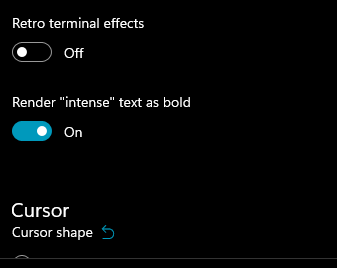
This adds a new setting `intenseTextStyle`. It's a per-appearance, control setting, defaulting to `"all"`.
* When set to `"all"` or `["bold", "bright"]`, then we'll render text as both **bold** and bright (1.10 behavior)
* When set to `"bold"`, `["bold"]`, we'll render text formatted with `^[[1m` as **bold**, but not bright
* When set to `"bright"`, `["bright"]`, we'll render text formatted with `^[[1m` as bright, but not bold. This is the pre 1.10 behavior
* When set to `"none"`, we won't do anything special for it at all.
## references
* I last did this in #10648. This time it's an enum, so we can add bright in the future. It's got positive wording this time.
* ~We will want to add `"bright"` as a value in the future, to disable the auto intense->bright conversion.~ I just did that now.
* #5682 is related
## PR Checklist
* [x] Closes#10576
* [x] I seriously don't think we have an issue for "disable intense is bright", but I'm not crazy, people wanted that, right? https://github.com/microsoft/terminal/issues/2916#issuecomment-544880423 was the closest
* [x] I work here
* [x] Tests added/passed
* [x] https://github.com/MicrosoftDocs/terminal/pull/381
## Validation Steps Performed
<!--  -->
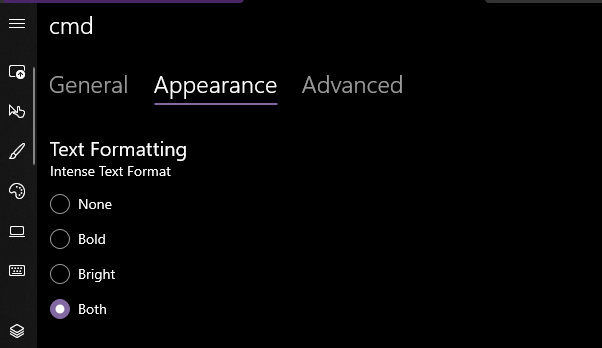
Yea that works. Printed some bold text, toggled it on, the text was no longer bold. hooray.
### EDIT, 10 Aug
```json
"intenseTextStyle": "none",
"intenseTextStyle": "bold",
"intenseTextStyle": "bright",
"intenseTextStyle": "all",
"intenseTextStyle": ["bold", "bright"],
```
all work now. Repro script:
```sh
printf "\e[1m[bold]\e[m[normal]\e[34m[blue]\e[1m[bold blue]\e[m\n"
```
## Summary of the Pull Request
Adds unfocused appearance creation/configuration in the SUI
There is now an 'Unfocused Appearance' section at the bottom of the 'Appearance' tab in a profile. There is a '+' button to create an unfocused appearance if one does not exist, or a delete button to delete the unfocused appearance if one exists (only one of these buttons is visible at a time).
## PR Checklist
* [ ] Closes #xxx
* [x] CLA signed. If not, go over [here](https://cla.opensource.microsoft.com/microsoft/Terminal) and sign the CLA
* [ ] Tests added/passed
* [ ] Documentation updated. If checked, please file a pull request on [our docs repo](https://github.com/MicrosoftDocs/terminal) and link it here: #xxx
* [ ] Schema updated.
* [x] I work here
## Validation Steps Performed

Implements an `Appearances` xaml object and an `AppearanceViewModel` in the SettingsEditor project. Updates `Profiles` to use these new objects for its default appearance.

This is the first step towards getting `UnfocusedAppearance` into the SUI.




