Compare commits
1 Commits
dev/miniks
...
dev/duhowe
| Author | SHA1 | Date | |
|---|---|---|---|

|
00db8704b6 |
@@ -1,93 +0,0 @@
|
||||
|
||||
AccessModifierOffset: -4
|
||||
AlignAfterOpenBracket: Align
|
||||
#AllowAllArgumentsOnNextLine: false
|
||||
AlignConsecutiveAssignments: false
|
||||
AlignConsecutiveDeclarations: false
|
||||
#AllowAllConstructorInitializersOnNextLine: false
|
||||
AlignEscapedNewlines: Left
|
||||
AlignOperands: true
|
||||
AlignTrailingComments: false
|
||||
AllowAllParametersOfDeclarationOnNextLine: false
|
||||
AllowShortFunctionsOnASingleLine: Inline
|
||||
AllowShortCaseLabelsOnASingleLine: false
|
||||
AllowShortIfStatementsOnASingleLine: false
|
||||
#AllowShortLambdasOnASingleLine: Inline
|
||||
AllowShortLoopsOnASingleLine: false
|
||||
AlwaysBreakAfterReturnType: None
|
||||
AlwaysBreakBeforeMultilineStrings: false
|
||||
AlwaysBreakTemplateDeclarations: Yes
|
||||
BinPackArguments: false
|
||||
BinPackParameters: false
|
||||
BraceWrapping:
|
||||
AfterClass: true
|
||||
AfterControlStatement: true
|
||||
AfterEnum: true
|
||||
AfterFunction: true
|
||||
AfterNamespace: true
|
||||
AfterObjCDeclaration: true
|
||||
AfterStruct: true
|
||||
AfterUnion: true
|
||||
AfterExternBlock: false
|
||||
BeforeCatch: true
|
||||
BeforeElse: true
|
||||
IndentBraces: false
|
||||
SplitEmptyFunction: true
|
||||
SplitEmptyRecord: true
|
||||
SplitEmptyNamespace: true
|
||||
BreakBeforeBinaryOperators: None
|
||||
BreakBeforeBraces: Custom
|
||||
BreakBeforeTernaryOperators: false
|
||||
BreakConstructorInitializers: AfterColon
|
||||
BreakInheritanceList: AfterColon
|
||||
ColumnLimit: 0
|
||||
CommentPragmas: "suppress"
|
||||
CompactNamespaces: false
|
||||
ConstructorInitializerAllOnOneLineOrOnePerLine: true
|
||||
ConstructorInitializerIndentWidth: 4
|
||||
ContinuationIndentWidth: 4
|
||||
Cpp11BracedListStyle: false
|
||||
DerivePointerAlignment: false
|
||||
FixNamespaceComments: false
|
||||
IncludeBlocks: Regroup
|
||||
IncludeCategories:
|
||||
- Regex: '^.*(precomp|pch|stdafx)'
|
||||
Priority: -1
|
||||
- Regex: '^".*"'
|
||||
Priority: 1
|
||||
- Regex: '^<.*>'
|
||||
Priority: 2
|
||||
- Regex: '.*'
|
||||
Priority: 3
|
||||
IndentCaseLabels: false
|
||||
IndentPPDirectives: None
|
||||
IndentWidth: 4
|
||||
IndentWrappedFunctionNames: false
|
||||
KeepEmptyLinesAtTheStartOfBlocks: false
|
||||
MacroBlockBegin: "BEGIN_TEST_METHOD_PROPERTIES|BEGIN_MODULE|BEGIN_TEST_CLASS|BEGIN_TEST_METHOD"
|
||||
MacroBlockEnd: "END_TEST_METHOD_PROPERTIES|END_MODULE|END_TEST_CLASS|END_TEST_METHOD"
|
||||
MaxEmptyLinesToKeep: 1
|
||||
NamespaceIndentation: All
|
||||
PointerAlignment: Left
|
||||
ReflowComments: false
|
||||
SortIncludes: false
|
||||
SortUsingDeclarations: true
|
||||
SpaceAfterCStyleCast: false
|
||||
#SpaceAfterLogicalNot: false
|
||||
SpaceAfterTemplateKeyword: false
|
||||
SpaceBeforeAssignmentOperators: true
|
||||
SpaceBeforeCpp11BracedList: false
|
||||
SpaceBeforeCtorInitializerColon: true
|
||||
SpaceBeforeInheritanceColon: true
|
||||
SpaceBeforeParens: ControlStatements
|
||||
SpaceBeforeRangeBasedForLoopColon: true
|
||||
SpaceInEmptyParentheses: false
|
||||
SpacesBeforeTrailingComments: 1
|
||||
SpacesInAngles: false
|
||||
SpacesInCStyleCastParentheses: false
|
||||
SpacesInContainerLiterals: false
|
||||
SpacesInParentheses: false
|
||||
SpacesInSquareBrackets: false
|
||||
Standard: Cpp11
|
||||
TabWidth: 4
|
||||
UseTab: Never
|
||||
21
.github/ISSUE_TEMPLATE/Bug_Report.md
vendored
@@ -1,33 +1,18 @@
|
||||
---
|
||||
name: "Bug report 🐛"
|
||||
name: Bug report 🐛
|
||||
about: Report errors or unexpected behavior
|
||||
title: ''
|
||||
title: "Bug Report"
|
||||
labels: ''
|
||||
assignees: ''
|
||||
|
||||
---
|
||||
|
||||
<!--
|
||||
🚨🚨🚨🚨🚨🚨🚨🚨🚨🚨
|
||||
|
||||
I ACKNOWLEDGE THE FOLLOWING BEFORE PROCEEDING:
|
||||
1. If I delete this entire template and go my own path, the core team may close my issue without further explanation or engagement.
|
||||
2. If I list multiple bugs/concerns in this one issue, the core team may close my issue without further explanation or engagement.
|
||||
3. If I write an issue that has many duplicates, the core team may close my issue without further explanation or engagement (and without necessarily spending time to find the exact duplicate ID number).
|
||||
4. If I leave the title incomplete when filing the issue, the core team may close my issue without further explanation or engagement.
|
||||
5. If I file something completely blank in the body, the core team may close my issue without further explanation or engagement.
|
||||
|
||||
All good? Then proceed!
|
||||
-->
|
||||
|
||||
<!--
|
||||
This bug tracker is monitored by Windows Terminal development team and other technical folks.
|
||||
|
||||
**Important: When reporting BSODs or security issues, DO NOT attach memory dumps, logs, or traces to Github issues**.
|
||||
Instead, send dumps/traces to secure@microsoft.com, referencing this GitHub issue.
|
||||
|
||||
If this is an application crash, please also provide a Feedback Hub submission link so we can find your diagnostic data on the backend. Use the category "Apps > Windows Terminal (Preview)" and choose "Share My Feedback" after submission to get the link.
|
||||
|
||||
Please use this form and describe your issue, concisely but precisely, with as much detail as possible.
|
||||
|
||||
-->
|
||||
@@ -35,7 +20,7 @@ Please use this form and describe your issue, concisely but precisely, with as m
|
||||
# Environment
|
||||
|
||||
```none
|
||||
Windows build number: [run `[Environment]::OSVersion` for powershell, or `ver` for cmd]
|
||||
Windows build number: [run "ver" at a command prompt]
|
||||
Windows Terminal version (if applicable):
|
||||
|
||||
Any other software?
|
||||
|
||||
@@ -1,7 +1,7 @@
|
||||
---
|
||||
name: "Documentation Issue 📚"
|
||||
name: Documentation Issue 📚
|
||||
about: Report issues in our documentation
|
||||
title: ''
|
||||
title: "Documentation Issue"
|
||||
labels: Issue-Docs
|
||||
assignees: ''
|
||||
|
||||
|
||||
56
.github/ISSUE_TEMPLATE/Feature_Request.md
vendored
@@ -1,35 +1,21 @@
|
||||
---
|
||||
name: "Feature Request/Idea 🚀"
|
||||
about: Suggest a new feature or improvement (this does not mean you have to implement
|
||||
it)
|
||||
title: ''
|
||||
labels: Issue-Feature
|
||||
assignees: ''
|
||||
|
||||
---
|
||||
|
||||
<!--
|
||||
🚨🚨🚨🚨🚨🚨🚨🚨🚨🚨
|
||||
|
||||
I ACKNOWLEDGE THE FOLLOWING BEFORE PROCEEDING:
|
||||
1. If I delete this entire template and go my own path, the core team may close my issue without further explanation or engagement.
|
||||
2. If I list multiple bugs/concerns in this one issue, the core team may close my issue without further explanation or engagement.
|
||||
3. If I write an issue that has many duplicates, the core team may close my issue without further explanation or engagement (and without necessarily spending time to find the exact duplicate ID number).
|
||||
4. If I leave the title incomplete when filing the issue, the core team may close my issue without further explanation or engagement.
|
||||
5. If I file something completely blank in the body, the core team may close my issue without further explanation or engagement.
|
||||
|
||||
All good? Then proceed!
|
||||
-->
|
||||
|
||||
# Description of the new feature/enhancement
|
||||
|
||||
<!--
|
||||
A clear and concise description of what the problem is that the new feature would solve.
|
||||
Describe why and how a user would use this new functionality (if applicable).
|
||||
-->
|
||||
|
||||
# Proposed technical implementation details (optional)
|
||||
|
||||
<!--
|
||||
A clear and concise description of what you want to happen.
|
||||
-->
|
||||
---
|
||||
name: Feature Request/Idea 🚀
|
||||
about: Suggest a new feature or improvement (this does not mean you have to implement it)
|
||||
title: "Feature Request"
|
||||
labels: Issue-Feature
|
||||
assignees: ''
|
||||
|
||||
---
|
||||
|
||||
# Summary of the new feature/enhancement
|
||||
|
||||
<!--
|
||||
A clear and concise description of what the problem is that the new feature would solve.
|
||||
Describe why and how a user would use this new functionality (if applicable).
|
||||
-->
|
||||
|
||||
# Proposed technical implementation details (optional)
|
||||
|
||||
<!--
|
||||
A clear and concise description of what you want to happen.
|
||||
-->
|
||||
|
||||
10
.github/ISSUE_TEMPLATE/Guidance_Issue.md
vendored
Normal file
@@ -0,0 +1,10 @@
|
||||
---
|
||||
name: Community Guidance Request ✨
|
||||
about: Suggest somewhere the Windows Terminal Team needs to provide community guidance through new documentation or process.
|
||||
title: "Guidance"
|
||||
labels: Issue-Docs
|
||||
assignees: 'bitcrazed'
|
||||
|
||||
---
|
||||
|
||||
<!-- What needs to change? Who is responsible for it? Why is it an open question? -->
|
||||
6
.github/PULL_REQUEST_TEMPLATE.md
vendored
@@ -9,12 +9,8 @@
|
||||
* [ ] Closes #xxx
|
||||
* [ ] CLA signed. If not, go over [here](https://cla.opensource.microsoft.com/microsoft/Terminal) and sign the CLA
|
||||
* [ ] Tests added/passed
|
||||
* [ ] Documentation updated. If checked, please file a pull request on [our docs repo](https://github.com/MicrosoftDocs/terminal) and link it here: #xxx
|
||||
* [ ] Schema updated.
|
||||
* [ ] Requires documentation to be updated
|
||||
* [ ] I've discussed this with core contributors already. If not checked, I'm ready to accept this work might be rejected in favor of a different grand plan. Issue number where discussion took place: #xxx
|
||||
|
||||
<!-- Provide a more detailed description of the PR, other things fixed or any additional comments/features here -->
|
||||
## Detailed Description of the Pull Request / Additional comments
|
||||
|
||||
<!-- Describe how you validated the behavior. Add automated tests wherever possible, but list manual validation steps taken as well -->
|
||||
## Validation Steps Performed
|
||||
|
||||
15
.github/actions/spelling/README.md
vendored
@@ -1,15 +0,0 @@
|
||||
# check-spelling/check-spelling configuration
|
||||
|
||||
File | Purpose | Format | Info
|
||||
-|-|-|-
|
||||
[allow/*.txt](allow/) | Add words to the dictionary | one word per line (only letters and `'`s allowed) | [allow](https://github.com/check-spelling/check-spelling/wiki/Configuration#allow)
|
||||
[reject.txt](reject.txt) | Remove words from the dictionary (after allow) | grep pattern matching whole dictionary words | [reject](https://github.com/check-spelling/check-spelling/wiki/Configuration-Examples%3A-reject)
|
||||
[excludes.txt](excludes.txt) | Files to ignore entirely | perl regular expression | [excludes](https://github.com/check-spelling/check-spelling/wiki/Configuration-Examples%3A-excludes)
|
||||
[patterns/*.txt](patterns/) | Patterns to ignore from checked lines | perl regular expression (order matters, first match wins) | [patterns](https://github.com/check-spelling/check-spelling/wiki/Configuration-Examples%3A-patterns)
|
||||
[candidate.patterns](candidate.patterns) | Patterns that might be worth adding to [patterns.txt](patterns.txt) | perl regular expression with optional comment block introductions (all matches will be suggested) | [candidates](https://github.com/check-spelling/check-spelling/wiki/Feature:-Suggest-patterns)
|
||||
[line_forbidden.patterns](line_forbidden.patterns) | Patterns to flag in checked lines | perl regular expression (order matters, first match wins) | [patterns](https://github.com/check-spelling/check-spelling/wiki/Configuration-Examples%3A-patterns)
|
||||
[expect/*.txt](expect.txt) | Expected words that aren't in the dictionary | one word per line (sorted, alphabetically) | [expect](https://github.com/check-spelling/check-spelling/wiki/Configuration#expect)
|
||||
[advice.md](advice.md) | Supplement for GitHub comment when unrecognized words are found | GitHub Markdown | [advice](https://github.com/check-spelling/check-spelling/wiki/Configuration-Examples%3A-advice)
|
||||
|
||||
Note: you can replace any of these files with a directory by the same name (minus the suffix)
|
||||
and then include multiple files inside that directory (with that suffix) to merge multiple files together.
|
||||
48
.github/actions/spelling/advice.md
vendored
@@ -1,48 +0,0 @@
|
||||
<!-- See https://github.com/check-spelling/check-spelling/wiki/Configuration-Examples%3A-advice --> <!-- markdownlint-disable MD033 MD041 -->
|
||||
<details>
|
||||
<summary>
|
||||
:pencil2: Contributor please read this
|
||||
</summary>
|
||||
|
||||
By default the command suggestion will generate a file named based on your commit. That's generally ok as long as you add the file to your commit. Someone can reorganize it later.
|
||||
|
||||
:warning: The command is written for posix shells. If it doesn't work for you, you can manually _add_ (one word per line) / _remove_ items to `expect.txt` and the `excludes.txt` files.
|
||||
|
||||
If the listed items are:
|
||||
|
||||
* ... **misspelled**, then please *correct* them instead of using the command.
|
||||
* ... *names*, please add them to `.github/actions/spelling/allow/names.txt`.
|
||||
* ... APIs, you can add them to a file in `.github/actions/spelling/allow/`.
|
||||
* ... just things you're using, please add them to an appropriate file in `.github/actions/spelling/expect/`.
|
||||
* ... tokens you only need in one place and shouldn't *generally be used*, you can add an item in an appropriate file in `.github/actions/spelling/patterns/`.
|
||||
|
||||
See the `README.md` in each directory for more information.
|
||||
|
||||
:microscope: You can test your commits **without** *appending* to a PR by creating a new branch with that extra change and pushing it to your fork. The [check-spelling](https://github.com/marketplace/actions/check-spelling) action will run in response to your **push** -- it doesn't require an open pull request. By using such a branch, you can limit the number of typos your peers see you make. :wink:
|
||||
|
||||
|
||||
<details><summary>If the flagged items are :exploding_head: false positives</summary>
|
||||
|
||||
If items relate to a ...
|
||||
* binary file (or some other file you wouldn't want to check at all).
|
||||
|
||||
Please add a file path to the `excludes.txt` file matching the containing file.
|
||||
|
||||
File paths are Perl 5 Regular Expressions - you can [test](
|
||||
https://www.regexplanet.com/advanced/perl/) yours before committing to verify it will match your files.
|
||||
|
||||
`^` refers to the file's path from the root of the repository, so `^README\.md$` would exclude [README.md](
|
||||
../tree/HEAD/README.md) (on whichever branch you're using).
|
||||
|
||||
* well-formed pattern.
|
||||
|
||||
If you can write a [pattern](https://github.com/check-spelling/check-spelling/wiki/Configuration-Examples:-patterns) that would match it,
|
||||
try adding it to the `patterns.txt` file.
|
||||
|
||||
Patterns are Perl 5 Regular Expressions - you can [test](
|
||||
https://www.regexplanet.com/advanced/perl/) yours before committing to verify it will match your lines.
|
||||
|
||||
Note that patterns can't match multiline strings.
|
||||
</details>
|
||||
|
||||
</details>
|
||||
21
.github/actions/spelling/allow/README.md
vendored
@@ -1,21 +0,0 @@
|
||||
# Allow files are lists of words to accept unconditionally
|
||||
|
||||
While check spelling will complain about an expected word
|
||||
which is no longer present, you can include things here even if
|
||||
they are not otherwise present in the repository.
|
||||
|
||||
E.g., you could include a list of system APIs here, or potential
|
||||
contributors (so that if a future commit includes their name,
|
||||
it'll be accepted).
|
||||
|
||||
## Files
|
||||
|
||||
| File | Description |
|
||||
| ---- | ----------- |
|
||||
| [Allow](allow.txt) | Supplements to the dictionary |
|
||||
| [Chinese](chinese.txt) | Chinese words |
|
||||
| [Japanese](japanese.txt) | Japanese words |
|
||||
| [Microsoft](microsoft.txt) | Microsoft brand items |
|
||||
| [Fonts](fonts.txt) | Font names |
|
||||
| [Names](names.txt) | Names of people |
|
||||
| [Colors](colors.txt) | Names of color |
|
||||
108
.github/actions/spelling/allow/allow.txt
vendored
@@ -1,108 +0,0 @@
|
||||
admins
|
||||
allcolors
|
||||
Apc
|
||||
apc
|
||||
breadcrumb
|
||||
breadcrumbs
|
||||
bsd
|
||||
calt
|
||||
ccmp
|
||||
changelog
|
||||
clickable
|
||||
clig
|
||||
CMMI
|
||||
copyable
|
||||
cybersecurity
|
||||
dalet
|
||||
Dcs
|
||||
dcs
|
||||
dialytika
|
||||
dje
|
||||
downside
|
||||
downsides
|
||||
dze
|
||||
dzhe
|
||||
EDDB
|
||||
EDDC
|
||||
Enum'd
|
||||
Fitt
|
||||
formattings
|
||||
FTCS
|
||||
ftp
|
||||
fvar
|
||||
gantt
|
||||
gcc
|
||||
geeksforgeeks
|
||||
ghe
|
||||
github
|
||||
gje
|
||||
godbolt
|
||||
hostname
|
||||
hostnames
|
||||
https
|
||||
hyperlink
|
||||
hyperlinking
|
||||
hyperlinks
|
||||
iconify
|
||||
img
|
||||
inlined
|
||||
It'd
|
||||
kje
|
||||
libfuzzer
|
||||
libuv
|
||||
liga
|
||||
lje
|
||||
Llast
|
||||
llvm
|
||||
Lmid
|
||||
locl
|
||||
lol
|
||||
lorem
|
||||
Lorigin
|
||||
maxed
|
||||
minimalistic
|
||||
mkmk
|
||||
mnt
|
||||
mru
|
||||
nje
|
||||
noreply
|
||||
ogonek
|
||||
ok'd
|
||||
overlined
|
||||
pipeline
|
||||
postmodern
|
||||
ptys
|
||||
qof
|
||||
qps
|
||||
rclt
|
||||
reimplementation
|
||||
reserialization
|
||||
reserialize
|
||||
reserializes
|
||||
rlig
|
||||
runtimes
|
||||
shcha
|
||||
slnt
|
||||
Sos
|
||||
ssh
|
||||
timeline
|
||||
timelines
|
||||
timestamped
|
||||
TLDR
|
||||
tokenizes
|
||||
tonos
|
||||
toolset
|
||||
tshe
|
||||
ubuntu
|
||||
uiatextrange
|
||||
UIs
|
||||
und
|
||||
unregister
|
||||
versioned
|
||||
vsdevcmd
|
||||
We'd
|
||||
wildcards
|
||||
XBox
|
||||
YBox
|
||||
yeru
|
||||
zhe
|
||||
248
.github/actions/spelling/allow/apis.txt
vendored
@@ -1,248 +0,0 @@
|
||||
ACCEPTFILES
|
||||
ACCESSDENIED
|
||||
acl
|
||||
aclapi
|
||||
alignas
|
||||
alignof
|
||||
APPLYTOSUBMENUS
|
||||
appxrecipe
|
||||
bitfield
|
||||
bitfields
|
||||
BUILDBRANCH
|
||||
BUILDMSG
|
||||
BUILDNUMBER
|
||||
BYCOMMAND
|
||||
BYPOSITION
|
||||
charconv
|
||||
CLASSNOTAVAILABLE
|
||||
CLOSEAPP
|
||||
cmdletbinding
|
||||
COLORPROPERTY
|
||||
colspan
|
||||
COMDLG
|
||||
commandlinetoargv
|
||||
comparand
|
||||
cstdint
|
||||
CXICON
|
||||
CYICON
|
||||
Dacl
|
||||
dataobject
|
||||
dcomp
|
||||
DERR
|
||||
dlldata
|
||||
DNE
|
||||
DONTADDTORECENT
|
||||
DWMSBT
|
||||
DWMWA
|
||||
DWMWA
|
||||
DWORDLONG
|
||||
endfor
|
||||
ENDSESSION
|
||||
enumset
|
||||
environstrings
|
||||
EXPCMDFLAGS
|
||||
EXPCMDSTATE
|
||||
filetime
|
||||
FILTERSPEC
|
||||
FORCEFILESYSTEM
|
||||
FORCEMINIMIZE
|
||||
frac
|
||||
fullkbd
|
||||
futex
|
||||
GETDESKWALLPAPER
|
||||
GETHIGHCONTRAST
|
||||
GETMOUSEHOVERTIME
|
||||
Hashtable
|
||||
HIGHCONTRASTON
|
||||
HIGHCONTRASTW
|
||||
hotkeys
|
||||
href
|
||||
hrgn
|
||||
HTCLOSE
|
||||
hwinsta
|
||||
HWINSTA
|
||||
IActivation
|
||||
IApp
|
||||
IAppearance
|
||||
IAsync
|
||||
IBind
|
||||
IBox
|
||||
IClass
|
||||
IComparable
|
||||
IComparer
|
||||
IConnection
|
||||
ICustom
|
||||
IDialog
|
||||
IDirect
|
||||
IExplorer
|
||||
IFACEMETHOD
|
||||
IFile
|
||||
IGraphics
|
||||
IInheritable
|
||||
IMap
|
||||
IMonarch
|
||||
IObject
|
||||
iosfwd
|
||||
IPackage
|
||||
IPeasant
|
||||
ISetup
|
||||
isspace
|
||||
IStorage
|
||||
istream
|
||||
IStringable
|
||||
ITab
|
||||
ITaskbar
|
||||
itow
|
||||
IUri
|
||||
IVirtual
|
||||
KEYSELECT
|
||||
LCID
|
||||
llabs
|
||||
llu
|
||||
localtime
|
||||
lround
|
||||
Lsa
|
||||
lsass
|
||||
LSHIFT
|
||||
LTGRAY
|
||||
MAINWINDOW
|
||||
memchr
|
||||
memicmp
|
||||
MENUCOMMAND
|
||||
MENUDATA
|
||||
MENUINFO
|
||||
MENUITEMINFOW
|
||||
mmeapi
|
||||
MOUSELEAVE
|
||||
mov
|
||||
mptt
|
||||
msappx
|
||||
MULTIPLEUSE
|
||||
NCHITTEST
|
||||
NCLBUTTONDBLCLK
|
||||
NCMOUSELEAVE
|
||||
NCMOUSEMOVE
|
||||
NCRBUTTONDBLCLK
|
||||
NIF
|
||||
NIN
|
||||
NOAGGREGATION
|
||||
NOASYNC
|
||||
NOCHANGEDIR
|
||||
NOPROGRESS
|
||||
NOREDIRECTIONBITMAP
|
||||
NOREPEAT
|
||||
NOTIFYBYPOS
|
||||
NOTIFYICON
|
||||
NOTIFYICONDATA
|
||||
ntprivapi
|
||||
oaidl
|
||||
ocidl
|
||||
ODR
|
||||
offsetof
|
||||
ofstream
|
||||
onefuzz
|
||||
osver
|
||||
OSVERSIONINFOEXW
|
||||
otms
|
||||
OUTLINETEXTMETRICW
|
||||
overridable
|
||||
PACL
|
||||
PAGESCROLL
|
||||
PATINVERT
|
||||
PEXPLICIT
|
||||
PICKFOLDERS
|
||||
pmr
|
||||
ptstr
|
||||
QUERYENDSESSION
|
||||
rcx
|
||||
REGCLS
|
||||
RETURNCMD
|
||||
rfind
|
||||
ROOTOWNER
|
||||
roundf
|
||||
RSHIFT
|
||||
SACL
|
||||
schandle
|
||||
semver
|
||||
serializer
|
||||
SETVERSION
|
||||
SHELLEXECUTEINFOW
|
||||
shobjidl
|
||||
SHOWHIDE
|
||||
SHOWMINIMIZED
|
||||
SHOWTIP
|
||||
SINGLEUSE
|
||||
SIZENS
|
||||
smoothstep
|
||||
snprintf
|
||||
spsc
|
||||
sregex
|
||||
SRWLOC
|
||||
SRWLOCK
|
||||
STDCPP
|
||||
STDMETHOD
|
||||
strchr
|
||||
strcpy
|
||||
streambuf
|
||||
strtoul
|
||||
Stubless
|
||||
Subheader
|
||||
Subpage
|
||||
syscall
|
||||
SYSTEMBACKDROP
|
||||
TABROW
|
||||
TASKBARCREATED
|
||||
TBPF
|
||||
THEMECHANGED
|
||||
tlg
|
||||
TME
|
||||
tmp
|
||||
tmpdir
|
||||
tolower
|
||||
toupper
|
||||
TRACKMOUSEEVENT
|
||||
TTask
|
||||
TVal
|
||||
UChar
|
||||
UFIELD
|
||||
ULARGE
|
||||
UOI
|
||||
UPDATEINIFILE
|
||||
userenv
|
||||
USEROBJECTFLAGS
|
||||
Viewbox
|
||||
virtualalloc
|
||||
wcsstr
|
||||
wcstoui
|
||||
winmain
|
||||
winsta
|
||||
winstamin
|
||||
wmemcmp
|
||||
wpc
|
||||
WSF
|
||||
wsregex
|
||||
wwinmain
|
||||
xchg
|
||||
XDocument
|
||||
XElement
|
||||
xfacet
|
||||
xhash
|
||||
XIcon
|
||||
xiosbase
|
||||
xlocale
|
||||
xlocbuf
|
||||
xlocinfo
|
||||
xlocmes
|
||||
xlocmon
|
||||
xlocnum
|
||||
xloctime
|
||||
XMax
|
||||
xmemory
|
||||
XParse
|
||||
xpath
|
||||
xstddef
|
||||
xstring
|
||||
xtree
|
||||
xutility
|
||||
YIcon
|
||||
YMax
|
||||
5
.github/actions/spelling/allow/chinese.txt
vendored
@@ -1,5 +0,0 @@
|
||||
CHINESEBIG
|
||||
choseong
|
||||
Jongseong
|
||||
Jungseong
|
||||
ssangtikeut
|
||||
117
.github/actions/spelling/allow/colors.txt
vendored
@@ -1,117 +0,0 @@
|
||||
alice
|
||||
aliceblue
|
||||
antiquewhite
|
||||
blanchedalmond
|
||||
blueviolet
|
||||
burlywood
|
||||
cadetblue
|
||||
cornflowerblue
|
||||
cornsilk
|
||||
cyan
|
||||
darkblue
|
||||
darkcyan
|
||||
darkgoldenrod
|
||||
darkgray
|
||||
darkgreen
|
||||
darkgrey
|
||||
darkkhaki
|
||||
darkmagenta
|
||||
darkolivegreen
|
||||
darkorange
|
||||
darkorchid
|
||||
darkred
|
||||
darksalmon
|
||||
darkseagreen
|
||||
darkslateblue
|
||||
darkslategray
|
||||
darkslategrey
|
||||
darkturquoise
|
||||
darkviolet
|
||||
deeppink
|
||||
deepskyblue
|
||||
dimgray
|
||||
dimgrey
|
||||
dodgerblue
|
||||
firebrick
|
||||
floralwhite
|
||||
forestgreen
|
||||
gainsboro
|
||||
ghostwhite
|
||||
greenyellow
|
||||
hotpink
|
||||
indian
|
||||
indianred
|
||||
lavenderblush
|
||||
lawngreen
|
||||
lemonchiffon
|
||||
lightblue
|
||||
lightcoral
|
||||
lightcyan
|
||||
lightgoldenrod
|
||||
lightgoldenrodyellow
|
||||
lightgray
|
||||
lightgreen
|
||||
lightgrey
|
||||
lightpink
|
||||
lightsalmon
|
||||
lightseagreen
|
||||
lightskyblue
|
||||
lightslateblue
|
||||
lightslategray
|
||||
lightslategrey
|
||||
lightsteelblue
|
||||
lightyellow
|
||||
limegreen
|
||||
mediumaquamarine
|
||||
mediumblue
|
||||
mediumorchid
|
||||
mediumpurple
|
||||
mediumseagreen
|
||||
mediumslateblue
|
||||
mediumspringgreen
|
||||
mediumturquoise
|
||||
mediumvioletred
|
||||
midnightblue
|
||||
mintcream
|
||||
mistyrose
|
||||
navajo
|
||||
navajowhite
|
||||
navyblue
|
||||
oldlace
|
||||
olivedrab
|
||||
orangered
|
||||
palegoldenrod
|
||||
palegreen
|
||||
paleturquoise
|
||||
palevioletred
|
||||
papayawhip
|
||||
peachpuff
|
||||
peru
|
||||
powderblue
|
||||
rebecca
|
||||
rebeccapurple
|
||||
rosybrown
|
||||
royalblue
|
||||
saddlebrown
|
||||
sandybrown
|
||||
seagreen
|
||||
sienna
|
||||
skyblue
|
||||
slateblue
|
||||
slategray
|
||||
slategrey
|
||||
springgreen
|
||||
steelblue
|
||||
violetred
|
||||
webgray
|
||||
webgreen
|
||||
webgrey
|
||||
webmaroon
|
||||
webpurple
|
||||
whitesmoke
|
||||
xaroon
|
||||
xray
|
||||
xreen
|
||||
xrey
|
||||
xurple
|
||||
yellowgreen
|
||||
10
.github/actions/spelling/allow/fonts.txt
vendored
@@ -1,10 +0,0 @@
|
||||
Consolas
|
||||
emoji
|
||||
emojis
|
||||
Extralight
|
||||
Gabriola
|
||||
Iosevka
|
||||
MDL
|
||||
Monofur
|
||||
Segoe
|
||||
wght
|
||||
4
.github/actions/spelling/allow/japanese.txt
vendored
@@ -1,4 +0,0 @@
|
||||
arigatoo
|
||||
doomo
|
||||
Kaomojis
|
||||
TATEGAKI
|
||||
11
.github/actions/spelling/allow/math.txt
vendored
@@ -1,11 +0,0 @@
|
||||
atan
|
||||
CPrime
|
||||
HBar
|
||||
HPrime
|
||||
isnan
|
||||
LPrime
|
||||
LStep
|
||||
powf
|
||||
RSub
|
||||
sqrtf
|
||||
ULP
|
||||
85
.github/actions/spelling/allow/microsoft.txt
vendored
@@ -1,85 +0,0 @@
|
||||
ACLs
|
||||
ADMINS
|
||||
advapi
|
||||
altform
|
||||
altforms
|
||||
appendwttlogging
|
||||
appx
|
||||
appxbundle
|
||||
appxerror
|
||||
appxmanifest
|
||||
ATL
|
||||
backplating
|
||||
bitmaps
|
||||
BOMs
|
||||
CPLs
|
||||
cpptools
|
||||
cppvsdbg
|
||||
CPRs
|
||||
cryptbase
|
||||
DACL
|
||||
DACLs
|
||||
defaultlib
|
||||
diffs
|
||||
disposables
|
||||
dotnetfeed
|
||||
DTDs
|
||||
DWINRT
|
||||
enablewttlogging
|
||||
Intelli
|
||||
IVisual
|
||||
libucrt
|
||||
libucrtd
|
||||
LKG
|
||||
LOCKFILE
|
||||
Lxss
|
||||
mfcribbon
|
||||
microsoft
|
||||
microsoftonline
|
||||
MSAA
|
||||
msixbundle
|
||||
MSVC
|
||||
MSVCP
|
||||
muxc
|
||||
netcore
|
||||
Onefuzz
|
||||
osgvsowi
|
||||
PFILETIME
|
||||
pgc
|
||||
pgo
|
||||
pgosweep
|
||||
powerrename
|
||||
powershell
|
||||
propkey
|
||||
pscustomobject
|
||||
QWORD
|
||||
regedit
|
||||
robocopy
|
||||
SACLs
|
||||
sdkddkver
|
||||
Shobjidl
|
||||
Skype
|
||||
SRW
|
||||
sxs
|
||||
Sysinternals
|
||||
sysnative
|
||||
systemroot
|
||||
taskkill
|
||||
tasklist
|
||||
tdbuildteamid
|
||||
ucrt
|
||||
ucrtd
|
||||
unvirtualized
|
||||
VCRT
|
||||
vcruntime
|
||||
Virtualization
|
||||
visualstudio
|
||||
vscode
|
||||
VSTHRD
|
||||
winsdkver
|
||||
wlk
|
||||
wslpath
|
||||
wtl
|
||||
wtt
|
||||
wttlog
|
||||
Xamarin
|
||||
91
.github/actions/spelling/allow/names.txt
vendored
@@ -1,91 +0,0 @@
|
||||
Anup
|
||||
austdi
|
||||
arkthur
|
||||
Ballmer
|
||||
bhoj
|
||||
Bhojwani
|
||||
Bluloco
|
||||
carlos
|
||||
dhowett
|
||||
Diviness
|
||||
dsafa
|
||||
duhowett
|
||||
DXP
|
||||
ekg
|
||||
eryksun
|
||||
ethanschoonover
|
||||
Firefox
|
||||
Gatta
|
||||
glsl
|
||||
Gravell
|
||||
Grie
|
||||
Griese
|
||||
Hernan
|
||||
Howett
|
||||
Illhardt
|
||||
iquilezles
|
||||
italo
|
||||
jantari
|
||||
jerrysh
|
||||
Kaiyu
|
||||
kimwalisch
|
||||
KMehrain
|
||||
KODELIFE
|
||||
Kodelife
|
||||
Kourosh
|
||||
kowalczyk
|
||||
leonmsft
|
||||
Lepilleur
|
||||
lhecker
|
||||
lukesampson
|
||||
Macbook
|
||||
Manandhar
|
||||
masserano
|
||||
mbadolato
|
||||
Mehrain
|
||||
menger
|
||||
mgravell
|
||||
michaelniksa
|
||||
michkap
|
||||
migrie
|
||||
mikegr
|
||||
mikemaccana
|
||||
miloush
|
||||
miniksa
|
||||
niksa
|
||||
nvaccess
|
||||
nvda
|
||||
oising
|
||||
oldnewthing
|
||||
opengl
|
||||
osgwiki
|
||||
pabhojwa
|
||||
panos
|
||||
paulcam
|
||||
pauldotknopf
|
||||
PGP
|
||||
Pham
|
||||
Rincewind
|
||||
rprichard
|
||||
Schoonover
|
||||
shadertoy
|
||||
Shomnipotence
|
||||
simioni
|
||||
Somuah
|
||||
sonph
|
||||
sonpham
|
||||
stakx
|
||||
talo
|
||||
thereses
|
||||
Walisch
|
||||
WDX
|
||||
Wellons
|
||||
Wirt
|
||||
Wojciech
|
||||
zadjii
|
||||
Zamor
|
||||
Zamora
|
||||
zamora
|
||||
Zoey
|
||||
zorio
|
||||
Zverovich
|
||||
523
.github/actions/spelling/candidate.patterns
vendored
@@ -1,523 +0,0 @@
|
||||
# marker to ignore all code on line
|
||||
^.*/\* #no-spell-check-line \*/.*$
|
||||
# marker for ignoring a comment to the end of the line
|
||||
// #no-spell-check.*$
|
||||
|
||||
# patch hunk comments
|
||||
^\@\@ -\d+(?:,\d+|) \+\d+(?:,\d+|) \@\@ .*
|
||||
# git index header
|
||||
index [0-9a-z]{7,40}\.\.[0-9a-z]{7,40}
|
||||
|
||||
# cid urls
|
||||
(['"])cid:.*?\g{-1}
|
||||
|
||||
# data url in parens
|
||||
\(data:[^)]*?(?:[A-Z]{3,}|[A-Z][a-z]{2,}|[a-z]{3,})[^)]*\)
|
||||
# data url in quotes
|
||||
([`'"])data:.*?(?:[A-Z]{3,}|[A-Z][a-z]{2,}|[a-z]{3,}).*\g{-1}
|
||||
# data url
|
||||
data:[-a-zA-Z=;:/0-9+]*,\S*
|
||||
|
||||
# mailto urls
|
||||
mailto:[-a-zA-Z=;:/?%&0-9+@.]{3,}
|
||||
|
||||
# magnet urls
|
||||
magnet:[?=:\w]+
|
||||
|
||||
# magnet urls
|
||||
"magnet:[^"]+"
|
||||
|
||||
# obs:
|
||||
"obs:[^"]*"
|
||||
|
||||
# The `\b` here means a break, it's the fancy way to handle urls, but it makes things harder to read
|
||||
# In this examples content, I'm using a number of different ways to match things to show various approaches
|
||||
# asciinema
|
||||
\basciinema\.org/a/[0-9a-zA-Z]+
|
||||
|
||||
# apple
|
||||
\bdeveloper\.apple\.com/[-\w?=/]+
|
||||
# Apple music
|
||||
\bembed\.music\.apple\.com/fr/playlist/usr-share/[-\w.]+
|
||||
|
||||
# appveyor api
|
||||
\bci\.appveyor\.com/api/projects/status/[0-9a-z]+
|
||||
# appveyor project
|
||||
\bci\.appveyor\.com/project/(?:[^/\s"]*/){2}builds?/\d+/job/[0-9a-z]+
|
||||
|
||||
# Amazon
|
||||
|
||||
# Amazon
|
||||
\bamazon\.com/[-\w]+/(?:dp/[0-9A-Z]+|)
|
||||
# AWS S3
|
||||
\b\w*\.s3[^.]*\.amazonaws\.com/[-\w/&#%_?:=]*
|
||||
# AWS execute-api
|
||||
\b[0-9a-z]{10}\.execute-api\.[-0-9a-z]+\.amazonaws\.com\b
|
||||
# AWS ELB
|
||||
\b\w+\.[-0-9a-z]+\.elb\.amazonaws\.com\b
|
||||
# AWS SNS
|
||||
\bsns\.[-0-9a-z]+.amazonaws\.com/[-\w/&#%_?:=]*
|
||||
# AWS VPC
|
||||
vpc-\w+
|
||||
|
||||
# While you could try to match `http://` and `https://` by using `s?` in `https?://`, sometimes there
|
||||
# YouTube url
|
||||
\b(?:(?:www\.|)youtube\.com|youtu.be)/(?:channel/|embed/|user/|playlist\?list=|watch\?v=|v/|)[-a-zA-Z0-9?&=_%]*
|
||||
# YouTube music
|
||||
\bmusic\.youtube\.com/youtubei/v1/browse(?:[?&]\w+=[-a-zA-Z0-9?&=_]*)
|
||||
# YouTube tag
|
||||
<\s*youtube\s+id=['"][-a-zA-Z0-9?_]*['"]
|
||||
# YouTube image
|
||||
\bimg\.youtube\.com/vi/[-a-zA-Z0-9?&=_]*
|
||||
# Google Accounts
|
||||
\baccounts.google.com/[-_/?=.:;+%&0-9a-zA-Z]*
|
||||
# Google Analytics
|
||||
\bgoogle-analytics\.com/collect.[-0-9a-zA-Z?%=&_.~]*
|
||||
# Google APIs
|
||||
\bgoogleapis\.(?:com|dev)/[a-z]+/(?:v\d+/|)[a-z]+/[-@:./?=\w+|&]+
|
||||
# Google Storage
|
||||
\b[-a-zA-Z0-9.]*\bstorage\d*\.googleapis\.com(?:/\S*|)
|
||||
# Google Calendar
|
||||
\bcalendar\.google\.com/calendar(?:/u/\d+|)/embed\?src=[@./?=\w&%]+
|
||||
\w+\@group\.calendar\.google\.com\b
|
||||
# Google DataStudio
|
||||
\bdatastudio\.google\.com/(?:(?:c/|)u/\d+/|)(?:embed/|)(?:open|reporting|datasources|s)/[-0-9a-zA-Z]+(?:/page/[-0-9a-zA-Z]+|)
|
||||
# The leading `/` here is as opposed to the `\b` above
|
||||
# ... a short way to match `https://` or `http://` since most urls have one of those prefixes
|
||||
# Google Docs
|
||||
/docs\.google\.com/[a-z]+/(?:ccc\?key=\w+|(?:u/\d+|d/(?:e/|)[0-9a-zA-Z_-]+/)?(?:edit\?[-\w=#.]*|/\?[\w=&]*|))
|
||||
# Google Drive
|
||||
\bdrive\.google\.com/(?:file/d/|open)[-0-9a-zA-Z_?=]*
|
||||
# Google Groups
|
||||
\bgroups\.google\.com/(?:(?:forum/#!|d/)(?:msg|topics?|searchin)|a)/[^/\s"]+/[-a-zA-Z0-9$]+(?:/[-a-zA-Z0-9]+)*
|
||||
# Google Maps
|
||||
\bmaps\.google\.com/maps\?[\w&;=]*
|
||||
# Google themes
|
||||
themes\.googleusercontent\.com/static/fonts/[^/\s"]+/v\d+/[^.]+.
|
||||
# Google CDN
|
||||
\bclients2\.google(?:usercontent|)\.com[-0-9a-zA-Z/.]*
|
||||
# Goo.gl
|
||||
/goo\.gl/[a-zA-Z0-9]+
|
||||
# Google Chrome Store
|
||||
\bchrome\.google\.com/webstore/detail/[-\w]*(?:/\w*|)
|
||||
# Google Books
|
||||
\bgoogle\.(?:\w{2,4})/books(?:/\w+)*\?[-\w\d=&#.]*
|
||||
# Google Fonts
|
||||
\bfonts\.(?:googleapis|gstatic)\.com/[-/?=:;+&0-9a-zA-Z]*
|
||||
# Google Forms
|
||||
\bforms\.gle/\w+
|
||||
# Google Scholar
|
||||
\bscholar\.google\.com/citations\?user=[A-Za-z0-9_]+
|
||||
# Google Colab Research Drive
|
||||
\bcolab\.research\.google\.com/drive/[-0-9a-zA-Z_?=]*
|
||||
|
||||
# GitHub SHAs (api)
|
||||
\bapi.github\.com/repos(?:/[^/\s"]+){3}/[0-9a-f]+\b
|
||||
# GitHub SHAs (markdown)
|
||||
(?:\[`?[0-9a-f]+`?\]\(https:/|)/(?:www\.|)github\.com(?:/[^/\s"]+){2,}(?:/[^/\s")]+)(?:[0-9a-f]+(?:[-0-9a-zA-Z/#.]*|)\b|)
|
||||
# GitHub SHAs
|
||||
\bgithub\.com(?:/[^/\s"]+){2}[@#][0-9a-f]+\b
|
||||
# GitHub wiki
|
||||
\bgithub\.com/(?:[^/]+/){2}wiki/(?:(?:[^/]+/|)_history|[^/]+(?:/_compare|)/[0-9a-f.]{40,})\b
|
||||
# githubusercontent
|
||||
/[-a-z0-9]+\.githubusercontent\.com/[-a-zA-Z0-9?&=_\/.]*
|
||||
# githubassets
|
||||
\bgithubassets.com/[0-9a-f]+(?:[-/\w.]+)
|
||||
# gist github
|
||||
\bgist\.github\.com/[^/\s"]+/[0-9a-f]+
|
||||
# git.io
|
||||
\bgit\.io/[0-9a-zA-Z]+
|
||||
# GitHub JSON
|
||||
"node_id": "[-a-zA-Z=;:/0-9+]*"
|
||||
# Contributor
|
||||
\[[^\]]+\]\(https://github\.com/[^/\s"]+\)
|
||||
# GHSA
|
||||
GHSA(?:-[0-9a-z]{4}){3}
|
||||
|
||||
# GitLab commit
|
||||
\bgitlab\.[^/\s"]*/\S+/\S+/commit/[0-9a-f]{7,16}#[0-9a-f]{40}\b
|
||||
# GitLab merge requests
|
||||
\bgitlab\.[^/\s"]*/\S+/\S+/-/merge_requests/\d+/diffs#[0-9a-f]{40}\b
|
||||
# GitLab uploads
|
||||
\bgitlab\.[^/\s"]*/uploads/[-a-zA-Z=;:/0-9+]*
|
||||
# GitLab commits
|
||||
\bgitlab\.[^/\s"]*/(?:[^/\s"]+/){2}commits?/[0-9a-f]+\b
|
||||
|
||||
# binanace
|
||||
accounts.binance.com/[a-z/]*oauth/authorize\?[-0-9a-zA-Z&%]*
|
||||
|
||||
# bitbucket diff
|
||||
\bapi\.bitbucket\.org/\d+\.\d+/repositories/(?:[^/\s"]+/){2}diff(?:stat|)(?:/[^/\s"]+){2}:[0-9a-f]+
|
||||
# bitbucket repositories commits
|
||||
\bapi\.bitbucket\.org/\d+\.\d+/repositories/(?:[^/\s"]+/){2}commits?/[0-9a-f]+
|
||||
# bitbucket commits
|
||||
\bbitbucket\.org/(?:[^/\s"]+/){2}commits?/[0-9a-f]+
|
||||
|
||||
# bit.ly
|
||||
\bbit\.ly/\w+
|
||||
|
||||
# bitrise
|
||||
\bapp\.bitrise\.io/app/[0-9a-f]*/[\w.?=&]*
|
||||
|
||||
# bootstrapcdn.com
|
||||
\bbootstrapcdn\.com/[-./\w]+
|
||||
|
||||
# cdn.cloudflare.com
|
||||
\bcdnjs\.cloudflare\.com/[./\w]+
|
||||
|
||||
# circleci
|
||||
\bcircleci\.com/gh(?:/[^/\s"]+){1,5}.[a-z]+\?[-0-9a-zA-Z=&]+
|
||||
|
||||
# gitter
|
||||
\bgitter\.im(?:/[^/\s"]+){2}\?at=[0-9a-f]+
|
||||
|
||||
# gravatar
|
||||
\bgravatar\.com/avatar/[0-9a-f]+
|
||||
|
||||
# ibm
|
||||
[a-z.]*ibm\.com/[-_#=:%!?~.\\/\d\w]*
|
||||
|
||||
# imgur
|
||||
\bimgur\.com/[^.]+
|
||||
|
||||
# Internet Archive
|
||||
\barchive\.org/web/\d+/(?:[-\w.?,'/\\+&%$#_:]*)
|
||||
|
||||
# discord
|
||||
/discord(?:app\.com|\.gg)/(?:invite/)?[a-zA-Z0-9]{7,}
|
||||
|
||||
# Disqus
|
||||
\bdisqus\.com/[-\w/%.()!?&=_]*
|
||||
|
||||
# medium link
|
||||
\blink\.medium\.com/[a-zA-Z0-9]+
|
||||
# medium
|
||||
\bmedium\.com/\@?[^/\s"]+/[-\w]+
|
||||
|
||||
# microsoft
|
||||
\b(?:https?://|)(?:(?:download\.visualstudio|docs|msdn2?|research)\.microsoft|blogs\.msdn)\.com/[-_a-zA-Z0-9()=./%]*
|
||||
# powerbi
|
||||
\bapp\.powerbi\.com/reportEmbed/[^"' ]*
|
||||
# vs devops
|
||||
\bvisualstudio.com(?::443|)/[-\w/?=%&.]*
|
||||
# microsoft store
|
||||
\bmicrosoft\.com/store/apps/\w+
|
||||
|
||||
# mvnrepository.com
|
||||
\bmvnrepository\.com/[-0-9a-z./]+
|
||||
|
||||
# now.sh
|
||||
/[0-9a-z-.]+\.now\.sh\b
|
||||
|
||||
# oracle
|
||||
\bdocs\.oracle\.com/[-0-9a-zA-Z./_?#&=]*
|
||||
|
||||
# chromatic.com
|
||||
/\S+.chromatic.com\S*[")]
|
||||
|
||||
# codacy
|
||||
\bapi\.codacy\.com/project/badge/Grade/[0-9a-f]+
|
||||
|
||||
# compai
|
||||
\bcompai\.pub/v1/png/[0-9a-f]+
|
||||
|
||||
# mailgun api
|
||||
\.api\.mailgun\.net/v3/domains/[0-9a-z]+\.mailgun.org/messages/[0-9a-zA-Z=@]*
|
||||
# mailgun
|
||||
\b[0-9a-z]+.mailgun.org
|
||||
|
||||
# /message-id/
|
||||
/message-id/[-\w@./%]+
|
||||
|
||||
# Reddit
|
||||
\breddit\.com/r/[/\w_]*
|
||||
|
||||
# requestb.in
|
||||
\brequestb\.in/[0-9a-z]+
|
||||
|
||||
# sched
|
||||
\b[a-z0-9]+\.sched\.com\b
|
||||
|
||||
# Slack url
|
||||
slack://[a-zA-Z0-9?&=]+
|
||||
# Slack
|
||||
\bslack\.com/[-0-9a-zA-Z/_~?&=.]*
|
||||
# Slack edge
|
||||
\bslack-edge\.com/[-a-zA-Z0-9?&=%./]+
|
||||
# Slack images
|
||||
\bslack-imgs\.com/[-a-zA-Z0-9?&=%.]+
|
||||
|
||||
# shields.io
|
||||
\bshields\.io/[-\w/%?=&.:+;,]*
|
||||
|
||||
# stackexchange -- https://stackexchange.com/feeds/sites
|
||||
\b(?:askubuntu|serverfault|stack(?:exchange|overflow)|superuser).com/(?:questions/\w+/[-\w]+|a/)
|
||||
|
||||
# Sentry
|
||||
[0-9a-f]{32}\@o\d+\.ingest\.sentry\.io\b
|
||||
|
||||
# Twitter markdown
|
||||
\[\@[^[/\]:]*?\]\(https://twitter.com/[^/\s"')]*(?:/status/\d+(?:\?[-_0-9a-zA-Z&=]*|)|)\)
|
||||
# Twitter hashtag
|
||||
\btwitter\.com/hashtag/[\w?_=&]*
|
||||
# Twitter status
|
||||
\btwitter\.com/[^/\s"')]*(?:/status/\d+(?:\?[-_0-9a-zA-Z&=]*|)|)
|
||||
# Twitter profile images
|
||||
\btwimg\.com/profile_images/[_\w./]*
|
||||
# Twitter media
|
||||
\btwimg\.com/media/[-_\w./?=]*
|
||||
# Twitter link shortened
|
||||
\bt\.co/\w+
|
||||
|
||||
# facebook
|
||||
\bfburl\.com/[0-9a-z_]+
|
||||
# facebook CDN
|
||||
\bfbcdn\.net/[\w/.,]*
|
||||
# facebook watch
|
||||
\bfb\.watch/[0-9A-Za-z]+
|
||||
|
||||
# dropbox
|
||||
\bdropbox\.com/sh?/[^/\s"]+/[-0-9A-Za-z_.%?=&;]+
|
||||
|
||||
# ipfs protocol
|
||||
ipfs://[0-9a-z]*
|
||||
# ipfs url
|
||||
/ipfs/[0-9a-z]*
|
||||
|
||||
# w3
|
||||
\bw3\.org/[-0-9a-zA-Z/#.]+
|
||||
|
||||
# loom
|
||||
\bloom\.com/embed/[0-9a-f]+
|
||||
|
||||
# regex101
|
||||
\bregex101\.com/r/[^/\s"]+/\d+
|
||||
|
||||
# figma
|
||||
\bfigma\.com/file(?:/[0-9a-zA-Z]+/)+
|
||||
|
||||
# freecodecamp.org
|
||||
\bfreecodecamp\.org/[-\w/.]+
|
||||
|
||||
# image.tmdb.org
|
||||
\bimage\.tmdb\.org/[/\w.]+
|
||||
|
||||
# mermaid
|
||||
\bmermaid\.ink/img/[-\w]+|\bmermaid-js\.github\.io/mermaid-live-editor/#/edit/[-\w]+
|
||||
|
||||
# Wikipedia
|
||||
\ben\.wikipedia\.org/wiki/[-\w%.#]+
|
||||
|
||||
# gitweb
|
||||
[^"\s]+/gitweb/\S+;h=[0-9a-f]+
|
||||
|
||||
# HyperKitty lists
|
||||
/archives/list/[^@/]+\@[^/\s"]*/message/[^/\s"]*/
|
||||
|
||||
# lists
|
||||
/thread\.html/[^"\s]+
|
||||
|
||||
# list-management
|
||||
\blist-manage\.com/subscribe(?:[?&](?:u|id)=[0-9a-f]+)+
|
||||
|
||||
# kubectl.kubernetes.io/last-applied-configuration
|
||||
"kubectl.kubernetes.io/last-applied-configuration": ".*"
|
||||
|
||||
# pgp
|
||||
\bgnupg\.net/pks/lookup[?&=0-9a-zA-Z]*
|
||||
|
||||
# Spotify
|
||||
\bopen\.spotify\.com/embed/playlist/\w+
|
||||
|
||||
# Mastodon
|
||||
\bmastodon\.[-a-z.]*/(?:media/|\@)[?&=0-9a-zA-Z_]*
|
||||
|
||||
# scastie
|
||||
\bscastie\.scala-lang\.org/[^/]+/\w+
|
||||
|
||||
# images.unsplash.com
|
||||
\bimages\.unsplash\.com/(?:(?:flagged|reserve)/|)[-\w./%?=%&.;]+
|
||||
|
||||
# pastebin
|
||||
\bpastebin\.com/[\w/]+
|
||||
|
||||
# heroku
|
||||
\b\w+\.heroku\.com/source/archive/\w+
|
||||
|
||||
# quip
|
||||
\b\w+\.quip\.com/\w+(?:(?:#|/issues/)\w+)?
|
||||
|
||||
# badgen.net
|
||||
\bbadgen\.net/badge/[^")\]'\s]+
|
||||
|
||||
# statuspage.io
|
||||
\w+\.statuspage\.io\b
|
||||
|
||||
# media.giphy.com
|
||||
\bmedia\.giphy\.com/media/[^/]+/[\w.?&=]+
|
||||
|
||||
# tinyurl
|
||||
\btinyurl\.com/\w+
|
||||
|
||||
# getopts
|
||||
\bgetopts\s+(?:"[^"]+"|'[^']+')
|
||||
|
||||
# ANSI color codes
|
||||
(?:\\(?:u00|x)1b|\x1b)\[\d+(?:;\d+|)m
|
||||
|
||||
# URL escaped characters
|
||||
\%[0-9A-F][A-F]
|
||||
# IPv6
|
||||
\b(?:[0-9a-fA-F]{0,4}:){3,7}[0-9a-fA-F]{0,4}\b
|
||||
# c99 hex digits (not the full format, just one I've seen)
|
||||
0x[0-9a-fA-F](?:\.[0-9a-fA-F]*|)[pP]
|
||||
# Punycode
|
||||
\bxn--[-0-9a-z]+
|
||||
# sha
|
||||
sha\d+:[0-9]*[a-f]{3,}[0-9a-f]*
|
||||
# sha-... -- uses a fancy capture
|
||||
(['"]|")[0-9a-f]{40,}\g{-1}
|
||||
# hex runs
|
||||
\b[0-9a-fA-F]{16,}\b
|
||||
# hex in url queries
|
||||
=[0-9a-fA-F]*?(?:[A-F]{3,}|[a-f]{3,})[0-9a-fA-F]*?&
|
||||
# ssh
|
||||
(?:ssh-\S+|-nistp256) [-a-zA-Z=;:/0-9+]{12,}
|
||||
|
||||
# PGP
|
||||
\b(?:[0-9A-F]{4} ){9}[0-9A-F]{4}\b
|
||||
# GPG keys
|
||||
\b(?:[0-9A-F]{4} ){5}(?: [0-9A-F]{4}){5}\b
|
||||
# Well known gpg keys
|
||||
.well-known/openpgpkey/[\w./]+
|
||||
|
||||
# uuid:
|
||||
\b[0-9a-fA-F]{8}-(?:[0-9a-fA-F]{4}-){3}[0-9a-fA-F]{12}\b
|
||||
# hex digits including css/html color classes:
|
||||
(?:[\\0][xX]|\\u|[uU]\+|#x?|\%23)[0-9_a-fA-FgGrR]*?[a-fA-FgGrR]{2,}[0-9_a-fA-FgGrR]*(?:[uUlL]{0,3}|u\d+)\b
|
||||
# integrity
|
||||
integrity="sha\d+-[-a-zA-Z=;:/0-9+]{40,}"
|
||||
|
||||
# https://www.gnu.org/software/groff/manual/groff.html
|
||||
# man troff content
|
||||
\\f[BCIPR]
|
||||
# '
|
||||
\\\(aq
|
||||
|
||||
# .desktop mime types
|
||||
^MimeTypes?=.*$
|
||||
# .desktop localized entries
|
||||
^[A-Z][a-z]+\[[a-z]+\]=.*$
|
||||
# Localized .desktop content
|
||||
Name\[[^\]]+\]=.*
|
||||
|
||||
# IServiceProvider
|
||||
\bI(?=(?:[A-Z][a-z]{2,})+\b)
|
||||
|
||||
# crypt
|
||||
"\$2[ayb]\$.{56}"
|
||||
|
||||
# scrypt / argon
|
||||
\$(?:scrypt|argon\d+[di]*)\$\S+
|
||||
|
||||
# Input to GitHub JSON
|
||||
content: "[-a-zA-Z=;:/0-9+]*="
|
||||
|
||||
# Python stringprefix / binaryprefix
|
||||
# Note that there's a high false positive rate, remove the `?=` and search for the regex to see if the matches seem like reasonable strings
|
||||
(?<!')\b(?:B|BR|Br|F|FR|Fr|R|RB|RF|Rb|Rf|U|UR|Ur|b|bR|br|f|fR|fr|r|rB|rF|rb|rf|u|uR|ur)'(?:[A-Z]{3,}|[A-Z][a-z]{2,}|[a-z]{3,})
|
||||
|
||||
# Regular expressions for (P|p)assword
|
||||
\([A-Z]\|[a-z]\)[a-z]+
|
||||
|
||||
# JavaScript regular expressions
|
||||
# javascript test regex
|
||||
/.*/[gim]*\.test\(
|
||||
# javascript match regex
|
||||
\.match\(/[^/\s"]*/[gim]*\s*
|
||||
# javascript match regex
|
||||
\.match\(/\\[b].*?/[gim]*\s*\)(?:;|$)
|
||||
# javascript regex
|
||||
^\s*/\\[b].*/[gim]*\s*(?:\)(?:;|$)|,$)
|
||||
# javascript replace regex
|
||||
\.replace\(/[^/\s"]*/[gim]*\s*,
|
||||
|
||||
# Go regular expressions
|
||||
regexp?\.MustCompile\(`[^`]*`\)
|
||||
|
||||
# sed regular expressions
|
||||
sed 's/(?:[^/]*?[a-zA-Z]{3,}[^/]*?/){2}
|
||||
|
||||
# go install
|
||||
go install(?:\s+[a-z]+\.[-@\w/.]+)+
|
||||
|
||||
# kubernetes pod status lists
|
||||
# https://kubernetes.io/docs/concepts/workloads/pods/pod-lifecycle/#pod-phase
|
||||
\w+(?:-\w+)+\s+\d+/\d+\s+(?:Running|Pending|Succeeded|Failed|Unknown)\s+
|
||||
|
||||
# kubectl - pods in CrashLoopBackOff
|
||||
\w+-[0-9a-f]+-\w+\s+\d+/\d+\s+CrashLoopBackOff\s+
|
||||
|
||||
# kubernetes object suffix
|
||||
-[0-9a-f]{10}-\w{5}\s
|
||||
|
||||
# posthog secrets
|
||||
posthog\.init\((['"])phc_[^"',]+\g{-1},
|
||||
|
||||
# xcode
|
||||
|
||||
# xcodeproject scenes
|
||||
(?:Controller|ID|id)="\w{3}-\w{2}-\w{3}"
|
||||
|
||||
# xcode api botches
|
||||
customObjectInstantitationMethod
|
||||
|
||||
# font awesome classes
|
||||
\.fa-[-a-z0-9]+
|
||||
|
||||
# Update Lorem based on your content (requires `ge` and `w` from https://github.com/jsoref/spelling; and `review` from https://github.com/check-spelling/check-spelling/wiki/Looking-for-items-locally )
|
||||
# grep '^[^#].*lorem' .github/actions/spelling/patterns.txt|perl -pne 's/.*i..\?://;s/\).*//' |tr '|' "\n"|sort -f |xargs -n1 ge|perl -pne 's/^[^:]*://'|sort -u|w|sed -e 's/ .*//'|w|review -
|
||||
# Warning, while `(?i)` is very neat and fancy, if you have some binary files that aren't proper unicode, you might run into:
|
||||
## Operation "substitution (s///)" returns its argument for non-Unicode code point 0x1C19AE (the code point will vary).
|
||||
## You could manually change `(?i)X...` to use `[Xx]...`
|
||||
## or you could add the files to your `excludes` file (a version after 0.0.19 should identify the file path)
|
||||
# Lorem
|
||||
(?:\w|\s|[,.])*\b(?i)(?:amet|consectetur|cursus|dolor|eros|ipsum|lacus|libero|ligula|lorem|magna|neque|nulla|suscipit|tempus)\b(?:\w|\s|[,.])*
|
||||
|
||||
# Non-English
|
||||
[a-zA-Z]*[ÀÁÂÃÄÅÆÇÈÉÊËÌÍÎÏÐÑÒÓÔÕÖØÙÚÛÜÝßàáâãäåæçèéêëìíîïðñòóôõöøùúûüýÿĀāŁłŃńŅņŒœŚśŠšŜŝŸŽžź][a-zA-Z]{3}[a-zA-ZÀÁÂÃÄÅÆÇÈÉÊËÌÍÎÏÐÑÒÓÔÕÖØÙÚÛÜÝßàáâãäåæçèéêëìíîïðñòóôõöøùúûüýÿĀāŁłŃńŅņŒœŚśŠšŜŝŸŽžź]*
|
||||
|
||||
# French
|
||||
# This corpus only had capital letters, but you probably want lowercase ones as well.
|
||||
\b[LN]'+[a-z]{2,}\b
|
||||
|
||||
# latex
|
||||
\\(?:n(?:ew|ormal|osub)|r(?:enew)|t(?:able(?:of|)|he|itle))(?=[a-z]+)
|
||||
|
||||
# the negative lookahead here is to allow catching 'templatesz' as a misspelling
|
||||
# but to otherwise recognize a Windows path with \templates\foo.template or similar:
|
||||
\\(?:necessary|r(?:eport|esolve[dr]?|esult)|t(?:arget|emplates?))(?![a-z])
|
||||
# ignore long runs of a single character:
|
||||
\b([A-Za-z])\g{-1}{3,}\b
|
||||
# Note that the next example is no longer necessary if you are using
|
||||
# to match a string starting with a `#`, use a character-class:
|
||||
[#]backwards
|
||||
# version suffix <word>v#
|
||||
(?:(?<=[A-Z]{2})V|(?<=[a-z]{2}|[A-Z]{2})v)\d+(?:\b|(?=[a-zA-Z_]))
|
||||
# Compiler flags (Scala)
|
||||
(?:^|[\t ,>"'`=(])-J-[DPWXY](?=[A-Z]{2,}|[A-Z][a-z]|[a-z]{2,})
|
||||
# Compiler flags
|
||||
#(?:^|[\t ,"'`=(])-[DPWXYLlf](?=[A-Z]{2,}|[A-Z][a-z]|[a-z]{2,})
|
||||
|
||||
# Compiler flags (linker)
|
||||
,-B
|
||||
# curl arguments
|
||||
\b(?:\\n|)curl(?:\s+-[a-zA-Z]{1,2}\b)*(?:\s+-[a-zA-Z]{3,})(?:\s+-[a-zA-Z]+)*
|
||||
# set arguments
|
||||
\bset(?:\s+-[abefimouxE]{1,2})*\s+-[abefimouxE]{3,}(?:\s+-[abefimouxE]+)*
|
||||
# tar arguments
|
||||
\b(?:\\n|)g?tar(?:\.exe|)(?:(?:\s+--[-a-zA-Z]+|\s+-[a-zA-Z]+|\s[ABGJMOPRSUWZacdfh-pr-xz]+\b)(?:=[^ ]*|))+
|
||||
# tput arguments -- https://man7.org/linux/man-pages/man5/terminfo.5.html -- technically they can be more than 5 chars long...
|
||||
\btput\s+(?:(?:-[SV]|-T\s*\w+)\s+)*\w{3,5}\b
|
||||
# macOS temp folders
|
||||
/var/folders/\w\w/[+\w]+/(?:T|-Caches-)/
|
||||
117
.github/actions/spelling/excludes.txt
vendored
@@ -1,117 +0,0 @@
|
||||
# See https://github.com/check-spelling/check-spelling/wiki/Configuration-Examples:-excludes
|
||||
(?:(?i)\.png$)
|
||||
(?:^|/)(?i)COPYRIGHT
|
||||
(?:^|/)(?i)LICEN[CS]E
|
||||
(?:^|/)3rdparty/
|
||||
(?:^|/)dirs$
|
||||
(?:^|/)go\.mod$
|
||||
(?:^|/)go\.sum$
|
||||
(?:^|/)package(?:-lock|)\.json$
|
||||
(?:^|/)sources(?:|\.dep)$
|
||||
(?:^|/)vendor/
|
||||
\.a$
|
||||
\.ai$
|
||||
\.avi$
|
||||
\.bmp$
|
||||
\.bz2$
|
||||
\.cer$
|
||||
\.class$
|
||||
\.crl$
|
||||
\.crt$
|
||||
\.csr$
|
||||
\.dll$
|
||||
\.docx?$
|
||||
\.drawio$
|
||||
\.DS_Store$
|
||||
\.eot$
|
||||
\.eps$
|
||||
\.exe$
|
||||
\.gif$
|
||||
\.gitattributes$
|
||||
\.graffle$
|
||||
\.gz$
|
||||
\.icns$
|
||||
\.ico$
|
||||
\.jar$
|
||||
\.jks$
|
||||
\.jpeg$
|
||||
\.jpg$
|
||||
\.key$
|
||||
\.lib$
|
||||
\.lock$
|
||||
\.map$
|
||||
\.min\..
|
||||
\.mod$
|
||||
\.mp3$
|
||||
\.mp4$
|
||||
\.o$
|
||||
\.ocf$
|
||||
\.otf$
|
||||
\.pbxproj$
|
||||
\.pdf$
|
||||
\.pem$
|
||||
\.png$
|
||||
\.psd$
|
||||
\.pyc$
|
||||
\.runsettings$
|
||||
\.s$
|
||||
\.sig$
|
||||
\.so$
|
||||
\.svg$
|
||||
\.svgz$
|
||||
\.svgz?$
|
||||
\.tar$
|
||||
\.tgz$
|
||||
\.tiff?$
|
||||
\.ttf$
|
||||
\.vsdx$
|
||||
\.wav$
|
||||
\.webm$
|
||||
\.webp$
|
||||
\.woff
|
||||
\.woff2?$
|
||||
\.xcf$
|
||||
\.xls
|
||||
\.xlsx?$
|
||||
\.xpm$
|
||||
\.yml$
|
||||
\.zip$
|
||||
^\.github/actions/spelling/
|
||||
^\.github/fabricbot.json$
|
||||
^\.gitignore$
|
||||
^\Q.git-blame-ignore-revs\E$
|
||||
^\Q.github/workflows/spelling.yml\E$
|
||||
^\Qdoc/reference/windows-terminal-logo.ans\E$
|
||||
^\Qsamples/ConPTY/EchoCon/EchoCon/EchoCon.vcxproj.filters\E$
|
||||
^\Qsrc/host/exe/Host.EXE.vcxproj.filters\E$
|
||||
^\Qsrc/host/ft_host/chafa.txt\E$
|
||||
^\Qsrc/tools/closetest/CloseTest.vcxproj.filters\E$
|
||||
^\XamlStyler.json$
|
||||
^build/config/
|
||||
^consolegit2gitfilters\.json$
|
||||
^dep/
|
||||
^doc/reference/master-sequence-list.csv$
|
||||
^doc/reference/UTF8-torture-test\.txt$
|
||||
^oss/
|
||||
^src/host/ft_uia/run\.bat$
|
||||
^src/host/runft\.bat$
|
||||
^src/host/runut\.bat$
|
||||
^src/interactivity/onecore/BgfxEngine\.
|
||||
^src/renderer/atlas/
|
||||
^src/renderer/wddmcon/WddmConRenderer\.
|
||||
^src/terminal/adapter/ut_adapter/run\.bat$
|
||||
^src/terminal/parser/delfuzzpayload\.bat$
|
||||
^src/terminal/parser/ft_fuzzer/run\.bat$
|
||||
^src/terminal/parser/ft_fuzzer/VTCommandFuzzer\.cpp$
|
||||
^src/terminal/parser/ft_fuzzwrapper/run\.bat$
|
||||
^src/terminal/parser/ut_parser/Base64Test.cpp$
|
||||
^src/terminal/parser/ut_parser/run\.bat$
|
||||
^src/tools/integrity/packageuwp/ConsoleUWP\.appxSources$
|
||||
^src/tools/lnkd/lnkd\.bat$
|
||||
^src/tools/pixels/pixels\.bat$
|
||||
^src/tools/texttests/fira\.txt$
|
||||
^src/tools/U8U16Test/(?:fr|ru|zh)\.txt$
|
||||
^src/types/ut_types/UtilsTests.cpp$
|
||||
^tools/ReleaseEngineering/ServicingPipeline.ps1$
|
||||
ignore$
|
||||
SUMS$
|
||||
13
.github/actions/spelling/expect/README.md
vendored
@@ -1,13 +0,0 @@
|
||||
The contents of each `.txt` file in this directory are merged together.
|
||||
|
||||
* [alphabet](alphabet.txt) is a sample for alphabet related items
|
||||
* [web](web.txt) is a sample for web/html related items
|
||||
* [expect](expect.txt) is the main list of expected items -- there is nothing
|
||||
particularly special about the file name (beyond the extension which is
|
||||
important).
|
||||
|
||||
These terms are things which temporarily exist in the project, but which
|
||||
aren't necessarily words.
|
||||
|
||||
If something is a word that could come and go, it probably belongs in a
|
||||
[dictionary](../dictionary/README.md).
|
||||
40
.github/actions/spelling/expect/alphabet.txt
vendored
@@ -1,40 +0,0 @@
|
||||
AAAa
|
||||
AAAAA
|
||||
AAAAAAAAAAAAA
|
||||
AAAAAABBBBBBCCC
|
||||
AAAAABBBBBBCCC
|
||||
abcd
|
||||
abcd
|
||||
ABCDEFGHIJ
|
||||
abcdefghijk
|
||||
ABCDEFGHIJKLMNO
|
||||
abcdefghijklmnop
|
||||
ABCDEFGHIJKLMNOPQRST
|
||||
ABCG
|
||||
ABE
|
||||
abf
|
||||
BBBBB
|
||||
BBBBBBBB
|
||||
BBBBBCCC
|
||||
BBBBCCCCC
|
||||
BBGGRR
|
||||
EFG
|
||||
EFGh
|
||||
QQQQQQQQQQABCDEFGHIJ
|
||||
QQQQQQQQQQABCDEFGHIJKLMNOPQRSTQQQQQQQQQ
|
||||
QQQQQQQQQQABCDEFGHIJKLMNOPQRSTQQQQQQQQQQ
|
||||
QQQQQQQQQQABCDEFGHIJPQRSTQQQQQQQQQQ
|
||||
qrstuvwxyz
|
||||
qwerty
|
||||
qwertyuiopasdfg
|
||||
YYYYYYYDDDDDDDDDDD
|
||||
ZAAZZ
|
||||
ZABBZ
|
||||
ZBAZZ
|
||||
ZBBBZ
|
||||
ZBBZZ
|
||||
ZYXWVUT
|
||||
ZZBBZ
|
||||
ZZZBB
|
||||
ZZZBZ
|
||||
ZZZZZ
|
||||
2296
.github/actions/spelling/expect/expect.txt
vendored
6
.github/actions/spelling/expect/web.txt
vendored
@@ -1,6 +0,0 @@
|
||||
WCAG
|
||||
winui
|
||||
appshellintegration
|
||||
mdtauk
|
||||
gfycat
|
||||
Guake
|
||||
62
.github/actions/spelling/line_forbidden.patterns
vendored
@@ -1,62 +0,0 @@
|
||||
# reject `m_data` as there's a certain OS which has evil defines that break things if it's used elsewhere
|
||||
# \bm_data\b
|
||||
|
||||
# If you have a framework that uses `it()` for testing and `fit()` for debugging a specific test,
|
||||
# you might not want to check in code where you were debugging w/ `fit()`, in which case, you might want
|
||||
# to use this:
|
||||
#\bfit\(
|
||||
|
||||
# s.b. GitHub
|
||||
\bGithub\b
|
||||
|
||||
# s.b. GitLab
|
||||
\bGitlab\b
|
||||
|
||||
# s.b. JavaScript
|
||||
\bJavascript\b
|
||||
|
||||
# s.b. Microsoft
|
||||
\bMicroSoft\b
|
||||
|
||||
# s.b. another
|
||||
\ban[- ]other\b
|
||||
|
||||
# s.b. greater than
|
||||
\bgreater then\b
|
||||
|
||||
# s.b. into
|
||||
#\sin to\s
|
||||
|
||||
# s.b. opt-in
|
||||
\sopt in\s
|
||||
|
||||
# s.b. less than
|
||||
\bless then\b
|
||||
|
||||
# s.b. otherwise
|
||||
\bother[- ]wise\b
|
||||
|
||||
# s.b. nonexistent
|
||||
\bnon existing\b
|
||||
\b[Nn]o[nt][- ]existent\b
|
||||
|
||||
# s.b. preexisting
|
||||
[Pp]re[- ]existing
|
||||
|
||||
# s.b. preempt
|
||||
[Pp]re[- ]empt\b
|
||||
|
||||
# s.b. preemptively
|
||||
[Pp]re[- ]emptively
|
||||
|
||||
# s.b. reentrancy
|
||||
[Rr]e[- ]entrancy
|
||||
|
||||
# s.b. reentrant
|
||||
[Rr]e[- ]entrant
|
||||
|
||||
# s.b. workaround(s)
|
||||
#\bwork[- ]arounds?\b
|
||||
|
||||
# Reject duplicate words
|
||||
\s([A-Z]{3,}|[A-Z][a-z]{2,}|[a-z]{3,})\s\g{-1}\s
|
||||
2
.github/actions/spelling/patterns/0_n.txt
vendored
@@ -1,2 +0,0 @@
|
||||
\\native(?![a-z])
|
||||
\\nihilist(?![a-z])
|
||||
8
.github/actions/spelling/patterns/0_r.txt
vendored
@@ -1,8 +0,0 @@
|
||||
\\registry(?![a-z])
|
||||
\\release(?![a-z])
|
||||
\\resources?(?![a-z])
|
||||
\\result(?![a-z])
|
||||
\\resultmacros(?![a-z])
|
||||
\\rules(?![a-z])
|
||||
\\renderer(?![a-z])
|
||||
\\rectread(?![a-z])
|
||||
13
.github/actions/spelling/patterns/0_t.txt
vendored
@@ -1,13 +0,0 @@
|
||||
\\telemetry(?![a-z])
|
||||
\\templates(?![a-z])
|
||||
\\term(?![a-z])
|
||||
\\terminal(?![a-z])
|
||||
\\terminalcore(?![a-z])
|
||||
\\terminalinput(?![a-z])
|
||||
\\testlist(?![a-z])
|
||||
\\testmd(?![a-z])
|
||||
\\testpasses(?![a-z])
|
||||
\\tests(?![a-z])
|
||||
\\thread(?![a-z])
|
||||
\\tools(?![a-z])
|
||||
\\types(?![a-z])
|
||||
16
.github/actions/spelling/patterns/README.md
vendored
@@ -1,16 +0,0 @@
|
||||
The contents of each `.txt` file in this directory are merged together.
|
||||
Each line is a Perl 5 regular expression.
|
||||
Nothing is guaranteed about the order in which they're merged.
|
||||
-- If this is a problem, please reach out.
|
||||
|
||||
Note: order of the contents of these files can matter.
|
||||
Lines from an individual file are handled in file order.
|
||||
Files are selected in alphabetical order.
|
||||
|
||||
* [n](0_n.txt), [r](0_r.txt), and [t](0_t.txt) are specifically to work around
|
||||
a quirk in the spell checker:
|
||||
it often sees C strings of the form "Hello\nwerld". And would prefer to
|
||||
spot the typo of `werld`.
|
||||
* [patterns](patterns.txt) is the main list -- there is nothing
|
||||
particularly special about the file name (beyond the extension which is
|
||||
important).
|
||||
96
.github/actions/spelling/patterns/patterns.txt
vendored
@@ -1,96 +0,0 @@
|
||||
# See https://github.com/check-spelling/check-spelling/wiki/Configuration-Examples:-patterns
|
||||
|
||||
https?://\S+
|
||||
[Pp]ublicKeyToken="?[0-9a-fA-F]{16}"?
|
||||
(?:[{"]|UniqueIdentifier>)[0-9a-fA-F]{8}-(?:[0-9a-fA-F]{4}-){3}[0-9a-fA-F]{12}(?:[}"]|</UniqueIdentifier)
|
||||
(?:0[Xx]|\\x|U\+|#)[a-f0-9A-FGgRr]{2,}[Uu]?[Ll]{0,2}\b
|
||||
microsoft/cascadia-code\@[0-9a-fA-F]{40}
|
||||
\d+x\d+Logo
|
||||
Scro\&ll
|
||||
# selectionInput.cpp
|
||||
:\\windows\\syste\b
|
||||
TestUtils::VerifyExpectedString\(tb, L"[^"]+"
|
||||
(?:hostSm|mach)\.ProcessString\(L"[^"]+"
|
||||
\b([A-Za-z])\g{-1}{3,}\b
|
||||
0x[0-9A-Za-z]+
|
||||
Base64::s_(?:En|De)code\(L"[^"]+"
|
||||
VERIFY_ARE_EQUAL\(L"[^"]+"
|
||||
"ABCDEFGHIJKLMNOPQRSTUVWXYZabcdefghijklmnopqrstuvwxyz0123456789\+/"
|
||||
std::memory_order_[\w]+
|
||||
D2DERR_SHADER_COMPILE_FAILED
|
||||
TIL_FEATURE_[0-9A-Z_]+
|
||||
vcvars\w*
|
||||
ROY\sG\.\sBIV
|
||||
!(?:(?i)ESC)!\[
|
||||
!(?:(?i)CSI)!(?:\d+(?:;\d+|)m|[ABCDF])
|
||||
|
||||
# Python stringprefix / binaryprefix
|
||||
\b(?:B|BR|Br|F|FR|Fr|R|RB|RF|Rb|Rf|U|UR|Ur|b|bR|br|f|fR|fr|r|rB|rF|rb|rf|u|uR|ur)'
|
||||
|
||||
# Automatically suggested patterns
|
||||
# hit-count: 3831 file-count: 582
|
||||
# IServiceProvider
|
||||
\bI(?=(?:[A-Z][a-z]{2,})+\b)
|
||||
|
||||
# hit-count: 71 file-count: 35
|
||||
# Compiler flags
|
||||
(?:^|[\t ,"'`=(])-[D](?=[A-Z]{2,}|[A-Z][a-z])
|
||||
(?:^|[\t ,"'`=(])-[X](?=[A-Z]{2,}|[A-Z][a-z]|[a-z]{2,})
|
||||
|
||||
# hit-count: 41 file-count: 28
|
||||
# version suffix <word>v#
|
||||
(?:(?<=[A-Z]{2})V|(?<=[a-z]{2}|[A-Z]{2})v)\d+(?:\b|(?=[a-zA-Z_]))
|
||||
|
||||
# hit-count: 20 file-count: 9
|
||||
# hex runs
|
||||
\b[0-9a-fA-F]{16,}\b
|
||||
|
||||
# hit-count: 10 file-count: 7
|
||||
# uuid:
|
||||
\b[0-9a-fA-F]{8}-(?:[0-9a-fA-F]{4}-){3}[0-9a-fA-F]{12}\b
|
||||
|
||||
# hit-count: 4 file-count: 4
|
||||
# mailto urls
|
||||
mailto:[-a-zA-Z=;:/?%&0-9+@.]{3,}
|
||||
|
||||
# hit-count: 4 file-count: 1
|
||||
# ANSI color codes
|
||||
(?:\\(?:u00|x)1b|\x1b)\[\d+(?:;\d+|)m
|
||||
|
||||
# hit-count: 2 file-count: 1
|
||||
# latex
|
||||
\\(?:n(?:ew|ormal|osub)|r(?:enew)|t(?:able(?:of|)|he|itle))(?=[a-z]+)
|
||||
|
||||
# hit-count: 1 file-count: 1
|
||||
# hex digits including css/html color classes:
|
||||
(?:[\\0][xX]|\\u|[uU]\+|#x?|\%23)[0-9_a-fA-FgGrR]*?[a-fA-FgGrR]{2,}[0-9_a-fA-FgGrR]*(?:[uUlL]{0,3}|u\d+)\b
|
||||
|
||||
# hit-count: 1 file-count: 1
|
||||
# Non-English
|
||||
[a-zA-Z]*[ÀÁÂÃÄÅÆÇÈÉÊËÌÍÎÏÐÑÒÓÔÕÖØÙÚÛÜÝßàáâãäåæçèéêëìíîïðñòóôõöøùúûüýÿĀāŁłŃńŅņŒœŚśŠšŜŝŸŽžź][a-zA-Z]{3}[a-zA-ZÀÁÂÃÄÅÆÇÈÉÊËÌÍÎÏÐÑÒÓÔÕÖØÙÚÛÜÝßàáâãäåæçèéêëìíîïðñòóôõöøùúûüýÿĀāŁłŃńŅņŒœŚśŠšŜŝŸŽžź]*
|
||||
|
||||
# hit-count: 1 file-count: 1
|
||||
# French
|
||||
# This corpus only had capital letters, but you probably want lowercase ones as well.
|
||||
\b[LN]'+[a-z]{2,}\b
|
||||
|
||||
# acceptable duplicates
|
||||
# ls directory listings
|
||||
[-bcdlpsw](?:[-r][-w][-sx]){3}\s+\d+\s+(\S+)\s+\g{-1}\s+\d+\s+
|
||||
# C/idl types + English ...
|
||||
\s(Guid|long|LONG|that) \g{-1}\s
|
||||
|
||||
# javadoc / .net
|
||||
(?:[\\@](?:groupname|param)|(?:public|private)(?:\s+static|\s+readonly)*)\s+(\w+)\s+\g{-1}\s
|
||||
|
||||
# Commit message -- Signed-off-by and friends
|
||||
^\s*(?:(?:Based-on-patch|Co-authored|Helped|Mentored|Reported|Reviewed|Signed-off)-by|Thanks-to): (?:[^<]*<[^>]*>|[^<]*)\s*$
|
||||
|
||||
# Autogenerated revert commit message
|
||||
^This reverts commit [0-9a-f]{40}\.$
|
||||
|
||||
# vtmode
|
||||
--vtmode\s+(\w+)\s+\g{-1}\s
|
||||
|
||||
# ignore long runs of a single character:
|
||||
\b([A-Za-z])\g{-1}{3,}\b
|
||||
12
.github/actions/spelling/reject.txt
vendored
@@ -1,12 +0,0 @@
|
||||
^attache$
|
||||
^attacher$
|
||||
^attachers$
|
||||
benefitting
|
||||
occurences?
|
||||
^dependan.*
|
||||
^oer$
|
||||
Sorce
|
||||
^[Ss]pae.*
|
||||
^untill$
|
||||
^untilling$
|
||||
^wether.*
|
||||
134
.github/workflows/spelling2.yml
vendored
@@ -1,134 +0,0 @@
|
||||
# spelling.yml is blocked per https://github.com/check-spelling/check-spelling/security/advisories/GHSA-g86g-chm8-7r2p
|
||||
name: Spell checking
|
||||
|
||||
# Comment management is handled through a secondary job, for details see:
|
||||
# https://github.com/check-spelling/check-spelling/wiki/Feature%3A-Restricted-Permissions
|
||||
#
|
||||
# `jobs.comment-push` runs when a push is made to a repository and the `jobs.spelling` job needs to make a comment
|
||||
# (in odd cases, it might actually run just to collapse a commment, but that's fairly rare)
|
||||
# it needs `contents: write` in order to add a comment.
|
||||
#
|
||||
# `jobs.comment-pr` runs when a pull_request is made to a repository and the `jobs.spelling` job needs to make a comment
|
||||
# or collapse a comment (in the case where it had previously made a comment and now no longer needs to show a comment)
|
||||
# it needs `pull-requests: write` in order to manipulate those comments.
|
||||
|
||||
# Updating pull request branches is managed via comment handling.
|
||||
# For details, see: https://github.com/check-spelling/check-spelling/wiki/Feature:-Update-expect-list
|
||||
#
|
||||
# These elements work together to make it happen:
|
||||
#
|
||||
# `on.issue_comment`
|
||||
# This event listens to comments by users asking to update the metadata.
|
||||
#
|
||||
# `jobs.update`
|
||||
# This job runs in response to an issue_comment and will push a new commit
|
||||
# to update the spelling metadata.
|
||||
#
|
||||
# `with.experimental_apply_changes_via_bot`
|
||||
# Tells the action to support and generate messages that enable it
|
||||
# to make a commit to update the spelling metadata.
|
||||
#
|
||||
# `with.ssh_key`
|
||||
# In order to trigger workflows when the commit is made, you can provide a
|
||||
# secret (typically, a write-enabled github deploy key).
|
||||
#
|
||||
# For background, see: https://github.com/check-spelling/check-spelling/wiki/Feature:-Update-with-deploy-key
|
||||
|
||||
on:
|
||||
push:
|
||||
branches:
|
||||
- "**"
|
||||
tags-ignore:
|
||||
- "**"
|
||||
pull_request_target:
|
||||
branches:
|
||||
- "**"
|
||||
tags-ignore:
|
||||
- "**"
|
||||
types:
|
||||
- 'opened'
|
||||
- 'reopened'
|
||||
- 'synchronize'
|
||||
issue_comment:
|
||||
types:
|
||||
- 'created'
|
||||
|
||||
jobs:
|
||||
spelling:
|
||||
name: Spell checking
|
||||
permissions:
|
||||
contents: read
|
||||
pull-requests: read
|
||||
actions: read
|
||||
outputs:
|
||||
followup: ${{ steps.spelling.outputs.followup }}
|
||||
runs-on: ubuntu-latest
|
||||
if: "contains(github.event_name, 'pull_request') || github.event_name == 'push'"
|
||||
concurrency:
|
||||
group: spelling-${{ github.event.pull_request.number || github.ref }}
|
||||
# note: If you use only_check_changed_files, you do not want cancel-in-progress
|
||||
cancel-in-progress: true
|
||||
steps:
|
||||
- name: check-spelling
|
||||
id: spelling
|
||||
uses: check-spelling/check-spelling@v0.0.21
|
||||
with:
|
||||
suppress_push_for_open_pull_request: 1
|
||||
checkout: true
|
||||
check_file_names: 1
|
||||
spell_check_this: check-spelling/spell-check-this@prerelease
|
||||
post_comment: 0
|
||||
use_magic_file: 1
|
||||
extra_dictionary_limit: 10
|
||||
extra_dictionaries:
|
||||
cspell:software-terms/src/software-terms.txt
|
||||
cspell:python/src/python/python-lib.txt
|
||||
cspell:node/node.txt
|
||||
cspell:cpp/src/stdlib-c.txt
|
||||
cspell:cpp/src/stdlib-cpp.txt
|
||||
cspell:fullstack/fullstack.txt
|
||||
cspell:filetypes/filetypes.txt
|
||||
cspell:html/html.txt
|
||||
cspell:cpp/src/compiler-msvc.txt
|
||||
cspell:python/src/common/extra.txt
|
||||
cspell:powershell/powershell.txt
|
||||
cspell:aws/aws.txt
|
||||
cspell:cpp/src/lang-keywords.txt
|
||||
cspell:npm/npm.txt
|
||||
cspell:dotnet/dotnet.txt
|
||||
cspell:python/src/python/python.txt
|
||||
cspell:css/css.txt
|
||||
cspell:cpp/src/stdlib-cmath.txt
|
||||
check_extra_dictionaries: ''
|
||||
|
||||
comment-push:
|
||||
name: Report (Push)
|
||||
# If your workflow isn't running on push, you can remove this job
|
||||
runs-on: ubuntu-latest
|
||||
needs: spelling
|
||||
permissions:
|
||||
contents: write
|
||||
if: (success() || failure()) && needs.spelling.outputs.followup && github.event_name == 'push'
|
||||
steps:
|
||||
- name: comment
|
||||
uses: check-spelling/check-spelling@v0.0.21
|
||||
with:
|
||||
checkout: true
|
||||
spell_check_this: check-spelling/spell-check-this@prerelease
|
||||
task: ${{ needs.spelling.outputs.followup }}
|
||||
|
||||
comment-pr:
|
||||
name: Report (PR)
|
||||
# If you workflow isn't running on pull_request*, you can remove this job
|
||||
runs-on: ubuntu-latest
|
||||
needs: spelling
|
||||
permissions:
|
||||
pull-requests: write
|
||||
if: (success() || failure()) && needs.spelling.outputs.followup && contains(github.event_name, 'pull_request')
|
||||
steps:
|
||||
- name: comment
|
||||
uses: check-spelling/check-spelling@v0.0.21
|
||||
with:
|
||||
checkout: true
|
||||
spell_check_this: check-spelling/spell-check-this@prerelease
|
||||
task: ${{ needs.spelling.outputs.followup }}
|
||||
14
.gitignore
vendored
@@ -48,7 +48,6 @@ dlldata.c
|
||||
project.lock.json
|
||||
artifacts/
|
||||
|
||||
*_h.h
|
||||
*_i.c
|
||||
*_p.c
|
||||
*_i.h
|
||||
@@ -145,13 +144,13 @@ publish/
|
||||
# Publish Web Output
|
||||
*.[Pp]ublish.xml
|
||||
*.azurePubxml
|
||||
# TODO: Comment the next line if you want to check in your web deploy settings
|
||||
# TODO: Comment the next line if you want to checkin your web deploy settings
|
||||
# but database connection strings (with potential passwords) will be unencrypted
|
||||
*.pubxml
|
||||
*.publishproj
|
||||
|
||||
# Microsoft Azure Web App publish settings. Comment the next line if you want to
|
||||
# check in your Azure Web App publish settings, but sensitive information contained
|
||||
# checkin your Azure Web App publish settings, but sensitive information contained
|
||||
# in these scripts will be unencrypted
|
||||
PublishScripts/
|
||||
|
||||
@@ -163,7 +162,7 @@ PublishScripts/
|
||||
!**/packages/build/
|
||||
# Uncomment if necessary however generally it will be regenerated when needed
|
||||
#!**/packages/repositories.config
|
||||
# NuGet v3's project.json files produces more ignorable files
|
||||
# NuGet v3's project.json files produces more ignoreable files
|
||||
*.nuget.props
|
||||
*.nuget.targets
|
||||
|
||||
@@ -262,14 +261,8 @@ build*.rec
|
||||
build*.wrn
|
||||
build*.metadata
|
||||
|
||||
# MS Build binary logs
|
||||
*.binlog
|
||||
|
||||
# .razzlerc.cmd file - used by dev environment
|
||||
tools/.razzlerc.*
|
||||
# .PowershellModules - if one needs a powershell module dependency, one
|
||||
# can save it here. used by tools/OpenConsole.psm1
|
||||
.PowershellModules
|
||||
# message compiler output
|
||||
MSG*.bin
|
||||
/*.exe
|
||||
@@ -282,4 +275,3 @@ MSG*.bin
|
||||
**/Unmerged/*
|
||||
profiles.json
|
||||
*.metaproj
|
||||
*.swp
|
||||
|
||||
@@ -25,10 +25,10 @@
|
||||
"Microsoft.VisualStudio.Component.VC.Redist.14.Latest",
|
||||
"Microsoft.VisualStudio.Component.VC.Tools.x86.x64",
|
||||
"Microsoft.VisualStudio.Component.VC.Tools.ARM64",
|
||||
"Microsoft.VisualStudio.Component.VC.v142.x86.x64",
|
||||
"Microsoft.VisualStudio.Component.VC.v142.ARM64",
|
||||
"Microsoft.VisualStudio.Component.VC.v141.x86.x64",
|
||||
"Microsoft.VisualStudio.Component.VC.v141.ARM64",
|
||||
"Microsoft.VisualStudio.ComponentGroup.UWP.VC",
|
||||
"Microsoft.VisualStudio.ComponentGroup.UWP.VC.v142",
|
||||
"Microsoft.VisualStudio.ComponentGroup.UWP.VC.v141",
|
||||
"Microsoft.VisualStudio.Component.UWP.VC.ARM64"
|
||||
]
|
||||
}
|
||||
|
||||
@@ -1,9 +1,8 @@
|
||||
# Microsoft Open Source Code of Conduct
|
||||
# Code of Conduct
|
||||
|
||||
This project has adopted the [Microsoft Open Source Code of Conduct](https://opensource.microsoft.com/codeofconduct/).
|
||||
This project has adopted the [Microsoft Open Source Code of Conduct][conduct-code].
|
||||
For more information see the [Code of Conduct FAQ][conduct-FAQ] or contact [opencode@microsoft.com][conduct-email] with any additional questions or comments.
|
||||
|
||||
Resources:
|
||||
|
||||
- [Microsoft Open Source Code of Conduct](https://opensource.microsoft.com/codeofconduct/)
|
||||
- [Microsoft Code of Conduct FAQ](https://opensource.microsoft.com/codeofconduct/faq/)
|
||||
- Contact [opencode@microsoft.com](mailto:opencode@microsoft.com) with questions or concerns
|
||||
[conduct-code]: https://opensource.microsoft.com/codeofconduct/
|
||||
[conduct-FAQ]: https://opensource.microsoft.com/codeofconduct/faq/
|
||||
[conduct-email]: mailto:opencode@microsoft.com
|
||||
|
||||
158
CONTRIBUTING.md
@@ -1,158 +0,0 @@
|
||||
# Terminal Contributor's Guide
|
||||
|
||||
Below is our guidance for how to report issues, propose new features, and submit contributions via Pull Requests (PRs).
|
||||
|
||||
## Open Development Workflow
|
||||
|
||||
The Windows Terminal team is VERY active in this GitHub Repo. In fact, we live in it all day long and carry out all our development in the open!
|
||||
|
||||
When the team finds issues we file them in the repo. When we propose new ideas or think-up new features, we file new feature requests. When we work on fixes or features, we create branches and work on those improvements. And when PRs are reviewed, we review in public - including all the good, the bad, and the ugly parts.
|
||||
|
||||
The point of doing all this work in public is to ensure that we are holding ourselves to a high degree of transparency, and so that the community sees that we apply the same processes and hold ourselves to the same quality-bar as we do to community-submitted issues and PRs. We also want to make sure that we expose our team culture and "tribal knowledge" that is inherent in any closely-knit team, which often contains considerable value to those new to the project who are trying to figure out "why the heck does this thing look/work like this???"
|
||||
|
||||
### Repo Bot
|
||||
|
||||
The team triages new issues several times a week. During triage, the team uses labels to categorize, manage, and drive the project workflow.
|
||||
|
||||
We employ [a bot engine](https://github.com/microsoft/terminal/blob/master/doc/bot.md) to help us automate common processes within our workflow.
|
||||
|
||||
We drive the bot by tagging issues with specific labels which cause the bot engine to close issues, merge branches, etc. This bot engine helps us keep the repo clean by automating the process of notifying appropriate parties if/when information/follow-up is needed, and closing stale issues/PRs after reminders have remained unanswered for several days.
|
||||
|
||||
Therefore, if you do file issues, or create PRs, please keep an eye on your GitHub notifications. If you do not respond to requests for information, your issues/PRs may be closed automatically.
|
||||
|
||||
---
|
||||
## Reporting Security Issues
|
||||
|
||||
**Please do not report security vulnerabilities through public GitHub issues.** Instead, please report them to the Microsoft Security Response Center (MSRC). See [SECURITY.md](./SECURITY.md) for more information.
|
||||
|
||||
## Before you start, file an issue
|
||||
|
||||
Please follow this simple rule to help us eliminate any unnecessary wasted effort & frustration, and ensure an efficient and effective use of everyone's time - yours, ours, and other community members':
|
||||
|
||||
> 👉 If you have a question, think you've discovered an issue, would like to propose a new feature, etc., then find/file an issue **BEFORE** starting work to fix/implement it.
|
||||
|
||||
### Search existing issues first
|
||||
|
||||
Before filing a new issue, search existing open and closed issues first: This project is moving fast! It is likely someone else has found the problem you're seeing, and someone may be working on or have already contributed a fix!
|
||||
|
||||
If no existing item describes your issue/feature, great - please file a new issue:
|
||||
|
||||
### File a new Issue
|
||||
|
||||
* Don't know whether you're reporting an issue or requesting a feature? File an issue
|
||||
* Have a question that you don't see answered in docs, videos, etc.? File an issue
|
||||
* Want to know if we're planning on building a particular feature? File an issue
|
||||
* Got a great idea for a new feature? File an issue/request/idea
|
||||
* Don't understand how to do something? File an issue/Community Guidance Request
|
||||
* Found an existing issue that describes yours? Great - upvote and add additional commentary / info / repro-steps / etc.
|
||||
|
||||
When you hit "New Issue", select the type of issue closest to what you want to report/ask/request:
|
||||

|
||||
|
||||
### Complete the template
|
||||
|
||||
**Complete the information requested in the issue template, providing as much information as possible**. The more information you provide, the more likely your issue/ask will be understood and implemented. Helpful information includes:
|
||||
|
||||
* What device you're running (inc. CPU type, memory, disk, etc.)
|
||||
* What build of Windows your device is running
|
||||
|
||||
👉 Tip: Run the following in PowerShell Core
|
||||
|
||||
```powershell
|
||||
C:\> $PSVersionTable.OS
|
||||
Microsoft Windows 10.0.18909
|
||||
```
|
||||
|
||||
... or in Windows PowerShell
|
||||
|
||||
```powershell
|
||||
C:\> $PSVersionTable.BuildVersion
|
||||
|
||||
Major Minor Build Revision
|
||||
----- ----- ----- --------
|
||||
10 0 18912 1001
|
||||
```
|
||||
|
||||
... or Cmd:
|
||||
|
||||
```cmd
|
||||
C:\> ver
|
||||
|
||||
Microsoft Windows [Version 10.0.18900.1001]
|
||||
```
|
||||
|
||||
* What tools and apps you're using (e.g. VS 2019, VSCode, etc.)
|
||||
* Don't assume we're experts in setting up YOUR environment and don't assume we are experts in `<your distro/tool of choice>`. Teach us to help you!
|
||||
* **We LOVE detailed repro steps!** What steps do we need to take to reproduce the issue? Assume we love to read repro steps. As much detail as you can stand is probably _barely_ enough detail for us!
|
||||
* If you're reporting a particular character/glyph not rendering correctly, the specific Unicode codepoint would be MOST welcome (e.g. U+1F4AF, U+4382)
|
||||
* Prefer error message text where possible or screenshots of errors if text cannot be captured
|
||||
* We MUCH prefer text command-line script than screenshots of command-line script.
|
||||
* **If you intend to implement the fix/feature yourself then say so!** If you do not indicate otherwise we will assume that the issue is our to solve, or may label the issue as `Help-Wanted`.
|
||||
|
||||
### DO NOT post "+1" comments
|
||||
|
||||
> ⚠ DO NOT post "+1", "me too", or similar comments - they just add noise to an issue.
|
||||
|
||||
If you don't have any additional info/context to add but would like to indicate that you're affected by the issue, upvote the original issue by clicking its [+😊] button and hitting 👍 (+1) icon. This way we can actually measure how impactful an issue is.
|
||||
|
||||
---
|
||||
|
||||
## Contributing fixes / features
|
||||
|
||||
For those able & willing to help fix issues and/or implement features ...
|
||||
|
||||
### To Spec or not to Spec
|
||||
|
||||
Some issues/features may be quick and simple to describe and understand. For such scenarios, once a team member has agreed with your approach, skip ahead to the section headed "Fork, Branch, and Create your PR", below.
|
||||
|
||||
Small issues that do not require a spec will be labelled Issue-Bug or Issue-Task.
|
||||
|
||||
However, some issues/features will require careful thought & formal design before implementation. For these scenarios, we'll request that a spec is written and the associated issue will be labeled Issue-Feature.
|
||||
|
||||
Specs help collaborators discuss different approaches to solve a problem, describe how the feature will behave, how the feature will impact the user, what happens if something goes wrong, etc. Driving towards agreement in a spec, before any code is written, often results in simpler code, and less wasted effort in the long run.
|
||||
|
||||
Specs will be managed in a very similar manner as code contributions so please follow the "Fork, Branch and Create your PR" below.
|
||||
|
||||
### Writing / Contributing-to a Spec
|
||||
|
||||
To write/contribute to a spec: fork, branch and commit via PRs, as you would with any code changes.
|
||||
|
||||
Specs are written in markdown, stored under the `\doc\spec` folder and named `[issue id] - [spec description].md`.
|
||||
|
||||
👉 **It is important to follow the spec templates and complete the requested information**. The available spec templates will help ensure that specs contain the minimum information & decisions necessary to permit development to begin. In particular, specs require you to confirm that you've already discussed the issue/idea with the team in an issue and that you provide the issue ID for reference.
|
||||
|
||||
Team members will be happy to help review specs and guide them to completion.
|
||||
|
||||
### Help Wanted
|
||||
|
||||
Once the team have approved an issue/spec, development can proceed. If no developers are immediately available, the spec can be parked ready for a developer to get started. Parked specs' issues will be labeled "Help Wanted". To find a list of development opportunities waiting for developer involvement, visit the Issues and filter on [the Help-Wanted label](https://github.com/microsoft/terminal/labels/Help%20Wanted).
|
||||
|
||||
---
|
||||
|
||||
## Development
|
||||
|
||||
### Fork, Clone, Branch and Create your PR
|
||||
|
||||
Once you've discussed your proposed feature/fix/etc. with a team member, and you've agreed an approach or a spec has been written and approved, it's time to start development:
|
||||
|
||||
1. Fork the repo if you haven't already
|
||||
1. Clone your fork locally
|
||||
1. Create & push a feature branch
|
||||
1. Create a [Draft Pull Request (PR)](https://github.blog/2019-02-14-introducing-draft-pull-requests/)
|
||||
1. Work on your changes
|
||||
|
||||
### Code Review
|
||||
|
||||
When you'd like the team to take a look, (even if the work is not yet fully-complete), mark the PR as 'Ready For Review' so that the team can review your work and provide comments, suggestions, and request changes. It may take several cycles, but the end result will be solid, testable, conformant code that is safe for us to merge.
|
||||
|
||||
> ⚠ Remember: **changes you make may affect both Windows Terminal and Windows Console and may end up being re-incorporated into Windows itself!** Because of this, we will treat community PR's with the same level of scrutiny and rigor as commits submitted to the official Windows source by team members and partners.
|
||||
|
||||
### Merge
|
||||
|
||||
Once your code has been reviewed and approved by the requisite number of team members, it will be merged into the master branch. Once merged, your PR will be automatically closed.
|
||||
|
||||
---
|
||||
|
||||
## Thank you
|
||||
|
||||
Thank you in advance for your contribution! Now, [what's next on the list](https://github.com/microsoft/terminal/labels/Help%20Wanted)? 😜
|
||||
220
NOTICE.md
@@ -1,220 +0,0 @@
|
||||
# NOTICES AND INFORMATION
|
||||
Do Not Translate or Localize
|
||||
|
||||
This software incorporates material from third parties. Microsoft makes certain
|
||||
open source code available at http://3rdpartysource.microsoft.com, or you may
|
||||
send a check or money order for US $5.00, including the product name, the open
|
||||
source component name, and version number, to:
|
||||
|
||||
```
|
||||
Source Code Compliance Team
|
||||
Microsoft Corporation
|
||||
One Microsoft Way
|
||||
Redmond, WA 98052
|
||||
USA
|
||||
```
|
||||
|
||||
Notwithstanding any other terms, you may reverse engineer this software to the
|
||||
extent required to debug changes to any libraries licensed under the GNU Lesser
|
||||
General Public License.
|
||||
|
||||
## jsoncpp
|
||||
|
||||
**Source**: https://github.com/open-source-parsers/jsoncpp
|
||||
|
||||
### License
|
||||
|
||||
```
|
||||
Copyright (c) 2007-2010 Baptiste Lepilleur and The JsonCpp Authors
|
||||
|
||||
Permission is hereby granted, free of charge, to any person
|
||||
obtaining a copy of this software and associated documentation
|
||||
files (the "Software"), to deal in the Software without
|
||||
restriction, including without limitation the rights to use, copy,
|
||||
modify, merge, publish, distribute, sublicense, and/or sell copies
|
||||
of the Software, and to permit persons to whom the Software is
|
||||
furnished to do so, subject to the following conditions:
|
||||
|
||||
The above copyright notice and this permission notice shall be
|
||||
included in all copies or substantial portions of the Software.
|
||||
|
||||
THE SOFTWARE IS PROVIDED "AS IS", WITHOUT WARRANTY OF ANY KIND,
|
||||
EXPRESS OR IMPLIED, INCLUDING BUT NOT LIMITED TO THE WARRANTIES OF
|
||||
MERCHANTABILITY, FITNESS FOR A PARTICULAR PURPOSE AND
|
||||
NONINFRINGEMENT. IN NO EVENT SHALL THE AUTHORS OR COPYRIGHT HOLDERS
|
||||
BE LIABLE FOR ANY CLAIM, DAMAGES OR OTHER LIABILITY, WHETHER IN AN
|
||||
ACTION OF CONTRACT, TORT OR OTHERWISE, ARISING FROM, OUT OF OR IN
|
||||
CONNECTION WITH THE SOFTWARE OR THE USE OR OTHER DEALINGS IN THE
|
||||
SOFTWARE.
|
||||
```
|
||||
|
||||
## telnetpp
|
||||
|
||||
**Source**: https://github.com/KazDragon/telnetpp
|
||||
|
||||
### License
|
||||
|
||||
```
|
||||
The MIT License (MIT)
|
||||
|
||||
Copyright (c) 2015-2017 Matthew Chaplain a.k.a KazDragon
|
||||
|
||||
Permission is hereby granted, free of charge, to any person obtaining a copy
|
||||
of this software and associated documentation files (the "Software"), to deal
|
||||
in the Software without restriction, including without limitation the rights
|
||||
to use, copy, modify, merge, publish, distribute, sublicense, and/or sell
|
||||
copies of the Software, and to permit persons to whom the Software is
|
||||
furnished to do so, subject to the following conditions:
|
||||
|
||||
The above copyright notice and this permission notice shall be included in all
|
||||
copies or substantial portions of the Software.
|
||||
|
||||
THE SOFTWARE IS PROVIDED "AS IS", WITHOUT WARRANTY OF ANY KIND, EXPRESS OR
|
||||
IMPLIED, INCLUDING BUT NOT LIMITED TO THE WARRANTIES OF MERCHANTABILITY,
|
||||
FITNESS FOR A PARTICULAR PURPOSE AND NONINFRINGEMENT. IN NO EVENT SHALL THE
|
||||
AUTHORS OR COPYRIGHT HOLDERS BE LIABLE FOR ANY CLAIM, DAMAGES OR OTHER
|
||||
LIABILITY, WHETHER IN AN ACTION OF CONTRACT, TORT OR OTHERWISE, ARISING FROM,
|
||||
OUT OF OR IN CONNECTION WITH THE SOFTWARE OR THE USE OR OTHER DEALINGS IN THE
|
||||
SOFTWARE.
|
||||
```
|
||||
|
||||
## chromium/base/numerics
|
||||
|
||||
**Source**: https://github.com/chromium/chromium/tree/master/base/numerics
|
||||
|
||||
### License
|
||||
|
||||
```
|
||||
Copyright 2015 The Chromium Authors. All rights reserved.
|
||||
|
||||
Redistribution and use in source and binary forms, with or without
|
||||
modification, are permitted provided that the following conditions are
|
||||
met:
|
||||
|
||||
* Redistributions of source code must retain the above copyright
|
||||
notice, this list of conditions and the following disclaimer.
|
||||
* Redistributions in binary form must reproduce the above
|
||||
copyright notice, this list of conditions and the following disclaimer
|
||||
in the documentation and/or other materials provided with the
|
||||
distribution.
|
||||
* Neither the name of Google Inc. nor the names of its
|
||||
contributors may be used to endorse or promote products derived from
|
||||
this software without specific prior written permission.
|
||||
|
||||
THIS SOFTWARE IS PROVIDED BY THE COPYRIGHT HOLDERS AND CONTRIBUTORS
|
||||
"AS IS" AND ANY EXPRESS OR IMPLIED WARRANTIES, INCLUDING, BUT NOT
|
||||
LIMITED TO, THE IMPLIED WARRANTIES OF MERCHANTABILITY AND FITNESS FOR
|
||||
A PARTICULAR PURPOSE ARE DISCLAIMED. IN NO EVENT SHALL THE COPYRIGHT
|
||||
OWNER OR CONTRIBUTORS BE LIABLE FOR ANY DIRECT, INDIRECT, INCIDENTAL,
|
||||
SPECIAL, EXEMPLARY, OR CONSEQUENTIAL DAMAGES (INCLUDING, BUT NOT
|
||||
LIMITED TO, PROCUREMENT OF SUBSTITUTE GOODS OR SERVICES; LOSS OF USE,
|
||||
DATA, OR PROFITS; OR BUSINESS INTERRUPTION) HOWEVER CAUSED AND ON ANY
|
||||
THEORY OF LIABILITY, WHETHER IN CONTRACT, STRICT LIABILITY, OR TORT
|
||||
(INCLUDING NEGLIGENCE OR OTHERWISE) ARISING IN ANY WAY OUT OF THE USE
|
||||
OF THIS SOFTWARE, EVEN IF ADVISED OF THE POSSIBILITY OF SUCH DAMAGE.
|
||||
```
|
||||
|
||||
## kimwalisch/libpopcnt
|
||||
|
||||
**Source**: https://github.com/kimwalisch/libpopcnt
|
||||
|
||||
### License
|
||||
|
||||
```
|
||||
BSD 2-Clause License
|
||||
|
||||
Copyright (c) 2016 - 2019, Kim Walisch
|
||||
Copyright (c) 2016 - 2019, Wojciech Muła
|
||||
|
||||
All rights reserved.
|
||||
|
||||
Redistribution and use in source and binary forms, with or without
|
||||
modification, are permitted provided that the following conditions are met:
|
||||
|
||||
1. Redistributions of source code must retain the above copyright notice, this
|
||||
list of conditions and the following disclaimer.
|
||||
2. Redistributions in binary form must reproduce the above copyright notice,
|
||||
this list of conditions and the following disclaimer in the documentation
|
||||
and/or other materials provided with the distribution.
|
||||
|
||||
THIS SOFTWARE IS PROVIDED BY THE COPYRIGHT HOLDERS AND CONTRIBUTORS "AS IS" AND
|
||||
ANY EXPRESS OR IMPLIED WARRANTIES, INCLUDING, BUT NOT LIMITED TO, THE IMPLIED
|
||||
WARRANTIES OF MERCHANTABILITY AND FITNESS FOR A PARTICULAR PURPOSE ARE
|
||||
DISCLAIMED. IN NO EVENT SHALL THE COPYRIGHT OWNER OR CONTRIBUTORS BE LIABLE FOR
|
||||
ANY DIRECT, INDIRECT, INCIDENTAL, SPECIAL, EXEMPLARY, OR CONSEQUENTIAL DAMAGES
|
||||
(INCLUDING, BUT NOT LIMITED TO, PROCUREMENT OF SUBSTITUTE GOODS OR SERVICES;
|
||||
LOSS OF USE, DATA, OR PROFITS; OR BUSINESS INTERRUPTION) HOWEVER CAUSED AND
|
||||
ON ANY THEORY OF LIABILITY, WHETHER IN CONTRACT, STRICT LIABILITY, OR TORT
|
||||
(INCLUDING NEGLIGENCE OR OTHERWISE) ARISING IN ANY WAY OUT OF THE USE OF THIS
|
||||
SOFTWARE, EVEN IF ADVISED OF THE POSSIBILITY OF SUCH DAMAGE.
|
||||
|
||||
```
|
||||
|
||||
## dynamic_bitset
|
||||
|
||||
**Source**: https://github.com/pinam45/dynamic_bitset
|
||||
|
||||
### License
|
||||
|
||||
```
|
||||
MIT License
|
||||
|
||||
Copyright (c) 2019 Maxime Pinard
|
||||
|
||||
Permission is hereby granted, free of charge, to any person obtaining a copy
|
||||
of this software and associated documentation files (the "Software"), to deal
|
||||
in the Software without restriction, including without limitation the rights
|
||||
to use, copy, modify, merge, publish, distribute, sublicense, and/or sell
|
||||
copies of the Software, and to permit persons to whom the Software is
|
||||
furnished to do so, subject to the following conditions:
|
||||
|
||||
The above copyright notice and this permission notice shall be included in all
|
||||
copies or substantial portions of the Software.
|
||||
|
||||
THE SOFTWARE IS PROVIDED "AS IS", WITHOUT WARRANTY OF ANY KIND, EXPRESS OR
|
||||
IMPLIED, INCLUDING BUT NOT LIMITED TO THE WARRANTIES OF MERCHANTABILITY,
|
||||
FITNESS FOR A PARTICULAR PURPOSE AND NONINFRINGEMENT. IN NO EVENT SHALL THE
|
||||
AUTHORS OR COPYRIGHT HOLDERS BE LIABLE FOR ANY CLAIM, DAMAGES OR OTHER
|
||||
LIABILITY, WHETHER IN AN ACTION OF CONTRACT, TORT OR OTHERWISE, ARISING FROM,
|
||||
OUT OF OR IN CONNECTION WITH THE SOFTWARE OR THE USE OR OTHER DEALINGS IN THE
|
||||
SOFTWARE.
|
||||
|
||||
```
|
||||
|
||||
## {fmt}
|
||||
|
||||
**Source**: https://github.com/fmtlib/fmt
|
||||
|
||||
### License
|
||||
|
||||
```
|
||||
MIT License
|
||||
|
||||
Copyright (c) 2012 - present, Victor Zverovich
|
||||
|
||||
Permission is hereby granted, free of charge, to any person obtaining
|
||||
a copy of this software and associated documentation files (the
|
||||
"Software"), to deal in the Software without restriction, including
|
||||
without limitation the rights to use, copy, modify, merge, publish,
|
||||
distribute, sublicense, and/or sell copies of the Software, and to
|
||||
permit persons to whom the Software is furnished to do so, subject to
|
||||
the following conditions:
|
||||
|
||||
The above copyright notice and this permission notice shall be
|
||||
included in all copies or substantial portions of the Software.
|
||||
|
||||
THE SOFTWARE IS PROVIDED "AS IS", WITHOUT WARRANTY OF ANY KIND,
|
||||
EXPRESS OR IMPLIED, INCLUDING BUT NOT LIMITED TO THE WARRANTIES OF
|
||||
MERCHANTABILITY, FITNESS FOR A PARTICULAR PURPOSE AND
|
||||
NONINFRINGEMENT. IN NO EVENT SHALL THE AUTHORS OR COPYRIGHT HOLDERS BE
|
||||
LIABLE FOR ANY CLAIM, DAMAGES OR OTHER LIABILITY, WHETHER IN AN ACTION
|
||||
OF CONTRACT, TORT OR OTHERWISE, ARISING FROM, OUT OF OR IN CONNECTION
|
||||
WITH THE SOFTWARE OR THE USE OR OTHER DEALINGS IN THE SOFTWARE.
|
||||
|
||||
--- Optional exception to the license ---
|
||||
|
||||
As an exception, if, as a result of your compiling your source code, portions
|
||||
of this Software are embedded into a machine-executable object form of such
|
||||
source code, you may redistribute such embedded portions in such object form
|
||||
without including the above copyright and permission notices.
|
||||
```
|
||||
@@ -5,10 +5,7 @@
|
||||
<!-- Add repositories here to the list of available repositories -->
|
||||
|
||||
<!-- Dependencies that we must carry because they're not on public nuget feeds right now. -->
|
||||
<!--<add key="Static Package Dependencies" value="dep\packages" />-->
|
||||
|
||||
<!-- Use our own NuGet Feed -->
|
||||
<add key="Windows Terminal NuGet Feed" value="https://terminalnuget.blob.core.windows.net/feed/index.json" />
|
||||
<add key="Static Package Dependencies" value="dep\packages" />
|
||||
|
||||
<!-- Internal NuGet feeds that may not be accessible outside Microsoft corporate network -->
|
||||
<!--<add key="TAEF - internal" value="https://microsoft.pkgs.visualstudio.com/DefaultCollection/_packaging/Taef/nuget/v3/index.json" />
|
||||
|
||||
2507
OpenConsole.sln
227
README.md
@@ -1,182 +1,132 @@
|
||||
# Welcome to the Windows Terminal, Console and Command-Line repo
|
||||
# Welcome\!
|
||||
#### This repository contains the source code for:
|
||||
|
||||
This repository contains the source code for:
|
||||
* Windows Terminal
|
||||
* The Windows console host (`conhost.exe`)
|
||||
* Components shared between the two projects
|
||||
* [ColorTool](https://github.com/Microsoft/Terminal/tree/master/src/tools/ColorTool)
|
||||
* [Sample projects](https://github.com/Microsoft/Terminal/tree/master/samples) that show how to consume the Windows Console APIs
|
||||
|
||||
#### Other related repositories include:
|
||||
* [Console API Documentation](https://github.com/MicrosoftDocs/Console-Docs/issues)
|
||||
|
||||
* [Windows Terminal](https://aka.ms/terminal)
|
||||
* [Windows Terminal Preview](https://aka.ms/terminal-preview)
|
||||
* The Windows console host (`conhost.exe`)
|
||||
* Components shared between the two projects
|
||||
* [ColorTool](https://github.com/Microsoft/Terminal/tree/master/src/tools/ColorTool)
|
||||
* [Sample projects](https://github.com/Microsoft/Terminal/tree/master/samples) that show how to consume the Windows Console APIs
|
||||
|
||||
Related repositories include:
|
||||
|
||||
* [Windows Terminal Documentation](https://docs.microsoft.com/windows/terminal) ([Repo: Contribute to the docs](https://github.com/MicrosoftDocs/terminal))
|
||||
* [Console API Documentation](https://github.com/MicrosoftDocs/Console-Docs)
|
||||
* [Cascadia Code Font](https://github.com/Microsoft/Cascadia-Code)
|
||||
|
||||
## Installing and running Windows Terminal
|
||||
|
||||
> 👉 Note: Windows Terminal requires Windows 10 1903 (build 18362) or later
|
||||
|
||||
### Microsoft Store [Recommended]
|
||||
|
||||
Install the [Windows Terminal from the Microsoft Store][store-install-link]. This allows you to always be on the latest version when we release new builds with automatic upgrades.
|
||||
|
||||
This is our preferred method.
|
||||
|
||||
### Other install methods
|
||||
|
||||
#### Via GitHub
|
||||
|
||||
For users who are unable to install Terminal from the Microsoft Store, Terminal builds can be manually downloaded from this repository's [Releases page](https://github.com/microsoft/terminal/releases).
|
||||
|
||||
> ⚠ Note: If you install Terminal manually:
|
||||
>
|
||||
> * Be sure to install the [Desktop Bridge VC++ v14 Redistributable Package](https://www.microsoft.com/en-us/download/details.aspx?id=53175) otherwise Terminal may not install and/or run and may crash at startup
|
||||
> * Terminal will not auto-update when new builds are released so you will need to regularly install the latest Terminal release to receive all the latest fixes and improvements!
|
||||
|
||||
#### Via Windows Package Manager CLI (aka winget)
|
||||
|
||||
[winget](https://github.com/microsoft/winget-cli) users can download and install the latest Terminal release by installing the `Microsoft.WindowsTerminal` package:
|
||||
|
||||
```powershell
|
||||
winget install --id=Microsoft.WindowsTerminal -e
|
||||
```
|
||||
|
||||
#### Via Chocolatey (unofficial)
|
||||
|
||||
[Chocolatey](https://chocolatey.org) users can download and install the latest Terminal release by installing the `microsoft-windows-terminal` package:
|
||||
|
||||
```powershell
|
||||
choco install microsoft-windows-terminal
|
||||
```
|
||||
|
||||
To upgrade Windows Terminal using Chocolatey, run the following:
|
||||
|
||||
```powershell
|
||||
choco upgrade microsoft-windows-terminal
|
||||
```
|
||||
|
||||
If you have any issues when installing/upgrading the package please go to the [Windows Terminal package page](https://chocolatey.org/packages/microsoft-windows-terminal) and follow the [Chocolatey triage process](https://chocolatey.org/docs/package-triage-process)
|
||||
|
||||
---
|
||||
|
||||
## Windows Terminal 2.0 Roadmap
|
||||
|
||||
The plan for delivering Windows Terminal 2.0 [is described here](/doc/terminal-v2-roadmap.md) and will be updated as the project proceeds.
|
||||
|
||||
## Project Build Status
|
||||
### Build Status
|
||||
|
||||
Project|Build Status
|
||||
---|---
|
||||
Terminal|[](https://dev.azure.com/ms/Terminal/_build?definitionId=136)
|
||||
ColorTool|
|
||||
|
||||
---
|
||||
|
||||
## Terminal & Console Overview
|
||||
# Terminal & Console Overview
|
||||
|
||||
Please take a few minutes to review the overview below before diving into the code:
|
||||
|
||||
### Windows Terminal
|
||||
## Windows Terminal
|
||||
|
||||
Windows Terminal is a new, modern, feature-rich, productive terminal application for command-line users. It includes many of the features most frequently requested by the Windows command-line community including support for tabs, rich text, globalization, configurability, theming & styling, and more.
|
||||
|
||||
The Terminal will also need to meet our goals and measures to ensure it remains fast and efficient, and doesn't consume vast amounts of memory or power.
|
||||
The Terminal will also need to meet our goals and measures to ensure it remains fast, and efficient, and doesn't consume vast amounts of memory or power.
|
||||
|
||||
### The Windows Console Host
|
||||
## The Windows console host
|
||||
|
||||
The Windows Console host, `conhost.exe`, is Windows' original command-line user experience. It also hosts Windows' command-line infrastructure and the Windows Console API server, input engine, rendering engine, user preferences, etc. The console host code in this repository is the actual source from which the `conhost.exe` in Windows itself is built.
|
||||
The Windows console host, `conhost.exe`, is Windows' original command-line user experience. It implements Windows' command-line infrastructure, and is responsible for hosting the Windows Console API, input engine, rendering engine, and user preferences. The console host code in this repository is the actual source from which the `conhost.exe` in Windows itself is built.
|
||||
|
||||
Since taking ownership of the Windows command-line in 2014, the team added several new features to the Console, including background transparency, line-based selection, support for [ANSI / Virtual Terminal sequences](https://en.wikipedia.org/wiki/ANSI_escape_code), [24-bit color](https://devblogs.microsoft.com/commandline/24-bit-color-in-the-windows-console/), a [Pseudoconsole ("ConPTY")](https://devblogs.microsoft.com/commandline/windows-command-line-introducing-the-windows-pseudo-console-conpty/), and more.
|
||||
Console's primary goal is to remain backwards-compatible with existing console subsystem applications.
|
||||
|
||||
However, because Windows Console's primary goal is to maintain backward compatibility, we have been unable to add many of the features the community (and the team) have been wanting for the last several years including tabs, unicode text, and emoji.
|
||||
Since assuming ownership of the Windows command-line in 2014, the team has added several new features to the Console, including window transparency, line-based selection, support for [ANSI / Virtual Terminal sequences](https://en.wikipedia.org/wiki/ANSI_escape_code), [24-bit color](https://devblogs.microsoft.com/commandline/24-bit-color-in-the-windows-console/), a [Pseudoconsole ("ConPTY")](https://devblogs.microsoft.com/commandline/windows-command-line-introducing-the-windows-pseudo-console-conpty/), and more.
|
||||
|
||||
However, because the Console's primary goal is to maintain backward compatibility, we've been unable to add many of the features the community has been asking for, and which we've been wanting to add for the last several years--like tabs!
|
||||
|
||||
These limitations led us to create the new Windows Terminal.
|
||||
|
||||
> You can read more about the evolution of the command-line in general, and the Windows command-line specifically in [this accompanying series of blog posts](https://devblogs.microsoft.com/commandline/windows-command-line-backgrounder/) on the Command-Line team's blog.
|
||||
## Shared Components
|
||||
|
||||
### Shared Components
|
||||
While overhauling the Console, we've modernized its codebase considerably. We've cleanly separated logical entities into modules and classes, introduced some key extensibility points, replaced several old, home-grown collections and containers with safer, more efficient [STL containers](https://docs.microsoft.com/en-us/cpp/standard-library/stl-containers?view=vs-2019), and made the code simpler and safer by using Microsoft's [WIL](https://github.com/Microsoft/wil) header library.
|
||||
|
||||
While overhauling Windows Console, we modernized its codebase considerably, cleanly separating logical entities into modules and classes, introduced some key extensibility points, replaced several old, home-grown collections and containers with safer, more efficient [STL containers](https://docs.microsoft.com/en-us/cpp/standard-library/stl-containers?view=vs-2019), and made the code simpler and safer by using Microsoft's [Windows Implementation Libraries - WIL](https://github.com/Microsoft/wil).
|
||||
This overhaul work resulted in the creation of several key components that would be useful for any terminal implementation on Windows, including a new DirectWrite-based text layout and rendering engine, a text buffer capable of storing both UTF-16 and UTF-8, and a VT parser/emitter.
|
||||
|
||||
This overhaul resulted in several of Console's key components being available for re-use in any terminal implementation on Windows. These components include a new DirectWrite-based text layout and rendering engine, a text buffer capable of storing both UTF-16 and UTF-8, a VT parser/emitter, and more.
|
||||
## Building a new terminal
|
||||
|
||||
### Creating the new Windows Terminal
|
||||
When we started building the new terminal application, we explored and evaluated several approaches and technology stacks. We ultimately decided that our goals would be best met by sticking with C++ and sharing the aforementioned modernized components, placing them atop the modern Windows application platform and UI framework.
|
||||
|
||||
When we started planning the new Windows Terminal application, we explored and evaluated several approaches and technology stacks. We ultimately decided that our goals would be best met by continuing our investment in our C++ codebase, which would allow us to reuse several of the aforementioned modernized components in both the existing Console and the new Terminal. Further, we realized that this would allow us to build much of the Terminal's core itself as a reusable UI control that others can incorporate into their own applications.
|
||||
Further, we realized that this would allow us to build the terminal's renderer and input stack as a reusable Windows UI control that others can incorporate into their applications.
|
||||
|
||||
The result of this work is contained within this repo and delivered as the Windows Terminal application you can download from the Microsoft Store, or [directly from this repo's releases](https://github.com/microsoft/terminal/releases).
|
||||
# FAQ
|
||||
|
||||
---
|
||||
## Where can I download Windows Terminal?
|
||||
|
||||
## Resources
|
||||
### There are no binaries to download quite yet.
|
||||
|
||||
For more information about Windows Terminal, you may find some of these resources useful and interesting:
|
||||
The Windows Terminal is in the _very early_ alpha stage, and not ready for the general public quite yet. If you want to jump in early, you can try building it yourself from source.
|
||||
|
||||
* [Command-Line Blog](https://devblogs.microsoft.com/commandline)
|
||||
* [Command-Line Backgrounder Blog Series](https://devblogs.microsoft.com/commandline/windows-command-line-backgrounder/)
|
||||
* Windows Terminal Launch: [Terminal "Sizzle Video"](https://www.youtube.com/watch?v=8gw0rXPMMPE&list=PLEHMQNlPj-Jzh9DkNpqipDGCZZuOwrQwR&index=2&t=0s)
|
||||
* Windows Terminal Launch: [Build 2019 Session](https://www.youtube.com/watch?v=KMudkRcwjCw)
|
||||
* Run As Radio: [Show 645 - Windows Terminal with Richard Turner](http://www.runasradio.com/Shows/Show/645)
|
||||
* Azure Devops Podcast: [Episode 54 - Kayla Cinnamon and Rich Turner on DevOps on the Windows Terminal](http://azuredevopspodcast.clear-measure.com/kayla-cinnamon-and-rich-turner-on-devops-on-the-windows-terminal-team-episode-54)
|
||||
* Microsoft Ignite 2019 Session: [The Modern Windows Command Line: Windows Terminal - BRK3321](https://myignite.techcommunity.microsoft.com/sessions/81329?source=sessions)
|
||||
Otherwise, you'll need to wait until Mid-June for an official preview build to drop.
|
||||
|
||||
---
|
||||
## I built and ran the new Terminal, but I just get a blank window app!
|
||||
|
||||
## FAQ
|
||||
Make sure you are building for your computer's architecture. If your box has a 64-bit Windows change your Solution Platform to x64.
|
||||
To check your OS architecture go to Settings -> System -> About (or Win+X -> System) and under `Device specifications` check for the `System type`
|
||||
|
||||
### I built and ran the new Terminal, but it looks just like the old console
|
||||
## I built and ran the new Terminal, but it looks just like the old console! What gives?
|
||||
|
||||
Cause: You're launching the incorrect solution in Visual Studio.
|
||||
Firstly, make sure you're building & deploying `CascadiaPackage` in Visual Studio, _NOT_ `Host.EXE`. `OpenConsole.exe` is just `conhost.exe`, the same old console you know and love. `opencon.cmd` will launch `openconsole.exe`, and unfortunately, `openterm.cmd` is currently broken.
|
||||
|
||||
Solution: Make sure you're building & deploying the `CascadiaPackage` project in Visual Studio.
|
||||
Secondly, try pressing <kbd>Ctrl</kbd> + <kbd>T</kbd>. The tabs are hidden when you only have one tab by default. In the future, the UI will be dramatically different, but for now, the defaults are _supposed_ to look like the console defaults.
|
||||
|
||||
> ⚠ Note: `OpenConsole.exe` is just a locally-built `conhost.exe`, the classic Windows Console that hosts Windows' command-line infrastructure. OpenConsole is used by Windows Terminal to connect to and communicate with command-line applications (via [ConPty](https://devblogs.microsoft.com/commandline/windows-command-line-introducing-the-windows-pseudo-console-conpty/)).
|
||||
## I tried running WindowsTerminal.exe and it crashes!
|
||||
|
||||
---
|
||||
* Don't try to run it unpackaged. Make sure to build & deploy `CascadiaPackage` from Visual Studio, and run the Windows Terminal (Dev Build) app.
|
||||
* Make sure you're on the right version of Windows. You'll need to be on Insider's builds, or wait for the 1903 release, as the Windows Terminal **REQUIRES** features from the latest Windows release.
|
||||
|
||||
## Documentation
|
||||
# Getting Started
|
||||
|
||||
All project documentation is located at aka.ms/terminal-docs. If you would like to contribute to the documentation, please submit a pull request on the [Windows Terminal Documentation repo](https://github.com/MicrosoftDocs/terminal).
|
||||
## Prerequisites
|
||||
|
||||
---
|
||||
* You must be running Windows 1903 (build >= 10.0.18362.0) or above in order to run Windows Terminal
|
||||
* You must have the [1903 SDK](https://developer.microsoft.com/en-us/windows/downloads/windows-10-sdk) (build 10.0.18362.0) installed
|
||||
* You must have at least [VS 2017](https://visualstudio.microsoft.com/downloads/) installed.
|
||||
* You must install the following Workloads via the VS Installer. If you're running VS 2019, opening the solution will [prompt you to install missing components automatically](https://devblogs.microsoft.com/setup/configure-visual-studio-across-your-organization-with-vsconfig/).
|
||||
- Desktop Development with C++
|
||||
- Universal Windows Platform Development
|
||||
- Also install the following Individual Component:
|
||||
- C++ (v141) Universal Windows Platform Tools
|
||||
|
||||
* You must also [enable Developer Mode in the Windows Settings app](https://docs.microsoft.com/en-us/windows/uwp/get-started/enable-your-device-for-development) to locally install and run the Terminal app.
|
||||
|
||||
## Debugging
|
||||
|
||||
* To debug in VS, right click on CascadiaPackage (from VS Solution Explorer) and go to properties, in the Debug menu, change "Application process" and "Background task process" to "Native Only"
|
||||
|
||||
## Contributing
|
||||
|
||||
We are excited to work alongside you, our amazing community, to build and enhance Windows Terminal\!
|
||||
|
||||
***BEFORE you start work on a feature/fix***, please read & follow our [Contributor's Guide](https://github.com/microsoft/terminal/blob/master/CONTRIBUTING.md) to help avoid any wasted or duplicate effort.
|
||||
We ask that **before you start work on a feature that you would like to contribute, <span class="underline">please file an issue</span> describing your proposed change**: We will be happy to work with you to figure out the best approach, provide guidance and mentorship throughout feature development, and help avoid any wasted or duplicate effort.
|
||||
|
||||
> 👉 **Remember\!** Your contributions may be incorporated into future versions of Windows\! Because of this, all pull requests will be subject to the same level of scrutiny for quality, coding standards, performance, globalization, accessibility, and compatibility as those of our internal contributors.
|
||||
|
||||
> ⚠ **Note**: The Command-Line Team is actively working out of this repository and will be periodically re-structuring the code to make it easier to comprehend, navigate, build, test, and contribute to, so **DO expect significant changes to code layout on a regular basis**.
|
||||
|
||||
## Documentation
|
||||
|
||||
All documentation is located in the `./doc` folder. If you would like to contribute to the documentation, please submit a pull request.
|
||||
|
||||
## Communicating with the Team
|
||||
|
||||
The easiest way to communicate with the team is via GitHub issues.
|
||||
The easiest way to communicate with the team is via GitHub issues. Please file new issues, feature requests and suggestions, but **DO search for similar open/closed pre-existing issues before you do**.
|
||||
|
||||
Please file new issues, feature requests and suggestions, but **DO search for similar open/closed pre-existing issues before creating a new issue.**
|
||||
Please help us keep this repository clean, inclusive, and fun\! We will not tolerate any abusive, rude, disrespectful or inappropriate behavior. Read our [Code of Conduct](https://opensource.microsoft.com/codeofconduct/) for more details.
|
||||
|
||||
If you would like to ask a question that you feel doesn't warrant an issue (yet), please reach out to us via Twitter:
|
||||
|
||||
* Kayla Cinnamon, Program Manager: [@cinnamon\_msft](https://twitter.com/cinnamon_msft)
|
||||
* Dustin Howett, Engineering Lead: [@dhowett](https://twitter.com/DHowett)
|
||||
* Michael Niksa, Senior Developer: [@michaelniksa](https://twitter.com/MichaelNiksa)
|
||||
* Mike Griese, Developer: [@zadjii](https://twitter.com/zadjii)
|
||||
* Carlos Zamora, Developer: [@cazamor_msft](https://twitter.com/cazamor_msft)
|
||||
* Leon Liang, Developer: [@leonmsft](https://twitter.com/leonmsft)
|
||||
* Rich Turner, Program Manager: [@richturn\_ms](https://twitter.com/richturn_ms)
|
||||
|
||||
## Developer Guidance
|
||||
* Dustin Howett, Engineering Lead: [@dhowett](https://twitter.com/DHowett)
|
||||
|
||||
* Michael Niksa, Senior Developer: [@michaelniksa](https://twitter.com/MichaelNiksa)
|
||||
|
||||
## Prerequisites
|
||||
* Kayla Cinnamon, Program Manager (especially for UX issues): [@cinnamon\_msft](https://twitter.com/cinnamon_msft)
|
||||
|
||||
* You must be running Windows 1903 (build >= 10.0.18362.0) or later to run Windows Terminal
|
||||
* You must [enable Developer Mode in the Windows Settings app](https://docs.microsoft.com/en-us/windows/uwp/get-started/enable-your-device-for-development) to locally install and run Windows Terminal
|
||||
* You must have the [Windows 10 1903 SDK](https://developer.microsoft.com/en-us/windows/downloads/windows-10-sdk) installed
|
||||
* You must have at least [VS 2019](https://visualstudio.microsoft.com/downloads/) installed
|
||||
* You must install the following Workloads via the VS Installer. Note: Opening the solution in VS 2019 will [prompt you to install missing components automatically](https://devblogs.microsoft.com/setup/configure-visual-studio-across-your-organization-with-vsconfig/):
|
||||
* Desktop Development with C++
|
||||
* Universal Windows Platform Development
|
||||
* **The following Individual Components**
|
||||
* C++ (v142) Universal Windows Platform Tools
|
||||
# Developer Guidance
|
||||
|
||||
## Building the Code
|
||||
|
||||
@@ -186,9 +136,9 @@ This repository uses [git submodules](https://git-scm.com/book/en/v2/Git-Tools-S
|
||||
git submodule update --init --recursive
|
||||
```
|
||||
|
||||
OpenConsole.sln may be built from within Visual Studio or from the command-line using a set of convenience scripts & tools in the **/tools** directory:
|
||||
OpenConsole.sln may be built from within Visual Studio or from the command-line using MSBuild. To build from the command line, find your shell below.
|
||||
|
||||
### Building in PowerShell
|
||||
### PowerShell
|
||||
|
||||
```powershell
|
||||
Import-Module .\tools\OpenConsole.psm1
|
||||
@@ -196,35 +146,27 @@ Set-MsBuildDevEnvironment
|
||||
Invoke-OpenConsoleBuild
|
||||
```
|
||||
|
||||
### Building in Cmd
|
||||
### CMD
|
||||
|
||||
```shell
|
||||
.\tools\razzle.cmd
|
||||
bcz
|
||||
```
|
||||
|
||||
## Running & Debugging
|
||||
We've provided a set of convenience scripts as well as [README](./tools/README.md) in the **/tools** directory to help automate the process of building and running tests.
|
||||
|
||||
To debug the Windows Terminal in VS, right click on `CascadiaPackage` (in the Solution Explorer) and go to properties. In the Debug menu, change "Application process" and "Background task process" to "Native Only".
|
||||
## Coding Guidance
|
||||
|
||||
You should then be able to build & debug the Terminal project by hitting <kbd>F5</kbd>.
|
||||
Please review these brief docs below relating to our coding standards etc.
|
||||
|
||||
> 👉 You will _not_ be able to launch the Terminal directly by running the WindowsTerminal.exe. For more details on why, see [#926](https://github.com/microsoft/terminal/issues/926), [#4043](https://github.com/microsoft/terminal/issues/4043)
|
||||
|
||||
### Coding Guidance
|
||||
|
||||
Please review these brief docs below about our coding practices.
|
||||
|
||||
> 👉 If you find something missing from these docs, feel free to contribute to any of our documentation files anywhere in the repository (or write some new ones!)
|
||||
> 👉 If you find something missing from these docs, feel free to contribute to any of our documentation files anywhere in the repository (or make some new ones\!)
|
||||
|
||||
This is a work in progress as we learn what we'll need to provide people in order to be effective contributors to our project.
|
||||
|
||||
* [Coding Style](https://github.com/Microsoft/Terminal/blob/master/doc/STYLE.md)
|
||||
* [Code Organization](https://github.com/Microsoft/Terminal/blob/master/doc/ORGANIZATION.md)
|
||||
* [Exceptions in our legacy codebase](https://github.com/Microsoft/Terminal/blob/master/doc/EXCEPTIONS.md)
|
||||
* [Helpful smart pointers and macros for interfacing with Windows in WIL](https://github.com/Microsoft/Terminal/blob/master/doc/WIL.md)
|
||||
|
||||
---
|
||||
- [Coding Style](https://github.com/Microsoft/Terminal/blob/master/doc/STYLE.md)
|
||||
- [Code Organization](https://github.com/Microsoft/Terminal/blob/master/doc/ORGANIZATION.md)
|
||||
- [Exceptions in our legacy codebase](https://github.com/Microsoft/Terminal/blob/master/doc/EXCEPTIONS.md)
|
||||
- [Helpful smart pointers and macros for interfacing with Windows in WIL](https://github.com/Microsoft/Terminal/blob/master/doc/WIL.md)
|
||||
|
||||
# Code of Conduct
|
||||
|
||||
@@ -234,4 +176,3 @@ For more information see the [Code of Conduct FAQ][conduct-FAQ] or contact [open
|
||||
[conduct-code]: https://opensource.microsoft.com/codeofconduct/
|
||||
[conduct-FAQ]: https://opensource.microsoft.com/codeofconduct/faq/
|
||||
[conduct-email]: mailto:opencode@microsoft.com
|
||||
[store-install-link]: https://aka.ms/terminal
|
||||
|
||||
41
SECURITY.md
@@ -1,41 +0,0 @@
|
||||
<!-- BEGIN MICROSOFT SECURITY.MD V0.0.2 BLOCK -->
|
||||
|
||||
## Security
|
||||
|
||||
Microsoft takes the security of our software products and services seriously, which includes all source code repositories managed through our GitHub organizations, which include [Microsoft](https://github.com/Microsoft), [Azure](https://github.com/Azure), [DotNet](https://github.com/dotnet), [AspNet](https://github.com/aspnet), [Xamarin](https://github.com/xamarin), and [many more](https://opensource.microsoft.com/).
|
||||
|
||||
If you believe you have found a security vulnerability in any Microsoft-owned repository that meets Microsoft's [definition](https://docs.microsoft.com/en-us/previous-versions/tn-archive/cc751383(v=technet.10)) of a security vulnerability, please report it to us as described below.
|
||||
|
||||
## Reporting Security Issues
|
||||
|
||||
**Please do not report security vulnerabilities through public GitHub issues.**
|
||||
|
||||
Instead, please report them to the Microsoft Security Response Center (MSRC) at [https://msrc.microsoft.com/create-report](https://msrc.microsoft.com/create-report).
|
||||
|
||||
If you prefer to submit without logging in, send email to [secure@microsoft.com](mailto:secure@microsoft.com). If possible, encrypt your message with our PGP key; please download it from the [Microsoft Security Response Center PGP Key page](https://www.microsoft.com/en-us/msrc/pgp-key-msrc).
|
||||
|
||||
You should receive a response within 24 hours. If for some reason you do not, please follow up via email to ensure we received your original message. Additional information can be found at [microsoft.com/msrc](https://www.microsoft.com/msrc).
|
||||
|
||||
Please include the requested information listed below (as much as you can provide) to help us better understand the nature and scope of the possible issue:
|
||||
|
||||
* Type of issue (e.g. buffer overflow, SQL injection, cross-site scripting, etc.)
|
||||
* Full paths of source file(s) related to the manifestation of the issue
|
||||
* The location of the affected source code (tag/branch/commit or direct URL)
|
||||
* Any special configuration required to reproduce the issue
|
||||
* Step-by-step instructions to reproduce the issue
|
||||
* Proof-of-concept or exploit code (if possible)
|
||||
* Impact of the issue, including how an attacker might exploit the issue
|
||||
|
||||
This information will help us triage your report more quickly.
|
||||
|
||||
If you are reporting for a bug bounty, more complete reports can contribute to a higher bounty award. Please visit our [Microsoft Bug Bounty Program](https://microsoft.com/msrc/bounty) page for more details about our active programs.
|
||||
|
||||
## Preferred Languages
|
||||
|
||||
We prefer all communications to be in English.
|
||||
|
||||
## Policy
|
||||
|
||||
Microsoft follows the principle of [Coordinated Vulnerability Disclosure](https://www.microsoft.com/en-us/msrc/cvd).
|
||||
|
||||
<!-- END MICROSOFT SECURITY.MD BLOCK -->
|
||||
4
build/.nuget/packages.config
Normal file
@@ -0,0 +1,4 @@
|
||||
<?xml version="1.0" encoding="utf-8"?>
|
||||
<packages>
|
||||
<package id="Taef.TestAdapter" version="10.30.180808002" />
|
||||
</packages>
|
||||
@@ -1,15 +0,0 @@
|
||||
<?xml version="1.0" encoding="utf-8"?>
|
||||
<Modules>
|
||||
<Module name="Microsoft.WindowsTerminal" tdbuildteamid="7105">
|
||||
<File location="TerminalApp"
|
||||
path="%BUILD_SOURCESDIRECTORY%\src\cascadia\TerminalApp\Resources\en-US\Resources.resw" />
|
||||
<File location="TerminalControl"
|
||||
path="%BUILD_SOURCESDIRECTORY%\src\cascadia\TerminalControl\Resources\en-US\Resources.resw" />
|
||||
<File location="TerminalConnection"
|
||||
path="%BUILD_SOURCESDIRECTORY%\src\cascadia\TerminalConnection\Resources\en-US\Resources.resw" />
|
||||
<File location="WindowsTerminalUniversal"
|
||||
path="%BUILD_SOURCESDIRECTORY%\src\cascadia\WindowsTerminalUniversal\Resources\en-US\Resources.resw" />
|
||||
<File location="CascadiaPackage"
|
||||
path="%BUILD_SOURCESDIRECTORY%\src\cascadia\CascadiaPackage\Resources\en-US\Resources.resw" />
|
||||
</Module>
|
||||
</Modules>
|
||||
9
build/config/NuGet.config
Normal file
@@ -0,0 +1,9 @@
|
||||
<?xml version="1.0" encoding="utf-8"?>
|
||||
<configuration>
|
||||
<packageSources>
|
||||
<add key="TAEF Internal" value="https://microsoft.pkgs.visualstudio.com/_packaging/Taef/nuget/v3/index.json" />
|
||||
</packageSources>
|
||||
<config>
|
||||
<add key="repositorypath" value="..\..\packages" />
|
||||
</config>
|
||||
</configuration>
|
||||
@@ -1,5 +0,0 @@
|
||||
<SignConfigXML>
|
||||
<job platform="" configuration="" dest="__INPATHROOT__" jobname="EngFunSimpleSign" approvers="">
|
||||
<file src="__INPATHROOT__\Microsoft.Terminal*.nupkg" signType="NuGet" />
|
||||
</job>
|
||||
</SignConfigXML>
|
||||
@@ -1,5 +1,5 @@
|
||||
<SignConfigXML>
|
||||
<job platform="" configuration="" certSubject="CN=Microsoft Corporation, O=Microsoft Corporation, L=Redmond, S=Washington, C=US" jobname="EngFunSimpleSign" approvers="">
|
||||
<file src="__INPATHROOT__\Microsoft.WindowsTerminal*.msixbundle" signType="136020001" />
|
||||
<file src="__INPATHROOT__\Microsoft.WindowsTerminal_8wekyb3d8bbwe.msixbundle" signType="136020001" dest="__OUTPATHROOT__\Microsoft.WindowsTerminal_8wekyb3d8bbwe.msixbundle" />
|
||||
</job>
|
||||
</SignConfigXML>
|
||||
|
||||
@@ -13,56 +13,24 @@ pr:
|
||||
branches:
|
||||
include:
|
||||
- master
|
||||
paths:
|
||||
exclude:
|
||||
- doc/*
|
||||
- samples/*
|
||||
- tools/*
|
||||
|
||||
variables:
|
||||
- name: runCodesignValidationInjectionBG
|
||||
value: false
|
||||
|
||||
# 0.0.yyMM.dd##
|
||||
# 0.0.1904.0900
|
||||
name: 0.0.$(Date:yyMM).$(Date:dd)$(Rev:rr)
|
||||
|
||||
stages:
|
||||
- stage: Audit_x64
|
||||
displayName: Audit Mode
|
||||
dependsOn: []
|
||||
condition: succeeded()
|
||||
jobs:
|
||||
- template: ./templates/build-console-audit-job.yml
|
||||
parameters:
|
||||
platform: x64
|
||||
- stage: Build_x64
|
||||
displayName: Build x64
|
||||
dependsOn: []
|
||||
condition: succeeded()
|
||||
jobs:
|
||||
- template: ./templates/build-console-ci.yml
|
||||
parameters:
|
||||
platform: x64
|
||||
- stage: Build_x86
|
||||
displayName: Build x86
|
||||
dependsOn: []
|
||||
jobs:
|
||||
- template: ./templates/build-console-ci.yml
|
||||
parameters:
|
||||
platform: x86
|
||||
- stage: Build_ARM64
|
||||
displayName: Build ARM64
|
||||
dependsOn: []
|
||||
condition: not(eq(variables['Build.Reason'], 'PullRequest'))
|
||||
jobs:
|
||||
- template: ./templates/build-console-ci.yml
|
||||
parameters:
|
||||
platform: ARM64
|
||||
- stage: Scripts
|
||||
displayName: Code Health Scripts
|
||||
dependsOn: []
|
||||
condition: succeeded()
|
||||
jobs:
|
||||
- template: ./templates/check-formatting.yml
|
||||
jobs:
|
||||
- template: ./templates/build-console-audit-job.yml
|
||||
parameters:
|
||||
platform: x64
|
||||
|
||||
- template: ./templates/build-console-ci.yml
|
||||
parameters:
|
||||
platform: x64
|
||||
|
||||
- template: ./templates/build-console-ci.yml
|
||||
parameters:
|
||||
platform: x86
|
||||
|
||||
- template: ./templates/build-console-ci.yml
|
||||
parameters:
|
||||
platform: ARM64
|
||||
|
||||
@@ -15,14 +15,6 @@ variables:
|
||||
# store publication machinery happy.
|
||||
name: 'Terminal_$(date:yyMM).$(date:dd)$(rev:rrr)'
|
||||
|
||||
# Build Arguments:
|
||||
# WindowsTerminalOfficialBuild=[true,false]
|
||||
# true - this is running on our build agent
|
||||
# false - running locally
|
||||
# WindowsTerminalBranding=[Dev,Preview,Release]
|
||||
# <none> - Development build resources (default)
|
||||
# Preview - Preview build resources
|
||||
# Release - regular build resources
|
||||
jobs:
|
||||
- template: ./templates/build-console-audit-job.yml
|
||||
parameters:
|
||||
@@ -31,18 +23,16 @@ jobs:
|
||||
- template: ./templates/build-console-int.yml
|
||||
parameters:
|
||||
platform: x64
|
||||
additionalBuildArguments: /p:WindowsTerminalOfficialBuild=true;WindowsTerminalBranding=Preview
|
||||
additionalBuildArguments: /p:WindowsTerminalReleaseBuild=true
|
||||
|
||||
- template: ./templates/build-console-int.yml
|
||||
parameters:
|
||||
platform: x86
|
||||
additionalBuildArguments: /p:WindowsTerminalOfficialBuild=true;WindowsTerminalBranding=Preview
|
||||
additionalBuildArguments: /p:WindowsTerminalReleaseBuild=true
|
||||
|
||||
- template: ./templates/build-console-int.yml
|
||||
parameters:
|
||||
platform: arm64
|
||||
additionalBuildArguments: /p:WindowsTerminalOfficialBuild=true;WindowsTerminalBranding=Preview
|
||||
|
||||
- template: ./templates/check-formatting.yml
|
||||
additionalBuildArguments: /p:WindowsTerminalReleaseBuild=true
|
||||
|
||||
- template: ./templates/release-sign-and-bundle.yml
|
||||
|
||||
@@ -8,7 +8,7 @@ jobs:
|
||||
variables:
|
||||
BuildConfiguration: AuditMode
|
||||
BuildPlatform: ${{ parameters.platform }}
|
||||
pool: { vmImage: windows-2019 }
|
||||
pool: { vmImage: vs2017-win2016 }
|
||||
|
||||
steps:
|
||||
- checkout: self
|
||||
@@ -31,11 +31,21 @@ jobs:
|
||||
restoreSolution: OpenConsole.sln
|
||||
restoreDirectory: '$(Build.SourcesDirectory)\packages'
|
||||
|
||||
- task: 333b11bd-d341-40d9-afcf-b32d5ce6f23b@2
|
||||
displayName: 'NuGet restore packages for CI'
|
||||
inputs:
|
||||
command: restore
|
||||
restoreSolution: build/.nuget/packages.config
|
||||
feedsToUse: config
|
||||
externalFeedCredentials: 'TAEF NuGet Feed'
|
||||
nugetConfigPath: build/config/NuGet.config
|
||||
restoreDirectory: '$(Build.SourcesDirectory)/packages'
|
||||
|
||||
- task: VSBuild@1
|
||||
displayName: 'Build solution **\OpenConsole.sln'
|
||||
inputs:
|
||||
solution: '**\OpenConsole.sln'
|
||||
vsVersion: 16.0
|
||||
vsVersion: 15.0
|
||||
platform: '$(BuildPlatform)'
|
||||
configuration: '$(BuildConfiguration)'
|
||||
msbuildArgs: ${{ parameters.additionalBuildArguments }}
|
||||
|
||||
@@ -9,7 +9,7 @@ jobs:
|
||||
variables:
|
||||
BuildConfiguration: ${{ parameters.configuration }}
|
||||
BuildPlatform: ${{ parameters.platform }}
|
||||
pool: { vmImage: windows-2019 }
|
||||
pool: { vmImage: vs2017-win2016 }
|
||||
|
||||
steps:
|
||||
- template: build-console-steps.yml
|
||||
|
||||
@@ -25,56 +25,53 @@ steps:
|
||||
restoreSolution: OpenConsole.sln
|
||||
restoreDirectory: '$(Build.SourcesDirectory)\packages'
|
||||
|
||||
- task: 333b11bd-d341-40d9-afcf-b32d5ce6f23b@2
|
||||
displayName: 'NuGet restore packages for CI'
|
||||
inputs:
|
||||
command: restore
|
||||
restoreSolution: build/.nuget/packages.config
|
||||
feedsToUse: config
|
||||
externalFeedCredentials: 'TAEF NuGet Feed'
|
||||
nugetConfigPath: build/config/NuGet.config
|
||||
restoreDirectory: '$(Build.SourcesDirectory)/packages'
|
||||
|
||||
- task: VSBuild@1
|
||||
displayName: 'Build solution **\OpenConsole.sln'
|
||||
inputs:
|
||||
solution: '**\OpenConsole.sln'
|
||||
vsVersion: 16.0
|
||||
vsVersion: 15.0
|
||||
platform: '$(BuildPlatform)'
|
||||
configuration: '$(BuildConfiguration)'
|
||||
msbuildArgs: "${{ parameters.additionalBuildArguments }}"
|
||||
msbuildArgs: ${{ parameters.additionalBuildArguments }}
|
||||
clean: true
|
||||
maximumCpuCount: true
|
||||
|
||||
- task: PowerShell@2
|
||||
displayName: 'Check MSIX for common regressions'
|
||||
inputs:
|
||||
targetType: inline
|
||||
script: |
|
||||
$Package = Get-ChildItem -Recurse -Filter "CascadiaPackage_*.msix"
|
||||
.\build\scripts\Test-WindowsTerminalPackage.ps1 -Verbose -Path $Package.FullName
|
||||
|
||||
- task: powershell@2
|
||||
displayName: 'Source Index PDBs'
|
||||
inputs:
|
||||
targetType: filePath
|
||||
filePath: build\scripts\Index-Pdbs.ps1
|
||||
arguments: -SearchDir '$(Build.SourcesDirectory)' -SourceRoot '$(Build.SourcesDirectory)' -recursive -Verbose -CommitId $(Build.SourceVersion)
|
||||
errorActionPreference: silentlyContinue
|
||||
|
||||
- task: PowerShell@2
|
||||
displayName: 'Rationalize build platform'
|
||||
inputs:
|
||||
targetType: inline
|
||||
script: |
|
||||
$Arch = "$(BuildPlatform)"
|
||||
If ($Arch -Eq "x86") { $Arch = "Win32" }
|
||||
Write-Host "##vso[task.setvariable variable=RationalizedBuildPlatform]${Arch}"
|
||||
|
||||
- task: PowerShell@2
|
||||
- task: VSTest@2
|
||||
displayName: 'Run Unit Tests'
|
||||
inputs:
|
||||
targetType: filePath
|
||||
filePath: build\scripts\Run-Tests.ps1
|
||||
arguments: -MatchPattern '*unit.test*.dll' -Platform '$(RationalizedBuildPlatform)' -Configuration '$(BuildConfiguration)'
|
||||
testAssemblyVer2: |
|
||||
$(BUILD.SOURCESDIRECTORY)\**\*unit.test*.dll
|
||||
!**\obj\**
|
||||
runSettingsFile: '$(BUILD.SOURCESDIRECTORY)\src\unit.tests.$(BuildPlatform).runsettings'
|
||||
codeCoverageEnabled: true
|
||||
runInParallel: False
|
||||
testRunTitle: 'Console Unit Tests'
|
||||
platform: '$(BuildPlatform)'
|
||||
configuration: '$(BuildConfiguration)'
|
||||
condition: and(succeeded(), or(eq(variables['BuildPlatform'], 'x64'), eq(variables['BuildPlatform'], 'x86')))
|
||||
|
||||
- task: PowerShell@2
|
||||
- task: VSTest@2
|
||||
displayName: 'Run Feature Tests (x64 only)'
|
||||
inputs:
|
||||
targetType: filePath
|
||||
filePath: build\scripts\Run-Tests.ps1
|
||||
arguments: -MatchPattern '*feature.test*.dll' -Platform '$(RationalizedBuildPlatform)' -Configuration '$(BuildConfiguration)'
|
||||
testAssemblyVer2: |
|
||||
$(BUILD.SOURCESDIRECTORY)\**\*feature.test*.dll
|
||||
!**\obj\**
|
||||
runSettingsFile: '$(BUILD.SOURCESDIRECTORY)\src\unit.tests.$(BuildPlatform).runsettings'
|
||||
codeCoverageEnabled: true
|
||||
runInParallel: False
|
||||
testRunTitle: 'Console Feature Tests'
|
||||
platform: '$(BuildPlatform)'
|
||||
configuration: '$(BuildConfiguration)'
|
||||
condition: and(succeeded(), eq(variables['BuildPlatform'], 'x64'))
|
||||
|
||||
- task: CopyFiles@2
|
||||
|
||||
@@ -1,17 +0,0 @@
|
||||
|
||||
jobs:
|
||||
- job: CodeFormatCheck
|
||||
displayName: Proper Code Formatting Check
|
||||
pool: { vmImage: windows-2019 }
|
||||
|
||||
steps:
|
||||
- checkout: self
|
||||
fetchDepth: 1
|
||||
submodules: false
|
||||
clean: true
|
||||
|
||||
- task: PowerShell@2
|
||||
displayName: 'Code Formattting Check'
|
||||
inputs:
|
||||
targetType: filePath
|
||||
filePath: '.\build\scripts\Invoke-FormattingCheck.ps1'
|
||||
@@ -10,15 +10,13 @@ jobs:
|
||||
- Buildx64Release
|
||||
- Buildx86Release
|
||||
- Buildarm64Release
|
||||
- CodeFormatCheck
|
||||
condition: |
|
||||
and
|
||||
(
|
||||
in(dependencies.Buildx64AuditMode.result, 'Succeeded', 'SucceededWithIssues', 'Skipped'),
|
||||
in(dependencies.Buildx64Release.result, 'Succeeded', 'SucceededWithIssues', 'Skipped'),
|
||||
in(dependencies.Buildx86Release.result, 'Succeeded', 'SucceededWithIssues', 'Skipped'),
|
||||
in(dependencies.Buildarm64Release.result, 'Succeeded', 'SucceededWithIssues', 'Skipped'),
|
||||
in(dependencies.CodeFormatCheck.result, 'Succeeded', 'SucceededWithIssues', 'Skipped')
|
||||
in(dependencies.Buildarm64Release.result, 'Succeeded', 'SucceededWithIssues', 'Skipped')
|
||||
)
|
||||
|
||||
variables:
|
||||
|
||||
@@ -1,38 +0,0 @@
|
||||
<?xml version="1.0" encoding="utf-8"?>
|
||||
<Project DefaultTargets="Build" ToolsVersion="16.0" xmlns="http://schemas.microsoft.com/developer/msbuild/2003">
|
||||
<PropertyGroup>
|
||||
</PropertyGroup>
|
||||
|
||||
<Target Name="BeforeGenerateProjectPriFile" DependsOnTargets="OpenConsoleCollectWildcardPRIFiles" />
|
||||
|
||||
<!--
|
||||
The vcxproj system does not support wildcards at the root level of a project.
|
||||
This poses a problem, as we want to include resw files that are not checked into the
|
||||
repository. Since they're usually localized and stored in directories named after
|
||||
their languages, we can't exactly explicitly simultaneously list them all and remain
|
||||
sane. We want to use wildcards to make our lives easier.
|
||||
|
||||
This rule takes OCResourceDirectory items and includes all resw files that live
|
||||
underneath them.
|
||||
|
||||
** TIRED **
|
||||
(does not work because of wildcards)
|
||||
<PRIResource Include="Resources/*/Resources.resw" />
|
||||
|
||||
** WIRED **
|
||||
(keep the en-US resource in the project, because it is checked in and VS will show it)
|
||||
<PRIResource Include="Resources/en-US/Resources.resw" />
|
||||
<OCResourceDirectory Include="Resources" />
|
||||
-->
|
||||
<Target Name="OpenConsoleCollectWildcardPRIFiles">
|
||||
<CreateItem Include="@(OCResourceDirectory->'%(Identity)\**\*.resw')">
|
||||
<Output TaskParameter="Include" ItemName="_OCFoundPRIFiles" />
|
||||
</CreateItem>
|
||||
<ItemGroup>
|
||||
<_OCFoundPRIFiles Include="@(PRIResource)" />
|
||||
<PRIResource Remove="@(PRIResource)" />
|
||||
<PRIResource Include="@(_OCFoundPRIFiles->Distinct())" />
|
||||
</ItemGroup>
|
||||
<Message Text="$(ProjectName) (wildcard PRIs) -> @(PRIResource)" />
|
||||
</Target>
|
||||
</Project>
|
||||
@@ -1,41 +0,0 @@
|
||||
<?xml version="1.0" encoding="utf-8"?>
|
||||
<Project DefaultTargets="Build" ToolsVersion="16.0" xmlns="http://schemas.microsoft.com/developer/msbuild/2003">
|
||||
<PropertyGroup>
|
||||
<BeforeLinkTargets Condition="'$(WindowsTargetPlatformVersion)' >= '10.0.18362.0'">
|
||||
$(BeforeLinkTargets);
|
||||
_ConsoleGenerateAdditionalWinmdManifests;
|
||||
</BeforeLinkTargets>
|
||||
</PropertyGroup>
|
||||
|
||||
<Target Name="_ConsoleMapWinmdsToManifestFiles" DependsOnTargets="ResolveAssemblyReferences">
|
||||
<ItemGroup>
|
||||
<!-- For each non-system .winmd file in References, generate a .manifest in IntDir for it. -->
|
||||
<_ConsoleWinmdManifest Include="@(ReferencePath->'$(IntDir)\%(FileName).manifest')" Condition="'%(ReferencePath.IsSystemReference)' != 'true' and '%(ReferencePath.WinMDFile)' == 'true' and '%(ReferencePath.ReferenceSourceTarget)' == 'ResolveAssemblyReference' and '%(ReferencePath.Implementation)' != ''">
|
||||
<WinMDPath>%(ReferencePath.FullPath)</WinMDPath>
|
||||
<Implementation>%(ReferencePath.Implementation)</Implementation>
|
||||
</_ConsoleWinmdManifest>
|
||||
<!-- For each referenced project that _produces_ a winmd, generate a temporary item that maps to
|
||||
the winmd, and use that temporary item to generate a .manifest in IntDir for it.
|
||||
We don't set Implementation here because it's inherited from the _ResolvedNativeProjectReferencePaths. -->
|
||||
<_ConsoleWinmdProjectReference Condition="'%(_ResolvedNativeProjectReferencePaths.ProjectType)' != 'StaticLibrary'" Include="@(_ResolvedNativeProjectReferencePaths->WithMetadataValue('FileType','winmd')->'%(RootDir)%(Directory)%(TargetPath)')" />
|
||||
<_ConsoleWinmdManifest Include="@(_ConsoleWinmdProjectReference->'$(IntDir)\%(FileName).manifest')">
|
||||
<WinMDPath>%(Identity)</WinMDPath>
|
||||
</_ConsoleWinmdManifest>
|
||||
</ItemGroup>
|
||||
</Target>
|
||||
|
||||
<Target Name="_ConsoleGenerateAdditionalWinmdManifests"
|
||||
Inputs="@(_ConsoleWinmdManifest.WinMDPath)"
|
||||
Outputs="@(_ConsoleWinmdManifest)"
|
||||
DependsOnTargets="_ConsoleMapWinmdsToManifestFiles">
|
||||
|
||||
<!-- This target is batched and a new Exec is spawned for each entry in _ConsoleWinmdManifest. -->
|
||||
<Exec Command="mt.exe -winmd:%(_ConsoleWinmdManifest.WinMDPath) -dll:%(_ConsoleWinmdManifest.Implementation) -out:%(_ConsoleWinmdManifest.Identity)" />
|
||||
|
||||
<ItemGroup>
|
||||
<!-- Emit the generated manifest into the Link inputs. -->
|
||||
<Manifest Include="@(_ConsoleWinmdManifest)" />
|
||||
</ItemGroup>
|
||||
|
||||
</Target>
|
||||
</Project>
|
||||
@@ -1,14 +0,0 @@
|
||||
[CmdletBinding()]
|
||||
Param(
|
||||
[Parameter(Position=0, Mandatory=$true)][string]$MarkdownNoticePath,
|
||||
[Parameter(Position=1, Mandatory=$true)][string]$OutputPath
|
||||
)
|
||||
|
||||
@"
|
||||
<html>
|
||||
<head><title>Third-Party Notices</title></head>
|
||||
<body>
|
||||
$(ConvertFrom-Markdown $MarkdownNoticePath | Select -Expand Html)
|
||||
</body>
|
||||
</html>
|
||||
"@ | Out-File -Encoding UTF-8 $OutputPath -Force
|
||||
@@ -1,85 +0,0 @@
|
||||
[CmdLetBinding()]
|
||||
Param(
|
||||
[Parameter(Mandatory=$true, Position=0)][string]$SearchDir,
|
||||
[Parameter(Mandatory=$true, Position=1)][string]$SourceRoot,
|
||||
[Parameter(Mandatory=$true, Position=2)][string]$CommitId,
|
||||
[string]$Organization = "microsoft",
|
||||
[string]$Repo = "terminal",
|
||||
[switch]$recursive
|
||||
)
|
||||
|
||||
$debuggerPath = (Get-ItemProperty -path "HKLM:\SOFTWARE\WOW6432Node\Microsoft\Windows Kits\Installed Roots" -name WindowsDebuggersRoot10).WindowsDebuggersRoot10
|
||||
$srcsrvPath = Join-Path $debuggerPath "x64\srcsrv"
|
||||
$srctoolExe = Join-Path $srcsrvPath "srctool.exe"
|
||||
$pdbstrExe = Join-Path $srcsrvPath "pdbstr.exe"
|
||||
|
||||
$fileTable = @{}
|
||||
foreach ($gitFile in & git ls-files)
|
||||
{
|
||||
$fileTable[$gitFile] = $gitFile
|
||||
}
|
||||
|
||||
$mappedFiles = New-Object System.Collections.ArrayList
|
||||
|
||||
foreach ($file in (Get-ChildItem -r:$recursive "$SearchDir\*.pdb"))
|
||||
{
|
||||
Write-Verbose "Found $file"
|
||||
|
||||
$ErrorActionPreference = "Continue" # Azure Pipelines defaults to "Stop", continue past errors in this script.
|
||||
|
||||
$allFiles = & $srctoolExe -r "$file"
|
||||
|
||||
# If the pdb didn't have enough files then skip it (the srctool output has a blank line even when there's no info
|
||||
# so check for less than 2 lines)
|
||||
if ($allFiles.Length -lt 2)
|
||||
{
|
||||
continue
|
||||
}
|
||||
|
||||
for ($i = 0; $i -lt $allFiles.Length; $i++)
|
||||
{
|
||||
if ($allFiles[$i].StartsWith($SourceRoot, [StringComparison]::OrdinalIgnoreCase))
|
||||
{
|
||||
$relative = $allFiles[$i].Substring($SourceRoot.Length).TrimStart("\")
|
||||
$relative = $relative.Replace("\", "/")
|
||||
|
||||
# Git urls are case-sensitive but the PDB might contain a lowercased version of the file path.
|
||||
# Look up the relative url in the output of "ls-files". If it's not there then it's not something
|
||||
# in git, so don't index it.
|
||||
$relative = $fileTable[$relative]
|
||||
if ($relative)
|
||||
{
|
||||
$mapping = $allFiles[$i] + "*$relative"
|
||||
$mappedFiles.Add($mapping)
|
||||
|
||||
Write-Verbose "Mapped path $($i): $mapping"
|
||||
}
|
||||
}
|
||||
}
|
||||
|
||||
$pdbstrFile = Join-Path "$env:TEMP" "pdbstr.txt"
|
||||
|
||||
Write-Verbose "pdbstr.txt = $pdbstrFile"
|
||||
|
||||
@"
|
||||
SRCSRV: ini ------------------------------------------------
|
||||
VERSION=2
|
||||
VERCTRL=http
|
||||
SRCSRV: variables ------------------------------------------
|
||||
ORGANIZATION=$Organization
|
||||
REPO=$Repo
|
||||
COMMITID=$CommitId
|
||||
HTTP_ALIAS=https://raw.githubusercontent.com/%ORGANIZATION%/%REPO%/%COMMITID%/
|
||||
HTTP_EXTRACT_TARGET=%HTTP_ALIAS%%var2%
|
||||
SRCSRVTRG=%HTTP_EXTRACT_TARGET%
|
||||
SRC_INDEX=public
|
||||
SRCSRV: source files ---------------------------------------
|
||||
$($mappedFiles -join "`r`n")
|
||||
SRCSRV: end ------------------------------------------------
|
||||
"@ | Set-Content $pdbstrFile
|
||||
|
||||
& $pdbstrExe -p:"$file" -w -s:srcsrv -i:$pdbstrFile
|
||||
}
|
||||
|
||||
# Return with exit 0 to override any weird error code from other tools
|
||||
Exit 0
|
||||
@@ -1,14 +0,0 @@
|
||||
|
||||
#.SYNOPSIS
|
||||
# Checks for code formatting errors. Will throw exception if any are found.
|
||||
function Invoke-CheckBadCodeFormatting() {
|
||||
Import-Module ./tools/OpenConsole.psm1
|
||||
Invoke-CodeFormat
|
||||
# returns a non-zero exit code if there are any diffs in the tracked files in the repo
|
||||
git diff-index --quiet HEAD --
|
||||
if ($lastExitCode -eq 1) {
|
||||
throw "code formatting bad, run Invoke-CodeFormat on branch"
|
||||
}
|
||||
}
|
||||
|
||||
Invoke-CheckBadCodeFormatting
|
||||
@@ -1,14 +0,0 @@
|
||||
[CmdLetBinding()]
|
||||
Param(
|
||||
[Parameter(Mandatory=$true, Position=0)][string]$MatchPattern,
|
||||
[Parameter(Mandatory=$true, Position=1)][string]$Platform,
|
||||
[Parameter(Mandatory=$true, Position=2)][string]$Configuration
|
||||
)
|
||||
|
||||
$testdlls = Get-ChildItem -Path ".\bin\$Platform\$Configuration" -Recurse -Filter $MatchPattern
|
||||
|
||||
&".\bin\$Platform\$Configuration\te.exe" $testdlls.FullName
|
||||
|
||||
if ($lastexitcode -Ne 0) { Exit $lastexitcode }
|
||||
|
||||
Exit 0
|
||||
@@ -1,111 +0,0 @@
|
||||
[CmdletBinding()]
|
||||
Param(
|
||||
[Parameter(Mandatory=$true, ValueFromPipeline=$true,
|
||||
HelpMessage="Path to the .appx/.msix to validate")]
|
||||
[string]
|
||||
$Path,
|
||||
|
||||
[Parameter(HelpMessage="Path to Windows Kit")]
|
||||
[ValidateScript({Test-Path $_ -Type Leaf})]
|
||||
[string]
|
||||
$WindowsKitPath = "C:\Program Files (x86)\Windows Kits\10\bin\10.0.18362.0"
|
||||
)
|
||||
|
||||
$ErrorActionPreference = "Stop"
|
||||
|
||||
If ($null -Eq (Get-Item $WindowsKitPath -EA:SilentlyContinue)) {
|
||||
Write-Error "Could not find a windows SDK at at `"$WindowsKitPath`".`nMake sure that WindowsKitPath points to a valid SDK."
|
||||
Exit 1
|
||||
}
|
||||
|
||||
$makeAppx = "$WindowsKitPath\x86\MakeAppx.exe"
|
||||
$makePri = "$WindowsKitPath\x86\MakePri.exe"
|
||||
|
||||
Function Expand-ApplicationPackage {
|
||||
Param(
|
||||
[Parameter(Mandatory, ValueFromPipeline)]
|
||||
[string]
|
||||
$Path
|
||||
)
|
||||
|
||||
$sentinelFile = New-TemporaryFile
|
||||
$directory = New-Item -Type Directory "$($sentinelFile.FullName)_Package"
|
||||
Remove-Item $sentinelFile -Force -EA:Ignore
|
||||
|
||||
& $makeAppx unpack /p $Path /d $directory /nv /o
|
||||
|
||||
If ($LastExitCode -Ne 0) {
|
||||
Throw "Failed to expand AppX"
|
||||
}
|
||||
|
||||
$directory
|
||||
}
|
||||
|
||||
Write-Verbose "Expanding $Path"
|
||||
$AppxPackageRoot = Expand-ApplicationPackage $Path
|
||||
$AppxPackageRootPath = $AppxPackageRoot.FullName
|
||||
|
||||
Write-Verbose "Expanded to $AppxPackageRootPath"
|
||||
|
||||
Try {
|
||||
& $makePri dump /if "$AppxPackageRootPath\resources.pri" /of "$AppxPackageRootPath\resources.pri.xml" /o
|
||||
If ($LastExitCode -Ne 0) {
|
||||
Throw "Failed to dump PRI"
|
||||
}
|
||||
|
||||
$Manifest = [xml](Get-Content "$AppxPackageRootPath\AppxManifest.xml")
|
||||
$PRIFile = [xml](Get-Content "$AppxPackageRootPath\resources.pri.xml")
|
||||
|
||||
### Check the activatable class entries for a few DLLs we need.
|
||||
$inProcServers = $Manifest.Package.Extensions.Extension.InProcessServer.Path
|
||||
$RequiredInProcServers = ("TerminalApp.dll", "TerminalControl.dll", "TerminalConnection.dll")
|
||||
|
||||
Write-Verbose "InProc Servers: $inProcServers"
|
||||
|
||||
ForEach ($req in $RequiredInProcServers) {
|
||||
If ($req -NotIn $inProcServers) {
|
||||
Throw "Failed to find $req in InProcServer list $inProcServers"
|
||||
}
|
||||
}
|
||||
|
||||
$dependencies = $Manifest.Package.Dependencies.PackageDependency.Name
|
||||
$depsHasVclibsDesktop = ("Microsoft.VCLibs.140.00.UWPDesktop" -in $dependencies) -or ("Microsoft.VCLibs.140.00.Debug.UWPDesktop" -in $dependencies)
|
||||
$depsHasVcLibsAppX = ("Microsoft.VCLibs.140.00" -in $dependencies) -or ("Microsoft.VCLibs.140.00.Debug" -in $dependencies)
|
||||
$filesHasVclibsDesktop = ($null -ne (Get-Item "$AppxPackageRootPath\vcruntime140.dll" -EA:Ignore)) -or ($null -ne (Get-Item "$AppxPackageRootPath\vcruntime140d.dll" -EA:Ignore))
|
||||
$filesHasVclibsAppX = ($null -ne (Get-Item "$AppxPackageRootPath\vcruntime140_app.dll" -EA:Ignore)) -or ($null -ne (Get-Item "$AppxPackageRootPath\vcruntime140d_app.dll" -EA:Ignore))
|
||||
|
||||
If ($depsHasVclibsDesktop -Eq $filesHasVclibsDesktop) {
|
||||
$eitherBoth = if ($depsHasVclibsDesktop) { "both" } else { "neither" }
|
||||
$neitherNor = if ($depsHasVclibsDesktop) { "and" } else { "nor" }
|
||||
Throw "Package has $eitherBoth Dependency $neitherNor Integrated Desktop VCLibs"
|
||||
}
|
||||
|
||||
If ($depsHasVclibsAppx -Eq $filesHasVclibsAppx) {
|
||||
if ($depsHasVclibsAppx) {
|
||||
# We've shipped like this forever, so downgrade to warning.
|
||||
Write-Warning "Package has both Dependency and Integrated AppX VCLibs"
|
||||
} else {
|
||||
Throw "Package has neither Dependency nor Integrated AppX VCLibs"
|
||||
}
|
||||
}
|
||||
|
||||
### Check that we have an App.xbf (which is a proxy for our resources having been merged)
|
||||
$resourceXpath = '/PriInfo/ResourceMap/ResourceMapSubtree[@name="Files"]/NamedResource[@name="App.xbf"]'
|
||||
$AppXbf = $PRIFile.SelectSingleNode($resourceXpath)
|
||||
If ($null -eq $AppXbf) {
|
||||
Throw "Failed to find App.xbf (TerminalApp project) in resources.pri"
|
||||
}
|
||||
|
||||
If (($null -eq (Get-Item "$AppxPackageRootPath\cpprest142_2_10.dll" -EA:Ignore)) -And
|
||||
($null -eq (Get-Item "$AppxPackageRootPath\cpprest142_2_10d.dll" -EA:Ignore))) {
|
||||
Throw "Failed to find cpprest142_2_10.dll -- check the WAP packaging project"
|
||||
}
|
||||
|
||||
If (($null -eq (Get-Item "$AppxPackageRootPath\wtd.exe" -EA:Ignore)) -And
|
||||
($null -eq (Get-Item "$AppxPackageRootPath\wt.exe" -EA:Ignore))) {
|
||||
Throw "Failed to find wt.exe/wtd.exe -- check the WAP packaging project"
|
||||
}
|
||||
|
||||
} Finally {
|
||||
Remove-Item -Recurse -Force $AppxPackageRootPath
|
||||
}
|
||||
@@ -14,14 +14,9 @@
|
||||
"/.vs/",
|
||||
"/build/",
|
||||
"/src/cascadia/",
|
||||
"/src/winconpty/",
|
||||
"/.nuget/",
|
||||
"/.github/",
|
||||
"/samples/",
|
||||
"/res/terminal/",
|
||||
"/doc/specs/",
|
||||
"/doc/cascadia/",
|
||||
"/doc/user-docs/"
|
||||
"/samples/"
|
||||
],
|
||||
"SuffixFilters": [
|
||||
".dbb",
|
||||
@@ -36,7 +31,6 @@
|
||||
".db",
|
||||
".wrn",
|
||||
".rec",
|
||||
".err",
|
||||
".xlsx"
|
||||
".err"
|
||||
]
|
||||
}
|
||||
|
||||
11
custom.props
@@ -1,11 +0,0 @@
|
||||
<?xml version="1.0" encoding="utf-8"?>
|
||||
<Project ToolsVersion="4.0" xmlns="http://schemas.microsoft.com/developer/msbuild/2003">
|
||||
<!-- This file is read by XES, which we use in our Release builds. -->
|
||||
<PropertyGroup Label="Version">
|
||||
<XesUseOneStoreVersioning>true</XesUseOneStoreVersioning>
|
||||
<XesBaseYearForStoreVersion>2020</XesBaseYearForStoreVersion>
|
||||
<VersionMajor>1</VersionMajor>
|
||||
<VersionMinor>2</VersionMinor>
|
||||
<VersionInfoProductName>Windows Terminal</VersionInfoProductName>
|
||||
</PropertyGroup>
|
||||
</Project>
|
||||
9675
dep/CLI11/CLI11.hpp
@@ -1,5 +0,0 @@
|
||||
# CLI11
|
||||
|
||||
Taken from [release v1.9.0](https://github.com/CLIUtils/CLI11/releases/tag/v1.9.0), source commit
|
||||
[dd0d8e4](https://github.com/CLIUtils/CLI11/commit/dd0d8e4fe729e5b1110232c7a5c9566dad884686)
|
||||
|
||||
@@ -1,13 +0,0 @@
|
||||
{"Registrations":[
|
||||
{
|
||||
"component": {
|
||||
"type": "git",
|
||||
"git": {
|
||||
"repositoryUrl": "https://github.com/CLIUtils/CLI11",
|
||||
"commitHash": "dd0d8e4fe729e5b1110232c7a5c9566dad884686"
|
||||
}
|
||||
}
|
||||
}
|
||||
],
|
||||
"Version": 1
|
||||
}
|
||||
@@ -586,6 +586,8 @@ typedef struct _CONSOLE_STATE_INFO {
|
||||
COLORREF DefaultForeground;
|
||||
COLORREF DefaultBackground;
|
||||
BOOL TerminalScrolling;
|
||||
|
||||
LPWSTR VersionString;
|
||||
/* END V2 CONSOLE_STATE_INFO */
|
||||
|
||||
} CONSOLE_STATE_INFO, *PCONSOLE_STATE_INFO;
|
||||
|
||||
2
dep/gsl
@@ -1,16 +0,0 @@
|
||||
# jsoncpp
|
||||
|
||||
[Amalgamated](https://github.com/open-source-parsers/jsoncpp/wiki/Amalgamated)
|
||||
from source commit
|
||||
[6aba23f](https://github.com/open-source-parsers/jsoncpp/commit/6aba23f4a8628d599a9ef7fa4811c4ff6e4070e2),
|
||||
release 1.9.3.
|
||||
|
||||
> Generating amalgamated source and header JsonCpp is provided with a script to
|
||||
> generate a single header and a single source file to ease inclusion into an
|
||||
> existing project. The amalgamated source can be generated at any time by
|
||||
> running the following command from the top-directory (this requires Python
|
||||
> 3.4+):
|
||||
>
|
||||
> ```
|
||||
> python amalgamate.py
|
||||
> ```
|
||||
@@ -1,13 +0,0 @@
|
||||
{"Registrations":[
|
||||
{
|
||||
"component": {
|
||||
"type": "git",
|
||||
"git": {
|
||||
"repositoryUrl": "https://github.com/open-source-parsers/jsoncpp",
|
||||
"commitHash": "6aba23f4a8628d599a9ef7fa4811c4ff6e4070e2"
|
||||
}
|
||||
}
|
||||
}
|
||||
],
|
||||
"Version": 1
|
||||
}
|
||||
@@ -1,447 +0,0 @@
|
||||
/// Json-cpp amalgamated forward header (http://jsoncpp.sourceforge.net/).
|
||||
/// It is intended to be used with #include "json/json-forwards.h"
|
||||
/// This header provides forward declaration for all JsonCpp types.
|
||||
|
||||
// //////////////////////////////////////////////////////////////////////
|
||||
// Beginning of content of file: LICENSE
|
||||
// //////////////////////////////////////////////////////////////////////
|
||||
|
||||
/*
|
||||
The JsonCpp library's source code, including accompanying documentation,
|
||||
tests and demonstration applications, are licensed under the following
|
||||
conditions...
|
||||
|
||||
Baptiste Lepilleur and The JsonCpp Authors explicitly disclaim copyright in all
|
||||
jurisdictions which recognize such a disclaimer. In such jurisdictions,
|
||||
this software is released into the Public Domain.
|
||||
|
||||
In jurisdictions which do not recognize Public Domain property (e.g. Germany as of
|
||||
2010), this software is Copyright (c) 2007-2010 by Baptiste Lepilleur and
|
||||
The JsonCpp Authors, and is released under the terms of the MIT License (see below).
|
||||
|
||||
In jurisdictions which recognize Public Domain property, the user of this
|
||||
software may choose to accept it either as 1) Public Domain, 2) under the
|
||||
conditions of the MIT License (see below), or 3) under the terms of dual
|
||||
Public Domain/MIT License conditions described here, as they choose.
|
||||
|
||||
The MIT License is about as close to Public Domain as a license can get, and is
|
||||
described in clear, concise terms at:
|
||||
|
||||
http://en.wikipedia.org/wiki/MIT_License
|
||||
|
||||
The full text of the MIT License follows:
|
||||
|
||||
========================================================================
|
||||
Copyright (c) 2007-2010 Baptiste Lepilleur and The JsonCpp Authors
|
||||
|
||||
Permission is hereby granted, free of charge, to any person
|
||||
obtaining a copy of this software and associated documentation
|
||||
files (the "Software"), to deal in the Software without
|
||||
restriction, including without limitation the rights to use, copy,
|
||||
modify, merge, publish, distribute, sublicense, and/or sell copies
|
||||
of the Software, and to permit persons to whom the Software is
|
||||
furnished to do so, subject to the following conditions:
|
||||
|
||||
The above copyright notice and this permission notice shall be
|
||||
included in all copies or substantial portions of the Software.
|
||||
|
||||
THE SOFTWARE IS PROVIDED "AS IS", WITHOUT WARRANTY OF ANY KIND,
|
||||
EXPRESS OR IMPLIED, INCLUDING BUT NOT LIMITED TO THE WARRANTIES OF
|
||||
MERCHANTABILITY, FITNESS FOR A PARTICULAR PURPOSE AND
|
||||
NONINFRINGEMENT. IN NO EVENT SHALL THE AUTHORS OR COPYRIGHT HOLDERS
|
||||
BE LIABLE FOR ANY CLAIM, DAMAGES OR OTHER LIABILITY, WHETHER IN AN
|
||||
ACTION OF CONTRACT, TORT OR OTHERWISE, ARISING FROM, OUT OF OR IN
|
||||
CONNECTION WITH THE SOFTWARE OR THE USE OR OTHER DEALINGS IN THE
|
||||
SOFTWARE.
|
||||
========================================================================
|
||||
(END LICENSE TEXT)
|
||||
|
||||
The MIT license is compatible with both the GPL and commercial
|
||||
software, affording one all of the rights of Public Domain with the
|
||||
minor nuisance of being required to keep the above copyright notice
|
||||
and license text in the source code. Note also that by accepting the
|
||||
Public Domain "license" you can re-license your copy using whatever
|
||||
license you like.
|
||||
|
||||
*/
|
||||
|
||||
// //////////////////////////////////////////////////////////////////////
|
||||
// End of content of file: LICENSE
|
||||
// //////////////////////////////////////////////////////////////////////
|
||||
|
||||
|
||||
|
||||
|
||||
|
||||
#ifndef JSON_FORWARD_AMALGAMATED_H_INCLUDED
|
||||
# define JSON_FORWARD_AMALGAMATED_H_INCLUDED
|
||||
/// If defined, indicates that the source file is amalgamated
|
||||
/// to prevent private header inclusion.
|
||||
#define JSON_IS_AMALGAMATION
|
||||
|
||||
// //////////////////////////////////////////////////////////////////////
|
||||
// Beginning of content of file: include/json/version.h
|
||||
// //////////////////////////////////////////////////////////////////////
|
||||
|
||||
#ifndef JSON_VERSION_H_INCLUDED
|
||||
#define JSON_VERSION_H_INCLUDED
|
||||
|
||||
// Note: version must be updated in three places when doing a release. This
|
||||
// annoying process ensures that amalgamate, CMake, and meson all report the
|
||||
// correct version.
|
||||
// 1. /meson.build
|
||||
// 2. /include/json/version.h
|
||||
// 3. /CMakeLists.txt
|
||||
// IMPORTANT: also update the SOVERSION!!
|
||||
|
||||
#define JSONCPP_VERSION_STRING "1.9.3"
|
||||
#define JSONCPP_VERSION_MAJOR 1
|
||||
#define JSONCPP_VERSION_MINOR 9
|
||||
#define JSONCPP_VERSION_PATCH 3
|
||||
#define JSONCPP_VERSION_QUALIFIER
|
||||
#define JSONCPP_VERSION_HEXA \
|
||||
((JSONCPP_VERSION_MAJOR << 24) | (JSONCPP_VERSION_MINOR << 16) | \
|
||||
(JSONCPP_VERSION_PATCH << 8))
|
||||
|
||||
#ifdef JSONCPP_USING_SECURE_MEMORY
|
||||
#undef JSONCPP_USING_SECURE_MEMORY
|
||||
#endif
|
||||
#define JSONCPP_USING_SECURE_MEMORY 0
|
||||
// If non-zero, the library zeroes any memory that it has allocated before
|
||||
// it frees its memory.
|
||||
|
||||
#endif // JSON_VERSION_H_INCLUDED
|
||||
|
||||
// //////////////////////////////////////////////////////////////////////
|
||||
// End of content of file: include/json/version.h
|
||||
// //////////////////////////////////////////////////////////////////////
|
||||
|
||||
|
||||
|
||||
|
||||
|
||||
|
||||
// //////////////////////////////////////////////////////////////////////
|
||||
// Beginning of content of file: include/json/allocator.h
|
||||
// //////////////////////////////////////////////////////////////////////
|
||||
|
||||
// Copyright 2007-2010 Baptiste Lepilleur and The JsonCpp Authors
|
||||
// Distributed under MIT license, or public domain if desired and
|
||||
// recognized in your jurisdiction.
|
||||
// See file LICENSE for detail or copy at http://jsoncpp.sourceforge.net/LICENSE
|
||||
|
||||
#ifndef JSON_ALLOCATOR_H_INCLUDED
|
||||
#define JSON_ALLOCATOR_H_INCLUDED
|
||||
|
||||
#include <cstring>
|
||||
#include <memory>
|
||||
|
||||
#pragma pack(push, 8)
|
||||
|
||||
namespace Json {
|
||||
template <typename T> class SecureAllocator {
|
||||
public:
|
||||
// Type definitions
|
||||
using value_type = T;
|
||||
using pointer = T*;
|
||||
using const_pointer = const T*;
|
||||
using reference = T&;
|
||||
using const_reference = const T&;
|
||||
using size_type = std::size_t;
|
||||
using difference_type = std::ptrdiff_t;
|
||||
|
||||
/**
|
||||
* Allocate memory for N items using the standard allocator.
|
||||
*/
|
||||
pointer allocate(size_type n) {
|
||||
// allocate using "global operator new"
|
||||
return static_cast<pointer>(::operator new(n * sizeof(T)));
|
||||
}
|
||||
|
||||
/**
|
||||
* Release memory which was allocated for N items at pointer P.
|
||||
*
|
||||
* The memory block is filled with zeroes before being released.
|
||||
* The pointer argument is tagged as "volatile" to prevent the
|
||||
* compiler optimizing out this critical step.
|
||||
*/
|
||||
void deallocate(volatile pointer p, size_type n) {
|
||||
std::memset(p, 0, n * sizeof(T));
|
||||
// free using "global operator delete"
|
||||
::operator delete(p);
|
||||
}
|
||||
|
||||
/**
|
||||
* Construct an item in-place at pointer P.
|
||||
*/
|
||||
template <typename... Args> void construct(pointer p, Args&&... args) {
|
||||
// construct using "placement new" and "perfect forwarding"
|
||||
::new (static_cast<void*>(p)) T(std::forward<Args>(args)...);
|
||||
}
|
||||
|
||||
size_type max_size() const { return size_t(-1) / sizeof(T); }
|
||||
|
||||
pointer address(reference x) const { return std::addressof(x); }
|
||||
|
||||
const_pointer address(const_reference x) const { return std::addressof(x); }
|
||||
|
||||
/**
|
||||
* Destroy an item in-place at pointer P.
|
||||
*/
|
||||
void destroy(pointer p) {
|
||||
// destroy using "explicit destructor"
|
||||
p->~T();
|
||||
}
|
||||
|
||||
// Boilerplate
|
||||
SecureAllocator() {}
|
||||
template <typename U> SecureAllocator(const SecureAllocator<U>&) {}
|
||||
template <typename U> struct rebind { using other = SecureAllocator<U>; };
|
||||
};
|
||||
|
||||
template <typename T, typename U>
|
||||
bool operator==(const SecureAllocator<T>&, const SecureAllocator<U>&) {
|
||||
return true;
|
||||
}
|
||||
|
||||
template <typename T, typename U>
|
||||
bool operator!=(const SecureAllocator<T>&, const SecureAllocator<U>&) {
|
||||
return false;
|
||||
}
|
||||
|
||||
} // namespace Json
|
||||
|
||||
#pragma pack(pop)
|
||||
|
||||
#endif // JSON_ALLOCATOR_H_INCLUDED
|
||||
|
||||
// //////////////////////////////////////////////////////////////////////
|
||||
// End of content of file: include/json/allocator.h
|
||||
// //////////////////////////////////////////////////////////////////////
|
||||
|
||||
|
||||
|
||||
|
||||
|
||||
|
||||
// //////////////////////////////////////////////////////////////////////
|
||||
// Beginning of content of file: include/json/config.h
|
||||
// //////////////////////////////////////////////////////////////////////
|
||||
|
||||
// Copyright 2007-2010 Baptiste Lepilleur and The JsonCpp Authors
|
||||
// Distributed under MIT license, or public domain if desired and
|
||||
// recognized in your jurisdiction.
|
||||
// See file LICENSE for detail or copy at http://jsoncpp.sourceforge.net/LICENSE
|
||||
|
||||
#ifndef JSON_CONFIG_H_INCLUDED
|
||||
#define JSON_CONFIG_H_INCLUDED
|
||||
#include <cstddef>
|
||||
#include <cstdint>
|
||||
#include <istream>
|
||||
#include <memory>
|
||||
#include <ostream>
|
||||
#include <sstream>
|
||||
#include <string>
|
||||
#include <type_traits>
|
||||
|
||||
// If non-zero, the library uses exceptions to report bad input instead of C
|
||||
// assertion macros. The default is to use exceptions.
|
||||
#ifndef JSON_USE_EXCEPTION
|
||||
#define JSON_USE_EXCEPTION 1
|
||||
#endif
|
||||
|
||||
// Temporary, tracked for removal with issue #982.
|
||||
#ifndef JSON_USE_NULLREF
|
||||
#define JSON_USE_NULLREF 1
|
||||
#endif
|
||||
|
||||
/// If defined, indicates that the source file is amalgamated
|
||||
/// to prevent private header inclusion.
|
||||
/// Remarks: it is automatically defined in the generated amalgamated header.
|
||||
// #define JSON_IS_AMALGAMATION
|
||||
|
||||
// Export macros for DLL visibility
|
||||
#if defined(JSON_DLL_BUILD)
|
||||
#if defined(_MSC_VER) || defined(__MINGW32__)
|
||||
#define JSON_API __declspec(dllexport)
|
||||
#define JSONCPP_DISABLE_DLL_INTERFACE_WARNING
|
||||
#elif defined(__GNUC__) || defined(__clang__)
|
||||
#define JSON_API __attribute__((visibility("default")))
|
||||
#endif // if defined(_MSC_VER)
|
||||
|
||||
#elif defined(JSON_DLL)
|
||||
#if defined(_MSC_VER) || defined(__MINGW32__)
|
||||
#define JSON_API __declspec(dllimport)
|
||||
#define JSONCPP_DISABLE_DLL_INTERFACE_WARNING
|
||||
#endif // if defined(_MSC_VER)
|
||||
#endif // ifdef JSON_DLL_BUILD
|
||||
|
||||
#if !defined(JSON_API)
|
||||
#define JSON_API
|
||||
#endif
|
||||
|
||||
#if defined(_MSC_VER) && _MSC_VER < 1800
|
||||
#error \
|
||||
"ERROR: Visual Studio 12 (2013) with _MSC_VER=1800 is the oldest supported compiler with sufficient C++11 capabilities"
|
||||
#endif
|
||||
|
||||
#if defined(_MSC_VER) && _MSC_VER < 1900
|
||||
// As recommended at
|
||||
// https://stackoverflow.com/questions/2915672/snprintf-and-visual-studio-2010
|
||||
extern JSON_API int msvc_pre1900_c99_snprintf(char* outBuf, size_t size,
|
||||
const char* format, ...);
|
||||
#define jsoncpp_snprintf msvc_pre1900_c99_snprintf
|
||||
#else
|
||||
#define jsoncpp_snprintf std::snprintf
|
||||
#endif
|
||||
|
||||
// If JSON_NO_INT64 is defined, then Json only support C++ "int" type for
|
||||
// integer
|
||||
// Storages, and 64 bits integer support is disabled.
|
||||
// #define JSON_NO_INT64 1
|
||||
|
||||
// JSONCPP_OVERRIDE is maintained for backwards compatibility of external tools.
|
||||
// C++11 should be used directly in JSONCPP.
|
||||
#define JSONCPP_OVERRIDE override
|
||||
|
||||
#ifdef __clang__
|
||||
#if __has_extension(attribute_deprecated_with_message)
|
||||
#define JSONCPP_DEPRECATED(message) __attribute__((deprecated(message)))
|
||||
#endif
|
||||
#elif defined(__GNUC__) // not clang (gcc comes later since clang emulates gcc)
|
||||
#if (__GNUC__ > 4 || (__GNUC__ == 4 && __GNUC_MINOR__ >= 5))
|
||||
#define JSONCPP_DEPRECATED(message) __attribute__((deprecated(message)))
|
||||
#elif (__GNUC__ > 3 || (__GNUC__ == 3 && __GNUC_MINOR__ >= 1))
|
||||
#define JSONCPP_DEPRECATED(message) __attribute__((__deprecated__))
|
||||
#endif // GNUC version
|
||||
#elif defined(_MSC_VER) // MSVC (after clang because clang on Windows emulates
|
||||
// MSVC)
|
||||
#define JSONCPP_DEPRECATED(message) __declspec(deprecated(message))
|
||||
#endif // __clang__ || __GNUC__ || _MSC_VER
|
||||
|
||||
#if !defined(JSONCPP_DEPRECATED)
|
||||
#define JSONCPP_DEPRECATED(message)
|
||||
#endif // if !defined(JSONCPP_DEPRECATED)
|
||||
|
||||
#if defined(__clang__) || (defined(__GNUC__) && (__GNUC__ >= 6))
|
||||
#define JSON_USE_INT64_DOUBLE_CONVERSION 1
|
||||
#endif
|
||||
|
||||
#if !defined(JSON_IS_AMALGAMATION)
|
||||
|
||||
#include "allocator.h"
|
||||
#include "version.h"
|
||||
|
||||
#endif // if !defined(JSON_IS_AMALGAMATION)
|
||||
|
||||
namespace Json {
|
||||
using Int = int;
|
||||
using UInt = unsigned int;
|
||||
#if defined(JSON_NO_INT64)
|
||||
using LargestInt = int;
|
||||
using LargestUInt = unsigned int;
|
||||
#undef JSON_HAS_INT64
|
||||
#else // if defined(JSON_NO_INT64)
|
||||
// For Microsoft Visual use specific types as long long is not supported
|
||||
#if defined(_MSC_VER) // Microsoft Visual Studio
|
||||
using Int64 = __int64;
|
||||
using UInt64 = unsigned __int64;
|
||||
#else // if defined(_MSC_VER) // Other platforms, use long long
|
||||
using Int64 = int64_t;
|
||||
using UInt64 = uint64_t;
|
||||
#endif // if defined(_MSC_VER)
|
||||
using LargestInt = Int64;
|
||||
using LargestUInt = UInt64;
|
||||
#define JSON_HAS_INT64
|
||||
#endif // if defined(JSON_NO_INT64)
|
||||
|
||||
template <typename T>
|
||||
using Allocator =
|
||||
typename std::conditional<JSONCPP_USING_SECURE_MEMORY, SecureAllocator<T>,
|
||||
std::allocator<T>>::type;
|
||||
using String = std::basic_string<char, std::char_traits<char>, Allocator<char>>;
|
||||
using IStringStream =
|
||||
std::basic_istringstream<String::value_type, String::traits_type,
|
||||
String::allocator_type>;
|
||||
using OStringStream =
|
||||
std::basic_ostringstream<String::value_type, String::traits_type,
|
||||
String::allocator_type>;
|
||||
using IStream = std::istream;
|
||||
using OStream = std::ostream;
|
||||
} // namespace Json
|
||||
|
||||
// Legacy names (formerly macros).
|
||||
using JSONCPP_STRING = Json::String;
|
||||
using JSONCPP_ISTRINGSTREAM = Json::IStringStream;
|
||||
using JSONCPP_OSTRINGSTREAM = Json::OStringStream;
|
||||
using JSONCPP_ISTREAM = Json::IStream;
|
||||
using JSONCPP_OSTREAM = Json::OStream;
|
||||
|
||||
#endif // JSON_CONFIG_H_INCLUDED
|
||||
|
||||
// //////////////////////////////////////////////////////////////////////
|
||||
// End of content of file: include/json/config.h
|
||||
// //////////////////////////////////////////////////////////////////////
|
||||
|
||||
|
||||
|
||||
|
||||
|
||||
|
||||
// //////////////////////////////////////////////////////////////////////
|
||||
// Beginning of content of file: include/json/forwards.h
|
||||
// //////////////////////////////////////////////////////////////////////
|
||||
|
||||
// Copyright 2007-2010 Baptiste Lepilleur and The JsonCpp Authors
|
||||
// Distributed under MIT license, or public domain if desired and
|
||||
// recognized in your jurisdiction.
|
||||
// See file LICENSE for detail or copy at http://jsoncpp.sourceforge.net/LICENSE
|
||||
|
||||
#ifndef JSON_FORWARDS_H_INCLUDED
|
||||
#define JSON_FORWARDS_H_INCLUDED
|
||||
|
||||
#if !defined(JSON_IS_AMALGAMATION)
|
||||
#include "config.h"
|
||||
#endif // if !defined(JSON_IS_AMALGAMATION)
|
||||
|
||||
namespace Json {
|
||||
|
||||
// writer.h
|
||||
class StreamWriter;
|
||||
class StreamWriterBuilder;
|
||||
class Writer;
|
||||
class FastWriter;
|
||||
class StyledWriter;
|
||||
class StyledStreamWriter;
|
||||
|
||||
// reader.h
|
||||
class Reader;
|
||||
class CharReader;
|
||||
class CharReaderBuilder;
|
||||
|
||||
// json_features.h
|
||||
class Features;
|
||||
|
||||
// value.h
|
||||
using ArrayIndex = unsigned int;
|
||||
class StaticString;
|
||||
class Path;
|
||||
class PathArgument;
|
||||
class Value;
|
||||
class ValueIteratorBase;
|
||||
class ValueIterator;
|
||||
class ValueConstIterator;
|
||||
|
||||
} // namespace Json
|
||||
|
||||
#endif // JSON_FORWARDS_H_INCLUDED
|
||||
|
||||
// //////////////////////////////////////////////////////////////////////
|
||||
// End of content of file: include/json/forwards.h
|
||||
// //////////////////////////////////////////////////////////////////////
|
||||
|
||||
|
||||
|
||||
|
||||
|
||||
#endif //ifndef JSON_FORWARD_AMALGAMATED_H_INCLUDED
|
||||
7
dep/packages/README.md
Normal file
@@ -0,0 +1,7 @@
|
||||
These packages are redistributed inside this folder because they are not yet available on a public NuGet feed.
|
||||
|
||||
## Microsoft.UI.XAML
|
||||
This package is a custom development build fork to help us light up tab support. It will eventually go onto the same public feed as the existing `Microsoft.UI.XAML` package that's currently available on NuGet.org
|
||||
|
||||
## TAEF.Redist.WLK
|
||||
This package is vetted for public redistribution and release, but the TAEF team hasn't set up a public feed to consume it yet. If/when they do, we'll move to that.
|
||||
BIN
dep/packages/microsoft.ui.xaml.2.1.190405001-prerelease.nupkg
Normal file
BIN
dep/packages/taef.redist.wlk.10.30.180808002.nupkg
Normal file
2
dep/wil
@@ -8,9 +8,9 @@ Settings in the Windows Console Host can be a bit tricky to understand. This is
|
||||
|---------------------------|-----------------------|--------------------------------------|
|
||||
|`FontSize` |Coordinate (REG_DWORD) |Size of font in pixels |
|
||||
|`FontFamily` |REG_DWORD |GDI Font family |
|
||||
|`ScreenBufferSize` |Coordinate (REG_DWORD) |Size of the screen buffer in WxH characters\*\* |
|
||||
|`ScreenBufferSize` |Coordinate (REG_DWORD) |Size of the screen buffer in WxH characters |
|
||||
|`CursorSize` |REG_DWORD |Cursor height as percentage of a single character |
|
||||
|`WindowSize` |Coordinate (REG_DWORD) |Initial size of the window in WxH characters\*\* |
|
||||
|`WindowSize` |Coordinate (REG_DWORD) |Initial size of the window in WxH characters |
|
||||
|`WindowPosition` |Coordinate (REG_DWORD) |Initial position of the window in WxH pixels (if not set, use auto-positioning) |
|
||||
|`WindowAlpha` |REG_DWORD |Opacity of the window (valid range: 0x4D-0xFF) |
|
||||
|`ScreenColors` |REG_DWORD |Default foreground and background colors |
|
||||
@@ -39,10 +39,6 @@ Settings in the Windows Console Host can be a bit tricky to understand. This is
|
||||
|
||||
*: Only applies to the improved version of the Windows Console Host
|
||||
|
||||
**: WxH stands for Width by Height, it's the fact that things like a Window size
|
||||
store the Width and Height values in the high and low word in the registry's
|
||||
double word values.
|
||||
|
||||
## The Settings Hierarchy
|
||||
|
||||
Settings are persisted to a variety of locations depending on how they are modified and how the Windows Console Host was invoked:
|
||||
|
||||
@@ -7,31 +7,4 @@ This file contains notes about debugging various items in the repository.
|
||||
If you want to debug code in the Cascadia package via Visual Studio, your breakpoints will not be hit by default. A tweak is required to the *CascadiaPackage* project in order to enable this.
|
||||
|
||||
1. Right-click on *CascadiaPackage* in Solution Explorer and select Properties.
|
||||
2. Change the *Application process* type from *Mixed (Managed and Native)* to *Native Only*.
|
||||
|
||||
## Popping into the Debugger from Running Code
|
||||
|
||||
Sometimes you will encounter a scenario where you need to break into the console or terminal code under the debugger but you cannot, for whatever reason, do so by launching it from the beginning under the debugger. This can be especially useful for debugging tests with TAEF which usually launch through several child processes and modules before hitting your code.
|
||||
|
||||
To accomplish this, add a `DebugBreak()` statement somewhere in the code and ensure you have a Post-Mortem debugger set.
|
||||
|
||||
**NOTE:** `conhost.exe` already has a provision for a conditional `DebugBreak()` very early in the startup code if it was built in debug mode. Set `HKCU\Console` with `DebugLaunch` as a `REG_DWORD` with the value of `1`.
|
||||
|
||||
### Setting Visual Studio as Post Mortem Debugger
|
||||
|
||||
Go to `Tools > Options` and then make sure that `Native` is checked as the `Just-In-Time Debugging` provider. (Checking the box, if it is not checked, will require that Visual Studio is launched as Administrator.)
|
||||
|
||||
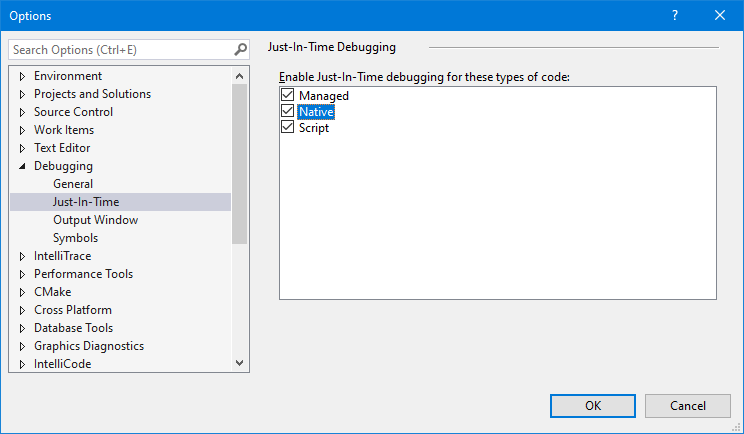
|
||||
|
||||
Then when you run something with `DebugBreak()` in it, you will see this:
|
||||
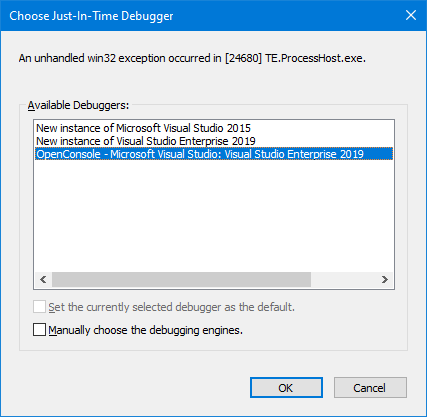
|
||||
|
||||
The top ones will be new instances of the Visual Studios installed on your system. The bottom ones will be the running instances of Visual Studio. You can see in the image that one is open already. If you choose the bottom one, VS will attach straight up as if you F5'd from the solution at the point from the `DebugBreak()`. Step up to get out of the break and back into the code.
|
||||
|
||||
### Setting WinDBG as Post Mortem Debugger
|
||||
|
||||
From an elevated context (a command prompt or whatnot...), run `windbg /I`. This will install the debugger as Post Mortem.
|
||||
|
||||
Then run the thing and it will pop straight into a new WinDBG session. Step up to get out of the break and back into the code.
|
||||
|
||||
**Caveat:** If you are on an x64 system, you may need to do `windbg /I` with both the x64 and x86 versions of the debugger to catch all circumstances (like if you're trying to run x86 code.)
|
||||
2. Change the *Application process* type from *Mixed (Managed and Native)* to *Native Only*.
|
||||
@@ -10,11 +10,11 @@ exception use.
|
||||
|
||||
## Rules
|
||||
1. **DO NOT** allow exceptions to leak out of new code into old code
|
||||
1. **DO** use `NTSTATUS` or `HRESULT` as return values as appropriate (`HRESULT` is preferred)
|
||||
1. **DO** encapsulate all exception behaviors within implementing classes
|
||||
1. **DO** use NTSTATUS or HRESULT as return values as appropriate (HRESULT is preferred)
|
||||
1. **DO** Encapsulate all exception behaviors within implementing classes
|
||||
1. **DO NOT** introduce modern exception throwing code into old code. Instead, refactor as needed to allow encapsulation or
|
||||
use non-exception based code
|
||||
1. **DO** use WIL as an alternative for non-throwing modern facilities (e.g. `wil::unique_ptr<>`)
|
||||
1. **DO** use WIL as an alternative for non-throwing modern facilities (e.g. wil::unique_ptr<>)
|
||||
|
||||
## Examples
|
||||
|
||||
|
||||
181
doc/Niksa.md
@@ -1,181 +0,0 @@
|
||||
# Niksa's explanations
|
||||
|
||||
Sometimes @miniksa will write a big, long explanatory comment in an issue thread that turns out to be a decent bit of reference material.
|
||||
This document serves as a storage point for those posts.
|
||||
|
||||
- [Why do we avoid changing CMD.exe?](#cmd)
|
||||
- [Why is typing-to-screen performance better than every other app?](#screenPerf)
|
||||
- [How are the Windows graphics/messaging stack assembled?](#gfxMsgStack)
|
||||
- [Output Processing between "Far East" and "Western"](#fesb)
|
||||
- [Why do we not backport things?](#backport)
|
||||
- [Why can't we have mixed elevated and non-elevated tabs in the Terminal?](#elevation)
|
||||
|
||||
## <a name="cmd"></a>Why do we avoid changing CMD.exe?
|
||||
`setlocal` doesn't behave the same way as an environment variable. It's a thing that would have to be put in at the top of the batch script that is `somefile.cmd` as one of its first commands to adjust the way that one specific batch file is processed by the `cmd.exe` engine. That's probably not suitable for your needs, but that's the way we have to go.
|
||||
|
||||
I don't think anyone is disagreeing with you, @mikemaccana, that this would be a five minute development change to read that environment variable and change the behavior of `cmd.exe`. It absolutely would be a tiny development time.
|
||||
|
||||
It's just that from our experience, we know there's going to be a 3-24 month bug tail here where we get massive investigation callbacks by some billion dollar enterprise customer who for whatever reason was already using the environment variable we pick for another purpose. Their script that they give their rank-and-file folks will tell them to press Ctrl+C at some point in the batch script to do whatever happens, it will do something different, those people will notice the script doesn't match the computer anymore. They will then halt the production line and tell their supervisor. The supervisor tells some director. Their director comes screaming at their Microsoft enterprise support contract person that we've introduced a change to the OS that is costing them millions if not billions of dollars in shipments per month. Our directors at Microsoft then come bashing down our doors angry with us and make us fix it ASAP or revert it, we don't get to go home at 5pm to our families or friends because we're fixing it, we get stressed the heck out, we have to spin up servicing potentially for already shipped operating systems which is expensive and headache-causing...etc.
|
||||
|
||||
We can see this story coming a million miles away because it has happened before with other 'tiny' change we've been asked to make to `cmd.exe` in the past few years.
|
||||
|
||||
I would just ask you to understand that `cmd.exe` is very, very much in a maintenance mode and I just want to set expectations here. We maintain it, yes. We have a renewed interest in command-line development, yes. But our focuses are revolving around improving the terminal and platform itself and bringing modern, supported shells to be the best they can be on Windows. Paul will put this on the backlog of things that people want in `cmd.exe`, yes. But it will sink to the bottom of the backlog because changing `cmd.exe` is our worst nightmare as its compatibility story is among the heaviest of any piece of the operating system.
|
||||
|
||||
I would highly recommend that Gulp convert to using PowerShell scripts and that if such an issue exists with PowerShell, that we get their modern, supported, and better-engineered platform to support the scenario. I don't want you to sit around waiting for `cmd.exe` to change this because it's really not going to happen faster than that script could be converted to `ps1` and it fixed in PowerShell Core (if that's even a problem in that world.)
|
||||
|
||||
Original Source: https://github.com/microsoft/terminal/issues/217#issuecomment-404240443
|
||||
|
||||
## <a name="screenPerf"></a>Why is typing-to-screen performance better than every other app?
|
||||
|
||||
I really do not mind when someone comes by and decides to tell us that we're doing a good job at something. We hear so many complaints every day that a post like this is a breath of fresh air. Thanks for your thanks!
|
||||
|
||||
Also, I'm happy to discuss this with you until you're utterly sick of reading it. Please ask any follow-ons you want. I thrive on blathering about my work. :P
|
||||
|
||||
If I had to take an educated guess as to what is making us faster than pretty much any other application on Windows at putting your text on the screen... I would say it is because that is literally our only job! Also probably because we are using darn near the oldest and lowest level APIs that Windows has to accomplish this work.
|
||||
|
||||
Pretty much everything else you've listed has some sort of layer or framework involved, or many, many layers and frameworks, when you start talking about Electron and JavaScript. We don't.
|
||||
|
||||
We have one bare, super un-special window with no additional controls attached to it. We get our keys fed into us from just barely above the kernel given that we're processing them from window messages and not from some sort of eventing framework common to pretty much any other more complicated UI framework than ours (WPF, WinForms, UWP, Electron). And we dump our text straight onto the window surface using GDI's [PolyTextOut](https://docs.microsoft.com/en-us/windows/desktop/api/wingdi/nf-wingdi-polytextoutw) with no frills.
|
||||
|
||||
Even `notepad.exe` has multiple controls on its window at the very least and is probably (I haven't looked) using some sort of library framework in the edit control to figure out its text layout (which probably is using another library framework for internationalization support...)
|
||||
|
||||
Of course this also means that we have trade offs. We don't support fully international text like pretty much every other application will. RTL? No go zone right now. Surrogate pairs and emoji? We're getting there but not there yet. Indic scripts? Nope.
|
||||
|
||||
Why are we like this? For one, `conhost.exe` is old as dirt. It has to use the bare metal bottom layer of everything because it was created before most of those other frameworks were created. And also it maintains as low/bottom level as possible because it is pretty much the first thing that one needs to bring up when bringing up a new operating system edition or device before you have all the nice things like frameworks or what those frameworks require to operate. Also it's written in C/C++ which is about as low and bare metal as we can get.
|
||||
|
||||
Will this UI enhancement come to other apps on Windows? Almost certainly not. They have too much going on which is both a good and a bad thing. I'm jealous of their ability to just call one method and layout text in an uncomplicated manner in any language without manually calculating pixels or caring about what styles apply to their font. But my manual pixel calculations, dirty region math, scroll region madness, and more makes it so we go faster than them. I'm also jealous that when someone says "hey can you add a status bar to the bottom of your window" that they can pretty much click and drag that into place with their UI Framework and it will just work where as for us, it's been a backlog item forever and gives me heartburn to think about implementing.
|
||||
|
||||
Will we try to keep it from regressing? Yes! Right now it's sort of a manual process. We identify that something is getting slow and then we go haul out [WPR](https://docs.microsoft.com/en-us/windows-hardware/test/wpt/windows-performance-recorder) and start taking traces. We stare down the hot paths and try to reason out what is going on and then improve them. For instance, in the last cycle or two, we focused on heap allocations as a major area where we could improve our end-to-end performance, changing a ton of our code to use stack-constructed iterator-like facades over the underlying request buffer instead of translating and allocating it into a new heap space for each level of processing.
|
||||
|
||||
As an aside, @bitcrazed wants us to automate performance tests in some conhost specific way, but I haven't quite figured out a controlled environment to do this in yet. The Windows Engineering System runs performance tests each night that give us a coarse grained way of knowing if we messed something up for the whole operating system, and they technically offer a fine grained way for us to insert our own performance tests... but I just haven't got around to that yet. If you have an idea for a way for us to do this in an automated fashion, I'm all ears.
|
||||
|
||||
If there's anything else you'd like to know, let me know. I could go on all day. I deleted like 15 tangents from this reply before posting it....
|
||||
|
||||
Original Source: https://github.com/microsoft/terminal/issues/327#issuecomment-447391705
|
||||
|
||||
## <a name="gfxMsgStack"></a>How are the Windows graphics/messaging stack assembled?
|
||||
|
||||
@stakx, I am referring to USER32 and GDI32.
|
||||
|
||||
I'll give you a cursory overview of what I know off the top of my head without spending hours confirming the details. As such, some of this is subject to handwaving and could be mildly incorrect but is probably in the right direction. Consider every statement to be my personal knowledge on how the world works and subject to opinion or error.
|
||||
|
||||
For the graphics part of the pipeline (GDI32), the user-mode portions of GDI are pretty far down. The app calls GDI32, some work is done in that DLL on the user-mode side, then a kernel call jumps over to the kernel and drawing occurs.
|
||||
|
||||
The portion that you're thinking of regarding "silently converted to sit on top of other stuff" is probably that once we hit the kernel calls, a bunch of the kernel GDI stuff tends to be re-platformed on top of the same stuff as DirectX when it is actually handled by the NVIDIA/AMD/Intel/etc. graphics driver and the GPU at the bottom of the stack. I think this happened with the graphics driver re-architecture that came as a part of WDDM for Windows Vista. There's a document out there somewhere about what calls are still really fast in GDI and which are slower as a result of the re-platforming. Last time I found that document and checked, we were using the fast ones.
|
||||
|
||||
On top of GDI, I believe there are things like Common Controls or comctl32.dll which provided folks reusable sets of buttons and elements to make their UIs before we had nicer declarative frameworks. We don't use those in the console really (except in the property sheet off the right click menu).
|
||||
|
||||
As for DirectWrite and D2D and D3D and DXGI themselves, they're a separate set of commands and paths that are completely off to the side from GDI at all both in user and kernel mode. They're not really related other than that there's some interoperability provisions between the two. Most of our other UI frameworks tend to be built on top of the DirectX stack though. XAML is for sure. I think WPF is. Not sure about WinForms. And I believe the composition stack and the window manager are using DirectX as well.
|
||||
|
||||
As for the input/interaction part of the pipeline (USER32), I tend to find most other newer things (at least for desktop PCs) are built on top of what is already there. USER32's major concept is windows and window handles and everything is sent to a window handle. As long as you're on a desktop machine (or a laptop or whatever... I mean a classic-style Windows-powered machine), there's a window handle involved and messages floating around and that means we're talking USER32.
|
||||
|
||||
The window message queue is just a straight up FIFO (more or less) of whatever input has occurred relevant to that window while it's in the foreground + whatever has been sent to the window by other components in the system.
|
||||
|
||||
The newer technologies and the frameworks like XAML and WPF and WinForms tend to receive the messages from the window message queue one way or another and process them and turn them into event callbacks to various objects that they've provisioned within their world.
|
||||
|
||||
However, the newer technologies that also work on other non-desktop platforms like XAML tend to have the ability to process stuff off of a completely different non-USER32 stack as well. There's a separate parallel stack to USER32 with all of our new innovations and realizations on how input and interaction should occur that doesn't exactly deal with classic messaging queues and window handles the same way. This is the whole Core* family of things like CoreWindow and CoreMessaging. They also have a different concept of "what is a user" that isn't so centric around your butt in rolling chair in front of a screen with a keyboard and mouse on the desk.
|
||||
|
||||
Now, if you're on XAML or one of the other Frameworks... all this intricacy is handled for you. XAML figures out how to draw on DirectX for you and negotiates with the compositor and window manager for cool effects on your behalf. It figures out whether to get your input events from USER32 or Core* or whatever transparently depending on your platform and the input stacks can handle pen, touch, keyboard, mouse, and so on in a unified manner. It has provisions inside it embedded to do all the sorts of globalization, accessibility, input interaction, etc. stuff that make your life easy. But you could choose to go directly to the low-level and handle it yourself or skip handling what you don't care about.
|
||||
|
||||
The trick is that GDI32 and USER32 were designed for a limited world with a limited set of commands. Desktop PCs were the only thing that existed, single user at the keyboard and mouse, simple graphics output to a VGA monitor. So using them directly at the "low level" like conhost does is pretty easy. The new platforms could be used at the "low level" but they're orders of magnitude more complicated because they now account for everything that has happened with personal computing in 20+ years like different form factors, multiple active users, multiple graphics adapters, and on and on and on and on. So you tend to use a framework when using the new stuff so your head doesn't explode. They handle it for you, but they handle more than they ever did before so they're slower to some degree.
|
||||
|
||||
So are GDI32 and USER32 "lower" than the new stuff? Sort of.
|
||||
Can you get that low with the newer stuff? Mostly yes, but you probably shouldn't and don't want to.
|
||||
Does new live on top of old or is old replatformed on the new? Sometimes and/or partially.
|
||||
Basically... it's like the answer to anything software... "it's an unmitigated disaster and if we all stepped back a moment, we should be astounded that it works at all." :P
|
||||
|
||||
Anyway, that's enough ramble for one morning. Hopefully that somewhat answered your questions and gave you a bit more insight.
|
||||
|
||||
Original Source: https://github.com/microsoft/terminal/issues/327#issuecomment-447926388
|
||||
|
||||
## <a name="fesb"></a>Output Processing between "Far East" and "Western"
|
||||
|
||||
>
|
||||
> ```
|
||||
> if (WI_IsFlagSet(CharType, C1_CNTRL))
|
||||
> ```
|
||||
|
||||
In short, this is probably fine to fix.
|
||||
|
||||
However, I would personally feed a few characters through `WriteCharsLegacy` under the debugger and assert that your theory is correct first (that multiple flags coming back are what the problem is) before making the change.
|
||||
|
||||
I am mildly terrified, less than Dustin, because it is freaking `WriteCharsLegacy` which is the spawn of hell and I fear some sort of regression in it.
|
||||
|
||||
In long, why is it fine to fix?
|
||||
|
||||
For reference, this particular segment of code https://github.com/microsoft/terminal/blob/9b92986b49bed8cc41fde4d6ef080921c41e6d9e/src/host/_stream.cpp#L514-L539 appears to only be used when the codepoint is < 0x20 or == 0x7F https://github.com/microsoft/terminal/blob/9b92986b49bed8cc41fde4d6ef080921c41e6d9e/src/host/_stream.cpp#L408 and ENABLE_PROCESSED_OUTPUT is off. https://github.com/microsoft/terminal/blob/9b92986b49bed8cc41fde4d6ef080921c41e6d9e/src/host/_stream.cpp#L320
|
||||
|
||||
I looked back at the console v1 code and this particular section had a divergence for "Western" countries and "Far East" countries (a geopolitically-charged term, but what it was, nonetheless.)
|
||||
|
||||
For "Western" countries, we would unconditionally run all the characters through `MultiByteToWideChar` with `MB_USEGLYPHCHARS` without the `C1_CNTRL` test and move the result into the buffer.
|
||||
|
||||
For "Eastern" countries, we did the `C1_CNTRL` test and then if true, we would run through `MultiByteToWideChar` with `MB_USEGLYPHCHARS`. Otherwise, we would just move the original character into the buffer and call it a day.
|
||||
|
||||
Note in both of these, there is a little bit of indirection before `MultiByteToWideChar` is called through some other helper methods like `ConvertOutputToUnicode`, but that's the effective conversion point, as far as I can tell. And that's where the control characters would turn into acceptable low ASCII symbols.
|
||||
|
||||
When we took over the console codebase, this variation between "Western" and "Eastern" countries was especially painful because `conhost.exe` would choose which one it was in based on the `Codepage for Non-Unicode Applications` set in the Control Panel's Regional > Administrative panel and it could only be changed with a reboot. It wouldn't even change properly when you `chcp` to a different codepage. Heck, `chcp` would deny you from switching into many codepages. There was a block in place to prevent going to an "Eastern" codepage if you booted up in a "Western" codepage. There was also a block preventing you from going between "Eastern" codepages, if I recall correctly.
|
||||
|
||||
In modernizing, I decided a few things:
|
||||
1. What's good for the "Far East" should be good for the rest of the world. CJK languages that encompassed the "Far East" code have to be able to handle "Western" text as well even if the reverse wasn't true.
|
||||
2. We need to scrub all usages of "Far East" from the code. Someone already started that and replaced them with "East Asia" except then they left behind the shorthand of "FE" prefixing dozens of functions which made it hard to follow the code. It took us months to realize "FE" and "East Asia" were the same thing.
|
||||
3. It's obnoxious that the way this was handled was to literally double-define every output function in the code base to have two definitions, compile them both into the conhost, then choose to run down the SB_ versions or the FE_ versions depending on the startup Non-Unicode codepage. It was a massive pile of complex pre-compilation `#ifdef` and `#else`s that would sometimes surround individual lines in the function bodies. Gross.
|
||||
4. The fact that the FE_ versions of the functions were way slower than the SB_ ones was unacceptable even for the same output of Latin-character text.
|
||||
5. Anyone should be free to switch between any codepage they want at any time and restricting it based on a value from OS startup or region/locale is not acceptable in the modern world.
|
||||
6. I concluded by all of the above that I was going to tank/delete/remove the SB_ versions of everything and force the entire world to use the FE_ versions as truth. I would fix the FE_ versions to handle everything correctly, I would fix the performance characteristics of the FE_ versions so they were only slower when things were legitimately more complicated and never otherwise, I would banish all usage of "Far East", "East Asia", "FE_", and "SB_" from the codebase, and codepages would be freely switchable.
|
||||
7. Oh. Also, the conhost used to rewrite its entire backing buffer into whatever your current codepage was whenever you switched codepages. I changed that to always hold it as UTF-16.
|
||||
|
||||
Now, after that backstory. This is where the problem comes in. It looks like the code you're pointing to that didn't check flags and instead checked direct equality... is the way that it was ALWAYS done for the "Eastern" copy of the code. So it was ALWAYS broken for the "Eastern" codepages and country variants of the OS.
|
||||
|
||||
I don't know why the "Eastern" copy was checking `C1_CNTRL` at all in the first place. There is no documentation. I presume it has to do with Shift-JIS or GB-2312 or Unified Hangul or something having a conflict < 0x20 || == 0x7F. Or alternatively, it's because someone wrote the code naively thinking it was a good idea in a hurry and never tested it. Very possible and even probable.
|
||||
|
||||
Presuming CJK codepages have no conflict in this range for their DBCS codepages... we could probably remove the check with `GetStringTypeW` entirely and always run everything through `ConvertOutputToUnicode`. More risky than just the flag test change... but theoretically an option as well.
|
||||
|
||||
|
||||
Original Source: https://github.com/microsoft/terminal/issues/166#issuecomment-510953359
|
||||
|
||||
## <a name="backport"></a>Why do we not backport things?
|
||||
|
||||
Someone has to prove that this is costing millions to billions of dollars of lost productivity or revenue to outweigh the risks of shipping the fix to hundreds of millions of Windows machines and potentially breaking something.
|
||||
|
||||
Our team generally finds it pretty hard to prove that against the developer audience given that they're only a small portion of the total installed market of Windows machines.
|
||||
|
||||
Our only backport successes really come from corporations with massive addressable market (like OEMs shipping PCs) who complain that this is fouling up their manufacturing line (or something of that ilk). Otherwise, our management typically says that the risks don't outweigh the benefits.
|
||||
|
||||
It's also costly in terms of time, effort, and testing for us to validate a modification to a released OS. We have a mindbogglingly massive amount of automated machinery dedicated to processing and validating the things that we check in while developing the current OS builds. But it's a special costly ask to spin up some to all of those activities to validate backported fixes. We do it all the time for Patch Tuesday, but in those patches, they only pass through the minimum number of fixes required to maximize the restoration of productivity/security/revenue/etc. because every additional fix adds additional complexity and additional risk.
|
||||
|
||||
So from our little team working hard to make developers happy, we virtually never make the cut for servicing. We're sorry, but we hope you can understand. It's just the reality of the situation to say "nope" when people ask for a backport. In our team's ideal world, you would all be running the latest console bits everywhere everytime we make a change. But that's just not how it is today.
|
||||
|
||||
Original Source: https://github.com/microsoft/terminal/issues/279#issuecomment-439179675
|
||||
|
||||
## <a name="elevation"></a>Why can't we have mixed elevated and non-elevated tabs in the Terminal?
|
||||
|
||||
_guest speaker @DHowett-MSFT_
|
||||
|
||||
[1] It is trivial when you are _hosting traditional windows_ with traditional window handles. That works very well in the conemu case, or in the tabbed shell case, where you can take over a window in an elevated session and re-parent it under a window in a non-elevated session.
|
||||
|
||||
When you do that, there's a few security features that I'll touch on in [2]. Because of those, you can parent it but you can't really force it to do anything.
|
||||
|
||||
There's a problem, though. The Terminal isn't architected as a collection of re-parentable windows. For example, it's not running a console host and moving its window into a tab. It was designed to support a "connection" -- something that can read and write text. It's a lower-level primitive than a window. We realized the error of our ways and decided that the UNIX model was right the entire time, and pipes and text and streams are _where it's at._
|
||||
|
||||
Given that we're using Xaml islands to host a modern UI and stitching a DirectX surface into it, we're far beyond the world of standard window handles anyway. Xaml islands are fully composed into a single HWND, much like Chrome and Firefox and the gamut of DirectX/OpenGL/SDL games. We don't **have** components that can be run in one process (elevated) and hosted in another (non-elevated) that aren't the aforementioned "connections".
|
||||
|
||||
Now, the obvious followup question is _"why can't you have one elevated connection in a tab next to a non-elevated connection?"_ This is where @sba923 should pick up reading (:smile:). I'm probably going to cover some things that you (@robomac) know already.
|
||||
|
||||
[2] When you have two windows on the same desktop in the same window station, they can communicate with eachother. I can use `SendKeys` easily through `WScript.Shell` to send keyboard input to any window that the shell can see.
|
||||
|
||||
Running a process elevated _severs_ that connection. The shell can't see the elevated window. No other program at the same integrity level as the shell can see the elevated window. Even if it has its window handle, it can't really interact with it. This is also why you can't drag/drop from explorer into notepad if notepad is running elevated. Only another elevated process can interact with another elevated window.
|
||||
|
||||
That "security" feature (call it what you like, it was probably intended to be a security feature at one point) only exists for a few session-global object types. Windows are one of them. Pipes aren't really one of them.
|
||||
|
||||
Because of that, it's trivial to break that security. Take the terminal as an example of that. If we start an elevated connection and host it in a _non-elevated_ window, we've suddenly created a conduit through that security boundary. The elevated thing on the other end isn't a window, it's just a text-mode application. It immediately does the bidding of the non-elevated host.
|
||||
|
||||
Anybody that can _control_ the non-elevated host (like `WScript.Shell::SendKeys`) _also_ gets an instant conduit through the elevation boundary. Suddenly, any medium integrity application on your system can control a high-integrity process. This could be your browser, or the bitcoin miner that got installed with the `left-pad` package from NPM, or really any number of things.
|
||||
|
||||
It's a small risk, but it _is_ a risk.
|
||||
|
||||
---
|
||||
|
||||
Other platforms have accepted that risk in preference for user convenience. They aren't wrong to do so, but I think Microsoft gets less of a "pass" on things like "accepting risk for user convenience". Windows 9x was an unmitigated security disaster, and limited user accounts and elevation prompts and kernel-level security for window management were the answer to those things. They're not locks to be loosened lightly.
|
||||
|
||||
Original Source: https://github.com/microsoft/terminal/issues/632#issuecomment-519375707
|
||||
|
||||
@@ -24,16 +24,6 @@
|
||||
* `/ipch` – not checked in is where intellisense data will be generated if you use Visual Studio 2015
|
||||
* `/obj` – not checked in is where objects will be generated by the MSBuild system
|
||||
* `/src` – This is the fun one. In the root is common build system data.
|
||||
* `/src/cascadia` - This directory contains all the code specific to the Windows Terminal
|
||||
* `/src/cascadia/TerminalConnection` - This DLL is responsible for the various different ways a terminal instance can communicate with different terminal backends. Examples include the `ConptyConnection` (for communicating with Windows Console processes), or the `AzureCloudShellConnection` for communicating with Azure.
|
||||
* `/src/cascadia/TerminalSettings` - This is the DLL responsible for abstracting the settings for both the TerminalCore and the TerminalControl. This provides consumers of the TerminalControl a common interface for supplying settings to the Terminal.
|
||||
* `/src/cascadia/TerminalCore` - This LIB is responsible for the core implementation of a terminal instance. This defines one important class `Terminal` which is a complete terminal instance, with buffer, colors table, VT parsing, input handling, etc. It does _not_ prescribe any sort of UI implementation - it should be connected to code that can handle rendering its contents, and provide input to it.
|
||||
* `/src/cascadia/TerminalControl` - This DLL provides the UWP-XAML implementation of a `TermControl`, which can be embedded within an application to provide a terminal instance within the application. It contains a DX renderer for drawing text to the screen, and translates input to send to the core Terminal. It also receives settings to apply to both itself and the core Terminal.
|
||||
* `/src/cascadia/TerminalApp` - This DLL represents the implementation of the Windows Terminal application. This includes parsing settings, hosting tabs & panes with Terminals in them, and displaying other UI elements. This DLL is almost entirely UWP-like code, and shouldn't be doing any Win32-like UI work.
|
||||
* `/src/cascadia/WindowsTerminal` - This EXE provides Win32 hosting for the TerminalApp. It will set up XAML islands, and is responsible for drawing the window, either as a standard window or with content in the titlebar (non-client area).
|
||||
* `/src/cascadia/CascadiaPackage` - This is a project for packaging the Windows Terminal and its dependencies into an .appx/.msix for deploying to the machine.
|
||||
* `/src/cascadia/PublicTerminalCore` - This is a DLL wrapper for the TerminalCore and Renderer, similar to `TermControl`, which exposes some exported functions that so the Terminal can be used from C#.
|
||||
* `/src/cascadia/WpfTerminalControl` - A DLL implementing a WPF version of the Terminal Control.
|
||||
* `/src/host` – The meat of the windows console host. This includes buffer, input, output, windowing, server management, clipboard, and most interactions with the console host window that aren’t stated anywhere else. We’re trying to pull things out that are reusable into other libraries, but it’s a work in progress
|
||||
* `/src/host/lib` – Builds the reusable LIB copy of the host
|
||||
* `/src/host/dll` – Packages LIB into conhostv2.dll to be put into the OS C:\windows\system32\
|
||||
@@ -52,7 +42,7 @@
|
||||
* `/src/renderer/base` – Base interface layer providing non-engine-specific rendering things like choosing the data from the console buffer, deciding how to lay out or transform that data, then dispatching commands to a specific final display engine
|
||||
* `/src/renderer/gdi` – The GDI implementation of rendering to the screen. Takes commands to “draw a line” or “fill the background” or “select a region” from the base and turns them into GDI calls to the screen. Extracted from original console host code.
|
||||
* `/src/renderer/inc` – Interface definitions for all renderer communication
|
||||
* `/src/terminal` – Virtual terminal support for the console. This is the sequences that are found in-band with other text on STDIN/STDOUT that command the display to do things. This is the \*nix way of controlling a console.
|
||||
* `/src/terminal` – Virtual terminal support for the console. This is the sequences that are found in-band with other text on STDIN/STDOUT that command the display to do things. This is the *nix way of controlling a console.
|
||||
* `/src/terminal/parser` – This contains a state machine and sorting engine for feeding in individual characters from STDOUT or STDIN and decoding them into the appropriate verbs that should be performed
|
||||
* `/src/terminal/adapter` – This converts the verbs from the interface into calls on the console API. It doesn’t actually call through the API (for performance reasons since it lives inside the same binary), but it tries to remain as close to an API call as possible. There are some private extensions to the API for behaviors that didn’t exist before this was written that we’ve not made public. We don’t know if we will yet or force people to use VT to get at them.
|
||||
* `/src/tsf` – Text Services Foundation. This provides IME input services to the console. This was historically used for only Chinese, Japanese, and Korean IMEs specifically on OS installations with those as the primary language. It was in the summer of 2016 unrestricted to be able to be used on any OS installation with any IME (whether or not it will display correctly is a different story). It also was unrestricted to allow things like Pen and Touch input (which are routed via IME messages) to display properly inside the console from the TabTip window (the little popup that helps you insert pen/touch writing/keyboard candidates into an application)
|
||||
@@ -100,7 +90,7 @@
|
||||
* Assorted utilities and stuff
|
||||
* `Misc.cpp` (left for us by previous eras of random console devs)
|
||||
* `Util.cpp` (created in our era)
|
||||
* Custom zeroing and non-throwing allocator
|
||||
* Custom zeroing and non-throwing allocator
|
||||
* `Newdelete.cpp`
|
||||
* Related to inserting text into the TextInfo buffer
|
||||
* `Output.cpp`
|
||||
|
||||
@@ -5,4 +5,3 @@
|
||||
1. If it's brand new code or refactoring a complete class or area of the code, please follow as Modern C++ of a style as you can and reference the [C++ Core Guidelines](https://github.com/isocpp/CppCoreGuidelines) as much as you possibly can.
|
||||
1. When working with any Win32 or NT API, please try to use the [Windows Implementation Library](./WIL.md) smart pointers and result handlers.
|
||||
1. The use of NTSTATUS as a result code is discouraged, HRESULT or exceptions are preferred. Functions should not return a status code if they would always return a successful status code. Any function that returns a status code should be marked `noexcept` and have the `nodiscard` attribute.
|
||||
1. When contributing code in `TerminalApp`, be mindful to appropriately use C++/WinRT [strong and weak references](https://docs.microsoft.com/en-us/windows/uwp/cpp-and-winrt-apis/weak-references), and have a good understanding of C++/WinRT [concurrency schemes](https://docs.microsoft.com/en-us/windows/uwp/cpp-and-winrt-apis/concurrency).
|
||||
|
||||
53
doc/bot.md
@@ -8,12 +8,12 @@ We'll be using tags, primarily, to help us understand what needs attention, what
|
||||
### Quick-Guidance to Core Contributors
|
||||
1. Look at `Needs-Attention` as top priority
|
||||
1. Look at `Needs-Triage` during triage meetings to get a handle on what's new and sort it out
|
||||
1. Look at `Needs-Tag-Fix` when you have a few minutes to fix up things tagged improperly
|
||||
1. Look at `Needs-Tag-Fix` when you have a few minutes to fix up things tagged impoperly
|
||||
1. Manually add `Needs-Author-Feedback` when there's something we need the author to follow up on and want attention if they return it or an auto-close for inactivity if it goes stale.
|
||||
|
||||
### Tagging/Process Details
|
||||
1. When new issues arrive, or when issues are not properly tagged... we'll mark them as `Needs-Triage` automatically.
|
||||
- The core contributor team will then come through and mark them up as appropriate. The goal is to have a tag that fits the `Product`, `Area`, and `Issue` category.
|
||||
- The core contributor team will then come through and mark them up as appropriate. The goal is to have a tag that fits the `Product`, `Area`, and `Issue` category.
|
||||
- The `Needs-Triage` tag will be removed manually by the core contributor team during a triage meeting. (Exception, triage may also be done offline by senior team members during high-volume times.)
|
||||
- An issue may or may not be assigned to a contributor during triage. It is not necessary to assign someone to complete it.
|
||||
- We're not focusing on Projects yet.
|
||||
@@ -22,7 +22,7 @@ We'll be using tags, primarily, to help us understand what needs attention, what
|
||||
- When this tag drops off, the bot will apply the `Needs-Attention` tag to get the core contribution team's attention again. If an author cares enough to be active, we will attempt to prioritize engaging with that author.
|
||||
- If the author doesn't come back around in a while, this will become a `No-Recent-Activity` tag.
|
||||
- If there's activity on an issue, the `No-Recent-Activity` tag will automatically drop.
|
||||
- If the `No-Recent-Activity` stays, the issue will be closed as stale.
|
||||
- If the `No-Recent-Activity` stays, the issue will be closed as stale.
|
||||
1. PRs will automatically get a `Needs-Author-Feedback` tag when reviewers wait on the author
|
||||
- This follows a similar decay strategy to issues.
|
||||
- If the author responds, the `Needs-Author-Feedback` tag will drop.
|
||||
@@ -33,22 +33,11 @@ We'll be using tags, primarily, to help us understand what needs attention, what
|
||||
|
||||
## Rules
|
||||
|
||||
### Triage Shorthand
|
||||
- All rules in this category apply to triaging issues. They're shorthand comments that the triage team can use in order to complete the triage process faster.
|
||||
- Only individuals with `Write` or `Admin` privileges on the repository can use these responses.
|
||||
|
||||
#### Duplicate Issues
|
||||
- When a comment on the thread says `/dup #<issue ID>`...
|
||||
1. Reply with a comment explaining that the issue is a duplicate and recommend that the opener and interested parties follow the issue on the listed ID number.
|
||||
1. Close the issue
|
||||
1. Remove all `Needs-*` tags
|
||||
1. Add `Resolution-Duplicate`
|
||||
|
||||
### Issue Management
|
||||
|
||||
#### Mark as Triage Needed
|
||||
- When an issue doesn't meet triage criteria, applies `Needs-Triage` tag. Right now, this is just when it's opened.
|
||||
|
||||
|
||||
#### Author Has Responded
|
||||
- When an issue with `Needs-Author-Feedback` gets an author response, drops that tag in favor of `Needs-Attention` to flag core contributors to drop by.
|
||||
|
||||
@@ -67,21 +56,6 @@ We'll be using tags, primarily, to help us understand what needs attention, what
|
||||
#### Enforce tag system
|
||||
- When an issue is opened or labels are changed in any way, we will check if the tagging matches the system. If not, it will get `Needs-Tag-Fix`. The system is to have an `Area-`, `Issue-`, and `Product-` tag for all open things, and also a `Resolution-` for closed ones.
|
||||
- When the tags from appropriate categories are applied, it will auto-remove the `Needs-Tag-Fix` tag.
|
||||
- `Resolution-Duplicate` is sufficient to fix all tagging. (`Area-`, `Issue-`, and `Product-` are not needed for a duplicate.)
|
||||
|
||||
#### Clean-up low quality issues
|
||||
- If an issue is filed with an incomplete title...
|
||||
- If an issue is filed with nothing in the body...
|
||||
- If an issue is filed matching a pattern that happens all the time (common duplicate phrase, obvious multiple-issues-in-one pattern)...
|
||||
- Then close the issue automatically informing the opener that they can resolve the problem and reopen the issue. (See Bug/Feature templates for example situations.)
|
||||
|
||||
#### Help ask for Feedback Hub
|
||||
- When a comment on the thread says `/feedback`...
|
||||
1. Then reply to the issue with a bit of text on asking the author to send us data with Feedback Hub and give us the link.
|
||||
1. And add the `Needs-Author-Feedback` tag
|
||||
|
||||
#### Remove Help Wanted from In PR issues
|
||||
- If an issue gets the `In-PR` tag when a new PR is created, we will remove the `Help-Wanted` tag to avoid someone trying to work on an issue where another person has already submitted a proposed fix.
|
||||
|
||||
### PR Management
|
||||
|
||||
@@ -106,25 +80,10 @@ We'll be using tags, primarily, to help us understand what needs attention, what
|
||||
#### Auto-Merge pull requests
|
||||
- When a pull request has the `AutoMerge` label...
|
||||
- If it has been at least 480 minutes and all the statuses pass, merge it in.
|
||||
- Will use Squash merge strategy
|
||||
- Will use Squash merge stratgy
|
||||
- Will attempt to delete branch after merge, if possible
|
||||
- Will automatically remove the `AutoMerge` label if changes are pushed by someone *without* Write Access.
|
||||
- More information on bot-logic that can be controlled with comments is [here](https://github.com/OfficeDev/office-ui-fabric-react/wiki/Advanced-auto-merge)
|
||||
|
||||
#### Mark issues with an active PR
|
||||
- If there is an active PR for an issue, label that issue with the `In-PR` label
|
||||
|
||||
#### Add committed fix tag for completed PRs
|
||||
- When a PR is finished and there's no outstanding work left on a linked issue, add the `Resolution-Fix-Committed` label
|
||||
|
||||
#### Remove Needs-Second from completed PRs
|
||||
- If a PR is closed and it has the `Needs-Second` tag, the bot will remove the tag.
|
||||
|
||||
### Release Management
|
||||
|
||||
When a release is created, if the PR ID number is linked inside the release description, the bot will walk through the related PR and all of its related issues and leave a message.
|
||||
- PR message: "🎉{release name} {release version} has been released which incorporates this pull request.🎉
|
||||
- Issue message: 🎉This issue was addressed in #{pull request ID}, which has now been successfully released as {release name} {release version}.🎉"
|
||||
|
||||
|
||||
## Admin Panel
|
||||
[Here](https://fabric-cp.azurewebsites.net/bot/)
|
||||
|
||||
@@ -1,52 +1,25 @@
|
||||
|
||||
# How to build OpenConsole
|
||||
# How to build Openconsole
|
||||
|
||||
This repository uses [git submodules](https://git-scm.com/book/en/v2/Git-Tools-Submodules) for some of its dependencies. To make sure submodules are restored or updated, be sure to run the following prior to building:
|
||||
Openconsole can be built with Visual Studio or from the command line. There are build scripts for both cmd and powershell in /tools.
|
||||
|
||||
```shell
|
||||
git submodule update --init --recursive
|
||||
```
|
||||
## Building with cmd
|
||||
|
||||
OpenConsole.sln may be built from within Visual Studio or from the command-line using a set of convenience scripts & tools in the **/tools** directory:
|
||||
|
||||
When using Visual Studio, be sure to set up the path for code formatting. This can be done in Visual Studio by going to Tools > Options > Text Editor > C++ > Formatting and checking "Use custom clang-format.exe file" and choosing the clang-format.exe in the repository at /dep/llvm/clang-format.exe by clicking "browse" right under the check box.
|
||||
|
||||
### Building in PowerShell
|
||||
|
||||
```powershell
|
||||
Import-Module .\tools\OpenConsole.psm1
|
||||
Set-MsBuildDevEnvironment
|
||||
Invoke-OpenConsoleBuild
|
||||
```
|
||||
|
||||
There are a few additional exported functions (look at their documentation for further details):
|
||||
|
||||
- `Invoke-OpenConsoleBuild` - builds the solution. Can be passed msbuild arguments.
|
||||
- `Invoke-OpenConsoleTests` - runs the various tests. Will run the unit tests by default.
|
||||
- `Start-OpenConsole` - starts Openconsole.exe from the output directory. x64 is run by default.
|
||||
- `Debug-OpenConsole` - starts Openconsole.exe and attaches it to the default debugger. x64 is run by default.
|
||||
- `Invoke-CodeFormat` - uses clang-format to format all c++ files to match our coding style.
|
||||
|
||||
### Building in Cmd
|
||||
|
||||
```shell
|
||||
.\tools\razzle.cmd
|
||||
bcz
|
||||
```
|
||||
The cmd scripts are set up to emulate a portion of the OS razzle build environment. razzle.cmd is the first script that should be run. bcz.cmd will build clean and bz.cmd should build incrementally.
|
||||
|
||||
There are also scripts for running the tests:
|
||||
- `runut.cmd` - run the unit tests
|
||||
- `runft.cmd` - run the feature tests
|
||||
- `runuia.cmd` - run the UIA tests
|
||||
- `runformat` - uses clang-format to format all c++ files to match our coding style.
|
||||
|
||||
## Running & Debugging
|
||||
## Build with Powershell
|
||||
|
||||
To debug the Windows Terminal in VS, right click on `CascadiaPackage` (in the Solution Explorer) and go to properties. In the Debug menu, change "Application process" and "Background task process" to "Native Only".
|
||||
Openconsole.psm1 should be loaded with `Import-Module`. From there `Set-MsbuildDevEnvironment` will set up environment variables required to build. There are a few exported functions (look at their documentation for further details):
|
||||
|
||||
You should then be able to build & debug the Terminal project by hitting <kbd>F5</kbd>.
|
||||
|
||||
> 👉 You will _not_ be able to launch the Terminal directly by running the WindowsTerminal.exe. For more details on why, see [#926](https://github.com/microsoft/terminal/issues/926), [#4043](https://github.com/microsoft/terminal/issues/4043)
|
||||
- `Invoke-OpenConsolebuild` - builds the solution. Can be passed msbuild arguments.
|
||||
- `Invoke-OpenConsoleTests` - runs the various tests. Will run the unit tests by default.
|
||||
- `Start-OpenConsole` - starts Openconsole.exe from the output directory. x64 is run by default.
|
||||
- `Debug-OpenConsole` - starts Openconsole.exe and attaches it to the default debugger. x64 is run by default.
|
||||
|
||||
## Configuration Types
|
||||
|
||||
@@ -56,28 +29,4 @@ Openconsole has three configuration types:
|
||||
- Release
|
||||
- AuditMode
|
||||
|
||||
AuditMode is an experimental mode that enables some additional static analysis from CppCoreCheck.
|
||||
|
||||
## Updating Nuget package references
|
||||
Certain Nuget package references in this project, like `Microsoft.UI.Xaml`, must be updated outside of the Visual Studio NuGet package manager. This can be done using the snippet below.
|
||||
> Note that to run this snippet, you need to use WSL as the command uses `sed`.
|
||||
To update the version of a given package, use the following snippet
|
||||
|
||||
`git grep -z -l $PackageName | xargs -0 sed -i -e 's/$OldVersionNumber/$NewVersionNumber/g'`
|
||||
|
||||
where:
|
||||
- `$PackageName` is the name of the package, e.g. Microsoft.UI.Xaml
|
||||
- `$OldVersionNumber` is the version number currently used, e.g. 2.5.0-prerelease.200609001
|
||||
- `$NewVersionNumber` is the version number you want to migrate to, e.g. 2.4.200117003-prerelease
|
||||
|
||||
Example usage:
|
||||
|
||||
`git grep -z -l Microsoft.UI.Xaml | xargs -0 sed -i -e 's/2.5.0-prerelease.200609001/2.4.200117003-prerelease/g'`
|
||||
|
||||
## Using .nupkg files instead of downloaded Nuget packages
|
||||
If you want to use .nupkg files instead of the downloaded Nuget package, you can do this with the following steps:
|
||||
|
||||
1. Open the Nuget.config file and uncomment line 8 ("Static Package Dependencies")
|
||||
2. Create the folder /dep/packages
|
||||
3. Put your .nupkg files in /dep/packages
|
||||
4. If you are using different versions than those already being used, you need to update the references as well. How to do that is explained under "Updating Nuget package references".
|
||||
AuditMode is an experimental mode that enables some additional static analyis from CppCoreCheck.
|
||||
|
||||
@@ -1,257 +0,0 @@
|
||||
# New Json Utility API
|
||||
|
||||
## Raw value conversion (GetValue)
|
||||
|
||||
`GetValue` is a convenience helper that will either read a value into existing storage (type-deduced) or
|
||||
return a JSON value coerced into the specified type.
|
||||
|
||||
When reading into existing storage, it returns a boolean indicating whether that storage was modified.
|
||||
|
||||
If the JSON value cannot be converted to the specified type, an exception will be generated.
|
||||
|
||||
```c++
|
||||
std::string one;
|
||||
std::optional<std::string> two;
|
||||
|
||||
JsonUtils::GetValue(json, one);
|
||||
// one is populated or unchanged.
|
||||
|
||||
JsonUtils::GetValue(json, two);
|
||||
// two is populated, nullopt or unchanged
|
||||
|
||||
auto three = JsonUtils::GetValue<std::string>(json);
|
||||
// three is populated or zero-initialized
|
||||
|
||||
auto four = JsonUtils::GetValue<std::optional<std::string>>(json);
|
||||
// four is populated or nullopt
|
||||
```
|
||||
|
||||
## Key lookup (GetValueForKey)
|
||||
|
||||
`GetValueForKey` follows the same rules as `GetValue`, but takes an additional key.
|
||||
It is assumed that the JSON value passed to GetValueForKey is of `object` type.
|
||||
|
||||
```c++
|
||||
std::string one;
|
||||
std::optional<std::string> two;
|
||||
|
||||
JsonUtils::GetValueForKey(json, "firstKey", one);
|
||||
// one is populated or unchanged.
|
||||
|
||||
JsonUtils::GetValueForKey(json, "secondKey", two);
|
||||
// two is populated, nullopt or unchanged
|
||||
|
||||
auto three = JsonUtils::GetValueForKey<std::string>(json, "thirdKey");
|
||||
// three is populated or zero-initialized
|
||||
|
||||
auto four = JsonUtils::GetValueForKey<std::optional<std::string>>(json, "fourthKey");
|
||||
// four is populated or nullopt
|
||||
```
|
||||
|
||||
## Rationale: Value-Returning Getters
|
||||
|
||||
JsonUtils provides two types of `GetValue...`: value-returning and reference-filling.
|
||||
|
||||
The reference-filling fixtures use type deduction so that a developer does not
|
||||
need to specify template parameters on every `GetValue` call. It excels at
|
||||
populating class members during deserialization.
|
||||
|
||||
The value-returning fixtures, on the other hand, are very useful for partial
|
||||
deserialization and key detection when you do not need to deserialize an entire
|
||||
instance of a class or you need to reason about the presence of members.
|
||||
|
||||
To provide a concrete example of the latter, consider:
|
||||
|
||||
```c++
|
||||
if (const auto guid{ GetValueForKey<std::optional<GUID>>(json, "guid") })
|
||||
// This condition is only true if there was a "guid" member in the provided JSON object.
|
||||
// It can be accessed through *guid.
|
||||
}
|
||||
```
|
||||
|
||||
If you are... | Use
|
||||
--------------|-----
|
||||
Deserializing | `GetValue(..., storage)`
|
||||
Interrogating | `storage = GetValue<T>(...)`
|
||||
|
||||
## Converting User-Defined Types
|
||||
|
||||
All conversions are done using specializations of
|
||||
`JsonUtils::ConversionTrait<T>`. To implement a converter for a user-defined
|
||||
type, you must implement a specialization of `JsonUtils::ConversionTrait<T>`.
|
||||
|
||||
Every specialization over `T` must implement `static T FromJson(const Json::Value&)`
|
||||
and `static bool CanConvert(const Json::Value&)`.
|
||||
|
||||
```c++
|
||||
struct MyCustomType { int val; };
|
||||
|
||||
template<>
|
||||
struct ConversionTrait<MyCustomType>
|
||||
{
|
||||
// This trait converts a string of the format "[0-9]" to a value of type MyCustomType.
|
||||
|
||||
static MyCustomType FromJson(const Json::Value& json)
|
||||
{
|
||||
return MyCustomType{ json.asString()[0] - '0' };
|
||||
}
|
||||
|
||||
static bool CanConvert(const Json::Value& json)
|
||||
{
|
||||
return json.isString();
|
||||
}
|
||||
};
|
||||
```
|
||||
|
||||
### Converting User-Defined Enumerations
|
||||
|
||||
Enumeration types represent a single choice out of multiple options.
|
||||
|
||||
In a JSON data model, they are typically represented as strings.
|
||||
|
||||
For parsing enumerations, JsonUtils provides the `JSON_ENUM_MAPPER` macro. It
|
||||
can be used to establish a converter that will take a set of known strings and
|
||||
convert them to values.
|
||||
|
||||
```c++
|
||||
JSON_ENUM_MAPPER(CursorStyle)
|
||||
{
|
||||
// pair_type is provided by ENUM_MAPPER.
|
||||
JSON_MAPPINGS(5) = {
|
||||
pair_type{ "bar", CursorStyle::Bar },
|
||||
pair_type{ "vintage", CursorStyle::Vintage },
|
||||
pair_type{ "underscore", CursorStyle::Underscore },
|
||||
pair_type{ "filledBox", CursorStyle::FilledBox },
|
||||
pair_type{ "emptyBox", CursorStyle::EmptyBox }
|
||||
};
|
||||
};
|
||||
```
|
||||
|
||||
If the enum mapper fails to convert the provided string, it will throw an
|
||||
exception.
|
||||
|
||||
### Converting User-Defined Flag Sets
|
||||
|
||||
Flags represent a multiple-choice selection. They are typically implemented as
|
||||
enums with bitfield values intended to be ORed together.
|
||||
|
||||
In JSON, a set of flags may be represented by a single string (`"flagName"`) or
|
||||
an array of strings (`["flagOne", "flagTwo"]`).
|
||||
|
||||
JsonUtils provides a `JSON_FLAG_MAPPER` macro that can be used to produce a
|
||||
specialization for a set of flags.
|
||||
|
||||
Given the following flag enum,
|
||||
|
||||
```c++
|
||||
enum class JsonTestFlags : int
|
||||
{
|
||||
FlagOne = 1 << 0,
|
||||
FlagTwo = 1 << 1
|
||||
};
|
||||
```
|
||||
|
||||
You can register a flag mapper with the `JSON_FLAG_MAPPER` macro as follows:
|
||||
|
||||
```c++
|
||||
JSON_FLAG_MAPPER(JsonTestFlags)
|
||||
{
|
||||
JSON_MAPPINGS(2) = {
|
||||
pair_type{ "flagOne", JsonTestFlags::FlagOne },
|
||||
pair_type{ "flagTwo", JsonTestFlags::FlagTwo },
|
||||
};
|
||||
};
|
||||
```
|
||||
|
||||
The `FLAG_MAPPER` also provides two convenience definitions, `AllSet` and
|
||||
`AllClear`, that can be used to represent "all choices" and "no choices"
|
||||
respectively.
|
||||
|
||||
```c++
|
||||
JSON_FLAG_MAPPER(JsonTestFlags)
|
||||
{
|
||||
JSON_MAPPINGS(4) = {
|
||||
pair_type{ "never", AllClear },
|
||||
pair_type{ "flagOne", JsonTestFlags::FlagOne },
|
||||
pair_type{ "flagTwo", JsonTestFlags::FlagTwo },
|
||||
pair_type{ "always", AllSet },
|
||||
};
|
||||
};
|
||||
```
|
||||
|
||||
Because flag values are additive, `["always", "flagOne"]` will result in the
|
||||
same behavior as `"always"`.
|
||||
|
||||
If the flag mapper encounters an unknown flag, it will throw an exception.
|
||||
|
||||
If the flag mapper encounters a logical discontinuity such as `["never", "flagOne"]`
|
||||
(as in the above example), it will throw an exception.
|
||||
|
||||
### Advanced Use
|
||||
|
||||
`GetValue` and `GetValueForKey` can be passed, as their final arguments, any
|
||||
value whose type implements the same interface as `ConversionTrait<T>`--that
|
||||
is, `FromJson(const Json::Value&)` and `CanConvert(const Json::Value&)`.
|
||||
|
||||
This allows for one-off conversions without a specialization of
|
||||
`ConversionTrait` or even stateful converters.
|
||||
|
||||
#### Stateful Converter Sample
|
||||
|
||||
```c++
|
||||
struct MultiplyingConverter {
|
||||
int BaseValue;
|
||||
|
||||
bool CanConvert(const Json::Value&) { return true; }
|
||||
|
||||
int FromJson(const Json::Value& value)
|
||||
{
|
||||
return value.asInt() * BaseValue;
|
||||
}
|
||||
};
|
||||
|
||||
...
|
||||
|
||||
Json::Value json{ 66 }; // A JSON value containing the number 66
|
||||
MultiplyingConverter conv{ 10 };
|
||||
|
||||
auto v = JsonUtils::GetValue<int>(json, conv);
|
||||
// v is equal to 660.
|
||||
```
|
||||
|
||||
## Behavior Chart
|
||||
|
||||
### GetValue(T&) (type-deducing)
|
||||
|
||||
-|json type invalid|json null|valid
|
||||
-|-|-|-
|
||||
`T`|❌ exception|🔵 unchanged|✔ converted
|
||||
`std::optional<T>`|❌ exception|🟨 `nullopt`|✔ converted
|
||||
|
||||
### GetValue<T>() (returning)
|
||||
|
||||
-|json type invalid|json null|valid
|
||||
-|-|-|-
|
||||
`T`|❌ exception|🟨 `T{}` (zero value)|✔ converted
|
||||
`std::optional<T>`|❌ exception|🟨 `nullopt`|✔ converted
|
||||
|
||||
### GetValueForKey(T&) (type-deducing)
|
||||
|
||||
GetValueForKey builds on the behavior set from GetValue by adding
|
||||
a "key not found" state. The remaining three cases are the same.
|
||||
|
||||
val type|key not found|_json type invalid_|_json null_|_valid_
|
||||
-|-|-|-|-
|
||||
`T`|🔵 unchanged|_❌ exception_|_🔵 unchanged_|_✔ converted_
|
||||
`std::optional<T>`|_🔵 unchanged_|_❌ exception_|_🟨 `nullopt`_|_✔ converted_
|
||||
|
||||
### GetValueForKey<T>() (return value)
|
||||
|
||||
val type|key not found|_json type invalid_|_json null_|_valid_
|
||||
-|-|-|-|-
|
||||
`T`|🟨 `T{}` (zero value)|_❌ exception_|_🟨 `T{}` (zero value)_|_✔ converted_
|
||||
`std::optional<T>`|🟨 `nullopt`|_❌ exception_|_🟨 `nullopt`_|_✔ converted_
|
||||
|
||||
### Future Direction
|
||||
|
||||
These converters lend themselves very well to automatic _serialization_.
|
||||
@@ -6,7 +6,7 @@
|
||||
## Abstract
|
||||
It should be possible to configure the terminal so that it doesn't send certain keystrokes as input to the terminal, and instead triggers certain actions. Examples of these actions could be copy/pasting text, opening a new tab, or changing the font size.
|
||||
|
||||
This spec describes a mechanism by which we could provide a common implementation of handling keyboard shortcuts like these. This common implementation could then be leveraged and extended by the UX implementation as to handle certain callbacks in the UX layer. For example, The TerminalCore doesn't have a concept of what a tab is, but the keymap abstraction could raise an event such that a WPF app could implement creating a new tab in its idiomatic way, and UWP could implement them in their own way.
|
||||
This spec describes a mechanism by which we could provide a common implementation of handling keyboard shortcuts like these. This common implementation could then be leveraged and extended by the UX implementation as to handle certain callbacks in the UX layer. For example, The TerminalCore doesn't have a concept of what a tab is, but the keymap abstraction could raise an event such that a WPF app could implement creating a new tab in its idomatic way, and UWP could implement them in their own way.
|
||||
|
||||
## Terminology
|
||||
* **Key Chord**: This is any possible keystroke that a user can input
|
||||
@@ -1,210 +0,0 @@
|
||||
# Settings.json Documentation
|
||||
|
||||
## Globals
|
||||
|
||||
Properties listed below affect the entire window, regardless of the profile settings.
|
||||
|
||||
| Property | Necessity | Type | Default | Description |
|
||||
| -------- | --------- | ---- | ------- | ----------- |
|
||||
| `alwaysShowTabs` | _Required_ | Boolean | `true` | When set to `true`, tabs are always displayed. When set to `false` and `showTabsInTitlebar` is set to `false`, tabs only appear after typing <kbd>Ctrl</kbd> + <kbd>T</kbd>. |
|
||||
| `copyOnSelect` | Optional | Boolean | `false` | When set to `true`, a selection is immediately copied to your clipboard upon creation. When set to `false`, the selection persists and awaits further action. |
|
||||
| `copyFormatting` | Optional | Boolean | `false` | When set to `true`, the color and font formatting of selected text is also copied to your clipboard. When set to `false`, only plain text is copied to your clipboard. |
|
||||
| `largePasteWarning` | Optional | Boolean | `true` | When set to `true`, trying to paste text with more than 5 KiB of characters will display a warning asking you whether to continue or not with the paste. |
|
||||
| `multiLinePasteWarning` | Optional | Boolean | `true` | When set to `true`, trying to paste text with a _new line_ character will display a warning asking you whether to continue or not with the paste. |
|
||||
| `defaultProfile` | _Required_ | String | PowerShell guid | Sets the default profile. Opens by typing <kbd>Ctrl</kbd> + <kbd>T</kbd> or by clicking the '+' icon. The guid of the desired default profile is used as the value. |
|
||||
| `initialCols` | _Required_ | Integer | `120` | The number of columns displayed in the window upon first load. |
|
||||
| `initialPosition` | Optional | String | `","` | The position of the top left corner of the window upon first load. On a system with multiple displays, these coordinates are relative to the top left of the primary display. If `launchMode` is set to `"maximized"`, the window will be maximized on the monitor specified by those coordinates. |
|
||||
| `initialRows` | _Required_ | Integer | `30` | The number of rows displayed in the window upon first load. |
|
||||
| `launchMode` | Optional | String | `default` | Defines whether the Terminal will launch as maximized or not. Possible values: `"default"`, `"maximized"` |
|
||||
| `theme` | _Required_ | String | `system` | Sets the theme of the application. Possible values: `"light"`, `"dark"`, `"system"` |
|
||||
| `showTerminalTitleInTitlebar` | _Required_ | Boolean | `true` | When set to `true`, titlebar displays the title of the selected tab. When set to `false`, titlebar displays "Windows Terminal". |
|
||||
| `showTabsInTitlebar` | Optional | Boolean | `true` | When set to `true`, the tabs are moved into the titlebar and the titlebar disappears. When set to `false`, the titlebar sits above the tabs. |
|
||||
| `snapToGridOnResize` | Optional | Boolean | `false` | When set to `true`, the window will snap to the nearest character boundary on resize. When `false`, the window will resize "smoothly" |
|
||||
| `tabWidthMode` | Optional | String | `equal` | Sets the width of the tabs. Possible values: <br><ul><li>`"equal"`: sizes each tab to the same width</li><li>`"titleLength"`: sizes each tab to the length of its title</li><li>`"compact"`: sizes each tab to the length of its title when focused, and shrinks to the size of only the icon when the tab is unfocused.</li></ul> |
|
||||
| `wordDelimiters` | Optional | String | <code> /\()"'-:,.;<>~!@#$%^&*|+=[]{}~?│</code><br>_(`│` is `U+2502 BOX DRAWINGS LIGHT VERTICAL`)_ | Determines the delimiters used in a double click selection. |
|
||||
| `confirmCloseAllTabs` | Optional | Boolean | `true` | When set to `true` closing a window with multiple tabs open WILL require confirmation. When set to `false` closing a window with multiple tabs open WILL NOT require confirmation. |
|
||||
| `startOnUserLogin` | Optional | Boolean | `false` | When set to `true` enables the launch of Windows Terminal at startup. Setting to `false` will disable the startup task entry. Note: if the Windows Terminal startup task entry is disabled either by org policy or by user action this setting will have no effect. |
|
||||
| `disabledProfileSources` | Optional | Array[String] | `[]` | Disables all the dynamic profile generators in this list, preventing them from adding their profiles to the list of profiles on startup. This array can contain any combination of `Windows.Terminal.Wsl`, `Windows.Terminal.Azure`, or `Windows.Terminal.PowershellCore`. For more information, see [UsingJsonSettings.md](https://github.com/microsoft/terminal/blob/master/doc/user-docs/UsingJsonSettings.md#dynamic-profiles) |
|
||||
| `experimental.rendering.forceFullRepaint` | Optional | Boolean | `false` | When set to true, we will redraw the entire screen each frame. When set to false, we will render only the updates to the screen between frames. |
|
||||
| `experimental.rendering.software` | Optional | Boolean | `false` | When set to true, we will use the software renderer (a.k.a. WARP) instead of the hardware one. |
|
||||
|
||||
## Profiles
|
||||
|
||||
Properties listed below are specific to each unique profile.
|
||||
|
||||
| Property | Necessity | Type | Default | Description |
|
||||
| -------- | --------- | ---- | ------- | ----------- |
|
||||
| `guid` | _Required_ | String | | Unique identifier of the profile. Written in registry format: `"{00000000-0000-0000-0000-000000000000}"`. |
|
||||
| `name` | _Required_ | String | | Name of the profile. Displays in the dropdown menu. <br>Additionally, this value will be used as the "title" to pass to the shell on startup. Some shells (like `bash`) may choose to ignore this initial value, while others (`cmd`, `powershell`) may use this value over the lifetime of the application. This "title" behavior can be overridden by using `tabTitle`. |
|
||||
| `acrylicOpacity` | Optional | Number | `0.5` | When `useAcrylic` is set to `true`, it sets the transparency of the window for the profile. Accepts floating point values from 0-1. |
|
||||
| `antialiasingMode` | Optional | String | `"grayscale"` | Controls how text is antialiased in the renderer. Possible values are "grayscale", "cleartype" and "aliased". Note that changing this setting will require starting a new terminal instance. |
|
||||
| `background` | Optional | String | | Sets the background color of the profile. Overrides `background` set in color scheme if `colorscheme` is set. Uses hex color format: `"#rrggbb"`. |
|
||||
| `backgroundImage` | Optional | String | | Sets the file location of the Image to draw over the window background. |
|
||||
| `backgroundImageAlignment` | Optional | String | `center` | Sets how the background image aligns to the boundaries of the window. Possible values: `"center"`, `"left"`, `"top"`, `"right"`, `"bottom"`, `"topLeft"`, `"topRight"`, `"bottomLeft"`, `"bottomRight"` |
|
||||
| `backgroundImageOpacity` | Optional | Number | `1.0` | Sets the transparency of the background image. Accepts floating point values from 0-1. |
|
||||
| `backgroundImageStretchMode` | Optional | String | `uniformToFill` | Sets how the background image is resized to fill the window. Possible values: `"none"`, `"fill"`, `"uniform"`, `"uniformToFill"` |
|
||||
| `closeOnExit` | Optional | String | `graceful` | Sets how the profile reacts to termination or failure to launch. Possible values: `"graceful"` (close when `exit` is typed or the process exits normally), `"always"` (always close) and `"never"` (never close). `true` and `false` are accepted as synonyms for `"graceful"` and `"never"` respectively. |
|
||||
| `colorScheme` | Optional | String | `Campbell` | Name of the terminal color scheme to use. Color schemes are defined under `schemes`. |
|
||||
| `commandline` | Optional | String | | Executable used in the profile. |
|
||||
| `cursorColor` | Optional | String | | Sets the cursor color of the profile. Overrides `cursorColor` set in color scheme if `colorscheme` is set. Uses hex color format: `"#rrggbb"`. |
|
||||
| `cursorHeight` | Optional | Integer | | Sets the percentage height of the cursor starting from the bottom. Only works when `cursorShape` is set to `"vintage"`. Accepts values from 25-100. |
|
||||
| `cursorShape` | Optional | String | `bar` | Sets the cursor shape for the profile. Possible values: `"vintage"` ( ▃ ), `"bar"` ( ┃ ), `"underscore"` ( ▁ ), `"filledBox"` ( █ ), `"emptyBox"` ( ▯ ) |
|
||||
| `fontFace` | Optional | String | `Cascadia Mono` | Name of the font face used in the profile. We will try to fallback to Consolas if this can't be found or is invalid. |
|
||||
| `fontSize` | Optional | Integer | `12` | Sets the font size. |
|
||||
| `fontWeight` | Optional | String | `normal` | Sets the weight (lightness or heaviness of the strokes) for the given font. Possible values: `"thin"`, `"extra-light"`, `"light"`, `"semi-light"`, `"normal"`, `"medium"`, `"semi-bold"`, `"bold"`, `"extra-bold"`, `"black"`, `"extra-black"`, or the corresponding numeric representation of OpenType font weight. |
|
||||
| `foreground` | Optional | String | | Sets the foreground color of the profile. Overrides `foreground` set in color scheme if `colorscheme` is set. Uses hex color format: `#rgb` or `"#rrggbb"`. |
|
||||
| `hidden` | Optional | Boolean | `false` | If set to true, the profile will not appear in the list of profiles. This can be used to hide default profiles and dynamically generated profiles, while leaving them in your settings file. |
|
||||
| `historySize` | Optional | Integer | `9001` | The number of lines above the ones displayed in the window you can scroll back to. |
|
||||
| `icon` | Optional | String | | Image file location of the icon used in the profile. Displays within the tab and the dropdown menu. |
|
||||
| `padding` | Optional | String | `8, 8, 8, 8` | Sets the padding around the text within the window. Can have three different formats: `"#"` sets the same padding for all sides, `"#, #"` sets the same padding for left-right and top-bottom, and `"#, #, #, #"` sets the padding individually for left, top, right, and bottom. |
|
||||
| `scrollbarState` | Optional | String | `"visible"` | Defines the visibility of the scrollbar. Possible values: `"visible"`, `"hidden"` |
|
||||
| `selectionBackground` | Optional | String | | Sets the selection background color of the profile. Overrides `selectionBackground` set in color scheme if `colorscheme` is set. Uses hex color format: `"#rrggbb"`. |
|
||||
| `snapOnInput` | Optional | Boolean | `true` | When set to `true`, the window will scroll to the command input line when typing. When set to `false`, the window will not scroll when you start typing. |
|
||||
| `altGrAliasing` | Optional | Boolean | `true` | By default Windows treats Ctrl+Alt as an alias for AltGr. When altGrAliasing is set to false, this behavior will be disabled. |
|
||||
| `source` | Optional | String | | Stores the name of the profile generator that originated this profile. _There are no discoverable values for this field._ |
|
||||
| `startingDirectory` | Optional | String | `%USERPROFILE%` | The directory the shell starts in when it is loaded. |
|
||||
| `suppressApplicationTitle` | Optional | Boolean | `false` | When set to `true`, `tabTitle` overrides the default title of the tab and any title change messages from the application will be suppressed. When set to `false`, `tabTitle` behaves as normal. |
|
||||
| `tabTitle` | Optional | String | | If set, will replace the `name` as the title to pass to the shell on startup. Some shells (like `bash`) may choose to ignore this initial value, while others (`cmd`, `powershell`) may use this value over the lifetime of the application. |
|
||||
| `useAcrylic` | Optional | Boolean | `false` | When set to `true`, the window will have an acrylic background. When set to `false`, the window will have a plain, untextured background. The transparency only applies to focused windows due to OS limitation. |
|
||||
| `experimental.retroTerminalEffect` | Optional | Boolean | `false` | When set to `true`, enable retro terminal effects. This is an experimental feature, and its continued existence is not guaranteed. |
|
||||
|
||||
## Schemes
|
||||
|
||||
Properties listed below are specific to each color scheme. [ColorTool](https://github.com/microsoft/terminal/tree/master/src/tools/ColorTool) is a great tool you can use to create and explore new color schemes. All colors use hex color format.
|
||||
|
||||
| Property | Necessity | Type | Description |
|
||||
| -------- | ---- | ----------- | ----------- |
|
||||
| `name` | _Required_ | String | Name of the color scheme. |
|
||||
| `foreground` | _Required_ | String | Sets the foreground color of the color scheme. |
|
||||
| `background` | _Required_ | String | Sets the background color of the color scheme. |
|
||||
| `selectionBackground` | Optional | String | Sets the selection background color of the color scheme. |
|
||||
| `cursorColor` | Optional | String | Sets the cursor color of the color scheme. |
|
||||
| `black` | _Required_ | String | Sets the color used as ANSI black. |
|
||||
| `blue` | _Required_ | String | Sets the color used as ANSI blue. |
|
||||
| `brightBlack` | _Required_ | String | Sets the color used as ANSI bright black. |
|
||||
| `brightBlue` | _Required_ | String | Sets the color used as ANSI bright blue. |
|
||||
| `brightCyan` | _Required_ | String | Sets the color used as ANSI bright cyan. |
|
||||
| `brightGreen` | _Required_ | String | Sets the color used as ANSI bright green. |
|
||||
| `brightPurple` | _Required_ | String | Sets the color used as ANSI bright purple. |
|
||||
| `brightRed` | _Required_ | String | Sets the color used as ANSI bright red. |
|
||||
| `brightWhite` | _Required_ | String | Sets the color used as ANSI bright white. |
|
||||
| `brightYellow` | _Required_ | String | Sets the color used as ANSI bright yellow. |
|
||||
| `cyan` | _Required_ | String | Sets the color used as ANSI cyan. |
|
||||
| `green` | _Required_ | String | Sets the color used as ANSI green. |
|
||||
| `purple` | _Required_ | String | Sets the color used as ANSI purple. |
|
||||
| `red` | _Required_ | String | Sets the color used as ANSI red. |
|
||||
| `white` | _Required_ | String | Sets the color used as ANSI white. |
|
||||
| `yellow` | _Required_ | String | Sets the color used as ANSI yellow. |
|
||||
|
||||
## Keybindings
|
||||
|
||||
Properties listed below are specific to each custom key binding.
|
||||
|
||||
| Property | Necessity | Type | Description |
|
||||
| -------- | ---- | ----------- | ----------- |
|
||||
| `command` | _Required_ | String | The command executed when the associated key bindings are pressed. |
|
||||
| `keys` | _Required_ | Array[String] or String | Defines the key combinations used to call the command. |
|
||||
| `action` | Optional | String | Adds additional functionality to certain commands. |
|
||||
|
||||
### Implemented Commands and Actions
|
||||
|
||||
Commands listed below are per the implementation in [`src/cascadia/TerminalApp/AppKeyBindingsSerialization.cpp`](https://github.com/microsoft/terminal/blob/master/src/cascadia/TerminalApp/AppKeyBindingsSerialization.cpp).
|
||||
|
||||
Keybindings can be structured in the following manners:
|
||||
|
||||
For commands without arguments:
|
||||
<br>
|
||||
`{ "command": "commandName", "keys": [ "modifiers+key" ] }`
|
||||
|
||||
For commands with arguments:
|
||||
<br>
|
||||
`{ "command": { "action": "commandName", "argument": "value" }, "keys": ["modifiers+key"] }`
|
||||
|
||||
| Command | Command Description | Action (*=required) | Action Arguments | Argument Descriptions |
|
||||
| ------- | ------------------- | ------ | ---------------- | ----------------- |
|
||||
| `adjustFontSize` | Change the text size by a specified point amount. | `delta` | integer | Amount of size change per command invocation. |
|
||||
| `closePane` | Close the active pane. | | | |
|
||||
| `closeTab` | Close the current tab. | | | |
|
||||
| `closeWindow` | Close the current window and all tabs within it. | | | |
|
||||
| `copy` | Copy the selected terminal content to your Windows Clipboard. | `singleLine` | boolean | When `true`, the copied content will be copied as a single line. When `false`, newlines persist from the selected text. |
|
||||
| `duplicateTab` | Make a copy and open the current tab. | | | |
|
||||
| `find` | Open the search dialog box. | | | |
|
||||
| `moveFocus` | Focus on a different pane depending on direction. | `direction`* | `left`, `right`, `up`, `down` | Direction in which the focus will move. |
|
||||
| `newTab` | Create a new tab. Without any arguments, this will open the default profile in a new tab. | 1. `commandLine`<br>2. `startingDirectory`<br>3. `tabTitle`<br>4. `index`<br>5. `profile` | 1. string<br>2. string<br>3. string<br>4. integer<br>5. string | 1. Executable run within the tab.<br>2. Directory in which the tab will open.<br>3. Title of the new tab.<br>4. Profile that will open based on its position in the dropdown (starting at 0).<br>5. Profile that will open based on its GUID or name. |
|
||||
| `nextTab` | Open the tab to the right of the current one. | | | |
|
||||
| `openNewTabDropdown` | Open the dropdown menu. | | | |
|
||||
| `openSettings` | Open the settings file. | | | |
|
||||
| `paste` | Insert the content that was copied onto the clipboard. | | | |
|
||||
| `prevTab` | Open the tab to the left of the current one. | | | |
|
||||
| `resetFontSize` | Reset the text size to the default value. | | | |
|
||||
| `resizePane` | Change the size of the active pane. | `direction`* | `left`, `right`, `up`, `down` | Direction in which the pane will be resized. |
|
||||
| `scrollDown` | Move the screen down. | | | |
|
||||
| `scrollUp` | Move the screen up. | | | |
|
||||
| `scrollUpPage` | Move the screen up a whole page. | | | |
|
||||
| `scrollDownPage` | Move the screen down a whole page. | | | |
|
||||
| `splitPane` | Halve the size of the active pane and open another. Without any arguments, this will open the default profile in the new pane. | 1. `split`*<br>2. `commandLine`<br>3. `startingDirectory`<br>4. `tabTitle`<br>5. `index`<br>6. `profile`<br>7. `splitMode` | 1. `vertical`, `horizontal`, `auto`<br>2. string<br>3. string<br>4. string<br>5. integer<br>6. string<br>7. string | 1. How the pane will split. `auto` will split in the direction that provides the most surface area.<br>2. Executable run within the pane.<br>3. Directory in which the pane will open.<br>4. Title of the tab when the new pane is focused.<br>5. Profile that will open based on its position in the dropdown (starting at 0).<br>6. Profile that will open based on its GUID or name.<br>7. Controls how the pane splits. Only accepts `duplicate` which will duplicate the focused pane's profile into a new pane. |
|
||||
| `switchToTab` | Open a specific tab depending on index. | `index`* | integer | Tab that will open based on its position in the tab bar (starting at 0). |
|
||||
| `toggleFullscreen` | Switch between fullscreen and default window sizes. | | | |
|
||||
| `unbound` | Unbind the associated keys from any command. | | | |
|
||||
|
||||
### Accepted Modifiers and Keys
|
||||
|
||||
#### Modifiers
|
||||
`ctrl+`, `shift+`, `alt+`
|
||||
|
||||
#### Keys
|
||||
|
||||
| Type | Keys |
|
||||
| ---- | ---- |
|
||||
| Function and Alphanumeric Keys | `f1-f24`, `a-z`, `0-9` |
|
||||
| Symbols | ``` ` ```, `-`, `=`, `[`, `]`, `\`, `;`, `'`, `,`, `.`, `/` |
|
||||
| Arrow Keys | `down`, `left`, `right`, `up`, `pagedown`, `pageup`, `pgdn`, `pgup`, `end`, `home`, `plus` |
|
||||
| Action Keys | `tab`, `enter`, `esc`, `escape`, `space`, `backspace`, `delete`, `insert` |
|
||||
| Numpad Keys | `numpad_0-numpad_9`, `numpad0-numpad9`, `numpad_add`, `numpad_plus`, `numpad_decimal`, `numpad_period`, `numpad_divide`, `numpad_minus`, `numpad_subtract`, `numpad_multiply` |
|
||||
|
||||
## Background Images and Icons
|
||||
|
||||
Some Terminal settings allow you to specify custom background images and icons. It is recommended that custom images and icons are stored in system-provided folders and are referred to using the correct [URI Schemes](https://docs.microsoft.com/en-us/windows/uwp/app-resources/uri-schemes). URI Schemes provide a way to reference files independent of their physical paths (which may change in the future).
|
||||
|
||||
The most useful URI schemes to remember when customizing background images and icons are:
|
||||
|
||||
| URI Scheme | Corresponding Physical Path | Use / description |
|
||||
| --- | --- | ---|
|
||||
| `ms-appdata:///Local/` | `%localappdata%\Packages\Microsoft.WindowsTerminal_8wekyb3d8bbwe\LocalState\` | Per-machine files |
|
||||
| `ms-appdata:///Roaming/` | `%localappdata%\Packages\Microsoft.WindowsTerminal_8wekyb3d8bbwe\RoamingState\` | Common files |
|
||||
|
||||
> ⚠ Note: Do not rely on file references using the `ms-appx` URI Scheme (i.e. icons). These files are considered an internal implementation detail and may change name/location or may be omitted in the future.
|
||||
|
||||
### Icons
|
||||
|
||||
Terminal displays icons for each of your profiles which Terminal generates for any built-in shells - PowerShell Core, PowerShell, and any installed Linux/WSL distros. Each profile refers to a stock icon via the `ms-appx` URI Scheme.
|
||||
|
||||
> ⚠ Note: Do not rely on the files referenced by the `ms-appx` URI Scheme - they are considered an internal implementation detail and may change name/location or may be omitted in the future.
|
||||
|
||||
You can refer to you own icons if you wish, e.g.:
|
||||
|
||||
```json
|
||||
"icon" : "C:\\Users\\richturn\\OneDrive\\WindowsTerminal\\icon-ubuntu-32.png",
|
||||
```
|
||||
|
||||
> 👉 Tip: Icons should be sized to 32x32px in an appropriate raster image format (e.g. .PNG, .GIF, or .ICO) to avoid having to scale your icons during runtime (causing a noticeable delay and loss of quality.)
|
||||
|
||||
### Custom Background Images
|
||||
|
||||
You can apply a background image to each of your profiles, allowing you to configure/brand/style each of your profiles independently from one another if you wish.
|
||||
|
||||
To do so, specify your preferred `backgroundImage`, position it using `backgroundImageAlignment`, set its opacity with `backgroundImageOpacity`, and/or specify how your image fill the available space using `backgroundImageStretchMode`.
|
||||
|
||||
For example:
|
||||
```json
|
||||
"backgroundImage": "C:\\Users\\richturn\\OneDrive\\WindowsTerminal\\bg-ubuntu-256.png",
|
||||
"backgroundImageAlignment": "bottomRight",
|
||||
"backgroundImageOpacity": 0.1,
|
||||
"backgroundImageStretchMode": "none"
|
||||
```
|
||||
|
||||
> 👉 Tip: You can easily roam your collection of images and icons across all your machines by storing your icons and images in OneDrive (as shown above).
|
||||
|
||||
With these settings, your Terminal's Ubuntu profile would look similar to this:
|
||||
|
||||

|
||||
@@ -33,7 +33,7 @@ This spec will outline how various terminal frontends will be able to interact w
|
||||
5. Visual Studio should be able to persist and edit settings globally, without
|
||||
the need for a globals/profiles structure.
|
||||
6. The Terminal should be able to read information from a settings structure
|
||||
that's independent of how it's persisted / implemented by the Application
|
||||
that's independant of how it's persisted / implemented by the Application
|
||||
7. The Component should be able to have its own settings independent of the
|
||||
application that's embedding it, such as font size and face, scrollbar
|
||||
visibility, etc. These should be settings that are specific to the component,
|
||||
@@ -79,7 +79,7 @@ Shell Commandline |
|
||||
|
||||
### Simple Settings
|
||||
|
||||
An application like VS might not even care about settings profiles. They should be able to persist the settings as just a singular entity, and change those as needed, without the additional overhead. Profiles will be something that's more specific to Project Cascadia.
|
||||
An application like VS might not even care about settings profiles. They should be able to persist the settings as just a singular entity, and change those as needed, without the additional overhead. Profiles will be something that's more specifc to Project Cascadia.
|
||||
|
||||
### Interface Descriptions
|
||||
|
||||
@@ -228,6 +228,6 @@ I don't like that - if we change the font size, we should just recalculate how m
|
||||
## Questions / TODO
|
||||
* How does this interplay with setting properties of the terminal component in XAML?
|
||||
* I would think that the component would load the XAML properties first, and if the controlling application calls `UpdateSettings` on the component, then those in-XAML properties would likely get overwritten.
|
||||
* It's not necessary to create the component with a `IComponentSettings`, nor is it necessary to call `UpdateSettings`. If you wanted to create a trivial settings-less terminal component entirely in XAML, go right ahead.
|
||||
* It's not necessary to create the component with a `IComponentSettings`, nor is it necessary to call `UpdateSettings`. If you wanted to create a trivial settings-less terminal component entriely in XAML, go right ahead.
|
||||
* Any settings that *are* exposed through XAML properties *should* also be exposed in the component's settings implementation as well.
|
||||
* Can that be enforced any way? I doubt it.
|
||||
@@ -1,527 +0,0 @@
|
||||
# Getting TAEF unittests to work with a C++/WinRT XAML Islands application
|
||||
|
||||
* __Author__: Mike Griese @zadjii-msft
|
||||
* __Created on__: 2019-06-06
|
||||
|
||||
|
||||
So you've built a Win32 application that uses XAML Islands to display it's UI
|
||||
with C++/WinRT. How do you go about adding unittests to this application? I'm
|
||||
going to cover the steps that I took to get the Windows Terminal updated to be
|
||||
able to test not only our C++/WinRT components, but also pure c++ classes that
|
||||
were used in the application, and components that used XAML UI elements.
|
||||
|
||||
## Prerequisites
|
||||
|
||||
Make sure you're using at least the 2.0.190605.7 version of the CppWinRT nuget
|
||||
package. Prior to this version, there are some bugs with C++/WinRT's detection
|
||||
of static lib dependencies. You might be able to get your build working with
|
||||
Visual Studio on earlier versions, but not straight from MsBuild.
|
||||
|
||||
Also, if you're going to be running your tests in a CI build of some sort, make
|
||||
sure that your tests are running on a machine running at least Windows 18362. If
|
||||
your CI isn't running that version, then this doesn't matter at all.
|
||||
|
||||
Furthermore, you may need an updated TAEF package as well. Our CI uses the TAEF
|
||||
VsTest adapter to allow ADO to run TAEF tests in CI. However, there's a bug in
|
||||
the tests adapter that prevents it from running tests in a UAP context. The
|
||||
`10.38.190605002` TAEF is the most recent release at the time of writing,
|
||||
however, that doesn't have the fix necessary. Fortunately, the TAEF team was
|
||||
kind enough to prototype a fix for us, which is the version
|
||||
`10.38.190610001-uapadmin`, which we're using in this repo until an official
|
||||
release with the fix is available.
|
||||
|
||||
## Move the C++/WinRT implementation to a static lib
|
||||
|
||||
By default, most (newly authored) C++/WinRT components are authored as a dll
|
||||
that can be used to activate your types. However, you might have other classes
|
||||
in that binary that you want to be able to test, which aren't winrt types. If
|
||||
the implementation is sitting in a DLL, it'll be hard to write a TAEF unittest
|
||||
dll that can call the pure c++ types you've defined.
|
||||
|
||||
The first thing you're going to need to do is move the implementation of your
|
||||
winrt component from a dll to a static lib. Once you have the static lib, we'll
|
||||
be able to link it into the dll you were previously producing, as well as being
|
||||
able to link it into the dll we'll be using to test the types. Once this is
|
||||
complete, your dll project will exist as little more than some extra packaging
|
||||
for your new lib, as all your code will be built by the lib.
|
||||
|
||||
To aid in this description, I'll be referring to the projects that we changed.
|
||||
The dll project we changed to a lib was the `TerminalApp` project. From it, we
|
||||
created a new `TerminalAppLib` project, and changed `TerminalApp` to create a
|
||||
dll by linking the lib `TerminalAppLib` produced.
|
||||
|
||||
### Create the static lib project
|
||||
|
||||
We'll start by creating a new static lib project. The easiest way to do this is
|
||||
by copying your existing dll `vcxproj` file into a new file. Make sure to change
|
||||
the `ProjectGuid` and to add the new project to your `.sln` file. Then, change
|
||||
the `ConfigurationType` to `StaticLibrary`. This Lib should be responsible for
|
||||
building all of your headers, `.cpp` files, `.idl`s for your winrt types, and
|
||||
any `.xaml` files you might have.
|
||||
|
||||
You'll likely need to place this new file into a separate directory from the
|
||||
existing dll project, as C++/WinRT uses the project directory as the root of the
|
||||
intermediate build tree. Each directory should only have one `.vcxproj` file in
|
||||
it. For the Terminal project, we created a subdirectory `lib/` underneath
|
||||
`TerminalApp/`, and updated the `Include` paths to properly point at the
|
||||
original files. You could alternatively put all the source in one directory, and
|
||||
have separate `dll/` and `lib/` subdirectories from the source that are solely
|
||||
responsible for building their binary.
|
||||
|
||||
At this point, you might face some difficulty including the right winmd
|
||||
references, especially from other C++/WinRT dependencies for this project that
|
||||
exist in your solution. I don't know why, but I had a fair amount of difficulty
|
||||
using a `ProjectReference` from a C++/WinRT StaticLibrary to another C++/WinRT
|
||||
project in my solution. If you're referring to any other projects, you'll need
|
||||
to set up a reference to their built `.winmd`'s manually.
|
||||
|
||||
As an example, here's how we've added a reference to the `TerminalSettings`
|
||||
project from our `TerminalAppLib` project:
|
||||
|
||||
```xml
|
||||
<ItemGroup>
|
||||
<!-- Manually add references to each of our dependent winmds. Mark them as
|
||||
private=false and CopyLocalSatelliteAssemblies=false, so that we don't
|
||||
propagate them upwards (which can make referencing this project result in
|
||||
duplicate type definitions)-->
|
||||
|
||||
<Reference Include="Microsoft.Terminal.Settings">
|
||||
<HintPath>$(SolutionDir)$(Platform)\$(Configuration)\TerminalSettings\Microsoft.Terminal.Settings.winmd</HintPath>
|
||||
<IsWinMDFile>true</IsWinMDFile>
|
||||
<Private>false</Private>
|
||||
<CopyLocalSatelliteAssemblies>false</CopyLocalSatelliteAssemblies>
|
||||
</Reference>
|
||||
</ItemGroup>
|
||||
```
|
||||
|
||||
The `HintPath` may be different depending on your project structure - verify
|
||||
locally the right path to the `.winmd` file you're looking for.
|
||||
|
||||
Notably, you'll also need to put a `pch.h` and `pch.cpp` in the new lib's
|
||||
directory, and use them instead of the `pch.h` used by the dll. C++/WinRT will be
|
||||
very angry with you if you try to use a `pch.h` in another directory. Since
|
||||
we're putting all the code into the static lib project, take your existing
|
||||
`pch.h` and move it to the lib project's directory and create an empty `pch.h`
|
||||
in the dll project's directory.
|
||||
|
||||
### Update the dll project
|
||||
|
||||
Now that we have a lib that builds all your code, we can go ahead and tear out
|
||||
most of the dead code from the old dll project. Remove all the source files from
|
||||
the dll's `.vcxproj` file, save for the `pch.h` and `pch.cpp` files. You _may_
|
||||
need to leave the headers for any C++/WinRT types you've authored in this project
|
||||
- I'm not totally sure it's necessary.
|
||||
|
||||
Now, to link the static lib we've created. For whatever reason, adding a
|
||||
`ProjectReference` to the static lib doesn't work. So, we'll need to manually
|
||||
link the lib from the lib project. You can do that by adding the lib's output
|
||||
dir to your `AdditionalLibraryDirectories`, and adding the lib to your
|
||||
`AdditionalDependencies`, like so:
|
||||
|
||||
```xml
|
||||
<ItemDefinitionGroup>
|
||||
<Link>
|
||||
<!-- Manually link with the TerminalAppLib.lib we've built. -->
|
||||
<AdditionalLibraryDirectories>$(SolutionDir)\$(Platform)\$(Configuration)\TerminalAppLib;%(AdditionalLibraryDirectories)</AdditionalLibraryDirectories>
|
||||
|
||||
<AdditionalDependencies>TerminalAppLib.lib;%(AdditionalDependencies)</AdditionalDependencies>
|
||||
</Link>
|
||||
</ItemDefinitionGroup>
|
||||
```
|
||||
|
||||
We are NOT adding a reference to the static lib project's .winmd here. As of the
|
||||
2.0.190605.7 CppWinRT nuget package, this is enough for MsBuild and Visual
|
||||
Studio to be able to determine that the static lib's `.winmd` should be included
|
||||
in this package.
|
||||
|
||||
At this point, you might have some mdmerge errors, which complain about
|
||||
duplicate types in one of your dependencies. This might especially happen if one
|
||||
of your dependencies (ex `A.dll`) is also a dependency for one of your _other_
|
||||
dependencies (ex `B.dll`). In this example, your final output project `C.dll`
|
||||
depends on both `A.dll` and `B.dll`, and `B.dll` _also_ depends on `A.dll`. If
|
||||
you're seeing this, I recommend adding `Private=false` and
|
||||
`CopyLocalSatelliteAssemblies=false` to your dependent dlls. In this example,
|
||||
add similar code to `B.dll`:
|
||||
|
||||
```xml
|
||||
<ProjectReference Include="$(SolutionDir)src\cascadia\TerminalSettings\TerminalSettings.vcxproj">
|
||||
<Private>false</Private>
|
||||
<CopyLocalSatelliteAssemblies>false</CopyLocalSatelliteAssemblies>
|
||||
</ProjectReference>
|
||||
```
|
||||
|
||||
where `TerminalSettings` is your `A.dll`, which is included by both `B` and `C`.
|
||||
|
||||
We additionally had an `.exe` project that was including our `TerminalApp`
|
||||
project, and all its `.xbf` and `.pri` files. If you have a similar project
|
||||
aggregating all your resources, you might need to update the paths to point to
|
||||
the new static lib project.
|
||||
|
||||
At this point, you should be able to rebuild your solution, and everything
|
||||
should be working just the same as before.
|
||||
|
||||
|
||||
## Add TAEF Tests
|
||||
|
||||
Now that you have a static library project, you can start building your unittest
|
||||
dll. Start by creating a new directory for your unittest code, and creating a
|
||||
`.vcxproj` for a TAEF unittest dll. For the Terminal solution, we use the TAEF
|
||||
nuget package `Taef.Redist.Wlk`.
|
||||
|
||||
### Referencing your C++/WinRT static lib
|
||||
|
||||
This step is the easiest. Add a `ProjectReference` to your static lib project,
|
||||
and your lib will be linked into your unittest dll.
|
||||
|
||||
```xml
|
||||
<ProjectReference Include="$(SolutionDir)\src\cascadia\TerminalApp\lib\TerminalAppLib.vcxproj" />
|
||||
```
|
||||
|
||||
Congratulations, you can now instantiate the pure c++ types you've authored in
|
||||
your static lib. But what if you want to test your C++/WinRT types too?
|
||||
|
||||
### Using your C++/WinRT types
|
||||
|
||||
To be able to instantiate your C++/WinRT types in a TAEF unittest, you'll need
|
||||
to rely on a new feature to Windows in version 1903 which enables unpackaged
|
||||
activation of WinRT types. To do this, we'll need to author a SxS manifest that
|
||||
lists each of our types, and include it in the dll, and also activate it
|
||||
manually from TAEF.
|
||||
|
||||
#### Creating the manifest
|
||||
|
||||
First, you need to create a manifest file that lists each dll your test depends
|
||||
upon, and each of the types in that dll. For example, here's an excerpt from the
|
||||
Terminal's manifest:
|
||||
|
||||
```xml
|
||||
<?xml version="1.0" encoding="utf-8" standalone="yes"?>
|
||||
<assembly xmlns="urn:schemas-microsoft-com:asm.v1" manifestVersion="1.0">
|
||||
<file name="TerminalSettings.dll" hashalg="SHA1">
|
||||
<activatableClass name="Microsoft.Terminal.Settings.KeyChord" threadingModel="both" xmlns="urn:schemas-microsoft-com:winrt.v1"></activatableClass>
|
||||
<activatableClass name="Microsoft.Terminal.Settings.TerminalSettings" threadingModel="both" xmlns="urn:schemas-microsoft-com:winrt.v1"></activatableClass>
|
||||
</file>
|
||||
<file name="TerminalApp.dll" hashalg="SHA1">
|
||||
<activatableClass name="TerminalApp.App" threadingModel="both" xmlns="urn:schemas-microsoft-com:winrt.v1"></activatableClass>
|
||||
<activatableClass name="TerminalApp.AppKeyBindings" threadingModel="both" xmlns="urn:schemas-microsoft-com:winrt.v1"></activatableClass>
|
||||
<activatableClass name="TerminalApp.XamlmetaDataProvider" threadingModel="both" xmlns="urn:schemas-microsoft-com:winrt.v1"></activatableClass>
|
||||
</file>
|
||||
</assembly>
|
||||
```
|
||||
|
||||
Here we have two dlls that we depend upon, `TerminalSettings.dll` and
|
||||
`TerminalApp.dll`. `TerminalSettings` implements two types,
|
||||
`Microsoft.Terminal.Settings.KeyChord` and
|
||||
`Microsoft.Terminal.Settings.TerminalSettings`.
|
||||
|
||||
#### Linking the manifest to the test dll
|
||||
|
||||
Now that we have a manifest file, we need to embed it in your unittest dll. This
|
||||
is done with the following properties in your `vcxproj` file:
|
||||
|
||||
```xml
|
||||
<PropertyGroup>
|
||||
<GenerateManifest>true</GenerateManifest>
|
||||
<EmbedManifest>true</EmbedManifest>
|
||||
</PropertyGroup>
|
||||
<ItemGroup>
|
||||
<Manifest Include="TerminalApp.Unit.Tests.manifest" />
|
||||
</ItemGroup>
|
||||
```
|
||||
where `TerminalApp.Unit.Tests.manifest` is the name of your manifest file.
|
||||
|
||||
Additionally, you'll need to binplace the manifest _adjacent to your test
|
||||
binary_, so TAEF can find it at runtime. I've done this in the following way,
|
||||
though I'm sure there's a better way:
|
||||
|
||||
```xml
|
||||
<ItemDefinitionGroup>
|
||||
<PostBuildEvent>
|
||||
<!-- Manually copy the manifest to our outdir, because the test will need
|
||||
to find it adjacent to us. -->
|
||||
<Command>
|
||||
(xcopy /Y "$(OpenConsoleDir)src\cascadia\ut_app\TerminalApp.Unit.Tests.manifest" "$(OutDir)\TerminalApp.Unit.Tests.manifest*" )
|
||||
</Command>
|
||||
</PostBuildEvent>
|
||||
</ItemDefinitionGroup>
|
||||
```
|
||||
|
||||
#### Copying your dependencies
|
||||
|
||||
Additionally, any dlls that implement any types your test is dependent upon will
|
||||
also need to be in the output directory for the test. Manually copy those DLLs
|
||||
to the tests' output directory too. The updated `PostBuildEvent` looks like
|
||||
this:
|
||||
|
||||
```xml
|
||||
<ItemDefinitionGroup>
|
||||
<PostBuildEvent>
|
||||
<Command>
|
||||
echo OutDir=$(OutDir)
|
||||
(xcopy /Y "$(SolutionDir)src\cascadia\ut_app\TerminalApp.Unit.Tests.manifest" "$(OutDir)\TerminalApp.Unit.Tests.manifest*" )
|
||||
|
||||
(xcopy /Y "$(SolutionDir)$(Platform)\$(Configuration)\TerminalConnection\TerminalConnection.dll" "$(OutDir)\TerminalConnection.dll*" )
|
||||
(xcopy /Y "$(SolutionDir)$(Platform)\$(Configuration)\TerminalSettings\TerminalSettings.dll" "$(OutDir)\TerminalSettings.dll*" )
|
||||
(xcopy /Y "$(SolutionDir)$(Platform)\$(Configuration)\TerminalControl\TerminalControl.dll" "$(OutDir)\TerminalControl.dll*" )
|
||||
</Command>
|
||||
</PostBuildEvent>
|
||||
</ItemDefinitionGroup>
|
||||
```
|
||||
|
||||
Again, verify the correct paths to your dependant C++/WinRT dlls, as they may be
|
||||
different than the above
|
||||
|
||||
#### Activating the manifest from TAEF
|
||||
|
||||
Now that the manifest lives adjacent to your test dll, and all your dependent
|
||||
dlls are also adjacent to the unittest dll, there's only one thing left to do.
|
||||
TAEF will not use your dll's manifest by default, so you'll need to add a
|
||||
property to your test class/method to tell TAEF to do so. You can do this with
|
||||
the following:
|
||||
|
||||
```c++
|
||||
class SettingsTests
|
||||
{
|
||||
// Use a custom manifest to ensure that we can activate winrt types from
|
||||
// our test. This property will tell taef to manually use this as the
|
||||
// sxs manifest during this test class. It includes all the C++/WinRT
|
||||
// types we've defined, so if your test is crashing for an unknown
|
||||
// reason, make sure it's included in that file.
|
||||
BEGIN_TEST_CLASS(SettingsTests)
|
||||
TEST_CLASS_PROPERTY(L"ActivationContext", L"TerminalApp.Unit.Tests.manifest")
|
||||
END_TEST_CLASS()
|
||||
|
||||
// Other Test code here
|
||||
}
|
||||
```
|
||||
|
||||
Now, if you try to add any test methods that instantiate WinRT types you've
|
||||
authored, they'll work. That is of course, so long as they don't use XAML. If
|
||||
you want to use any XAML types, then you'll have to keep reading.
|
||||
|
||||
### Using Xaml Types (with XAML Islands)
|
||||
|
||||
To be able to instantiate XAML types in your unittest, we'll need to make use of
|
||||
the [XAML Hosting
|
||||
API](https://docs.microsoft.com/en-us/windows/apps/desktop/modernize/using-the-xaml-hosting-api)
|
||||
(Xaml Islands). This enables you to use XAML APIs from a Win32 context.
|
||||
|
||||
|
||||
#### Adding XAML Hosting code
|
||||
|
||||
First and foremost, you'll need to add the following to your test's `precomp.h`:
|
||||
|
||||
```c++
|
||||
#include <winrt/Windows.system.h>
|
||||
#include <winrt/Windows.Foundation.Collections.h>
|
||||
#include <winrt/Windows.UI.Xaml.Hosting.h>
|
||||
#include <windows.ui.xaml.hosting.desktopwindowxamlsource.h>
|
||||
```
|
||||
|
||||
If you hit a compile warning that refers to `GetCurrentTime`, you'll probably
|
||||
also need the following, after you've `#include`'d `Windows.h`:
|
||||
|
||||
```c++
|
||||
#ifdef GetCurrentTime
|
||||
#undef GetCurrentTime
|
||||
#endif
|
||||
```
|
||||
|
||||
Then, somewhere in your test code, you'll need to start up Xaml Islands. I've done this in my `TEST_CLASS_SETUP`, so that I only create it once, and re-use it for each method.
|
||||
|
||||
```c++
|
||||
|
||||
class TabTests
|
||||
{
|
||||
TEST_CLASS_SETUP(ClassSetup)
|
||||
{
|
||||
winrt::init_apartment(winrt::apartment_type::single_threaded);
|
||||
// Initialize the Xaml Hosting Manager
|
||||
_manager = winrt::Windows::UI::Xaml::Hosting::WindowsXamlManager::InitializeForCurrentThread();
|
||||
_source = winrt::Windows::UI::Xaml::Hosting::DesktopWindowXamlSource{};
|
||||
|
||||
return true;
|
||||
}
|
||||
|
||||
private:
|
||||
winrt::Windows::UI::Xaml::Hosting::WindowsXamlManager _manager{ nullptr };
|
||||
winrt::Windows::UI::Xaml::Hosting::DesktopWindowXamlSource _source{ nullptr };
|
||||
```
|
||||
|
||||
#### Authoring your test's `AppxManifest.xml`
|
||||
|
||||
This alone however is not enough to get XAML Islands to work. There was a fairly
|
||||
substantial change to the XAML Hosting API around Windows build 18295, so it
|
||||
explicitly requires that you have your executable's manifest set
|
||||
`maxversiontested` to higher than that version. However, because TAEF's `te.exe`
|
||||
is not so manifested, we can't just use our SxS manifest from before to set that
|
||||
version. Instead, you'll need to make TAEF run your test binary in a packaged
|
||||
content, with our own appxmanifest.
|
||||
|
||||
To do this, we'll need to author an `Appxmanifest.xml` to use with the test, and
|
||||
associate that manifest with the test.
|
||||
|
||||
Here's the AppxManifest we're using:
|
||||
|
||||
```xml
|
||||
<?xml version="1.0" encoding="utf-8"?>
|
||||
<Package xmlns:rescap="http://schemas.microsoft.com/appx/manifest/foundation/windows10/restrictedcapabilities" xmlns="http://schemas.microsoft.com/appx/manifest/foundation/windows10" xmlns:uap="http://schemas.microsoft.com/appx/manifest/uap/windows10" IgnorableNamespaces="uap">
|
||||
|
||||
<Identity Name="TerminalApp.Unit.Tests.Package"
|
||||
ProcessorArchitecture="neutral"
|
||||
Publisher="CN=Microsoft Corporation, O=Microsoft Corporation, L=Redmond, S=Washington, C=US"
|
||||
Version="1.0.0.0"
|
||||
ResourceId="en-us" />
|
||||
<Properties>
|
||||
<DisplayName>TerminalApp.Unit.Tests.Package Host Process</DisplayName>
|
||||
<PublisherDisplayName>Microsoft Corp.</PublisherDisplayName>
|
||||
<Logo>taef.png</Logo>
|
||||
<Description>TAEF Packaged Cwa FullTrust Application Host Process</Description>
|
||||
</Properties>
|
||||
|
||||
<Dependencies>
|
||||
<TargetDeviceFamily Name="Windows.Universal" MinVersion="10.0.18362.0" MaxVersionTested="10.0.18362.0" />
|
||||
<PackageDependency Name="Microsoft.VCLibs.140.00.Debug" MinVersion="14.0.27023.1" Publisher="CN=Microsoft Corporation, O=Microsoft Corporation, L=Redmond, S=Washington, C=US" />
|
||||
<PackageDependency Name="Microsoft.VCLibs.140.00.Debug.UWPDesktop" MinVersion="14.0.27027.1" Publisher="CN=Microsoft Corporation, O=Microsoft Corporation, L=Redmond, S=Washington, C=US" />
|
||||
</Dependencies>
|
||||
|
||||
<Resources>
|
||||
<Resource Language="en-us" />
|
||||
</Resources>
|
||||
|
||||
<Applications>
|
||||
<Application Id="TE.ProcessHost" Executable="TE.ProcessHost.exe" EntryPoint="Windows.FullTrustApplication">
|
||||
<uap:VisualElements DisplayName="TAEF Packaged Cwa FullTrust Application Host Process" Square150x150Logo="taef.png" Square44x44Logo="taef.png" Description="TAEF Packaged Cwa Application Host Process" BackgroundColor="#222222">
|
||||
<uap:SplashScreen Image="taef.png" />
|
||||
</uap:VisualElements>
|
||||
</Application>
|
||||
</Applications>
|
||||
|
||||
<Capabilities>
|
||||
<rescap:Capability Name="runFullTrust"/>
|
||||
</Capabilities>
|
||||
|
||||
<Extensions>
|
||||
<Extension Category="windows.activatableClass.inProcessServer">
|
||||
<InProcessServer>
|
||||
<Path>TerminalSettings.dll</Path>
|
||||
<ActivatableClass ActivatableClassId="Microsoft.Terminal.Settings.TerminalSettings" ThreadingModel="both" />
|
||||
<ActivatableClass ActivatableClassId="Microsoft.Terminal.Settings.KeyChord" ThreadingModel="both" />
|
||||
</InProcessServer>
|
||||
</Extension>
|
||||
<!-- More extensions here -->
|
||||
</Extensions>
|
||||
</Package>
|
||||
```
|
||||
|
||||
Change the `Identity.Name` and `Properties.DisplayName` to be more appropriate
|
||||
for your test, as well as other properties if you feel the need. TAEF will
|
||||
deploy the test package and remove it from your machine during testing, so it
|
||||
doesn't terribly matter what these values are.
|
||||
|
||||
MAKE SURE that `MaxVersionTested` is higher than `10.0.18295.0`. If it isn't,
|
||||
XAML islands will still prevent you from activating it.
|
||||
|
||||
UNDER NO CIRCUMSTANCE should you change the `<Application Id="TE.ProcessHost"
|
||||
Executable="TE.ProcessHost.exe" EntryPoint="Windows.FullTrustApplication">`
|
||||
line. This is how TAEF activates the TAEF host for your test binary. You might
|
||||
get a warning about `TE.ProcessHost.exe` being deprecated in favor of
|
||||
`TE.ProcessHost.UAP.exe`, but I haven't had success with the UAP version.
|
||||
|
||||
Lower in the file, you'll see the `Extensions` block. In here you'll put each of
|
||||
the winrt dependencies that your test needs, much like we did for the previous
|
||||
manifest. Note that the syntax is _not_ exactly the same as the SxS manifest.
|
||||
|
||||
#### Copy the AppxManifest to your `$(OutDir)`
|
||||
|
||||
Again, we'll need to copy this appxmanifest adjacent to the test binary so we
|
||||
can load it from the test. We'll do this similar to how we did the SxS manifest
|
||||
before. The complete `PostBuildEvent` now looks like this:
|
||||
|
||||
```xml
|
||||
<ItemDefinitionGroup>
|
||||
<PostBuildEvent>
|
||||
<Command>
|
||||
(xcopy /Y "$(SolutionDir)src\cascadia\ut_app\TerminalApp.Unit.Tests.manifest" "$(OutDir)\TerminalApp.Unit.Tests.manifest*" )
|
||||
|
||||
(xcopy /Y "$(SolutionDir)src\cascadia\ut_app\TerminalApp.Unit.Tests.AppxManifest.xml" "$(OutDir)\TerminalApp.Unit.Tests.AppxManifest.xml*" )
|
||||
|
||||
(xcopy /Y "$(SolutionDir)$(Platform)\$(Configuration)\TerminalConnection\TerminalConnection.dll" "$(OutDir)\TerminalConnection.dll*" )
|
||||
(xcopy /Y "$(SolutionDir)$(Platform)\$(Configuration)\TerminalSettings\TerminalSettings.dll" "$(OutDir)\TerminalSettings.dll*" )
|
||||
(xcopy /Y "$(SolutionDir)$(Platform)\$(Configuration)\TerminalControl\TerminalControl.dll" "$(OutDir)\TerminalControl.dll*" )
|
||||
</Command>
|
||||
</PostBuildEvent>
|
||||
</ItemDefinitionGroup>
|
||||
```
|
||||
|
||||
The new line here is the line referencing
|
||||
`TerminalApp.Unit.Tests.AppxManifest.xml`. You can only have one
|
||||
`PostBuildEvent` per project, so don't go re-defining it for each additional
|
||||
step - MsBuild will only use the last one. Again, this is probably not the best
|
||||
way of copying these files over, but it works.
|
||||
|
||||
#### Use the AppxManifest in the test code
|
||||
|
||||
Now that we have the AppxManifest being binplaced next to our test, we can
|
||||
finally reference it in the test. Instead of using the `ActivationContext` from
|
||||
before, we'll use two new properties to tell TAEF to run this test as a package,
|
||||
and to use our manifest as the AppxManifest for the package.
|
||||
|
||||
```c++
|
||||
BEGIN_TEST_CLASS(TabTests)
|
||||
TEST_CLASS_PROPERTY(L"RunAs", L"UAP")
|
||||
TEST_CLASS_PROPERTY(L"UAP:AppXManifest", L"TerminalApp.Unit.Tests.AppxManifest.xml")
|
||||
END_TEST_CLASS()
|
||||
```
|
||||
|
||||
The complete Xaml Hosting test now looks like this:
|
||||
|
||||
```c++
|
||||
class TabTests
|
||||
{
|
||||
BEGIN_TEST_CLASS(TabTests)
|
||||
TEST_CLASS_PROPERTY(L"RunAs", L"UAP")
|
||||
TEST_CLASS_PROPERTY(L"UAP:AppXManifest", L"TerminalApp.Unit.Tests.AppxManifest.xml")
|
||||
END_TEST_CLASS()
|
||||
|
||||
TEST_METHOD(TryCreateXamlObjects);
|
||||
|
||||
TEST_CLASS_SETUP(ClassSetup)
|
||||
{
|
||||
winrt::init_apartment(winrt::apartment_type::single_threaded);
|
||||
// Initialize the Xaml Hosting Manager
|
||||
_manager = winrt::Windows::UI::Xaml::Hosting::WindowsXamlManager::InitializeForCurrentThread();
|
||||
_source = winrt::Windows::UI::Xaml::Hosting::DesktopWindowXamlSource{};
|
||||
|
||||
return true;
|
||||
}
|
||||
|
||||
private:
|
||||
winrt::Windows::UI::Xaml::Hosting::WindowsXamlManager _manager{ nullptr };
|
||||
winrt::Windows::UI::Xaml::Hosting::DesktopWindowXamlSource _source{ nullptr };
|
||||
};
|
||||
void TabTests::TryCreateXamlObjects(){ ... }
|
||||
```
|
||||
|
||||
Congratulations, you can now use XAML types from your unittest.
|
||||
|
||||
### Using types from `Microsoft.UI.Xaml`
|
||||
|
||||
Let's say you're extra crazy and you're using the `Microsoft.UI.Xaml` nuget
|
||||
package. If you've followed all the steps above exactly, you're probably already
|
||||
fine! You've already put the types in your appxmanifest (there are a lot of
|
||||
them). You should be able to call the `Microsoft.UI.Xaml` types without any
|
||||
problems.
|
||||
|
||||
This is because of a few key lines we already put in the appxmanifest:
|
||||
|
||||
```xml
|
||||
<Dependencies>
|
||||
<TargetDeviceFamily Name="Windows.Universal" MinVersion="10.0.18362.0" MaxVersionTested="10.0.18362.0" />
|
||||
<PackageDependency Name="Microsoft.VCLibs.140.00.Debug" MinVersion="14.0.27023.1" Publisher="CN=Microsoft Corporation, O=Microsoft Corporation, L=Redmond, S=Washington, C=US" />
|
||||
<PackageDependency Name="Microsoft.VCLibs.140.00.Debug.UWPDesktop" MinVersion="14.0.27027.1" Publisher="CN=Microsoft Corporation, O=Microsoft Corporation, L=Redmond, S=Washington, C=US" />
|
||||
</Dependencies>
|
||||
```
|
||||
|
||||
Without these `PackageDependency` entries for the VCLibs, Microsoft.UI.Xaml.dll
|
||||
will not be able to load.
|
||||
@@ -1,857 +0,0 @@
|
||||
{
|
||||
"$id": "https://github.com/microsoft/terminal/blob/master/doc/cascadia/profiles.schema.json",
|
||||
"$schema": "https://json-schema.org/draft/2019-09/schema#",
|
||||
"title": "Microsoft's Windows Terminal Settings Profile Schema",
|
||||
"definitions": {
|
||||
"KeyChordSegment": {
|
||||
"pattern": "^(?<modifier>(ctrl|alt|shift)(?:\\+(ctrl|alt|shift)(?<!\\2))?(?:\\+(ctrl|alt|shift)(?<!\\2|\\3))?\\+)?(?<key>[^\\s+]|backspace|tab|enter|esc|escape|space|pgup|pageup|pgdn|pagedown|end|home|left|up|right|down|insert|delete|(?<!shift.+)(?:numpad_?[0-9]|numpad_(?:period|decimal))|numpad_(?:multiply|plus|add|minus|subtract|divide)|f[1-9]|f1[0-9]|f2[0-4]|plus)$",
|
||||
"type": "string",
|
||||
"description": "The string should fit the format \"[ctrl+][alt+][shift+]<keyName>\", where each modifier is optional, separated by + symbols, and keyName is either one of the names listed in the table below, or any single key character. The string should be written in full lowercase.\nbackspace\tBACKSPACE key\ntab\tTAB key\nenter\tENTER key\nesc, escape\tESC key\nspace\tSPACEBAR\npgup, pageup\tPAGE UP key\npgdn, pagedown\tPAGE DOWN key\nend\tEND key\nhome\tHOME key\nleft\tLEFT ARROW key\nup\tUP ARROW key\nright\tRIGHT ARROW key\ndown\tDOWN ARROW key\ninsert\tINS key\ndelete\tDEL key\nnumpad_0-numpad_9, numpad0-numpad9\tNumeric keypad keys 0 to 9. Can't be combined with the shift modifier.\nnumpad_multiply\tNumeric keypad MULTIPLY key (*)\nnumpad_plus, numpad_add\tNumeric keypad ADD key (+)\nnumpad_minus, numpad_subtract\tNumeric keypad SUBTRACT key (-)\nnumpad_period, numpad_decimal\tNumeric keypad DECIMAL key (.). Can't be combined with the shift modifier.\nnumpad_divide\tNumeric keypad DIVIDE key (/)\nf1-f24\tF1 to F24 function keys\nplus\tADD key (+)"
|
||||
},
|
||||
"Color": {
|
||||
"default": "#",
|
||||
"pattern": "^#([A-Fa-f0-9]{6}|[A-Fa-f0-9]{3})$",
|
||||
"type": "string",
|
||||
"format": "color"
|
||||
},
|
||||
"Coordinates": {
|
||||
"pattern": "^(-?\\d+)?(,\\s?(-?\\d+)?)?$",
|
||||
"type": "string"
|
||||
},
|
||||
"DynamicProfileSource": {
|
||||
"enum": [
|
||||
"Windows.Terminal.Wsl",
|
||||
"Windows.Terminal.Azure",
|
||||
"Windows.Terminal.PowershellCore"
|
||||
],
|
||||
"type": "string"
|
||||
},
|
||||
"ProfileGuid": {
|
||||
"default": "{}",
|
||||
"pattern": "^\\{[a-fA-F0-9]{8}-[a-fA-F0-9]{4}-[a-fA-F0-9]{4}-[a-fA-F0-9]{4}-[a-fA-F0-9]{12}\\}$",
|
||||
"type": "string"
|
||||
},
|
||||
"ShortcutActionName": {
|
||||
"enum": [
|
||||
"adjustFontSize",
|
||||
"closePane",
|
||||
"closeTab",
|
||||
"closeWindow",
|
||||
"copy",
|
||||
"duplicateTab",
|
||||
"moveFocus",
|
||||
"newTab",
|
||||
"nextTab",
|
||||
"openNewTabDropdown",
|
||||
"openSettings",
|
||||
"paste",
|
||||
"prevTab",
|
||||
"resetFontSize",
|
||||
"resizePane",
|
||||
"scrollDown",
|
||||
"scrollDownPage",
|
||||
"scrollUp",
|
||||
"scrollUpPage",
|
||||
"splitPane",
|
||||
"switchToTab",
|
||||
"toggleFocusMode",
|
||||
"toggleFullscreen",
|
||||
"toggleAlwaysOnTop",
|
||||
"toggleRetroEffect",
|
||||
"find",
|
||||
"setTabColor",
|
||||
"openTabColorPicker",
|
||||
"renameTab",
|
||||
"commandPalette",
|
||||
"unbound"
|
||||
],
|
||||
"type": "string"
|
||||
},
|
||||
"Direction": {
|
||||
"enum": [
|
||||
"left",
|
||||
"right",
|
||||
"up",
|
||||
"down"
|
||||
],
|
||||
"type": "string"
|
||||
},
|
||||
"SplitState": {
|
||||
"enum": [
|
||||
"vertical",
|
||||
"horizontal",
|
||||
"auto"
|
||||
],
|
||||
"type": "string"
|
||||
},
|
||||
"NewTerminalArgs": {
|
||||
"properties": {
|
||||
"commandline": {
|
||||
"description": "A commandline to use instead of the profile's",
|
||||
"type": "string"
|
||||
},
|
||||
"tabTitle": {
|
||||
"description": "An initial tabTitle to use instead of the profile's",
|
||||
"type": "string"
|
||||
},
|
||||
"startingDirectory": {
|
||||
"description": "A startingDirectory to use instead of the profile's",
|
||||
"type": "string"
|
||||
},
|
||||
"profile": {
|
||||
"description": "Either the GUID or name of a profile to use, instead of launching the default",
|
||||
"type": "string"
|
||||
},
|
||||
"index": {
|
||||
"type": "integer",
|
||||
"description": "The index of the profile in the new tab dropdown (starting at 0)"
|
||||
}
|
||||
},
|
||||
"type": "object"
|
||||
},
|
||||
"ShortcutAction": {
|
||||
"properties": {
|
||||
"action": {
|
||||
"description": "The action to execute",
|
||||
"$ref": "#/definitions/ShortcutActionName"
|
||||
}
|
||||
},
|
||||
"required": [
|
||||
"action"
|
||||
],
|
||||
"type": "object"
|
||||
},
|
||||
"AdjustFontSizeAction": {
|
||||
"description": "Arguments corresponding to an Adjust Font Size Action",
|
||||
"allOf": [
|
||||
{ "$ref": "#/definitions/ShortcutAction" },
|
||||
{
|
||||
"properties": {
|
||||
"action": { "type": "string", "pattern": "adjustFontSize" },
|
||||
"delta": {
|
||||
"type": "integer",
|
||||
"default": 0,
|
||||
"description": "How much to change the current font point size"
|
||||
}
|
||||
}
|
||||
}
|
||||
],
|
||||
"required": [ "delta" ]
|
||||
},
|
||||
"CopyAction": {
|
||||
"description": "Arguments corresponding to a Copy Text Action",
|
||||
"allOf": [
|
||||
{ "$ref": "#/definitions/ShortcutAction" },
|
||||
{
|
||||
"properties": {
|
||||
"action": { "type": "string", "pattern": "copy" },
|
||||
"singleLine": {
|
||||
"type": "boolean",
|
||||
"default": false,
|
||||
"description": "If true, the copied content will be copied as a single line (even if there are hard line breaks present in the text). If false, newlines persist from the selected text."
|
||||
}
|
||||
}
|
||||
}
|
||||
]
|
||||
},
|
||||
"NewTabAction": {
|
||||
"description": "Arguments corresponding to a New Tab Action",
|
||||
"allOf": [
|
||||
{ "$ref": "#/definitions/ShortcutAction" },
|
||||
{ "$ref": "#/definitions/NewTerminalArgs" },
|
||||
{
|
||||
"properties": {
|
||||
"action": { "type":"string", "pattern": "newTab" }
|
||||
}
|
||||
}
|
||||
]
|
||||
},
|
||||
"SwitchToTabAction": {
|
||||
"description": "Arguments corresponding to a Switch To Tab Action",
|
||||
"allOf": [
|
||||
{ "$ref": "#/definitions/ShortcutAction" },
|
||||
{
|
||||
"properties": {
|
||||
"action": { "type": "string", "pattern": "switchToTab" },
|
||||
"index": {
|
||||
"type": "integer",
|
||||
"default": 0,
|
||||
"description": "Which tab to switch to, with the first being 0"
|
||||
}
|
||||
}
|
||||
}
|
||||
],
|
||||
"required": [ "index" ]
|
||||
},
|
||||
"MoveFocusAction": {
|
||||
"description": "Arguments corresponding to a Move Focus Action",
|
||||
"allOf": [
|
||||
{ "$ref": "#/definitions/ShortcutAction" },
|
||||
{
|
||||
"properties": {
|
||||
"action": { "type": "string", "pattern": "moveFocus" },
|
||||
"direction": {
|
||||
"$ref": "#/definitions/Direction",
|
||||
"default": "left",
|
||||
"description": "The direction to move focus in, between panes"
|
||||
}
|
||||
}
|
||||
}
|
||||
],
|
||||
"required": [ "direction" ]
|
||||
},
|
||||
"ResizePaneAction": {
|
||||
"description": "Arguments corresponding to a Resize Pane Action",
|
||||
"allOf": [
|
||||
{ "$ref": "#/definitions/ShortcutAction" },
|
||||
{
|
||||
"properties": {
|
||||
"action": { "type": "string", "pattern": "resizePane" },
|
||||
"direction": {
|
||||
"$ref": "#/definitions/Direction",
|
||||
"default": "left",
|
||||
"description": "The direction to move the pane separator in"
|
||||
}
|
||||
}
|
||||
}
|
||||
],
|
||||
"required": [ "direction" ]
|
||||
},
|
||||
"SplitPaneAction": {
|
||||
"description": "Arguments corresponding to a Split Pane Action",
|
||||
"allOf": [
|
||||
{ "$ref": "#/definitions/ShortcutAction" },
|
||||
{ "$ref": "#/definitions/NewTerminalArgs" },
|
||||
{
|
||||
"properties": {
|
||||
"action": { "type": "string", "pattern": "splitPane" },
|
||||
"split": {
|
||||
"$ref": "#/definitions/SplitState",
|
||||
"default": "auto",
|
||||
"description": "The orientation to split the pane in. Possible values:\n -\"auto\" (splits pane based on remaining space)\n -\"horizontal\" (think [-])\n -\"vertical\" (think [|])"
|
||||
},
|
||||
"splitMode": {
|
||||
"default": "duplicate",
|
||||
"description": "Control how the pane splits. Only accepts \"duplicate\" which will duplicate the focused pane's profile into a new pane."
|
||||
}
|
||||
}
|
||||
}
|
||||
]
|
||||
},
|
||||
"OpenSettingsAction": {
|
||||
"description": "Arguments corresponding to a Open Settings Action",
|
||||
"allOf": [
|
||||
{
|
||||
"$ref": "#/definitions/ShortcutAction"
|
||||
},
|
||||
{
|
||||
"properties": {
|
||||
"action": {
|
||||
"type": "string",
|
||||
"pattern": "openSettings"
|
||||
},
|
||||
"target": {
|
||||
"type": "string",
|
||||
"default": "settingsFile",
|
||||
"description": "The settings file to open.",
|
||||
"enum": [
|
||||
"settingsFile",
|
||||
"defaultsFile",
|
||||
"allFiles"
|
||||
]
|
||||
}
|
||||
}
|
||||
}
|
||||
]
|
||||
},
|
||||
"SetTabColorAction": {
|
||||
"description": "Arguments corresponding to a Set Tab Color Action",
|
||||
"allOf": [
|
||||
{ "$ref": "#/definitions/ShortcutAction" },
|
||||
{
|
||||
"properties": {
|
||||
"action": { "type": "string", "pattern": "setTabColor" },
|
||||
"color": {
|
||||
"$ref": "#/definitions/Color",
|
||||
"default": null,
|
||||
"description": "If provided, will set the tab's color to the given value. If omitted, will reset the tab's color."
|
||||
}
|
||||
}
|
||||
}
|
||||
]
|
||||
},
|
||||
"Keybinding": {
|
||||
"additionalProperties": false,
|
||||
"properties": {
|
||||
"command": {
|
||||
"description": "The action executed when the associated key bindings are pressed.",
|
||||
"oneOf": [
|
||||
{ "$ref": "#/definitions/AdjustFontSizeAction" },
|
||||
{ "$ref": "#/definitions/CopyAction" },
|
||||
{ "$ref": "#/definitions/ShortcutActionName" },
|
||||
{ "$ref": "#/definitions/NewTabAction" },
|
||||
{ "$ref": "#/definitions/SwitchToTabAction" },
|
||||
{ "$ref": "#/definitions/MoveFocusAction" },
|
||||
{ "$ref": "#/definitions/ResizePaneAction" },
|
||||
{ "$ref": "#/definitions/SplitPaneAction" },
|
||||
{ "$ref": "#/definitions/OpenSettingsAction" },
|
||||
{ "$ref": "#/definitions/SetTabColorAction" },
|
||||
{ "type": "null" }
|
||||
]
|
||||
},
|
||||
"keys": {
|
||||
"description": "Defines the key combinations used to call the command. It must be composed of...\n -any number of modifiers (ctrl/alt/shift)\n -a non-modifier key",
|
||||
"oneOf": [
|
||||
{
|
||||
"$ref": "#/definitions/KeyChordSegment"
|
||||
},
|
||||
{
|
||||
"items": {
|
||||
"$ref": "#/definitions/KeyChordSegment"
|
||||
},
|
||||
"minItems": 1,
|
||||
"type": "array"
|
||||
}
|
||||
]
|
||||
}
|
||||
},
|
||||
"required": [
|
||||
"command",
|
||||
"keys"
|
||||
],
|
||||
"type": "object"
|
||||
},
|
||||
"Globals": {
|
||||
"additionalProperties": true,
|
||||
"description": "Properties that affect the entire window, regardless of the profile settings.",
|
||||
"properties": {
|
||||
"alwaysOnTop": {
|
||||
"default": false,
|
||||
"description": "When set to true, the window is created on top of all other windows. If multiple windows are all \"always on top\", the most recently focused one will be the topmost",
|
||||
"type": "boolean"
|
||||
},
|
||||
"alwaysShowTabs": {
|
||||
"default": true,
|
||||
"description": "When set to true, tabs are always displayed. When set to false and \"showTabsInTitlebar\" is set to false, tabs only appear after opening a new tab.",
|
||||
"type": "boolean"
|
||||
},
|
||||
"copyOnSelect": {
|
||||
"default": false,
|
||||
"description": "When set to true, a selection is immediately copied to your clipboard upon creation. When set to false, the selection persists and awaits further action.",
|
||||
"type": "boolean"
|
||||
},
|
||||
"copyFormatting": {
|
||||
"default": true,
|
||||
"description": "When set to `true`, the color and font formatting of selected text is also copied to your clipboard. When set to `false`, only plain text is copied to your clipboard.",
|
||||
"type": "boolean"
|
||||
},
|
||||
"largePasteWarning": {
|
||||
"default": true,
|
||||
"description": "When set to true, trying to paste text with more than 5 KiB of characters will display a warning asking you whether to continue or not with the paste.",
|
||||
"type": "boolean"
|
||||
},
|
||||
"multiLinePasteWarning": {
|
||||
"default": true,
|
||||
"description": "When set to true, trying to paste text with a \"new line\" character will display a warning asking you whether to continue or not with the paste.",
|
||||
"type": "boolean"
|
||||
},
|
||||
"defaultProfile": {
|
||||
"description": "Sets the default profile. Opens by clicking the \"+\" icon or typing the key binding assigned to \"newTab\".",
|
||||
"type": "string"
|
||||
},
|
||||
"disabledProfileSources": {
|
||||
"description": "Disables all the dynamic profile generators in this list, preventing them from adding their profiles to the list of profiles on startup.",
|
||||
"items": {
|
||||
"$ref": "#/definitions/DynamicProfileSource"
|
||||
},
|
||||
"type": "array"
|
||||
},
|
||||
"experimental.rendering.forceFullRepaint": {
|
||||
"description": "When set to true, we will redraw the entire screen each frame. When set to false, we will render only the updates to the screen between frames.",
|
||||
"type": "boolean"
|
||||
},
|
||||
"experimental.rendering.software": {
|
||||
"description": "When set to true, we will use the software renderer (a.k.a. WARP) instead of the hardware one.",
|
||||
"type": "boolean"
|
||||
},
|
||||
"initialCols": {
|
||||
"default": 120,
|
||||
"description": "The number of columns displayed in the window upon first load.",
|
||||
"maximum": 999,
|
||||
"minimum": 1,
|
||||
"type": "integer"
|
||||
},
|
||||
"initialPosition": {
|
||||
"$ref": "#/definitions/Coordinates",
|
||||
"description": "The position of the top left corner of the window upon first load. On a system with multiple displays, these coordinates are relative to the top left of the primary display. If \"launchMode\" is set to maximized, the window will be maximized on the monitor specified by those coordinates."
|
||||
},
|
||||
"initialRows": {
|
||||
"default": 30,
|
||||
"description": "The number of rows displayed in the window upon first load.",
|
||||
"maximum": 999,
|
||||
"minimum": 1,
|
||||
"type": "integer"
|
||||
},
|
||||
"launchMode": {
|
||||
"default": "default",
|
||||
"description": "Defines whether the Terminal will launch as maximized or not.",
|
||||
"enum": [
|
||||
"maximized",
|
||||
"default"
|
||||
],
|
||||
"type": "string"
|
||||
},
|
||||
"rowsToScroll": {
|
||||
"default": "system",
|
||||
"description": "This parameter once allowed you to override the systemwide \"choose how many lines to scroll at one time\" setting. It no longer does so.",
|
||||
"maximum": 999,
|
||||
"minimum": 0,
|
||||
"type": [ "integer", "string" ],
|
||||
"deprecated": true
|
||||
},
|
||||
"keybindings": {
|
||||
"description": "Properties are specific to each custom key binding.",
|
||||
"items": {
|
||||
"$ref": "#/definitions/Keybinding"
|
||||
},
|
||||
"type": "array"
|
||||
},
|
||||
"theme": {
|
||||
"default": "system",
|
||||
"description": "Sets the theme of the application. The special value \"system\" refers to the active Windows system theme.",
|
||||
"enum": [
|
||||
"light",
|
||||
"dark",
|
||||
"system"
|
||||
],
|
||||
"type": "string"
|
||||
},
|
||||
"showTabsInTitlebar": {
|
||||
"default": true,
|
||||
"description": "When set to true, the tabs are moved into the titlebar and the titlebar disappears. When set to false, the titlebar sits above the tabs.",
|
||||
"type": "boolean"
|
||||
},
|
||||
"showTerminalTitleInTitlebar": {
|
||||
"default": true,
|
||||
"description": "When set to true, titlebar displays the title of the selected tab. When set to false, titlebar displays \"Windows Terminal\".",
|
||||
"type": "boolean"
|
||||
},
|
||||
"snapToGridOnResize": {
|
||||
"default": false,
|
||||
"description": "When set to true, the window will snap to the nearest character boundary on resize. When false, the window will resize smoothly",
|
||||
"type": "boolean"
|
||||
},
|
||||
"tabWidthMode": {
|
||||
"default": "equal",
|
||||
"description": "Sets the width of the tabs. Possible values include:\n -\"equal\" sizes each tab to the same width\n -\"titleLength\" sizes each tab to the length of its title\n -\"compact\" sizes each tab to the length of its title when focused, and shrinks to the size of only the icon when the tab is unfocused.",
|
||||
"enum": [
|
||||
"compact",
|
||||
"equal",
|
||||
"titleLength"
|
||||
],
|
||||
"type": "string"
|
||||
},
|
||||
"wordDelimiters": {
|
||||
"default": " ./\\()\"'-:,.;<>~!@#$%^&*|+=[]{}~?│",
|
||||
"description": "Determines the delimiters used in a double click selection.",
|
||||
"type": "string"
|
||||
},
|
||||
"confirmCloseAllTabs": {
|
||||
"default": true,
|
||||
"description": "When set to \"true\" closing a window with multiple tabs open will require confirmation. When set to \"false\", the confirmation dialog will not appear.",
|
||||
"type": "boolean"
|
||||
}
|
||||
},
|
||||
"required": [
|
||||
"defaultProfile"
|
||||
],
|
||||
"type": "object"
|
||||
},
|
||||
"Profile": {
|
||||
"description": "Properties specific to a unique profile.",
|
||||
"additionalProperties": false,
|
||||
"properties": {
|
||||
"acrylicOpacity": {
|
||||
"default": 0.5,
|
||||
"description": "When useAcrylic is set to true, it sets the transparency of the window for the profile. Accepts floating point values from 0-1 (default 0.5).",
|
||||
"maximum": 1,
|
||||
"minimum": 0,
|
||||
"type": "number"
|
||||
},
|
||||
"antialiasingMode": {
|
||||
"default": "grayscale",
|
||||
"description": "Controls how text is antialiased in the renderer. Possible values are \"grayscale\", \"cleartype\" and \"aliased\". Note that changing this setting will require starting a new terminal instance.",
|
||||
"enum": [
|
||||
"grayscale",
|
||||
"cleartype",
|
||||
"aliased"
|
||||
],
|
||||
"type": "string"
|
||||
},
|
||||
"background": {
|
||||
"$ref": "#/definitions/Color",
|
||||
"default": "#0c0c0c",
|
||||
"description": "Sets the background color of the text. Overrides \"background\" from the color scheme. Uses hex color format: \"#rrggbb\".",
|
||||
"type": ["string", "null"]
|
||||
},
|
||||
"backgroundImage": {
|
||||
"description": "Sets the file location of the image to draw over the window background.",
|
||||
"type": ["string", "null"]
|
||||
},
|
||||
"backgroundImageAlignment": {
|
||||
"default": "center",
|
||||
"enum": [
|
||||
"bottom",
|
||||
"bottomLeft",
|
||||
"bottomRight",
|
||||
"center",
|
||||
"left",
|
||||
"right",
|
||||
"top",
|
||||
"topLeft",
|
||||
"topRight"
|
||||
],
|
||||
"description": "Sets how the background image aligns to the boundaries of the window. Possible values: \"center\", \"left\", \"top\", \"right\", \"bottom\", \"topLeft\", \"topRight\", \"bottomLeft\", \"bottomRight\"",
|
||||
"type": "string"
|
||||
},
|
||||
"backgroundImageOpacity": {
|
||||
"default": 1.0,
|
||||
"description": "Sets the transparency of the background image. Accepts floating point values from 0-1.",
|
||||
"maximum": 1.0,
|
||||
"minimum": 0.0,
|
||||
"type": "number"
|
||||
},
|
||||
"backgroundImageStretchMode": {
|
||||
"default": "uniformToFill",
|
||||
"description": "Sets how the background image is resized to fill the window.",
|
||||
"enum": [
|
||||
"fill",
|
||||
"none",
|
||||
"uniform",
|
||||
"uniformToFill"
|
||||
],
|
||||
"type": "string"
|
||||
},
|
||||
"closeOnExit": {
|
||||
"default": "graceful",
|
||||
"description": "Sets how the profile reacts to termination or failure to launch. Possible values:\n -\"graceful\" (close when exit is typed or the process exits normally)\n -\"always\" (always close)\n -\"never\" (never close).\ntrue and false are accepted as synonyms for \"graceful\" and \"never\" respectively.",
|
||||
"oneOf": [
|
||||
{
|
||||
"enum": [
|
||||
"never",
|
||||
"graceful",
|
||||
"always"
|
||||
],
|
||||
"type": "string"
|
||||
},
|
||||
{
|
||||
"type": "boolean"
|
||||
}
|
||||
]
|
||||
},
|
||||
"colorScheme": {
|
||||
"default": "Campbell",
|
||||
"description": "Name of the terminal color scheme to use. Color schemes are defined under \"schemes\".",
|
||||
"type": "string"
|
||||
},
|
||||
"commandline": {
|
||||
"description": "Executable used in the profile.",
|
||||
"type": "string"
|
||||
},
|
||||
"cursorColor": {
|
||||
"oneOf": [
|
||||
{ "$ref": "#/definitions/Color" },
|
||||
{"type": "null"}
|
||||
],
|
||||
"description": "Sets the color of the cursor. Overrides the cursor color from the color scheme. Uses hex color format: \"#rrggbb\"."
|
||||
},
|
||||
"cursorHeight": {
|
||||
"description": "Sets the percentage height of the cursor starting from the bottom. Only works when cursorShape is set to \"vintage\". Accepts values from 25-100.",
|
||||
"maximum": 100,
|
||||
"minimum": 25,
|
||||
"type": ["integer","null"],
|
||||
"default": 25
|
||||
},
|
||||
"cursorShape": {
|
||||
"default": "bar",
|
||||
"description": "Sets the shape of the cursor. Possible values:\n -\"bar\" ( ┃, default )\n -\"emptyBox\" ( ▯ )\n -\"filledBox\" ( █ )\n -\"underscore\" ( ▁ )\n -\"vintage\" ( ▃ )",
|
||||
"enum": [
|
||||
"bar",
|
||||
"emptyBox",
|
||||
"filledBox",
|
||||
"underscore",
|
||||
"vintage"
|
||||
],
|
||||
"type": "string"
|
||||
},
|
||||
"experimental.retroTerminalEffect": {
|
||||
"description": "When set to true, enable retro terminal effects. This is an experimental feature, and its continued existence is not guaranteed.",
|
||||
"type": "boolean"
|
||||
},
|
||||
"fontFace": {
|
||||
"default": "Cascadia Mono",
|
||||
"description": "Name of the font face used in the profile.",
|
||||
"type": "string"
|
||||
},
|
||||
"fontSize": {
|
||||
"default": 12,
|
||||
"description": "Size of the font in points.",
|
||||
"minimum": 1,
|
||||
"type": "integer"
|
||||
},
|
||||
"fontWeight": {
|
||||
"default": "normal",
|
||||
"description": "Sets the weight (lightness or heaviness of the strokes) for the given font. Possible values:\n -\"thin\"\n -\"extra-light\"\n -\"light\"\n -\"semi-light\"\n -\"normal\" (default)\n -\"medium\"\n -\"semi-bold\"\n -\"bold\"\n -\"extra-bold\"\n -\"black\"\n -\"extra-black\" or the corresponding numeric representation of OpenType font weight.",
|
||||
"oneOf": [
|
||||
{
|
||||
"enum": [
|
||||
"thin",
|
||||
"extra-light",
|
||||
"light",
|
||||
"semi-light",
|
||||
"normal",
|
||||
"medium",
|
||||
"semi-bold",
|
||||
"bold",
|
||||
"extra-bold",
|
||||
"black",
|
||||
"extra-black"
|
||||
],
|
||||
"type": "string"
|
||||
},
|
||||
{
|
||||
"maximum": 990,
|
||||
"minimum": 100,
|
||||
"type": "integer"
|
||||
}
|
||||
]
|
||||
},
|
||||
"foreground": {
|
||||
"$ref": "#/definitions/Color",
|
||||
"default": "#cccccc",
|
||||
"description": "Sets the text color. Overrides \"foreground\" from the color scheme. Uses hex color format: \"#rrggbb\".",
|
||||
"type": ["string", "null"]
|
||||
},
|
||||
"guid": {
|
||||
"$ref": "#/definitions/ProfileGuid",
|
||||
"description": "Unique identifier of the profile. Written in registry format: \"{00000000-0000-0000-0000-000000000000}\"."
|
||||
},
|
||||
"hidden": {
|
||||
"default": false,
|
||||
"description": "If set to true, the profile will not appear in the list of profiles. This can be used to hide default profiles and dynamically generated profiles, while leaving them in your settings file.",
|
||||
"type": "boolean"
|
||||
},
|
||||
"historySize": {
|
||||
"default": 9001,
|
||||
"description": "The number of lines above the ones displayed in the window you can scroll back to.",
|
||||
"minimum": -1,
|
||||
"type": "integer"
|
||||
},
|
||||
"icon": {
|
||||
"description": "Image file location of the icon used in the profile. Displays within the tab and the dropdown menu.",
|
||||
"type": ["string", "null"]
|
||||
},
|
||||
"name": {
|
||||
"description": "Name of the profile. Displays in the dropdown menu.",
|
||||
"minLength": 1,
|
||||
"type": "string"
|
||||
},
|
||||
"padding": {
|
||||
"default": "8, 8, 8, 8",
|
||||
"description": "Sets the padding around the text within the window. Can have three different formats:\n -\"#\" sets the same padding for all sides \n -\"#, #\" sets the same padding for left-right and top-bottom\n -\"#, #, #, #\" sets the padding individually for left, top, right, and bottom.",
|
||||
"pattern": "^-?[0-9]+(\\.[0-9]+)?( *, *-?[0-9]+(\\.[0-9]+)?|( *, *-?[0-9]+(\\.[0-9]+)?){3})?$",
|
||||
"type": "string"
|
||||
},
|
||||
"scrollbarState": {
|
||||
"default": "visible",
|
||||
"description": "Defines the visibility of the scrollbar.",
|
||||
"enum": [
|
||||
"visible",
|
||||
"hidden"
|
||||
],
|
||||
"type": "string"
|
||||
},
|
||||
"selectionBackground": {
|
||||
"oneOf": [
|
||||
{"$ref": "#/definitions/Color"},
|
||||
{ "type": "null" }
|
||||
],
|
||||
"description": "Sets the background color of selected text. Overrides selectionBackground set in the color scheme. Uses hex color format: \"#rrggbb\"."
|
||||
},
|
||||
"snapOnInput": {
|
||||
"default": true,
|
||||
"description": "When set to true, the window will scroll to the command input line when typing. When set to false, the window will not scroll when you start typing.",
|
||||
"type": "boolean"
|
||||
},
|
||||
"altGrAliasing": {
|
||||
"default": true,
|
||||
"description": "By default Windows treats Ctrl+Alt as an alias for AltGr. When altGrAliasing is set to false, this behavior will be disabled.",
|
||||
"type": "boolean"
|
||||
},
|
||||
"source": {
|
||||
"description": "Stores the name of the profile generator that originated this profile.",
|
||||
"type": ["string", "null"]
|
||||
},
|
||||
"startingDirectory": {
|
||||
"description": "The directory the shell starts in when it is loaded.",
|
||||
"type": "string"
|
||||
},
|
||||
"suppressApplicationTitle": {
|
||||
"description": "When set to true, tabTitle overrides the default title of the tab and any title change messages from the application will be suppressed. When set to false, tabTitle behaves as normal.",
|
||||
"type": "boolean",
|
||||
"default": false
|
||||
},
|
||||
"tabTitle": {
|
||||
"description": "If set, will replace the name as the title to pass to the shell on startup. Some shells (like bash) may choose to ignore this initial value, while others (cmd, powershell) may use this value over the lifetime of the application.",
|
||||
"type": ["string", "null"]
|
||||
},
|
||||
"useAcrylic": {
|
||||
"default": false,
|
||||
"description": "When set to true, the window will have an acrylic background. When set to false, the window will have a plain, untextured background.",
|
||||
"type": "boolean"
|
||||
}
|
||||
},
|
||||
"type": "object"
|
||||
},
|
||||
"ProfileList": {
|
||||
"description": "A list of profiles and the properties specific to each.",
|
||||
"items": {
|
||||
"$ref": "#/definitions/Profile",
|
||||
"required": [
|
||||
"guid",
|
||||
"name"
|
||||
]
|
||||
},
|
||||
"type": "array"
|
||||
},
|
||||
"ProfilesObject": {
|
||||
"description": "A list of profiles and default settings that apply to all of them",
|
||||
"properties": {
|
||||
"list": {
|
||||
"$ref": "#/definitions/ProfileList"
|
||||
},
|
||||
"defaults": {
|
||||
"description": "The default settings that apply to every profile.",
|
||||
"$ref": "#/definitions/Profile"
|
||||
}
|
||||
},
|
||||
"type": "object"
|
||||
},
|
||||
"SchemeList": {
|
||||
"description": "Properties are specific to each color scheme. ColorTool is a great tool you can use to create and explore new color schemes. All colors use hex color format.",
|
||||
"items": {
|
||||
"additionalProperties": false,
|
||||
"properties": {
|
||||
"name": {
|
||||
"description": "Name of the color scheme.",
|
||||
"minLength": 1,
|
||||
"type": "string"
|
||||
},
|
||||
"background": {
|
||||
"$ref": "#/definitions/Color",
|
||||
"description": "Sets the background color of the color scheme."
|
||||
},
|
||||
"black": {
|
||||
"$ref": "#/definitions/Color",
|
||||
"description": "Sets the color used as ANSI black."
|
||||
},
|
||||
"blue": {
|
||||
"$ref": "#/definitions/Color",
|
||||
"description": "Sets the color used as ANSI blue."
|
||||
},
|
||||
"brightBlack": {
|
||||
"$ref": "#/definitions/Color",
|
||||
"description": "Sets the color used as ANSI bright black."
|
||||
},
|
||||
"brightBlue": {
|
||||
"$ref": "#/definitions/Color",
|
||||
"description": "Sets the color used as ANSI bright blue."
|
||||
},
|
||||
"brightCyan": {
|
||||
"$ref": "#/definitions/Color",
|
||||
"description": "Sets the color used as ANSI bright cyan."
|
||||
},
|
||||
"brightGreen": {
|
||||
"$ref": "#/definitions/Color",
|
||||
"description": "Sets the color used as ANSI bright green."
|
||||
},
|
||||
"brightPurple": {
|
||||
"$ref": "#/definitions/Color",
|
||||
"description": "Sets the color used as ANSI bright purple."
|
||||
},
|
||||
"brightRed": {
|
||||
"$ref": "#/definitions/Color",
|
||||
"description": "Sets the color used as ANSI bright red."
|
||||
},
|
||||
"brightWhite": {
|
||||
"$ref": "#/definitions/Color",
|
||||
"description": "Sets the color used as ANSI bright white."
|
||||
},
|
||||
"brightYellow": {
|
||||
"$ref": "#/definitions/Color",
|
||||
"description": "Sets the color used as ANSI bright yellow."
|
||||
},
|
||||
"cursorColor": {
|
||||
"$ref": "#/definitions/Color",
|
||||
"default": "#FFFFFF",
|
||||
"description": "Sets the cursor color of the color scheme."
|
||||
},
|
||||
"cyan": {
|
||||
"$ref": "#/definitions/Color",
|
||||
"description": "Sets the color used as ANSI cyan."
|
||||
},
|
||||
"foreground": {
|
||||
"$ref": "#/definitions/Color",
|
||||
"description": "Sets the foreground color of the color scheme."
|
||||
},
|
||||
"green": {
|
||||
"$ref": "#/definitions/Color",
|
||||
"description": "Sets the color used as ANSI green."
|
||||
},
|
||||
"purple": {
|
||||
"$ref": "#/definitions/Color",
|
||||
"description": "Sets the color used as ANSI purple."
|
||||
},
|
||||
"red": {
|
||||
"$ref": "#/definitions/Color",
|
||||
"description": "Sets the color used as ANSI red."
|
||||
},
|
||||
"selectionBackground": {
|
||||
"$ref": "#/definitions/Color",
|
||||
"description": "Sets the selection background color of the color scheme."
|
||||
},
|
||||
"white": {
|
||||
"$ref": "#/definitions/Color",
|
||||
"description": "Sets the color used as ANSI white."
|
||||
},
|
||||
"yellow": {
|
||||
"$ref": "#/definitions/Color",
|
||||
"description": "Sets the color used as ANSI yellow."
|
||||
}
|
||||
},
|
||||
"type": "object"
|
||||
},
|
||||
"type": "array"
|
||||
}
|
||||
},
|
||||
"allOf": [
|
||||
{ "$ref": "#/definitions/Globals" },
|
||||
{
|
||||
"additionalItems": true,
|
||||
"properties": {
|
||||
"profiles": {
|
||||
"oneOf": [
|
||||
{ "$ref": "#/definitions/ProfileList" },
|
||||
{ "$ref": "#/definitions/ProfilesObject" }
|
||||
]
|
||||
},
|
||||
"schemes": { "$ref": "#/definitions/SchemeList" }
|
||||
},
|
||||
"required": [
|
||||
"profiles",
|
||||
"schemes",
|
||||
"defaultProfile"
|
||||
]
|
||||
}
|
||||
]
|
||||
}
|
||||

|
Before Width: | Height: | Size: 135 KiB |

|
Before Width: | Height: | Size: 78 KiB |

|
Before Width: | Height: | Size: 300 KiB |

|
Before Width: | Height: | Size: 110 KiB |

|
Before Width: | Height: | Size: 28 KiB |

|
Before Width: | Height: | Size: 110 KiB |
@@ -1,212 +0,0 @@
|
||||
|
||||
UTF-8 encoded sample plain-text file
|
||||
‾‾‾‾‾‾‾‾‾‾‾‾‾‾‾‾‾‾‾‾‾‾‾‾‾‾‾‾‾‾‾‾‾‾‾‾
|
||||
|
||||
Markus Kuhn [ˈmaʳkʊs kuːn] <http://www.cl.cam.ac.uk/~mgk25/> — 2002-07-25
|
||||
|
||||
|
||||
The ASCII compatible UTF-8 encoding used in this plain-text file
|
||||
is defined in Unicode, ISO 10646-1, and RFC 2279.
|
||||
|
||||
|
||||
Using Unicode/UTF-8, you can write in emails and source code things such as
|
||||
|
||||
Mathematics and sciences:
|
||||
|
||||
∮ E⋅da = Q, n → ∞, ∑ f(i) = ∏ g(i), ⎧⎡⎛┌─────┐⎞⎤⎫
|
||||
⎪⎢⎜│a²+b³ ⎟⎥⎪
|
||||
∀x∈ℝ: ⌈x⌉ = −⌊−x⌋, α ∧ ¬β = ¬(¬α ∨ β), ⎪⎢⎜│───── ⎟⎥⎪
|
||||
⎪⎢⎜⎷ c₈ ⎟⎥⎪
|
||||
ℕ ⊆ ℕ₀ ⊂ ℤ ⊂ ℚ ⊂ ℝ ⊂ ℂ, ⎨⎢⎜ ⎟⎥⎬
|
||||
⎪⎢⎜ ∞ ⎟⎥⎪
|
||||
⊥ < a ≠ b ≡ c ≤ d ≪ ⊤ ⇒ (⟦A⟧ ⇔ ⟪B⟫), ⎪⎢⎜ ⎲ ⎟⎥⎪
|
||||
⎪⎢⎜ ⎳aⁱ-bⁱ⎟⎥⎪
|
||||
2H₂ + O₂ ⇌ 2H₂O, R = 4.7 kΩ, ⌀ 200 mm ⎩⎣⎝i=1 ⎠⎦⎭
|
||||
|
||||
Linguistics and dictionaries:
|
||||
|
||||
ði ıntəˈnæʃənəl fəˈnɛtık əsoʊsiˈeıʃn
|
||||
Y [ˈʏpsilɔn], Yen [jɛn], Yoga [ˈjoːgɑ]
|
||||
|
||||
APL:
|
||||
|
||||
((V⍳V)=⍳⍴V)/V←,V ⌷←⍳→⍴∆∇⊃‾⍎⍕⌈
|
||||
|
||||
Nicer typography in plain text files:
|
||||
|
||||
╔══════════════════════════════════════════╗
|
||||
║ ║
|
||||
║ • ‘single’ and “double” quotes ║
|
||||
║ ║
|
||||
║ • Curly apostrophes: “We’ve been here” ║
|
||||
║ ║
|
||||
║ • Latin-1 apostrophe and accents: '´` ║
|
||||
║ ║
|
||||
║ • ‚deutsche‘ „Anführungszeichen“ ║
|
||||
║ ║
|
||||
║ • †, ‡, ‰, •, 3–4, —, −5/+5, ™, … ║
|
||||
║ ║
|
||||
║ • ASCII safety test: 1lI|, 0OD, 8B ║
|
||||
║ ╭─────────╮ ║
|
||||
║ • the euro symbol: │ 14.95 € │ ║
|
||||
║ ╰─────────╯ ║
|
||||
╚══════════════════════════════════════════╝
|
||||
|
||||
Combining characters:
|
||||
|
||||
STARGΛ̊TE SG-1, a = v̇ = r̈, a⃑ ⊥ b⃑
|
||||
|
||||
Greek (in Polytonic):
|
||||
|
||||
The Greek anthem:
|
||||
|
||||
Σὲ γνωρίζω ἀπὸ τὴν κόψη
|
||||
τοῦ σπαθιοῦ τὴν τρομερή,
|
||||
σὲ γνωρίζω ἀπὸ τὴν ὄψη
|
||||
ποὺ μὲ βία μετράει τὴ γῆ.
|
||||
|
||||
᾿Απ᾿ τὰ κόκκαλα βγαλμένη
|
||||
τῶν ῾Ελλήνων τὰ ἱερά
|
||||
καὶ σὰν πρῶτα ἀνδρειωμένη
|
||||
χαῖρε, ὦ χαῖρε, ᾿Ελευθεριά!
|
||||
|
||||
From a speech of Demosthenes in the 4th century BC:
|
||||
|
||||
Οὐχὶ ταὐτὰ παρίσταταί μοι γιγνώσκειν, ὦ ἄνδρες ᾿Αθηναῖοι,
|
||||
ὅταν τ᾿ εἰς τὰ πράγματα ἀποβλέψω καὶ ὅταν πρὸς τοὺς
|
||||
λόγους οὓς ἀκούω· τοὺς μὲν γὰρ λόγους περὶ τοῦ
|
||||
τιμωρήσασθαι Φίλιππον ὁρῶ γιγνομένους, τὰ δὲ πράγματ᾿
|
||||
εἰς τοῦτο προήκοντα, ὥσθ᾿ ὅπως μὴ πεισόμεθ᾿ αὐτοὶ
|
||||
πρότερον κακῶς σκέψασθαι δέον. οὐδέν οὖν ἄλλο μοι δοκοῦσιν
|
||||
οἱ τὰ τοιαῦτα λέγοντες ἢ τὴν ὑπόθεσιν, περὶ ἧς βουλεύεσθαι,
|
||||
οὐχὶ τὴν οὖσαν παριστάντες ὑμῖν ἁμαρτάνειν. ἐγὼ δέ, ὅτι μέν
|
||||
ποτ᾿ ἐξῆν τῇ πόλει καὶ τὰ αὑτῆς ἔχειν ἀσφαλῶς καὶ Φίλιππον
|
||||
τιμωρήσασθαι, καὶ μάλ᾿ ἀκριβῶς οἶδα· ἐπ᾿ ἐμοῦ γάρ, οὐ πάλαι
|
||||
γέγονεν ταῦτ᾿ ἀμφότερα· νῦν μέντοι πέπεισμαι τοῦθ᾿ ἱκανὸν
|
||||
προλαβεῖν ἡμῖν εἶναι τὴν πρώτην, ὅπως τοὺς συμμάχους
|
||||
σώσομεν. ἐὰν γὰρ τοῦτο βεβαίως ὑπάρξῃ, τότε καὶ περὶ τοῦ
|
||||
τίνα τιμωρήσεταί τις καὶ ὃν τρόπον ἐξέσται σκοπεῖν· πρὶν δὲ
|
||||
τὴν ἀρχὴν ὀρθῶς ὑποθέσθαι, μάταιον ἡγοῦμαι περὶ τῆς
|
||||
τελευτῆς ὁντινοῦν ποιεῖσθαι λόγον.
|
||||
|
||||
Δημοσθένους, Γ´ ᾿Ολυνθιακὸς
|
||||
|
||||
Georgian:
|
||||
|
||||
From a Unicode conference invitation:
|
||||
|
||||
გთხოვთ ახლავე გაიაროთ რეგისტრაცია Unicode-ის მეათე საერთაშორისო
|
||||
კონფერენციაზე დასასწრებად, რომელიც გაიმართება 10-12 მარტს,
|
||||
ქ. მაინცში, გერმანიაში. კონფერენცია შეჰკრებს ერთად მსოფლიოს
|
||||
ექსპერტებს ისეთ დარგებში როგორიცაა ინტერნეტი და Unicode-ი,
|
||||
ინტერნაციონალიზაცია და ლოკალიზაცია, Unicode-ის გამოყენება
|
||||
ოპერაციულ სისტემებსა, და გამოყენებით პროგრამებში, შრიფტებში,
|
||||
ტექსტების დამუშავებასა და მრავალენოვან კომპიუტერულ სისტემებში.
|
||||
|
||||
Russian:
|
||||
|
||||
From a Unicode conference invitation:
|
||||
|
||||
Зарегистрируйтесь сейчас на Десятую Международную Конференцию по
|
||||
Unicode, которая состоится 10-12 марта 1997 года в Майнце в Германии.
|
||||
Конференция соберет широкий круг экспертов по вопросам глобального
|
||||
Интернета и Unicode, локализации и интернационализации, воплощению и
|
||||
применению Unicode в различных операционных системах и программных
|
||||
приложениях, шрифтах, верстке и многоязычных компьютерных системах.
|
||||
|
||||
Thai (UCS Level 2):
|
||||
|
||||
Excerpt from a poetry on The Romance of The Three Kingdoms (a Chinese
|
||||
classic 'San Gua'):
|
||||
|
||||
[----------------------------|------------------------]
|
||||
๏ แผ่นดินฮั่นเสื่อมโทรมแสนสังเวช พระปกเกศกองบู๊กู้ขึ้นใหม่
|
||||
สิบสองกษัตริย์ก่อนหน้าแลถัดไป สององค์ไซร้โง่เขลาเบาปัญญา
|
||||
ทรงนับถือขันทีเป็นที่พึ่ง บ้านเมืองจึงวิปริตเป็นนักหนา
|
||||
โฮจิ๋นเรียกทัพทั่วหัวเมืองมา หมายจะฆ่ามดชั่วตัวสำคัญ
|
||||
เหมือนขับไสไล่เสือจากเคหา รับหมาป่าเข้ามาเลยอาสัญ
|
||||
ฝ่ายอ้องอุ้นยุแยกให้แตกกัน ใช้สาวนั้นเป็นชนวนชื่นชวนใจ
|
||||
พลันลิฉุยกุยกีกลับก่อเหตุ ช่างอาเพศจริงหนาฟ้าร้องไห้
|
||||
ต้องรบราฆ่าฟันจนบรรลัย ฤๅหาใครค้ำชูกู้บรรลังก์ ฯ
|
||||
|
||||
(The above is a two-column text. If combining characters are handled
|
||||
correctly, the lines of the second column should be aligned with the
|
||||
| character above.)
|
||||
|
||||
Ethiopian:
|
||||
|
||||
Proverbs in the Amharic language:
|
||||
|
||||
ሰማይ አይታረስ ንጉሥ አይከሰስ።
|
||||
ብላ ካለኝ እንደአባቴ በቆመጠኝ።
|
||||
ጌጥ ያለቤቱ ቁምጥና ነው።
|
||||
ደሀ በሕልሙ ቅቤ ባይጠጣ ንጣት በገደለው።
|
||||
የአፍ ወለምታ በቅቤ አይታሽም።
|
||||
አይጥ በበላ ዳዋ ተመታ።
|
||||
ሲተረጉሙ ይደረግሙ።
|
||||
ቀስ በቀስ፥ ዕንቁላል በእግሩ ይሄዳል።
|
||||
ድር ቢያብር አንበሳ ያስር።
|
||||
ሰው እንደቤቱ እንጅ እንደ ጉረቤቱ አይተዳደርም።
|
||||
እግዜር የከፈተውን ጉሮሮ ሳይዘጋው አይድርም።
|
||||
የጎረቤት ሌባ፥ ቢያዩት ይስቅ ባያዩት ያጠልቅ።
|
||||
ሥራ ከመፍታት ልጄን ላፋታት።
|
||||
ዓባይ ማደሪያ የለው፥ ግንድ ይዞ ይዞራል።
|
||||
የእስላም አገሩ መካ የአሞራ አገሩ ዋርካ።
|
||||
ተንጋሎ ቢተፉ ተመልሶ ባፉ።
|
||||
ወዳጅህ ማር ቢሆን ጨርስህ አትላሰው።
|
||||
እግርህን በፍራሽህ ልክ ዘርጋ።
|
||||
|
||||
Runes:
|
||||
|
||||
ᚻᛖ ᚳᚹᚫᚦ ᚦᚫᛏ ᚻᛖ ᛒᚢᛞᛖ ᚩᚾ ᚦᚫᛗ ᛚᚪᚾᛞᛖ ᚾᚩᚱᚦᚹᛖᚪᚱᛞᚢᛗ ᚹᛁᚦ ᚦᚪ ᚹᛖᛥᚫ
|
||||
|
||||
(Old English, which transcribed into Latin reads 'He cwaeth that he
|
||||
bude thaem lande northweardum with tha Westsae.' and means 'He said
|
||||
that he lived in the northern land near the Western Sea.')
|
||||
|
||||
Braille:
|
||||
|
||||
⡌⠁⠧⠑ ⠼⠁⠒ ⡍⠜⠇⠑⠹⠰⠎ ⡣⠕⠌
|
||||
|
||||
⡍⠜⠇⠑⠹ ⠺⠁⠎ ⠙⠑⠁⠙⠒ ⠞⠕ ⠃⠑⠛⠔ ⠺⠊⠹⠲ ⡹⠻⠑ ⠊⠎ ⠝⠕ ⠙⠳⠃⠞
|
||||
⠱⠁⠞⠑⠧⠻ ⠁⠃⠳⠞ ⠹⠁⠞⠲ ⡹⠑ ⠗⠑⠛⠊⠌⠻ ⠕⠋ ⠙⠊⠎ ⠃⠥⠗⠊⠁⠇ ⠺⠁⠎
|
||||
⠎⠊⠛⠝⠫ ⠃⠹ ⠹⠑ ⠊⠇⠻⠛⠹⠍⠁⠝⠂ ⠹⠑ ⠊⠇⠻⠅⠂ ⠹⠑ ⠥⠝⠙⠻⠞⠁⠅⠻⠂
|
||||
⠁⠝⠙ ⠹⠑ ⠡⠊⠑⠋ ⠍⠳⠗⠝⠻⠲ ⡎⠊⠗⠕⠕⠛⠑ ⠎⠊⠛⠝⠫ ⠊⠞⠲ ⡁⠝⠙
|
||||
⡎⠊⠗⠕⠕⠛⠑⠰⠎ ⠝⠁⠍⠑ ⠺⠁⠎ ⠛⠕⠕⠙ ⠥⠏⠕⠝ ⠰⡡⠁⠝⠛⠑⠂ ⠋⠕⠗ ⠁⠝⠹⠹⠔⠛ ⠙⠑
|
||||
⠡⠕⠎⠑ ⠞⠕ ⠏⠥⠞ ⠙⠊⠎ ⠙⠁⠝⠙ ⠞⠕⠲
|
||||
|
||||
⡕⠇⠙ ⡍⠜⠇⠑⠹ ⠺⠁⠎ ⠁⠎ ⠙⠑⠁⠙ ⠁⠎ ⠁ ⠙⠕⠕⠗⠤⠝⠁⠊⠇⠲
|
||||
|
||||
⡍⠔⠙⠖ ⡊ ⠙⠕⠝⠰⠞ ⠍⠑⠁⠝ ⠞⠕ ⠎⠁⠹ ⠹⠁⠞ ⡊ ⠅⠝⠪⠂ ⠕⠋ ⠍⠹
|
||||
⠪⠝ ⠅⠝⠪⠇⠫⠛⠑⠂ ⠱⠁⠞ ⠹⠻⠑ ⠊⠎ ⠏⠜⠞⠊⠊⠥⠇⠜⠇⠹ ⠙⠑⠁⠙ ⠁⠃⠳⠞
|
||||
⠁ ⠙⠕⠕⠗⠤⠝⠁⠊⠇⠲ ⡊ ⠍⠊⠣⠞ ⠙⠁⠧⠑ ⠃⠑⠲ ⠔⠊⠇⠔⠫⠂ ⠍⠹⠎⠑⠇⠋⠂ ⠞⠕
|
||||
⠗⠑⠛⠜⠙ ⠁ ⠊⠕⠋⠋⠔⠤⠝⠁⠊⠇ ⠁⠎ ⠹⠑ ⠙⠑⠁⠙⠑⠌ ⠏⠊⠑⠊⠑ ⠕⠋ ⠊⠗⠕⠝⠍⠕⠝⠛⠻⠹
|
||||
⠔ ⠹⠑ ⠞⠗⠁⠙⠑⠲ ⡃⠥⠞ ⠹⠑ ⠺⠊⠎⠙⠕⠍ ⠕⠋ ⠳⠗ ⠁⠝⠊⠑⠌⠕⠗⠎
|
||||
⠊⠎ ⠔ ⠹⠑ ⠎⠊⠍⠊⠇⠑⠆ ⠁⠝⠙ ⠍⠹ ⠥⠝⠙⠁⠇⠇⠪⠫ ⠙⠁⠝⠙⠎
|
||||
⠩⠁⠇⠇ ⠝⠕⠞ ⠙⠊⠌⠥⠗⠃ ⠊⠞⠂ ⠕⠗ ⠹⠑ ⡊⠳⠝⠞⠗⠹⠰⠎ ⠙⠕⠝⠑ ⠋⠕⠗⠲ ⡹⠳
|
||||
⠺⠊⠇⠇ ⠹⠻⠑⠋⠕⠗⠑ ⠏⠻⠍⠊⠞ ⠍⠑ ⠞⠕ ⠗⠑⠏⠑⠁⠞⠂ ⠑⠍⠏⠙⠁⠞⠊⠊⠁⠇⠇⠹⠂ ⠹⠁⠞
|
||||
⡍⠜⠇⠑⠹ ⠺⠁⠎ ⠁⠎ ⠙⠑⠁⠙ ⠁⠎ ⠁ ⠙⠕⠕⠗⠤⠝⠁⠊⠇⠲
|
||||
|
||||
(The first couple of paragraphs of "A Christmas Carol" by Dickens)
|
||||
|
||||
Compact font selection example text:
|
||||
|
||||
ABCDEFGHIJKLMNOPQRSTUVWXYZ /0123456789
|
||||
abcdefghijklmnopqrstuvwxyz £©µÀÆÖÞßéöÿ
|
||||
–—‘“”„†•…‰™œŠŸž€ ΑΒΓΔΩαβγδω АБВГДабвгд
|
||||
∀∂∈ℝ∧∪≡∞ ↑↗↨↻⇣ ┐┼╔╘░►☺♀ fi<>⑀₂ἠḂӥẄɐː⍎אԱა
|
||||
|
||||
Greetings in various languages:
|
||||
|
||||
Hello world, Καλημέρα κόσμε, コンニチハ
|
||||
|
||||
Box drawing alignment tests: █
|
||||
▉
|
||||
╔══╦══╗ ┌──┬──┐ ╭──┬──╮ ╭──┬──╮ ┏━━┳━━┓ ┎┒┏┑ ╷ ╻ ┏┯┓ ┌┰┐ ▊ ╱╲╱╲╳╳╳
|
||||
║┌─╨─┐║ │╔═╧═╗│ │╒═╪═╕│ │╓─╁─╖│ ┃┌─╂─┐┃ ┗╃╄┙ ╶┼╴╺╋╸┠┼┨ ┝╋┥ ▋ ╲╱╲╱╳╳╳
|
||||
║│╲ ╱│║ │║ ║│ ││ │ ││ │║ ┃ ║│ ┃│ ╿ │┃ ┍╅╆┓ ╵ ╹ ┗┷┛ └┸┘ ▌ ╱╲╱╲╳╳╳
|
||||
╠╡ ╳ ╞╣ ├╢ ╟┤ ├┼─┼─┼┤ ├╫─╂─╫┤ ┣┿╾┼╼┿┫ ┕┛┖┚ ┌┄┄┐ ╎ ┏┅┅┓ ┋ ▍ ╲╱╲╱╳╳╳
|
||||
║│╱ ╲│║ │║ ║│ ││ │ ││ │║ ┃ ║│ ┃│ ╽ │┃ ░░▒▒▓▓██ ┊ ┆ ╎ ╏ ┇ ┋ ▎
|
||||
║└─╥─┘║ │╚═╤═╝│ │╘═╪═╛│ │╙─╀─╜│ ┃└─╂─┘┃ ░░▒▒▓▓██ ┊ ┆ ╎ ╏ ┇ ┋ ▏
|
||||
╚══╩══╝ └──┴──┘ ╰──┴──╯ ╰──┴──╯ ┗━━┻━━┛ ▗▄▖▛▀▜ └╌╌┘ ╎ ┗╍╍┛ ┋ ▁▂▃▄▅▆▇█
|
||||
▝▀▘▙▄▟
|
||||

|
Before Width: | Height: | Size: 130 KiB |