## Summary of the Pull Request
Fixes a denial of service by a toddler with an Xbox controller wanting
to play Forza. They can impatiently press up and down and close out the
terminal window.
Issue is upstream in WinUI, but I think this gathers things into a state
where Terminal can at least recover by adding a `GettingFocus` handler
on the `TabViewItem` that cancels that gamepad focus move before it
reaches the framework handler.
## References and Relevant Issues
Issue #19671 and #20089
## Validation Steps Performed
Handed a controller to my toddler while working in terminal. I also
banged on the keys myself.
## PR Checklist
Closes#19671Closes#20089
This fix addresses issue #19983 where resizePane actions unconditionally
consume keystrokes even when no resize can occur.
The fix follows the same pattern used for moveFocus and swapPane fixes:
- Changed Tab::ResizePane to return bool indicating success
- Changed TerminalPage::_ResizePane to return bool from ResizePane
- Updated _HandleResizePane to set args.Handled() based on whether
resize succeeded
This allows the keychord to propagate to the terminal when no resize can
occur, matching the behavior of moveFocus and swapPane (#6129).
Closes#19983
---------
Co-authored-by: nmurrell07 <nmurrell07@users.noreply.github.com>
Co-authored-by: Dustin L. Howett <dustin@howett.net>
## Summary of the Pull Request
Targets #20010
Adds another `bellStyle` flag option. This sends a windows toast
notification to the user when a BEL is encountered
- [X] Closes#18605
- [ ] Documentation updated
Heavily based on #19936
Co-authored by @zadjii-msft
## Summary of the Pull Request
Adds the infrastructure for toast notifications. Breakdown:
- `DesktopNotification`:
- `DesktopNotificationArgs` includes the struct to group all
notification-related data together.
   - `SendNotification()` actually sends it
- `AppCommandlineArgs.cpp`: added a check for the `--from-toast` no-op
sentinel; ensures no new window is created
- Most of the other changes are just bubbling up the notification from
the `TerminalPaneContent` to `TerminalPage`
- `TabManagement.cpp`: `_SendDesktopNotification()` does the final
packaging of the notification before calling the `DesktopNotification`
API

This supports finding the right tab when it's been reordered or even
moved to a new window!
This also has expanded to support finding the right pane, which is
resilient to pane swaps/closing too. When the pane can't be found, we
just fallback to the tab.
If the pane is already focused, we don't send a notification.

This simply adds the infrastructure! Looks like nothing can actually
take advantage of it yet, but it's been tested with the changes in
#20011.

Heavily based on #19935
Co-authored by @zadjii-msft
## Summary of the Pull Request
Changes how/when we display the "restart connection" item in the tab's
context menu. Now, we always display it, but it's disabled if we're not
in a terminal tab.
Applies similar enable/disable logic to the rest of the menu items.
Previous to this, they just wouldn't do anything (which is fair, they
didn't make any sense).
## Validation Steps Performed
Check tab's menu in following scenarios:
✅ terminal pane
✅ settings tab
✅ snippets pane
Closes#18891
This is a refresh of spell-check-this, more or less as of
e089393b4e.

## References and Relevant Issues

A number of changes take advantage of features from
http://github.com/check-spelling/check-spelling/releases/v0.0.26

1.
[`load-config-from`](https://docs.check-spelling.dev/Configuration#load-config-from)
will allow future PRs to switch cleanly w/o the mess that this PR has --
once this merges, the `config.json` file will be used for the three
dictionary configuration elements instead of the ones in the workflow.
2. `contents: read` is no longer needed by the comment jobs as the data
is provided by the main job

Contains fixes for the following specific issues:
`without`, `with`, `with the`, `with the window`, `will be`,
`whether or not`, `where the`, `using`, `uppercase or lowercase`,
`unit testing`, `to`, `to which...`, `to which`,
`to which the view refers`, `to which the pane was moved`,
`to run a command/switch to a tab/...`,
`to retrieve the user selected command`, `time,`, `the...that the`,
`the session's initial directory`, `that`, `that will ask`, `that the`,
`that opened the first flyout`, `same as terminal,`, `results,`,
`queue,`, `please`, `pane,`, `out-of-date`, `our`, `one`, `on-screen`,
`often`, `off-screen`, `of a`, `little-endian`, `left over`,
`includes, at a minimum,`, `know of`, `its`,
`if, after the calculation,`, `if`, `if we have an`, `if dragging`,
`if commands`, `guard,`, `given process information in a list`,
`from which`, `from creating`, `for which...`, `for the axis`,
`for initializing the buffer`, `containing the cursor`, `console-wait`,
`change`, `bytes`, `be`, `baseline,`, `aumid`, `at`, `ask me *again*`,
`an`, `also need to`, `again`, `add`, `add event`, `about spelunking`,
(rewrite `Appearances::_UpdateWithNewViewModel` comment), `'a'`, and ` (`

Signed-off-by: Josh Soref <2119212+jsoref@users.noreply.github.com>
## Summary of the Pull Request
Turns out that the `"TabViewItemHeaderBackground"` resource should be
set to the _selected_ color instead of the _deselected_ color.
In 1.22, (pre-#18109) we actually didn't set this resource. But we do
actually need it for high contrast mode! (verified)
## Validation Steps Performed
✅ High contrast mode looks right
✅ "Snazzy" theme from bug report looks right
## PR Checklist
Closes#19343
If the progress state hasn't been set for more than 200ms, we shouldn't
even bother flickering the old state.
This prevents applications from making the tab (and the taskbar icon)
flicker.
We were reviewing #19394 and decided that the _original_ behavior before
Leonard's throttling fix was somewhat unfortunate as well. An
application that sets an indeterminate state for 10ms and then clears it
shouldn't be able to make any part of the application flicker, fast _or_
slow.
Removing the leading fire time from the throttled function ensures that
it will only fire once every 200ms, and only with the state most
recently set. It will not debounce (so setting the progress every 150ms
will not prevent it from updating.)
Closes#19394
You know how much I hate squirreling away information on objects we have
to pass halfway across the universe just to get back.

In this case, `StartingTitle` will always be the name of the profile. We
only used ProfileName in places where we _needed a Title_, so this makes
it much more obvious what we're doing.
You can now create throttled functions which trigger both on the leading
and trailing edge. This was then also ported to `ThrottledFunc` for
`DispatcherQueue`s and used for title/taskbar updates.
Closes#19188
## Validation Steps Performed
* In CMD run:
```batch
FOR /L %N IN () DO @echo %time%
```
* Doesn't hang the UI ✅
Most of `ColorHelper` was unused and one of them had UB.

Related to #19183

## Validation Steps Performed
* Set a custom tabRow theme color
  Split button looks similar to before ✅
* White/black FG color decision for colored
  tabs is similar to before ✅
This removes the need to construct two objects per tab (TabBase, Actual
Tab) and the other overhead inherent in WinRT composition-based
inheritance.
Important renames:
- `GetTerminalTabImpl` -> `GetTabImpl`
This pull request does not rename `TerminalTabStatus`; that is left as
work for a future PR.
Closes#17529
In preparation for the Settings UI, we needed to make some changes to
Tab to abstract out shared, common functionality between different types
of tab. This is the result of that work. All code references to the
settings have been removed or reverted.
Contains changes from #8053, #7802.
The messages below only make sense in the context of the Settings UI,
which this pull request does not bring in. They do, however, provide
valuable information.
From #7802 (@leonMSFT):
> This PR's goal was to add an option to the `OpenSettings` keybinding to
> open the Settings UI in a tab. In order to implement that, a couple of
> changes had to be made to `Tab`, specifically:
>
> - Introduce a tab interface named `ITab`
> - Create/Rename two new Tab classes that implement `ITab` called
> `SettingsTab` and `TerminalTab`
>
From #8053:
> `TerminalTab` and `SettingsTab` share some implementation details. The
> close submenu introduced in #7728 is a good example of functionality
> that is consistent across all tabs. This PR transforms `ITab` from an
> interface, into an [unsealed runtime class] to de-duplicate some
> functionality. Most of the logic from `SettingsTab` was moved there
> because I expect the default behavior of a tab to resemble the
> `SettingsTab` over a `TerminalTab`.
>
> ## References
> Verified that Close submenu work was transferred over (#7728, #7961, #8010).
>
> ## Validation Steps Performed
> Check close submenu on first/last tab when multiple tabs are open.
>
> Closes#7969
>
> [unsealed runtime class]: https://docs.microsoft.com/en-us/uwp/midl-3/intro#base-classes
Co-authored-by: Carlos Zamora <carlos.zamora@microsoft.com>
Co-authored-by: Leon Liang <lelian@microsoft.com>
Co-authored-by: Carlos Zamora <carlos.zamora@microsoft.com>
## Summary of the Pull Request
Fixes the bug where `exit`ing inside a closed pane would leave the Terminal blank.
Additionally, removes `Tab::GetRootElement` and replaces it with the _observable_ `Tab::Content`. This should be more resilient in the future.
Also adds some tests, though admittedly not for this exact scenario. This scenario requires a cooperating TerminalConnection that I can drive for the sake of testing, and _ain't nobody got time for that_.
## References
* Introduced in #6989
## PR Checklist
* [x] Closes#7252
* [x] I work here
* [x] Tests added/passed 🎉
* [n/a] Requires documentation to be updated
## Detailed Description of the Pull Request / Additional comments
From notes I had left in `Tab.cpp` while I was working on this:
```
OKAY I see what's happening here the ActivePaneChanged Handler in TerminalPage
doesn't re-attach the tab content to the tree, it just updates the title of the
window.
So when the pane is `exit`ed, the pane's control is removed and re-attached to
the parent grid, which _isn't in the XAML tree_. And no one can go tell the
TerminalPage that it needs to re set up the tab content again.
The Page _manually_ does this in a few places, when various pane actions are
about to take place, it'll unzoom. It would be way easier if the Tab could just
manage the content of the page.
Or if the Tab just had a Content that was observable, that when that changed,
the page would auto readjust. That does sound like a LOT of work though.
```
## Validation Steps Performed
Opened panes, closed panes, exited panes, zoomed panes, moved focus between panes, panes, panes, panes
Fix for crash occurring when splitting a pane, due to tab context menu created multiple times.
## References
#7728
## PR Checklist
* [x] Closes#7941
* [x] CLA signed.
## Detailed Description of the Pull Request / Additional comments
When splitting panes the `Tab::Initialize` function is called again. This rebuilt the context menu from scratch and appended the existing Close... sub-menu items to a new parent, thus causing the crash.
It is not necessary to re-create the context menu every time you split panes, it can be created only once.
## Validation Steps Performed
Manual verification:
- Play with the context menu, the Close... submenu is functioning
- Split panes (ALT + New tab), no crash occurs and context menu still functioning
<!-- Enter a brief description/summary of your PR here. What does it fix/what does it change/how was it tested (even manually, if necessary)? -->
## Summary of the Pull Request
Add a "Close..." option to the tab context menu, with nested entries to close tabs to the right and close other tabs (actions already available)

<!-- Other than the issue solved, is this relevant to any other issues/existing PRs? -->
## References
#1912
<!-- Please review the items on the PR checklist before submitting-->
## PR Checklist
* [x] Closes#5524
* [x] CLA signed. If not, go over [here](https://cla.opensource.microsoft.com/microsoft/Terminal) and sign the CLA
* [ ] Tests added/passed
* [ ] Documentation updated. If checked, please file a pull request on [our docs repo](https://github.com/MicrosoftDocs/terminal) and link it here: #xxx
* [ ] Schema updated.
* [ ] I've discussed this with core contributors already. If not checked, I'm ready to accept this work might be rejected in favor of a different grand plan. Issue number where discussion took place: #xxx
<!-- Provide a more detailed description of the PR, other things fixed or any additional comments/features here -->
## Detailed Description of the Pull Request / Additional comments
First contribution 🙂
Tried to follow some suggestions from https://github.com/microsoft/terminal/issues/1912#issuecomment-667079311
<!-- Describe how you validated the behavior. Add automated tests wherever possible, but list manual validation steps taken as well -->
## Validation Steps Performed
## Summary of the Pull Request
Introduce the `IconPathConverter` to `TerminalApp`. `Command` and `Profile` now both return the unexpanded icon path. `IconPathConverter` is responsible for expanding the icon path and retrieving the appropriate icon source.
This also removes `Profile`'s expanded icon path and uses the `IconPathConverter` when necessary. This allows users to set profile icons to emoji as well. However, emoji do not appear in the jumplist.
## References
Based on #7667
## PR Checklist
* [X] Closes#7784
* [x] Documentation updated. If checked, please file a pull request on [our docs repo](https://github.com/MicrosoftDocs/terminal) and link it here: #xxx
* [x] Schema updated.
## Validation Steps Performed
Deploy succeeded.
Introduces a new TerminalSettingsModel (TSM) project. This project is
responsible for (de)serializing and exposing Windows Terminal's settings
as WinRT objects.
## References
#885: TSM epic
#1564: Settings UI is dependent on this for data binding and settings access
#6904: TSM Spec
In the process of ripping out TSM from TerminalApp, a few other changes
were made to make this possible:
1. AppLogic's `ApplicationDisplayName` and `ApplicationVersion` was
moved to `CascadiaSettings`
- These are defined as static functions. They also no longer check if
`AppLogic::Current()` is nullptr.
2. `enum LaunchMode` was moved from TerminalApp to TSM
3. `AzureConnectionType` and `TelnetConnectionType` were moved from the
profile generators to their respective TerminalConnections
4. CascadiaSettings' `SettingsPath` and `DefaultSettingsPath` are
exposed as `hstring` instead of `std::filesystem::path`
5. `Command::ExpandCommands()` was exposed via the IDL
- This required some of the warnings to be saved to an `IVector`
instead of `std::vector`, among some other small changes.
6. The localization resources had to be split into two halves.
- Resource file linked in init.cpp. Verified at runtime thanks to the
StaticResourceLoader.
7. Added constructors to some `ActionArgs`
8. Utils.h/cpp were moved to `cascadia/inc`. `JsonKey()` was moved to
`JsonUtils`. Both TermApp and TSM need access to Utils.h/cpp.
A large amount of work includes moving to the new namespace
(`TerminalApp` --> `Microsoft::Terminal::Settings::Model`).
Fixing the tests had its own complications. Testing required us to split
up TSM into a DLL and LIB, similar to TermApp. Discussion on creating a
non-local test variant can be found in #7743.
Closes#885
Currently, `CommandPalette` creates and maintains the `SwitchToTab`
commands used for the ATS. When `Command` goes into the
TerminalSettingsModel, the palette won't be able to access `Command`'s
implementation type, making it difficult for `CommandPalette` to tell
`Command` to listen to `Tab` for changes.

This PR changes the relationship up so `Tab` now manages its
`SwitchToTab` command, and `CommandPalette` just plops the command from
`Tab` into its list.
This is a minor fix from #6989. If there's only one pane in the
Terminal, then we'd still "zoom" it and give it a border, but all the
borders would be black.

A single pane is already "zoomed", so it doesn't really make sense to
try and zoom if there's only one.

## Summary of the Pull Request
This PR adds the Advanced Tab Switcher (ATS) to Terminal. It'll work
similarly to VSCode's tab switcher. Because this implementation rides
off a lot of the Command Palette's XAML code, it'll look just like the
Command Palette, and also have support for tab title search.
## References
#3753 - ATS Spec
Closes#1502
This PR adds the `togglePaneZoom` action, which can be used to make a
pane expand to fill the entire contents of the window. A tab that
contains a zoomed pane will have a magnifying glass icon prepended
to its title. Any attempts to manage panes with one zoomed will force
the zoomed pane back to normal size.
VALIDATION
Zoomed in and out a bunch. Tried closing panes while zoomed. Tried
splitting panes while zoomed. Etc.
Closes#996
This PR adds support for per-profile tab colors, in accordance with
#7134. This adds a single `tabColor` property, that when set, specifies
the background color for profile's tab. This color can be overridden by
the color picker, and clearing the color with the color picker will
revert to this default color set for the tab.
* Full theming is covered in #3327 & #5772
Validation: Played with setting this color, both on launch and via
hot-reload
Specified in #7134Closes#1337
## Summary of the Pull Request
Move `ICoreSettings` and `IControlSettings` from the TerminalSettings project to the TerminalCore and TerminalControl projects respectively. Also entirely removes the TerminalSettings project.
The purpose of these interfaces is unchanged. `ICoreSettings` is used to instantiate a terminal. `IControlSettings` (which requires an `ICoreSettings`) is used to instantiate a UWP terminal control.
## References
Closes#7140
Related Epic: #885
Related Spec: #6904
## PR Checklist
* [X] Closes#7140
* [X] CLA signed
* [X] Tests ~added~/passed (no additional tests necessary)
* [X] ~Documentation updated~
* [X] ~Schema updated~
## Detailed Description of the Pull Request / Additional comments
A lot of the work here was having to deal with winmd files across all of these projects. The TerminalCore project now outputs a Microsoft.Terminal.TerminalControl.winmd. Some magic happens in TerminalControl.vcxproj to get this to work properly.
## Validation Steps Performed
Deployed Windows Terminal and opened a few new tabs.
## Summary of the Pull Request

Adds a execute commandline action (`wt`), which lets a user bind a key to a specific `wt` commandline. This commandline will get parsed and run _in the current window_.

## References

* Related to #4472
* Related to #5400 - I need this for the commandline mode of the Command Palette
* Related to #5970

## PR Checklist
* [x] Closes oh, there's not actually an issue for this.
* [x] I work here
* [x] Tests added/passed
* [ ] Requires documentation to be updated - yes it does

## Detailed Description of the Pull Request / Additional comments

One important part of this change concerns how panes are initialized at runtime. We've had some persistent trouble with initializing multiple panes, because they rely on knowing how big they'll actually be, to be able to determine if they can split again.

We previously worked around this by ignoring the size check when we were in "startup", processing an initial commandline. This PR however requires us to be able to know the initial size of a pane at runtime, but before the parents have necessarily been added to the tree, or had their renderer's set up.

This led to the development of `Pane::PreCalculateCanSplit`, which is very highly similar to `Pane::PreCalculateAutoSplit`. This method attempts to figure out how big a pane _will_ take, before the parent has necessarily laid out.

This also involves a small change to `TermControl`, because if its renderer hasn't been set up yet, it'll always think the font is `{0, fontHeight}`, which will let the Terminal keep splitting in the x direction. This change also makes the TermControl set up a renderer to get the real font size when it hasn't yet been initialized.

## Validation Steps Performed

This was what the json blob I was using for testing evolved into

```json
        {
            "command": {
                "action":"wt",
                "commandline": "new-tab cmd.exe /k #work 15 ; split-pane cmd.exe /k #work 15 ; split-pane cmd.exe /k media-commandline ; new-tab powershell dev\\symbols.ps1 ; new-tab -p \"Ubuntu\" ; new-tab -p \"haunter.gif\" ; focus-tab -t 0",

            },
            "keys": ["ctrl+shift+n"]
        }
```

I also added some tests.

# TODO
* [x] Creating a `{ "command": "wt" }` action without a commandline will spawn a new `wt.exe` process?
  - Probably should just do nothing for the empty string
## Summary of the Pull Request

Adds a pair of `ShortcutAction`s for setting the tab color.
* `setTabColor`: This changes the color of the current tab to the provided color, or can be used to clear the color.
* `openTabColorPicker`: This keybinding immediately activates the tab color picker for the currently focused tab.

## References

## PR Checklist
* [x] scratches my own itch
* [x] I work here
* [x] Tests added/passed
* [x] https://github.com/MicrosoftDocs/terminal/pull/69

## Detailed Description of the Pull Request / Additional comments

## Validation Steps Performed
* hey look there are tests
* Tested with the following:
```json

        // { "command": "setTabColor", "keys": [ "alt+c" ] },
        { "keys": "ctrl+alt+c", "command": { "action": "setTabColor", "color": "#123456" } },
        { "keys": "alt+shift+c", "command": { "action": "setTabColor", "color": null} },
        { "keys": "alt+c", "command": "openTabColorPicker" },
```
<!-- Enter a brief description/summary of your PR here. What does it fix/what does it change/how was it tested (even manually, if necessary)? -->
## Summary of the Pull Request
Add keybinding for renaming a tab
<!-- Other than the issue solved, is this relevant to any other issues/existing PRs? -->
## References

<!-- Please review the items on the PR checklist before submitting-->
## PR Checklist
* [X] Fulfills format requirements set by #6567
* [x] CLA signed. If not, go over [here](https://cla.opensource.microsoft.com/microsoft/Terminal) and sign the CLA
* [X] Tests passed
* [X] Requires documentation to be updated
* [X] I've discussed this with core contributors already. If not checked, I'm ready to accept this work might be rejected in favor of a different grand plan. Issue number where discussion took place: #6567 and here (#6557)

This no longer c loses #6256, as the spec changed.
<!-- Provide a more detailed description of the PR, other things fixed or any additional comments/features here -->
## Detailed Description of the Pull Request / Additional comments

<!-- Describe how you validated the behavior. Add automated tests wherever possible, but list manual validation steps taken as well -->
## Validation Steps Performed
<!-- Enter a brief description/summary of your PR here. What does it fix/what does it change/how was it tested (even manually, if necessary)? -->
## Summary of the Pull Request
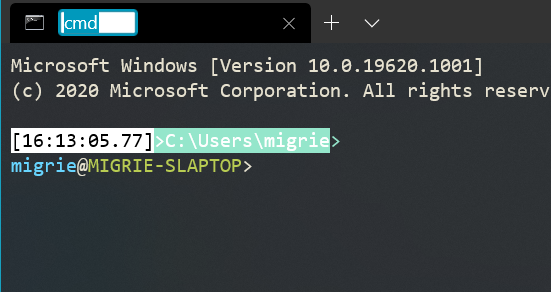
When the user double clicks on a tab, show the tab rename box
as if they right clicked on the tab and clicked on "Rename".
<!-- Other than the issue solved, is this relevant to any other issues/existing PRs? -->
## References
<!-- Please review the items on the PR checklist before submitting-->
## PR Checklist
* [x] Closes#6600
* [x] CLA signed. If not, go over [here](https://cla.opensource.microsoft.com/microsoft/Terminal) and sign the CLA
* [ ] Tests added/passed
* [ ] Documentation updated. If checked, please file a pull request on [our docs repo](https://github.com/MicrosoftDocs/terminal) and link it here: #xxx
* [ ] Schema updated.
* [ ] I've discussed this with core contributors already. If not checked, I'm ready to accept this work might be rejected in favor of a different grand plan. Issue number where discussion took place: #xxx
<!-- Provide a more detailed description of the PR, other things fixed or any additional comments/features here -->
## Detailed Description of the Pull Request / Additional comments
I added a handler for the `DoubleTapped` event on the tab view item
when we are constructing it for the tab (in `Tab::_MakeTabViewItem`).
The code for that handler was copied the "rename tab menu item" click
handler.
I did not extract the code into a member function because it is very
short (only 2 lines of code) and only used twice so it is not worth
it IMO.
<!-- Describe how you validated the behavior. Add automated tests wherever possible, but list manual validation steps taken as well -->
## Validation Steps Performed
When opening a new tab, it takes a few milliseconds before title to
appears. This PR makes it instantaneous.

* Updated the Terminal so that it can load the title from the settings
  before it is initialized.
* Load terminal settings in TermControl constructor before the terminal
  is initialized (see above).
* Update Tab so that it sets the TabViewItem's title in the constructor
  (in Tab::_MakeTabViewItem) instead of waiting for the VT sequence to
  set the title (from what I understand).

NOTE 1: there is a similar problem with the tabview icon which is not
fixed by this PR.

NOTE 2: This is only a problem with animations disabled because
otherwise the title fades in so there is enough time for it to be set
when it becomes visible.

## Validation

I ran the terminal and opened a new tab. The title appears instantly.
## Summary of the Pull Request
When we select a color for the tab, we update the foreground color of the text so that it maintains acceptable contrast with the new tab color. However, we weren't also updating the foreground color of the close button.
This is understandable though, because apparently this wasn't fixable until MUX 2.4 arrived. I'm not a XAML expert, but I know that setting this key only works when we're using MUX 2.4, so I'm assuming something about the TabView implementation changed in that release. _This PR is marked as a draft until #5778 is merged, then I'll re-target to master._
## References
* #5778 - PR to move to MUX 2.4
* This bug was introduced with the tab color picker in #3789
## PR Checklist
* [x] Closes#5780
* [x] I work here
* [ ] Tests added/passed
* [n/a] Requires documentation to be updated
## Validation Steps Performed
A light tab color:

A dark tab color:

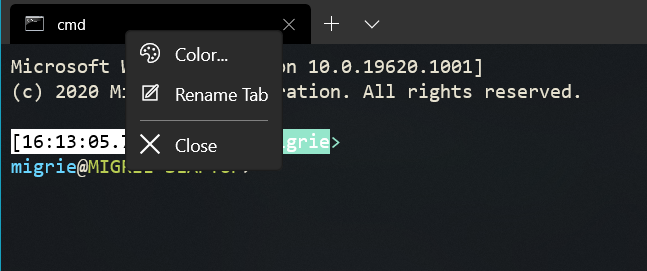
This commit introduces a context menu for Tab and a new item,
"Color...", which will display a color picker.
A flyout menu, containing a custom flyout, is attached to each tab. The
flyout displays a palette of 16 preset colors and includes a color
picker. When the user selects or clears color, an event is fired, which
is intercepted by the tab to which the flyout belongs.
The changing of the color is achieved by putting the selected color in
the resource dictionary of the tab, using well-defined dictionary keys
(e.g. TabViewItemHeaderBackground). Afterwards the visual state of the
tab is toggled, so that the color change is visible immediately.
Custom-colored tabs will be desaturated (somewhat) by alpha blending
them with the tab bar background.
The flyout menu also contains a 'Close' flyout item.
## Validation Steps Performed
I've validated the behavior manually: start the program via the start
menu. Right click on the tab -> Choose a tab color.
The color flyout is going to be shown. Click a color swatch or click
'Select a custom color' to use the color picker. Use the 'Clear the
current color' to remove the custom color.
Closes#2994. References #3327.
This PR has evolved to encapsulate two related fixes that I can't really
untie anymore.
#2455 - Duplicating a tab that doesn't exist anymore
This was the bug I was originally fixing in #4429.
When the user tries to `duplicateTab` with a profile that doesn't exist
anymore (like might happen after a settings reload), don't crash.
As I was going about adding tests for this, got blocked by the fact that
the Terminal couldn't open _any_ panes while the `TerminalPage` was size
0x0. This had two theoretical solutions:
* Fake the `TerminalPage` into thinking it had a real size in the test -
probably possible, though I'm unsure how it would work in practice.
* Change `Pane`s to not require an `ActualWidth`, `ActualHeight` on
initialization.
Fortuately, the second option was something else that was already on my
backlog of bugs.
#4618 - `wt` command-line can't consistently parse more than one arg
Presently, the Terminal just arbitrarily dispatches a bunch of handlers
to try and handle all the commands provided on the commandline. That's
lead to a bunch of reports that not all the commands will always get
executed, nor will they all get executed in the same order.
This PR also changes the `TerminalPage` to be able to dispatch all the
commands sequentially, all at once in the startup. No longer will there
be a hot second where the commands seem to execute themselves in from of
the user - they'll all happen behind the scenes on startup.
This involved a couple other changes areound the `TerminalPage`
* I had to make sure that panes could be opened at a 0x0 size. Now they
use a star sizing based off the percentage of the parent they're
supposed to consume, so that when the parent _does_ get laid out,
they'll take the appropriate size of that parent.
* I had to do some math ahead of time to try and calculate what a
`SplitState::Automatic` would be evaluated as, despite the fact that
we don't actually know how big the pane will be.
* I had to ensure that `focus-tab` commands appropriately mark a single
tab as focused while we're in startup, without roundtripping to the
Dispatcher thread and back
## References
#4429 - the original PR for #2455#5047 - a follow-up task from discussion in #4429#4953 - a PR for making panes use star sizing, which was immensly
helpful for this PR.
## Detailed Description of the Pull Request / Additional comments
`CascadiaSettings::BuildSettings` can throw if the GUID doesn't exist.
This wraps those calls up with a try/catch.
It also adds a couple tests - a few `SettingsTests` for try/catching
this state. It also adds a XAML-y test in `TabTests` that creates a
`TerminalPage` and then performs som UI-like actions on it. This test
required a minor change to how we generate the new tab dropdown - in the
tests, `Application::Current()` is _not_ a `TerminalApp::App`, so it
doesn't have a `Logic()` to query. So wrap that in a try/catch as well.
While working on these tests, I found that we'd crash pretty agressively
for mysterious reasons if the TestHostApp became focused while the test
was running. This was due to a call in
`TSFInputControl::NotifyFocusEnter` that would callback to
`TSFInputControl::_layoutRequested`, which would crash on setting the
`MaxSize` of the canvas to a negative value. This PR includes a hotfix
for that bug as well.
## Validation Steps Performed
* Manual testing with a _lot_ of commands in a commandline
* run the tests
* Team tested in selfhost
Closes#2455Closes#4618
<!-- Enter a brief description/summary of your PR here. What does it fix/what does it change/how was it tested (even manually, if necessary)? -->
## Summary of the Pull Request
Fixes a bug where scrolling up/down doesn't update the viewport after the window is resized and in other cases. Also changes other things, please read the detailed description.
<!-- Other than the issue solved, is this relevant to any other issues/existing PRs? -->
## References
<!-- Please review the items on the PR checklist before submitting-->
## PR Checklist
* [x] Closes#1494
* [x] CLA signed. If not, go over [here](https://cla.opensource.microsoft.com/microsoft/Terminal) and sign the CLA
* [ ] Tests added/passed
* [ ] Requires documentation to be updated
* [ ] I've discussed this with core contributors already. If not checked, I'm ready to accept this work might be rejected in favor of a different grand plan. Issue number where discussion took place: #xxx
<!-- Provide a more detailed description of the PR, other things fixed or any additional comments/features here -->
## Detailed Description of the Pull Request / Additional comments
There are two ways scroll can happen:
- the user scrolls using the scroll bar and the `Terminal` is notified
- the `Terminal` changed the viewport and the scroll bar is updated to reflect the change
The code to notify the `Terminal` that the user scrolled is in the event handler for when the scroll bar's value changes. However this poses a problem because it means that when the `Terminal` changes the viewport, the scroll bar is updated so it would then also notify the `Terminal` that the scroll changed. But it already knows because it's coming from itself!
To fix this, the `TermControl` class had a member called `_lastScrollOffset` that would be set when the `Terminal` decides to change the viewport so that the event handler for the scroll bar could check the new scroll value against `_lastScrollOffset` and if it matches, then everything is fine and there is nothing to update.
This is what happens when the `Terminal` changes the viewport:
1. set `_lastScrollOffset`
2. dispatch job on the UI thread: update the scrollbar which is going to call the event handler which is going to check for `_lastScrollOffset` and clear it
There are two bugs introduced by this approach:
1. (I am not sure about this.) The dispatcher appears to store jobs in a LIFO stack so it sometimes reorders the "update the scrollbar" jobs when there are too many. When I run `1..10000` on PowerShell, then I get this from the event handler (format: `_lastScrollOffset newValue`):
```
8988 8988
8989 8989
8990 8990
8992 8991
8993 8992
...
9001 8997
9001 8998
9001 8999
9001 9000
9001 9001
9001 8985
9001 8968
9001 8953
...
9001 7242
9001 7226
9001 7210
```
This causes the following issues:
1. `_lastScrollOffset` wouldn't be reset because it wouldn't be equal to the current scroll bar value (see example above) so the next scrolls wouldn't do anything as the event handler would still be waiting for an event with the good scroll bar value which would never happen because it happened earlier
2. the `TermControl` would notify the `Terminal` about its own scroll
2. If the `Terminal` didn't actually changed its viewport but still called the `TermControl::_TerminalScrollPositionChanged` method, then it would set the `_lastScrollOffset` member as usual but the scroll bar value change event handler would not be called because it is only called when the value actually changes so the `_lastScrollOffset` member wouldn't be cleared and subsequent scroll bar value change events would be ignored because again the event handler would still be waiting for an event with the good scroll bar value which would never happen. This is actually the reason for #1494: when the window is resized, the `Terminal` will call `TermControl::_TerminalScrollPositionChanged` even if the scroll position didn't actually change (444de5b166/src/cascadia/TerminalCore/Terminal.cpp (L183)). Maybe this should also be fixed in another PR?
I replaced `_lastScrollOffset` by a flag `_isTerminalInitiatedScroll`. I set the flag just before and unset it just after the terminal changes the scrollbar on the UI thread to eliminate the race conditions and the bug when the scroll bar's value doesn't actually change.
Other changes:
- I also fixed a potential bug where if the user scrolls just after the terminal updates the viewport, it would en up ignoring the user scroll. To do this, when the user scrolls, I cancel any update with `_willUpdateScrollBarToMatchViewport`.
- I also removed the original `ScrollViewport` method because it was not used anywhere and I think it can potentially create confusion (and therefore bugs) because this method updates the viewport but not the scroll bar unlike `KeyboardScrollViewport` which functions as you would expect. I then renamed `KeyboardScrollViewport` into `ScrollViewport`. So, now, there is only one method to scroll the viewport from the `TermControl`. Please, tell me if this shouldn't be in this PR.
- I also removed `_terminal->UserScrollViewport(viewTop);` in the `KeyboardScrollViewport` method because it will be updated later anyways in the scroll bar's value change event handler because of the `_scrollBar.Value(viewTop);`.
<!-- Describe how you validated the behavior. Add automated tests wherever possible, but list manual validation steps taken as well -->
## Validation Steps Performed
I tested manually by doing this:
- For bug 1:
1. Start the terminal
2. Run the `1..30000` command in PowerShell and wait for it to end (maybe more if you have a fast computer?)
3. Hold left click on the scrollbar slider and start moving it
- For bug 2:
1. Start the terminal
2. Run the `1..100` command in PowerShell and wait for it to end
3. Resize the window horizontally
4. Hold left click on the scrollbar slider and start moving it
Without this patch, the viewport doesn't update.
With the patch, the viewport updates correctly.
Generated by https://github.com/jsoref/spelling `f`; to maintain your repo, please consider `fchurn`
I generally try to ignore upstream bits. I've accidentally included some items from the `deps/` directory. I expect someone will give me a list of items to drop, I'm happy to drop whole files/directories, or to split the PR into multiple items (E.g. comments/locals/public).
Closes#4294
## Summary of the Pull Request
This PR will make the existing `Tab` class into a WinRT type. This will allow any XAML to simply bind to the `ObservableVector` of Tabs.

This PR will be followed up with a future PR to change our TabView to use the ObservableVector, which will in turn eliminate the need for maintaining two vectors of Tabs. (We currently maintain `_tabs` in `TerminalPage` and we also maintain `TabView().TabViewItems()` at the same time as described here: #2740)

## References
#3922

## PR Checklist
* [x] CLA signed.
* [x] Tests added/passed

## Detailed Description of the Pull Request / Additional comments
I've currently only exposed a Tab's Title and IconPath to keep things simple. I foresee XAML elements that bind to Tabs to only really need these two properties for displaying.

I've also converted `TerminalPage`'s `std::vector<std::shared_ptr> _tabs` into a `IObservableVector<winrt::TerminalPage::Tab> _tabs` just so that future PRs will have the ground set for binding to this vector of tabs.

## Validation Steps Performed
Played around with Tabs and Panes and all sorts of combinations of keybindings for interacting with tabs and dragging and whatnot, it all seemed fine! Tab Tests also all pass.
## Summary of the Pull Request
Adds support for commandline arguments to the Windows Terminal, in accordance with the spec in #3495
## References
* Original issue: #607
* Original spec: #3495
## PR Checklist
* [x] Closes#607
* [x] I work here
* [x] Tests added/passed
* [ ] We should probably add some docs on these commands
* [x] The spec (#3495) needs to be merged first!
## Detailed Description of the Pull Request / Additional comments
🛑 **STOP** 🛑 - have you read #3495 yet? If you haven't, go do that now.
This PR adds support for three initial sub-commands to the `wt.exe` application:
* `new-tab`: Used to create a new tab.
* `split-pane`: Used to create a new split.
* `focus-tab`: Moves focus to another tab.
These commands are largely POC to prove that the commandlines work. They're not totally finished, but they work well enough. Follow up work items will be filed to track adding support for additional parameters and subcommands
Important scenarios added:
* `wt -d .`: Open a new wt instance in the current working directory #878
* `wt -p <profile name>`: Create a wt instance running the given profile, to unblock #576, #1357, #2339
* `wt ; new-tab ; split-pane -V`: Launch the terminal with multiple tabs, splits, to unblock #756
## Validation Steps Performed
* Ran tests
* Played with it a bunch
This commit introduces a new recursive pane shutdown that will give all
controls under a tab a chance to clean up their state before beign
detached from the UI. It also reorders the call to LastTabClosed() so
that the application does not exit before the final connections are
terminated.
It also teaches TSFInputControl how to shut down to avoid a dramatic
platform bug.
Fixes#4159.
Fixes#4336.
## PR Checklist
* [x] CLA signed
* [x] I've discussed this with core contributors already.
## Validation Steps Performed
Validated through manual terminal teardown within and without the debugger, given a crazy number of panes and tabs.