## Window shenanigans, part the first:

This PR enables terminals to tell ConPTY what the owning window for the
pseudo window should be. This allows thigs like MessageBoxes created by
console applications to work. It also enables console apps to use
`GetAncestor(GetConsoleWindow(), GA_ROOT)`  to get directly at the HWND
of the Terminal (but _don't please_).

This is tested with our internal partners and seems to work for their
scenario.

See #2988, #12799, #12515, #12570.

## PR Checklist
This is 1/3 of #2988.
<!-- Enter a brief description/summary of your PR here. What does it fix/what does it change/how was it tested (even manually, if necessary)? -->
## Summary of the Pull Request
This builds on top of #12707. As I understand it the primary motivation for using a git submodule instead of NuGet is just that it is too annoying to have to manage dozens of packages.config files and their corresponding import statements. Now that there is a single global nuget definition that is a nonissue and we can switch over.
This also updates to the latest version of WIL.
Now that the latest version of WIL is available it uses it to replace `winrt::resume_foreground` with `wil::resume_foreground`. See [492c01bb53) for a detailed explanation of the problems with `winrt::resume_foreground` and how WIL addresses them.
<!-- Other than the issue solved, is this relevant to any other issues/existing PRs? -->
## References
<!-- Please review the items on the PR checklist before submitting-->
## PR Checklist
* [ ] Closes#12776, Closes#12777
* [ ] CLA signed. If not, go over [here](https://cla.opensource.microsoft.com/microsoft/Terminal) and sign the CLA
* [ ] Tests added/passed
* [ ] Documentation updated. If checked, please file a pull request on [our docs repo](https://github.com/MicrosoftDocs/terminal) and link it here: #xxx
* [ ] Schema updated.
* [ ] I've discussed this with core contributors already. If not checked, I'm ready to accept this work might be rejected in favor of a different grand plan. Issue number where discussion took place: #xxx
<!-- Provide a more detailed description of the PR, other things fixed or any additional comments/features here -->
## Detailed Description of the Pull Request / Additional comments
<!-- Describe how you validated the behavior. Add automated tests wherever possible, but list manual validation steps taken as well -->
## Validation Steps Performed
Ran `git clean -fdx` to wipe my clone to be completely clean. Opened the solution in Visual Studio 2022 and build it. Used `razzle.cmd`, `b`, and `runut.cmd` to run the tests.
## Summary of the Pull Request
This change makes Windows Terminal raise a `RaiseNotificationEvent()` ([docs](https://docs.microsoft.com/en-us/uwp/api/windows.ui.xaml.automation.peers.automationpeer.raisenotificationevent?view=winrt-22000)) for new text output to the buffer.

This is intended to help Narrator identify what new output appears and reduce the workload of diffing the buffer when a `TextChanged` event occurs.

## Detailed Description of the Pull Request / Additional comments
The flow of the event occurs as follows:
- `Terminal::_WriteBuffer()`
   - New text is output to the text buffer. Notify the renderer that we have new text (and what that text is).
- `Renderer::TriggerNewTextNotification()`
   - Cycle through all the rendering engines and tell them to notify handle the new text output.
   - None of the rendering engines _except_ `UiaEngine` has it implemented, so really we're just notifying UIA.
- `UiaEngine::NotifyNewText()`
   - Concatenate any new output into a string.
   - When we're done painting, tell the notification system to actually notify of new events occurring and clear any stored output text. That way, we're ready for the next renderer frame.
- `InteractivityAutomationPeer::NotifyNewOutput()` --> `TermControlAutomationPeer::NotifyNewOutput`
   - NOTE: these are split because of the in-proc and out-of-proc separation of the buffer.
   - Actually `RaiseNotificationEvent()` for the new text output.

Additionally, we had to handle the "local echo" problem: when a key is pressed, the character is said twice (once for the keyboard event, and again for the character being written to the buffer). To accomplish this, we did the following:
- `TermControl`:
   - here, we already handle keyboard events, so I added a line saying "if we have an automation peer attached, record the keyboard event in the automation peer".
- `TermControlAutomationPeer`:
   - just before the notification is dispatched, check if the string of recent keyboard events match the beginning of the string of new output. If that's the case, we can assume that the common prefix was the "local echo".

This is a fairly naive heuristic, but it's been working.

Closes the following ADO bugs:
- https://dev.azure.com/microsoft/OS/_workitems/edit/36506838
- (Probably) https://dev.azure.com/microsoft/OS/_workitems/edit/38011453

## Test cases
- [x] Base case: "echo hello"
- [x] Partial line change
- [x] Scrolling (should be unaffected)
- [x] Large output
- [x] "local echo": keyboard events read input character twice
This commit enables `/std:c++20` for local development under VS17.
Our CIs will continue to use VS16 and C++17 for now in order to reduce
the likelihood of regressions during the current development cycle.
It's expected that we'll migrate to VS17 soon, as this
is what conhost is already being built with anyways.
## PR Checklist
* [x] Closes#12510
* [x] I work here
* [x] Tests added/passed
## Validation Steps Performed
* Everything compiles under `/std:c++20` ✅
<!-- Enter a brief description/summary of your PR here. What does it fix/what does it change/how was it tested (even manually, if necessary)? -->
## Summary of the Pull Request

Fix typos found by codespell. Some of it in documentation and user-visible text, mostly in code comments. While I understand you might not be interested in fixing code comments, one of the reasons being extra noise in git history, kindly note that most spell checking tools do not discriminate between documentation and code comments. So it's easier to fix everything for long maintenance.

<!-- Other than the issue solved, is this relevant to any other issues/existing PRs? -->
## References

<!-- Please review the items on the PR checklist before submitting-->
## PR Checklist
* [ ] Closes #xxx
* [X] CLA signed. If not, go over [here](https://cla.opensource.microsoft.com/microsoft/Terminal) and sign the CLA
* [x] Tests added/passed
* [X] Documentation updated. If checked, please file a pull request on [our docs repo](https://github.com/MicrosoftDocs/terminal) and link it here: [#501](https://github.com/MicrosoftDocs/terminal/pull/501)
* [ ] Schema updated.
* [ ] I've discussed this with core contributors already. If not checked, I'm ready to accept this work might be rejected in favor of a different grand plan. Issue number where discussion took place: #xxx

<!-- Provide a more detailed description of the PR, other things fixed or any additional comments/features here -->
## Detailed Description of the Pull Request / Additional comments

<!-- Describe how you validated the behavior. Add automated tests wherever possible, but list manual validation steps taken as well -->
## Validation Steps Performed

I have checked and re-checked all changes.
Basically, this is the same as #12266, but for the `SearchBoxControl`. Trickily, the ControlCore is the one that knows if there were search results, but the TermControl has to be the one to announce it.

* [x] Will take care of #11973 once a11y team confirms
* [x] Tested manually with Narrator
* [x] Resolves a part of #6319, which I'm repurposing just to displaying the number of results in general.
* See also #3920
More fallout from the settings refactor. Probably because testing on a Windows
10 device is hard, because you actually need a physical machine to get acrylic
to behave correctly.
Basically, the code is simpler now, but we missed the windows 10 only edge case
where acrylic can get turned on, but we forget to enable the acrylic brush, so
it just stays off.
Refer to #11619 where this regressed, and #11643, #12229, because this is just a
hard problem apparently
* [x] Closes#11743. Technically OP is complaining about behavior that's
by-design, but it made me realize this regressed in 1.12.
* [ ] No tests on this part of the `TermControl` unfortunately.
* [x] Hauled out my old Win10 laptop to verify that opacity works right:
- [x] A fresh profile isn't created with any opacity
- [x] Mouse wheeling turns on acrylic
- [x] Using `opacity` only in the settings still stealthily enables acrylic
This commit correctly restores the previous opacity when the command palette
preview is cancelled. It includes an additional change in order to make the
`AdjustOpacity` setter consistent and symmetric with the `Opacity` getter.
## PR Checklist
* [x] Closes#12228
* [x] I work here
* [x] Tests added/passed
## Validation Steps Performed
* Open Windows Terminal command palette
* Choose "Set background opacity..."
* Cycle through the items without selecting one
* Press Escape
* Previous opacity is restored ✅
This commit makes the following changes to `til::point/size/rectangle`
for the following reasons:
* Rename `rectangle` into `rect`
  This will make the naming consistent with a later `small_rect` struct
  as well as the existing Win32 POINT/SIZE/RECT structs.
* Standardizes til wrappers on `int32_t` instead of `ptrdiff_t`
  Provides a consistent behavior between x86 and x64, preventing accidental
  errors on x86, as it's less rigorously tested than x64. Additionally it
  improves interop with MIDL3 which only supports fixed width integer types.
* Standardizes til wrappers on throwing `gsl::narrow_error`
  Makes the behavior of our code more consistent.
* Makes all eligible functions `constexpr`
  Because why not.
* Removes implicit constructors and conversion operators
  This is a complex and controversial topic. My reasons are: You can't Ctrl+F
  for an implicit conversion. This breaks most non-IDE engines, like the one on
  GitHub or those we have internally at MS. This is important for me as these
  implicit conversion operators aren't cost free. Narrowing integers itself,
  as well as the boundary checks that need to be done have a certain,
  fixed overhead each time. Additionally the lack of noexcept prevents
  many advanced compiler optimizations. Removing their use entirely
  drops conhost's code segment size by around ~6.5%.

## References

Preliminary work for #4015.

## PR Checklist
* [x] I work here
* [x] Tests added/passed

## Validation Steps Performed
I'm mostly relying on our unit tests here. Both OpenConsole and WT appear to work fine.
Adds an action which can be used to change the opacity at runtime. This is a follow up to some of the other work I had been doing around opacity and settings previewing at the end of the year.
> edit: pseudo-spec
>
> * `adjustOpacity`:
> * `"opacity"`: (**required**) an integer number to set the opacity to.
> * `"relative"`: (defaults to `true`)
> * If false, set the opacity to the given value, which should be between [0, 100].
> * If true, then use `opacity` as a relative adjustment to the current opacity. So the implementation would get the current opacity for this pane, then add this action's opacity to that value. Should be between [-100, 100]
>
> This would allow both setting exactly 25% opacity with an action, and binding an action that increases/decreases the opacity one {amount}
It's preview-able too, which is neat.

* [x] Closes#11205
* [x] I work here
* [x] Docs updated: https://github.com/MicrosoftDocs/terminal/pull/477
I'm not 100% sure that this is the right solution, but it does seem to work well enough. This is unfortunately a classic heisenbug. It was already hard enough to repro originally, but attaching a debugger made it totally impossible to hit.
My theory is that it's possible for the GotFocus event to fire before the LayoutUpdated event does. If that were to occur, then we'd try to turn on the cursor timer before it exists, gracefully do nothing, then create the timer. In that case, we'd never get a subsequent message to start the blinking.
I tested that theory by just initializing the cursor blinker to our `_focused` state. In that case, if the control has already been focused at the time of the LayoutUpdated event, then we can init the cursor to the correct state. Testing that out, I couldn't once get this to repro, which makes me think this works. I've opened some 900 (<sup>hyperbole</sup>) tabs now, so I'm pretty confident I'd have seen it by now.
* Regressed in #10978
* [x] fixes#11411
* [x] I made sure I didn't regress #6586
* [x] I work here
This PR attempts to minimize the amount of fiddling we do with the alpha
color components, by storing all colors with a zero alpha (the default
for `COLORREF` values) and then leaving it up to the renderer to adjust
the final alpha value as required (which it was already doing anyway).
This gets rid of the `argb.h` header file, which was originally being
used to produce `COLORREF` values with custom alpha components, and thus
is no longer required. Anywhere that was using the `ARGB` macro is now
using a standard `RGB` macro with a 0 alpha.
The `Utils::SetColorTableAlpha` method has also been removed, since that
was only really used to force an alpha of 255 on all the color table
entries, which isn't necessary.
There were also a number of places where we were using
`til::color::with_alpha`, to switch alpha components back and forth
between 0 and 255, which have now been removed. Some of these were
essentially noops, because the `til::color` class already applied the
appropriate alpha changes when converting from or to a `COLORREF`.
I've manually run a few attribute rendering tests to check that the
colors were still working correctly, and the default background color is
appropriately transparent when in acrylic mode.
Closes#11885
## Summary of the Pull Request
Currently, the TermControl and ControlCore recieve a settings object that implements `IControlSettings`. They use for this for both reading the settings they should use, and also storing some runtime overrides to those settings (namely, `Opacity`). The object they recieve currently is a `T.S.M.TerminalSettings` object, as well as another `TerminalSettings` object if the user wants to have an `unfocusedAppearance`. All these are all hosted in the same process, so everything is fine and dandy.
With the upcoming move to having the Terminal split into multiple processes, this will no longer work. If the `ControlCore` in the Content Process is given a pointer to a `TerminalSettings` in a certain Window Process, and that control is subsequently moved to another window, then there's no guarantee that the original `TerminalSettings` object continues to exist. In this scenario, when window 1 is closed, now the Core is unable to read any settings, because the process that owned that object no longer exists.
The solution to this issue is to have the `ControlCore`'s own their own copy of the settings they were created with. that way, they can be confident those settings will always exist. Enter `ControlSettings`, a dumb struct for just storing all the contents of the Settings. I used x-macros for this, so that we don't need to copy-paste into this file every time we add a setting.
Changing this has all sorts of other fallout effects:
* Previewing a scheme/anything is a tad bit more annoying. Before, we could just sneak the previewed scheme into a `TerminalSettings` that lived between the settings we created the control with, and the settings they were actually using, and it would _just work_. Even explaining that here, it sounds like magic, because it was. However, now, the TermControl can't use a layered `TerminalSettings` for the settings anymore. Now we need to actually read out the current color table, and set the whole scheme when we change it. So now there's also a `Microsoft.Terminal.Core.Scheme` _struct_ for holding that data.
- Why a `struct`? Because that will go across the process boundary as a blob, rather than as a pointer to an object in the other process. That way we can transit the whole struct from window to core safely.
* A TermControl doesn't have a `IControlSettings` at all anymore - it initalizes itself via the settings in the `Core`. This will be useful for tear-out, when we need to have the `TermControl` initialize itself from just a `ControlCore`, without being able to rebuild the settings from scratch.
* The `TabTests` that were written under the assumption that the Control had a layered `TerminalSettings` obviously broke, as they were designed to. They've been modified to reflect the new reality.
* When we initialize the Control, we give it the settings and the `UnfocusedAppearance` all at once. If we don't give it an `unfocusedAppearance`, it will just use the focused appearance as the unfocused appearance.
* The Control no longer can _write_ settings to the `ControlSettings`. We don't want to be storing things in there. Pretty much everything we set in the control, we store somewhere other than in the settings object itself. However, `opacity` and `useAcrylic`, we need to store in a handy new `RUNTIME_SETTING` property. We can write those runtime overrides to those properties.
* We no longer store the color scheme for a pane in the persisted state. I'm tracking that in #9800. I don't think it's too hard to add back, but I wanted this in front of eyes sooner than later.
## References
* #1256
* #5000
* #9794 has the scheme previewing in it.
* #9818 is WAY more possible now.
## PR Checklist
* [x] Surprisingly there wasn't ever a card or issue for this one. This was only ever a bullet point in #5000.
* A bunch of these issues were fixed along the way, though I never intended to fix them:
* [x] Closes#11571
* [x] Closes#11586
* [x] Closes#7219
* [x] Closes#11067
* [x] I think #11623 actually ended up resolving this one, but I'm double tapping on it here: Closes#5703
* [x] I work here
* [x] Tests added/passed
* [n/a] Requires documentation to be updated
## Detailed Description of the Pull Request / Additional comments
Along the way I tried to clean up code where possible, but not too agressively.
I didn't end up converting the various `MockTerminalSettings` classes used in tests to the x macros quite yet. I wanted to merge this with #11416 in `main` before I went too crazy.
## Validation Steps Performed
* [x] Scheme previewing works
* [x] Adjusting the font size works
* [x] focused/unfocused appearances still work
* [x] mouse-wheeling opacity still works
* [x] acrylic & cleartype still does the right thing
* [x] saving the settings still works
* [x] going wild on sliding the opacity slider in the settings doesn't crash the terminal
* [x] toggling retro effects with a keybinding still works
* [x] toggling retro effects with the command palette works
* [x] The matrix of (`useAcrylic(true,false)`)x(`opacity(50,100)`)x(`antialiasingMode(cleartype, grayscale)`) works as expected. Slightly changed, falls back to grayscale more often, but looks more right.
Since the settings UI's input fields behave similarly to the terminal's input,
`TerminalPage::_KeyDownHandler` also needs to behave similarly to
`TermControl::_KeyHandler`. This commit copies all relevant code
over from the latter into the former, including the suppression
of AltGr keys for keychord/action handling.
## PR Checklist
* [x] Closes#11788
* [x] I work here
* [x] Tests added/passed
## Validation Steps Performed
* Use a German keyboard layout
* Open 2 regular tabs and 1 settings tab and focus an input field
* AltGr+2 produces the character ² ✔️
* Ctrl+Alt+2 opens the second tab ✔️
This commit introduces "AtlasEngine", a new text renderer based on DxEngine.
But unlike it, DirectWrite and Direct2D are only used to rasterize glyphs.
Blending and placing these glyphs into the target view is being done using
Direct3D and a simple HLSL shader. Since this new renderer more aggressively
assumes that the text is monospace, it simplifies the implementation:
The viewport is divided into cells, and its data is stored as a simple matrix.
Modifications to this matrix involve only simple pointer arithmetic and is easy
to understand. But just like with DxEngine however, DirectWrite
related code remains extremely complex and hard to understand.

Supported features:
* Basic text rendering with grayscale AA
* Foreground and background colors
* Emojis, including zero width joiners
* Underline, dotted underline, strikethrough
* Custom font axes and features
* Selections
* All cursor styles
* Full alpha support for all colors
* _Should_ work with Windows 7

Unsupported features:
* A more conservative GPU memory usage
  The backing texture atlas for glyphs is grow-only and will not shrink.
  After 256MB of memory is used up (~20k glyphs) text output
  will be broken until the renderer is restarted.
* ClearType
* Remaining gridlines (left, right, top, bottom, double underline)
* Hyperlinks don't get full underlines if hovered in WT
* Softfonts
* Non-default line renditions

Performance:
* Runs at up to native display refresh rate
  Unfortunately the frame rate often drops below refresh rate, due us
  fighting over the buffer lock with other parts of the application.
* CPU consumption is up to halved compared to DxEngine
  AtlasEngine is still highly unoptimized. Glyph hashing
  consumes up to a third of the current CPU time.
* No regressions in WT performance
  VT parsing and related buffer management takes up most of the CPU time (~85%),
  due to which the AtlasEngine can't show any further improvements.
* ~2x improvement in raw text throughput in OpenConsole
  compared to DxEngine running at 144 FPS
* ≥10x improvement in colored VT output in WT/OpenConsole
  compared to DxEngine running at 144 FPS
Drag and drop does not work for WSL because paths are pasted as windows
paths having incorrect path separator and path root. This PR adds code
to correct the path in TerminalControl before pasting to WSL terminals.
One problem with this approach is that it assumes the default WSL
automount root of "/mnt". It would be possible to add a setting like
"WslDragAndDropMountRoot"... but I decided it if someone wants to change
automount location it would be simple enough just to create the "/mnt"
symlink in WSL.
## Validation
Couldn't find an obvious place to add a test. Manually tested
cut-n-paste from following paths:
- "c:\"
- "c:\subdir"
- "c:\subdir\subdir"
- "\\wsl.localhost\<distro>"
- \\wsl.localhost\<distro>\subdir"
Closes#331
<!-- Enter a brief description/summary of your PR here. What does it fix/what does it change/how was it tested (even manually, if necessary)? -->
## Summary of the Pull Request
Moves baskgroung image update releated code into separate function and adds uri path construction exeption handling.
<!-- Other than the issue solved, is this relevant to any other issues/existing PRs? -->
## References
<!-- Please review the items on the PR checklist before submitting-->
## PR Checklist
* [x] Closes#11361
* [x] CLA signed. If not, go over [here](https://cla.opensource.microsoft.com/microsoft/Terminal) and sign the CLA
* [ ] Tests added/passed
* [ ] Documentation updated. If checked, please file a pull request on [our docs repo](https://github.com/MicrosoftDocs/terminal) and link it here: #xxx
* [ ] Schema updated.
* [ ] I've discussed this with core contributors already. If not checked, I'm ready to accept this work might be rejected in favor of a different grand plan. Issue number where discussion took place: #xxx
<!-- Provide a more detailed description of the PR, other things fixed or any additional comments/features here -->
## Detailed Description of the Pull Request / Additional comments
<!-- Describe how you validated the behavior. Add automated tests wherever possible, but list manual validation steps taken as well -->
## Validation Steps Performed
Tried to put garbage as a path. Terminal didn't crashed.
Missed this in #11180. I forgot to init the BG opacity with the renderer on startup, because that matters when you have `"antialiasingMode": "cleartype",`.
Repro json
```json
{
"commandline": "cmd.exe",
"guid": "{0caa0dad-35be-5f56-a8ff-afceeeaa6101}",
"hidden": false,
"opacity": 35,
"antialiasingMode": "cleartype",
"padding": "0",
"name": "Command Prompt"
},
```
* [x] Fixes#11315
For some weird reason we sometimes receive a WM_KEYDOWN
message without vkey or scanCode if a user drags a tab.
The KeyChord constructor has a debug assertion ensuring that all KeyChord
either have a valid vkey/scanCode. This is important, because this prevents
accidential insertion of invalid KeyChords into classes like ActionMap.
## PR Checklist
* [x] Closes#11076
* [x] I work here
* [x] Tests added/passed
## Validation Steps Performed
* Tab dragging doesn't produce assertion failures anymore ✔️
## Summary of the Pull Request
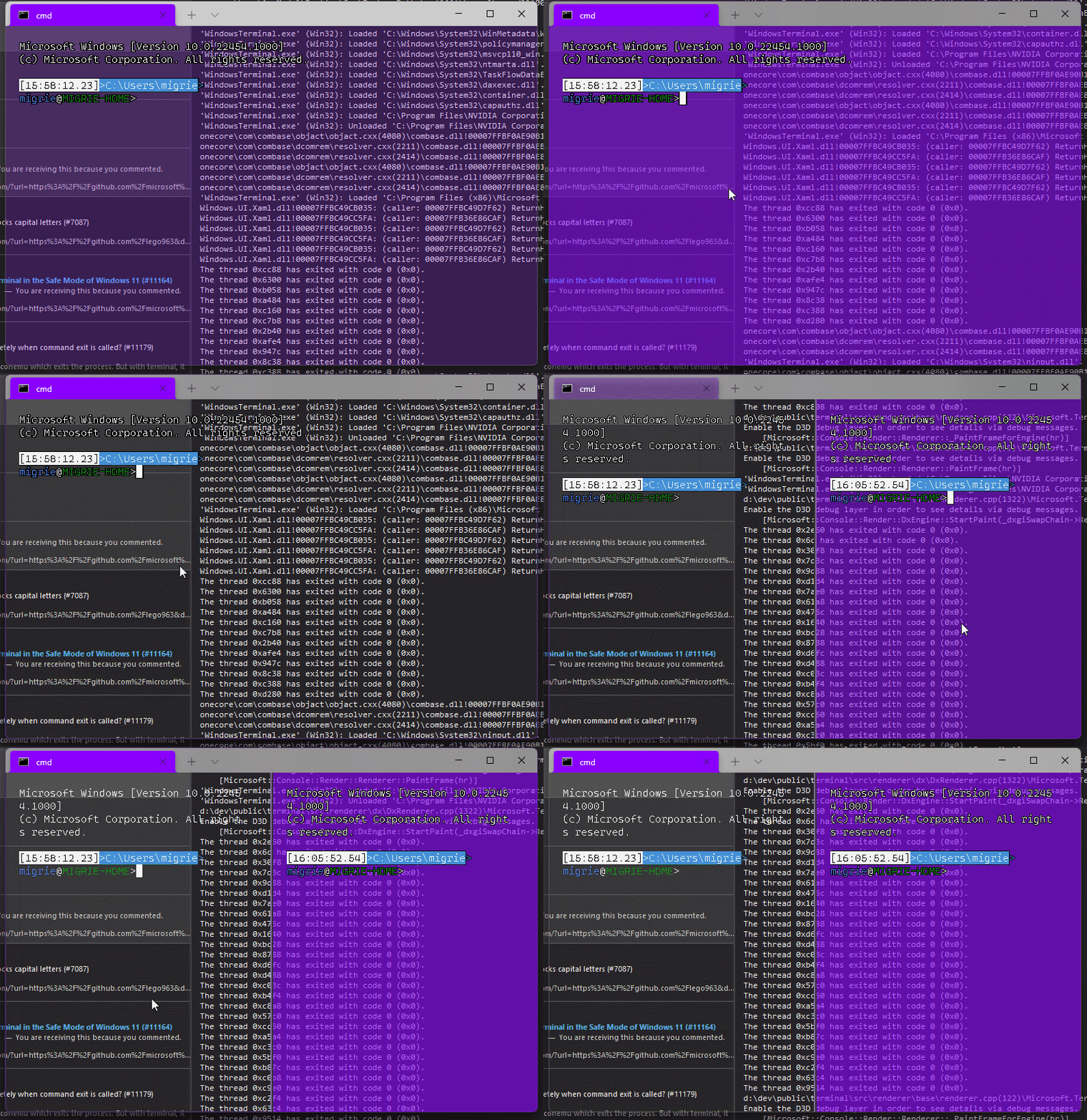
Adds support for vintage style opacity, on Windows 11+. The API we're using for this exists since the time immemorial, but there's a bug in XAML Islands that prevents it from working right until Windows 11 (which we're working on backporting).
Replaces the `acrylicOpacity` setting with `opacity`, which is a uint between 0 and 100 (inclusive), default to 100.
`useAcrylic` now controls whether acrylic is used or not. Setting an opacity < 100 with `"useAcrylic": false` will use vintage style opacity.
Mouse wheeling adjusts opacity. Whether acrylic is used or not is dependent upon `useAcrylic`.
`opacity` will stealthily default to 50 if `useAcrylic:true` is set.
## PR Checklist
* [x] Closes#603
* [x] I work here
* [x] Tests added/passed
* [x] https://github.com/MicrosoftDocs/terminal/pull/416
## Detailed Description of the Pull Request / Additional comments
Opacity was moved to AppearanceConfig. In the future, I have a mind to allow unfocused acrylic, so that'll be important then.
## Validation Steps Performed
_just look at it_
## Summary of the Pull Request
Basically undoes #10988 in favour of implementing it as described in #11018
## PR Checklist
* [x] Closes#11018
* [x] CLA signed. If not, go over [here](https://cla.opensource.microsoft.com/microsoft/Terminal) and sign the CLA
* [X] Tests added/passed
* [X] Documentation updated. If checked, please file a pull request on [our docs repo](https://github.com/MicrosoftDocs/terminal) and link it here: #xxx
* [X] Schema updated.
* [x] I work here
## Validation Steps Performed
- alt+space opens the system menu by default
- when alt+space is bound, the keys do not get send to terminal
- right-click on the tab bar didn't break (still opens system menu at the location of the cursor)
## Summary of the Pull Request
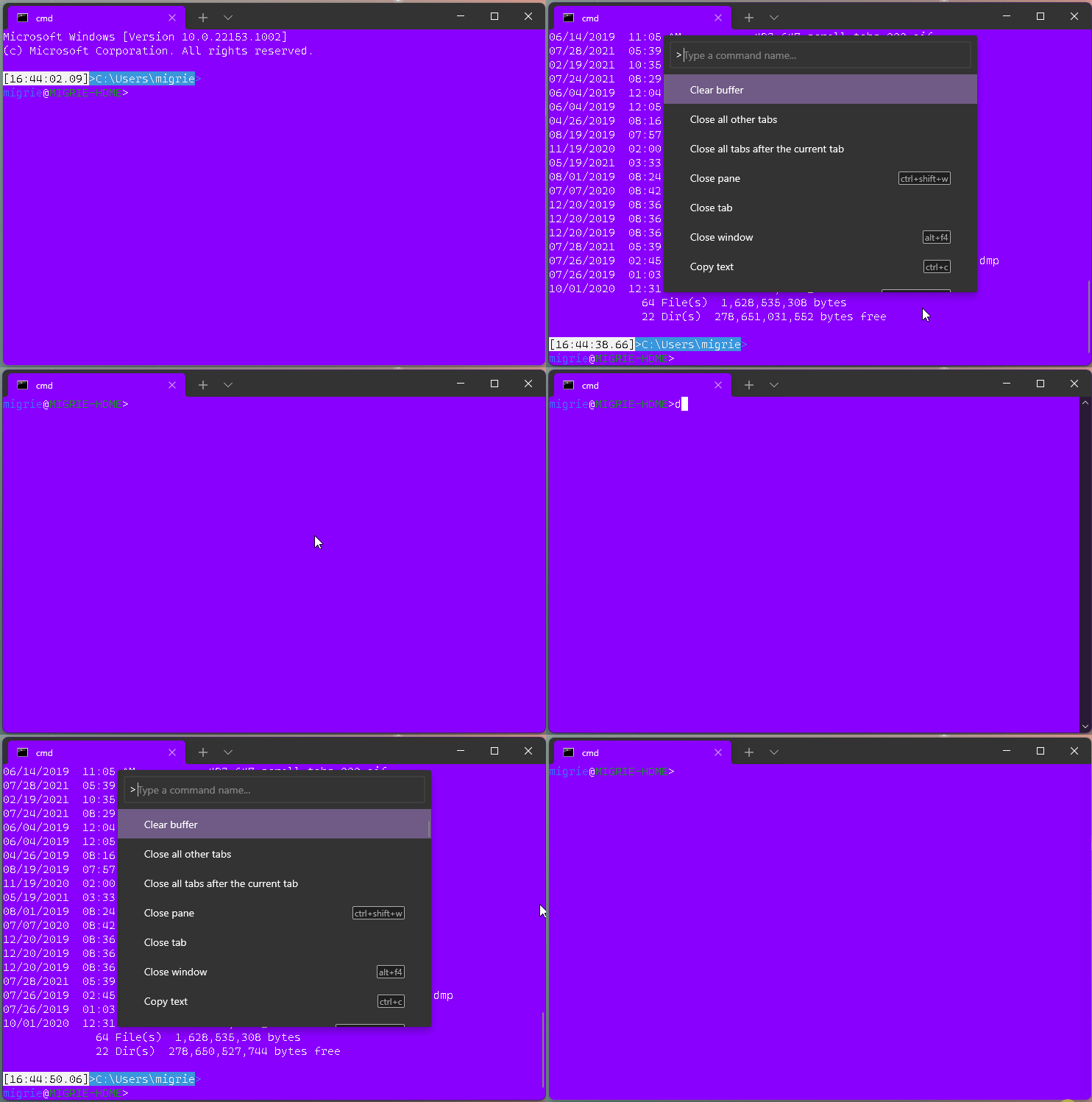
This adds a new action, `clearBuffer`. It accepts 3 values for the `clear` type:
* `"clear": "screen"`: Clear the terminal viewport content. Leaves the scrollback untouched. Moves the cursor row to the top of the viewport (unmodified).
* `"clear": "scrollback"`: Clear the scrollback. Leaves the viewport untouched.
* `"clear": "all"`: (**default**) Clear the scrollback and the visible viewport. Moves the cursor row to the top of the viewport (unmodified).
"Clear Buffer" has also been added to `defaults.json`.
## References
* From microsoft/vscode#75141 originally
## PR Checklist
* [x] Closes#1193
* [x] Closes#1882
* [x] I work here
* [x] Tests added/passed
* [ ] Requires documentation to be updated
## Detailed Description of the Pull Request / Additional comments
This is a bit tricky, because we need to plumb it all the way through conpty to clear the buffer. If we don't, then conpty will immediately just redraw the screen. So this sends a signal to the attached conpty, and then waits for conpty to draw the updated, cleared, screen back to us.
## Validation Steps Performed
* works for each of the three clear types as expected
* tests pass.
* works even with `ping -t 8.8.8.8` as you'd hope.
## Summary of the Pull Request
**Naive implementation** of exporting the text buffer of the current pane
into a text file triggered from the tab context menu.

**Disclaimer: this is not an export of the command  history,**
but rather just a text buffer dumped into a file when asked explicitly.

## References
Should provide partial solution for #642.

## Detailed Description of the Pull Request / Additional comments
The logic is following:
* Open a file save picker
  * The location is Downloads folder (should be always accessible)
  * The suggest name of the file equals to the pane's title
  * The allowed file formats list contains .txt only
* If no file selected stop
* Lock terminal
* Read all lines till the cursor
* Format each line by removing trailing white-spaces and adding CRLF if not wrapped
* Asynchronously write to selected file
* Show confirmation

As the action is relatively fast didn't add a progress bar or any other UX.
As the buffer is relatively small, holding it entirely in the memory rather than
writing line by line to disk.
If both of the following are true
1. alt+space is not explicitly unbound
2. alt+space is not bound to a command
Then the window procedure will handle the alt+space to open up the context menu.
In this case, we need to make sure we don't send the keys to terminal.
Closes#10935
## Summary of the Pull Request
Since the days immemorial of the Terminal, the TermControl has auto-focused itself when it finalizes its layout. This has led to the problem that `wt ; sp ; sp ; sp...` ends up focusing one of these panes at random.
This PR fixes this issue by getting rid of the auto-focusing. Panes now manually get focused when created. We manually focus the active pane when a commandline is dispatched. since we're internally tracking "active" separate from "focused", this ends up working as you'd hope.
## References
## PR Checklist
* [x] Closes#6586
* [x] I work here
* [ ] Tests added/passed
* [n/a] Requires documentation to be updated
## Detailed Description of the Pull Request / Additional comments
I also had to turn the cursor off by default. Most `TermControl`s would never get the `LostFocus` event, so their cursors would get left `On`, and that's not right.
## Validation Steps Performed
I've run the following things a bunch of times to make sure they work:
* `wtd sp ; sp ; sp`
* `wtd sp ; sp ; sp ; fp -t 0`
* `newTab`
* `splitPane`
* use the command palette to do the above as well
Where the result used to be random (cases 1 & 2), the result is exactly what you'd expect now.
It doesn't work at all for
```
wtd sp ; sp ; sp ; mf left
```
Presumably because we can't `move-focus` directionally during startup. However, that doesn't work _today_ either, so it's not making it worse. Just highlights that single scenario doesn't work right.
## Summary of the Pull Request
Pretty straightforward. Check if the scroll event is a horizontal movement. If it is, ignore it. We don't have a horizontal scrollbar.
## References
* obviously, revisit this if we ever do #1860
## PR Checklist
* [x] Closes#10329
* [x] I work here
* [ ] Tests added/passed
* [n/a] Requires documentation to be updated
## Validation Steps Performed
* scrolled ↑/↓ with slaptop trackpad: terminal scrolls.
* scrolled ←/→ with slaptop trackpad: terminal doesn't scroll.
* Scrolling _slightly more vertically than horizontally_ still scrolls.
* Scrolling _slightly more horizontally than vertically_ doesn't scroll.
## Summary of the Pull Request
The bug was that Narrator would still read the content of the old tab/pane although a new tab/pane was introduced. This is caused by the automation peer not being created when XAML requests it. Normally, we would prevent the automation peer from being created if the terminal was not fully initialized.

This change allows the automation peer to be created regardless of the terminal being fully initialized by...
- `TermControl`: `_InitializeTerminal` updates the padding (dependent on the `SwapChainPanel`) upon full initialization
- `ControlCore`: initialize the `_renderer` in the ctor so that we can attach the UIA Engine before `ControlCore::Initialize()` is called (dependent on `SwapChainPanel` loading)

As a bonus, this also fixes a locking issue where logging would attempt to get the text range's text and lock twice. The locking fix is very similar to #10937.

## PR Checklist
Closes [MSFT 33353327](https://microsoft.visualstudio.com/OS/_workitems/edit/33353327)

## Validation Steps Performed
- New pane from key binding is announced by Narrator
- New tab from key binding is announced by Narrator
## Summary of the Pull Request
This was missed in #10051. We need to make sure that the UIA provider can immediately know about the padding in the control, not just after the settings reload.
## PR Checklist
* [x] Closes #9955.e
* [x] Additionally, this just closes#9955. The only remaining box in there never repro'd, so probably wasn't even root caused by #9820. I think we can close that issue for now, and reactivate if something else was broken.
* [x] I work here
* [ ] Tests added/passed
* [n/a] Requires documentation to be updated
## Validation Steps Performed
Checked before/after in Accessibility Insights. Before the row rectangles were the full width of the control initially. Now they're properly padded.
<!-- Enter a brief description/summary of your PR here. What does it fix/what does it change/how was it tested (even manually, if necessary)? -->
## Summary of the Pull Request
This PR implements/solves #7125. Concretely: two requests regarding alt+space were posted there:
1. Disabling the alt+space menu when the keychord explicitly unbound - and forwarding the keystroke to the terminal
2. Disabling the alt+space menu when the keychord is bound to an action
<!-- Other than the issue solved, is this relevant to any other issues/existing PRs? -->
## References
Not that I know
<!-- Please review the items on the PR checklist before submitting-->
## PR Checklist
* [x] Closes#7125
* [x] CLA signed.
* [x] Tests added/passed
* [x] Documentation updated. N/A
* [x] Schema updated.
* [ ] I've discussed this with core contributors already. If not checked, I'm ready to accept this work might be rejected in favor of a different grand plan.
The issue was marked Help-Wanted. I am happy to change the implementation to better fit your (planned) architecture.
<!-- Provide a more detailed description of the PR, other things fixed or any additional comments/features here -->
## Detailed Description of the Pull Request / Additional comments
While researching the solution, I noticed that the XAML system was always opening the system menu after Alt+Space, even when explicitly setting the event to be handled according to the documentation. The only solution I could find was to hook into the "XAML bypass" already in place for F7 KeyDown, and Alt KeyUp keystrokes. This bypass sends the keystroke to the AppHost immediately. This bypass method will "fall back" to the normal XAML routing when the keystroke is not handled.
The implemented behaviour is as follows:
- Default: same as normal; system menu is working since the bypass does not handle the keystroke
- Alt+Space explicitly unbound: bypass passes the keystroke to the terminal and marks it as handled
- Alt+Space bound to command: bypass invokes the command and marks it as handled
Concretely, added a method to the KeyBindings and ActionMap interfaces to check whether a keychord is explicitly unbound. The implementation for `_GetActionByKeyChordInternal` already distinguishes between explicitly unbound and lack of binding, however this distinction is not carried over to the public methods. I decided not to change this existing method, to avoid breaking other stuff and to make the API more explicit.
Furthermore, there were some checks against Alt+Space further down in the code, preventing this keystroke from being entered in the terminal. Since the check for this keystroke is now done at a "higher" level, I thought I could safely remove these checks as otherwise the keystroke could never be sent to the terminal itself. Please correct me if I'm wrong.
Note that when alt+space is bound to an action that opens the command pallette (such as tab search), then a second press of the key combination does still open the system menu. This is because at that point, the "bypass" is cancelled (called "not a good implementation" in #4031). I don't think this can easily be solved for now, but this is a very minor bug/inconvenience.
<!-- Describe how you validated the behavior. Add automated tests wherever possible, but list manual validation steps taken as well -->
## Validation Steps Performed
Added tests for the new method. Performed manual checking:
* [x] Default configuration still opens system menu like normal
* [x] Binding alt+space to an action performs the action and does not show the system menu
* [x] Explicitly unbinding alt+space no longer shows the system menu and sends the keystroke to the terminal. I was unable to run the debug tap (it crashed my instance - same thing happening on preview and release builds) to check for sure, but behaviour was identical to native linux terminals.
#### ⚠️ targets #10051

## Summary of the Pull Request

This updates our `ThrottledFunc`s to take a dispatcher parameter. This means that we can use the `Windows::UI::Core::CoreDispatcher` in the `TermControl`, where there's always a `CoreDispatcher`, and use a `Windows::System::DispatcherQueue` in `ControlCore`/`ControlInteractivity`. When running in-proc, these are always the _same thing_. However, out-of-proc, the core needs a dispatcher queue that's not tied to a UI thread (because the content proces _doesn't have a UI thread!_).

This lets us get rid of the output event, because we don't need to bubble that event out to the `TermControl` to let it throttle that update anymore.

## References
* Tear-out: #1256
* Megathread: #5000
* Project: https://github.com/microsoft/terminal/projects/5

## PR Checklist
* [x] This is a part of #1256
* [x] I work here
* [n/a] Tests added/passed
* [n/a] Requires documentation to be updated

## Detailed Description of the Pull Request / Additional comments

Fortunately, `winrt::resume_foreground` works the same on both a `CoreDispatcher` and a `DispatcherQueue`, so this wasn't too hard!

## Validation Steps Performed

This was validated in `dev/migrie/oop/the-whole-thing` (or `dev/migrie/oop/connection-factory`, I forget which), and I made sure that it worked both in-proc and x-proc. Not only that, _it wasn't any slower_!This reverts commit 04b751faa7.
## Summary of the Pull Request
This fixes two bugs related to dragging into the bounds of the `TermControl`. Although the fixes are fairly small, I'm batching them up, because I don't want to stack 2 more PRs on top of #10051.
* #9109
- This is fixed by only starting an autoscroll if the click&drag actually started within the bounds of the control.
* #4603
- Building on the above change, only modify the selection when the drag started in the control.
## References
* srsly go read #10051.
## PR Checklist
* [x] Closes#9109
* [x] Closes#4603
* [x] I work here
* [x] Test added
* [n/a] Requires documentation to be updated
## Detailed Description of the Pull Request / Additional comments
This is kind of annoying that the auto-scrolling is handled by the TermControl, but it uses a timer that's still a WinUI construct.
We only want to start the auto-scrolling behavior when the drag started _inside_ the control. Otherwise, in the tab drag scenario, dragging into the bounds of the TermControl will trick it into thinking it should start a scroll.
This commit introduces an alternative to specifying key bindings as a combination of key modifiers and a character. It allows you to specify an explicit virtual key as `vk(nnn)`.
Additionally this commit makes it possible to bind actions to scan codes. As scan code 41 appears to be the button below the Escape key on virtually all keyboards, we'll be able to bind the quake mode hotkey to `win+sc(41)` and have it work consistently across most if not all keyboard layouts.
## PR Checklist
* [x] Closes#7539, Closes#10203
* [x] I work here
* [x] Tests added/passed
## Validation Steps Performed
The following was tested both on US and DE keyboard layouts:
* Ctrl+, opens settings ✔️
* Win+` opens quake mode window ✔️
* Ctrl+plus/minus increase/decrease font size ✔️
## Summary of the Pull Request

This forces the `TermControl` to only use `ControlCore` and `ControlInteractivity` via their WinRT projections. We want this, because WinRT projections can be used across process boundaries. In the future, `ControlCore` and `ControlInteractivity` are going to be living in a different process entirely from `TermControl`. By enforcing this boundary now, we can make sure that they will work seamlessly in the future.

## References
* Tear-out: #1256
* Megathread: #5000
* Project: https://github.com/microsoft/terminal/projects/5

## PR Checklist
* [x] Closes https://github.com/microsoft/terminal/projects/5#card-50760270
* [x] I work here
* [x] Tests added/passed
* [n/a] Requires documentation to be updated

## Detailed Description of the Pull Request / Additional comments

Most all this was just converting pure c++ types to winrt types when possible. I've added a couple helper projections with `til` converters, which made most of this really easy.

The "`MouseButtonState` needs to be composed of `Int32`s instead of `bool`s" is MENTAL. I have no idea why this is, but when I had the control OOP in the sample, that would crash when trying to de-marshal the bools. BODGY.

The biggest changes are in the way the UIA stuff is hooked up. The UiaEngine needs to be attached directly to the `Renderer`, and it can't be easily projected, so it needs to live next to the `ControlCore`. But the `TermControlAutomationPeer` needed the `UiaEngine` to help implement some interfaces.

Now, there's a new layer we've introduced. `InteractivityAutomationPeer` does the `ITextProvider`, `IControlAccessibilityInfo` and the `IUiaEventDispatcher` thing. `TermControlAutomationPeer` now has a
`InteractivityAutomationPeer` stashed inside itself, so that it can ask the interactivity layer to do the real work. We still need the `TermControlAutomationPeer` though, to be able to attach to the real UI tree.

## Validation Steps Performed

The terminal behaves basically the same as before.

Most importantly, I whipped out Accessibility Insights, and the Terminal looks the same as before.
Previously `TermControl::Close` destroyed all `ThrottledFunc`s to ensure they're not scheduling any callbacks on the UI thread, as the call to `Close` signals the point at which the `TermControl` isn't part of the UI thread anymore. `_CursorPositionChanged` tried to prevent access to the potentially deallocated `_tsfTryRedrawCanvas` by checking the `std::shared_ptr` for nullability, but since the deallocation happens on the UI thread and the nullability check on a background thread, this check introduced a race condition.
This commit solves the issue by not deallocating any `ThrottledFunc`s anymore and instead checking the `_closing` flag inside the `ThrottledFunc` callback on the UI thread.
Additionally this commit cleans up some antipatterns around the use of `std::optional`.
## PR Checklist
* [x] Closes#10479
* [x] Closes#10302
## Validation Steps Performed
* Opening and closing tabs doesn't crash ✔️
* Printing long text doesn't crash ✔️
* Manual scrolling doesn't crash ✔️
* ^G / the audible bell doesn't crash ✔️
Just come cleanup I did not manage to get to before #9270 merged.

Specifically:

- We only initialize the animation and timer if we need them
- We don't repeatedly destroy/create the timer

## Validation Steps Performed
It still works
I cannot for the life of me repro the original bug. I've got fonts with bad permissions SxS, I've tried installing a font twice, I've tried stopping the font cache service. No idea how to manually repro the original bug.
BUT theoretically, this function should never throw. So lets just switch this to a `LOG_IF_FAILED`, and hope that this goes away?
* [x] Fixes#10211?
* [x] built & ran manually.
Unclear if this can get cherry-picked trivially to 1.8. Code's pretty trivial though so if we need another PR for that, it can be arranged.
<!-- Enter a brief description/summary of your PR here. What does it fix/what does it change/how was it tested (even manually, if necessary)? -->
## Summary of the Pull Request
Adds a new bellStyle called `window`. When `window` is set and a BEL is emitted, we flash the pane that emitted it.

Additionally, changes bellStyle in the SUI to a list of checkboxes instead of radio buttons, to match bellStyle being a flag-enum. Deprecates 'BellStyle::Visual' in the schema, but still allows it to be set in the json (it maps to `Window | Taskbar`)

<!-- Other than the issue solved, is this relevant to any other issues/existing PRs? -->
## References
#6700

<!-- Please review the items on the PR checklist before submitting-->
## PR Checklist
* [ ] Closes #xxx
* [x] CLA signed. If not, go over [here](https://cla.opensource.microsoft.com/microsoft/Terminal) and sign the CLA
* [ ] Tests added/passed
* [ ] Documentation updated. If checked, please file a pull request on [our docs repo](https://github.com/MicrosoftDocs/terminal) and link it here: #xxx
* [ ] Schema updated.
* [x] I work here

<!-- Describe how you validated the behavior. Add automated tests wherever possible, but list manual validation steps taken as well -->
## Validation Steps Performed
GIF in Teams
[Defapp] Use real HPCON for PTY management; Have Monarch always listen for connections
## PR Checklist
* [x] Closes#9464
* [x] Related to #9475 - incomplete fix
* [x] I work here.
* [x] Manual test
## Detailed Description of the Pull Request / Additional comments
- Sometimes peasants can't manage to accept a connection appropriately because I wrote defterm before @zadjii-msft's monarch/peasant architecture. The simple solution here is to just make the monarch always be listening for inbound connections. Then COM won't start a peasant with -Embedding just to ask the monarch where it should go. It'll just join the active window. I didn't close 9475 because it should follow monarch policies on which window to join... and it doesn't yet.
- A lot of interesting things are happening because this didn't have a real HPCON. So I passed through the remaining handles (and re-GUID-ed the interface) that made it possible for me to pack the right process handles and such into an HPCON on the inbound connection and monitor that like any other ConptyConnection. This should resolve some of the process exit behaviors and signal channel things like resizing.
## Summary of the Pull Request

This replaces `ThrottledFunc` with two variants:
* `ThrottledFuncLeading` invokes the callback immediately and blocks further calls for the given duration
* `ThrottledFuncTrailing` blocks calls for the given duration and then invokes the callback

## References

* #9270 - `ThrottledFuncLeading` will allow the pane to flash immediately for a BEL, but block further BELs until the animation finished

## PR Checklist
* [x] I work here
* [ ] Tests added/passed

## Validation Steps Performed

* [x] Ensured scrolling still works
1. The TSFInputControl may get a layout event after it has been removed
   from service (and no longer has a XAML tree)
   * Two fixes:
      * first, guard the layour updater from accessing detached xaml
	objects
      * second, shut down all pending throttled functions during close
	(not destruction!¹)
2. The TermControlAutomationPeer may be destructed before its events
   fire.
3. The TermControlAutomationPeer may receive a notification after it has
   been detached from XAML (and therefore has no dispatcher).

¹ Close happens before the control is removed from the XAML tree;
destruction happens some time later. We must detach all UI-bound events
in Close so that they don't fire between when we detach and when we
destruct.

Fixes MSFT-32496693
Fixes MSFT-32496158
Fixes MSFT-32509759
Fixes MSFT-32871913

(cherry picked from commit 661fde5937)
## Summary of the Pull Request

This PR encompasses the first three bugs we found post-#9820.

### A: Mousedown, select, SCROLL does a weird thing with endpoints that doesn't happen in stable

We were using the terminal position to set the selection anchor, when we should have used the pixel position.

This is fixed in 4f4df01.

### B: Trackpad scrolling down with small increments seems buggy

This one's the most complicated.  The touchpad sends very many small scroll deltas, less than one row at a time. The control scrollbar can store a `double`, so small deltas can accumulate. Originally, these would accumulate in the scrollbar, and we'd only read that out as an `int` in the scrollbar updater, which is throttled.

In the interactivity split, there's no place for us to store that double. We immediately narrow to an `int` for `ControlInteractivity::_updateScrollbar`.

So this introduces a double inside `ControlInteractivity` as a fake scrollbar, with which to accumulate to.

This is fixed in 33d29fa...0fefc5b

### C:  Looks like there's a selection issue when you click and drag too quickly.

The diff for this one is:

<table>

<tr><td>1.8</td><td>main</td></tr>
<tr>

<td>

```c++
if (_singleClickTouchdownPos)
{
    // Figure out if the user's moved a quarter of a cell's smaller axis away from the clickdown point
    auto& touchdownPoint{ *_singleClickTouchdownPos };
    auto distance{ std::sqrtf(std::powf(cursorPosition.X - touchdownPoint.X, 2) + std::powf(cursorPosition.Y - touchdownPoint.Y, 2)) };
    const til::size fontSize{ _actualFont.GetSize() };

    const auto fontSizeInDips = fontSize.scale(til::math::rounding, 1.0f / _renderEngine->GetScaling());
    if (distance >= (std::min(fontSizeInDips.width(), fontSizeInDips.height()) / 4.f))
    {
        _terminal->SetSelectionAnchor(_GetTerminalPosition(touchdownPoint));
        // stop tracking the touchdown point
        _singleClickTouchdownPos = std::nullopt;
    }
}
```

</td>

<td>

```c++
if (_singleClickTouchdownPos)
{
    // Figure out if the user's moved a quarter of a cell's smaller axis away from the clickdown point
    auto& touchdownPoint{ *_singleClickTouchdownPos };
    float dx = ::base::saturated_cast<float>(pixelPosition.x() - touchdownPoint.x());
    float dy = ::base::saturated_cast<float>(pixelPosition.y() - touchdownPoint.y());
    auto distance{ std::sqrtf(std::powf(dx, 2) +
                              std::powf(dy, 2)) };

    const auto fontSizeInDips{ _core->FontSizeInDips() };
    if (distance >= (std::min(fontSizeInDips.width(), fontSizeInDips.height()) / 4.f))
    {
        _core->SetSelectionAnchor(terminalPosition);
        // stop tracking the touchdown point
        _singleClickTouchdownPos = std::nullopt;
    }
}
```

</td>
</tr>
</table>

```c++
        _terminal->SetSelectionAnchor(_GetTerminalPosition(touchdownPoint));
```

vs

```c++
        _core->SetSelectionAnchor(terminalPosition);
```

We're now using the location of the drag event as the selection anchor, instead of the location that the user initially clicked. Oops.


## PR Checklist
* [x] Checks three boxes, though I'll be shocked if they're the last.
* [x] I work here
* [x] Tests added/passed 🎉🎉🎉
* [n/a] Requires documentation to be updated

## Detailed Description of the Pull Request / Additional comments

All three have tests, 🙌🙌🙌🙌

## Validation Steps Performed

Manual, and automated via tests
## Summary of the Pull Request
Brace yourselves, it's finally here. This PR does the dirty work of splitting the monolithic `TermControl` into three components. These components are:
* `ControlCore`: This encapsulates the `Terminal` instance, the `DxEngine` and `Renderer`, and the `Connection`. This is intended to everything that someone might need to stand up a terminal instance in a control, but without any regard for how the UX works.
* `ControlInteractivity`: This is a wrapper for the `ControlCore`, which holds the logic for things like double-click, right click copy/paste, selection, etc. This is intended to be a UI framework-independent abstraction. The methods this layer exposes can be called the same from both the WinUI TermControl and the WPF control.
* `TermControl`: This is the UWP control. It's got a Core and Interactivity inside it, which it uses for the actual logic of the terminal itself. TermControl's main responsibility is now
By splitting into smaller pieces, it will enable us to
* write unit tests for the `Core` and `Interactivity` bits, which we desparately need
* Combine `ControlCore` and `ControlInteractivity` in an out-of-proc core process in the future, to enable tab tearout.
However, we're not doing that work quite yet. There's still lots of work to be done to enable that, thought this is likely the biggest portion.
Ideally, this would just be methods moved wholesale from one file to another. Unfortunately, there are a bunch of cases where that didn't work as well as expected. Especially when trying to better enforce the boundary between the classes.
We've got a couple tests here that I've added. These are partially examples, and partially things I ran into while implementing this. A bunch of things from #7001 can go in now that we have this.
This PR is gonna be a huge pain to review - 38 files with 3,730 additions and 1,661 deletions is nothing to scoff at. It will also conflict 100% with anything that's targeting `TermControl`. I'm hoping we can review this over the course of the next week and just be done with it, and leave plenty of runway for 1.9 bugs in post.
## References
* In pursuit of #1256
* Proc Model: #5000
* https://github.com/microsoft/terminal/projects/5
## PR Checklist
* [x] Closes#6842
* [x] Closes https://github.com/microsoft/terminal/projects/5#card-50760249
* [x] Closes https://github.com/microsoft/terminal/projects/5#card-50760258
* [x] I work here
* [x] Tests added/passed
* [n/a] Requires documentation to be updated
## Detailed Description of the Pull Request / Additional comments
* I don't love the names `ControlCore` and `ControlInteractivity`. Open to other names.
* I added a `ICoreState` interface for "properties that come from the `ControlCore`, but consumers of the `TermControl` need to know". In the future, these will all need to be handled specially, because they might involve an RPC call to retrieve the info from the core (or cache it) in the window process.
* I've added more `EventArgs` to make more events proper `TypedEvent`s.
* I've changed how the TerminalApp layer requests updated TaskbarProgress state. It doesn't need to pump TermControl to raise a new event anymore.
* ~~Something that snuck into this branch in the very long history is the switch to `DCompositionCreateSurfaceHandle` for the `DxEngine`. @miniksa wrote this originally in 30b8335, I'm just finally committing it here. We'll need that in the future for the out-of-proc stuff.~~
* I reverted this in c113b65d9. We can revert _that_ commit when we want to come back to it.
* I've changed the acrylic handler a decent amount. But added tests!
* All the `ThrottledFunc` things are left in `TermControl`. Some might be able to move down into core/interactivity, but once we figure out how to use a different kind of Dispatcher (because a UI thread won't necessarily exist for those components).
* I've undoubtably messed up the merging of the locking around the appearance config stuff recently
## Validation Steps Performed
I've got a rolling list in https://github.com/microsoft/terminal/issues/6842#issuecomment-810990460 that I'm updating as I go.
## Summary of the Pull Request
Does what it says on the can. People can now use `win` in a keybinding to
indicate that the chord needs <kbd>win</kbd>.
## References
* Done for #653
* See also #8888
## PR Checklist
* [x] Closes#3184
* [x] I work here
* [ ] Tests added/passed
* [ ] Requires documentation to be updated
## Detailed Description of the Pull Request / Additional comments
For the record, I hate this. But it's great for quake mode, so _meh_. There's
shockingly more win keys claimed then you think - many more than the shortcut
guide even shows.
* `win+b`: Focus the tray?
* `win+t`: Focus the taskbar
* `win+p`: Project...
* `win+c`: The powertoys color picker
* `win+v`: cloud clipboard
So the list of valid combos is vanishingly small. It's all about that <kbd>win+~</kbd>
## Validation Steps Performed
Bound
```json
{ "keys": [ "win+`" ], "command": "commandPalette" },
```
and yea, it works as expected
<!-- Please review the items on the PR checklist before submitting-->
## PR Checklist
* [x] Closes https://github.com/microsoft/terminal/issues/9776
* [x] CLA signed.
* [ ] Tests added/passed
* [ ] Documentation updated.
* [ ] Schema updated.
* [ ] I've discussed this with core contributors already.

## Detailed Description of the Pull Request / Additional comments
Use `ThrottledFunc` in `TermControl` to limit bell emission callback to one per second.
## PR Checklist
* [x] Closes https://github.com/microsoft/terminal/issues/9787
* [x] CLA signed.
* [ ] Tests added/passed
* [ ] Documentation updated.
* [ ] Schema updated.
* [ ] I've discussed this with core contributors already.

## Validation Steps Performed
* [x] single click = no selection
* [x] single click and drag = selection starting from first point
* [x] single click in unfocused pane and drag = focus pane, selection starting from first point
* [x] double-click = selects a whole word
* [x] triple-click = selects a whole line
* [x] double-click and drag = selects a whole word, drag selects whole words
* [x] triple-click and drag = selects a whole line, drag selects whole lines
* [x] Shift single-click = defines start point
* [x] second Shift single-click = defines end point
* [x] Shift double-click = selects entire word
* [x] Shift triple-click = selects entire line
* [x] Shift double-click and drag = selects entire word, drag selects whole words
* [x] Mouse mode: Shift single-click = defines start point
* [x] Mouse mode: second Shift single-click = defines end point
* [x] Mouse mode: Shift double-click = selects entire word
* [x] Mouse mode: Shift triple-click = selects entire line
* [x] Mouse mode: Shift double-click and drag = selects entire word, drag selects whole words
* [x] With existing selection: single-click outside the selection and drag = establishes a new selection starting from the click point
* [x] Click-drag to set selection, shift-click-drag outside of selection = extend selection while dragging



