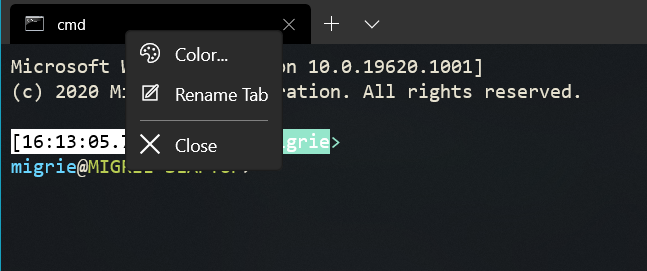
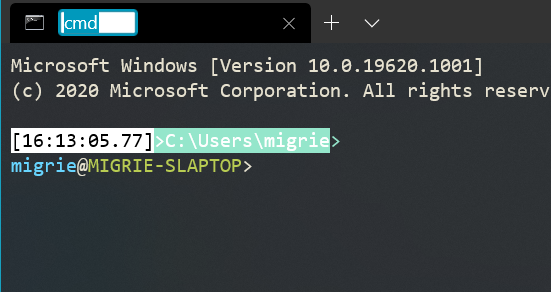
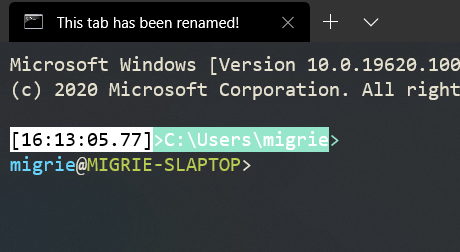
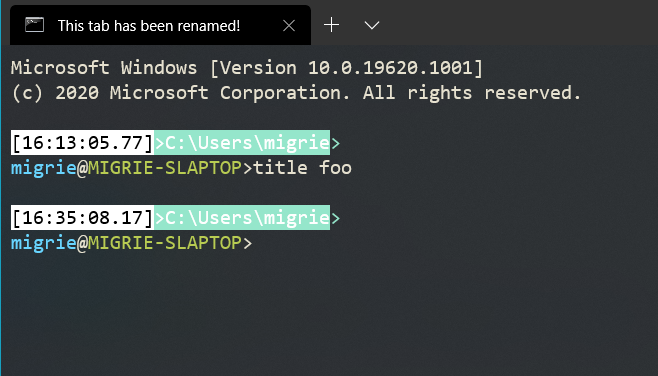
The recent changes to use gsl::span everywhere added a few bounds checks
along codepaths where we were already checking bounds. Some of them may
be non-obvious to the optimizer, so we can now use til::at to help them
along.
To accomplish this, I've added a new overload of til::at that takes a
span and directly accesses its backing buffer.
We were using std::basic_string_view as a stand-in for std::span so that
we could change over all at once when C++20 dropped with full span
support. That day's not here yet, but as of 54a7fce3e we're using GSL 3,
whose span is C++20-compliant.
This commit replaces every instance of basic_string_view that was not
referring to an actual string with a span of the appropriate type.
I moved the `const` qualifier into span's `T` because while
`basic_string_view.at()` returns `const T&`, `span.at()` returns `T&`
(without the const). I wanted to maintain the invariant that members of
the span were immutable.
* Mechanical Changes
* `sv.at(x)` -> `gsl::at(sp, x)`
* `sv.c{begin,end}` -> `sp.{begin,end}` (span's iterators are const)
I had to replace a `std::basic_string<>` with a `std::vector<>` in
ConImeInfo, and I chose to replace a manual array walk in
ScreenInfoUiaProviderBase with a ranged-for. Please review those
specifically.
This will almost certainly cause a code size regression in Windows
because I'm blowing out all the PGO counts. Whoops.
Related: #3956, #975.
This results in smaller code and faster copying. I chose til::color even
though it results in slightly worse codegen (byteswapping in a tight
loop) than COLORREF (SSE-enlightened block copy) because eventually the
internal representations of the color tables will also be til::color and
_then_ it will become a block copy.
This commit adds image assets for High Contrast mode
Tagging this issue so it contains a nice list of all the recent HC
fixes: #5360
I made several changes to DHowett's script and added it to the repo:
* Add support for generating high contrast icons
* Add the ability to easily edit the "intermediate" (previously "zbase")
files for manual hinting
* Appease the spellchecker
I created new SVGs for HC mode. There's one SVG for both Black and White
modes -- I just invert the colors. Then I manually hinted the generated
bitmaps for the production icons. I didn't bother hinting the Dev/Pre
ones, so the text does get unreadable at small sizes.
View the original images in #6915.
Co-authored-by: Jeffrey Tippet <jtippet@microsoft.com>
Co-authored-by: Dustin L. Howett <duhowett@microsoft.com>
Closes#6822
This PR adds support for always on top mode, via two mechanisms:
* The global setting `alwaysOnTop`. When set to true, the window will be
created in the "topmost" group of windows. Changing this value will
hot-reload whether the window is in the topmost group.
* The action `toggleAlwaysOnTop`, which will toggle the `alwaysOnTop`
property at runtime.
## Detailed Description of the Pull Request / Additional comments
All "topmost" windows maintain an internal z-ordering relative to one
another, but they're all always above all other "non-topmost" windows.
So multiple Windows Terminal windows which are both `alwaysOnTop` will
maintain a z-order relative to one another, but they'll all be on top of
all other windows.
## Validation Steps Performed
Toggled always on top mode, both in the settings and also at runtime,
and verified that it largely did what I expected.
Closes#3038
This adds `nt`, `sp`, and `ft` as aliases for `new-tab`, `split-pane`,
and `focus-tab`, respectively. These do exactly the same thing as their
long for counterparts, but are just shorter, for those of us who type
slower than a fifth grader 👀
Now you can do
```
wt nt cmd.exe /k #work 15 ; sp cmd.exe /k #work 15 ; sp cmd.exe /k
media-commandline ; nt powershell dev\\symbols.ps1 ; nt -p \"Ubuntu\" ;
nt -p \"Ubuntu\" ; ft -t 0
```
instead of
```
new-tab cmd.exe /k #work 15 ; split-pane cmd.exe /k #work 15 ;
split-pane cmd.exe /k media-commandline ; new-tab powershell
dev\\symbols.ps1 ; new-tab -p \"Ubuntu\" ; new-tab -p \"Ubuntu\" ;
focus-tab -t 0
```
The pattern I'm using here is that each of these subcommands now has a
little helper lambda that actually sets up the subcommand with the
required arguments, and we just call that lambda twice, once for the
long-form of the command, and again for the short.
I imagine that in the future, we won't necessarily have short-forms for
every subcommands, so if there are future conflicts we'd have to figure
that out pre-emptively, but these all seem like they'll need a short
form.
Closes#5466
GSL 3, the next major version of GSL after the one we're using, replaced
their local implementation of `span` with one that more closely mimics
C++20's span. Unfortunately, that is a breaking change for all of GSL's
consumers.
This commit updates our use of span to comply with the new changes in
GSL 3.
Chief among those breaking changes is:
* `span::at` no longer exists; I replaced many instances of `span::at`
with `gsl::at(x)`
* `span::size_type` has finally given up on `ptrdiff_t` and become
`size_t` like all other containers
While I was here, I also made the following mechanical replacements:
* In some of our "early standardized" code, we used std::optional's
`has_value` and `value` back-to-back. Each `value` incurs an
additional presence test.
* Change: `x.value().member` -> `x->member` (`optional::operator->`
skips the presence test)
* Change: `x.value()` -> `*x` (as above)
* GSL 3 uses `size_t` for `size_type`.
* Change: `gsl::narrow<size_t>(x.size())` -> `x.size()`
* Change: `gsl::narrow<ptrdiff_t>(nonSpan.size())` -> `nonSpan.size()`
during span construction
I also replaced two instances of `x[x.size() - 1]` with `x.back()` and
one instance of a manual array walk (for comparison) with a direct
comparison.
NOTE: Span comparison and `make_span` are not part of the C++20 span
library.
Fixes#6251
{fmt} 7.0.1 improves binary size, compile-time format string handling,
compile time improvements and named arguments.
In a test Windows build, it shrank our binary by ~14kb.
Closes#6905.
## PR Checklist
* [x] Closes#6905
* [x] CLA
## Summary of the Pull Request
This PR adds support for the `SGR 8` and `SGR 28` escape sequences,
which enable and disable the _concealed/invisible_ graphic rendition
attribute. When a character is output with this attribute set, it is
rendered with the same foreground and background colors, so the text is
essentially invisible.
## PR Checklist
* [x] Closes#6876
* [x] CLA signed.
* [x] Tests added/passed
* [ ] Documentation updated.
* [ ] Schema updated.
* [x] I've discussed this with core contributors already. Issue number
where discussion took place: #6876
## Detailed Description of the Pull Request / Additional comments
Most of the framework for this attribute was already implemented, so it
was just a matter of updating the `TextAttribute::CalculateRgbColors`
method to make the foreground the same as the background when the
_Invisible_ flag was set. Note that this has to happen after the
_Reverse Video_ attribute is applied, so if you have white-on-black text
that is reversed and invisible, it should be all white, rather than all
black.
## Validation Steps Performed
There were already existing SGR unit tests covering this attribute in
the `ScreenBufferTests`, and the `VtRendererTest`. But I've added to the
`AdapterTest` which verifies the SGR sequences for setting and resetting
the attribute, and I've extended the `TextAttributeTests` to verify that
the color calculations return the correct values when the attribute is
set.
I've also manually confirmed that we now render the _concealed text_
values correctly in the _ISO 6429_ tests in Vttest. And I've manually
tested the output of _concealed_ when combined with other attributes,
and made sure that we're matching the behaviour of most other terminals.
This parameter was added as a workaround for our fast trackpad
scrolling. Since that was fixed before 1.0 shipped, in #4554, it has
been largely vestigial. There is no reason for us to keep it around any
longer.
It was also the only "logic" in TerminalSettings, which is otherwise a
library that only transits data between two other libraries.
I have not removed it from the schema, as I do not want to mark folks'
settings files invalid to a strict schema parser.
While I was in the area, I added support for "scroll one screen at a
time" (which is represented by the API returning WHEEL_PAGESCROLL),
fixing #5610. We were also storing it in an int (whoops) instead of a
uint.
Fixes#5610
console: switch to /Zc:wchar_t (native wchar_t)
This matches what we use in OpenConsole and makes {fmt} play nice.
I've also removed the workaround we introduced into OutputCellIterator
to work around not using /Zc:wchar_t.
Fixes MSFT:27626309.
Fixes GH-2673.
Retrieved from https://microsoft.visualstudio.com os.2020 OS official/rs_onecore_dep_uxp 1508f7c232ec58bebc37fedfdec3eb8f9bff5502
## Summary of the Pull Request
This PR adds support for the `SGR 2` escape sequence, which enables the
ANSI _faint_ graphic rendition attribute. When a character is output
with this attribute set, it uses a dimmer version of the active
foreground color.
## PR Checklist
* [x] Closes#6703
* [x] CLA signed.
* [x] Tests added/passed
* [ ] Documentation updated.
* [ ] Schema updated.
* [x] I've discussed this with core contributors already. Issue number where discussion took place: #6703
## Detailed Description of the Pull Request / Additional comments
There was already an `ExtendedAttributes::Faint` flag in the
`TextAttribute` class, but I needed to add `SetFaint` and `IsFaint`
methods to access that flag, and update the `SetGraphicsRendition`
methods of the two dispatchers to set the attribute on receipt of the
`SGR 2` sequence. I also had to update the existing `SGR 22` handler to
reset _Faint_ in addition to _Bold_, since they share the same reset
sequence. For that reason, I thought it a good idea to change the name
of the `SGR 22` enum to `NotBoldOrFaint`.
For the purpose of rendering, I've updated the
`TextAttribute::CalculateRgbColors` method to return a dimmer version of
the foreground color when the _Faint_ attribute is set. This is simply
achieved by dividing each color component by two, which produces a
reasonable effect without being too complicated. Note that the _Faint_
effect is applied before _Reverse Video_, so if the output it reversed,
it's the background that will be faint.
The only other complication was the update of the `Xterm256Engine` in
the VT renderer. As mentioned above, _Bold_ and _Faint_ share the same
reset sequence, so to forward that state over conpty we have to go
through a slightly more complicated process than with other attributes.
We first check whether either attribute needs to be turned off to send
the reset sequence, and then check if the individual attributes need to
be turned on again.
## Validation
I've extended the existing SGR unit tests to cover the new attribute in
the `AdapterTest`, the `ScreenBufferTests`, and the `VtRendererTest`,
and added a test to confirm the color calculations when _Faint_ is set
in the `TextAttributeTests`.
I've also done a bunch of manual testing with all the different VT color
types and confirmed that our output is comparable to most other
terminals.
## Summary of the Pull Request
Add support for "focus" mode, which only displays the actual terminal content, no tabs or titlebar. The edges of the window are draggable to resize, but the window can't be moved in borderless mode.
The window looks _slightly_ different bewteen different values for `showTabsInTitlebar`, because switching between the `NonClientIslandWindow` and the `IslandWindow` is _hard_.
`showTabsInTitlebar` | Preview
-- | --
`true` | 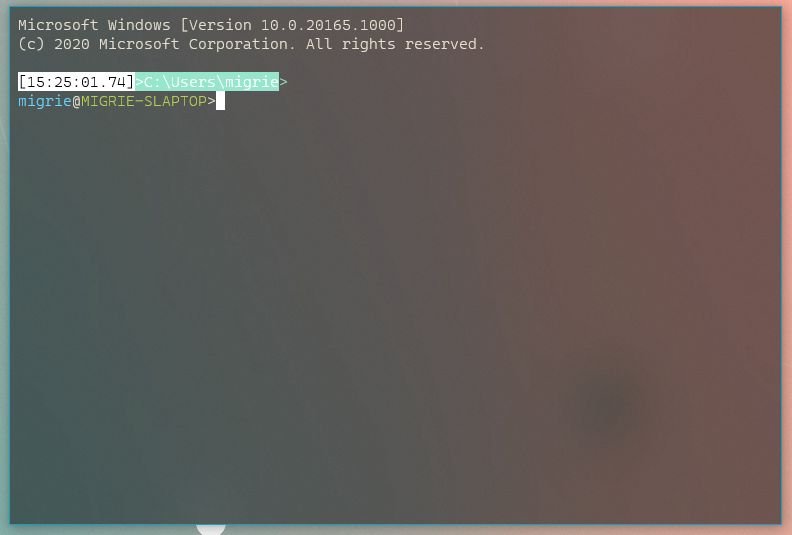
`false` | 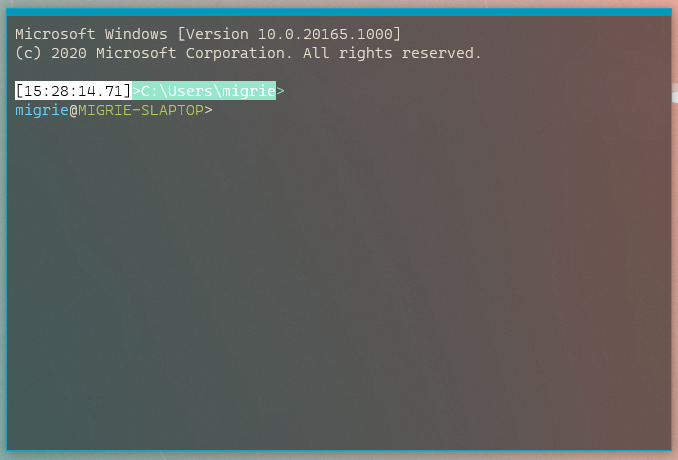
## PR Checklist
* [x] Closes#2238
* [x] I work here
* [ ] Tests added/passed
* [ ] Requires documentation to be updated
## Detailed Description of the Pull Request / Additional comments
* **KNOWN ISSUE**: Upon resizing the NCIW, the top frame margin disappears, making that border disappear entirely. 6356aaf has a bunch of WIP work for me trying to fix that, but I couldn't get it quite right.
## Validation Steps Performed
* Toggled between focus and fullscreen a _bunch_ in both modes.
This commit updates JsonUtilsNew to support winrt
`Windows::Foundation::IReference<T>` as an option type, and cleans up the
optional support code by removing the optional overload on
`GetValue(...)`. Instead of using an overload with a partial
specialization, we're using a constexpr if with a type trait to
determine option-type-ness.
In addition, Carlos reported an issue with deriving from `FlagMapper`
(itself templated) and referring to the base type's members without
fully qualifying them. To make derivation easier, `EnumMapper` and
`FlagMapper` now provide `BaseEnumMapper` and `BaseFlagMapper` type
aliases.
I've taken the opportunity to add a `winrt::hstring` conversion
trait.
Lastly, in casual use, I found out that I'd written the til::color
converter wrong: it supports color strings of length 7 (`#rrggbb`) and
length 4 (`#rgb`). I mistyped (and failed to test) support for 4-length
color strings by pretending they were only 3 characters long.
## References
Merged JsonUtils changes from #6004 and #6590.
## PR Checklist
* [x] Unblocks aforementioned PRs
* [x] cla
* [x] Tests added/passed
* [x] Documentation N/A
* [x] Schema N/A
* [x] Kid tested, mother approved.
Due to a shell limitation, Ctrl+Shift+Enter will not launch Windows
Terminal as Administrator. This is caused by the app execution alias and
the actual targeted executable not having the same name.
In addition, PowerShell has an issue detecting app execution aliases as
GUI/TUI applications. When you run wt from PowerShell, the shell will
wait for WT to exit before returning to the prompt. Having a shim that
immediately re-executes WindowsTerminal and then returns handily knocks
this issue out (as the process that PS was waiting for exits
immediately.)
This could cause a regression for anybody who tries to capture the PID
of wt.exe. Our process tree is not an API, and we have offered no
consistency guarantee on it.
VALIDATION
----------
Tested manual launch in a number of different scenarios:
* [x] start menu "wtd"
* [x] start menu tile
* [x] powertoys run
* [x] powertoys run ctrl+shift (admin)
* [x] powershell inbox, "core"
* [x] cmd
* [x] run dialog
* [x] run dialog ctrl+shift (admin)
* [x] run from a lnk with window mode=maximized
Fixes#4645 (PowerShell waits for wt)
Fixes#6625 (Can't launch as admin using C-S-enter)
This PR adds support for the `DA2` (Secondary Device Attributes) and
`DA3` (Tertiary Device Attributes) escape sequences, which are standard
VT queries reporting basic information about the terminal.
The _Secondary Device Attributes_ response is made up of a number of
parameters:
1. An identification code, for which I've used 0 to indicate that we
have the capabilities of a VT100 (using code 0 for this is an XTerm
convention, since technically DA2 would not have been supported by a
VT100).
2. A firmware revision level, which some terminal emulators use to
report their actual version number, but I thought it best we just
hardcode a value of 10 (the DEC convention for 1.0).
3. Additional hardware options, which tend to be device specific, but
I've followed the convention of the later DEC terminals using 1 to
indicate the presence of a PC keyboard.
The _Tertiary Device Attributes_ response was originally used to provide
a unique terminal identification code, and which some terminal emulators
use as a way to identify themselves. However, I think that's information
we'd probably prefer not to reveal, so I've followed the more common
practice of returning all zeros for the ID.
In terms of implementation, the only complication was the need to add an
additional code path in the `OutputStateMachine` to handle the `>` and
`=` intermediates (technically private parameter prefixes) that these
sequences require. I've done this as a single method - rather than one
for each prefix - since I think that makes the code easier to follow.
VALIDATION
----------
I've added output engine tests to make sure the sequences are dispatched
correctly, and adapter tests to confirm that they are returning the
responses we expect. I've also manually confirmed that they pass the
_Test of terminal reports_ in Vttest.
Closes#5836
This is a refactoring of the renderer color calculations to simplify the
implementation, and to make it easier to support additional
color-altering rendition attributes in the future (e.g. _faint_ and
_conceal_).
## References
* This is a followup to PRs #3817 and #6809, which introduced additional
complexity in the color calculations, and which suggested the need for
refactoring.
## Detailed Description of the Pull Request / Additional comments
When we added support for `DECSCNM`, that required the foreground and
background color lookup methods to be able to return the opposite of
what was requested when the reversed mode was set. That made those
methods unnecessarily complicated, and I thought we could simplify them
considerably just by combining the calculations into a single method
that derived both colors at the same time.
And since both conhost and Windows Terminal needed to perform the same
calculations, it also made sense to move that functionality into the
`TextAttribute` class, where it could easily be shared.
In general this way of doing things is a bit more efficient. However, it
does result in some unnecessary work when only one of the colors is
required, as is the case for the gridline painter. So to make that less
of an issue, I've reordered the gridline code a bit so it at least
avoids looking up the colors when no gridlines are needed.
## Validation Steps Performed
Because of the API changes, quite a lot of the unit tests had to be
updated. For example instead of verifying colors with two separate calls
to `LookupForegroundColor` and `LookupBackgroundColor`, that's now
achieved with a single `LookupAttributeColors` call, comparing against a
pair of values. The specifics of the tests haven't changed though, and
they're all still working as expected.
I've also manually confirmed that the various color sequences and
rendition attributes are rendering correctly with the new refactoring.
There is going to be a very long tail of applications that will
explicitly request VT SGR 40/37 when what they really want is to
SetConsoleTextAttribute() with a black background/white foreground.
Instead of making those applications look bad (and therefore making us
look bad, because we're releasing this as an update to something that
"looks good" already), we're introducing this compatibility quirk.
Before the color reckoning in #6698 + #6506, *every* color was subject
to being spontaneously and erroneously turned into the default color.
Now, only the 16-color palette value that matches the active console
background/foreground color will be destroyed, and only when received
from specific applications.
Removal will be tracked by #6807.
Michael and I discussed what layer this quirk really belonged in. I
originally believed it would be sufficient to detect a background color
that matched the legacy default background, but @j4james provided an
example of where that wouldn't work out (powershell setting the
foreground color to white/gray). In addition, it was too heavyhanded: it
re-broke black backgrounds for every application.
Michael thought that it should live in the server, as a small VT parser
that righted the wrongs coming directly out of the application. On
further investigation, however, I realized that we'd need to push more
information up into the server (so that it could make the decision about
which VT was wrong and which was right) than should be strictly
necessary.
The host knows which colors are right and wrong, and it gets final say
in what ends up in the buffer.
Because of that, I chose to push the quirk state down through
WriteConsole to DoWriteConsole and toggle state on the
SCREEN_INFORMATION that indicates whether the colors coming out of the
application are to be distrusted. This quirk _only applies to pwsh.exe
and powershell.exe._
NOTE: This doesn't work for PowerShell the .NET Global tool, because it
is run as an assembly through dotnet.exe. I have no opinion on how to
fix this, or whether it is worth fixing.
VALIDATION
----------
I configured my terminals to have an incredibly garish color scheme to
show exactly what's going to happen as a result of this. The _default
terminal background_ is purple or red, and the foreground green. I've
printed out a heap of test colors to see how black interacts with them.
Pull request #6810 contains the images generated from this test.
The only color lines that change are the ones where black as a
background or white as a foreground is selected out of the 16-color
palette explicitly. Reverse video still works fine (because black is in
the foreground!), and it's even possible to represent "black on default"
and reverse it into "default on black", despite the black in question
having been `40`.
Fixes#6767.
By storing up the accumulated delta in the mouse input handler, we can
enlighten both conhost and terminal about wheel events that are less
than one line in size. Previously, we had a workaround in conhost that
clamped small scroll deltas to a whole line, which made trackpad
scrolling unimaginably fast. Terminal didn't make this mistake, but it
also didn't handle delta accumulation . . . which resulted in the same
behavior.
MouseInput will now wait until it's received WHEEL_DELTA (well-known
constant, value 120) worth of scrolling delta before it dispatches a
single scroll event.
Future considerations may include sending multiple wheel button events
for every *multiple* of WHEEL_DELTA, but that would be a slightly larger
refactoring that I'm not yet ready to undertake.
There's a chance that we should be dividing WHEEL_DELTA by the system's
"number of lines to scroll at once" setting, because on trackpads
conhost now scrolls a little _slow_. I think the only way to determine
whether this is palatable is to just ship it.
Fixes#6184.
## Summary of the Pull Request
This PR adds full support for the `DECSCNM` reverse screen mode in the Windows Terminal to align with the implementation in conhost.
## References
* The conhost implementation of `DECSCNM` was in PR #3817.
* WT originally inherited that functionality via the colors being passed through, but that behaviour was lost in PR #6506.
## PR Checklist
* [x] Closes#6622
* [x] CLA signed.
* [ ] Tests added/passed
* [ ] Documentation updated. If checked, please file a pull request on [our docs repo](https://github.com/MicrosoftDocs/terminal) and link it here: #xxx
* [ ] Schema updated.
* [x] I've discussed this with core contributors already. If not checked, I'm ready to accept this work might be rejected in favor of a different grand plan. Issue number where discussion took place: #6622
## Detailed Description of the Pull Request / Additional comments
The `AdaptDispatch::SetScreenMode` now checks if it's in conpty mode and simply returns false to force a pass-through of the mode change. And the `TerminalDispatch` now has its own `SetScreenMode` implementation that tracks any changes to the reversed state, and triggers a redraw in the renderer.
To make the renderer work, we just needed to update the `GetForegroundColor` and `GetBackgroundColor` methods of the terminal's `IRenderData` implementation to check the reversed state, and switch the colors being calculated, the same way the `LookupForegroundColor` and `LookupBackgroundColor` methods work in the conhost `Settings` class.
## Validation Steps Performed
I've manually tested the `DECSCNM` functionality for Windows Terminal in Vttest, and also with some of my own test scripts.
## Summary of the Pull Request
Updates the Terminal's scroll response to new output. The Terminal will not automatically scroll if...
- a selection is active, or
- the viewport is at the bottom of the scroll history
## References
#2529 - Spec
#3863 - Implementation
## PR Checklist
* [X] Closes#980
* [X] Closes#3863
* [ ] Tests added/passed
* [ ] Requires documentation to be updated
## Detailed Description of the Pull Request / Additional comments
Updates the `_scrollOffset` value properly in TerminalCore when the cursor moves. We calculate a new `_scrollOffset` based on if we are circling the buffer and how far below the mutable bottom is.
We specifically check for if a selection is active and if the viewport is at the bottom, then use that as a condition for deciding if we should update `_scrollOffset` to the new calculated value or 0 (the bottom of the scroll history).
## Validation Steps Performed
Manual testing. Though I should add automated tests.
- [X] new output
- [X] new output when circling
- [X] new output when circling and viewport is at the top
Looking up the size of the viewport from the underlying dimensions of
the structures seemed like a good idea at the time (so it would only be
in one place), but it turns out to be more of a perf cost than we
expected. Not necessarily on any one hot path, but if we sort by
functions in WPR, it was the top consumer on the Terminal side. This
instead saves the size as a member of the `TextBuffer` and serves that
out. It only changes when it is constructed or resized traditionally, so
it's easy to update/keep track of. It impacted conhost/conpty to a
lesser degree but was still noticeable.
## Validation Steps Performed
- Run `time cat big.txt` under WPR. Checked before and after perf
metrics.
## PR Checklist
* [x] Closes perf itch
* [x] I work here
* [x] Manual test
* [x] Documentation irrelevant.
* [x] Schema irrelevant.
* [x] Am core contributor.
The main change in 16.7 is the separation of `AppContainerApplication`
into `WindowsStoreApp` and `WindowsAppContainer`. There's been a bit of
interest in splitting packaging away from containment, and this is the
first step in that direction.
We're a somewhat unique application, but as WinUI3 becomes more
prevalent we will become _less_ unique.
Some of these things, I've looked at and wondered how they ever worked.
## PR Checklist
* [x] Closes nothing
## Validation Steps Performed
Built locally and in CI. Tested the generated package with the package tester. Built on 16.6 and seen that it still seems to work.
A lot of time was spent between each individual line in the VT paint
engine in allocating some scratch space to assemble the clusters then
deallocating it only to have the next line do that again. Now we just
hold onto that memory space since it should be approximately the size of
a single line wide and will be used over and over and over as painting
continues.
## Validation Steps Performed
- Run `time cat big.txt` under WPR. Checked before and after perf
metrics.
## PR Checklist
* [x] Closes perf itch.
* [x] I work here.
* [x] Manual perf test.
* [x] Documentation irrelevant.
* [x] Schema irrelevant.
* [x] Am core contributor.
## Detailed Description of the Pull Request / Additional comments
Passes the bitmap by ref into the tracing function instead of making a copy on the way in. It's only read anyway for tracing (if enabled) so the copy was a pointless oversight.
## Validation Steps Performed
- Observed WPR trace before and after with `time cat big.txt` in WSL.
This PR enables `ApplicationHighContrastAdjustment::None`. Doing this
disables a set of mitigations in XAML designed to band-aid apps that
were never explicitly designed for High Contrast (HC) modes. Terminal
now has full control of and responsibility for its appearance in HC
mode. This allows Terminal to look a lot better.
On paper, we should be able to set `HighContrastAdjustment="None"` on
the `<Application>` element. But that doesn't have any effect. I don't
know if this is a bug in `<Toolkit:XamlApplication>` or somewhere else.
So instead I set the property in codebehind, which is not as ideal, but
does at least work. I'd love to a way to move this into App.xaml.
The Find box had a couple stray styles to override the ToggleButton's
foreground color. With backplating removed, these styles became
actively harmful (white foreground on highlight color background), so I
just removed them. The built-in style for ToggleButton is perfect
as-is.
Closes#5360
WinUI's `Margin` and `Padding` work very similarly. `Margin` distances
ourselves from our parent. Whereas `Padding` distances our children from
ourselves.
Terminal's `padding` setting is actually implemented by defining
`Margin` on the SwapChainPanel. This means that the "padding" that is
created is actually belongs to SwapChainPanel's parent: Grid (not to be
confused with its parent, "RootGrid").
When a user clicks on the padded area, input goes to Grid. But there's a
twist: you can't actually hit Grid. To be able to hit Grid, you can't
just set IsHitTestVisible. You need to set it's Visibility to Visible,
and it's Background to Transparent (not null) [2].
## Validation Steps Performed
- [X] Start a selection from the padding area
- [X] Click on a SearchBox if one is available
- The SearchBox gets first dibs on the hit test so none gets through
to the SwapChainPanel
## References
[1] https://docs.microsoft.com/en-us/uwp/api/windows.ui.xaml.uielement.ishittestvisible
[2] https://docs.microsoft.com/en-us/windows/uwp/xaml-platform/events-and-routed-events-overview#hit-testing-and-input-eventsCloses#5626
## Summary of the Pull Request
Pretty straightforward. Logs three scenarios:
* The user opened the command palette (and which mode it was opened in)
* The user ran a command from the palette
* The user dismissed the palette without running an action.
We discussed this in team sync yesterday.
## PR Checklist
* [x] I work here
* [n/a] Requires documentation to be updated
See: https://github.com/microsoft/microsoft-ui-xaml/releases/tag/v2.5.0-prerelease.200609001
> ### Notable Changes:
>
> Resize tab view items only once the pointer has left the TabViewItem strip (microsoft/microsoft-ui-xaml#2569)
> Align TabView visuals with Edge (microsoft/microsoft-ui-xaml#2201)
> Fix background of MenuFlyout in white high contrast (microsoft/microsoft-ui-xaml#2446)
> TabView: Make TabViewItem consume the TabViewItemHeaderForeground theme resource (microsoft/microsoft-ui-xaml#2348)
> TabView: Add tooltips to its scrolling buttons. (microsoft/microsoft-ui-xaml#2369)
* [x] Related to #5360 (@jtippet confirms that this alone does not close it.)
* [x] I work here
## Summary of the Pull Request
In the wake of #6635, a couple things got missed in merges:
* `toggleRetroEffect` didn't get into the schema, nor did `renameTab` or
`commandPalette`.
* `toggleRetroEffect` also didn't get a name
Furthermore, I thought it might be a good idea to start sticking
commands into `bindings` even without `keys`. So I tried doing that for
`opentabColorPicker` and `toggleRetroEffect`, and found immediately that
the labels for the key chord still appear even when the text is empty.
So I added some XAML magic to hide those when the text is empty.
## References
* #6762
* #6691
* #6557
* #6635
## PR Checklist
* [x] Closes#6762
* [x] I work here
* [x] Tests added/passed
* [n/a] Requires documentation to be updated
## Detailed Description of the Pull Request / Additional comments
* See also: https://docs.microsoft.com/en-us/windows/uwp/data-binding/data-binding-quickstart#formatting-or-converting-data-values-for-display
- make sure to switch to C++/WinRT at the top!
## Validation Steps Performed
Removed all my manual actions, ran the Terminal:

## Summary of the Pull Request
This proposes a change to how Terminal will scroll in response to newly
generated output. The Terminal will scroll upon receiving new output if
the viewport is at the bottom of the scroll history and no selection is
active.
This spec also explores the possibility of making this response
configurable with a `snapOnOutput` profile setting. It also discusses
the possibility of adding a scroll lock keybinding action.
## PR Checklist
* [X] Spec for #980
Update colors of our custom NewTab button to match MUX's TabView button
MUX has a NewTab button, but Terminal uses a homemade lookalike. The
version in Terminal doesn't use the same brush color resources as MUX's
button, so it looks very slightly different. This PR updates Terminal's
button to use the exact same colors that MUX uses. I literally copied
these brush names out of MUX source code.
## References
This is the color version of the layout fix#6766
This is a prerequisite for fixing #5360
## Detailed Description of the Pull Request / Additional comments
The real reason that this matters is that once you flip on
`ApplicationHighContrastAdjustment::None`, the existing colors will not
work at all. The existing brushes are themed to black foreground on a
black background when High Contrast (HC) Black theme is enabled. The
only thing that's saving you is
`ApplicationHighContrastAdjustment::Auto` is automatically backplating
the glyphs on the buttons, which (by design) hides the fact that the
colors are poor. The backplates are those ugly squares inside the
buttons on the HC themes.
Before I can push a PR that disables automatic backplating (set
`ApplicationHighContrastAdjustment` to `None`), we'll need to select
better brushes that work in HC mode. MUX has already selected brushes
that work great in all modes, so it just makes sense to use their
brushes.
The one very subtle difference here is that, for non-HC themes, the
glyph's foreground has a bit more contrast when the button is in
hovered/pressed states. Again this slight difference hardly matters
now, but using the correct brushes will become critical when we try to
remove the HC backplating.
Closes#6812
## Summary of the Pull Request
Let's try and figure out just how many people are actually using Solarized. I emailed @DHowett about this a week ago, but otherwise we don't really have any other tasks for this.
## PR Checklist
* [x] I work here
* [n/a] Requires documentation to be updated
The MUX TabView control has a uniquely-shaped [+] button. TerminalApp
doesn't use it: instead, it has a SplitView button that is styled to
look like MUX's official button. However, it doesn't get the button's
shape right. This PR updates TerminalApp's custom button to look more
like MUX's.
The difference is that MUX only rounds the top two corners, and it uses
a bigger radius. Without matching MUX's radius, the upper-left corner
of the button makes an awkward asymmetric divot with the abutting tab.
There's also a spot in the lower-left corner that just looks like
someone accidentally spilled a few pixels on the floor.
Current appearance before this PR:

New appearance with this PR:
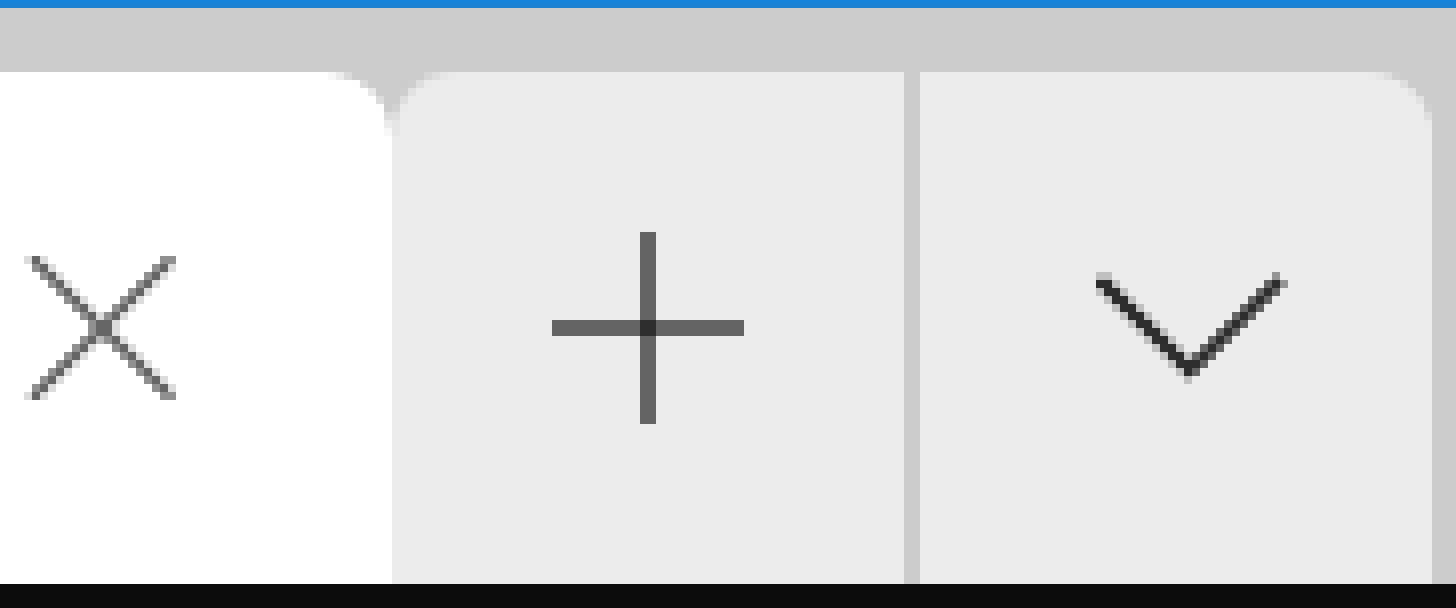
Most important deltas highlighted with red circles:

Note that this PR does *not* attempt to fix the colors. The colors are
also just slightly different from what MUX uses. I'll save that for a
separate PR, since all those screenshots would clutter this up this PR.
## Summary of the Pull Request
This PR adds support for the `SGR 53` and `SGR 55` escapes sequences,
which enable and disable the ANSI _overline_ graphic rendition
attribute, the equivalent of the console character attribute
`COMMON_LVB_GRID_HORIZONTAL`. When a character is output with this
attribute set, a horizontal line is rendered at the top of the character
cell.
## PR Checklist
* [x] Closes#6000
* [x] CLA signed.
* [x] Tests added/passed
* [ ] Documentation updated.
* [ ] Schema updated.
* [x] I've discussed this with core contributors already.
## Detailed Description of the Pull Request / Additional comments
To start with, I added `SetOverline` and `IsOverlined` methods to the
`TextAttribute` class, to set and get the legacy
`COMMON_LVB_GRID_HORIZONTAL` attribute. Technically there was already an
`IsTopHorizontalDisplayed` method, but I thought it more readable to add
a separate `IsOverlined` as an alias for that.
Then it was just a matter of adding calls to set and reset the attribute
in response to the `SGR 53` and `SGR 55` sequences in the
`SetGraphicsRendition` methods of the two dispatchers. The actual
rendering was already taken care of by the `PaintBufferGridLines` method
in the rendering engines.
The only other change required was to update the `_UpdateExtendedAttrs`
method in the `Xterm256Engine` of the VT renderer, to ensure the
attribute state would be forwarded to the Windows Terminal over conpty.
## Validation Steps Performed
I've extended the existing SGR unit tests to cover the new attribute in
the `AdapterTest`, the `OutputEngineTest`, and the `VtRendererTest`.
I've also manually tested the `SGR 53` and `SGR 55` sequences to confirm
that they do actually render (or remove) an overline on the characters
being output.
The VT reset operations `RIS` and `DECSTR` are implemented as a series
of steps, each of which could potentially fail. Currently these
operations abort as soon as an error is detected, which is particularly
problematic in conpty mode, where some steps deliberately "fail" to
indicate that they need to be "passed through" to the conpty client. As
a result, the reset won't be fully executed. This PR changes that
behaviour, so the error state is recorded for any failures, but the
subsequent steps are still run.
Originally the structure of these operations was of the form:
bool success = DoSomething();
if (success)
{
success = DoSomethingElse();
}
But I've now changed the code so it looks more like this:
bool success = DoSomething();
success = DoSomethingElse() && success;
This means that every one of the steps should execute, regardless of
whether previous steps were successful, but the final _success_ state
will only be true if none of the steps has failed.
While this is only really an issue in the conhost code, I've updated
both the `AdaptDispatch` and `TerminalDispatch` classes, since I thought
it would be best to have them in sync, and in general this seems like a
better way to handle multi-step operations anyway.
VALIDATION
I've manually tested the `RIS` escape sequence (`\ec`) in the Windows
Terminal, and confirmed that it now correctly resets the cursor
position, which it wasn't doing before.
Closes#6545
Pretty straightforward. `toggleRetroEffect` will work to toggle the
retro terminal effect on/off.
* Made possible by contributions from #6551, _and viewers like you_
This PR fixes the scheme resolution bug outlined in #5326
The approach is as follows:
* In [SchemeManager.cs], find the first scheme parser that actually
successfully parses the scheme, as opposed to the existing code, which
finds the first scheme parser which _says it can parse the scheme_, as
that logic spuriously returns `true` currently.
* In [XmlSchemeParser.cs] and [JsonParser.cs], ensure that the contents
of the file are read and the contents passed to XmlDocument.LoadXXX,
as this fails with an UriException on WSL otherwise.
* Remove `CanParse` as it is superfluous. The check for a valid scheme
parser should not just check an extension but also if the file exists
- this is best done by the `ParseScheme` function as it already
returns null on failure.
* Add `FileExtension` to the interface because we need it lifted now.
Closes#5326
Before sending calling the `HandleClipboardData` member function on
the `PasteFromClipboardEventArgs` object when we receive a request
from the `TermControl` to send it the clipboard's text content, we
now display a warning to let the user choose whether to continue or
not if the text is larger than 5 KiB or contains the _new line_
character, which can be a security issue if the user is pasting the
text in a shell.
These warnings can be disabled with the `largePasteWarning` and
`multiLinePasteWarning` global settings respectively.
Closes#2349
This is essentially a rewrite of the
`TerminalDispatch::SetGraphicsRendition` method, bringing it into closer
alignment with the `AdaptDispatch` implementation, simplifying the
`ITerminalApi` interface, and making the code easier to extend. It adds
support for a number of attributes which weren't previously implemented.
REFERENCES
* This is a mirror of the `AdaptDispatch` refactoring in PR #5758.
* The closer alignment with `AdaptDispatch` is a small step towards
solving issue #3849.
* The newly supported attributes should help a little with issues #5461
(italics) and #6205 (strike-through).
DETAILS
I've literally copied and pasted the `SetGraphicsRendition`
implementation from `AdaptDispatch` into `TerminalDispatch`, with only
few minor changes:
* The `SetTextAttribute` and `GetTextAttribute` calls are slightly
different in the `TerminalDispatch` version, since they don't return a
pointless `success` value, and in the case of the getter, the
`TextAttribute` is returned directly instead of by reference.
Ultimately I'd like to move the `AdaptDispatch` code towards that way
of doing things too, but I'd like to deal with that later as part of a
wider refactoring of the `ConGetSet` interface.
* The `SetIndexedForeground256` and `SetIndexedBackground256` calls
required the color indices to be remapped in the `AdaptDispatch`
implementation, because the conhost color table is in a different
order to the XTerm standard. `TerminalDispatch` doesn't have that
problem, so doesn't require the mapping.
* The index color constants used in the 16-color `SetIndexedForeground`
and `SetIndexedBackground` calls are also slightly different for the
same reason.
VALIDATION
I cherry-picked this code on top of the #6506 and #6698 PRs, since
that's only way to really get the different color formats passed-through
to the terminal. I then ran a bunch of manual tests with various color
coverage scripts that I have, and confirmed that all the different color
formats were being rendered as expected.
Closes#6725
This PR reimplements the VT rendering engines to do a better job of
preserving the original color types when propagating attributes over
ConPTY. For the 16-color renderers it provides better support for
default colors and improves the efficiency of the color narrowing
conversions. It also fixes problems with the ordering of character
renditions that could result in attributes being dropped.
Originally the base renderer would calculate the RGB color values and
legacy/extended attributes up front, passing that data on to the active
engine's `UpdateDrawingBrushes` method. With this new implementation,
the renderer now just passes through the original `TextAttribute` along
with an `IRenderData` interface, and leaves it to the engines to extract
the information they need.
The GDI and DirectX engines now have to lookup the RGB colors themselves
(via simple `IRenderData` calls), but have no need for the other
attributes. The VT engines extract the information that they need from
the `TextAttribute`, instead of having to reverse engineer it from
`COLORREF`s.
The process for the 256-color Xterm engine starts with a check for
default colors. If both foreground and background are default, it
outputs a SGR 0 reset, and clears the `_lastTextAttribute` completely to
make sure any reset state is reapplied. With that out the way, the
foreground and background are updated (if changed) in one of 4 ways.
They can either be a default value (SGR 39 and 49), a 16-color index
(using ANSI or AIX sequences), a 256-color index, or a 24-bit RGB value
(both using SGR 38 and 48 sequences).
Then once the colors are accounted for, there is a separate step that
handles the character rendition attributes (bold, italics, underline,
etc.) This step must come _after_ the color sequences, in case a SGR
reset is required, which would otherwise have cleared any character
rendition attributes if it came last (which is what happened in the
original implementation).
The process for the 16-color engines is a little different. The target
client in this case (Windows telnet) is incapable of setting default
colors individually, so we need to output an SGR 0 reset if _either_
color has changed to default. With that out the way, we use the
`TextColor::GetLegacyIndex` method to obtain an approximate 16-color
index for each color, and apply the bold attribute by brightening the
foreground index (setting bit 8) if the color type permits that.
However, since Windows telnet only supports the 8 basic ANSI colors, the
best we can do for bright colors is to output an SGR 1 attribute to get
a bright foreground. There is nothing we can do about a bright
background, so after that we just have to drop the high bit from the
colors. If the resulting index values have changed from what they were
before, we then output ANSI 8-color SGR sequences to update them.
As with the 256-color engine, there is also a final step to handle the
character rendition attributes. But in this case, the only supported
attributes are underline and reversed video.
Since the VT engines no longer depend on the active color table and
default color values, there was quite a lot of code that could now be
removed. This included the `IDefaultColorProvider` interface and
implementations, the `Find(Nearest)TableIndex` functions, and also the
associated HLS conversion and difference calculations.
VALIDATION
Other than simple API parameter changes, the majority of updates
required in the unit tests were to correct assumptions about the way the
colors should be rendered, which were the source of the narrowing bugs
this PR was trying to fix. Like passing white on black to the
`UpdateDrawingBrushes` API, and expecting it to output the default `SGR
0` sequence, or passing an RGB color and expecting an indexed SGR
sequence.
In addition to that, I've added some VT renderer tests to make sure the
rendition attributes (bold, underline, etc) are correctly retained when
a default color update causes an `SGR 0` sequence to be generated (the
source of bug #3076). And I've extended the VT renderer color tests
(both 256-color and 16-color) to make sure we're covering all of the
different color types (default, RGB, and both forms of indexed colors).
I've also tried to manually verify that all of the test cases in the
linked bug reports (and their associated duplicates) are now fixed when
this PR is applied.
Closes#2661Closes#3076Closes#3717Closes#5384Closes#5864
This is only a partial fix for #293, but I suspect the remaining cases
are unfixable.
Essentially what this does is map the default legacy foreground and
background attributes (typically white on black) to the `IsDefault`
color type in the `TextColor` class. As a result, we can now initialize
the buffer for "legacy" shells (like PowerShell and cmd.exe) with
default colors, instead of white on black. This fixes the startup
rendering in conpty clients, which expect an initial default background
color. It also makes these colors update appropriately when the default
palette values change.
One complication in getting this to work, is that the console permits
users to change which color indices are designated as defaults, so we
can't assume they'll always be white on black. This means that the
legacy-to-`TextAttribute` conversion will need access to those default
values.
Unfortunately the defaults are stored in the conhost `Settings` class
(the `_wFillAttribute` field), which isn't easily accessible to all the
code that needs to construct a `TextAttribute` from a legacy value. The
`OutputCellIterator` is particularly problematic, because some iterator
types need to generate a new `TextAttribute` on every iteration.
So after trying a couple of different approaches, I decided that the
least worst option would be to add a pair of static properties for the
legacy defaults in the `TextAttribute` class itself, then refresh those
values from the `Settings` class whenever the defaults changed (this
only happens on startup, or when the conhost _Properties_ dialog is
edited).
And once the `TextAttribute` class had access to those defaults, it was
fairly easy to adapt the constructor to handle the conversion of default
values to the `IsDefault` color type. I could also then simplify the
`TextAttribute::GetLegacyAttributes` method which does the reverse
mapping, and which previously required the default values to be passed
in as a parameter
VALIDATION
I had to make one small change to the `TestRoundtripExhaustive` unit
test which assumed that all legacy attributes would convert to legacy
color types, which is no longer the case, but otherwise all the existing
tests passed as is. I added a new unit test verifying that the default
legacy attributes correctly mapped to default color types, and the
default color types were mapped back to the correct legacy attributes.
I've manually confirmed that this fixed the issue raised in #5952,
namely that the conhost screen is cleared with the correct default
colors, and also that it is correctly refreshed when changing the
palette from the properties dialog. And I've combined this PR with
#6506, and confirmed that the PowerShell and the cmd shell renderings in
Windows Terminal are at least improved, if not always perfect.
This is a prerequisite for PR #6506Closes#5952
With this commit, terminal will be able to copy text to the system
clipboard by using OSC 52 MANIPULATE SELECTION DAATA.
We chose not to implement the clipboard querying functionality offered
by OSC 52, as sending the clipboard text to an application without the
user's knowledge or consent is an immense security hole.
We do not currently support the clipboard specifier Pc to specify which
clipboard buffer should be filled
# Base64 encoded `foo`
$ echo -en "\e]52;;Zm9v\a"
# Multiple lines
# Base64 encoded `foo\r\nbar`
$ echo -en "\e]52;;Zm9vDQpiYXI=\a"
Closes#2946.
Restores the simple text run analysis and skipping of most of the
shaping/layout steps. Corrects one of the fast-path steps to ensure that
offsets and clusters are assigned.
## References
- Bug #6488
- Bug #6664
- Simple run PR #6206
- Simple run revert PR #6665
- Recycle glyph runs PR #6483
The "correction" functions, by which box drawing analysis is one of
them, is dependent on the steps coming before it properly assigning the
four main vectors of the text layout glyphs: indices, advances, offsets,
and clusters. When the fast path is identified by the code from #6206,
only two of those are fully updated: indices and advances. The offsets
doesn't tend to cause a problem because offsets are rarely used so
they're pretty much always 0 already (but this PR enforces that they're
zero for the simple/fast path.) The clusters, however, were not mapped
for the fast path. This showed itself in one of two ways:
1. Before the recycled runs PR #6483, the cluster map had a 0 in every
field for the stock initialized vector.
2. After the recycled runs PR #6483, the cluster map had the previous
run's mapping in it.
This meant that when we reached the steps where glyph runs were
potentially split during the correction phase for box drawing
characters, unexpected values were present to map the glyph indices to
clusters and were corrected, adjusted, or split in an unexpected
fashion.
For instance, the index out of range bug could appear when the default 0
values appended to the end of the clusters vector were decremented down
to a negative value during the run splitter as the true DWrite cluster
mapper doesn't generate that sort of pattern in the slow path case
without also breaking the run itself.
The resolution here is therefore to ensure that all of the fields
related to glyph layout are populated even in the fast path. This
doesn't affect the slow path because that one always populated all
fields by asking DWrite to do it. The fast path just skips a bunch of
DWrite steps because it can implicitly identify patterns and save a
bunch of time.
I've also identified a few vectors that weren't cleared on reset/reuse
of the layout. I'm clearing those now so the `.resize()` operations
performed on them to get to the correct lengths will fill them with
fresh and empty values instead of hanging on to ones that may have been
from the previous. This should be OK memory perf wise because the act of
`.clear()` on a vector shouldn't free anything, just mark it invalid.
And doing `.resize()` from an empty one should just default construct
them into already allocated space (which ought to be super quick).
## Validation
* [x] Far.exe doesn't crash and looks fine
* [x] "\e[30;47m\u{2500} What \u{2500}\e[m" from #6488 appears
appropriately antialiased
* [x] Validate the "\e[30;47m\u{2500} What \u{2500}\e[m" still works
when `FillGeometry` is nerfed as a quick test that the runs are split
correctly.
* [x] Put `u{fffd} into Powershell Core to make a replacement char in
the output. Then press enter a few times and see that shrunken initial
characters on random rows. Verify this is gone.
Closes#6668Closes#6669
Co-Authored-By: Chester Liu <skyline75489@outlook.com>
## Summary of the Pull Request
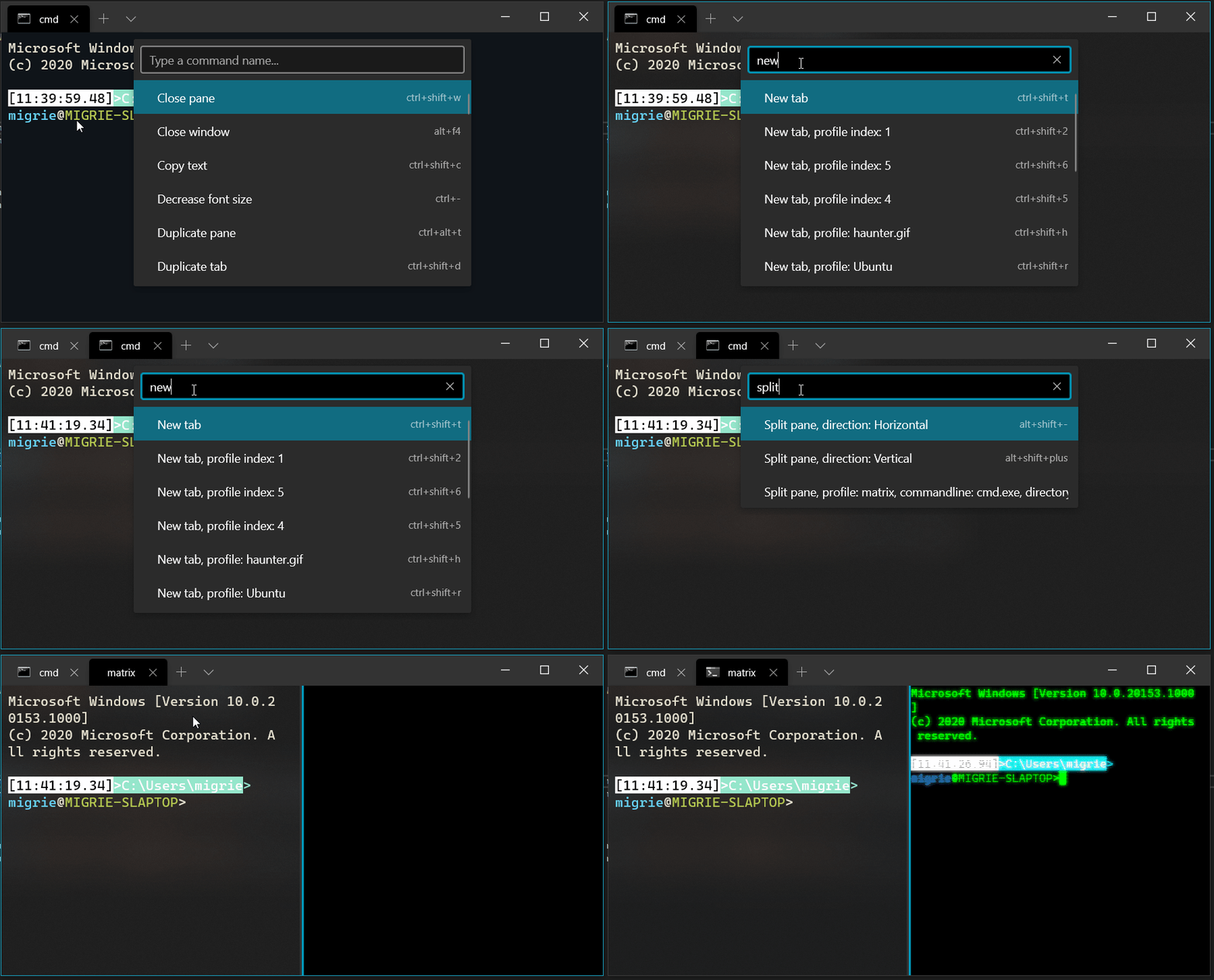
This adds a first iteration on the command palette. Notable missing features are:
* Commandline mode: This will be a follow-up PR, following the merge of #6537
* nested and iterable commands: These will additionally be a follow-up PR.
This is also additionally based off the addenda in #6532.
This does not bind a key for the palette by default. That will be done when the above follow-ups are completed.
## References
* #2046 - The original command palette thread
* #5400 - This is the megathread for all command palette issues, which is tracking a bunch of additional follow up work
* #5674 and #6532 - specs
* #6537 - related
## PR Checklist
* [x] Closes#2046
- incidentally also closes#6645
* [x] I work here
* [x] Tests added/passed
* [ ] Requires documentation to be updated - delaying this until it's more polished.
## Detailed Description of the Pull Request / Additional comments
* There's a lot of code for autogenerating command names. That's all in `ActionArgs.cpp`, because each case is so _not_ boilerplate, unlike the rest of the code in `ActionArgs.h`.
## Validation Steps Performed
* I've been playing with this for months.
* Tests
* Selfhost with the team
Occasionally, we get users with corrupt PATH environment variables: they
can't lauch PowerShell, because for some reason it's dropped off their
PATH. We also get users who have stray applications named
`powershell.exe` just lying around in random system directories.
We can combat both of these issues by simply hardcoding where we expect
PowerShell and CMD to live. %SystemRoot% was chosen over %WINDIR%
because apparently (according to Stack Overflow), SystemPath is
read-only and WINDIR isn't.
Refs #6039, #4390, #4228 (powershell was not found)
Refs #4682, Fixes#6082 (stray powershell.exe)
## Summary of the Pull Request
Adds a pair of `ShortcutAction`s for setting the tab color.
* `setTabColor`: This changes the color of the current tab to the provided color, or can be used to clear the color.
* `openTabColorPicker`: This keybinding immediately activates the tab color picker for the currently focused tab.
## References
## PR Checklist
* [x] scratches my own itch
* [x] I work here
* [x] Tests added/passed
* [x] https://github.com/MicrosoftDocs/terminal/pull/69
## Detailed Description of the Pull Request / Additional comments
## Validation Steps Performed
* hey look there are tests
* Tested with the following:
```json
// { "command": "setTabColor", "keys": [ "alt+c" ] },
{ "keys": "ctrl+alt+c", "command": { "action": "setTabColor", "color": "#123456" } },
{ "keys": "alt+shift+c", "command": { "action": "setTabColor", "color": null} },
{ "keys": "alt+c", "command": "openTabColorPicker" },
```
This pull request implements shift+double/triple click. Proper behavior
(as described in #4557) is to only expand one selection point, not both.
Adding the `bool targetStart` was a bit weird. I decided on this being
the cleanest approach though because I still want `PivotSelection` to be
its own helper function. Otherwise, the concept of "pivoting" gets kinda
messy.
## Validation Steps Performed
Manual testing as described on attached issue.
Tests were added for Shift+Click and pivoting the selection too.
Closes#4557
This reverts commit 94eab6e391.
We'll reintroduce this again after making sure it plays nicely with
recycling and box drawing glyphs.
Fixes#6488Fixes#6664
<!-- Enter a brief description/summary of your PR here. What does it fix/what does it change/how was it tested (even manually, if necessary)? -->
## Summary of the Pull Request
Add keybinding for renaming a tab
<!-- Other than the issue solved, is this relevant to any other issues/existing PRs? -->
## References
<!-- Please review the items on the PR checklist before submitting-->
## PR Checklist
* [X] Fulfills format requirements set by #6567
* [x] CLA signed. If not, go over [here](https://cla.opensource.microsoft.com/microsoft/Terminal) and sign the CLA
* [X] Tests passed
* [X] Requires documentation to be updated
* [X] I've discussed this with core contributors already. If not checked, I'm ready to accept this work might be rejected in favor of a different grand plan. Issue number where discussion took place: #6567 and here (#6557)
This no longer c loses #6256, as the spec changed.
<!-- Provide a more detailed description of the PR, other things fixed or any additional comments/features here -->
## Detailed Description of the Pull Request / Additional comments
<!-- Describe how you validated the behavior. Add automated tests wherever possible, but list manual validation steps taken as well -->
## Validation Steps Performed
* Update _TerminalCursorPositionChanged to use ThrottledFunc.
* Rename previous ThrottledFunc to ThrottledArgFunc because now
ThrottledFunc is for functions that do not take an argument.
* Update ThrottledFunc and ThrottledArgFunc to accept a CoreDispatcher
on which the function should be called for convenience.
* Don't use coroutines/winrt::fire_and_forget in
ThrottledFunc/ThrottledArgFunc because they are too slow (see PR).
_AdjustCursorPosition went from 17% of samples to 3% in performance
testing.
Replace std::map with std::unordered_map when the order doesn't matter
and hash functions are provided. Simple optimizations, but I expect the
performance should be strictly better, especially for
CodepointWidthDetector.hpp.
<!-- Enter a brief description/summary of your PR here. What does it fix/what does it change/how was it tested (even manually, if necessary)? -->
## Summary of the Pull Request
Many places in this codebase has an equality comparison to the boolean FALSE. This adds unneeded complexity as C and C++ has a NOT operand for use of these in if statements. This makes the code more readable in those areas.
<!-- Other than the issue solved, is this relevant to any other issues/existing PRs? -->
## References
<!-- Please review the items on the PR checklist before submitting-->
## PR Checklist
* [X] CLA signed. If not, go over [here](https://cla.opensource.microsoft.com/microsoft/Terminal) and sign the CLA
* [X] Tests added/passed
* [ ] Requires documentation to be updated
* [ ] I've discussed this with core contributors already. If not checked, I'm ready to accept this work might be rejected in favor of a different grand plan. Issue number where discussion took place: #xxx
<!-- Provide a more detailed description of the PR, other things fixed or any additional comments/features here -->
## Detailed Description of the Pull Request / Additional comments
One boolean being compared to FALSE was only used once, with the boolean name being "b", so it is better off not existing at all.
<!-- Describe how you validated the behavior. Add automated tests wherever possible, but list manual validation steps taken as well -->
## Validation Steps Performed
Unit Testing passed, compiler refactoring
## Summary of the Pull Request
This is another iteration on the Command Palette spec, from #5674. These were some ideas that were tossed around by @DHowett, @cinnamon-msft and myself, formalized here. I proposed this as an addendum to the original spec, since I think the first made sense atomically, and this only makes sense as a set of changes to the original. I didn't want to go hacking up the original doc to add this set of changes.
**There are two proposals in this spec - they should be viewed as two atomic units. They can be accepted or rejected independently. I'm suggesting we approve both. They work _together_. I'm realizing now that this is worded confusingly, and it's on me to fix that.**
## PR Checklist
* [x] Another spec in the #2046 / #5400 saga
* [x] I work here
* [x] _is a doc_
> ## Abstract
>
> This document is intended to serve as an addition to the [Command Palette Spec].
> While that spec is complete in it's own right, subsequent discussion revealed
> additional ways to improve the functionality and usability of the command
> palette. This document builds largely on the topics already introduced in the
> original spec, so readers should first familiarize themselves with that
> document.
>
> One point of note from the original document was that the original specification
> was entirely too verbose when defining both keybindings and commands for
> actions. Consider, for instance, a user that wants to bind the action "duplicate
> the current pane". In that spec, they need to add both a keybinding and a
> command:
>
> ```json
> {
> "keybindings": [
> { "keys": [ "ctrl+alt+t" ], "command": { "action": "splitPane", "split":"auto", "splitMode": "duplicate" } },
> ],
> "commands": [
> { "name": "Duplicate Pane", "action": { "action": "splitPane", "split":"auto", "splitMode": "duplicate" }, "icon": null },
> ]
> }
> ```
>
> These two entries are practically the same, except for two key differentiators:
> * the keybinding has a `keys` property, indicating which key chord activates the
> action.
> * The command has a `name` property, indicating what name to display for the
> command in the Command Palette.
>
> What if the user didn't have to duplicate this action? What if the user could
> just add this action once, in their `keybindings` or `commands`, and have it
> work both as a keybinding AND a command?
>
<!-- Enter a brief description/summary of your PR here. What does it fix/what does it change/how was it tested (even manually, if necessary)? -->
## Summary of the Pull Request
When the user double clicks on a tab, show the tab rename box
as if they right clicked on the tab and clicked on "Rename".
<!-- Other than the issue solved, is this relevant to any other issues/existing PRs? -->
## References
<!-- Please review the items on the PR checklist before submitting-->
## PR Checklist
* [x] Closes#6600
* [x] CLA signed. If not, go over [here](https://cla.opensource.microsoft.com/microsoft/Terminal) and sign the CLA
* [ ] Tests added/passed
* [ ] Documentation updated. If checked, please file a pull request on [our docs repo](https://github.com/MicrosoftDocs/terminal) and link it here: #xxx
* [ ] Schema updated.
* [ ] I've discussed this with core contributors already. If not checked, I'm ready to accept this work might be rejected in favor of a different grand plan. Issue number where discussion took place: #xxx
<!-- Provide a more detailed description of the PR, other things fixed or any additional comments/features here -->
## Detailed Description of the Pull Request / Additional comments
I added a handler for the `DoubleTapped` event on the tab view item
when we are constructing it for the tab (in `Tab::_MakeTabViewItem`).
The code for that handler was copied the "rename tab menu item" click
handler.
I did not extract the code into a member function because it is very
short (only 2 lines of code) and only used twice so it is not worth
it IMO.
<!-- Describe how you validated the behavior. Add automated tests wherever possible, but list manual validation steps taken as well -->
## Validation Steps Performed
This saves an awful lot of construction/destruction and memory
allocation, especially with text that changes a lot (see: cacafire).
Three things:
1. Recycling the text layouts. This holds onto the `CustomTextLayout` so
all the things that don't change related to drawing targets and
whatnot aren't freed and recreated every frame.
2. Reordering the runs in place. This saves a vector
allocation/copy/delete every time OrderRuns is called. They can be
rearranged in place.
3. Only clip once per row. This reduces the clip push/pop to only one
time per row. Since we're always redrawing an entire row at a time,
this saves a lot of alloc/free of the clip frame, dramatically
reduces queued commands, and makes less work on the flush since
clipping requires staging the drawing and then bringing it back to
the main surface.
I was told that the DeviceContext version supercedes the RenderTarget
one. This moves us to it so we can gain access to a higher level of
control over the various pieces in our pipeline as we continue to evolve
the renderer.
The underlying motivation here is to potentially use a
`ID2D1CommandList` to batch our commands and run them all later outside
the lock. That can only really be done with this more granular level of
control over the pipeline. So this moves to that in a single step that
is easily findable in history should we have problems
I discussed this with @NiklasBorson of the Direct2D/DirectWrite team as
well as with @DHowett before doing it.
## Validation
- [x] Checked docs to make sure that these work on Windows 7 with
Platform Update
- [x] Manual smoke test real quick
- [ ] Try running on Win7 + Platform Update after change
- [x] Probably do more than just a smoke test manually or otherwise
Closes#6525
`bitmap::_calculateArea` performance can be improved by leveraging the
optimized `find_first`/`find_next` methods instead of iterating through
the bitmap manually.
## Summary of the Pull Request
## PR Checklist
* [x] Closes#3927
* [x] I work here.
* [x] Tested manually.
* [x] Requires documentation to be updated: (generate doc bug here)
* [x] Am core contributor.
## Detailed Description of the Pull Request / Additional comments
- I found four settings that weren't hot reloadable with the 3927 comment above them:
1. Experimental retro terminal effect
2. Experimental software rendering
3. Experimental full repaint rendering
4. Antialiasing settings for text
I made them all hot reloadable by telling the `TermControl` to propagate them on settings change to the `DxEngine`.
Then I set up the `DxEngine` inside the setters to only set them if they changed. And if they do change, to trigger a full repaint and/or a complete drop and recreate of the entire DX device chain (as would happen if it were lost for another reason like a user-mode graphics failure, disconnected display, etc.)
I made the boolean an atomic because the settings can be coming in off of another thread (the XAML eventing one) and the renderer is picking the status up on its thread at the top of the BeginPaint frame.
## Validation Steps Performed
- [x] Opened it up and toggled all the settings while staring at PowerShell
- [x] Opened it up and toggled all the settings while staring at something intensive like a `cacafire` fire
## Summary of the Pull Request
Improve `ATTR_ROW::ReplaceAttrs` performance by only reserving the necessary capacity instead of resizing the new run.
That way `TextAttributeRun`s are only instantiated once instead of twice.
## PR Checklist
* [ ] Closes #xxx
* [x] CLA signed. If not, go over [here](https://cla.opensource.microsoft.com/microsoft/Terminal) and sign the CLA
* [x] Tests added/passed
* [ ] Requires documentation to be updated
* [ ] I've discussed this with core contributors already. If not checked, I'm ready to accept this work might be rejected in favor of a different grand plan. Issue number where discussion took place: #xxx
## Detailed Description of the Pull Request / Additional comments
Performance could be further improved by directly moving `TextAttributeRun`s into the new vector, but I considered this out of scope for this PR.
## Validation Steps Performed
CPU usage when running `cacafire` is slightly reduced.
## Summary of the Pull Request
This PR changes `TermControl::_KeyHandler` to use early returns, which you can think of as "guard clauses".
This has the benefit of a reduced nesting level, easier to understand control flow and opens op the way to more complex conditions.
## PR Checklist
* [ ] Closes #xxx
* [x] CLA signed. If not, go over [here](https://cla.opensource.microsoft.com/microsoft/Terminal) and sign the CLA
* [x] Tests added/passed
* [ ] Requires documentation to be updated
* [ ] I've discussed this with core contributors already. If not checked, I'm ready to accept this work might be rejected in favor of a different grand plan. Issue number where discussion took place: #xxx
## Validation Steps Performed
Everything still works as expected.
## Summary of the Pull Request
Fixes#6377. `TerminalCore` does not initialize `_altGrAliasing`. The impact is minimized in WT because it defaults to `true` in higher layers. It's not initialized when WPF is driving.
<!-- Please review the items on the PR checklist before submitting-->
## PR Checklist
* [x] Closes#6377
* [x] CLA signed. If not, go over [here](https://cla.opensource.microsoft.com/microsoft/Terminal) and sign the CLA
* [x] Tests added/passed
* [ ] Requires documentation to be updated
* [ ] I've discussed this with core contributors already. If not checked, I'm ready to accept this work might be rejected in favor of a different grand plan. Issue number where discussion took place: #xxx
Read the [JsonUtils Spec] for more details.
This pull request introduces the next version of JsonUtils. It is in a
separate file for ease of review and testing.
JsonUtilsNew will be renamed in a subsequent commit that rewrites our
JSON deserializers.
### Implementer's Notes
I went with telescoping exceptions for the key parsing code, because
it's totally possible that you can be five keys deep and encounter a
type error. This lets us encode information about all failures in the
chain instead of just the topmost one.
The original JsonUtilsNew code changed to use `decay` everywhere because
the tests wouldn't compile. We want to treat `GetValue<const guid>` _the
same as_ `GetValue<guid>`, and this lets us do so. `decay` is awesome.
I've been developing this with a shim that redirects `JsonUtils.h` to
`JsonUtilsNew.h`. I am not comfortable deleting the original until we've
moved off of it, and that _will_ be the subject of a followup PR.
## Validation Steps Performed
So many tests.
[JsonUtils Spec]: https://github.com/microsoft/terminal/blob/master/doc/cascadia/Json-Utility-API.md
Refs #2550
<!-- Enter a brief description/summary of your PR here. What does it fix/what does it change/how was it tested (even manually, if necessary)? -->
## Summary of the Pull Request
This is the spec for the Advanced Tab Switcher. This would allow the user to navigate through a vertical list of tabs through a UI, similar to those found in VSCode and Visual Studio.
<!-- Other than the issue solved, is this relevant to any other issues/existing PRs? -->
## References
#1502: Feature Request: Advanced Tab Switcher
#973: Ctrl+Tab toggling between two tabs
<!-- Please review the items on the PR checklist before submitting-->
## PR Checklist
* [x] Spec for #1502
* [x] CLA signed.
## Summary of the Pull Request
Prior to #6309, we'd only snap on input for non-modifier key_down_ events. #6423 fixed this for modifier keys, but didn't fix this for keyups.
## References
* #6423 was an incomplete fix to this problem, which caused this regression
## PR Checklist
* [x] Closes#6481
* [x] I work here
* [ ] Tests added/passed
* [n/a] Requires documentation to be updated
## Summary of the Pull Request
Make sure to set the scancode for the manual alt-up's we're sending. If you don't, then terminalInput in the conpty is going to treat that keypress as an actual NUL, and send that to the connected client.
## References
* regressed in #6421
## PR Checklist
* [x] Closes#6513
* [x] I work here
* [ ] Tests added/passed
* [n/a] Requires documentation to be updated
## Validation Steps Performed
Tested `showkeys -a`
## Summary of the Pull Request
Pulls the `ActionAndArgs` deserializing into its own class, separate from `AppKeyBindings`. Some 2.0 features are going to need to re-use these actions in their json, so we'll want one unified way of deserializing them.
## References
* Done primarily as part of the work on #2046/#5400/#5674
* Also related: #1571/#5888
* Will aggressively conflict with any open PRs that introduced keybindings (looking at #6299)
## PR Checklist
* [x] Closes nothing, this is code refactoring
* [x] I work here
* [x] Current tests passed
* [n/a] Requires documentation to be updated
This commit reverts the removal of the "SSH hack" in #5383. It was
originally added as a solution to #4911, when we realized that SSH would
request the SS3 cursor key encoding but we weren't equipped to handle
it.
A number of folks have filed issues that, in summary, say "when I use
SSH, I can't select/copy/paste text". It turns out that SSH will _also_
pass through requests for mouse input. Terminal dutifully responds to
those requests, of course, by disabling mouse selection/copy/paste. SSH
is **NOT** actually in VT_INPUT_MODE, so it will never receive the mouse
messages.
It's important to note that even with #376 fixed, we are still required
to keep this check. With the closure of #376, we'll be able to convert
VT mouse input back into Win32 mouse input for Win32 applications . . .
but SSH also doesn't know how to handle Win32 mouse input.
Fixes#6476.
Fixes#6196.
Fixes#5704.
Fixes#5608.
This commit adds a fast path to `til::bitmap::translate`: use bit shifts
when the delta is vertical.
Performance while printing the content of a big file, with the patch
from #6492 which hasn't been merged yet, in Release mode:
Before:
* translate represents 13.08% of samples in InvalidateScroll
After:
* translate represents 0.32% of samples in InvalidateScroll
## Validation
Tests passed.
## Summary of the Pull Request
Adds the `target` keybinding arg to `openSettings`. Possible values include: `defaultsFile`, `settingsFile`, and `allFiles`.
## References
#5915 - mini-spec
## PR Checklist
* [x] Closes#2557
* [x] Tests added/passed
## Detailed Description of the Pull Request / Additional comments
Implemented as discussed in the attached spec. A new enum will be added for the SettingsUI when it becomes available.
## Validation Steps Performed
Added the following to my settings.json:
```json
{ "command": "openSettings", "keys":... },
{ "command": { "action": "openSettings" }, "keys":... },
{ "command": { "action": "openSettings", "target": "settingsFile" }, "keys":... },
{ "command": { "action": "openSettings", "target": "defaultsFile" }, "keys":... },
{ "command": { "action": "openSettings", "target": "allFiles" }, "keys":... }
```
In addition to the below (original) description, this commit introduces
a ThrottledFunc template that can throttle _any_ function. It applies
that type to muffle updates to the scrollbar.
---
Redo #3531 but without the bug that it caused (#3622) which is why it
was reverted.
I'm sorry if I explain this badly. If you don't understand a part, make
sure to let me know and I will explain it better.
### Explanation
How it worked before: `Terminal` signals that viewport changed ->
`TermControl::_TerminalScrollPositionChanged` gets called on the
terminal thread -> it dispatches work for later to be ran the UI thread
to updates the scrollbar's values
Why it's bad:
* If we have many viewport changes, it will create a long stack of
operations to run. Instead, we should just update the scroll bar with
the most recent information that we know.
* Imagine if the rate that the work gets pushed on the UI thread is
greater than the rate that it can handle: it might freeze?
* No need to be real time, we can wait just a little bit (8ms) to
accumulate viewport changes before we actually change the scroll bar's
value because it appears to be expensive (see perf below).
Now: `Terminal` signals that viewport changed ->
`TermControl::_TerminalScrollPositionChanged` gets called on the
terminal thread -> it tells the `ScrollBarUpdater` about a new update ->
the `ScrollBarUpdater` only runs one job (I don't know if that's the
right term) on the UI thread at a time. If a job is already running but
hasn't updated the scroll bar yet, it changes the setting in the already
existing job to update the scroll bar with the new values. A job "waits"
some time before doing the update to throttle updates because we don't
need real time scroll bar updates. -> eventually, it updates the scroll
bar If the user scrolls when a scroll bar update is pending, we keep the
scroll bar's Maximum and Minimum but let the user choose its new Value
with the `CancelPendingValueChange` method.
### Note
Also I changed a little bit the code from the Terminal to notify the
TermControl less often when possible.
I tried to scroll with the scroll bar, with the mouse wheel. I tried to
scroll while content is being outputted.
I tried to reproduce the crash from #2248 without success (good).
Co-authored-by: Leonard Hecker <leonard@hecker.io>
Closes#3622
For mysterious reasons lost to the sands of time, XAML will _never_ pass
us a VK_MENU event. This is something that'll probably get fixed in
WinUI 3, but considering we're stuck on system XAML for the time being,
the only way to work around this bug is to pass the event through
manually. This change generalizes the F7 handler into a "direct key
event" handler that uses the same focus and tunneling method to send
different key events, and then uses it to send VK_MENU.
## Validation Steps Performed
Opened the debug tap, verified that I was seeing alt key ups.
Also used some alt keybindings to make sure I didn't break them.
Closes#6421
## Summary of the Pull Request
This PR aims to move the command palette spec out of the draft state and into a finalized state for inclusion in the 2.0 version of the Windows Terminal.
Notably, I've added sections regarding the ability to run `wt` commandlines using the Command Palette UI, something we hadn't considered in the original draft, because `wt` commandlines didn't land for like _4 months_ after this first draft.
## References
* #2046 - the original command palette thread
* #2193 - the original draft PR
* #5400 - the new command palette megathread for WT 2.0, which I'll be updating with follow-up tasks as we work on implementing this.
## PR Checklist
* [x] Specs #2046
* [x] I work here
* [x] Is documentation
## Detailed Description of the Pull Request / Additional comments
_read the spec_
* [wpf] WM_KEYUP crashes on x64 #6444
- Turns out that doing the `(uint)lParam` cast worked fine for the
keydowns, because the value of lParam usually didn't have super
high-order bits set. That's not the case for keyups, where the 30th
bit is _always_ set. This is fixed by explicitly getting the byte
with the scancode in it.
* [wpf] WM_KEYUP generates wrong value in Win32 input mode #6445
- This was fixed by basically the same thing as the above.
* [wpf] WPF control crashes on startup trying to render cursor #6446
- This was a regression from #6337. I forgot to initialize the brush
used to paint the cursor, because the UWP version always uses color
(but the WPF one relies on the text foreground color).
* Also adds a minor change to the WPF test app, so that the user can
actually exit `win32-input-mode`.
* #6337 regressed #6446
* #6309 regressed the other two.
Closes#6444Closes#6445Closes#6446
The spec introduces a keybinding argument of 'target' to be able to open a specific settings file. When the Settings UI gets implemented, it will also become an option.
Alternative designs were presented but the 'target' model was decided on.
Bump Newtonsoft.Json from 10.0.3 to 12.0.3
## References
Part of #5297
## PR Checklist
* [ ] Closes (none)
* [x] CLA signed
* [ ] Tests added/passed N/A
* [ ] Requires documentation to be updated N/A
* [ ] I've discussed this with core contributors already. If not checked, I'm ready to accept this work might be rejected in favor of a different grand plan. Issue number where discussion took place: #xxx
## Validation Steps Performed
CI builds successfully
This pull request reduces input lag, especially with selection, by using
`IDXGISwapChain2::GetFrameLatencyWaitableObject`.
This is based on the [DXGI 1.3 documentation].
Excerpt from the [DXGI 1.3 improvement list]:
> The following functionality has been added in Microsoft DirectX
Graphics Infrastructure (DXGI) 1.3, which is included starting in
Windows 8.1.
Before, during rendering:
1. render frame
2. call `Present` on swap chain:
2.a. blocks until it can present
2.b. meanwhile, selection/text in terminal might have changed, but
we're still using the frame that we rendered before blocking
2.c. presents
After, during rendering:
1. block until we can present
2. render frame with latest data
3. call `Present` on swap chain:
3.a. present without blocking
[DXGI 1.3 documentation]: https://docs.microsoft.com/en-us/windows/uwp/gaming/reduce-latency-with-dxgi-1-3-swap-chains
[DXGI 1.3 improvement list]: https://docs.microsoft.com/en-us/windows/win32/direct3ddxgi/dxgi-1-3-improvements:
## Summary of the Pull Request
Caches vectors in the class and uses a new helper to opportunistically shrink/grow as viewport sizes change in order to save performance on alloc/free of commonly used vectors.
## PR Checklist
* [x] Scratches a perf itch.
* [x] I work here.
* [x] wil tests added
* [x] No add'l doc.
* [x] Am core contributor.
## Detailed Description of the Pull Request / Additional comments
Two fixes:
1. For outputting lots of text, the base renderer class spent a lot of time allocating and freeing and reallocating the `Cluster` vector that adapts the text buffer information into render clusters. I've now cached this vector in the base render class itself and I shrink/grow it based on the viewport update that happens at the top of every frame. To prevent too much thrashing in the downward/shrink direction, I wrote the `til::manage_vector` helper that contains a threshold to only shrink if it asks for small enough of a size relative to the existing one. I used 80% of the existing size as the threshold for this one.
2. For outputting lots of changing colors, the VT graphics output engine spent a bunch of time allocating and reallocating the vector for `GraphicsOptions`. This one doesn't really have a predictable size, but I never expect it to get extremely big. So I just held it in the base class.
## Validation Steps Performed
* [x] Ran the til unit test
* [x] Checked render cluster vector time before/after against `big.txt` from #1064
* [x] Checked VT graphics output vector time before/after against `cacafire`
Case | Before | After
---|---|---|
`big.txt` | 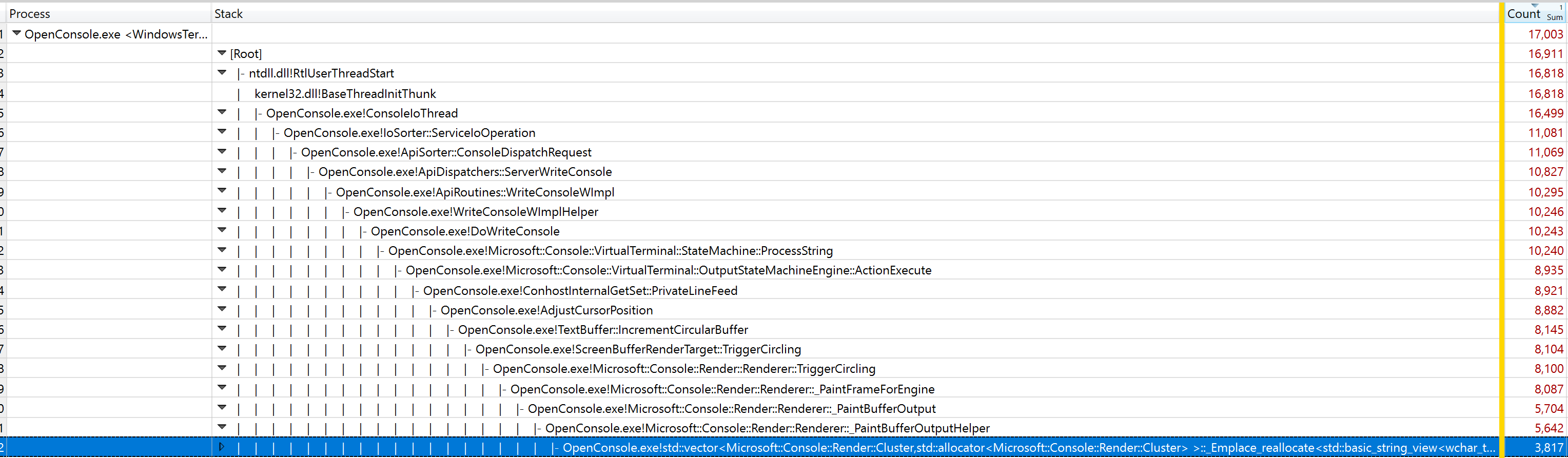 | 
`cacafire` | 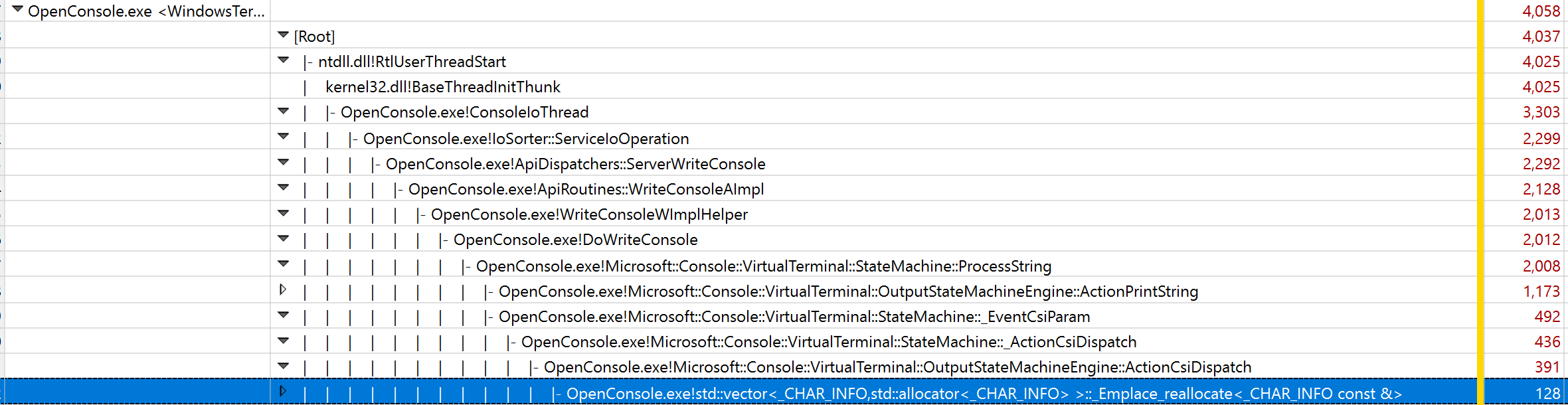 | 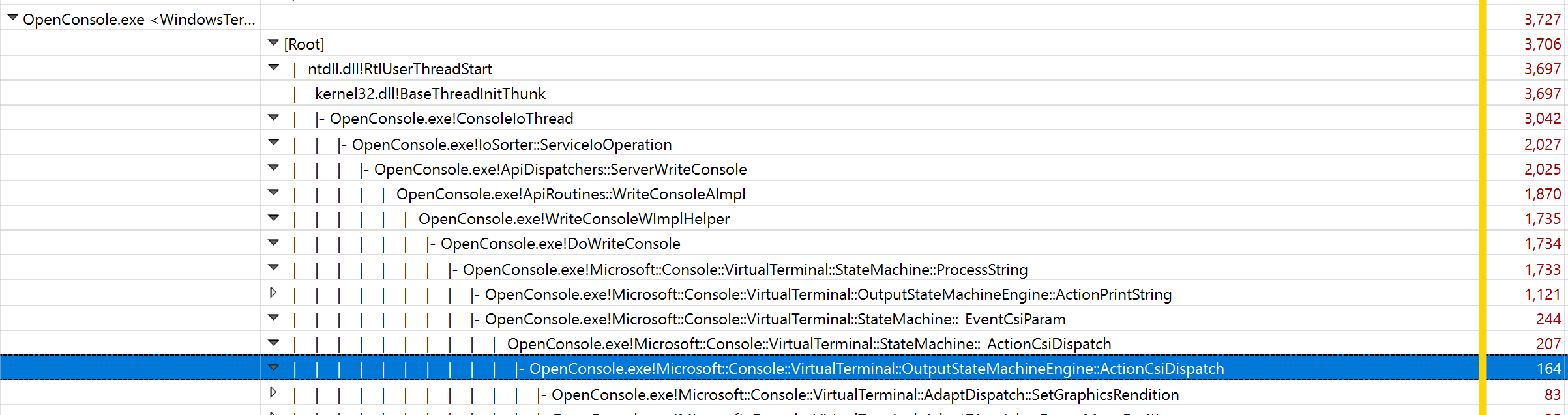
This pull request moves WindowUiaProvider back into Win32 interactivity
and deletes all mention of it from Windows Terminal. Terminal does not
have a single toplevel window that requires Console-like UIA, as each
Xaml control inside it is in charge of its own destiny.
I've also merged `IUiaWindow` and `IConsoleWindow` back together, as
well as `WindowUiaProviderBase` and `WindowUiaProvider`.
Things look a lot more like they did before we tore them apart.
## PR Checklist
* [x] Closes#3564
* [x] CLA
* [x] Tests added/passed (manual)
* [ ] Requires documentation to be updated
* [x] I've discussed this with core contributors already
## Validation
Carlos validated conhost and terminal on this branch.
## Summary of the Pull Request
When someone asked "Do we need to send a F7 keyup too" in #6309, the right answer was actually _no_. Turns out that while XAML will eat the F7 key**down**, it _won't_ eat the F7 key**up**.
## References
* regressed in #6309
## PR Checklist
* [x] Closes#6438
* [x] I work here
* [ ] Tested manually
* [n/a] Requires documentation to be updated
## Validation Steps Performed
* Checked this with the debug tap
Does what it says on the label. Pure modifier keys weren't making it
this far at all prior to #6309. This PR changes these methods to make
sure that we only dismiss a selection or snap on input when the key
pressed isn't a modifier key.
## References
* regressed in #6309
## PR Checklist
* [x] Closes#6423
* [x] I work here
* [ ] Tests added/passed
* [n/a] Requires documentation to be updated
## Validation Steps Performed
* Tried to repro this in the Terminal, couldn't anymore.
When opening a new tab, it takes a few milliseconds before title to
appears. This PR makes it instantaneous.
* Updated the Terminal so that it can load the title from the settings
before it is initialized.
* Load terminal settings in TermControl constructor before the terminal
is initialized (see above).
* Update Tab so that it sets the TabViewItem's title in the constructor
(in Tab::_MakeTabViewItem) instead of waiting for the VT sequence to
set the title (from what I understand).
NOTE 1: there is a similar problem with the tabview icon which is not
fixed by this PR.
NOTE 2: This is only a problem with animations disabled because
otherwise the title fades in so there is enough time for it to be set
when it becomes visible.
## Validation
I ran the terminal and opened a new tab. The title appears instantly.
This commit introduces a new project that lets you F5 a working instance
of the Wpf Terminal Control.
To make the experience as seamless as possible, I've introduced another
solution platform called "DotNet_x64Test". It is set to build the WPF
projects for "Any CPU" and every project that PublicTerminalCore
requires (including itself) for "x64". This is the only way to ensure
that when you press F5, all of the native and managed dependencies get
updated.
It's all quite cool when it works.
<!-- Enter a brief description/summary of your PR here. What does it fix/what does it change/how was it tested (even manually, if necessary)? -->
## Summary of the Pull Request
Upload the roadmap for Windows Terminal 2.0 and link to it on the README.
<!-- Other than the issue solved, is this relevant to any other issues/existing PRs? -->
## References
<!-- Please review the items on the PR checklist before submitting-->
## PR Checklist
* [ ] Closes #xxx
* [x] CLA signed. If not, go over [here](https://cla.opensource.microsoft.com/microsoft/Terminal) and sign the CLA
* [ ] Tests added/passed
* [ ] Requires documentation to be updated
* [x] I've discussed this with core contributors already. If not checked, I'm ready to accept this work might be rejected in favor of a different grand plan. Issue number where discussion took place: #xxx
<!-- Provide a more detailed description of the PR, other things fixed or any additional comments/features here -->
## Detailed Description of the Pull Request / Additional comments
<!-- Describe how you validated the behavior. Add automated tests wherever possible, but list manual validation steps taken as well -->
## Validation Steps Performed
## Summary of the Pull Request
Remove parentheses from the Preview and Dev build. Now they're called Windows Terminal Preview and Windows Terminal Dev Build respectively.
Also removed them from other identifiers of Terminal for consistency.
## PR Checklist
* [X] Closes#5974
Adds support for `win32-input-mode` to conhost, conpty, and the Windows
Terminal.
* The shared `terminalInput` class supports sending these sequences when
a VT client application requests this mode.
* ConPTY supports synthesizing `INPUT_RECORD`s from the input sent to it
from a terminal
* ConPTY requests this mode immediately on startup (if started with a
new flag, `PSEUDOCONSOLE_WIN32_INPUT_MODE`)
* The Terminal now supports sending this input as well, when conpty asks
for it.
Also adds a new ConPTY flag `PSEUDOCONSOLE_WIN32_INPUT_MODE` which
requests this functionality from conpty, and the Terminal requests this
by default.
Also adds `experimental.input.forceVT` as a global setting to let a user
opt-out of this behavior, if they don't want it / this ends up breaking
horribly.
## Validation Steps Performed
* played with this mode in vtpipeterm
* played with this mode in Terminal
* checked a bunch of scenarios, as outlined in a [comment] on #4999
[comment]: https://github.com/microsoft/terminal/issues/4999#issuecomment-628718631
References #4999: The megathread
References #5887: The spec
Closes#879Closes#2865Closes#530Closes#3079Closes#1119Closes#1694Closes#3608Closes#4334Closes#4446
We're removing this because of MSFT:24623699, which prevents us from being able to do the right thing when we're called on the background of a directory for a range of OS builds.
#6414 will track re-adding this to the Terminal when the original issue is closed.
* [x] closes#6245
* I work here
Wildcards are not allowed in toplevel ItemGroups in vcxproj; they must
be generated by targets.
We mostly use wildcards for pulling in PRI files that are dumped on disk
by the translation tool. We don't want to check those in, so we can't
expand references to them.
To that end, I've introduced a new target that will take a list of
folders containing resw files and expand wildcards under them.
All[1] other wildcards have been moved into their respective targets
_or_ simply expanded.
[1]: Nothing has complained about the resource wildcards in
CascadiaResources.build.items, so I haven't exploded it yet.
Fixes#6214.
This PR provides a faster algorithm for converting 8-bit and 24-bit
colors into the 4-bit legacy values that are required by the Win32
console APIs. It also fixes areas of the code that were incorrectly
using a simple 16-color conversion that didn't handle 8-bit and 24-bit
values.
The faster conversion algorithm should be an improvement for issues #783
and #3950.
One of the main points of this PR was to fix the
`ReadConsoleOutputAttribute` API, which was using a simplified legacy
color conversion (the original `TextAttribute:GetLegacyAttributes`
method), which could only handle values from the 16-color table. RGB
values, and colors from the 256-color table, would be mapped to
completely nonsensical values. This API has now been updated to use the
more correct `Settings::GenerateLegacyAttributes` method.
But there were also a couple of other places in the code that were using
`GetLegacyAttributes` when they really had no reason to be working with
legacy attributes at all. This could result in colors being downgraded
to 4-bit values (often badly, as explained above), when the code was
already perfectly capable of displaying the full 24-bits.
This included the fill colors in the IME composer (in `ConsoleImeInfo`),
and the construction of the highlighting colors in the color
search/selection handler (`Selection::_HandleColorSelection`). I also
got rid of some legacy attribute code in the `Popup` class, which was
originally intended to update colors below the popup when the settings
changed, but actually caused more problems than it solved.
The other major goal of this PR was to improve the performance of the
`GenerateLegacyAttributes` method, since the existing implementation
could be quite slow when dealing with RGB values.
The simple cases are handled much the same as they were before. For an
`IsDefault` color, we get the default index from the
`Settings::_wFillAttribute` field. For an `IsIndex16` color, the index
can just be returned as is.
For an `IsRgb` color, the RGB components are compressed down to 8 bits
(3 red, 3 green, 2 blue), simply by dropping the least significant bits.
This 8-bit value is then used to lookup a representative 16-color value
from a hard-coded table. An `IsIndex256` color is also converted with a
lookup table, just using the existing 8-bit index.
The RGB mapping table was calculated by taking each compressed 8-bit
color, and picking a entry from the _Campbell_ palette that best
approximated that color. This was done by looking at a range of 24-bit
colors that mapped to the 8-bit value, finding the best _Campbell_ match
for each of them (using a [CIEDE2000] color difference calculation), and
then the most common match became the index that the 8-bit value would
map to.
The 256-color table was just a simpler version of this process. For each
entry in the table, we take the default RGB palette value, and find it's
closest match in the _Campbell_ palette.
Because these tables are hard-coded, the results won't adjust to changes
in the palette. However, they should still produce reasonable results
for palettes that follow the standard ANSI color range. And since
they're only a very loose approximation of the colors anyway, the exact
value really isn't that important.
That said, I have tried to make sure that if you take an RGB value for a
particular index in a reasonable color scheme, then the legacy color
mapped from that value should ideally match the same index. This will
never be possible for all color schemes, but I have tweaked a few of the
table entries to improve the results for some of the common schemes.
One other point worth making regarding the hard-coded tables: even if we
wanted to take the active palette into account, that wouldn't actually
be possible over a conpty connection, because we can't easily know what
color scheme the client application is using. At least this way the
results in conhost are guaranteed to be the same as in the Windows
Terminal.
[CIEDE2000]: https://en.wikipedia.org/wiki/Color_difference#CIEDE2000
## Validation Steps Performed
This code still passes the `TextAttributeTests` that check the basic
`GetLegacyAttribute` behaviour and verify the all legacy attributes
roundtrip correctly. However, some of the values in the `RgbColorTests`
had to be updated, since we're now intentionally returning different
values as a result of the changes to the RGB conversion algorithm.
I haven't added additional unit tests, but I have done a lot of manual
testing to see how well the new algorithm works with a range of colors
and a variety of different color schemes. It's not perfect in every
situation, but I think it works well enough for the purpose it serves.
I've also confirmed that the issues reported in #5940 and #6247 are now
fixed by these changes.
Closes#5940Closes#6247
In Windows, we build with /Zc:wchar_t- (which makes wchar_t an unsigned
short typedef.) This causes build breaks when we compare two wchar_t
values (or a wchar_t and an enum class that's of type wchar_t) and the
compiler decides that it might want to _promote them to TextAttribute_
before doing the comparison.
Dustin Howett (1):
Merge remote-tracking branch 'openconsole/inbox' into HEAD
James Holderness (1):
Improve support for VT character sets (CC-4496)
Related work items: MSFT:26791619
## Summary of the Pull Request
When we select a color for the tab, we update the foreground color of the text so that it maintains acceptable contrast with the new tab color. However, we weren't also updating the foreground color of the close button.
This is understandable though, because apparently this wasn't fixable until MUX 2.4 arrived. I'm not a XAML expert, but I know that setting this key only works when we're using MUX 2.4, so I'm assuming something about the TabView implementation changed in that release. _This PR is marked as a draft until #5778 is merged, then I'll re-target to master._
## References
* #5778 - PR to move to MUX 2.4
* This bug was introduced with the tab color picker in #3789
## PR Checklist
* [x] Closes#5780
* [x] I work here
* [ ] Tests added/passed
* [n/a] Requires documentation to be updated
## Validation Steps Performed
A light tab color:

A dark tab color:

## Summary of the Pull Request
Really couldn't be more starightforward. MUX 2.4 added support for "compact" sized tabs. This PR (targeting the 2.4 PR currently, will move to `master` when that merges) enables users to specify `"tabWidthMode": "compact"` in their global settings to get this behavior.
## References
* #5778 - PR to move to MUX 2.4
* [microsoft-ui-xaml#2016](https://github.com/microsoft/microsoft-ui-xaml/pull/2016) - the MUX PR for compact tab sizing.
* #597 - Tab sizing options?
## PR Checklist
* [x] I don't think we have an issue for this, though I could be wrong.
* [x] I work here
* [x] Tests added/passed
* [n/a] Requires documentation to be updated
## Detailed Description of the Pull Request / Additional comments
In this screenshot, I'm hovering over tab 2, but the ubuntu tab is focused:

In this screenshot, tab 2 is focused:

This brings support for "Compact" tab sizing, which compresses all inactive tabs to just the size of their icons plus the close button. Neat!
It also just keeps us generally up-to-date and good citizens.
## Summary of the Pull Request
Some people wish to use Ctrl+Alt combinations without Windows treating those as an alias for AltGr combinations. This PR adds a new `altGrAliasing` setting allowing one to control this behavior.
## PR Checklist
* [x] Closes#6211
* [x] CLA signed. If not, go over [here](https://cla.opensource.microsoft.com/microsoft/Terminal) and sign the CLA
* [x] Manual testing
* [x] Requires documentation to be updated: https://github.com/MicrosoftDocs/terminal/issues/50
* [x] I've discussed this with core contributors already. If not checked, I'm ready to accept this work might be rejected in favor of a different grand plan. Issue number where discussion took place: #xxx
## Validation Steps Performed
* Choose a German keyboard layout
* Using `showkey -a` ensured that both `Ctrl+Alt+Q/E` and `AltGr+Q/E` produce `@/€`
* Added `"altGrAliasing": false` to the WSL profile
* Using `showkey -a` ensured `Ctrl+Alt+Q/E` now produces `^[^Q/E` while `AltGr+Q/E` continues to produce `@/€`
This PR improves our VT character set support, enabling the [`SCS`]
escape sequences to designate into all four G-sets with both 94- and
96-character sets, and supports invoking those G-sets into both the GL
and GR areas of the code table, with [locking shifts] and [single
shifts]. It also adds [`DOCS`] sequences to switch between UTF-8 and the
ISO-2022 coding system (which is what the VT character sets require),
and adds support for a lot more characters sets, up to around the level
of a VT510.
[`SCS`]: https://vt100.net/docs/vt510-rm/SCS.html
[locking shifts]: https://vt100.net/docs/vt510-rm/LS.html
[single shifts]: https://vt100.net/docs/vt510-rm/SS.html
[`DOCS`]: https://en.wikipedia.org/wiki/ISO/IEC_2022#Interaction_with_other_coding_systems
## Detailed Description of the Pull Request / Additional comments
To make it easier for us to declare a bunch of character sets, I've made
a little `constexpr` class that can build up a mapping table from a base
character set (ASCII or Latin1), along with a collection of mappings for
the characters the deviate from the base set. Many of the character sets
are simple variations of ASCII, so they're easy to define this way.
This class then casts directly to a `wstring_view` which is how the
translation tables are represented in most of the code. We have an array
of four of these tables representing the four G-sets, two instances for
the active left and right tables, and one instance for the single shift
table.
Initially we had just one `DesignateCharset` method, which could select
the active character set. We now have two designate methods (for 94- and
96- character sets), and each takes a G-set number specifying the target
of the designation, and a pair of characters identifying the character
set that will be designated (at the higher VT levels, character sets are
often identified by more than one character).
There are then two new `LockingShift` methods to invoke these G-sets
into either the GL or GR area of the code table, and a `SingleShift`
method which invokes a G-set temporarily (for just the next character
that is output).
I should mention here that I had to make some changes to the state
machine to make these single shift sequences work. The problem is that
the input state machine treats `SS3` as the start of a control sequence,
while the output state machine needs it to be dispatched immediately
(it's literally the _Single Shift 3_ escape sequence). To make that
work, I've added a `ParseControlSequenceAfterSs3` callback in the
`IStateMachineEngine` interface to decide which behavior is appropriate.
When it comes to mapping a character, it's simply an array reference
into the appropriate `wstring_view` table. If the single shift table is
set, that takes preference. Otherwise the GL table is used for
characters in the range 0x20 to 0x7F, and the GR table for characters
0xA0 to 0xFF (technically some character sets will only map up to 0x7E
and 0xFE, but that's easily controlled by the length of the
`wstring_view`).
The `DEL` character is a bit of a special case. By default it's meant to
be ignored like the `NUL` character (it's essentially a time-fill
character). However, it's possible that it could be remapped to a
printable character in a 96-character set, so we need to check for that
after the translation. This is handled in the `AdaptDispatch::Print`
method, so it doesn't interfere with the primary `PrintString` code
path.
The biggest problem with this whole process, though, is that the GR
mappings only really make sense if you have access to the raw output,
but by the time the output gets to us, it would already have been
translated to Unicode by the active code page. And in the case of UTF-8,
the characters we eventually receive may originally have been composed
from two or more code points.
The way I've dealt with this was to disable the GR translations by
default, and then added support for a pair of ISO-2022 `DOCS` sequences,
which can switch the code page between UTF-8 and ISO-8859-1. When the
code page is ISO-8859-1, we're essentially receiving the raw output
bytes, so it's safe to enable the GR translations. This is not strictly
correct ISO-2022 behavior, and there are edge cases where it's not going
to work, but it's the best solution I could come up with.
## Validation Steps Performed
As a result of the `SS3` changes in the state machine engine, I've had
to move the existing `SS3` tests from the `OutputEngineTest` to the
`InputEngineTest`, otherwise they would now fail (technically they
should never have been output tests).
I've added no additional unit tests, but I have done a lot of manual
testing, and made sure we passed all the character set tests in Vttest
(at least for the character sets we currently support). Note that this
required a slightly hacked version of the app, since by default it
doesn't expose a lot of the test to low-level terminals, and we
currently identify as a VT100.
Closes#3377Closes#3487
## Summary of the Pull Request
Adds support for trailing commas in our json files.
## References
* Enabled due to the excellent work over in https://github.com/open-source-parsers/jsoncpp/pull/1098
## PR Checklist
* [x] I work here
* [x] Tests added/passed
* [n/a] Requires documentation to be updated
## Summary of the Pull Request

This is the plan that @miniksa suggested to me. Instead of trying to do lots of work in all the renderers to do backgrounds as one pass, and foregrounds as another, we can localize this change to basically just the DX renderer.
1. First, we give the DX engine a "heads up" on where the cursor is going to be drawn during the frame, in `PrepareRenderInfo`.
- This function is left unimplemented in the other render engines.
2. While printing runs of text, the DX renderer will try to paint the cursor in `CustomTextRenderer::DrawGlyphRun` INSTEAD of `DxEngine::PaintCursor`. This lets us weave the cursor background between the text background and the text.
## References
* #6151 was a spec in this general area. I should probably go back and update it, and we should probably approve that first.
* #6193 is also right up in this mess
## PR Checklist
* [x] Closes#1203
* [x] I work here
* [ ] Tests added/passed
* [n/a] Requires documentation to be updated
## Detailed Description of the Pull Request / Additional comments
* This is essentially `"cursorTextColor": "textForeground"` from #6151.
* A follow up work item is needed to add support for the current behavior, (`"cursorTextColor": null`), and hooking up that setting to the renderer.
## Summary of the Pull Request
We have a number of bugs in the Terminal that all have the same singular root cause - VT input does not carry the same fidelity that Win32 input does. For Win32 applications there are certain keystrokes that simply cannot be represented with VT sequences.
This is my proposal for how we'll handle all these cases. I'm proposing a _new VT sequence_, which will enable the Terminal to send input with all of the information that an `INPUT_RECORD` might have, to conpty. There, conpty will be able to send input to the client application with the same fidelity they're used to, enabling these keys to work for those applications once again.
## PR Checklist
* [x] Specs #4999
* [x] I work here
* [x] is a spec
## Detailed Description of the Pull Request / Additional comments
_read the spec_
Running `nuget restore` on every build is pretty unnecessary - usually, you _know_ when you need to run it. For the inner dev loop, this is a few seconds on every `bx` build.
This adds a environment variable you can set to skip the `nuget restore` part of a `bcz` build.
Add the following to your `.razzlerc.cmd`:
```cmd
set _SKIP_NUGET_RESTORE=1
```
and `bcz` (and the other helpers) _won't_ perform a nuget restore on every build.
## Summary of the Pull Request
This pull request removes all of the custom `Get` and `Set` implementations from GlobalAppSettings and replaces them with `GETSET_PROPERTY`. This will be required if we ever convert it to a WinRT class, but for now it's simply niceness-improving.
## References
Required #5847 to land.
## PR Checklist
* [ ] Closes norhing
* [x] CLAd
* [x] Tests added/passed
* [ ] Requires documentation to be updated
* [x] I've discussed this with core contributors already
## Summary of the Pull Request
Restores proper line drawing during IME operations in `conhost`
## PR Checklist
* [x] Closes#803
* [x] I work here.
* [x] Tested manually.
* [x] Check the performance of this and see if it's worse-enough to merit a more confusing algorithm. It was worse for the majority case so I scoped it.
* [x] No doc, it should have worked this way.
* [x] Am core contributor.
## Detailed Description of the Pull Request / Additional comments
- Changed `ConsoleImeInfo::s_ConvertToCells` to be less confusing. It's doing about the same thing, but it's way easier to read now and the compiler/linker/optimizer should just be the same.
- Edited `Renderer::_PaintBufferOutputHelper` to check each attribute for line drawing characters as the right half of a two-col character might have different line drawing characters than the left-half.
## Validation Steps Performed
- [x] Manual operation of IME in conhost with Japanese IME.
- [x] Manual operation of IME in conhost with Chinese IME.
- [x] Manual operation of IME in conhost with Chinese (Traditional) IME.
- [x] Manual operation of IME in conhost with and Korean IME. - @leonMSFT says Korean doesn't work this way. But Korean is broken worse in that it's not showing suggestions at all. Filing new bug. #6227
- [x] Validated against API-filling calls through `SetConsoleTextAttribute` per @j4james's sample code
This commit introduces Generate-CodepointWidthsFromUCD, a powershell
(7+) script that will parse a UCD XML database in the UAX 42 format from
https://www.unicode.org/Public/UCD/latest/ucdxml/ and generate
CodepointWidthDetector's giant width array.
By default, it will emit one UnicodeRange for every range of non-narrow
glyphs with a different Width + Emoji + Emoji Presentation class;
however, it can be run in "packing" and "full" mode.
* Packing mode: ignore the width/emoji/pres class and combine adjacent
runs that CPWD will treat the same.
* This is for optimizing the number of individual ranges emitted
into code.
* Full mode: include narrow codepoints (helpful for visualization)
It also supports overrides, provided in an XML document of the same format
as the UCD itself. Entries in the overrides files are applied after the
entire UCD is read and will replace any impacted ranges.
The output (when packing) looks like this:
```c++
// Generated by Generate-CodepointWidthsFromUCD -Pack:True -Full:False
// on 05/17/2020 02:47:55 (UTC) from Unicode 13.0.0.
// 66182 (0x10286) codepoints covered.
static constexpr std::array<UnicodeRange, 23> s_wideAndAmbiguousTable{
UnicodeRange{ 0xa1, 0xa1, CodepointWidth::Ambiguous },
UnicodeRange{ 0xa4, 0xa4, CodepointWidth::Ambiguous },
UnicodeRange{ 0xa7, 0xa8, CodepointWidth::Ambiguous },
.
.
.
UnicodeRange{ 0x1f210, 0x1f23b, CodepointWidth::Wide },
UnicodeRange{ 0x1f37e, 0x1f393, CodepointWidth::Wide },
UnicodeRange{ 0x100000, 0x10fffd, CodepointWidth::Ambiguous },
};
```
The output (when overriding) looks like this:
```c++
// Generated by Generate-CodepointWidthsFromUCD.ps1 -Pack:True -Full:False -NoOverrides:False
// on 5/22/2020 11:17:39 PM (UTC) from Unicode 13.0.0.
// 321205 (0x4E6B5) codepoints covered.
// 240 (0xF0) codepoints overridden.
static constexpr std::array<UnicodeRange, 23> s_wideAndAmbiguousTable{
UnicodeRange{ 0xa1, 0xa1, CodepointWidth::Ambiguous },
...
UnicodeRange{ 0xfe20, 0xfe2f, CodepointWidth::Narrow }, // narrow combining ligatures (split into left/right halves, which take 2 columns together)
...
UnicodeRange{ 0x100000, 0x10fffd, CodepointWidth::Ambiguous },
};
```
## Summary of the Pull Request
I was debugging the terminal unpackaged, and noticed that this method crashes immediately. I'm gonna bet that this functionality only works when the app is installed as a package. Wrapping this whole method up in one big ol' `try/catch` seems to fix the immediate crash.
## References
* Introduced in #4908
## PR Checklist
* [x] I work here
* [ ] Tests added/passed
* [n/a] Requires documentation to be updated
## Detailed Description of the Pull Request / Additional comments
We _could_ display a warning if the user has this property set and is running the terminal unpackaged, to clue them in that it won't work? I'm willing to file a follow-up for that, but I think we should fix the crash _now_.
## Validation Steps Performed
* Ran the terminal successfully unpackaged.
## Summary of the Pull Request
Adds support for setting the terminal `title` with the commandline argument `--title <title>`.
## PR Checklist
* [x] Closes#6183
* [x] I work here
* [ ] Tests added/passed
* [ ] Requires documentation to be updated - probably does, yea
## Detailed Description of the Pull Request / Additional comments
* I wasn't sure how we felt about `-t` being the short version of this argument, so I left it out. If we're cool with that, adding it wouldn't be hard.
## Validation Steps Performed

<!-- Enter a brief description/summary of your PR here. What does it fix/what does it change/how was it tested (even manually, if necessary)? -->
## Summary of the Pull Request
As discussed in #6293 , this PR adds a fade animation to button background when pointer hover ends
<!-- Other than the issue solved, is this relevant to any other issues/existing PRs? -->
## References
<!-- Please review the items on the PR checklist before submitting-->
## PR Checklist
* [x] Closes#6293
* [x] CLA signed. If not, go over [here](https://cla.opensource.microsoft.com/microsoft/Terminal) and sign the CLA
* [ ] Tests added/passed
* [ ] Requires documentation to be updated
* [x] I've discussed this with core contributors already. If not checked, I'm ready to accept this work might be rejected in favor of a different grand plan. Issue number where discussion took place: #xxx
<!-- Provide a more detailed description of the PR, other things fixed or any additional comments/features here -->
## Detailed Description of the Pull Request / Additional comments
Added storyboarded coloranimations to the visualstategroup of captionbuttons
<!-- Describe how you validated the behavior. Add automated tests wherever possible, but list manual validation steps taken as well -->
## Validation Steps Performed
Tested manually
## Summary of the Pull Request
When resizing the window title, a GDI object would be leaked. This has to do with our island message handler using `wil` to track these objects and `wil` having a bug.
## References
microsoft/wil#100
## PR Checklist
* [x] Closes#5949
* [x] I work here.
* [x] Tested manually
* [x] Doc not required.
* [x] Am core contributor.
## Validation Steps Performed
* [x] Added the GDI Objects column to Task Manager, set the Terminal to use the `titleWidth` size tabs, then changed the title a bunch with PowerShell. Confirmed repro before (increasing GDI count). Confirmed it's gone after (no change to object count).
## Summary of the Pull Request
Adds two new flags to the `wt.exe` alias:
* `--maximized,-M`: Launch the new Terminal window maximized. This flag cannot be combined with `--fullscreen`.
* `--fullscreen,-F`: Launch the new Terminal window fullscreen. This flag cannot be combined with `--maximized`.
## References
* This builds on the work done in #6060.
* The cmdline args megathread: #4632
## PR Checklist
* [x] Closes#5801
* [x] I work here
* [ ] Tests added/passed
* [n/a] Requires documentation to be updated
## Detailed Description of the Pull Request / Additional comments
* I had to move the commandline arg parsing up a layer from `TerminalPage` to `AppLogic`, because `AppLogic` controls the Terminal's settings, including launch mode settings. This seems like a reasonable change, to put both the settings from the file and the commandline in the same place.
- **Most of the diff is that movement of code**
* _"What happens when you try to pass both flags, like `wtd -M -F new-tab`?"_:

## Validation Steps Performed
* Ran a bunch of commandlines to see what happened.
## Summary of the Pull Request
This PR adds support for the core VT52 commands, and implements the `DECANM` private mode sequence, which switches the terminal between ANSI mode and VT52-compatible mode.
## References
PR #2017 defined the initial specification for VT52 support.
PR #4044 removed the original VT52 cursor ops that conflicted with VT100 sequences.
## PR Checklist
* [x] Closes#976
* [x] CLA signed. If not, go over [here](https://cla.opensource.microsoft.com/microsoft/Terminal) and sign the CLA
* [x] Tests added/passed
* [ ] Requires documentation to be updated
* [x] I've discussed this with core contributors already. If not checked, I'm ready to accept this work might be rejected in favor of a different grand plan. Issue number where discussion took place: #2017
## Detailed Description of the Pull Request / Additional comments
Most of the work involves updates to the parsing state machine, which behaves differently in VT52 mode. `CSI`, `OSC`, and `SS3` sequences are not applicable, and there is one special-case escape sequence (_Direct Cursor Address_), which requires an additional state to handle parameters that come _after_ the final character.
Once the parsing is handled though, it's mostly just a matter of dispatching the commands to existing methods in the `ITermDispatch` interface. Only one new method was required in the interface to handle the _Identify_ command.
The only real new functionality is in the `TerminalInput` class, which needs to generate different escape sequences for certain keys in VT52 mode. This does not yet support _all_ of the VT52 key sequences, because the VT100 support is itself not yet complete. But the basics are in place, and I think the rest is best left for a follow-up issue, and potentially a refactor of the `TerminalInput` class.
I should point out that the original spec called for a new _Graphic Mode_ character set, but I've since discovered that the VT terminals that _emulate_ VT52 just use the existing VT100 _Special Graphics_ set, so that is really what we should be doing too. We can always consider adding the VT52 graphic set as a option later, if there is demand for strict VT52 compatibility.
## Validation Steps Performed
I've added state machine and adapter tests to confirm that the `DECANM` mode changing sequences are correctly dispatched and forwarded to the `ConGetSet` handler. I've also added state machine tests that confirm the VT52 escape sequences are dispatched correctly when the ANSI mode is reset.
For fuzzing support, I've extended the VT command fuzzer to generate the different kinds of VT52 sequences, as well as mode change sequences to switch between the ANSI and VT52 modes.
In terms of manual testing, I've confirmed that the _Test of VT52 mode_ in Vttest now works as expected.
## Summary of the Pull Request
Users can now open an auto split pane with the mouse.
When opening the dropdown, alt+invoke the profile of choice and it should open in an auto sized pane.
## References
#5025 - further discussion there as to whether this actually closes it.
## Detailed Description of the Pull Request / Additional comments
Had to do a special check for debugTap because that's triggered by holding both alts.
## Validation Steps Performed
alt+click/enter on a new profile. Looks great!
## Summary of the Pull Request
This looks like a big diff, but there's a bunch of existing code that
just got moved around, and there's a cool new Utils template.
The tests all pass, and this passed manual validation. I tried weird
things like "making a profile named `{ }`"
(w/ enough spaces to look like a guid), and yeah it doesn't let you
specify that one as a name, but _why would you do that?!_
Okay, this pull request abstracts the conversion of a profile name into
an optional profile guid out of the "New Terminal Tab Args" handler and
into a common space for all of CascadiaSettings to use.
It also cleans up the conversion of indices and names into optional
GUIDs and turns _those_ into further helpers.
It also introduces a cool new template for running value_or multiple
times on a chain of optionals. CoalesceOptionals is a "choose first,
with fallback" for N>1 optionals.
On top of all this, I've built support for an "unparsed default GUID":
we load the user's defaultProfile as a string, and as part of settings
validation we unpack that string using the helpers outlined above.
## References
Couples well with #5690.
## PR Checklist
* [x] Incidentally fixes#2876
* [x] Core Contributor
* [x] Tests added/passed
* [x] Requires documentation to be updated (done)
* [x] I've discussed this with core contributors already
## Validation Steps Performed
Added additional test collateral to make sure that this works.
<!-- Enter a brief description/summary of your PR here. What does it fix/what does it change/how was it tested (even manually, if necessary)? -->
## Summary of the Pull Request
This PR adds a new boolean global setting, startOnUserLogin, along with associated AppLogic to request enabling or disabling of the StartupTask. Added UAP5 extensions to AppX manifests.
<!-- Other than the issue solved, is this relevant to any other issues/existing PRs? -->
## References
#2189
<!-- Please review the items on the PR checklist before submitting-->
## PR Checklist
* [x] Closes#2189
* [x] CLA signed. If not, go over [here](https://cla.opensource.microsoft.com/microsoft/Terminal) and sign the CLA
* [x] Tests added/passed
* [x] Requires documentation to be updated
* [x] I've discussed this with core contributors already. If not checked, I'm ready to accept this work might be rejected in favor of a different grand plan. Issue number where discussion took place: #2189
<!-- Provide a more detailed description of the PR, other things fixed or any additional comments/features here -->
## Detailed Description of the Pull Request / Additional comments
Please note, I'm a non-practicing C++ developer, there are a number of things I wasn't sure how to handle in the appropriate fashion, mostly around error handling and what probably looks like an incredibly naive (and messy) way to implement the async co_await behavior.
Error handling-wise, I found (don't ask me how!) that if you somehow mismatch the startup task's ID between the manifest and the call to `StartupTask::GetAsync(hstring taskId)`, you'll get a very opaque WinRT exception that boils down to a generic invalid argument message. This isn't likely to happen in the wild, but worth mentioning...
I had enough trouble getting myself familiarized with the project, environment, and C++/WinRT in general didn't want to try to tackle adding tests for this quite yet since (as I mentioned) I don't really know what I'm doing. I'm happy to give it a try with perhaps a bit of assistance in getting started 😃
Further work in this area of the application outside of this immediate PR might need to include adding an additional setting to contain launch args that the startup task can pass to the app so that users can specify a non-default profile to launch on start, window position (e.g., #653).
<!-- Describe how you validated the behavior. Add automated tests wherever possible, but list manual validation steps taken as well -->
## Validation Steps Performed
✔️ Default settings:
Given the user does not have the `startOnUserLogin` setting in their profile.json,
When the default settings are opened (via alt+click on Settings),
Then the global settings should contain the `"startOnUserLogin": false` token
✔️ Applying setting on application launch
Given the `startOnUserLogin` is `true` and
the `Windows Terminal` startup task is `disabled` and
the application is not running
When the application is launched
Then the `Windows Terminal` entry in the user's Startup list should be `enabled`
✔️ Applying setting on settings change
Given the `startOnUserLogin` is `true` and
the `Windows Terminal` startup task is `enabled` and
the application is running
When the `startOnUserLogin` setting is changed to `false` and
the settings file is saved to disk
Then the `Windows Terminal` startup task entry should be `disabled`
✔️ Setting is ignored when user has manually disabled startup
Given the `startOnUserLogin` is `true` and
the application is not running and
the `Windows Terminal` startup task has been set to `disabled` via user action
When the application is launched
Then the startup task should remain disabled and
the application should not throw an exception
#### note: Task Manager does not seem to re-scan startup task states after launch; the Settings -> Apps -> Startup page also requires closing or moving away to refresh the status of entries
Implements what I was suggesting in #6266 where if a shortcut doesn't
specify an icon, the shortcut target full path is used before searching
for a matching executable in the path.
## References
Found due to not getting the right icon in conhost from the Yori
installer. It's fixed in the installer from
5af366b6a5
for all current users of conhost though, so this PR is just trying to
minimize surprises for the next guy.
## Detailed Description of the Pull Request / Additional comments
I know conhost and shortcut settings aren't really the team's focus
which is why I'm doing this. I understand though if there's a better
way or there are factors that I hadn't considered. Note that the path
searching code is used when programs are launched without using a
shortcut, and it will match if the working directory of the shortcut is
the directory containing the executable.
## Validation Steps Performed
Created a shortcut that didn't specify an icon to a binary that wasn't
in the path, and verified that the icon in the upper left of the console
window could resolve correctly when opening the shortcut. I'm not aware
of a way to get into this path (of launching via a shortcut to a command
line process) without replacing the system conhost, which is what I did
to verify it. In order to diagnose it, I used hardcoded DebugBreak()
since even ImageFileExecutionOptions didn't like running against conhost-
is there are better way to debug and test these cases without being so
invasive on the system?
Closes#6266
For a radio button group to work properly, they need sequential IDs.
This moves the cursor radio buttons on the `conhost` property sheet to
be sequential.
## References
- Introduced with #2663
- Found while investigating #4186
## PR Checklist
* [x] Closes unfiled issue found while investigating #4186
* [x] I work here.
* [x] Manual test.
* [x] No documentation required.
* [x] Am core contributor.
## Detailed Description of the Pull Request / Additional comments
- `CheckRadioButton` takes a contiguous group of IDs. It will set one
item in the list and then uncheck the rest. When a new one was added
to the group, it was added to the end of the segment in the IDs file,
but not immediately after the existing radio buttons. This means it
accidentally turned off all the other buttons in the middle.
- To resolve this, I moved all the cursor buttons into their own
sequential group number and I deprecated the old values.
## Validation Steps Performed
- [x] Ensured that the "Discard Old Duplicates" value was set in the
registry, walked through debugger as `conhost` packed the `TRUE` value
into the property sheet blob, walked through the property sheet
`console.dll` as it unpacked the `TRUE`, then observed that the
checkbox was actually set instead of getting unset by the
`CheckRadioButton` call that went from 107 to 119 and accidentally
unchecked number 112, `IDD_HISTORY_NODUP` even though I swear it was
just set.
## Summary of the Pull Request
Adds `"launchMode": "fullscreen"`, which does what it says on the box.
## PR Checklist
* [x] Closes#288
* [x] I work here
* [ ] Tests added/passed
* [n/a] Requires documentation to be updated
## Detailed Description of the Pull Request / Additional comments
It's important to let the winow get created, _then_ fullscreen it, because otherwise, when the user exits fullscreen, the window is sized to like, 0x0 or something, and that's just annoying.
<!-- Enter a brief description/summary of your PR here. What does it fix/what does it change/how was it tested (even manually, if necessary)? -->
## Summary of the Pull Request
Updates the check spelling action to [0.0.16-a](https://github.com/check-spelling/check-spelling/releases/tag/0.0.16-alpha)
* update advice -- [sample](57fc13f6c6 (commitcomment-39489723)) -- I really do encourage others to adjust it as desired
* rename `expect` (there are consumers who were not a fan of the `whitelist` nomenclature)
* prune stale items
* some `patterns` improvements to reduce the number of items in `expect`
<!-- Other than the issue solved, is this relevant to any other issues/existing PRs? -->
⚠️ Anyone with an inflight addition of a new file to the `whitelist` directory will be moderately unhappy as the action would only use items from there if it didn't find `expect` (and this PR includes the rename).
## References
<!-- Please review the items on the PR checklist before submitting-->
## PR Checklist
* [ ] Closes #xxx
* [x] CLA signed. If not, go over [here](https://cla.opensource.microsoft.com/microsoft/Terminal) and sign the CLA
* [ ] Tests added/passed
* [ ] Requires documentation to be updated
* [ ] I've discussed this with core contributors already. If not checked, I'm ready to accept this work might be rejected in favor of a different grand plan. Issue number where discussion took place: #xxx
<!-- Provide a more detailed description of the PR, other things fixed or any additional comments/features here -->
## Detailed Description of the Pull Request / Additional comments
Runs should be ~30s faster.
I was hoping to be able to offer the ability to talk to the bot, but sadly that feature is still not quite ready -- and I suspect that I may want to let projects opt in/out of that feature.
<!-- Describe how you validated the behavior. Add automated tests wherever possible, but list manual validation steps taken as well -->
## Validation Steps Performed
* I added a commit with misspellings: 57fc13f6c6❌ and ran the command it suggested (in bash).
* The commit [itself passes its own testing](78df00dcf6) ✔️
The commands were never `cmd`/`psh` friendly. This iteration is designed to make it easier for a bot to parse and eventually do the work in response to a GitHub request, sadly that feature is behind schedule.
This PR introduces a new `ColorType` to allow us to distinguish between
`SGR` indexed colors from the 16 color table, the lower half of which
can be brightened, and the ISO/ITU indexed colors from the 256 color
table, which have a fixed brightness. Retaining the distinction between
these two types will enable us to forward the correct `SGR` sequences to
conpty when addressing issue #2661.
The other benefit of retaining the color index (which we didn't
previously do for ISO/ITU colors) is that it ensures that the colors are
updated correctly when the color scheme is changed.
## References
* This is another step towards fixing the conpty narrowing bugs in issue
#2661.
* This is technically a fix for issue #5384, but that won't be apparent
until #2661 is complete.
## PR Checklist
* [x] Closes#1223
* [x] CLA signed.
* [x] Tests added/passed
* [ ] Requires documentation to be updated
* [x] I've discussed this with core contributors already.
## Detailed Description of the Pull Request / Additional comments
The first part of this PR was the introduction of a new `ColorType` in
the `TextColor` class. Instead of just the one `IsIndex` type, there is
now an `IsIndex16` and an `IsIndex256`. `IsIndex16` covers the eight
original ANSI colors set with `SGR 3x` and `SGR 4x`, as well as the
brighter aixterm variants set with `SGR 9x` and `SGR 10x`. `IsIndex256`
covers the 256 ISO/ITU indexed colors set with `SGR 38;5` and `SGR
48;5`.
There are two reasons for this distinction. The first is that the ANSI
colors have the potential to be brightened by the `SGR 1` bold
attribute, while the ISO/ITO color do not. The second reason is that
when forwarding an attributes through conpty, we want to try and
preserve the original SGR sequence that generated each color (to the
extent that that is possible). By having the two separate types, we can
map the `IsIndex16` colors back to ANSI/aixterm values, and `IsIndex256`
to the ISO/ITU sequences.
In addition to the VT colors, we also have to deal with the legacy
colors set by the Windows console APIs, but we don't really need a
separate type for those. It seemed most appropriate to me to store them
as `IsIndex256` colors, since it doesn't make sense to have them
brightened by the `SGR 1` attribute (which is what would happen if they
were stored as `IsIndex16`). If a console app wanted a bright color it
would have selected one, so we shouldn't be messing with that choice.
The second part of the PR was the unification of the two color tables.
Originally we had a 16 color table for the legacy colors, and a separate
table for the 256 ISO/ITU colors. These have now been merged into one,
so color table lookups no longer need to decide which of the two tables
they should be referencing. I've also updated all the methods that took
a color table as a parameter to use a `basic_string_view` instead of
separate pointer and length variables, which I think makes them a lot
easier and safer to work with.
With this new architecture in place, I could now update the
`AdaptDispatch` SGR implementation to store the ISO/ITU indexed colors
as `IsIndex256` values, where before they were mapped to RGB values
(which prevented them reflecting any color scheme changes). I could also
update the `TerminalDispatch` implementation to differentiate between
the two index types, so that the `SGR 1` brightening would only be
applied to the ANSI colors.
I've also done a bit of code refactoring to try and minimise any direct
access to the color tables, getting rid of a lot of places that were
copying tables with `memmove` operations. I'm hoping this will make it
easier for us to update the code in the future if we want to reorder the
table entries (which is likely a requirement for unifying the
`AdaptDispatch` and `TerminalDispatch` implementations).
## Validation Steps Performed
For testing, I've just updated the existing unit tests to account for
the API changes. The `TextColorTests` required an extra parameter
specifying the index type when setting an index. And the `AdapterTest`
and `ScreenBufferTests` required the use of the new `SetIndexedXXX`
methods in order to be explicit about the index type, instead of relying
on the `TextAttribute` constructor and the old `SetForeground` and
`SetBackground` methods which didn't have a way to differentiate index
types.
I've manually tested the various console APIs
(`SetConsoleTextAttribute`, `ReadConsoleOutputAttribute`, and
`ReadConsoleOutput`), to make sure they are still setting and reading
the attributes as well as they used to. And I've tested the
`SetConsoleScreenBufferInfoEx` and `GetConsoleScreenBufferInfoEx` APIs
to make sure they can read and write the color table correctly. I've
also tested the color table in the properties dialog, made sure it was
saved and restored from the registry correctly, and similarly saved and
restored from a shortcut link.
Note that there are still a bunch of issues with the color table APIs,
but no new problems have been introduced by the changes in this PR, as
far as I could tell.
I've also done a bunch of manual tests of `OSC 4` to make sure it's
updating all the colors correctly (at least in conhost), and confirmed
that the test case in issue #1223 now works as expected.
This is mostly a codehealth thing - we made these handy macros for just defining basic `{ get; set; }` properties, but we never used them in TerminalSettings, because that file was written before the macros were.
This cleans up that class.
* [x] I work here.
## Summary of the Pull Request
Adds implicit stdexcept header include to u8u16test tool.
## PR Checklist
* [x] Closes regression introduced when moving from VS 16.5 to VS 16.6 (which the CI did of its own accord)
* [x] I work here.
* [x] Built it.
* [x] No doc.
* [x] Am core contributor.
## Detailed Description of the Pull Request / Additional comments
In VS 16.5, the <stdexcept> header was pulled in by `<string>` or `<string_view>` or `<array>` or `<algorithm>` implicitly. In VS 16.6, that's gone. No one wrote it in the header because it was just automatically there in the past. Now I wrote it in the header.
## Validation Steps Performed
* [x] Built it on my machine after upgrading to VS `16.6.0`.
* [x] Built it in CI.
Fixes#6079 by implementing support for IStorageItem clipboard contents. Manually tested, seems to work for both types of address-copying from Explorer (as well as normal text).
## PR Checklist
* [x] Closes#6079
* Not sure what tests would be useful here, it's mostly to do with what Explorer's doing
Not enormously familiar with C++ or this codebase, so happy to make changes as requested.
## Validation Steps Performed
Ran the terminal, pasted from several different sources (explorer's various copy functions + plaintext)
## Summary of the Pull Request
When using an _Input Method Editor_ in conhost for East Asian languages, the text cursor is temporarily hidden while the characters are being composed. When the composition is complete, the cursor visibility is meant to be restored, but that doesn't always happen if the IME composition is cancelled. This PR makes sure the cursor visibility is always restored, regardless of how the IME is closed.
## PR Checklist
* [x] Closes#810
* [x] CLA signed.
* [ ] Tests added/passed
* [ ] Requires documentation to be updated
* [ ] I've discussed this with core contributors already. If not checked, I'm ready to accept this work might be rejected in favor of a different grand plan.
## Detailed Description of the Pull Request / Additional comments
The original implementation hid the cursor whenever `ConsoleImeInfo::WriteCompMessage` was called (which could be multiple times in the course of a composition), and then only restored the visibility when `ConsoleImeInfo::WriteResultMessage` was called. If a composition is cancelled, though, `WriteResultMessage` would never be called, so the cursor visibility wouldn't be restored.
I've now made the `SaveCursorVisibility` and `RestoreCursorVisibility` methods public, so they can instead be called from the `ImeStartComposition` and `ImeEndComposition` functions. This makes sure `RestoreCursorVisibility` is always called, regardless of how the composition ended, and `SaveCursorVisibility` is only called once at the start of the composition (which isn't essential, but seems cleaner to me).
## Validation Steps Performed
I've manually tested opening and closing the IME, both while submitting characters and while cancelling a composition, and in all cases the cursor visibility was correctly restored.
## Summary of the Pull Request
This is an enormously trivial nit - when we launch maximized, we don't draw the maximize button in the "restore" state.
This PR changes the terminal to manually update the Maximize button on launch, once the titlebar is added to the UI tree.
## PR Checklist
* [x] Closes#3440
* [x] I work here
* [ ] Tests added/passed
* [n/a] Requires documentation to be updated
## Summary of the Pull Request
When we maximize the window, shrink the caption buttons (the min, max, close buttons) down to 32px tall, to be the same height as the `TabRowControl`. This way, the tabs will be flush with the top of the display.
## PR Checklist
* [x] Closes#2541
* [x] I work here
* [ ] Tests added/passed
* [n/a] Requires documentation to be updated
## Detailed Description of the Pull Request / Additional comments
I tried for a couple hours this morning to do this as a `VisualState`. First I tried doing it as one on the TabRow, which I had very little success with. Then, I eventually realized that the TabRow wasn't even responsible for the padding there, it was being created by the fact that the caption buttons were too tall. Again, I tried to use the existing `VisualState`s they have defined for this, but I couldn't figure out how to do that.
I think the visual state solution would be _cleaner_, so if someone knows how to do that instead, please let me know.
## Validation Steps Performed
* Maximized/restored the Terminal on my display with the taskbar on the bottom
* Maximized/restored the Terminal on my display with the taskbar on the top
There is a range of 216 colors in the default 256-color table that is
meant to be initialized with a 6x6x6 color cube, with each color
component iterating over the values `00`, `5F`, `87`, `AF`, `D7`, and
`FF`. A few of the entries incorrectly had the _red_ component has `DF`,
when it should have been `D7`. This PR corrects those entries. It also
removes a bit of unnecessary whitespace in the first 100 entries.
## Validation Steps Performed
I have a visual test script that renders the full 256-color palette,
using both the indexed color sequence (`SGR 38;5`) and the equivalent
rgb representation (`SGR 38;2`) side by side. Although the difference
was subtle when it was incorrect, I can now see that it has been fixed.
Closes#5994
This removes all glyphs from the emoji list that do not default to
"emoji presentation" (EPres). It removes all local overrides, but retains
the comments about the emoji we left out that are Microsoft-specific.
This brings us fully in line with the most popular Terminals on OS X,
except that we squash our emoji down to fit in one cell and they let
them hang over the edges and damage other characters. Oh well.
## Detailed Description of the Pull Request / Additional comments
Late Friday evening, I tested my emoji test file on iTerm2. In so doing, I realized
that @j4james and @leonMSFT were right the entire time in #5914: Emoji
that require `U+FE0F` must not be double-width by default.
I finally banged up a powershell script that parses the UCD and emits a codepoint
width table. Once checked in, this will be definitive.
Refs #900, #5914.
Fixes#5941.
The `bcz.cmd` script calls a powershell helper script (bx.ps1), but
(previous to this change) did not pass `-NoProfile`, which means that
powershell.exe would load and run one's personal profile script, which
can only slow things down, and worse, can change default behaviors (such
as turning on strict mode by default, which will cause scripts that
don't run cleanly with strict mode to generate lots of errors--such as
bx.ps1).
This change amends the powershell.exe command line to pass -NoProfile,
as well as to set the execution policy and ensure that interactive
prompts can't inadvertently show up (normal best practices for use of
powershell in build scripts).
This change will speed things up (probably negligibly, but still) and
(more importantly) prevent non-determinism and errors that could result
from running people's profile scripts when running the helper bx.ps1.
This pull request moves swaths of Cascadia to use `til::color` for color
interop. There are still some places where we use `COLORREF`, such as in
the ABI boundaries between WinRT components.
I've also added two more til::color helpers - `with_alpha`, which takes
an existing color and sets its alpha component, and a
`Windows::UI::Color` convertor pair.
Future direction might include a `TerminalSettings::Color` type at the
idl boundary so we can finally stop using UInt32s (!) for color.
## Validation Steps Performed
Tested certain fragile areas:
* [x] setting the background with OSC 11
* [x] setting the background when acrylic is in use (which requires
low-alpha)
The AKB serializer is used in the tracelogging pipeline.
Chatted with @zadjii-msft about ganking the deserializers. The form
they'll take in the future is probably very different from this.
We'll need to have some better tracking of the _source_ or _pass_ a
setting was read during so that we can accurately construct an internal
settings attribution model. Diffing was very extremely cool, but we
didn't end up needing it.
This apparently drops our binary size by a whopping _zero bytes_ because
the optimizer was smarter than us and actually totally deleted it.
This seems to be in line with the emoji-sequences table in the latest
version of the Unicode standard: those glyphs require U+FE0F to activate
their emoji presentation. Since we don't support composing U+FE0F, we
should not present them as emoji by default.
Fixes#5910.
Yes, I hate this.
My workflow is to use Sublime's <kbd>Ctrl+P</kbd> shortcut to navigate to files by name. However, the propsheet version of the files _always_ comes up before the `TerminalApp` one does. This results in me having to close the file and re-open the right one.
This PR renames the propsheet one, so it's unambiguous which one I'm opening.
It's really the most trivial nit.
## Summary of the Pull Request
When we're dragging the tab around, if you execute a `ClosePane`/`CloseTab`, then we should make sure to actually activate a new tab, so that focus doesn't just fall into the void.
## References
* This is almost exactly #5799, but with rearranging tabs
## PR Checklist
* [x] Closes#5559
* [x] I work here
* [ ] Tests added/passed
* [n/a] Requires documentation to be updated
## Detailed Description of the Pull Request / Additional comments
We suppress `_OnTabItemsChanged` events during a rearrange, so if a tab is closed while we're rearranging tabs, the we don't fire the `SelectionChanged` event that we usually do during a close that would select the new tab.
## Validation Steps Performed
* Tested manually
- Confirmed that tragging a tab out, closing it, then dragging it back in does nothing.
This PR reverts a relatively minor change that was made incorrectly to
ConPTY in #5771.
In that PR, I authored two tests. One of them actually caught the bug
that was supposed to be fixed by #5771. The other test was simply
authored during the investigation. I believed at the time that the test
revealed a bug in conpty that was fixed by _removing_ this block of
code. However, an investigation itno #5839 revealed that this code was
actually fairly critical.
So, I'm also _skipping_ this buggy test for now. I'm also adding a
specific test case to this bug.
The problem in the bugged case of `WrapNewLineAtBottom` is that
`WriteCharsLegacy` is wrapping the bottom row of the ConPTY buffer,
which is causing the cursor to automatically move to the next line in
the buffer. This is because `WriteCharsLegacy` isn't being called with
the `WC_DELAY_EOL_WRAP` flag. So, in that test case,
* The client emits a wrapped line to conpty
* conpty fills the bottom line with that text, then dutifully increments
the buffer to make space for the cursor on a _new_ bottom line.
* Conpty reprints the last `~` of the wrapped line
* Then it gets to the next line, which is being painted _before_ the
client emits the rest of the line of text to fill that row.
* Conpty thinks this row is empty, (it is) and manually breaks the row.
However, the test expects this row to be emitted as wrapped. The problem
comes from the torn state in the middle of these frames - the original
line probably _should_ remain wrapped, but this is a sufficiently rare
case that the fix is being punted into the next release.
It's possible that improving how we handle line wrapping might also fix
this case - currently we're only marking a row as wrapped when we print
the last cell of a row, but we should probably mark it as wrapped
instead when we print the first char of the _following_ row. That work
is being tracked in #5800
### The real bug in this PR
The problem in the `DeleteWrappedWord` test is that the first line is
still being marked as wrapped. So when we get to painting the line below
it, we'll see that there are no characters to be printed (only spaces),
we emit a `^[20X^[20C`, but the cursor is still at the end of the first
line. Because it's there, we don't actually clear the text we want to
clear.
So DeleteWrappedWord, #5839 needs the `_wrappedRow = std::nullopt;`
statement here.
## References
* I guess just look at #5800, I put everything in there.
## Validation Steps Performed
* Tested manually that this was fixed for the Terminal
* ran tests
Closes#5839
A couple of codepoints, namely the card suites, male and female signs,
and white and black smiling faces were changed to have a two-column
width as part of #5795 since they were specified as emoji in Unicode's
emoji list v13.0[1].
These particular glyphs also show up in some of the most fundamental
code pages, such as CP437[2] and WGL4[3]. We should
not be touching the width of the glyphs in these codepages, as suddenly
changing a long-time-running narrow glyph to use two-columns all of a
sudden will surely break (and has already broken) things.
[1] https://www.unicode.org/Public/13.0.0/ucd/emoji/emoji-data.txt
[2] https://en.wikipedia.org/wiki/Code_page_437
[3] https://en.wikipedia.org/wiki/Windows_Glyph_List_4Closes#5822
Terminal should try not to join the choir invisible when the clipboard
API straight up horks it.
This accounts for ~3% of the crashes seen in 1.0RC1 and ~1% of the
crashes seen all-up in the last 14 days.
## Repro (prior to this commit)
Set `"copyOnSelect": true`.
Copy something small.
Hold down <kbd>Ctrl+Shift+V</kbd>
Double-click like your life depends on it. Double-click like you're
playing cookie clicker again. 2013 called, it wants its cookies back.
Fixes#4906.
It turns out that we weren't really adequately guarding calls to
SetSelectionEnd and friends.
We're clearing the active selection when the window resizes, but we're
doing so by nulling out the std::optional<Selection> it lives in. Later,
though, when we set the selection endpoint we're using "_selection->".
Optional's operator-> has undefined behavior when the optional doesn't
have a value in it.
In our case, it looks like it was returning whatever the value was prior
to it being emptied out. PivotSelection would attempt to access an
out-of-bounds coordinate when the buffer got smaller during a resize.
The solution is to guard both levels of selection endpoint manipulation
in a check for an active selection.
Apparently, this accounts for somewhere between 7% and 14% of our
crashes on 1.0RC1.
Repro was:
Use Win+Arrow to snap the window while in the middle of a selection.
## Summary of the Pull Request
Adds user settings to adjust rendering behavior to mitigate blurry text on some devices.
## References
- #778 introduced this, almost certainly.
## PR Checklist
* [x] Closes#5759, mostly
* [x] I work here.
* [ ] We need community verification that this will help.
* [x] Updated schema and schema doc.
* [x] Am core contributor. Discussed in Monday sync meeting and w/ @DHowett-MSFT.
## Detailed Description of the Pull Request / Additional comments
When we switched from full-screen repaints to incremental rendering, it seems like we exposed a situation where some display drivers and hardware combinations do not handle scroll and/or dirty regions (from `IDXGISwapChain::Present1`) without blurring the data from the previous frame. As we're really close to ship, I'm offering two options to let people in this situation escape it on their own. We hope in the future to figure out what's actually going on here and mitigate it further in software, but until then, these escape hatches are available.
1. `experimental.rendering.forceFullRepaint` - This one restores the pre-778 behavior to the Terminal. On every single frame paint, we'll invalidate the entire screen and repaint it.
2. `experimental.rendering.software` - This one uses the software WARP renderer instead of using the hardware and display driver directly. The theory is that this will sidestep any driver bugs or hardware variations.
One, the other, or both of these may be field-applied by users who are experiencing this behavior.
Reverting #778 completely would also resolve this, but it would give back our largest performance win in the whole Terminal project. We don't believe that's acceptable when seemingly a majority of the users are experiencing the performance benefit with no detriment to graphical display.
## Validation Steps Performed
- [x] Flipped them on and verified with the debugger that they are being applied to the rendering pipeline
- [ ] Gave a private copy to community members in #5759 and had them try whether one, the other, or both resolved their issue.
This is an attempt to simplify the SGR (Select Graphic Rendition)
implementation in conhost, to cut down on the number of methods required
in the `ConGetSet` interface, and pave the way for future improvements
and bug fixes. It already fixes one bug that prevented SGR 0 from being
correctly applied when combined with meta attributes.
* This a first step towards fixing the conpty narrowing bugs in issue
#2661
* I'm hoping the simplification of `ConGetSet` will also help with
#3849.
* Some of the `TextAttribute` refactoring in this PR overlaps with
similar work in PR #1978.
## Detailed Description of the Pull Request / Additional comments
The main point of this PR was to simplify the
`AdaptDispatch::SetGraphicsRendition` implementation. So instead of
having it call a half a dozen methods in the `ConGetSet` API, depending
on what kinds of attributes needed to be set, there is now just one call
to get current attributes, and another call to set the new value. All
adjustments to the attributes are made in the `AdaptDispatch` class, in
a simple switch statement.
To help with this refactoring, I also made some change to the
`TextAttribute` class to make it easier to work with. This included
adding a set of methods for setting (and getting) the individual
attribute flags, instead of having the calling code being exposed to the
internal attribute structures and messing with bit manipulation. I've
tried to get rid of any methods that were directly setting legacy, meta,
and extended attributes.
Other than the fix to the `SGR 0` bug, the `AdaptDispatch` refactoring
mostly follows the behaviour of the original code. In particular, it
still maps the `SGR 38/48` indexed colors to RGB instead of retaining
the index, which is what we ultimately need it to do. Fixing that will
first require the color tables to be unified (issue #1223), which I'm
hoping to address in a followup PR.
But for now, mapping the indexed colors to RGB values required adding an
an additional `ConGetSet` API to lookup the color table entries. In the
future that won't be necessary, but the API will still be useful for
other color reporting operations that we may want to support. I've made
this API, and the existing setter, standardise on index values being in
the "Xterm" order, since that'll be essential for unifying the code with
the terminal adapter one day.
I should also point out one minor change to the `SGR 38/48` behavior,
which is that out-of-range RGB colors are now ignored rather than being
clamped, since that matches the way Xterm works.
## Validation Steps Performed
This refactoring has obviously required corresponding changes to the
unit tests, but most were just minor updates to use the new
`TextAttribute` methods without any real change in behavior. However,
the adapter tests did require significant changes to accommodate the new
`ConGetSet` API. The basic structure of the tests remain the same, but
the simpler API has meant fewer values needed to be checked in each test
case. I think they are all still covering the areas there were intended
to, though, and they are all still passing.
Other than getting the unit tests to work, I've also done a bunch of
manual testing of my own. I've made sure the color tests in Vttest all
still work as well as they used to. And I've confirmed that the test
case from issue #5341 is now working correctly.
Closes#5341
The table that we refer to in `CodepointWidthDetector.cpp` to determine
whether or not a codepoint should be rendered as Wide vs Narrow was
based off EastAsianWidth[1]. If a codepoint wasn't included in this
table, they're considered Narrow. Many emojis aren't specified in the
EAW list, so this PR supplements our table with emoji codepoints from
emoji-data[2] in order to render most, if not all, emojis as full-width.
There are certain codepoints I've added to the comments (in case we want
to add them officially to the table in the future) that Microsoft
decided to give an emoji presentation even if it's specified as
Narrow/Ambiguous in the EAW list and are _not_ specified in the Unicode
emoji list. These include all of the Mahjong Tiles block, different
direction pencils (✎✐), different pointing index fingers (☜, ☞) among
others. I have no idea if I've captured all of them, as I don't know of
an easy way to detect which are Microsoft specific emojis.
## Validation Steps Performed
I have looked at so many emojis that I dream emoji.
These screenshots aren't encompassing _all_ emoji but I've tried to grab
a couple from all across the codepoint ranges:
Before:

After:

[1] http://www.unicode.org/Public/UCD/latest/ucd/EastAsianWidth.txt
[2] https://www.unicode.org/Public/13.0.0/ucd/emoji/emoji-data.txtCloses#900
## Summary of the Pull Request
We accidentally missed switching one `TriggerRedrawAll` to `TriggerScroll`. This does that.
## References
#5185 - applies logic from this PR
## PR Checklist
* [X] Closes#5756
## Validation Steps Performed
Followed bug repro steps.
## Summary of the Pull Request
This PR resolves an issue with the Git for Windows (MSYS) version of `less`. It _doesn't_ use VT processing for emitting text tothe buffer, so when it hits `WriteCharsLegacy`, `WC_DELAY_EOL_WRAP` is NOT set.
When this happens, `less` is writing some text that's longer than the width of the buffer to the last line of the buffer. We're hitting the
```c++
Status = AdjustCursorPosition(screenInfo, CursorPosition, WI_IsFlagSet(dwFlags, WC_KEEP_CURSOR_VISIBLE), psScrollY);
```
call in `_stream.cpp:560`.
The cursor is _currently_ at `{40, 29}`, the _start_ of the run of text that wrapped. We're trying to adjust it to `{0, 30}`, which would be the start of the next line of the buffer. However, the buffer is only 30 lines tall, so we've got to `IncrementCircularBuffer` first, so we can move the cursor there.
When that happens, we're going to paint frame. At the end of that frame, we're going to try and paint the cursor position. The cursor is still at `{40, 29}` here, so unfortunately, the `cursorIsInDeferredWrap` check in `XtermEngine::PaintCursor` is `false`. That means, conpty is going to try to move the cursor to where the console thinks the cursor actually is at the end of this frame, which is `{40, 29}`.
If we're painting the frame because we circled the buffer, then the cursor might still be in the position it was before the text was written to the buffer to cause the buffer to circle. In that case, then we DON'T want to paint the cursor here either, because it'll cause us to manually break this line. That's okay though, the frame will be painted again, after the circling is complete.
## PR Checklist
* [x] Closes#5691
* [x] I work here
* [x] Tests added/passed
* [n/a] Requires documentation to be updated
## Detailed Description of the Pull Request / Additional comments
I suppose that's the detailed description above
## Validation Steps Performed
* ran tests
* checked that the bug was actually fixed in the Terminal
This allows me to make the build pipeline, instead of the release
engineer, put the version number in the package name.
It also lets us sign multiple packages (if we ever produce more than
one.)
## Summary of the Pull Request
Identifies and scales glyphs in the box and line drawing ranges U+2500-U+259F to fit their cells.
## PR Checklist
* [x] Closes#455
* [x] I work here.
* [x] Manual tests. This is all graphical.
* [x] Metric ton of comments
* [x] Math spreadsheet included in PR.
* [x] Double check RTL glyphs.
* [x] Why is there the extra pixel?
* [x] Scrolling the mouse wheel check is done.
* [x] Not drawing outline?
* [x] Am core contributor. Roar.
* [x] Try suppressing negative scale factors and see if that gets rid of weird shading.
## Detailed Description of the Pull Request / Additional comments
### Background
- We want the Terminal to be fast at drawing. To be fast at drawing, we perform differential drawing, or only drawing what is different from the previous frame. We use DXGI's `Present1` method to help us with this as it helps us compose only the deltas onto the previous frame at drawing time and assists us in scrolling regions from the previous frame without intervention. However, it only works on strictly integer pixel row heights.
- Most of the hit testing and size-calculation logic in both the `conhost` and the Terminal products are based on the size of an individual cell. Historically, a cell was always dictated in a `COORD` structure, or two `SHORT` values... which are integers. As such, when we specify the space for any individual glyph to be displayed inside our terminal drawing region, we want it to fall perfectly inside of an integer box to ensure all these other algorithms work correctly and continue to do so.
- Finally, we want the Terminal to have font fallback and locate glyphs that aren't in the primary selected font from any other font it can find on the system that contains the glyph, per DirectWrite's font fallback mechanisms. These glyphs won't necessarily have the same font or glyph metrics as the base font, but we need them to fit inside the same cell dimensions as if they did because the hit testing and other algorithms aren't aware of which particular font is sourcing each glyph, just the dimensions of the bounding box per cell.
### How does Terminal deal with this?
- When we select a font, we perform some calculations using the design metrics of the font and glyphs to determine how we could fit them inside a cell with integer dimensions. Our process here is that we take the requested font size (which is generally a proxy for height), find the matching glyph width for that height then round it to an integer. We back convert from that now integer width to a height value which is almost certainly now a floating point number. But because we need an integer box value, we add line padding above and below the glyphs to ensure that the height is an integer as well as the width. Finally, we don't add the padding strictly equally. We attempt to align the English baseline of the glyph box directly onto an integer pixel multiple so most characters sit crisply on a line when displayed.
- Note that fonts and their glyphs have a prescribed baseline, line gap, and advance values. We use those as guidelines to get us started, but then to meet our requirements, we pad out from those. This results in fonts that should be properly authored showing gaps. It also results in fonts that are improperly authored looking even worse than they normally would.
### Now how does block and line drawing come in?
- Block and Line drawing glyphs are generally authored so they will look fine when the font and glyph metrics are followed exactly as prescribed by the font. (For some fonts, this still isn't true and we want them to look fine anyway.)
- When we add additional padding or rounding to make glyphs fit inside of a cell, we can be adding more space than was prescribed around these glyphs. This can cause a gap to be visible.
- Additionally, when we move things like baselines to land on a perfect integer pixel, we may be drawing a glyph lower in the bounding box than was prescribed originally.
### And how do we solve it?
- We identify all glyphs in the line and block drawing ranges.
- We find the bounding boxes of both the cell and the glyph.
- We compare the height of the glyph to the height of the cell to see if we need to scale. We prescribe a scale transform if the glyph wouldn't be tall enough to fit the box. (We leave it alone otherwise as some glyphs intentionally overscan the box and scaling them can cause banding effects.)
- We inspect the overhang/underhang above and below the boxes and translate transform them (slide them) so they cover the entire cell area.
- We repeat the previous two steps but in the horizontal direction.
## Validation Steps Performed
- See these commments:
- https://github.com/microsoft/terminal/issues/455#issuecomment-620248375
- https://github.com/microsoft/terminal/issues/455#issuecomment-621533916
- https://github.com/microsoft/terminal/issues/455#issuecomment-622585453
Also see the below one with more screenshots:
- https://github.com/microsoft/terminal/pull/5743#issuecomment-624940567
If we're fullscreen, the TabView isn't `Visible`. If it's not `Visible`,
it's _not_ going to raise a `SelectionChanged` event, which is what we
usually use to focus another tab. Instead, we'll have to do it manually
here.
So, what we're going to try to do is move the focus to the tab to the
left, within the bounds of how many tabs we have.
EX: we have 4 tabs: [A, B, C, D]. If we close:
* A (`tabIndex=0`): We'll want to focus tab B (now in index 0)
* B (`tabIndex=1`): We'll want to focus tab A (now in index 0)
* C (`tabIndex=2`): We'll want to focus tab B (now in index 1)
* D (`tabIndex=3`): We'll want to focus tab C (now in index 2)
`_UpdatedSelectedTab` will do the work of setting up the new tab as the
focused one, and unfocusing all the others.
Also, we need to _manually_ set the SelectedItem of the tabView here. If
we don't, then the TabView will technically not have a selected item at
all, which can make things like ClosePane not work correctly.
## PR Checklist
* [x] Closes#5799
* [x] I work here
* [ ] Tests added/passed
* [n/a] Requires documentation to be updated
## Validation Steps Performed
Played with it a bunch
## Summary of the Pull Request
This adds a new appxmanifest for 'Windows Terminal (Preview)' and links the resources.
Code-wise, split up `WindowsTerminalReleaseBuild` into...
- WindowsTerminalOfficialBuild: [true, false]
- WindowsTerminalBranding: [Dev, Preview, Release]
Added a comment about that in release.yml
## Validation Steps Performed
used msbuild to build...
- [X] Dev
- [X] Preview
- [X] Release
then checked the msix for the correct name/icon.
[Git2Git] Merged PR 4644345: conhost: disable the DX renderer in inbox builds
We're going to be taking on some changes to the Dx renderer that are at
the very least annoying and at the very most inconsequential to the
inbox console. This commit removes support for the DX renderer from the
inbox console.
SizeBench reports that ConRenderDx contributes 55.1kb to the conhost
image (as its third largest constituent library), so this should net us
a couple pleasant WPG improvements down the line.
Related work items: #26291552 Retrieved from https://microsoft.visualstudio.com os OS official/rs_onecore_dep_uxp 6e36786d447b7975298ba31ccd77c5c649fbfbe6
Related work items: #26291552
[Git2Git] Git Train: Merge of building/rs_onecore_dep_uxp/200504-1008 into official/rs_onecore_dep_uxp Retrieved from https://microsoft.visualstudio.com os OS official/rs_onecore_dep_uxp bbdf04608ba96c3f8ee06cf100428cde01f3df79
Related work items: #26071826
This is actually related to another issue we have, #3917. I think if the system is set to "Dark" theme, but the app is set to light theme, then the brush lookup in `_ClearNewTabButtonColor` still returns to us the dark theme brushes.
Fortunately, since we're not actually setting the color of the new tab button anymore, we can just remove the call to that method now, and loop back on it later.
## References
* regressed in #3789
* related to #3917
## PR Checklist
* [x] Closes#5741
The Erase All VT sequence (`^[[2J`) is supposed to erase the entire
contents of the viewport. The way it usually does this is by shifting
the entirety of the viewport contents into scrollback, and starting the
new viewport below it.
Currently, conpty doesn't propagate that state change correctly. When
conpty gets a 2J, it simply erases the content of the connected
terminal's viewport, by writing over it with spaces. Conpty didn't
really have a good way of communicating "your viewport should move", it
only knew "the buffer is now full of spaces".
This would lead to bugs like #2832, where pressing <kbd>ctrl+L</kbd> in
`bash` would delete the current contents of the viewport, instead of
moving the viewport down.
This PR makes sure that when conpty sees a 2J, it passes that through
directly to the connected terminal application as well. Fortunately, 2J
was already implemented in the Windows Terminal, so this actually fixes
the behavior of <kbd>ctrl+L</kbd>/`clear` in WSL in the Terminal.
## References
* #4252 - right now this isn't the _most_ optimal scenario, we're
literally just printing a 2J, then we'll perform "erase line" `height`
times. The erase line operations are all redundant at this point - the
entire viewport is blank, but conpty doesn't really know that.
Fortunately, #4252 was already filed for me to come through and
optimize this path.
## PR Checklist
* [x] Closes#2832
* [x] I work here
* [x] Tests added/passed
* [n/a] Requires documentation to be updated
## Validation Steps Performed
* ran tests
* compared <kbd>ctrl+L</kbd> with its behavior in conhost
* compared `clear` with its behavior in conhost
I never got to fixing these in the original #3789 PR, but I messed up that branch way too many times already that I figured I'd just do it in post.
* [x] Fixes the typo bot in `master`
* [x] I work here
This commit introduces a context menu for Tab and a new item,
"Color...", which will display a color picker.
A flyout menu, containing a custom flyout, is attached to each tab. The
flyout displays a palette of 16 preset colors and includes a color
picker. When the user selects or clears color, an event is fired, which
is intercepted by the tab to which the flyout belongs.
The changing of the color is achieved by putting the selected color in
the resource dictionary of the tab, using well-defined dictionary keys
(e.g. TabViewItemHeaderBackground). Afterwards the visual state of the
tab is toggled, so that the color change is visible immediately.
Custom-colored tabs will be desaturated (somewhat) by alpha blending
them with the tab bar background.
The flyout menu also contains a 'Close' flyout item.
## Validation Steps Performed
I've validated the behavior manually: start the program via the start
menu. Right click on the tab -> Choose a tab color.
The color flyout is going to be shown. Click a color swatch or click
'Select a custom color' to use the color picker. Use the 'Clear the
current color' to remove the custom color.
Closes#2994. References #3327.
Add a note that the user needs to hide dynamic profiles, not just delete them.
* [x] I work here
* [x] Is documentation.
* related to discussion in #3231
<!-- Enter a brief description/summary of your PR here. What does it fix/what does it change/how was it tested (even manually, if necessary)? -->
## Summary of the Pull Request
This fixes the RTL regression caused in #4747. We create the rectangle taking the direction (through the BiDi Level) into account, and then the rendering works again. The GlyphRun shaping could still probably use some work to be a polished thingy, and there are still issues with RTL getting chopped up a lot when there's font fallback going on, but this fixes the regression, and it's now functional again.
<!-- Other than the issue solved, is this relevant to any other issues/existing PRs? -->
## References
#4779#4747
<!-- Please review the items on the PR checklist before submitting-->
## PR Checklist
* [x] Closes#4779
* [x] CLA signed. If not, go over [here](https://cla.opensource.microsoft.com/microsoft/Terminal) and sign the CLA
* [ ] Tests added/passed
* [ ] Requires documentation to be updated
* [ ] I've discussed this with core contributors already. If not checked, I'm ready to accept this work might be rejected in favor of a different grand plan. Issue number where discussion took place: #xxx
<!-- Provide a more detailed description of the PR, other things fixed or any additional comments/features here -->
## Detailed Description of the Pull Request / Additional comments
The baseline is actually direction dependent. So when it was being initialized, the unconditional baseline as left broke it, setting the box off to right of the text. We just check if the `GlyphRun->bidiLevel` is set, and if so, we adjust it so that the baseline lines up with the right, not with the left.
<!-- Describe how you validated the behavior. Add automated tests wherever possible, but list manual validation steps taken as well -->
## Validation Steps Performed

<!-- Enter a brief description/summary of your PR here. What does it fix/what does it change/how was it tested (even manually, if necessary)? -->
## Summary of the Pull Request
Tooltip texts is an important element of each software! Added tooltip text to close button, minimize, restore down, and new tab. Moved from original.
<!-- Other than the issue solved, is this relevant to any other issues/existing PRs? -->
## References
Connected to #5355
<!-- Please review the items on the PR checklist before submitting-->
## PR Checklist
* [X] Closes#5355
* [X] CLA signed. If not, go over [here](https://cla.opensource.microsoft.com/microsoft/Terminal) and sign the CLA
* [ ] Tests added/passed
* [X] No Docs
* [ ] I've discussed this with core contributors already. If not checked, I'm ready to accept this work might be rejected in favor of a different grand plan. Issue number where discussion took place: #5355
<!-- Provide a more detailed description of the PR, other things fixed or any additional comments/features here -->
## Detailed Description of the Pull Request / Additional comments
I'm pretty sure most ppl know what a tooltip text is, but for those who don't, it's a text that tells you what a button does when you over the button with your mouse.
This commit introduces a NOTICE.html file that will be embedded into the
package. It will be stamped down with the real notices during a branded
release build (as part of the build pipeline.)
It, in part, reverts some of the really good work in determining the
commit hash at build time. That work will be preserved in history.
This is more compliant with our duties to the OSS we consume.
## Summary of the Pull Request
This PR implements a pair of shims for `cmd` and `powershell`, so that their `cls` and `Clear-Host` functions will clear the entire terminal buffer (like they do in conhost), instead of just the viewport. With the conpty viewport and buffer being the same size, there's effectively no way to know if an application is calling these API's in this way with the intention of clearing the buffer or the viewport. We absolutely have to guess.
Each of these shims checks to see if the way that the API is being called exactly matches the way `cmd` or `powershell` would call these APIs. If it does, we manually write a `^[[3J` to the connected terminal, to get he Terminal to clear it's own scrollback.
~~_⚠️ If another application were trying to clear the **viewport** with an exactly similar API call, this would also cause the terminal scrollback to get cleared ⚠️_~~
* [x] Should these shims be restricted to when the process that's calling them is actually `cmd.exe` or `powershell.exe`? Can I even do this? I think we've done such a good job of isolating the client process information from the rest of the host code that I can't figure out how to do this.
- YES, this can be done, and I did it.
* [ ] **TODO**: _While I'm here_, should I have `DoSrvPrivateEraseAll` (the implementation for `^[[2J`, in `getset.cpp`) also manually trigger a EraseAll in the terminal in conpty mode?
## PR Checklist
* [x] Closes#3126
* [x] Actually closes#1305 too, which is really the same thing, but probably deserves a callout
* [x] I work here
* [x] Tests added/passed
* [n/a] Requires documentation to be updated
## Validation Steps Performed
* ran tests
* checked `cls` in the Terminal
* checked `Clear-Host` in the Terminal
* Checked running `powershell clear-host` from `cmd.exe`
We've got a weird crash that happens terribly inconsistently, but pretty
readily on migrie's laptop, only in Debug mode. Apparently, there's some
weird ref-counting magic that goes on during teardown, and our
Application doesn't get closed quite right, which can cause us to crash
into the debugger. This of course, only happens on exit, and happens
somewhere in the `...XamlHost.dll` code.
Crazily, if we _manually leak the `Application`_ here, then the crash
doesn't happen. This doesn't matter, because we really want the
Application to live for _the entire lifetime of the process_, so the only
time when this object would actually need to get cleaned up is _during
exit_. So we can safely leak this `Application` object, and have it just
get cleaned up normally when our process exits.
* [x] I discussed this with @DHowett-MSFT and we both agree this is mental
* [x] I'm pretty sure there's not an actual bug on our repo for this
* [x] I verified on my machine where I can crash the terminal 100% of the time on exit in debug, this fixes it
* [x] I verified that it doesn't introduce a _new_ crash in Release on my machine
Turns out we're still being a bit too aggressive when removing spaces.
If there are spaces at the end of the first run painted to a bottom
line, _and the bottom line was a different color than the previous_,
then we can't trim those spaces off the string. We still need to emit
those to make sure the terminal has colored spaces in it as well.
## References
* there's like 80 PRs in the last month for this function
## PR Checklist
* [x] Closes#5502
* [x] I work here
* [x] Tests added/passed
## Validation Steps
* [x] ran the tests
* [x] checked that vtpipeterm still worked
* [x] Checked that the bug was fixed in the Terminal
For our release builds, we're just going to integrate the UWPDesktop CRT
into our package and delete the package dependencies. It's very
difficult for users who do not have access to the store to get our
dependency packages, and we want to be robust and deployable everywhere.
Since these libraries can be redistributed, it's easiest if we simply
redistribute them.
Our package grows by ~550kb per architecture (compressed) because of
this. I've added validation that we don't have both the libs _and_ the
dependencies in the same package.
Fixes#3097.
## Validation
The script does it!
## Summary of the Pull Request
Based on the discussion in #5479, it seems that the crash is caused by a race condition due to not obtaining the write lock before calling `TriggerFontChange`.
I'm not totally sure if my approach is the right one, but I've taken the lock out of `_RefreshSize` since it seems like all calls of `_RefreshSize` come after a `TriggerFontChange`/`UpdateFont`. Then I just
made sure all calls of `TriggerFontChange`/`UpdateFont` are preceded with a `LockForWriting`.
## PR Checklist
* [x] Closes#5479
* [x] CLA signed.
* [x] Tests added/passed
## Validation Steps Performed
Scrolling to change my font size does not kill the Terminal anymore! 🙌
If a class has a constructor which can be called with a single argument,
then this constructor becomes conversion constructor because such a
constructor allows conversion of the single argument to the class being
constructed. To ensure these constructors are passed the argument of its
type, I labeled them explicit.
In some header files, there were constructors that took a value that
could involve implicit conversions, so I added explicit to ensure that
does not happen.
Hide any commandline (cooked read) we have before we begin a resize, and
show it again after the resize.
## References
* I found #5618 while I was working on this.
## PR Checklist
* [x] Closes#1856
* [x] I work here
* [x] Tests added/passed
* [n/a] Requires documentation to be updated
## Detailed Description of the Pull Request / Additional comments
Basically, during a resize, we try to restore the viewport position
correctly, and part of that checks where the current commandline ends.
However, when we do that, the commandline's _current_ state still
reflects the _old_ buffer size, so resizing to be smaller can cause us
to throw an exception, when we find that the commandline doesn't fit in
the new viewport cleanly.
By hiding it, then redrawing it, we avoid this problem entirely. We
don't need to perform the check on the old commandline contents (since
they'll be empty), and we'll redraw it just fine for the new buffer size
## Validation Steps Performed
* ran tests
* checked resizing, snapping in conhost with a cooked read
* checked resizing, snapping in the Terminal with a cooked read
Web apps apparently will paste the <title> as plaintext before the
actual HTML content from the clipboard. Since this seems to be
widespread behavior across web apps, this isn't just a bug in _some
app_, this is a bug on us. We shouldn't emit the title.
This PR removes the title tag from the generated HTML.
Closes#5347
<!-- Enter a brief description/summary of your PR here. What does it fix/what does it change/how was it tested (even manually, if necessary)? -->
## Summary of the Pull Request
In tonight's episode of "Can we be even faster?", we will... you know what, just take a look at the code.
<!-- Other than the issue solved, is this relevant to any other issues/existing PRs? -->
## References
<!-- Please review the items on the PR checklist before submitting-->
## PR Checklist
* [ ] Closes #xxx
* [ ] CLA signed. If not, go over [here](https://cla.opensource.microsoft.com/microsoft/Terminal) and sign the CLA
* [ ] Tests added/passed
* [ ] Requires documentation to be updated
* [ ] I've discussed this with core contributors already. If not checked, I'm ready to accept this work might be rejected in favor of a different grand plan. Issue number where discussion took place: #xxx
<!-- Provide a more detailed description of the PR, other things fixed or any additional comments/features here -->
## Detailed Description of the Pull Request / Additional comments
It is actually a quite common technique seen inside the codebase to first reserve the spaces before pushing something into vectors. I don't know why it is not used here.
Before:

After:

<!-- Describe how you validated the behavior. Add automated tests wherever possible, but list manual validation steps taken as well -->
## Validation Steps Performed
<!-- Enter a brief description/summary of your PR here. What does it fix/what does it change/how was it tested (even manually, if necessary)? -->
## Summary of the Pull Request
In tonight's episode of "I wanna my CPU back", we'll see a quite familiar face whose name is Mr.AttrRow.
<!-- Other than the issue solved, is this relevant to any other issues/existing PRs? -->
## References
#2937
<!-- Please review the items on the PR checklist before submitting-->
## PR Checklist
* [ ] Closes #xxx
* [ ] CLA signed. If not, go over [here](https://cla.opensource.microsoft.com/microsoft/Terminal) and sign the CLA
* [ ] Tests added/passed
* [ ] Requires documentation to be updated
* [ ] I've discussed this with core contributors already. If not checked, I'm ready to accept this work might be rejected in favor of a different grand plan. Issue number where discussion took place: #xxx
<!-- Provide a more detailed description of the PR, other things fixed or any additional comments/features here -->
## Detailed Description of the Pull Request / Additional comments
I knew this is possible a long time ago. Just didn't got the chance to actually implement this. I understand that you guys are busy preparing the v1.0 release. So if this is a bad time, this can wait.
<!-- Describe how you validated the behavior. Add automated tests wherever possible, but list manual validation steps taken as well -->
## Validation Steps Performed
Manually tested. If all goes well, nothing will be broken.
## Summary of the Pull Request
This PR clamp the "new rows" scrolling value to a positive number. We can't create a negative number of new rows. It also adds a test.
## References
## PR Checklist
* [x] Closes#5540
* [x] I work here
* [x] Tests added/passed
* [n/a] Requires documentation to be updated
## Detailed Description of the Pull Request / Additional comments
The origin of this bug is that as newlines are emitted, we'll accumulate an enormous scroll delta into a selection region, to the point of overflowing a `SHORT`. When the overflow occurs, the `Terminal` would fail to send a `NotifyScroll()` to the `TermControl` hosting it.
For this bug to repro, we need to:
- Have a sufficiently large buffer, because each newline we'll accumulate a delta of (0, ~bufferHeight), so (bufferHeight^2 + bufferHeight) > SHRT_MAX
- Have a selection
## Validation Steps Performed
* Dustin verified this actually
* Created a new insane test case
## Summary of the Pull Request
Before this, if the Search Box was open, new selections would not notify automation clients. This was because the UiaEngine (responsible for notifying automation clients) would remain disabled. Now we're enabling it before the early exit in TermControl's FocusHandler
## PR Checklist
* [X] Will close issue #5421 upon verification
## Validation Steps Performed
Verified using NVDA.
Narrator's behavior is not impacted, for some reason.
This PR fixes#5525 by re-adding range checks that were erroneously removed in
a9c9714.
## Validation Steps Performed
* Enabled a German keyboard layout
* Entered `<`, `+`, `7`, `8`, `9`, `0` while holding either Alt+Ctrl or AltGr and...
* Ensuring that both produce `|`, `~`, `{`, `[`, `]`, `}`
Closes#5525
## Summary of the Pull Request
This PR will add a link to the version of `NOTICE.md` in GitHub at the commit that the build was on. It uses the same approach for generating our settings files, where we'll create a header file with the commit hash assigned to a `wstring_view` during build time.
<!-- Please review the items on the PR checklist before submitting-->
## PR Checklist
* [x] Closes#5139
* [x] CLA signed.
* [x] Tests added/passed
<!-- Describe how you validated the behavior. Add automated tests wherever possible, but list manual validation steps taken as well -->
## Validation Steps Performed
The link is there and goes to the expected `NOTICE.md`.
## Summary of the Pull Request
This PR performs a number of miscellaneous clean-up tasks on our schema:
- [X] allow null for some settings
- [X] update some default values to be more useful
- [X] consistently use " instead of '
- [X] remove colorTable
- [X] provide missing description for `backgroundImageOpacity`
- [X] update cursorShape to have options match order displayed in vs code
- [X] if a setting has multiple options, provide a list of those options with a short description on each
- this one I only did a few times
- [X] remove a little bit of ambiguity on some descriptions
## PR Checklist
Closes#5279
## Detailed Description of the Pull Request / Additional comments
Validation was performed for...
- [X] Global Settings
- [X] Profile Settings
- [x] Keybinding Actions
## Validation Steps Performed
I linked VS Code to the my version of the schema. Defined all settings from scratch in settings.json. Anytime I found something off, I updated the schema and saw if it looks right.
This PR fixes a couple of issues with TSFInputControl alignment:
1. The emoji picker IME in particular would show up overlapping the
current buffer row because I stupidly didn't realize that
`TextBlock.ActualHeight` is 0 right after initialization and before
it has any text. So, the emoji picker will show up on the bottom of
the 0 height TextBlock, which overlaps the current buffer row. This
isn't a problem with CJK because inputting text _causes_ the IME to
show up, so by the time the IME shows up, the TextBlock has text and
accordingly has a height.
2. It turns out the emoji picker IME doesn't follow the `TextBlock`
bottom, unlike Chinese and Japanese IME, so if a user were to compose
near the edge of the screen and let the `TextBlock` start line
wrapping, the emoji IME doesn't follow the bottom of the `TextBlock`
as it grows. This means that the `TextBlock` position doesn't update
in the middle of composition, and the `LayoutRequested` event that it
fires at the beginning of composition is the only chance we get to
tell the emoji IME where to place itself. It turns out when we reset
`TextBlock.Text`, the ActualHeight doesn't get immediately reset back
to the min size. So if a user were to bring up the emoji IME before
`ActualHeight` is reset, the IME will show up way below the current
buffer row.
3. We don't currently `TryRedrawCanvas` when the window position changes
(resizing, dragging the window around), so sometimes dragging or
resizing the Terminal doesn't update the position of the IME. Ideally
it should be listening to some "window position changed" event, but
alas we don't have that and it would be much harder than this
incoming fix. We'll just track the window bounds as part of
`TryRedrawCanvas` and redraw if it changes. For the most part, this
will allow the IME to update to where the new window position is, but
it'll only be called if we receive a `LayoutRequested` event.
## PR Checklist
* [x] Closes#5470
* [x] CLA signed.
* [x] Tests added/passed
## Validation Steps Performed
I play with it for quite a bit.
<!-- Enter a brief description/summary of your PR here. What does it fix/what does it change/how was it tested (even manually, if necessary)? -->
## Summary of the Pull Request
A tiny performance fix in `renderer.cpp`.
<!-- Other than the issue solved, is this relevant to any other issues/existing PRs? -->
## References
<!-- Please review the items on the PR checklist before submitting-->
## PR Checklist
* [ ] Closes #xxx
* [X] CLA signed. If not, go over [here](https://cla.opensource.microsoft.com/microsoft/Terminal) and sign the CLA
* [ ] Tests added/passed
* [ ] Requires documentation to be updated
* [ ] I've discussed this with core contributors already. If not checked, I'm ready to accept this work might be rejected in favor of a different grand plan. Issue number where discussion took place: #xxx
<!-- Provide a more detailed description of the PR, other things fixed or any additional comments/features here -->
## Detailed Description of the Pull Request / Additional comments
The cluster construction code is intensively called during rendering. Even though a single `back()` is fast, but accumulated `back()`s still take a noticiable amount of CPU cycles.
Before:

After:

<!-- Describe how you validated the behavior. Add automated tests wherever possible, but list manual validation steps taken as well -->
## Validation Steps Performed
Manually validated.
This property was deprecated in 0.11. We probably should have also added a warning
message to help the community figure out that this property is gone and won't work
anymore.
This PR adds that warning.
* I'm not going to list the enormous number of duped threads _wait yes I am_
* #5581
* #5547
* #5555
* #5557
* #5573
* #5532
* #5527
* #5535
* #5510
* #5511
* #5512
* #5513
* #5516
* #5515
* #5521
* This literally isn't even all of them
* [x] Also mainly related to #5458
* [x] I work here
* [x] Tests added/passed
Followup to ea61aa3b.
The default foreground in the iTerm2 defaults for the Tango Dark color
scheme is too bright, use the value for ANSI 7 (white) instead.
References #5305
Sorry, I should have really done this in the original PR.
Signed-off-by: Rafael Kitover <rkitover@gmail.com>
<!-- Enter a brief description/summary of your PR here. What does it fix/what does it change/how was it tested (even manually, if necessary)? -->
## Summary of the Pull Request
Simple fix to update the example documentation with the recent changes to 0.11.
Also known as "Kill HRGN II: Kills Regions Dead (#5485)"
Copying the description from @greg904 in #4778.
--- 8< ---
My understanding is that the XAML framework uses another way of getting
mouse input that doesn't work with `WM_SYSCOMMAND` with `SC_MOVE`. It
looks like it "steals" our mouse messages like `WM_LBUTTONDOWN`.
Before, we were cutting (with `HRGN`s) the drag bar part of the XAML
islands window in order to catch mouse messages and be able to implement
the drag bar that can move the window. However this "cut" doesn't only
apply to input (mouse messages) but also to the graphics so we had to
paint behind with the same color as the drag bar using GDI to hide the
fact that we were cutting the window.
The main issue with this is that we have to replicate exactly the
rendering on the XAML drag bar using GDI and this is bad because:
1. it's hard to keep track of the right color: if a dialog is open, it
will cover the whole window including the drag bar with a transparent
white layer and it's hard to keep track of those things.
2. we can't do acrylic with GDI
So I found another method, which is to instead put a "drag window"
exactly where the drag bar is, but on top of the XAML islands window (in
Z order). I've found that this lets us receive the `WM_LBUTTONDOWN`
messages.
--- >8 ---
Dustin's notes: I've based this on the implementation of the input sink
window in the UWP application frame host.
Tested manually in all configurations (debug, release) with snap,
drag, move, double-click and double-click on the resize handle. Tested
at 200% scale.
Closes#4744Closes#2100Closes#4778 (superseded.)
Takes the lock inside two routines in `TermControl` that were changing
the selection endpoint while a rendering frame was still drawing,
resulting in several variants of graphical glitches from double-struck
selection boxes to duplicated line text.
## References
- Introduced with #5185
## PR Checklist
* [x] Closes#5471
* [x] Already signed life away to company.
* [x] Manual tests passed since it's visual.
* [x] No extra doc besides the comments.
* [x] Am core contributor: Roar.
The renderer base and specific renderer engine do a lot of work to
remember the previous selection and compensate for scrolling regions and
deltas between frames. However, all that work doesn't quite match up
when the endpoints are changed out from under it. Unfortunately,
`TermControl` doesn't have a robust history of locking correctly in step
with the renderer nor does the renderer's `IRenderData` currently
provide any way of 'snapping' state at the beginning of a frame so it
could work without a full lock. So the solution for now is for the
methods that scroll the display in `TermControl` to take the lock that
is shared with the renderer's frame painter so they can't change out of
sync.
## Validation Steps Performed
- Opened terminal with Powershell core.
Did ls a bunch of times.
Clicked to make selection and held mouse button while wheeling around.
- Opened terminal with Powershell core.;
Did ls a bunch of times.
Clicked to make selection and dragged mouse outside the window to make
auto scroll happen.
- Opened terminal with Powershell core.
Did ls a bunch of times.
Clicked to make selection and released. Wheeled around like a crazy
person to make sure I didn't regress that.
Literally just <kbd>ctrl+f</kbd> find-and-replace all the old `profiles.json` that are sitting around in the repo with `settings.json`. I didn't touch the specs, since it seemed better to leave them in the state that they were originally authored in.
* [x] closes#5522
* [x] I work here.
* [x] This is docs.
These were already in the `SettingsSchema.md`, so I just updated the `profiles.schema.json` to have the descriptions as well.
* [x] closes#5520
* [x] I work here.
* [x] This is docs.
It was brought to our attention that shipping a font with ligatures as our default
font could be an accessibility issue for the visually-impaired. Unfortunately, we
don't have a renderer setting to disable ligatures (#759). Fortunately however, we
DO already have a version of Cascadia that doesn't have ligatures.
If we ship that and set it as our default font, we'll at least let people _opt_ to
have ligatures enabled by switching from `Cascadia Mono` to `Cascadia Code`.
## PR Checklist
* [x] Closes internal discussion
* [x] CLA signed
* [ ] Tests added/passed
* [x] Requires documentation to be updated
* [x] I've discussed this with core contributors already.
In order to support a transparent background for the acrylic effect, the
renderer sets the alpha value to zero for the default background color.
However, when the _reversed video_ attribute is set, the background is
actually filled with the foreground color, and will not be displayed
correctly if it is made transparent. This PR addresses that issue by
making sure the rendered background color is opaque if the reversed
video attribute is set.
## References
* This is not a major issue at the moment, since the _reverse video_
attribute is not typically forwarded though conpty, but that will
change once #2661 is fixed.
## PR Checklist
* [x] Closes#5498
* [x] CLA signed.
* [ ] Tests added/passed
* [ ] Requires documentation to be updated
* [x] I've discussed this with core contributors already. If not
checked, I'm ready to accept this work might be rejected in favor of a
different grand plan. Issue number where discussion took place: #5498
## Detailed Description of the Pull Request / Additional comments
This simply adds an additional check in `Terminal::GetBackgroundColor`
to make sure the returned color is opaque if the _reverse video_
attribute is set. At some point in the future this check may need to be
extended to support the `DECSCNM` reverse screen mode, but for now
that's not an issue.
## Validation Steps Performed
I've run the test case from issue #5498, and confirmed that it now works
as expected. I've also got an experimental fix for #2661 that I've
tested with this patch, and that now displays _reverse video_ attributes
correctly too.
Closes#5498
If Terminal is spawned by a shortcut that requests that it run in a new process group
while attached to a console session, that request is nonsense. That request will, however,
cause WT to start with Ctrl-C disabled. This wouldn't matter, because it's a Windows-subsystem
application. Unfortunately, that state is heritable. In short, if you start WT using cmd in
a weird way, ^C stops working inside the terminal. Mad.
Fixes#5460.
## Summary of the Pull Request
- Adjusts scaling practices in `DxEngine` (and related scaling practices in `TerminalControl`) for pixel-perfect row baselines and spacing at High DPI such that differential row-by-row rendering can be applied at High DPI.
## References
- #5185
## PR Checklist
* [x] Closes#5320, closes#3515, closes#1064
* [x] I work here.
* [x] Manually tested.
* [x] No doc.
* [x] Am core contributor. Also discussed with some of them already via Teams.
## Detailed Description of the Pull Request / Additional comments
**WAS:**
- We were using implicit DPI scaling on the `ID2D1RenderTarget` and running all of our processing in DIPs (Device-Independent Pixels). That's all well and good for getting things bootstrapped quickly, but it leaves the actual scaling of the draw commands up to the discretion of the rendering target.
- When we don't get to explicitly choose exactly how many pixels tall/wide and our X/Y placement perfectly, the nature of floating point multiplication and division required to do the presentation can cause us to drift off slightly out of our control depending on what the final display resolution actually is.
- Differential drawing cannot work unless we can know the exact integer pixels that need to be copied/moved/preserved/replaced between frames to give to the `IDXGISwapChain1::Present1` method. If things spill into fractional pixels or the sizes of rows/columns vary as they are rounded up and down implicitly, then we cannot do the differential rendering.
**NOW:**
- When deciding on a font, the `DxEngine` will take the scale factor into account and adjust the proposed height of the requested font. Then the remainder of the existing code that adjusts the baseline and integer-ifies each character cell will run naturally from there. That code already works correctly to align the height at normal DPI and scale out the font heights and advances to take an exact integer of pixels.
- `TermControl` has to use the scale now, in some places, and stop scaling in other places. This has to do with how the target's nature used to be implicit and is now explicit. For instance, determining where the cursor click hits must be scaled now. And determining the pixel size of the display canvas must no longer be scaled.
- `DxEngine` will no longer attempt to scale the invalid regions per my attempts in #5185 because the cell size is scaled. So it should work the same as at 96 DPI.
- The block is removed from the `DxEngine` that was causing a full invalidate on every frame at High DPI.
- A TODO was removed from `TermControl` that was invalidating everything when the DPI changed because the underlying renderer will already do that.
## Validation Steps Performed
* [x] Check at 150% DPI. Print text, scroll text down and up, do selection.
* [x] Check at 100% DPI. Print text, scroll text down and up, do selection.
* [x] Span two different DPI monitors and drag between them.
* [x] Giant pile of tests in https://github.com/microsoft/terminal/pull/5345#issuecomment-614127648
Co-authored-by: Dustin Howett <duhowett@microsoft.com>
Co-authored-by: Mike Griese <migrie@microsoft.com>
## Summary of the Pull Request
Users were not able to intercept Ctrl-C input using `$Host.UI.RawUI.ReadKey("IncludeKeyUp")`, because we weren't sending a Ctrl-C KeyUp event. This PR simply adds a KeyUp event alongside the existing KeyDown.
<!-- Please review the items on the PR checklist before submitting-->
## PR Checklist
* [x] Closes#1894
* [x] CLA signed.
* [x] Tests added/passed
<!-- Describe how you validated the behavior. Add automated tests wherever possible, but list manual validation steps taken as well -->
## Validation Steps Performed
The repro script in #1894 now works, both options for `ReadKey`: `IncludeKeyUp` and `IncludeKeyDown` work fine.
This PR adds a test for #5428. Mysteriously, after #5398 merged, 5428 went away. However, I already wrote this test for it, so we might as well add it to our collection.
* [x] Closes#5428
* [x] I work here
* [x] Is a test
- build: move oss required to build conhost out of dep/
This change is necessary as the dep/ folder is not synced into the
Windows source tree.
I've also added a build rule producing a lib for {fmt}.
This will be required for our next OS ingestion.
Related work items: #26069643
This change is necessary as the dep/ folder is not synced into the
Windows source tree.
I've also added a build rule producing a lib for {fmt}.
This will be required for our next OS ingestion.
* Cleaning up the whitelist a bit.
* The magic to exclude repeated characters worked 👍
* Every successful run on master now logs its suggested cleanup, e.g. for 5740e197c2 has https://github.com/microsoft/terminal/runs/596271627#step:4:37
* ⚠️ This check-spelling 0.0.15a+ tolerates Windows line endings in the `whitelist.txt` file (another project I touched had some `.gitconfig` magic which required supporting them).
This means that if someone edits the file w/ something that likes Windows line endings, the file will successfully convert (instead of it being ignored and check-spelling complaining about everything). Most likely anyone else who then edits the file will use something that will maintain the line endings.
Improve wide glyph support in UIA (GH-4946)
Add enhanced key support for ConPty (GH-5021)
Set DxRenderer non-text alias mode (GH-5149)
Reduce CursorChanged Events for Accessibility (GH-5196)
Add more object ID tracing for Accessibility (GH-5215)
Add SS3 cursor key encoding to ConPty (GH-5383)
UIA: Prevent crash from invalid UTR endpoint comparison (GH-5399)
Make CodepointWidthDetector::GetWidth faster (CC-3727)
add til::math, use it for float conversions to point, size (GH-5150)
Add support for renderer backoff, don't FAIL_FAST on 3x failures, add UI (GH-5353)
Fix a deadlock and a bounding rects issue in UIA (GH-5385)
Don't duplicate spaces from potentially-wrapped EOL-deferred lines (GH-5398)
Reimplement the VT tab stop functionality (CC-5173)
Clamp parameter values to a maximum of 32767. (CC-5200)
Prevent the cursor type being reset when changing the visibility (CC-5251)
Make RIS switch back to the main buffer (CC-5248)
Add support for the DSR-OS operating status report (CC-5300)
Update the virtual bottom location if the cursor moves below it (CC-5317)
ci: run spell check in CI, fix remaining issues (CC-4799) (CC-5352)
Set Cascadia Code as default font (GH-5121)
Show a double width cursor for double width characters (GH-5319)
Delegate all character input to the character event handler (CC-4192)
Update til::bitmap to use dynamic_bitset<> + libpopcnt (GH-5092)
Merged PR 4465022: [Git2Git] Merged PR 4464559: Console: Ingest OSS changes up to e0550798
Correct scrolling invalidation region for tmux in pty w/ bitmap (GH-5122)
Render row-by-row instead of invalidating entire screen (GH-5185)
Make conechokey use ReadConsoleInputW by default (GH-5148)
Manually pass mouse wheel messages to TermControls (GH-5131)
This fixes C-M-space for WSL but not for Win32, but I'm not sure there's a problem in Win32 quite yet. (GH-5208)
Fix copying wrapped lines by implementing better scrolling (GH-5181)
Emit lines wrapped due to spaces at the end correctly (GH-5294)
Remove unneeded whitespace (CC-5162)
[Git2Git] Git Train: Merge of building/rs_onecore_dep_uxp/200414-1630 into official/rs_onecore_dep_uxp Retrieved from https://microsoft.visualstudio.com os OS official/rs_onecore_dep_uxp 90031afa8114b7d95e3993573fc8449a1524a7fd
Related work items: #25439646
The "Campbell Powershell" color scheme does not have a high enough color contrast
ratio. Campbell does, so we're changing it there.
Closes (only upon validation) #5393.
## Summary of the Pull Request
This is a quick-and-easy solution to #5309. If the ITextRangeProvider API allows us to take in two UiaTextRanges, we need to verify that they are both valid.
With this PR, we make sure they both fit in the current TextBuffer. If not, we return `E_FAIL`. Though this doesn't prove that both UiaTextRanges are from the same TextBuffer, at the very least we don't crash and in cases where we can't make a valid comparison, we return an HRESULT failure.
## References
#5406 - This should be the proper solution to this problem. Each UiaTextRange needs to be aware of which TextBuffer it came from.
## PR Checklist
* [X] Closes#5309
## Validation Steps Performed
1. generate enough output to cause the terminal to scroll
2. execute `nano` to make us go into the alternate buffer
This previously crashed, now NVDA seems to detect that there was an error and keeps moving along.
The logic here, regarding deleting the spaces and just instantly adding
them bad, is incredibly suspect. Given that we're close to 0.11, I don't
think I can change it.
I've added a TODO with an issue number to figure out the right logic
here.
Fixes#5386.
## PR Checklist
* [x] Closes#5386
* [x] CLA signed
* [x] Tests added/passed
* [ ] Requires documentation to be updated
* [x] I'm horrified.
## Validation Steps Performed
Tests, manual validation of the scenario in 5386 and a repro program.
This commit adds a specific error message to the build that tells people
to restore git submodules if they forgot to read the README.
#5416 was the straw that broke the camel's back.
Selection would act up when you were using shift to ignore VT mouse
mode: we would get hundreds of WM_KEYDOWN for VK_SHIFT and dismiss the
selection every time.
I took the opportunity to move the actual responsibility for key event
dispatch into HwndTerminal. In the future, I'd like to make more of the
TerminalXxx calls just call impl methods on HwndTerminal.
This commit adds a `WT_PROFILE_ID` environment variable, which contains
the guid of the active profile.
It also teaches ConptyConnection to take an environment map on creation.
We had to do a little manual jiggery with the WSLENV environment
variable as passed by the creator.
* [x] CLA signed
* [ ] Tests added/passed
* [ ] Requires documentation to be updated
* [x] I've discussed this with core contributors already.
Ran terminal, validated vars and translated paths under windows and WSL.
References #4566 (this PR originally introduced WT_SETTINGS/DEFAULTS)
Closes#3589
The scroll locking rework that landed with the DxRenderer's partial
invalidation change introduced a deadlock. UIA locks the buffer for
reading before asking it to scroll (which now requires a write lock.)
Scrolling is probably _okay_ to have a little bit of torn state that
might arise from us unlocking the read lock early before triggering the
write lock down the line.
While investigating this, I also noticed that our bounding rects stopped
being viewport-relative (and were instead buffer-relative.) That
regressed with the switch to `GetTextRects` in #4991
## PR Checklist
* [ ] Closes (issues noticed in investigating the DPI changes)
* [x] CLA signed.
* [ ] Tests added/passed
* [ ] Requires documentation to be updated
* [x] Core contributor badge
## Validation Steps Performed
Manual pass with inspect.exe
## Summary of the Pull Request
Adds SS3 cursor encoding for cursor keys and home/end button. Reverts a portion of #4913 that checks for VT Input Mode.
## PR Checklist
* [X] Closes#4873
## Validation Steps Performed
1. Open pwsh
2. run `wsl`
3. execute `printf "\e[?1h"`
4. verify keys work
5. exit back to pwsh
6. verify keys work still (didn't previously)
Also verified that those keys work in vim when connected to my Raspberry Pi over SSH.
## Summary of the Pull Request
This pull request ports the VT mouse code from TermControl to WpfTerminalControl. Our WPF control is a lot closer to Win32 than to Xaml, so our mouse event handler looks _nothing_ like the one that we got from Xaml. We can pass events through almost directly, because the window message handling in the mouse input code actually came from _conhost_. It's awesome.
Neither TermControl nor conhost pass hover events through when the control isn't focused, so I wired up focus events to make sure we acted the same.
Just like Terminal and conhost, mouse events are suppressed when <kbd>Shift</kbd> is held.
## Validation Steps Performed
Tested with MC, and tested by manually engaging SGR events in an Echo terminal.
## Summary of the Pull Request
This pull request ports #5096 to WpfTerminalControl, bringing it in line with the selection mechanics in Terminal. It also introduces double- and triple-click selection and makes sure we clear the selection when we resize.
Please read #5096 for more details.
## Detailed Description of the Pull Request / Additional comments
This code is, largely, copy-and-pasted from TermControl with some updates to use `std::chrono` and `til::point`. I love `til::point`. A lot.
## Validation Steps Performed
Lots of manual selection.
## Summary of the Pull Request
This pull request fixes a crash on scrolling down (overflow exception cramming the signed short upper WORD of the wParam into an actual signed short on x64) and a crash on key input caused by improper use of `Marshal.ReadByte` on an integer (instead of a memory address).
## Detailed Description of the Pull Request / Additional comments
## Validation Steps Performed
Manually did those things on x64.
This commit fixes a number of problems and code quality/health issues
with the AzureConnection.
This is a general tidying-up of the azure connection. It improves error
logging (like: it actually emits error logs...) and retry logic and the
state machine and it audits the exit points of the state machine for
exceptions and removes the HRESULT returns (so they either succeed and
transition to a new state or throw an exception or are going down
anyway).
There's also a change in here that changes how we display tenants. It
adds the "default domain" to the name, so that instead of seeing this:
Conhost (aaaaaaaa-aaaa-aaaa-aaaa-aaaaaaaaaaaa)
Default Directory (bbbbbbbb-bbbb-bbbb-bbbb-bbbbbbbbbbbb)
you see this
Conhost (conhost.onmicrosoft.com)
Default Directory (dustinhowett.onmicrosoft.com)
Changes:
* rework tenant/tenant storage and fix display names
Switch to the 2020 tenant API.
Instead of passing around four loose variables, create a Tenant class
and use that for packing/unpacking into/out of json (and the windows
credential store, where we "cleverly" used json for the tenant info
there too).
When displaying a tenant, use its display name if there is one, the
unknown resource string if there isn't, and the default domain if
there is one and the ID if there isn't.
Fixes#5325.
* use {fmt} for formatting request bodies
* remove dead strings
* rework/rename Request/HeaderHelper to
Send(Authenticated)ReqReturningJson
* rewrite polling to use std::chrono
* remove HR returns from state machine
* rename state handlers from _XHelper to _RunXState
* cleanup namespaces, prefix user input with >, remove namespaces
* Rework error handling
- _RequestHelper no longer eats exceptions.
- Delete the "no internet" error message.
- Wrap exceptions coming out of Azure API in a well-known type.
- Catch by type.
- Extract error codes for known failures (keep polling, invalid
grant).
- When we get an Invalid Grant, dispose of the cached refresh token
and force the user to log in again.
- Catch all printable exceptions and print them.
- Remove the NoConnect state completely -- just bail out when an
exception hits the toplevel of the output thread.
- Move 3x logic into _RefreshTokens and pop exceptions out of it.
- Begin abstracting into AzureClient
Fixes#5325 (by addressing its chief complaint).
Fixes#4803 (by triggering auth flow again if the token expires).
Improves diagnosability for #4575.
# Summary of the Pull Request
This PR will allow the cursor to be double width when on top of a double width character. This required changing `IsCursorDoubleWidth` to check whether the glyph the cursor's on top of is double width. This code is exactly the same as the original PR that addressed this issue in #2932. That one got reverted at some point due to the crashes related to it, but due to a combination of Terminal having come further since that PR and other changes to address use-after-frees, some of the crashes may/may not be relevant now. The ones that seemed to be relevant/repro-able, I attempt to address in this PR.
The `IsCursorDoubleWidth` check would fail during the `TextBuffer::Reflow` call inside of `Terminal::UserResize` occasionally, particularly when `newCursor.EndDeferDrawing()` is called. This is because when we tell the newCursor to `EndDefer`, the renderer will attempt to redraw the cursor. As part of this redraw, it'll ask if `IsCursorDoubleWidth`, and if the renderer managed to ask this before `UserResize` swapped out the old buffer with the new one from `Reflow`, the renderer will be asking the old buffer if its out-of-bounds cursor is double width. This was pretty easily repro'd using `cmatrix -u0` and resizing the window like a madman.
As a solution, I've moved the Start/End DeferDrawing calls out of `Reflow` and into `UserResize`. This way, I can "clamp" the portion of the code where the newBuffer is getting created and reflowed and swapped into the Terminal buffer, and only allow the renderer to draw once the swap is done. This also means that ConHost's `ResizeWithReflow` needed to change slightly.
In addition, I've added a WriteLock to `SetCursorOn`. It was mentioned as a fix for a crash in #2965 (although I can't repro), and I also figured it would be good to try to emulate where ConHost locks with regards to Cursor operations, and this seemed to be one that we were missing.
## PR Checklist
* [x] Closes#2713
* [x] CLA signed
* [x] Tests added/passed
## Validation Steps Performed
Manual validation that the cursor is indeed chonky, added a test case to check that we are correctly saying that the cursor is double width (not too sure if I put it in the right place). Also open to other test case ideas and thoughts on what else I should be careful for since I am quite nervous about what other crashes might occur.
## Summary of the Pull Request
When WSL vim prints the initial empty buffer (the one that's just a bunch of '\~'s), it prints this by doing the following:
* Print '\~' followed by enough spaces to clear the line
* Use CUP (`^[[H`) to move the cursor to the start of the next line
* repeat until the buffer is full
When we'd get the line of "\~ "... in conhost, we'd mark that line as wrapped.
Logically, it doesn't really make any sense that when we follow that up by moving the cursor, the line is wrapped. However, this is just how conhost is right now.
This wasn't ever a problem in just conhost before, because we really didn't care if lines in the alt buffer were "wrapped" or not. Plus, when vim would get resized, it would just reprint it's own buffer anyways. Nor was this a problem in conpty before this year (2020). We've only just recently added logic to conpty to try and preserve wrapped lines.
Initially, I tried fixing this by breaking the line manually when the cursor was moved. This seemed to work great, except for the win32 vim.exe. Vim.exe doesn't emit a newline or a CUP to get to the next line. It just _goes for it_ and keeps printing. So there's _no way_ for us to know the line broke, because they're essentially just printing one long line, assuming we'll automatically move the cursor.
So instead, I'm making sure to emit the proper number of spaces at the end of a line when the line is wrapped. We won't do any funny business in that scenario and try to optimize for them, we'll _just print the spaces_.
## References
* #5181 - This change regressed this
* #4415 - Actually implemented wrapped lines in conpty
## PR Checklist
* [x] Closes#5291
* [x] I work here
* [x] Tests added/passed
* [n/a] Requires documentation to be updated
## Validation Steps Performed
* Wrote a unittest first and foremost
* Checked vtpipeterm to make sure vim still works
* checked Terminal to make sure vim still works
Loc issues are given to us through the internal bug tracker.
* Lock some strings, or parts of strings, that should not be localized.
* Switch to positional format parameters
* Remove the forced newlines in the warning resources; insert them at
runtime
Fixes MSFT:25936156.
If an application writes to the screen while not in VT mode, and the
user has scrolled forward in the screen buffer, the _virtual bottom_
location is not updated to take that new content into account. As a
result, the viewport can later jump back to the previous _virtual
bottom_, making the content disappear off screen. This PR attempts to
fix that issue by updating the _virtual bottom_ location whenever the
cursor moves below that point.
## PR Checklist
* [x] CLA signed.
* [x] Tests added/passed
## Detailed Description of the Pull Request / Additional comments
This simply adds a condition in the
`SCREEN_INFORMATION::SetCursorPosition` to check if the new _Y_
coordinate is below the current _virtual bottom_, and if so, updates the
_virtual bottom_ to that new value.
I considered trying to make it only update when something is actually
written to the screen, but this seemed like a cleaner solution, and is
less likely to miss out on a needed update.
## Validation Steps Performed
I've manually tested the case described in issue #5302, and confirmed
that it now works as expected. I've also added a unit test that checks
the virtual bottom is updated correctly under similar conditions.
Closes#5302
This fixes an issue where a shift+click selection with `copyOnSelect`
enabled would result in copying the content as a single line.
## Detailed Description of the Pull Request / Additional comments
I've been thinking a lot about this issue and how it relates to the
copy/paste discussions we've been having over the past few weeks.
Considering that the majority of users want regular copy, it makes sense
to default to that in this case too.
If a user wants to perform a special form of copy, it makes sense that
they should use their custom keybinding to accomplish that. This kind of
behavior aligns with that kind of philosophy.
## Validation Steps Performed
The following scenarios were tested with `copyOnSelect` enabled.
| scenario | behavior |
|-----------------------------------------|-------------------------------|
| Perform a shift+click selection | content copied w/ newlines |
| right-click | clipboard paste |
| copy keybinding (`singleLine` disabled) | content copied w/ newlines |
| copy keybinding (`singleLine` enabled) | content copied as single line |
Closes#4737
_This is literally just #1357, but moved to the `drafts/` folder_. Since
@dsafa doesn't have the time to finish this on their own, we'll take it
from here for 2.0 ☺️
## Summary of the Pull Request
Adds a spec describing jumplist integration and adding profiles to the jumplist. Includes details about previous investigations into adding the jumplist.
## PR Checklist
* [x] Specs #576
* [x] CLA signed. If not, go over [here](https://cla.opensource.microsoft.com/microsoft/Terminal) and sign the CLA
* [n/a] Tests added/passed
* [x] Requires documentation to be updated
* [x] I've discussed this with core contributors already. If not checked, I'm ready to accept this work might be rejected in favor of a different grand plan. Issue number where discussion took place: #576
## Detailed Description of the Pull Request / Additional comments
Details in the spec.
## Validation Steps Performed
N/A
Co-authored-by: Brandon Chong <brndnchong@gmail.com>
## Summary of the Pull Request
Renderer: Add support for backoff and auto-disable on failed retry
This commit introduces a backoff (150ms * number of tries) to the
renderer's retry logic (introduced in #2830). It also changes the
FAIL_FAST to a less globally-harmful render thread disable, so that we
stop blowing up any application hosting a terminal when the graphics
driver goes away.
In addition, it adds a callback that a Renderer consumer can use to
determine when the renderer _has_ failed, and a public method to kick it
back into life.
Fixes#5340.
This PR also wires up TermControl so that it shows some UI when the renderer tastes clay.
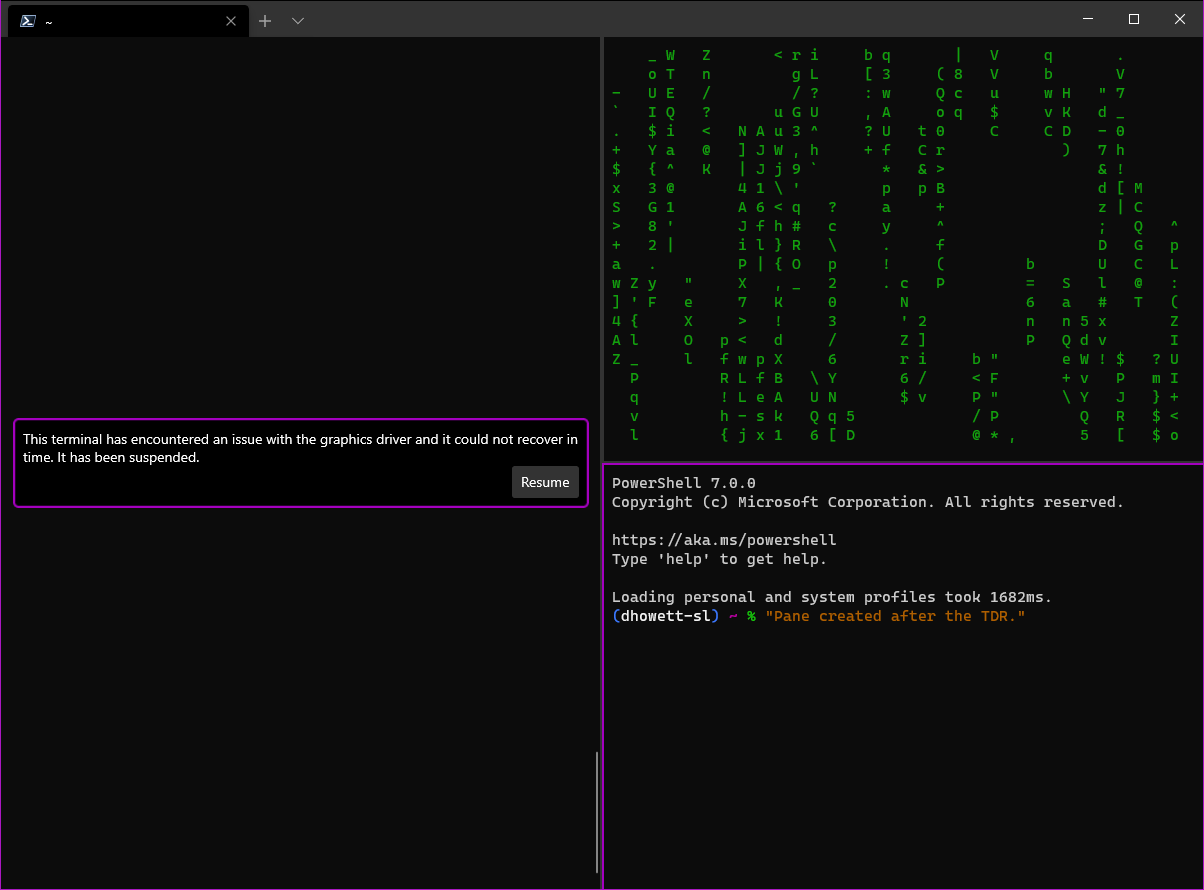
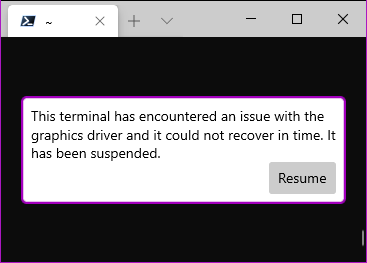
## PR Checklist
* [x] Closes#5340
* [x] cla
* [ ] Tests added/passed
* [ ] Requires documentation to be updated
* [x] I've discussed this with core contributors already.
## Validation Steps Performed
I tested this by dropping the number of retries to 1 and forcing a TDR while doing `wsl cmatrix -u0`. It picked up exactly where it left off.
As a bonus, you can actually still type into the terminal when it's graphically suspended (and `exit` still works.). The block is _entirely graphical_.
We received a request from our localization team to switch from
printf-style format strings (%s, %u) to format strings with positional
argument support. I've been hoping for a long time to take a dependency
on C++20's std::format, but we're just not somewhere we can do that.
Enter fmt. fmt is _exactly_ the library we need.
Minor comparison:
std::wstring_view world = /* ... */;
auto str{ wil::str_printf<std::wstring>(L"hello %.*s",
gsl::narrow_cast<size_t>(world.size()),
world.data()) };
---
auto str{ fmt::format(L"hello {0}", world) };
If you really want to use the print specifiers:
auto str{ fmt::printf(L"hello %s", world) };
It's got optional compile-time checking for format strings and is
MIT-licensed. Eventually, we should be able to replace fmt:: with std::
and end up pretty much where we left off.
What more could you ask for?
The Tango color scheme is part of the Tango Desktop Project, which was
released to the public domain in 2009.
More information is available at http://tango-project.org/.
This commit adds the "Tango Dark" and "Tango Light" color scheme
presets.
Closes#5281
Signed-off-by: Rafael Kitover <rkitover@gmail.com>
## Summary of the Pull Request
Adjusts DirectX renderer to use `til::bitmap` to track invalidation
regions. Uses special modification to invalidate a row-at-a-time to
ensure ligatures and NxM glyphs continue to work.
## References
Likely helps #1064
## PR Checklist
* [x] Closes#778
* [x] I work here.
* [x] Manual testing performed. See Performance traces in #778.
* [x] Automated tests for `til` changes.
* [x] Am core contributor. And discussed with @DHowett-MSFT.
## Detailed Description of the Pull Request / Additional comments
- Applies `til::bitmap` as the new invalidation scheme inside the
DirectX renderer and updates all entrypoints for collecting
invalidation data to coalesce into this structure.
- Semi-permanently routes all invalidations through a helper method
`_InvalidateRectangle` that will expand any invalidation to cover the
entire line. This ensures that ligatures and NxM glyphs will continue
to render appropriately while still allowing us to dramatically reduce
the number of lines drawn overall. In the future, we may come up with
a tighter solution than line-by-line invalidation and can modify this
helper method appropriately at that later date to further scope the
invalid region.
- Ensures that the `experimental.retroTerminalEffects` feature continues
to invalidate the entire display on start of frame as the shader is
applied at the end of the frame composition and will stack on itself
in an amusing fashion when we only redraw part of the display.
- Moves many member variables inside the DirectX renderer into the new
`til::size`, `til::point`, and `til::rectangle` methods to facilitate
easier management and mathematical operations. Consequently adds
`try/catch` blocks around many of the already-existing `noexcept`
methods to deal with mathematical or casting failures now detected by
using the support classes.
- Corrects `TerminalCore` redraw triggers to appropriately communicate
scrolling circumstances to the renderer so it can optimize the draw
regions appropriately.
- Fixes an issue in the base `Renderer` that was causing overlapping
scroll regions due to behavior of `Viewport::TrimToViewport` modifying
the local. This fix is "good enough" for now and should go away when
`Viewport` is fully migrated to `til::rectangle`.
- Adds multiplication and division operators to `til::rectangle` and
supporting tests. These operates will help scale back and forth
between a cell-based rectangle and a pixel-based rectangle. They take
special care to ensure that a pixel rectangle being divided downward
back to cells will expand (with the ceiling division methods) to cover
a full cell when even one pixel inside the cell is touched (as is how
a redraw would have to occur).
- Blocks off trace logging of invalid regions if no one is listening to
optimize performance.
- Restores full usage of `IDXGISwapChain1::Present1` to accurately and
fully communicate dirty and scroll regions to the underlying DirectX
framework. This additional information allows the framework to
optimize drawing between frames by eliminating data transfer of
regions that aren't modified and shuffling frames in place. See
[Remarks](https://docs.microsoft.com/en-us/windows/win32/api/dxgi1_2/nf-dxgi1_2-idxgiswapchain1-present1#remarks)
for more details.
- Updates `til::bitmap` set methods to use more optimized versions of
the setters on the `dynamic_bitset<>` that can bulk fill bits as the
existing algorithm was noticeably slow after applying the
"expand-to-row" helper to the DirectX renderer invalidation.
- All `til` import hierarchy is now handled in the parent `til.h` file
and not in the child files to prevent circular imports from happening.
We don't expect the import of any individual library file, only the
base one. So this should be OK for now.
## Validation Steps Performed
- Ran `cmatrix`, `cmatrix -u0`, and `cacafire` after changes were made.
- Made a bunch of ligatures with `Cascadia Code` in the Terminal
before/after the changes and confirmed they still ligate.
- Ran `dir` in Powershell and fixed the scrolling issues
- Clicked all over the place and dragged to make sure selection works.
- Checked retro terminal effect manually with Powershell.
* Add a spec for the Command Palette
specs #2046.
* Apply suggestions from code review
Co-Authored-By: Carlos Zamora <carlos.zamora@microsoft.com>
* * Add note from Carlos about UIA
* Add a note about nested commands
* fix Michael's comments
* Move to `doc/specs/`
* Apply suggestions from code review
Co-Authored-By: Dustin L. Howett (MSFT) <duhowett@microsoft.com>
* Add updates from Dustin
esp. considering keybindings args, localization
* add notes about expanding profiles, localization
* move this spec to the drafts folder
Co-authored-by: Carlos Zamora <carlos.zamora@microsoft.com>
Co-authored-by: Dustin L. Howett (MSFT) <duhowett@microsoft.com>
## Summary of the Pull Request
Implements `copyFormatting` as a global setting. When enabled, formatting such as font and foreground/background colors are copied to the clipboard on _all_ copy operations.
Also updates the schema and docs.
## References
#5212 - Spec for Formatted Copying
#4191 - Setting to enable/disable formatted copy
#5263 - PR prematurely merged without approval of #5212
This feature will also have an impact on these yet-to-be-implemented features:
- #5262 - copyFormatting Keybinding Arg for Copy
- #1553 - Pointer Bindings
- #4191 - add array support for `copyFormatting`
## Detailed Description of the Pull Request
We already check if the hstring passed into the clipboard is empty before setting it. So the majority of the changes are actually just adding the global setting in.
## Validation Steps Performed
| `copyFormatting` | Mouse Copy | Keyboard Copy |
|--|--|--|
| not set (`false`) | ✔ | ✔ |
| `true` | ✔ | ✔ |
| `false` | ✔ | ✔ |
## Summary of the Pull Request
When a pane is closed by a connection, we want to wait until the connection is actually `Closed` before we fire the actual `Closed` event. If the connection didn't close gracefully, there are scenarios where we want to print a message to the screen.
However, when a pane is closed by the UI, we don't really care to wait for the connection to be completely closed. We can just do it whenever. So I've moved that call to be on a background thread.
## PR Checklist
* [x] Closes#1996
* [x] I work here
* [ ] Tests added/passed
* [n/a] Requires documentation to be updated
## Detailed Description of the Pull Request / Additional comments
Previously we'd wait for the connection to close synchronously when closing tabs or panes. For misbehaving applications like `ssh.exe`, that could result in the `Close` needing to `WaitForSingleObject` _on the UI thread_. If the user closed the tab / pane either with a keybinding or with some other UI element, they don't really care to see the error message anymore. They just want the pane closed. So there's no need to wait for the actual connection to close - the app can just continue on with whatever it was doing.
## Validation Steps Performed
Messed around with closing tabs, panes, tabs with many panes, the entire window. Did this with keybindings, or by clicking on the 'x' on the tab, the 'x' on the window, or using middle-click.
I'm always scared of things like this, so there's a 50% chance this makes things horribly worse.
## Summary of the Pull Request
This updates defaults.json to include the default values for all global and profile settings. Most default keybinding args are added too. This also updates a few outdated items found in the docs.
## PR Checklist
* [X] Closes#5189
## Validation Steps Performed
After making the changes, I made sure all of the settings are deserialized by debugging and stepping through the `LayerJson` code.
- [X] Global Settings
I was mainly looking for two things:
- the key/value pair is found and read
- the value did not change before/after the pair was read
This pull request makes sure we still get a usable (for troubleshooting purposes) version number in the about dialog and settings file when the user is running unpackaged.
This introduces a magic LCID constant (0x0409).B y default, Package ES emits
version resource information that says we're localized to ... language zero.
It also emits a language-coded version block for 0x0409 (en-US).
These two things cannot both be true. Collapse the wave function by hardcoding
0x0409.
This adds support for the VT escape sequence that requests the
terminal's operating status. There is no attempt to actually verify the
status of the app, though. We always return a response indicating a good
operating condition (the same as most terminal emulators).
## PR Checklist
* [x] CLA signed.
* [x] Tests added/passed
## Detailed Description of the Pull Request / Additional comments
This required an update to the `OutputStateMachineEngine` to accept the
`DSR-OS` type, since it only dispatches types that it recognises (I
think that's unnecessary, but that's an issue for another day).
The actual processing of the request is handled in the `AdaptDispatch`
class, where it simply responds with a hard coded sequence (`CSI 0 n`),
indicating a good operating condition.
## Validation Steps Performed
I've added unit tests to confirm that the request is dispatched
correctly, and the appropriate response is returned. I've also manually
confirmed that the test of the _Device Status Report_ in _Vttest_ is now
succeeding.
Closes#5052
## Summary of the Pull Request
Implements `copyFormatting` as a global setting. When enabled, formatting such as font and foreground/background colors are copied to the clipboard on _all_ copy operations.
Also updates the schema and docs.
## References
#5212 - Spec for Formatted Copying
#4191 - Setting to enable/disable formatted copy
This feature will also have an impact on these yet-to-be-implemented features:
- #5262 - copyFormatting Keybinding Arg for Copy
- #1553 - Pointer Bindings
## PR Checklist
* [X] Closes#4191
## Detailed Description of the Pull Request / Additional comments
We already check if the hstring passed into the clipboard is empty before setting it. So the majority of the changes are actually just adding the global setting in.
## Validation Steps Performed
| `copyFormatting` | Mouse Copy | Keyboard Copy |
|--|--|--|
| not set (`false`) | ✔ | ✔ |
| `true` | ✔ | ✔ |
| `false` | ✔ | ✔ |
Now that the Terminal is doing a better job of actually marking which
lines were and were not wrapped, we're not always copying lines as
"wrapped" when they should be. We're more correctly marking lines as not
wrapped, when previously we'd leave them marked wrapped.
The real problem is here in the `ScrollFrame` method - we'd manually
newline the cursor to make the terminal's viewport shift down to a new
line. If we had to scroll the viewport for a _wrapped_ line, this would
cause the Terminal to mark that line as broken, because conpty would
emit an extra `\n` that didn't actually exist.
This more correctly implements `ScrollFrame`. Now, well move where we
"thought" the cursor was, so when we get to the next `PaintBufferLine`,
if the cursor needs to newline for the next line, it'll newline, but if
we're in the middle of a wrapped line, we'll just keep printing the
wrapped line.
A couple follow up bugs were found to be caused by the same bad logic.
See #5039 and #5161 for more details on the investigations there.
## References
* #4741 RwR, which probably made this worse
* #5122, which I branched off of
* #1245, #357 - a pair of other conpty wrapped lines bugs
* #5228 - A followup issue for this PR
## PR Checklist
* [x] Closes#5113
* [x] Closes#5180 (by fixing DECRST 25)
* [x] Closes#5039
* [x] Closes#5161 (by ensuring we only `removeSpaces` on the actual
bottom line)
* [x] I work here
* [x] Tests added/passed
* [n/a] Requires documentation to be updated
## Validation Steps Performed
* Checked the cases from #1245, #357 to validate that they still work
* Added more and more tests for these scenarios, and then I added MORE
tests
* The entire team played with this in selfhost builds
When the connection printed text immediately, synchronously, as part of
Start() it would cause terminal to deadlock. We should start the
connection outside of lock.
The ConptyConnection would do this when it failed to launch something
(trivial repro: `wt -- xyz`).
The TelnetConnection would do this all the time, because local loopback
telnet is fast and easy.
This commit introduces another template replacement for the user's
default settings, COMMAND_PROMPT_LOCALIZED_NAME, which will be replaced
with the contents of the CommandPromptDisplayName resource.
By default, that will be "Command Prompt." This name change will apply
only for new users, and only on first launch. Changes in the system
locale after first launch will not impact the name of the profile.
If the user _removes_ the name from their command prompt profile, its
name will revert irrecoverably to "Command Prompt". They will not be
given a chance to regenerate a localized name.
Fixes#4476.
## Summary of the Pull Request
Renames the `requestedTheme` global setting to `theme`. Propagates updates to...
- schema
- doc
- defaults.json
- universal-defaults.json
## PR Checklist
* [X] Closes#5264
## Validation Steps Performed
| `theme` | Success? |
|--|--|
| `system` | ✔ |
| `light` | ✔ |
| `dark` | ✔ |
But we really know that `dark` is the one we care about here 😉
My basic idea was that `WM_CHAR` is just the better `WM_KEYDOWN`.
The latter fails to properly support common dead key sequences like in
#3516.
As such I added some logic to `Terminal::SendKeyEvent` to make it return
false if the pressed key represents a printable character.
This causes us to receive a character event with a (hopefully) correctly
composed code unit, which then gets sent to `Terminal::SendCharEvent`.
`Terminal::SendCharEvent` in turn had to be modified to support
potentially pressed modifier keys, since `Terminal::SendKeyEvent` isn't
doing that for us anymore.
Lastly `TerminalInput` had to be modified heavily to support character
events with modifier key states. In order to do so I merged its
`HandleKey` and `HandleChar` methods into a single one, that now handles
both cases.
Since key events will now contain character data and character events
key codes the decision logic in `TerminalInput::HandleKey` had to be
rewritten.
## PR Checklist
* [x] CLA signed
* [x] Tests added/passed
* [x] I've discussed this with core contributors already.
## Validation Steps Performed
* See #3516.
* I don't have any keyboard that generates surrogate characters. Due to
this I modified `TermControl::_SendPastedTextToConnection` to send the
data to `_terminal->SendCharEvent()` instead. I then pasted the test
string ""𐐌𐐜𐐬" and ensured that the new `TerminalInput::_SendChar`
method still correctly assembles surrogate pairs.
Closes#3516Closes#3554 (obsoleted by this PR)
Potentially impacts #391, which sounds like a duplicate of #3516
This pull request introduces unexpanded variables (`%DEFAULT_PROFILE%`,
`%VERSION%` and `%PRODUCT%`) to the user settings template and code to
expand them.
While doing this, I ran into a couple things that needed to widen from
accepting strings to accepting string views. I also had to move
application name and version detection up to AppLogic and expose the
AppLogic singleton.
The dynamic profile generation logic had to be moved to before we inject
the templated variables, as the new default profile depends on the
generated dynamic profiles.
References #5189, #5217 (because it has a dependency on `VERSION` and
`PRODUCT`).
## PR Checklist
* [x] Closes#2721
* [x] CLA signed
* [x] Tests added/passed
* [ ] Requires documentation to be updated
* [x] I've discussed this with core contributors already
## Validation Steps Performed
Deleted my settings and watched them regenerate.
The terminal lock is really only for the terminal; since the renderer is
fully owned by the control, not the Terminal, and we'll only be
receiving swap chain events after we register them during
initialization, we don't need to lock before _or_ after firing off the
coroutine.
Fixes#5203.
## Summary of the Pull Request
If we receive a _Reset to Initial State_ (`RIS`) sequence while in the alternate screen buffer, we should be switching back to the main buffer. This PR fixes that behavior.
## PR Checklist
* [x] Closes#3685
* [x] CLA signed. If not, go over [here](https://cla.opensource.microsoft.com/microsoft/Terminal) and sign the CLA
* [x] Tests added/passed
* [ ] Requires documentation to be updated
* [ ] I've discussed this with core contributors already. If not checked, I'm ready to accept this work might be rejected in favor of a different grand plan. Issue number where discussion took place: #xxx
## Detailed Description of the Pull Request / Additional comments
I've added a condition at the start of the `AdaptDispatch::HardReset` method to check whether we're using the alt buffer, and if so, call the `ConGetSet::PrivateUseMainScreenBuffer` API to switch back to the main buffer.
Calling `AdaptDispatch::UseMainScreenBuffer` would probably be neater for this, but it would also attempt to restore the cursor state, which seems pointless when we're in the process of resetting everything anyway.
## Validation Steps Performed
I've added a screen buffer test to confirm that the `RIS` sequence does actually switch back to the main buffer. I've also manually confirmed that the test case in issue #3685 does now behave as expected.
A side effect of the `SetConsoleCursorInfo` API is that it resets the
cursor type to _Legacy_. This makes it impossible to change the cursor
visibility via the console APIs without also resetting the user's
preferred cursor type. This PR attempts to fix that limitation, by only
resetting the cursor type if the size has also been changed.
## PR Checklist
* [x] Closes#4124
* [x] CLA signed
* [ ] Tests added/passed
* [ ] Requires documentation to be updated
## Detailed Description of the Pull Request / Additional comments
I suspect the reason for the original behaviour was because the
`SetConsoleCursorInfo` API sets both the visibility and the size, and if
you're setting the size, it's assumed you'd want the _Legacy_ cursor
type, because that's the only style for which the size is applicable.
So my solution was to only reset the cursor type if the requested cursor
size was actually different from the current size. That should be
reasonably backwards compatible with most size-changing code, but also
allow for changing the visibility without resetting the cursor type.
## Validation Steps Performed
I've tested the example code from issue #4124, and confirmed that it now
works correctly without resetting the cursor type.
I've also tested the console's _mark mode_, which temporarily changes
the cursor size while selecting. I've confirmed that the size still
changes, and that the original cursor type is restored afterwards.
## Summary of the Pull Request
Edits the definition file to distinguish further between the rolling build (the one that happens in master as it's updated) and the PR builds (that happen on every push to a pull request to master.) We will build less in PR since it rolls so often by removing the lines that reveal very few to no bugs at PR time. We'll leave them on in rolling so stuff can still be caught.
## PR Checklist
* [x] Closes a desire to not waste builds.
* [x] I work here.
* [ ] We'll see if the build still works.
* [x] No specific docs.
* [x] I talked about this with @DHowett-MSFT already.
## Validation Steps Performed
* [x] This PR itself should validate that the definition still works in PRs. I think we have to wait for it to go to master to see if the trigger still works there.
This is a subset of #3578 which I think is harmless and the first step towards making things right.
References #3546#3578
## Detailed Description of the Pull Request / Additional comments
For more robust Unicode support, `CodepointWidthDetector` should provide concrete width information rather than a simple boolean of `IsWide`. Currently only `IsWide` is widely used and optimized using quick lookup table and fallback cache. This PR moves those optimization into `GetWidth`.
## Validation Steps Performed
API remains unchanged. Things are not broken.
## Summary of the Pull Request
Minor cleanup on the schema. Globals isn't accepted anymore,
so the schema should not help you autocomplete anymore.
## Validation Steps Performed
Imported the new schema. You do _not_ get a warning when globals
is in. But, the schema won't suggest things when inside globals.
It's just treated as an unknown item.
However, "defaultProfile" is still required (more of a sanity test)
## Summary of the Pull Request
In preparation for getting more accessibility-related issues, I added an ID to the `ScreenInfoUiaProvider` (SIUP) and abstracted the one from `UiaTextRange`. Using this, I noticed that we are creating SIUPs when a new tab/pane is created. This is _good_. This means that we need to somehow notify a UIA Client that out structure has changed, and we need to use the new SIUP because the old one has been removed.
I'll be investigating that more after this PR lands.
Because we cannot set RequestedTheme at the application level, we
occasionally run into issues where parts of our UI end up themed
incorrectly. Dialogs, for example, live under a different Xaml root
element than the rest of our application. This makes our popup menus and
buttons "disappear" when the user wants Terminal to be in a different
theme than the rest of the system. This hack---and it _is_ a
hack--walks up a dialog's ancestry and forces the theme on each element
up to the root. We're relying a bit on Xaml's implementation details
here, but it does have the desired effect.
It's not enough to set the theme on the dialog alone.
Fixes#3654.
Fixes#5195.
## Summary of the Pull Request
Added `splitMode` to settings schema JSON and md files.
The definition might need some tweaking.
## References
## PR Checklist
* [x] Closes#4939
## Summary of the Pull Request
`TrimWhitespace` is misleading. So it is now renamed as 'singleLine'. If true, it comes out as a single line! That makes more sense!
## PR Checklist
* [X] Closes#3824
## Validation Steps Performed
Attempted the keybinding with both settings (and none set).
Attempted mouse copy with and without shift.
## Summary of the Pull Request
Add `null`, `unbound` to schema for keybindings
## PR Checklist
* [x] Closes#4751
* [x] I work here
* [n/a] Tests added/passed
* [x] Requires documentation to be updated
## Summary of the Pull Request
When conpty is in VT input mode, we pass through all the input we receive. This includes all the other `Action*Dispatch` methods, but missed this one.
## References
* Missed during #4856
* Discovered during the course of the #4192 review
* #5205 Also investigated part of the issue, but found a different bug.
## PR Checklist
* [x] Doesn't close anything, just related to above things.
* [x] I work here
* [ ] Tests added/passed
* [n/a] Requires documentation to be updated
## Detailed Description of the Pull Request / Additional comments
This will fix the <kbd>ctrl+alt+space</kbd> in the Terminal thing mentioned in #4192, but doesn't actually resolve the root cause of that bug (which is tracked in #5205).
## Summary of the Pull Request
When we're restoring from minimized, that `MonitorFromWindow` call is returning null. Curious that we're getting null here, when [MSDN states](https://docs.microsoft.com/en-us/windows/win32/api/winuser/nf-winuser-monitorfromwindow):
> If the window is currently minimized, MonitorFromWindow uses the rectangle of the window before it was minimized.
Turns out, `MONITOR_DEFAULTTONEAREST` just fixes this.
## References
* #4857 - original PR that added this code block
## PR Checklist
* [x] Closes#5209
* [x] I work here
* [ ] Tests added/passed
* [n/a] Requires documentation to be updated
## Validation Steps Performed
Verified manually
_Technically_, "wether" is a word but I'd be shocked if there's a scenario for
us to use it properly in this repo, so I'm pulling it from the dictionary.
Also, in #5200, we added "VTE", which is totally a valid acronym, to the codebase,
but not the whitelist. I'm not sure why the bot let me merge it anyways, but I'm
fixing it now.
This pull request migrates `profiles.json` to `settings.json` and removes the legacy roaming AppData settings migrator.
It also:
* separates the key bindings in defaults.json into logical groups
* syncs the universal terminal defaults with the primary defaults
* removes some stray newlines that ended up at the beginning of settings.json and defaults.json
Fixes#5186.
Fixes#3291.
### categorize key bindings
### sync universal with main
### kill stray newlines in template files
### move profiles.json to settings.json
This commit also changes Get*Settings from returning a string to
returning a std::filesystem::path. We gain in expressiveness without a
loss in clarity (since path still supports .c_str()).
NOTE: I tried to do an atomic rename with the handle open, but it didn't
work for reparse points (it moves the destination of a symbolic link
out into the settings folder directly.)
(snip for atomic rename code)
```c++
auto path{ pathToSettingsFile.wstring() };
auto renameBufferSize{ sizeof(FILE_RENAME_INFO) + (path.size() * sizeof(wchar_t)) };
auto renameBuffer{ std::make_unique<std::byte[]>(renameBufferSize) };
auto renameInfo{ reinterpret_cast<FILE_RENAME_INFO*>(renameBuffer.get()) };
renameInfo->Flags = FILE_RENAME_FLAG_REPLACE_IF_EXISTS | FILE_RENAME_FLAG_POSIX_SEMANTICS;
renameInfo->RootDirectory = nullptr;
renameInfo->FileNameLength = gsl::narrow_cast<DWORD>(path.size());
std::copy(path.cbegin(), path.cend(), std::begin(renameInfo->FileName));
THROW_IF_WIN32_BOOL_FALSE(SetFileInformationByHandle(hLegacyFile.get(),
FileRenameInfo,
renameBuffer.get(),
gsl::narrow_cast<DWORD>(renameBufferSize)));
```
(end snip)
### Stop resurrecting dead roaming profiles
## Summary of the Pull Request
As we've learned in #979, not all touchpads are created equal. Some of them have bad drivers that makes scrolling inactive windows not work. For whatever reason, these devices think the Terminal is all one giant inactive window, so we don't get the mouse wheel events through the XAML stack. We do however get the event as a `WM_MOUSEWHEEL` on those devices (a message we don't get on devices with normally functioning trackpads).
This PR attempts to take that `WM_MOUSEWHEEL` and manually dispatch it to the `TermControl`, so we can at least scroll the terminal content.
Unfortunately, this solution is not very general purpose. This only works to scroll controls that manually implement our own `IMouseWheelListener` interface. As we add more controls, we'll need to continue manually implementing this interface, until the underlying XAML Islands bug is fixed. **I don't love this**. I'd rather have a better solution, but it seems that we can't synthesize a more general-purpose `PointerWheeled` event that could get routed through the XAML tree as normal.
## References
* #2606 and microsoft/microsoft-ui-xaml#2101 - these bugs are also tracking a similar "inactive windows" / "scaled mouse events" issue in XAML
## PR Checklist
* [x] Closes#979
* [x] I work here
* [ ] Tests added/passed
* [n/a] Requires documentation to be updated
## Detailed Description of the Pull Request / Additional comments
I've also added a `til::point` conversion _to_ `winrt::Windows::Foundation::Point`, and some scaling operators for `point`
## Validation Steps Performed
* It works on my HP Spectre 2017 with a synaptics trackpad
- I also made sure to test that `tmux` works in panes on this laptop
* It works on my slaptop, and DOESN'T follow this hack codepath on this machine.
## Summary of the Pull Request
Reduce the number of times we dispatch a cursor changed event. We were firing it every time the renderer had to do anything related to the cursor. Unfortunately, blinking the cursor triggered this behavior. Now we just check if the position has changed.
## PR Checklist
* [X] Closes#5143
## Validation Steps Performed
Verified using Narrator
Also verified #3791 still works right
## Summary of the Pull Request
This PR clamps the parameter values in the VT `StateMachine` parser to 32767, which was the initial limit prior to PR #3956. This fixes a number of overflow bugs (some of which could cause the app to crash), since much of the code is not prepared to handle values outside the range of a `short`.
## References
#3956 - the PR where the cap was changed to the range of `size_t`
#4254 - one example of a crash caused by the higher range
## PR Checklist
* [x] Closes#5160
* [x] CLA signed. If not, go over [here](https://cla.opensource.microsoft.com/microsoft/Terminal) and sign the CLA
* [x] Tests added/passed
* [ ] Requires documentation to be updated
* [ ] I've discussed this with core contributors already. If not checked, I'm ready to accept this work might be rejected in favor of a different grand plan. Issue number where discussion took place: #xxx
## Detailed Description of the Pull Request / Additional comments
The DEC STD 070 reference recommends supporting up to at least 16384 for parameter values, so 32767 should be more than enough for any standard VT sequence. It might be nice to increase the limit to 65535 at some point, since that is the cap used by both XTerm and VTE. However, that is not essential, since there are very few situations where you'd even notice the difference. For now, 32767 is the safest choice for us, since anything greater than that has the potential to overflow and crash the app in a number of places.
## Validation Steps Performed
I had to make a couple of modifications to the range checks in the `OutputEngineTest`, more or less reverting to the pre-#3956 behavior, but after that all of the unit tests passed as expected.
I manually confirmed that this fixes the hanging test case from #5160, as well as overflow issues in the cursor operations, and crashes in `IL` and `DL` (see https://github.com/microsoft/terminal/issues/4254#issuecomment-575292926).
## Summary of the Pull Request
This is essentially a rewrite of the VT tab stop functionality, implemented entirely within the `AdaptDispatch` class. This significantly simplifies the `ConGetSet` interface, and should hopefully make it easier to share the functionality with the Windows Terminal VT implementation in the future.
By removing the dependence on the `SCREEN_INFORMATION` class, it fixes the problem of the the tab state not being preserved when switching between the main and alternate buffers. And the new architecture also fixes problems with the tabs not being correctly initialized when the screen is resized.
## References
This fixes one aspect of issue #3545.
It also supersedes the fix for #411 (PR #2816).
I'm hoping the simplification of `ConGetSet` will help with #3849.
## PR Checklist
* [x] Closes#4669
* [x] CLA signed. If not, go over [here](https://cla.opensource.microsoft.com/microsoft/Terminal) and sign the CLA
* [x] Tests added/passed
* [ ] Requires documentation to be updated
* [ ] I've discussed this with core contributors already. If not checked, I'm ready to accept this work might be rejected in favor of a different grand plan. Issue number where discussion took place: #xxx
## Detailed Description of the Pull Request / Additional comments
In the new tab architecture, there is now a `vector<bool>` (__tabStopColumns_), which tracks whether any particular column is a tab stop or not. There is also a __initDefaultTabStops_ flag indicating whether the default tab stop positions need to be initialised when the screen is resized.
The way this works, the vector is initially empty, and only initialized (to the current width of the screen) when it needs to be used. When the vector grows in size, the __initDefaultTabStops_ flag determines whether the new columns are set to false, or if every 8th column is set to true.
By default we want the latter behaviour - newly revealed columns should have default tab stops assigned to them - so __initDefaultTabStops_ is set to true. However, after a `TBC 3` operation (i.e. we've cleared all tab stops), there should be no tab stops in any newly revealed columns, so __initDefaultTabStops_ is set to false.
Note that the __tabStopColumns_ vector is never made smaller when the window is shrunk, and that way it can preserve the state of tab stops that are off screen, but which may come into range if the window is made bigger again.
However, we can can still reset the vector completely after an `RIS` or `TBC 3` operation, since the state can then be reconstructed automatically based on just the __initDefaultTabStops_ flag.
## Validation Steps Performed
The original screen buffer tests had to be rewritten to set and query the tab stop state using escape sequences rather than interacting with the `SCREEN_INFORMATION` class directly, but otherwise the structure of most tests remained largely the same.
However, the alt buffer test was significantly rewritten, since the original behaviour was incorrect, and the initialization test was dropped completely, since it was no longer applicable. The adapter tests were also dropped, since they were testing the `ConGetSet` interface which has now been removed.
I also had to make an addition to the method setup of the screen buffer tests (making sure the viewport was appropriately initialized), since there were some tests (unrelated to tab stops) that were previously dependent on the state being set in the tab initialization test which has now been removed.
I've manually tested the issue described in #4669 and confirmed that the tabs now produce the correct spacing after a resize.
## Summary of the Pull Request
You no longer _need_ to specify the `split` argument to `splitPane`, it will default to `Automatic` instead of `None`
## PR Checklist
* [x] Closes a discussion we had in team sync
* [x] I work here
* [x] Tests updated
* [n/a] Requires documentation to be updated
## Detailed Description of the Pull Request / Additional comments
Also disables the tests that are broken in #5169 while I investigate
This commit removes support for:
* legacy keybindings of all types
* `colorScheme.colors`, as an array
* A `globals` object in the root of the settings file
* `profile.colorTable` and `profile.colorscheme` (the rare v0.1 all-lowercase variety)
Fixes#4091.
Fixes#1069.
<!-- Enter a brief description/summary of your PR here. What does it fix/what does it change/how was it tested (even manually, if necessary)? -->
## Summary of the Pull Request
This PR will allow TSFInputControl to redraw its Canvas and TextBlock in response to when the Terminal cursor position updates. This will fix the issue where during Korean composition, the first symbol of the next composition will appear on top of the previous composed character. Since the Terminal Cursor updates a lot, I've added some checks to see if the TSFInputControl really needs to redraw. This will also decrease the number of actual redraws since we receive a bunch of `LayoutRequested` events when there's no difference between them.
<!-- Please review the items on the PR checklist before submitting-->
## PR Checklist
* [x] Closes#4963
* [x] CLA signed. If not, go over [here](https://cla.opensource.microsoft.com/microsoft/Terminal) and sign the CLA
* [x] Tests added/passed
<!-- Describe how you validated the behavior. Add automated tests wherever possible, but list manual validation steps taken as well -->
## Validation Steps Performed
Startup, teardown, CJK IME gibberish testing, making sure the IME block shows up in the right place.
This PR updates our internal tool `conechokey` to use `ReadConsoleInputW` by default. It also adds a flag `-a` to force it to use `ReadConsoleInputA`.
I discovered this while digging around for #1503, but figured I'd get this checked in now while I'm still investigating.
Since this is just a helper tool, I spent as little effort writing this change - yea the whole tool could benefit from cleaner code but _ain't nobody got time for that_.
<!-- Enter a brief description/summary of your PR here. What does it fix/what does it change/how was it tested (even manually, if necessary)? -->
## Summary of the Pull Request
Every single time a PR is run, there are a bunch of warnings about whitespace in the .cs files, so I ran the code format on those files, without changing their contents, so it won't be flagged anymore.
<!-- Other than the issue solved, is this relevant to any other issues/existing PRs? -->
## References
<!-- Please review the items on the PR checklist before submitting-->
## PR Checklist
* [X] CLA signed. If not, go over [here](https://cla.opensource.microsoft.com/microsoft/Terminal) and sign the CLA
* [X] Tests added/passed
<!-- Provide a more detailed description of the PR, other things fixed or any additional comments/features here -->
## Detailed Description of the Pull Request / Additional comments
<!-- Describe how you validated the behavior. Add automated tests wherever possible, but list manual validation steps taken as well -->
## Validation Steps Performed
Ran the code-format utility on the .cs files
This pull request introduces the `til::math` namespace, which provides some casting functions to be used in support of `til::point` and `til::size`. When point/size want to ingest a floating-point structure, they _must_ be instructed on how to convert those floating-point values into integers.
This enables:
```
Windows::Foundation::Point wfPoint = /* ... */;
til::point tp{ til::math::rounding, wfPoint };
```
Future thoughts: should the TilMath types be stackable? Right now, you cannot get "checked + rounding" behavior (where it throws if it doesn't fit) so everything is saturating.
## PR Checklist
* [x] Closes a request by Michael
* [x] I've discussed this with core contributors already
Correct scrolling invalidation region for tmux in pty w/ bitmap
Add tracing for circling and scrolling operations. Fix improper
invalidation within AdjustCursorPosition routine in the subsection about
scrolling down at the bottom with a set of margins enabled.
## References
- Introduced with #5024
## Detailed Description of the Pull Request / Additional comments
- This occurs when there is a scroll region restriction applied and a
newline operation is performed to attempt to spin the contents of just
the scroll region. This is a frequent behavior of tmux.
- Right now, the Terminal doesn't support any sort of "scroll content"
operation, so what happens here generally speaking is that the PTY in
the ConHost will repaint everything when this happens.
- The PTY when doing `AdjustCursorPosition` with a scroll region
restriction would do the following things:
1. Slide literally everything in the direction it needed to go to take
advantage of rotating the circular buffer. (This would force a
repaint in PTY as the PTY always forces repaint when the buffer
circles.)
2. Copy the lines that weren't supposed to move back to where they were
supposed to go.
3. Backfill the "revealed" region that encompasses what was supposed to
be the newline.
- The invalidations for the three operations above were:
1. Invalidate the number of rows of the delta at the top of the buffer
(this part was wrong)
2. Invalidate the lines that got copied back into position (probably
unnecessary, but OK)
3. Invalidate the revealed/filled-with-spaces line (this is good).
- When we were using a simple single rectangle for invalidation, the
union of the top row of the buffer from 1 and the bottom row of the
buffer from 2 (and 3 was irrelevant as it was already unioned it)
resulted in repainting the entire buffer and all was good.
- When we switched to a bitmap, it dutifully only repainted the top line
and the bottom two lines as the middle ones weren't a consequence of
intersect.
- The logic was wrong. We shouldn't be invalidating rows-from-the-top
for the amount of the delta. The 1 part should be invalidating
everything BUT the lines that were invalidated in parts 2 and 3.
(Arguably part 2 shouldn't be happening at all, but I'm not optimizing
for that right now.)
- So this solves it by restoring an entire screen repaint for this sort
of slide data operation by giving the correct number of invalidated
lines to the bitmap.
## Validation Steps Performed
- Manual validation with the steps described in #5104
- Automatic test `ConptyRoundtripTests::ScrollWithMargins`.
Closes#5104
## Summary of the Pull Request
This pull request replaces about a hundred lines of manual xaml DOM code with a few lines of actual xaml, and wires up bound properties and event handlers in the good and correct way.
As part of this change, I've replaced the giant TextBlock in the about dialog with StackPanels, and replaced the Hyperlinks with HyperlinkButtons. This is in line with other platform applications.
URLs are _not_ localizable resources, so I moved them into the about dialog's xaml. Per #5138, we'll likely change them so that they get localization for "free" (dispatching based on the browser's language, without having to localize the URL in the application).
* Add a note about Binding multiple keys
From discussion in #4992
* Update doc/user-docs/UsingJsonSettings.md
Co-Authored-By: Josh Soref <jsoref@users.noreply.github.com>
* update the comment here to be a little clearer
Co-authored-by: Josh Soref <jsoref@users.noreply.github.com>
This commit rewrites a large swath of TermControl's initialization code.
* `TermControl` now _always_ has a `_terminal`; it will never be null
* Event registration for `_terminal` and any other available-at-init
fixtures has been moved into the constructor.
* Event handlers how more uniformly check `_closing` if they interact
with the _terminal.
* Swap chain attachment has been cleaned up and no longer uses a
coroutine when it's spawned from the UI thread.
* We have to register the renderer's swapchain change notification
handler after we set the swap chain, otherwise it'll call us back
when it initializes itself.
* `InitializeTerminal` now happens under the `_terminal`'s write lock
* Certain things that InitializeTerminal were calling themselves
attempted to take the lock. They no longer do so.
* TermControlAutomationPeer cannot take the read lock, because setting
the scrollbar's `Maximum` during `InitializeTerminal` will trigger
vivification of the automation peer tree; if it attempts to take the
lock it will deadlock during initialization.
* `BlinkCursor` was renamed to `CursorTimerTick` because it's the "Tick"
handler for the "CursorTimer".
* `DragDropHandler` was converted into a coroutine instead of just
_calling_ a coroutine.
Caveats:
Terminal may not have a `_buffer` until InitializeTerminal happens.
There's a nasty coupling between RenderTarget and TextBuffer that means
that we need to have a renderer before we have a buffer.
There's a second nasty coupling between RenderThread and Renderer: we
can't create a RenderThread during construction because it needs to be
given a renderer, and we can't create a Renderer during construction
because it needs a RenderThread. We don't want to kick off a thread
during construction.
Testing:
I wailed on this by opening and closing and resizing terminals and panes
and tabs, up to a hundred open tabs and one tab with 51 panes. I set one
tab to update the title as fast as it possibly could and tested
teardown, zoom, resize, mouse movement, etc. while this was all
happening.
Closes#4613.
This commit adds a debugging feature that can be activated by holding
down Left Alt _and_ Right Alt when a new tab is being created, if you
have the global setting "debugFeatures" set to true. That global setting
will default to true in DEBUG builds.
That debugging feature takes the form of a split pane that shows the raw
VT sequences being written to and received from the connection.
When those buttons are held down, every connection that's created as
part of a new tab is wrapped and split into _two_ connections: one to
capture input (and stand in for the main connection) and one to capture
output (and be displayed off to the side)
Closes#3206
Retrieved from https://microsoft.visualstudio.com os OS official/rs_onecore_dep_uxp cba60cafaadfcc7890a45dea3e1a24412c3d0ec6
Related work items: MSFT:25631386
This PR has evolved to encapsulate two related fixes that I can't really
untie anymore.
#2455 - Duplicating a tab that doesn't exist anymore
This was the bug I was originally fixing in #4429.
When the user tries to `duplicateTab` with a profile that doesn't exist
anymore (like might happen after a settings reload), don't crash.
As I was going about adding tests for this, got blocked by the fact that
the Terminal couldn't open _any_ panes while the `TerminalPage` was size
0x0. This had two theoretical solutions:
* Fake the `TerminalPage` into thinking it had a real size in the test -
probably possible, though I'm unsure how it would work in practice.
* Change `Pane`s to not require an `ActualWidth`, `ActualHeight` on
initialization.
Fortuately, the second option was something else that was already on my
backlog of bugs.
#4618 - `wt` command-line can't consistently parse more than one arg
Presently, the Terminal just arbitrarily dispatches a bunch of handlers
to try and handle all the commands provided on the commandline. That's
lead to a bunch of reports that not all the commands will always get
executed, nor will they all get executed in the same order.
This PR also changes the `TerminalPage` to be able to dispatch all the
commands sequentially, all at once in the startup. No longer will there
be a hot second where the commands seem to execute themselves in from of
the user - they'll all happen behind the scenes on startup.
This involved a couple other changes areound the `TerminalPage`
* I had to make sure that panes could be opened at a 0x0 size. Now they
use a star sizing based off the percentage of the parent they're
supposed to consume, so that when the parent _does_ get laid out,
they'll take the appropriate size of that parent.
* I had to do some math ahead of time to try and calculate what a
`SplitState::Automatic` would be evaluated as, despite the fact that
we don't actually know how big the pane will be.
* I had to ensure that `focus-tab` commands appropriately mark a single
tab as focused while we're in startup, without roundtripping to the
Dispatcher thread and back
## References
#4429 - the original PR for #2455#5047 - a follow-up task from discussion in #4429#4953 - a PR for making panes use star sizing, which was immensly
helpful for this PR.
## Detailed Description of the Pull Request / Additional comments
`CascadiaSettings::BuildSettings` can throw if the GUID doesn't exist.
This wraps those calls up with a try/catch.
It also adds a couple tests - a few `SettingsTests` for try/catching
this state. It also adds a XAML-y test in `TabTests` that creates a
`TerminalPage` and then performs som UI-like actions on it. This test
required a minor change to how we generate the new tab dropdown - in the
tests, `Application::Current()` is _not_ a `TerminalApp::App`, so it
doesn't have a `Logic()` to query. So wrap that in a try/catch as well.
While working on these tests, I found that we'd crash pretty agressively
for mysterious reasons if the TestHostApp became focused while the test
was running. This was due to a call in
`TSFInputControl::NotifyFocusEnter` that would callback to
`TSFInputControl::_layoutRequested`, which would crash on setting the
`MaxSize` of the canvas to a negative value. This PR includes a hotfix
for that bug as well.
## Validation Steps Performed
* Manual testing with a _lot_ of commands in a commandline
* run the tests
* Team tested in selfhost
Closes#2455Closes#4618
This repository tends to use `/`s in branch names.
Unfortunately, `branch: "*"` at present only matches a single
level, which means it would match a branch named `foo` but not `bar/foo`.
Given that I don't think this repository is actively using tags,
and given that the general cost for the spell checker isn't particularly
high, it's better to remove the filtering so that all branches get
checked.
Worst case, a branch that is also tagged and has spelling errors
will get two comments complaining about those spelling errors.
This is just some minor whitelisting/additions to dictionaries to catch
up between when the spell checker PR was written and when it was finally
merged.
This is basically taking the spelling output from
499f24a29e and putting it into files.
The choice of files is arbitrary. I'm adding a `math.txt` dictionary
because it's a reasonable example.
The goal here is to get master to a green check mark
## Validation
When I pushed this commit to my fork, the spell check action ran and
gave me a check mark: https://github.com/jsoref/terminal/runs/534783276
## Summary of the Pull Request
Changes default font from Consolas to Cascadia Code.
## PR Checklist
* [x] Closes#4943
* [x] CLA signed. If not, go over [here](https://cla.opensource.microsoft.com/microsoft/Terminal) and sign the CLA
* [ ] Tests added/passed
* [ ] Requires documentation to be updated
* [x] I've discussed this with core contributors already. If not checked, I'm ready to accept this work might be rejected in favor of a different grand plan. Issue number where discussion took place: #xxx
## Validation Steps Performed
I deleted my profiles.json and built from source. All profiles appeared in Cascadia Code.
This commit rewrites selection handling at the TermControl layer.
Previously, we were keeping track of a number of redundant variables
that were easy to get out of sync.
The new selection model is as follows:
* A single left click will always begin a _pending_ selection operation
* A single left click will always clear a selection (#4477)
* A double left click will always begin a word selection
* A triple left click will always begin a line selection
* A selection will only truly start when the cursor moves a quarter of
the smallest dimension of a cell (usually its width) in any direction
_This eliminates the selection of a single cell on one click._
(#4282, #5082)
* We now keep track of whether the selection has been "copied", or
"updated" since it was last copied. If an endpoint moves, it is
updated. For copy-on-select, it is only copied if it's updated.
(#4740)
Because of this, we can stop tracking the position of the focus-raising
click, and whether it was part of click-drag operation. All clicks can
_become_ part of a click-drag operation if the user drags.
We can also eliminate the special handling of single cell selection at
the TerminalCore layer: since TermControl determines when to begin a
selection, TerminalCore no longer needs to know whether copy on select
is enabled _or_ whether the user has started and then backtracked over a
single cell. This is now implicit in TermControl.
Fixes#5082; Fixes#4477
This pull request includes a localization config file that identifies
the modules we need to localize. It also moves us back to the
`Resources\LANGUAGE\Resources.resw` resource layout, but using wildcards
so that the build system can pick up any number of languages.
This commit introduces a github action to check our spelling and fixes
the following misspelled words so that we come up green.
It also renames TfEditSes to TfEditSession, because Ses is not a word.
currently, excerpt, fallthrough, identified, occurred, propagate,
provided, rendered, resetting, separate, succeeded, successfully,
terminal, transferred, adheres, breaks, combining, preceded,
architecture, populated, previous, setter, visible, window, within,
appxmanifest, hyphen, control, offset, powerpoint, suppress, parsing,
prioritized, aforementioned, check in, build, filling, indices, layout,
mapping, trying, scroll, terabyte, vetoes, viewport, whose
* [ ] CLA signed. If not, go over [here](https://cla.opensource.microsoft.com/microsoft/Terminal) and sign the CLA
* [ ] Tests added/passed
* [ ]Requires documentation to be updated
* [ ]Documentation updated. If checked, please file a pull request on [our docs repo](https://github.com/MicrosoftDocs/terminal) and link it here: #xxx
* [ ] Schema updated.
* [ ] I've discussed this with core contributors already. If not checked, I'm ready to accept this work might be rejected in favor of a different grand plan. Issue number where discussion took place: #xxx
<!-- Provide a more detailed description of the PR, other things fixed or any additional comments/features here -->
[allow/*.txt](allow/) | Add words to the dictionary | one word per line (only letters and `'`s allowed) | [allow](https://github.com/check-spelling/check-spelling/wiki/Configuration#allow)
[reject.txt](reject.txt) | Remove words from the dictionary (after allow) | grep pattern matching whole dictionary words | [reject](https://github.com/check-spelling/check-spelling/wiki/Configuration-Examples%3A-reject)
[patterns/*.txt](patterns/) | Patterns to ignore from checked lines | perl regular expression (order matters, first match wins) | [patterns](https://github.com/check-spelling/check-spelling/wiki/Configuration-Examples%3A-patterns)
[candidate.patterns](candidate.patterns) | Patterns that might be worth adding to [patterns.txt](patterns.txt) | perl regular expression with optional comment block introductions (all matches will be suggested) | [candidates](https://github.com/check-spelling/check-spelling/wiki/Feature:-Suggest-patterns)
[line_forbidden.patterns](line_forbidden.patterns) | Patterns to flag in checked lines | perl regular expression (order matters, first match wins) | [patterns](https://github.com/check-spelling/check-spelling/wiki/Configuration-Examples%3A-patterns)
[expect/*.txt](expect.txt) | Expected words that aren't in the dictionary | one word per line (sorted, alphabetically) | [expect](https://github.com/check-spelling/check-spelling/wiki/Configuration#expect)
[advice.md](advice.md) | Supplement for GitHub comment when unrecognized words are found | GitHub Markdown | [advice](https://github.com/check-spelling/check-spelling/wiki/Configuration-Examples%3A-advice)
Note: you can replace any of these files with a directory by the same name (minus the suffix)
and then include multiple files inside that directory (with that suffix) to merge multiple files together.
<!-- See https://github.com/check-spelling/check-spelling/wiki/Configuration-Examples%3A-advice --> <!-- markdownlint-disable MD033 MD041 -->
<details>
<summary>
:pencil2: Contributor please read this
</summary>
By default the command suggestion will generate a file named based on your commit. That's generally ok as long as you add the file to your commit. Someone can reorganize it later.
:warning: The command is written for posix shells. If it doesn't work for you, you can manually _add_ (one word per line) / _remove_ items to `expect.txt` and the `excludes.txt` files.
If the listed items are:
* ... **misspelled**, then please *correct* them instead of using the command.
* ... *names*, please add them to `.github/actions/spelling/allow/names.txt`.
* ... APIs, you can add them to a file in `.github/actions/spelling/allow/`.
* ... just things you're using, please add them to an appropriate file in `.github/actions/spelling/expect/`.
* ... tokens you only need in one place and shouldn't *generally be used*, you can add an item in an appropriate file in `.github/actions/spelling/patterns/`.
See the `README.md` in each directory for more information.
:microscope: You can test your commits **without***appending* to a PR by creating a new branch with that extra change and pushing it to your fork. The [check-spelling](https://github.com/marketplace/actions/check-spelling) action will run in response to your **push** -- it doesn't require an open pull request. By using such a branch, you can limit the number of typos your peers see you make. :wink:
<details><summary>If the flagged items are :exploding_head: false positives</summary>
If items relate to a ...
* binary file (or some other file you wouldn't want to check at all).
Please add a file path to the `excludes.txt` file matching the containing file.
File paths are Perl 5 Regular Expressions - you can [test](
https://www.regexplanet.com/advanced/perl/) yours before committing to verify it will match your files.
`^` refers to the file's path from the root of the repository, so `^README\.md$` would exclude [README.md](
../tree/HEAD/README.md) (on whichever branch you're using).
* well-formed pattern.
If you can write a [pattern](https://github.com/check-spelling/check-spelling/wiki/Configuration-Examples:-patterns) that would match it,
try adding it to the `patterns.txt` file.
Patterns are Perl 5 Regular Expressions - you can [test](
https://www.regexplanet.com/advanced/perl/) yours before committing to verify it will match your lines.
# Update Lorem based on your content (requires `ge` and `w` from https://github.com/jsoref/spelling; and `review` from https://github.com/check-spelling/check-spelling/wiki/Looking-for-items-locally )
@@ -125,7 +125,7 @@ Team members will be happy to help review specs and guide them to completion.
### Help Wanted
Once the team have approved an issue/spec, development can proceed. If no developers are immediately available, the spec can be parked ready for a developer to get started. Parked specs' issues will be labeled "Help Wanted". To find a list of development opportunities waiting for developer involvement, visit the Issues and filter on [the Help-Wanted label](https://github.com/microsoft/terminal/labels/Help-Wanted).
Once the team have approved an issue/spec, development can proceed. If no developers are immediately available, the spec can be parked ready for a developer to get started. Parked specs' issues will be labeled "Help Wanted". To find a list of development opportunities waiting for developer involvement, visit the Issues and filter on [the Help-Wanted label](https://github.com/microsoft/terminal/labels/Help%20Wanted).
---
@@ -155,4 +155,4 @@ Once your code has been reviewed and approved by the requisite number of team me
## Thank you
Thank you in advance for your contribution! Now, [what's next on the list](https://github.com/microsoft/terminal/labels/Help-Wanted)? 😜
Thank you in advance for your contribution! Now, [what's next on the list](https://github.com/microsoft/terminal/labels/Help%20Wanted)? 😜
@@ -10,6 +11,7 @@ This repository contains the source code for:
Related repositories include:
* [Windows Terminal Documentation](https://docs.microsoft.com/windows/terminal) ([Repo: Contribute to the docs](https://github.com/MicrosoftDocs/terminal))
* [Console API Documentation](https://github.com/MicrosoftDocs/Console-Docs)
Install the [Windows Terminal from the Microsoft Store][store-install-link]. This allows you to always be on the latest version when we release new builds with automatic upgrades.
Install the [Windows Terminal from the Microsoft Store][store-install-link]. This allows you to always be on the latest version when we release new builds with automatic upgrades.
This is our preferred method.
@@ -34,6 +36,14 @@ For users who are unable to install Terminal from the Microsoft Store, Terminal
> * Be sure to install the [Desktop Bridge VC++ v14 Redistributable Package](https://www.microsoft.com/en-us/download/details.aspx?id=53175) otherwise Terminal may not install and/or run and may crash at startup
> * Terminal will not auto-update when new builds are released so you will need to regularly install the latest Terminal release to receive all the latest fixes and improvements!
#### Via Windows Package Manager CLI (aka winget)
[winget](https://github.com/microsoft/winget-cli) users can download and install the latest Terminal release by installing the `Microsoft.WindowsTerminal` package:
```powershell
wingetinstall--id=Microsoft.WindowsTerminal-e
```
#### Via Chocolatey (unofficial)
[Chocolatey](https://chocolatey.org) users can download and install the latest Terminal release by installing the `microsoft-windows-terminal` package:
@@ -52,6 +62,10 @@ If you have any issues when installing/upgrading the package please go to the [W
---
## Windows Terminal 2.0 Roadmap
The plan for delivering Windows Terminal 2.0 [is described here](/doc/terminal-v2-roadmap.md) and will be updated as the project proceeds.
The plan for delivering Windows Terminal v1.0 [is described here](/doc/terminal-v1-roadmap.md), and will be updated as the project proceeds.
---
## Terminal & Console Overview
Please take a few minutes to review the overview below before diving into the code:
@@ -131,7 +139,7 @@ Solution: Make sure you're building & deploying the `CascadiaPackage` project in
## Documentation
All project documentation is located in the `./doc` folder. If you would like to contribute to the documentation, please submit a pull request.
All project documentation is located at aka.ms/terminal-docs. If you would like to contribute to the documentation, please submit a pull request on the [Windows Terminal Documentation repo](https://github.com/MicrosoftDocs/terminal).
---
@@ -150,7 +158,6 @@ Please file new issues, feature requests and suggestions, but **DO search for si
If you would like to ask a question that you feel doesn't warrant an issue (yet), please reach out to us via Twitter:
* Kayla Cinnamon, Program Manager: [@cinnamon\_msft](https://twitter.com/cinnamon_msft)
* Rich Turner, Program Manager: [@richturn\_ms](https://twitter.com/richturn_ms)
| `alwaysShowTabs` | _Required_ | Boolean | `true` | When set to `true`, tabs are always displayed. When set to `false` and `showTabsInTitlebar` is set to `false`, tabs only appear after typing <kbd>Ctrl</kbd> + <kbd>T</kbd>. |
| `copyOnSelect` | Optional | Boolean | `false` | When set to `true`, a selection is immediately copied to your clipboard upon creation. When set to `false`, the selection persists and awaits further action. |
| `copyFormatting` | Optional | Boolean | `false` | When set to `true`, the color and font formatting of selected text is also copied to your clipboard. When set to `false`, only plain text is copied to your clipboard. |
| `largePasteWarning` | Optional | Boolean | `true` | When set to `true`, trying to paste text with more than 5 KiB of characters will display a warning asking you whether to continue or not with the paste. |
| `multiLinePasteWarning` | Optional | Boolean | `true` | When set to `true`, trying to paste text with a _new line_ character will display a warning asking you whether to continue or not with the paste. |
| `defaultProfile` | _Required_ | String | PowerShell guid | Sets the default profile. Opens by typing <kbd>Ctrl</kbd> + <kbd>T</kbd> or by clicking the '+' icon. The guid of the desired default profile is used as the value. |
| `initialCols` | _Required_ | Integer | `120` | The number of columns displayed in the window upon first load. |
| `initialPosition` | Optional | String | `","` | The position of the top left corner of the window upon first load. On a system with multiple displays, these coordinates are relative to the top left of the primary display. If `launchMode` is set to `"maximized"`, the window will be maximized on the monitor specified by those coordinates. |
| `initialRows` | _Required_ | Integer | `30` | The number of rows displayed in the window upon first load. |
| `launchMode` | Optional | String | `default` | Defines whether the Terminal will launch as maximized or not. Possible values: `"default"`, `"maximized"` |
| `rowsToScroll` | Optional | Integer | `system` | The number of rows to scroll at a time with the mouse wheel. This will override the system setting if the value is not zero or "system". |
| `requestedTheme` | _Required_ | String | `system` | Sets the theme of the application. Possible values: `"light"`, `"dark"`, `"system"` |
| `theme` | _Required_ | String | `system` | Sets the theme of the application. Possible values: `"light"`, `"dark"`, `"system"` |
| `showTerminalTitleInTitlebar` | _Required_ | Boolean | `true` | When set to `true`, titlebar displays the title of the selected tab. When set to `false`, titlebar displays "Windows Terminal". |
| `showTabsInTitlebar` | Optional | Boolean | `true` | When set to `true`, the tabs are moved into the titlebar and the titlebar disappears. When set to `false`, the titlebar sits above the tabs. |
| `snapToGridOnResize` | Optional | Boolean | `false` | When set to `true`, the window will snap to the nearest character boundary on resize. When `false`, the window will resize "smoothly" |
| `tabWidthMode` | Optional | String | `equal` | Sets the width of the tabs. Possible values: `"equal"`, `"titleLength"` |
| `tabWidthMode` | Optional | String | `equal` | Sets the width of the tabs. Possible values: <br><ul><li>`"equal"`: sizes each tab to the same width</li><li>`"titleLength"`: sizes each tab to the length of its title</li><li>`"compact"`: sizes each tab to the length of its title when focused, and shrinks to the size of only the icon when the tab is unfocused.</li></ul> |
| `wordDelimiters` | Optional | String | <code> /\()"'-:,.;<>~!@#$%^&*|+=[]{}~?│</code><br>_(`│` is `U+2502 BOX DRAWINGS LIGHT VERTICAL`)_ | Determines the delimiters used in a double click selection. |
| `confirmCloseAllTabs` | Optional | Boolean | `true` | When set to `true` closing a window with multiple tabs open WILL require confirmation. When set to `false` closing a window with multiple tabs open WILL NOT require confirmation. |
| `startOnUserLogin` | Optional | Boolean | `false` | When set to `true` enables the launch of Windows Terminal at startup. Setting to `false` will disable the startup task entry. Note: if the Windows Terminal startup task entry is disabled either by org policy or by user action this setting will have no effect. |
| `disabledProfileSources` | Optional | Array[String] | `[]` | Disables all the dynamic profile generators in this list, preventing them from adding their profiles to the list of profiles on startup. This array can contain any combination of `Windows.Terminal.Wsl`, `Windows.Terminal.Azure`, or `Windows.Terminal.PowershellCore`. For more information, see [UsingJsonSettings.md](https://github.com/microsoft/terminal/blob/master/doc/user-docs/UsingJsonSettings.md#dynamic-profiles) |
| `experimental.rendering.forceFullRepaint` | Optional | Boolean | `false` | When set to true, we will redraw the entire screen each frame. When set to false, we will render only the updates to the screen between frames. |
| `experimental.rendering.software` | Optional | Boolean | `false` | When set to true, we will use the software renderer (a.k.a. WARP) instead of the hardware one. |
## Profiles
Properties listed below are specific to each unique profile.
@@ -37,29 +45,31 @@ Properties listed below are specific to each unique profile.
| `backgroundImageStretchMode` | Optional | String | `uniformToFill` | Sets how the background image is resized to fill the window. Possible values: `"none"`, `"fill"`, `"uniform"`, `"uniformToFill"` |
| `closeOnExit` | Optional | String | `graceful` | Sets how the profile reacts to termination or failure to launch. Possible values: `"graceful"` (close when `exit` is typed or the process exits normally), `"always"` (always close) and `"never"` (never close). `true` and `false` are accepted as synonyms for `"graceful"` and `"never"` respectively. |
| `colorScheme` | Optional | String | `Campbell` | Name of the terminal color scheme to use. Color schemes are defined under `schemes`. |
| `colorTable` | Optional | Array[String] | | Array of colors used in the profile if `colorscheme` is not set. Array follows the format defined in `schemes`. |
| `commandline` | Optional | String | | Executable used in the profile. |
| `cursorColor` | Optional | String | | Sets the cursor color of the profile. Overrides `cursorColor` set in color scheme if `colorscheme` is set. Uses hex color format: `"#rrggbb"`. |
| `cursorHeight` | Optional | Integer | | Sets the percentage height of the cursor starting from the bottom. Only works when `cursorShape` is set to `"vintage"`. Accepts values from 25-100. |
| `cursorShape` | Optional | String | `bar` | Sets the cursor shape for the profile. Possible values: `"vintage"` ( ▃ ), `"bar"` ( ┃ ), `"underscore"` ( ▁ ), `"filledBox"` ( █ ), `"emptyBox"` ( ▯ ) |
| `fontFace` | Optional | String | `Consolas` | Name of the font face used in the profile. We will try to fallback to Consolas if this can't be found or is invalid. |
| `fontFace` | Optional | String | `Cascadia Mono` | Name of the font face used in the profile. We will try to fallback to Consolas if this can't be found or is invalid. |
| `fontSize` | Optional | Integer | `12` | Sets the font size. |
| `fontWeight` | Optional | String | `normal` | Sets the weight (lightness or heaviness of the strokes) for the given font. Possible values: `"thin"`, `"extra-light"`, `"light"`, `"semi-light"`, `"normal"`, `"medium"`, `"semi-bold"`, `"bold"`, `"extra-bold"`, `"black"`, `"extra-black"`, or the corresponding numeric representation of OpenType font weight. |
| `foreground` | Optional | String | | Sets the foreground color of the profile. Overrides `foreground` set in color scheme if `colorscheme` is set. Uses hex color format: `#rgb` or `"#rrggbb"`. |
| `hidden` | Optional | Boolean | `false` | If set to true, the profile will not appear in the list of profiles. This can be used to hide default profiles and dynamically generated profiles, while leaving them in your settings file. |
| `historySize` | Optional | Integer | `9001` | The number of lines above the ones displayed in the window you can scroll back to. |
| `icon` | Optional | String | | Image file location of the icon used in the profile. Displays within the tab and the dropdown menu. |
| `padding` | Optional | String | `8, 8, 8, 8` | Sets the padding around the text within the window. Can have three different formats: `"#"` sets the same padding for all sides, `"#, #"` sets the same padding for left-right and top-bottom, and `"#, #, #, #"` sets the padding individually for left, top, right, and bottom. |
| `scrollbarState` | Optional | String | | Defines the visibility of the scrollbar. Possible values: `"visible"`, `"hidden"` |
| `scrollbarState` | Optional | String |`"visible"` | Defines the visibility of the scrollbar. Possible values: `"visible"`, `"hidden"` |
| `selectionBackground` | Optional | String | | Sets the selection background color of the profile. Overrides `selectionBackground` set in color scheme if `colorscheme` is set. Uses hex color format: `"#rrggbb"`. |
| `snapOnInput` | Optional | Boolean | `true` | When set to `true`, the window will scroll to the command input line when typing. When set to `false`, the window will not scroll when you start typing. |
| `altGrAliasing` | Optional | Boolean | `true` | By default Windows treats Ctrl+Alt as an alias for AltGr. When altGrAliasing is set to false, this behavior will be disabled. |
| `source` | Optional | String | | Stores the name of the profile generator that originated this profile. _There are no discoverable values for this field._ |
| `startingDirectory` | Optional | String | `%USERPROFILE%` | The directory the shell starts in when it is loaded. |
| `suppressApplicationTitle` | Optional | Boolean | | When set to `true`, `tabTitle` overrides the default title of the tab and any title change messages from the application will be suppressed. When set to `false`, `tabTitle` behaves as normal. |
| `suppressApplicationTitle` | Optional | Boolean |`false` | When set to `true`, `tabTitle` overrides the default title of the tab and any title change messages from the application will be suppressed. When set to `false`, `tabTitle` behaves as normal. |
| `tabTitle` | Optional | String | | If set, will replace the `name` as the title to pass to the shell on startup. Some shells (like `bash`) may choose to ignore this initial value, while others (`cmd`, `powershell`) may use this value over the lifetime of the application. |
| `useAcrylic` | Optional | Boolean | `false` | When set to `true`, the window will have an acrylic background. When set to `false`, the window will have a plain, untextured background. The transparency only applies to focused windows due to OS limitation. |
| `experimental.retroTerminalEffect` | Optional | Boolean | `false` | When set to `true`, enable retro terminal effects. This is an experimental feature, and its continued existence is not guaranteed. |
## Schemes
Properties listed below are specific to each color scheme. [ColorTool](https://github.com/microsoft/terminal/tree/master/src/tools/ColorTool) is a great tool you can use to create and explore new color schemes. All colors use hex color format.
| Property | Necessity | Type | Description |
@@ -87,12 +97,13 @@ Properties listed below are specific to each color scheme. [ColorTool](https://g
| `yellow` | _Required_ | String | Sets the color used as ANSI yellow. |
## Keybindings
Properties listed below are specific to each custom key binding.
| Property | Necessity | Type | Description |
| -------- | ---- | ----------- | ----------- |
| `command` | _Required_ | String | The command executed when the associated key bindings are pressed. |
| `keys` | _Required_ | Array[String] | Defines the key combinations used to call the command. |
| `keys` | _Required_ | Array[String] or String | Defines the key combinations used to call the command. |
| `action` | Optional | String | Adds additional functionality to certain commands. |
### Implemented Commands and Actions
@@ -111,14 +122,13 @@ For commands with arguments:
| `adjustFontSize` | Change the text size by a specified point amount. | `delta` | integer | Amount of size change per command invocation. |
| `closePane` | Close the active pane. | | | |
| `closeTab` | Close the current tab. | | | |
| `closeWindow` | Close the current window and all tabs within it. | | | |
| `copy` | Copy the selected terminal content to your Windows Clipboard. | `trimWhitespace` | boolean | When `true`, newlines persist from the selected text. When `false`, copied content will paste on one line. |
| `decreaseFontSize` | Make the text smaller by one delta. | `delta` | integer | Amount of size decrease per command invocation. |
| `copy` | Copy the selected terminal content to your Windows Clipboard. | `singleLine` | boolean | When `true`, the copied content will be copied as a single line. When `false`, newlines persist from the selected text. |
| `duplicateTab` | Make a copy and open the current tab. | | | |
| `find` | Open the search dialog box. | | | |
| `increaseFontSize` | Make the text larger by one delta. | `delta` | integer | Amount of size increase per command invocation. |
| `moveFocus` | Focus on a different pane depending on direction. | `direction`* | `left`, `right`, `up`, `down` | Direction in which the focus will move. |
| `newTab` | Create a new tab. Without any arguments, this will open the default profile in a new tab. | 1. `commandLine`<br>2. `startingDirectory`<br>3. `tabTitle`<br>4. `index`<br>5. `profile` | 1. string<br>2. string<br>3. string<br>4. integer<br>5. string | 1. Executable run within the tab.<br>2. Directory in which the tab will open.<br>3. Title of the new tab.<br>4. Profile that will open based on its position in the dropdown (starting at 0).<br>5. Profile that will open based on its GUID or name. |
| `nextTab` | Open the tab to the right of the current one. | | | |
@@ -132,7 +142,7 @@ For commands with arguments:
| `scrollUp` | Move the screen up. | | | |
| `scrollUpPage` | Move the screen up a whole page. | | | |
| `scrollDownPage` | Move the screen down a whole page. | | | |
| `splitPane` | Halve the size of the active pane and open another. Without any arguments, this will open the default profile in the new pane. | 1. `split`*<br>2. `commandLine`<br>3. `startingDirectory`<br>4. `tabTitle`<br>5. `index`<br>6. `profile` | 1. `vertical`, `horizontal`, `auto`<br>2. string<br>3. string<br>4. string<br>5. integer<br>6. string | 1. How the pane will split. `auto` will split in the direction that provides the most surface area.<br>2. Executable run within the pane.<br>3. Directory in which the pane will open.<br>4. Title of the tab when the new pane is focused.<br>5. Profile that will open based on its position in the dropdown (starting at 0).<br>6. Profile that will open based on its GUID or name. |
| `splitPane` | Halve the size of the active pane and open another. Without any arguments, this will open the default profile in the new pane. | 1. `split`*<br>2. `commandLine`<br>3. `startingDirectory`<br>4. `tabTitle`<br>5. `index`<br>6. `profile`<br>7. `splitMode` | 1. `vertical`, `horizontal`, `auto`<br>2. string<br>3. string<br>4. string<br>5. integer<br>6. string<br>7. string | 1. How the pane will split. `auto` will split in the direction that provides the most surface area.<br>2. Executable run within the pane.<br>3. Directory in which the pane will open.<br>4. Title of the tab when the new pane is focused.<br>5. Profile that will open based on its position in the dropdown (starting at 0).<br>6. Profile that will open based on its GUID or name.<br>7. Controls how the pane splits. Only accepts `duplicate` which will duplicate the focused pane's profile into a new pane. |
| `switchToTab` | Open a specific tab depending on index. | `index`* | integer | Tab that will open based on its position in the tab bar (starting at 0). |
| `toggleFullscreen` | Switch between fullscreen and default window sizes. | | | |
| `unbound` | Unbind the associated keys from any command. | | | |
@@ -140,9 +150,10 @@ For commands with arguments:
### Accepted Modifiers and Keys
#### Modifiers
`Ctrl+`, `Shift+`, `Alt+`
`ctrl+`, `shift+`, `alt+`
#### Keys
| Type | Keys |
| ---- | ---- |
| Function and Alphanumeric Keys | `f1-f24`, `a-z`, `0-9` |
Some Terminal settings allow you to specify custom background images and icons. It is recommended that custom images and icons are stored in system-provided folders and are referred to using the correct [URI Schemes](https://docs.microsoft.com/en-us/windows/uwp/app-resources/uri-schemes). URI Schemes provide a way to reference files independent of their physical paths (which may change in the future).
The most useful URI schemes to remember when customizing background images and icons are:
@@ -164,6 +176,7 @@ The most useful URI schemes to remember when customizing background images and i
> ⚠ Note: Do not rely on file references using the `ms-appx` URI Scheme (i.e. icons). These files are considered an internal implementation detail and may change name/location or may be omitted in the future.
### Icons
Terminal displays icons for each of your profiles which Terminal generates for any built-in shells - PowerShell Core, PowerShell, and any installed Linux/WSL distros. Each profile refers to a stock icon via the `ms-appx` URI Scheme.
> ⚠ Note: Do not rely on the files referenced by the `ms-appx` URI Scheme - they are considered an internal implementation detail and may change name/location or may be omitted in the future.
@@ -177,6 +190,7 @@ You can refer to you own icons if you wish, e.g.:
> 👉 Tip: Icons should be sized to 32x32px in an appropriate raster image format (e.g. .PNG, .GIF, or .ICO) to avoid having to scale your icons during runtime (causing a noticeable delay and loss of quality.)
### Custom Background Images
You can apply a background image to each of your profiles, allowing you to configure/brand/style each of your profiles independently from one another if you wish.
To do so, specify your preferred `backgroundImage`, position it using `backgroundImageAlignment`, set its opacity with `backgroundImageOpacity`, and/or specify how your image fill the available space using `backgroundImageStretchMode`.
"description":"How much to change the current font point size"
}
}
}
],
"required":["delta"]
},
"CopyAction":{
"description":"Arguments corresponding to a Copy Text Action",
"allOf":[
@@ -142,10 +145,10 @@
{
"properties":{
"action":{"type":"string","pattern":"copy"},
"trimWhitespace":{
"singleLine":{
"type":"boolean",
"default":true,
"description":"If true, whitespace is removed and newlines are maintained. If false, newlines are removed and whitespace is maintained."
"default":false,
"description":"If true, the copied content will be copied as a single line (even if there are hard line breaks present in the text). If false, newlines persist from the selected text."
}
}
}
@@ -225,12 +228,57 @@
"split":{
"$ref":"#/definitions/SplitState",
"default":"auto",
"description":"The orientation to split the pane in, either vertical (think [|]), horizontal (think [-]), or auto (splits pane based on remaining space)"
"description":"The orientation to split the pane in. Possible values:\n -\"auto\" (splits pane based on remaining space)\n -\"horizontal\" (think [-])\n -\"vertical\" (think [|])"
},
"splitMode":{
"default":"duplicate",
"description":"Control how the pane splits. Only accepts \"duplicate\" which will duplicate the focused pane's profile into a new pane."
}
}
}
],
"required":["split"]
]
},
"OpenSettingsAction":{
"description":"Arguments corresponding to a Open Settings Action",
"allOf":[
{
"$ref":"#/definitions/ShortcutAction"
},
{
"properties":{
"action":{
"type":"string",
"pattern":"openSettings"
},
"target":{
"type":"string",
"default":"settingsFile",
"description":"The settings file to open.",
"enum":[
"settingsFile",
"defaultsFile",
"allFiles"
]
}
}
}
]
},
"SetTabColorAction":{
"description":"Arguments corresponding to a Set Tab Color Action",
"description":"If provided, will set the tab's color to the given value. If omitted, will reset the tab's color."
}
}
}
]
},
"Keybinding":{
"additionalProperties":false,
@@ -238,17 +286,21 @@
"command":{
"description":"The action executed when the associated key bindings are pressed.",
"oneOf":[
{"$ref":"#/definitions/AdjustFontSizeAction"},
{"$ref":"#/definitions/CopyAction"},
{"$ref":"#/definitions/ShortcutActionName"},
{"$ref":"#/definitions/NewTabAction"},
{"$ref":"#/definitions/SwitchToTabAction"},
{"$ref":"#/definitions/MoveFocusAction"},
{"$ref":"#/definitions/ResizePaneAction"},
{"$ref":"#/definitions/SplitPaneAction"}
{"$ref":"#/definitions/SplitPaneAction"},
{"$ref":"#/definitions/OpenSettingsAction"},
{"$ref":"#/definitions/SetTabColorAction"},
{"type":"null"}
]
},
"keys":{
"description":"Defines the key combinations used to call the command.",
"description":"Defines the key combinations used to call the command. It must be composed of...\n -any number of modifiers (ctrl/alt/shift)\n -a non-modifier key",
"oneOf":[
{
"$ref":"#/definitions/KeyChordSegment"
@@ -273,9 +325,14 @@
"additionalProperties":true,
"description":"Properties that affect the entire window, regardless of the profile settings.",
"properties":{
"alwaysOnTop":{
"default":false,
"description":"When set to true, the window is created on top of all other windows. If multiple windows are all \"always on top\", the most recently focused one will be the topmost",
"type":"boolean"
},
"alwaysShowTabs":{
"default":true,
"description":"When set to true, tabs are always displayed. When set to false and showTabsInTitlebar is set to false, tabs only appear after opening a new tab.",
"description":"When set to true, tabs are always displayed. When set to false and \"showTabsInTitlebar\" is set to false, tabs only appear after opening a new tab.",
"type":"boolean"
},
"copyOnSelect":{
@@ -283,9 +340,39 @@
"description":"When set to true, a selection is immediately copied to your clipboard upon creation. When set to false, the selection persists and awaits further action.",
"type":"boolean"
},
"copyFormatting":{
"default":true,
"description":"When set to `true`, the color and font formatting of selected text is also copied to your clipboard. When set to `false`, only plain text is copied to your clipboard.",
"type":"boolean"
},
"largePasteWarning":{
"default":true,
"description":"When set to true, trying to paste text with more than 5 KiB of characters will display a warning asking you whether to continue or not with the paste.",
"type":"boolean"
},
"multiLinePasteWarning":{
"default":true,
"description":"When set to true, trying to paste text with a \"new line\" character will display a warning asking you whether to continue or not with the paste.",
"type":"boolean"
},
"defaultProfile":{
"$ref":"#/definitions/ProfileGuid",
"description":"Sets the default profile. Opens by clicking the '+' icon or typing the key binding assigned to 'newTab'. The guid of the desired default profile is used as the value."
"description":"Sets the default profile. Opens by clicking the \"+\" icon or typing the key binding assigned to \"newTab\".",
"type":"string"
},
"disabledProfileSources":{
"description":"Disables all the dynamic profile generators in this list, preventing them from adding their profiles to the list of profiles on startup.",
"items":{
"$ref":"#/definitions/DynamicProfileSource"
},
"type":"array"
},
"experimental.rendering.forceFullRepaint":{
"description":"When set to true, we will redraw the entire screen each frame. When set to false, we will render only the updates to the screen between frames.",
"type":"boolean"
},
"experimental.rendering.software":{
"description":"When set to true, we will use the software renderer (a.k.a. WARP) instead of the hardware one.",
"type":"boolean"
},
"initialCols":{
"default":120,
@@ -296,7 +383,7 @@
},
"initialPosition":{
"$ref":"#/definitions/Coordinates",
"description":"The position of the top left corner of the window upon first load. On a system with multiple displays, these coordinates are relative to the top left of the primary display. If launchMode is set to maximized, the window will be maximized on the monitor specified by those coordinates."
"description":"The position of the top left corner of the window upon first load. On a system with multiple displays, these coordinates are relative to the top left of the primary display. If \"launchMode\" is set to maximized, the window will be maximized on the monitor specified by those coordinates."
},
"initialRows":{
"default":30,
@@ -316,10 +403,11 @@
},
"rowsToScroll":{
"default":"system",
"description":"The number of rows to scroll at a time with the mouse wheel. This will override the system setting if the value is not zero or 'system'.",
"description":"This parameter once allowed you to override the systemwide \"choose how many lines to scroll at one time\" setting. It no longer does so.",
"maximum":999,
"minimum":0,
"type":["integer","string"]
"type":["integer","string"],
"deprecated":true
},
"keybindings":{
"description":"Properties are specific to each custom key binding.",
@@ -328,9 +416,9 @@
},
"type":"array"
},
"requestedTheme":{
"theme":{
"default":"system",
"description":"Sets the theme of the application.",
"description":"Sets the theme of the application. The special value \"system\" refers to the active Windows system theme.",
"enum":[
"light",
"dark",
@@ -345,18 +433,19 @@
},
"showTerminalTitleInTitlebar":{
"default":true,
"description":"When set to true, titlebar displays the title of the selected tab. When set to false, titlebar displays 'Windows Terminal'.",
"description":"When set to true, titlebar displays the title of the selected tab. When set to false, titlebar displays \"Windows Terminal\".",
"type":"boolean"
},
"snapToGridOnResize":{
"default":false,
"description":"When set to true, the window will snap to the nearest character boundary on resize. When false, the window will resize 'smoothly'",
"description":"When set to true, the window will snap to the nearest character boundary on resize. When false, the window will resize smoothly",
"type":"boolean"
},
"tabWidthMode":{
"default":"equal",
"description":"Sets the width of the tabs.",
"description":"Sets the width of the tabs. Possible values include:\n -\"equal\" sizes each tab to the same width\n -\"titleLength\" sizes each tab to the length of its title\n -\"compact\" sizes each tab to the length of its title when focused, and shrinks to the size of only the icon when the tab is unfocused.",
"enum":[
"compact",
"equal",
"titleLength"
],
@@ -369,8 +458,8 @@
},
"confirmCloseAllTabs":{
"default":true,
"description":"When set to `true` closing a window with multiple tabs open WILL require confirmation. When set to `false` closing a window with multiple tabs open WILL NOT require confirmation.",
"type":"boolean"
"description":"When set to \"true\" closing a window with multiple tabs open will require confirmation. When set to \"false\", the confirmation dialog will not appear.",
"type":"boolean"
}
},
"required":[
@@ -402,12 +491,12 @@
"background":{
"$ref":"#/definitions/Color",
"default":"#0c0c0c",
"description":"Sets the background color of the profile. Overrides background set in color scheme if colorscheme is set. Uses hex color format: \"#rrggbb\".",
"description":"Sets the background color of the text. Overrides \"background\" from the colorscheme. Uses hex color format: \"#rrggbb\".",
"type":["string","null"]
},
"backgroundImage":{
"description":"Sets the file location of the Image to draw over the window background.",
"type":"string"
"description":"Sets the file location of the image to draw over the window background.",
"type":["string","null"]
},
"backgroundImageAlignment":{
"default":"center",
@@ -422,12 +511,14 @@
"topLeft",
"topRight"
],
"description":"Sets how the background image aligns to the boundaries of the window. Possible values: \"center\", \"left\", \"top\", \"right\", \"bottom\", \"topLeft\", \"topRight\", \"bottomLeft\", \"bottomRight\"",
"type":"string"
},
"backgroundImageOpacity":{
"description":"(Not in SettingsSchema.md)",
"maximum":1,
"minimum":0,
"default":1.0,
"description":"Sets the transparency of the background image. Accepts floating point values from 0-1.",
"maximum":1.0,
"minimum":0.0,
"type":"number"
},
"backgroundImageStretchMode":{
@@ -443,7 +534,7 @@
},
"closeOnExit":{
"default":"graceful",
"description":"Sets how the profile reacts to termination or failure to launch. Possible values:\"graceful\" (close when exit is typed or the process exits normally), \"always\" (always close) and \"never\" (never close).true and false are accepted as synonyms for \"graceful\" and \"never\" respectively.",
"description":"Sets how the profile reacts to termination or failure to launch. Possible values:\n -\"graceful\" (close when exit is typed or the process exits normally)\n -\"always\" (always close)\n -\"never\" (never close).\ntrue and false are accepted as synonyms for \"graceful\" and \"never\" respectively.",
"oneOf":[
{
"enum":[
@@ -463,109 +554,27 @@
"description":"Name of the terminal color scheme to use. Color schemes are defined under \"schemes\".",
"type":"string"
},
"colorTable":{
"description":"Array of colors used in the profile if colorscheme is not set. Colors use hex color format: \"#rrggbb\". Ordering is as follows: [black, red, green, yellow, blue, magenta, cyan, white, bright black, bright red, bright green, bright yellow, bright blue, bright magenta, bright cyan, bright white]",
"items":{
"additionalProperties":false,
"properties":{
"background":{
"$ref":"#/definitions/Color",
"description":"Sets the background color of the color table."
},
"black":{
"$ref":"#/definitions/Color",
"description":"Sets the color used as ANSI black."
},
"blue":{
"$ref":"#/definitions/Color",
"description":"Sets the color used as ANSI blue."
},
"brightBlack":{
"$ref":"#/definitions/Color",
"description":"Sets the color used as ANSI bright black."
},
"brightBlue":{
"$ref":"#/definitions/Color",
"description":"Sets the color used as ANSI bright blue."
},
"brightCyan":{
"$ref":"#/definitions/Color",
"description":"Sets the color used as ANSI bright cyan."
},
"brightGreen":{
"$ref":"#/definitions/Color",
"description":"Sets the color used as ANSI bright green."
},
"brightPurple":{
"$ref":"#/definitions/Color",
"description":"Sets the color used as ANSI bright purple."
},
"brightRed":{
"$ref":"#/definitions/Color",
"description":"Sets the color used as ANSI bright red."
},
"brightWhite":{
"$ref":"#/definitions/Color",
"description":"Sets the color used as ANSI bright white."
},
"brightYellow":{
"$ref":"#/definitions/Color",
"description":"Sets the color used as ANSI bright yellow."
},
"cyan":{
"$ref":"#/definitions/Color",
"description":"Sets the color used as ANSI cyan."
},
"foreground":{
"$ref":"#/definitions/Color",
"description":"Sets the foreground color of the color table."
},
"green":{
"$ref":"#/definitions/Color",
"description":"Sets the color used as ANSI green."
},
"purple":{
"$ref":"#/definitions/Color",
"description":"Sets the color used as ANSI purple."
},
"red":{
"$ref":"#/definitions/Color",
"description":"Sets the color used as ANSI red."
},
"white":{
"$ref":"#/definitions/Color",
"description":"Sets the color used as ANSI white."
},
"yellow":{
"$ref":"#/definitions/Color",
"description":"Sets the color used as ANSI yellow."
}
},
"type":"object"
},
"type":"array"
},
"commandline":{
"description":"Executable used in the profile.",
"type":"string"
},
"connectionType":{
"$ref":"#/definitions/ProfileGuid",
"description":"A GUID reference to a connection type. Currently undocumented as of 0.3, this is used for Azure Cloud Shell"
},
"cursorColor":{
"$ref":"#/definitions/Color",
"description":"Sets the cursor color of the profile. Overrides cursor color set in color scheme if colorscheme is set. Uses hex color format: \"#rrggbb\"."
"oneOf":[
{"$ref":"#/definitions/Color"},
{"type":"null"}
],
"description":"Sets the color of the cursor. Overrides the cursor color from the color scheme. Uses hex color format: \"#rrggbb\"."
},
"cursorHeight":{
"description":"Sets the percentage height of the cursor starting from the bottom. Only works when cursorShape is set to \"vintage\". Accepts values from 25-100.",
"maximum":100,
"minimum":25,
"type":"integer"
"type":["integer","null"],
"default":25
},
"cursorShape":{
"default":"bar",
"description":"Sets the cursor shape for the profile. Possible values: \"vintage\" ( ▃ ), \"bar\" ( ┃, default ), \"underscore\" ( ▁ ), \"filledBox\" ( █ ), \"emptyBox\" ( ▯ )",
"description":"Sets the shape of the cursor. Possible values:\n -\"bar\" ( ┃, default )\n -\"emptyBox\" ( ▯ )\n -\"filledBox\" ( █ )\n -\"underscore\" ( ▁ )\n -\"vintage\" ( ▃ )",
"enum":[
"bar",
"emptyBox",
@@ -580,20 +589,47 @@
"type":"boolean"
},
"fontFace":{
"default":"Consolas",
"default":"Cascadia Mono",
"description":"Name of the font face used in the profile.",
"type":"string"
},
"fontSize":{
"default":12,
"description":"Sets the font size.",
"description":"Size of the font in points.",
"minimum":1,
"type":"integer"
},
"fontWeight":{
"default":"normal",
"description":"Sets the weight (lightness or heaviness of the strokes) for the given font. Possible values:\n -\"thin\"\n -\"extra-light\"\n -\"light\"\n -\"semi-light\"\n -\"normal\" (default)\n -\"medium\"\n -\"semi-bold\"\n -\"bold\"\n -\"extra-bold\"\n -\"black\"\n -\"extra-black\" or the corresponding numeric representation of OpenType font weight.",
"oneOf":[
{
"enum":[
"thin",
"extra-light",
"light",
"semi-light",
"normal",
"medium",
"semi-bold",
"bold",
"extra-bold",
"black",
"extra-black"
],
"type":"string"
},
{
"maximum":990,
"minimum":100,
"type":"integer"
}
]
},
"foreground":{
"$ref":"#/definitions/Color",
"default":"#cccccc",
"description":"Sets the foreground color of the profile. Overrides foreground set in color scheme if colorscheme is set. Uses hex color format: \"#rrggbb\".",
"description":"Sets the text color. Overrides \"foreground\" from the colorscheme. Uses hex color format: \"#rrggbb\".",
"type":["string","null"]
},
"guid":{
@@ -613,7 +649,7 @@
},
"icon":{
"description":"Image file location of the icon used in the profile. Displays within the tab and the dropdown menu.",
"type":"string"
"type":["string","null"]
},
"name":{
"description":"Name of the profile. Displays in the dropdown menu.",
@@ -622,7 +658,7 @@
},
"padding":{
"default":"8, 8, 8, 8",
"description":"Sets the padding around the text within the window. Can have three different formats:\"#\" sets the same padding for all sides, \"#, #\" sets the same padding for left-right and top-bottom, and \"#, #, #, #\" sets the padding individually for left, top, right, and bottom.",
"description":"Sets the padding around the text within the window. Can have three different formats:\n -\"#\" sets the same padding for all sides \n -\"#, #\" sets the same padding for left-right and top-bottom\n -\"#, #, #, #\" sets the padding individually for left, top, right, and bottom.",
"description":"Sets the selection background color of the profile. Overrides selection background set in color scheme if colorscheme is set. Uses hex color format: \"#rrggbb\"."
"oneOf":[
{"$ref":"#/definitions/Color"},
{"type":"null"}
],
"description":"Sets the background color of selected text. Overrides selectionBackground set in the color scheme. Uses hex color format: \"#rrggbb\"."
},
"snapOnInput":{
"default":true,
"description":"When set to true, the window will scroll to the command input line when typing. When set to false, the window will not scroll when you start typing.",
"type":"boolean"
},
"altGrAliasing":{
"default":true,
"description":"By default Windows treats Ctrl+Alt as an alias for AltGr. When altGrAliasing is set to false, this behavior will be disabled.",
"type":"boolean"
},
"source":{
"description":"Stores the name of the profile generator that originated this profile.",
"type":"string"
"type":["string","null"]
},
"startingDirectory":{
"description":"The directory the shell starts in when it is loaded.",
@@ -654,11 +698,12 @@
},
"suppressApplicationTitle":{
"description":"When set to true, tabTitle overrides the default title of the tab and any title change messages from the application will be suppressed. When set to false, tabTitle behaves as normal.",
"type":"boolean"
"type":"boolean",
"default":false
},
"tabTitle":{
"description":"If set, will replace the name as the title to pass to the shell on startup. Some shells (like bash) may choose to ignore this initial value, while others (cmd, powershell) may use this value over the lifetime of the application.",
Currently the user is able to cycle through tabs on the tab bar. However, this horizontal cycling can be pretty inconvenient when the tab titles are long or when there are too many tabs on the tab bar. It could also get hard to see all your available tabs if the tab titles are long and your screen is small. In addition, there's a common use case to quickly switch between two tabs, e.g. when one tab is used as reference and the other is the actively worked-on tab. If the tabs are not right next to each other on the tab bar, it could be difficult to quickly swap between the two. Having the tabs displayed in Most Recently Used (MRU) order would help with this problem. It could also make the user experience better when there are a handful of tabs that are frequently used, but are nowhere near each other on the tab bar.
Having a tab switcher UI, like the ones in Visual Studio and Visual Studio Code, could help with the tab experience. Presenting the tabs vertically in their own little UI allows the user to see more of the tabs at once, compared to scanning the tab row horizontally and scrolling left/right to find the tab you want. The tab order in those tab switchers are also in MRU order by default.
To try to alleviate some of these user scenarios, we want to create a tab switcher similar to the ones found in VSCode and VS. This spec will cover the design of the switcher, and how a user would interact with the switcher. It would be primarily keyboard driven, and would give a pop-up display of a vertical list of tabs. The tab switcher would also be able to display the tabs in Most Recently Used (MRU) order.
## Inspiration
This was mainly inspired by the tab switcher that's found in Visual Studio Code and Visual Studio.
VS Code's tab switcher appears directly underneath the tab bar.

Visual Studio's tab switcher presents itself as a box in the middle of the editor.

In terms of navigating the switcher, both VSCode and Visual Studio behave very similarly. Both open with the press of <kbd>ctrl+tab</kbd> and dismiss on release of <kbd>ctrl</kbd>. They both also allow the user to select the tab with the mouse and with <kbd>enter</kbd>. <kbd>esc</kbd> and a mouse click outside of the switcher both dismiss the window as well.
I'm partial towards looking like VSCode's Tab Switcher - specifically because it seems like both their Command Palette and Tab Switcher use the same UI. You can observe this by first bringing up the command palette, then hitting the keybinding to bring up the tab switcher. You'll notice that they're both using the same centered drop-down from the tab row. In fact, hitting the Tab Switcher keybinding in VSCode while the Command Palette is open simply auto fills the search box with "edit active", signifying that the user wants to select one of the tabs to edit, effectively "swapping" to the tab that's highlighted.
Since Terminal now has a command palette, it would be amazing to reuse that UI and simply fill it with the names of a user's currently open tabs!
## Solution Design
To extend upon the command palette, we simply need to create and maintain two Vector<Commands>, where each command will simply dispatch a `SwitchToTab``ShortcutAction`. One vector will have the commands in tab row order, and the other will be in MRU order. They'll both have to be maintained along with our existing vector of tabs.
These vectors of commands can then be set as the commands to pull from in the command palette, and as long as the tab titles are available in these commands, the command palette will be able to naturally filter through the tabs as a user types in its search bar. Just like the command palette, a user will be able to navigate through the list of tabs with the arrow keys and pointer interactions. As part of this implementation, I can supplement these actions with "tab switcher specific" navigation keybindings that would only work if the command palette is in tab switcher mode.
The `TabSwitcherControl` will use `TerminalPage`'s `ShortcutActionDispatch` to dispatch a `SwitchToTab``ShortcutAction`. This will eventually cause `TerminalPage::_OnTabSelectionChanged` to be called. We can update the MRU in this function to be sure that changing tabs from the TabSwitcher, clicking on a tab, or nextTab/prevTab-ing will keep the MRU up-to-date. Adding or closing tabs are handled in `_OpenNewTab` and `_CloseFocusedTab`, which will need to be modified to update the command vectors.
## UI/UX Design
The Tab Switcher will reuse a lot of the XAML code that's used in the command palette. This means it'll show up as a drop-down from the horizontal center of the tab row. It'll appear as a single overlay over the whole Terminal window. There will also be a search box on top of the list of tabs. Here's a rough mockup of how the command palette/tab switcher looks like:

Each entry in the list will show the tab's titles and their assigned number for quick switching, and only one line will be highlighted to signify the tab that is currently selected. The top 9 tabs in the list are numbered for quick switching, and the rest of the tabs will simply have an empty space where a number would be.
The list would look (roughly) like this:
```
1 foo (highlighted)
2 boo
3 Windows
4 /c/Users/booboo
5 Git Moo
6 shoo
7 /c/
8 /d/
9 /e/
/f/
/g/
/h/
```
The highlighted line can move up or down, and if the user moves up while the highlighted line is already at the top of the list, the highlight will wrap around to the bottom of the list. Similarly, it will wrap to the top if the highlight is at the bottom of the list and the user moves down.
If there's more tabs than the UI can display, the list of tabs will scroll up/down as the user keeps iterating up/down. Even if some of the numbered tabs (the first 9 tabs) are not visible, the user can still press any number 1 through 9 to quick switch to that tab.
To give an example of what happens after scrolling past the end, imagine a user is starting from the state in the mock above. The user then iterates down past the end of the visible list four times. The below mock shows the result.
```
5 Git Moo
6 shoo
7 /c/
8 /d
9 /e/
/f/
/g/
/h/
/i/
/j/
/k/
/l/ (highlighted)
```
The tabs designated by numbers 1 through 4 are no longer visible (but still quick-switchable), and the list now starts with "Git Moo", which is associated with number 5.
### Using the Switcher
#### Opening the Tab Switcher
The user can press a keybinding named `tabSwitcher` to bring up the command palette UI with a list of tab titles.
The user can also bring up the command palette first, and type a "tab switcher" prefix like "@" into the search bar to switch into "tab switcher mode".
The user will be able to change it to whatever they like.
There will also be an optional `anchor` arg that may be provided to this keybinding.
#### Keeping it open
We use the term `anchor` to illustrate the idea that the UI stays visible as long as something is "anchoring" it down.
Here's an example of how to set the `anchor` key in the settings:
This user provided the `anchor` key arg, and set it to <kbd>ctrl</kbd>. So, the user would open the UI with <kbd>ctrl+tab</kbd>, and as long as the user is holding <kbd>ctrl</kbd> down, the UI won't dismiss. The moment the user releases <kbd>ctrl</kbd>, the UI dismisses. The `anchor` key needs to be one of the keys in the `openTabSwitcher` keybinding. If it isn't, we'll display a warning dialog in this case saying that the `anchor` key isn't actually part of the keybinding, and the user might run into some weird behavior.
If `openTabSwitcher` is not given an `anchor` key, the switcher will stay visible even after the release of the keybinding.
#### Switching through Tabs
The user will be able to navigate through the switcher with the following keybindings:
- Switching Down: <kbd>tab</kbd> or <kbd>downArrow</kbd>
- Switching Up: <kbd>shift+tab</kbd> or <kbd>upArrow</kbd>
As the user is cycling through the tab list, the selected tab will be highlighted but the terminal won't actually switch focus to the selected tab. This also applies to pointer interaction. Hovering over an item with a mouse will highlight the item but not switch to the tab.
#### Closing the Switcher and Bringing a Tab into Focus
There are two _dismissal_ keybindings:
1. <kbd>enter</kbd> : brings the currently selected tab into focus and dismisses the UI.
2. <kbd>esc</kbd> : dismisses the UI without changing tab focus.
The following are ways a user can dismiss the UI, _whether or not_ the `Anchor` key is provided to `openTabSwitcher`.
1. The user can press a number associated with a tab to instantly switch to the tab and dismiss the switcher.
2. The user can click on a tab to instantly switch to the tab and dismiss the switcher.
3. The user can click outside of the UI to dismiss the switcher without bringing the selected tab into focus.
4. The user can press any of the dismissal keybindings.
If the `anchor` key is provided, then in addition to the above methods, the UI will dismiss upon the release of the `anchor` key.
Pressing the `openTabSwitcher` keychord again will not close the switcher, it'll do nothing.
### Most Recently Used Order
We'll provide a setting that will allow the list of tabs to be presented in either _in-order_ (how the tabs are ordered on the tab bar), or _Most Recently Used Order_ (MRU). MRU means that the tab that the terminal most recently visited will be on the top of the list, and the tab that the terminal has not visited for the longest time will be on the bottom.
There will be an argument for the `openTabSwitcher` action called `displayOrder`. This can be either `inOrder` or `mruOrder`. Making the setting an argument passed into `openTabSwitcher` would allow the user to have one keybinding to open an MRU Tab Switcher, and different one for the In-Order Tab Switcher. For example:
By default (when the arg isn't specified), `displayOrder` will be "mruOrder".
### Numbered Tabs
Similar to how the user can currently switch to a particular tab with a combination of keys such as <kbd>ctrl+shift+1</kbd>, we want to have the tab switcher provide a number to the first nine tabs (1-9) in the list for quick switching. If there are more than nine tabs in the list, then the rest of the tabs will not have a number assigned.
## Capabilities
### Accessibility
- The tab switcher will be using WinUI, and so it'll be automatically linked to the UIA tree. This allows screen readers to find it, and so narrator will be able to navigate the switcher easily.
- The UI is also fully keyboard-driven, with the option of using a mouse to interact with the UI.
- When the tab switcher pops up, the focus immediately swaps to it.
- For the sake of more contrast with the background, we could use a ThemeShadow to bring the UI closer to the user, making the focus clearer.
### Security
This shouldn't introduce any security issues.
### Reliability
How we're updating the MRU is something to watch out for since it triggers on a lot of tab interactions. However, I don't foresee the update taking long at all, and I can't imagine that users can create and delete tabs fast enough to matter.
### Compatibility
- The existing way of navigating horizontally through the tabs on the tab bar should not break.
- These should also be separate keybindings from the keybindings associated with using the tab switcher.
- When a user reorders their tabs on the tab bar, the MRU order remains unchanged. For example:
- Tab Bar:`[cmd(focused), ps, wsl]` and MRU:`[cmd, ps, wsl]`
- Reordered Tab Bar:`[wsl, cmd(focused), ps]` and MRU:`[cmd, ps, wsl]`
### Performance, Power, and Efficiency
## Potential Issues
We'll need to be careful about how the UI is presented depending on different sizes of the terminal. We also should test how the UI looks as it's open and resizing is happening. Visual Studio's tab switcher is a fixed size, and is always in the middle. Even when the VS window is smaller than the tab switcher size, the tab switcher will show up larger than the VS window itself.


Visual Studio Code only allows the user to shrink the window until it hits a minimum width and height. This minimum width and height gives its tab switcher enough space to show a meaningful amount of information.

Terminal can't really replicate Visual Studio's version of the tab switcher in this situation. The TabSwitcher needs to be contained within the Terminal. So, if the TabSwitcher is always centered and has a percentage padding from the borders of the Terminal, it'll shrink as Terminal shrinks. Since the Terminal also has a minimum width, the switcher should always have enough space to be usefully visible.
## Future considerations
### Pane Navigation
There was discussion in [#1502] that brought up the idea of pane navigation, inspired by tmux.

Tmux allows the user to navigate directly to a pane and even give a preview of the pane. This would be extremely useful since it would allow the user to see a tree of their open tabs and panes. Currently there's no way to see what panes are open in each tab, so if you're looking for a particular pane, you'd need to cycle through your tabs to find it. If something like pane profile names (not sure what information to present in the switcher for panes) were presented in the TabSwitcher, the user could see all the panes in one box.
To support pane navigation, the tab switcher can simply have another column to the right of the tab list to show a list of panes inside the selected tab. As the user iterates through the tab list, they can simply hit right to dig deeper into the tab's panes, and hit left to come back to the tab list. Each tab's list of panes will be MRU or in-order, depending on which `displayOrder` arg was provided to the `openTabSwitcher` keybinding.
Pane navigation is a clear next step to build on top of the tab switcher, but this spec will specifically deal with just tab navigation in order to keep the scope tight. The tab switcher implementation just needs to allow for pane navigation to be added in later.
### Tab Preview on Hover
With this feature, having a tab highlighted in the switcher would make the Terminal display that tab as if it switched to it. I believe currently there is no way to set focus to a tab in a "preview" mode. This is important because MRU updates whenever a tab is focused, but we don't want the MRU to update on a preview. Given that this feature is a "nice thing to have", I'll leave it for
after the tab switcher has landed.
## Resources
Feature Request: An advanced tab switcher [#1502]
Ctrl+Tab toggle between last two windows like Alt+Tab [#973]
This spec outlines an expansion to the existing `openSettings` keybinding.
## Inspiration
As a Settings UI becomes more of a reality, the behavior of this keybinding will be expanded on to better interact with the UI. Prior to a Settings UI, there was only one concept of the modifiable user settings: settings.json.
Once the Settings UI is created, we can expect users to want to access the following scenarios:
- Settings UI: globals page
- Settings UI: profiles page
- Settings UI: color schemes page
- Settings UI: keybindings page
- settings.json
- defaults.json
These are provided as non-comprehensive examples of pages that might be in a future Settings UI. The rest of the doc assumes these are the pages in the Settings UI.
## Solution Design
Originally, #2557 was intended to allow for a keybinding arg to access defaults.json. I imagined a keybinding arg such as "openDefaults: true/false" to accomplish this. However, this is not expandable in the following scenarios:
- what if we decide to create more settings files in the future? (i.e. themes.json, extensions.json, etc...)
- when the Settings UI comes in, there is ambiguity as to what `openSettings` does (json? UI? Which page?)
### Proposition 1.1: the minimal `target` arg
Instead, what if we introduced a new `target` keybinding argument, that could be used as follows:
| Keybinding Command | Behavior |
|--|--|
| `"command": { "action": "openSettings", "target": "settingsFile" }` | opens "settings.json" in your default text editor |
| `"command": { "action": "openSettings", "target": "defaultsFile" }` | opens "defaults.json" in your default text editor |
| `"command": { "action": "openSettings", "target": "allSettingsFiles" }` | opens all of settings files in your default text editor |
In situations like this, where the user wants a `json` format, but chooses a `page` that is a part of a larger settings file, I propose we simply open `settings.json` (or whichever file contains the settings for the desired feature).
#### Proposition 3: minimal approach
What if we don't need to care about the page, and we really just cared about the format: UI vs json? Then, we still need a way to represent opening defaults.json. We could simplify Proposition 2 to be as follows:
-`format`: `json`, `ui`
- ~`page`~ `openDefaults`: `true`, `false`
Here, we take away the ability to specifically choose which page the user wants to open, but the result looks much cleaner.
If there are concerns about adding more settings files in the future, `openDefaults` could be renamed to be `target`, and this would still serve as a hybrid of Proposition 1 and 2, with less possible options.
## UI/UX Design
The user has full control over modifying and adding these keybindings.
However, the question arises for what the default experience should be. I propose the following:
| Keychord | Behavior |
| <kbd>ctrl+,</kbd> | Open settings.json |
| <kbd>ctrl+alt+,</kbd> | Open defaults.json |
When the Settings UI gets added in, they will be updated to open their respective pages in the Settings UI.
## Capabilities
### Accessibility
None.
### Security
None.
### Reliability
None.
### Compatibility
Users that expect a json file to open would have to update their keybinding to do so.
### Performance, Power, and Efficiency
## Potential Issues
None.
## Future considerations
When the Settings UI becomes available, a new value for `target` of `settingsUI` will be added and it will become the default target.
If the community finds value in opening to a specific page of the Settings UI, `target` will be responsible for providing that functionality.
When copying text, the Terminal should provide the option of including formatting. Not all apps that receive text allow for picking which format you want when pasting. The default should be to only copy plain text, based on the response from this poll on Twitter.

## Solution Proposals
A proposal for the right click behavior as well as two user settings proposals are described below. The conclusion the team arrived at is at the bottom under the [Conclusions section](#conclusions).
1. [Settings option 1 - global setting](#settings-option-1---global-setting)
We could have a global setting that when enabled, would copy formatting to the clipboard on all copy operations.
### Settings option 2 - key binding argument
We could add an argument to the `copy` key binding argument to allow for formatted copying when the user chooses to do so.
### Right click behavior
By default, right clicking to copy would only copy the plain text.
## UI/UX Design
### Settings option 1 - global setting
a. The user could list which kinds of formats they want included when they copy. When right clicking, they would copy with these formats.
`"copyFormats": ["html","rtf","plain"]`
b. We could also just combine html and rtf into a single boolean. Users would either get plain text only (`false`) or all formatting (`true`) onto their clipboard. If this is set to `true`, the default right click behavior is reversed: right clicking copies the formatting.
`"copyFormatting": true`
### Settings option 2 - key binding argument
a. Just like the `trimWhitespace` argument you can add to the `copy` key binding, we could add one for text formatting. This would not change the right click behavior.
This breaks the existing behavior of always copying the formatting. The justification for breaking this default behavior is in response to the community saying the default should be plain text only.
### Performance, Power, and Efficiency
## Potential Issues
One possible issue is that discovering how to copy the formatting might be difficult to find. We could mitigate this by adding it into the settings.json file and commenting it out.
## Conclusions
The team has decided to have plain text as the default copy behavior and to enable formatted copying with a global setting that accepts a boolean value (settings option 1 - global setting, option b). In the future, we can modify this setting to also accept an array, so the user can specify which formats they would like to copy. Additionally, a key binding can be added to allow for greater flexibility.
## Future considerations
We could always add an additional option if people want more flexibility. For example, if we ship a global setting now, we could ship a key binding later that lets you choose how you want to copy, and vice versa. Additionally, we can add functionality to the global setting that allows for specific formats or styles to be copied.
@@ -30,7 +30,7 @@ Conhost already has a module for search. It implements case sensitive or insensi
We will create a `SearchBoxControl` Xaml `UserControl` element. When a search process begins, a `SearchBoxControl` object will be created and attached to `TermControl` root grid. In other words, one SearchBox is added for each `TermControl`. The reasons for this design is:
1. Each `TermControl` object is a Terminal Window and has a individual text buffer. In phase 1 we are going to search witin the current terminal text buffer.
1. Each `TermControl` object is a Terminal Window and has a individual text buffer. In phase 1 we are going to search within the current terminal text buffer.
2. If we put the search box under TerminalApp, then the search can only happen on the current focused Terminal.
3. If the community does not like the current design, we can lift SearchBox to a higher level.
The goal of this change is to determine the Terminal's scroll response to newly generated output.
Currently, new output causes the Terminal to always scroll to it. Some users want to be able to scroll through the buffer without interruptions.
## Inspiration
In ConHost, a selection causes the active process to be completely paused. When the selection is removed, the process continues.
Typical Unix terminals work differently. Rather than disabling the output, they disable the automatic scrolling. This allows the user to continue to see more output by choice.
## Solution Design
By default, the viewport will scroll to new output if the following conditions are met:
- no selection is active
- the viewport is at the "virtual bottom" (the bottom of the scroll history)
This behavior will not be configurable. If the user wants the viewport to stop autoscrolling, the user will simply create a selection or scroll any distance above the virtual bottom. Conversely, if the user wants the viewport to automatically scroll, the user must scroll to the bottom. Scrolling to the bottom is most easily achieved using the `snapOnInput` functionality.
Alternative solutions were considered and are recorded below. These solutions may be revisited if users desire an additional level of configurability.
Researching other terminal emulators has shown that this behavior is not configurable.
`SnapOnOutput` will be a profile-level `ICoreSettings` setting of type enum or enum array. It can be set to one or multiple of the following values:
-`never`: new output does not cause the viewport to update to the bottom of the scroll region
-`noSelection`: new output causes the viewport to update to the bottom of the scroll region **IF** no selection is active
-`atBottom`: new output causes the viewport to update **IF** the viewport is already at the virtual bottom
-`always`: new output causes the viewport to update to the bottom of the scroll region
The `TerminalCore` is responsible for moving the viewport on a scroll event. All of the logic for this feature should be handled here.
A new private enum array `_snapOnOutput` will be introduced to save which of these settings are included. The `_NotifyScrollEvent()` calls (and nearby code) will be surrounded by conditional checks for the enums above. This allows it to be used to determine if the viewport should update given a specific situation.
The `snapOnOutput` setting is introduced as a profile setting to match `snapOnInput`.
The default `snapOnOutput` value will be `[ "noSelection", "atBottom" ]`.
When an enum array is defined in the settings, it will be interpreted using boolean logic. The following scenarios will be invalid using the FlagMapper:
-`[ "always", "atBottom" ]`
-`[ "never", "atBottom" ]`
### Solution 2: `scrollLock` keybinding action
A `scrollLock` keybinding action would toggle automatically scrolling to new output.
**NOTE**: This can be easily confused with the <kbd>ScrollLock</kbd> key. Researching the use of the <kbd>ScrollLock</kbd> key has shown that programs rarely use this key. In most apps, pressing the <kbd>ScrollLock</kbd> key does not actually prevent scrolling the application. Additionally, finding a way to bing the `scrollLock` action to the <kbd>ScrollLock</kbd> key would be difficult. A physical keyboard may not necessarily have a <kbd>ScrollLock</kbd> key. Also, we would have to poll for the internal state of "is the scroll lock key enabled", which may change while the user is not necessarily using Terminal.
The introduction of a `scrollLock` action would require a visual indicator for the user to know when scrolling has been disabled. However, this introduces a number of problems:
- if the indicator is persistent, it may block the view
- if the indicator is not persistent, the user may be unaware of being in a state where scrolling doesn't work properly
**Additionally relevant research**:
- In Unix consoles, <kbd>ctrl+s</kbd> and <kbd>ctrl+q</kbd> freeze and unfreeze output respectively. However, this is a feature that is implemented outside of the scope for Terminal. Other shells like PowerShell do not have this feature, for example. There, <kbd>ctrl+s</kbd> does a 'Forward Search History' instead.
- Additionally, there is a <kbd>Pause</kbd> key that pauses the output in the conhost console. Pressing any other key will resume scrolling.
## Capabilities
### Accessibility
N/A
### Security
N/A
### Reliability
N/A
### Compatibility
N/A
### Performance, Power, and Efficiency
N/A
## Potential Issues
### Circling the buffer
If the text buffer fills up, the text buffer begins 'circling'. This means that new output shifts lines of the buffer up to make space. In a case like this, if `snapOnOutput` is set to `never`, the viewport should actually scroll up to keep the same content on the viewport.
In the event that the buffer is circling and the viewport has been moved to the top of the buffer, that content of the buffer is now lost (as the 'Infinite Scrollback' feature does not exist or is disabled). At that point, the viewport will remain at the top of the buffer and the new output will push old output out of the buffer.
### Infinite Scrollback
See **Future considerations** > **Infinite Scrollback**.
## Future considerations
### Extensibility
The introduction of `enum SnapOnOutput` allows for this feature to be enabled/disabled in more complex scenarios. A potential extension would be to introduce a new UI element or keybinding to toggle this feature.
### Infinite Scrollback
At the time of introducing this, the infinite scrollback feature is not supported. This means that the buffer saves the history up to the `historySize` amount of lines. When infinite scrollback is introduced, the buffer needs to change its own contents to allow the user to scroll beyond the `historySize`. With infinite scrollback enabled and the mutable viewport **NOT** snapping to new output, the `TerminalCore` needs to keep track of...
- what contents are currently visible to the user (in the current location of the mutable viewport)
- how to respond to a user's action of changing the location of the mutable viewport (i.e.: snapOnInput, scroll up/down)
### Private Mode Escape Sequences
There are a couple of private mode escape sequences that some terminals use to control this kind of thing. DECSET 1010, for example, snaps the viewport to the bottom on output, whereas DECSET 1011 spans the viewport to the bottom on a keypress.
DECSET 1010 should set the `SnapOnOutput` value via a Terminal API.
DECSET 1011 should set the `SnapOnInput` value via a Terminal API.
author: Michael Niksa @miniksa/miniksa@microsoft.com
created on: 2019-07-24
last updated: 2019-07-24
issue id: #1256
---
# Tab Tearoff/Merge & Default App IPC
## Abstract
This spec describes the sort of interprocess communications that will be required to support features like tab tearoff and merge. It goes through some of the considerations that became apparent when I tried to prototype passing connections between `conhost` and `wt`.
## Inspiration
Two main drivers:
1. We want the ability to tear off a tab from one Windows Terminal instance and send it to another Windows Terminal instance
2. We want the ability for a launch of a command-line application to trigger a hosting environment that isn't the stock in-box `conhost.exe`.
Both of these concerns will require there to exist some sort of interprocess communication manager that can send/receive the system handles representing connections between client applications and the hosting environment.
I spent some time during the Microsoft Hackathon in July 2019 investigating these avenues with a branch I pushed and linked at the bottom. The work resulted in me finding more questions than answers and ultimately deciding that a Hackathon is good enough for exploration of the mechanisms and ideas behind this, but not a good time for a full implementation.
## Solution Design
### Common Pieces
There are several common pieces needed for both the tab tear-off scenario and the default application scenario.
#### Manager
We need some sort of server/manager code that sits there waiting for connections from `wt.exe` processes and potentially `conhost.exe` processes such that it can broker a connection between the processes. It either needs to run in its own process or it needs to run in one of the existing `wt.exe`s that is chosen as the primary manager at the time. It should create communication channels and a global mutex at the time of creation.
All other `wt.exe` processes starting after the primary should detect the existence of the server manager process and wait on the mutex handle. When the primary disappears, the OS scheduler should choose one of the others to wake up first on the mutex. It can take the lock and then set up the primary management channel.
Alternatively, if the manager process is completely isolated and we expect all `wt.exe`s to have to remain connected at all times, we can make it such that when the connections are broken between the individual processes and the manager that they all shut down. I would prefer that it is resilient (the previous option) over this one, but browsers must have a good reason for preferring this way.
I attempted one particular way in a prototype of communicating between processes by setting up a Multithreaded Pipe Server using a Message-type configuration. This is visible in the branch I linked at the bottom. However, ultimately I think we would want to formalize around something more structured, tested, and inherently secured like a COM server interface.
#### Connection details
There are several parameters to a connection and several different modes. In short, they summarize to the ability to pass kernel handles between two processes and/or the ability to pass arbitrary length structured information about paths and settings. Both tab tear off and default application will likely need both functionalities.
##### Fresh Start
For an application that is being freshly started, the information required to begin the session is one of three things:
1. A server (and maybe reference) handle that describes the driver connection between the console server and the command-line client process. A `conhost.exe` can wrap this and turn it into a PTY. This may also contain LNK file (shortcut file) preferences for the running session.
1. A command-line string and working directory that describes which command-line client process we want to start. A `conhost.exe` can start this up and create the server and reference handles along the way and then turn it into a PTY.
1. A PTY session with its read, write, and signal handles.
When transiting a connection, we need to be aware of all three of these modes and relay them to the destination `wt.exe`.
For system handles, we can use the manager to broker a request to the destination process to find its `PID` and tell the source process. We can then use the `PID` with the `OpenProcess` method and the `PROCESS_DUP_HANDLE` right to get a handle to `DuplicateHandle` any of the above handle types into the destination process. The act of opening and duplicating the handles already requires the OS to check our access tokens and rights to interfere with another process, so that should automatically handle some level of the security checking for us.
For command-line string and working directory, we can pass all of this information along to the destination `wt.exe` and let it attempt to start a new ConPTY normally as if someone had chosen to start an option from the dropdown menu. A minor trick here is that we may need to attempt to match the command-line string with one of the user profiles to line up the icon and user-preferences for how the session should launch.
Lastly, for things started from an LNK, a user might expect that a window launched inside `wt.exe` from an old shortcut that they had would still apply even if that shortcut's properties technically apply to `conhost.exe` preferences and not to `wt.exe` preferences. The behavior here would likely to be to transit the LNK file information along to the `wt.exe` process by the same mechanism as a command-line string or working directory and let `wt.exe` use the shortcut parsing shared libraries to extract this information and migrate it into a `Settings` preference. Whether we would store that `Settings` preference or not for future use in the drop down might be an option or a prompt.
##### Already Running
For an application that is already running, we will need to send several pieces of information to successfully migrate to a new tab location:
1. The ConPTY handles for read, write, and signal
1. The scroll-back history that is stored inside `wt.exe` but isn't actually a part of what the underlying PTY-mode `conhost.exe` re-renders at any given time
1. The user preferences and session information related to `Settings`.
We would send all of this over to the destination by whatever IPC mechanism and then let it stand up a new tab with all of the same parameters as the tab on the other end.
**ALTERNATIVELY**
If we move everything to an isolated process model where the individual tabs/panes have a process and their UI is hosted in another frame/shell process and then there's a manager process, we will presumably already have to architect a solution that allows the UIs to be remoted onto other interfaces (Component UI?). If this is true, then all we need to relay for an active session is the information required to redirect the drawing/input targets for a given tab/pane to a different shell. This may ultimately be easier and more reliable than moving and rebuilding all the pieces of what fundamentally makes a session to the other side.
### Separate Pieces
#### For Tab Tear-off
We add a handler to the on-drag for the tab bar. We also likely need to implement a drag and drop handler. Drag and drop handlers use OLE (COM) so this might be another reason why we should implement the entire manager as COM. Note, I have never used this before so this is a theoretical low-knowledge design that would have to be explored...
Presumably the tab control from WinUI will update to support reordering the tabs through its own drag/drop. But we would likely want to create some sort of drag source with the session GUID when a drag operation starts.
Then we can let the OS handle the drop operation with the session GUID information. If the drop handler drops onto another wt.exe, it can use the session GUID in the drop payload in order to convey connection information between the processes. If it drops somewhere else, presumably we can be made aware of that in the source of the drag/drop operation and instead spawn a new `wt.exe` with arguments that specify that it should start up doing the "drop" portion of the operation to the session GUID with the manager instead of launching the default tab.
#### For Default Application
For default application launches, `conhost.exe` will have to attempt to transfer the incoming connection to the registered terminal handler instead of launching its own UI window.
If the registered handler fails to start the connection, there is no registered handler, or any part of this mechanism fails. The `conhost.exe` needs to fall back to doing whatever it would have done prior to this development (launching a window if necessary, being hidden, etc.)
##### Interactive vs. Not
We would have to be able to detect the difference between an interactive and non-interactive mode here.
- Interactive is defined as the end-user is attempting to launch a command-line application with a visible window to see the output and enter input.
- Non-interactive is defined as tools, utilities, and services attempting to launch a command-line application with no visible window (and possibly some redirected handles).
We do not want to capture non-interactive sessions as compilers, scripts, and utilities run command-line tools all the time. These should not trigger the overhead of being transitioned into the terminal as they will not need output or display.
Additionally, we may need to identify ConPTYs being started and ensure that they don't accidentally attempt to hand off in an infinite loop.
The biggest trick here is that we don't know whether it is going to be interactive or not until we begin to accept the connection from the server handle. We have two choices here:
##### Inbox conhost handles it
The inbox `conhost.exe` can just accept the connection from the server handle, assure itself that a `wt.exe` could take over the UI hosting of the session, and then switch itself into `ConPTY` mode and give those handles over to `wt.exe` and remain invisible in the background in PTY mode (much the same as if `wt.exe` had started the connection itself).
The upside here is that most of the startup connection flow happens normally, the `conhost.exe` that was given the server handle is the one that will continue to service it for the lifetime of the command-line application session. I can then discard any concerns about how the driver reacts and how the applications grovel for the relationship between processes as it will be normal.
The downside here is that launching command-line applications from shortcuts, the shell, or the run box (as is what triggers the default application scenario) will be using an old version of the PTY. It is possible and even probable that we will make improvements to the PTY that we would want to leverage if they're on the system already inside the app package. However, if we try to transit the server connection to the PTY in the package, we will have to deal with:
1. Potentially leaving the original conhost.exe open until the other one exits in case someone is waiting on the process
1. Coming up with some sort of dance to have the delegated PTY conhost inside the package determine the interactivity on starting the connection **OR** having the outside conhost start the connection and passing the connection off part way through if it's interactive **OR** something of that ilk.
##### Conhost in the Terminal package handles it
We could just send the server connection from the `conhost.exe` in System32 into the one inside the package and let it deal with it. We can connect to the broker and pass along the server handle and let `wt.exe` create a `conhost.exe` in PTY mode with that specific server handle.
The upsides/downsides here are exactly opposite of those above, so I won't restate.
##### Making default app work on current and downlevel OS
There's a few areas to study here.
1. Replacing conhost.exe in system32 at install time
- The OS (via the code for `ConsoleInitialize` inside `kernelbase.dll`) will launch `C:\windows\system32\conhost.exe` to start a default application session with the server handle. We can technically replace this binary in `system32` with an `OpenConsole.exe` named `conhost.exe` to make newer code run on older OS (presuming that we have the CRTs installed, build against the in-OS-CRT, and otherwise have conditional feature detection properly performed for all APIs/references not accessible downlevel). This is how we test/develop locally inside Windows without a full nightly build, so we know it works to some degree. Replacing a binary in `system32` is a bit of a problem, though, because the OS actively works to defend against this through ACLs (Windows File Protection which detected and restored changes here is gone, I believe). Additionally, it works for us because we're using internal builds and signing our binaries with test certificates for which our machines have the root certificate installed. Not going to cut it outside. We probably also can't sign it officially with the app signing mechanism and have it work because I'm not sure the root certificates for app signing will be trusted the same way as the certificates for OS signing. Also, we can't build outside of Windows against the in-box CRT. So we'd have to have the MSVCRT redist, which is also gross.
2. Updating kernelbase.dll to look up the launch preference and/or to launch a console host via a protocol handler
- To make this work anywhere but the most recent OS build, we'd have to service downlevel. Given `kernelbase.dll` is fundamental to literally everything, there's virtually no chance that we would be allowed to service it backwards in time for the sake of adding a feature. It's too risky by any stretch of the imagination. It's even risky to change `kernelbase.dll` for an upcoming release edition given how fundamental it is. End of thought experiment.
3. Updating conhost.exe to look up the launch preference and/or to launch another console host via a protocol handler
- This would allow the `C:\windows\system32\conhost.exe` to effectively delegate the session to another `conhost.exe` that is hopefully newer than the inbox one. Given that the driver protocol in the box doesn't change and hasn't changed and we don't intend to change it, the forward/backward compatibility story is great here. Additionally, if for whatever reason the delegated `conhost.exe` fails to launch, we can just fall back and launch the old one like we would have prior to the change. It is significantly more likely, but still challenging, to argue for servicing `conhost.exe` back several versions in Windows to make this light up better for all folks. It might be especially more possible if it is a very targeted code snippet that can drop in to all the old versions of the `conhost.exe` code. We would still have the argument about spending resources developing for OS versions that are supposed to be dropped in favor of latest, but it's still a lesser argument than upending all of `kernelbase.dll`.
- A protocol handler is also well understood and relatively well handled/tested in Windows. Old apps can handle protocols. New apps can handle protocols. Protocol handlers can take arguments. We don't have to lean on any other team to get them to help change the way the rest of the OS works.
#### Communicating the launch
For the parameters passing, I see a few options:
1.`conhost.exe` can look up the package registration for `wt.exe` and call an entrypoint with arguments. This could be adapted to instead look up which package is registered as the default one instead of `wt.exe` for third party hosts. We would have to build provisions into the OS to select this, or use some sort of publically documented registry key mechanism. Somewhat gross.
1.`conhost.exe` can call the execution alias with parameters. WSL distro launchers use this.
1. We can define a protocol handler for these sorts of connections and let `wt.exe` register for it. Protocol handlers are already well supported and understood both by classic applications and by packaged/modern applications on Windows. They must have provisions to communicate at least some semblance of argument data as well. This is the route I'd probably prefer. `ms-term://incoming/<session-id>` or something like that. The receiving `wt.exe` can contact the manager process (or set one up if it is the first) and negotiate receiving the session that was specified into a new tab.
## UI/UX Design
### For Tab Tear-off
#### Ideal World
The UX would be just as one might expect from a browser application.
- Mouse down and drag on a tab should provide some visual indication that it is being dragged.
- Dragging left/right should provide a visual indicator of the tabs reordering on the bar and otherwise not involve the IPC manager service.
- Dragging up/down to break free from the tab bar should launch a new instance of `wt.exe` passing in the state of the dragging tab as the initial launch point (ignoring other default launch aspects). The drag/mouse-down would be passed to that new instance which would chase the mouse.
- Continuing to drag the loose tab onto the tab bar of another running instance of `wt.exe` would merge the tab with that copy of the application. The interim new/loose frame instance of `wt.exe` would close when it transferred out the last tab to the drop location.
#### Simplified V1
To simplify this for a first iteration, we could just make it so the transfer does not happen live.
- Mouse down and drag on a tab should provide a visual indication that it is being dragged by changing the cursor (or something of that ilk)
- Nothing would actually happen in terms of transitioning the tab until it is released
- If released onto the same `wt.exe` instance in a different spot on the tab bar, we reorder the tabs in the tab control
- If released onto a different `wt.exe` instance, we relay the communications channel and details through the IPC manager to the other instance. It opens the tab on the destination instance; we close the tab on the source instance.
- If released onto anything that isn't a `wt.exe` instance, we create a new `wt.exe` instance and send in the connection as the default startup parameter.
#### Component UI
It is also theoretically possible that if we could find a Component UI style solution (where the tab/panes live in their own process and just remote the UI/input into the shell) that it would be easy and even trivial to change out which shell/frame host is holding that element at any given time.
### For Default Application
The UX would make it look exactly like the user had started `wt.exe` from a shortcut or launch tile, but would launch the first tab differently than the defaults.
#### No WT already started
If no `wt.exe` is already started, the `conhost.exe` triggered by the system to host the client application would find the installed `wt.exe` package and launch it with parameters to use as its first connection (in lieu of launching the default tab). `conhost.exe` wouldn't show a window, it would drop into ConPTY mode and only the new `wt.exe` and its tab would be visible.
#### WT already started
If a `wt.exe` is already started, `conhost.exe` would find the running instance and just add a new tab at the end of the tab bar by the same mechanism.
#### Multiple WTs already started
If multiple `wt.exe`s are already started, `conhost.exe` would have to find the foreground one, the active one, or the primary/manager one and send the tab there. I'm not sure how other tabbing things to do this. We could research/study.
## Capabilities
### Accessibility
I don't believe it changes anything for accessibility. The only concern I'd have to call out is the knowledge I have that the UIA framework makes its connections and some of its logic/reasoning based on PIDs, HWNDs, and the hierarchy thereof. Playing with these might impact the ability of screen reading applications to get the UIA tree when tabs have been shuffled around.
### Security
This particular feature will have to go through a security review/audit. It is unclear what level of control we will need over the IPC communication channels. A few things come to mind:
1. We need to ensure that the mutexes/pipes/communications are restricted inside of one particular session to one particular user. If another user is also running WT in their session, it should involve a completely different manager process and system objects.
1. We MAY have to enforce a scenario where we inhibit cross-integrity-level connections from being passed around. Generally speaking, processes at a higher integrity level have the authority to perform actions on those with a lower integrity level. This means that an elevated `wt.exe` could theoretically send a tab to a standard level `wt.exe`. We may be required to inhibit/prohibit this. We may also need to have one manager per integrity level.
1. I'm not sure what sorts of ACL/DACL/SACLs we would need to apply to all the kernel objects involved.
1. My initial prototype here used message-passing type pipes with a custom rolled protocol. If I make my own protocol, it needs to be fuzzed. And I'm probably missing something. Many/most of these concerns for security are probably eliminated if we use a well-known mechanism for this sort of IPC. My thoughts go to a COM server. More complicated to implement than message pipes, but probably brings a lot of security benefits and eliminates the need to fuzz the protocol (probably).
### Reliability
In the simple implementation, it will decrease reliability. We'll be shuffling connections back and forth between application instances. By default, that's more risky than leaving things alone. The only reason it is worth it is the user experience.
We might be able to mitigate some of the reliability concerns here or even improve reliability by going a step further with the process/containerization model like browsers do and standing up each individual tab as its own process host.
```
wt.exe - Manager Mode
|- wt.exe - Frame Host Mode
| |- wt.exe - Tab Host Mode
| | |- conhost.exe - ConPTY mode
| | |- pwsh.exe - Client application
| |- wt.exe - Tab Host Mode
| |- conhost.exe - ConPTY mode
| |- cmd.exe - Client application
|- wt.exe - Frame Host Mode
|- wt.exe - Tab Host Mode
|- conhost.exe - ConPTY mode
|- pwsh.exe - Client application
```
The current structure of `wt.exe` has everything hosted within the one process. To improve reliability, we would likely have to make `wt.exe` run in three modes.
1. Manager Mode - no UI, just sits there as a broker to hold the kernel objects for a given window station/session and integrity level, accepts protocol handler routines, helps relay connections between various frame hosts when tabs move and determines where to instantiate new default-app tabs
1. Frame Host Mode - The complete outer shell of the application outside of an individual tab. Hosts the tab bar, settings drop downs, title bar, etc.
1. Tab Host Mode - The inner shell of an individual tab including the rendering area, scroll bar, inputs, etc.
1. Pane Host Mode - Now that panes are a thing, we might need to go even one level deeper. Or maybe it's just a recursion on Tab Host mode.
How these connect to each other is unexplored at this time.
### Compatibility
There are a few compatibility concerns here, primarily related to how client applications or outside utilities detect the relationship between a command-line client application and its console hosting environment.
We're well aware that the process tree/hierarchy is one of the major methods used for understanding the relationship between the client and server application. However, in order to accomplish our goals here, it is inevitable that the original hosting `conhost.exe` (either started in ConPTY mode by a `wt.exe` or started by the operating system in response to an otherwise unhosted command-line application) will become orphaned or otherwise disassociated with the UI that is actually presenting it.
It is possible (but would need to be explored) that the APIs available to us to reorder the parenting of the processes to put the `conhost.exe` as the parent of the `cmd.exe` (despite the fact that `cmd.exe` usually starts first as the default application and the `ConsoleInitialize` routines inside `kernelbase.dll` create the `conhost.exe`) could be reused here to shuffle around the parent/child relationships. However, it could also introduce new problems. One prior example was that the UIA trees for accessibility do **NOT** tolerate the shuffling of the parent child relationship because their communication channel sessions are often tied to the relationships of HWNDs and PIDs.
#### Hierarchy Example between two Terminals (tab tearoff/merge)
In the one instance, we have this process hierarchy. Two instances of Windows Terminal exist. In Terminal A, the user has started a `cmd.exe` and a `pwsh.exe` tab. In the second instance, the user has started just one `cmd.exe` tab.
```
- wt.exe (Terminal Instance A)
|- conhost.exe (in PTY mode) - Hosted to A
| |- cmd.exe
|- conhost.exe (in PTY mode) - Hosted to A
|- pwsh.exe <-- I will be dragged out
- wt.exe (Terminal Instance B)
|- conhost.exe (in PTY mode) - Hosted to B
|- cmd.exe
```
When the `pwsh.exe` tab is torn off from Instance A and is dropped onto Instance B, the process hierarchy doesn't actually change. The connection details, preferences, and session metadata are passed via the IPC management channels, but to an outside observer, nothing has actually changed.
```
- wt.exe (Terminal Instance A)
|- conhost.exe (in PTY mode) - Hosted to A
| |- cmd.exe
|- conhost.exe (in PTY mode) - Hosted to B
|- pwsh.exe <-- I am hosted in B but I'm parented to A
- wt.exe (Terminal Instance B)
|- conhost.exe (in PTY mode) - Hosted to B
|- cmd.exe
```
I don't believe there are provisions in the Windows OS to reparent applications to a different process.
Additionally, this becomes more interesting when Terminal Instance A dies and B is still running:
```
- conhost.exe (in PTY mode) - Hosted to B
|- pwsh.exe <-- I am hosted in B but I'm parented to A
- wt.exe (Terminal Instance B)
|- conhost.exe (in PTY mode) - Hosted to B
|- cmd.exe
```
When instance A dies, the `conhost.exe` that was reparented keeps running and now just appears orphaned within the process hierarchy, reporting to the top level under utilities like Process Explorer.
I believe the action plan here would be to implement what we can, observe the state of the world, and correct going forward. We don't have a solid understanding of how many client applications might be impacted by this apparent change. It also might be perfectly OK because the client applications will always remain parented to the same `conhost.exe` even if those `conhost.exe`s don't report up to the correct `wt.exe`.
It is also unclear whether someone might want to write a utility from the outside to discover this hierarchy. I would be inclined to not provide a way to do this without a strong case otherwise because attempting to understand the local machine process hierarchy is a great way to box yourself in when attempting to expand later to encompass remote connections.
#### Hierarchy Example between Conhost and a Terminal (default application)
This looks very much like the previous section where Terminal Instance B died.
```
- conhost.exe (in PTY mode) - Hosted to A
|- pwsh.exe
- wt.exe (Terminal Instance A)
```
The `conhost.exe` was started in response to a `pwsh.exe` being started with no host. It then put itself into PTY mode and launched into a connection of `wt.exe` instance A.
**ALTERNATIVELY**
```
- conhost.exe - idling
- wt.exe (Terminal Instance A)
|- conhost.exe (in PTY mode)
|- pwsh.exe
```
The `conhost.exe` at the top was launched in response to `pwsh.exe` being started with no host. It identified that `wt.exe` was running and instead shuttled the incoming connection into that `wt.exe`. `wt.exe` stood up the `conhost.exe` in PTY mode beneath itself and the client `pwsh.exe` call below that. The PTY mode `conhost.exe` uses its reparenting commands on startup to make the tree look like the above. The orphaned (originally started) `conhost.exe` waits until the connection exits before exiting itself in case someone was waiting on it.
### Performance, Power, and Efficiency
This is obviously less efficient than not doing it as we have to stand up servers and protocols and handlers for shuffling things about.
But as long as we're creating threads and services that sleep most of the time and are only awakened on some kernel/system event, we shouldn't be wasting too much in terms of power and background resources.
Additionally, `wt.exe` is worse than `conhost.exe` alone in all efficiency categories simply because it not only requires more resources to display in a "pretty" manner, but it also requires a `conhost.exe` under it in PTY mode to adapt the API calls. This is generally acceptable for end users who care more about the experience than the total performance.
It is, however, not likely to be much if any worse than just choosing to use `wt.exe` anyway over `conhost.exe`.
## Potential Issues
I've listed most of the issues above in their individual sections. The primary highlights are:
1. Process tree layout - The processes in hierarchy may not make sense to someone inspecting them either visually with a tool or programmatically
1. Process and kernel object lifetime - Applications may be counting on a specific process or object lifetime in regards to their hosting window and we might be tampering with that in how we apply job objects or shuffle around ownership to make tabs happen
1. Default launch expectations - It is possible that test utilities or automation are counting on `conhost.exe` being the host application or that they're not ready to tolerate the potential for other applications to start. I think the interactive/non-interactive check mitigates this, but we'd have to remain concerned here.
1.`AttachConsole` and `DetachConsole` and `AllocConsole` - I don't have the slightest idea what happens for these APIs. We would have to explore. `AttachConsole` has restrictions based on the process hierarchy. It would likely behave in interesting ways with the strange parenting order and might be a driver to why we would have to adjust the parenting of the processes (or change the API under the hood). `DetachConsole` might create an issue where a tab disappears out of the terminal and the job object causes everything to die. `AttachConsole` wouldn't necessarily be guaranteed to go back into the same `wt.exe` or a `wt.exe` at all.
## Future considerations
This might unlock some sort of isolation for extensions as well. Extensions of some sort our on our own long term roadmap, but they're inherently risky to the stability and integrity of the application. If we have to go through a lot of gyrations to enable process containerization and an interprocess communication model for tab tear off and default application work, we might also be able to contain extensions the same way. This derives further from the idea of what browsers do.
This spec outlines adding support for launching a profile from the jumplist. The main two points that will be detailed are:
1. Adding jumplist support
2. Adding the ability to open a profile from the jumplist
The profiles available in the jumplist will match the profiles available in the application from the + dropdown. The scope of the jumplist feature is limited to desktop devices.
## Inspiration
The inspiration is to be able to quickly open the terminal with one of the configured profiles.
## Terminology
- Jumplist: This is the menu that appears when the application is right-clicked on the taskbar or the start menu.
## Solution Design
### Overview
The jumplist has to be created/modified during the life-cycle of the application. The following is an outline of the steps to be performed (more details below)
1. Load settings / profiles
2. Create the jumplist with the initial profiles
3. Maintain sync between the jumplist and profiles throughout the life of the application
### Jumplist integration
UWP provides an API to access to the jumplist through the [Windows.UI.StartScreen.JumpList class](https://docs.microsoft.com/en-us/uwp/api/windows.ui.startscreen.jumplist), however from previous attempts [1], the api does not work for the project architecture.
Instead, we'll use the COM interface [ICustomDestinationList](https://docs.microsoft.com/en-us/windows/desktop/api/shobjidl_core/nn-shobjidl_core-icustomdestinationlist) [2] directly to create the jumplist. Since we are using Win32 apis, the work should be done in the `WindowsTerminal` project.
Using `ICustomDestinationList` is straightforward with a few additions discussed in this section [below](#Implementation-notes). Resources for using the jumplist can be found [here](https://msdn.microsoft.com/en-us/library/windows/desktop/gg281362.aspx) and [here](https://www.codeproject.com/Articles/36561/Windows-7-Goodies-in-C-Jump-Lists).
The basic overview:
1. Get an instance of the `ICustomDestinationList` COM object
2. Call `ICustomDestinationList.BeginList`
3. Create an `IObjectCollection` COM object
4. Create `IShellLink` COM objects for each profile and add them to the `IObjectCollection`
5. Add the `IObjectCollection` to the `ICustomDestinationList`
6. Call `ICustomDestination.CommitList`
Note that the jumplist is replaced each time, instead of being updated.
#### Approach
One approach is to wrap the COM interfaces in a jumplist class and use that to add and remove items.
#### What if there are multiple instances of the terminal application?
There maybe multiple instances trying to update the jumplist at the same time.
### Adding profiles to the jumplist
To add the profiles to the jumplist there are some prerequisites that are needed
- Be able to access settings / profiles from the `WindowsTerminal` project.
- Detect when profiles are modified
- Created: Add a new profile to the jumplist when a new profile is created by the user
- Deleted: Remove the profile from the jumplist when the profile is removed by the user
- Modified: We'll have to sync profile name changes / icon changes with the jump list
There are also different "categories" that we could add the profiles to. A jumplist can have items in a system category such as `Recent` or `Frequent` or a custom category. Jumplist items can also be a task. The difference between adding an item to a category or the task list is that items in a category can be `pinned` and `removed` from the jumplist by the user. Here is a summary of the two from the documentation [2]:
-`Destinations can be files, folders, websites, or other content-based items, but are not necessarily file-backed. Destinations can be thought of as things or nouns`
-`Tasks are common actions performed in an application that apply to all users of that application regardless of an individual's usage patterns. Tasks can be thought of as actions or verbs`
Following this, it would be more appropriate to add the profiles to the `Tasks` list as we are launching a profile. Essentially each item in the jumplist will be a shortcut that opens the terminal and provides command line arguments.
#### Implementation notes
When specifying the icon to use in the `IShellLink` object, it does not appear to be able to read `ms-appx://` URIs such as ones for the default profile icons and also only able to read `.ico` files. The way that the UWP api is able to do it is by adding additional `PropertyKey`s to the `IShellLink` object [3]. Using these tools [JumpList](https://github.com/EricZimmerman/JumpList) and [Lnk Explorer](https://github.com/EricZimmerman/LECmd), we can examine what is different with UWP jumplists. When we examine the `.lnk` items that the jumplist uses, we can see that additional properties are added to the property store.
| Property Key (Format ID\Property ID) | Description | Example Value |
| {9F4C2855-9F79-4B39-A8D0-E1D42DE1D5F3}\28 | App User Model DestList Provided Description | |
| {9F4C2855-9F79-4B39-A8D0-E1D42DE1D5F3}\27 | App User Model DestList Provided Title | Windows PowerShell |
| {9F4C2855-9F79-4B39-A8D0-E1D42DE1D5F3}\30 | App User Model DestList Provided Group Name | Profiles |
| {9F4C2855-9F79-4B39-A8D0-E1D42DE1D5F3}\29 | App User Model DestList Logo Uri | ms-appx:///ProfileIcons/{61c54bbd-c2c6-5271-96e7-009a87ff44bf}.png |
| {9F4C2855-9F79-4B39-A8D0-E1D42DE1D5F3}\5 | App User Model ID | WindowsTerminalDev_8wekyb3d8bbwe!App |
| {9F4C2855-9F79-4B39-A8D0-E1D42DE1D5F3}\20 | App User Model Activation Context | {61c54bbd-c2c6-5271-96e7-009a87ff44bf} |
| {436F2667-14E2-4FEB-B30A-146C53B5B674}\100 | Link Arguments | {61c54bbd-c2c6-5271-96e7-009a87ff44bf} |
| {F29F85E0-4FF9-1068-AB91-08002B27B3D9}\2 | (Description not available) | Windows PowerShell |
If we look at the property key `9f4c2855-9f79-4b39-a8d0-e1d42de1d5f3\29`, it specifies the uri for the icon and supports the `ms-appx://` scheme. So for icon support we can add that property key when creating the `IShellLink`. Also note that with this approach, it needs the `file://` uri scheme in the path for custom icons.
### Launching the terminal from the jumplist
The jumplist will launch the terminal by calling the executable alias `wt.exe` with arguments to indicate the profile. The command line arguments to use are tracked in issue [#607](https://github.com/microsoft/terminal/issues/607)
## UI/UX Design
No UI changes are needed. The jumplist is provided by Windows.
### Localization
Depending on how the jump list items will be worded.
### Profile order
The order of the profiles in the jumplist should match the order within the application.
## Capabilities
### Accessibility
Will be provided by what Windows supports for jump lists
### Security
Should not introduce any new security issues
### Reliability
Should not introduce any new reliability issues
### Compatibility
Will have to add the ability to get notified of changes to the profile settings.
### Performance, Power, and Efficiency
The jumplist will have to be saved each time a profile change occurs but the frequency would be expected to be low.
## Potential Issues
#### Should it open a new instance of the terminal or open in a new tab?
#### What should happen if a non existant profile is launched
The jumplist is only updated when the application is running so the profiles could be modified or deleted outside and the jumplist will not be updated. Handling will be done by whatever handles the command line parsing.
## Future considerations
Other things could potentially be added to the jumplist other than profiles.
This document outlines the roadmap towards delivering Windows Terminal 2.0 by Spring 2021.
## Milestones
The Windows Terminal project is engineered and delivered as a set of 4-week milestones. New features will go into [Windows Terminal Preview](https://aka.ms/terminal-preview) first, then a month after they've been in Preview, those features will move into [Windows Terminal](https://aka.ms/terminal).
| Duration | Activity | Releases |
| --- | --- | --- |
| 2 weeks | Dev Work<br/> <ul><li>Fixes / Features for future Windows Releases</li><li>Fixes / Features for Windows Terminal</li></ul> | Release to Internal Selfhosters at end of week 2 |
| 1 week | Quality & Stability<br/> <ul><li>Bug Fixes</li><li>Perf & Stability</li><li>UI Polish</li><li>Tests</li><li>etc.</li></ul>| Push to Microsoft Store at end of week 3 |
| 1 week | Release <br/> <ul><li>Available from [Microsoft Store](https://aka.ms/terminal) & [GitHub Releases](https://github.com/microsoft/terminal/releases)</li><li>Release Notes & Announcement Blog published</li><li>Engineering System Maintenance</li><li>Community Engagement</li><li>Docs</li><li>Future Milestone Planning</li></ul> | Release available from Microsoft Store & GitHub Releases |
## Terminal Roadmap / Timeline
Below is the schedule for when milestones will be included in release builds of Windows Terminal and Windows Terminal Preview. The dates are rough estimates and are subject to change.
| Milestone End Date | Milestone Name | Preview Release Blog Post |
| 2020-06-18 | [1.1] in Windows Terminal Preview | [Windows Terminal Preview 1.1 Release](https://devblogs.microsoft.com/commandline/windows-terminal-preview-1-1-release/) |
| 2020-07-31 | [1.2] in Windows Terminal Preview<br>[1.1] in Windows Terminal | |
| 2020-08-31 | 1.3 in Windows Terminal Preview<br>[1.2] in Windows Terminal | |
| 2020-09-30 | 1.4 in Windows Terminal Preview<br>1.3 in Windows Terminal | |
| 2020-10-31 | 1.5 in Windows Terminal Preview<br>1.4 in Windows Terminal | |
| 2020-11-30 | 1.6 in Windows Terminal Preview<br>1.5 in Windows Terminal | |
| 2020-12-31 | 1.7 in Windows Terminal Preview<br>1.6 in Windows Terminal | |
| 2021-01-31 | 1.8 in Windows Terminal Preview<br>1.7 in Windows Terminal | |
| 2021-02-28 | 1.9 in Windows Terminal Preview<br>1.8 in Windows Terminal | |
| 2021-03-31 | 1.10 in Windows Terminal Preview<br>1.9 in Windows Terminal | |
| 2021-04-30 | 2.0 RC in Windows Terminal Preview<br>2.0 RC in Windows Terminal | |
| 2021-05-31 | [2.0] in Windows Terminal Preview<br>[2.0] in Windows Terminal | |
## Issue Triage & Prioritization
Incoming issues/asks/etc. are triaged several times a week, labeled appropriately, and assigned to a milestone in priority order:
* P0 (serious crashes, data loss, etc.) issues are scheduled to be dealt with ASAP
* P1/2 issues/features/asks assigned to the current or future milestone, or to the [Terminal 2.0 milestone](https://github.com/microsoft/terminal/milestone/22) for future assignment, if required to deliver a 2.0 feature
* Issues/features/asks not on our list of 2.0 features are assigned to the [Terminal Backlog](https://github.com/microsoft/terminal/milestone/7) for subsequent triage, prioritization & scheduling.
## 2.0 Scenarios
The following are a list of the key scenarios we're aiming to deliver for Terminal 2.0.
> 👉 Note: There are many other features that don't fit within 2.0, but will be re-assessed and prioritized for 3.0, the plan for which will be published in 2021.
| Priority\* | Scenario | Description/Notes |
| ---------- | -------- | ----------------- |
| 0 | Settings UI | A user interface that connects to settings.json. This provides a way for people to edit their settings without having to edit a JSON file.<br><br>Issue: [#1564] |
| 0 | Command palette | A popup menu to list possible actions and commands.<br><br>Issues: [#5400], [#2046]<br>Spec: [#2193] |
| 1 | Tab tear-off | The ability to tear a tab out of the current window and spawn a new window or attach it to a separate window.<br><br>Issue: [#1256]<br>Spec: [#2080] |
| 1 | Clickable links | Hyperlinking any links that appear in the text buffer. When clicking on the link, the link will open in your default browser.<br><br>Issue: [#574] |
| 1 | Default terminal | If a command-line application is spawned, it should open in Windows Terminal (if installed) or your preferred terminal<br><br>Issue: [#492]<br>Spec: [#2080] |
| 1 | Overall theme support | Tab coloring, title bar coloring, pane border coloring, pane border width, definition of what makes a theme<br><br>Issue: [#3327]<br>Spec: [#5772] |
| 1 | Open tab as admin/other user | Open tab in existing Windows Terminal instance as admin (if Terminal was run unelevated) or as another user.<br><br>Issue: [#5000] |
| 1 | Traditional opacity | Have a transparent background without the acrylic blur.<br><br>Issue: [#603] |
| 2 | SnapOnOutput, scroll lock | Pause output or scrolling on click.<br><br>Issue: [#980]<br>Spec: [#2529]<br>Implementation: [#6062] |
| 2 | Infinite scrollback | Have an infinite history for the text buffer.<br><br>Issue: [#1410] |
| 2 | Pane management | All issues listed out in the original issue. Some features include pane resizing with mouse, pane zooming, and opening a pane by prompting which profile to use.<br><br>Issue: [#1000] |
| 2 | Theme marketplace | Marketplace for creation and distribution of themes.<br>Dependent on overall theming |
| 2 | Jump list | Show profiles from task bar (on right click)/start menu.<br><br>Issue: [#576] |
| 2 | Open with multiple tabs | A setting that allows Windows Terminal to launch with a specific tab configuration (not using only command line arguments).<br><br>Issue: [#756] |
| 3 | Open in Windows Terminal | Functionality to right click on a file or folder and select Open in Windows Terminal.<br><br>Issue: [#1060]<br>Implementation: [#6100] |
| 3 | Session restoration | Launch Windows Terminal and the previous session is restored with the proper tab and pane configuration and starting directories.<br><br>Issues: [#961], [#960], [#766] |
| 3 | Quake mode | Provide a quick launch terminal that appears and disappears when a hotkey is pressed.<br><br>Issue: [#653] |
| 3 | Settings migration infrastructure | Migrate people's settings without breaking them. Hand-in-hand with settings UI. |
| 3 | Pointer bindings | Provide settings that can be bound to the mouse.<br><br>Issue: [#1553] |
Creates a new pane in the currently focused tab by splitting the given pane
vertically or horizontally.
vertically or horizontally. <sup>[[1](#footnote-1)]</sup>
**Parameters**:
*`-H`, `-V`: Used to indicate which direction to split the pane. `-V` is
"vertically" (think `[|]`), and `-H` is "horizontally" (think `[-]`). If
omitted, defaults to "auto", which splits the current pane in whatever the
larger dimension is. If both `-H` and `-V` are provided, defaults to vertical.
*`-H,--horizontal`, `-V,--vertical`: Used to indicate which direction to split
the pane. `-V` is "vertically" (think `[|]`), and `-H` is "horizontally"
(think `[-]`). If omitted, defaults to "auto", which splits the current pane
in whatever the larger dimension is. If both `-H` and `-V` are provided,
defaults to vertical.
*`[terminal_parameters]`: See [[terminal_parameters]](#terminal_parameters).
#### `focus-tab`
@@ -89,6 +90,10 @@ following:
selected profile. If the user wants to use a `;` in this commandline, it
should be escaped as `\;`.
### Notes
* <span id="footnote-1"></span> [1]: If you try to run a `wt` commandline while running in a Windows Terminal window, the commandline will _always_ create a new window by default. Being able to run `wt` commandlines in the _current_ window is planned in the future - for more information, refer to [#4472].
## Examples
### Open Windows Terminal in the current directory
@@ -120,9 +125,77 @@ This creates a new Windows Terminal window with one tab, and 3 panes:
*`split-pane -p "Windows PowerShell"`: This will create a new pane, split from
the parent with the default profile. This pane will open with the "Windows
PowerShell" profile
*`split-pane -H wsl.exe`: This will create a third pane, slit _horizontally_
*`split-pane -H wsl.exe`: This will create a third pane, split _horizontally_
from the "Windows PowerShell" pane. It will be running the default profile,
and will use `wsl.exe` as the commandline (instead of the default profile's
`commandline`).
### Using multiple commands from PowerShell
The Windows Terminal uses the semicolon character `;` as a delimiter for
separating subcommands in the `wt` commandline. Unfortunately, `powershell` also
uses `;` as a command separator. To work around this you can use the following
tricks to help run multiple wt sub commands from powershell. In all the
following examples, we'll be creating a new Terminal window with three panes -
one running `cmd`, one with `powershell`, and a last one running `wsl`.
In each of the following examples, we're using the `Start-Process` command to
run `wt`. For more information on why we're using `Start-Process`, see ["Using
`start`"](#using-start) below.
#### Single quoted parameters (if you aren't calculating anything):
In this example, we'll wrap all the parameters to `wt` in single quotes (`'`)
directory (same directory as your `profiles.json` file).
directory (same directory as your `settings.json` file).
__NOTE__: You can put the image anywhere you like, the above suggestion happens to be convenient.
3. Open your WT json properties file.
@@ -376,7 +399,7 @@ Notes:
1. You will need to experiment with different color settings
and schemes to make your terminal text visible on top of your image
2. If you store the image in the UWP directory (the same directory as your profiles.json file),
2. If you store the image in the UWP directory (the same directory as your settings.json file),
then you should use the URI style path name given in the above example.
More information about UWP URI schemes [here](https://docs.microsoft.com/en-us/windows/uwp/app-resources/uri-schemes).
3. Instead of using a UWP URI you can use a:
@@ -398,7 +421,7 @@ following objects into your `globals.keybindings` array:
{"command":"paste","keys":["ctrl+shift+v"]}
```
> 👉 **Note**: you can also add a keybinding for the `copyTextWithoutNewlines` command. This removes newlines as the text is copied to your clipboard.
> 👉 **Note**: you can also add a keybinding for the `copy` command with the argument `"trimWhitespace": true`. This removes newlines as the text is copied to your clipboard.
This will add copy and paste on <kbd>ctrl+shift+c</kbd>
@@ -25,7 +25,7 @@ NOTE: The default shell is PowerShell; you can change this using the _Running a
### Command line options
None at this time. See issue [#607](https://github.com/microsoft/terminal/issues/607)
Windows Terminal has implemented a rich set of command-line options in part as response to issue [#607](https://github.com/microsoft/terminal/issues/607). See [UsingCommandlineArguments.md](https://github.com/microsoft/terminal/blob/master/doc/user-docs/UsingCommandlineArguments.md) for details.
## Multiple Tabs
@@ -45,7 +45,7 @@ To customize the shell list, see the _Configuring Windows Terminal_ section belo
## Starting a new PowerShell tab with admin privilege
There is no current plan to support this feature for security reasons. See issue [#623](https://github.com/microsoft/terminal/issues/632)
There is no current plan to support this feature for security reasons. See issue [#632](https://github.com/microsoft/terminal/issues/632)
## Selecting and Copying Text in Windows Terminal
@@ -61,11 +61,11 @@ Copy and paste operations can also be keybound. For more information on how to b
## Add a "Open Windows Terminal Here" to File Explorer
Not currently supported "out of the box". See issue [#1060](https://github.com/microsoft/terminal/issues/1060)
Not currently supported "out of the box" (See issue [#1060](https://github.com/microsoft/terminal/issues/1060)). However, you can open Windows Terminal in current directory by typing `wt -d .` in the Explorer address bar.
## Configuring Windows Terminal
All Windows Terminal settings are currently managed using the `profiles.json` file, located within `$env:LocalAppData\Packages\Microsoft.WindowsTerminal_8wekyb3d8bbwe/LocalState`.
All Windows Terminal settings are currently managed using the `settings.json` file, located within `$env:LocalAppData\Packages\Microsoft.WindowsTerminal_8wekyb3d8bbwe/LocalState`.
To open the settings file from Windows Terminal:
@@ -73,7 +73,7 @@ To open the settings file from Windows Terminal:
2. From the dropdown list, click `Settings`. You can also use a shortcut: <kbd>Ctrl</kbd>+<kbd>,</kbd>.
3. Your default `json` editor will open the settings file.
For an introduction to the various settings, see [Using Json Settings](UsingJsonSettings.md). The list of valid settings can be found in the [profiles.json documentation](../cascadia/SettingsSchema.md) section.
For an introduction to the various settings, see [Using Json Settings](UsingJsonSettings.md). The list of valid settings can be found in the [settings.json documentation](../cascadia/SettingsSchema.md) section.
## Tips and Tricks
@@ -87,4 +87,5 @@ For an introduction to the various settings, see [Using Json Settings](UsingJson
2. Terminal zoom can be changed by holding <kbd>Ctrl</kbd> and scrolling with mouse.
3. Background opacity can be changed by holding <kbd>Ctrl</kbd>+<kbd>Shift</kbd> and scrolling with mouse. Note that acrylic transparency is limited by the OS only to focused windows.
4. Open Windows Terminal in current directory by typing `wt -d .` in the address bar.
5. Please add more Tips and Tricks.
5. Pin the Windows Terminal to the taskbar. Now it can be launched using the Windows shortcut <kbd>Win</kbd>+<kbd>Number</kbd> (e.g. <kbd>Win</kbd>+<kbd>1</kbd> or any other number based on the position in the taskbar!). Press <kbd>Win</kbd>+<kbd>Shift</kbd>+<kbd>Number</kbd> to always launch a new window.
Some files were not shown because too many files have changed in this diff
Show More
Reference in New Issue
Block a user
Blocking a user prevents them from interacting with repositories, such as opening or commenting on pull requests or issues. Learn more about blocking a user.